VPL210WOOD - Turntable DENVER - Free user manual and instructions
Find the device manual for free VPL210WOOD DENVER in PDF.



| Product type | Full-size retro vinyl turntable |
| Brand | Denver |
| Model | VPL210WOOD (VPL-210) |
| Power supply | 5V DC, 1A adapter (AC input 100-240V, 50/60Hz) |
| Power consumption | 5.3 W |
| Playback speeds | 33, 45, 78 rpm |
| Built-in speakers | Yes, 2 x 1 W |
| Bluetooth connectivity | Yes, range not specified |
| USB port | Yes, for MP3 playback/recording |
| SD/MMC card reader | Yes, for MP3 playback/recording |
| Audio output | RCA (L/R) for connection to an amplifier |
| Auto stop | Yes, switchable |
| USB/SD recording | Yes, MP3 format, RECORDO folder |
| 45 rpm adapter | Included |
| Tone arm lifter | Yes |
| Speed selector | Yes, 3 positions |
| Bluetooth playback | Yes, control from turntable |
| Chassis material | Wood (indicated by "WOOD") |
| Bluetooth frequency range | 2402-2480 MHz |
| Max output power | 1 W x 2 |
| Recommended cleaning | Clean the needle and platter with a soft cloth |
| Compliance | Directive 2014/53/EU |
| Manufacturer | Shenzhen BMT Electronics Co., Ltd., China |
| Manual available in | Multiple languages (FR, DA, DE, EN, ES, FI, IT, NL, PL, PT, SV) |
Frequently Asked Questions - VPL210WOOD DENVER
User questions about VPL210WOOD DENVER
0 question about this device. Answer the ones you know or ask your own.
Ask a new question about this device
Download the instructions for your Turntable in PDF format for free! Find your manual VPL210WOOD - DENVER and take your electronic device back in hand. On this page are published all the documents necessary for the use of your device. VPL210WOOD by DENVER.
USER MANUAL VPL210WOOD DENVER
Vintage Vinyl - Full size Turntable
VPL-210
USER MANUAL
Please read this manual carefully before use, and keep it for future reference.
www.denver-electronics.com
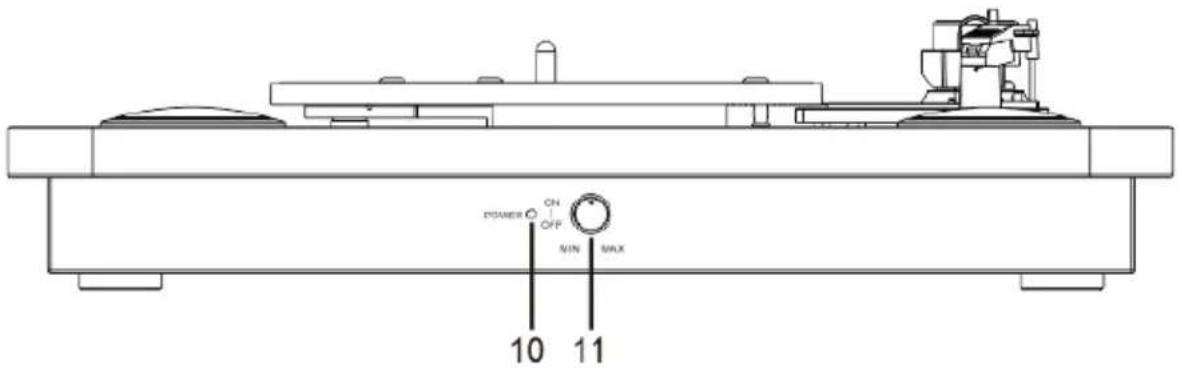
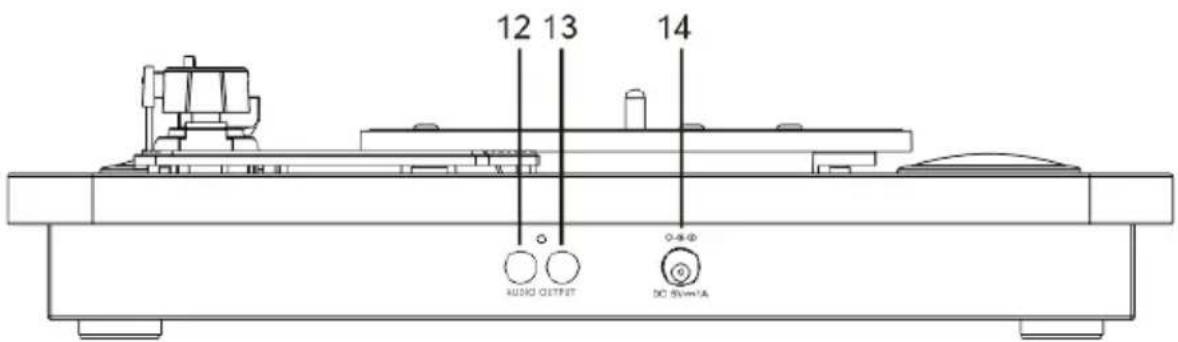
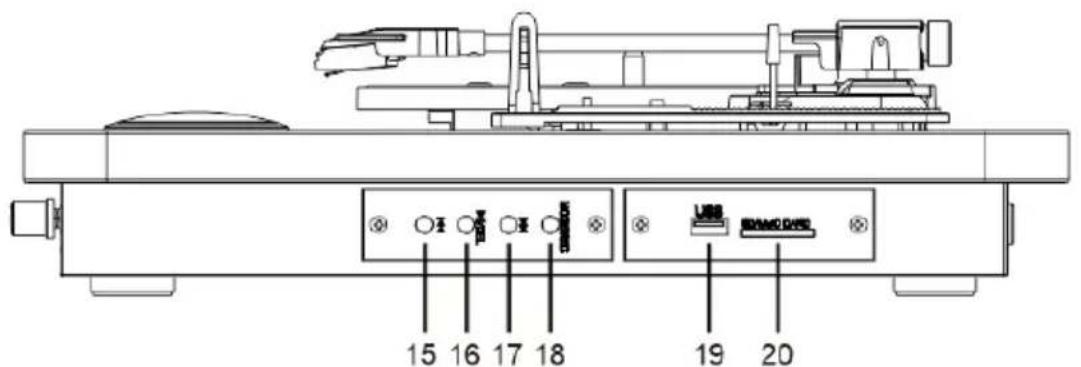
DESCRIPTION
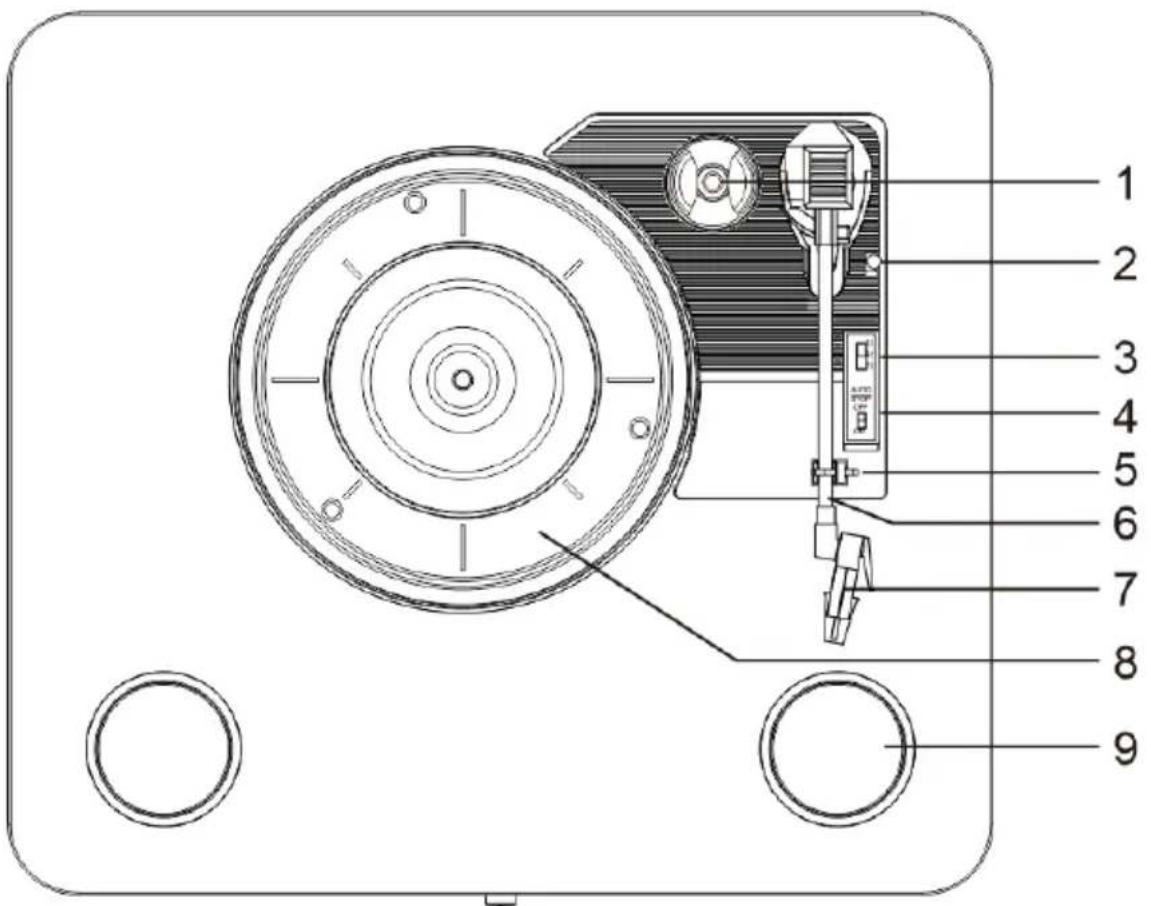
- Adaptor holder with 45 RPM adaptor
- Raise/lower lever
- Speed selector (33/45/78)
- Auto stop control
- Tone arm rest
- Tone arm
- Cartridge
- Turntable platter
- Speaker
- Power indicator
- On/off switch and volume control
- R channel
- L channel
- DC in
- Previous track
- Play/Pause/Delete
- Next track
- Mode: Recording/USB/SD/Bluetooth
- USB port
- SD/MMC card reader
INITIAL SETUP
MAINS CONNECTION
Ensure that the mains voltage of your home corresponds to the operating voltage of the unit. Your unit is ready to be connected to 5V DC adaptor.
AMPLIFIER CONNECTION (if required)
Whilst you can listen to your new turntable using the built in speakers you may wish to connect it to your existing hi-fi system. Connect the audio connectors to the Line input on your mixer or amplifier using an RCA cable (not supplied).
- Red plug into R channel.
- White plug into L channel.
Playing a record
- Place a vinyl on the platter. For Single (45 RPM) record, use the 45 RPM adapter.
- Choose the desired speed using the speed selection switch as 33, 45 or 78 RPM.
- Press the On/Off button to turn the turntable on.
-
Release the tone arm lock.
-
Carefully raise the tone arm.
- Place the stylus vertically over the first track of the record; the turntable will start turning automatically.
- Lower the tone arm slowly on to the record.
- When a record comes to the end, the turntable will stop automatically if the auto-stop switch is in the ON position. If the switch is in the off position the record will keep turning.
- Lift up the tone arm and replace it on the tone arm rest.
- Replace the protective cap on the stylus and close the tone arm lock.
- Press the On/Off button to turn the turntable off.
Bluetooth function
- Turn on the turntable and make sure the tone arm is on the rest.
- The turntable will prompt to indicate entering Bluetooth function.
- Enable the Bluetooth function on your smartphone and look for the "VPL-210" Bluetooth device.
- Once connected, you will hear a short voice prompt.
- With the Previous Track, Pause/Play/Delete and Next Track buttons you can control the choice of music on the turntable.
- When you disconnect Bluetooth on your smartphone, you will hear a short voice prompt.
Recording on USB stick / SD card
- Connect a USB stick to the turntable's USB port or insert an SD card into the card reader.
- Place a record on the turntable (see the Chapter "Playing a record").
- To start recording, press and hold the Mode button for about 2 seconds; a beep tone indicates the start of the recording.
- Place the tone arm on the record. The record is recorded in MP3 file format on the inserted media (USB stick or SD card).
- When the recording stops, press and hold the Mode button again for 2 seconds. Two beeps indicate the end of the recording. The recorded music will be saved in the "RECORD0" folder on your USB stick or SD card.
- Tracks are recorded in alphabetical order in the folder.
- After recording, press the Mode button to play the recorded song.
- To erase tracks from USB stick or SD card, press and hold the Pause/Play/Delete button for 2 seconds while playing the track to be erased; a beep tone indicates that the track has been erased.
Playback from USB stick or SD card
- Connect a USB stick to the turntable's USB port or insert an SD card into the card reader; the media should only contain MP3 files.
- The turntable prompts entering USB or SD function.
The music will start playing automatically.
- With the Previous Track, Pause/Play/Delete and Next Track buttons you can control the choice of music on the turntable.
Please notice - All products are subject to change without any notice. We take reservations for errors and omissions in the manual.
ALL RIGHTS RESERVED, COPYRIGHT DENVER ELECTRONICS A/S
DENVER
www.denver-electronics.com
Electric and electronic equipment contains materials, components and substances that can be hazardous to your health and the environment, if the waste material (discarded electric and electronic equipment) is not handled correctly.
Electric and electronic equipment is marked with the crossed out trash can symbol, seen above. This symbol signifies that electric and electronic equipment should not be disposed of with other household waste, but should be disposed of separately.
All cities have established collection points, where electric and electronic equipment can either be submitted free of charge at recycling stations and other collection sites, or be collected from the households. Additional information is available at the technical department of your city.
Hereby, Inter Sales A/S declares that the radio equipment type VPL-210 is in compliance with Directive 2014/53/EU. The full text of the EU declaration of conformity is available at the following internet address: www.denver-electronics.com and then click the search ICON on topline of website. Write model number: VPL-210. Now enter product page, and RED directive is found under downloads/other downloads.
Operating Frequency Range: 2402-2480MHz
Max Output Power: 1Wx2
| Manufacturer's name or trade mark, commercial registration number and address | Shenzhen BMT Electronics Co., Ltd. 91440300777173074R 2/F, 1 Building, QiYu Industrial Zone, Gongle, TieZi Road, XixiangTown, Baoan District, Shenzhen City, China. |
| Model identifier | U223C0A050100 |
| Input voltage | AC 100-240V |
| Input AC frequency | 50/60Hz |
| Output voltage | DC 5V |
| Output current | 1A |
| Output power | 5.3W |
| Average active efficiency | 73% |
| Efficiency at low load (10%) | 69% |
| No-load power consumption | 0.05W |
DENVER ELECTRONICS A/S
Omega 5A, Soeften
DK-8382 Hinnerup
Denmark
www.facebook.com/denveretelectronics
DENVER
KONFIGURACJA WSTEPNA
PODlACZENIE ZASILANIA SIECI
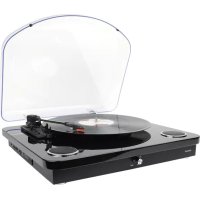
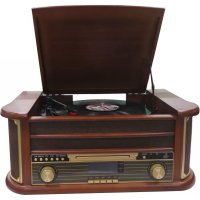
Brand : DENVER
Model : VPL210WOOD
Category : Turntable