
SRU1010 - Remote control PHILIPS - Free user manual and instructions
Find the device manual for free SRU1010 PHILIPS in PDF.

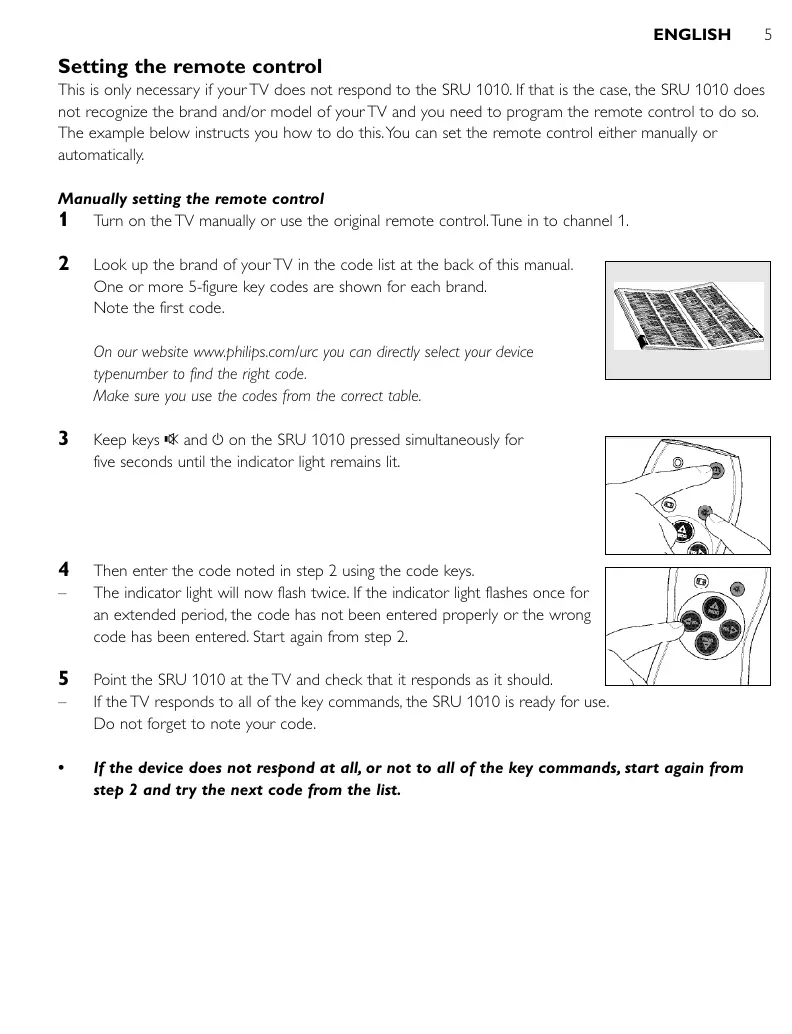


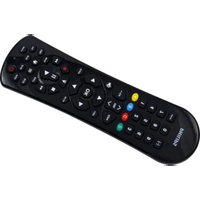
| Product type | Universal remote control |
| Compatible brands | Philips and other TV brands |
| Model | SRU1010 |
| Dimensions (approx.) | 25 x 5 x 2 cm |
| Weight (with batteries) | 100 g |
| Power supply | 2 AAA batteries (R03, UM3) |
| Battery life | 6 months (estimated) |
| Infrared range | 10 meters |
| Main functions | Volume, channel, mute, standby, screen format |
| Configuration methods | Manual (code) and automatic (code search) |
| Number of codes | Over 1000 built-in codes |
| Code update | Via the website www.philips.com/urc |
| Operation indicator | Red LED |
| Material | ABS plastic |
| Color | Black |
| Instruction manual languages | Multilingual (FR, EN, DE, ES, etc.) |
| Maintenance and cleaning | Wipe with a soft, dry cloth |
| Safety precautions | Do not expose to water, do not open, use recommended batteries |
| Recycling | Compliant with WEEE directive, do not dispose of in household waste |
| Repairability | No spare parts available, device not repairable |
Frequently Asked Questions - SRU1010 PHILIPS
User questions about SRU1010 PHILIPS
0 question about this device. Answer the ones you know or ask your own.
Ask a new question about this device
Download the instructions for your Remote control in PDF format for free! Find your manual SRU1010 - PHILIPS and take your electronic device back in hand. On this page are published all the documents necessary for the use of your device. SRU1010 by PHILIPS.
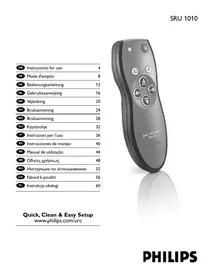
USER MANUAL SRU1010 PHILIPS
Quick, Clean & Easy Setup
www.philips.com/urc
Contents
- Introduction 4
- Installing the remote control 4-6
Inserting the batteries 4
Testing the remote control 4
Setting the remote control 5-6
- Keys and functions 7
- Troubleshooting 8
Code list of all brands / equipment 64-68
Information to the Consumer 69
1. Introduction
Congratulations on your purchase of the Philips SRU 1010 universal remote control.
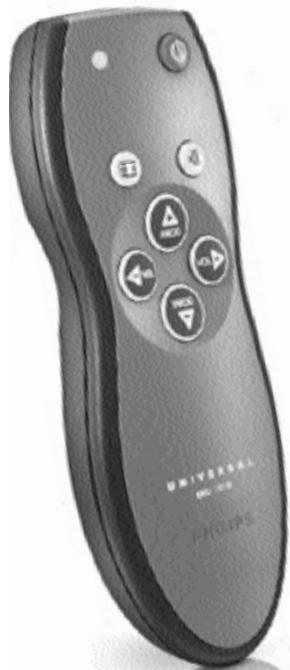
The SRU 1010 is a handy zapper with large size zapper keys and ergonomic shape for comfortable control.
After installing the remote control, it can operate the most-used functions of almost any brand of TV.
You can find information about how to prepare this remote control for use in the chapter
'Installing the remote control'.
2. Installing the remote control
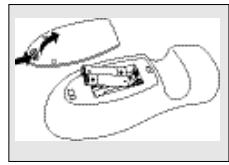
Inserting the batteries
1 Press the cover inwards and lift it up. 2 Place two R03, UM4 or AAA type batteries into the battery compartment, as shown. 3 Replace the cover and click it firmly into place.
Testing the remote control
Because the SRU 1010 may use different signals for each brand and even for different models of the same brand, it is advisable to test whether your TV responds to the SRU 1010.
The example below instructs you how to do this.
1 Turn your TV on manually or use the original remote control. Tune to channel 1. 2 Check whether all the keys are working. For an overview of the keys and their functions see '3. Keys and functions'. - If the TV responds as it should to all of the key commands, the SRU 1010 is ready for use.
If the device does not respond at all or not to all of the key commands, follow the instructions under 'Setting the remote control' or for online setup go to: www.philips.com/urc.
Setting the remote control
This is only necessary if your TV does not respond to the SRU 1010. If that is the case, the SRU 1010 does not recognize the brand and/or model of your TV and you need to program the remote control to do so. The example below instructs you how to do this. You can set the remote control either manually or automatically.
Manually setting the remote control
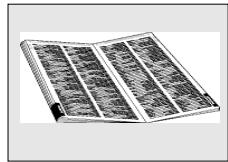
1 Turn on the TV manually or use the original remote control. Tune in to channel 1. 2 Look up the brand of your TV in the code list at the back of this manual. One or more 5-figure key codes are shown for each brand. Note the first code.
On our website www.philips.com/urc you can directly select your device type number to find the right code. Make sure you use the codes from the correct table.
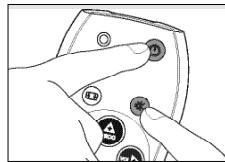
3 Keep keys ① and ① on the SRU 1010 pressed simultaneously for five seconds until the indicator light remains lit.
4 Then enter the code noted in step 2 using the code keys. The indicator light will now flash twice. If the indicator light flashes once for an extended period, the code has not been entered properly or the wrong code has been entered. Start again from step 2. 5 Point the SRU 1010 at the TV and check that it responds as it should. - If the TV responds to all of the key commands, the SRU 1010 is ready for use. Do not forget to note your code. If the device does not respond at all, or not to all of the key commands, start again from step 2 and try the next code from the list.
Automatically setting the remote control
If you cannot find the right code for your brand device, the remote control can automatically search for the right code.
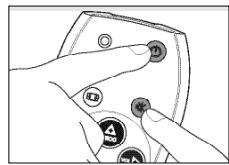
1 Make sure the TV is switched on and select a channel using the original remote control or the keys on the TV (for example channel 1). 2 Keep keys ① and ① on the SRU 1010 pressed simultaneously for five seconds, until the indicator light remains lit.
3 Press the ① key of the SRU 1010 and keep it pressed.
- The SRU 1010 now starts emitting all known 'TV off' signals, one by one. Each time a code is sent, the indicator light flashes. 4 When your TV switches off (stand-by), immediately release the ① key of the SRU 1010 to confirm. The SRU 1010 has now found a code that works on your TV. 5 Check if you can operate all functions on your TV with the SRU 1010.
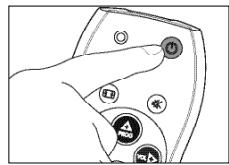
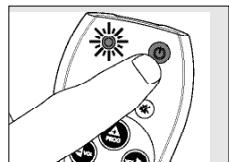
If this is not the case, you can redo the automatic setting. The SRU 1010 will then search for a code that perhaps works better.
After the SRU 1010 has run through all the known codes, the search will stop automatically and the indicator light stops flashing. Automatic programming of a TV takes a maximum of 6 minutes.
3. Keys and functions
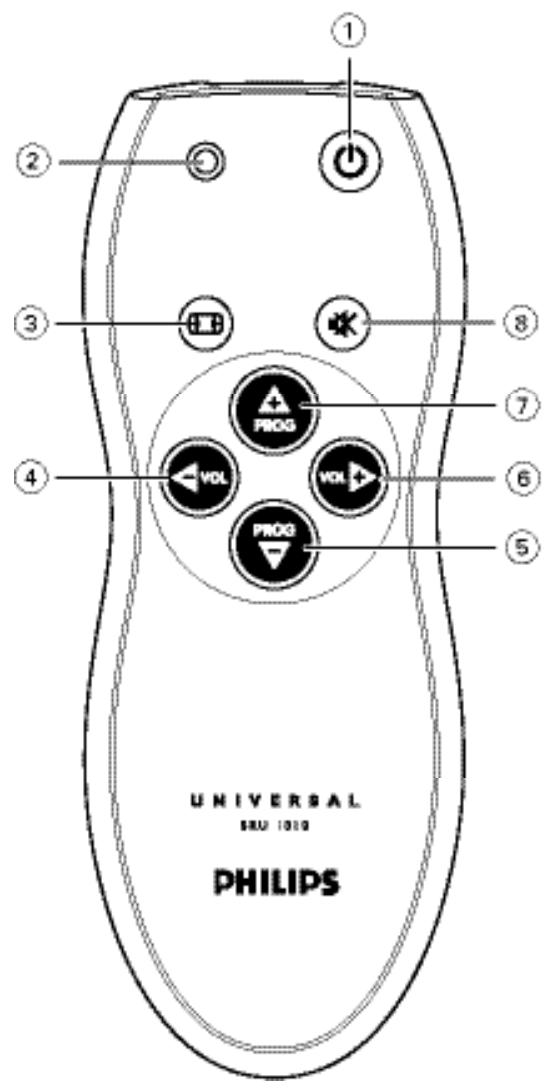
The illustration on page 3 gives an overview of all keys and their functions.
① (Standby)………switches the TV on or off. ② Indicator light . . . flashes / lights up when a key / key combination is pressed. ③ . selects between regular (4:3) and wide screen (16:9) TV. ④ VOL - . . . reduces the TV volume. ⑤ PROG - selects a previous channel. ⑥ VOL + . increases the TV volume. ⑦ PROG + . selects a following channel. ⑧ (Mute) ........ mutes the sound of the TV.
4. Troubleshooting
Problem Solution
The device you want to operate does not respond when you press a key. Replace the old batteries with two new R03, UM4 or AAA type batteries. - Point the SRU 1010 at the device and make sure that there are no obstructions between the SRU 1010 and the device. The SRU 1010 does not respond properly to commands. - Maybe you are using the wrong code. Try programming the SRU 1010 again using another code, which is mentioned under the brand of your device, or reset for automatic search to find the right code. - Your brand of device is not in the code list. Try to set the SRU 1010 automatically. See 'Automatically setting the remote control'. - None of the codes works during manual setting of the remote control. If that is the case, follow the instructions under 'Automatically setting the remote control'.
Manual setting of the remote control
Multitech. ▲□, ▲□▼, ▲□■, ▲▼▲,
Murphy.
Naonis.
NEC.
Neckermann. ▲△, △△, △▼△
NEI
Nesco.
New Tech.
New World
Nicamagic.
Nikkai.
Nobliko.
Nokia
Nordmende
Nordvision.
Oceanic
ONCEAS.
Orbit
Orion. ▲▼◇,△▼◇,◇▼,◇▼△
A
Osaki.
Os
Osume
Otto Versand... ▲, △, △△, △△, △△, △△
Pael
Palladium
Panama.
Panasonic.
△△V, △△, △VV<, △
...
...
Parthe Cinema.
Pausa
Perdio
Philco.
Philharmonic.
Philips.
A△, △△V>, △△▼
A
A
A<, A>AA, A>▼A, △▼A
Phoenix
Phonola
Pioneer.
Plantron.
Poppy
Prandoni-Prince
Precision.
Prima.
Profex.
Profi-Tronic
Proline.
Prosonic.
Protech.
…
Provision
Pye. ▲▼□,▲·<□,<V△△,<V△
Pymi
Quasar
Quelle
Radiola
Radiomarelli. ▲▲, ▲▼
Radionette.
Radiotone
Revox
Rex.
RFT
R-Line
Roadstar.
Robotron
RTF.
Saba.
...
Saisho
Salora
Sambers.
Samsung.
A ▲△, △△, △△, △△, △△
...
...
Sandra
Sansui.
Sanyo.
.
SBR.
Schaub Lorentz.
Schneider.....A▼,A▼A▼,A▼▼▶,A▼▼,A▼▲
...
SEG.
A
SEI-Sinudyne.
Seleco
Sencora
Sharp.
Shorai.
Siarem
Siemens
Sierra
Singer.
Sinudyne.
Skantic
Solavox
Sonitron.
Sonoko.
Sonolor
Sontec
Sony.
Sound & Vision.
Soundwave
Standard.
Starlight
Stern
Sunkai.
Sunwood.
Superla.
Supra.
Susumu.
Sutron.
Sydney
Sysline
Tandberg
Tandy.
Tashiko
Tatung.
TCM.
Tec. ▲
Telefunken.....A#V,4AAB,4A4K,4VAA,A
Teletech.
Teleton.
Tensai.
Tesmet.
Tevion.
Texet
Thomson.
A▼O,▲O▲O,△▼O,△O,O
...
...
Thorn.
Tokai. △△△,
Tokyo
Toshiba. A▼△,▲▼<△,▲▼>△,▲▼>△ ... . ... ... Towada Uher. Ultravox..... United. Universum
Vestel.
Vexa. Victor Videologique. Videosat. VideoSystem Viewsonic. Visiola. Vision Vortec. Voxson. Waltham. Watson Watt Radio. Wega. Weltblick Weston. White Westinghouse..., , Yoko.
Yorx. Zanussi
Disposal of your old product
Your product is designed and manufactured with high quality materials and components, which can be recycled and reused.
When this crossed-out wheeled bin symbol is attached to a product, it means the product is covered by the European Directive 2002/96/EC.
Please inform yourself about the local separate collection system for electrical and electronic products.
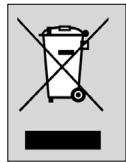
Please act according to your local rules and do not dispose of your old products with your normal household waste. The correct disposal of your old product will help prevent potential negative consequences for the environment and human health.

- CONTENTS
- INTRODUCTION
- INSTALLING THE REMOTE CONTROL
- INSERTING THE BATTERIES
- TESTING THE REMOTE CONTROL
- SETTING THE REMOTE CONTROL
- MANUALLY SETTING THE REMOTE CONTROL
- AUTOMATICALLY SETTING THE REMOTE CONTROL
- KEYS AND FUNCTIONS
- TROUBLESHOOTING
- MANUAL SETTING OF THE REMOTE CONTROL
- DISPOSAL OF YOUR OLD PRODUCT
Brand : PHILIPS
Model : SRU1010
Category : Remote control