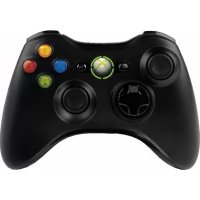
Xbox 360 Black Controller for Windows - Controller MICROSOFT - Free user manual and instructions
Find the device manual for free Xbox 360 Black Controller for Windows MICROSOFT in PDF.



| Brand | Microsoft |
| Model | Xbox 360 Black Controller for Windows |
| Product type | Wireless game controller |
| Dimensions | Approximately 15 x 10 x 5 cm |
| Weight | Approximately 250 g (without batteries) |
| Power | 2 AA (LR6) batteries or Xbox 360 rechargeable battery pack (sold separately) |
| Connectivity | 2.4 GHz wireless |
| Compatibility | Windows (PC) and Xbox 360 |
| Main features | Vibration feedback, analog triggers, analog sticks, D-pad, A/B/X/Y buttons, guide buttons |
| Care and cleaning | Clean with a soft, slightly damp cloth. Do not use solvents. |
| Safety | Do not expose to fire, do not open, remove batteries before flying, use only AA alkaline batteries |
| Spare parts and repairability | Xbox 360 rechargeable battery pack sold separately. No user-serviceable parts. |
| Operating temperature | +5°C to +35°C |
| Package contents | Controller, AA battery pack, quick start guide |
| General information | Compliant with FCC and CE standards. CE marking and WEEE recycling. |
Frequently Asked Questions - Xbox 360 Black Controller for Windows MICROSOFT
User questions about Xbox 360 Black Controller for Windows MICROSOFT
0 question about this device. Answer the ones you know or ask your own.
Ask a new question about this device
Download the instructions for your Controller in PDF format for free! Find your manual Xbox 360 Black Controller for Windows - MICROSOFT and take your electronic device back in hand. On this page are published all the documents necessary for the use of your device. Xbox 360 Black Controller for Windows by MICROSOFT.
USER MANUAL Xbox 360 Black Controller for Windows MICROSOFT
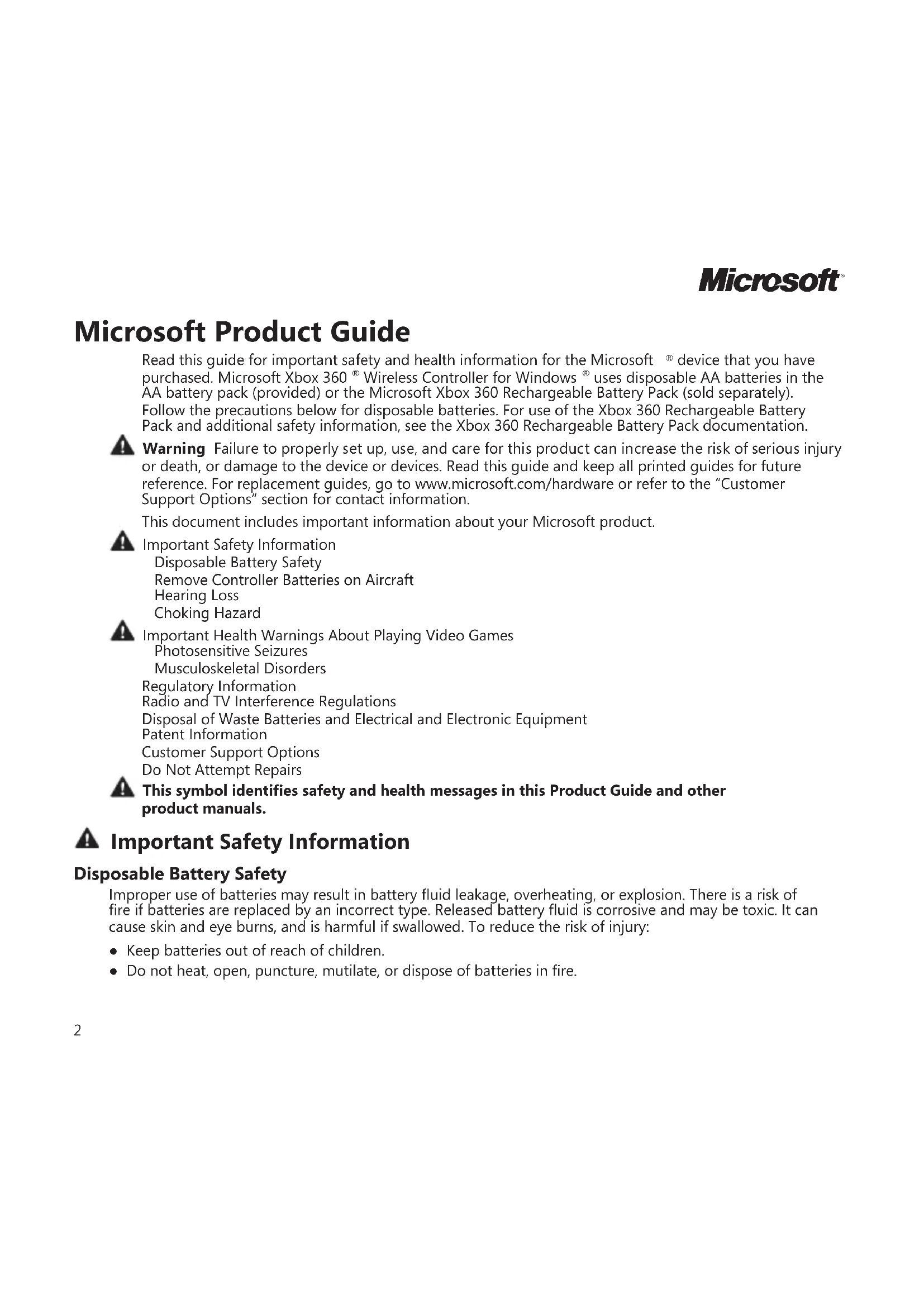
Read this guide for important safety and health information for the Microsoft ^® device that you have purchased. Microsoft Xbox 360 ^® Wireless Controller for Windows ^® uses disposable AA batteries in the AA battery pack (provided) or the Microsoft Xbox 360 Rechargeable Battery Pack (sold separately). Follow the precautions below for disposable batteries. For use of the Xbox 360 Rechargeable Battery Pack and additional safety information, see the Xbox 360 Rechargeable Battery Pack documentation.
Warning Failure to properly set up, use, and care for this product can increase the risk of serious injury or death, or damage to the device or devices. Read this guide and keep all printed guides for future reference. For replacement guides, go to www.microsoft.com/hardware or refer to the "Customer Support Options" section for contact information.
This document includes important information about your Microsoft product.
▲ Important Safety Information Disposable Battery Safety Remove Controller Batteries on Aircraft Hearing Loss Choking Hazard
Important Health Warnings About Playing Video Games Photosensitive Seizures Musculoskeletal Disorders Regulatory Information Radio and TV Interference Regulations Disposal of Waste Batteries and Electrical and Electronic Equipment Patent Information Customer Support Options Do Not Attempt Repairs
This symbol identifies safety and health messages in this Product Guide and other product manuals.
▲ Important Safety Information
Disposable Battery Safety
Improper use of batteries may result in battery fluid leakage, overheating, or explosion. There is a risk of fire if batteries are replaced by an incorrect type. Released battery fluid is corrosive and may be toxic. It can cause skin and eye burns, and is harmful if swallowed. To reduce the risk of injury:
- Keep batteries out of reach of children.
-
Do not heat, open, puncture, mutilate, or dispose of batteries in fire.
-
Use only alkaline batteries, type AA (LR6).
- Do not mix new and old batteries.
- Remove the batteries if they are worn out or before storing your device for an extended period of time. Do not leave batteries in the AA battery holder when it is not installed in the controller.
- If a battery leaks, remove all batteries, taking care to keep the leaked fluid from touching your skin or clothes. If fluid from the battery comes into contact with skin or clothes, flush skin with water immediately. Before inserting new batteries, thoroughly clean the battery compartment with a damp paper towel, or follow the battery manufacturer's recommendations for cleanup.
- Dispose of batteries in accordance with local and national disposal regulations, including those governing the recovery and recycling of waste electrical and electronic equipment (WEEE).
Remove Controller Batteries on Aircraft
Before boarding any aircraft or packing the wireless controller in luggage that will be checked, remove the batteries from the wireless controller. The wireless controller can transmit radio frequency (RF) energy, much like a cellular telephone, whenever batteries are installed.
Hearing Loss
Extended exposure to high volumes when using a headset may result in temporary or permanent hearing loss. Some third-party headsets may produce higher sound levels than compatible Microsoft headsets.
Choking Hazard
This device may contain small parts which may be a choking hazard to children under 3. Keep small parts away from children.
▲ Important Health Warnings About Playing Video Games
Photosensitive Seizures
A very small percentage of people may experience a seizure when exposed to certain visual images, including flashing lights or patterns that may appear in video games. Even people who have no history of seizures or epilepsy may have an undiagnosed condition that can cause these “photosensitive epileptic seizures” while watching video games.
These seizures may have a variety of symptoms, including lightheadedness, altered vision, eye or face twitching, jerking or shaking of arms or legs, disorientation, confusion, or momentary loss of awareness. Seizures may also cause loss of consciousness or convulsions that can lead to injury from falling down or striking nearby objects.
Immediately stop playing and consult a doctor if you experience any of these symptoms. Parents should watch for or ask their children about the above symptoms — children and teenagers are more likely than adults to experience these seizures. The risk of photosensitive epileptic seizures may be reduced by taking the following precautions:
- Sit farther from the television screen.
- Use a smaller television screen.
- Play in a well-lit room.
- Do not play when you are drowsy or fatigued.
If you or any of your relatives have a history of seizures or epilepsy, consult a doctor before playing.
Musculoskeletal Disorders
Use of game controllers, keyboards, mice, or other electronic input devices may be linked to serious injuries or disorders.
When playing video games, as with many activities, you may experience occasional discomfort in your hands, arms, shoulders, neck, or other parts of your body. However, if you experience symptoms such as persistent or recurring discomfort, pain, throbbing, aching, tingling, numbness, burning sensation, or stiffness, DO NOT IGNORE THESE WARNING SIGNS. PROMPTLY SEE A QUALIFIED HEALTH PROFESSIONAL, even if symptoms occur when you are not playing a video game. Symptoms such as these can be associated with painful and sometimes permanently disabling injuries or disorders of the nerves, muscles, tendons, blood vessels, and other parts of the body. These musculoskeletal disorders (MSDs) include carpal tunnel syndrome, tendonitis, tenosynovitis, vibration syndromes, and other conditions.
While researchers are not yet able to answer many questions about MSDs, there is general agreement that many factors may be linked to their occurrence, including medical and physical conditions, stress and how one copes with it, overall health, and how a person positions and uses their body during work and other activities (including playing a video game). Some studies suggest that the amount of time a person performs an activity may also be a factor.
Some guidelines that may help you work and play more comfortably and possibly reduce your risk of experiencing an MSD can be found in the Healthy Gaming Guide (available at www.xbox.com). These guidelines address topics such as:
- Positioning yourself to use comfortable, not awkward, postures
- Keeping your hands, fingers, and other body parts relaxed
- Taking breaks
• Developing a healthy lifestyle
If you have questions about how your own lifestyle, activities, or medical or physical condition may be related to MSDs, see a qualified health professional.
Regulatory Information
Tested to comply with FCC (U.S. Federal Communications Commission) Standards. For home or office use. Not intended for use in machinery, medical, or industrial applications. Any changes or modifications not expressly approved by Microsoft could void the user's authority to operate this device. This product is for use with NRTL-Listed (UL, CSA, ETL, etc.), and/or IEC/EN 60950 compliant (CE marked) Information Technology equipment. No serviceable parts included.
This device is rated as a commercial product for operation at +41°F (+5°C) to +95°F (+35°C).
This Class B digital apparatus complies with Part 15 of the U.S. Federal Communications Commission (FCC) rules, Canadian ICES-003, RSS-Gen, RSS-210, and RSS-310. Operation is subject to the following two conditions: (1) this device may not cause interference, and (2) this device must accept any interference received, including interference that may cause undesired operation.
The term "IC:" before the certification/registration number only signifies that the Industry Canada technical specifications were met.
Radio Frequency Technical Specifications

Hereby, Microsoft Corp. declares that this Xbox 360 Wireless Controller is in compliance with the essential requirements and other relevant provisions of Directive 1999/5/EC. The declaration of conformity can be found at http://assets.xbox.com/en-us/support/DoC-360WirelessNetworkAdapter.pdf
This equipment is intended to be used in all EU and EFTA countries.
To comply with RF exposure compliance requirements, this device must not be co-located or operating in conjunction with any other antenna or transmitter.
For Bluetooth and 2.4 GHz devices only: To comply with FCC RF exposure requirements, a separation distance of at least 20 cm must be maintained between the antenna of this device and all persons. This device must not be co-located or operating in conjunction with any other antenna or transmitter.
Microsoft Corporation; One Microsoft Way; Redmond, WA 98052-6399; U.S.A.
United States: (800) 426-9400 Canada: (800) 933-4750
Disposal of Waste Batteries and Electrical and Electronic Equipment
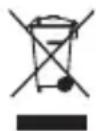
This symbol on the product or its batteries or its packaging means that this product and any batteries it contains must not be disposed of with your household waste. Instead, it is your responsibility to hand this over to an applicable collection point for the recycling of batteries and electrical and electronic equipment. This separate collection and recycling will help to conserve natural resources and prevent potential negative consequences for human health and the environment due to the possible presence of hazardous substances in batteries and electrical and electronic equipment, which could be caused by inappropriate disposal. For more information about where to drop off your batteries and electrical and electronic waste, please contact your local city/municipality office, your household waste disposal service, or the shop where you purchased this product. Contact weee@microsoft.com for additional information on WEEE and waste batteries.
Patent Information
United States and/or international patents pending.
Customer Support Options
If you have a question about your Microsoft hardware product, do the following:
- Check the system requirements for your product (located on the packaging) to make sure your system is compatible.
- Read through all printed documentation.
- For complete product information, see the on-screen Help file installed with the device software.
- For the latest product information and software updates, go to the Microsoft Hardware Web site at www.microsoft.com/hardware.
- For up-to-date help about using or troubleshooting your device, go to http://www.xbox.com/support.
Do Not Attempt Repairs
Do not attempt to take apart, open, service, or modify this product. Any evidence of any attempt to open and/or modify the device, including any peeling, puncturing, or removal of any of the labels, will void the Limited Warranty.
Information in this document, including URL and other Internet Web site references, is subject to change without notice. Unless otherwise noted, the example companies, organizations, products, domain names, e-mail addresses, logos, people, places, and events depicted herein are fictitious, and no association with any real company, organization, product, domain name, e-mail address, logo, person, place, or event is intended or should be inferred. Complying with all applicable copyright laws is the responsibility of the user. Without limiting the rights under copyright, no part of this document may be reproduced, stored in or introduced into a retrieval system, or transmitted in any form or by any means (electronic, mechanical, photocopying, recording, or otherwise), or for any purpose, without the express written permission of Microsoft Corporation.
Microsoft may have patents, patent applications, trademarks, copyrights, or other intellectual property rights covering subject matter in this document. Except as expressly provided in any written license agreement from Microsoft, the furnishing of this document does not give you any license to these patents, trademarks, copyrights, or other intellectual property.
Microsoft Corporation grants the purchaser of this product the right to reproduce one (1) copy of this user manual for each Hardware Device you purchased in the package.
© 2008 Microsoft Corporation. All rights reserved.
Microsoft, Windows, and Xbox 360 are either registered trademarks or trademarks of Microsoft Corporation in the United States and/or other countries.
All other trademarks are property of their respective owners.
Options du support client
Microsoft Corporation, One Microsoft Way, Redmond, WA 98052-6399, H.П.А.
© 2008 Microsoft Corporation. All rights reserved.

- ▲ Important Safety Information
- Disposable Battery Safety
- Remove Controller Batteries on Aircraft
- Hearing Loss
- Choking Hazard
- ▲ Important Health Warnings About Playing Video Games
- Photosensitive Seizures
- Musculoskeletal Disorders
- Regulatory Information
- Radio Frequency Technical Specifications
- Disposal of Waste Batteries and Electrical and Electronic Equipment
- Patent Information
- Customer Support Options
- Do Not Attempt Repairs
- Options du support client
Brand : MICROSOFT
Model : Xbox 360 Black Controller for Windows
Category : Controller