2.5 Memory Play - Hard Drive INTENSO - Free user manual and instructions
Find the device manual for free 2.5 Memory Play INTENSO in PDF.



| Features | Details |
|---|---|
| Product type | External hard drive |
| Storage capacity | 1 TB, 2 TB |
| Interface | USB 3.0 |
| Dimensions | Approximately 130 x 80 x 20 mm |
| Weight | Approximately 200 g |
| Power supply | Powered via USB |
| File system | NTFS (compatible with Windows and Mac) |
| Usage | File storage, data backup, file transfer |
| Maintenance | Keep in a dry place, avoid physical shocks |
| Security | Data encryption (model dependent), password protection (model dependent) |
| Compatibility | Windows, macOS, Linux |
| Warranty | 2 years (depending on seller) |
Frequently Asked Questions - 2.5 Memory Play INTENSO
User questions about 2.5 Memory Play INTENSO
0 question about this device. Answer the ones you know or ask your own.
Ask a new question about this device
Download the instructions for your Hard Drive in PDF format for free! Find your manual 2.5 Memory Play - INTENSO and take your electronic device back in hand. On this page are published all the documents necessary for the use of your device. 2.5 Memory Play by INTENSO.
USER MANUAL 2.5 Memory Play INTENSO
Declaration of conformity 2
General 2
Use
System requirements 3
Connecting the hard drive 3
Removing the hard drive 3
Safety instructions 4
Assistance with problems 5
Technical data 5
Disposal
Exclusion of liability 6
7
2
OVERVIEW
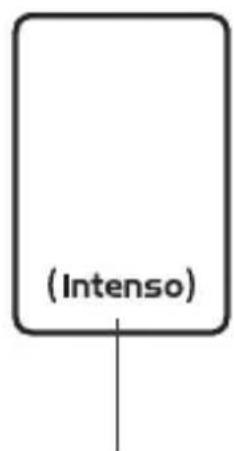
Delivery scope
1
2
3
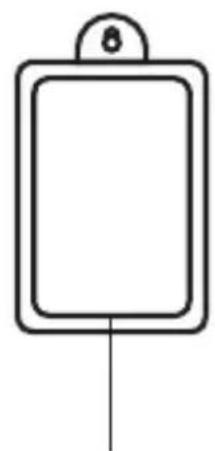
1 Intenso Super Speed USB 3.0 hard drive Hard disk support bracket (downwards compatible) for wall mounting

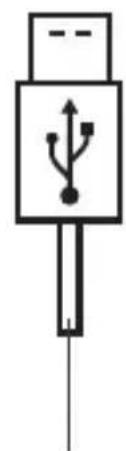
USB 3.0 cable
Operating Instructions

Declaration of conformity

The CE marking says that this product meets the requirements of all EU Directives applicable for this product.
GENERAL
About these instructions
Read these instructions carefully and please observe and heed all references made in these instructions to guarantee a long life and reliable use of the device. Please keep these instructions ready to hand and pass them on to other users of the device.
Intended use
The primary purpose of this external hard drive is the storage of data from TVs, PCs, Notebooks, Ultrabooks or MAC computers. This product is not intended for commercial use or for medical and special applications, where the failure of the product can cause injuries, mortalities or considerable material damages. In the case of use which does not correspond to the intended use, the liability expires. TThe opening, as well as conversion of the device and the use of additional devices and accessories, which are not approved by us, must be refrained from. Do not use the device under extreme ambient conditions and observe the safety instructions. Non-observation of the information and safety instructions in these Instructions is deemed as non-observation of the intended use and leads to expiry of the liability and can lead to personal or material damage.
USE
System requirements
This hard drive is compatible with the operating systems MS Windows 7 / 8 / 8.1 / 10 and Mac OS 10.x*. A free USB interface is required to operate it.
*Trademarks: Windows 7/8/8.1/10 are registered trademarks of the Microsoft Corporation. Macintosh and MAC are registered trademarks of Apple Computer. All brands and third party names are the property of the respective user.
Notes:
A USB 3.0 interface card is necessary for the USB 3.0 operation The hard drive is downward compatible to previous USB standards. The hardware configuration of your PC and the used operating system can influence the compatibility of the hard drive.
Power supply under USB 2.0: In the case that your USB 3.0 hard drive is not recognised on a computer with a USB 2.0 port, the power supply could be a possible cause. Please connect a USB hub with external power supply in this case.
Connecting the hard drive
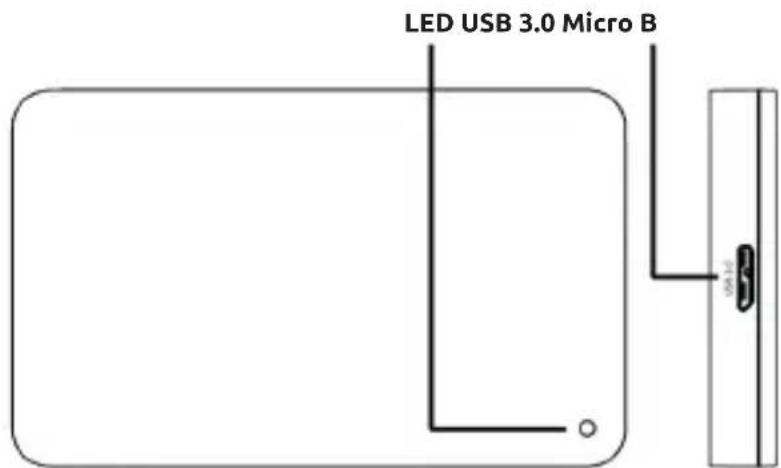
To connect the external hard drive to your TV or computer, please use only the supplied USB cable. For further use with your TV please follow the operating instructions of the manufacturer of your TV.
Connection to a computer: The computer recognizes the "new hardware" and installs the driver automatically. Wait until the driver installation is completed. In the "workplace" there is now another drive with the designation "Intenso" available. As soon as the external drive is connected with the TV or computer, the LED lights up. The LED flashes when a write or read operation is carried out.
Important notes for the use with a TV:
-
Please note that the maximum possible recording capacity can vary, dependent on the TV used, the applied compression method and the recorded TV format (DVB or HD).
-
Should problems occur, please contact the Support of the manufacturer of your TV and enquire whether there are any restrictions or software updates for your model (software is not activated for TV recording, etc.).
Removing the hard drive
Depending on the used operating system, the hard drive must be logged off before the connection to the computer is interrupted. For further details please refer to the Help Section of your operating system provider. The device may not be removed when it is still being accessed (flashing LED). This can lead to damages and/or data loss. Please close all the files located on the hard drive (photos, documents, etc.) before removing the hard drive.
SAFETY INSTRUCTIONS
Dangers for children and persons with restricted physical, sensory or mental abilities:
Children often underestimate dangers or do not recognise them at all. This device is not intended to be used by persons (including children) with restricted sensory, physical or mental abilities or lack of experience and/or knowledge, unless they are supervised by a person responsible for their safety or received instructions from the person on how to use the device and they have understood the resultant dangers. Unsupervised children should not have access to the device. Make sure that children do not play with the device.
General
The device may not be exposed to spray or dripping water.
Vessels filled with liquid (vases, glasses or similar) may not be placed on the device. There is danger that the vessel tips over and the liquid impairs the electrical safety.
Do not operate this device with wet hands.
Do not insert any items, which are not intended for its use, into the openings of the device. This could lead to an electrical short-circuit and a resultant fire.
Do not block or cover the openings of the product.
Under no circumstances use the device in the case of visible damages on it or the USB cable.
When positioning the device, pay attention that no one can tread on the cable or trip over it. Do not place any objects onto the cable.
Do not drop the device or subject it to vibrations or impacts, this applies in particular to the transport. Do not move the device when it is in operation. Hard drives are extremely vulnerable and the data located on them can be destroyed irretrievably through this. Such damages are not contained in the guarantees.
Carry out data backups frequently to avoid a possible data loss.
Data recovery is not part of the guarantees and cannot be conducted by our Service Centre!
Keep the device away from any type of moisture and avoid dust, heat and direct sunlight.
Do not open the housing of the device and do not disassemble it into its component parts. Do not try to repair it yourself. The guarantee expires in this case.
Avoid the use in intensely magnetized fields such as, for example, in direct proximity of loudspeakers, to avoid data loss or other malfunctions.
During operation pay attention to a vibration-free base to avoid damages.
ASSISTANCE WITH PROBLEMS
Status LED is not illuminated
Check the external hard drive and the USB cable for visible damages. Should there be damage please contact our Support to exchange it. Under no circumstances use the defective device or cable. Check that the cable connection is plugged correctly.
Hard Drive is not recognized
Check the points under "Status LED is not illuminated" first.
Please check all further USB ports of your device (in particular on the rear side of PCs), it is possible that the hard drive does not get enough power at the used USB port. Please use only the supplied cable and, in particular, no extension.
If you use a USB hub between hard drive and computer, this should have an own power supply.
If the hard drive is not recognized at any USB port of your device, please try if it works on another device to exclude a possible defect.
Check the Disk Management, it is possible that only a drive letter has to be assigned (please see the Help file of your Windows version).
If you have used the hard drive previously, for example on a TV set, it could be that you have to format the hard drive first so that you can use it on a computer again (please refer to the operating instructions of the previously used device and/or the Help file of your operating system provider for details).
TECHNICAL DATA
| EXTERNAL USB 3.0 HARD DRIVE 2.5" (6.35CM) | |
| Dimensions (2.5" housing): 13 x 78 x 127 mm | |
| Transfer rate: max. 5 GBit/sec (USB 3.0) | |
| Capacity calculation: 1 MB = 1,000,000 bytes/1 GB = 1,000,000,000 bytes |
DISPOSAL
Disposal of old electronic equipment:
The devices marked with this symbol are subject to the European Directive 2012/19/EC. All electrical appliances and old electrical appliances must be disposed of separate from the municipal waste stream via designated collection facilities appointed by the government or the local authorities. You avoid environmental damage with the proper disposal of old electrical equipment.

Packaging:
Packaging is raw material. The packaging material of this product is suitable for recycling and can be re-used. Please pay attention to the local recycling provisions when disposing of any materials.
EXCLUSION OF LIABILITY
The firmware and/or hardware may be changed at any time without prior notice. For this reason it is possible that parts of these instructions, technical data and images in this documentation differ slightly from the product in your possession. All points described in these instructions only serve the purpose of clarification and must not inevitably correspond to a certain situation. Legal claims cannot be made on the basis of these instructions.
GUARANTEE CONDITIONS AND COMPLAINTS PROCEDURE
Guarantee conditions:
Intenso International GmbH grants a two-year guarantee for this product in addition to the statutory warranty. The guarantee applies only to material and production errors. Intenso International GmbH is not liable for the loss of data. The free-of-charge guarantee relates to the repair or exchange of faulty parts. You are responsible for the safe elimination of your data which is not carried out by us. The sales receipt must be retained for the determination of the guarantee period. Please understand that we cannot provide a guarantee service in the case of, e.g.:
Non-observance of the Operating Instructions
- Abusive or improper treatment, installation or use
- Damages, scratches or wear
- Arbitrary modifications, opening the housing, interventions or repairs
- Damage through other devices, force majeur or transport
Complaints procedure:
In the case of a complaint, please proceed as follows:
- Only returns with sales receipt and full accessories will be accepted.
- Furthermore, an RMA number is absolute precondition for returns. You can request this RMA number via the homepage, by email or via the service hotline. It must be attached clearly visible on the parcel.
- Please pack the product including the sales receipt and complete accessories in a transport-proof manner. The parcel must have sufficient postage.
Please send the parcel to the following address:
INTENSO INTERNATIONAL GMBH
Service Center (your RMA-No.)
(0,39 € / min. from the German fixed network mobile phone prices may vary.)
MODE D'EMPLOI
Table des matieres
Vue d'ensemble 2
Matériel fourni 2
Email (assistance technique): support@intenso-international.de
Email (supporto technician): support@intenso-international.de
Email (numero RMA): rma@intenso-international.de
Sito Web: www.intenso-international.de
Hotline: +49 (0) 900 -1 50 40 30
Service Center (Va's RMA-br.)
Service Center (Vasec. RMA)
IckJIIOUeHHe OTBeTCTBENHOCTN 6
TapaHTnHbIe ycIOBna n npOceDpya peKlaMaucn 7
063OP
O6bem nocTabKn
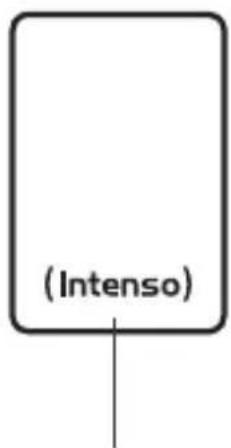
1
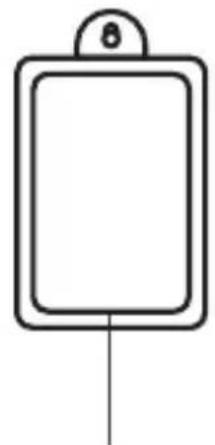
2
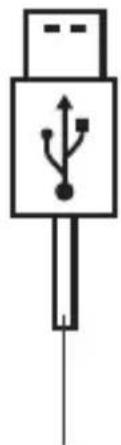
3
1 XecTkni dnck Intenso c cynepeckopoctho EpkaTeJb JcctKoro Dncka IInHTepeimcom USB 3.0 (o6paTHO COBmecTnMbIM) HacTeHHORo MOHTaKa
Ka6eIb USB 3.0 PykoBOdTO NO noIb3OBAHIO 4
Дeкларачnia O COOTBETCTBHH

MapknpoBka 3HaKOM ,CE" cBnJeTeIbCTByeT O TOM, yTO 3TOT npOdyKT OTBeueaET Tpe6oBaHnM Bcex DeNCTByUOuX dInpeKTHB EbponeNCKoro CoHO3a, oTHOCuaXcR K ATOMy npOdykTy.
OBUINE CBEDEHNA
O6 3tOM pyKOBODCTBe
BHHMaTeNbHO npOHTHe n co6HOnaJaTe 3To pyKOBOcTBo. BbIOnHnYe BCE coOpJkaUneCer B ATOM pyKOBOcTBe yKa3aHn, YTO6bI o6ecNeuHb DOJIryu HnAedKHyo pa6Oy UcTpoiCTBa. XpaHnTe 3To pyKOBOcTBo B IeRko DoCTyHnOM MeCTe. Ppr npepaue ycTpoiCTBa dpyrnm IOnb3OBaTeJIam nepeJaTe BMecTe C Hm n pyKOBOcTBo.
Ha3naueHne
OCHOHBIM Ha3HaueHnem 3TOB BHeUHrero JecTKoRO DaNCKA RbIeTc COxpaHeHne DaHHbIX N3 TeLeBn3OpOB, nepcoHaJIbHbIX KOMNbIOTePob, HoY6yKOB, YbTpAp6yKOB INI KOMNbIOTePob MAC. 3TOT npOdyKT He npedymOTpeH dIra KOMMepueckoro nCNoJIb3OBaHnR INI dIra MeDINHCKNX INHbIX CNEuJIbHbIX npImeHnR, pNI KOTOpBX BbIXOD npOdyKTA IN3 CTPOR MOKeT npINBeCTN K TpaBMam, CMePeJIbHbIM HeCHAcTHbIM CUYaAM INI 3HaHTeJIbHOMy MaTePnAJIbHOMy Uyep6y. B Clyuae IcNoJIb3OBaHnR He NO Ha3HaueHnIO OTBeCTBHeHOCTb IN3OTOBtEner ytpaUNBaET cIly. CledyET IN6eRaTBHeCeHnR B yCTPOJCTBO IN3MeHeHn INCNoJIb3OBaHnR KaKx-1n60 DOOnlHIteJIbHbIX UCTPOINCTB INpINaIeXHoCTe, He yTbeJxDEHHbIX HamN. He IcNoJIb3yIne YCTPOINCTBO Upye3BvUaHbIX OKpyKaIOUx YcIOBnX IN Co6IIOJaTE yKa3AHnR IO 6eONacHOCTn. HecO6JIouDeHne INΦOpMaunr IN kka3AHnR NO 6eONacHOCTn, CoDEPKaUnxCBA TOM pyKOBoIDCTBE, ChITaETCR NcNOJIb3OBaHnEM YCTPOINCTBA HE NO HA3HaueHnO, CHIMAET OTBeTCTBEHNOCB C IN3GTOTOBtEner INMOKeT pINBeCTN K TpaBMam INI MaTePnAJIbHOMy Uyep6y.
ПОНMEHEHNE
Tpe6obHnK cnCTeme
эТOT жесTKи днСК COBmecTи C onepaциоНьIMn CnCTeMaMn MS Windows 7/8/8.1/10 n Mac OS 10.x*.Дя erо Испальзовая Heo6xODIM CBO6OДнь INHTepфeic USB.
- ToBapHbIe 3HaKu:Windows 7/8/8. 1/10ЯБЯHOMc3apeZucmpupOBAHHbIMU mobApHbIMU 3HaKAMu Microsoft Corporation. Macintosh u MACЯБЯHOMc3apeZucmpupOBAHHbIMU mobApHbIMU 3HaKAMu Apple Computer. Bce mopzOBbie Mapku u Ha3BaHua mpembx nuuЯБЯHOMc co6cmeHHocMbIO coombemcmeyouux eJaedJIbueE.
Yka3aHnHa:
Дя Испόньзовая седионны USB 3.0 Heo6xodm nHTepfeic USB 3.0. JKeCTKи ДИСК Имeelт obpathyIO coBmecTnMoCt b c npebldyuynm cTaHapTaMn USB. Ha coBMeCTnMoCt b JecTKORO INCKA MOKeT BInrTb apNaPahra KOHfNpyaun RaWero KOMnbIOTepa INcNoB3yEma onepauOnHHa cnTeMa.
Питане ot USB 2.0:Еспь вай сесTkн ДИСК USB 3.0 He paCNo3HaeTcK KOMnbIOTepOM c ТoptOM USB 2.0,TO npuHa эTORO может зakluoyaTBcB HeIOCTaTOUHOM АлкTpONtAHIN.В эTom суае покючite USB-KoHцentpaTop c BHeSHHm Питанem.
ydaJIeHHe JKeCTKOrO DnCKa
B 3aBnCmOCTN OT NcNoB3yEmo ONepaOnHOHcNCTeMbI,pepe dN3uYeCKM OTcoeDnHeHMe JKeCTKOrO DNCKa OT KOMNbIOTepa MoKeT NOHaIObHTbcra YdaJIITb JKeCTKn DnCK B OpepaOnHOH cnCTeMe. Bolee NoDpo6HyU INΦOpMaun MOJHo HaTn B CnpaBOOH NOMOUn
OnepaunHHO nCTeMbI. YcTPOIcTBo HeJIb3a Hn3NueCKn OTcoeINHrB b TOT MOMeHT, KOrJa K HeMy OcyuieCTBJIeTc docTyI (CBeToIDNoI Mmraet). 3TO MoKET npNBecTI K NOBpeJdeHNIO I/IIy UtpaTe daHHbIX. IpeE ydaJIeHnEM JecTKoro DnCKa 3akpoIte BCE HaxODaIuneCra Ha HEm faiNbI (fotorpaΦn, DOKyMeHTbl I T. n.).
YKA3AHNЯ NO BE3OПАСHOCTN
Onachoctn dIy deTeH n IINc cOrpaHnueHHbIMN fN3nueCKMn, ceHCOPHBIM NII INCHXnueCKMn BO3MOXHOCTaMn:
IeTn yacto HeedooeHbAOT onaCHOCTN IIN daJKe BOBcHe paCno3HaOT nx. 3To yctpoiCTBO He paccHTaHO Ha To, uTo6bl erO nCNoJIb3OBaII NlUca C orpaHueHHbIMn ceHCOPHBIMn, fN3uYeCKMm IIN NCNXuYeCKMn BO3MOXHOCTaMn (B TOM YncLe DeTI) IIN IIna, He pacNoIarAOUIne COOTBeTCTBYIOUIM OnbITOM I/INN 3HaHnAIMN, 3a INCKJIoueHNEm clyuaEB, ecIn 3TO npOxCODNT IOd HAD3Opom IInu, OTBeUaIOUero 3a INx 6e3OnaCHOCTb, IIN eCNn OHn IOnyHIn OT Hero Yka3AHnI NO NOLb3OBaHnIO UcTPOiCTBOM I NOHJIin CBraHHbIe C 3TNM pUCKn. DeTn 6e3 HAd3Opa He DoJIKhbI IMetb DOCTyna K 3TOMy UcTPOiCTBy. CJeDInTe 3a Tem, uTo6bl dTeN He irpaJIcN CYCTPOiCTBOM.
O6uIe cBeDeHnA
He onyckaTb nonaHaHnHa ycTpoiCTBO 6pb3r nn KaaneB BObl.
Ha yctpoicTBO HeIb3a CTAuNTb COcyIb, 3aONHeHHbIe JNIOKcTbIO (Ba3bl, cTaKaHbI INI T. n). CyueCTByeT ONaCHOCTb ONpOKnDbIBaHnR COcyDa N ONaCHORO Bo3dEiCTBnR JNIOKcTn Ha 3JIeKTprueckne ceII.
He noIb3yIteCb 3TnM yCTpOiCTBOM, ecIn y Bac MOKpbIe pyKn.
He BCTaBnTe B OTBepCTNa YcTpoHCTBa He NpeDyCMOTpeHHbIe IJIra 3TOrO ppeMeTbI. 3TO MoKeTbI.
PpNBecTn K KOpOTKOMy 3JIeKTpUneCKOMy 3aMbIkaHIO N BbI3BaHHOMY IM BO3RopaHIO.
He 3aropaKbAaTe n He NaKpbBaIte OTBepCTn yCTpoCtBa.
HnB Koem cnyae He nCnoJb3yIte yCTpoiCTBO, ecn Ha hem camom nn Ha USB-ka6eJe IMeOTc BnIMble NOBpeKdEHHa.
BbIbepnte IyIyCTpoIcTba TaKoe MeCTo, UTO6bl HNKTO He MoT HaHAcTyNtB Ha Ka6eJIb NIIcNOTKHytbcra Hero.He cTaBbTe Ha Ka6eJIb KaKne-llno ppeMeTbI.
He pohnyte yctpoiCTBO n He noDBepraTe erO cotpceHnM n Ydapam (B uactHOCTn, npu TpaHcnpOpTnpOBke). He dBrnaiTe yctpoiCTBO B TOm MOMeHT, KOrda OHO pa6oTaET. JKeCTKne DnCKn IpeDCTaBIAJOT co6oYpe3BbUaHNo YyBCTBntEhbIe yCTPOiCTBa n HEnpaBnIbHoe o6paueHne MOKeT npNBecTN K 6e3BO3BpaTHOMy pa3pyseHnIO hXoJaIuxCra Ha HIX daHHbIX. Ha TaKne IOBpeKdEHHra rapaHTnHbIe o6aTeNbCTBa He pacnpocTpaHraIOTcN.
Bo n36eXaHHe Bo3MoXHoi NoTeepn DaHHbIX YaIe co3daBaIte Ix pe3epBhIe KOnnn.
BocctaHOBJIeHne daHHbIX He BXoIIT B O6beM rapaHTnHbIX 06a3aTeIbCTB N He BBINOJIHReTcHaIIM cepBnCHbIM ueHTpOM!
3auiuayte yctpoiCTBO OT BlaHn, nbln, BbICOKO TeMnpaTpybI npraMbIX COJIHehBix Lyuei.
He BckpbIbaiTe KOpnyc yctpoiCTBa n He pa3bnpaIte yctpoiCTBO Ha qactn. He nbitaTecb erocamocToTeBHO peMOHTnpoBaTb. B 3tHex cnyaX rapaHTna YtpaunBaET cnly.
Bo n36exhaHne noTeepn DaHHbIX nIIN HbIX yHKcnoHaIbHbIX HeNoIaOK n36eaiTe npImeHnB CnIbHbIX MaHHTbIX nOJx (HaNPmEp, B HenocpeiCTBeHHo 6IIn3OCTN OT ayDnOKOLOHOK).
Bo n36eKanHe noBpeKdEHHy UcTpoiCTBa He nCNoJIb3yIte erO B MeCTaX, POnBepKeHHbIX Bn6paqnaM.
UCTPAHEHNE HENOJAOK
CBeToAnoD coCTOaHnHe rOpNT
IpoBepbTe, HET IIN BUNIMbIX NOBpeXdEHN Ha XecTKN DnCK N USB-ka6eJe. EcNI TAKOBbIE
HMeIOToTc, O6paTInTeCb B NaSy cepBnCHyU cLyX6y dJa 3aMeHbI. HN B Koem clyuae He
HcNoJIb3yIte HeNCnPpABHOe YCTPOJCTBO NN Ka6eNb.
IpoBepbTe, npabNlbHo IIN NoDcoEduH Ke6eNb.
XeCTKn DnCK He pacno3Haetc
Chayana npoBepbTe nyHkTbI n3 pa3dela „CBeToIDNoD, COCTOHHa He rOpNT".
Nonpo6yIte nCnoJIb3OBAtB BCE npOue rHe3da USB, HmEIOUneCe B BaIeM yCTpOiCTBe (B cIyuae KOMnbIoTepa - npexJe Bcero C erO 3aDHeN CTOpOnbI). Bo3MOJHo, JecTKn DnCK POnyai HeIOCTaTOUHbTOK OT nCnoJIb3OBAWJeOce rHe3da USB. NcNoJIb3yIte TOnbKO npInlaRaembI Ka6eIb. B YacTHoCTn, He nCnoJIb3yIte HnKaKNe yDlnHHTeTI.
Ecnm Mekdy JecTKIM DnCKOM N KOMNbIOTePOM Bbl npImeHReTe USB-KoHcHTpaTOp,TO OH dOJIKeH NMeTb CO6CTBeHHoe 3JIeKTPoNtHaHne.
Ecnn JecTknn Dnck He pacno3HaeTc Hn Ha oNHom n3 rHe3d USB BaWero ycTroPocCTBa, To npOBepbTe, pa6oTaET nn OH Na dpyrom ycTroPocCTBe.
IpoBepbTe ynpaBHeHne dNCKOBoDAMn B onepaunHOHcNCTeMe. Bo3MOxHo, Tpe6yeTcA HnBb npCBOHTb DnCKOBdy 6yKBeHHoe 603NaueHne (6oJe nOpa6Hyu INΦOpMaqH O MoXHO NaTHn B cnpaBOUHO NOMOuBaWe BepCN Windows).
EcnI nepei, 3TmJ KecTKn DnCK nCnoJIb3OBAJcIy dpYrOTo yCTpoiCTBa (HaNPIMep, dIa TeIeBn3Opa), To Ia NcNoJIb3OBAHn C KOMNBIOTepom MoKeT NOHaIOBtbcz 3aHOBO cΦopMaTIPOBaTb DnCK (6oJe e NoDpO6HyU INΦOpMauH OMOH Ho NaIT B pyKOBODCTBe nO EKnJIyaTaun PpeDbIduyueTo yCTpoiCTBa n/Inn B CnpaBOOH NOMOUn ONEpaUNOHNO cnCTembl).
TEXHnueCKne DAHHbIE
NCKJIIOUcHHe OTBETCTBEHHOCTn
I3rOToBnteIb Bnpabe B IIO6oMOMeHT 6e3 YBeDoMLeHnBHeCTN I3MeHEnBa aannapatHO nporpaMMHoe oEcecneueHne n/nnn aannapatHyu qactb. IOnTOMy HeKOTOpbie DeTaJI N3TOPOyKOBoDCTBa, TexHnueckne daHHbIe N3O6paXeHnB E TOJ DOkUMeHTaCm MOY T HEMHO OTNIuHaTBCr O NT MeIOUeOcR y Bac npOdyKtA. Bce nyHKtBi eTOrO pyKOBoDCTBa n3IoKeHbI ToIbKO C cIeJIbIO pa3bAcHEnI H e O6raTeIbHO DoJIKHbI COBnaDaTb C ONpeJeLHeHNo CNTyaCneIe. 3TO pYOKOBoDCTBO He MoKeT cLYKHTb OCHOBaHNm DnI npABOpnT83aHn.
TAPAHNTHbIE YCJIOBnI INPOUeDyPA PEKJIAMAuN
TapaHTnHbIe ycIOBna
Hapayc rapaHTne, npedycmTopeHHo 3aKoHOaTeJIbCTBOM, Intenso International GmbH npedeocTabIeT Ha 3OT pOdyKT DByXLeTHIO rapaHTnIO. rapaHTnHbIe o6aTeJIbCTBa pacnpoctpaHOTc TolbKO Ha deΦeKtBu MaTePnAla n IpoN3BOdCTBa. Intenso International GmbH He Hecet OTBeTCTBeHHOCt 3a NOpTeIO DaHHbIX. Be3BO3Me3DHBie rapaHTnHbIe o6aTeJIbCTBa ORpaHUnBAOTc peMOHTom nn 3aMeHOJ deΦeKTHbIX DeTaJe. O6ecneueHne noNHO ydaJIeHn BAxix DaHHbIX BXODIT B BaUy OTBeTCTBeHHOCt, Mbl He OcyuIeCTBIAm EyaJIeHne DaHHbIX. JIra ONpeDeJIeHn rapaHTnHOrO cPoKa CNeDuYeT XpaHNTb KaccOBbl Yek. HaeemcHa BaWe NOHMaHHe, YTO MbI He MoXeM HeCTn rapaHTnHyIO OTBeTCTBeHHOCt, HApPIMep, B CJeDyUOxN ClyuAx:
- Heco6IIOJeHne pyKOBOIDCTBa IIO NOJIb3OBAHIO
- IcnoIb3ObaHne He nO Ha3HaueHnIO nIi HnPaBnIbHoe o6paueHne, yCTaHOBka nIi npImeHeHne
IOBpeKdEHHaapanHbInnn3HOC
cAMOBOLbHOe BHeceHne N3MeHeHn, BCKpbIBaHne KOpnyCa, BMeLaTeJIbCTBa IIN peMOHTbl
IOBpeKdEHeIpyrHmUyCTpOJcTBaMn,HeNpeoDoJIMoCnIoNnn npn TpaHCnpTnpOBKe
PpOeDpya peKlaMaucn
B clyuae peklaamaunn DeiCtByuTe cIeDyUOuM o6pa3oM:
- OtnpaBHeHHbO6paTHo npOdyKT npHnHaetcToIbKO npHnHaJIyHn KaccOBOrO ueKa INoJIHOrO KOMPNeKTea npHnAdJeXHoCTeI.
- Kpome Toro, o6a3aTeIbHbIM ycNoBnem IJRA o6paTHo OTnpABKn YBnEeTc HOMep RMA. HomeR MAr Bbl MoXeTe 3anPoCnTB Ha caYTe, NO 3JIeKTPoHHO NOpTe NIN IO rOpAeY TeIeOHHo JInHn CepBnCHo Cnyk6bl. OH dOnJKeH 6bITb OTYeTlNBO HaHeceH Ha naket.
3.Упakу ntpe npodykt BmecTe c KaccobbIM YeKOM N NOHbIM KOMJIeKTOM npHaJdIeJxHocTe TAK, YTO6bl OH He MoR 6bITb NOBpeJdeH BO BpEma TpaHCnOpTnpOBKn. NoTuBa JpeCbIlna DoJXHa 6bITb DOCTaTOUHO ONJaueHa.
BbIuInTe Nocblky no cneDyUoMeMy cepBnCHomy aIpecy:
INTENSO INTERNATIONAL GMBH
Service Center (Baw Homep RMA)