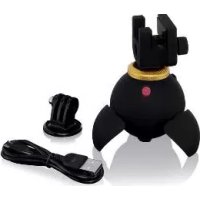
SSP 360 A1 - Tripod SILVERCREST - Free user manual and instructions
Find the device manual for free SSP 360 A1 SILVERCREST in PDF.



| Product type | Motorized panoramic tripod |
| Dimensions (Ø x H) | Approx. 58 x 65 mm |
| Weight | Approx. 100 g |
| Power supply | Integrated lithium-polymer battery 3.7 V, 420 mAh |
| Battery charging | Via micro USB port, 5 V; charging time approx. 5.5 h (500 mA) |
| Operating time | Approx. 10 hours |
| Standby time | Approx. 5 hours |
| Maximum load | 450 g |
| Rotation speed | 2 to 5 revolutions per minute |
| Main functions | Continuous rotation, 90° tilt, photo mode (remote), automatic mode 10s/10° |
| Connectivity | Bluetooth® version 3.0, range up to 10 m |
| Remote control | Infrared, CR2025 battery (included), range approx. 5 m |
| OS compatibility | Android 4.0 and higher; iOS 5.0 and higher |
| Package contents | Tripod, remote control, USB cable, smartphone mount, action cam mount, carrying bag, instruction manual |
| Operating temperature | +15 °C to +35 °C |
| Storage temperature | +10 °C to +40 °C |
| Air humidity | ≤ 75 % (non-condensing) |
| Care and cleaning | Slightly damp cloth; no abrasive or solvent-based products |
| Safety | Do not open, avoid moisture, do not expose to heat or fire, keep out of reach of children |
| Warranty | 3 years from date of purchase |
Frequently Asked Questions - SSP 360 A1 SILVERCREST
User questions about SSP 360 A1 SILVERCREST
0 question about this device. Answer the ones you know or ask your own.
Ask a new question about this device
Download the instructions for your Tripod in PDF format for free! Find your manual SSP 360 A1 - SILVERCREST and take your electronic device back in hand. On this page are published all the documents necessary for the use of your device. SSP 360 A1 by SILVERCREST.
USER MANUAL SSP 360 A1 SILVERCREST
text_image
For online www.liidl-service.com MOTORISIERTESMOTORISIERTES PANORAMA-STATIV MOTORISED PANORAMA TRIPOD MINI TRÉPIED PANORAMIQUE MOTORISÉ SSP 360 A1
DE AT CH
MOTORISIERTES PANORAMA-STATIV
Operation and Safety Notes
NL BE
GEMOTORISEERD PANORAMASTATIEF
GB / IE Operation and Safety Notes Page 37
Warnings used and symbols......Page 40
Safety Page 42
Basic safety notices...... Page 42
Safety instructions for batteries...... Page 46
Trademark notices...... Page 48
Controls and contents......Page 49
Technical data...... Page 50
Initial use Page 52
Check contents...... Page 52
Charging the rechargeable battery......Page 53
Preparing the remote control......Page 54
Replacing the remote control battery......Page 54
Indicator lights / displays ...... Page 54
Setting up / attaching the panorama stand.....Page 55
Pairing the product with a smartphone......Page 56
Pairing the product with a
bluetooth ^® camera Page 57
Operation Page 58
Switching the product On / Off......Page 59
Cleaning Page 59
Storage when not using ...... Page 60
Troubleshooting Page 60
Disposal Page 61
Simplified EU declaration of conformity...... Page 64
Warranty Page 64
Motorised Panorama Tripod SSP 360 A1
- Introduction

We congratulate you on the purchase of your new product. You have chosen a high quality product. The instructions for use are part of the product. They contain important information concerning safety, use and disposal. Before using the product, please familiarise yourself with all of the safety information and instructions for use. Only use the product as described and for the specified applications. If you pass the product on to anyone else, please ensure that you also pass on all the documentation with it.
Intended use
The panorama stand is a product of information electronics. With the help of the tripod, you can rotate a camera or a smartphone that is evenly mounted in a circle, for example, to create panoramic images. If you connect the
camera or the smartphone to the tripod via Bluetooth, you can also use the supplied remote control to trigger the recording.
The product is designed for private use only, the use for commercial purposes is not permitted. Any other or additional use is considered improper. Claims of any kind due to damages from non-intended use or forbidden changes at the product are excluded. This user bears all risk.
- Warnings used and symbols
These instructions for use contain the following warnings:
WARNING!
A warning of this danger level indicates a lifethreatening situation.
Failure to avoid the dangerous situation may result in death or serious injuries.
■ Follow the instructions with this warning to avoid the serious personal injury or risk of death.

CAUTION! EXPLOSION HAZARD!
A warning with this symbol and word "CAUTION! EXPLOSION HAZARD" indicates the potential threat of explosion.
Failure to observe this warning may result in serious or fatal injuries and potential property damage.
■ Follow the instructions in this warning to prevent serious injuries, a danger to life or property damage!
NOTE
A warning of this danger level indicates potential property damage.
Failure to avoid the situation may result in property damage.
■ Follow the instructions with this warning to prevent property damage.

This action sign indicates to wear suitable protective gloves! Follow the instructions to avoid hands striking or being struck by objects or being in contact with thermal or chemical materials!

Safety
This chapter provides important safety information for handing the product. Improper use can result in personal injury and property damage.
Basic safety notices
Please follow these safety notices for safe handling of the product:
- Check the product for visible external damage before use. Do not use the product if damaged or dropped.
Do not expose the product to direct sunlight or high temperatures. It may otherwise overheat and be damaged beyond repair.
Do not operate the product near heat sources such as radiators or other devices producing heat.
Do not place burning candles or other open fire on or next to the product.
The product may heat during charging, place the product in a well ventilated location during charging and do not cover.
The integrated rechargeable battery of the product may only be charged in a dry environment. Observe the operating instructions of the charger manufacturer.
⚠ WARNING Do not attempt to open the product, it has no internal parts requiring maintenance. Do not throw the product into fire and do not expose to high temperatures.
A WTRNING The product has a built-in rechargeable lithium polymer battery. Improper handling of lithium polymer batteries can result in fire, explosions, hazardous substances leaking, or other dangerous situations!
Do not independently convert or modify the product.
Repairs to the product must be performed by authorised specialised companies or customer service. Improper repairs may result in considerable danger to the user. They will also void the warranty.
⚠️ WARRISSION hazard! Never
play with the packaging materials (e.g. film or polystyrene). Always keep children away from the packaging material. The packaging material is not a toy.
Keep the product away from children. Persons with mental, sensory and motor impairments are prohibited from using this product, unless instructed to do so by a person who is responsible for it. This product is not a toy.
If you detect smoke, abnormal noises or smells, immediately switch the product off and disconnect the USB-cable.
Chemicals leaking from a lithium polymer battery can irritate the skin. Rinse with plenty of water in the event of contact with the skin. If the chemicals come into contact with the eyes, always rinse with plenty of water, do not rub, and seek immediate medical attention.
Take particular care when handling damaged or leaking batteries. Risk of injury! Wear gloves.
This product has a built-in rechargeable battery which cannot be replaced by the user. The removal or
replacement of the rechargeable battery may only be carried out by the manufacturer or his customer service or by a similarly qualified person in order to avoid hazards. When disposing of the product, it should be noted that this product contains a rechargeable battery.
WARNING!
Radio interface
Switch the product off on airplanes, in hospitals, service rooms, or near medical electronic systems. The wireless signals transmitted could impact the functionality of sensitive electronic devices. Keep the product at least 20 cm from pacemakers or implantable cardioverter defibrillators, as the electromagnetic radiation may impair the functionality of pacemakers. The radio waves transmitted could cause interference in hearing aids. Do not place the product near flammable gasses or potentially explosives areas (e.g. paint shops) with the wireless components on, as the radio waves emitted can cause explosions and fire. The range of the radio waves depends on environmental conditions. In the
event of wireless data transmission, unauthorised third parties receiving the data cannot be excluded. OWIM GmbH & Co KG further assumes no liability for using or replacing cables and products not distributed by OWIM. The user of the product is fully responsible for correcting interference caused by such unauthorised modification of the product, as well as replacement of such products.

Safety instructions for batteries

DANGER TO LIFE! Keep batteries out of reach of children. If accidentally swallowed seek immediate medical attention.

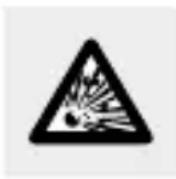
DANGER OF EXPLOSION! Never
recharge non-rechargeable batteries. Do not short-circuit batteries and / or open them.
Overheating, fire or bursting can be the result.

Never throw batteries into fire or water.

Do not exert mechanical loads to batteries.
Risk of leakage of batteries
- Avoid extreme environmental conditions and temperatures, which could affect batteries, e.g. radiators / direct sunlight.
Avoid contact with the skin, eyes and mucous membranes. In the event of contact with battery acid, thoroughly flush the affected area with plenty of clean water and seek immediate medical attention.
WEAR PROTECTIVE GLOVES! Leaked or damaged batteries can cause burns on contact with the skin. Wear suitable protective gloves at all times if such an event occurs.
In the event of a leakage of batteries, immediately remove them from the product to prevent damage.
■ Remove the batteries if the product will not be used for a longer period.
Risk of damage of the product
■ Only use the specified type of battery!
- Insert batteries according to polarity marks (+) and (-) on the battery and the product.

WEAR PROTECTIVE GLOVES! Leaked
or damaged batteries can cause burns on contact with the skin. Wear suitable protective gloves at all times if such an event occurs.
In the event of a leakage of batteries, immediately remove them from the product to prevent damage.
■ Remove the batteries if the product will not be used for a longer period.
■ Clean the contacts on the battery and in the battery compartment before inserting!
■ Remove exhausted batteries from the remote control immediately.
KEEP BATTERIES OUT OF THE REACH OF CHILDREN! Swallowing batteries
can cause chemical burns, perforation of soft tissue, and death. Severe burns may occur within 2 hours of swallowing batteries. Seek immediate medical attention.
• Trademark notices
- USB is a registered trademark of USB Implementers Forum, Inc.
- The Bluetooth word mark and logos are registered trademarks owned by Bluetooth SIG, Inc. and any use of such marks by OWIM GmbH & Co. KG is under license.
- The SilverCrest trademark and trade name is the property of their respective owners.
Any other names and products may be trademarks or registered trademarks of their respective owners.
Controls and contents
Panorama stand:
1 14 fastening screw (for smartphone, action cam and camera mounting)
2 Swivel including scale
3 ON/OFF button
4 14 camera screw
5 Foldout base (3-part)
6 Infrared receiver
7 LED indicator
8 Micro USB charging port
9 Special camera mount for action camera
9a 14 fastening screw (for camera mount)
10 Remote control
11 Transport bag
12 USB charging cable
13 Instructions for use
14 Smartphone mount
14d Handle of retaining screw (smartphone mount)
Remote control 10:
15 ⊕ button (increase speed)
16 button (move panorama stand 90° to the right and left)
17 button (move panorama stand to the right)
18 button (take picture)
19 ⑩S button (panorama stand automatically moves 10^ every 10 s)
20 button (stop function)
21 button (move panorama stand to the left)
22 button (reduce speed)
- Technical data
Operating voltage: 5 V via micro-USB
charging port
Bluetooth ^® specifications: Version 3.0, up to 10 m range
Built-in battery:
3.7V---, 420mAh
(lithium polymer)
Operating time: approx. 10 h
Standby time: approx. 5 h
Charging time: approx. 5.5 hours (at
500 mA charging current)
Operating temperature: +15 to +35 °C
Storage temperature: +10 to +40 °C
Humidity (no condensation): <= 75 %
Dimensions: ( × H) approx.
58 × 65 mm
Weight: approx. 100 g
Max. load: 450g
Rotation speed: 2-5 rotations per minute
Frequency band: 2.4-2.4835 GHz
Transmitted power: -10.7 dBm
Battery for remote control: CR2025 3 V--- (direct current)
Support OS: Android 4.0 onward;
IOS 5.0 onward
- Initial use
This chapter contains important information about product use and controls.
- Check contents
The following components are included:
- Panorama stand
- USB charging cable 12
- Remote control 10
- Special camera mount for action camera 9
- Transport bag 11
- Smartphone mount 14
- These instructions for use 13
NOTE
☐ Verify the delivery is complete and check for visible damage.
Remove all parts of this product from the packaging and remove all packaging materials.
- Charging the rechargeable battery
The built-in rechargeable battery must be fully charged before using the product.

WARNING!
■ Always charge the battery in dry environments.
Switch off the product.
Plug the USB plug on the USB charging cable 12 into a PC or a USB mains adapter (not included).
Plug the micro-USB plug on the USB charging cable 12 into the micro USB charging port 8 on the product. The LED indicator 7 will light up red, the rechargeable battery is now being charged.
NOTE
☐ The LED indicator 7 will light up red whilst charging and extinguish once the rechargeable battery is fully charged.
☐ The charging time is approx. 5.5 hours at a charging current of 500 mA and provides up to 10 hours of
operation. The operating time may vary based on use (speed).
Preparing the remote control
On delivery the remote control 10 already has a battery installed. An insulating strip prevents early battery discharge.
☐ Pull the insulating strip out of the battery compartment.
- Replacing the remote control battery
Open the battery compartment as shown in Fig. A.
☐ Insert the included battery (CR2025). Please note the polarity. The positive terminal (+) must face up.
☐ Slide the battery compartment back into the remote control 10.
- Indicator lights / displays
☐ The LED indicator 7 will light up red whilst charging and extinguish once the rechargeable battery is fully charged.
The LED indicator 7 for the Bluetooth® connection will flash green every 2 seconds until a Bluetooth® connection is established between the panorama stand and your smartphone. The LED indicator 7 will be steady green whilst the devices are connected via Bluetooth®.
The LED indicator 7 will flash blue when pressing any button on the remote control 10 or when the panorama stand changes directions.
- Setting up / attaching the panorama stand
☐ Unfold the three feet 5 (see Fig. B).
Set the panorama stand on a firm, vibration-free surface.
Screw the smartphone mount 14, the action cam or the Bluetooth ^® camera as well onto the 1/4 fastening screw 1.
Note: You can also attach the panorama stand to a conventional camera tripod. This requires a 14 " thread.
NOTE
After switching on, the device will automatically reconnect to the last Bluetooth® device. If your Bluetooth® device does not reconnect to the device, you will need to manually restore the connection to your Bluetooth® device. Please refer to the operating instructions from the manufacturer of your Bluetooth® device for a detailed description.
• Pairing the product with a smartphone
Press briefly the ON / OFF button 3 on the panorama stand to switch the product on.
When LED indicator 7 flashing green, the product is ready for pairing.
Switch on your smartphone and enable the Bluetooth® function.
Start scanning for other Bluetooth ^® devices.
☐ Pair the SSP 360 A1 with your smartphone.
Start the camera app on your smartphone.
Only tighten the handle of retaining screw 14a on the smartphone holder tight enough so the smartphone will not fall down / out.
Note: Do not overtighten the handle of retaining screw 14a. The smartphone or the screen may otherwise be damaged.
☐ Secure your smartphone in the smartphone mount 14 (see Fig. C1):
Upright: Pictures in portrait format Sideways: Pictures in landscape format
Secure your camera vertically in the smartphone mount 14 and attach the smartphone mount 14 to the panorama stand, turning clockwise (see Fig. C1).
Pairing the product with a bluetooth® camera
The product must be paired with a compatible Bluetooth ^® camera before it can be used.
☐ Verify the product is switched off and the Bluetooth ^® camera is switched on.
Press the ON / OFF button 3 to switch the product on and enable the Bluetooth® function. The LED indicator 7 will flash green.
Set the Bluetooth ^® camera to scan for Bluetooth ^® devices. Please refer to the instructions for use for your Bluetooth ^® camera for detailed instructions.
☐ Select SSP 360 A1 from your list of detected devices on the Bluetooth ^® camera and pair the two devices. The LED indicator 7 will now flash green every second.
☐ The LED indicator 7 is illuminated permanently green, while the camera is connected with the panorama stand.
After successfully connecting the product it can be used to take pictures.
Operation
Note: Bluetooth must be connected as well to use all functions.
- Switching the product ON/OFF
Press the ON / OFF button 3 to switch on the product and enable the Bluetooth® function. The LED indicator 7 will flash green.
Press the ON / OFF button 3 again to switch off the product and disable the Bluetooth® function.
The indicator light in the USB socket extinguish.
☐ Verify the product is switched on. Please check the LED indicator 7.
Aim the remote control 10 at the infrared receiver 6 on the panorama stand (see Fig. D).
Note: The range of the remote control is approx. 5 m.
Press the button for the respective function on the remote control (see „Parts Description“).
- Cleaning
NOTE
Potential damage to the product
Moisture entering the product may result in damage.
■ Ensure no moisture enters the product during cleaning to prevent damaging the product beyond repair.
Do not use corrosive or scouring cleaners or cleaners containing solvents. These can damage the surface of the product.
Only clean the product with a slightly damp cloth and mild washing-up liquid.
- Storage when not using
Store the product in a dry location from dust, protected from direct sunlight.
☐ The rechargeable battery has to be charged periodically.
- Troubleshooting
If you're unable to pair the product with a compatible Bluetooth® device, please proceed as follows:
Verify the function is enabled on the bluetooth ^® device.
☐ Verify the product is switched on.
When using multiple bluetooth ^® devices, be sure to disconnect a previous connection. A previously paired device could still be within range.
☐ Ensure the product is no more than 10 metres from the bluetooth ^® device and there are no obstacles or electronics in the way.
- Disposal

The packaging is made entirely of recyclable materials, which you may dispose of at local recycling facilities. The Green Dot is not valid for Germany.

Observe the marking of the packaging materials for waste separation, which are marked with abbreviations (a) and numbers (b) with following meaning: 1–7: plastics / 20–22: paper and fibreboard / 80–98: composite materials.

The product and packaging materials are recyclable, dispose of it separately for better waste treatment. The Triman logo is valid in France only.

Contact your local refuse disposal authority for more details of how to dispose of your worn-out product.
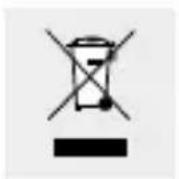
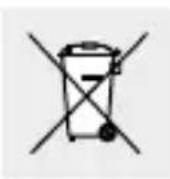
The adjacent symbol of a crossed out dustbin on wheels indicates this device is subject to Directive 2012/19/EU. This directive states at the end of the life this device must not be disposed of through regular household refuse but must be returned to special collection sites, recycling depots or waste management companies.
Faulty or used batteries / rechargeable batteries must be recycled in accordance with Directive 2006/66/EC and its amendments. Please return the batteries / rechargeable batteries and / or the product to the available collection points.
Environmental damage through incorrect disposal of the batteries / rechargeable batteries!
Batteries / rechargeable batteries may not be disposed of with the usual domestic waste. They may contain toxic heavy metals and are subject to hazardous waste treatment rules and regulations. The chemical symbols for heavy metals are as follows: Cd = cadmium, Hg = mercury, Pb = lead. That is why you should dispose of used batteries / rechargeable batteries at a local collection point. The built-in rechargeable battery cannot be removed for disposal.
This disposal is free of charge to you. Protect the environment and dispose properly.
Please contact your local waste management company or the city / municipal administration for more information.
- Simplified EU declaration of conformity
Hereby, OWIM GmbH & Co. KG, Stiftsbergstraße 1, DE-74167 Neckarsulm, GERMANY, declares that the product (Motorised Panorama Tripod/HG02430), is in compliance with Directives 2014/53/EU and 2011/65/EU.
The full text of the EU declaration of conformity is available at the following internet address: www.owim.com
- Warranty
The product has been manufactured to strict quality guidelines and meticulously examined before delivery. In the event of product defects you have legal rights against the retailer of this product. Your legal rights are not limited in any way by our warranty detailed below.
The warranty for this product is 3 years from the date of purchase. Should this product show any fault in materials
or manufacture within 3 years from the date of purchase, we will repair or replace it – at our choice – free of charge to you.
The warranty period begins on the date of purchase. Please keep the original sales receipt in a safe location. This document is required as your proof of purchase. This warranty becomes void if the product has been damaged, or used or maintained improperly.
The warranty applies to defects in material or manufacture. This warranty does not cover product parts subject to normal wear, thus possibly considered consumables (e.g. batteries) or for damage to fragile parts, e.g. switches, rechargeable batteries or glass parts.
Introduction...... Page 68
Utilisation conforme ...... Page 68
natural_image
Simple line drawing of a cylindrical object with a base, no text or symbols present.CONSERVER LES PILES HORS DE LA
NOSIT OCHRANNÉ RUKAVICE! Vy-
text_image
D 30° 30°OWIM GmbH & Co. KG
Stiftsbergstraße 1
DE-74167 Neckarsulm
GERMANY
Model-No.: HG02430
Version: 05/2017
