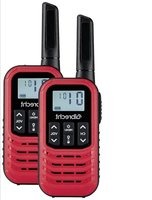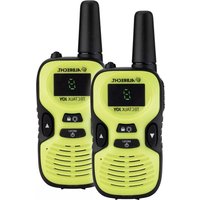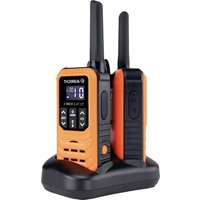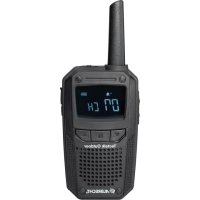
Tectalk Float - Talkie Walkie ALBRECHT - Free user manual and instructions
Find the device manual for free Tectalk Float ALBRECHT in PDF.



| Product type | PMR446 two-way radio |
| Brand | Albrecht |
| Model | Tectalk Float |
| Frequency range | 446.00625 to 446.19375 MHz |
| Number of channels | 16 |
| CTCSS/DCS codes | 38 CTCSS / 83 DCS |
| Transmission power | 0.5 W ERP |
| Power supply | Rechargeable lithium-ion battery 3.7 V / 950 mAh |
| Dimensions (without antenna or clip) | 135 mm x 62 mm x 37 mm |
| Weight (without antenna or clip) | 205 g |
| Protection rating | IP67 (only if headphone jack is closed) |
| Main functions | VOX, dual watch, scan, lock, monitor, LCD backlight, stopwatch, call ringer, power saving |
| Operating temperature | 0 °C to +55 °C |
| Storage temperature | -20 °C to +60 °C |
| Care and cleaning | Clean with a soft dry cloth. Do not immerse (except under IP67 conditions). Do not charge if wet. |
| Safety | Do not use in an explosive area, within 5 cm of the body, or onboard an aircraft. Turn off in regulated areas. |
| Spare parts and repairability | Rechargeable battery, headset adapter, belt clip, integrated antenna (not user-replaceable). 2-year warranty. |
| General information | Compliant with directives 2014/53/EU and 2011/65/EC. CE marking. |
Frequently Asked Questions - Tectalk Float ALBRECHT
User questions about Tectalk Float ALBRECHT
0 question about this device. Answer the ones you know or ask your own.
Ask a new question about this device
Download the instructions for your Talkie Walkie in PDF format for free! Find your manual Tectalk Float - ALBRECHT and take your electronic device back in hand. On this page are published all the documents necessary for the use of your device. Tectalk Float by ALBRECHT.
USER MANUAL Tectalk Float ALBRECHT
Time-out-Timer (TOT)
© 2022 Alan Electronics GmbH,
Daimlerstr. 1g, 63303 Dreieich, Germany

ALBRECHT
Tectalk Float
Manual
English
Content
Caution 19
Scope of Delivery 20
Installation 21
Controls and Indicators 22
LC Display 23
Main Operation 24
Main Menu 25
Additional Functions 27
Troubleshooting 29
Warranty and Recycling Information 30
Technical Specifications 32
Caution
- IMPORTANT - READ ALL INSTRUCTIONS carefully and completely before operating your radio and retain this manual for future reference.
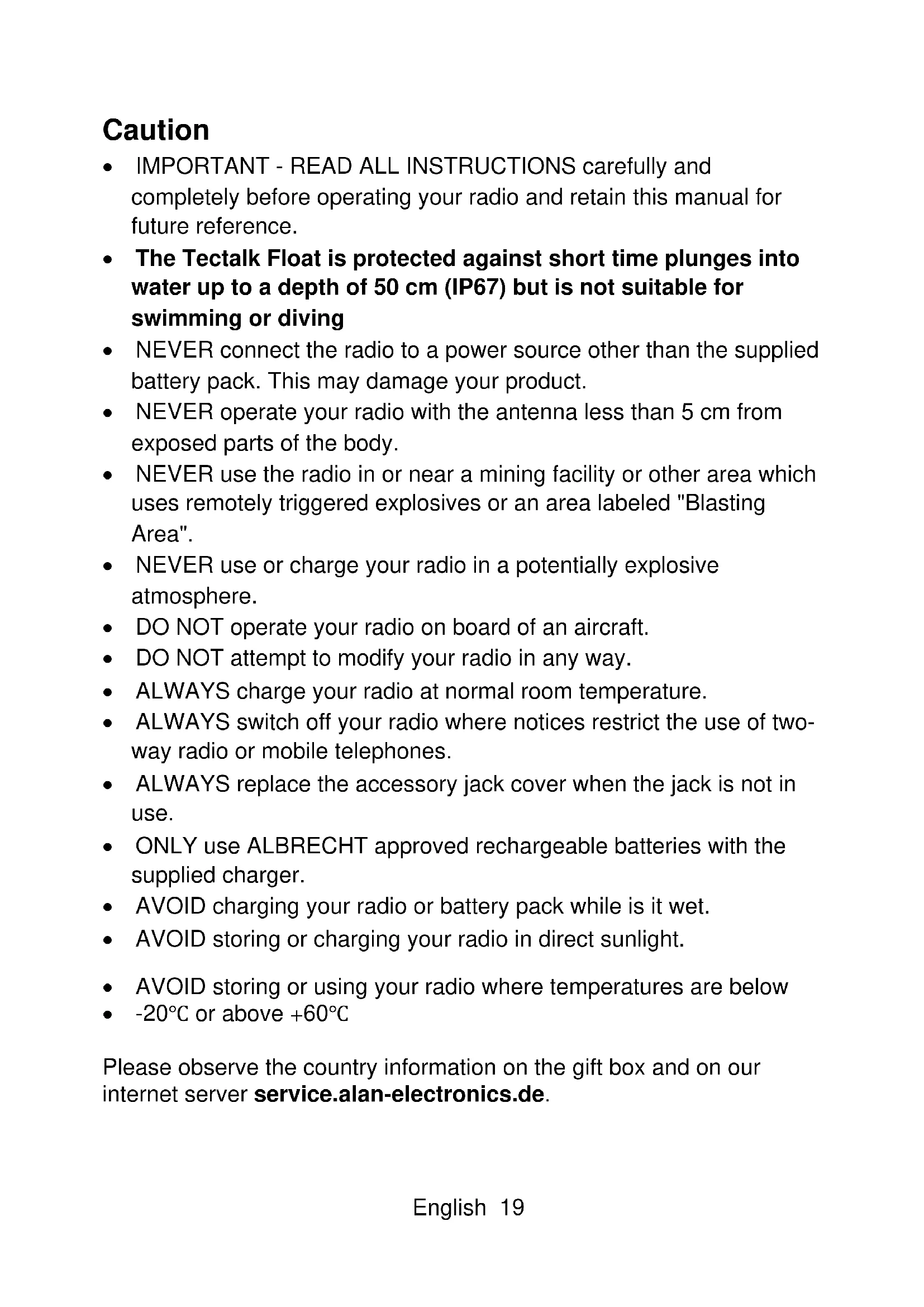
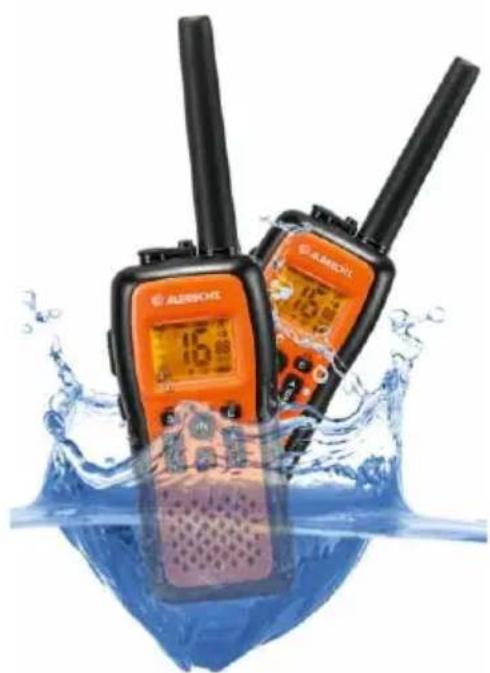
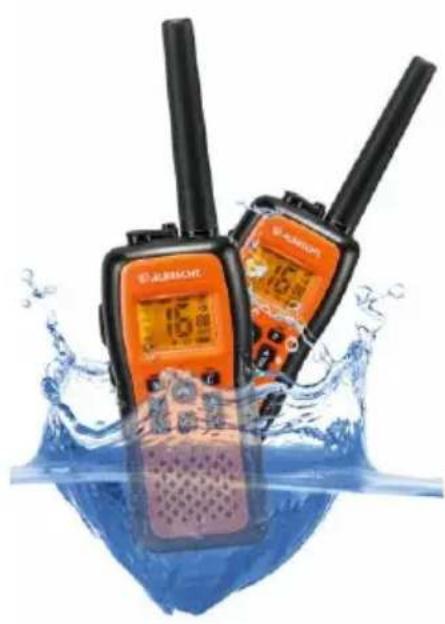
- The Tectalk Float is protected against short time plunges into water up to a depth of 50~cm (IP67) but is not suitable for swimming or diving
- NEVER connect the radio to a power source other than the supplied battery pack. This may damage your product.
- NEVER operate your radio with the antenna less than 5 ~cm from exposed parts of the body.
- NEVER use the radio in or near a mining facility or other area which uses remotely triggered explosives or an area labeled "Blasting Area".
- NEVER use or charge your radio in a potentially explosive atmosphere.
DO NOT operate your radio on board of an aircraft.
DO NOT attempt to modify your radio in any way. - ALWAYS charge your radio at normal room temperature.
- ALWAYS switch off your radio where notices restrict the use of two-way radio or mobile telephones.
- ALWAYS replace the accessory jack cover when the jack is not in use.
- ONLY use ALBRECHT approved rechargeable batteries with the supplied charger.
- AVOID charging your radio or battery pack while is it wet.
AVOID storing or charging your radio in direct sunlight. - AVOID storing or using your radio where temperatures are below
- - 20^ C or above + 60^ C
Please observe the country information on the gift box and on our internet server service.alan-electronics.de.
Scope of Delivery
- Tectalk Float Radio with Antenna
- Li-lon battery pack
Desktop charger
Power adaptor - Belt Clip
- Adapter for ALBRECHT headsets
- Carabiner
Installation
1 Removing the belt clip
a. Pull the belt clip latch away from the unit
b. While pulling the belt clip latch, push up the belt clip as shown in Figure 1
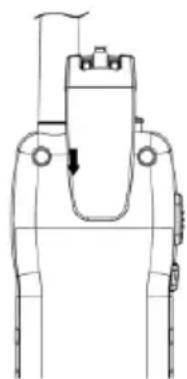
2 Installing the belt clip
a. Slide the belt clip into the slot as shown in Figure 2
b. A "click" indicates the belt clip is locked into position
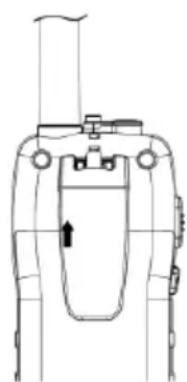
Figure1 Figure2
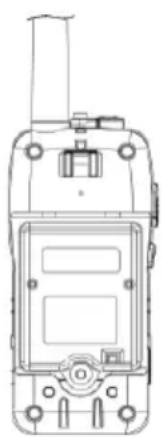
3 Installing the supplied Li-ion rechargeable battery
a. Unscrew the screw and then remove the battery door.
b. Insert the battery connector into the socket located inside the battery compartment and install the battery pack.
c. Re-install the battery door and tighten the screw
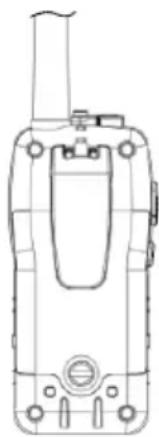
4. Charging the rechargeable battery pack
It is recommended to turning OFF the unit while charging.
Charge the Battery pack 10-14 hrs. prior to initial use.

When the battery capacity is low, the bA Lo indication and the battery status icon will flash on the LC Display. Recharge the battery pack at this time, please above description.
Controls and Indicators
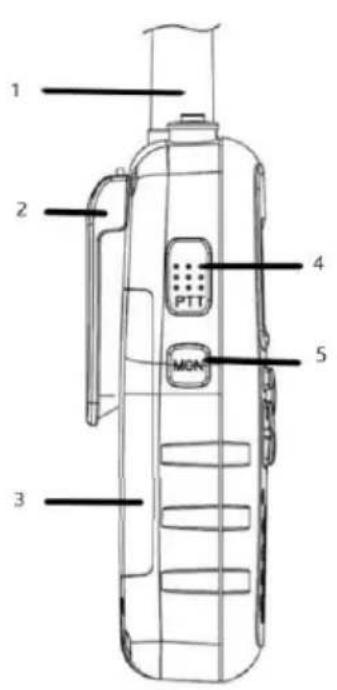
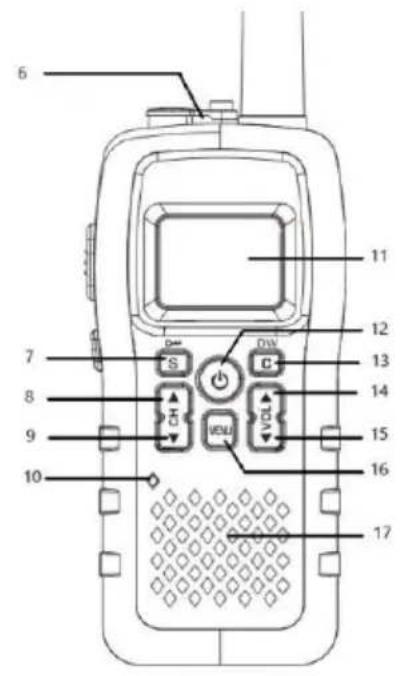
- High efficiency antenna
- Belt Clip
- Battery compartment
- PTT (Push-To-Talk) button PTT
- Display illumination / Monitor button MON
- Earphone/microphone jack
- Key Lock button
- Channel UP button
- Channel DOWN button
- Built-in Microphone
- Backlighted LC Display
- ON-OFF button
- Call Tone SButton
- Volume UP button
- Volume DOWN button
- Menu button
- Built-in Speaker
LC Display
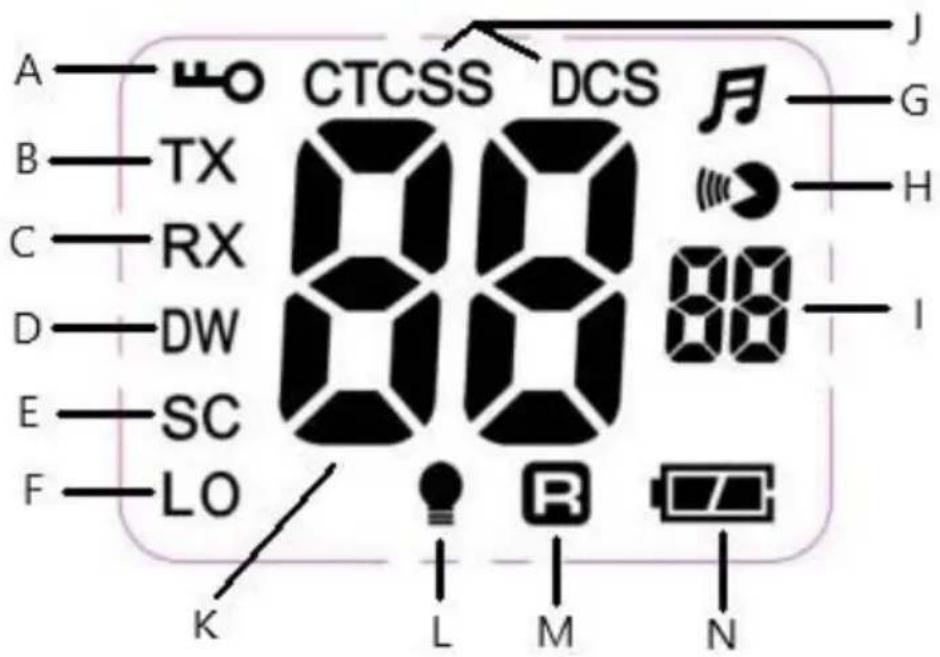
A. Keypad LOCK icon - illuminated when buttons are locked.
B. TX icon - illuminated when the radio is in transmit mode.
C. RX icon - illuminated when the radio is in receive mode.
D. DW icon - Dual Watch function
E. Scan icon - Automatic channels or CTCSS-/DCS code scanning
F. LO icon - Transmitter Low Power icon
G. Keypad Beep Tone icon
H. VOX (hands-free use) icon
I. CTCSS Code number(1-38) / DCS Code number (1-83)
J. CTCSS or DCS activated
K. Selected channel
L. Power save function icon
M. Roger Beep function icon
N. Battery Status Indicator
Main Operation
Power ON-OFF
- To turn on the unit, press and hold the ON-OFF button, the LC Display will show the channel number and the DCS-/CTCSS code number.
- To turn off the unit, press and hold again the ON-OFF button.
Using the radio
The unit has 16 main channels and 38 CTCSS/ 83 DCS codes for each channel. You can communicate with any other radios that are using the same main channel CTCSS- & DCS code.
Speaking to other radios
- Press and hold the PTT button, the TX icon will be shown in the LC Display.
- Hold the unit in a vertical position with the microphone at 5-8 cm from the mouth and then speak.
- When you have finished speaking, release the PTT button.
- Now you are ready to receive incoming signals. Adjust the volume to the desired level if necessary.
Time-out Timer (TOT)
The Time-out Timer disables transmitting after 3 minutes maximum transmission period. Transmitting can only be reactivated by releasing and pressing the PTT button again.
Using a Headset
- Connect the headset to the jack on top of the device. (to connect accessory with a 2.5 mm stereo plug use the supplied adapter)
- Press the PTT button on the earphone to speak and release it to listen.
- Adjust the volume if necessary.
Please note that the degree of protection IP67 only applies if the headset jack is sealed with the rubber stopper.
Channel Selection
Press the CH UP or CH DOWN to select the desired channel (1-16). The factory default start up channel is channel 1 and sub-channel 00. Before selecting a channel for communication, always listen on it to ensure it is not already being used. Always avoid selecting a busy channel when the unit keeps on receiving signal from unknown parties.
Volume selection (8 Levels)
- Press the VOL UP to increase the volume.
- Press the VOL DOWN to decrease the volume.
The LE icon and the selected volume level (01-08) will appear on the LC Display.
Main Menu
Press MENU button to successively select these functions.
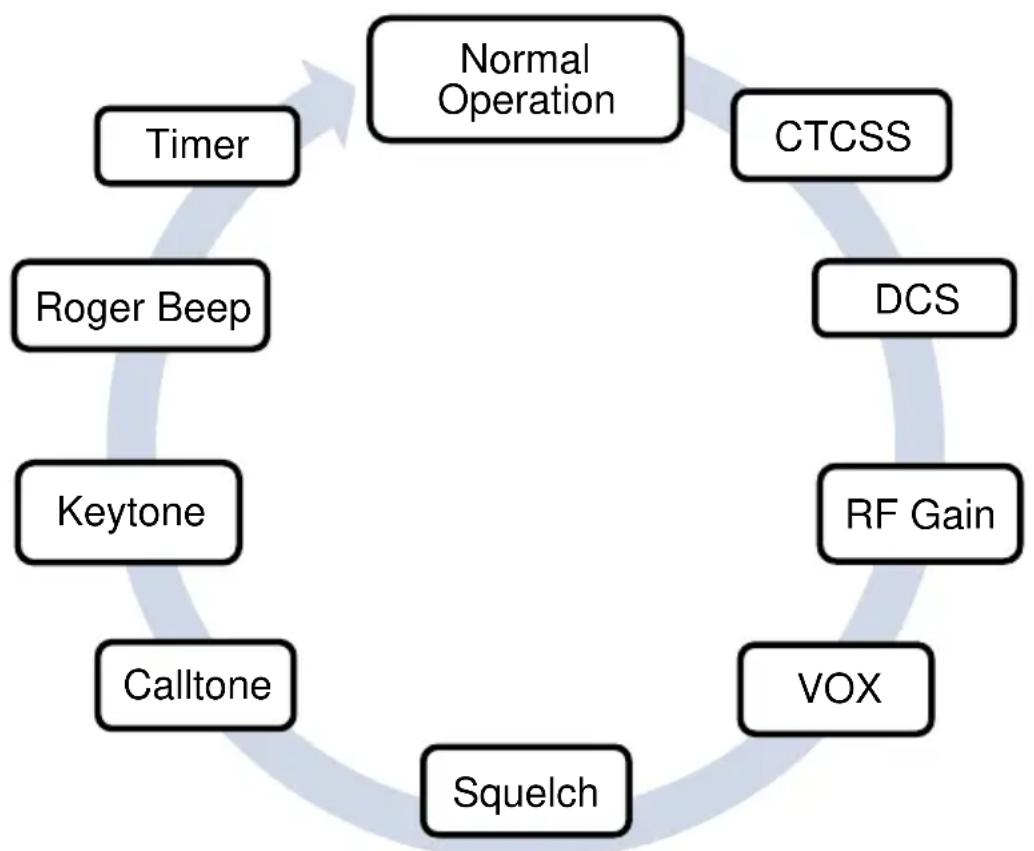
Press the CH UP or CH DOWN buttons to select the desired setting for the selected menu item. If you press and hold the CH UP or CH DOWN buttons, the selection will move quicker.
To confirm the selection and exit the Menu mode, press the LOCK button or MENU button to move to the next function.
CTCSS / DCS Code Selection
The radio has 38 CTCSS-/ DCS 83 private codes available. Different CTCSS-/DCS tones may be associated to different channels. Selecting a CTCSS-/DCS code of 00 will disable the CTCSS-/DCS feature. To communicate between two or more radios, both the channel and CTCSS-/DCS code selections must be the same. To communicate with other models and brands of radios, the actual radio frequency and CTCSS-/DCS frequency must be matched. The frequency chart and CTCSS-/DCS code chart are included to help with this selection.
RF Gain
Your radio has a HI/LO Power selection function. This function is very convenient to reduce the current drain and extend battery life when communicating within short distance.
VOX Function
Your radio is equipped with a user selectable Voice Operated Transmitter function (VOX), that is used for automatic voice transmission (hands-free use or baby room monitor use). In this mode, transmission is automatically initiated by speaking into the microphone and there is no need to push the PTT button (hands-free use or baby room monitor use). You can plug in the earset-microphone for hands-free talking and listening. When VOX feature is on, the VOX icon will appear on the LC Display.
VOX Sensitivity Level Selection
The sensitivity, at which speech level the device begins to transmit is adjustable in 3 steps. The VOX level 03 indicates the highest VOX sensitivity.
Squelch
The squelch suppresses disturbing channel noise and can be set in three sensitivity levels. Level 1 is the least sensitive and level 3 has the highest sensitivity.
Call Tone Setting
The radio is equipped with 10 user selectable Call tone Melodies. Press the Call button to transmit the Call Tone Melody.
Key Tones
When a key is pressed, a beep tone is heard to confirm your command. The user may enable or disable this keypad program tone. When the Keypad tone is enabled, the tone icon appears on the LC Display.
Set Roger Beep Tone
Roger Beep tone is a signal tone sent at the end of each transmission after the PTT key is released. This indicates to any receiving device that your transmission has ended. When the roger tone is activated, the tone symbol is shown in the LC display.
Stopwatch
This menu item contains a stopwatch. Start the stopwatch with CH UP and stop it with CH DOWN. The stopped clock can be continued with CH UP and reset with CH DOWN. Stop the stopwatch with SCAN. While using the stopwatch, you can continue to send and receive radio messages.
Additional Functions
Channel Scanning
The direction of scanning can be determined by pressing the CH UP or CH DOWN buttons. If you press the PTT or LOCK button during the SCAN operation, SCAN will stop automatically and radio will set the last used channel. When SCAN feature is on, the SC icon will appear on the LC Display and the Channel number is flashing.
Automatic Power Save
The radio has an Automatic Power Save circuit designed to extend battery life. If it senses no signal within 3 seconds, it automatically switches to the Power Save mode. The Power Save icon will appear on the LC Display.
The radio can still receive transmission in this mode.
Dual Watch Function
The radio is equipped with a Dual Watch function that allows to monitor 2 different channels without the CTCSS code.
To set the Dual Watch function, please proceed as follows:
- Select the first channel to be monitored.
- Press and hold button 13 until DW is displayed and the selected channel flashes on the LC display.
- Press the CH UP or CH DOWN buttons to select the second channel to be monitored.
- Now the radio will start monitoring the two channels and will stop when a signal is received on one of the two stored channels.
- To disable the Dual Watch function and return to Stand-by mode, press the LOCK button.
When the DW feature is on, the DW icon will appear on the LC Display and the channel number is alternating between the first and the second selected channel.
Keypad Lock
To avoid entering unwanted command, press and hold the LOCK button for about 2 seconds. The Lock icon will appear on the LC Display. When the keypad is locked, only the PTT, CALL and Monitor buttons are enabled. To unlock the keypad press and hold the LOCK button for about 2 seconds.
LCD Backlight
Shortly press the MONITOR button to backlight the LC Display. Press this button again to turn OFF the LCD backlight.
Monitor Function
Press and hold the MONITOR button for about 4 seconds to activate the Monitor function. Press MONITOR button once to return.
If require to listen to weak signal with background noise temporarily, press and hold MONITOR button for about 2 seconds. You will hear background noise and possible weak signal from the unit. Release MONITOR button within 2 seconds to return.
Troubleshooting
No power.
Check battery. Ensure that the battery is installed properly. The battery may be weak. Charge the supplied battery.
Reception is weak.
Press the VOL UP button to increase Volume.
The receiving signal may be weak and/or out of range. If this happens, press the MONITOR button.
Cannot Change Channels
To change channels, press the MENU button until the channel number flashes on the LC Display. Press the CH UP or DOWN buttons to change channels. Battery may be weak. Keypad Lock must be deactivated.
Range is limited.
The battery may be weak.
Charge the battery if the Battery Level indicator is low. The maximum range will vary depending on terrain and environment.
Open fields provide the maximum range, while steel/ concrete structures, heavy foliage and use in buildings and in vehicles may limit the range significantly.
Wearing the radio close to the body, such as in a pocket or on a belt, will decrease range; change the location of the radio.
Sound Distortion problems.
- If you are transmitting, speak in a normal tone of voice, 2 to 3 inches away from the microphone.
If you are receiving, lower the volume to a comfortable level. - Radios must be at least 5 feet apart, otherwise you have to increase the distance between the radios
- Radios too far apart. Obstacles interfere with transmission. Talk range is up to 10Km in clear unobstructed conditions.
- Check the manual and radio display to ensure that a function (such as VOX or Lock) has not been activated by accident.
In case of further difficulty please consult your dealer or visit our web site service.albrecht-midland.de
Warranty and Recycling Information
We are legally obliged to include disposal and warranty information as well as EU declaration of conformity with the use instructions in different countries for every unit. Please find this information on the following pages.
2-Year warranty from date of purchase
The manufacturer/retailer guarantees this product for two years from date of purchase. This warranty includes all malfunctions caused by defective components or incorrect functions within the warranty period excluding wear and tear, such as exhausted batteries, scratches on the display, defective casing, broken antenna and defects due to external effects such as corrosion, over voltage through improper external power supply or the use of unsuitable accessories. Defects due to unintended use are also excluded from the warranty.
Please contact your local dealer for warranty claims. The dealer will repair or exchange the product or forward it to an authorized service center.
You can also contact our service partner directly. Please include your proof of purchase with the product and describe the malfunction as clearly as possible.
Service Address and Technical Hotline
(for units sold in Germany)
Contact our service hotline by phone +49 (0) 6103 9481 66
or e-mail at service@albrecht-midland.de
WEEE and Recycling

The European laws do not allow any more the disposal of old or defective electric or electronic devices with the household waste. Return your product to a municipal collection point for recycling to dispose of it. This system is financed by the industry and ensures environmentally responsible disposal
and the recycling of valuable raw materials.
Technical Specifications
General
| Frequency Range | 446,00625~446,19375 MHz |
| Frequency Tolerance | 2,5 PPM (bei 25 °C) |
| Operation Temperature | 0 °C to +55 °C |
| Antenna | Integral Antenna |
| Microphone | Integral Built-in Electret type |
| Display | Liquid Crystal Display |
| Speaker | 1 Watt, 16 Ω |
| Power Source | Rechargeable Li-ion Battery pack 3.7V 950mAh |
| Dimensions | 135 mm x 62 mm x 37 mm (without antenna and belt clip) |
| Weight | 205 g |
| Protection | IP67(only if the headset jack is sealed) |
Transmitter
| Power Output | 0,5 W ERP |
| Spurious Emissions | < 1 μW |
| Current Drain | 500 mA (0,5 W TX Power) |
Receiver
| Receiver Type | Double Conversion Super Heterodyne | |
| Sensitivity (20dB SINAD) | -3 dBμV (EMF) | |
| Audio Output Power | 0.5W @ 10% THD | |
| Current Drain | Squelched | 40 mA |
| Max. Audio | 350 mA |
More information and the CE Declaration can be found in the tables at the end of this manual.
© 2022 Alan Electronics GmbH,
Daimlerstr. 1g, 63303 Dreieich, Germany

ALBRECHT
Tectalk Float
Guide d'utilisateur
Français
Sommaire
Double conversion, super Heterodyne
-3 dBμV (emf)
0,5 W @ 10% THD (Taux
© 2022 Alan Electronics GmbH,
Daimlerstr. 1g, 63303 Dreieich, Germany

ALBRECHT
Tectalk Float
Manual
Espanol
Contidente
446.00625~446.19375 MHz
2.5PPM (a 25^ )
0^ C a + 55^ C
Antena integral
Tipo Electret integrado
Time-out Timer (TOT)
© 2022 Alan Electronics GmbH,
Daimlerstr. 1g, 63303 Dreieich, Germany
Produkname: Tectalk Float
Declaration of Conformity

Manufacturer: Alan Electronics GmbH
This declaration of conformity is issued under the sole responsibility of the manufacturer.
Product name: Tectalk Float
Product type: PMR446 radio
Brand: Albrecht
The object of the declaration described above is in conformity with the relevant Union harmonisation legislation:
Directive 2014/53/EC
Directive 2011/65/EC
| Requirement Standard | |
| Art. 3.1(a) | EN 50566 |
| Health | |
| Art. 3.1(a) | EN 60 950-1 |
| Safety | |
| Art. 3.1(b) | EN 301 489-1 |
| EMC | EN 301 489-5 |
| Art. 3.2 | EN 300 296 |
| Radio | |
Declaration ue de Conformite