SCR 1 A1 - Radio SILVERCREST - Free user manual and instructions
Find the device manual for free SCR 1 A1 SILVERCREST in PDF.



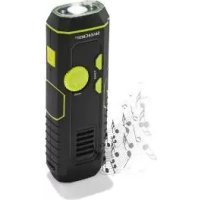
| Product type | Dynamo camping radio with LED lamp |
| Brand | SilverCrest |
| Model | SCR 1 A1 |
| Dimensions | 156.5 x 50 x 34 mm |
| Weight | 171 g |
| Power supply | Lithium-polymer battery 3.7 V, 480 mAh (non-replaceable) |
| Charging | Via USB cable (5 V, 500 mA) or manual dynamo |
| Radio frequency ranges | FM 87.5 - 108 MHz, AM 526 - 1606 KHz |
| Main functions | FM/AM radio, LED lamp (normal and eco mode), siren, USB charger for mobile devices |
| Lamp luminous flux | Side LEDs: approx. 10 lm, central LEDs: approx. 30 lm |
| Dynamo autonomy (1 min rotation) | Radio: ~8 min, side LEDs: ~20 min, central LEDs: ~6 min |
| USB charging port | 5 V, 500 mA |
| Operating temperature | Down to -21 °C (resists extreme temperatures) |
| Care and cleaning | Clean with a slightly damp cloth and mild detergent; do not immerse; avoid abrasive products |
| Safety | Do not use near heat sources; do not open the product; charge in a dry and ventilated place; keep out of reach of children |
| Spare parts and repairability | The battery and LED are not user-replaceable; no parts requiring personal maintenance |
| Delivery contents | Radio, user manual |
| Warranty | 3 years (excluding normal wear and batteries) |
| General information | Private outdoor use; do not use as room lighting; EU declaration of conformity available at www.owim.com |
Frequently Asked Questions - SCR 1 A1 SILVERCREST
User questions about SCR 1 A1 SILVERCREST
0 question about this device. Answer the ones you know or ask your own.
Ask a new question about this device
Download the instructions for your Radio in PDF format for free! Find your manual SCR 1 A1 - SILVERCREST and take your electronic device back in hand. On this page are published all the documents necessary for the use of your device. SCR 1 A1 by SILVERCREST.
USER MANUAL SCR 1 A1 SILVERCREST
Operation and Safety Notes
NL BE
DYNAMOCAMPING-RADIO MET LAMP
GB/IEOperation and Safety NotesPage 27
Intended use.. Page 29
Parts description.. Page 30
Scope of delivery.. Page 31
Technical data.. Page 31
Safety Notices Page 32
Product-specific safety instructions ....... Page 34
Safety instructions for rechargeable
batteries . Page 35
Initial use Page 37
Charging the rechargeable battery via built in USB cable. Page 37
Charging the Rechargeable battery using the dynamo and hand crank...... Page 38
Charging mobile devices.. Page 38
Using the radio.. Page 39
Using the LED light.. Page 41
Using the SIREN alarm when emergency. Page 41
Cleaning and Care Page 42
Storage.. Page 42
Troubleshooting......Page 42
Disposal Page 43
Simplified EU declaration of conformity
Warranty
Dynamo Camping Radio with Light
Introduction
We congratulate you on the purchase of your new product. You have chosen a high quality product. The instructions for use are part of the product. They contain important information concerning safety, use and disposal. Before using the product, please familiarise yourself with all of the safety information and instructions for use. Only use the product as described and for the specified applications. If you pass the product on to anyone else, please ensure that you also pass on all the documentation with it.
IntendedUse
This product may only be connected with and operated using devices described in this instruction manual. Only use this product as described. The product is intended for private outdoor use and not intended for commercial use or for any other use. The manufacturer assumes no liability for damages caused by improper use.
Not suitable for ordinary lighting in

household room illumination.
This product is suitable for extreme temperature up to -21^ .
The LED is not replaceable.
- PartsDescription
1 LED
2 Hand crank (for the dynamo)
3 Charging LED indicator
4 LIGHT (light on/off)
5 RADIO (radio ON/OFF)/VOL-(reduce Volume)/
VOL + (increase Volume)
6 Speaker
7 TUNING - (channel search backwards)
8 TUNING + (channel search forwards)
9 AM/FM/SIREN Switch
Built in USB cable (for power charging)
11 Loop for wrist strap
12 Power ON/OFF switch
13 USBOutput
- Scope of delivery
1 Camping radio
1 Instructions for use
-TechnicalData
| FM frequency range 87.5 - 108 MHz | |
| AM frequency range 526 - 1606 K | |
| Radio playing time after 1 minute of winding (2.5-3 rotation / s) (at 50 % volume level) | ~ 8 minutes |
| 2 side LEDs lighting time after 1 minute of winding (2.5-3 rotation / s) | ~ 20 minutes |
| 1 middle LED lighting time after 1 minute of winding (2.5-3 rotation / s) | ~ 6 minutes |
| Luminous flux (2 side LEDs) approx. 10 lm | |
| Luminous flux (1 middle LED) approx. 30 lm | |
| USB input for power charging 5V 500 mA | |
| Dimensions approx. 156.5 x | 50 x 34 mm |
| Weight approx. 171 g | |
| Built in Lithium polymer re-chargeable battery (1 x 3.7 V) (Battery not replaceable) | 480 mAh |

Safety Notices
PLEASE READ THE INSTRUCTIONS PRIOR TO USE!
PLEASE KEEP THE INSTRUCTIONS IN A SAFE
PLACE! IF PASSING THIS PRODUCT ON TO A
THIRD PARTY, INCLUDE ALL DOCUMENTS.

This product may be used by children aged 8 years and up, as well as by persons with reduced physical, sensory, oral capacities, or those lacking experience or knowledge, as long as they are supervised. Acted in the safe use of the product and they and the associated risks. Do not allow
children to play with the product. Never allow children to clean or maintain this product unsupervised.
- Do not use the product if you detect any kind of damage.
- Do not operate the product near heat sources such as radiators or other devices producing heat.
Battery shall not be exposed to excessive heat such as sunshine, fire or the like
This apparatus is for moderate climates areas use, not suitable for use in tropical climates countries
During the charging process, the product may heat up. Therefore, place it in a well-ventilated location during charging and do not cover it.
Only charge the battery in a dry location. - Protect the product from moisture and humidity.
Never immerse in water or other liquids!
Please refer to the instructions for your charger. - Do not open the product and do not modify the product. The product contains no parts which can be serviced by the user.
- Product-specific safety instructions
Always fully unfold the hand crank.
To improve the service life of the battery and the mechanical parts, please observe the following points:
- Do not wind the hand crank for longer than 5 minutes while the product is charging. The product will then be in normal operating mode.
- If the light becomes weaker and the radio does not work, the battery has not been charged sufficiently. If this is the case, switch off the light and the radio and wind the hand crank.
- Wind the hand crank as consistently as possible (charging works best at 2 12 - 3 rotations per second). Try not to wind it too fast or abruptly change direction. Winding too slowly may have an effect on the generator's charging efficiency, winding too quickly could damage the mechanism or the hand crank.
- If the product is working perfectly, stop winding the hand crank after 5 minutes.
- If you do not use the product, operate the hand crank at least once a month for at least one
minute to prolong the service life of the battery. Switch off the product using the ON / OFF switch if you do not use it for an extended period of time.
- Do not expose the product to extreme temperatures and protect it from impacts. Do not drop the product.
- Do not clean the product using corrosive or other hard cleaning agents and do not use any rough materials.
- Switch off the light and radio during the charging process to improve the generator's operational performance.
During the charging process, the product may warm up. This is normal.

Safety instructions for rechargeable batteries
RISK WATCHING!
DENT AND DANGER TO LIFE FOR INFANTS AND CHILDREN! Re-
chargeable batteries are not intended to be in the hands of children. Do not leave the batteries lying around. There is a danger that these will be
swallowed by children or pets. If they are accidentally swallowed seek immediate medical attention.
CAUTION! EXPLOSION HAZARD!
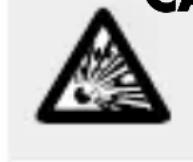
Only use the recommended type of rechargeable batteries. Other recharge
able or single-use batteries could explode during charging.
FIRE HAZARD! Never short-circuit
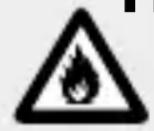
rechargeable batteries. Otherwise the rechargeable batteries may overheat,
become a fire hazard or explode.
EXPLOSION HAZARD! Never throw
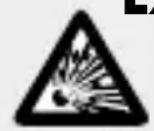
rechargeable batteries into fire or water.
Expired or drained rechargeable batteries may leak chemicals which will damage the product.
Therefore, remove the battery when the product is not required for an extended period of time.
WEAR PROTECTIVE GLOVES!

Leaked or damaged rechargeable batteries could cause chemical burns on
contact with the skin; you should therefore wear suitable protective gloves at all times if such an event occurs.
- Initial use
Note: All parts have to be unpacked and the packaging material has to be removed completely. Before use, verify the package contents are complete and undamaged!
- Charging the rechargeable battery via built in USB cable
Note: The rechargeable battery must be charged prior to first use.
Insert the Built in USB cable into the USB port on a PC or a USB adapter (not included in scope of delivery).
Note: The battery charging indicator will light up red color whilst charging and change to green color once charging is completed. The charging time for a drained rechargeable battery is approx. 2 hours.
Note: The product may be used whilst charging. However, doing so will at a minimum double the charging time.
Once charging is complete, remove the Built in USB cable 10 from charging port.
- Charging the Rechargeable battery using the dynamo and hand crank
Switch the product on by setting the Power ON/OFF switch 12 to the ON position.
Unfold the hand crack and wind it at a speed of approx. 2.5 to 3 rotations per second.
The integrated rechargeable battery stores the energy generated.
- Charging mobile devices
ATTENTION! RISK OF PROPERTY DAMAGE!
Note: Before the charging process, you should consult the product's operating manual for the appropriate operating voltage of your end product. There is no warranty for damages which arise due to an improper operating voltage.
Note: During the charging process described below, a value of 5V is reached for the output voltage / direct
current (DC output). Ensure before use that the incoming voltage of the mobile device matches this voltage.
Set the power ON/OFF switch to the OFF position for charging the mobile device.
Connect your mobile device (not included in scope of delivery) to the USB output socket via USB cable (not included in scope of delivery).
Unfold the hand cra and wind it at a speed of approx. 2.5 to 3 rotations per second. The battery of the connected mobile device will be charged using the energy generated.
Note: The charging process using the hand crank 2 takes some time before the battery voltage is high enough for mobile devices; this depends on the product's battery power.
Using the radio
Switch the product on by setting the power ON/OFF switch 12 to the ON position and turning the RADIO button 5 clockwise to turn on radio function.
Switch the AM/FM/SIREN button to FM position.
Press the TUNING or the TUNING- button to search for a broadcasting station during playback. The automatic search for radio stations will begin and will be interrupted if a broadcasting station with a sufficient signal strength is found. To search for another broadcasting station, go through the same process as described above. You can search forwards for broadcasting stations using the TUNING+ button (frequency range of 87.5 MHz to 108 MHz) or backwards using the TUNING- button (108 MHz to 87.5 MHz). Meanwhile, you can also switch to AM / SIREN position
To regulate the volume during radio playback, turn the RADIO button 5 in clockwise direction to increase the volume or in anti-clockwise direction to decrease it.
Turn the RADIO button in anti-clockwise direction and set the Power ON/OFF switch12 to the ON position to switch off the radio.
Note:Please regulate the volume as appropriate (please think about your immediate surroundings).
Note: If possible, avoid high buildings, basements, etc. These places may interfere with the radio reception. If possible, the product should be kept
away from induction ovens, fluorescent lamps, engines or other electric devices as these could also have an effect on the reception.
Note: If the internal battery charge is too low, the sound coming from the radio may become distorted or it may be barely audible.
Using the LED light
Switch the product on by setting the Power ON/OFF switch 12 to the ON position.
To switch the light into ECO mode, press the LIGHT button 4.
Press the LIGHT button again to switch the light into normal mode.
Press the light button 4 again to switch the light OFF.
Using the SIREN alarm when emergency
Switch the product ON by turn the Power ON/OFF switch 12 to the ON position.
Switch the AM / FM/SIREN button to SIREN position. A loud noise will come out from the device.
Switch the AM/FM/SIRENE switch 9 to FM position to switch SIREN alarm OFF.
- Cleaning and Care
Ensure that no water enters the product when cleaning. Otherwise, the product could be damaged.
- Do not clean the product using corrosive or other hard cleaning agents and do not use any rough materials. These could damage the surface.
Only clean the product with a slightly dampened cloth and a mild detergent.
Storage
Store the product in a dry, dust-free location, protected from direct sunlight.
Regularly charge the battery.
Troubleshooting
Error: The product does not work.
Cause: The battery is exhausted.
Solution: Charge the battery.
Note: Electrostatic discharge can cause malfunctions. If the product does not work, switch it off and switch it on again after some time.
Disposal
The packaging is made entirely of recyclable materials, which you may dispose of at local recycling facilities.
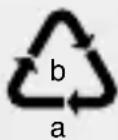
Observe the marking of the packaging materials for waste separation, which are marked with abbreviations (a) and numbers (b) with following meaning: 1-7: plastics / 20-22: paper and fibreboard / 80-98: composite materials.

The product and packaging materials are recyclable, dispose of it separately for better waste treatment. The Triman logo is valid in France only.

Contact your local refuse disposal authority for more details of how to dispose of your worn-out product.
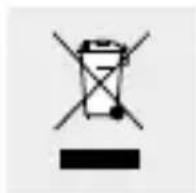
To help protect the environment, please dispose of the product properly when it has reached the end of its useful life and not in the household waste. Information on collection points and their opening hours can be obtained from your local authority.
Defective or old rechargeable batteries must be recycled in accordance with Directive 2006 / 66 / EC and its amendments. Return rechargeable batteries and / or the product using the recycling facilities provided.
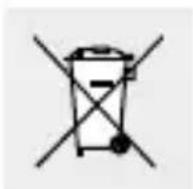
Improper disposal of rechargeable batteries may result in environmental damage!
Batteries must not be disposed of in the household waste. They could contain poisonous heavy metals and are subject to hazardous waste treatment. The chemical symbols for heavy metals are as follows: Cd = cadmium, Hg= mercury, Pb = lead.
- Simplified EU declaration of conformity
Hereby, OWIM GmbH & Co. KG, Stiftsbergstraße 1, DE-74167 Neckarsulm, GERMANY declares that the product (Dynamo Camping Radio with Light, HG03567) is in compliance with Directive 2014/53/EU and 2011/65/EU.
The full text of the EU declaration of conformity is available at the following internet address: www.owim.com
Warranty
The product has been manufactured to strict quality guidelines and meticulously examined before delivery. In the event of product defects you have legal rights against the retailer of this product. Your legal rights are not limited in any way by our warranty detailed below.
The warranty for this product is 3 years from the date of purchase. Should this product show any fault in materials or manufacture within 3 years from the date
of purchase, we will repair or replace it - at our choice - free of charge to you.
The warranty period begins on the date of purchase. Please keep the original sales receipt in a safe location. This document is required as your proof of purchase. This warranty becomes void if the product has been damaged, or used or maintained improperly.
The warranty applies to defects in material or manufacture. This warranty does not cover product parts subject to normal wear, thus possibly considered consumables (e.g. batteries) or for damage to fragile parts, e.g. switches, rechargeable batteries or glass parts.