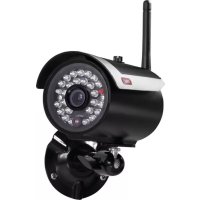
TVAC16010B - Surveillance Camera ABUS - Free user manual and instructions
Find the device manual for free TVAC16010B ABUS in PDF.


Frequently Asked Questions - TVAC16010B ABUS
User questions about TVAC16010B ABUS
0 question about this device. Answer the ones you know or ask your own.
Ask a new question about this device
Download the instructions for your Surveillance Camera in PDF format for free! Find your manual TVAC16010B - ABUS and take your electronic device back in hand. On this page are published all the documents necessary for the use of your device. TVAC16010B by ABUS.
USER MANUAL TVAC16010B ABUS
You can find important information and FAQs about this and other products on the website www.abus.com/eng/Self-installed-security
Version 1.4
Introduction
Dear customer,
Thank you for purchasing this product.
ABUS Security-Center hereby declares that this type of wireless system TVAC16010A/B, complies with RED Directive 2014/53/EU. Additionally, this device complies with the requirements of the following EU directives: the EMC Directive 2014/30/EU, the Low Voltage Directive 2014/35/EU and the RoHS Directive 2011/65/EU. The full EU Declaration of Conformity text can be found at: www.abus.com/product/TVAC16010A
To ensure this condition is maintained and that safe operation is guaranteed, it is your obligation to observe these operating instructions!
Read the entire user guide carefully before starting operation of the product, and pay attention to all operating instructions and safety information!
All company names and product descriptions are trademarks of the corresponding owner. All rights reserved.
If you have any questions, please contact your installer or your local dealer!

Disclaimer
This user manual was prepared with greatest care. If you should notice omissions or inaccuracies, please inform us about these on the back of this manual given address.
The ABUS Security-Center GmbH assumes no liability for technical and typographical faults and reserves the right to make at any time modifications to the product or user manual without a previous announcement.
The company is not liable or responsible for direct and indirect subsequent damages which are caused in connection with the equipment, the performance and the use of this product.
No guarantee for the content of this document is taken.
Icon explanation
| A flash in the triangle is used if there is danger for the health, e.g. by an electric shock. | |
| An exclamation mark in the triangle points to an important note in this user manual which must be minded. | |
| This symbol can be found when you are to be given tips and information on operation. |
Important safety advice
| The warranty will expire for damage due to non-compliance with these operating instructions. ABUS will not be liable for any consequential loss! | |
| ABUS will not accept liability for damage to property or personal injury caused by incorrect handling or non-compliance with the safety-instructions. In such cases the warranty will expire. |
The device has been manufactured in compliance with international safety standards. Please read these safety advices carefully.
Safety advice
1. Mains supply
100-240 V AC, 50-60 Hz (via power adapter plug to 5 V DC)
Operate this product only from the type of power supply indicated on the marking label. If you are not sure of the type of power supplied to your home, consult your local power company. Disconnect the product from the mains before you start any maintenance or installation procedures.
2. Overloading
Do not overload a wall outlet, extension cord or adapter as this may result in electric fire or shock.
3. Liquids
Protect the device from any kind of liquids entering.
4. Cleaning
Disconnect the product from the wall outlet before cleaning. Use a light damp cloth (no solvents) to dust the product.
5. Accessories
Do not use any unsupported accessories as these may be hazardous or cause damage the product.
6. Location
- This device can be used in inside as well as outside.
The product will be damaged even it falls from a low height. - During the installation of the camera please take care that direct sunlight cannot fall onto the image sensor of the device. Please follow the installation instructions in the corresponding chapter of this user manual.
- Do not place the device near a radiator or heat register.
- Setup the device only in areas with the advised operating temperatures of -10^ 50^ .
7. Wireless transmission
The range of wireless transmission depends on various environmental factors. The local conditions at the installation location can have a negative impact on the range. For this reason, if there is a clear line of sight between the receiver and the transmitter, the range can be as much as 200m , but in buildings it is significantly less.
The following environmental factors impair both the range and the frame rate:
Mobile phone masts, high-tension electricity pylons, power lines, ceiling and walls, devices with the same or similar radio frequency.
Warnings
Follow all safety and operating advises before starting-up the device!
-
Follow these directions in order to avoid damage of the power cord or plug:
-
Do not modify or process the power cord or plug arbitrarily.
- Make sure to disconnect the power cord holding the plug.
- Keep heating appliances as far as possible from the power cord in order to prevent the cover vinyl from melting.
-
The outdoor camera's power supply unit must be protected against humidity and damp.
-
Follow these directions. Failure to follow any of them may cause electrical shock:
-
Do not open the main body or the power supply.
- Do not insert metal or inflammable objects inside the product.
-
In order to avoid any damage during lighting use a surge protection.
-
Do not use the product when it is out of order. If you continue to use the product when defective, serious damage can be caused to it. Make sure to contact your local product distributor if the product is out of order.

During the installation into an existing video surveillance system make sure that all devices are disconnected from the low and supply voltage circuit.

If in doubt allow a professional electrician to mount, install and wire-up your device. Improper electrical connection to the mains does not only represent at threat to you but also to other persons.
Wire-up the entire system making sure that the mains and low voltage circuit remain separated and cannot come into contact with each other in normal use or due to any malfunctioning.
Avoid using the device under the following unfavorable ambient conditions:
- wetness or excessive air humidity
- extreme cold or heat
- direct sunlight
- dust or combustible gases, vapors or solvents
- strong vibration
- strong magnetic fields, such as those found in the vicinity of machinery or loudspeakers
the camera must not be directed into the sun as this can destroy the sensor. - the camera may not be installed on unstable surfaces
Unpacking
While you are unpacking the device please handle it with utmost care.

If you notice any damage of the original packaging, please check at first the device.
If the device shows damages, please contact your local dealer.
Table of contents
- Intended Use 18
- Scope of delivery 18
- Features and functions 18
- Description of device 18
4.1. Overview 18
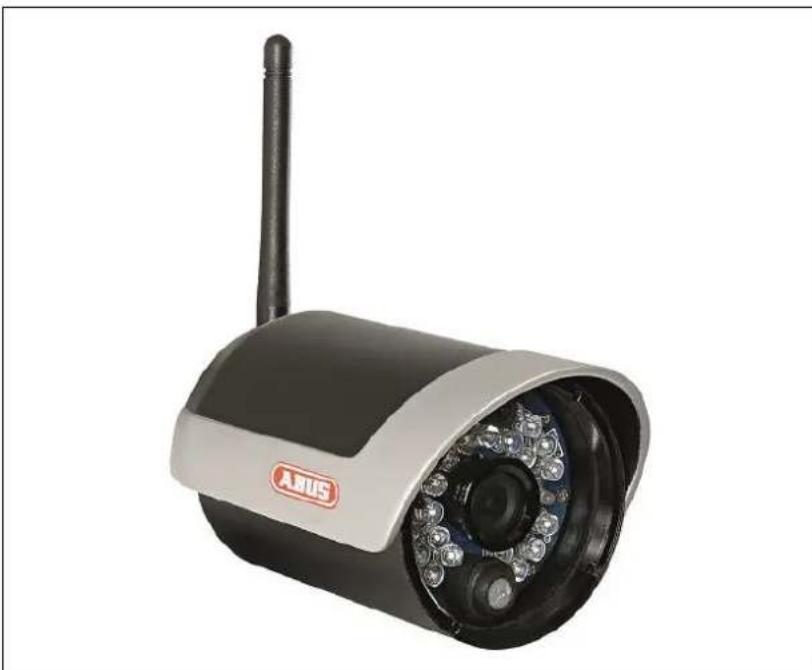
4.2. Camera description 19
- Installation 19
5.1. Pairing the camera and monitor 19
5.2. Installing the camera 20
- Maintenance and cleaning 21
6.1.Maintenance 21
6.2. Cleaning 21
- Disposal 21
- Technical data 22
1. Intended Use
This 2.4 GHz IR wireless outdoor camera is an optional accessory for the 7" wireless monitor (TVAC16000A/B / TVAC16001A). You have the option of connecting up to 4 cameras to the monitor. You can use this 2.4 GHz IR wireless outdoor camera for easy wireless transmission of video signals to the wireless monitor.
Wireless signal transmission is an advantage in all locations where cables cannot be laid: the camera transmits the video signal to the monitor without the need for wires. Faults and interference can be avoided due to the conversion into digital signals.
A detailed function description can be found in chapter 3 ("Description and functions").
2. Scope of delivery
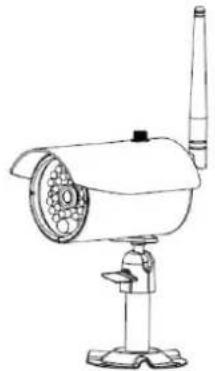
IR wireless external 2.4 GHz camera, including camera mount and installation material
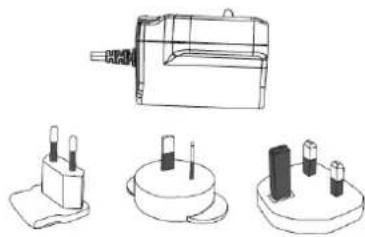
Power supply units including EU, AU and UK adapters 5 V DC/1 A
3. Features and functions
- Compact IP66 outdoor camera with infrared night vision function
- Integrated digital 2.4 GHz transmitter for encrypted wireless video data transmission
IR digital wireless outdoor camera for integrating in TVAC16000A/B / TVAC16001A wireless monitor - 640 × 480 pixel resolution, 3.6 mm fixed lens
4. Description of device
4.1. Overview
| Item number | TVAC16010A/B |
| Resolution | 640 x 480 pixel |
| IR | ✓ |
| IR cut filter (ICR) | ✓ |
| Operating voltage | 5VDC |
4.2. Camera description
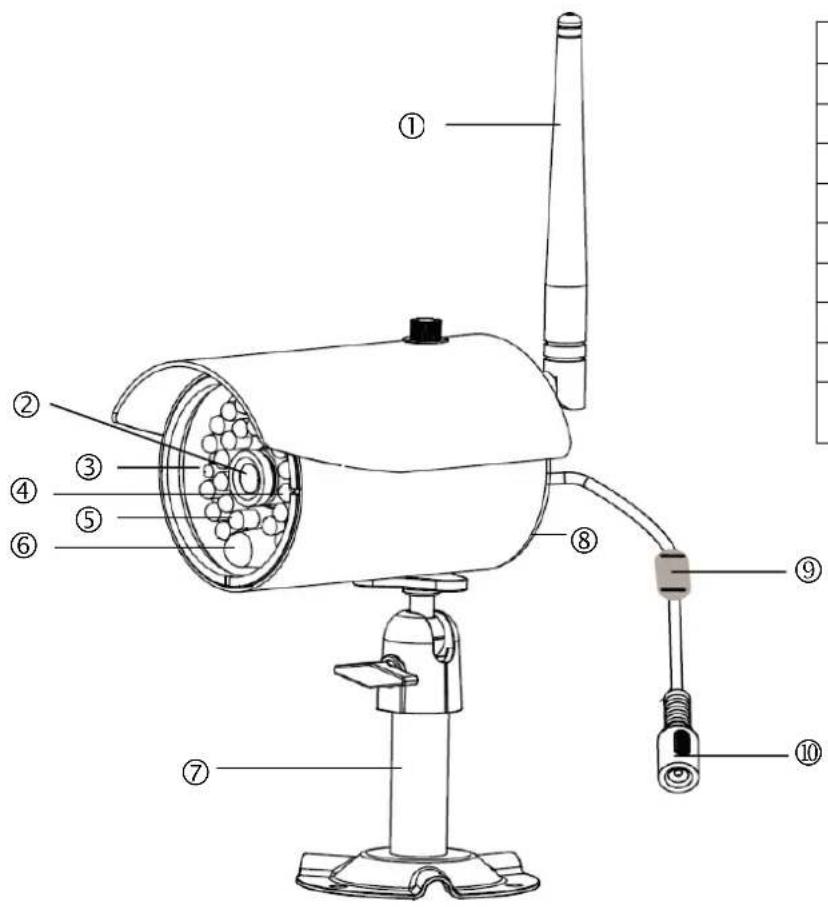
| ① | Antenna |
| ② | Fixed lens |
| ③ | Power LED |
| ④ | LINK LED |
| ⑤ | IR LED |
| ⑥ | Light sensor |
| ⑦ | Camera mount |
| ⑧ | Microphone |
| ⑨ | Pairing button |
| ⑩ | Power supply connection 5 V DC/1 A |
5. Installation
5.1. Pairing the camera and monitor
To connect a camera with the monitor, proceed as follows:
- Connect the power supply to the cameras and monitor.
- In the monitor's menu "Camera Setup" > "Pairing" select the camera you require (1-4). The system starts a 60 second countdown.
- During the 60 seconds, press the PAIRING button on the camera cable until the green LINK LED on the front of the camera starts to flash.
- Once the connection is successful, the LINK LED on the camera lights up continuously.

Warning:
Please note that connection can take up to 60 seconds.
5.2. Installing the camera
Select a suitable place for installing the camera using the camera mount. Mark the drill holes on the base and pre-drill them. Insert the wall plugs provided and attach the mount with the screws.

Warning: Before you start with the installation, make sure that the wireless transmission range reaches your desired installation location.
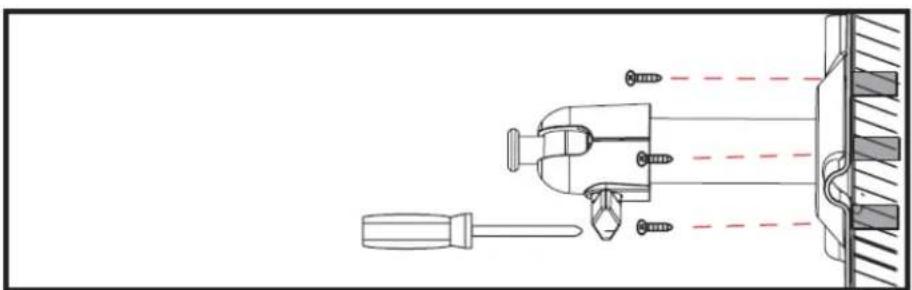
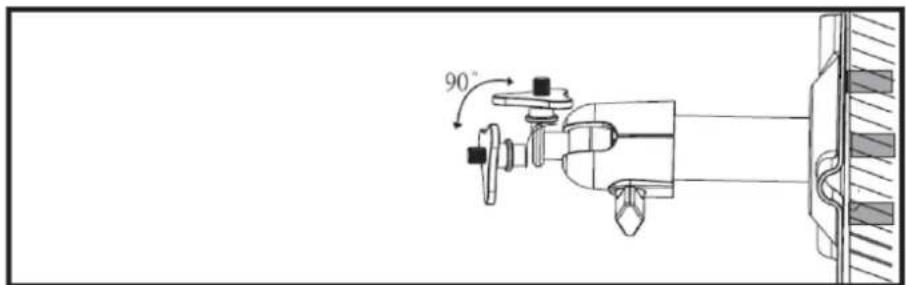
You now have the option of swivelling the mount by 90^ to position it where you want it. Loosen the screw at the side and set the angle of view required. Then tighten the screw in the required position to fasten.
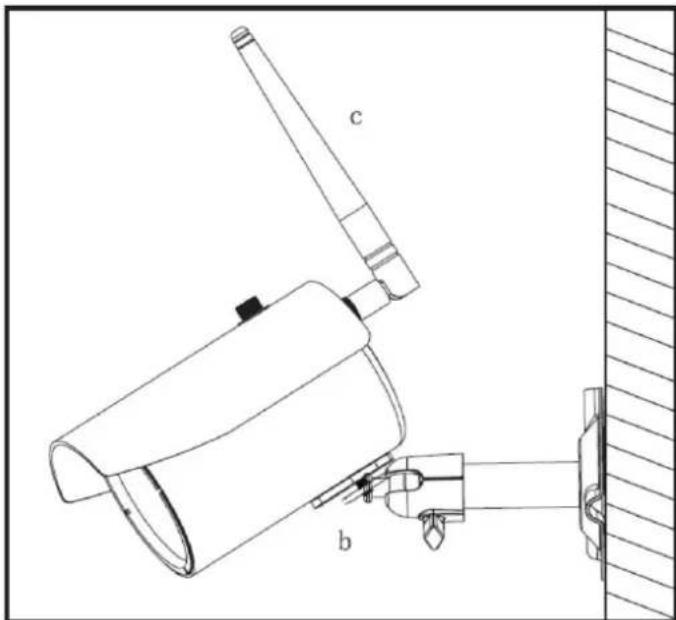
Then screw the camera onto the mount and the power supply unit with the camera.
6. Maintenance and cleaning
6.1. Maintenance
Regularly check the product's physical state, e.g. check for damage of the housing.
If you suspect that safe operation cannot be guaranteed anymore, disconnect the product and ensure that it cannot be used by mistake.
You can assume that safe operation is not possible anymore when
the device shows visible damage,
- the device does not function anymore

Please note:
The product is maintenance free for you. Inside the product are no parts that can be checked or repaired, so do not ever open it.
6.2. Cleaning
Wipe the product with a clean, dry cloth. If the device is very dirty, you can moisten the cloth with lukewarm water.

Make sure that no liquids can enter the equipment as the device can be destroyed. Never use chemical detergents as they could attack the surface of the device
7. Disposal
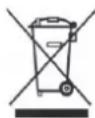
Please note: EU Directive 2011/65/EU regulates the proper return, treatment and recycling of used electronic devices. This symbol means that, in the interest of environmental protection, the device must be disposed of separately from household or industrial waste at the end of its service life in accordance with applicable legal guidelines. Used devices can be disposed of at the appropriate official recycling centers in your country. Obey local regulations when disposing of material. Further details on returns (including for non-European countries) can be obtained from your local authority. Separate collection and recycling conserves natural resources and ensures that all the provisions for protecting health and the environment are observed when recycling the product.
8. Technical data
| Model number TVAC16010A/B | |
| Frequency | 2.4 GHz |
| Modulation | GFSK |
| Transmission power | 15 +/- 2 dBm |
| Sensitivity | -80 dBm |
| Image sensor | 1/4" CMOS |
| Resolution | 640 x 480 pixel (VGA) |
| No. of IR LEDs | 25 IR LEDs |
| Lens | 3.6 mm |
| Angle of view | 60° (H)/43° (V) |
| Night vision function range | 5-8 m |
| IR swivel filter | Yes |
| IP protection class | IP66 |
| Wireless range | approx. 100 m (clear sight line)* |
| Power supply | 5 V DC/1 A |
| Power consumption | Max. 550 mA |
| Operating temperature | -10 °C-50 °C |
| Dimensions (L x W x H) | 150 x 74 x 68 (without antenna and mount) |
| Weight | 390 g |
- The range depends on the ambient conditions (e.g. mobile phone masts, high-tension electricity pylons, power lines, ceiling and walls, etc.). If the conditions are unfavourable, the range may be very restricted.
TVAC16010A/B
Manuel utiliseur
Chere cliente, cher client,
7. Transmission radio
wwwabus.com/eng/Self-installed-security
Version 1.4
These operating instructions are published by ABUS Security-Center GmbH & Co.KG, Linker Kreuthweg 5, 86444 Affing, Germany. No reproduction (including translation) is permitted in whole or part e.g. photocopy, microfilming or storage in electronic data processing equipment, without the express written consent of the publisher.
The operating instructions reflect the current technical specifications at the time of print.
We reserve the right to change the technical or physical specifications.