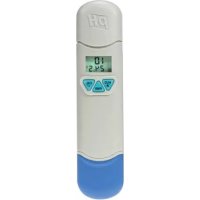
DVM8681 - Measuring equipment VELLEMAN - Free user manual and instructions
Find the device manual for free DVM8681 VELLEMAN in PDF.



| Product Type | Digital pH meter with thermometer |
| Brand | Velleman |
| Model | DVM8681 |
| pH Measurement Range | 0 - 14 |
| pH Accuracy | ±0.2 pH |
| pH Resolution | 0.1 pH |
| Temperature Range | 0 °C to 50 °C (storage) |
| Temperature Accuracy | ±1 °C |
| Temperature Resolution | 0.5 °C/°F |
| Automatic Temperature Compensation (ATC) | Yes |
| Calibration | Automatic, 3 points (pH 4, 7, 10) |
| Display | Dual display (pH and temperature) |
| Data Hold Function | Yes |
| Auto Power Off | Yes (after 20 minutes) |
| Low Battery Indicator | Yes (flashing display) |
| Power Supply | 4 LR44 button cell batteries (incl.) |
| Dimensions | 150 x 36 x 25 mm |
| Weight | 65 g |
| Protection Rating | IP67 (waterproof) |
| Included Accessories | Batteries, protective cap with sponge |
| Maintenance | Rinse probe with deionized water after each use; keep sponge moist |
| Safety | Do not open the housing; keep out of reach of children |
| Warranty | 24 months (domestic use) |
Frequently Asked Questions - DVM8681 VELLEMAN
User questions about DVM8681 VELLEMAN
0 question about this device. Answer the ones you know or ask your own.
Ask a new question about this device
Download the instructions for your Measuring equipment in PDF format for free! Find your manual DVM8681 - VELLEMAN and take your electronic device back in hand. On this page are published all the documents necessary for the use of your device. DVM8681 by VELLEMAN.
USER MANUAL DVM8681 VELLEMAN
USER MANUAL 4
GEBRUIKERSHANDLEIDING 10
MODE D'EMPLOI 16
MANUAL DEL USUARIO 22

DVM8681
USER MANUAL
1. Introduction
To all residents of the European Union Important environmental information about this product

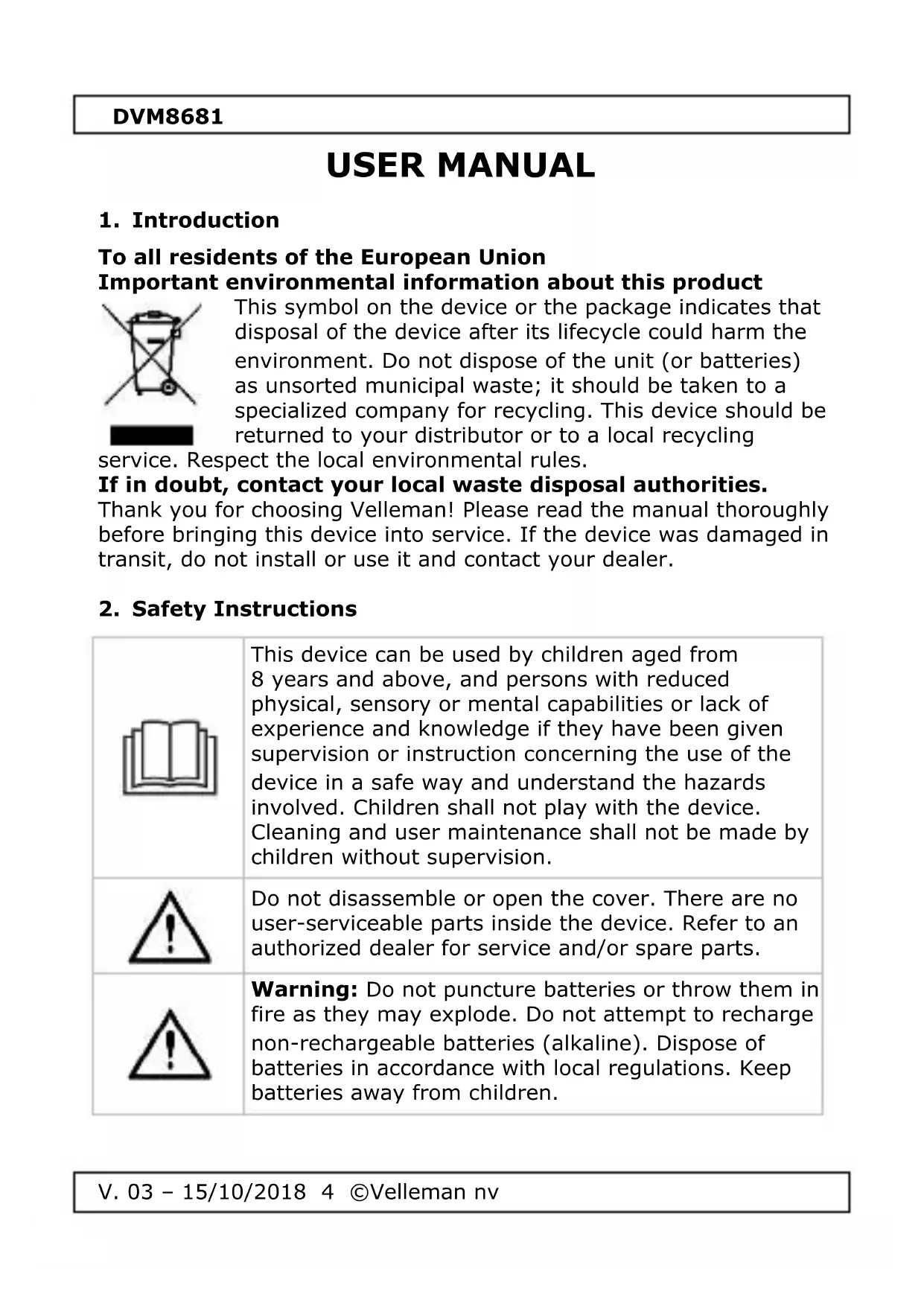
This symbol on the device or the package indicates that disposal of the device after its lifecycle could harm the environment. Do not dispose of the unit (or batteries) as unsorted municipal waste; it should be taken to a specialized company for recycling. This device should be returned to your distributor or to a local recycling
service. Respect the local environmental rules.
If in doubt, contact your local waste disposal authorities.
Thank you for choosing Velleman! Please read the manual thoroughly before bringing this device into service. If the device was damaged in transit, do not install or use it and contact your dealer.
2. Safety Instructions



This device can be used by children aged from 8 years and above, and persons with reduced physical, sensory or mental capabilities or lack of experience and knowledge if they have been given supervision or instruction concerning the use of the device in a safe way and understand the hazards involved. Children shall not play with the device. Cleaning and user maintenance shall not be made by children without supervision.
Do not disassemble or open the cover. There are no user-serviceable parts inside the device. Refer to an authorized dealer for service and/or spare parts.
Warning: Do not puncture batteries or throw them in fire as they may explode. Do not attempt to recharge non-rechargeable batteries (alkaline). Dispose of batteries in accordance with local regulations. Keep batteries away from children.
DVM8681
3. General Guidelines
Refer to the Velleman® Service and Quality Warranty on the last pages of this manual.

Protect this device from shocks and abuse. Avoid brute force when operating the device.
- Familiarise yourself with the functions of the device before actually using it.
- All modifications of the device are forbidden for safety reasons. Damage caused by user modifications to the device is not covered by the warranty.
- Only use the device for its intended purpose. Using the device in an unauthorised way will void the warranty.
- Damage caused by disregard of certain guidelines in this manual is not covered by the warranty and the dealer will not accept responsibility for any ensuing defects or problems.
- Keep this manual for future reference.
4. Features
• waterproof housing (IP67)
- dual display with ATC
- data hold function
- pen size, fits easily in the pocket
- low battery indication
- auto power off
- °C of °F selectable
• automatic calibration
• calibration up to 3 points
5. Overview
Refer to the illustrations on page 2 of this manual.
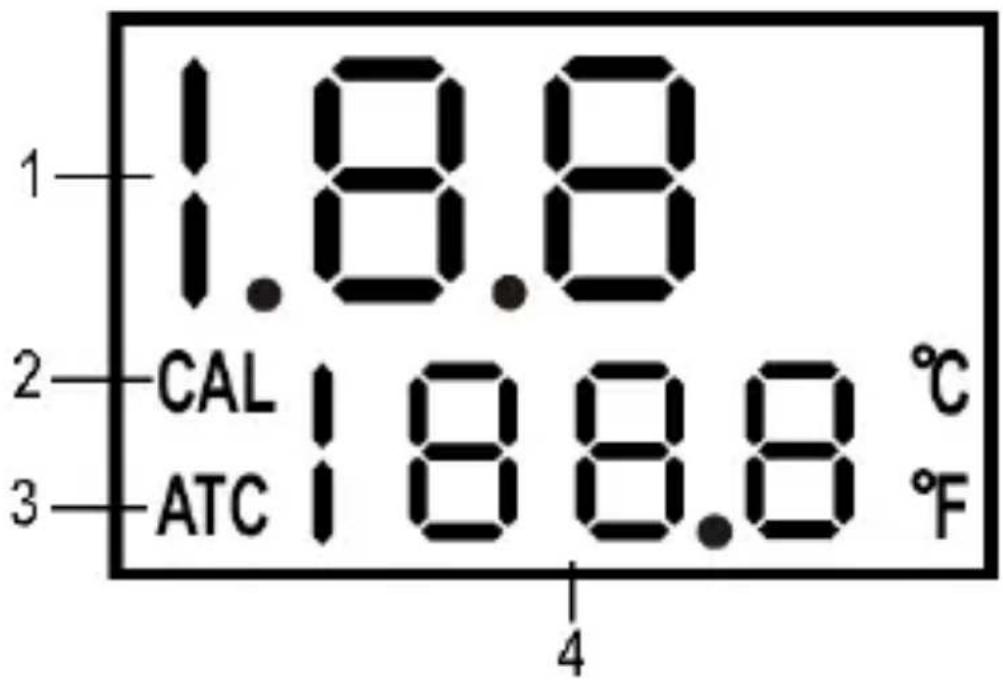
| 1 | measured pH reading |
| 2 | CAL - calibration mode |
| 3 | ATC - automatic temperature compensation |
| 4 | temperature reading |
| 5 | HLD - data hold |
| 6 | PWR - power button |
| 7 | CAL - calibration |
DVM8681
6. Battery Installation
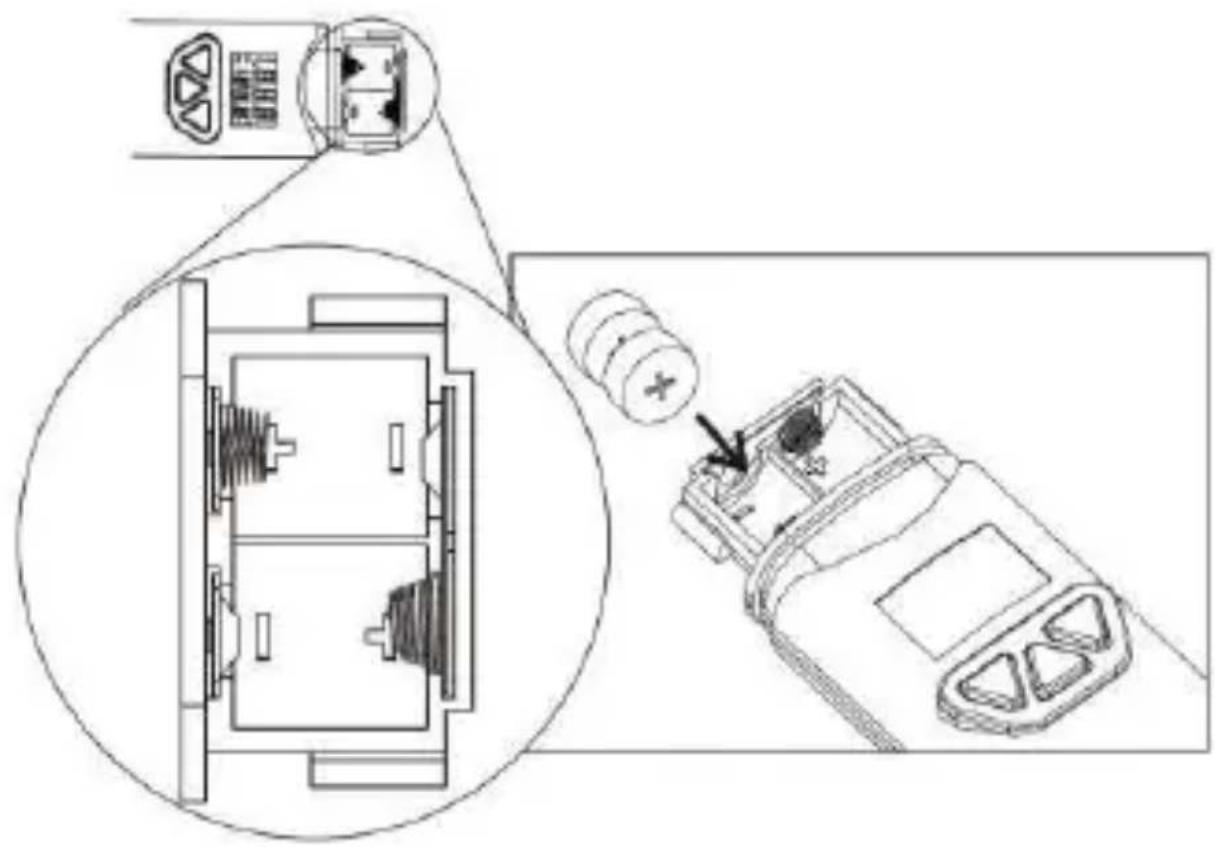
Refer to the illustrations on page 2 of this manual.
The display will blink when battery power is insufficient.
- Loosen the two screws holding the battery cover. Do not discard the small washer.
- Insert 4 x LR44 button cell batteries respecting the polarity.
- Close the battery compartment.
7. Operation
7.1 General Operation
Refer to the illustrations on page 3 of this manual.
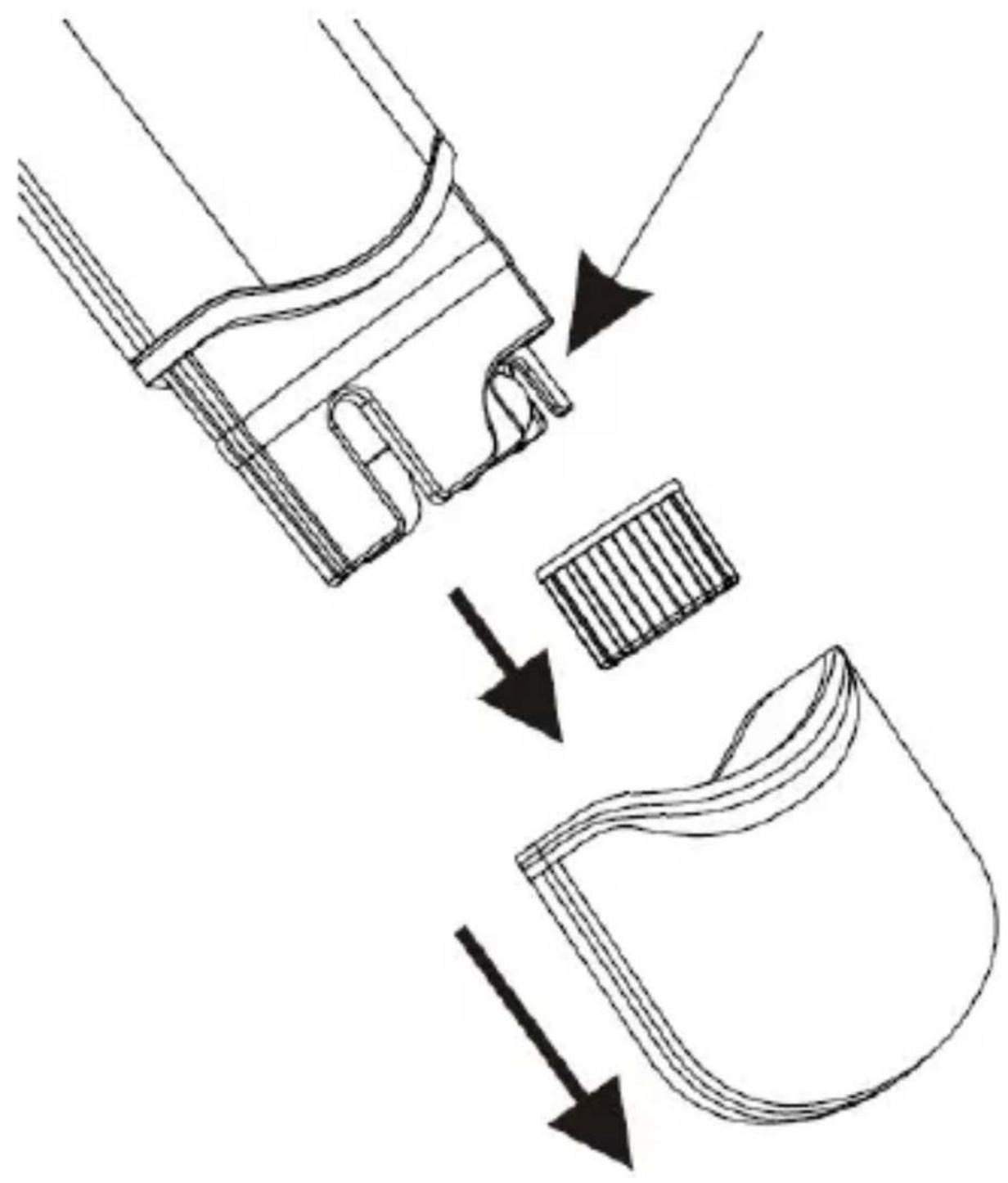
- Remove the bottom and the inner cap to expose the electrode. It is normal to find some whitish crystals on the inner cap and electrode. Keep the sponge in the cap wet to keep the electrode in a good storage condition.
- Dip the electrode into the test solution. Press PWR and stir the pH meter to get a stable reading.
- A small dot will be flashing while the meter is in measuring mode. The temperature (in °C or °F) will also be displayed.
- Press HLD to freeze the current reading. Note that the dot will stop flashing. Press HLD again to release the reading.
- Turn off the meter by pressing PWR. Cover the electrode with the cap and store the meter at an ambient temperature between 0° C \~ 50° C ( 32° F \~ 122° F). Refer to
"7.4. Calibrating your Meter" to perform the 3-points calibration.
7.2 Auto Power-Off
- This meter will switch off after approximately 20 minutes of inactivity.
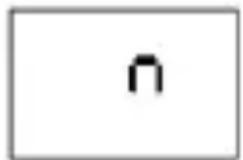
- Disable this function by holding HLD and PWR simultaneously pressed before power-on. An "n" will briefly appear onto the display. The function has been disabled. The function will be reactivated after every power-off.
DVM8681
7.3 Automatic Temperature Compensation (ATC)
-
Since pH values are temperature dependent, pH applications require some form of temperature compensation to ensure standardized pH values. This meter automatically corrects the pH values based on the temperature of the measured solution.
-
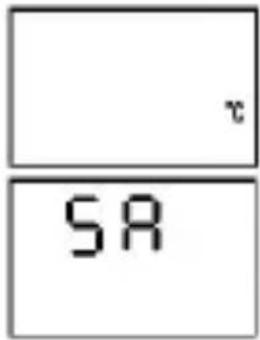
Hold CAL and PWR simultaneously pressed before power-on. "°C" or "°F" will appear on the display. Select your temperature unit with HLD and press CAL to save.
-
"SA" will briefly appear on the display to indicate the selection has been saved. This selection will be saved after power-off.
7.4 Calibrating your Meter
-
Calibration is necessary and should be done regularly, even on a daily basis when using the meter often.
-
Switch on your pH meter.
-
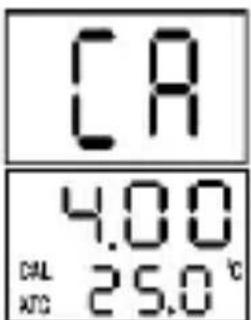
Place the electrode into the pH 4 test solution (available at your chemist's) and press CAL to enter the calibration mode. "CA" will briefly appear on the display. After a few seconds "CAL" and the pH value will appear on the display indicating the meter has been calibrated.
-
Do the same with the pH 7 and pH 10 test solutions.
-
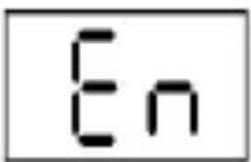
The meter will display "En" if the calibration was not done correctly or if the probe could not detect the test solution in the voltage range below. In this case, recalibrate as per above.
pH 4.00
pH 7.00
pH 10.00
97 mV....250 mV
-60 mV....60 mV
-250 mV....-97 mV
DVM8681
-
If the meter successfully recognizes the test solution, the solution pH value (4, 7 or 10) will appear on the display. If the displayed value differs slightly from the supposed value, e.g. 4.01 instead of 4.00, press HLD to change the value. The adjustable calibration range for pH 4 is 3.50 \~ 4.50, for pH 7 is 6.50 \~ 7.50 and for pH 10 is 9.50 \~ 10.50.
-
A stable value will automatically be saved.
8. Cleaning and Maintenance
- Avoid touching the probe with bare hands and keep it wet by moistening the sponge in the cap.
- Rinse the probe with tap water or better, de-ionized water after each measurement.
- Remove the batteries from the meter if not used for a long time.
9. Troubleshooting
• No display after power-on
Check the batteries. Replace them if necessary (see "6. Battery Installation").
- Slow response
Clean the probe thoroughly with tap water and rinse with de-ionized water afterwards.
- Display indicates "-- --"
The pH value is out of the pH range (pH 0 \~ pH 14). The solution is either too acid or too alkaline.
- The displayed pH value is unstable
The probe is exposed. Dip it in the solution to be measured.
- Technical Specifications
| accuracy | 0.2 pH |
| pH range | 0 - 14 |
| temperature accuracy | ± 1°C |
| temperature resolution | 0.5°C/°F |
| resolution | 0.1 pH |
| ATC | yes |
| self-calibration | yes |
DVM8681
| dimensions | 150 x 36 x 25 mm |
| weight | 65 g |
| battery | 4 x LR44 (incl.) |
Use this device with original accessories only. Velleman nv cannot be held responsible in the event of damage or injury resulting from (incorrect) use of this device. For more info concerning this product and the latest version of this manual, please visit our website www.velleman.eu. The information in this manual is subject to change without prior notice.
The Velleman nv warranty covers normal operation and does not cover battery, misuse, abuse, alteration, tampering, neglect, improper maintenance or damage resulting from leaking batteries. Proof of purchase is required for warranty repairs. Warranty is void if the meter has been opened.
© COPYRIGHT NOTICE
The copyright to this manual is owned by Velleman nv. All worldwide rights reserved. No part of this manual may be copied, reproduced, translated or reduced to any electronic medium or otherwise without the prior written consent of the copyright holder.
GEBRUIKERSHANDLEIDING
1. Inleiding
© INFORMACJA O PRAWACH WŁASNOŚCI
Velleman® Service and Quality Warranty
Since its foundation in 1972, Velleman® acquired extensive experience in the electronics world and currently distributes its products in over 85 countries.
All our products fulfil strict quality requirements and legal stipulations in the EU. In order to ensure the quality, our products regularly go through an extra quality check, both by an internal quality department and by specialized external organisations. If, all precautionary measures notwithstanding, problems should occur, please make appeal to our warranty (see guarantee conditions).
General Warranty Conditions Concerning Consumer Products (for EU):
- All consumer products are subject to a 24-month warranty on production flaws and defective material as from the original date of purchase.
- Velleman® can decide to replace an article with an equivalent article, or to refund the retail value totally or partially when the complaint is valid and a free repair or replacement of the article is impossible, or if the expenses are out of proportion.
You will be delivered a replacing article or a refund at the value of 100% of the purchase price in case of a flaw occurred in the first year after the date of purchase and delivery, or a replacing article at 50% of the purchase price or a refund at the value of 50% of the retail value in case of a flaw occurred in the second year after the date of purchase and delivery.
- Not covered by warranty:
- all direct or indirect damage caused after delivery to the article (e.g. by oxidation, shocks, falls, dust, dirt, humidity...), and by the article, as well as its contents (e.g. data loss), compensation for loss of profits;
- consumable goods, parts or accessories that are subject to an aging process during normal use, such as batteries (rechargeable, non-rechargeable, built-in or replaceable), lamps, rubber parts, drive belts... (unlimited list);
- flaws resulting from fire, water damage, lightning, accident, natural disaster, etc....;
- flaws caused deliberately, negligently or resulting from improper handling, negligent
maintenance, abusive use or use contrary to the manufacturer's instructions;
- damage caused by a commercial, professional or collective use of the article (the warranty validity will be reduced to six (6) months when the article is used professionally);
- damage resulting from an inappropriate packing and shipping of the article;
- all damage caused by modification, repair or alteration performed by a third party without written permission by Velleman®.
- Articles to be repaired must be delivered to your Velleman® dealer, solidly packed (preferably in the original packaging), and be completed with the original receipt of purchase and a clear flaw description.
- Hint: In order to save on cost and time, please reread the manual and check if the flaw is caused by obvious causes prior to presenting the article for repair. Note that returning a non-defective article can also involve handling costs.
• Repairs occurring after warranty expiration are subject to shipping costs. - The above conditions are without prejudice to all commercial warranties.
The above enumeration is subject to modification according to the article (see article's manual).
NL
- USER MANUAL
- INTRODUCTION
- TO ALL RESIDENTS OF THE EUROPEAN UNION IMPORTANT ENVIRONMENTAL INFORMATION ABOUT THIS PRODUCT
- IF IN DOUBT, CONTACT YOUR LOCAL WASTE DISPOSAL AUTHORITIES
- SAFETY INSTRUCTIONS
- DVM8681
- GENERAL GUIDELINES
- FEATURES
- OVERVIEW
- BATTERY INSTALLATION
- OPERATION
- 7.1 GENERAL OPERATION
- 7.2 AUTO POWER-OFF
- 7.3 AUTOMATIC TEMPERATURE COMPENSATION (ATC)
- 7.4 CALIBRATING YOUR METER
- CLEANING AND MAINTENANCE
- TROUBLESHOOTING
- NO DISPLAY AFTER POWER-ON
- SLOW RESPONSE
- DISPLAY INDICATES
- THE DISPLAYED PH VALUE IS UNSTABLE
- © COPYRIGHT NOTICE
- GEBRUIKERSHANDLEIDING
- INLEIDING
- © INFORMACJA O PRAWACH WŁASNOŚCI
- VELLEMAN® SERVICE AND QUALITY WARRANTY
- GENERAL WARRANTY CONDITIONS CONCERNING CONSUMER PRODUCTS (FOR EU)
- NL
Brand : VELLEMAN
Model : DVM8681
Category : Measuring equipment