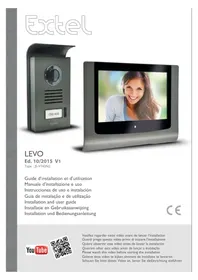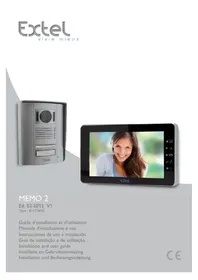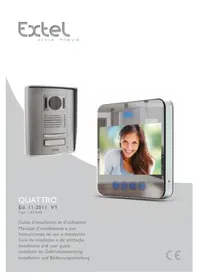
EXTEL Quattro HD2640 - Intercom

Quattro HD2640 - Intercom EXTEL - Free user manual and instructions

Find the device manual for free Quattro HD2640 EXTEL in PDF.

English EN Download 💬 AI Question 10 questions ⚙️ Specs
📄

Document temporarily unavailable

The manual is currently being transferred to our new server. It will be accessible again in a few hours. Thank you for your patience.

Pick your language and provide your email: we'll send you a specifically translated version.
Product type Color video intercom with monitor and street panel
Brand EXTEL
Model Quattro HD2640
Screen 7 inches (18 cm) color, resolution 480×234 pixels
Camera Color CMOS 648×488 pixels, 76° viewing angle, adjustable lens, night vision via IR LED (3 Lux)
Protection rating (camera) IP44
Power supply Mains adapter 100-240V~ 50/60Hz, output 17V 1.5A
Monitor consumption 14 W
Monitor dimensions 180 × 180 × 20 mm
Street panel dimensions with visor 160 × 120 × 30 mm
Main functions Audio/video communication, electric strike control (12V) and gate motor control (dry contact), monitoring, melody, volume, brightness, color settings
Wiring 2 wires up to 100 m (6/10 mm² up to 25 m, 1.5 mm² from 25 to 100 m)
Operating temperature (camera) -10°C to +45°C
Compatible options Electric strikes, electric locks, EXTEL motors, MODULAR modular power supply
Maintenance and cleaning Soft dry cloth. Do not use solvents, alcohol or abrasive products. Disconnect before cleaning.
Warranty Parts and labor warranty (excluding consumables and damage due to misuse)
Repairability Do not open the device as this will void the warranty. Contact a certified technician.
Safety Follow safety instructions: voltage 100-240V, do not use with wet hands, check compliance of electrical installations.

Frequently Asked Questions - Quattro HD2640 EXTEL

What to do if the monitor does not turn on?
Check that the power adapter is properly connected to the monitor and to the wall outlet. If the problem persists, try another outlet or contact technical support.
Why do I have poor image or sound?
Make sure the cables used have the appropriate cross-section (6/10 mm² up to 25 m, 1.5 mm² up to 100 m) and are not in the same conduit as 230V cables. Also check the proper connection of the terminals.
How to adjust the brightness and color of the screen?
Use the adjustment knobs located on the side of the monitor: knob 7 for brightness and knob 8 for color. Turn gently to get the desired image.
How to change the ringtone melody?
On the side of the monitor, use selector 9 to choose between 'Ding Dong' melody (position 1) and 'S.A.C' (position 2).
The image is too bright or overexposed, what to do?
Avoid exposing the camera directly to sunlight or a reflective surface. If necessary, reorient the camera or adjust the brightness on the monitor.
How to connect an electric strike?
Connect the strike directly to terminals 3 and 4 on the back of the street panel (no polarity to respect). Make sure the strike has mechanical memory. The function is only active when the screen is on.
What to do if the screen stays blue and there is no ringtone?
Check that the connecting wires between the monitor and the street panel are not reversed: terminal 1 of the monitor must go to terminal 1 of the camera, and terminal 2 to terminal 2.
How to install the street panel?
Fix the rain visor to the wall at about 1.60 m height. Apply a silicone seal between the visor and the wall to prevent infiltration. Connect the wires according to the wiring diagram, then clip the panel and screw it back.
Can I use cables longer than 100 m?
No, the maximum recommended length is 100 m. Beyond that, image and sound quality may degrade. Use 1.5 mm² cables for distances from 25 to 100 m.
How to clean the video intercom?
Unplug the device before cleaning. Use a soft dry cloth. Never use solvents, alcohol or abrasive products that could damage the surfaces.

User questions about Quattro HD2640 EXTEL

0 question about this device. Answer the ones you know or ask your own.

Ask a new question about this device

The email remains private: it is only used to notify you if someone responds to your question.

No questions yet. Be the first to ask one.

Download the instructions for your Intercom in PDF format for free! Find your manual Quattro HD2640 - EXTEL and take your electronic device back in hand. On this page are published all the documents necessary for the use of your device. Quattro HD2640 by EXTEL.
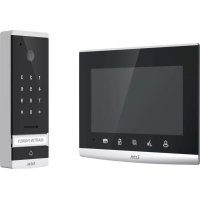
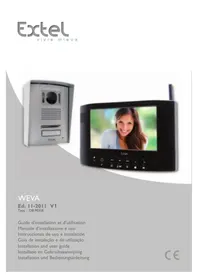
USER MANUAL Quattro HD2640 EXTEL

Manual assistant
Powered by Anthropic
Waiting for your message
Product information

Brand : EXTEL

Model : Quattro HD2640

Category : Intercom