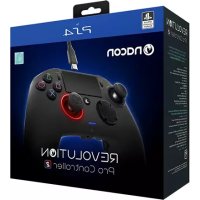
Revolution Pro 2 - Controller Nacon - Free user manual and instructions
Find the device manual for free Revolution Pro 2 Nacon in PDF.



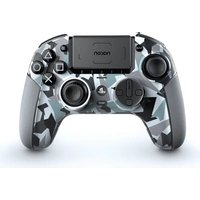
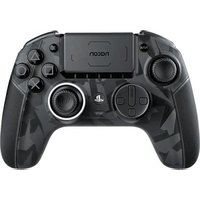
| Product Type | Wired Game Controller |
| Brand | Nacon |
| Model | Revolution Pro 2 |
| Connectivity | Wired via USB-C |
| Cable Length | 3 meters, braided |
| Compatibility | PS4, PC (Windows 7/8/10, Mac OS X 10.11/10.12) |
| Operating Modes | PS4 Pro Control, PS4 Advanced (via app), PC Advanced (XInput) |
| Touchpad | Yes, integrated |
| Programmable Buttons | 4 rear buttons (M1-M4) with remapping |
| Joysticks | Left concave joystick (46°), right convex joystick (46°), with L3/R3 buttons |
| Triggers | Analog L2/R2 |
| Motion Detection | Yes |
| Vibration | Dual vibration, adjustable intensity per handle |
| Audio Output | 3.5mm headphone jack |
| Customization | Via PC/Mac app: joystick adjustment, button mapping, dead zones, profiles (up to 4) |
| Weight Adjustment | 6 weights included (2x10g, 2x14g, 2x17g), compartment per handle with key |
| Package Contents | Controller, 3m USB-C cable, manual, 6 weights, key, carrying pouch |
| Warranty | 2 years (parts and labor) |
| Maintenance | Clean with a soft, damp cloth, no detergent |
| Safety | Do not expose to water, dust, or shocks. Recommended minimum age: 7 years |
| Manufacturer | Bigben Interactive, France |
Frequently Asked Questions - Revolution Pro 2 Nacon
User questions about Revolution Pro 2 Nacon
0 question about this device. Answer the ones you know or ask your own.
Ask a new question about this device
Download the instructions for your Controller in PDF format for free! Find your manual Revolution Pro 2 - Nacon and take your electronic device back in hand. On this page are published all the documents necessary for the use of your device. Revolution Pro 2 by Nacon.
USER MANUAL Revolution Pro 2 Nacon
natural_image
Line drawing of a classic Xbox controller with handle, control buttons, and display (no text or symbols)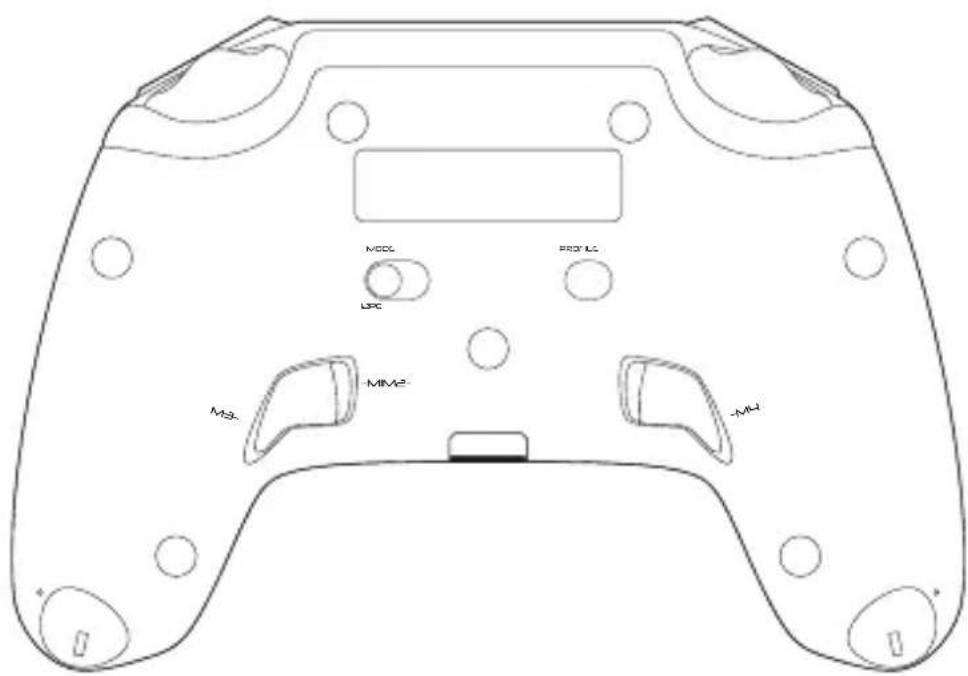
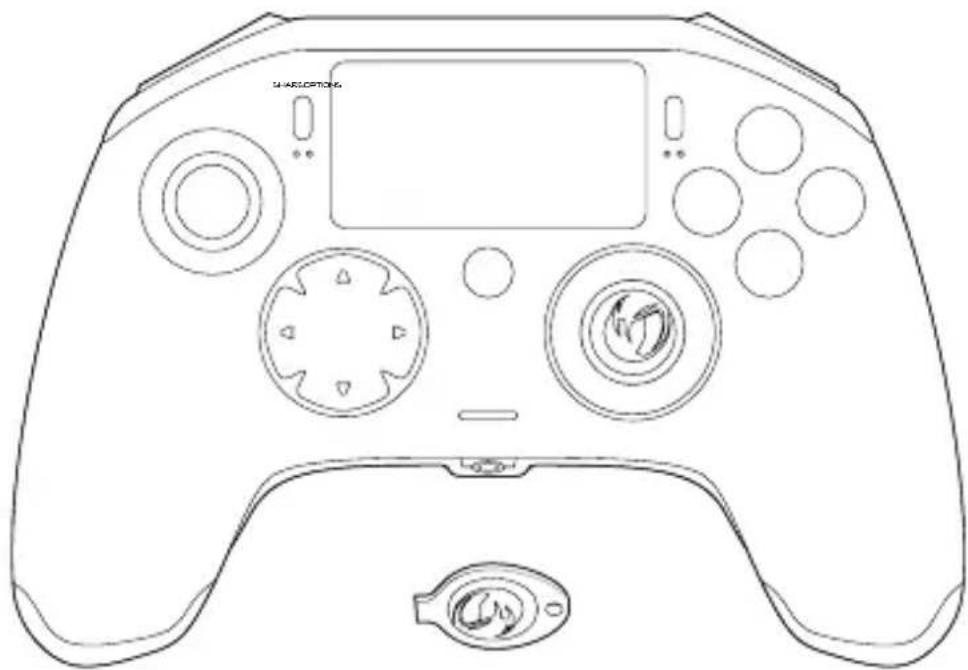
Description:
- Braided cable with USB-C connector
- Touch pad
- SHARE button
- OPTIONS button
- PS button
- Action buttons
- Concave left stick with L3 button and 46° of amplitude
- Convex right stick with R3 button and 46° of amplitude
- Directional pad
- LED player status indicator
-
Weight compartment
-
Profile LEDs
- Headset connector (3.5mm jack)
- R1 Shoulder button
- R2 Analogue trigger
- L1 Shoulder button
- L2 Analogue trigger
- Rear shortcut buttons: M1 / M2 / M3 / M4
- Mode selection:
1 - PS4™ Pro Control mode
2 - PS4™ Advanced Mode (via PC / Mac companion app)
3 - PC Advanced Mode*
- Profile selection button
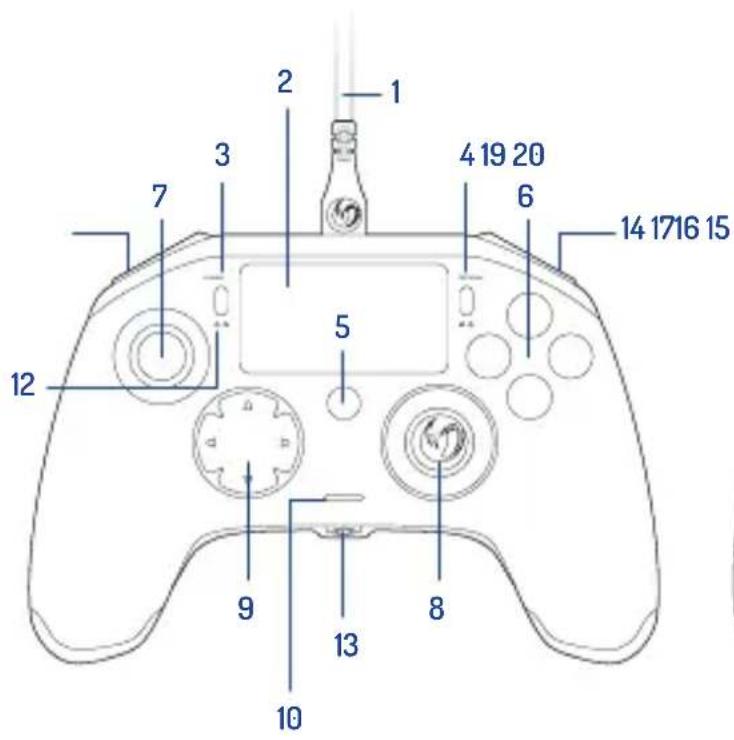
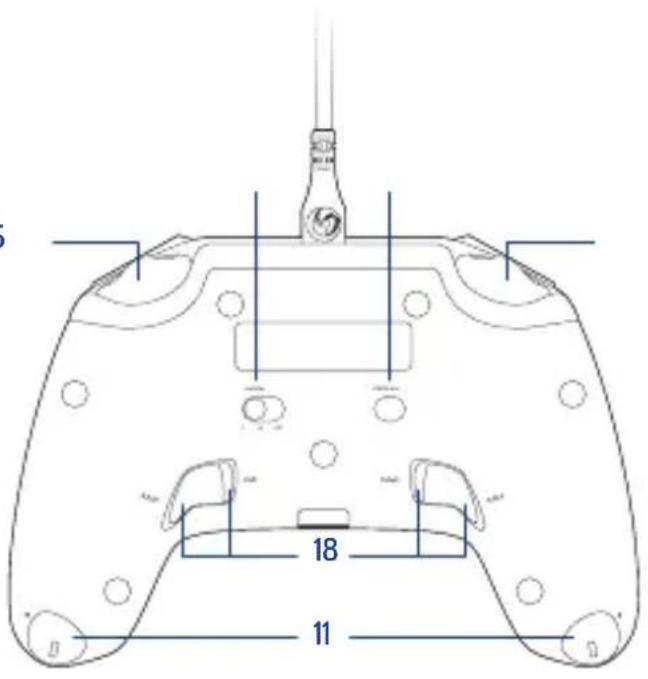
Image 1
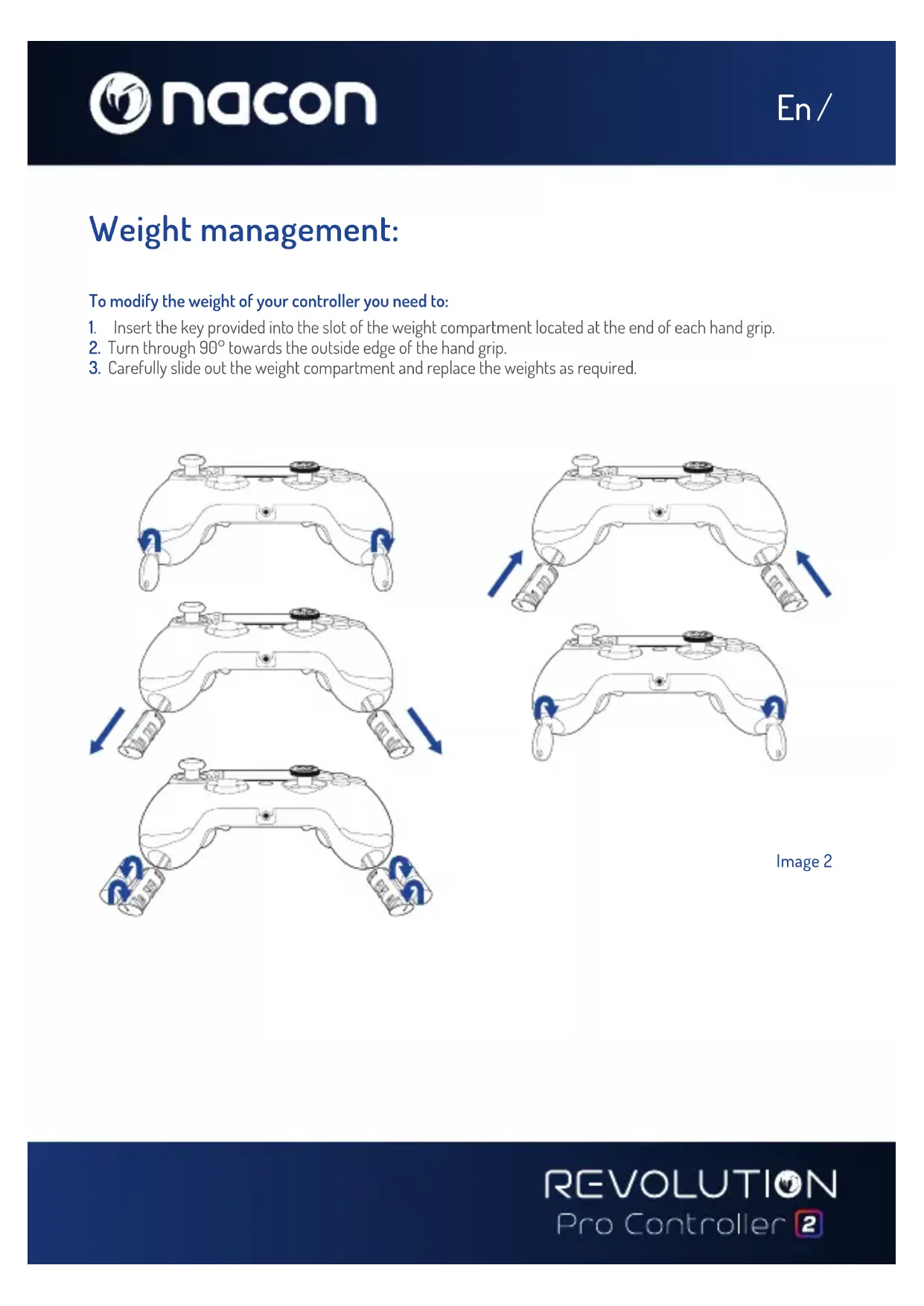
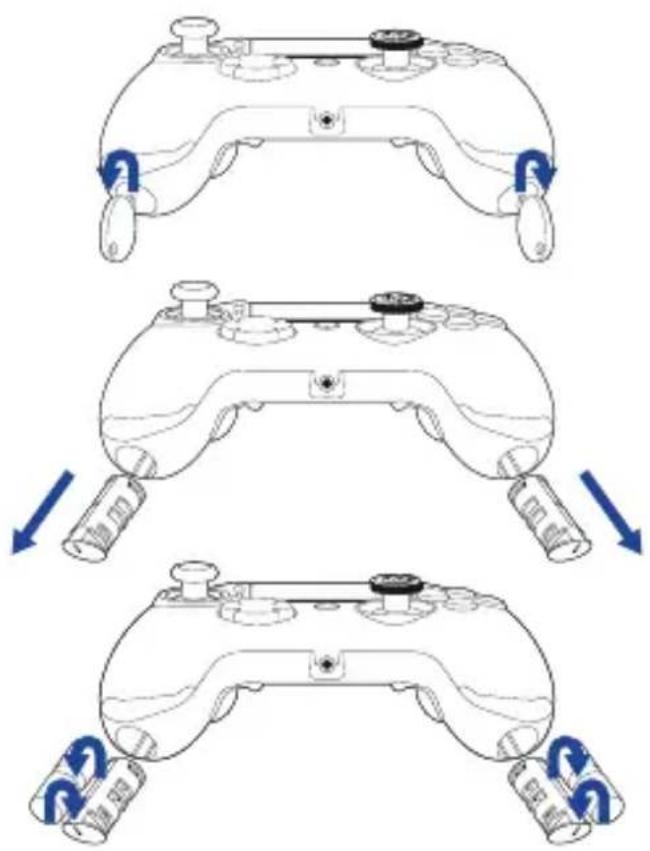
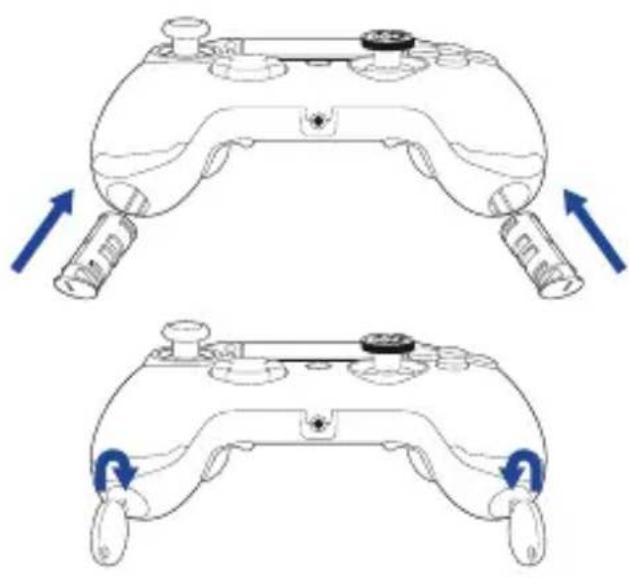
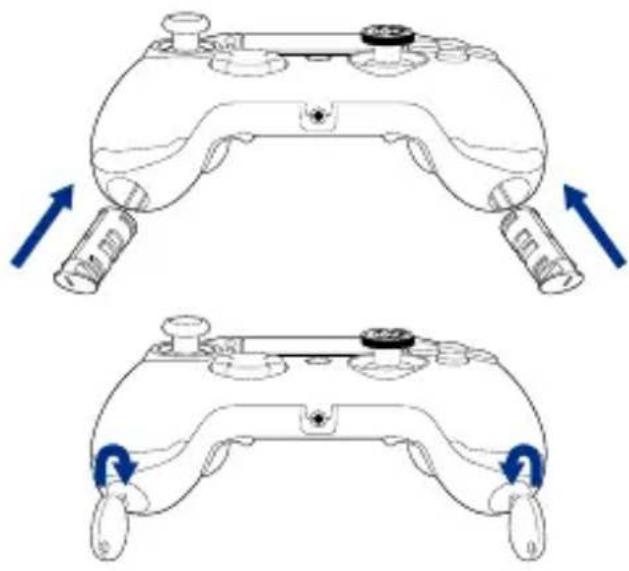
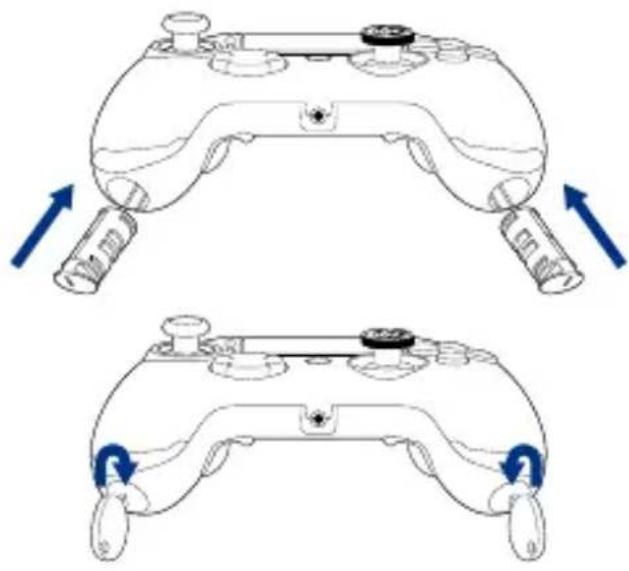
Weight management:
To modify the weight of your controller you need to:
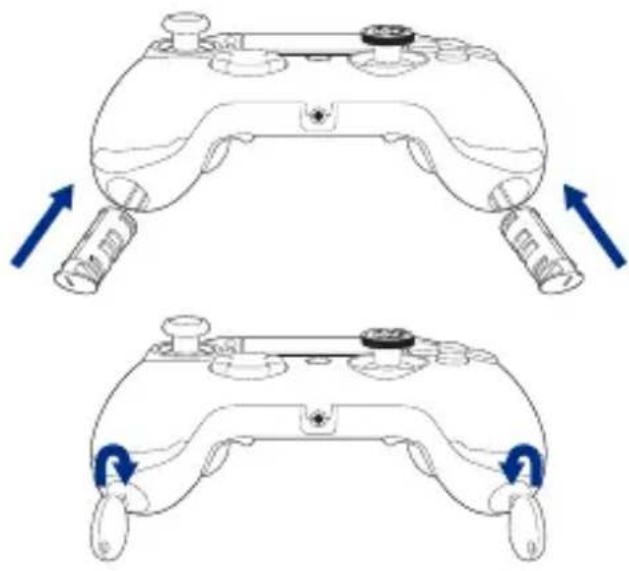
- Insert the key provided into the slot of the weight compartment located at the end of each hand grip.
- Turn through 90^ towards the outside edge of the hand grip.
- Carefully slide out the weight compartment and replace the weights as required.
flowchart
graph TD
    A["Top Controller"] --> B["Top Route"]
    B --> C["Bottom Route"]
    C --> D["Bottom Route with Blue Caps"]
    style A fill:#f9f,stroke:#333
    style B fill:#ccf,stroke:#333
    style C fill:#cfc,stroke:#333
    style D fill:#fcc,stroke:#333
natural_image
Two identical line drawings of a game controller with blue arrows indicating motion or force direction (no text or symbols)Image 2
REVOLUTION Pro Controller 2
Thank you for purchasing this NACON product. In case of a malfunction please refer to the support information at the end of this manual. We highly appreciate any feedback which helps us to improve our products. Please keep this instruction manual for future reference.
Warranty
This product bearing the NACON trademark, is guaranteed by the manufacturer "Bigben Interactive" for a period of 2 years from the date of purchase, and will, during this period, be replaced with the same or a similar model, at our option, free of charge if there is a defect due to faulty material or workmanship.
This guarantee can be exercised with the proof of purchase in support (e.g. sale receipt; invoice....) and the packaging only for mail-order selling. For cables of controller, beyond one request of guarantee per year, the client shall have to send back the controller with the cable for lab expertise as it is recalled this guarantee does not cover defects arising from accidental damage, misuse or wear and tear and is available only to the original purchaser of the product. This does not affect your statutory rights. For more warranty and support information, email support@nacongaming.com or visit www.nacongaming.com
Contents of the package
1x REVOLUTION Pro Controller 2
1 x 3m connection cable
1 x Instruction manual
2 x 10g weights
2 x 14g weights
2 x 17g weights
1 x Key for the weight compartment
1x Pouch
Features
This controller has 3 x modes:
Mode 1 = PS4™ Pro Control Mode (see section 2)
Mode 2 = PS4™ Advanced Mode (see section 3)
Mode 3 = PC Advanced Mode (see section 4)
natural_image
Black PlayStation controller with red glowing buttons and a cable, shown without any text or symbols on the device itself.1/ How to use the REVOLUTION Pro Controller 2
Note: Do not touch the sticks or triggers when you connect your controller to any PS4 ^™ system.
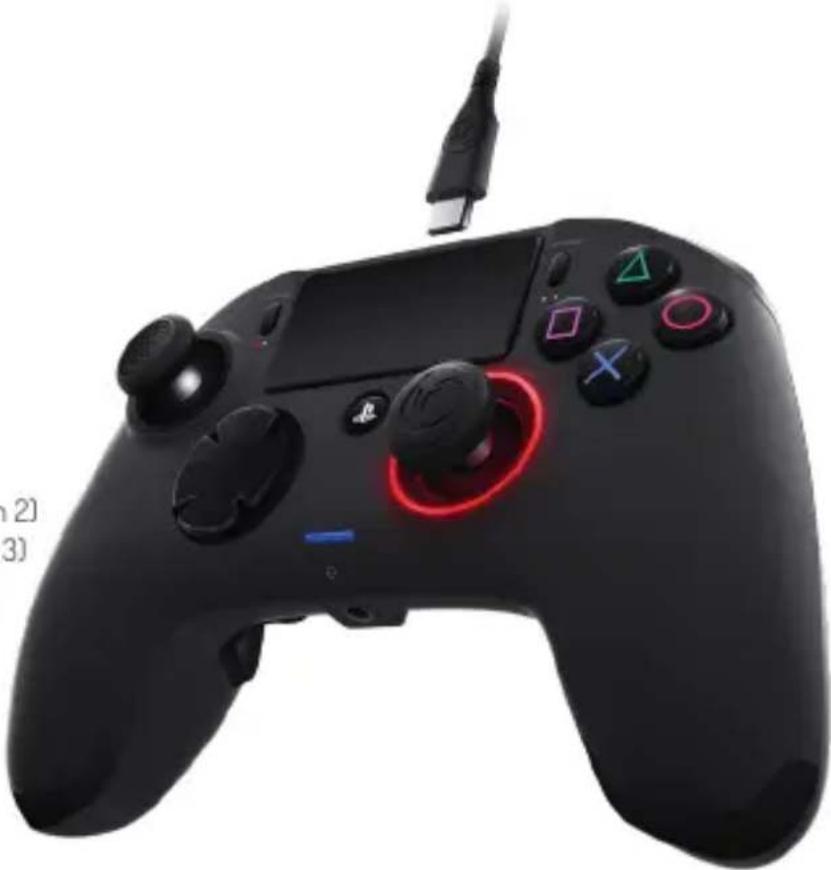
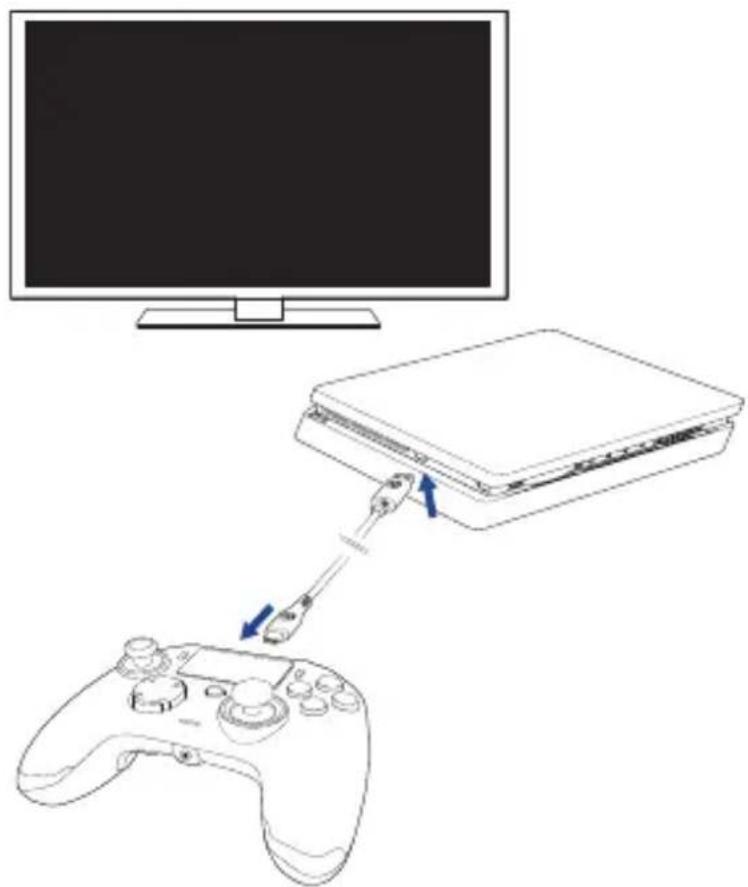
- Connect the cable to the back of the controller and ensure it is securely fastened.
- Plug the controller into a free USB port on any powered on PS4™ system, ensuring that you do not touch the sticks or triggers.
- Press the PS button. The LED player status indicator will light up. Please note the player status indicator can react to in-game action, if supported by the software.
• You are now ready to play.
Note: The MODE switch on the back determines if the controller is working in PS4™ Pro Control Mode (Position 1) or PS4™ Advanced Mode (Position 2).
Note: The PC Advanced mode (Position 3) allows to switch your controller into the XInput Mode for PC use.
natural_image
Line drawing of a game controller connected to a monitor via cable, showing the device's cable being inserted (no text or symbols present)Image 3
2/ Mode 1: PS4™ Pro Control Mode
In this mode the controller supports the following features:
- Motion sensors
- Touch pad
- Dual vibrations
• 3.5mm headset jack
• PS, SHARE and OPTIONS buttons
• L1 and R1 shoulder buttons
• L2 and R2 analogue triggers
• Left stick with L3 button
• Right stick with R3 button - 8-way directional pad
- Action buttons
"Shortcuts"
- Press and hold the Profile button for 3 seconds. The blue halo around the right stick will pulse.
- Press on the shortcut button you want to assign. The corresponding LED will turn ON. LED1 for M1 / LED2 for M2 / LED3 for M3 / LED4 for M4.
- Press now on the desired button you want. The LED will flash 3 times to confirm the mapping is successful.
- Press and hold the Profile button for 3 seconds to confirm and quit the remapping function.
Note: The REVOLUTION Pro Controller 2 does not feature a built-in speaker or light bar.
3/ Mode 2: PS4™ Advanced Mode (via PC / Mac companion app)
In this mode, in addition to supporting all the PS4™ Pro Control Mode features you can also personalise your settings. To do so you will need to download, and install, the PC / Mac companion app, which is compatible with Windows® 7/8/10 & Mac OS X 10.11 (EI Capitan) / 10.12 (Sierra) operating systems. It can be downloaded at the following link:
www.nacongaming.com
Once you have downloaded the companion app and launched it, follow the on screen instructions for the installation (registration required to download the software).
After installing the PC / Mac companion app you will be able to do the following:
- Adjust the settings of the left and right sticks
• Re-map all buttons (excluding PS button)
• Map buttons to the 4x shortcut buttons - Create and load up to 4x custom profiles onto your controller, then switch between them during game play
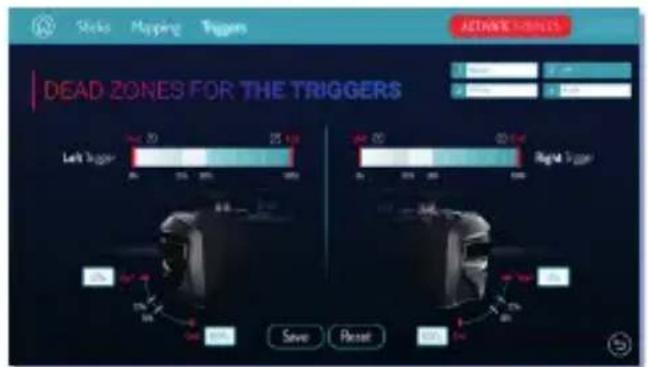
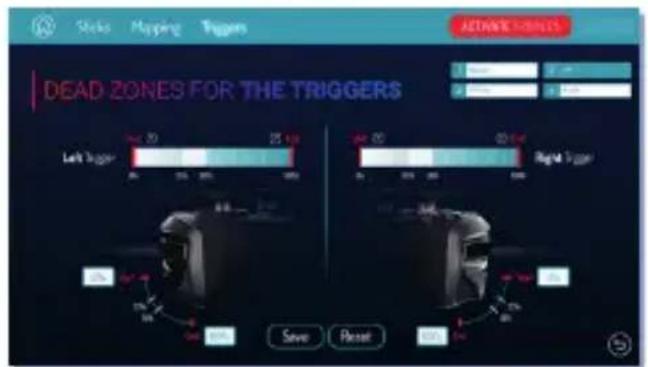
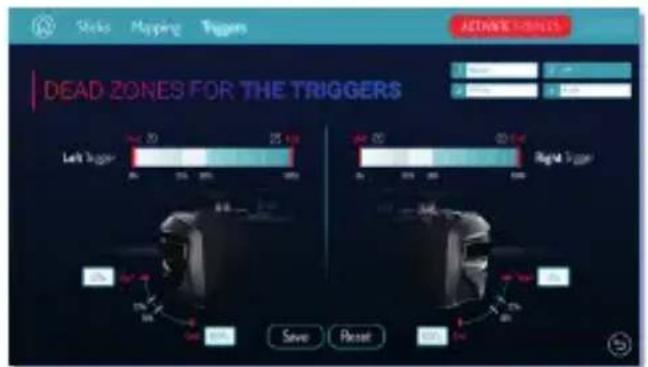
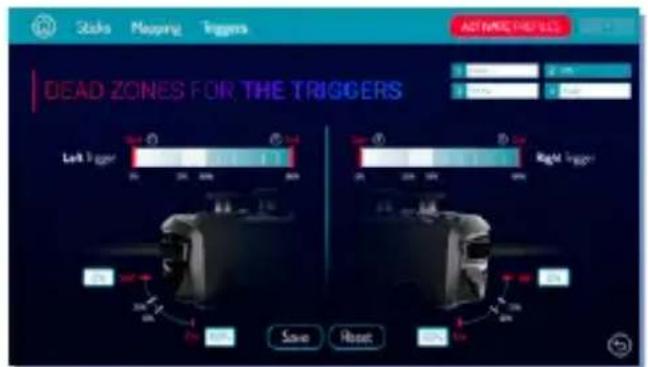
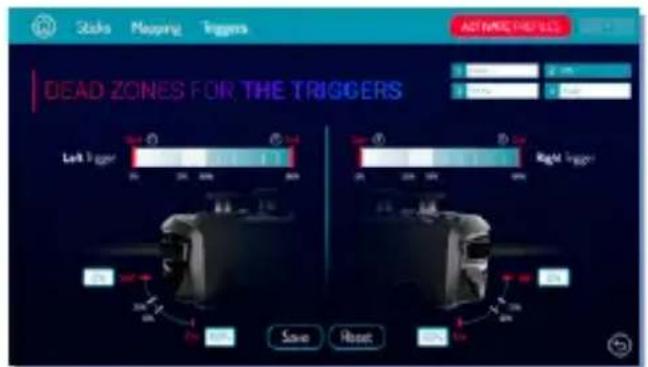
- Adjust the dead-band on the L2 and R2 triggers
• Independently adjust the vibration intensity on the left and right hand grips - Adjust the backlight around the right stick
4/ Mode 3: PC Advanced Mode\* (via PC / Mac companion app)
In this mode you can use Revolution Pro Controller 2 to play PC games. To do so you will need to download, and install, the PC / Mac companion app, which is compatible with Windows® 7/8/10 & Mac OS X 10.11 (EI Capitan) / 10.12 (Sierra) operating systems. It can be downloaded at the following link:
www.nacongaming.com
Once you have downloaded the companion app and launched it, follow the onscreen instructions for the installation (registration required to download the software).
After installing the PC / Mac companion app you will be able to do the following:
- Adjust the settings of the left and right sticks
• Re-map all buttons (excluding PS button)
• Map buttons to the 4x shortcut buttons - Create and load up to 4x custom profiles onto your controller, then switch between them during game play
- Adjust the dead-band on the L2 and R2 triggers
• Independently adjust the vibration intensity on the left and right hand grips - Adjust the backlight around the right stick
*PC Advanced Mode not tested nor endorsed by Sony Interactive Entertainment Europe.
1
2
3
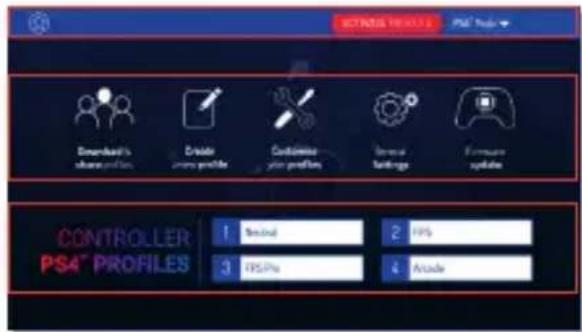
Image 4
Note: The controller comes with 4x pre-loaded custom profiles to suit a range of games:
- Neutral (right stick like Pro Control Mode, L1/R1 & L2/R2 mapped to back buttons)
- FPS (right stick more responsive)
- FPS Pro (right stick highly responsive)
- Arcade (immediate stick response)
To access all the features of the "Advanced mode" you will require the PC/Mac companion app*.
5/ PC / Mac companion app\*
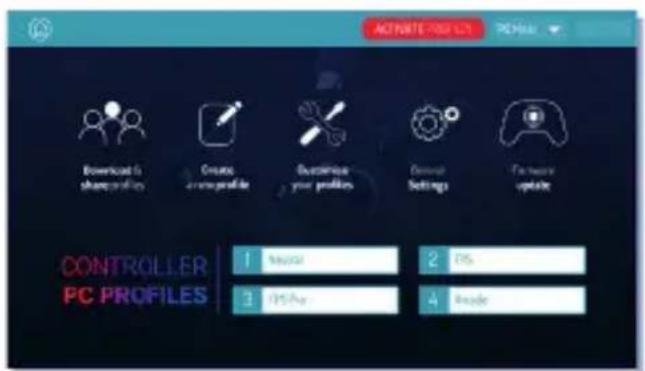
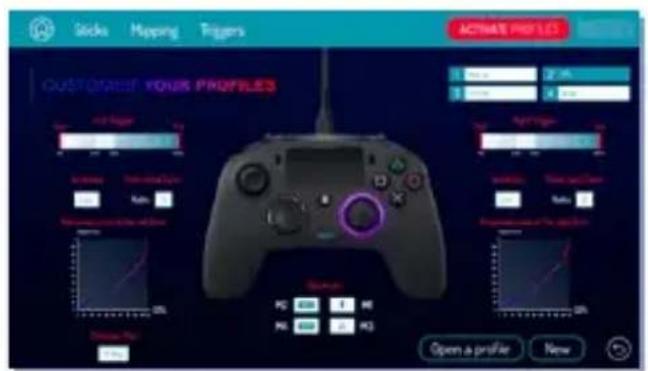
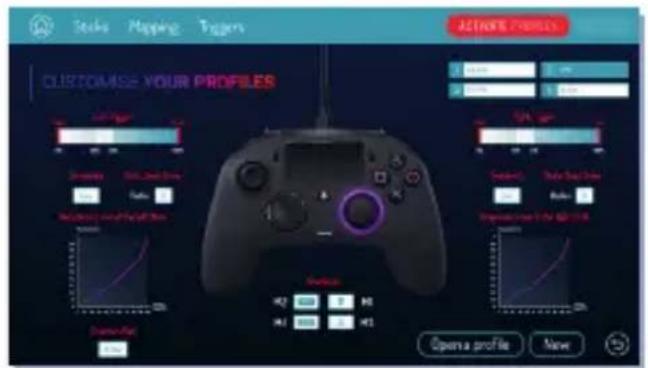
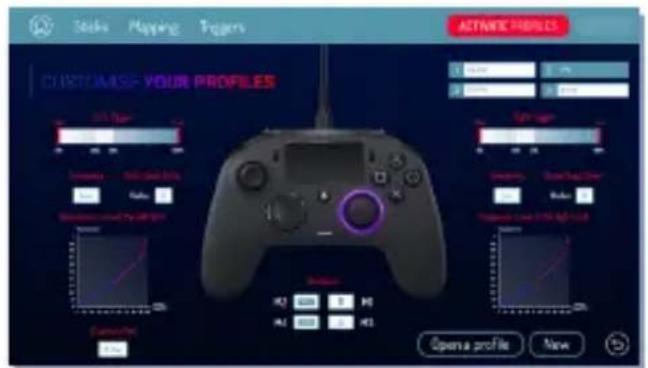
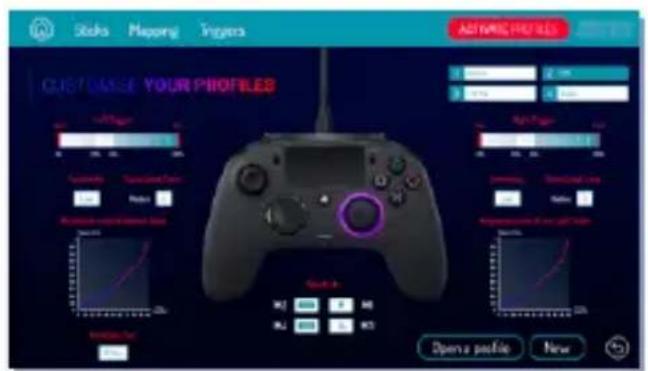
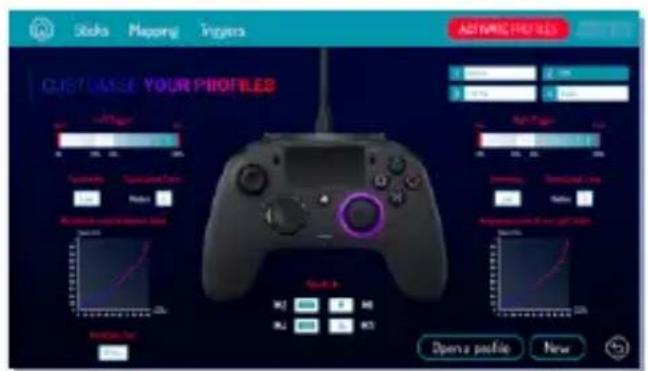
The main screen (Image 4) of the companion app will allow you to switch between the different settings.
1. Menu bar:
a. Return to the main menu.
b. Activate profiles : send the charged profiles to the controller.
c. PS4™ / PC Mode: select the profile type you want to modify between PS4™ and PC.
2. Functions:
a. Download and Shared profiles: download NACON profiles or access to the community website.
b. Create a new profile: create a new profile and to select its position in the controller.
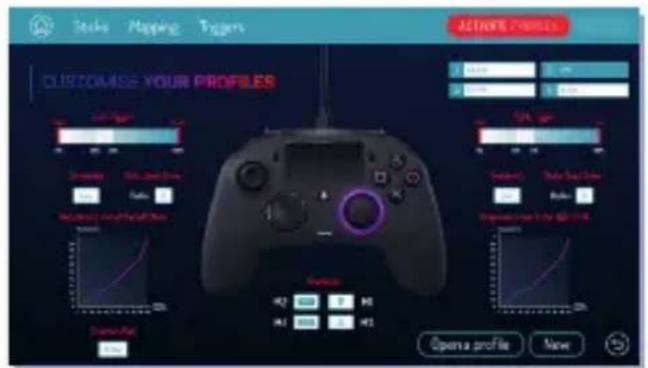
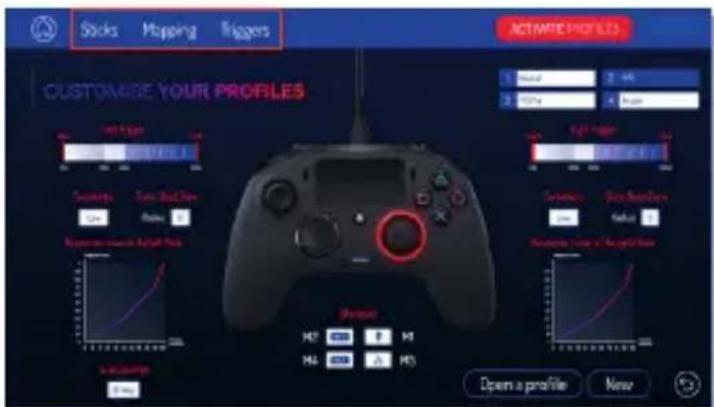
c. Customise your profiles: modify the setups of your controller
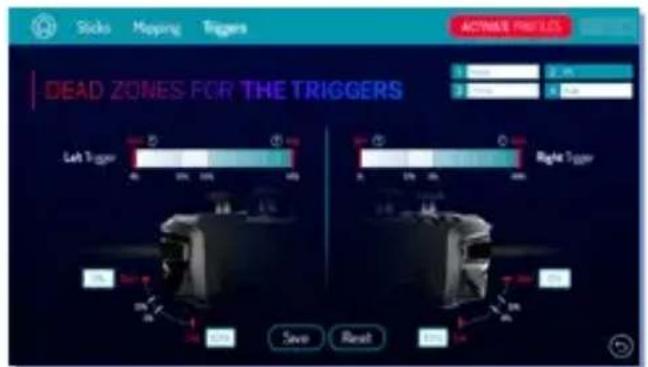
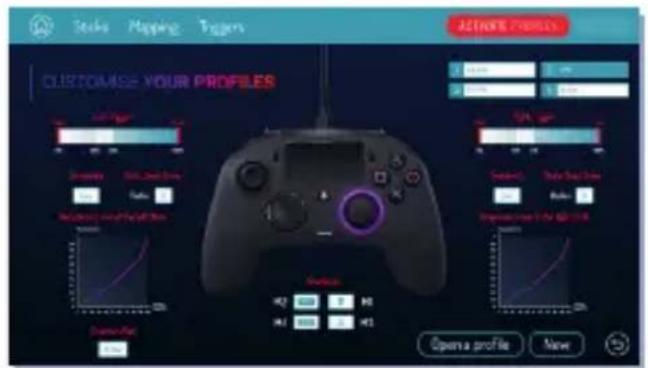
- c1. Sticks: change the response curves of the right and left sticks and their dead zone.
- c2. Mapping: define the mapping button of your controller.
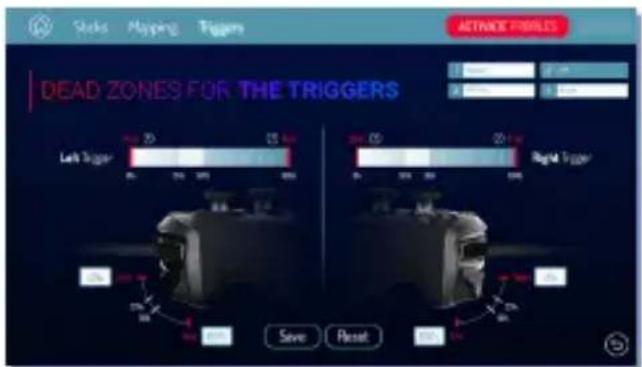
- c3. Trigger: define the reactivity of the L2 and R2 triggers.
d. General settings: modify the vibration level and the light effect around the right stick.
e. Firmware update: advises the firmware version you have in the controller and to check if a new version is available.
3. Controller profiles:
Displays the name of the profile stored in the controller for the current mode.
Disposal of old electrical and electronic equipment
This symbol on the product or on its packaging indicates that this product shall not be treated as household waste. Instead it should be taken to an applicable collection point for the recycling of electrical and electronic equipment.
By ensuring that this equipment is disposed of correctly you will help prevent potential negative consequences for the environment and human health, which could otherwise be caused by inappropriate waste handling of this product. The recycling of materials will help to conserve natural resources.
For more information please contact your local council or waste disposal service.
Important Safeguards and Precautions
- This product is for indoor use only.
- Do not expose to dust, direct sunlight, wet weather conditions, high humidity, high temperatures or mechanical shock.
- Do not expose the product to splashing, dripping rain or moisture. Do not immerse in liquid.
- Do not disassemble; there are no serviceable parts inside.
- Do not use if the equipment is damaged.
- Never carry the product by its cables.
- For external cleaning, use a soft, clean, damp cloth only.
- Use of detergents may damage the cabinet finish.
- Only use the cables that are supplied with this equipment.
- This device is not designed to be used by anyone (including children) with impaired physical, sensory or mental capacity, or by anyone without appropriate experience or knowledge unless they have received prior guidance or instructions related to the use of this device from someone who is responsible for their safety. Children should be supervised to ensure that they do not play with the device.
Ergonomics
Holding your hand in the same position for a long period of time can lead to aching and pain. If this occurs repeatedly please consult your doctor. As a precaution we recommend that you take a 15 minute break every hour.
Technical Helpline Information
Email: support@nacongaming.com / Website: www.nacongaming.com
Licensed for sale in Europe, Africa, Middle East, Russia, India and Oceania.
Manufactured by: Bigben Interactive 396, Rue de la Voyette, C.R.T. 2 Fretin, CS 90414 - 59814 LESQUIN Cedex France
support@bigben.fr, www.bigben.eu
For use exclusively with PlayStation®4. "L," "PlayStation," "PS4" and "ΔOX□" are registered trademarks of Sony Interactive Entertainment Inc. All rights reserved. Keep this information for future reference. WARNING! Not suitable for children under 7 years of age, the cord can coil around the neck. Help us to protect the environment! Do not dispose of electronic items in household rubbish. Windows® 7/8/10 are registered trademarks of Microsoft Corporation. PC Advanced Mode not tested nor endorsed by Sony Interactive Entertainment Europe.
natural_image
Line drawing of a handheld game controller with control buttons and a central screen (no text or symbols)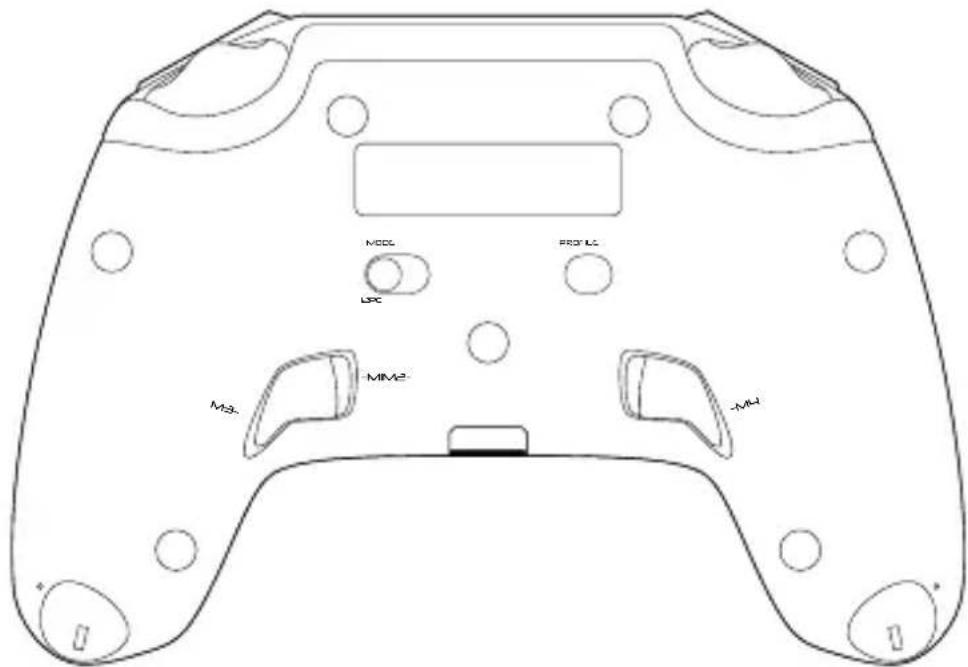
Description:
flowchart
graph TD
    A["Top Controller"] --> B["Top Route"]
    B --> C["Bottom Route"]
    C --> D["Bottom Route with Blue Arrow indicating motion direction"]
natural_image
Two identical line drawings of a game controller with blue arrows indicating motion or movement, no text or symbols present.Image 2
REVOLUTION Pro Controller 2
natural_image
Black PlayStation 8 controller with red scroll and control buttons (no visible text or symbols)natural_image
Line drawing showing a game controller connected to a computer monitor via cable (no text or symbols)Image 3
2/ Mode 1: Mode PS4™ Pro Control
*Mode PC Advanced non testé ni approuvé par Sony Interactive Entertainment Europe.
1
2
3
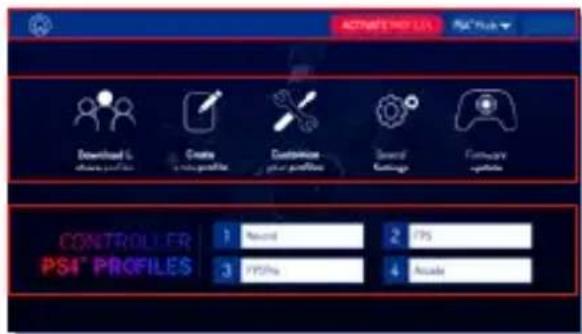
Image 4
Informations relatives au support technique
E-mail: support@nacongaming.com / Site Internet: www.nacongaming.com
For use exclusively with PlayStation®4. "■", "PlayStation", "PS4" and "△OX□" are registered trademarks of Sony Interactive Entertainment Inc. All rights reserved.
natural_image
Line drawing of a handheld game controller with control buttons and a central display (no text or symbols)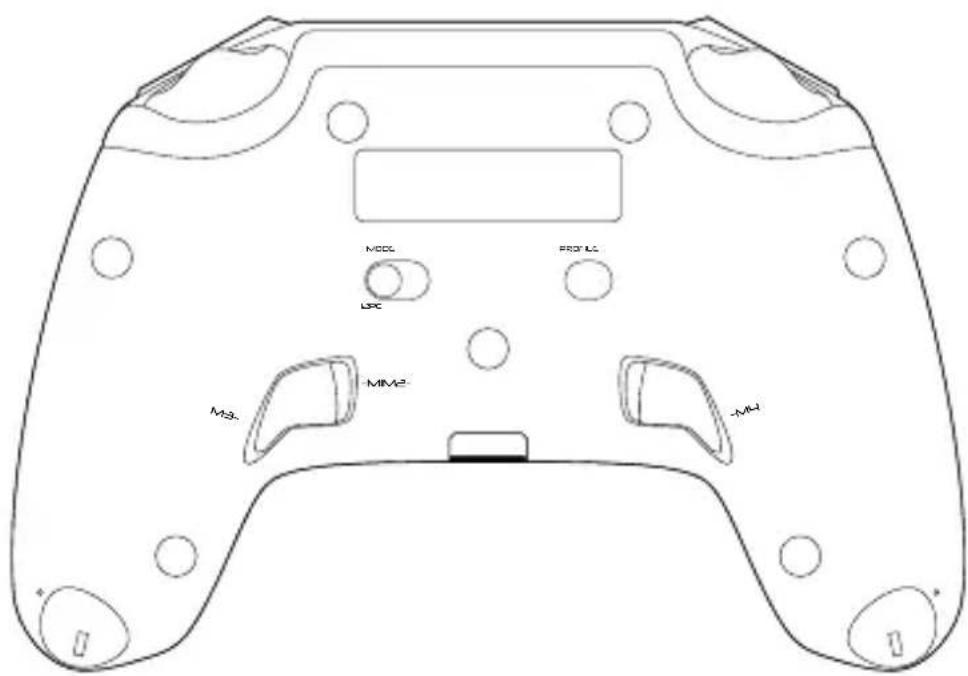
Beschreibung:
natural_image
Two identical line drawings of a game controller with blue arrows indicating motion or movement, no text or symbols present.Bild 2
REVOLUTION Pro Controller 2
natural_image
Black PlayStation controller with red scroll and control buttons (no visible text or symbols)natural_image
Line drawing showing a game controller connected to a computer monitor via cable, with no text or symbols present.Bild 3
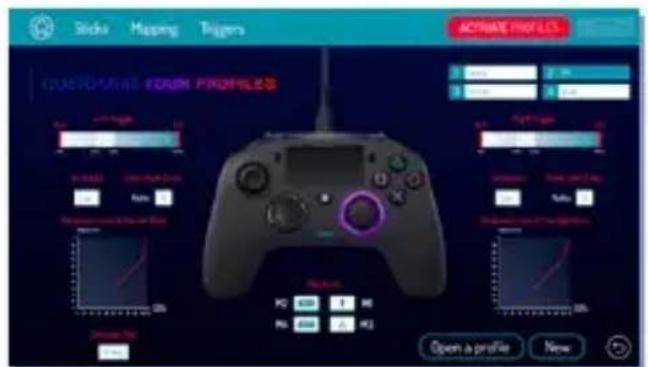
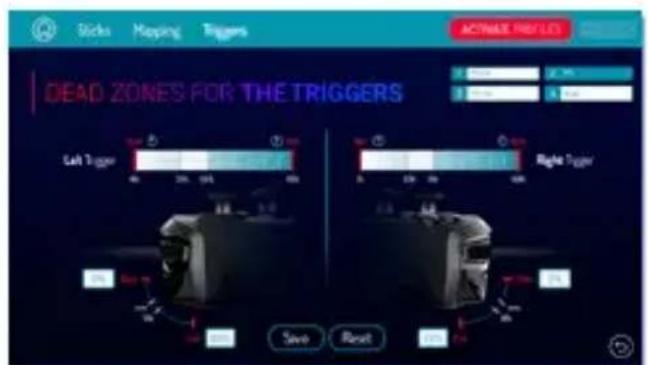
Bild 4
natural_image
Line drawing of a classic Xbox controller with handle, control buttons, and display (no text or symbols)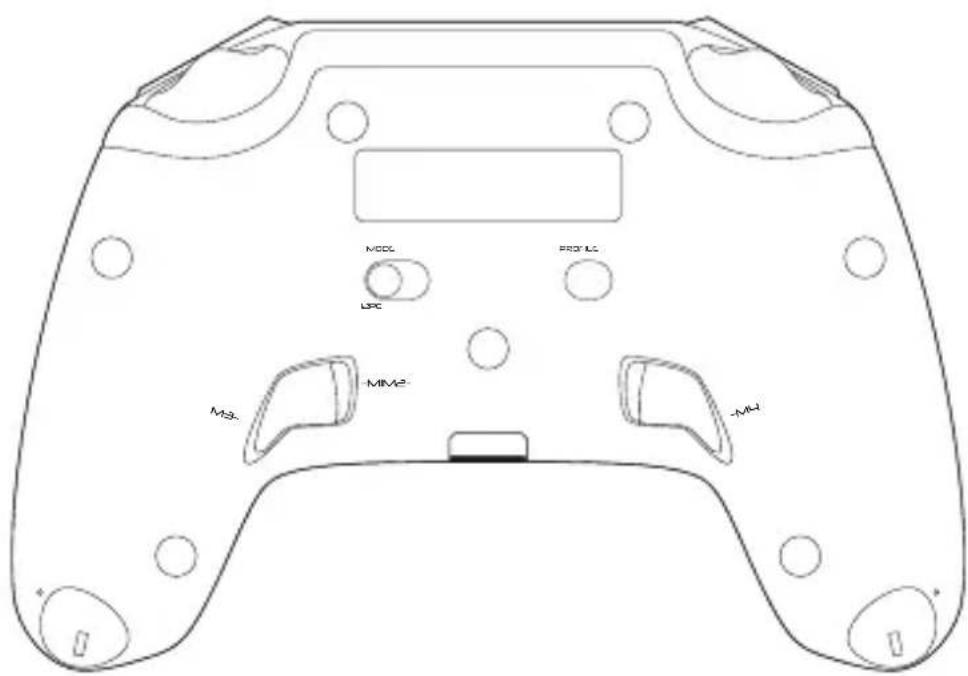
Beschrijving:
natural_image
Two identical line drawings of a game controller with blue arrows indicating motion or movement, no text or symbols present.afb.2
REVOLUTION Pro Controller 2
natural_image
Black PlayStation controller with red circular buttons and a cable, shown against a white background (no text or symbols visible)natural_image
Line drawing of a game controller connected to a monitor via cable, showing the device's cable being inserted (no text or symbols present)afb. 3
2/ Modus 1: PS4™ Pro Control-modus
5/ PC / Mac companion app\*
Email: support@nacongaming.com / Website: www.nacongaming.com
natural_image
Line drawing of a classic Xbox controller with handle, control buttons, and display (no text or symbols)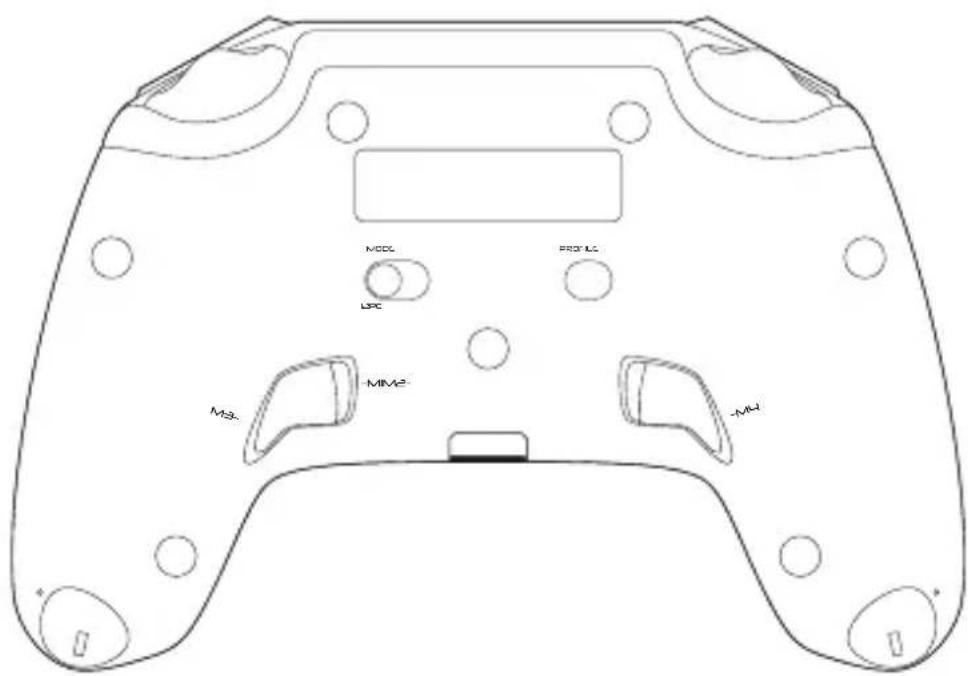
Descripción:
natural_image
Two-panel line drawing of a game controller with scroll handles and buttons, showing motion direction (no text or symbols)Imagen 2
REVOLUTION Pro Controller 2
natural_image
Black PlayStation controller with red circular buttons and a cable, shown against a white background (no text or symbols visible)natural_image
Line drawing of a game controller connected to a computer monitor via cable (no text or symbols)Imagen 3
2/ Modo 1: Modo Pro Control para sistemas PS4™
* Modo Advanced para PC no probado ni avalado por Sony Interactive Entertainment Europe.
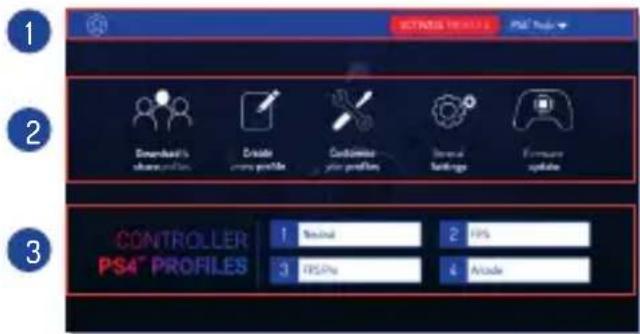
Imagen 4
Informations relatives au support technique
E-mail: support@nacongaming.com / Página web: www.nacongaming.com
natural_image
Line drawing of a classic Xbox controller with handle, control buttons, and display (no text or symbols)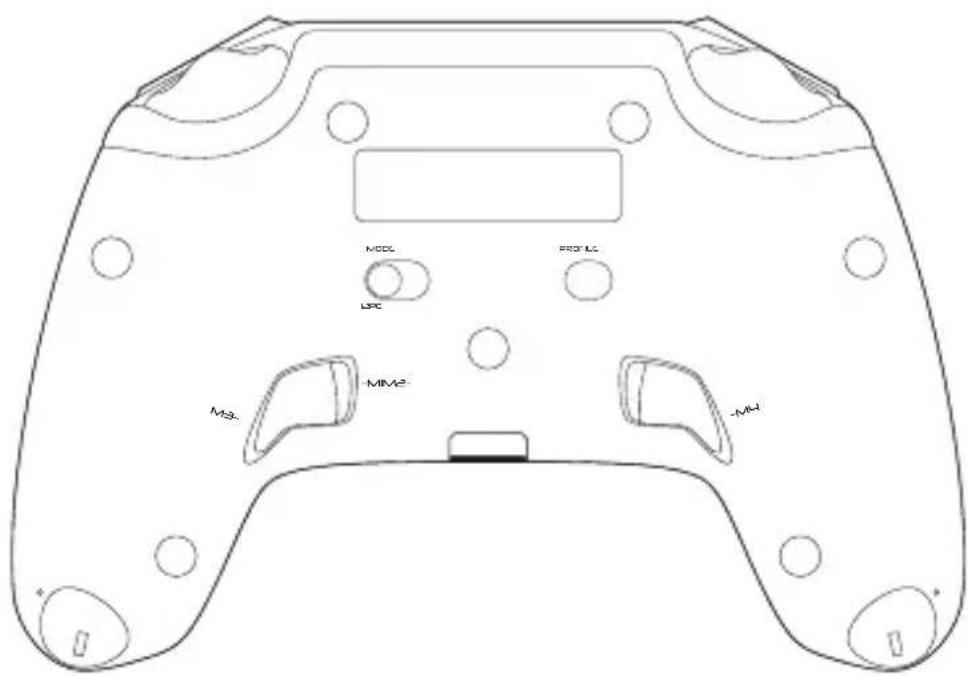
Descrizione:
natural_image
Two-panel line drawing of a game controller with scroll handles and buttons, showing motion direction (no text or symbols)Figura 2
REVOLUTION Pro Controller 2
natural_image
Black PlayStation controller with red circular buttons and a cable, isolated on white background (no text or symbols visible)natural_image
Line drawing of a game controller connected to a monitor via cable, showing the device's cable being inserted (no text or symbols present)Figura 3
Figura 4
Informations relatives au support technique
E-mail: bigben@testtok.it / Sito: www.nacongaming.com
natural_image
Line drawing of a handheld game controller with control buttons and a central touchscreen (no text or symbols)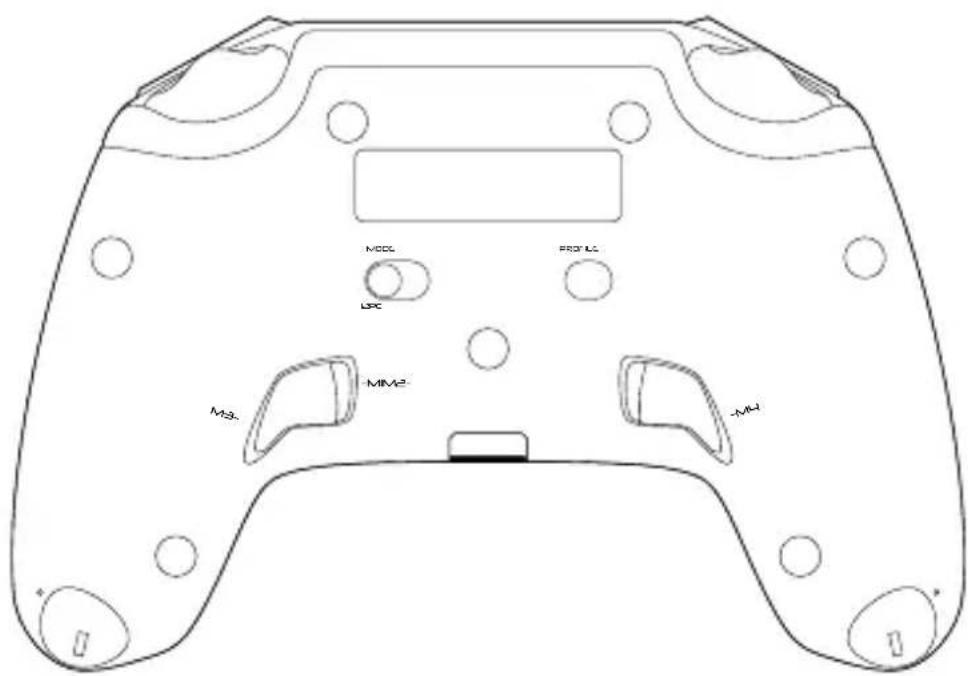
Descrição:
flowchart
graph TD
    A["Top Controller"] --> B["Top Route"]
    B --> C["Bottom Route"]
    C --> D["Bottom Route with Blue Arrow indicating motion direction"]
natural_image
Two identical line drawings of a game controller with blue arrows indicating motion or movement, no text or symbols present.imagem 2
REVOLUTION Pro Controller 2
natural_image
Black PlayStation 4 controller with red scroll and blue buttons, no visible text or symbols on the device itself.1/ Modo 1: modo Pro Control para sistema PS4™
natural_image
Line drawing showing a game controller connected to a computer monitor via cable (no text or symbols)imagem 3
2/ Modo 1: modo Pro Control para sistema PS4™
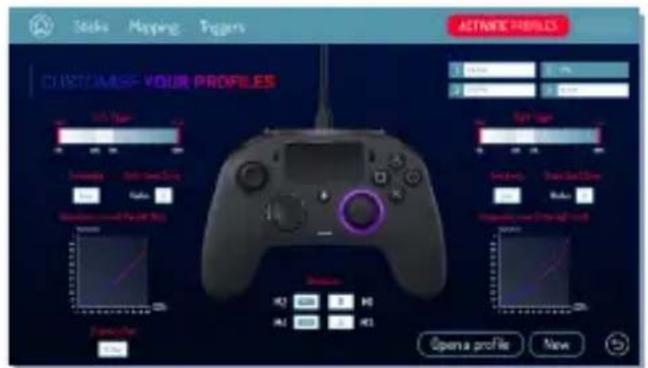
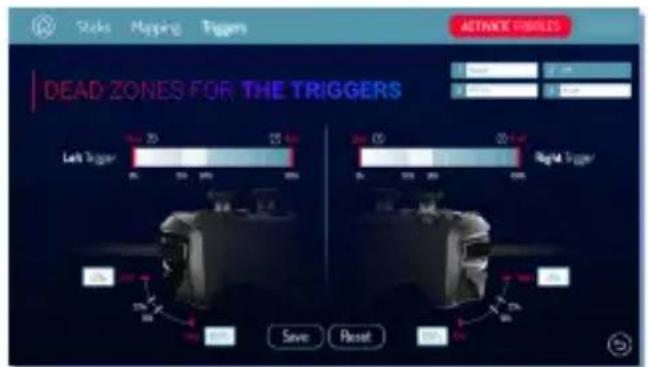
imagem 4
Email: support@nacongaming.com / Website: www.nacongaming.com
natural_image
Line drawing of a handheld game controller with control buttons and a display screen (no text or symbols)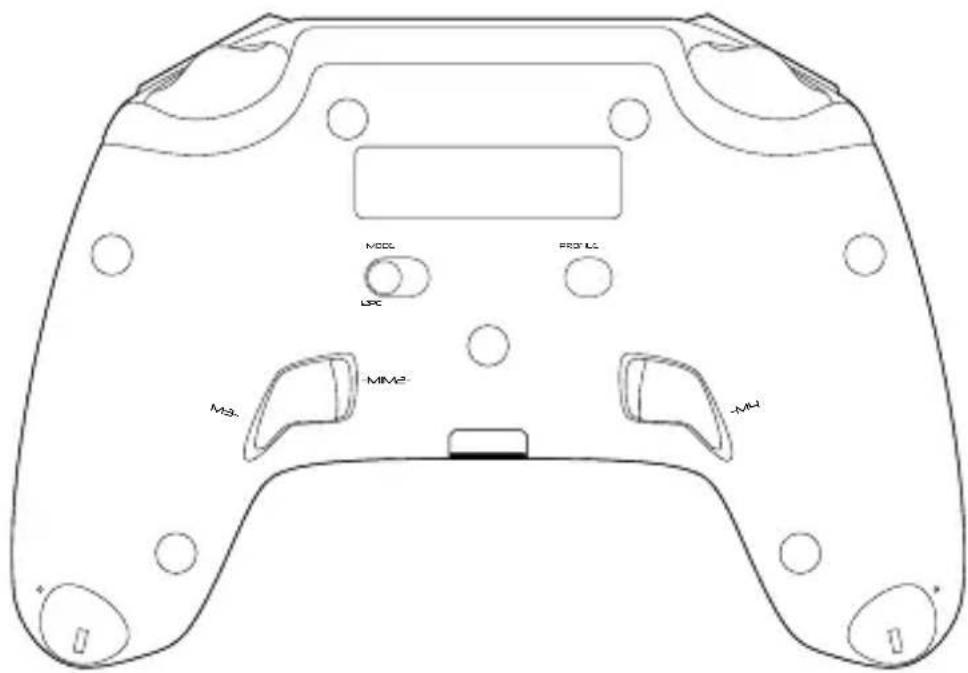
Opis:
natural_image
Two identical line drawings of a game controller with blue arrows indicating motion or movement, no text or symbols present.zdjęcie 2
REVOLUTION Pro Controller 2
natural_image
Black PlayStation controller with red scroll and key buttons, no visible text or symbols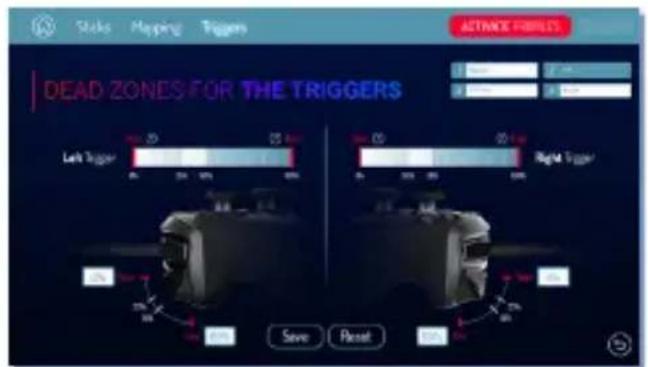
zdjęcie 4
natural_image
Line drawing of a classic mobile game controller with control buttons and a display (no text or symbols)
Описание:
flowchart
graph TD
    A["Top Controller"] --> B["Top Route"]
    B --> C["Bottom Route"]
    C --> D["Bottom Route with Blue Arrow indicating motion direction"]
natural_image
Two identical line drawings of a game controller with blue arrows indicating motion or movement, no text or symbols present.рис. 2
REVOLUTION Pro Controller 2
natural_image
Black PlayStation controller with red scroll and control buttons, no visible text or symbols on the device itself.natural_image
Line drawing of a game controller connected to a monitor via cable, showing the device's cable being inserted (no text or symbols present)рис. 3
2/ Режим 1: Режим PS4™ Pro Control
Informations relatives au support technique
Email: support@nacongaming.com / Вебсайт: www.nacongaming.com
natural_image
Line drawing of a handheld game controller with control buttons and a central display (no text or symbols)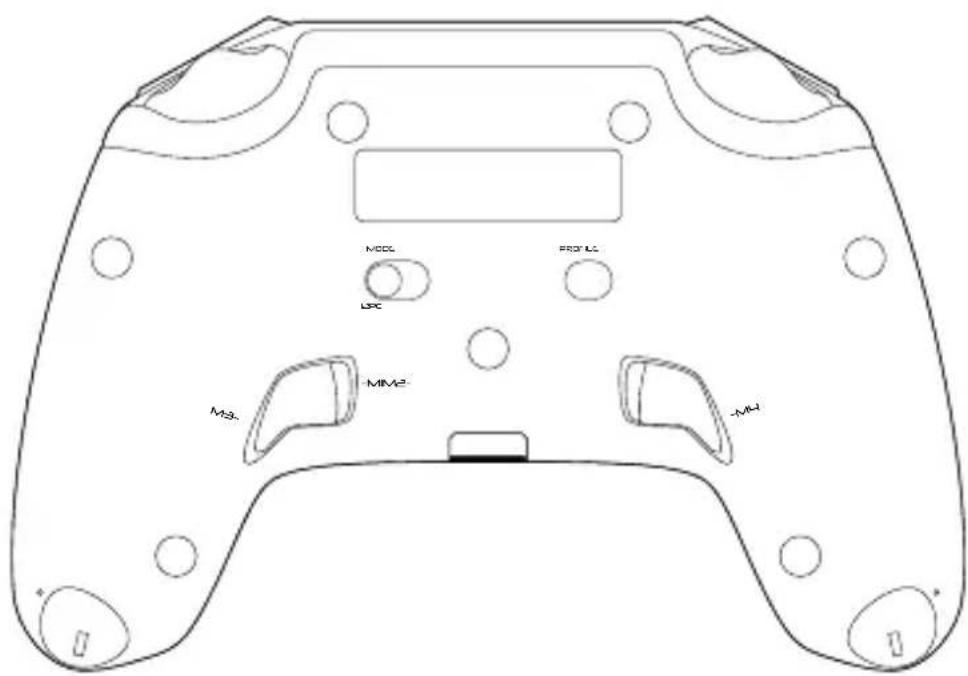
Popis:
natural_image
Two identical line drawings of a game controller with blue arrows indicating motion or movement, no text or symbols present.Obrázek 2
Ovladač REVOLUTION Pro Controller 2
natural_image
Black PlayStation controller with red scroll and control buttons, no visible text or symbols on the device itself.natural_image
Line drawing showing a game controller connected to a monitor via cable, with no text or symbols present.Obrázek 3
Obrázek 4
natural_image
Line drawing of a handheld game controller with control buttons and a display screen (no text or symbols)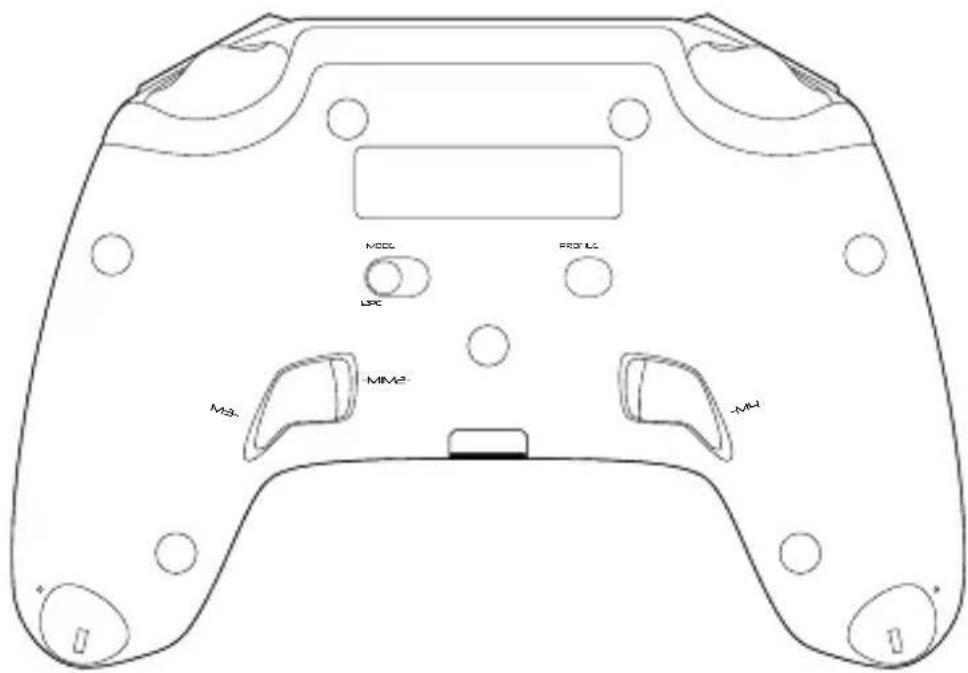
Popis:
natural_image
Two identical line drawings of a game controller with blue arrows indicating motion or force direction (no text or symbols)Obrázok 2
REVOLUTION Pro Controller 2
natural_image
Black PlayStation 8 controller with red scroll and black buttons, no visible text or symbolsnatural_image
Line drawing showing a game controller connected to a monitor via cable, with no text or symbols present.Obrázok 3
2/ Režim 1: Režim PS4™ Pro Control
natural_image
Abstract black and white circular logo with stylized bird-like shape (no text or symbols)nacon
www.nacongaming.com

@nacongaming

nacongaming

Nacon International
- Description:
- Weight management:
- To modify the weight of your controller you need to:
- REVOLUTION Pro Controller 2
- Warranty
- Contents of the package
- Features
- 1/ How to use the REVOLUTION Pro Controller 2
- 2/ Mode 1: PS4™ Pro Control Mode
- In this mode the controller supports the following features:
- "Shortcuts"
- 3/ Mode 2: PS4™ Advanced Mode (via PC / Mac companion app)
- www.nacongaming.com
- After installing the PC / Mac companion app you will be able to do the following:
- 4/ Mode 3: PC Advanced Mode\* (via PC / Mac companion app)
- 5/ PC / Mac companion app\*
- Menu bar:
- Functions:
- Controller profiles:
- Disposal of old electrical and electronic equipment
- Important Safeguards and Precautions
- Ergonomics
- Technical Helpline Information
- 2/ Mode 1: Mode PS4™ Pro Control
- Informations relatives au support technique
- Beschreibung:
- Beschrijving:
- 2/ Modus 1: PS4™ Pro Control-modus
- Descripción:
- 2/ Modo 1: Modo Pro Control para sistemas PS4™
- Descrizione:
- Descrição:
- 1/ Modo 1: modo Pro Control para sistema PS4™
- 2/ Modo 1: modo Pro Control para sistema PS4™
- Opis:
- Описание:
- 2/ Режим 1: Режим PS4™ Pro Control
- Popis:
- Ovladač REVOLUTION Pro Controller 2
- 2/ Režim 1: Režim PS4™ Pro Control
- nacon
Brand : Nacon
Model : Revolution Pro 2
Category : Controller