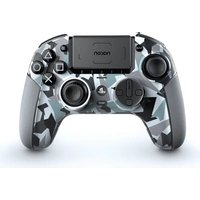
Revolution Pro 5 Controller - Controller Nacon - Free user manual and instructions
Find the device manual for free Revolution Pro 5 Controller Nacon in PDF.


| Product type | Wireless game controller |
| Brand | NACON |
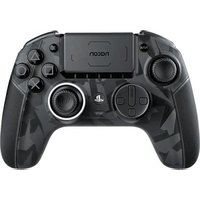
| Model | Revolution Pro 5 Controller |
| Compatible platforms | PlayStation 5, PlayStation 4, PC |
| Connectivity | Wired (USB-C), wireless (2.4 GHz via USB dongle), Bluetooth (for audio headset) |
| Power source | Built-in rechargeable battery, charging via USB-C cable |
| Weight | Approximately 300 g |
| Dimensions | Approximately 160 x 110 x 60 mm |
| Vibration function | Vibration motor compatible with PS4 and PC; not compatible with PS5 games in PS5 mode |
| Trigger lock | Adjustable with sliding lock button |
| Bluetooth audio pairing | Possible with True Wireless Bluetooth headsets and earphones |
| Cable length | Approximately 2 m |
| Cleaning | Clean with a soft, dry cloth; avoid liquids |
| Operating temperature | 10°C to 35°C |
| Batteries / Battery | Rechargeable lithium-ion battery |
| Battery life | Approximately 10 hours (depending on usage) |
| Repairability | Spare parts available on the NACON website; repair by authorized service |
| Warranty | 2 years |
| Box contents | Controller, USB-C cable, 2.4 GHz RF USB dongle |
Frequently Asked Questions - Revolution Pro 5 Controller Nacon
User questions about Revolution Pro 5 Controller Nacon
0 question about this device. Answer the ones you know or ask your own.
Ask a new question about this device
Download the instructions for your Controller in PDF format for free! Find your manual Revolution Pro 5 Controller - Nacon and take your electronic device back in hand. On this page are published all the documents necessary for the use of your device. Revolution Pro 5 Controller by Nacon.
USER MANUAL Revolution Pro 5 Controller Nacon
natural_image
Black PlayStation 1 controller with a Sony logo and controllers, shown from front and back angles (no readable text or symbols beyond branding)REVOLUTION 5 PRO
Guide de démarrage - Snelstartgids
" "PlayStation", "PS5", "PS4" and "PlayStation Shapes Logo" sont des marques ou marques déposées de Sony Interactive Entertainment Inc. Toutes les autres marques appartiennent à leurs propriétaires respectifs. Fabriqué et distribué sous licence de Sony Interactive Entertainment.
", "PlayStation", "PS5", "PS4" and "PlayStation Shapes Logo" zijn geregistreerde handelsmerken of handelsmerken van Sony Interactive Entertainment Inc. Alle andere merken zijn het intellectuele eigendom van hun respectieve houders. Geproduceerd en gedistribueerd onder licentie door Sony Interactive Entertainment.
© 2023 NACON
I Jumelage Bluetooth®
https://my.nacongaming.com/support
NL
BEDANKT VOOR JE AANKOOP!
I Bluetooth® koppelen
https://my.nacongaming.com/support

natural_image
Abstract black and white circular logo with stylized bird-like elements (no text or symbols)nacon
WWW.NACONGAMING.COM
Join-us! Rejoignez-nous!


natural_image
Black Sony 3.0 game controller with digital display and control buttons (no visible text or symbols)REVOLUTION 5 PRO
Quick Start Guide
"LP", "PlayStation", "PS5", "PS4" and "PlayStation Shapes Logo" are registered trademarks or trademarks of Sony Interactive Entertainment Inc. All other trademarks are the property of their respective owners. Manufactured and distributed under license by Sony Interactive Entertainment.
© 2023 NACON
Made in China
THANK YOU FOR YOUR PURCHASE!
This guide will help you to get started with your REVOLUTION 5 PRO controller.
For technical support, please contact Consumer Service at:
https://my.nacongaming.com/support
I Getting started
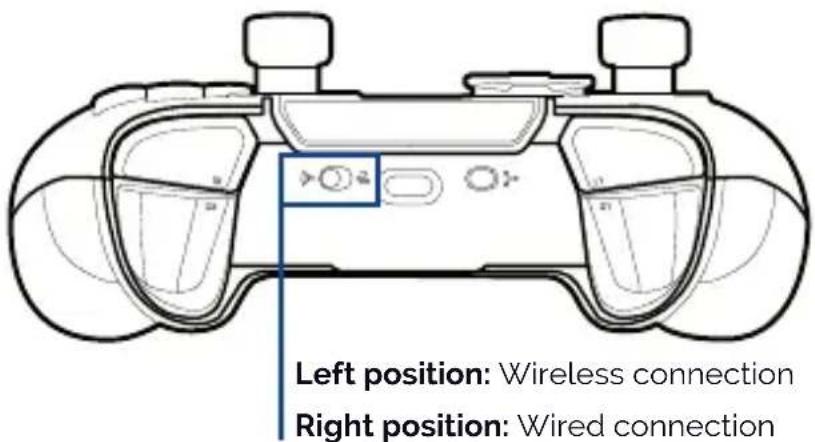
Connect your Revolution 5 Pro controller to your PS5console by using the USB-C cable or the included USB dongle (2.4GHz RF receiver). An icon will appear, in the top Right of your TV screen, showing the controller is connected.
I Wired / Wireless connection
I Charging the Battery
To charge the battery, connect the USB cable to the console and to the controller. Make sure that the controller is powered OFF as this will charge the battery in the shortest time. If you want to use the controller and charge at the same time, then the battery will "trickle" charge and the charge time will be extended.
NOTE: When charging always use the cable provided.
I Vibration
The controller is equipped with a vibration engine which is only compatible with PC ^* and PS4 ^™ games. In PS5 ^® mode on PS5 ^® games played on the PS5 ^® console, the controller will not vibrate.
I Additional Statement
- This controller uses 2.4GHz radio frequency range, so you may notice some issues if other products use the same radio frequency range.
- Nacon validated operability between the PlayStation®5 console (CFI-1000 series) and this controller.
- It is recommended to insert the USB dongle into the USB port at the front of your PlayStation®5 console (CFI-1000 series).
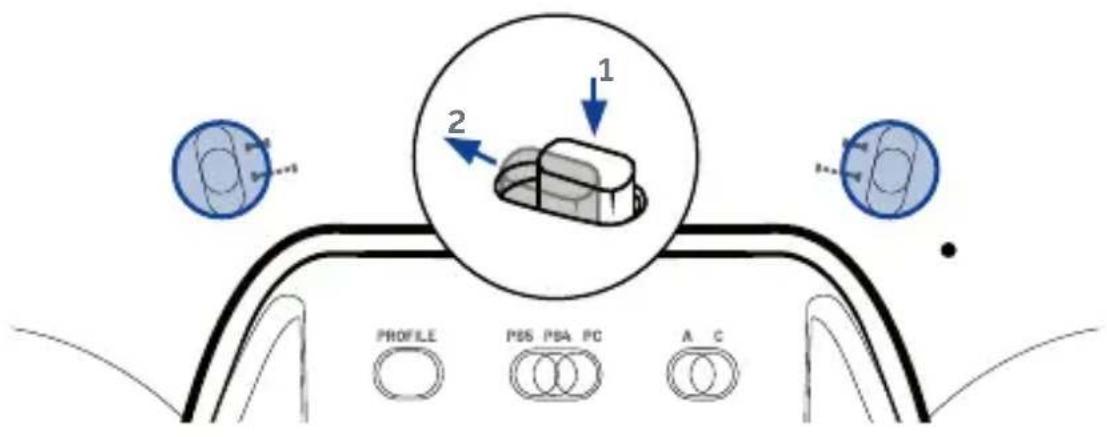
I Trigger Stopper
To activate or deactivate the trigger stopper, follow these steps:
- Press down the button to unlock it.
- Press and hold the button, and then slide up or down to activate/deactivate the stopper.
Bluetooth® pairing
To pair the controller to Bluetooth ^® true wireless earbuds or headset follow these steps:
- Put the controller and true wireless earbuds/headset next to each other.
- Put the Bluetooth® true wireless earbuds/headset in to pairing mode.
- Press and hold the Bluetooth® button on the controller for 6 seconds.
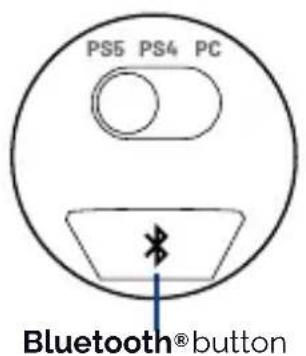
- The controller will go in to pairing mode and the halo ring will flash blue.
- When the controller is paired, the halo ring will stop flashing.
- Future connections of the same true wireless earbuds/headset, will pair automatically.
NOTE: This controller cannot connect directly to the console, via Bluetooth.
Thank you for choosing this product by NACON. The full instruction manual and declaration of conformity can be downloaded at:
https://my.nacongaming.com/support

natural_image
Abstract black and white circular logo with stylized leaf-like shape (no text or symbols)nacon
WWW.NACONGAMING.COM
Join-us! Rejoignez-nous!


nacon
natural_image
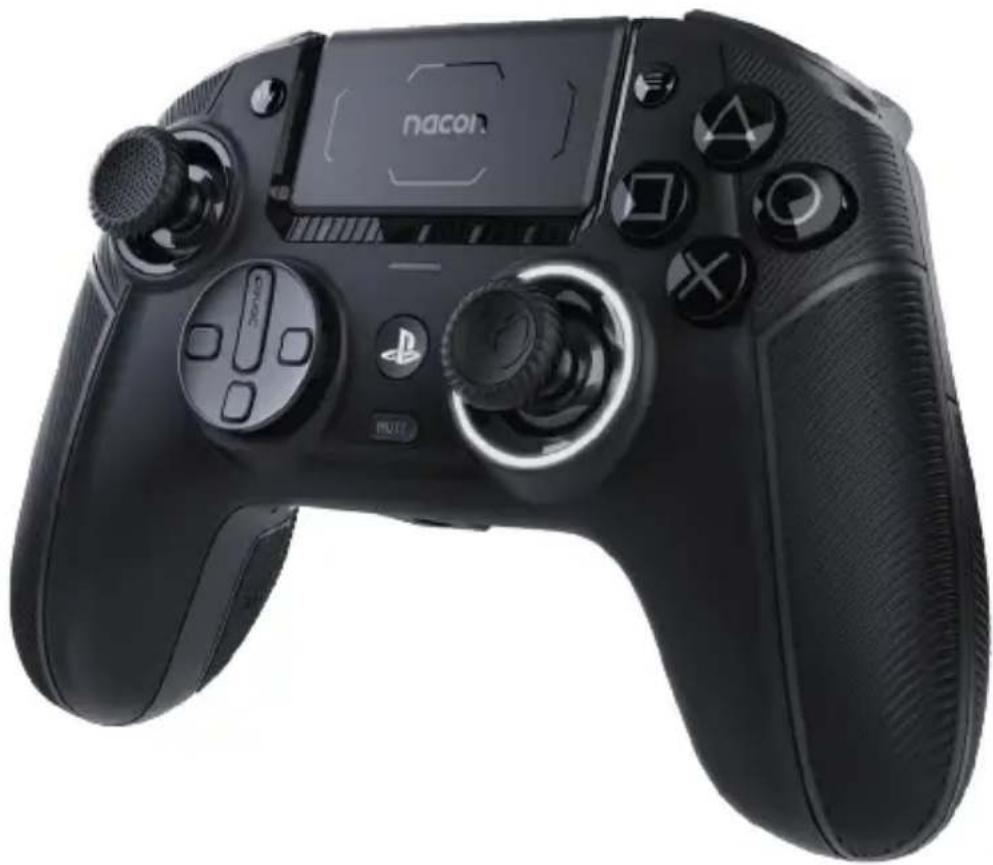
Black PlayStation 1 controller with a Sony logo and controllers, shown from the side (no text or symbols on the device itself)REVOLUTION 5 PRO
https://my.nacongaming.com/support
IT
GRAZIE PER L'ACQUISTO!
QUESTA GUIDA TI AIUTERÀ A FAMILIARIZZARE CON IL CONTROLLER REVOLUTION 5 PRO.
natural_image
Line drawing of a game controller with buttons and display screen (no text or symbols)https://my.nacongaming.com/support

natural_image
Abstract black and white circular logo with stylized bird-like elements (no text or symbols)nacon
WWW.NACONGAMING.COM
Join-us! Rejoignez-nous!


natural_image
Black PlayStation 1 controller with a Sony logo and controllers, shown from the side (no text or symbols on the device itself)REVOLUTION 5 PRO
https://my.nacongaming.com/support
PT
https://my.nacongaming.com/support
I Começar
natural_image
Top-down line drawing of a game controller with no visible text or symbolsI Emparelhamento Bluetooth®
Para emparelhar o comando com os auriculares ou o headset sem fios Bluetooth ^® , siga estes passos:
https://my.nacongaming.com/support

natural_image
Abstract black and white circular logo with stylized bird-like elements (no text or symbols)nacon
WWW.NACONGAMING.COM
Join-us! Rejoignez-nous!