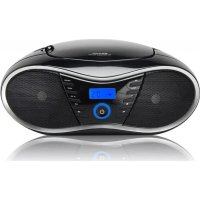
CD 58 NMP 3 USB - Cd player/recorder BIGBEN INTERACTIVE - Free user manual and instructions
Find the device manual for free CD 58 NMP 3 USB BIGBEN INTERACTIVE in PDF.

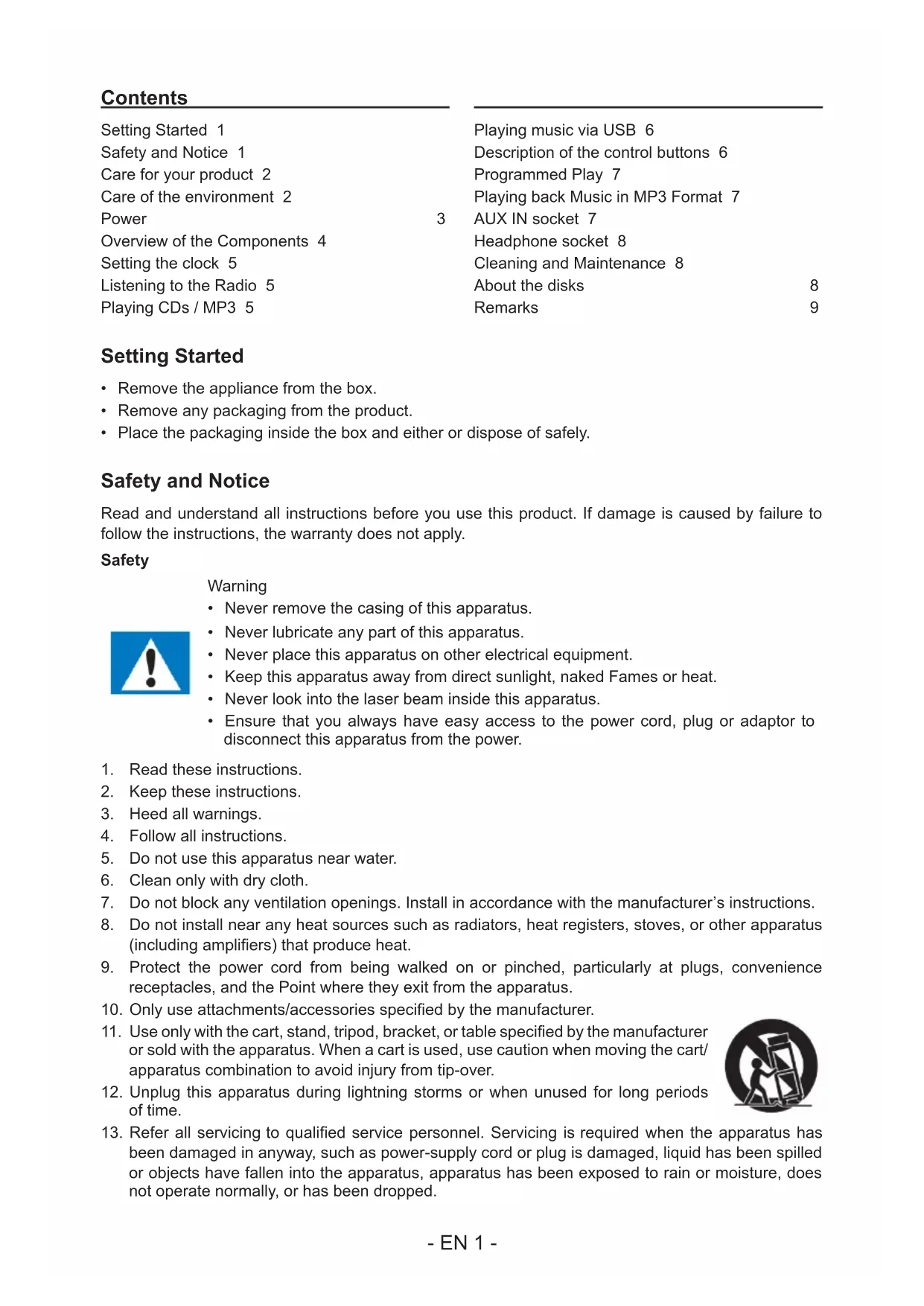


| Product type | CD player/recorder with FM radio and USB |
| Brand | Bigben Interactive |
| Model | CD 58 NMP 3 USB |
| Power supply | Mains 230 V ~ 50 Hz, AC adapter included; battery option (not supplied) |
| Supported audio formats | Audio CD, CD-R, CD-RW, MP3 |
| Radio | FM with telescopic antenna |
| USB playback | Yes, via USB port |
| AUX input | Yes (3.5 mm jack) |
| Headphone output | Yes (3.5 mm jack) |
| Playback functions | Programming, repeat, random play |
| Clock | Yes, adjustable (12/24 h) |
| Auto standby | Yes (after 10 minutes of inactivity) |
| Display | LCD screen |
| Speakers | Built-in |
| Maintenance | Clean with a soft, dry cloth; unplug before cleaning |
| Safety | Do not expose to water, do not open (laser risk), risk of electric shock |
| Environment | Recycling: do not dispose with household waste |
| Included accessories | Power cord, user manual |
| Customer service | Bigben Interactive France, after-sales service: phone and email (sav.audio@bigben.fr) |
| Manufacturing | Made in China, imported by Bigben Interactive |
Frequently Asked Questions - CD 58 NMP 3 USB BIGBEN INTERACTIVE
User questions about CD 58 NMP 3 USB BIGBEN INTERACTIVE
0 question about this device. Answer the ones you know or ask your own.
Ask a new question about this device
Download the instructions for your Cd player/recorder in PDF format for free! Find your manual CD 58 NMP 3 USB - BIGBEN INTERACTIVE and take your electronic device back in hand. On this page are published all the documents necessary for the use of your device. CD 58 NMP 3 USB by BIGBEN INTERACTIVE.
USER MANUAL CD 58 NMP 3 USB BIGBEN INTERACTIVE
natural_image
Black portable electronic device with digital display and control buttons (no visible text or symbols)MODE D'EMPLOI
LISEZ COMPLÈTEMENT CE MANUEL D'UTILISATION AVANT D'UTILISER CET APPAREIL ET CONSERVEZ CE LIVRET POUR VOUS Y RÉFÉRER ULTÉRIEUREMENT.
Table des matières
Démarrage 1
CLASS 1 LASER PRODUCT
CLASS 1 LASER PRODUCT APPAREIL LASER DE CLASSE 1 PRODUCTO LASER DE CLASE 1
CAUTION INVISIBLE LASER RADIATION WHEN OPEN AND INTERLOCKS DEFEATED. AVOID EXPOSURE TO BEAM

natural_image
Warning symbol with a black triangle containing a central explosion or virus-like pattern (no text or numbers)This product contains a low power laser device.
text_image
RoHS CE REACH
customerservice@bigben-interactive.be
ESPAÑA, sat@bigbeninteractive.es
ITALIA, support@bigbeninteractive.it www.bigben.eu
CD58
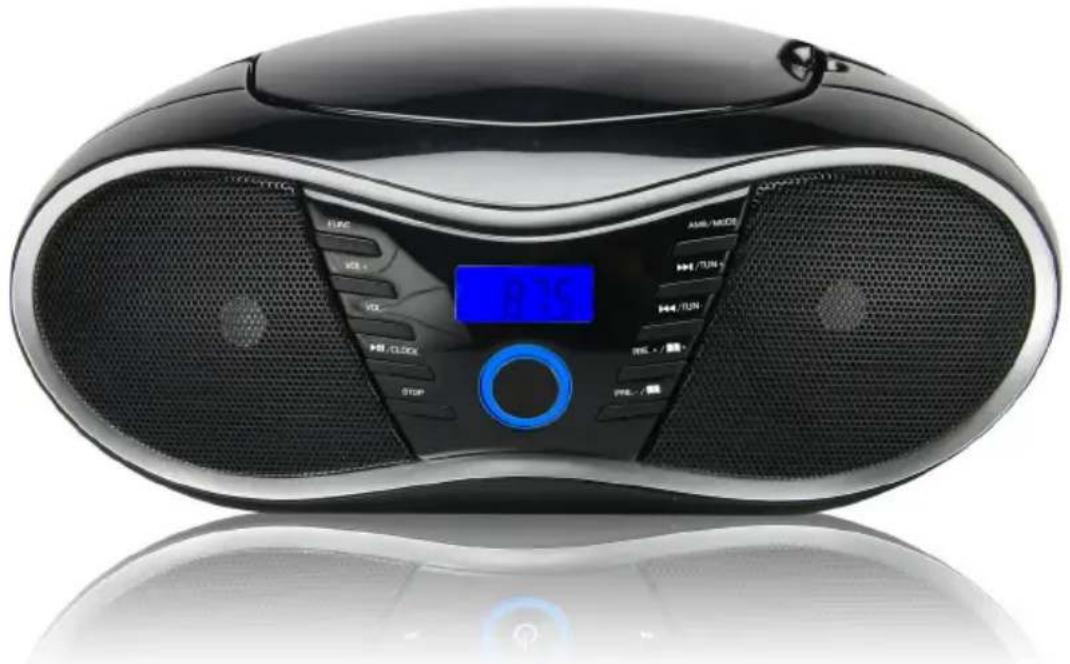
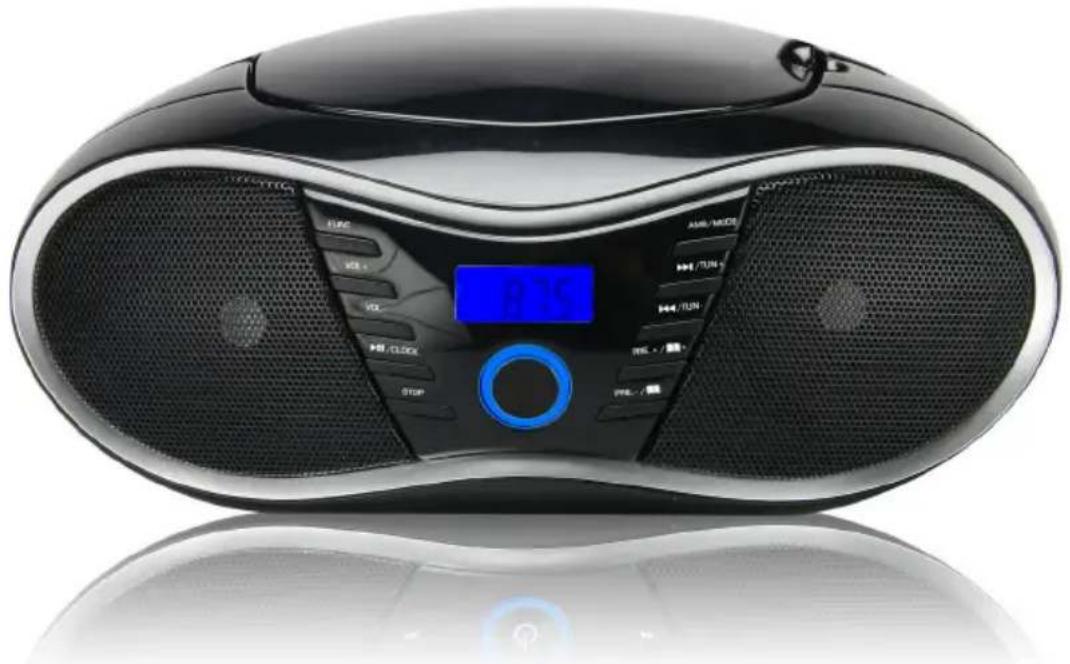
USB / MP3 / CD / FM RADIO PORTABLE BOOMBOX
natural_image
Black portable electronic device with digital display and control buttons (no visible text or symbols)OPERATING INSTRUCTIONS
PLEASE READ THIS USER MANUAL CAREFULLY BEFORE OPERATING THIS UNIT AND RETAIN FOR FUTURE REFERENCE
Contents
Setting Started 1
Safety and Notice 1
Care for your product 2
Care of the environment 2
Power
Overview of the Components 4
Setting the clock 5
Listening to the Radio 5
Playing CDs / MP3 5
Playing music via USB 6
Description of the control buttons 6
Programmed Play 7
Playing back Music in MP3 Format 7
3
AUX IN socket 7
Headphone socket 8
Cleaning and Maintenance 8
About the disks
Remarks
8
9
Setting Started
- Remove the appliance from the box.
- Remove any packaging from the product.
- Place the packaging inside the box and either or dispose of safely.
Safety and Notice
Read and understand all instructions before you use this product. If damage is caused by failure to follow the instructions, the warranty does not apply.
Safety
Warning
- Never remove the casing of this apparatus.
- Never lubricate any part of this apparatus.
- Never place this apparatus on other electrical equipment.
- Keep this apparatus away from direct sunlight, naked Fames or heat.
- Never look into the laser beam inside this apparatus.
-
Ensure that you always have easy access to the power cord, plug or adaptor to disconnect this apparatus from the power.
-
Read these instructions.
-
Keep these instructions.
-
Heed all warnings.
-
Follow all instructions.
-
Do not use this apparatus near water.
-
Clean only with dry cloth.
-
Do not block any ventilation openings. Install in accordance with the manufacturer's instructions.
-
Do not install near any heat sources such as radiators, heat registers, stoves, or other apparatus (including amplifiers) that produce heat.
-
Protect the power cord from being walked on or pinched, particularly at plugs, convenience receptacles, and the Point where they exit from the apparatus.
-
Only use attachments/accessories specified by the manufacturer.
-
Use only with the cart, stand, tripod, bracket, or table specified by the manufacturer or sold with the apparatus. When a cart is used, use caution when moving the cart/ apparatus combination to avoid injury from tip-over.
-
Unplug this apparatus during lightning storms or when unused for long periods of time.
-
Refer all servicing to qualified service personnel. Servicing is required when the apparatus has been damaged in anyway, such as power-supply cord or plug is damaged, liquid has been spilled or objects have fallen into the apparatus, apparatus has been exposed to rain or moisture, does not operate normally, or has been dropped.

- Apparatus shall not be exposed to dripping or splashing.
- Do not place any sources of danger on the apparatus (e.g. liquid filled objects, lighted candles).
- Where the MAINS plug or an appliance coupler is used as the disconnect device, the disconnect device shall remain readily operable.
- Make sure there is enough free space around the product for ventilation.
- Batteries (battery pack or batteries installed) shall not be exposed to excessive heat such as sunshine, fire or the like.
Care for your product
- Always unplug the appliance when not in use and before cleaning.
- Do not play music at excessive volume levels as damage to hearing and or the equipment may occur.
- Do not use this unit in wet or damp conditions.
- Always disconnect the unit from the mains power supply before cleaning. Clean the appliance with a soft, damp, lint free cloth. Do not use abrasives or harsh cleaners.
Care of the environment

Your product is designed and manufactured with high quality materials and components, which can be recycled and reused.
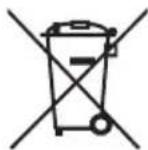
Your product contains batteries covered by the European Directive 2006/66/EC, which cannot be disposed with normal household waste. Please inform yourself about the local rules on separate collection of batteries because correct disposal helps to prevent negative consequences for the environmental and human health.
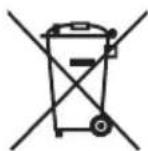
When this crossed-out wheeled bin symbol is attached to a product it means that the product is covered by the European Directive 2002/96/EC. Please inform yourself about the local separate collection system for electrical and electronic products. Please act according to your local rules and do not dispose of your old products with your normal household waste. Correct disposal of your old product helps to prevent potential negative consequences for the environment and human health.
CLASS 1 LASER PRODUCT
CLASS 1 LASER PRODUCT APPAREIL LASER DE CLASSE 1 PRODUCTO LASER DE CLASE 1
CAUTION INVISIBLE LASER RADIATION WHEN OPEN AND INTERLOCKS DEFEATED. AVOID EXPOSURE TO BEAM

natural_image
Warning symbol with a black triangle containing a central sunburst pattern (no text or numbers)This product contains a low power laser device.
Power
CAUTION

- Risk of product damager! Make sure that the power voltage corresponds to the voltage printed on the back label.
- Risk of electric shock! When you unplug the AC power cord always pull the plug from the socket. Never pull the cord.
- Before connecting the AC power cord, ensure you have completed all other connections.
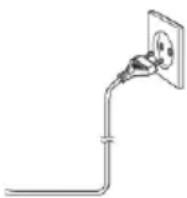
Place the unit in the desired position and unravel the mains cable. Insert the cable into the supply socket and switch on if applicable.
Auto standby
When no music play from a connected device, the product automatically switches to standby if:
- No button is pressed for 10 minutes,
- No audio from a connected device for 10 minutes.
Battery power
- Be sure that the batteries are inserted correctly to avoid damage to the appliance. Always remove the batteries when appliance will not be used for a long period of time, as this will cause leakage to the batteries and subsequently damage to your set.
- Use batteries of the same type. Never use different types of batteries together.
- Do not throw the battery into the fire, or exposed to sunshine or the like.
- If the liquid contained in the batteries comes in contact with eyes or skin, wash the area immediately and carefully with clear water and consult a doctor.
Overview of the Components
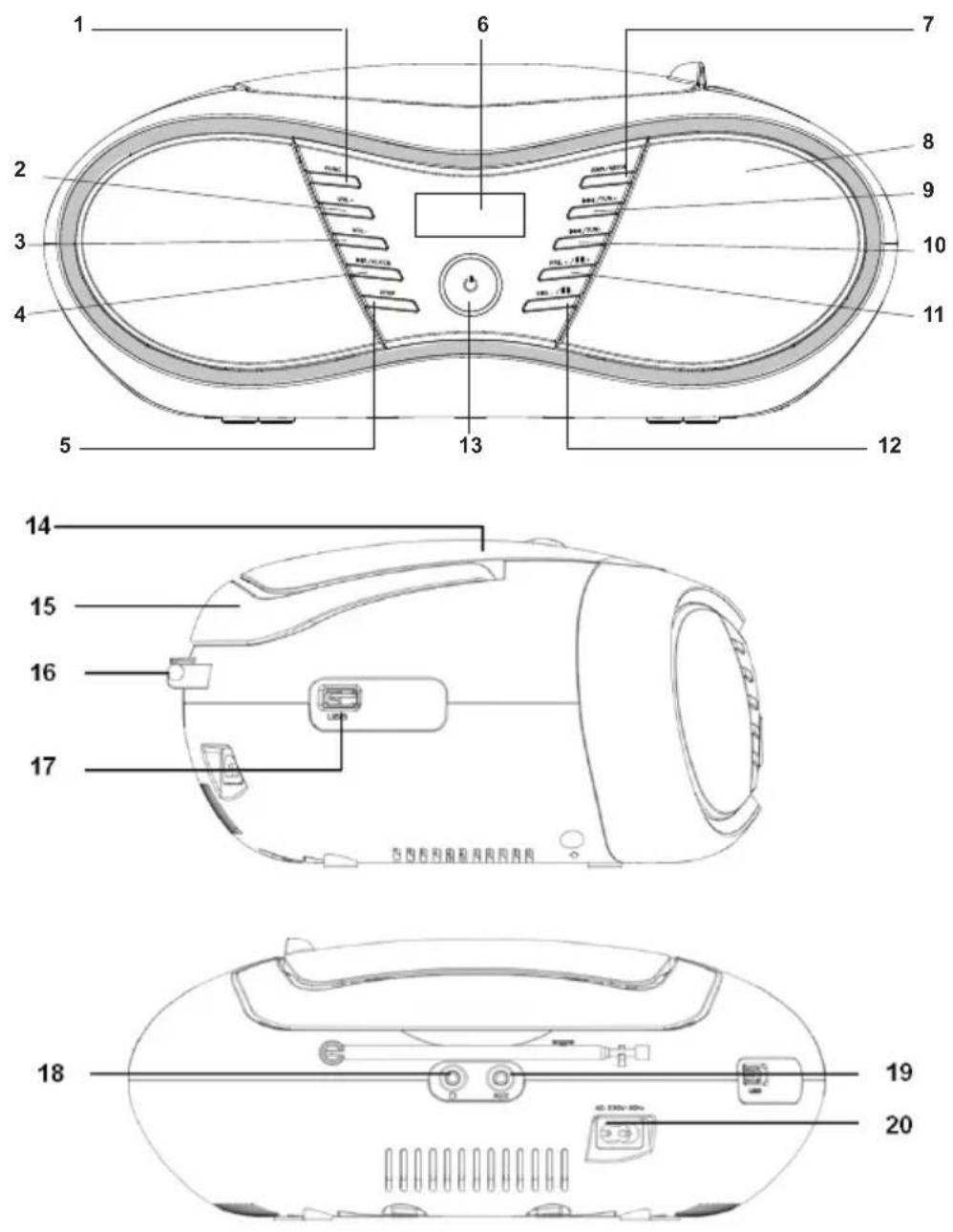
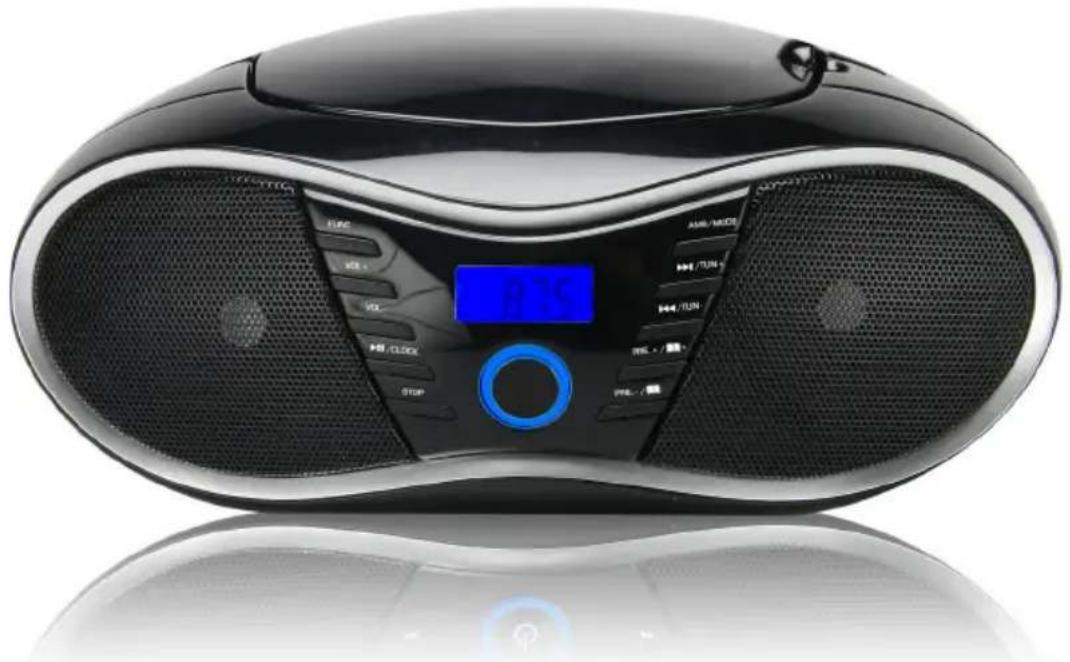
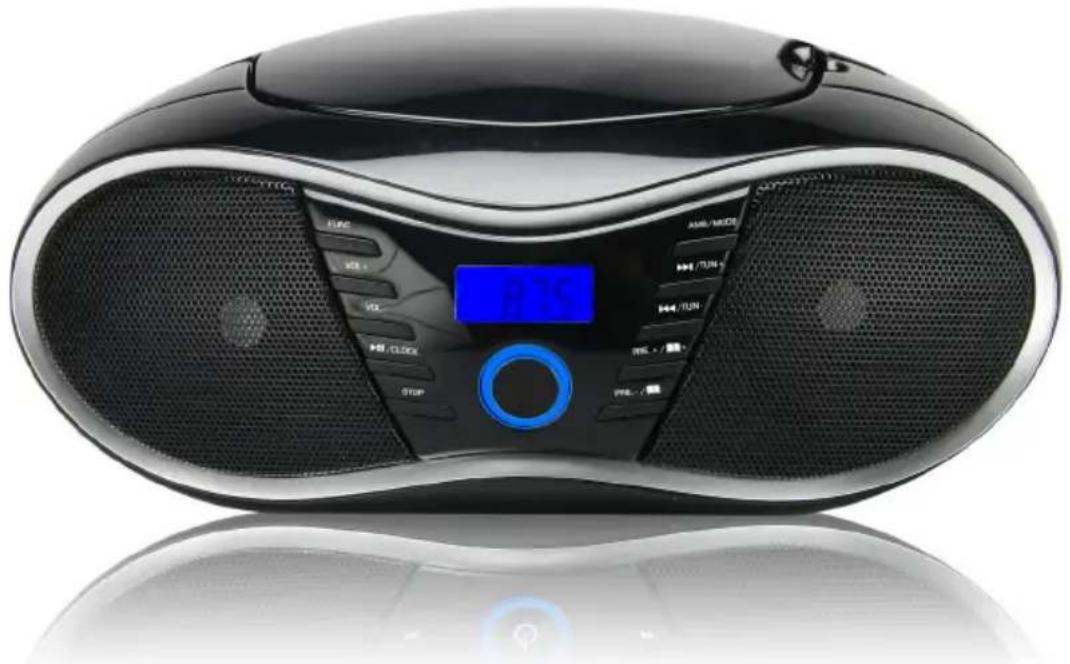
- FUNCTION button
- VOLUME+ button
- VOLUME- button
- PLAY / PAUSE / CLOCK button
- STOP button
- LCD DISPLAY
- AMS / MODE button
- SPEAKER
- SKIP+ / TUNING+ button
-
SKIP- / TUNING- button
-
PRE.+ / FOLDER+ button
- PRE.- / FOLDER- button
- STANDBY button
- CD DOOR
- HANDLE
- FM ANTENNA
- USB JACK
- HEADPHONE JACK
- AUX-IN JACK
- AC SOCKET
Setting the clock
The system must be in standby mode in order to set the clock.
- Press and hold the "PLAY / PAUSE / CLOCK" button for approx.2 seconds.
- Use the "SKIP+ / TUNING+" & "SKIP- / TUNING-" buttons to set the time format "12 / 24hr".
- Press the "PLAY / PAUSE / CLOCK" button to confirm time format.
- Use the "SKIP+ / TUNING+" & "SKIP- / TUNING-" buttons to set the hours accordingly. The hour digits start flashing.
- Press the "PLAY / PAUSE / CLOCK" button to confirm the hour.
- The minute digits start flashing. Use the "SKIP+ / TUNING+" & "SKIP- / TUNING-" buttons to set the minute accordingly.
- Press the "PLAY / PAUSE / CLOCK" button to confirm the minute.
NOTE:
- The clock time settings will be erased in the event of power interruptions.
- Press and hold the "PLAY / PAUSE / CLOCK" button during operation in order to briefly display the current time.
Volume
You can set the desired volume with the "VOLUME+" & "VOLUME-" buttons.
Listening to the Radio
- Select the RADIO mode with the "FUNCTION" button.
- For FM reception: Completely extend the telescopic antenna. Change its position to improve the reception.
- There are two options to search for and preset radio stations.
Automatic scan:
Important! Any preset radio stations will be overridden.
Press and hold the "AMS / MODE" button for approx.3 seconds. The system scans the entire frequency band for radio stations. Any stations found will be preset from lowest to highest frequency.
Manual scan for audio stations:
Briefly press the “SKIP+ / TUNING+” & “SKIP- / TUNING-” buttons, until you have found the radio station which you are looking for. If you keep one of the buttons pressed down, the device will search to the previous, respectively next radio station.
Preset station:
- Press and hold the "AMS / MODE" button on unit for about 2-3 seconds to start the automatic preset process.
- Display will show the memory sequence number and radio stations will be automatically preset into the sequence number (Note: Each sequence number means 1 preset station while during automatic preset process.)
- Once all the stations were automatic preset, press the "PRE.+ / FOLDER+" or "PRE.- / FOLDER-" buttons to choose preset stations.
Playing CDs / MP3
- Select the CD mode with the "FUNCTION" button.
- Open the CD compartment by pulling the lid upwards by the tab.
- Insert an audio CD with the printed side facing upwards on to the central cone so that the CD clicks into place and then close the lid of the CD compartment.
- After a few seconds the total number of songs/tracks is shown in the display.
NOTE:
In the case of CDs in MP3 format the number of folders is briefly displayed at first.
-
The CD will play from the first title.
-
In order to remove a CD, please press the STOP button, open the CD compartment and lift the CD out carefully.
Always keep the CD deck closed.
NOTE:
- if a disc is inserted the wrong way around, respectively if no disc is inserted, then the message "NO" appears in the display.
- Playback of CDs produced by the user cannot be guaranteed due to the large variety of software and CD media available.
Playing music via USB
This device has been developed in line with the latest technical advances in the USB field. The wide range of different USB storage devices of all types which are currently on the market, unfortunately do not allow us to guarantee full compatibility with all USB storage devices. For this reason, in rare cases there may be problems in playing back files from USB storage devices. This is not a malfunction of the device.
- Select the USB mode with the "FUNCTION" button.
- Connect a USB storage device directly into the port. The display briefly shows the number of folders and then the total number of tracks. Playback will automatically start after a few seconds.
For operation, please refer to the section "Description of the control buttons".
NOTE:
• Always directly connect a USB storage medium to the USB port to prevent any malfunctions.
- The USB port is not designed for charging external devices.
CAUTION:
Switch the device to a different operating mode before you remove the USB storage device.
Description of the control buttons
NOTE:
Not all the functions may be supported depending on the playback device.
PLAY / PAUSE / CLOCK
- You can briefly interrupt and resume playback using this button. The display shows the elapsed playback time flashing. Pressing again continues playback.
- Press and hold this button during operation to briefly display the current time.
SKIP+ & SKIP-
With "SKIP+ / TUNING+" button you can jump to the next track etc.
- If the button is kept pressed down, the machine starts to search through the tracks.
The "SKIP- / TUNING-" button can be used as follows:
Press once = This starts the current track again from the beginning.
Press twice = This jumps back to the previous track.
STOP
The playback is stopped.
MODE
- In stop mode for programming any order of tracks (see the section on "Programmed Play").
During the playback of an audio CD:
Press once = the current track is repeated continuously. The symbol "REP" start flashing.
Press twice = the whole CD is played continuously. The symbol "REP" appears in the display.
Press three times = all tracks will be played in random order. The symbol "RAND" appears in the display.
Press four times = all functions are cancelled. The normal play mode is resumed.
During playback of MP3 music:
Press once = the current track is repeated continuously. The symbol "REP" start flashing.
Press twice = the selected folder is repeated continuously. The symbol "REP FOLDER" appears in the display.
Press three times = all music titles are repeated continuously. The symbol "REP" appears in the display.
Press four times = all tracks will be played in random order. The symbol "RAND" appears in the display.
Press five times = all the functions are deactivated. Playback is continued normally.
PRE-/FOLDER- / PRE+/FOLDER+
Use the "PRE.+ / FOLDER+" or "PRE.- / FOLDER-" buttons to select another folder. The music in the selected folder is played back.
Programmed Play
This can be used to program any desired sequence of tracks.
- Press the "STOP" button.
- Press the "AMS / MODE" button. "P01" (Storage space) and the notification "PROG" will appear in the display.
Use the “SKIP+ / TUNING+” & “SKIP- / TUNING-” buttons to select the desired track and then press the “AMS / MODE” button again.
The display changes to memory slot P02.
- Select the next track with the "SKIP+ / TUNING+" & "SKIP- / TUNING-" buttons and press the "AMS / MODE" button again. Repeat the procedure until all the desired tracks are selected.
NOTE:
Once the storage capacity of the tracks to be programmed has been reached "FUL" flashes in the display.
- Press the "PLAY / PAUSE / CLOCK" button. The playback starts.
The notification "PROG" will appear additionally in the display.
-
Press once the button to stop the playback while retaining the program.
-
To play the programmed back again, press the "PLAY / PAUSE / CLOCK" button.
-
To delete the program, press the "STOP" button twice. The notification "PROG" will disappear.
-
Press the "PLAY / PAUSE / CLOCK" button. The playback starts. The notification "PROG" will appear additionally in the display.
- Press once the button to stop the playback while retaining the program.
- To play the programmed back again, press the "PLAY / PAUSE / CLOCK" button.
- To delete the program, press the "STOP" button twice. The notification "PROG" will disappear.
Playing back Music in MP3 Format
With this device it is possible to play back pieces of music in MP3 format. The device also supports all standard CD types:
CD, CD-RW, CD-R.
This machine of is able to play MP3 CDs. Up to 99 track scan be compressed and stored on these CDs. Your machine detects an MP3 CD automatically (the total number of tracks and MP3s appears in the display). If you would like to play one of these CDs, proceed as described under "Playing CDs/MP3". Tracks can be programmed as described under "Playing Back Programmed Tracks".
AUX IN socket
Via this socket you can also hear the sound of other playback devices such as MP3 players, CD players etc. through the loudspeakers.
- Please connect the external device with a 3.5 mm stereo jack plug to the AUX-IN socket.
- Repeatedly press the "FUNCTION" button, until "AUX" is shown in the display.
- You will hear the sound playback from the external device through the loudspeakers. You may adjust the volume with "VOLUME+" & "VOLUME-" buttons. The CD buttons are not functional.
- For the remaining procedure please see the operating instructions of the external sound source.
NOTE:
Adjust the volume of the external device to a comfortable level.
Headphone socket
To listen to music privately, use headphones with a 3.5 stereo jack plug and connect to the headphones socket on the back of the system. The speakers will then be muted.
Cleaning and Maintenance
WARNING:
Do not immerse the device in water.
• Always remove the mains plug before cleaning the machine.
- Any marks on the surface can be wiped off with a slightly damp cloth without any additives.
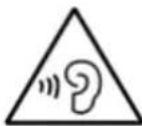
WARNING! Risk of hearing impairment
- Set a low volume on the playback device before connecting the headphones to the sound source.
- Avoid excessive volume, particularly over extended periods or frequent use. Excessive volume can result in permanent hearing impairment.
About the disks
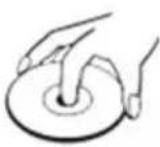 | HandlingDo not touch the underside of disks.Hold disks by the edges to avoid leaving fingerprints on the surface.Any dust, fingerprints or scratches may cause a malfunction.Never affix a label or sticky tape to the disk. |
 | StoragePut disks back in their case after use.Never expose disks to direct sunlight or heat sources. Never leave disks inside a car parked in full sunlight. |
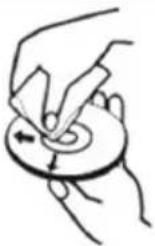 | CleaningUse a clean, soft, lint-free cloth to clean the disk, working from the centre outwards in a straight line. Do not use solvents such as petrol, thinners, commercially available cleaners or antistatic sprays for vinyl disks. |
Remarks:
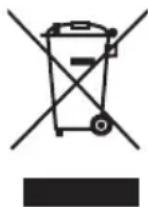
Don't discard the electrical and electronic appliances in the regular waste disposal.
• Take them to a collection point.
- Some components in these appliances may be hazardous to health and the environment.
- In order to save energy when the unit has no sound output for a while, the unit will be switched to stand-by automatically. It can be switched ON by using the POWER selector again.
- You can find the information on the plate located at the back of the unit.
Imported by BIGBEN INTERACTIVE SA
396, Rue de la Voyette
CRT2 - FRETIN
CS 90414
59814 LESQUIN Cedex - France
www.bigben.eu
Made in China






REACH
2019年1月1日

customerservice@bigben-interactive.be
ESPAÑA, sat@bigbeninteractive.es
ITALIA, support@bigbeninteractive.it www.bigben.eu
CD58
USB / MP3 / CD / RADIO FM EQUIPO DE AUDIO PORTÁTIL
natural_image
Black portable electronic device with digital display and control buttons (no visible text or symbols)CLASS 1 LASER PRODUCT
CLASS 1 LASER PRODUCT APPAREIL LASER DE CLASSE 1 PRODUCTO LASER DE CLASE 1
CAUTION INVISIBLE LASER RADIATION WHEN OPEN AND INTERLOCKS DEFEATED. AVOID EXPOSURE TO BEAM

natural_image
Warning symbol with a black triangle containing a central sunburst pattern (no text or numbers)This product contains a low power laser device.
natural_image
Hand holding a circular object with an arrow indicating direction (no text or symbols)Limpieza
text_image
RoHS CE REACH
customerservice@bigben-interactive.be
ESPAÑA, sat@bigbeninteractive.es
ITALIA, support@bigbeninteractive.it www.bigben.eu
CD58
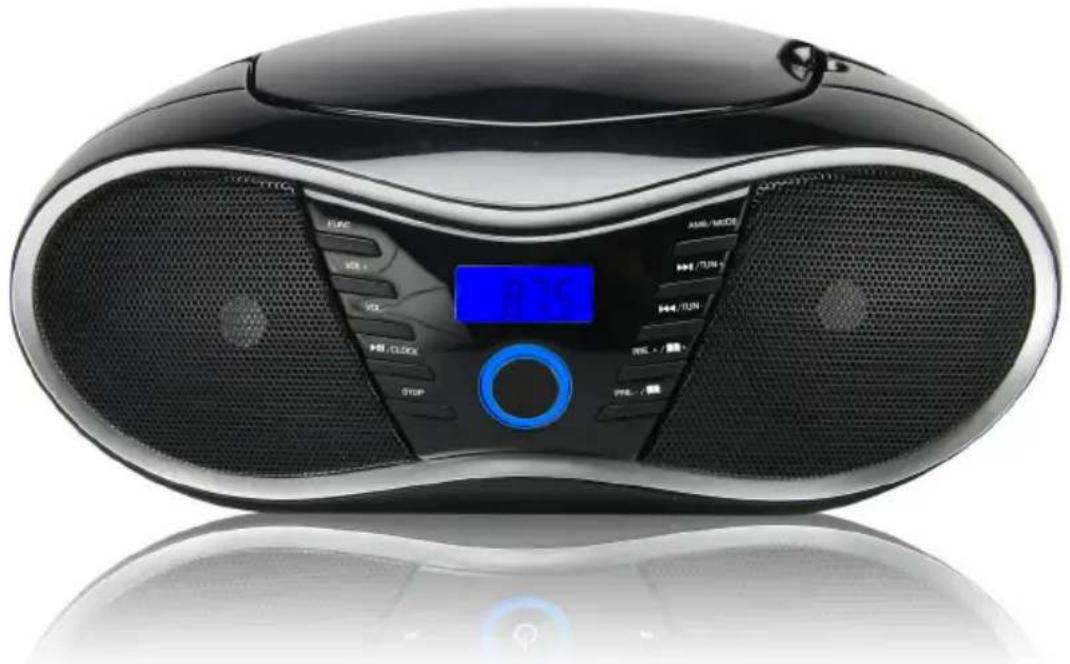
USB / MP3 / CD / RADIO FM STEREO PORTATILE
natural_image
Black portable electronic device with digital display and control buttons (no visible text or symbols)ISTRUZIONI D'USO
PRIMA DI UTILIZZARE L'APPARECCHIO, LEGGERE PER INTERO IL PRESENTE MANUALE E CONSERVARLO PER CONSULTAZIONI FUTURE.
Indice
CLASS 1 LASER PRODUCT
CLASS 1 LASER PRODUCT APPAREIL LASER DE CLASSE 1 PRODUCTO LASER DE CLASE 1
CAUTION INVISIBLE LASER RADIATION WHEN OPEN AND INTERLOCKS DEFEATED. AVOID EXPOSURE TO BEAM

natural_image
Black triangular warning sign with a central sunburst pattern (no text or symbols)This product contains a low power laser device.
customerservice@bigben-interactive.be
ESPAÑA, sat@bigbeninteractive.es
ITALIA, support@bigbeninteractive.it www.bigben.eu
CD58
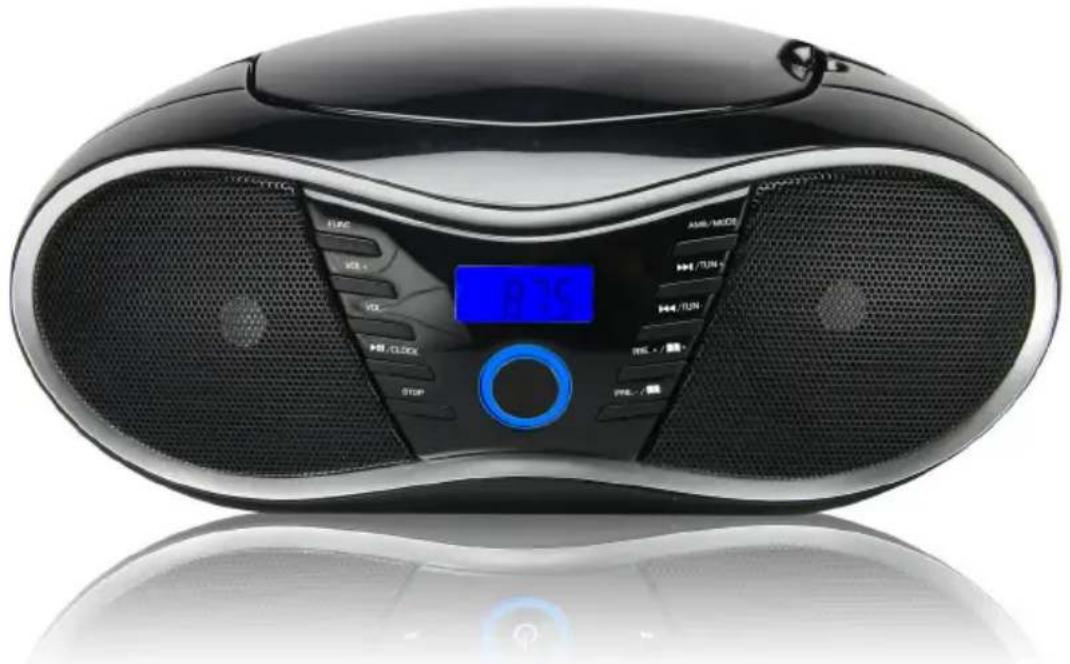
USB / MP3 / CD / RÁDIO FM APARELHAGEM PORTÁTIL
natural_image
Black portable electronic device with digital display and control buttons (no visible text or symbols)CLASS 1 LASER PRODUCT
CLASS 1 LASER PRODUCT APPAREIL LASER DE CLASSE 1 PRODUCTO LASER DE CLASE 1
CAUTION INVISIBLE LASER RADIATION WHEN OPEN AND INTERLOCKS DEFEATED. AVOID EXPOSURE TO BEAM

natural_image
Warning symbol with a black triangle containing a central sunburst pattern (no text or numbers)This product contains a low power laser device.
Alimentação
CUIDADO

customerservice@bigben-interactive.be
ESPAÑA, sat@bigbeninteractive.es
ITALIA, support@bigbeninteractive.it www.bigben.eu
CD58
USB/MP3/CD/FM RADIO
TRAGBARE BOOMBOX
natural_image
Black electronic device with digital display and control buttons (no visible text or symbols)BEDIENUNGSANLEITUNG
CLASS 1 LASER PRODUCT
CLASS 1 LASER PRODUCT APPAREIL LASER DE CLASSE 1 PRODUCTO LASER DE CLASE 1
CAUTION INVISIBLE LASER RADIATION WHEN OPEN AND INTERLOCKS DEFEATED. AVOID EXPOSURE TO BEAM

natural_image
Warning symbol with black triangular triangle and central sunburst pattern (no text)This product contains a low power laser device.
Stromversorgung
VORSICHT

customerservice@bigben-interactive.be
ESPAÑA, sat@bigbeninteractive.es
ITALIA, support@bigbeninteractive.it www.bigben.eu
CD58
USB / MP3 / CD / FM RADIO DRAAGBARE BOOMBOX
natural_image
Black portable electronic device with digital display and control buttons (no visible text or symbols)VEILIGHEIDSINSTRUCTIES
LEES DEZE GEBRUIKSAANWIJZING VOLLEDIG DOOR ALVORENS DEZE EENHEID TE BEDIENEN, EN BEWAAR DIT BOEKJE VOOR UW ADMINISTRATIE.
Inhoud
CLASS 1 LASER PRODUCT
CLASS 1 LASER PRODUCT APPAREIL LASER DE CLASSE 1 PRODUCTO LASER DE CLASE 1
CAUTION INVISIBLE LASER RADIATION WHEN OPEN AND INTERLOCKS DEFEATED. AVOID EXPOSURE TO BEAM

natural_image
Warning symbol with a black triangle containing a central sunburst pattern (no text or numbers)This product contains a low power laser device.
Vermogen
OPGELET

WAARSCHUWING woor ghoorschade
customerservice@bigben-interactive.be
ESPAÑA, sat@bigbeninteractive.es
ITALIA, support@bigbeninteractive.it www.bigben.eu