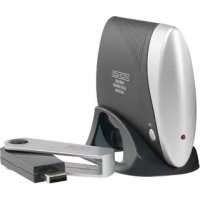
VIDTRANS230KN - Hi-fi system KONIG - Free user manual and instructions
Find the device manual for free VIDTRANS230KN KONIG in PDF.



| Product type | Wireless audio transmitter/receiver for hi-fi system |
| Brand | Konig |
| Model | VIDTRANS230KN |
| Category | Hi-fi system |
| Frequency range | 2,400 ~ 2,483 GHz |
| Number of channels | 8 |
| Audio outputs | 2 x RCA (stereo), 1 x 3.5 mm jack |
| Signal-to-noise ratio | 87 dB |
| Transmitter power supply | Via USB 5 V port |
| Receiver power supply | 9 V / 200 mA mains adapter (included) |
| Main functions | Digital wireless audio transmission, 8 selectable channels, compatibility with stereo systems, MP3 players, computers |
| Care and cleaning | Clean with a dry cloth; do not use solvents or abrasives |
| Safety | Do not open the device (risk of electric shock); disconnect in case of problem; do not expose to water or moisture |
| General information | Compliant with EC directives (1999/5/EC); design and specifications subject to change without notice |
Frequently Asked Questions - VIDTRANS230KN KONIG
User questions about VIDTRANS230KN KONIG
0 question about this device. Answer the ones you know or ask your own.
Ask a new question about this device
Download the instructions for your Hi-fi system in PDF format for free! Find your manual VIDTRANS230KN - KONIG and take your electronic device back in hand. On this page are published all the documents necessary for the use of your device. VIDTRANS230KN by KONIG.
USER MANUAL VIDTRANS230KN KONIG
MANUAL DE USO (p. 27)
TRANSMISOR DE AUDIO
INALÁMBRICO
HASZNÁLATI UTMUTATO (o. 32.)
VEZETEK NELKÜLİ
AUDIO JELÁTVIVO
KAYTTOOHJE (s. 37)
LANGATON AUDIOLAHETIN
Transmit your music wireless through the house. Digital technology avoids interference by other wireless systems. Ideal for use with stereo systems, MP3 players, computers and notebooks.
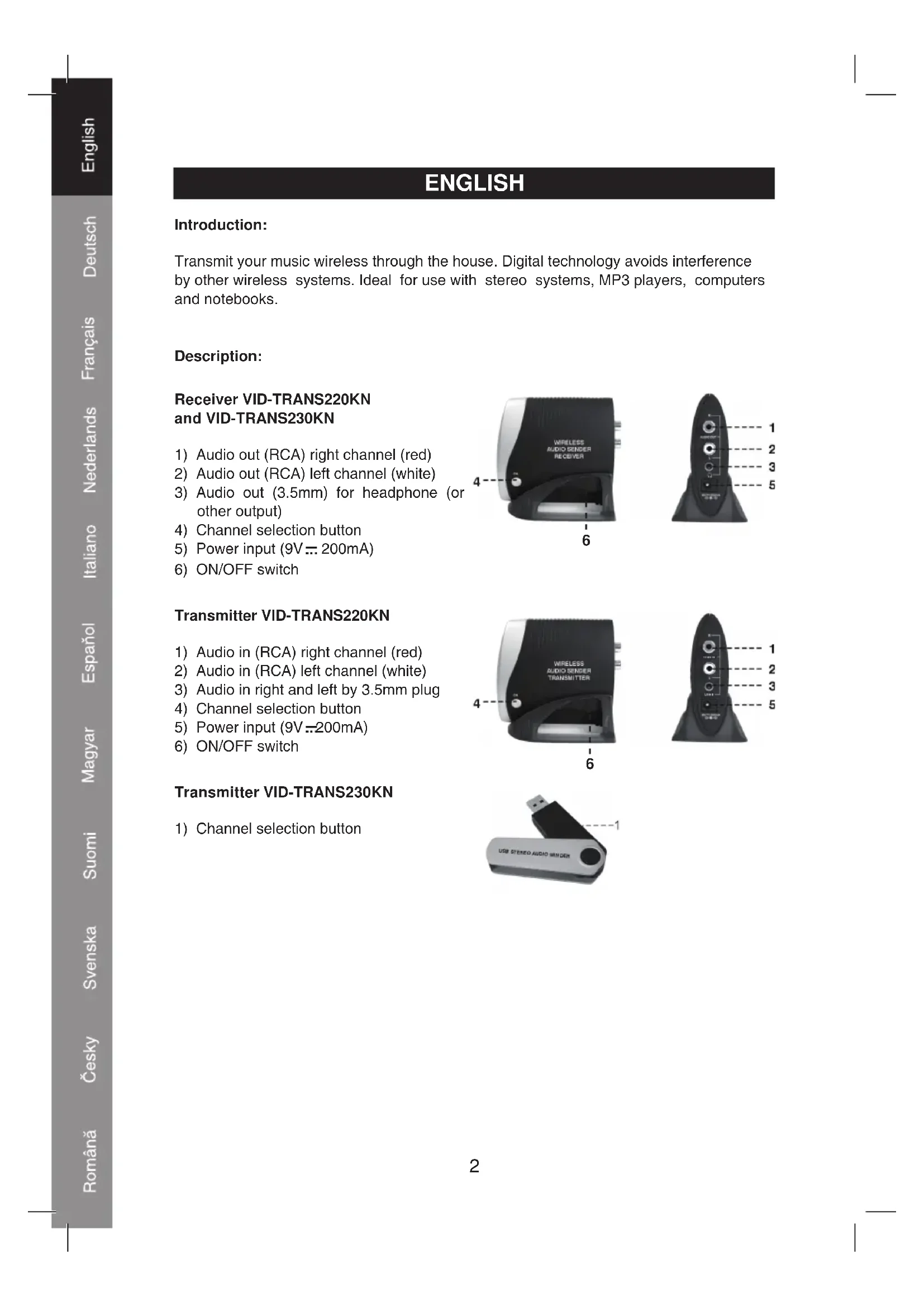
Description:
Receiver VID-TRANS220KN and VID-TRANS230KN
1) Audio out (RCA) right channel (red)
2) Audio out (RCA) left channel (white)
3) Audio out (3.5mm) for headphone (or other output)
4) Channel selection button
5) Power input (9V:200mA)
6) ON/OFF switch


Transmitter VID-TRANS220KN
1) Audio in (RCA) right channel (red)
2) Audio in (RCA) left channel (white)
3) Audio in right and left by 3.5mm plug
4) Channel selection button
5) Power input (9V:200mA)
6) ON/OFF switch


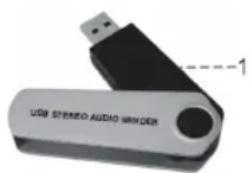
Transmitter VID-TRANS230KN
1) Channel selection button
Connection:
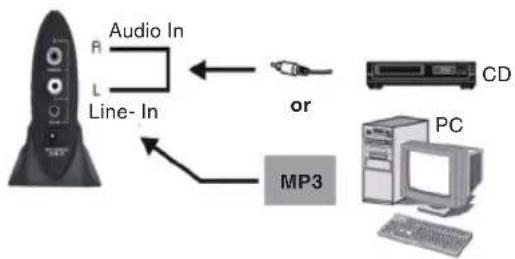
Transmitter VID-TRANS220KN
1) Connect an audio source with the RCA plugs to the audio input (1 and 2) or a 3,5mm plug to the audio input (2).
Note: it's not possible to use both inputs at the same time.
2) Plug the DC power adapter plug into the power input (5). Plug the adapter AC power plug into a wall outlet.
Transmitter VID-TRANS230KN
Plug the USB transmitter into a free USB port of the notebook or PC.
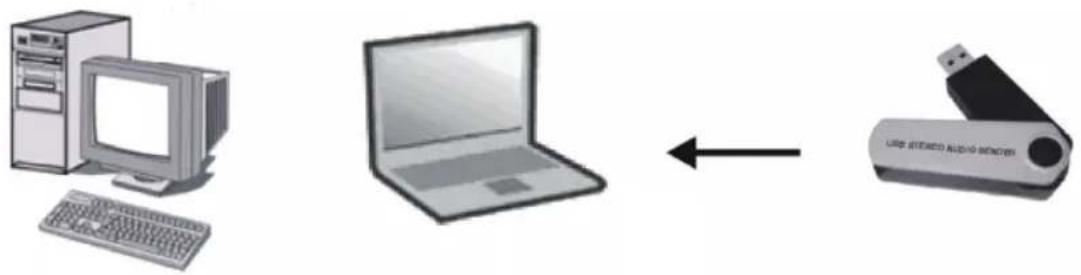
Note: The LED of the (USB) transmitter on the VID-TRANS230KN will be flashing during transmission. If during transmission the transmitter is pulled out and plugged in again, it's possible that the music program on the notebook or PC needs to be restarted again to restart transmission.
Receiver VID-TRANS220KN and VID-TRANS230KN
1) Connect the receiver with the RCA output (1 and 2) to an audio input of an audio system or amplifier. It's also possible to use the 3.5mm output (3) to connect the receiver to an audio input of an audio system or amplifier.
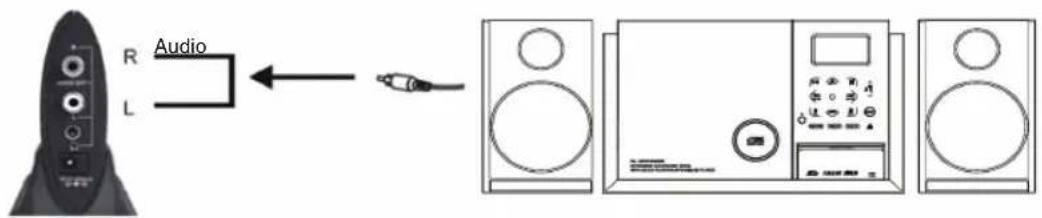
2) Connect a headphone to the 3.5mm audio output (3) for listening with a headphone.
Note: when the 3.5mm output is in use, the RCA output (1 and 2) signal is shut off.
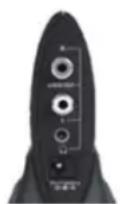
Earphone


3) Plug the DC power adapter plug to the power input (5). Plug the AC power adapter plug into a wall outlet.
Operation :
1) When the AC/DC adapters are connected the receiver and transmitter are automatically switched on (The USB transmitter is automatically powered via the 5 V USB port).
2) The transmitter is transmitting on one of the 8 available digital channels. The receiver is automatically tuned to the same channel.
3) Push the channel selection button (4) on the transmitter when the channel in use is receiving interference due to circumstances or other wireless systems.
4) After pushing the channel selection button on the transmitter, you also have to push the channel selection button on the receiver. It will then automatically tune in to the channel in use.
Specifications:
Transmitter VID-TRANS220KN
Frequency range: 2.400~2.483Ghz
Channels: 8
Modulation: FSK (Frequency Shift Keying)
Audio input: 2x RCA (R/L), 3.5mm
Power input: 9V/200mA
Transmitter VID-TRANS230KN
Frequency range: 2.400~2.483 Ghz
Channels: 8
Modulation: FSK (Frequency Shift Keying)
Audio input: via USB
Power input: via USB
Receiver VID-TRANS220KN and VID-TRANS230KN
Frequency range: 2.400~2.483 Ghz
Channels: 8
Modulation: FSK (Frequency Shift Keying)
Audio output: 2x RCA, 3.5mm
Signal noise ratio: 87dB
Power input: 9V/200mA
Declaration of conformity
We,
Nedis B.V.
De Tweeling 28
Declare that product:
Brand: König
Electronic
Model: VID-TRANS220KN,
VID-TRANS230KN
Description: 2.4GHz wireless audio transmitter
Is in conformity with the following standards
EN 300 440-1 V1.3.1 (2001-09), EN 300 440-2 V1.1.1 (2001-09), EN 50371:2002,
EN 301 489-1 V1.4.1 (2002-08), EN 301 489-3 V1.4.1 (2002-08),
EN 55022: 1998+A1:2000+A2:2003 CLASS B, EN 61000-3-2:2000,
EN 61000-3-3:1995+A1:2001, EN 61000-4-2:1995+A1:1998+A2:2001
EN 61000-4-3:2002+A1:2002, EN 61000-4-4:1995+A1:2001+A2:2001,
EN 61000-4-5:1995+A1:2001, EN 61000-4-6:1996+A1:2001
EN 61000-4-11:1994+A1:2001
EN 60065:2002, EN 60950-1:2001+A11:2004
And complies with the requirements of the European Union Directive 1999/5/EC.
s-Hertogenbosch, 22-10-2008

Mrs. J. Gilad
Purchase Director

Safety precautions:

CAUTION
RISK OF ELECTRIC SHOCK DO NOT OPEN

To reduce risk of electric shock, this product should ONLY be opened by an authorized technician when service is required. Disconnect the product from mains
and other equipment if a problem should occur. Do not expose the product to water or moisture.
Maintenance:
Clean only with a dry cloth. Do not use cleaning solvents or abrasives.
Warranty:
No guarantee or liability can be accepted for any changes and modifications of the product or damage caused due to incorrect use of this product.
General:
Designs and specifications are subject to change without notice.
All logos brands and product names are trademarks or registered trademarks of their respective holders and are hereby recognized as such.
Attention:

This product is marked with this symbol. It means that used electrical and electronic products should not be mixed with general household waste. There is a separate collections system for these products.
Copyright ©
DEUTSCH
Einführung:
Modulation : FSK (Frequency Shift Keying)
Entree(s) Audio: 2x RCA (R/L), 3.5mm
Modulation : FSK (Frequency Shift Keying)
Entrée(s) Audio : via USB
Modulation : FSK (Frequency Shift Keying)
Modulation: FSK (Frequency Shift Keying)
Audio-ingangen: 2x RCA (R/L), 3.5mm
Voedingspanning: 9V/200mA
Zender VID-TRANS230KN
Frequeniebereik: 2.400~2.483 Ghz
Kanalen: 8
Modulation: FSK (Frequency Shift Keying)
Audio-ingangen: via USB
Voedingsspanning: via USB
Ontvangers VID-TRANS220KN en VID-TRANS230KN
Frequentiebereik: 2.400~2.483 Ghz
Kanalen: 8
Modulation: FSK (Frequency Shift Keying)
Audio-uitgang 2x RCA, 3.5mm
Signaal/ruisverhousing:87dB
Voedingspanning: 9V/200mA
CONFORMITEITVERKLARING
Wij,
Nedis BV
De Tweeling 28
Receiver VID-TRANS220KN 山 VID-TRANS230KN
Receiver VID-TRANS220KN 日 VID-TRANS230KN
Frecventa de raspuns: 2,400 ~ 2,483 GHz
Canale: 8
Modulare: FSK (Modulare de freventa)
lesire audio: 2 x RCA, 3,5 mm
Raportul semnal/zgomot: 87 dB
Alimentarea electrica: 9 V/200 mA
Declaratie de conformitate
Noi,
Nedis B.V.
De Tweeling 28