
PHP350BT - Earphones PEAQ - Free user manual and instructions
Find the device manual for free PHP350BT PEAQ in PDF.


| Product Type | Wireless Bluetooth Headset |
| Brand and Model | PEAQ PHP350BT |
| Bluetooth Technology | Bluetooth v2.1+EDR |
| Supported Bluetooth Profiles | HSP, HFP, A2DP, AVRCP |
| Talk Time | Up to 7.5 hours |
| Music Playback Time | Up to 7.5 hours |
| Standby Time | Up to 90 hours |
| Battery | Rechargeable lithium-ion 250 mAh |
| Power Supply | 5 V DC, 600 mA (via power adapter or USB port) |
| Speakers | 2 x 34 mm, neodymium magnet |
| Impedance | 32 Ω ±15% |
| Frequency Response | 20 Hz - 20 kHz |
| Max Input Power | 20 mW |
| Built-in Microphone | Yes, for hands-free calls |
| Controls | Multifunction buttons (power, pairing, playback, volume, call) |
| Weight | Not specified |
| Safety Instructions | Listen at moderate volume, do not expose to moisture, keep out of reach of children |
| Maintenance | Clean with a soft, dry cloth, do not use solvents |
| Package Contents | Headset, USB cable, power adapter, user manual |
| Recycling | Do not dispose of with household waste, take to a WEEE collection point |
Frequently Asked Questions - PHP350BT PEAQ
User questions about PHP350BT PEAQ
0 question about this device. Answer the ones you know or ask your own.
Ask a new question about this device
Download the instructions for your Earphones in PDF format for free! Find your manual PHP350BT - PEAQ and take your electronic device back in hand. On this page are published all the documents necessary for the use of your device. PHP350BT by PEAQ.
USER MANUAL PHP350BT PEAQ
Headphone On-Ear PHP350BT-BAW

A2DP (Advanced Audio Distribution Profile)
onkwote yia/tepuatote Tyn khan, on/off (evpyoioian/an evpyoioian), zu
- Koupi +/- button: Pθμiαn εvτaŋnc nXou
- Mikofo
9.ΦoPTiOgEIOOSSOU - Evouuatauovn pntapia (8ev
- Apoepo akouotiko
1x2eakouotikuv Bluetooth
1xPooapoyecac
1xKaλωδio USB
1xEuyexepidio xpiotn
Σuβατότητα
Ta akouotika oac eiva oubeta ta evepyonieva kmta tnaefomega kai ouokevc mouiknc .Diaetouv Bluetooth, ekdoan 2.1+EDR. Aertoupov enianc ouokevc nou diaetouv aalec ekdoaeiC Bluetooth tic onoiec unoatnpovn.x.
Aoupuatn Eriokovuvia Hands-Free (Avoxtic Suvouiac)
HSP (PpOiakouoTikwv)
HFP (PpOaovxTc oovuaiac)
Aupatn otepoeowvikn akpoaon
A2DP (PponyEvO PpOa Katavounc Hxou)
AoupatocouakikocEeyxoc
AVRCP (PpOPIA EeYxou nXou/BivTeo μE TnλExepiopntipio
HSP, HFP, A2DP Kai AVRCP
Eupoc Bluetooth:
EAx.10m
Ekoon Bluetooth:
v2.1+EDR, Katnyopia 2
HXO2
Eupoc ouxvotnttwv:
20 Hz ~ 20 KHz
Tunoc paynntn:
Important Safety Instructions. Please read the instructions carefully and keep them for later use.
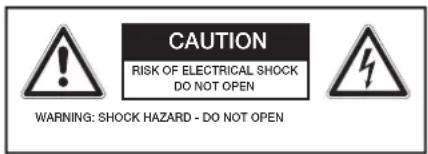
The lightning flash with arrow head within an equilateral triangle is intended to alert the user to the presence of uninsulated "dangerousvoltage" within the product's enclosure that may be of sufficient magnitude to constitute a risk of electric shock to persons and animals.
The exclamation point within an equilateral triangle is intended to alert the user to the presence of important operating and maintenance instructions in the literature accompanying the device.
To reduce the risk of fire or electric shock, do not expose the device to rain or moisture. Do not expose the device to splashes or moisture. Do not place liquid filled objects, e.g. vases, on top of the device.
For safety reasons, this class II adaptor is provided with double or reinforced insulation as indicated by this symbol.
- This product is only intended for audio entertainment. Do not use the product for any other purpose than described in this manual in order to avoid any hazardous situation. Improper use is dangerous and will void any warranty claim.
- Danger! Excessive sound pressure
from earphones and headphones can cause hearing loss. If you listen to loud music for a long time, your hearing may be impaired. Set to a moderate volume.
- Danger of suffocation! Keep all packaging material away from children.
Only use under normal room temperature and humidity conditions.
The product is only suitable for use at moderate degrees of latitude. Do not use in the tropics or in particularly humid climates. - Do not move the product from cold into warm places and vice versa. Condensation can cause damage to the product and electrical parts.
- Do not use attachments or accessories other than recommended by the manufacturer or sold with this appliance. Install in accordance with this user manual.
- Do not install near any heat sources such as radiators, heat registers, stoves or other appliances (including amplifiers) that produce heat.
- Do not touch, push or rub the surface of the product with any sharp or hard objects.
- Danger! To reduce the risk of fire or electric shock, do not expose this product to rain or moisture.
- The product shall not be exposed to dripping or splashing and no objects filled with liquids, such as vases, shall be placed on the product.
- Care should be taken so that no objects or liquids enter the enclosure through openings.
- No naked flame sources, such as lighted candles, should be placed on the product.
Refer all servicing to authorised service agent. Do not attempt to repair the product yourself. Servicing is required when the product has been damaged
in any way, such as the supply cord or plug are damaged, liquid has been spilled, objects have fallen into the product, the enclosure is damaged, the product has been exposed to rain or moisture, does not operate normally, or has been dropped.
- Before connecting the product to a socket outlet, make sure the voltage indicated on the product corresponds to your local mains.
- Regularly check if the supply cord, product or extension cable is defective. If found defective, do not put the product into operation. Immediately pull the plug.
- Place the supply cord and, if necessary, an appropriate extension cable in such away that pulling or tripping over it is impossible. Do not allow the supply cord to hang down within easy reach.
- Do not jam, bend or pull the supply cord over sharp edges.
- Listen at reasonable volumes for reasonable periods of time.
- Using this headset with both ears covered while driving is not recommended and may be illegal in some areas while driving.
- You should use caution or temporarily discontinue use in potentially hazardous situations.
Only use the provided adaptor. - The adaptor power plug is used as the disconnect device; the disconnect device shall remain readily operable. To completely disconnect the power input, disconnect the adaptor power plug.
- The product may not function properly or not react to the operation of any control due to electrostatic discharge. Switch off and disconnect the appliance; reconnect after a few seconds.
- Protect the supply cord from being
walked on or pinched particularly at the plug, convenience receptacles and the point where it exits from the product.
- Never pull the adaptor power plug by the supply cord or with wet hands.
- Disconnect the adaptor power plug in case of faults during use, during lightening storms, before cleaning and when not using the product for a longer period of time.
- Danger! Before cleaning, switch the product off and disconnect the adaptor power plug from the socket.
- When the product has reached the end of its service life, make it defective by disconnecting the adaptor power plug from the socket and cutting the cord in two.
ENGLISH
Main unit
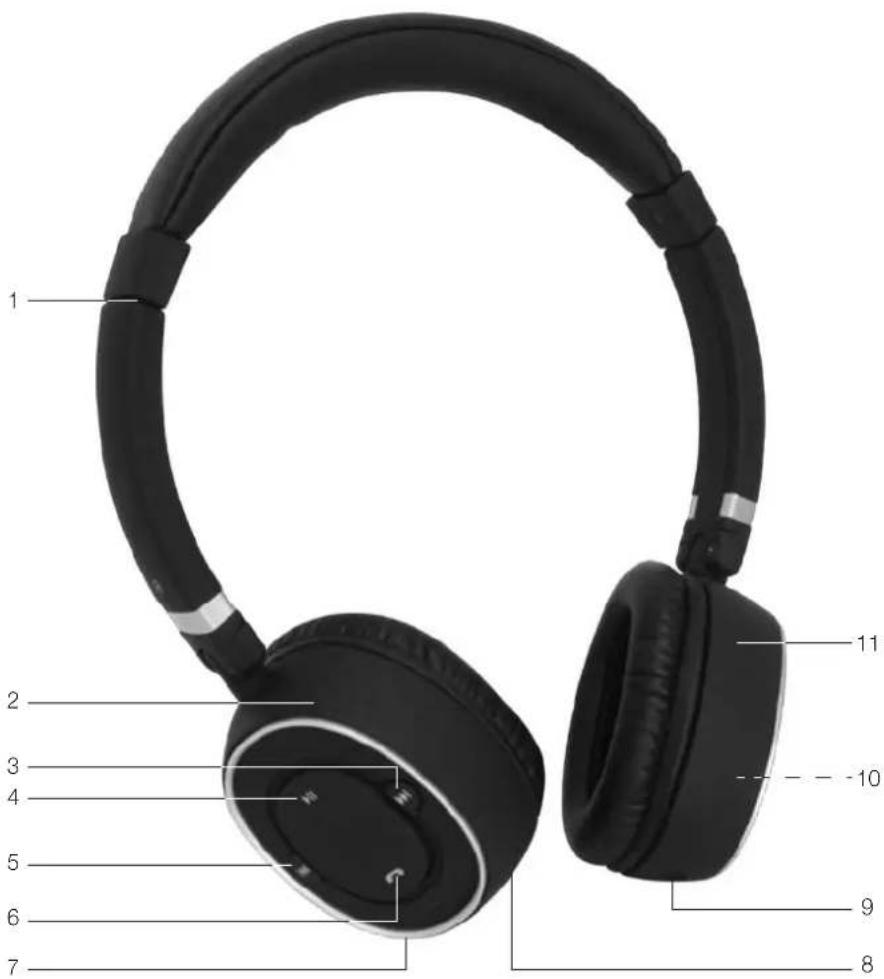
- Adjustable headband
- Headphone right
- 10ton: Next title
- button:Play/Pause
- button: Previous title
-
button: pick up/end call, on/off, pairing
-
+/- button: Adjust volume
- Microphone
- Charging inlet
- Integrated battery (not shown)
- Headphone left
1 x Bluetooth Headphone set
1xAdaptor
1xUSB-cable
1 x User manual
Compatibility
Your headset is compatible with Bluetooth enabled mobile phones and music devices. It features Bluetooth version 2.1+EDR. It also works with devices featuring other Bluetooth versions that support e.g.
Wireless Hands-Free communication
HSP (Head Set Profile)
HFP (Hands-free Profile)
Wireless stereo listening
A2DP (Advanced Audio Distribution Profile)
Wireless music control
AVRCP (Audio/Video Remote Control Profile)
Charging the batteryAccessories
WITH ADAPTOR
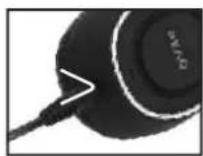
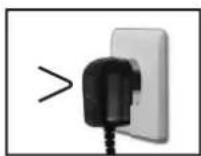
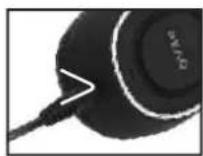
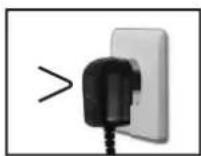
Connect DC connector of the adaptor to the charging inlet. Plug the adaptor to an outlet.
WITH USB-CABLE
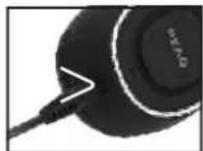
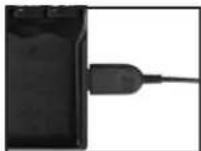
Connect one end of USB cable to the charging inlet. Plug the USB connector to USB port.
Caution
Use only the original USB charging cable or Adaptor.
LED turns red during charge and turns green when the headset is fully charged.
Operation
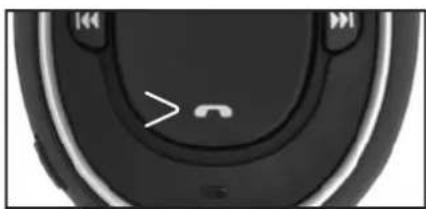
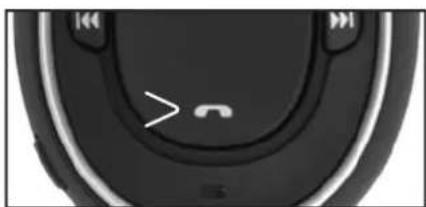
TURNING ON/OFF
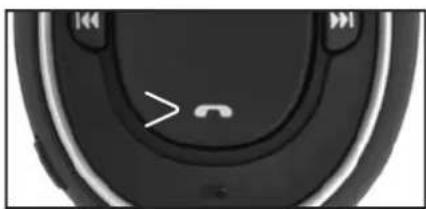
Turn on
Press and hold the button for 2 seconds until the LED lights up in green.
Turn off
Press and hold the button for 2 seconds until the LED flashes up in red.
WEARING THE HEADPHONE
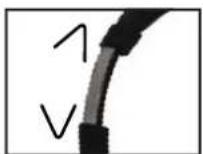
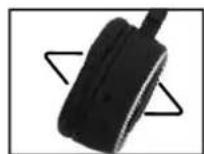
Adjust the headband and headphone for the best fit.
PAIRING
Before you use the headset with a mobile phone/music device for the first time, you have to pair both devices.
- Activate the Bluetooth function of the mobile phone/music device.
- Ensure that the headset is charged and turned on.
- Press and hold until the LED starts flashing blue.
The headset is in pairing mode, which takes around 5 seconds.
- Pair the headset with the mobile phone. For details, refer to the user manual of the mobile phone. Under Bluetooth menu on the mobile phone, search for the headset. From the found devices, select PEAQ.
Enter "0000" (4 zeros), if prompted to enter the pin code of the headset.
Note
For details, refer to the user manual of the mobile phone/music device.
CLEAR PAIRING
To clear the pairing settings from the head- phone set switch off the headphone. In off mode press and the volume down button (-) for around 8 seconds, until the LED alternates in red, blue and green.
RECONNECTING HEADPHONE
- Turn on the mobile phone/music device.
- Press and hold to turn the headphone on.
The green LED is on.
- The headset is reconnected to the last connected device automatically. If not connected automatically, please connect the headphone from the Bluetooth menu of your mobile phone/music device.
Note
If you turn the mobile phone on or its Bluetooth feature after turning the headphone on, connect the headphone from the Bluetooth menu on your mobile phone/music device.
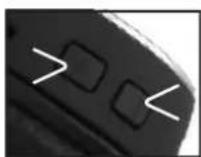
ADJUSTING THE VOLUME
Press the +/- button to adjust the volume.
Caution
Listening to audio for extended periods at loud volume levels may cause permanent hearing damage, so check the volume level that has been set on the volume control each time before using the product, and avoid listening to audio at a high volume level.
POWER SAVING
If the headphone cannot find any Bluetooth device to connect within 10 minutes, it powers down automatically to save the battery.
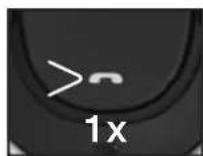
MOBILEPHONE
Pick up/End a call:
Press button.
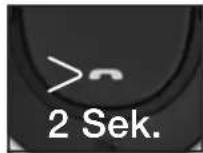
Reject a call:
Press and hold button for 2 seconds.
Redial:
Press button.
Activate voice call:
Press button twice.
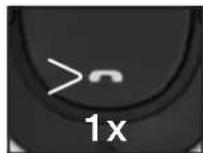
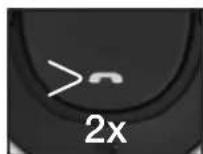
This function is available if your mobile phone supports this feature.
Mute/Unmute the microphone in a call:
Press button.
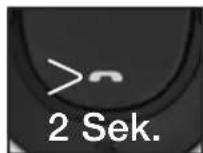
Transfer a call to your mobile phone (During a phone call):
Press and hold button for 2 seconds.
Operation
MUSIC PLAYBACK
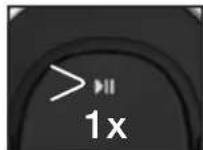
Playback/Pause: Press button.
Stop playback: Press button twice.
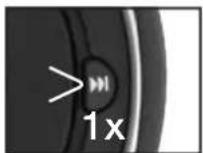
Skip Next: Press button.
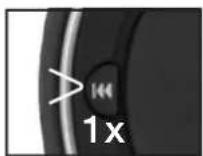
Skip Previous: Press button.
Fast forward: Press and hold the button.
Fast backward: Press and hold the button.
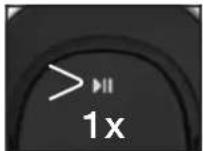
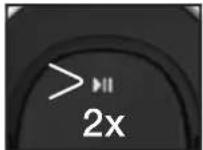
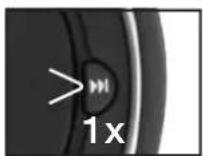
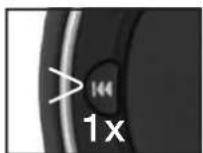
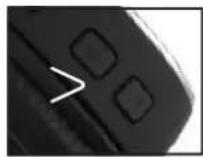
Adjust volume: Press +/- button.
Note
Mobile phone will always be the top priority, since an incoming/outgoing has been progressed, it interrupts actively and the ongoing music will be muted. As soon as the call has been hangs up, the music resume afterward.
If the headset malfunctions preset it by supplying USB power or connecting to adaptor. Then press Volume (+) and button for about 1 second.
Cleaning and Care
- Disconnect the adaptor from the mains and cable connected to the headset before cleaning the unit.
- Attention! Do not let water penetrate into the unit.
Clean the housing with a lightly dampened cloth. - Do not use sharp, scouring or aggressive cleaners.
- Do not use chemicals (such as gasoline or alcohol) to clean the housing.
Note
To select the next song during playback, short press the Next key. To select the previous song, short press the Previous key. To scroll through the current song quickly, press and hold either one of the key.
Disposal
REMOVE THE INTEGRATED BATTERY
According to European Battery Directive (2006/66/EC), the battery inside the headphone cannot be disposed with normal household waste.
Warning
Make sure the headset is disconnected from the USB charging cable/Adaptor before removing the battery.
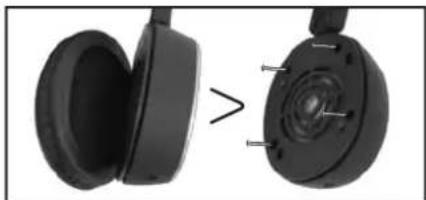
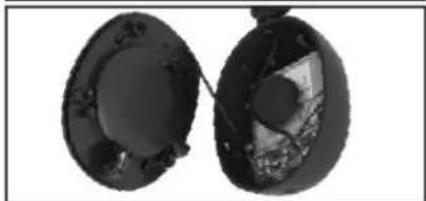
- Tear off the ear cushion of the left headphone
- Remove the screws holding the speaker
- Remove the speaker plate
- Cut the battery wires
- Remove the battery
If there is no collection/recycling system for electronic products in your country, you can protect the environment by removing and recycling the battery before disposing the headphone by following the above steps. Please take the battery to a battery collection and recycling location.
Warning
Caution Risk of Explosion! Never Replace the Battery.

Do not dispose of this appliance as unsorted municipal waste. Return it to a designated collection point for
the recycling of WEEE. By doing so, you will help to conserve resources and protect the environment. Contact your retailer or local authorities for more information.
ENGLISH
Technical Data
HEADSET
Input:
Operation Power Consumption:
Integrated re-chargeable battery type:
Talk time:
Standby time:
Music playtime:
DC 5 V 600 mA
Input Power: Max. 0.3 W
250 mAh Lithium Ion Rechargeable Battery
Up to 7.5 hours
Up to 90 hours
Up to 7.5 hours
CHARGING
AC/DC adaptor
Input:
Output:
100-240 V~ 50-60 Hz 100 mA
DC 5 V 600 mA
USB
USB cable provided
via a USB port providing 500mA output or a powered USB hub
CONNECTIVITY
Bluetooth
Bluetooth Profiles:
Bluetooth range:
Bluetooth version:
HSP, HFP, A2DP and AVRCP
Min. 10m
v2.1+EDR, Class 2
SOUND
Frequency range:
Magnet type:
Impedance:
Maximum power input:
20 Hz ~ 20 KHz
2 × 34 ~mm Neodymium Magnet Driver
32± 15%
20mW
MISE EN MARCHE/ARRET
Mise en marche
ACCENSIONE/SPEGNIMENTO (ON/OFF)
Accensione
HSP, HFP, A2DP e AVRCP
Min. 10 m
v2.1+EDR, Classe 2
AUDIO
HSP (Headset Profile)
HFP (Handsfree Profile)
A2DP (Advanced Audio Distribution Profile)
MET ADAPTER
A2DP (Advanced Audio Distribution Profile)
HSP, HFP, A2DP e AVRCP
Min. 10 m
v2.1+EDR, Classe 2
SOM
Gama de frequência:
Tipo de magneto:
Impedência:
Entrada maximala de corrente:
20 Hz ~ 20 KHz
3KcniyatauHnHa Notpe6IeMaM MOUHOCTb:
BCTpoHHa aKKMyJrTOpHra 6aTape TaHa:
Bpema pa3robopa:
Bpem oKuHaHn:
Bocnpon3BeDHeNc My3bIKn:
3APRAKA
IepexoHnK npemehHoro/IOCTOHHORo Toka
BxO;
BbIXoI:
USB
IocTAbJIaEMbI B KOMnneKeTc USB-Ka6eNb
BO3MOXHOCTb NOKIOUOHEN
Bluetooth
Pnpnnn Bluetooth:
Dnana3oN Bluetooth:
Bercsia Bluetooth:
3BYK
Dnana3OHyactOT:
TUN MARHITA:
PonHoe cOpOTnBJIeHne:
MaKcImaIbHaNOTpe6JrEmaRMOUHOCb:
PABOYAR TEMNEPATYPA
PA3MEPbl
Pnup6op (LXxBxI):
Bec:
IOCTOARHHBtOK5B600MA
Notpe6nemamouhoctb:MaKc.0,3BT
HNoHO-JInTneBaAkkymyIaTOPHa
6atapera 250 mA-4
Do7.5yacob
1090acob
75acob
100-240B~50-60ΓU100MA
NoCToHHbI ToK 5 B 600 MA
uepe3 USB-nopt, oecneuHbauouiy BvixOd
500MA,mHnNTaEmbI USB-xa6
HSP, HFP, A2DP n AVRCP
MnH.10M
Bercn2.1+yckopenha nepeepa
daHHbIX,Knacc 2
20Γu~20KΓu
MaHHTbI npINBOdHa
OCHOBE HeoDmAma 2x34 MM
32± 15%
20 MBT
0-40°C
139 × 173 × 30MM
0,104K
Sakerhetsinstruktioner
HSP (Headset-profil)
HFP (Handsfree-profil)
HSP, HFP, A2DP ve AVRCP
Min. 10mt
v2.1+EDR,Simif 2
SES
Frekans araliigi:
Manyetaktur:
Empedans:
Maksimum gug girisi
20 Hz ~ 20 KHz
2 x 34 mm Neodim Manyetik Sürçüusu
32± 15%
20Mw
ISLETIM SICAKLIGI
0-40°C
BOYUTLAR
Unite (G× Y× D)
139× 173× 30mm
Agrlik:
0.104 kg
安全说明

- Headphone On-Ear PHP350BT-BAW
- Σuβατότητα
- Aoupuatn Eriokovuvia Hands-Free (Avoxtic Suvouiac)
- Aupatn otepoeowvikn akpoaon
- AoupatocouakikocEeyxoc
- HXO2
- Main unit
- Compatibility
- Wireless Hands-Free communication
- Wireless stereo listening
- Wireless music control
- Charging the batteryAccessories
- WITH ADAPTOR
- WITH USB-CABLE
- Caution
- Operation
- TURNING ON/OFF
- Turn on
- Turn off
- WEARING THE HEADPHONE
- PAIRING
- Note
- CLEAR PAIRING
- RECONNECTING HEADPHONE
- ADJUSTING THE VOLUME
- POWER SAVING
- MOBILEPHONE
- MUSIC PLAYBACK
- Cleaning and Care
- Disposal
- REMOVE THE INTEGRATED BATTERY
- Warning
- Technical Data
- HEADSET
- CHARGING
- AC/DC adaptor
- USB
- CONNECTIVITY
- Bluetooth
- SOUND
- MISE EN MARCHE/ARRET
- Mise en marche
- ACCENSIONE/SPEGNIMENTO (ON/OFF)
- Accensione
- AUDIO
- MET ADAPTER
- SOM
- 3APRAKA
- IepexoHnK npemehHoro/IOCTOHHORo Toka
- BO3MOXHOCTb NOKIOUOHEN
- 3BYK
- PABOYAR TEMNEPATYPA
- PA3MEPbl
- Sakerhetsinstruktioner
- SES
- ISLETIM SICAKLIGI
- BOYUTLAR
- 安全说明
Brand : PEAQ
Model : PHP350BT
Category : Earphones