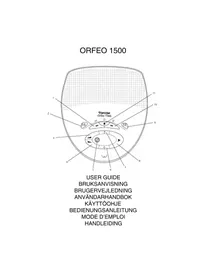
Orfeo 1500 - Phone TOPCOM - Free user manual and instructions
Find the device manual for free Orfeo 1500 TOPCOM in PDF.


User questions about Orfeo 1500 TOPCOM
0 question about this device. Answer the ones you know or ask your own.
Ask a new question about this device
Download the instructions for your Phone in PDF format for free! Find your manual Orfeo 1500 - TOPCOM and take your electronic device back in hand. On this page are published all the documents necessary for the use of your device. Orfeo 1500 by TOPCOM.
USER MANUAL Orfeo 1500 TOPCOM
GBThe features described in this manual are published with reservation to modifications.
- Connect one end of the line cord to the telephone line wall socket and the other end into connector 1.
- Plug one end of the adapter into the electric socket and the other end into connector 2.
The actual setting will be announced.
Important: Never use another adapter than the one supplied together with the unit.
Note: All messages and settings are stored on Flash-Memory and will not be erased when the adapter is unplugged. Only the time settings (clock) will be erased.
2. Keys
- Skip Back
- Memo
- Mailbox 1
- Play
- Volume Up
- Mailbox 2
- Volume Down
- Skip Forward
- Delete
- Stop
- Answer ON/OFF
3. Settings
Two outgoing messages of 3 minutes can be recorded (OGM1 and OGM2).
- Outgoing message 1 for the answering function and the possibility for callers to leave a message.
- Outgoing message 2 for the answering function without allowing callers to leave a messages on the machine (answer only).
If no outgoing message is recorded, a pre-recorded outgoing message will be used.
3.1. Setting the speaker volume
To change the volume during playback of incoming or outgoing messages.
Press to increase or to decrease the volume.
3.2. Activating message alert.
When Message Alert is on, you will hear a beep tone when you have received a new message. To active message alert:
- Press for 2 second
- You will hear 'Message alert On'
- Press again for 2 seconds to deactive the setting.
- You will hear 'Message alert Off'
3.3. Selecting an outgoing messages (OGM 1 or OGM 2)
If the memory is full, only outgoing message 2 can be selected (only answering without recording.
- Press for 2 seconds
- You will hear 'Please select outgoing message'
- Press the key to select the OGM1 or
- press the key to select the OGM2.
- The selected OGM will be played back and you will be asked to record a new outgoing message.
- Press the key if you don't want to record a new outgoing message.
3.4. Recording an outgoing messages (OGM 1 or OGM 2)
After selecting the outgoing message (3.3) you have 10 seconds to record a new OGM.
Press and hold
- Record the outgoing message after the beep
- Release to end recording
- The device will playback the recorded message.
The recording cannot exceed 3 minutes.
3.5. Erasing a recorded outgoing message
After selecting the outgoing message, a voice will playback the recorded message.
- Press during playback for erasing the message.
- The pre-recorded message will be used.
3.6. Turning Answering Machine On/Off
If the answering machine is on, the 7segment-LED will light up contiously and the machine will automatically pick up the line after a number of rings (see 'Setting Number of Rings').
If the answering machine is off, the 7-segment LED will blink.
- Press to switch on the answering machine.
- A voice confirms the setting and playback the active OGM.
- Press to switch off the answering machine.
Even if the answering machine is off, it will automatically pick up after 10 rings to enable remote activation (see 4.6 Remote operation)
3.7. Setting Number of Rings
The number of rings after which the answering machine will answer calls can be set from 2 - 9 and TS (Toll saver). The standard setting is 3 rings. In Toll saver mode, the machine will answer after 6 rings if there are no new messages, and after 2 rings if there are new messages. If there are no new messages and you call your machine to check your messages remotely (see 4.6 Remote operation), you can hang up after the 2nd ring. You do not need to pay connection fees and you know that you do not have any new messages.
- To check the actual number of rings, briefly press the 'skip forward' button. A voice will playback the current number of rings.
- Press for 2 secs to set the number of ringing tones.
- Press immediately to change the current number of rings.
- If you do not press any keys for 3 seconds, the machine will set the selected number of rings.
3.8. Setting Day and Time
The day and time of each call is registered and announced during play-back. Programming the day and time:
- To check the actual date and time, briefly press the button. A voice will announce date and time.
- To set date and time, keep ■ pressed down for 2 seconds.
- Press to select the day
- Press to confirm the day.
- Press to select the hour.
- Press to confirm the hour.
- Press to select the minutes.
- Press to confirm the minutes.
The complete day and time setting is then repeated for confirmation.
Notes: When you use the machine for the first time and have not yet set the day/time, no day/time registration for incoming messages is done.
3.9. Programming the VIP Code
The VIP code is a 3-digit code used to operate the machine remotely (see Remote Operation). The VIP code is set to '000' by default.
- Press briefly to play the actual VIP code. The internal voice will playback current VIP code.
- Keep pressed down for 2 secs to change the VIP code.
- Press or set the first number of the VIP code.
- Press the to confirm the first number
- Press to get the second digit of the VIP code.
- Press to confirm the second number.
- Press or set the third digit of the VIP code.
- Press to confirm the VIP code. You will hear a long beep. The internal voice will playback the new VIP code for confirmation.
Note: If you do not press any keys for 20 seconds, the previous VIP code is saved and the machine automatically exits the VIP setting mode.
4. Operation
If a call is received and the answering machine is turned on, the answering machine will automatically answer the call after the set number of rings. If outgoing message 1 has been selected, after the outgoing message, a beep will be heard and the caller can leave a message (max. 3 minutes). If outgoing message 2 has been selected, after the beep, the line will automatically be disconnected. The caller does not have the possibility to leave a message.
Note: If, during pick-up, nothing is said for 8 seconds, the line will be automatically disconnected.
Important: Due to noise on your telephone line, it is possible the device will not disconnect automatically, but record up to max. 3 minutes. The recording will be interrupted as soon as you pick up a parallel telephone. If the unit continuous recording, press ■.
4.1. Recording a Memo
As memo is considered as an incoming message that can be picked up later by the user. The max. recording time for a memo is 3 minutes.
- Press and hold.
- Record your memo after the beep
- Release to stop recording.
4.2.Playback of Incoming Messages and Memos
Press to play the messages and memos.
For each message, the internal voice announce the day and time the message was recorded
During playback, you can:
- go to the beginning of the current message by pressing once.
- go to the previous message by pressing twice.
- stop playback by pressing
- interrupt playback by pressing Press again to restart playback.
- go to the next message by pressing
4.3. Deleting Messages
a. Deleting One message at a Time during Playback
- Start message playback as explained above.
- Press to delete the message.
- The machine will start playing the next message.
b. Deleting all messages
After you have listened to all messages, the internal voice will ask you to delete all the messages.
- Press to confirm or
- press to skip.
After pressing delete, the internal voice confirms that all the messages have been deleted.
4.4. Memory Full
If the memory is full, the F will flash on the display. If the answering machine is turned on and a call comes in, the machine will automatically play OGM 2 (answering machine function without recorded caller message).
When listening to the messages, the internal voice will announce that the memory is full and then play back the messages.
Erase some or all the messages after listening to them.
The memory is free again.
4.5. Voice mail box 1 and 2
a. Recording voice mail messages
The caller has the possibility to record his message on one of the personal voice mail boxes via the telephone line. He can select the voice mail box by pressing 1 or 2 during outgoing message.
It is also possible to record a memo direct in every mailbox.
- Press and hold or
- Record your memo after the beep
- Release the button to stop recording.
Note:
If you have a new messages in mailbox 1 or 2, Led1 or Led2 will blink. After listening to all new messages, the Led's will burn continuously until all messages are erased.
b. Playback voice mail message
- Press the desired voice mail box button.
- To skip forward, skip backward and delete messages, follow the same instructions as mentioned in 4.2 and 4.3.
4.6. Remote Operation
The answering machine can be operated remotely using a tough-tone phone (DTMF tone selection system).
The remote control is menu operated.
a. To enter the remote operation
- Call your machine.
- The answering machine picks up the line, you hear the outgoing message and a beep.
Press
After the beep, slowly dial the VIP code (default 000). - You will hear two short beeps for confirmation.
- Enter the next codes to use the desired function :
b. Main Menu
Press '1' to play back the main menu.
To play all messages, press '2'.
To play new messages, press 3
To skip back during messages, press 4
To delete during messages, press '5'
To skip forward during messages, press 6
To set answer On/Off, press '7'
- To hear Outgoing messages menu, press '8'
- To set a new security code, press '9'
- To hear Voice Mail box menu, press *
To set date and time, press '0'
To hear main menu, press 1
You are not obliged to play the main menu before activating any function.
c. Outgoing Message Menu
Press '8' in the main menu. The unit shall announce 'Outgoing message menu' followed by the outgoing message menu.
To hear main menu, press '1'
To play OGM, press '2'
To record 'answer and record OGM', press '3'
To record 'answer and only OGM', press '4'
To select 'answer and record OGM', press 5
To select 'answer and only OGM' press 6
- To hear OGM menu again, press '8'
To hear mean menu again, press '1'
d. Voice mail menu
Press ** in the main menu. The unit shall announce For voice mailbox 1, press '1', for mailbox 2, press 2
After selecting the mailbox number you will hear the number of new messages and all new messages will be played.
Follow the next instructions.
- To hear the voice mail menu, press '7'
To play all messages, press '2'.
To play new messages, press 3
To skip back during messages, press 4
To delete during messages, press '5'
To skip forward during messages, press '6'
To hear main menu, press '1'
e. Setting the security code
- Press '9' in the main menu. The unit shall announce 'To set the security code press *'.
Press - Enter the new security code after the tone.
- Press # to confirm
- The unit shall announce 'To hear the main menu, press 1'.
4.7. Setting and checking date and time
- Press '0' in the main menu. The unit shall announce 'To set the new date and time, press *'.
Press * - Enter the new date and time, using the numerical keypad, after the tone.
The time format is as follow x -hh-mm.
X = 1 for Sunday, 7 for Saturday
HH = Hour (24 hour clock notation)
MM = Minutes
- If the date and time is entered correctly, the unit shall announce the new setting.
- If the date and time is entered incorrectly, the unit shall announce 'incorrect, please set again' the new setting.
- The unit shall announce 'To hear the main menu, press 1'.
1. Installation
- For at hore hovedmenuen tryk '1'
$$ M M = \text {M i n u t e r} $$
This equipment comes with a 24-month warranty. The warranty will be honoured on presentation of the original or a copy bill or receipt, provided the date of purchase and the unit type are indicated.
During the time of the warranty Topcom will repair free of charge any defects caused by material or manufacturing faults. Topcom will at its own discretion fulfil its warranty obligations by either repairing or exchanging the faulty equipment.
Any warranty claims will be invalidated as a result of intervention by the buyer or unqualified third parties.
Damage caused by inexpert treatment or operation, and damage resulting from the use of non-original parts or accessories not recommended by Topcom is not covered by the warranty.
The warranty does not cover damage caused by outside factors, such as lightning, water and fire, nor does it apply if the unit numbers on the equipment have been changed, removed or rendered illegible.
Note: Please do not forget to enclose your receipt if you return the equipment.
FR - GARANTIE
DECLARATION OF CONFORMITY
We, TTS Nv, Grauwmeer 17, 3001 Heverlee, Belgium, declare that our product :
Product name: TOPCOM
Model type: Orfeo 1500
is in conformity with the essential requirements of the R&TTE directive 1999/5/EC and carries the CE mark accordingly.
Supplementary information
The product complies with the requirements of:
Low Voltage Directive 73/23/EEC
EMC Directive 89/336/EEC
-EN60950
-EN55022
-EN55024
Date: 10/10/2002
Place: Heverlee, Belgium
Name: Dieter Cochez
Function Product Manager
Signature:
European contact: TTS Nv, R&D department, Research Park, Grauwwmeer 17, 3001 Heverlee, Belgium. Tel: +32 16 398920, Fax: +32 16 398939
TOPCOM
it's nice talking to you
www.topcom.net