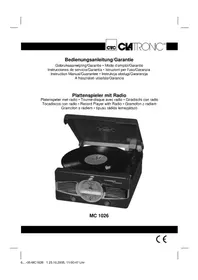
MC 1026 - Hi-fi system CLATRONIC - Free user manual and instructions
Find the device manual for free MC 1026 CLATRONIC in PDF.


| Product type | Hi-fi system with turntable and radio |
| Brand | Clatronic |
| Model | MC 1026 |
| Power supply | 230 V, 50 Hz |
| Protection class | II |
| FM radio frequency range | 88 - 108 MHz |
| AM radio frequency range | 540 - 1600 kHz |
| Turntable speeds | 33 and 45 RPM |
| Main functions | FM/AM radio, turntable, headphone jack (3.5 mm) |
| Automatic stop | Yes, switchable (AUTO STOP ON/OFF) |
| FM antenna | Flexible antenna |
| AM antenna | Built-in antenna |
| Band selector | FM ST, FM, AM |
| Volume adjustment | Rotary knob VOLUME |
| Station tuning | TUNING knob |
| Headphone jack | 3.5 mm stereo jack (mutes speakers) |
| Included accessories | 45 RPM adapter (puck) |
| Warranty | 24 months |
| Maintenance and cleaning | Clean with a dry, soft cloth; do not use abrasive products or water |
| Safety | Do not expose to moisture, do not block ventilation openings, unplug during prolonged non-use |
| Repairability | Have any repairs carried out by a qualified specialist |
| Disposal | Do not dispose of with household waste; take to a collection point |
Frequently Asked Questions - MC 1026 CLATRONIC
User questions about MC 1026 CLATRONIC
0 question about this device. Answer the ones you know or ask your own.
Ask a new question about this device
Download the instructions for your Hi-fi system in PDF format for free! Find your manual MC 1026 - CLATRONIC and take your electronic device back in hand. On this page are published all the documents necessary for the use of your device. MC 1026 by CLATRONIC.
USER MANUAL MC 1026 CLATRONIC
18 LINE OUT Anschlüsse
21 Netzschalter ON/OFF
19 FM ANT Wurfantenne
middengolf = AM (mono) UKW = FM UKW Stereo = FM ST.
18 LINE OUT Raccordements
Jamás se abrìra la carcasa del cuerpo del aparato. Las reparaciones mal hechasSEOSEOSEOSEOSEOSEOSEOSEOSEOSEOSEOSEOSEOSEOSEOSEOSEOSEOSEOSEOSEOSEOSEOSEOSEOSEOSEOSEOSEOSEOSEOSEOSEOSEOSEOSEOSEOSEOSEOSEOSEOSEOSEOSEOSEOSEOSEOSEOSEOSEOSEOSEOSEOSEOSEOSEOSEOSEOSEOSEOSEOSEOSEOSEOSEOSEOSEOSEOSEOSEOSEOSEOSEOSEOSEOSEOSEOSEOSEOSEOSEOSEOSEOSEOSEOSEOSEOSEOSEOSEOSEOSEOSEOSEOSEOSEOSEOSEOSEOSEO SEOOO
Onda Media = AM (Mono) UKW = FM UKW Stereo = FM ST.
General Safety Instructions
To avoid the risk of fire or an electric shock, you should not expose the device to rain or moisture. Consequently, do not use the device in the immediate vicinity of water - for example near a bath tub, a swimming pool or in a damp cellar.
Use the device only for the intended purpose.
Only connect the device at a properly installed plug socket. Pay attention that the specified voltage corresponds to the voltage of the plug socket.
Assemble the device in such a way that the available ventilation openings are not covered.
Never open the housing of the device. Incorrect repairs can constitute a considerable risk for the user. Should the device become damaged, in particular the mains supply cable, do not operate the device any longer, but rather have it repaired by an expert. Check the mains supply cable regularly for damage.
For safety reasons a broken or damaged mains lead may only be replaced by an equivalent lead from the manufacturer, our customer service department or a similar qualification person.
If you are not going to use the device for a prolonged period please remove the mains plug from the socket.
These symbols may be found on the machine and are intended to indicate the following:
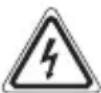
The lightning symbol should advise the user of parts in the inside of the device which carry dangerously high voltage levels.

The symbol with an exclamation mark should advise the user of important operation or maintenance instructions in the accompanying documentation.
Special Safety Instructions
- Do not use the device in locations that are extremely hot, cold, dusty or moist.
- Select an appropriate location for the device, for example a fl at, dry, non-slip surface on which it can be operated without diffic culty.
- Ensure that the radio recorder is suffi cientsly ventilated!
- Do not cover any ventilation slits with objects such as magazines, tablecloths, curtains etc.
- Never touch the mains plug or lead with wet hands.
- Keep the mains lead away from heaters.
- Never put a heavy object on the electric lead.
- Keep the device away from vases, baths, wash basins etc. If liquid enters the device this may cause serious damage.
- Open sources of fire, such as burning candles, must not be placed on the device.
32
Overview of the Components
1 POWER/FUNCTION 8 FM ST Control lamp
Function selector switch 9 Loudspeaker
(PHONO/OFF/TUNER) 10 Central spindle
2 TUNING control 11 Turntable
3 VOLUME control 12 Adapter for 45 rpm
4 PHONES Headphone connection singles (puck)
5 Station scale 13 33/45 Speed selection switch
6 BAND Band selector switch 14 Pick-up arm support/catch
(FM ST/FM/AM) 15 Guide lever
7 Hood 16 Aperture
Reverse
17 AC ~ Mains connection 20 AUTO STOP ON/OFF
18 LINE OUT connections 21 Mains switch ON/OFF
19 ANT FM throw-out aerial
Start-up of the device/Introduction
- Read the operating instructions thoroughly before the start-up!
- Select an appropriate location for the device and loudspeakers. An example of an appropriate location is a fl at (horizontal), dry, non-slip surface on which it can be operated without diffic culty.
- Make sure that the device is adequately ventilated!
Power supply
- Insert the plug into a properly installed 230V , 50Hz power socket. Please ensure that the mains voltage corresponds to the information on the type plate.
- If you are not going to use the device for a prolonged period, please remove the mains plug from the socket or switch the device off by the mains switch (21) (OFF).
General Operation
POWER/FUNCTION (1)
(PHONO/OFF/TUNER): Switches the unit to „ready for operation" or to „off".
Volume: You can set the desired volume using the VOLUME control (3).
PHONES (4): Insert the plug of a set of headphones into the headphone socket - the loudspeakers are "muted". If your headphone plug does not fit, please use a suitable adapter.
LINE OUT (15): For connection to the AUX IN sockets of an existing stereo system.
Headphone Socket
Please use headphones with a 3.5mm stereo jack plug; these should be inserted into the PHONES socket. The loudspeakers are then switched off.
Switch-off
The device is switched off when the function selector switch (1) is turned to the OFF position and the mains switch (21) is turned off (OFF). Unplug the device.
Radio Mode
- Turn the function selector switch (1) to the TUNER position.
- Select the desired frequency band with the band selection switch (6).
Medium wave = AM (mono) VHF = FM VHF Stereo = FM ST.
- Tune in the desired station with the station adjustment knob TUNING (2).
- If reception is poor for an FM Stereo station and the station rustles, try to improve reception by turning, winding and unwinding the antenna or by modifying its length. If it does not improve, switch to FM (VHF mono).
- An aerial is integrated into the device for the reception of AM stations. The machine can be aligned to the station by turning it. In this frequency band programs are transmitted in „mono“ only.
Using the Record Player
- Push the function selection switch (1) to PHONO.
- Open the hood (7) by pulling the lid on the front upwards.
- Place a record on the turntable (11) on the central spindle (10) and through the aperture (16) on the rear of the hood. If you are using a 45 rpm single, first place the adapter (puck) (12) on the central spindle.
- Release the catch on the pick-up arm support (14) and remove the stylus protector.
- Select the appropriate speed with the speed selection switch (13).
- Place the pick-up arm carefully on the external edge of the record with the help of the guide lever (15). The turntable begins to rotate automatically.
- AUTO STOP ON/OFF switch (20): At the end of the record the turntable stops rotating automatically if you have turned the AUTO STOP ON/OFF switch on the back of the device to "ON".
With some records it is possible that the turntable stops rotating before the end of the record is reached as the switch off end is located outside the radius. In this case turn the AUTO STOP ON/OFF switch to „OFF".
- When you have finished listening to records place the pick-up arm carefully on the support (14), lock the catch and replace the stylus protector.
Technical Data
Model: .MC 1026
Power supply: 230 V, 50 Hz
Protection class: II
Radio section:
Frequency ranges: .UKW / FM 88 ~ 108 MHz .MW / AM 540 ~ 1600 kHz
This device has been tested according to all relevant current CE guidelines, such as electromagnetic compatibility and low voltage directives, and has been constructed in accordance with the latest safety regulations.
Subject to technical changes without prior notice!
Guarantee
The device supplied by our Company is covered by a 24 month guarantee starting on the date of purchase (receipt).
During the life of the guarantee any fault of the device or its accessories *) ascribable to material or manufacturing defects will be eliminated free of charge by repairing or, at our discretion, by replacing it. The guarantee services do not entail an extension of the life of the guarantee nor do they give rise to any right to a new guarantee!
Proof of the guarantee is provided by the proof of purchase. Without proof of purchase no free replacement or repair will be carried out.
If you wish to make a claim under the guarantee please return the entire machine in the original packaging to your dealer together with the receipt.
*) Damage to accessories does not mean automatic free replacement of the whole machine. In such cases please contact our hotline. Broken glass or breakage of plastic parts are always subject to a charge.
Defects to consumables or parts subject to wearing (e.g. motor pistons, kneading blades, drive shafts, spare remote control, spare toothbrushes, saw blades, etc.) as well as cleaning, maintenance or the replacement of said parts are not covered by the guarantee and hence are to be paid!
The guarantee lapses in case of unauthorized tampering.
After the expiry of the guarantee
After the expiry of the guarantee repairs can be carried by the competent dealer or repair service against the payment of the ensuing costs.
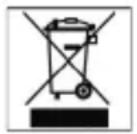
Meaning of the "Dustbin" Symbol
Protect our environment: do not dispose of electrical equipment in the domestic waste.
Please return any electrical equipment that you will no longer use to the collection points provided for their disposal.
This helps avoid the potential effects of incorrect disposal on the environment and human health.
This will contribute to the recycling and other forms of reutilisation of electrical and electronic equipment.
Information concerning where the equipment can be disposed of can be obtained from your local authority.
In many EU countries the disposal of electrical and electronic equipment in the domestic waste is prohibited from August 13, 2005 on.
In Germany from March 23, 2006 on.

Fale srednie = AM (mono) UKF-Mono = FM UKF-Stereo = FM ST.
- General Safety Instructions
- Special Safety Instructions
- Overview of the Components
- Reverse
- Start-up of the device/Introduction
- Power supply
- General Operation
- Headphone Socket
- Switch-off
- Radio Mode
- Using the Record Player
- Technical Data
- Guarantee
- After the expiry of the guarantee
- Meaning of the "Dustbin" Symbol
Brand : CLATRONIC
Model : MC 1026
Category : Hi-fi system