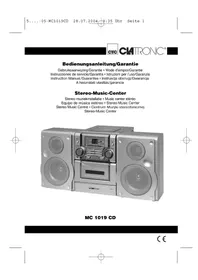
MC 1019 CD - Hi-fi system CLATRONIC - Free user manual and instructions
Find the device manual for free MC 1019 CD CLATRONIC in PDF.


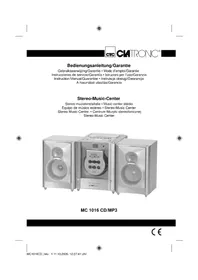
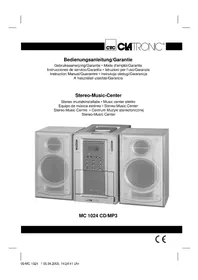
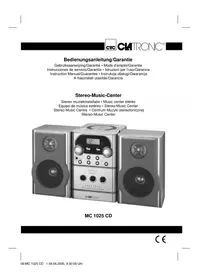
| Product type | Hi-Fi system with CD player, cassette, AM/FM radio |
| Brand | Clatronic |
| Model | MC 1019 CD |
| Power supply | 230 V, 50 Hz (mains); remote control: 2 LR6 "AA" 1.5 V batteries |
| Main functions | CD and cassette playback, AM/FM stereo radio, cassette recording, CD track programming, repeat, infrared remote control |
| Care and cleaning | Clean discs from center outward with a soft cloth; avoid moisture, heat, and sprays; store discs in their case |
| Safety | Do not expose to moisture; unplug when not in use for extended periods; repairs by a specialist; Class 1 laser |
| Warranty | 24 months from date of purchase (receipt); free repair or replacement for material or manufacturing defects |
| Repairability | After warranty, paid repairs by a specialized dealer; wear parts not covered |
| Included accessories | Remote control, instruction manual |
| Connectivity | Headphone jack (PHONES) 3.5 mm, speaker outputs (32) |
| Dimensions (estimated) | Approximately 150 x 200 x 250 mm (W x H x D) |
| Weight (estimated) | Approximately 2.5 kg |
| Number of manual pages | 72 pages |
Frequently Asked Questions - MC 1019 CD CLATRONIC
User questions about MC 1019 CD CLATRONIC
0 question about this device. Answer the ones you know or ask your own.
Ask a new question about this device
Download the instructions for your Hi-fi system in PDF format for free! Find your manual MC 1019 CD - CLATRONIC and take your electronic device back in hand. On this page are published all the documents necessary for the use of your device. MC 1019 CD by CLATRONIC.
USER MANUAL MC 1019 CD CLATRONIC
Mittelwelle = AM (Mono), UKW = FM, UKW Stereo = FM ST.
UP/SKIP/SEARCH (26/C):
UP/SKIP/SEARCH (26/C):
Opmerking: compact discs:
UP/SKIP/SEARCH (26/C):
Jamás se abrìra la carcasa del cuerpo del aparato. Las reparaciones mal hechasSEOSEOSEOSEOSEOSEOSEOSEOSEOSEOSEOSEOSEOSEOSEOSEOSEOSEOSEOSEOSEOSEOSEOSEOSEOSEOSEOSEOSEOSEOSEOSEOSEOSEOSEOSEOSEOSEOSEOSEOSEOSEOSEOSEOSEOSEOSEOSEOSEOSEOSEOSEOSEOSEOSEOSEOSEOSEOSEOSEOSEOSEOSEOSEOSEOSEOSEOSEOSEOSEOSEOSEOSEOSEOSEOSEOSEOSEOSEOSEOSEOSEOSEOSEOSEOSEOSEOSEOSEOSEOSEOSEOSEOSEOSEOSEOSEOSEOSEOSEO SEOEO SEOEO SEOEO SEOEO SEOEO SEOEO SEOEO SEOEO SEOEO SEOEO SEOEO SEOEO SEOEO SEOEO SEOEO SEOEO SEOEO SEOEO SEOEO SEOEO SEOEO SEOEO SEOEO SEOEO SEOEO SEOEO SEOEO SEOEO SEOEO SEOEO SEOEO SEOEO SEOEO SEOEO SEOEO SEOEO SEOEO SEOEO SEOEO SEOEO SEOEO SEOEO SEOEO SEOEO SEOEO SEOEO SEOEO SEOEO SEOEO SEOEO SEOEQ
UP/SKIP/SEARCH (26/C):
UP/SKIP/SEARCH (26/C):
General safety instructions
To avoid the risk of fire or an electric shock, you should not expose the device to rain or moisture. Consequently, do not use the device in the immediate vicinity of water - for example near a bath tub, a swimming pool or in a damp cellar.
Use the device only for the intended purpose.
Only connect the device at a properly installed plug socket. Pay attention that the specified voltage corresponds to the voltage of the plug socket.
When using external mains supply, pay attention to the correct polarity and voltage. Always place the batteries in the correct direction.
Assemble the device in such a way that the available ventilation openings are not covered.
Never open the housing of the device. Incorrect repairs can constitute a considerable risk for the user. Should the device become damaged, in particular the mains supply cable, do not operate the device any longer, but rather have it repaired by an expert. Check the mains supply cable regularly for damage.
For safety reasons a broken or damaged mains lead may only be replaced by an equivalent lead from the manufacturer, our customer service department or a similar qualified person.
If the device is not used for a longer period, remove the plug connector from the plug socket or take out the batteries.
These symbols may be found on the machine and are intended to indicate the following:
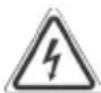
The lightning symbol should advise the user of parts in the inside of the device which carry dangerously high voltage levels.

The symbol with an exclamation mark should advise the user of important operation or maintenance instructions in the accompanying documentation.

Devices bearing this symbol work with a „class 1 laser“ for tracing the CD. The built-in safety switches should prevent the user being exposed to dangerous laser light, which is invisible to the human eye, when the CD compartment is opened.
Under no circumstances should these safety switches be bypassed or manipulated, as this could result in a danger of exposure to the laser light.
GB
Description of the Controls
1 POWER switch (ON/OFF)
2 POWER control lamp
3 VOLUME
4 PHONES (headphone connection)
5 LED display
6 BASS on/off switch
7 IR Sensor for the remote control
8 Station scale
9 TUNING control
10 FUNCTION Function selector (RADIO/TAPE/CD)
11 BAND Band selector switch (AM/FM/FM ST)
12 Cassette compartment
13 PULL flap
14 II Pause key - cassette
15 ■/▲Stop/Eject key - cassette
16 forward button - cassette
17 ←ewind button - cassette
18▶Playback key - cassette
19 Recording key - cassette
20 CD compartment
21 OPEN button to open the CD compartment
22 CD PLAY/PAUSE button
23 PLAY control lamp
24 CD STOP button
25 DOWN CD SKIP button (back)
26 UP CD SKIP button (ahead)
27 REPEAT button
28 REPEAT control lamp
29 PROGRAM programming button
30 PROGRAM control lamp
31 Loudspeakers
Reverse
32 Loudspeaker connections
33 Mains connection
34 FM throw-out aerial
Remote control
A I SKIP/SEARCH button reverse search
B II PLAY/PAUSE button
C SKIP/SEARCH button forward search
D REPEAT button
E STOP button
F MEMORY button
G Battery compartment
Start-up of the device/Introduction
GB
- Read the operating instructions thoroughly before the start-up!
- Remove any transport safety equipment on the CD and cassette sections.
- Select an appropriate location for the device, e.g. a dry, flat, non-slip surface on which the device can be easily operated.
- Make sure that the device is adequately ventilated!
- Connect the loudspeakers to the connections (32) on the rear.
Power supply
- Insert the plug into a properly installed 230V,50Hz power socket. Please ensure that the mains voltage corresponds to the information on the type plate.
Inserting the Batteries
(not supplied)
- Open the lid of the battery compartment (G) on the back of the remote control.
- Insert 2 batteries of type 'LR 6",AA" 1,5V. Please ensure that the polarity is correct (see the floor of the battery compartment or the inscription on the outside)! If the remote control is not used for a prolonged period, remove the batteries in order to prevent battery acid leaking.
Always replace the complete set of batteries. Do not replace just one battery.
Warning: batteries are not to be disposed of together with domestic wastes. Dispos of the used batteries at the relevant collection bin or at your dealer's.
Never throw batteries into the fire.
General Operation
POWER ON/OFF (1): Switches the unit to „ready for operation“ or to „off“. The POWER (2) control lamp shows the function.
BASS ON/OFF (8): to increase or decrease the bass output.
On = switch pressed.
Volume: You can set the desired volume using the VOLUME control (3).
PHONES (4): Insert the plug of a set of headphones into the headphone socket - the loudspeakers are "muted". If your headphone plug does not fit, please use a suitable adapter.
Loudspeakers (31): Connect the loudspeakers to the connections (32) on the rear.
Infrared
remote control: For operating the music centre from a distance of up to 5 metres without a lead. If the range of the remote control is reduced, the batteries have to be replaced. When operating the remote control ensure that there is nothing blocking the view between the remote control unit and the infra-red receiver on the music centre.
CD deck transport protection
Please open the CD compartment (20) by pressing the OPEN button (21). Remove the transport protection from the CD player if present before use.
Switching off
The machine is switched off if the function selector switch (10) is in the TAPE or POWER OFF position and all tape functions are switched off. The POWER (2) control lamp goes off. Then remove the mains lead.
Radio Mode
- Turn the function selector switch (10) to the RADIO position.
- Select the desired frequency band with the band selection switch (11). Medium wave = AM (mono), VHF = FM, VHF Stereo = FM ST.
- Tune in the desired station with the station adjustment knob TUNING (9).
- If reception is poor for an FM Stereo station and the station rustles, try to improve reception by turning, winding and unwinding the antenna or by modifying its length. If it does not improve, switch to FM (VHF mono).
- An aerial is integrated into the device for the reception of AM stations. The machine can be aligned to the station by turning it. In this frequency band programs are transmitted in „mono“ only.
Cassette Operation
Playing Cassettes
- Select the function TAPE (10).
- Open the flap (13).
- Press the / Stop/Eject button (15) in order to open the cassette compartment (12).
- Push a recorded audio cassette, with the tape downwards and the listening side facing forwards, into the compartment. Close the cassette compartment.
- Press the playback key (18) to listen to the tape.
- With the / stop/eject key (15) you can stop playback.
- Wind the tape forwards or backwards if necessary in the direction of the arrow keys. = forwards (16), = reverse (17). Always press the / stop/eject key (15) when changing the direction or stopping the tape. This prevents damage to the machine and the tape.
- If the / stop/eject button is pressed again the flap of the cassette compartment opens.
- In order to interrupt playback briefly, press the II PAUSE button (14). Pressing again continues playback.
Recording Cassettes
-
Insert an audiocassette with the side on which you wish to record facing forwards. Ensure that the cassette is not copy-protected (the copy protection tab on the top narrow side of the cassette must not have been removed).
-
Select the source from which you wish to record with the function switch (10) and then start playback from this source if necessary. The sound source which you are listening to is the one from which the recording is made. The recording level is controlled automatically. Any changes to the sound and volume do not affect the recording.
- Please press the record button (19) (the playback button is automatically pressed down at the same time). Recording now begins. All previous recordings are automatically erased.
- The recording can be interrupted briefly using the II pause key (14), or stopped by means of the / stop/eject button (15).
CD Mode
This is how you play a CD
- Push the function selection switch (10) to CD.
- Press the key to open the CD deck cover (21).
- Insert a music CD with the label facing upwards on the central button and close the CD deck cover (20).
-
- "appears in the display (3) followed by the number of tracks.
- Press the / II CD PLAY/PAUSE button (22/B) to listen to the CD. The PLAY control lamp (23) lights up. The CD will play from the first title. The current track appears in the display.
- To remove a CD, press the CD STOP key (24/E), open the CD deck with the OPEN key (21) and take out the CD carefully.
Please note these instructions for playing back CDs and CDRs in MP3 format! The device is not able to play back MP3 files. The CD begins to turn, but the sound cannot be heard.
Always keep the CD deck cover closed.
Note: If a disc is inserted incorrectly, or no disc is inserted, the symbol _- " appears in the display.
Description of the CD buttons
/II PLAY/PAUSE (22/B):
You can briefly interrupt the playing. Renewed pressing of the button will re-start the playing from the same place (the PLAY control lamp (23) flashes).
DOWN/SKIP/SEARCH (25/A):
Press once = This starts the current track again from the beginning.
Press a second time = This jumps back to the previous track.
Press a third time = This plays the song before etc. If the button is kept pressed down, the machine starts to search through the tracks.
GB
UP/SKIP/SEARCH (26/C):
With this button you can jump to the following track or the next track but one etc. If the button is kept pressed down, the machine starts to search through the tracks.
■STOP (24/E): The CD is stopped.
REPEAT (27/D): Press once (the REPEAT LED (28) flashes): the current track is repeated continuously. Press a second time (the REPEAT LED emits a fixed light): the whole CD is played continuously. Press a third time: the function is deactivated.
Programmed Play
This can be used to program any desired sequence of tracks.
- Press the STOP key.
- Press the PROGRAM/MEMORY key (29/F). "0" (storage location) flashes in the display together with the PROG (30) control lamp. Use the SKIP UP/DOWN / buttons to select the desired track and then press the PROGRAM/MEMORY button again. Repeat the procedure until all the desired tracks are selected.
- Press the /II PLAY/PAUSE button. The playback starts. The PROG display flashes. Press this button to pause briefly the playback (see the section on PLAY/PAUSE).
- Press once the STOP key to stop the playback while retaining the program.
- To play the programme again, please first press the PROGRAM/MEMORY button (29/F) and then the / II PLAY/PAUSE key.
The device stops automatically once the entire sequence of programmed tracks is completed. The programmed order remains in the memory until you select another mode, e.g. TAPE, the CD is removed from the CD compartment or the machine is switched off.
It is also possible to combine the programmed tracks with the REPEAT function. After you have programmed and started the device, please press the REPEAT button (27/D) up to three times and then you can use the functions as described under "REPEAT".
Note: Compact Disks:
- This device is able to play CDs with a diameter of 8 cm and 12 cm. Note: Only place one disc in the CD compartment at a time.
- Only audio CDs, CD-R and CD-RW disks can be played on this machine.
- Always place the CD into the CD compartment with the label facing upwards. Compact discs can only be played on one side.
-
Fingerprints and dust should be carefully removed from the recorded side of the CD (the side without the label) with a soft cloth. Wipe off in straight lines from the centre to the edge.
-
After being played, CDs should be returned to their case so that they do not become scratched.
- Do not expose CDs to direct sunlight, high humidity levels or prolonged high temperatures in order to prevent them from warping.
- Do not adhere any paper to the CD or write on it.
- Do not spray any cleaning agents or antistatic sprays on to the CD as in the case of phonographs.
This device has been tested according to all relevant current CE guidelines, such as electromagnetic compatibility and low voltage directives, and has been constructed in accordance with the latest safety regulations.
Subject to technical changes without prior notice!
Guarantee
The device supplied by our Company is covered by a 24 month guarantee starting on the date of purchase (receipt).
During the life of the guarantee any fault of the device or its accessories *) ascribable to material or manufacturing defects will be eliminated free of charge by repairing or, at our discretion, by replacing it. The guarantee services do not entail an extension of the life of the guarantee nor do they give rise to any right to a new guarantee!
Proof of the guarantee is provided by the proof of purchase. Without proof of purchase no free replacement or repair will be carried out.
For repairs or replacement during the life of the guarantee return the device in its original packing together with the proof of purchase to your dealer.
*) Damage to accessories does not mean automatic free replacement of the whole machine. In such cases please contact our hotline. Broken glass or breakage of plastic parts are always subject to a charge.
Defects to consumables or parts subject to wearing (e.g. motor pistons, kneading blades, drive shafts, spare remote control, spare toothbrushes, saw blades, etc.) as well as cleaning, maintenance or the replacement of said parts are not covered by the guarantee and hence are to be paid!
The guarantee lapses in case of unauthorized tampering.
After the expiry of the guarantee
After the expiry of the guarantee repairs can be carried by the competent dealer or repair service against the payment of the ensuing costs.
PL
UP/IKIP/SEARCH (26/C):
UP/IKIP/SEARCH (26/C):
REPEAT (27/D): 1 x megnyomva (REPEAT-LED villog (28)):
- Opmerking: compact discs:
- General safety instructions
- GB
- Description of the Controls
- Reverse
- Remote control
- Start-up of the device/Introduction
- Power supply
- Inserting the Batteries
- General Operation
- CD deck transport protection
- Switching off
- Radio Mode
- Cassette Operation
- Playing Cassettes
- Recording Cassettes
- CD Mode
- This is how you play a CD
- Please note these instructions for playing back CDs and CDRs in MP3 format! The device is not able to play back MP3 files. The CD begins to turn, but the sound cannot be heard.
- Description of the CD buttons
- Programmed Play
- Note: Compact Disks:
- Guarantee
- After the expiry of the guarantee
- PL
Brand : CLATRONIC
Model : MC 1019 CD
Category : Hi-fi system