
SRC 4315 CD - Radio AEG - Free user manual and instructions
Find the device manual for free SRC 4315 CD AEG in PDF.



| Product type | Clock radio with CD player |
| Brand | AEG |
| Model | SRC 4315 CD |
| Mains power supply | External power supply: AC 230 V / 50 Hz input, DC 6 V / 700 mA output |
| Backup battery | 9 V block battery (not included) |
| Output power | 30 W PMPO |
| Radio frequency ranges | FM: 87.5 - 108 MHz / AM: 522 - 1620 kHz |
| CD playback | Audio CD and CD-R (not MP3) |
| CD playback functions | Play, pause, skip forward/backward, search, repeat (1 track or all), random play |
| Dual alarm | 2 independent alarm times (AL1 and AL2) |
| Alarm sources | Radio, buzzer, CD (with track selection possible) |
| Snooze function | Alarm repeats every 6 minutes for 1 hour |
| Sleep timer | Adjustable delayed shut-off from 90 to 10 minutes in 10-minute steps |
| AUX input | 3.5 mm stereo jack for external device (MP3, etc.) |
| Display | LCD screen with adjustable backlight (bright/dim) |
| Time setting | 24-hour display, setting via buttons |
| Antennas | FM: telescopic antenna (adjustable orientation) / AM: built-in ferrite antenna |
| Cleaning | Slightly damp cloth without detergent; do not immerse |
| Warranty | 24 months from the date of purchase (subject to conditions) |
Frequently Asked Questions - SRC 4315 CD AEG
User questions about SRC 4315 CD AEG
0 question about this device. Answer the ones you know or ask your own.
Ask a new question about this device
Download the instructions for your Radio in PDF format for free! Find your manual SRC 4315 CD - AEG and take your electronic device back in hand. On this page are published all the documents necessary for the use of your device. SRC 4315 CD by AEG.
USER MANUAL SRC 4315 CD AEG
Overview of the Components ...... Page 3
9 Instruction Manual...... Page 39
Technical Data Page 42
Guarantee Page
FRANÇAIS
JEZYK POLSKI
Sommaire
D-47906 Kempen/Germany

i OPMERKING: compact discs
i REMARQUE: disques compacts
FM (MHz) = UKW, AM (kHz) = Onda media.
Stille inn tiden (24 h)
General Safety Instructions
Read the operating instructions carefully before putting the appliance into operation and keep the instructions including the warranty, the receipt and, if possible, the box with the internal packing. If you give this device to other people, please also pass on the operating instructions.
- To avoid the risk of fire or an electric shock, you should not expose the device to rain or moisture. Consequently, do not use the device in the immediate vicinity of water - for example near a bath tub, a swimming pool or in a damp cellar.
- Use the device only for the intended purpose.
- Only connect the device at a properly installed plug socket. Pay attention that the specified voltage corresponds to the voltage of the plug socket.
- When using external mains supply, pay attention to the correct polarity and voltage. Always place the batteries in the correct direction.
- Assemble the device in such a way that the available ventilation openings are not covered.
- Never open the housing of the device. Incorrect repairs can constitute a considerable risk for the user. Should the device become damaged, in particular the mains supply cable, do not operate the device any longer, but rather have it repaired by an expert. Check the mains supply cable regularly for damage.
- For safety reasons a broken or damaged mains lead may only be replaced by an equivalent lead from the manufacturer, our customer service department or a similar qualified person.
- If the device is not used for a longer period, remove the plug connector from the plug socket or take out the batteries.
These symbols may be found on the machine and are intended to indicate the following:

The lightning symbol should advise the user of parts in the inside of the device which carry dangerously high voltage levels.

The symbol with an exclamation mark should advise the user of important operation or maintenance instructions in the accompanying documentation.

Devices bearing this symbol work with a „class 1 laser“ for tracing the CD. The built-in safety switches should prevent the user being exposed to dangerous laser light, which is invisible to the human eye, when the CD compartment is opened.
Under no circumstances should these safety switches be bypassed or manipulated, as this could result in a danger of exposure to the laser light.
Children and Frail Individuals
- In order to ensure your children's safety, please keep all packaging (plastic bags, boxes, polystyrene etc.) out of their reach.
Caution! Do not allow small children to play with the foil as there is a danger of suffocation!
- In order to protect children or frail individuals from the hazards of electrical equipment, please ensure that this device
is only used under supervision. This device is not a toy. Do not allow small children to play with it.
Symbols in these Instructions for Use
Important information for your safety is specially marked. It is essential to comply with these instructions in order to avoid accidents and prevent damage to the machine:

WARNING:
This warns you of dangers to your health and indicates possible injury risks.

CAUTION:
This refers to possible hazards to the machine or other objects.

NOTE: This highlights tips and information.
Special safety information
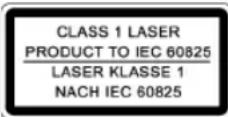
This device works with a class 1 laser.
Overview of the Components
1
ON/STANDBY
button
2 DC 6V connexion
3 Time/alarm time adjustment function button (SET/DISP)
4 AUX IN Socket
5
Wake-up
interval
(SNOOZE)
6 Function key for delayed switch-off (SLEEP)
7 RADIO/CD/AUX Function selection button
8 AL1 (alarm time 1) button
9 AL2 (alarm time 2) button
10
TUNING
ontrol
11 MODE Band selection button
12
VOLUME
13
Loudspeakers
14
display
15
CD compartment
16
EN/CLOSE (open) CD compartment
17
FR/HOUR UP / FF/MIN. UP buttons
(reverse/forward search / Hours/Minutes)
18
STOP/MO/ST button
19
PLAY button
20 RANDOM button
21
REPEAT button
22
KLIGHT LIGHT/DIM switch
23
ery compartment
Initial Use of the Device/Introduction
- Please read the operating instructions carefully before using the device for the first time!
- Select a suitable location for the device, such as a dry, flat, non-slip surface on which it is easy to operate the machine.
- Ensure that the device is sufficiently ventilated!
- Insert the plug into a properly installed 230 V, 50 Hz power socket. Connect the device to the wall power supply by inserting the plug of the power pack into the DC 6 V socket (2). The time 0:00 fl ashes in the display. Ensure that the voltage is the same as that indicated on the model identification plate.
CAUTION:
- The mains adapter supplied must only be used with this device. Do not use for other devices.
- You should only use an alternating current adapter with 6 V (⊖-⊖-⊕); any other adapter may damage the device.
i NOTE:
If the device is not going to be used for a considerable period you should remove the mains adapter from the socket.
Inserting the batteries
(Not supplied)
If there is a power cut or the mains plug has been removed from the power socket, the settings will be retained if the power reserve batteries are inserted.
- Open the battery compartment (23) on the bottom.
- Connect a 9 V, E compound battery to the supply connection. Please ensure the correct polarity.
- Close the battery compartment again.
- If the device is not used for a prolonged period of time, please take the batteries out in order to prevent leakage of battery acid.
i NOTE:
If the capacity of the battery is coming to the end or if no power reserve battery has been inserted, the symbol fl ashes in the display (14).
CAUTION:
Batteries are not to be disposed of together with domestic wastes. Dispose of the used batteries at the relevant collection bin or at your dealer's.
WARNING:
Do not expose the batteries to high temperatures or direct sunlight. Never throw batteries into the fire. There is a danger of explosion!
CD deck transport protection
Please open the CD compartment (15) by pressing the OPEN/CLOSE (open) button (16). The CD compartment cover swings out towards the front. Remove the transport protection from the CD player if present before use.
Setting of the Clock (24 h)
- Press the SET/DISP button (3); only the numbers are still flashing.
- Press the FR/HOUR UP button (17) to set the hours. Keep the button pressed down until the desired hour is reached.
- Press the FF/MIN. UP (17) button in order to set the minu-
tes. Keep the button pressed down until the desired minutes are reached.
i NOTE:
After approx. 5 seconds the numbers stop fl ashing and the time currently displayed is automatically stored.
Setting of the Alarm (24 h)
It is possible to set up to two alarm times as follows:
- Press the SET/DISP button (3) twice. The " symbol appears in the display.
- Then keep the FR/HOUR UP and FF/MIN. UP buttons (17) pressed to set the desired alarm time.
i NOTE:
After approx. 5 seconds the "Symbol goes off, the alarm time is automatically stored and the current time is displayed.
- Press the AL1 button (8); the " symbol lights up in the display. The first alarm time is active.
Setting the Second Alarm Time
- Press the SET/DISP button (3) three times. The, "symbol fl ashes in the display.
- Then keep the FR/HOUR UP and FF/MIN. UP buttons (17) pressed in order to set the desired alarm time.
NOTE: After approx. 5 seconds the " symbol stops flashing, the alarm time is automatically stored and the current time is displayed.
- Press the AL2 button (9); the "symbol lights up in the display. The second alarm time is active.
In order to switch off the alarm until the following day please press the ON/STANDBY button.
Deactivating the Alarm Time
- In order to deactivate the first alarm time, press the AL1 button (8) repeatedly until the symbol is no longer displayed.
- In order to deactivate the second alarm time, press the AL2 button (9) repeatedly until the symbol is no longer displayed.
Radio station tuning
- Turn the device on by the ON/STANDBY button (1). Press the RADIO/CD/AUX button (7) to select radio mode.
- Press the BAND button (11) to select between FM or AM.
FM (MHz) = FM (frequency modulation), AM (kHz) = medium wave.
- Select a station by turning the TUNING control (10). The display shows the radio frequency and to the left of this the radio band.
- The FM.ST control lamp, "ST" (in the display) only lights up if the selected station is being received in stereo quality. If reception is too weak and there is noise on the station being received, this lamp will fl icker. Try to improve reception by turning, winding and unwinding the antenna. In the case
of FM stations you can use the STOP/MO/ST button (18) to switch between MONO and STEREO reception. Where reception is bad we recommend switching to MONO.
- An aerial is integrated into the device for the reception of AM stations. The machine can be aligned to the station by turning it. In this frequency band programs are transmitted in "mono" only.
- The desired volume can be sent using the VOLUME regulator (12).
- With the BACKLIGHT button (22) you can select the brightness of your display (in Standby Mode).
- Press the ON/STANDBY button (1) to turn the radio off.
Radio alarm
• After you have selected the alarm time and a radio station, turn the device off by the ON/STANDBY button (1).
- Press the AL1 or AL2 button (8/9) repeatedly until RA1 or RA2 appears in the display.
- As soon as the alarm time is reached, the radio is switched on. The selected radio station plays at the set volume.
Buzzer alarm
- If you would not like to be woken up by the radio, press the AL1 or AL2 button (8/9) repeatedly until the "", or "", symbol appears in the display.
• Instead of the radio, the buzzer goes off when the alarm time is reached.
In order to turn off the alarm, press the ON/STANDBY button (1).
Waking up to a CD
- If you would like to be woken up by a CD, press the AL1 or AL2 button (8/9) repeatedly until CD1 or CD2 appears in the display. Ensure that the CD is correctly inserted in the CD compartment.
- As soon as the set alarm time is reached the CD player switches on automatically. Playback is started at the set volume.
i NOTE:
It is possible to select the piece of music with which you would like to be woken up. Press the AL1 or AL2 button (8/9) until "c-00" appears in the display. Then press the FR/HOUR UP or FF/MIN. UP button (17) to select the piece of music.
Automatic Alarm Interval
The automatically set alarm function can be shut off for approximately 6 minutes with the SNOOZE key (5). After approximately 1 hour the alarm function switches off completely until the following day.
Switch-off
Press the ON/STANDBY button (1) to turn the radio off.
Delayed Switch-off (SLEEP Button (6))
With the device switched on, here you can set the period in 10-minute steps from 90 to 10 minutes after which the device should switch automatically to standby mode. Press the button repeatedly until the desired length is shown in the display. When this function is active, „SLP“ appears in the display. After the time that has been entered has elapsed the device switches off automatically.
The switch-off time can be reset afterwards by pressing the SLEEP button (6) again.
This function can be cancelled with the ON/STANDBY key (1).
Playing CDs
Proceed as follows in order to listen to a CD
- Turn the device on by the ON/STANDBY button (1). Press the RADIO/CD/AUX button (7) to select CD mode.
- In order to open the CD compartment (15), press the OPEN/CLOSE (open) button (16). The CD compartment cover swings out towards the front.
- Insert a audio CD with the label facing upwards on to the central cone until it clicks into place. Then close the CD compartment.
- "--" appears in the display (14) followed by the number of tracks. Press the PLAY button (19) in order to play the CD.
- Playback begins automatically with the first track on the CD. The song currently playing is shown in the display.
- In order to remove a CD, please press the STOP button (18), open the CD compartment and carefully remove the CD.
- The desired volume can be sent using the VOLUME regulator (12).
Please note these instructions for playing back CDs and CDRs in MP3 format! The device is not able to play back MP3 fi les. The CD begins to turn, but the sound cannot be heard.
Always keep the CD deck closed.
i NOTE:
If a disc is inserted incorrectly, or no disc is inserted, the symbol „no“ appears in the display.
Description of the CD Buttons
PLAY (19)
You can briefly interrupt and resume playback using this button. The current piece of music fl ashes in the display. Pressing again continues playback.
FR/HOUR UP (17)
Press once = This starts the current track again from the beginning.
Press twice = This jumps back to the previous track.
Press three times = This plays the song before etc. If the button is kept pressed down, the machine starts to search through the tracks.
FF/MIN. UP (17)
With this button you can jump to the following track or the next track but one etc. If the button is kept pressed down, the machine starts to search through the tracks.
STOP/MO/ST (18)
In FM radio mode:
To change between STEREO and MONO.
For an audio CD:
The CD stops.
REPEAT (21)
Only with a CD running:
Press once = The current song is repeated continually
(1 lights up in the display).
Press twice = The entire CD is repeated continually
(CAD lights up in the display).
Press three times = The function is deactivated and the CD is played in the normal mode.
RANDOM (20)
Press the PLAY button (19) in order to play the CD.
Press the RANDOM
button 1 x = The display (14) contains the word RND and the track number that is to be played first. All tracks are played back in random order.
Press the RANDOM
button 2 x = All functions are cancelled. The normal play mode is resumed.
AUX IN socket (4)
To connect analogue replay devices. Using this socket it is possible to hear the sound of other playback devices such as MP3 players, CD players etc. through the loudspeaker.
- Please connect the external device with a 3.5 mm stereo jack plug to the AUX IN socket (4).
- Press the RADIO/CD/AUX button (7) repeatedly until „AU“ appears in the display.
- Through the loudspeakers you will now hear the sound from the external device. You can adjust the volume with the VOLUME control (12).
- For the remaining procedure please see the operating instructions of the external sound source.

NOTE: Turn the volume of the external device to maximum.
Cleaning
- Remove the plug before cleaning.
- Clean the appliance with a slightly humid cloth without any additives.
- Do not dip the appliance in water.

NOTE: Compact Disks
- This device is able to play CDs with a diameter of 8 cm and 12 cm.
i NOTE:
Only place one disc in the CD compartment at a time.
- Only audio CDs and CD-R disks can be played on this machine.
• Always place the CD into the CD compartment with the label facing upwards. Compact discs can only be played on one side. - Fingerprints and dust should be carefully removed from the recorded side of the CD (the side without the label) with a soft cloth. Wipe off in straight lines from the centre to the edge.
• After being played, CDs should be returned to their case so that they do not become scratched. - Do not expose CDs to direct sunlight, high humidity levels or prolonged high temperatures in order to prevent them from warping.
- Do not adhere any paper to the CD or write on it.
- Do not spray any cleaning agents or antistatic sprays on to the CD as in the case of phonographs.
Technical Data
Model: SRC 4315 CD
Power supply: External mains adapter
Input: AC 230 V, 50 Hz
Output:......DC 6 V/700 mA
Polarity:
Battery power reserve: 9 V block
Output rating: 30 W PMPO
Protection class:....II
Radio section:
Frequency ranges:....UKW / FM 87,5 \~ 108 MHz
MW / AM 522 \~ 1620 kHz
This device has been tested according to all relevant current CE guidelines, such as electromagnetic compatibility and low voltage directives, and has been constructed in accordance with the latest safety regulations.
Subject to technical changes without prior notice!
Guarantee
The device supplied by our Company is covered by a 24 month guarantee starting on the date of purchase (receipt).
During the life of the guarantee any fault of the device or its accessories ascribable to material or manufacturing defects will be eliminated free of charge by repairing or, at our discretion, by replacing it. The guarantee services do not entail an extension of the life of the guarantee nor do they give rise to any right to a new guarantee!
Proof of the guarantee is provided by the proof of purchase. Without proof of purchase no free replacement or repair will be carried out.
If you wish to make a claim under the guarantee please return the entire machine in the original packaging to your dealer together with the receipt.
Defects to consumables or parts subject to wearing as well as cleaning, maintenance or the replacement of said parts are not covered by the guarantee and hence are to be paid!
The guarantee lapses in case of unauthorized tampering.
After the expiry of the guarantee
After the expiry of the guarantee repairs can be carried by the competent dealer or repair service against the payment of the ensuing costs.
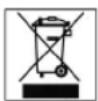
Meaning of the "Dustbin" Symbol
Protect our environment: do not dispose of electrical equipment in the domestic waste.
Please return any electrical equipment that you will no longer use to the collection points provided for their disposal.
This helps avoid the potential effects of incorrect disposal on the environment and human health.
This will contribute to the recycling and other forms of reutilisation of electrical and electronic equipment.
Information concerning where the equipment can be disposed of can be obtained from your local authority.




- FRANÇAIS
- JEZYK POLSKI
- Sommaire
- i OPMERKING: compact discs
- i REMARQUE: disques compacts
- Stille inn tiden (24 h)
- General Safety Instructions
- Children and Frail Individuals
- Symbols in these Instructions for Use
- WARNING:
- CAUTION:
- Special safety information
- Overview of the Components
- Initial Use of the Device/Introduction
- i NOTE:
- Inserting the batteries
- CD deck transport protection
- Setting of the Clock (24 h)
- Setting of the Alarm (24 h)
- Setting the Second Alarm Time
- Deactivating the Alarm Time
- Radio station tuning
- Radio alarm
- Buzzer alarm
- Waking up to a CD
- Automatic Alarm Interval
- Switch-off
- Delayed Switch-off (SLEEP Button (6))
- Playing CDs
- Proceed as follows in order to listen to a CD
- Description of the CD Buttons
- PLAY (19)
- FR/HOUR UP (17)
- FF/MIN. UP (17)
- STOP/MO/ST (18)
- REPEAT (21)
- RANDOM (20)
- AUX IN socket (4)
- Cleaning
- Technical Data
- Guarantee
- After the expiry of the guarantee
- Meaning of the "Dustbin" Symbol
Brand : AEG
Model : SRC 4315 CD
Category : Radio