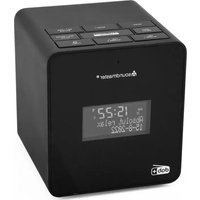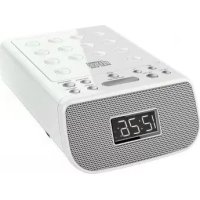
URD860 - Alarm clock radio Soundmaster - Free user manual and instructions
Find the device manual for free URD860 Soundmaster in PDF.
Questions des utilisateurs sur URD860 Soundmaster
0 question sur cet appareil. Repondez a celles que vous connaissez ou posez la votre.
Poser une nouvelle question sur cet appareil
Download the instructions for your Alarm clock radio in PDF format for free! Find your manual URD860 - Soundmaster and take your electronic device back in hand. On this page are published all the documents necessary for the use of your device. URD860 by Soundmaster.

USER MANUAL URD860 Soundmaster
Do not dispose of this product with the normal household waste at the end of its life cycle. Return it to a collection point for the recycling of electrical and electronic devices. This is indicated by the symbol on the product, user manual or packaging.

The materials are reusable according to their markings. By reusing, recycling or other forms of utilization of old devices you make an important contribution to the protection of our environment.
Please contact your local authorities for details about collection points.

CAUTION - INVISIBLE LASER RADIATION WHEN OPENING THE COVER OR PRESSING THE SAFETY INTERLOCK. AVOID EXPOSURE TO THE LASER BEAM.


Caution: To reduce the risk of electric shock, do not remove the cover (or back). There are no user serviceable parts inside. Refer servicing to qualified service personnel.


This symbol indicates the presence of dangerous voltage inside the enclosure, sufficient enough to cause electric shock.
This symbol indicates the presence of important operating and maintenance instructions for the device.
Safety, Environmental and Setup Instructions
- Use the device in dry indoor environments only.
- Protect the device from humidity.
Do not open the device. RISK OF ELECTRIC SHOCK! Refer opening and servicing to qualified personnel. - Connect this device to a properly installed and earthed wall outlet only. Make sure the mains voltage corresponds with the specifications on the rating plate.
Make sure the mains cable stays dry during operation. Do not pinch or damage the mains cable in any way. - Disconnect device warning: Main plug is used as the connection, so it should always remain ready operate.
The mains plug is used as the disconnect device, the disconnect device shall remain readily operable.
A damaged mains cable or plug must immediately be replaced by an authorized service center. - In case of lightning, immediately disconnect the device from the mains supply.
Children should be supervised by parents when using the device.
Clean the device with a dry cloth only.
Do NOT use CLEANING AGENTS or ABRASIVE CLOTHS!
- Do not expose the device to direct sunlight or other heat sources.
Install the device at a location with sufficient ventilation in order to prevent heat accumulation. - Do not cover the ventilation openings!
The ventilation should not be impeded by covering the ventilation openings with items, such as newspaper, table-cloths, curtains, etc.
It shall be not be exposed to dripping or splashing and that no objects filled with liquids, such as vases, shall be placed on the apparatus.
The unit should not be exposed to direct sunlight, very high or low temperature, moisture, vibrations or placed in dusty environment. - Never attempt to insert wires, pins or other such objects into the vents or opening of the unit.
- Install the device at a safe and vibration-free location.
- No naked flame sources, such as lighted candles, should be placed on the apparatus.
- Install the device as far away as possible from computers and microwave units; otherwise radio reception may be disturbed.
- Do not open or repair the enclosure. It is not safe to do so and will void your warranty. Repairs only by authorized service/ customer center.
The device is equipped with a "Class 1 Laser". Avoid exposure to the laser beam as this could cause eye injuries. - Only use mercury and cadmium-free batteries.
- Batteries shall not be exposed to excessive heat such as sunshine, fire or the like.
Used batteries are hazardous waste and NOT to be disposed of with the household waste!! Return the batteries to your dealer or to collection points in your community. - Keep batteries away from children. Children might swallow batteries. Contact a physician immediately if a battery was swallowed.
- Check your batteries regularly to avoid battery leakage.

Used batteries are hazardous waste and NOT to be disposed of with the household waste! As a consumer you are legally obligated to return all batteries for environmentally responsible recycling - no matter whether or not the batteries contain harmful substances*).
Return batteries free of charge to public collection points in your community or to shops selling batteries of the respective kind.
Only return fully discharged batteries.
*) marked Cd = cadmium, Hg = mercury, Pb = lead
WARNING
- WARNING : Please refer the information on exterior bottom enclosure for electrical and safety information before installing or operating the apparatus.
- WARNING : To reduce the risk of fire or electric shock, do not expose this apparatus to rain or moisture. The apparatus shall not be exposed to dripping or splashing and that no objects filled with liquids, such as vases, shall be placed on apparatus.
- WARNING: The battery (battery or batteries or battery pack) shall not be exposed to excessive heat such as sunshine, fire or the like.
- WARNING: The mains plug is used as disconnect device, the disconnect device shall remain readily operable.

- Invisible laser radiation when open and interlocks defeated. Avoid exposure to beam of laser.

- Correct Disposal of this product. This marking indicates that this product should not be disposed with other household wastes throughout the EU. To prevent possible harm to the environment or human health from uncontrolled waste disposal, recycle it responsibly to promote the sustainable reuse of material resources. To return your used device, please use the return and collection systems or contact the retailer where the product was purchased. They can take this product for environmental safe recycling.
- No naked flame sources, such as lighted candles, should be placed on the apparatus.
- Attention should be drawn to environmental aspects of battery disposal.
- Use of the apparatus in moderate climates.
- The rating and marking information are located at the bottom of the unit.
- Excessive sound pressure from earphone and headphones can cause hearing loss.
- The mains plug of unit should be obstructed or should be easily accessed during intended use.
- To be completely disconnect the power input, the mains plug of apparatus shall be disconnected from the mains.
CAUTION
Danger of explosion if battery is incorrectly replaced.
Replace only with the same or equivalent type
WARNING
TO PREVENT FIRE OR SHOCK HAZARD DO NOT EXPOSE THIS APPLIANCE TO RAIN OR MOISTURE.


LIGHTNING FLASH WITH ARROWHEAD SYMBOL -
within an equilateral triangle, is intended to alert the user to the presence of uninsulated dangerous voltage within the products enclosure that may be of sufficient magnitude to constitute a risk of electric shock to persons.

EXCLAMATION POINT - within an equilateral triangle, is used to indicate that a specific component shall be replaced only by the component specified in that documentation for safety reason.
The following label has been affixed to the unit, listing the proper procedure for working with the laser beam:


CLASS 1 LASER PRODUCT LABEL -
This label is attached to the place as illustrated to inform that the apparatus contains a laser component.
WARNING LABEL INFORMING OF RADIATION -
This label is placed inside the unit. As shown in the illustration. To warn against further measures on the unit. The equipment contains a laser radiating laser rays according to the limit of laser product of class 1.
SAFETY INSTRUCTIONS
- READ INSTRUCTIONS - All the safety and operating instructions should be read before the appliance is operated.
- RETAIN INSTRUCTIONS - The safety and operating instruction should be retained for future reference.
- HEED WARNINGS - All warnings on the appliance and in the operating instructions should be adhered to.
- FOLLOW INSTRUCTIONS - All operating instructions should be followed.
- WATER AND MOISTURE - The appliance should not be used near water, for example, near a bathtub, washbowl, .tnemesab tew a ni ro loop gnimmiw s ,butyrdnual ,knis nehctil
- VENTILATION - The appliance should be situated so that its location or position does not interfere with its proper ventilation. Do not place on bed, sofa, rug or similar surface that may block the ventilation openings, in a built-in installation, such as a bookcase or cabinet that may impede the flow of air through the ventilation openings.
- HEAT - The appliance should be situated away from heat sources such as radiators, stoves, or other appliances (including amplifiers) that produce heat.
- POWER SOURCE - The appliance should be connected to power supply only of the type described in the operating instructions or as marked on the appliance.
- POWER CORD PROTECTION - Power supply cords should be routed so that they are not likely to be walked on or pinched by items placed upon or against them.
- POWER LINES - An outdoor antenna should be located away from power lines.
- OBJECT and LIQUID ENTRY - Care should be taken so that objects do not fall and liquids are not spilled into the enclosure through openings.
- ESD WARNING - The display does not function properly or no reaction to operation of any the control may due to the electrostatic discharge. Switch off and unplug the set. Reconnect after a few seconds.
- DAMAGE REQUIRING SERVICE - The appliance should be serviced by qualified service personnel when:
a. The power-supply cord or plug has been damaged.
b. Objects have fallen into, or liquid has been spilled into the appliance enclosure.
c. The appliance has been exposed to rain.
d. The appliance has been dropped, or the enclosure damaged.
e. The appliance does not appear to operate normally.
- SERVICING - The user should not attempt to service the appliance beyond that described in the user operating instructions. All other servicing should be referred to qualified service personnel.
Notes:
a. Dirty or scratched CD may cause a skipping problem. Clean or replace the CD.
b. If an error display or malfunction occurs, disconnect the AC cord and remove all the batteries. Then turn the power back on.
BEFORE OPERATION
Notes: CONCERNING COMPACT DISCS.
Since dirty, damaged or warped discs may damage the appliance, care should be taken of the followings items:
a. Usable compact discs. Use only compact disc with the mark shown below.
b. CD compact disc only with digital audio signals.
POWER SOURCES

AC POWER
You can power your portable system by plugging the detachable AC power cord into the AC inlet at the back of the unit and into a wall AC power outlet. Check that the rated voltage of your appliance matches your local voltage. Make sure that the AC power cord is fully inserted into the appliance.
BATTERY POWER
Battery Backup
The clock and alarm settings could be protected by 2 × (not included) 1.5V AA batteries When power failures. During a power failure, the display will turn off, but the clock will continue to run and the Clock setting is maintained.
When the electric power supply is restored, the LCD display, the time and also the other function will return
- Remove the battery compartment cover (located at the bottom of the device).
- Insert the batteries into the battery compartment.
- Close the battery compartment cover.
Notes:
Alarm, radio and display do not work on battery power. The batteries are only for DATA Backup
- Remove the batteries if the unit will not be used for a long time
- Replace the batteries every 6 months, or when it is empty (depends on the life of the battery).
Danger!
Risk of explosion if battery is incorrectly replaced. Only batteries of the same or substitute an equivalent type.
LOCATION OF CONTROL


BASIC FUNCTION
- Connect of power plug to a wall outlet. The appliance is now in standby mode.
- Press and hold DIMMER button for around 2 second to select three stage backlight dimmer.
- Press " " button to switch on unit.
- Press “**” button to enter different mode. Each press switches the mode as follows in cycle > FM Radio > CD > USB > AUX >
- Press and hold “ ” button to switch off the unit.
RADIO OPERATION
GENERAL OPERATION
- Press the “***” until the system entered the “FM” mode. Display will show “rAd”.
- Press and hold “ ” or “ ” button for auto searching the nearest radio station. Short press for minor frequency adjustment. Each press step 0.1MHz.
- Press " " or " " for adjusting the volume.
FOR BETTER RECEPTION
FM - This appliance has a FM antenna located at the rear cabinet. This wire is completely unraveled and extended for better reception.
STEREO
- Presse "ST" button to choose Mono or Stereo.
- STEREO icon will show on display.
PRESET STATION
- This unit equipped preset station function, up to 30 station could be preset.
- Select desired radio station.
- Press and hold the PROG. button, the display will show "P01~P30".
- Press the PROG. button to confirm.
- Repeat step 2-4 to save the other radio station into the memory.
- Press M+ button to select the saved preset station.
CD / MP3 OPERATION
GENERAL OPERATION
11
Press to start playing CD/MP3 disc.
Press again to stop playing CD/MP3 operation temporarily.
Press again to resume playback.
Press once to playback the current track,
Press again for previous track
Press for next track
Press to stop CD/MP3 operation.
Press and hold “+10” button 2 second then playback skip by 10 tracks.
+10
(for example: 01 > 11 > 21 ) (operate only in MP3 mode)
EQ
Press for EQ sound effect (JAZZ / CLASSIC / ROCK / POP / FLAT)
PLAYBACK
- Press the " ** " button until the system entered "CD" mode. Display will flash "----".
- Open the CD Door, load a CD with the label side facing upward and then close the CD door.
- Total number of tracks will show on display.
- Playback will start automatically start from the first track.
- Press "▶" or "▶" to select the desire track.
- Press the " " or " " to adjust the volume level.
- Press the "▶" when you want to stop playback temporarily.
- Press "■" button when finished.
PROGRAM
Up to 20 tracks of CD disc, 99 tracks of MP3 disc could be programmed for disc play in any order.
Be sure to press the "■" button before use.
- Press the "PROG." button, the display will flash "P01".
- Select desired track by pressing the "▶" or "▶" button.
- Press the "PROG." button again to confirm desired track save into the program memory.
- Repeat step 2&3 to enter additional tracks save into the program memory.
- When all the desired tracks have been programmed, press the "▶i" button to start playing program.
- Press the "■" button twice to terminate programmed playback.
MODE
Press the MODE button during playing CD / MP3,
Each press switches the mode function as follows:
-
- REPEAT 1
-
- REPEAT ALBUM
-
- REPEAT ALL
-
- RANDOM
-
- NORMAL PLAYBACK
USB OPERATION
| Press to start playing USB. Press again to stop playing USB operation temporarily. Press again to resume playback. Press once to playback the current track, Press again for previous track Press for next track Press to stop USB operation. Press and hold “+10” button 2 second then playback go up 10 tracks. (for example: 01>11>21...) Press for EQ sound effect (JAZZ / CLASSIC / ROCK / POP / FLAT) |
MODE
- Plug in the USB flash to the USB port.
- Press "..." button to enter USB mode, "USB" icon will show on display.
- Playback will start automatically from the first track.
- Press the "▶" button when you want to stop playback temporarily.
- Press the "■" button when finished.
PROGRAM MODE
The operation of Program mode are as the same as that of CD/MP3. Please refer to CD/MP3 operation.
OTHER OPERATION
AUX-IN
- Connect 3.5mm cable to this unit and your device with 3.5mm output jack.
- Press "..." button until the unit entered the "AUX" mode.
- Press play on your device and enjoy.
Headphone Function
- Connect the Headphone & the device with the 3.5mm jack.
- Press " " or " " on the device to adjust the volume Level.
Remark: Headphone & 3.5 mm Aux-In cable are not included
OTHER OPERATION
CLOCK SETTING
Clock setting only available in standby mode
- Press and hold the SET button until the system entered the clock setting mode.
- System will enter the 12/24 hour setting & Display will flash "24H".
- Press "▶" or "▶" to select the desire hour format.
- Press SET button once to confirm & enter the next setting.
- Repeat step 3&4 to complete minutes & hour setting.
ALARM SETTING
Before setting the alarm, please make sure the clock setting is completed.
- Short Press the " " or " " button once to enter alarm setting mode.
- Press "▶" or "▶" button to select the desire Hour.
- Press " " or " " to confirm.
-
Repeat step 2 & 3 to set the
-
Minute
Sound source (Breeze/Radio/CD/USB)
Volume -
To cancel the Alarm, please press " 忍 " or " 忍 " button until the alarm icon disappear.
- Press "☑" or "☑" again to active the alarm with the previous alarm setting, all the setting will show on display again for review.
- To change the alarm setting, please press and hold " or " button until the unit entered the alarm setting mode again.
SNOOZE
When the alarm has been activated. You may press the "SNOOZE" button to delay the alarm for another 9 minutes. After delay alarm 6 times, the alarm will automatic disable.
SLEEP
In any operation mode, press the SLEEP button to set the desired sleep time (90 > 80 > 70 > 20 > 10 > OFF >) .
AUTO OFF
This product is equipped with an auto power save function. In the CD/MP3/USB/AUX-IN mode, if the unit remains in STOP or PAUSE or no sound output for more than 10 minutes it will automatically switch off, please press POWER button to re-active the unit.
SPECIFICATIONS
Power Supply: AC 220V-240V ~ 50Hz
DC: 2 x AA Batteries (Not included)
Power Consumption: 12W
Output Power (RMS): 2 × 1W
Unit Dimensions: 160(W) x 236.5(D) X 80.5(H) MM
Unit Weight: 0.95kg
Radio
Tuning Frequency: FM: 87.5 -108MHz
USB
5V DC =100mA
PROTECTION DE L'ENVIRONNEMENT

CLASS 1 LASER PRODUCT
KLASSE 1 LASER PRODUKT
LUOKAN 1 LASER LAITE
KCLASS 1 LASER APPARAT
PRODUCTO LASER CLASE 1
ATTENTION - RADIATION LASER INVISIBLE LORSQUE VOUS OUVREZ LE COUVERCLE OU APPUYEZ SUR L'ENCLENCHEMENT DE SECURITE. EVITEZ Toute EXPOSITION AU RAYON LASER


CC:2 Piles AA (non fournies)
CLASS 1 LASER PRODUCT
KLASSE 1 LASER PRODUKT
LUOKAN 1 LASER LAITE
KCLASS 1 LASER APPARAT
PRODUCTO LASER CLASE 1
WAARSCHUWING - ONZICHTBARE LASERSTRALING WANNEER DE BEHUIZING GEOPEND WORDT OF DE INTERNE BEVEILIGING UITGESCHAKELD. VERMIJD BLOOTSTELLING AAN DE LASERSTRAAL.


CLASS 1 LASER PRODUCT
KLASSE 1 LASER PRODUKT
LUOKAN 1 LASER LAITE
KCLASS 1 LASER APPARAT
PRODUCTO LASER CLASE 1
PRECAUCION - RADIACION INVISIBLE DE LÁSER AL ABRIR LA TAPA O PULSAR EL INTERBLOQUEO DE SEGURIDAD. EVITE LA EXPOSICION AL HAZ DE LÁSER.

ADVERTENCIA
$$ (9 0 > 8 0 > 7 0 > \dots 2 0 > 1 0 > D E S L I G A R >). $$
DESLIGAMENTO AUTOMÁ TICO
FM Radio >CD >USB >AUX >
*) markerade Cd = kadmium, Hg = kvicksilver, Pb = bly
STRÖMFÖRSSÖRJNING

Nätkabel tillettvagguttag
Satt 2 batterier med "AA"-storlek i batterifacet
EasyManual