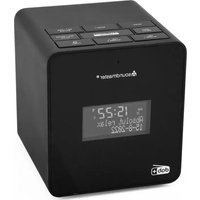
UR109 - Alarm Clock Soundmaster - Free user manual and instructions
Find the device manual for free UR109 Soundmaster in PDF.

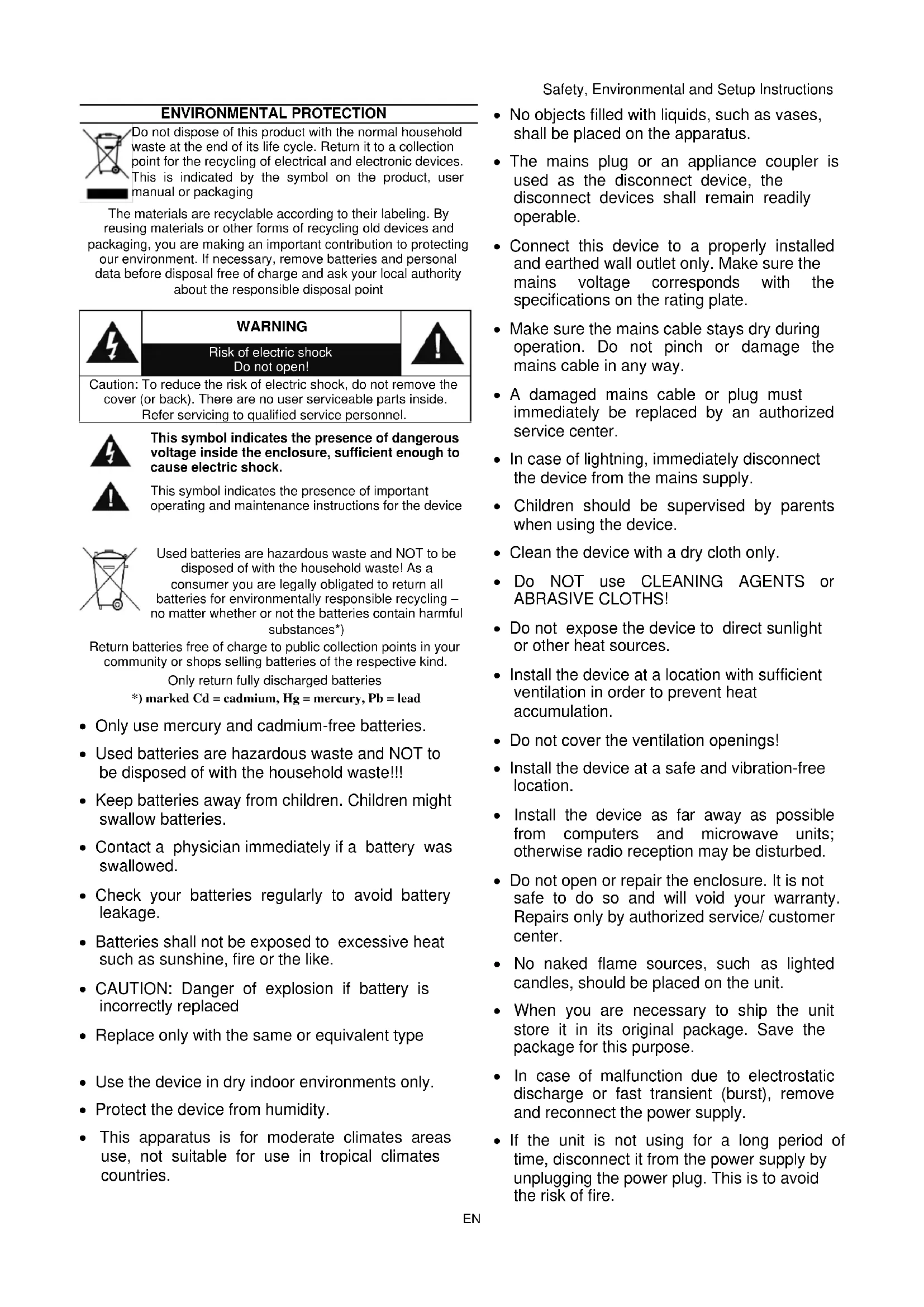


| Product type | DAB+/FM clock radio |
| Brand | Soundmaster |
| Model | UR109 |
| Power supply | Included 5V DC mains adapter |
| Approx. dimensions | 20 x 15 x 10 cm |
| Approx. weight | 0.5 kg |
| Radio bands | DAB+ (band III), FM (87.5–108 MHz) |
| Number of presets | 30 (DAB or FM) |
| Alarm | Dual alarm with source: Buzzer, microphone recording, DAB, FM |
| Snooze function | 9-minute alarm repeat |
| Sleep timer | Yes, adjustable |
| Brightness dimmer | 3 levels |
| Auxiliary input | 3.5 mm jack socket |
| USB charging port | Yes, for charging external devices |
| Built-in voice recording | Yes, via built-in condenser microphone |
| Display | LCD screen with backlight |
| Clock setting | Automatic via DAB+; manual possible |
| Maintenance | Clean with a soft dry cloth. Do not use abrasive products. |
| Safety | Do not open the device (risk of electric shock). Entrust any repairs to qualified personnel. |
| Batteries | Do not use batteries; the device operates only on mains power. Used batteries must be recycled. |
| Reparability | Repair only by an authorized center. Any opening voids the warranty. |
| Package contents | Clock radio, mains adapter, instruction manual |
Frequently Asked Questions - UR109 Soundmaster
User questions about UR109 Soundmaster
0 question about this device. Answer the ones you know or ask your own.
Ask a new question about this device
Download the instructions for your Alarm Clock in PDF format for free! Find your manual UR109 - Soundmaster and take your electronic device back in hand. On this page are published all the documents necessary for the use of your device. UR109 by Soundmaster.
USER MANUAL UR109 Soundmaster
DEUTSCH
ENGLISH
FRANÇAIS
ITALIANO
NEDERLANDS
ČEŠTINA
SLOVENSKÝ
[DRC] DRC (Dynamic Range Compression)
Do not dispose of this product with the normal household waste at the end of its life cycle. Return it to a collection point for the recycling of electrical and electronic devices. This is indicated by the symbol on the product, user manual or packaging
The materials are recyclable according to their labeling. By reusing materials or other forms of recycling old devices and packaging, you are making an important contribution to protecting our environment. If necessary, remove batteries and personal data before disposal free of charge and ask your local authority about the responsible disposal point
![Soundmaster UR109 - [DRC] DRC (Dynamic Range Compression) - 1](/content/2026/04/639375/images/89f06721f1f917c15e428bf0528bfe5a30758ab7eb9ed686af62c53580bcce9a.jpg)
WARNING
Risk of electric shock Do not open!

Caution: To reduce the risk of electric shock, do not remove the cover (or back). There are no user serviceable parts inside. Refer servicing to qualified service personnel.

This symbol indicates the presence of dangerous voltage inside the enclosure, sufficient enough to cause electric shock.

This symbol indicates the presence of important operating and maintenance instructions for the device

Used batteries are hazardous waste and NOT to be disposed of with the household waste! As a consumer you are legally obligated to return all batteries for environmentally responsible recycling – no matter whether or not the batteries contain harmful substances*)
Return batteries free of charge to public collection points in your community or shops selling batteries of the respective kind.
Only return fully discharged batteries
*) marked Cd = cadmium, Hg = mercury, Pb = lead
- Only use mercury and cadmium-free batteries.
- Used batteries are hazardous waste and NOT to be disposed of with the household waste!!!
- Keep batteries away from children. Children might swallow batteries.
- Contact a physician immediately if a battery was swallowed.
- Check your batteries regularly to avoid battery leakage.
- Batteries shall not be exposed to excessive heat such as sunshine, fire or the like.
- CAUTION: Danger of explosion if battery is incorrectly replaced
- Replace only with the same or equivalent type
- Use the device in dry indoor environments only.
- Protect the device from humidity.
- This apparatus is for moderate climates areas use, not suitable for use in tropical climates countries.
Safety, Environmental and Setup Instructions
- No objects filled with liquids, such as vases, shall be placed on the apparatus.
- The mains plug or an appliance coupler is used as the disconnect device, the disconnect devices shall remain readily operable.
- Connect this device to a properly installed and earthed wall outlet only. Make sure the mains voltage corresponds with the specifications on the rating plate.
- Make sure the mains cable stays dry during operation. Do not pinch or damage the mains cable in any way.
- A damaged mains cable or plug must immediately be replaced by an authorized service center.
- In case of lightning, immediately disconnect the device from the mains supply.
- Children should be supervised by parents when using the device.
- Clean the device with a dry cloth only.
- Do NOT use CLEANING AGENTS or ABRASIVE CLOTHS!
- Do not expose the device to direct sunlight or other heat sources.
- Install the device at a location with sufficient ventilation in order to prevent heat accumulation.
- Do not cover the ventilation openings!
- Install the device at a safe and vibration-free location.
- Install the device as far away as possible from computers and microwave units; otherwise radio reception may be disturbed.
- Do not open or repair the enclosure. It is not safe to do so and will void your warranty. Repairs only by authorized service/ customer center.
- No naked flame sources, such as lighted candles, should be placed on the unit.
- When you are necessary to ship the unit store it in its original package. Save the package for this purpose.
- In case of malfunction due to electrostatic discharge or fast transient (burst), remove and reconnect the power supply.
- If the unit is not using for a long period of time, disconnect it from the power supply by unplugging the power plug. This is to avoid the risk of fire.
LOCATION OF CONTROLS
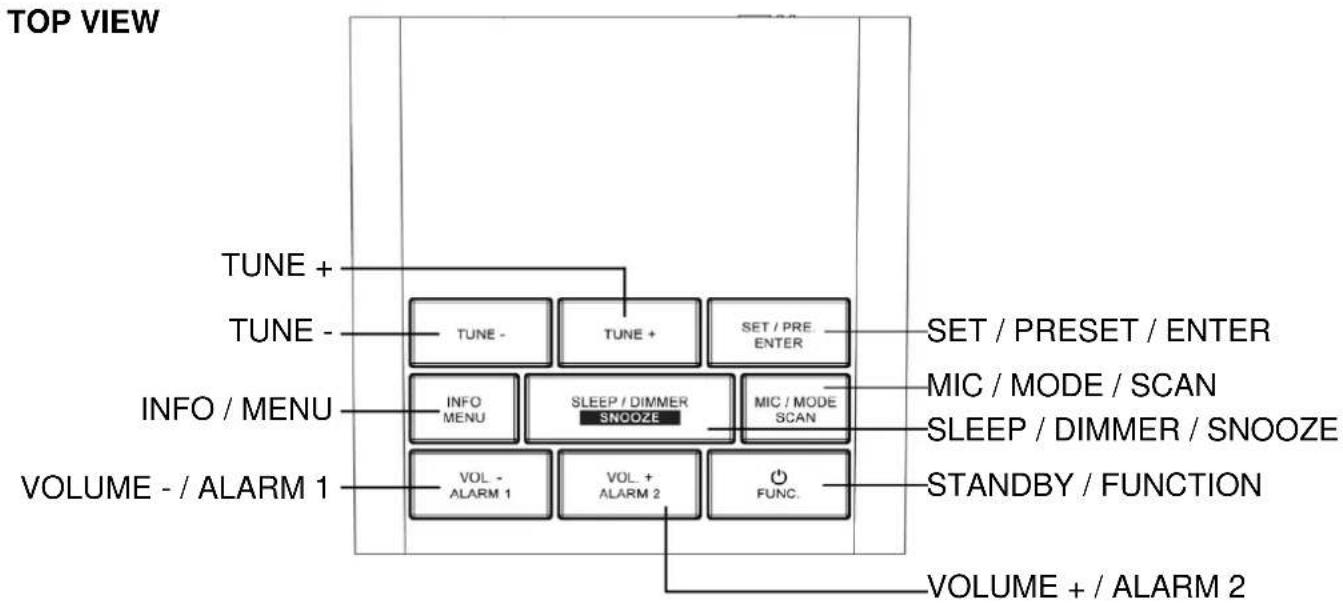
flowchart
graph TD
    A["TUNE +"] --> B["TUNE -"]
    B --> C["INFO MENU"]
    C --> D["VOLUME - / ALARM 1"]
    D --> E["TUNE +"]
    E --> F["TUNE -"]
    F --> G["SLEEP / DIMMER SNOOZE"]
    G --> H["SET / PRE. ENTER"]
    H --> I["SET / PRESET / ENTER"]
    G --> J["MIC / MODE / SCAN"]
    G --> K["SLEEP / DIMMER / SNOOZE"]
    G --> L["MIC / MODE SCAN"]
    G --> M["STANDBY / FUNCTION"]
    M --> N["FUNC."]
    N --> O["VOLUME + / ALARM 2"]
FRONT VIEW BACK VIEW

INSTALLATION
CONTENT OF DELIVERY
Main unit
AC adapter
Instruction manual
Before use remove the protective film from the display if it is still present.
POWER SUPPLY
Use only the supplied AC adaptor!
➢ Ensure that the voltage is the same as that indicated on the ac adapter identification plate.
Connect the supplied AC adapter to a properly installed safety power socket and the plug of the cable into the DC IN jack at the back side of the unit.
BASIC OPERATIONS
POWER ON / OFF
Press the "STANDBY / FUNCTION" button to turn on the device.
Press and hold the "STANDBY / FUNCTION" button to switch into the standby mode.
SELECTING MODES
Press the "STANDBY / FUNCTION" button shortly to switch between the modes: DAB / FM / AUX-IN.
ADJUSTING VOLUME
The volume can be easily controlled by pressing "VOL - / ALARM 1" or "VOL + / ALARM 2" button.
CLOCK SETTING
Clock will be automatically set by DAB signal; in case no DAB signal is available manual clock setting is described under SYSTEM MENU
DAB
Extend the antenna to improve DAB signal reception!
- Select the DAB mode with the "STANDBY / FUNCTION" button, until "DAB" is shown in the display.
- At the first switch on, the radio will automatically do a full scan of DAB+ stations.
- The list of stations is stored in alphabetical order. The first available station will be played and the clock automatically set.
- To explore the found stations, press "TUNE -" or "TUNE +" to select the desired radio station and confirm with "SET / PRE. ENTER".
NOTE:
If there is no DAB+ reception at any time, change the position of the unit or adjust the antenna. Press and hold the "MIC / MODE / SCAN" button for approx. 3 seconds to start a new search.
STORE PRESET STATIONS
In either DAB or FM, you can store up to 30 of your favorite stations to the memory.
- Choose the desired station.
- Press the "MIC / MODE / SCAN" button. The display show "Preset Store" in the first line. In the second line, the display shows the preset number and the actual station name / frequency. If no radio station is stored at the place, the display show
. - Press the "TUNE -" or "TUNE +" button to choose the preset station. Press the "SET / PRESET / ENTER" button to confirm. The display show "Preset X stored" (X = station number).
- Repeat steps 1 -3 for further station storing
To change an already stored preset station, repeat steps 1-3 above, this will allow you to overwrite an already stored station.
RECALL STORED PRESET STATIONS
- Once all the stations were preset, press the "SET / PRE. / ENTER" button and navigate with "TUNE -" or "TUNE +" button to search for the desired preset station.
- Press the "SET / PRE. / ENTER" button to confirm and listen to your desired radio stations.
DAB DISPLAY INFORMATION
Press the "INFO / MENU" button repeatedly to show the DAB information's.
(DLS; Signal Level; PTY; Station Name; Channel/Frequency; Errorr rate; Data rate; Time; Date)
DAB MENU
- Press and hold the "INFO / MENU" button to access DAB menu.
- Use "TUNE -" or "TUNE +" button to choose the menu options
To select an option, press "SET / PRE. / ENTER" button to confirm.
(Repeat steps 2-3 if sub-option is available under one option)
[Full scan] The radio will automatically perform a full scan of DAB+ stations.
[Manual tune] Use "TUNE -" or "TUNE +" button to select a frequency. Press "SET / PRE. / ENTER" button to confirm.
[DRC] Dynamic Range Control removes or adds the degree of adaptation, required for the differences in dynamic range between stations.
Use "TUNE -" or "TUNE +" button to select an option. Press "SET / PRE. / ENTER" button to confirm. Following options are available on the display:
- DRC off: DRC is turned off.
- DRC high: DRC turned on; default setting recommended for noisy environments.
- DRC low: DRC is set to half the normal level.
[Prune] It may be that you can no longer receive some stations after a station scan or change of location. With this function you can delete these stations from the reception list.
Use "TUNE -" or "TUNE +" button to select [Yes] or [No], then press "SET / PRE. / ENTER"" button to confirm.
[System] See at point "System menu"
FM
Extend the antenna to improve FM signal reception!
- Repeatedly press the "STANDBY / FUNCTION" button, until "FM" is shown in the display.
- There are two options to search for and preset radio stations.
AUTOMATIC SCAN & STORAGE
Important! Any preset radio stations will be overridden.
Press and hold the "MIC / MODE / SCAN" button for approx.3 seconds. The system scans the entire frequency band for radio stations. Any stations found will be preset from lowest to highest frequency.
Once all the stations were preset, press the "SET / PRE. / ENTER" button until you see memory sequence number. Use "TUNE -" or "TUNE +" button to search for the desired preset station.
AUTOMATIC TUNING THE FM FREQUENCY
-
Press and hold the "TUNE -" or "TUNE +" button to start a station scan.
-
The scan stops once the first receivable station is located.
MANUAL TUNE THE FM FREQUENCY
Briefly press the "TUNE -" or "TUNE +" button to search for a station in 0.05 MHz steps.
STORE / RECALL PRESET STATIONS
Is the same as in DAB mode.
FM RDS DISPLAY INFORMATION
Press the "INFO / MENU" button repeatedly to show the FM-RDS information's.
(Radio text; PTY; Station name; Time; Date; Weekday)
FM MENU
- In FM mode, press and hold the "INFO / MENU" button to access FM menu.
- Press the "TUNE -" or "TUNE +" button to choose the following FM menus:
[Scan setting] / [System]
To select an option, press the "SET / PRE. / ENTER" button to confirm.
Repeat steps 2-3 if sub-option is available under one option.
[Scan setting] Select the desired option for automatic station search.
- All stations: Search for all stations that can be received. In this case, station search also stops for weak stations.
• Strong stations only: Only strong stations are searched.
[System] See at point "System menu"
MIC RECORDING FOR ALARM MODE (REC MIC)
- Repeatedly press the "STANDBY / FUNCTION" button, until "Enter Aux" is shown in the display.
- Press and hold the "MIC / MODE / SCAN" button to start the recording, the display will show "REC MIC...".
Press the "MIC / MODE / SCAN" button again to stop the recording, the display will show "END RECORDING".
Now you can use your recorded voice as an alarm source
You can press the "MIC / MODE / SCAN" button to play the recorded voice, the display will show "REC PlayBack".
ALARM
The system must be in standby mode in order to set the alarm.
- Activate alarm setting mode: Press and hold the "VOL - / ALARM 1" button.
The display will show the Alarm logo.
Press the "VOL - / ALARM 1" button to confirm.
- The hours of the currently set alarm time will start to flash.
Use "TUNE -" or "TUNE +" button to set the hour.
Press the "VOL - / ALARM 1" button to confirm.
The minute indicator starts blinking.
Use "TUNE -" or "TUNE +" button to set the minutes.
Press the "VOL - / ALARM 1" button to confirm.
- Use "TUNE -" or "TUNE +" button to set the Duration.
Press the "VOL - / ALARM 1" button to confirm.
-
You can use "TUNE -" or "TUNE +" button to choose one of the Alarm modes: BUZZER / REC MIC / DAB / FM.
-
Press the "VOL - / ALARM 1" button to confirm.
Use "TUNE -" or "TUNE +" button to choose the channel and press the "VOL - / ALARM 1" button to confirm. (Only available in DAB & FM Alarm mode.)
- Use "TUNE -" or "TUNE +" button to choose one of the Alarm settings:
Daily / Once / Weekends / Weekdays Press the "VOL - / ALARM 1" button to confirm.
- Use "TUNE -" or "TUNE +" button to set the Alarm volume.
Press the "VOL - / ALARM 1" button to confirm.
The alarm clock is now set and active, the alarm symbol in the display lights up.
You will be woken up at the set time with the selected source.
To set the second alarm time, repeat each of the above steps with the "VOL + / ALARM 2" button instead of the "VOL - / ALARM 1"
ACTIVATE / DEACTIVATE THE ALARM
In standby, press the "VOL - / ALARM 1" or "VOL + / ALARM 2" button to switch the alarm enable or disable; when the alarm is disabled, the associated alarm logo disappears.
SNOOZE
The automatically set alarm function can be switched off for 9 minutes with the "SLEEP / DIMMER / SNOOZE" button.
STOP THE ALARM
Press the "STANDBY / FUNCTION" button during the alarm to end the alarm function.
SLEEP
Press and hold the "SLEEP / DIMMER / SNOOZE" button to enter the sleep function. Repeatedly press the "SLEEP / DIMMER / SNOOZE" button to adjust the sleep timer.
DIMMER
In standby or ON mode, press the "SNOOZE / SLEEP / DIMMER" button to adjust the brightness (3 levels) of the display.
AUX IN
Via this socket you can also hear the sound of other playback devices such as MP3 players, CD players etc. through the loudspeakers.
- Please connect the external device with a 3.5 mm stereo jack plug to the AUX-IN socket.
- Repeatedly press the "STANDBY / FUNCTION" button, until "Enter Aux" is shown in the display.
- You will hear the sound playback from the external device through the loudspeakers. You may adjust the volume with "VOL - / ALARM 1" or "VOL + / ALARM 2" button.
- For the remaining procedure please see the operating instructions of the external sound source.
NOTE: Adjust the volume of the external device to a comfortable level.
CHARGING EXTERNAL DEVICES
Connect an external device (e.g. smartphone, mp3 player) via a USB cable (not provided) to the USB charging port on the back of the radio for charging. The radio cannot access the contents in the connected external device.
SYSTEM MENU
- In DAB or FM mode, press and hold the "INFO / MENU" button to access the system menu.
- Press the "TUNE -" or "TUNE +" button to choose the following options:
NOTE : Pls. use for adjusting "TUNE -" or "TUNE +" buttons and for confirm and go ahead the "SET / PRE. ENTER" button.
[Time] You can set the following options
- Set Time / Date
- Auto update
- Set 12 / 24 hour
- Set date format
- Summer time
[Language] You can choose your desired language.
[Factory Reset] You can reset the unit to default setting.
[SW version] You can see the current SW version of the unit
PROTECTION DE L'ENVIRONNEMENT

[Scan setting]/[System]
DAB-INFORMATIE WEERGEVEN
FM RDS-INFORMATIE WEERGEVEN
INFORMACE DAB NA DISPLEJI
INFORMACE FM RDS NA DISPLEJI
MANUÁLNE NALADENIE FREKVENCIE FM
INFORMÁCIE FM RDS NA DISPLEJI
D 90556 Cadolzburg, Germany
Hereby, Wörlein GmbH declares that this device is in compliance with the essential requirements and other relevant provisions of Directive 2014/53/EU.
A copy of the declaration of conformity can be obtained from the above address.




- [DRC] DRC (Dynamic Range Compression)
- WARNING
- Risk of electric shock Do not open!
- LOCATION OF CONTROLS
- INSTALLATION
- CONTENT OF DELIVERY
- POWER SUPPLY
- BASIC OPERATIONS
- POWER ON / OFF
- SELECTING MODES
- ADJUSTING VOLUME
- CLOCK SETTING
- DAB
- STORE PRESET STATIONS
- RECALL STORED PRESET STATIONS
- DAB DISPLAY INFORMATION
- DAB MENU
- FM
- AUTOMATIC SCAN & STORAGE
- AUTOMATIC TUNING THE FM FREQUENCY
- MANUAL TUNE THE FM FREQUENCY
- STORE / RECALL PRESET STATIONS
- FM RDS DISPLAY INFORMATION
- FM MENU
- MIC RECORDING FOR ALARM MODE (REC MIC)
- ALARM
- The system must be in standby mode in order to set the alarm.
- ACTIVATE / DEACTIVATE THE ALARM
- SNOOZE
- STOP THE ALARM
- SLEEP
- DIMMER
- AUX IN
- CHARGING EXTERNAL DEVICES
- SYSTEM MENU
- PROTECTION DE L'ENVIRONNEMENT
- DAB-INFORMATIE WEERGEVEN
- FM RDS-INFORMATIE WEERGEVEN
- INFORMACE DAB NA DISPLEJI
- INFORMACE FM RDS NA DISPLEJI
- MANUÁLNE NALADENIE FREKVENCIE FM
- INFORMÁCIE FM RDS NA DISPLEJI
Brand : Soundmaster
Model : UR109
Category : Alarm Clock