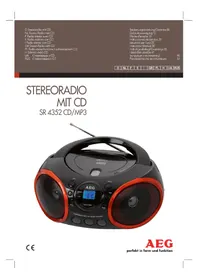
SR 4352 CDMP3 - Radio AEG - Free user manual and instructions
Find the device manual for free SR 4352 CDMP3 AEG in PDF.


| Product type | Stereo radio with CD/MP3 player |
| Brand | AEG |
| Model | SR 4352 CDMP3 |
| Net weight | 1.39 kg |
| Mains power | AC 230 V ~ 50 Hz |
| Battery power | 6 x 1.5 V, type C/R14 |
| Power consumption | 13 W |
| FM radio frequency ranges | 88 – 108.0 MHz |
| AM radio frequency ranges | 540 – 1600 kHz |
| Protection class | II |
| Laser type | Class 1 |
| Main functions | FM stereo / AM radio, CD audio and MP3 player, AUX input, playback programming, repeat and shuffle modes |
| Antenna | Telescopic antenna for FM, built-in antenna for AM |
| Display | LCD screen |
| AUX IN socket | 3.5 mm stereo jack connector |
| Maintenance and cleaning | Disconnect before cleaning; wipe with a slightly damp cloth without additives |
| Safety | Do not expose to moisture; do not open the casing; automatic shut-off after 15 min without signal |
Frequently Asked Questions - SR 4352 CDMP3 AEG
User questions about SR 4352 CDMP3 AEG
0 question about this device. Answer the ones you know or ask your own.
Ask a new question about this device
Download the instructions for your Radio in PDF format for free! Find your manual SR 4352 CDMP3 - AEG and take your electronic device back in hand. On this page are published all the documents necessary for the use of your device. SR 4352 CDMP3 by AEG.
USER MANUAL SR 4352 CDMP3 AEG
GB Stereo Radio with CD
Overview of the Components.. 3
Instruction Manual.. Page 30
Technical Data.. Page 34
Disposal . Page 34
Język polski
Spis tresci
Przegladelementow oblsugi Strona 3
It's quite easy to see that the two types of games are not necessarily different. In fact, they are very similar.
VHF (Stereo) = FM.ST, Middengolf = AM (Mono)
Gama de frequencies: FM 88 ~ 108,0 MHz
AM540\~1600KHz
VHF (Stereo) = FM.ST, Onda Media = AM (Mono)
30 English Instruction Manual
Thank you for choosing our product. We hope you enjoy using the device.
Symbols in these Instructions for Use
Important information for your safety is specially marked. It is essential to comply with these instructions in order to avoid accidents and prevent damage to the machine:
WARNING: This warns you of dangers to your health and indicates possible injury risks.
CAUTION: This refers to possible hazards to the machine or other objects.
NOTE: This highlights tips and information.
General Safety Instructions
Read the operating instructions carefully before putting the appliance into operation and keep the instructions including the warranty, the receipt and, if possible, the box with the internal packing. If you give this device to other people, please also pass on the operating instructions.
- To avoid the risk of fire or electric shock, you should not expose the device to rain or humidity. Do not use the device near water (e.g. bathroom, swimming pool, humid cellars).
- Do not use the unit in extremely hot, cold, dusty, or damp places.
The unit is designed solely for private use and its intended purpose. This unit is not designed for commercial use. - Make sure that the power cable is not bent, pinched, or comes into contact with heat sources.
- Make sure that the power cable is not a tripping hazard.
- Never touch the mains plug or the cord with wet hands.
- Always connect the unit to a properly installed plug socket. Be sure the device voltage corresponds to the grid voltage.
- The mains plug must always be easily accessible.
Always install batteries in the correct direction. - Avoid covering the device's vent openings.
- Never cover the vent holes with objects, such as magazines, tablecloths, curtains etc.
- This appliance shall not be exposed to dripping or splashing water and that no object filled with liquids such as vases shall be placed on apparatus.
-
Open sources of fire, such as e.g. burning candles may not be placed onto the unit.
-
Never open the device's case. Improper repairs can cause severe danger to the user. If the device or particularly the power cord is damaged, don't use the device any further and have it repaired by a qualified specialist. Check the power cord regularly for damages.
- To avoid any danger, a damaged power cord must be replaced only by the producer, its customer service or a similarly qualified person with an equal cord.
- If the device won't be used over an extended period of time, disconnect the power cord and remove the batteries.
These symbols may be found on the machine and are intended to indicate the following:
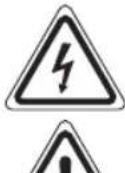
The lightning symbol should advise the user of parts in the inside of the device which carry dangerously high voltage levels.
The symbol with an exclamation mark should advise the user of important operation or maintenance instructions in the accompanying documentation.
Devices bearing this symbol work with a "class 1 laser" for tracing the CD. The built-in safety switches should prevent the user being exposed to dangerous laser light, which is invisible to the human eye, when the CD compartment is opened.
Children and Frail Individuals
- In order to ensure your children's safety, please keep all packaging (plastic bags, boxes, polystyrene etc.) out of their reach.
WARNING!
Caution! Do not allow small children to play with the foil as there is a danger of suffocation!
- This device is not intended to be used by individuals (including children) who have restricted physical, sensory or mental abilities and/or insufficient knowledge and/or experience, unless they are supervised by an individual who is responsible for their safety or have received instructions on how to use the device.
Children should be supervised at all times in order to ensure that they do not play with the device.
Special safety information
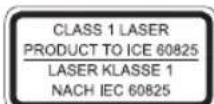
This device works with a class 1 laser.
Overview of the Components
1 Handle
2 Telescopic antenna
3 CD compartment
4 Band selector switch (FM ST / AM)
5 Radio scale
6 TUNING control
7 PUSH OPEN CD tray (open/close)
8 button Play/Pause /deactivate standby)
9 Next button (forward search)
10 FOLD+/+10 button (Skip track/album up)
11 LCD display
12 PROG/P-MODE button (Memory/Repeat/random playback)
13 FM ST. control lamp
14 FOLD-/-10 button (Skip track/album down)
15 ACK button (reverse search)
16 STOP button
17 POWER control lamp
18 VOLUME (volume control)
19 FUNCTION Function selector switch (RADIO / OFF / CD/MP3/AUX)
Reverse (not shown)
AC Mains connection
AUX IN jack (3.5 mm jack plug)
Underside (not shown)
Battery compartment
Intended Use
This device is used for:
The reception of radio programmers
- Playing back audio/MP3 CDs
- Audio reproduction of external audio sources.
It is intended exclusively for this purpose and may only be used as such.
It may only be used in the manner described in these instructions for use. The device must not be used for commercial purposes.
Any other use of this device is considered to be contrary to the intended use and may result in damage to materials or even personal injury.
The firm ETV - Elektro-Technische Vertriebsgesellschaft mbH does not accept any liability for damage caused as a result of the use of this device contrary to its intended use.
Start-up of the device/introduction
- Please read the operating instructions carefully before using the device for the first time!
English
- Select a suitable location for the device, such as a dry, flat, non-slip surface on which it is easy to operate the machine.
- Ensure that the device is sufficiently ventilated!
- Remove the protective film from the display if it is still present.
Power Supply
- Connect the power cable supplied (see battery compartment if necessary) to a properly installed safety power socket and the mains connector AC on the back of the machine.
- Ensure that the voltage is the same as that indicated on the model identification plate.
Inserting the Batteries (not supplied)
- Open the lid of the battery compartment on the bottom.
- Insert 6 batteries of type C/R14 1.5 V. Please ensure that the polarity is correct (see the floor of the battery compartment)!
- If the device is not used for a long period of time, remove the batteries to avoid the spilling of battery acid.
- Then close the battery lid.
NOTE:
When a mains cable is connected the batteries are automatically switched off.

CAUTION:
- Different battery types or new and used batteries must not be used together.
- Batteries are not to be disposed of together with domestic wastes. Disposse of the used batteries at the relevant collection bin or at your dealer's.

WARNING:
Do not expose the batteries to intense heat, such as sunlight, fire or similar. Danger of explosion!
Transport Safety Device, CD Compartment
- Open the CD tray (3) by pressing the PUSH OPEN button (7).
- Before operating the machine for the first time, remove the transport safety device from the CD player if it is still in place.
Volume
The desired volume can be sent using the VOLUME regulator (18).
Switch-off
The machine is switched off when the function selector switch (19) is turned to the OFF position. The POWER (17) control lamp goes off. Unplug the device.
32 English

NOTE:
After approx. 15 minutes without a signal, the device will automatically switch to standby. To use the device again, press the button (8).
AUX IN jack
- Connect the 3.5mm stereo RCA cable to an external audio source. If required, use a suitable adapter (not included).
- Insert the other end of the cable into the AUX-IN jack (Back Side) on the unit.
- Set the function selector switch (19) to the "CD/MP3/AUX" position.
- Start the playback of your audio source. Listen to the sound playback via the speaker.
- For the further procedure, please refer to the user manual of the external audio source.

NOTE:
If possible, adjust the volume of the external unit to a comfortable level.
Listening to the Radio
- Set the function selector switch (19) to the "RADIO" position.
- Select the desired frequency band with the band selector switch (4).
VHF (Stereo) = FM.ST, Medium wave = AM (Mono)
- Tune in the desired station with the station adjustment knob TUNING (6).
- The FM ST. indicator lamp (13) will only be lit, when the station is received in stereo quality. If reception is too weak and there is noise on the station being received, this lamp will flicker.
- For FM mode pull out the telescopic antenna (2) and turn it to improve reception.
- An aerial is integrated into the device for the reception of AM stations. The machine can be aligned to the station by turning it. In this frequency band programs are transmitted in "mono" only.
Playing CDs/MP3
This is how you play a CD
- Turn the function selector switch (19) to the "CD/MP3/AUX".
- Open the CD tray (3) by pressing the PUSH OPEN button (7).
- Insert an audio CD with the printed side facing upwards on to the central cone so that the CD clicks into place and then close the lid of the CD compartment.
- After a few seconds the total number of songs/tracks is shown in the display.

NOTE:
In the case of CDs in MP3 format the number of folders is briefly displayed at first.
- Press the button (8) to restart playback. The CD will play from the first title. The current track and the "CD
"or MP3 message are shown on the display.

NOTE:
With CDs in MP3 format the current track and folder are shown alternately in the display.
- In order to remove a CD, please press the STOP button (16), open the CD compartment and lift the CD out carefully.
Always keep the CD deck closed.
NOTE:
- If a disc is inserted the wrong way, or if no disc is inserted, the message "---" will flash and "NOd" will appear on the display.
- Playback of CDs produced by the user cannot be guaranteed due to the large variety of software and CD media available.
Description of the CD buttons
II/(8)
You can briefly interrupt and resume playback using this button. The symbol"▶” flashes on the display. Pressing again continues playback.
NEXT/BACK(9/15)
When playing an audio CD or a CD in MP3 format:
WithEXT you can jump to the next or previous track etc.
- If the button is kept pressed down, the machine starts to search through the tracks.
The BACK button can be used as follows:
Press once = This jumps back to the previous track.
Press twice = This plays the song before etc. If the button is kept pressed down, the machine starts to search through the tracks.
STOP (16)
The CD stops.
PROG./P-MODE (12)
- In stop mode for programming any order of tracks (see the section on "Programmed Play").
- When playing back music to select the replay mode (see next chapter).
When playing an audio CD:
Press once = (The symbol
flashes) the current track
is repeated continuously.
English
Press twice = (The symbol is lit) the whole CD is played continuously.
Press three times = (RDM appears in the display) all titles are replayed successively in random order.
Press four times = (INTRO appears in the display) every title of the CD is played for 10 seconds each.
Press five times = All functions are cancelled. The normal play mode is resumed.
Only when playing CD's in MP3 format:
Press once = (The symbol flashes) the current track is repeated continuously.
Press twice = The selected folder of the MP3 CD is repeated continuously (FOLDER appears in the display).
Press three times = (The symbol is lit) the whole CD is played continuously.
Press four times = (RDM appears in the display) All titles are replayed successively in random order.
Press five times = The function is deactivated and the CD is played in the normal mode.
FOLD+/+10 and FOLD-/-10 (10/14) (only with MP3 CD's)
-
Press this button during playback to skip forward, or back by 10 titles each (if more than 10 titles are stored on a CD).
-
Keep the button pressed down to select the next or previous folder (if the CD contains several folders).
Programmed Play
This can be used to program any desired sequence of tracks.
- Press the TOP button (16).
- Press the "PROG./P-MODE" button (12). "P01" (preset location) appears on the display and PROG flashes on the display. Use the NEXT/ BACK buttons (9/15) to select the desired track and then press the "PROG./ P-MODE" button again. The display changes to memory slot P02.
- Select the next track with the NEXT/ BACK button and press the "PROG./P-MODE" button again. Repeat the procedure until all the desired tracks are selected.
iNOTE:
Once the storage capacity of the tracks to be programmed has been reached "FUL" flashes in the display.
- Press the button (8). The playback starts. The first selected track number is shown on the display, the message "CD" or "MP3" and PROG is shown on the display.
- Press once the TOP button to stop the playback while retaining the program.
-
To play the programme back again, press the button.
-
To delete the program, press the TOP button twice. The PROG control lamp goes out.
The device stops automatically after all the programmed titles have been played back. The PROG display will go out and the programmed sequence will be deleted from the memory.
Playing back Music in MP3 Format
With this device it is possible to play back pieces of music in MP3 format. The device also supports all standard CD types: CD, CD-RW, CD-R.
This machine of is able to play MP3 CDs. Up to 200 tracks can be compressed and stored on these CDs. Your machine detects an MP3 CD automatically (the total number of tracks and MP3s appears in the display). If you would like to play one of these CDs, proceed as described under "Playing CDs/MP3". Tracks can be programmed as described under "Playing Back Programmed Tracks".
Please note:
There are a number of different recording and compression methods, as well as quality differences between CDs and self-recorded CDs.
Furthermore, the music industry does not adhere to fixed standards (copy protection).
For these reasons it is possible that in rare cases there are problems with the playback of CDs and MP3 CDs. This is not a malfunction of the device.
Cleaning and Maintenance
Always remove the mains plug before cleaning the machine.
- Any marks on the surface can be wiped off with a slightly damp cloth without any additives.
Troubleshooting
| Symptoms Course Solution | ||
| CD can not be played back. | CD is not inserted or inserted incorrectly. | Ensure that the disc is inserted with the label facing upwards. |
| Batteries too weak. | Insert new batteries or operate the device with the mains lead. | |
| CD jumps dur ing playback. | Check the disc for fingerprints, dirt or scratches. | Check the disc for fingerprints, dirt or scratches. |
| Device cannot be operated. | Device crashes and "hangs". | Disconnect the power supply for 5 sec. Then switch the device on again. |

NOTE: Automatic Standby switch
In order to comply with the "ErP 2 (Energy-related Products)" Ecodesign Directive (2009/125/EC) that aims at animproved energy efficiency and general environmental compatibility, the device will automatically switch to standby after a certain amount of time without a signal. To use the device again press the button (8).
Technical Data
Model: SR 4352 CD/MP3
Power supply: AC 230 V~50 Hz
Battery operation: .6 x 1.5 V Type C/R14
Power consumption: 13W
Protection class:
Net weight: 1.39 kg
Radio section: Frequency ranges: FM 88 ~ 108.0 MHz AM 540 ~ 1600 KHz
The right to make technical and design modifications in the course of continuous product development remains reserved.
This device has been tested according to all relevant current CE guidelines, such as electromagnetic compatibility and low voltage directives, and has been constructed in accordance with the latest safety regulations.
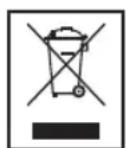
Disposal
Meaning of the "Dustbin" Symbol
Protect our environment: do not dispose of electrical equipment in the domestic waste.
Please return any electrical equipment that you will no longer use to the collection points provided for their disposal.
This helps avoid the potential effects of incorrect disposal on the environment and human health.
This will contribute to the recycling and other forms of reutilisation of electrical and electronic equipment.
Information concerning where the equipment can be disposed of can be obtained from your local authority.
Instrukcja obslugi
18 VOLUME (regulator sily glosu)
CTC Clatronic Sp. z o.o
ACPiKJIIOUeHHeIdoJeEKeTpNHyoI MepeXi
Po3'EM AUX IN (3,5 MM po3'EM)
HmKHa CToPOHa(He NOKa3aHa)
Bidinok nla 6atapei
BnKOpncTaHHa npH3HaueHHaM
Ley npilad Bn3NaHeNo dla
PpHOMy padionporpam
BIDTBOPIOBaHHaayio-daaiiIBHaKOMnAKT DnCKax iDnCKax BΦopMaTI MP3
BIDTBOPEHH3ByaHHBID3OBHIHXJKepeI.
PpnaI npn3Haeyo BKNIOHNO DnI ynx Iinei i Ioro DO3BOJREbCBy BkOpNCTaTIbKn dno O3HaeyHO.
D03BOHReTbcBnKOpNCTaTn npiJaT TILbKn B TaKni cNoci6, AK ue ONcaHO B ui IHcTpkyu. 3a6oPOnReTbcBnKOpNCTaTn npiJaD nA KOMepuiHnI qine.
HII BINBVKOPNCTAHBBaKaIOTBcHeHaJIeXHMIM3a
YkpaIHcbka
Pn3HaeHHaI MoKyTb Pn3BcETN DO NOLKOJKeHHa PnIaNy I HabiTb Do TpaBMaN3My IIOJe.
Φipma ETV-Elektr-Technische Vertriebsgesellschaft mbH/ 36yt eJektpoTeXnHiOi npOdykuTTOB/He Hece BiNIOIdaJIbHOCTI 3a IkoNy, UO BHNKNa BHaCInOk BKNOPcTaHH npNJlady He 3a HaneKHM pni3HaueHHM.
BkIoueHn npuJa/ByBbeHeHH
- Ipeed nepuim BkIIOeHHaMpNJaIy yBaXHO npOH TaIte iHCTpyKJIO 3 ekCnIyatai!
ДягсановкиnpилamyobepiБпрдатндяцboroMicue-умаьутcuya,piBa,He cIn3bka nobepxHЯЯк Bi moKete 3pyHNO kOpNCyBaTnca npinlaqom. - PnIMITb DO yBaN, LIO pNlaMae MaTn IOCTaTHO BEHTN-NaIio!
- RaIIO Ha IINcIIeI npuaNy 6yna 3axncha nIIBka, II cIiBnDaIITN.
3a6e3neueHH eJektpnHm cTpymom
BCTaTBe BnKy Ka6eIIO eNeKToxNbIeHnHa, 1o HaJIeXtNb Do npuNaHy (DnB. BiDInOK Dna 6atapey), y BiINO-BiDHO OblaHaHy 3axNCHMN KOHTaTAMn PO3eTKMy MepeXi nepemHHoro cTpyMy AC ha 3bOpoti npuNaHy.
3BepHITb ybary Ha Te, uo5 Hanpyra B Mepexi BiinobiJaIa daHIM Ha Ta6nuci 3 TexHicHIMn daHIMN BInpo6Hnka npnaady.
YctaHOBHeHHaTapei (BaTapei He BxOJaTb do o6cary noCTaBKn)
BiiKpnIe BiDIOIOk Iy 6aTapeHn 3aHi n cToPOHi npnaNy.
IocTaBTe Ha MicCe 6 BaTapeNOK TnY C/R14 1,5 B.3BepHItb yBaRy Ha npaBnBHy nOJIphNCTb 6BaTapei (DnBnCb HxKHiO CTOpOHy BiDnJky DnA 6BaTapei)!
- RaIIO Bu He BnKOpNCToByeTe npuJaT prBaJIi Yac, BuaJIiB 6aTaapei3 BiDjNky, uOb yHnKHyTN "BNTiKaHH" KNCJOTN.
3akpiTeBjDjinokn76batapei.
I PIMIMITKA.
Kkuo Bn niklouhnte kaebnb do eeneTpomepexki, To KINBHeHH BID baTapeep npinnHbCBA TOMaTHHO.

YBAGA.
- BaTapei pi3Horo TUNy a60 HObi i Bxte 3actocobhi 6batapei HE MOxHa BnKOpNCTOBYBaTN pa3OM.
BaTapei He MoXHa BnKnDaTn B DomaUHe CmITr. PpOcMBOBdATN NcyTI BaTapei Ha CneuiaIbHi NyHKTN 36Oppy He6e3neuHXBixDxOJB A60 NOBepHyTn B Mara3H, De Bn KynJIn npnilad.

NONIEPEDKEHHA.
YHnKaIe BnINBy BnCOkNx TemnepaTyP, HApNKJaI npMoro COHaHOrO IpomHHB, BorHIO ToIoo, Ha BaTapei. IChye He6e3neka Bn6yxy!
Pnpctpi dny 3axncty nporpabauy KOMnakT-dnckib CD npn TpaHcnpTybaHHi
- BiДкриTe loToK ДЯ KOMnakT-DnCKiB (3) HATNCKaHHaM KhoIKN PUSH OPEN (7).
- Ipeep TmHK BKIOHTn npuaIaB, BuaJIITb npucTpiI nn 3axncty CD-nporpaBaHy npu TpaHcnpTyBaHH.
Cun3Byky
KhoIkoVOLUME peryIaTOpOM cIy 3Byky (18) Bu moKeTe o6paTu rHyHicTb, uO Bam noDo6aE7cR.
BukIOueHH
PpIaB BmKHyTo, KJIo KJIaBiHnepeKJIueHHa FyHKLij (19) HaxoDbcBnIOJKeHHi OFF. KoHTpoNbHa lamnoUka POWER (17) norache. PiczIbO BrTARHtB BInKy 3 po3-ETKn eNEKTPOXKNBHeHHA.

NIPMITKA.
3a BiCyTHocTi ciHany 6IbIe 15 xBnInn npinad AToMaTnHNo npeiDe B pexim OiyKyBaHH. Lio6 cKOpNCTyBaTnca npinladom 3HOBy, HATNCHTb KOnKy
Po3'cm AUX IN
1.Пд' endaHTe 3,5-MM ctepeokabeB RCA do 3OBHIuHbOToIxKepea ayioocnHaIy.Якpo notpi6Ho, BIKOPcTObYTe BiIOBIDHm aanTep (He doJaetcb).
2. BCTABTe iHsIn KHeu Ka6eIy po3'em AUX-IN (TnIbHa CTOpOHa) Ha BIpO6i.
3. BctaHObITb nepemikau yHKui (19) y noIoxeHHA "CD/ MP3/AUX".
4. 3aynctitb BiTbOpenHa i3dxpeela 3Byk.3Byk6yde BIBTBOPIOBAtncbYepe3 rHyHOMOBeUb.
5. Пдалш снгтукшуkaite в посику корicitвацу
30ншьогджрета 3ык.

NPMIMITKA.
KUMO MOJINBO, BCTAHOBITb NOTPI6HNI pIBeHb rYHOCTi Ha 3OBHIHHbOMy pIcTpoi.
Cnyxanhpaio
- BctaHObitb nepemkauch yHKui (19) y noJoxeHHA "RADIO".
- Bùbèpiǐt bòntpiδHni diānà30h yáctOT 3a dōnOMoTIO nēpěmɪkau àdiānà30hɪB (4). DBY (ctepeo) = FM.ST, Cēpeŋdi xBnli = AM (MonC
-
Pernylantopom TUNING (6) BCTaHOBiB paIOcTaHciIO, LIO Bu xOyeTe cnYxATn.
-
IndkaTop FM ST. (13) 6yde cbitntnc, koni cnHan CTaHpi npnMaetbC B pexnmi Ctepeo. Kaio npinom Hectaibn i 3Byk nepedayi paioctanii Mae nepeko- nn, lamnoKa Mrae.
4.При приимо радionepeан в дялэои FMВТЯнгптse leckоиHy aHTeHy (2) i obepHITb II habkoLo Oci DekeJbka pa3iB dnia nokpaueHHra pniOmy.
5.Длприomy paioctaui B diana30Hi AM b npinadi iHTerpoBaHa aHTeHa.Bn moKeTe o6eptaTn npinad Habkpyr OCI i TAKIM YHOM WyKaTN ONTImaIbHNI pIniHOM paioxbuB. B cybomy diana30Hi nepeaHi BeDyTBcR TIlkN B peKmMoHO 3ByKy.
- RaKIO DnCK BCTaBHeHO He npabunbHO a6o Ioro 30BCIM He BCTaBHeHO, Ha ekpaH i6yIe MInOTITN NOiDOMJIeHHA "---" a6o 3'ABNTbC HAnc "NOd".
B 3b'3ky 3 BeIkoIO kIbKICTHO fOpMaTIB KOMnAKT DnCKiB i IInx npOrpamHnx npOdykTIB nporpaBaHHa Ycix fOpMaTIB He Moke 6yTu rapaHToBaHM.
Onnc kJIaBiuB CD
11/(8)
BIMOXKETIINHHTN BIDTBOPOBAHHa KOPOTKn Yac i NOTIM NOHOBTNU NOrO. Ha dncJIeI 6JIMATIME CMMBOJ
LLe OJHe HATNCKyBaHHKJIaBIIaI npOIOBXyE BiITbOpIOBaHH 3 TOROMICUHAJKOMYBOHO6yNo3yINHeHO.
NEXT/ACK(9/15)
IiucBjTBOpEHnayDIOKOMNaKT-DNCKIBaO KOMNaKT- DnCKIByΦopMaTI MP3:
ФИHкIJeIO NIXT Bn MoKTe NepeiTN Do HAcTyNHoro TBOPY a6o Do KOxHOrO 3 noJaIbIuX.
KuO Bu ytpmye Te KlaibHaTnchytm,To ce iHIOe Nooyk My3kajbHx TBOpIB.
MIMOXXETBEVKOPNCTaTNKJIaBIIiBACKTakIMHINOM
1xHaTnCKyBaHHra = IepexiD,do nonpeHbOro TBopy.
2xHaTnCKyBaHHra = NepexiDIO TBOpY, 10 nepeIyE no- nepeHbomy i T.i. RaIcO Bn yTpmyeTe ue KlaBiiB H aHTnCHyOMy CTaHi, TO Ie iHIJIIOE NOwIK OKpEMNX TBOpIB.
STOP (16)
1xHaTnCKyBaHHa=(PiO3NaKcMroTntb)AkTyalbHn TBipIOCTiHoNOBTOPOETbC.
2xHaTnCKyBaHHa = TbOpn 3 o6paHoro foAunIy fOpMaTy MP3 noBToPioTObca nOCTiHo (HaDnCnnne iNoBnAeTBcra HAnic FOLLDER).
YkpaIHcbka
3xHaTnCKyBaHHa=(PiO3HaK a CHTbCa NoCTiHo) KomnakT DnCK NOBTOPOETbCA NoCTiHo NOBHicTIO.
4xHaTnCKyBaHHa = (HaekpaH3'ABITbCRA RM) yci KOMno- 3nii BiITBOPIOJBc OJHa 3a OJHOU y DOIBNbHOMY NOPAky.
5XHaTNCyBaHHA= ΦyHKU BIDMiHReTbCRI KOMNaKT DnCKI pOporpaIObCBA HOpMaJIbHOMy peKIMi.
FOLD+/+10 i FOLD-/-10 (10/14) (Tilbkn IJI KOMnAKT-DNCKIB y φopmati MP3)
HaTnChiTb 10KHOknyiacBtBOpEHn,106nepeuNtIN Bnpepeafo H3aH a10 KOMno3nui (3a HaBBHOCTi 6JIbwe 10 KOMno3nui HA KOMNAKT-DnCKy).
- YtpmmyTe HaTnCHyTOI KHOIky, LIO6 BnBpaTI NaCTynHy abo nonepaHIO nanky (3a HABHocTi KINbKOx nanok Ha KOMnAKT-DnCKy).
OuHHe iTexHicHe o6cIyroByBaHH
- Парад очишенил пида витаянгпь влку 3 розтkn eелкtripuhoМерекi.
-ПламнHa nobepxhi npnlaMyoKha BuaHITN 3nerKa BOIoroIO TkaHHOHO,6e3doaTkoBmMIOOHx 3acOIB.
YcyHeHHa HeDolikib
Yka3bBaet Ha BO3MOxHHyIO ONaCHOCTb INIIN3eJIIMN INDpyTNX OKpyKaIOUnx INpeDMeTOB.
IINPIMEYAHNIA:
JaetcoBebuHOpMaIIO.
I P N I M E Y A H N I:
Ecnn Dnck BcTaBHeH HePpAbNbHo, IIn6o Dnck OTCytCTByET, HaDnCnIe HauHET MmTaB CoO6uHne "---" n "NOd".
- I3-3a orpomHoro YnCna pa3nHoro nporpaMMHoro 0eocneueHHN IOCTyINbIX HOCNTeJIe (YNCbIX DnCKOB CD) He rapaHTnpyETcB OBCPON3BeJeHne DnCKOB CD, 3aIncAHbIX CAMM NOJb3OBAteJIem.
Onncanme KhoNOKdA CD
II/(8)
Moxho KpaTkoBpeMeHHo npepBaTn BO3o6HOBnTB BOCnpOu3BeHHe C nOMouBIO 3Toi KHOnKn. Ha dncnnee mraet cMbON "HaXMMTe CHOBa, YTObI npoJxNtB BOCnpOu3BeHHe.
NEXT/BACK(9/15)
PnBocpOu3BeHnn audio CD nn ncka CD B fopMaTe MP3:
C nomoubNEXTMOxHO nepeeTN Ha cneDyUOuyo nnnpdeBdyuO 3aHnCb N T.D.
- Ecnnyydepxmbatb KhoNky HaxaToi, npu6op HaHnet noNCK NO 3aINcM.
KhONkaBACKncnoJb3yeTc TaK:
OndokpatHoe HataHe = nepexoHa3aK npdeBdyuue 3anucn.
Двоиhoeнхатne = BOCPOnI3BcEHeHne npeIbIyUeien 3aIncn n T.D. Ecnn Jx e KhONka yIepKINBaETCn HaxaToi, np6op HauHaeT NOIC N O 3aIncam.
STOP (16)
OctaHabJnBaetDnck CD.
PROG./P-MODE (12)
Bpejme octaHOBKn cnyknt nIpyoPpMMPOBaHn BOCnpOu3BeDeHn 3aIncE B LIObOM npAKe (cm. pa3- den "IporpaMMPOBaHHoe BOCnpOu3BeHeNe")
- PnBocpon3BeDenMy3bIKnIaBb6opapeKIma NOBTOpa BOCpon3BeDenHn (CM. cJeNyUoN pa3deJ).
PnBocnpon3BeJeHm audio CD:
OndokpatHoe HaxaTne = (MIRae TCMBOJ THepepbIBHO BOCPON3BOIDTCRA TEKylaa 3aPiNCb.
ДВОИhoe HaxkaTne = (ropnt CnMBOJ) HeHIOBpIIBHO BOCPON3BOJNTCBAECbNCK CD.
Haxmte Tpu p3a = (Ha nncnnee noBtca RDM) BCE 3aIncn BOCPON3BOJrTcN oCNeIOBaTeJIbHO B CInyauHOM npAKe.
HaxMMTe YeTbipe pa3a = (ha dncnnee noBntcA INTRO) KaKdA 3aInCb dNcKa CD BocnpOn3BODNTcNo 10 cekyH.
HaxmTe nTb pa3 = BCE cyHKUIN OTMeHHIOCTc. Bo3-OBHOBJIaRETCg OBiHbI peKIM BOCIpON3BeDEHnA.
Tolbo npn BOCpon3BeHnn nnckOB CD b opMaTe MP3: Ondokpathoe Haxatne = (ropnt CmB0J THepepbIBHO BOCpon3BOJNTCR BeCb nck CD.
Двоиhoeнжкатe = HenpepbIBHO BOCPON3BOJNTCBAbIpaHnA npanKa Ha duNcke MP3CD (Ha ducnnee noka3aHo FOLDER).
HaxmTe Tpu p3a = (ropnt CnMBOJ) HcnppbIBHO BOCPON3BOJNTCA BEcb nck CD.
Haxmnte yeTbipe pa3a = (Ha nucnlee noBvTCra RDM) BCE 3aIncn BOCPON3BOJrTCra nocJeIOBaTeJIbHO B CnyaHOM npAKe.
HaxmTe nTb pa3 = yHKnIaekTbUpyeTcN IINCK CD Bocnpo3BOJNTcB O6bYHOM peKIMe.
FOLD+/+10 n FOLD-/-10 (10/14) (TOJIbKO,ДЛА ДИСКOB MP3 CD)
Haxmnte 3ty KhoNky BO BpeM BAocnpoun3BeHeHnA I nponycka Bnepei nIi Ha3ad Ha 10 zanicei (ecnn6oJee 10 zanicei coxpaheNo haDncke CD).
- YdepknBaIte KhoNky HaxaToI nIy BbIbopa CneIyUoIe nnI npEbnIyUeI npKn (ecIn IuCK CD coepKnt HeckOJIbKO npAnok).
PporpamMnpoBaHHoe BocnpOn3BedeHne
Moxho nporpaMMPOBaTb JIO6yIO HxKHyIO NOcJeIOBaTeJIb-HOCTb 3aNcei.
- Haxmte knabniy STOP(16).
- Haxmnte KlaBnuy "PROG./P-MODE" (12). Ha dincnilne noBnTcR P01" (coxpaHReMa nO3nUra) n 3AmrAeT INdkaunr PROG. NcnoIb3yIte KhoNkN NEXT BACK (9/15) nIa Bb6opa HyXHo 3aPiCn, 3aTeM cHOba Haxmnte KhoNky "PROG./P-MODE". Ha dincnilee n3- MeHInTC MeTo B namTu Ha P02.
- BbIbepnte cIeIyIOUy 3aIncB KIaNbIwEe NEXT/ BACKn ChOBa HaxMITE KJIaBUNy "PROG./P-MODE".NoBTOpRte 3Tu npOeDpyy Do BbIbopa BCex Heo6xOdImbIX 3aIncEi.
ITPIMMEAHNIA:
Iocne 3aOpJIHeHn IpoPpAMMpyEmbIMn 3aIINcAMMecTa xpaHnHa DmCIIe 6yET MfraTb HaIINCb"FUL".
-
HaxMMTE KlaBnUy II/UHaunHeTc BOCpOIm3BeDeHne. Ha dncnnee noka3bBAIOCTc HmOp nepBOB Bb6paHHo 3aIncn, coo6uHene "CD"nn "MP3 PROG.
-
OdnH pa3 HaxMMTE KJIaBNIUy STOP, YTO6bI OCTaHOBTb BOCnPOUN3BeDeHne, He npepbIbaI nporpAMMy.
6.ДлпnpoДоЛженьВОсрpon3БeDEниЗарогаммpoBaHHH NOcJIeNOBaTeNbHOCTN HaxMITE KONKY
7.Дla ydaJIeHnI nporpaMMbI DBaJbI haxMITE KnaBnU STOP.KoHTpoBHaJaMaMIOuKa PROG BbIKIOHITcR.
YcTPOINCTBOOCTAHOBITCABTOMaTHUeCKN NocJe BOCnpon3-BeHnBCEx 3anpoPamMmPoBaHHbIX 3aIncei. OTo6paKeHne PROG npekpATITcA, a 3anpoPamMmPoBaHHaNocJeDoBaTeIbHocTb 6yET ydaHeHa n3 naMTn.
Bocnpon3BeHne My3bIKN B φopMaTe MP3
JaHHoe yCTpoiCtBO oBecneYHBAET BOCpOn3BeDeHHe My3bKn BΦoMpAte MP3. YCTpoiCtBO TaKKe NOpDepXHBAe TBCeCTaHApTHe Tnbl DnCKOB CD:CD-RW,CD-R.
JaHHbI np6Op MOKeT BOCpON3BOJNTb DnCKN MP3 CD.
Do 200 3aINCeM OMyr 6bITcKaTbI N COxpaHeHb Ha TaKHX
DnCKax CD.YCTPOJCTBO aBTOMaTnueckn OnpeJeNt MP3
CD (Ha DnCnIe 6yET BbIEDeHOb 6Ue YnCNo 3aINCe H
DnCKOB MP3).O BOCpON3BeDEHn OdHOro n3 3nX DnCKOB
CD cm.B pa3dJe "BocPOn3BeDEHne DnCKOB CD/MP3".3a-
PiNCS MoKHO pOporpAMmPoBaTb, KaK paccMOTpEHO B rIabe "PpOprpAMmPoBaHne BOCpON3BeDEHnA".
PoxkanyicTa yuTne:
CyueCTByIOT HECKoJIbKO pa3HbIX MToIOB 3aIINcN cKaTIN, a TaKKe OTJIuIN B KaueCTBe 06bUHbIX dNcKOB CD n DnCKOB CD, 3aIIncaHHbIX camocToTeJbHO.
Bolte TOrO, My3bikalbHaN HndyctpHne npnepkuaeTc eHnhix CTaHdApTOB (3auNTa OT KONnpoBaHna).
IIO 3TNIM npuHnHAM B kpaHne peKnx CnyaHx BO3MOXHbI np6bEmbl npn Bocnpo3BeDeHN DnCKOB CD n MP3 CD.
3TO He RBAETCA npn3HakOM HENpABINbHOJ pa60tby yCTpoi-CTBa.
OuInCTka n TexHnueckoe o6cIyXnBaHne
- Ipeed ouicTkO npio6opa Bcerda n3Bnekaite BuIky 3JIeKtpoNTaHnA.
JIIObIe OTMeTKn Ha NOBepXHOCTM MoXHO CTepeTb CJIerKa BnaKHO TkaHbHO 6e3 KaKx-Ni6o Do6aBOK.
Дmarноctuka
| Hemcpapbno-ctn | Причina Yстраhoe | Нe |
| He Bocnpo13-BoDITcRДИСКCD. | ДиСК CD He BCTaB-Лeн Ил ВсТаВлeн He npaВильно. | П探测ьTe,ЧTo ДИСКВсТаВлeн 3ТИКЕТКОВврх. |
| Разразжел bбata-peйки. | Вставы Товы Ба-tapeйки Ил Робол-ЖITE работу OT сетиЗЛЕКТРОПITAΗ. | |
| ДиСК CD deprа-ETСВ BO ВРЕМВOCпро13ВeDE-NИЯ. | П探测ьTe ДИСКНа СLEды палцeВ,Загр3нене ИлЦаралпь. | П探测ьTe ДИСКНа СLEды палцeВ,Загр3нене ИлЦаралпь. |
| УстюCTBO He pa6OtaeT. | ПрОЗJOSeI KpaxИ "Завиcahoe". | ОТКЛЮЧte OT сетe-ВORO ЗЕКТРОПITAΗHa 5 cekyнД. 3aTemCHOBa BКЛЮЧte yстюCTBO. |
IPIIMEAYHRA: ABTomatueckn nepeKIOyateIb peKIMMA OKUdaHIN
Длбобспесеня COOTBETCTBЯДИрЕКТИBE NOЗкDN3aHHy "ErP2 (3HeprocBra3aHna npOdyKun)"(2009/125/EC), HanpaBHeHHo Ha NObIWeHHyIO 3ФФeKTNUBHOCTb NcNoJIb-3OBaHHa 3HepTmN IO6UIO COBMecTUMOCt b C YCLOBaMn OKpykaHouSe Cpebl, pNbOp aBTOMaTUnCeckN nepeJdET BpeXIM OxNiDaHHa CheE3 ONpeJeLEHHb NepNOD BpeMeHb Be3 cnHana.Длби NCNoJIb3OBaHHa yCTpOInCTBa ChOBA HaKMITE KhoNkY
TexHnueckne xapaKTepeNCTnKN
MoeIb: SR 4352 CD/MP3
3JektponHtAHue: AC 230 B~ 50 T
Pa6oTa Ha 6aTapeiKax: .6x1,5B,TnC/R14
Iotpe6laemar MOUHOCb: 13BT
Klacc 3aunrbl:
Bec HeTTo: 1,39 K
Bb6op paNIOCTaHcIM.
YactoTHbIe dnaa30HbI: FM 88 ~ 108,0 MΓU AM 540 ~ 1600 kT
CoxpaHeNo npaBo Ha TexHnueckne N KOHCTpyKIOHOHBie N3MeHeHH B pAMkax npoDoJIkaIouSeIc pa3pa6OtKn npoDyK-Ta.
Данhoe yctpoiCTO bo npoJIO TectipoBaHne no BCEx TekyIIM npimEnHbIM HopMaM CE, BKIOUaA anekTpOMaHHTHyO COBmecTUMOCt b Yka3aHnI DnI H3KOBObTHbIX yCTpOInCTB, a TAKKe pa3pa6ToHa CoIaCHO nocJeHIM HopMaM be3ONaCHoctN.
-
1
-
1
GARANTIE-KARTE




- JĘZYK POLSKI
- SPIS TRESCI
- 30 ENGLISH INSTRUCTION MANUAL
- SYMBOLS IN THESE INSTRUCTIONS FOR USE
- GENERAL SAFETY INSTRUCTIONS
- CHILDREN AND FRAIL INDIVIDUALS
- WARNING
- SPECIAL SAFETY INFORMATION
- OVERVIEW OF THE COMPONENTS
- INTENDED USE
- START-UP OF THE DEVICE/INTRODUCTION
- ENGLISH
- POWER SUPPLY
- INSERTING THE BATTERIES (NOT SUPPLIED)
- NOTE
- CAUTION
- TRANSPORT SAFETY DEVICE, CD COMPARTMENT
- VOLUME
- SWITCH-OFF
- 32 ENGLISH
- AUX IN JACK
- LISTENING TO THE RADIO
- PLAYING CDS/MP3
- THIS IS HOW YOU PLAY A CD
- DESCRIPTION OF THE CD BUTTONS
- II/(8)
- NEXT/BACK(9/15)
- STOP (16)
- PROG./P-MODE (12)
- PROGRAMMED PLAY
- INOTE
- PLAYING BACK MUSIC IN MP3 FORMAT
- PLEASE NOTE
- CLEANING AND MAINTENANCE
- NOTE: AUTOMATIC STANDBY SWITCH
- TECHNICAL DATA
- MEANING OF THE "DUSTBIN" SYMBOL
- INSTRUKCJA OBSLUGI
- BNKOPNCTAHHA NPH3HAUEHHAM
- YKPAIHCBKA
- BKIOUEHN NPUJA/BYBBEHEHH
- 3A6E3NEUEHH EJEKTPNHM CTPYMOM
- I PIMIMITKA
- YBAGA
- NONIEPEDKEHHA
- PNPCTPI DNY 3AXNCTY NPORPABAUY KOMNAKT-DNCKIB CD NPN TPAHCNPTYBAHHI
- CUN3BYKY
- BUKIOUEHH
- NIPMITKA
- PO3'CM AUX IN
- NPMIMITKA
- CNYXANHPAIO
- ONNC KJIABIUB CD
- 11/(8)
- NEXT/ACK(9/15)
- OUHHE ITEXHICHE O6CIYROBYBAHH
- YCYHEHHA HEDOLIKIB
- IINPIMEYAHNIA
- I P N I M E Y A H N I
- ONNCANME KHONOKDA CD
- II/(8)
- FOLD+/+10 N FOLD-/-10 (10/14) (TOJIBKO,ДЛА ДИСКOB MP3 CD)
- PPORPAMMNPOBAHHOE BOCNPON3BEDEHNE
- ITPIMMEAHNIA
- BOCNPON3BEHNE MY3BIKN B ΦOPMATE MP3
- POXKANYICTA YUTNE
- OUINCTKA N TEXHNUECKOE O6CIYXNBAHNE
- IPIIMEAYHRA: ABTOMATUECKN NEPEKIOYATEIB PEKIMMA OKUDAHIN
- TEXHNUECKNE XAPAKTEPENCTNKN
- GARANTIE-KARTE
Brand : AEG
Model : SR 4352 CDMP3
Category : Radio