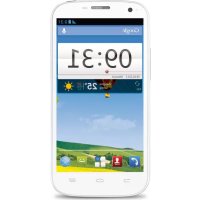
BLADE Q MAXI - Smartphone ZTE - Free user manual and instructions
Find the device manual for free BLADE Q MAXI ZTE in PDF.



| Product type | ZTE BLADE Q MAXI Smartphone |
| Brand | ZTE Corporation |
| Model | BLADE Q MAXI |
| Network | WCDMA/GSM (GPRS) dual band |
| Touch screen | Yes, capacitive |
| Rear camera | Yes, with flash |
| Built-in speaker | Yes |
| Connectivity | Bluetooth, Wi-Fi, headphone jack |
| Expandable storage | microSDHC card (up to 32 GB) |
| Battery | Rechargeable lithium-ion, charging via mains adapter |
| Power supply | 5V mains adapter (not supplied) |
| Housing materials | Plastic, removable back cover |
| Maintenance | Avoid liquids, clean with a soft dry cloth |
| Safety | Do not use while driving; keep at 15 mm from body; avoid prolonged high volumes; do not disassemble |
| Operating temperature | Moderate temperatures (avoid extremes) |
| SAR value (head) | 0.664 W/kg |
| Compliance | CE (Directive 1999/5/EC), RoHS, WEEE |
| Manual version | R1.0, date 201312, no. 079584506225 |
| Support | ZTE website: www.ztedevice.com |
Frequently Asked Questions - BLADE Q MAXI ZTE
User questions about BLADE Q MAXI ZTE
0 question about this device. Answer the ones you know or ask your own.
Ask a new question about this device
Download the instructions for your Smartphone in PDF format for free! Find your manual BLADE Q MAXI - ZTE and take your electronic device back in hand. On this page are published all the documents necessary for the use of your device. BLADE Q MAXI by ZTE.
USER MANUAL BLADE Q MAXI ZTE
Copyright © 2014 ZTE CORPORATION.
All rights reserved.
No part of this publication may be quoted, reproduced, translated or used in any form or by any means, electronic or mechanical, including photocopying and microfilm, without the prior written permission of ZTE Corporation.
ZTE Corporation reserves the right to make modifications on print errors or update specifications in this guide without prior notice.
Trademarks
ZTE and the ZTE logos are trademarks of the ZTE Corporation. Google and Android are trademarks of Google, Inc. The Bluetooth® trademark and logos are owned by the Bluetooth SIG, Inc. and any use of such trademarks by ZTE Corporation is under license.

microSDHC™ Logo is a trademark of SD-
3C, LLC.
Other trademarks and trade names are the property of their respective owners.
We offer self-service for our smart terminal device users. Please visit the ZTE official website (at www.ztedevice.com) for more information on self-service and supported product models. Information on the website takes precedence.
Visit http://www.ztedevice.com to download the user manual. Just click Support > Manuals from the home page and then select your location, product type, and name to search for related support information.
Disclaimer
ZTE Corporation expressly disclaims any liability for faults and damages caused by unauthorized modifications of the software.
Images and screenshots used in this guide may differ from the actual product. Content in this guide may differ from the actual product or software.
Version No.: R1.0
Edition Time : 201312
Manual No.: 079584506225
Product Safety Information
 | Do not use hand-held while driving |
 | Do not use while re-fuelling |
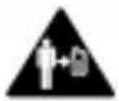 | For body-worn operation maintain a separation of 15 mm |
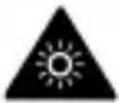 | This device may produce a bright or flashing light |
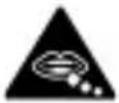 | Small parts may cause a choking hazard |
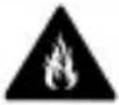 | Do not dispose of it in a fire |
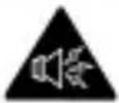 | This device may produce a loud sound |
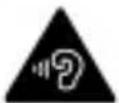 | To prevent possible hearing damage, do not listen at high volume levels for long periods. |
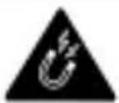 | Avoid contact with magnetic media |
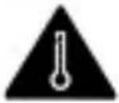 | Avoid Extreme Temperatures |
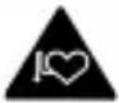 | Keep away from pacemakers and other personal medical devices |
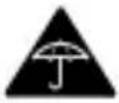 | Avoid any contact with liquid, keep it dry |
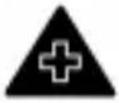 | Switch off when instructed in hospitals and medical facilities |
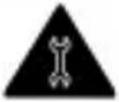 | Do not attempt to disassemble |
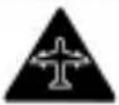 | Switch off when instructed in aircrafts and airports |
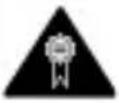 | Only use approved accessories |
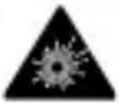 | Switch off in explosive environments |
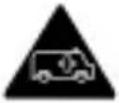 | Do not rely on this device for emergency communications |
Getting to Know Your Phone
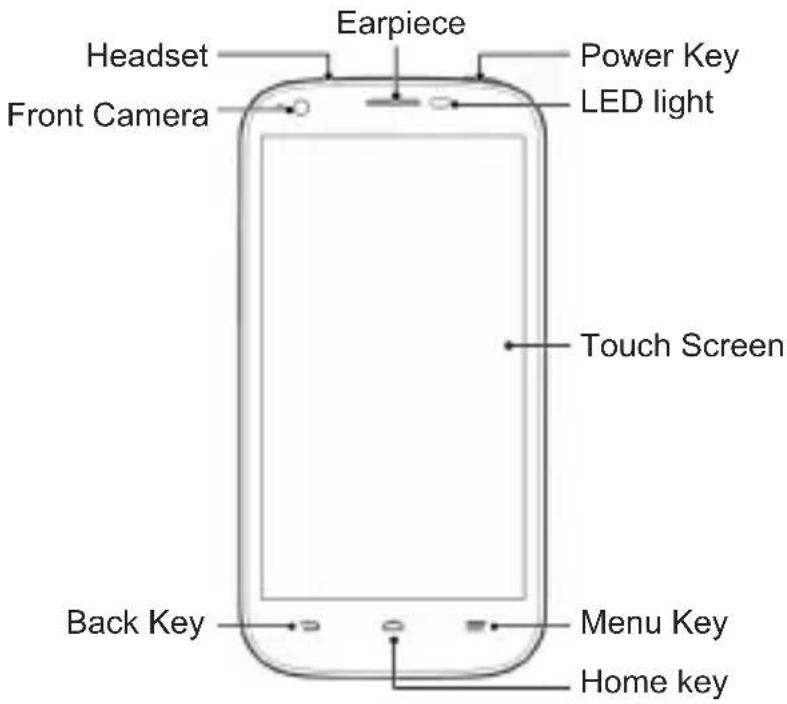
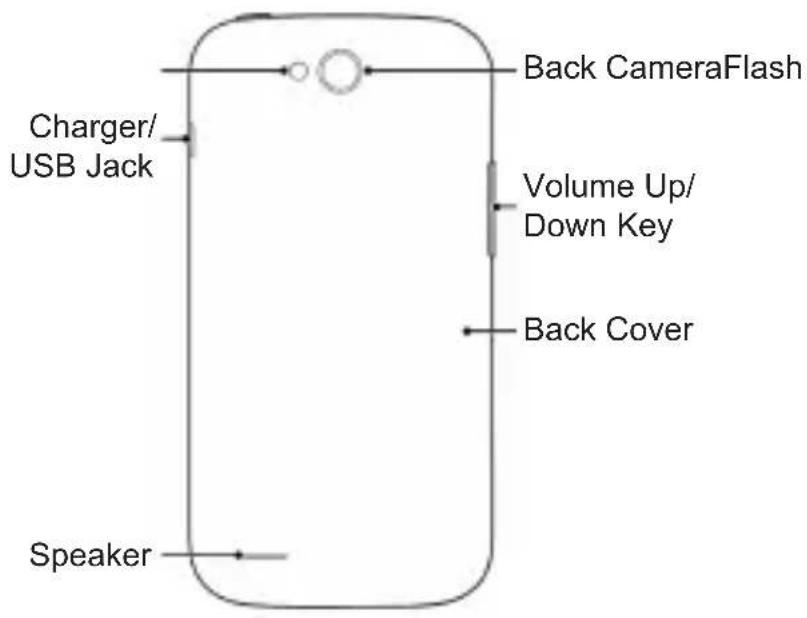
flowchart
graph TD
    A["Speaker"] --> B["Charger/USB Jack"]
    B --> C["Back CameraFlash"]
    C --> D["Volume Up/Down Key"]
    D --> E["Back Cover"]
Power Key
- Press and hold to power on, select phone modes, turn on/off airplane mode, or power off.
- Press to turn off or on the screen display.
Home Key
- Touch to return to the home screen from any application or screen.
- Touch and hold to search or open Google.
Menu Key
- Touch to get the options for the current screen.
- Touch and hold to see recently used applications.
Back Key
Touch to go to the previous screen.
Volume Up/Volume Down
Press or hold to turn the volume up or down.
Before Getting Started
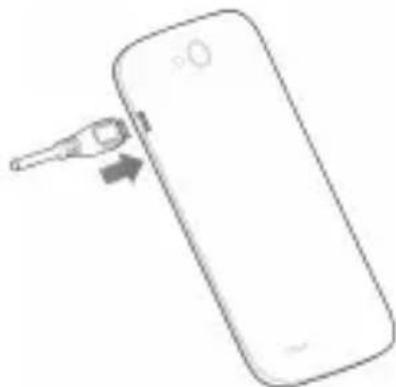
Removing the Back Cover
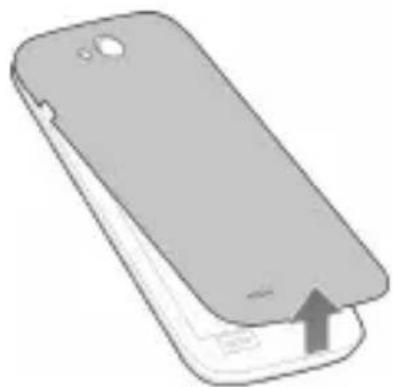
natural_image
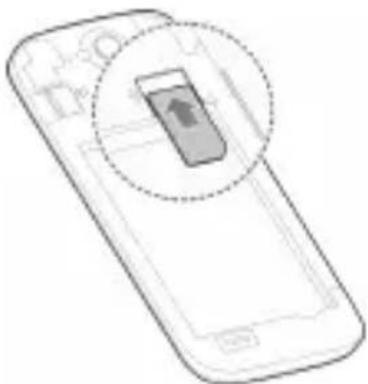
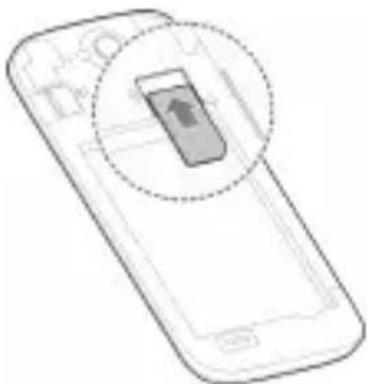
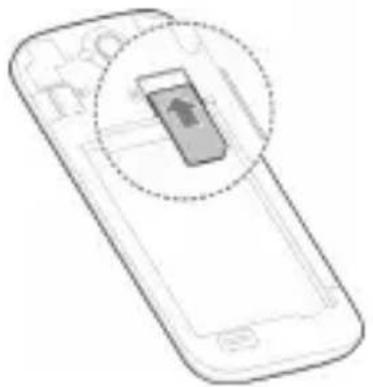
Illustration of a smartphone showing the lid and base with an upward arrow indicating growth (no text or symbols present)Installing the SIM Card
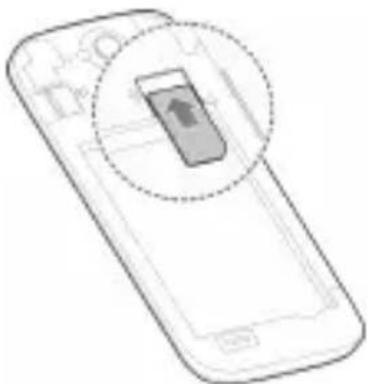
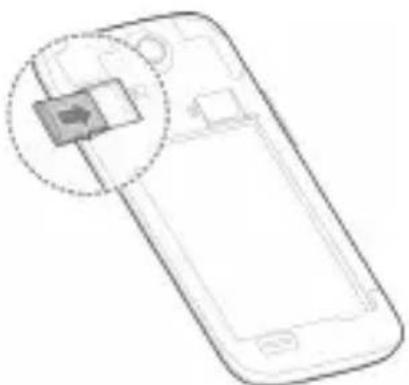
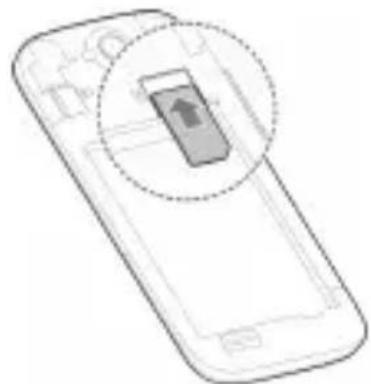
natural_image
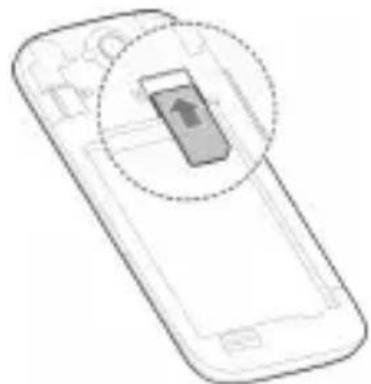
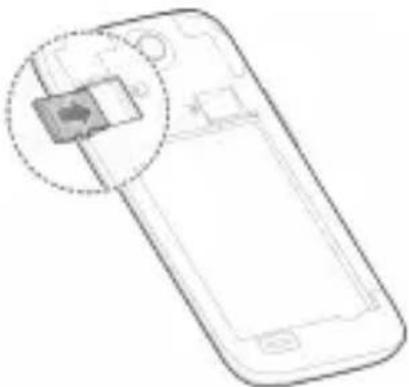
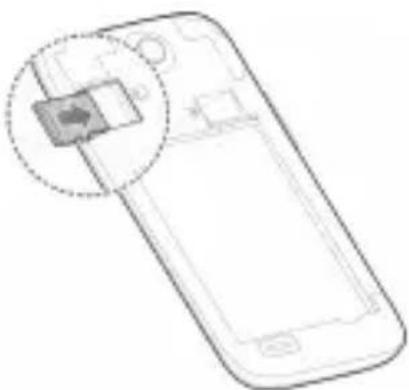
Line drawing of a smartphone with a highlighted screen icon (no text or symbols)Installing the microSDHC Card (Optional)
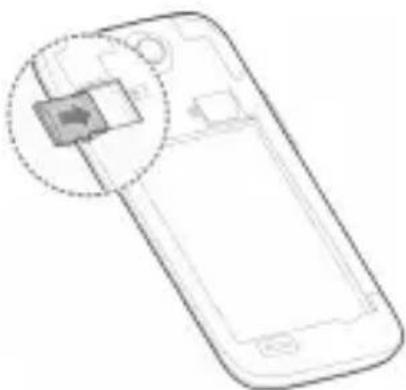
natural_image
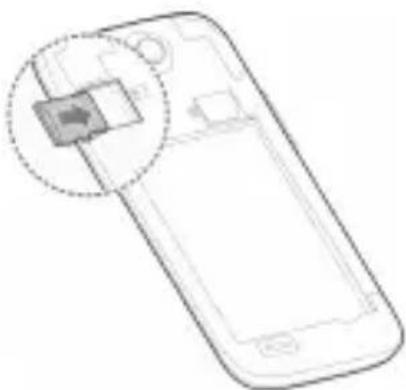
Line drawing of a smartphone with a highlighted internal component (no text or symbols)NOTE: Some applications may require a microSDHC card to work normally or may store certain data on it. Therefore, it is recommended that you keep a microSDHC card installed and not remove or replace it randomly.
Installing the Battery
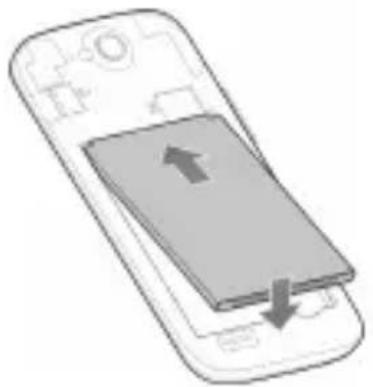
natural_image
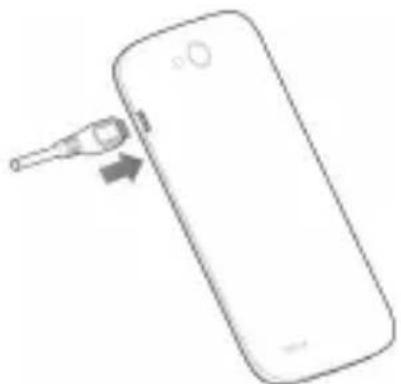
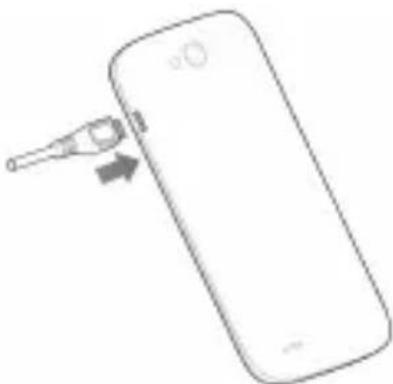
Illustration of a smartphone with an upward arrow and downward arrow indicating movement or change (no text or symbols present)Charging the Battery
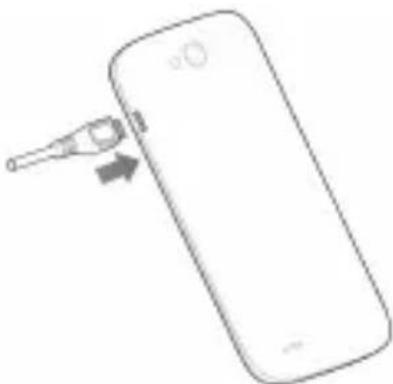
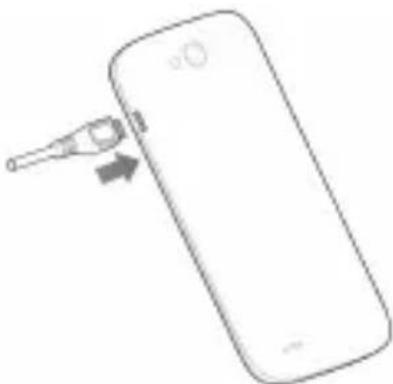
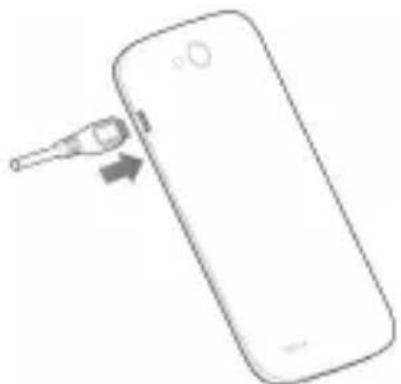
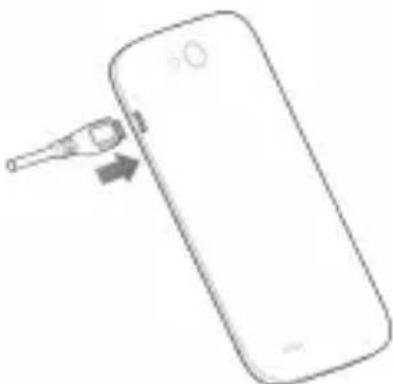
natural_image
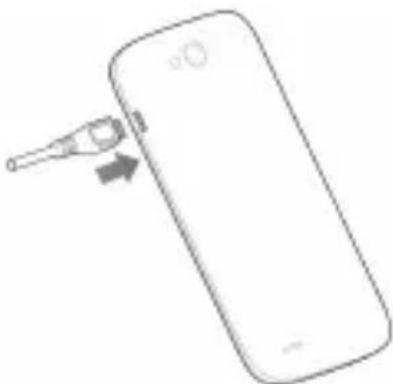
Simple line drawing of a smartphone with a USB cable inserted, showing the cable being inserted (no text or symbols)When you first get your new phone you'll need to charge the battery like this:
- Connect the adapter to the charging jack.
- Connect the charger to a standard AC power outlet.
- Disconnect the charger when the battery is fully charged.
Powering On/Off Your Phone
Make sure the battery is charged before powering on.
- Press and hold the Power Key to turn on your phone.
- To turn it off, press and hold the Power Key to open the options menu. Touch Power off > OK.
Waking Up Your Phone
- Press the Power Key to activate your screen display.
- Touch and hold at the center of the screen.
NOTE:
If you have set an ‘unlock pattern’, or a PIN/password for your phone, you’ll need to draw the pattern or enter the PIN/password to unlock your screen.
Using the Touch Screen
Your phone's touch screen lets you control actions through a variety of touch gestures.
- Touch
When you want to type using the onscreen keyboard, select items onscreen such as application and settings icons, or press onscreen buttons, simply touch them with your finger.
- Touch and Hold
To open the available options for an item (for example, a message or link in a Web page), touch and hold the item.
- Swipe or Slide
To swipe or slide means to quickly drag your finger vertically or horizontally across the screen.
- Drag
To drag, press and hold your finger with some pressure before you start to move your finger. While dragging, do not release your finger until you have reached the target position.
- Pinch
In some apps (such as Maps, Browser, and Gallery), you can zoom in and out by placing two fingers on the screen at once and pinching them together (to zoom out) or spreading them apart (to zoom in).
- Rotate the screen
For most screens, you can automatically change the screen orientation from portrait to landscape by turning the phone sideways.
Declaration of RoHS
Compliance
To minimize the environmental impacts and take more responsibilities to the earth we live on, this document shall serve as a formal declaration that the Blade Q Maxi manufactured by ZTE CORPORATION is in compliance with the Directive 2011/65/EU of the European Parliament - RoHS (Restriction of Hazardous Substances) with respect to the following substances:
- Lead (Pb)
- Mercury (Hg)
- Cadmium (Cd)
- Hexavalent Chromium (Cr (VI))
- Polybrominated biphenyls (PBBs)
- Polybrominated diphenyl ethers (PBDEs)
The Blade Q Maxi manufactured by ZTE CORPORATION meets the requirements of EU 2011/65/EU.
Disposal of Your Old Appliance
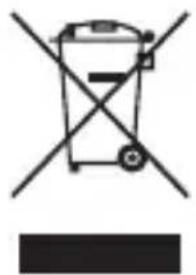
natural_image
Symbol of a trash bin crossed with a diagonal line, no text or numbers present-
When this crossed-out wheeled bin symbol is attached to a product, it means the product is covered by the European Directive 2012/19/EU.
-
All electrical and electronic products should be disposed of separately from the municipal waste stream via designated collection facilities appointed by the government or the local authorities.
-
The correct disposal of your old appliance will help prevent potential negative consequences for the environment and human health.
For this product's recycling information based on WEEE directive, please send an e-mail to weee@zte.com.cn
SAR
Your mobile device is a radio transmitter and receiver. It is designed not to exceed the limits for exposure to radio waves recommended by international guidelines. These guidelines were developed by the independent scientific organization ICNIRP and include safety margins designed to assure the protection of all persons, regardless of age and health.
The guidelines use a unit of measurement known as Specific Absorption Rate, or SAR. The SAR limit for mobile devices is 2 W/kg and the highest SAR value for this device when tested was 0.664 W/kg. As mobile devices offer a range of functions, they can be used in other positions, such as on the body.
As SAR is measured utilizing the device's highest transmitting power, the actual SAR of this device while operating is typically below that indicated above. This is due to automatic changes to the power level of the device to ensure it only uses the minimum power required to communicate with the network.
| This equipment may be operated in: | AT BE | ||||
| CY CZ DK EE | FI FR | ||||
| DE GR HU IE | IT LV | ||||
| LT LU MT NL | PL PT | ||||
| SK SI ES SE | GB IS | ||||
| LI NO CH BG | RO TR | ||||
EC DECLARATION OF CONFORMITY
It is hereby declared that following designated product:
C€1588
Product Type: WCDMA/GSM (GPRS) Dual-Mode Digital Mobile Phone
Model No: ZTE Blade Q Maxi/Blade Q Maxi
Product Description: WCDMA/GSM (GPRS) Dual-Mode Digital Mobile Phone
Complies with the essential protection requirements of Directives on Radio and Telecommunication Terminal Equipment (Directive 1999/5/EC), Restriction of the Certain Hazardous Substances in electrical and electronic equipment (Directive 2011/65/EU), Eco-design Requirements for Energy-Related Products (Directive 2009/125/EC) and their amendments.
This declaration applies to all specimens manufactured identical to the samples submitted for testing/evaluation.
Assessment of compliance of the product with the requirements relating to Directive 1999/5/EC was performed by BABT (Notified Body No.1588) and assessment of compliance of the product with the requirements relating to Directive 2011/65/EU and Directive 2009/125/EC was performed by ZTE Corporation Reliability Testing
Centre. The assessments were based on the following regulations and standards:
| Requirement Standard | |
| Health and safety | EN 60950-1:2006+EN60950-1:2006/A11:2009+EN60950-1:2006/A12:2011+EN60950-1:2006/A1:2010; |
| EN 50360:2001;EN62311:2008;EN62209-1:2006;EN62209-2:2010;EN62479-2010;EN50332-1:2000;EN50332-2:2003; | |
| EMC | EN 301 489-1 V1.9.2;EN 301 489-3 V1.4.1;EN 301 489-7 V1.3.1;EN 301 489-17 V2.1.1;EN 301 489-24 V1.5.1;EN 55013: 2001+A1: 2003+A2:2006;EN55020:2007/A11:2011; |
| Radio Spectrum | EN 301 511 V9.0.2;EN 301 908-1 V5.2.1;EN 301 908-2 V5.2.1;EN 300 328 V1.7.1;EN 300 440-1 V 1.6.1;EN 300 440-2 V 1.4.1 |
| ErP EN62301 | |
| RoHS IEC 62321:2008 | |
This declaration is the responsibility of the manufacturer:
ZTE Corporation
ZTE Plaza, Keji Road South, Hi-Tech, Industrial Park,
Nanshan District, Shenzhen, Guangdong, 518057, P.R.China
Authorised person signing for the company:
Xu Feng
Quality Director Of ZTE
Corporation
Name in block letters & position in the company
Shenzhen, 28 Oct 2013
徐锋
Place & date
Legally valid signature
Blade Q Maxi
Téléphone portable
Copyright © 2014 ZTE CORPORATION.
natural_image
Illustration of a smartphone showing the front portion of its screen and the back panel, with an upward arrow indicating a change or motion (no text or symbols present)natural_image
Illustration of a smartphone with a highlighted screen showing a downward arrow (no text or symbols present)natural_image
Line drawing of a smartphone with a highlighted internal component (no text or symbols)natural_image
Illustration of a smartphone with an open screen and two arrows indicating move or action (no text or symbols present)natural_image
Simple line drawing of a smartphone with a thermometer inserted, showing no text or symbolsnatural_image
Simple line drawing of a trash bin with crossed lines indicating no waste or discharge (no text or symbols)ZTE Plaza, Keji Road South, Hi-Tech, Industrial Park, Nanshan District, Shenzhen, Guangdong, 518057, République Populaire de Chine
Copyright © 2014 ZTE CORPORATION.
natural_image
Illustration of a smartphone showing the front portion of its screen and the back panel with an arrow indicating upward motion (no text or symbols present)natural_image
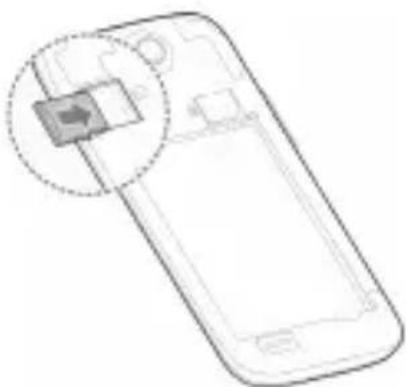
Illustration of a smartphone with a highlighted screen showing a downward arrow (no text or symbols present)Einsetzen der microSDHC-Karte (optional)
natural_image
Line drawing of a smartphone with a highlighted internal component (no text or symbols)natural_image
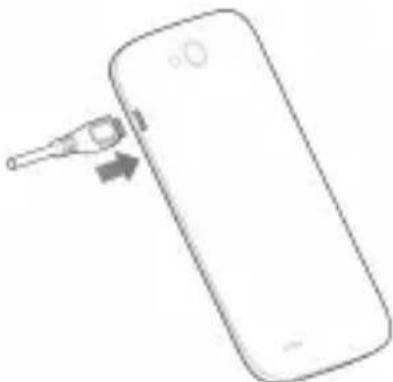
Illustration of a smartphone showing the screen with an upward arrow and downward arrow, no text or symbols present.Laden des Akkus
natural_image
Line drawing of a smartphone with a sensor attached to its side (no text or symbols)natural_image
Symbol of a trash bin crossed with a diagonal line and a black rectangle below (no text or labels)ZTE Plaza, Keji Road South, Hi-Tech, Industrial Park, Nanshan District, Shenzhen, Guangdong, 518057, P.R.China
Xu Feng Quality Director Of ZTE Corporation
Telif Hakki © 2014 ZTE CORPORATION.
natural_image
Illustration of a smartphone showing the lid and base with an upward arrow indicating growth (no text or symbols present)natural_image
Line drawing of a smartphone with a highlighted screen icon (no text or symbols)natural_image
Line drawing of a smartphone with a highlighted internal component (no text or symbols)natural_image
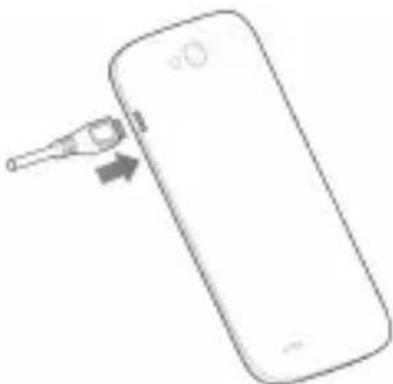
Illustration of a smartphone with an upward arrow and downward arrow indicating movement or change (no text or symbols present)Pilin Şarj Edilmesi
natural_image
Simple line drawing of a smartphone with a USB cable inserted, showing the cable being inserted (no text or symbols)natural_image
Symbol of a trash bin crossed out by a diagonal line, with no text or labels present.ZTE Plaza, Keji Road South, Hi-Tech,
Industrial Park, Nanshan District, Shenzhen,
Guangdong, 518057, Çin H.C.
Copyright © 2014 ZTE CORPORATION.
natural_image
Illustration of a smartphone showing the front portion of its screen and a close-up of the side panel (no text or symbols)natural_image
Illustration of a smartphone with a circular button highlighting a screen icon (no text or symbols present)natural_image
Line drawing of a smartphone with an inset showing a highlighted component (no text or symbols)natural_image
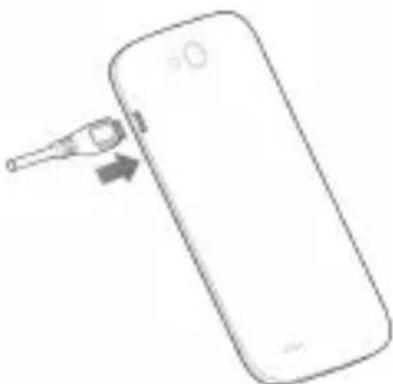
Illustration of a smartphone with an open screen and two arrows indicating move or action (no text or symbols present)De batterij opladen
natural_image
Simple line drawing of a smartphone with a thermometer inserted, showing no text or symbols on the device itself.natural_image
Symbol of a trash bin crossed with a diagonal line and a horizontal bar below (no text or labels)ZTE Plaza, Keji Road South, Hi-Tech,
Industrial Park, Nanshan District, Shenzhen,
Guangdong, 518057, P.R. China
Quality Director van ZTE
Corporation
natural_image
Illustration of a smartphone showing the front portion of its screen and a close-up of the side panel (no text or symbols)natural_image
Illustration of a smartphone with a circular button highlighting a screen icon (no text or symbols present)natural_image
Line drawing of a smartphone with a highlighted internal component (no text or symbols)natural_image
Illustration of a smartphone with an open screen and two arrows indicating move or change (no text or symbols present)natural_image
Simple line drawing of a smartphone with a sensor attached to its side (no text or symbols)natural_image
Symbol of a trash bin crossed with a diagonal line, no text or numbers presentEC DECLARATION OF CONFORMITY
Copyright © 2014 ZTE CORPORATION.
Med ensamrätt.
natural_image
Illustration of a smartphone showing the lid and base with an upward arrow indicating growth (no text or symbols present)Installera SIM-kortet
natural_image
Line drawing of a smartphone with a highlighted screen icon (no text or symbols)natural_image
Line drawing of a smartphone with a highlighted internal component (no text or symbols)natural_image
Illustration of a smartphone with an open screen showing a gray screen and two arrows indicating movement or change (no text or symbols present)Ladda batteriet
natural_image
Simple line drawing of a smartphone with a USB cable inserted, showing the cable being inserted (no text or symbols)ZTE Plaza, Keji Road South, Hi-Tech, Industrial Park, Nanshan District, Shenzhen, Guangdong, 518057, Kina
Copyright © 2014 ZTE CORPORATION.
natural_image
Illustration of a smartphone showing the front panel and side panel with an arrow indicating a location (no text or symbols present)Wkładanie karty SIM
natural_image
Line drawing of a smartphone with an open button and circular overlay (no text or symbols)natural_image
Line drawing of a smartphone with a highlighted internal component (no text or symbols)natural_image
Illustration of a smartphone showing the screen with an upward arrow and a downward arrow, no text or symbols present.Ładowanie baterii
natural_image
Line drawing of a smartphone with a medical device inserted, showing a small object on the screen (no text or symbols)natural_image
Symbol of a trash bin crossed with a diagonal line, no text or numbers presentDEKLARACJA ZGODNOŚCI WE
ZTE Plaza, Keji Road South, Hi-Tech, Industrial Park, Nanshan District, Shenzhen, Guangdong, 518057, ChRL
Copyright © 2014 ZTE CORPORATION.
Minden jog fenntartva.
natural_image
Illustration of a smartphone showing the front portion of its screen and a close-up of the side panel (no text or symbols)natural_image
Illustration of a smartphone with a circular button highlighting a screen icon (no text or symbols present)natural_image
Line drawing of a smartphone with an inset showing a highlighted component (no text or symbols)natural_image
Illustration of a smartphone with an open screen and two arrows indicating move or action (no text or symbols present)natural_image
Simple line drawing of a smartphone with a thermometer inserted into its side (no text or symbols)natural_image
Symbol of a trash bin crossed with two crossed lines, no text or numbers presentZTE Plaza, Keji Road South, Hi-Tech, Industrial Park, Nanshan District, Shenzhen, Guangdong, 518057, P.R.China (Kína)
Copyright © 2014 ZTE CORPORATION.
Sva prava zadržana.
Nijedan deo ove publikacije ne sme da se citira, reprodukuje, prevodi niti koristi ni u kom obliku i ni na koji način, elektronski ili mehanički, što obuhvata fotokopiranje i mikrofilmovanje, bez prethodne pismene dozvole od korporacije ZTE Corporation.
ZTE Corporation zadržava prava da izmeni štamparske greške ili da ažurira specifikacije u ovom priručniku bez prethodne najave.
Zaštitni znaci
ZTE i ZTE logotipi su zaštitni znaci korporacije ZTE Corporation. Google i Android su zaštitni znaci kompanije Google, Inc. Zaštitni znak Bluetooth ^® i logotipi su u vlasništvu kompanije Bluetooth SIG, Inc., a korporacija ZTE te zaštitne znake koristi pod licencom.
Logotip microSDHC™

natural_image
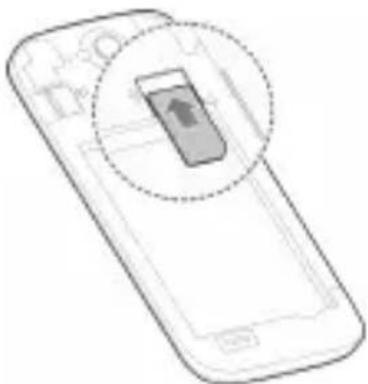
Illustration of a smartphone showing the lid and base with an upward arrow indicating growth (no text or symbols present)Ubacivanje SIM kartice
natural_image
Line drawing of a smartphone with a highlighted screen icon (no text or symbols)Ubacivanje microSDHC kartice (Opcionalno)
natural_image
Line drawing of a smartphone with a highlighted internal component (no text or symbols)natural_image
Illustration of a smartphone with an open screen showing a stack of books and arrows indicating the process (no text or symbols present)Punjenje Baterije
natural_image
Simple line drawing of a smartphone with a USB cable inserted, showing the cable being inserted (no text or symbols)ZTE Plaza, Keji Road South, Hi-Tech,
Industrial Park, Nanshan District, Shenzhen,
Guangdong, 518057, P.R.China
Xu Feng Quality Director Of ZTE Corporation
Ime štampanim slovima i pozicija u firmi
Shenzhen, 28 Oct 2013
Mesto i datum
徐锋
Potpis
Blade Q Maxi
Mobilní telefon
Copyright © 2014 ZTE CORPORATION.
natural_image
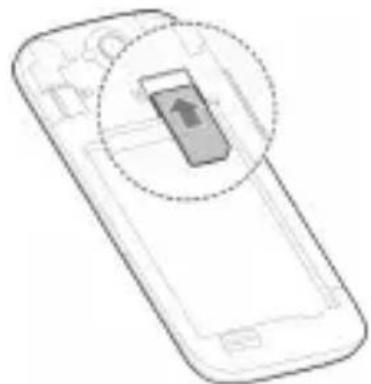
Illustration of a smartphone showing the front panel and side panel with an arrow indicating a location (no text or symbols present)Instalace karty SIM
natural_image
Line drawing of a smartphone with an open button and circular overlay (no text or symbols)Instalace karty microSDHC (volitelné)
natural_image
Line drawing of a smartphone with a highlighted internal component (no text or symbols)natural_image
Illustration of a smartphone showing the screen with an upward arrow and downward arrow indicating movement (no text or symbols present)Nabíjení baterie
natural_image
Line drawing of a smartphone with a medical device inserted, showing a small object being inserted (no text or symbols)natural_image
Symbol of a trash bin crossed with two crossed lines, no text or numbers presentCopyright © 2014 ZTE CORPORATION.
natural_image
Illustration of a smartphone showing the lid and base with an upward arrow indicating growth (no text or symbols present)Instalarea cartelei SIM
natural_image
Line drawing of a smartphone with a highlighted screen icon (no text or symbols)natural_image
Line drawing of a smartphone with a highlighted internal component (no text or symbols)natural_image
Illustration of a smartphone with an upward arrow and downward arrow indicating movement or change (no text or symbols present)Încărcarea bateriei
natural_image
Simple line drawing of a smartphone with a USB cable inserted, showing the cable being inserted (no text or symbols)natural_image
Symbol of a trash bin crossed with a diagonal line and a horizontal bar below (no text or labels)ZTE Plaza, Keji Road South, Hi-Tech, Industrial Park, Districtul Nanshan, Shenzhen, Guangdong, 518057, R. P. Chineză
Xu Feng Director de calitate al ZTE Corporation
natural_image
Illustration of a smartphone showing the front panel and side panel with an upward arrow (no text or symbols)natural_image
Diagram of a smartphone with a highlighted screen showing an upward arrow (no text or symbols present)natural_image
Line drawing of a smartphone with a highlighted internal component (no text or symbols)natural_image
Illustration of a smartphone with an open screen showing an upward and downward arrow (no text or symbols)natural_image
Line drawing of a smartphone with a thermometer inserted into its side (no text or symbols)natural_image
Symbol of a trash bin crossed out by a diagonal line, with no text or labels present.ZTE Plaza, Keji Road South, Hi-Tech, Industrial Park, Nanshan District, Shenzhen, Guangdong, 518057, P.R.China
natural_image
Illustration of a smartphone showing the front panel and side panel with an upward arrow indicating a change (no text or symbols present)Vloženie karty SIM

natural_image
Line drawing of a smartphone with an open button and circular overlay (no text or symbols)Vloženie karty microSDHC (volitel'ná)
natural_image
Line drawing of a smartphone with a highlighted internal component (no text or symbols)natural_image
Illustration of a smartphone with an open screen and two arrows indicating move or action (no text or symbols present)Nabíjanie batérie
natural_image
Simple line drawing of a smartphone with a thermometer inserted, showing no text or symbols on the device itself.natural_image
Symbol of a trash bin crossed with a diagonal line and a horizontal bar below (no text or labels)Copyright © 2014 ZTE CORPORATION.
Sva prava pridržana.
Nijedan bio ove brošure ne smije se citirati, reproducirati, prevoditi ili upotrebljavati u bilo kojem obliku ni na bilo koji način, elektronički ili mehanički, uključujući fotokopiranje i snimanje na mikrofilm, bez prethodne pisane dozvole tvrtke ZTE Corporation.
natural_image
Illustration of a smartphone showing the front panel and side panel with an arrow indicating a location (no text or symbols present)Umetanje SIM kartice
natural_image
Line drawing of a smartphone with an open button and circular overlay (no text or symbols)Umetanje microSDHC kartice (u opciji)
natural_image
Line drawing of a smartphone with a highlighted screen showing a small object (no text or symbols)natural_image
Illustration of a smartphone showing the screen with an upward arrow and downward arrow indicating movement (no text or symbols present)Punjenje baterije
natural_image
Line drawing of a smartphone with a sensor attached to its side (no text or symbols)natural_image
Symbol of a trash bin crossed with a diagonal line, no text or numbers present- Kada se simbol precrtane kante za smeće nalazi na proizvodu, to znači da je proizvod obuhvaćen Europskom direktivom 2012/19/EU.
- Svi električni i elektronički uređaji trebali bi se odlagati odvojeno od komunalnog otpada, putem zasebnih pogona s državnim ili lokalnim dozvolama za rad.
- Pravilnim odlaganjem starog uređaja smanjujete potencijal za negativne posljedice po okoliš i zdravlje.
Zanimaju li vas informacije o recikliranju ovog uređaja na temelju smjernice WEEE, pošaljite poruku e-pošte na adresu weee@zte.com.cn
SAR
ZTE Plaza, Keji Road South, Hi-Tech, Industrial Park, Nanshan District, Shenzhen, Guangdong, 518057, P.R.China
© ZTE CORPORATION, 2014.
Все права защищены.
natural_image
Illustration of a smartphone showing the front panel and side panel with an arrow indicating a location (no text or symbols present)Установка SIM-карты
natural_image
Line drawing of a smartphone with an open button and circular overlay (no text or symbols)natural_image
Line drawing of a smartphone with a highlighted internal component (no text or symbols)natural_image
Diagram of a smartphone showing an open screen with an upward arrow and downward arrow indicating movement or change (no text or symbols present)natural_image
Line drawing of a smartphone with a thermometer inserted into the battery (no text or symbols)ZTE Plaza, Keji Road South, Hi-Tech, Industrial Park, Nanshan District, Shenzhen, Guangdong, 518057, P.R.Irina (KHP)

- All rights reserved.
- Trademarks
- Disclaimer
- Getting to Know Your Phone
- Power Key
- Home Key
- Menu Key
- Back Key
- Volume Up/Volume Down
- Before Getting Started
- Installing the Battery
- Charging the Battery
- Powering On/Off Your Phone
- Waking Up Your Phone
- NOTE:
- Using the Touch Screen
- Declaration of RoHS
- Compliance
- Disposal of Your Old Appliance
- SAR
- EC DECLARATION OF CONFORMITY
- C€1588
- Blade Q Maxi
- Téléphone portable
- Laden des Akkus
- Pilin Şarj Edilmesi
- Copyright © 2014 ZTE CORPORATION.
- De batterij opladen
- Med ensamrätt.
- Ladda batteriet
- Ładowanie baterii
- DEKLARACJA ZGODNOŚCI WE
- Minden jog fenntartva.
- Sva prava zadržana.
- Zaštitni znaci
- Punjenje Baterije
- Mobilní telefon
- Nabíjení baterie
- Încărcarea bateriei
- Vloženie karty SIM
- Vloženie karty microSDHC (volitel'ná)
- Nabíjanie batérie
- Sva prava pridržana.
- Все права защищены.
- Установка SIM-карты
Brand : ZTE
Model : BLADE Q MAXI
Category : Smartphone