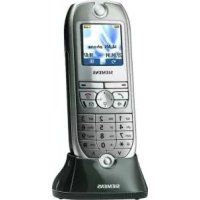
optiPoint WL2 professional - Cordless phone SIEMENS - Free user manual and instructions
Find the device manual for free optiPoint WL2 professional SIEMENS in PDF.



| Product type | Cordless phone |
| Brand | Siemens |
| Model | optiPoint WL2 professional |
| Display | 6-line color screen |
| Speaker | Built-in |
| Headset/PC jack | DCA-510: SLIM-Lumberg to USB |
| Screen keys | Present |
| Power supply | Power adapter provided, suitable for charger |
| Battery | Specific rechargeable battery (respect polarity) |
| Cleaning | Damp or antistatic cloth; diluted neutral detergent (dish soap) if heavily soiled; rinse with water; avoid alcohol, solvents, abrasives |
| Maintenance | Do not use a dry cloth; protect from colored or corrosive liquids (tea, coffee, juice) |
| Safety | Do not open the phone; use only original Siemens accessories; follow guidelines for pacemakers and hearing aids |
| Operating environment | Do not use in explosive environments (paint workshop); do not expose to water splashes |
| Compliance | CE, FCC Part 15, RSS-210, RF exposure guidelines (SAR) |
| Disposal | Do not dispose in household waste; follow local WEEE regulations |
| System management | Integrated HTTP web interface for configuration via PC on the same network |
| FCN list | Up to 12 entries (numbers, functions, procedures) |
| Control keys | Navigation control key, answer/end keys, numeric keys, screen keys |
| Platform compatibility | HiPath 3000, HiPath 4000 (others depending on configuration) |
| Telephone functions | Dual call, conference, call forwarding, call waiting, voice mail, speed dial, hands-free |
Frequently Asked Questions - optiPoint WL2 professional SIEMENS
User questions about optiPoint WL2 professional SIEMENS
0 question about this device. Answer the ones you know or ask your own.
Ask a new question about this device
Download the instructions for your Cordless phone in PDF format for free! Find your manual optiPoint WL2 professional - SIEMENS and take your electronic device back in hand. On this page are published all the documents necessary for the use of your device. optiPoint WL2 professional by SIEMENS.
USER MANUAL optiPoint WL2 professional SIEMENS
Global network of innovation
HiPath 2000/3000/4000 optiPoint WL 2 professional
General operation 20
Important Operating Procedures HiPath 3000 .21
Important Operating Procedures HiPath 4000 .24

Français
Open Source Software Licenses
Open Source Software used in the product. 87
Servicemenue

Handset Information
Important notes
The information provided in this document contains merely general descriptions or characteristics of performance features which in case of actual use do not always apply as described or which may change as a result of further development of the products.
An obligation to provide the respective performance features only exists if expressly agreed in the terms of contract.
The trademarks used are owned by Siemens AG or their respective owners.

Read the safety instructions and user manual before using the handset.
Make sure that your children are familiar with this information and the dangers of using the handset.
- It is recommended that standard acceptance procedures be followed prior to operating this equipment in proximity of life-support systems.
- To minimize risk of interference, pacemaker users should not carry the WT next to the pacemaker.
- Earpiece may retain magnetic objects.
- Operation of the WT may produce an audible noise noticeable to hearing aid users. It is recommended that a hearing aid compatible headset be used by hearing aid users.
- This device complies with part 15 of the FCC Rules and with RSS-210 of Industry Canada. Operation is subject to the following two conditions: (1) This device may not cause harmful interference, and (2) this device must accept any interference received, including interference that may cause undesired operation.
Changes or modifications not expressly approved by Siemens could void the user's authority to operate the equipment.

This equipment has been tested and found to comply with the limits for a Class B digital device, pursuant to Part 15 of the FCC Rules. These limits are designed to provide reasonable protection against harmful interference in a certified installation. This equipment generates, uses and can radiate radio frequency energy and, if not installed and used in accordance with the instructions, may cause harmful interference to radio communications. Contact your installer or Technical Support if you believe this equipment is causing interference.
This model phone meets the government's requirements for exposure to radio waves
This wireless phone is a radio transmitter and receiver. It is designed and manufactured not to exceed the emission limits for exposure to radio frequency (RF) energy set by the Federal Communications Commission of the U.S. Government. The exposure standard for wireless mobile phones employs a unit of measurement known as the Specific Absorption Rate, or SAR. Tests for SAR are conducted using standard operating positions specified by the FCC with the phone transmitting at its highest certified power level in all tested frequency bands. The standard incorporates a substantial margin of safety to give additional protection for the public and to account for any variations in measurements. The FCC has granted an Equip-
ment Authorization for this model phone with all reported SAR levels evaluated as in compliance with the FCC RF emission guidelines.
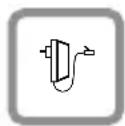
Only use the plug-in power supply unit as described on the underside of the charging shell.
Only use recommended, rechargeable batteries. Do not use any other types of battery or non-rechargeable batteries as these may seriously damage your health.
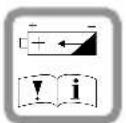
Insert the rechargeable battery correctly and use it as described in this user manual.

The handset can cause interference in medical equipment. Please observe the technical regulations of your surroundings (for example, in a doctor's practice).
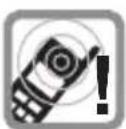
Ringtones, info tones and handsfree talking are reproduced through the loudspeaker. Do not hold the phone to the ear when it rings or when you have switched on the handsfree function. Otherwise you risk serious permanent damage to your hearing.

The handset can cause an unpleasant buzzing sound in hearing aids.

Do not leave the charger in shower or bathrooms. The handset and charging shell are not protected against spray water and splashes.

Do not use the handset in areas where there is danger of explosion (for example, a paint shop).

Please include all relevant documentation when passing on the handset to another person.

Never open the handset. If you have any problems, contact the appropriate service personnel.

Only use original Siemens accessories. Using other accessories is dangerous and forfeits both the warranty and the CE mark.

Emergency numbers cannot be dialed if the keypad lock is activated!
Telephone Maintenance
- Always use a damp or antistatic cloth to clean the telephone. Never use a dry cloth.
- If the telephone is very dirty, clean it with a diluted neutral cleaner containing some form of surfactant, such as a dish detergent. Afterwards, remove all traces of the cleaner with a damp cloth (using water only).
- Never use cleaners containing alcohol, cleaners that corrode plastic, or abrasive powders!
- Never allow the telephone to come into contact with staining or corrosive liquids, such as coffee, tea, juice or soft drinks.
Marks

The device conforms to the EU guideline 1999/5/EG, as attested by the CE mark.

This device has been manufactured in accordance with our certified environmental management system (ISO 14001). This process ensures that energy consumption and the use of primary raw materials are kept to a minimum, thus reducing waste production.

All electrical and electronic products should be disposed of separately from the municipal waste stream via designated collection facilities appointed by the government or the local authorities.
The correct disposal and separate collection of your old appliance will help prevent potential negative consequences for the environment and human health. It is a precondition for reuse and recycling of used electrical and electronic equipment.
For more detailed information about disposal of your old appliance, please contact your city office, waste disposal service, the shop where you purchased the product or your sales representative.
The statements quoted above are only fully valid for equipment which is installed and sold in the countries of the European Union and is covered by the directive 2002/96/EC. Countries outside the European Union may have other regulations regarding the disposal of electrical and electronic equipment.
What communication platform is my optiPoint WL 2 professional connected to?
Ask your system administrator or whomever is responsible for supporting/administering your communication platform or for dealing with queries relating to your telephone system.
Why is a function not available?
This may be due to one of the following reasons:
- The function has not been configured for your telephone - address any questions to Customer Support.
- Your communications platform does not support this function - contact your Siemens sales representative to upgrade your system.
Where can I get the accompanying operating instructions?
- From your system administrator, who will have a CD-ROM containing your User Guide in HTML and PDF format.
- On the Internet at http://www.siemens.com/hipath, under "Downloads" → "User Guides". All you need to know is your telephone model and the communication platform to which your telephone is connected.
The chapter "Basic operating instructions" contains general information.
Which operating features are available?
See fold-out page:
| Key Mode Function | ||
| 1 | Idle-Mode open main menu | |
| Lists[1]/menus scroll up | ||
| Textfield move cursor up | ||
| 1 | Idle-Mode | short press: open phonebook |
| long press: start language selec-tion | ||
| Lists[1]/menus scroll down | ||
| Textfield move cursor down | ||
| 1 | Idle-Mode open the System menu | |
| System menu scroll through functions | ||
| Lists[1]/menus confirm selected entry | ||
| Textfield move cursor to the right | ||
| 1 | Lists[1]/menus go back one menu level or cancel | |
| System menu scroll through functions | ||
| Textfield move cursor to the left | ||
| 2 | Call-Mode pick up call | |
| Lists[1] | start dialling selected entry | |
| Idle-Mode | short press: open radial list | |
| long press: start dialling | ||
| Key | Mode | Function | |
| 3 | 0 | Handset is switched off | long press: switch on handset |
| Call-Mode end call | |||
| General (except in system mode) | short press: go back one menu level | ||
| long press: back to Idle-Mode | |||
| Lists[1] | close lists | ||
| Idle-Mode | long press: switch off handset | ||
| 4 | Call-Mode | answer a call in speakerphone mode | |
| Lists[1] | start dialling selected entry | ||
| Idle-Mode long press: start dialling | |||
| 5 | LED flashing start | voice messaging display | |
| 6 | Idle-Mode | long press: deactivate ringer | |
| Textfield | short press: switch between upper and lower case | ||
| 7 | Idle-Mode | long press: activate or deactivate keypad lock | |
| 8 | Idle-Mode settings | from System menu | |
| Call-Mode reduce | call volume | ||
| 8 | Idle-Mode settings | from System menu | |
| Call-Mode increase | call volume | ||
[1] Call lists, for example phonebook list
| Operating Feature | |
| 9 Keypad 1 - 9 | |
| 10 Six-line color display | |
| 11 Softkeys | |
| 12 Microphone | |
| 13 | Connection jack for headset and PC interface (DCA-510: SLIM-Lumberg to USB) |
| 14 Loudspeaker | |
General operation
Local settings for optiPoint WL 2 professional
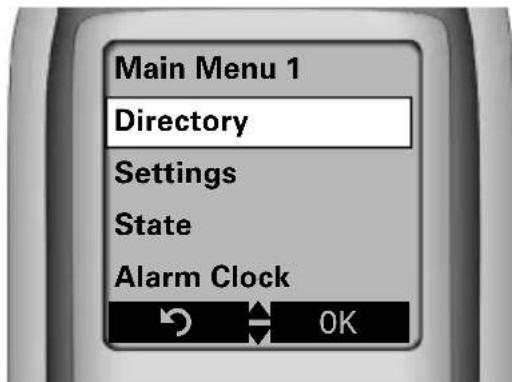
Main menu
In idle mode, press the UP ARROW on the CONTROL key (A). All settings are saved locally and only apply for your handset.
Configuration using a Web interface
optiPoint WL 2 professional is equipped with an HTTP Web server. This lets you display the contents of your handset on the Web browser of a PC that is integrated in WLAN.
This can be used for:
- access to parameters and lists
- settings for your optiPoint WL 2 professional
- importing ringer melodies
Prerequisite: The handset must be in idle mode.
Open a browser and enter the IP address of your handset.

You cannot make any entries using the keypad or accept any incoming calls when the Web interface is being configured.
To find out more information on this, read the operating manual for your optiPoint WL 2 professional.
FCN (function key)
An entry in the FCN list is the same as a function key on an optiPoint telephone. In other words, you can save specific functions from the System menu in the FCN list and activate them whenever necessary.
The function key LED on an optiPoint telephone is replaced by an animated symbol in your optiPoint WL 2 professional.
You can save up to 12 entries (numbers, functions, procedures).
Important Operating Procedures HiPath 3000
= Press the talk key
=Enter a telephone number or code
= Press on-hook key
- = To next user action
= Conduct a call

= Press the softkey to confirm your selection

Redial

Use the CONTROL key to select a function from the FCN list. Press the softkey to activate your selection.
Consult/Enquiry?

The option appears on the screen.
Press the softkey to confirm your selection.

Ring/Ringer tone?

Search for an option. Press the 控 control key, until the option appears on the screen. Then press the softkey to confirm your selection.
Calling

call no. +
Redialling (local)

(short press)

select entry

Caller list
Select call

Caller list?

Next?

Dial displayed call

Call?

Change from System menu to idle mode

Program/Service
Phonebook (system)
Select entry

Phonebook/Directory?

Scroll Next?

Select displayed entry

Call?

Speakerphone mode

press (LED lights up)

press (LED goes out)
End Call


Using mailbox
Callback or message
is saved

(lights up)
or
View/Display messages?

Message sent/Text?

or

Call voice mail?

Follow user prompts!
Handset setup
Change ringer volume

Ring/Ringer volume?


A
higher/ lower vol.

Save
Change ringer pitch


Ring/Ringer tone?


A
higher/ lower vol.

Save
Change call volume

nnection exists

A
higher/ lower vol.

Save
Consultation
Call second user

1st user call
Consult/Enquiry?


2nd user call no.
End consultation
Return to held call?

Toggling
Alternating calls with
two users

Callback conversation

Toggle/Connect?

Transferring a call
1st user call
Consult/Enquiry?
OK
2nd user call no.
Call may be announced
Conference
1st user call
Start conference?
OK
2nd user call no.
Conf. may be announced
Conference?
OK
Call forwarding
Activate
Forwarding on?
OK
1=all calls?
OK
Call no.
OK
Deactivate
Forwarding off?
OK
Using callback
Called party is busy
or does not answer
Callback/Set Callback
OK
Delete
View callbacks?
OK
Delete?
OK
Save external number to FCN-list
FCN
Program/Service
OK

*91=Prog. feature key?
OK

0
OK
Change key/feature?
OK
Repdial key?
OK

External call no.
Save with LED?
OK

Key label?
OK

Change?/Change entry?
OK

Label text

7 deletes character

next character uppercase
ase
Save?/Save entry?
OK
Exit?/End?
OK
Activate function in FCN list
FCN

Select function
OK
Important Operating Procedures HiPath 4000
= Press talk key
=Enter a telephone number or code
= Press on-hook key
- = To next user action
c = Conduct a call
FCN = Press the softkey to confirm your selection
Redial
Use the CONTROL key to select a function from the FCN list. Press the softkey to activate your selection.
Consultation?

The option appears on the screen.
Press the softkey to confirm your selection.
Ringer volume?

Search for an option. Press the CONTROL key until the option appears on the screen. Then press the softkey to confirm your selection.
Calling
call no. +
using FCN-entry



Redialling (local)
(short press)
select entry

Displaying call list
Service Menu
Destinations?

Call log?

Incoming calls?

or
Outgoing calls?

Dial displayed call
Output?

Ending a call


Redialling (system)
Save call no.
Connection exists:

Redial

Any call number::
Service Menu


Redial

New entry?


call no.
Save?

Dial

Redial

Speed-dialling
Dial speed-dial no.

Service Menu

Use speed dialing?

Speed.dial no. (0...9)
Save individual speed-dial no.

Service Menu
Destinations?

Speed dialing?

Speed-dial no. (0...9)

New entry?

call no.
Save?

OK


Consultation

1st user call
Consultation?

2nd user call no.
End consultation, return to 1st user
Release and return?

Transfer call

1st user call
Consultation?

2nd user call no.
Call may be announced

Call forwarding
Activate


Call forwarding

Deactivate


Call forwarding

Save destination

Service Menu

Destinations?

Call forwarding?

if appl. choose forwarding type

Next forwarding type?

Enter destination:


Forwarding dest. call no.

Save?

Handset setup
Change ringer volume


Ringer volume?


higher/ lower vol.

Save
Change ringer pitch


Ringer pitch?


higher/ lower vol.

Save
Change call volume

Connection exists.


higher/ lower vol.


(simultan.)Save
Save external number to FCN-list
Set up repdial key.

Service Menu

Destinations?


Repidual?/Direct dest. select?

FCN




Phone no.

Completed?/Finished?

Use Destination Number?

Save?
Conference

1st user call


Start conference?

2nd user call no.
Conference may be announced
Conference?

Using mailbox
A callback or message is saved

(lights up)
Follow user prompts!
Change from System menu to idle mode
FCN
Service Menu

Using callback
Called party is busy or does not answer
Callback?

If call party free or back, they are called.
Delete

Display callback?


Delete?

Toggling
Alternating calls with two users

Callback conversation

Toggle?

Activate function in FCN list


Select function

conversation 1er usager
DOUBLE APPEL?
OK
- It is recommended that standard acceptance procedures be followed prior to operating this equipment in proximity of life-support systems.
- To minimize risk of interference, pacemaker users should not carry the WT next to the pacemaker.
- Earpiece may retain magnetic objects.
- Operation of the WT may produce an audible noise noticeable to hearing aid users. It is recommended that a hearing aid compatible headset be used by hearing aid users.
- This device complies with part 15 of the FCC Rules and with RSS-210 of Industry Canada. Operation is subject to the following two conditions: (1) This device may not cause harmful interference, and (2) this device must accept any interference received, including interference that may cause undesired operation.
Changes or modifications not expressly approved by Siemens could void the user's authority to operate the equipment.

This equipment has been tested and found to comply with the limits for a Class B digital device, pursuant to Part 15 of the FCC Rules. These limits are designed to provide reasonable protection against harmful interference in a certified installation. This equipment generates, uses and can radiate radio frequency energy and, if not installed and used in accordance with the instructions, may cause harmful interference to radio communications. Contact your installer or Technical Support if you believe this equipment is causing interference.
This model phone meets the government's requirements for exposure to radio waves
This wireless phone is a radio transmitter and receiver. It is designed and manufactured not to exceed the emission limits for exposure to radio frequency (RF) energy set by the Federal Communications Commission of the U.S. Government. The exposure standard for wireless mobile phones employs a unit of measurement known as the Specific Absorption Rate, or SAR. Tests for SAR are conducted using standard operating positions specified by the FCC with the phone transmitting at its highest certified power level in all tested frequency bands. The standard incorporates a substantial margin of safety to give additional protection for the public and to account for any variations in measurements. The FCC has granted an Equip-
ment Authorization for this model phone with all reported SAR levels evaluated as in compliance with the FCC RF emission guidelines.
VOLUME OPROEPSIGNAAL?

los parámetros normales de funciona bajo el Given Law of the Law of the Law, which provides a framework for the use of the FCC in all matters relating to the law.
Comunic. alternative
Comunic. alternative
VOLUME SINAL CHAMAR?

V / mais alto/baixo
OK memorizar
Open Source Software used in the product
The product contains, among other things, embedded Open Source Software, licensed under an Open Source Software License and developed by third parties. These embedded Open Source Software files are protected by copyright. Your rights to use the Open Source Software beyond the mere execution of Siemens' program, is governed by the relevant Open Source Software license conditions.
Your compliance with those license conditions will entitle you to use the Open Source Software as foreseen in the relevant license. In the event of conflicts between Siemens license conditions and the Open Source Software license conditions, the Open Source Software conditions shall prevail with respect to the Open Source Software portions of the software. A list of the Open Source Software programs contained in this product and the Open Source Software licenses are available over the user documentation. Furthermore the license conditions can be found at the following internet websites.
http://now-portal.c-lab.de/projects/gigaset/
(if software is not placed on above web-site, please look at www.siemens.de/gigasetservice, www.siemens.com/gigasetcustomercare or www.siemens.com/hipath)
If programs contained in this product are licensed under GNU General Public License (GPL), GNU Lesser General Public License (LGPL) or Mozilla Public License (MPL, you can download the source code and the copyright notices of the relevant software from the internet at:
http://now-portal.c-lab.de/projects/gigaset/
(if software is not placed on above web-site, please look at www.siemens.de/gigasetservice, www.siemens.com/gigasetcustomercare or www.siemens.com/hipath)
Additionally you can request the corresponding source code from SIEMENS by paying a fee 10 Euro for the physical act of transferring the copy. Please send your specific request, together with a receipt indicating the date of purchase, within three years of your purchase, together with the ID number (MAC ID) of the device and the software release number to be found in the phone itself (under status information) to:
Your local Siemens Service Organisation
Warranty regarding further use of the Open Source Software
SIEMENS provides no warranty for the Open Source Software programs contained in this device, if such programs are used in any manner other than the program execution intended by SIEMENS. The licenses listed below define the warranty, if any, from the authors or licensors of the Open Source Software. SIEMENS specifically disclaims any warranties for defects caused by altering any Open Source Software program or the product's configuration. You have no warranty claims against SIEMENS in the event that the Open Source Software infringes the intellectual property rights of a third party.
Technical support, if any, will only be provided for unmodified software.
Open Source Software Used
Following table is valid for different phones, not all SW-components are in your phone.
Open Source Software Component License
Linux Kernel GPL
U-Boot - Universal Bootloader GPL
Instant Messaging Protocoll (XMPP) LGPL
v2linux LGPL
Mozilla LDAP MPL
Busybox GPL
Glibc LGPL
Expat XML Parser Expat license
MSNTP GPL
libEtPan - Mail stuff library
libEtPan license
libgmp
LGPL
The software of this product is based in part on the work of the Independent JPEG Group.
This product includes software developed by the University of California, Berkeley and its contributors.
Open Source Software Licenses
GPL
LGPL
MPL
BSD
Expat license
libEtPan license
Net SNMP license
www siemens.com/hipath


The information provided in this document contains merely general descriptions or characteristics of performance which in case of actual use do not always apply as described or which may change as a result of further development of the products.
An obligation to provide the respective characteristics shall only exist if expressly agreed in the terms of contract.
The trademarks used are owned by Siemens AG or their respective owners.
Siemens AG 2005
Siemens Communications
Ref. No.: A31003-A2056-W210-2-6Z19
Subject to availability.
Right of modification reserved.
02.11.2005

- HIPATH 2000/3000/4000 OPTIPOINT WL 2 PROFESSIONAL
- FRANÇAIS
- OPEN SOURCE SOFTWARE LICENSES
- OPEN SOURCE SOFTWARE USED IN THE PRODUCT. 87
- HANDSET INFORMATION
- IMPORTANT NOTES
- THIS MODEL PHONE MEETS THE GOVERNMENT'S REQUIREMENTS FOR EXPOSURE TO RADIO WAVES
- TELEPHONE MAINTENANCE
- MARKS
- WHAT COMMUNICATION PLATFORM IS MY OPTIPOINT WL 2 PROFESSIONAL CONNECTED TO
- WHY IS A FUNCTION NOT AVAILABLE
- WHERE CAN I GET THE ACCOMPANYING OPERATING INSTRUCTIONS
- WHICH OPERATING FEATURES ARE AVAILABLE
- GENERAL OPERATION
- LOCAL SETTINGS FOR OPTIPOINT WL 2 PROFESSIONAL
- MAIN MENU
- CONFIGURATION USING A WEB INTERFACE
- FCN (FUNCTION KEY)
- IMPORTANT OPERATING PROCEDURES HIPATH 3000
- REDIAL
- CONSULT/ENQUIRY
- RING/RINGER TONE
- CALLING
- REDIALLING (LOCAL)
- CALLER LIST
- SELECT CALL
- DIAL DISPLAYED CALL
- CHANGE FROM SYSTEM MENU TO IDLE MODE
- PHONEBOOK (SYSTEM)
- SELECT ENTRY
- SELECT DISPLAYED ENTRY
- SPEAKERPHONE MODE
- END CALL
- USING MAILBOX
- CALLBACK OR MESSAGE
- IS SAVED
- HANDSET SETUP
- CHANGE RINGER VOLUME
- CHANGE RINGER PITCH
- CHANGE CALL VOLUME
- CONSULTATION
- CALL SECOND USER
- END CONSULTATION
- TOGGLING
- ALTERNATING CALLS WITH
- TWO USERS
- TRANSFERRING A CALL
- CONFERENCE
- CALL FORWARDING
- ACTIVATE
- DEACTIVATE
- USING CALLBACK
- CALLED PARTY IS BUSY
- OR DOES NOT ANSWER
- DELETE
- SAVE EXTERNAL NUMBER TO FCN-LIST
- ACTIVATE FUNCTION IN FCN LIST
- IMPORTANT OPERATING PROCEDURES HIPATH 4000
- USING FCN-ENTRY
- DISPLAYING CALL LIST
- ENDING A CALL
- REDIALLING (SYSTEM)
- SAVE CALL NO
- DIAL
- SPEED-DIALLING
- TRANSFER CALL
- FCN
- A CALLBACK OR MESSAGE IS SAVED
- CALLED PARTY IS BUSY OR DOES NOT ANSWER
- ALTERNATING CALLS WITH TWO USERS
- COMUNIC. ALTERNATIVE
- OPEN SOURCE SOFTWARE USED IN THE PRODUCT
- HTTP://NOW-PORTAL.C-LAB.DE/PROJECTS/GIGASET
- YOUR LOCAL SIEMENS SERVICE ORGANISATION
- WARRANTY REGARDING FURTHER USE OF THE OPEN SOURCE SOFTWARE
- OPEN SOURCE SOFTWARE USED
- OPEN SOURCE SOFTWARE COMPONENT LICENSE
Brand : SIEMENS
Model : optiPoint WL2 professional
Category : Cordless phone