ManualGo.com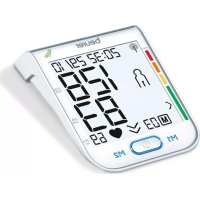
BM 75 - Blood pressure monitor BEURER - Free user manual and instructions
Find the device manual for free BM 75 BEURER in PDF.



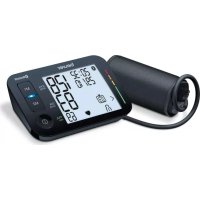
Download the instructions for your Blood pressure monitor in PDF format for free! Find your manual BM 75 - BEURER and take your electronic device back in hand. On this page are published all the documents necessary for the use of your device. BM 75 by BEURER.
USER MANUAL BM 75 BEURER
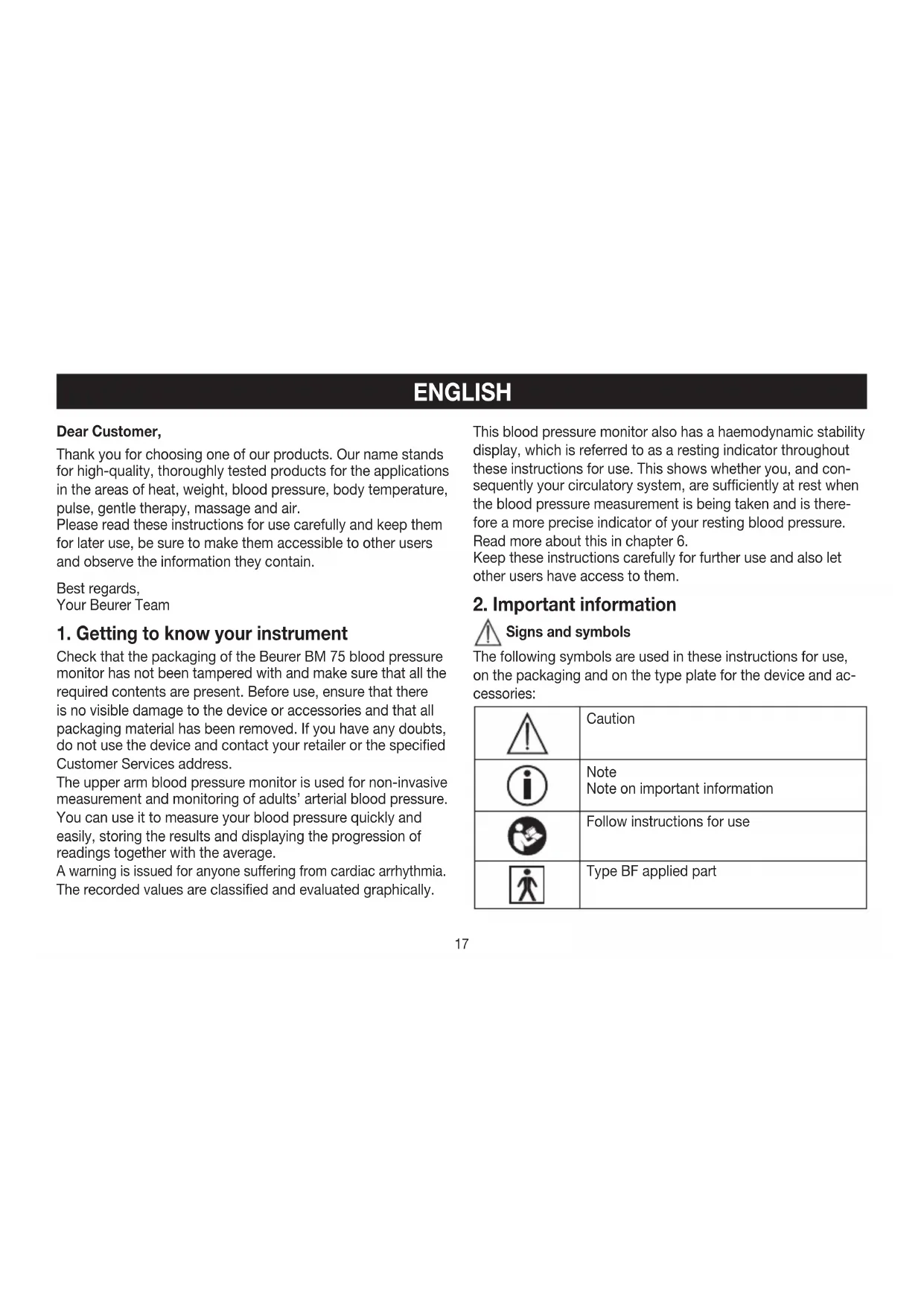
1. Getting to know your instrument
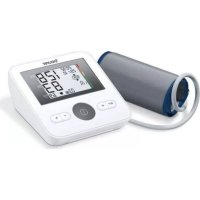
Check that the packaging of the Beurer BM75 blood pressure monitor has not been tampered with and make sure that all the required contents are present. Before use, ensure that there is no visible damage to the device or accessories and that all packaging material has been removed. If you have any doubts, do not use the device and contact your retailer or the specified Customer Services address. The upper arm blood pressure monitor is used for non-invasive measurement and monitoring of adults’ arterial blood pressure. You can use it to measure your blood pressure quickly and easily, storing the results and displaying the progression of readings together with the average. A warning is issued for anyone suffering from cardiac arrhythmia. The recorded values are classified and evaluated graphically. This blood pressure monitor also has a haemodynamic stability display, which is referred to as a resting indicator throughout these instructions for use. This shows whether you, and con- sequently your circulatory system, are sufficiently at rest when the blood pressure measurement is being taken and is there- fore a more precise indicator of your resting blood pressure. Read more about this in chapter 6. Keep these instructions carefully for further use and also let other users have access to them.
2. Important information
Signs and symbols The following symbols are used in these instructions for use, on the packaging and on the type plate for the device and ac- cessories: Caution Note Note on important information Follow instructions for use Type BF applied part18 Direct current Disposal in accordance with EC Directive WEEE (Waste Electrical and Electronic Equipment) Manufacturer Storage RH 10-90
-10°C 60°C Permissible transport and storage tem- perature. Permissible transport and storage humidity. Operating 10°C 40°C RH 15%-85% Permissible operating temperature and humidity IP 21 Protected against foreign objects equal to or greater than 12.5 mm in diameter and against vertically falling drops of water SN Serial number
The CE labelling certifies that the product complies with the essential requirements of Directive 93/42/EEC on medical products. Advice on use
In order to ensure comparable values, always measure your blood pressure at the same time of day.
Before every measurement, relax for about five minutes.
If you want to perform several measurements on the same person, wait five minutes between each measurement.
Do not take a measurement within 30 minutes after eating, drinking, smoking or exercising.
Repeat the measurement if you are unsure of the measured value.
The measurements taken by you are for your information only – they are not a substitute for a medical examination! Discuss the measurements with your doctor, and never base any medical decisions on them (e.g. medicines and their administration)!
Do not use the blood pressure monitor on newborns or pati- ents with preeclampsia. We recommend consulting a doctor before using the blood pressure monitor during pregnancy.
Cardiovascular diseases may lead to incorrect measure- ments or have a detrimental effect on measurement ac- curacy. The same also applies to very low blood pressure, diabetes, circulatory disorders and arrhythmias as well as chills or shaking.
The blood pressure monitor must not be used in connection with a high-frequency surgical unit.
Only use the device on people who have the specified upper arm measurement for the device.
Please note that when inflating, the functions of the limb in question may be impaired.
During the blood pressure measurement, blood circulation must not be stopped for an unnecessarily long time. If the device malfunctions, remove the cuff from the arm.
Avoid any mechanical restriction, compression or bending of the cuff line.
Do not allow sustained pressure in the cuff or frequent meas- urements. The resulting restriction of the blood flow may cause injury.19
Ensure that the cuff is not placed on an arm in which the arteries or veins are undergoing medical treatment, e.g. intra- vascular access or therapy, or an arteriovenous (AV) shunt.
Do not use the cuff on people who have undergone a mas- tectomy.
Do not place the cuff over wounds as this may cause further injury.
You can either use the blood pressure monitor with batteries or with a mains part. Please note that data transfer and data storage is only possible when your blood pressure monitor is supplied with power. As soon as the batteries are empty or the mains part is disconnected from the power supply, the blood pressure monitor loses the date and time.
To conserve the batteries, the monitor switches off automati- cally if no buttons are pressed for 3 minutes.
The device is only intended for the purpose described in these instructions for use. The manufacturer is not liable for damage resulting from improper or careless use. Storage and Care
The blood pressure monitor is made up of precision electron- ic components. Accuracy of readings and the instrument’s service life depend on careful handling. – You should protect the device from impact, moisture, dirt, major temperature fluctuations and direct exposure to the sun’s rays. – Never drop the device. – Do not use near strong electromagnetic fields, i.e. keep it away from any radio systems and mobile phones. – Only ever use the cuffs provided with the monitor or origi- nal replacement cuffs. Otherwise erroneous results will be recorded.
Do not press any buttons until the cuff is in position.
If the instrument is not used for any length of time, we recommend removing the batteries. Notes on handling batteries
If your skin or eyes come into contact with battery fluid, flush out the affected areas with water and seek medical assistance. Choking hazard! Small children may swallow and choke on batteries. Store the batteries out of the reach of small children.
- Observe the plus (+) and minus (-) polarity signs.
- If a battery has leaked, put on protective gloves and clean the battery compartment with a dry cloth.
- Protect the batteries from excessive heat. Risk of explosion! Never throw batteries into a fire.
- Do not charge or short-circuit batteries.
- If the device is not to be used for a long period, take the bat- teries out of the battery compartment.
- Use identical or equivalent battery types only.
- Always replace all batteries at the same time.
- Do not use rechargeable batteries.
- Do not disassemble, split or crush the batteries. Repair and disposal
Batteries do not belong in domestic refuse. Used batteries should be disposed of at the collection points provided.20
Never open the instrument. If these instructions are not heeded, the warranty will be null and void.
Never attempt to repair the instrument or adjust it yourself. We can no longer guarantee perfect functioning if you do.
Repairs may only be performed by Customer Service or authorized dealers. However, always check the batteries and replace them if necessary prior to making any complaint.
For environmental reasons, do not dispose of the device in the household waste at the end of its useful life. Dispose of the device at a suitable local collection or recycling point. Dispose of the device in accordance with EC Directive – WEEE (Waste Electrical and Electronic Equipment). If you have any questions, please contact the local authorities responsible for waste disposal.
4. Connection for mains part and USB interface
5. NFC detection zone
9. Scale for classifying the measurements
10. Connection for cuff connector (left-hand side)
3. Diastolic pressure
8. Battery replacement symbol
10. Classification of measurements
11. Cardiac arrhythmia symbol
USB interface The blood pressure monitor also allows you to transfer your measured values to the PC. To do this, you need a regular USB cable (included in delivery) and the „HealthManager“ PC software. The software can be downloaded free of charge from the download area under Service at www.beurer.com. System requirements for the Beurer „HealthManager“ PC software
1. Supported operating systems:
- Windows Vista SP1 or later
2. Supported architectures:
3. Hardware requirements:
- Recommended: At least Pentium 1 GHz or faster with at least 1 GB RAM
- Free memory on the primary partition of at least: – x86 – 600 MB – x64 – 1.5 GB
- Graphic resolution from: 1024 x 768 pixels
- USB port 1.0 or later
4. Preparing the measurement
Remove the battery compart- ment lid on the rear of the device.
Insert four 1.5 V AAA (alkaline type LR03) batteries. Make sure that the batteries are inserted the correct way round. Do not use rechargeable batteries.
Close the battery compartment lid again carefully. All display elements are briefly displayed, flashes in the dis- play. Set the date and time as described below. If the battery replacement symbol is permanently dis- played, you can no longer perform any measurements and must replace all batteries. Once the batteries have been removed from the device, the date and time must be set again. Any saved measurements are retained. Battery disposal
- The empty, completely flat batteries must be disposed of through specially designated collection boxes, recycling points or electronics retailers. You are legally required to dispose of the batteries.
- The codes below are printed on batteries containing harmful substances: Pb = Battery contains lead, Cd = Battery contains cadmium, Hg = Battery contains mercury Setting the hour format, date and time This menu allows you to set the following functions, one after another. Hour format
Time It is essential to set the date and time. Otherwise, you will not be able to save your measured values correctly with a date and time and access them again later. If you press and hold the M1 or M2 memory button, you can set the values more quickly. Hour format
Press and hold the Start/stop button for 5 seconds.
Choose the desired hour format with the M1/M2 memory buttons and confirm with the Start/stop button . 4 x 1,5V AAA (LR03)23 Date The year flashes on the display.
Choose the desired year with the M1/ M2 memory buttons and confirm with the Start/stop button . The month flashes on the display.
Choose the desired month with the M1/ M2 memory buttons and confirm with the Start/stop button . Date The day flashes on the display.
Choose the desired day with the M1/M2 memory buttons and confirm with the Start/stop button . If the hour format is set as 12h, the day/month dis- play sequence is reversed. Time The hour flashes on the display.
Choose the desired hour with the M1/ M2 memory buttons and confirm with the Start/stop button . The minute flashes on the display.
Choose the desired minute with the M1/ M2 memory buttons and confirm with the Start/stop button . Operation with the mains part You can also operate this device with a mains part. When doing so, there must not be any batteries in the battery compartment. The mains part can be obtained from specialist retailers or from the service address using order number
To prevent possible damage to the device, the blood pres- sure monitor must only be used with the mains part de- scribed here.
Insert the mains part into the connection provided for this purpose on the right-hand side of the blood pressure moni- tor. The mains part must only be connected to the mains voltage that is specified on the type plate.
Then insert the mains plug of the mains part into the mains socket.
After using the blood pressure monitor, unplug the mains part from the mains socket first and then disconnect it from the blood pressure monitor. As soon as you unplug the mains part, the blood pressure monitor loses the date and time setting but the saved measurements are retained.
5. Measuring blood pressure
Please ensure the device is at room temperature before meas- uring. The measurement can be performed on the left or right arm. Positioning cuff Fit the cuff round your bare left upper arm. Blood circulation in the arm should not be restricted by tight cloth- ing or other objects.24 The cuff should be placed on the upper arm so that the lower edge is 2 to 3 cm above the bend of the elbow and above the artery. The tube should be in line with the centre of the palm. Now tighten the free end of the cuff, but make sure that it is not too tight around the arm and close the hook-and-loop fastener. The cuff should be fastened so that two fingers fit under the cuff. Now insert the cuff line into the connection for the cuff connector.
If the measurement is performed on the right upper arm, the line should be located on the inside of your elbow. En- sure that your arm is not pressing on the line. Blood pressure may vary between the right and left arm, which may mean that the measured blood pressure values are differ- ent. Always perform the measurement on the same arm. If the values between the two arms are significantly different, please consult your doctor to determine which arm should be used for the measurement. Important: The unit may only be operated with the original cuff. The cuff is suitable for an arm circumference of 24 to 36 cm. A larger cuff for upper-arm circumferences of 35 to 44 cm can be obtained from specialist retailers or from the service ad- dress using order number 163.387. Correct posture
Rest for approx. 5 minutes before each measurement. Other- wise there may be divergences.
You can perform the measurement either sitting or lying down. Always make sure that the cuff is on a level with your heart.
To carry out a blood pressure measurement, make sure you are sitting comfortably with your arms and back leaning on something. Do not cross your legs. Place your feet flat on the ground.
In order not to distort the result, it is important to keep still during the measurement and not talk.25 Performing the blood pressure measurement Measurement As described above, attach the cuff and adopt the pos- ture in which you want to perform the measurement.
To start the blood pressure monitor, press the Start/stop button . All display ele- ments are briefly displayed. The blood pressure monitor will begin the measurement automatically after 3 seconds. The cuff automatically inflates. Measuring can be cancelled at any time by pressing the Start/stop button . The cuff’s air pressure is slowly released. If you already recognise a tendency for high blood pressure, you should reinflate the cuff and increase the cuff’s pressure again. As soon as a pulse is found, the pulse symbol is displayed.
Systolic pressure, diastolic pressure and pulse measurements are displayed. The resting indicator display (see chapter 6) illuminates in accordance with the positive or negative classification. Measurement
appears if the measurement could not be performed properly. Observe the chapter on error messages/troubleshooting in these instructions for use and repeat the measurement.
Now select the desired user memory by pressing the M1 or M2 memory buttons. If you do not select a user memory, the measurement is stored in the most re- cently used user memory. The relevant symbol or appears on the display.
Using the Start/stop button , switch off the blood pressure monitor. The measurement is then stored in the selected user memory. If you forget to turn off the device, it will switch off automatically after approx. 3 minutes. In this case too, the value is stored in the selected or most recently used user memory.
Wait at least 5 minutes before taking an- other measurement!
6. Evaluating results
Cardiac arrhythmia: This instrument can identify possible cardiac arrhythmia disor- ders during measurement and if necessary indicates the meas- urement with the flashing icon . This may be an indicator for arrhythmia. Arrhythmia is a condi- tion where the heart rhythm is abnormal as a result of defects in the bioelectrical system controlling the heart beat. The symp
toms (omitted or premature heart beats, slow or excessively fast heart rate) may be caused, among other things, by heart dis- ease, age, physical predisposition, excessive use of stimulants, stress or lack of sleep. Arrhythmia can only be ascertained through examination by your doctor. Repeat the measurement if the flashing icon is displayed after the measurement. Please note that you should rest for 5 minutes between measurements and not talk or move dur- ing the measurement. If the icon appears often, please contact your doctor. Any self-diagnosis and treatment based on the test results may be dangerous. It is vital to follow your doctor‘s instructions. Classification of measurements: The measurements can be classified and evaluated in accor- dance with the following table. However, these standard values serve only as a general guideline, as the individual blood pressure varies in different people and different age groups etc. It is important to consult your doctor regularly for advice. Your doctor will tell you your individual values for normal blood pressure as well as the value above which your blood pressure is classified as dangerous. The classification on the display and the scale on the unit show which category the recorded blood pressure values fall into. If the values of systole and diastole fall into two different cate- gories (e.g. systole in the ‚High normal‘ category and diastole in the ‚Normal‘ category), the graphical classification on the de- vice always shows the higher category; for the example given this would be ‚High normal‘. Blood pressure value category Systole (in mmHg) Diastole (in mmHg) Action Setting 3: severe hyper- tension ≥ 180 ≥ 110 seek medical at- tention Setting 2: moderate hyper- tension 160 – 179 100 – 109 seek medical at- tention Setting 1: mild hyperten- sion 140 – 159 90 – 99 regular monitoring by doctor High normal 130 – 139 85 – 89 regular monitoring by doctor Normal 120 – 129 80 – 84 self-monitoring Optimal < 120 < 80 self-monitoring Source: WHO, 1999 (World Health Organization) Resting indicator measurement (using HSD diagnostics) The most frequent error made when measuring blood pressure is taking the measurement when not at rest (haemodynamic stability), which means that both the systolic and the diastolic blood pressures are incorrect in this case. While measuring the blood pressure, the device automatically determines whether you are at rest or not. If there is no indication that the circulatory system is not suf- ficiently at rest, the symbol (haemodynamic stability) lights up green and the measurement can be recorded as a reliable resting blood pressure value.27 GREEN: Haemodynamic stability Measurement of the systolic and diastolic pressure is in- creased when the circulatory system is sufficiently at rest and is a very reliable indicator of resting blood pressure. However, if there is an indication that the circulatory system is not sufficiently at rest (haemodynamic instability), the symbol lights up red. In this case, the measurement should be repeated after a pe- riod of physical and mental rest. The blood pressure measure- ment must be taken when the patient is physically and mentally rested, as it will be the basis for diagnosing the blood pressure level and regulating the patient’s medical treatment. If the symbol does not light up green or red, then it could not be determined whether the circulatory system was suf- ficiently at rest or not. In this case, the measurement should be repeated after a period of physical and mental rest. RED: Lack of haemodynamic stability It is very probable that the systolic and diastolic blood pressures have not been measured whilst the patient is at rest and the rest
ing blood pressure measurement has therefore been distorted. Repeat the measurement after a rest and relaxation period of at least five minutes. Go to a sufficiently quiet and comfortable spot and remain there calmly; close your eyes, breathe deeply and evenly and try to relax. If the next measurement also shows insufficient stability, you can repeat the measurement after another resting period. If the measurements continue to show some instability, identify these blood pressure measurements as having been taken when the circulatory system had not been sufficiently rested. In this case, nervousness or inner anxiety may be the cause and this cannot be cured by brief periods of rest. Existing cardiac ar- rhythmias may also prevent a stable blood pressure measurement. A lack of restin g blood pressure can have various causes, such as physical or mental strain or distraction, speaking or experi- encing cardiac arrhythmias during the measurement. In an overwhelming number of cases, the HSD diagnosis will give a very good guide as to whether the circulatory system is rested when taking the measurement. Certain patients suf- fering from cardiac arrhythmia or chronic mental conditions can remain haemodynamically unstable in the long-term, something which persists even after repeated periods of rest. The accuracy of the resting blood pressure results is reduced in these users. Like any medical measurement method, the precision of the HSD diagnosis is limited and can lead to incor- rect results in some cases. The blood pressure measurements taken when the circulatory system was at rest represent par- ticularly reliable results.
7. Displaying and deleting measurements
User memory The results of every successful measurement are stored together with the date and time. If there are more than 60 measurements, the oldest measurements are lost.
To access memory recall mode, the blood pressure monitor must first be started. To do this press the Start/ stop button .
Within 3 seconds of the full-screen display appearing, select the desired user memory ( ) with the M1 or M2 memory button.28 User memory – To view the measurements for user memory , press the M1 memory button. – To view the measurements for user memo-
Press the relevant memory button (M1 or M2). If you have selected user memory1, the M1 memory button must be pressed. If you have selected user memory2, the M2 memory button must be pressed.
flashes on the display. The average value of all saved measured values in this user memory is displayed.
flashes on the display. The average value of the morning measure- ments for the last 7 days is displayed (morn- ing: 5.00 a.m. – 9.00 a.m.).
flashes on the display. The average value of the evening measure- ments for the last 7 days is displayed (even- ing: 6.00 p.m. – 08.00 p.m.). Individual measured values
When the relevant memory button (M1 or M2) is pressed again, the last individual measurement is displayed (in this example, measurement 03).
When the relevant memory button (M1 or M2) is pressed again, you can view your individual measure- ments.
To switch the device off again, press the Start/stop button or wait 30 sec. You can exit the menu at any time by pressing the Start/stop button . Deleting measured values
To clear the memory of the relevant user memory, you must first select a user memory.
Start individual measurement access.
Press and hold the M1/M2 memory buttons for 5 sec- onds. All the values in the current user memory are deleted.
8. Transferring measurements
USB interface Connect the blood pressure monitor to your PC using the USB cable.29 No data transfer may be launched whilst performing a measurement.
is shown on the display. Begin the data transfer in the “HealthManager” PC software. During the data transfer, an animation is shown on the display. A successful data transfer is displayed as in figure 1. If the data transfer is unsuccessful, an error message appears as in figure 2. In this case, interrupt the PC connection and start the data transfer again. After 30 seconds of not being in use or if commu- nication with the PC is interrupted, the blood pres- sure monitor switches itself off automatically. NFC It is also possible to transfer the measured values saved on the device onto your smartphone via NFC (Near Field Communi- cation). You will need the “Beurer HealthManager” app for this. The app can be installed from the Play Store. To transfer the values, unlock your smartphone screen and hold the back of your phone up to the NFC detection zone of the blood pressure monitor. If your smartphone has a protec- tive cover, remove this to ensure that there is no interference during the transfer. Begin the data transfer in the “Beurer HealthManager” app.
9. Cleaning and storing the instrument
Clean your device and cuff carefully only with a slightly mois- tened cloth.
The frequency of cleaning depends on the contamination level of the device. Clean the blood pressure device and cuff as soon as any dirt appears on the device.
Do not use detergents or solvents.
On no account must you immerse the computer in water, otherwise liquid can enter it and cause demage.
measurement error ( appears in the display),
you move or talk during the measurement ( appears in the display),
the cuff tube is not properly inserted ( appears in the display),
inflation takes longer than 15 seconds ( appears in the dis- play),
the inflation pressure is higher than 300 mmHg ( appears in the display),
an error occurs when storing the measured values ( ap- pears in the display),
exceeding measurement range ( appears in the display),
the data could not be sent to the PC ( appears in the display). In the about cases, you must repeat the measurement. Make sure that the cuff tube is properly inserted and that you do not move or talk. Put the batteries back in if necessary, or else replace them.
Model no. BM 75 Measurement method Oscillometric, non-invasive blood pres- sure measurement on the upper arm Measurement range Cuff pressure 0 – 300 mmHg, systolic 30 – 260 mmHg, diastolic 30 – 260 mmHg, Pulse 40 –199 beats/minute Display accuracy Systolic ± 3 mmHg, diastolic ± 3 mmHg, pulse ± 5 % of the value shown Measurement inaccuracy Max. permissible standard deviation according to clinical testing: systolic 8 mmHg /diastolic 8 mmHg Memory 2 x 60 memory spaces Dimensions L 175 mm x W 117 mm x H 50 mm Weight Approx. 478 g (without batteries) Cuff size 24 to 36 cm Permissible operating conditions +10 °C to + 40 °C, 15 % – 85 % relative air humidity (non-condensing) Permissible storage and transport condi- tions - 10 °C to + 60 °C, 10 % – 90 % relative air humidity, 700 –1060 hPa ambient pressure Power supply 4 x 1,5 V AAA batteries Battery life For approx. 120 measurements, de- pending on the blood pressure level and/or pump pressure Accessories Cuff, cuff holder, instructions for use, 4 x 1.5 V AAA batteries, USB cable, storage pouch Classification Internal supply, IP21, no AP or APG, continuous operation, application part type BF Technical information is subject to change without notification to allow for updates.
This device is compatible with the NFC model in accordance with ISO 15693 and ISO 18000-3.
This unit is in line with European Standard EN 60601-1-2 and is subject to particular precautions with regard to electro- magnetic compatibility ( EEC ). Please note that portable and mobile HF communication systems may interfere with this unit. More details can be requested from the stated Customer Service address or found at the end of the instructions for use.
This device is in line with the EU Medical Devices Directive 93/42/EEC, the “Medizinproduktegesetz” (German Medical Devices Act) and the standards EN1060-1 (non-invasive sphygmomanometers, Part 1: General requirements), EN1060-3 (non-invasive sphygmomanometers, Part 3: Supplementary requirements for electro-mechanical blood pressure measuring systems) and IEC80601-2-30 (Medical electrical equipment – Part 2 – 30: Particular requirements for the safety and essential performance of automated non- invasive blood pressure monitors).
The accuracy of this blood pressure monitor has been care- fully checked and developed with regard to a long useful life. If using the device for commercial medical purposes, it31 must be regularly tested for accuracy by appropriate means. Precise instructions for checking accuracy may be requested from the service address.
dings used for domestic purposes. Harmonic emissions IEC 61000-3-2 Class A Voltage fluctuations/flicker emissions
Complies125 Table 2 Guidance and manufacturer’s declaration – electromagnetic immunity The BM 75 is intended for use in the electromagnetic environment specified below. The customer or the user of the BM 75 should assure that it is used in such an environment. Immunity test IEC 60601 test level Compliance level Electromagnetic environment – guidance Electrostatic discharge (ESD)
± 6 kV contact ± 8 kV air ± 6 kV contact ± 8 kV air Floors should be wood, concrete or ceramic tile. If floors are covered with synthetic material, the relative humidity should be at least 30 %. Electrical fast transient/burst
± 2 kV for power supply lines ± 1 kV for input/output lines ± 2 kV for power supply lines N/A Mains power quality should be that of a typical com
mercial or hospital environment. Surge
± 1 kV line(s) to line(s) ± 2 kV line(s) to earth ± 1 kV dierential mode N/A Mains power quality should be that of a typical com
mercial or hospital environment. Voltage dips, short interrup
tions and voltage variations on power supply input lines
for 5 s Mains power quality should be that of a typical com
mercial or hospital environment. If the user of the BM 75 requires continued operation during power mains inter
ruptions, it is recommended that the BM 75 be powered from an uninterruptible power supply or a battery. Power frequency (50/60 Hz) magnetic field IEC 61000-4-8 3 A/m 3 A/m Power frequency magnetic fields should be at levels characteristic of a typical location in a typical commer
cial or hospital environment. NOTE: U
is the a.c. mains voltage prior to application of the test level.126 Table 3 Guidance and manufacturer’s declaration – electromagnetic immunity The BM 75 is intended for use in the electromagnetic environment specified below. The customer or the user of the BM 75 should assure that it is used in such an environment. Immunity test IEC 60601 test level Compliance level Electromagnetic environment – guidance Conducted RF
3 V rms 150 kHz to 80 MHz 3 V/ m 80 MHz to 2.5 GHz 3 V rms 3 V/ m Portable and mobile RF communications equipment should be used no closer to any part of the BM 75, including cables, than the recommended separation distance calculated from the equation applicable to the frequency of the transmitter. Recommended separation distance: d = 1.2 d = 1.2 80 MHz to 800 MHz d = 2.3 800 MHz to 2.5 GHz Where P is the maximum output power rating of the transmitter in watts (W) according to the transmitter manufacturer and d is the recommended separation distance in meters (m). Field strengths from fixed RF transmitters, as determined by an electromagnetic site survey,
should be less than the compliance level in each frequency range.
Interference may occur in the vicinity of equipment marked with the following symbol: NOTE 1 At 80 MHz and 800 MHz, the higher frequency range applies. NOTE 2 These guidelines may not apply in all situations. Electromagnetic propagation is aected by absorption and reflection from structures, objects and people.
Field strengths from fixed transmitters, such as base stations for radio (cellular/cordless) telephones and land mobile radios, amateur radio, AM and FM radio broadcast and TV broadcast cannot be predicted theoretically with accuracy. To assess the electromagnetic environment due to fixed RF transmitters, an electromagnetic site survey should be considered. If the measured field strength in the location in which the BM 75 is used exceeds the applicable RF compliance level above, the BM 75 should be observed to verify normal operation. If abnormal performance is observed, additio
nal measures may be necessary, such as re-orienting or relocating the BM 75.
Over the frequency range 150 kHz to 80 MHz, field strengths should be less than 3 V/m.127 Table 4 Recommended separation distances between portable and mobile RF communications equipment and the BM 75 The BM 75 is intended for use in an electromagnetic environment in which radiated RF disturbances are controlled. The customer or the user of the BM 75 can help prevent electromagnetic interference by maintaining a minimum distance between portable and mobile RF communications equip
ment (transmitters) and the BM 75 as recommended below, according to the maximum output power of the communications equipment. Rated maximum output power of transmitter (W) Separation distance according to frequency of transmitter (m) 150 kHz to 80 MHz d = 1.2 80 MHz to 800 MHz d = 1.2 800 MHz to 2.5 GHz d = 2.3
For transmitters rated at a maximum output power not listed above, the recommended separation distance d in meters (m) can be determined using the equation applicable to the frequency of the transmitter, where P is the maximum output power rating of the transmitter in watts (W) according to the transmitter manufacturer. NOTE 1 At 80 MHz and 800 MHz, the separation distance for the higher frequency range applies. NOTE 2 These guidelines may not apply in all situations. Electromagnetic propagation is aected by absorption and reflection from structures, objects and people.128