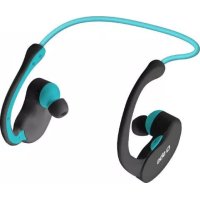
Runway Evolution - Earphones SBS - Free user manual and instructions
Find the device manual for free Runway Evolution SBS in PDF.



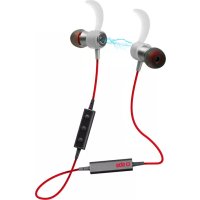
| Product type | Bluetooth stereo headset |
| Brand | SBS |
| Model | Runway Evolution |
| Bluetooth technology | Bluetooth 3.0 + EDR |
| Supported profiles | HSP, HFP, A2DP, AVRCP |
| Range | ≤ 10 meters |
| Operating frequency | 2.4026 GHz - 2.480 GHz |
| Battery type | Built-in non-removable lithium polymer |
| Charging time | Approximately 1.5 hours (≤ 2 hours) |
| Standby time | ≥ 100 hours |
| Talk time | ≥ 7 hours |
| Music playback time | ≥ 4 hours |
| Resistance | Sweat resistant |
| Main functions | Music playback, hands-free calls, dual phone, volume/track controls |
| LED indicator | Blue (connected), red (charging/low battery) |
| Charging connector type | Micro-USB |
| Package contents | Headset, USB cable, user manual |
| Care and cleaning | Wipe with a soft, dry cloth. Do not use chemicals. |
| Safety | Do not use while driving, avoid high volume to protect hearing, keep away from heat and moisture. |
| General information | Mandatory sorting at end of life (WEEE compliant). |
Frequently Asked Questions - Runway Evolution SBS
User questions about Runway Evolution SBS
0 question about this device. Answer the ones you know or ask your own.
Ask a new question about this device
Download the instructions for your Earphones in PDF format for free! Find your manual Runway Evolution - SBS and take your electronic device back in hand. On this page are published all the documents necessary for the use of your device. Runway Evolution by SBS.
USER MANUAL Runway Evolution SBS
Handsfree with foldable handband
UK
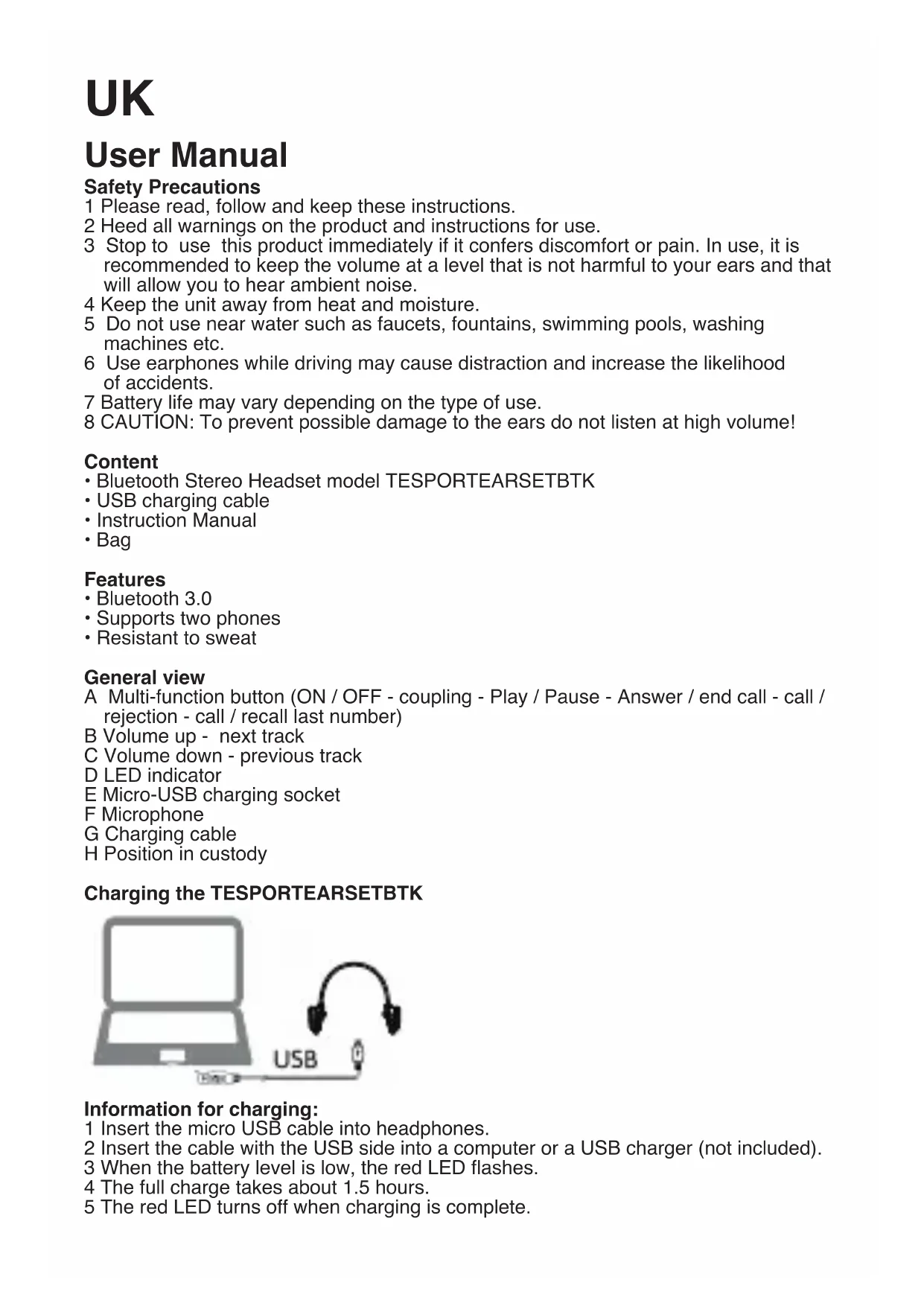
User Manual
Safety Precautions
1 Please read, follow and keep these instructions.
2 Heed all warnings on the product and instructions for use.
3 Stop to use this product immediately if it confers discomfort or pain. In use, it is recommended to keep the volume at a level that is not harmful to your ears and that will allow you to hear ambient noise.
4 Keep the unit away from heat and moisture.
5 Do not use near water such as faucets, fountains, swimming pools, washing machines etc.
6 Use earphones while driving may cause distraction and increase the likelihood of accidents.
7 Battery life may vary depending on the type of use.
8 CAUTION: To prevent possible damage to the ears do not listen at high volume!
Content
- Bluetooth Stereo Headset model TESPORTEARSETBTK
- USB charging cable
• Instruction Manual - Bag
Features
- Bluetooth 3.0
• Supports two phones - Resistant to sweat
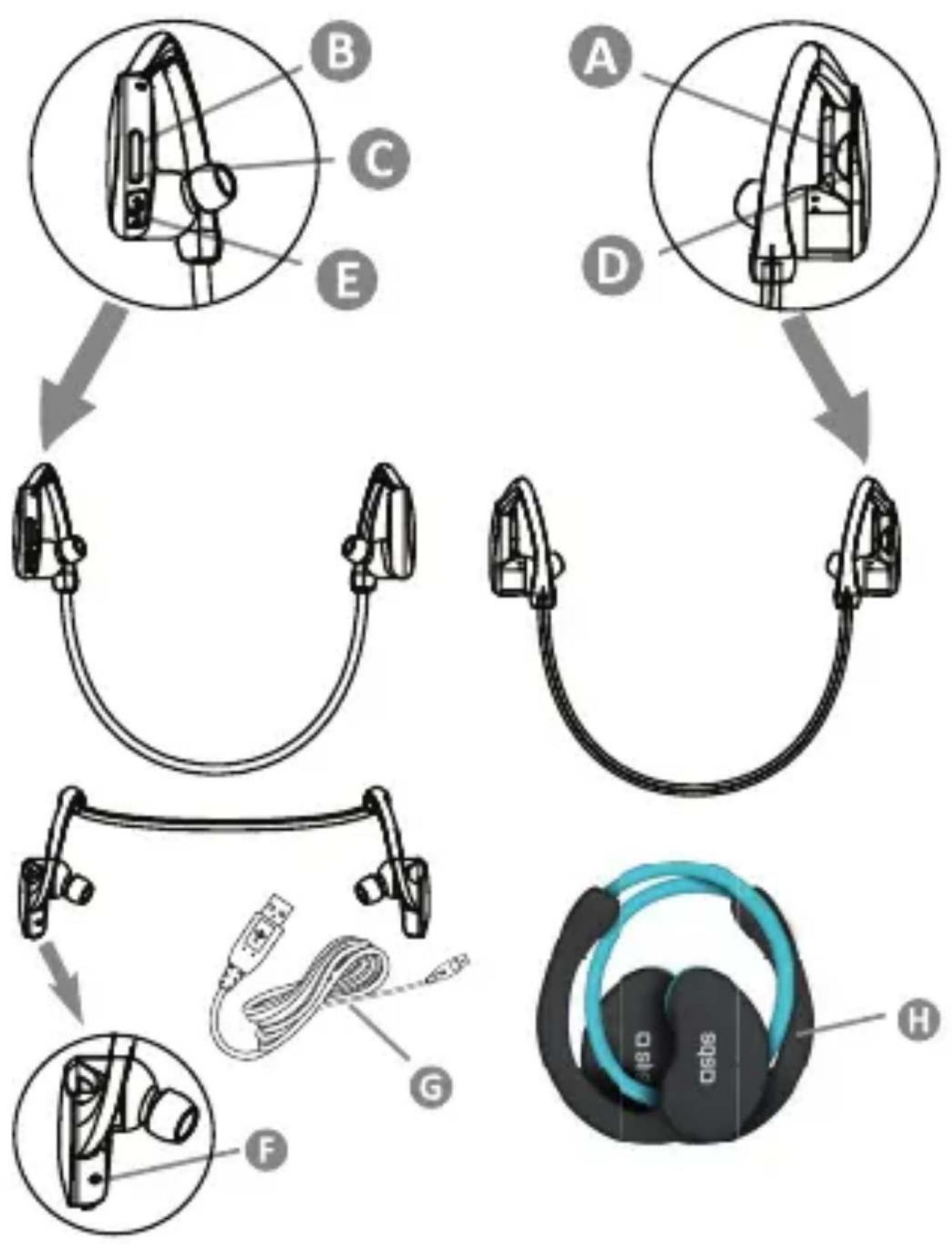
General view
A Multi-function button (ON / OFF - coupling - Play / Pause - Answer / end call - call / rejection - call / recall last number)
B Volume up - next track
C Volume down - previous track
D LED indicator
E Micro-USB charging socket
F Microphone
G Charging cable
H Position in custody
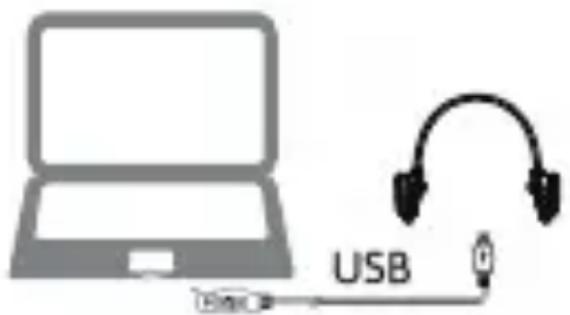
Charging the TESPORTEARSETBTK
Information for charging:
1 Insert the micro USB cable into headphones.
2 Insert the cable with the USB side into a computer or a USB charger (not included).
3 When the battery level is low, the red LED flashes.
4 The full charge takes about 1.5 hours.
5 The red LED turns off when charging is complete.
SAFETY IN CHARGE OF THE BATTERY LITHIUM POLYMER
• The headphones are equipped with non-removable batteries lithium polymer.
- Do not remove the batteries. Do not throw the earphone in fire, batteries may explode.
- Remove the batteries lithium polymer following the laws for disposal of batteries in force in your country.
- Do not follow the advice of use to the use of batteries can result in fire, explosion, fire, chemical.
- Do not allow battery fluid to come into contact with eyes or skin. In case of contact, wash with plenty of water and seek medical advice.
- Do not expose the batteries to lithium polymer at temperatures above 60°
- Do not disassemble, destroy, why do short-circuit can cause fire, injury, or other hazards.
- Charge the phone before using.
- Do not over charge the batteries: may shorten their duration.
• They are guaranteed at least about 300 cycles of charge / discharge.
CONNECT the TESPORTEARSETBTK
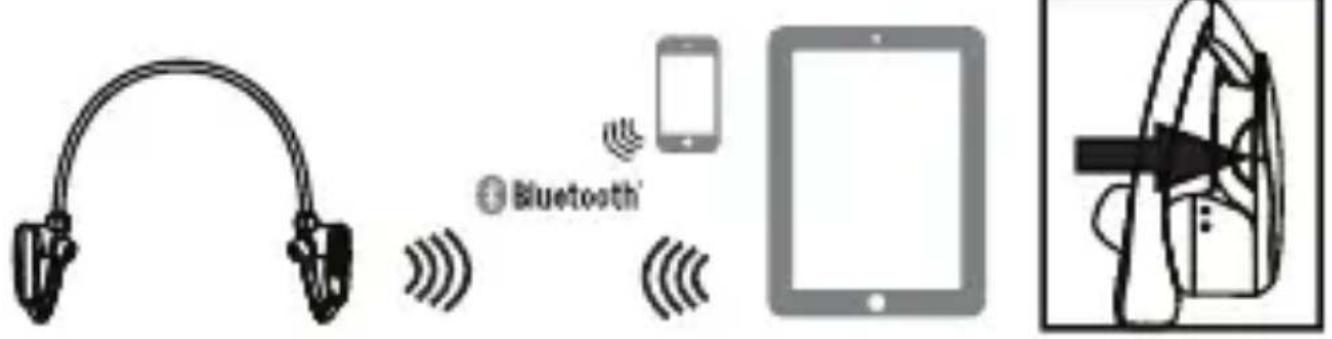
How to connect a phone
1 Press and hold the MFB (multi function button) for 7 seconds until the red and blue LED flash alternately.
2 Activating Bluetooth on the first phone look for the headphone SX-963B: you will have the associated equipment.
How to connect the second phone.
1 Press and hold the MFB until the headset turns off the LED, then turn off the phone's Bluetooth 1.
2 Relight headphones.
3 Turn on the Bluetooth on your phone 2: it will start the automatic search of headphones.
4 The same time re-activate Bluetooth in your phone 1. Click on the previous saved Bluetooth connection to connect.
HOW TO USE TESPORTEARSETBTK
Listen to music or make a call
1 Select a song or video.
2 Briefly press the MFB button to start / pause the audio.
3 Quickly press the volume key up / down to search for tracks forward / backward (I<< / >>I function).
4 Press and hold the volume button +/- to adjust the volume.
How to answer an incoming call
Connect the headphones to a smartphone. Press slightly (less than a second) the MFB to answer the call.
End of call
Press slightly (less than a second) the MFB to end the Called the.
Rejecting a call
Press the MFB button for about 2 seconds.
How to connect a phone
Press twice MFB.
LED INDICATORS
Flashing blue
Bluetooth connection is active: Your headset is ready for use.
Low battery flashing red slowly
Low battery.
Headset disconnected.
Red led Flashing fast
When the headphones shut down correctly the red light quickly flashes on and off.
Fixed red led
On charging.
OFF
Device turned off.
TECHNICAL SPECIFICATIONS
Compatible: HSP, HFP, A2DP, AVRCP
Transmission power: class 2
V3.0 + EDR
Radius of operation: ≤ 10m
Frequency range: 2.4026GHz-2.480GHz
Charging time: ≤ 2 hours
Standby time: ≥ 100 hours
Talk time: ≥ 7 hours
Listening to music: ≥ 4 hours
TROUBLESHOOTING
Led turned off
Use the supplied USB cable and charge the battery by following the instructions previously provided.
Check whether the earphone receive power from the USB port of your computer.
If your headphones do not recharge, check if the cable is connected correctly and transmits energy.
Try to press the MFB.
No Bluetooth connection
Try to power cycle the headset by pressing the MFB.
If you do not connect within 3 minutes retry the procedures by following the instructions in this guide.
Try to use the earphones with another Bluetooth device. Make sure that Bluetooth is active on your device.
Noisy Sound? No sound? Microphone not working?
The status light flashes slowly when the headphones are connected. The Bluetooth standard function normally within 10m. Check that the headset is selected as active on your Bluetooth device. Adjust the volume to an audible level. Turn off the earphones and charge it when the red light flashes and release a beep
DIRECTIVE 2002/96/EC OF THE EUROPEAN PARLIAMENT AND OF THE COUNCIL of 27 January 2003 on waste electrical and electronic equipment (WEEE) Information for users
(a) the device requirement not to dispose of WEEE as unsorted municipal waste and to collect such WEEE separately;
(b) the device must return and collection systems available to them;
(c) the device will be collected by the vendor in case of a new one is buyed
(d) the device not correctly disposed has potential effects on the environment and human health as a result of the presence of hazardous substances in electrical and electronic equipment;
(e) The symbol indicating separate collection for electrical and electronic equipment consists of the crossed-out wheeled bin, as shown below. The symbol must be printed visibly, legibly and indelibly.

Bluetooth



TESPORTEARSETBTK
كينية نوصيل: مالب


- UK
- USER MANUAL
- SAFETY PRECAUTIONS
- CONTENT
- FEATURES
- GENERAL VIEW
- CHARGING THE TESPORTEARSETBTK
- INFORMATION FOR CHARGING
- SAFETY IN CHARGE OF THE BATTERY LITHIUM POLYMER
- HOW TO CONNECT A PHONE
- HOW TO CONNECT THE SECOND PHONE
- HOW TO USE TESPORTEARSETBTK
- LISTEN TO MUSIC OR MAKE A CALL
- HOW TO ANSWER AN INCOMING CALL
- END OF CALL
- REJECTING A CALL
- LED INDICATORS
- FLASHING BLUE
- LOW BATTERY FLASHING RED SLOWLY
- RED LED FLASHING FAST
- FIXED RED LED
- OFF
- TECHNICAL SPECIFICATIONS
- TROUBLESHOOTING
- LED TURNED OFF
- NO BLUETOOTH CONNECTION
- NOISY SOUND? NO SOUND? MICROPHONE NOT WORKING
- DIRECTIVE 2002/96/EC OF THE EUROPEAN PARLIAMENT AND OF THE COUNCIL OF 27 JANUARY 2003 ON WASTE ELECTRICAL AND ELECTRONIC EQUIPMENT (WEEE) INFORMATION FOR USERS
Brand : SBS
Model : Runway Evolution
Category : Earphones