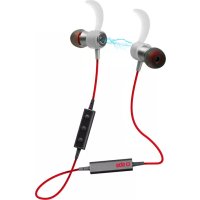
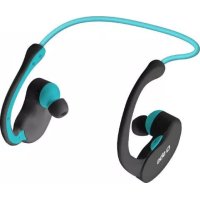
USER MANUAL Bluetooth Headset SBS
With Magnetic Switch Function
For other languages please contact us at:
info@sbsmobile.com to receive your specific user manual.
UK User Manual 4
IT Manuale di istruzioni 7
D Bedienungsanleitung
F Mode d'emploi 13
ES Manual de instrucciones 16
P Manual de instruções 19
NL Gebruikershandleiding
BG PbkoBOCTBO 3a notpe6nten
SPECIFICATIONS
Bluetooth® Specification V4.1
Bluetooth® Profiles Supported
Transmission Power
Operation Range
Frequency Range
Battery
HSP, HFP, A2DP, AVRCP
ers
GHz
Built-in Rechargeable
3.7V/60mAh Lithium Battery
DC4.75-5.25V
Charging Voltage
Charging Time
Music Playing Times
Talk Time
About 2 hours
Up to 3.5 hours
Up to 4 hours
Up to 150 hours
UK
THE HEADSET STATUS
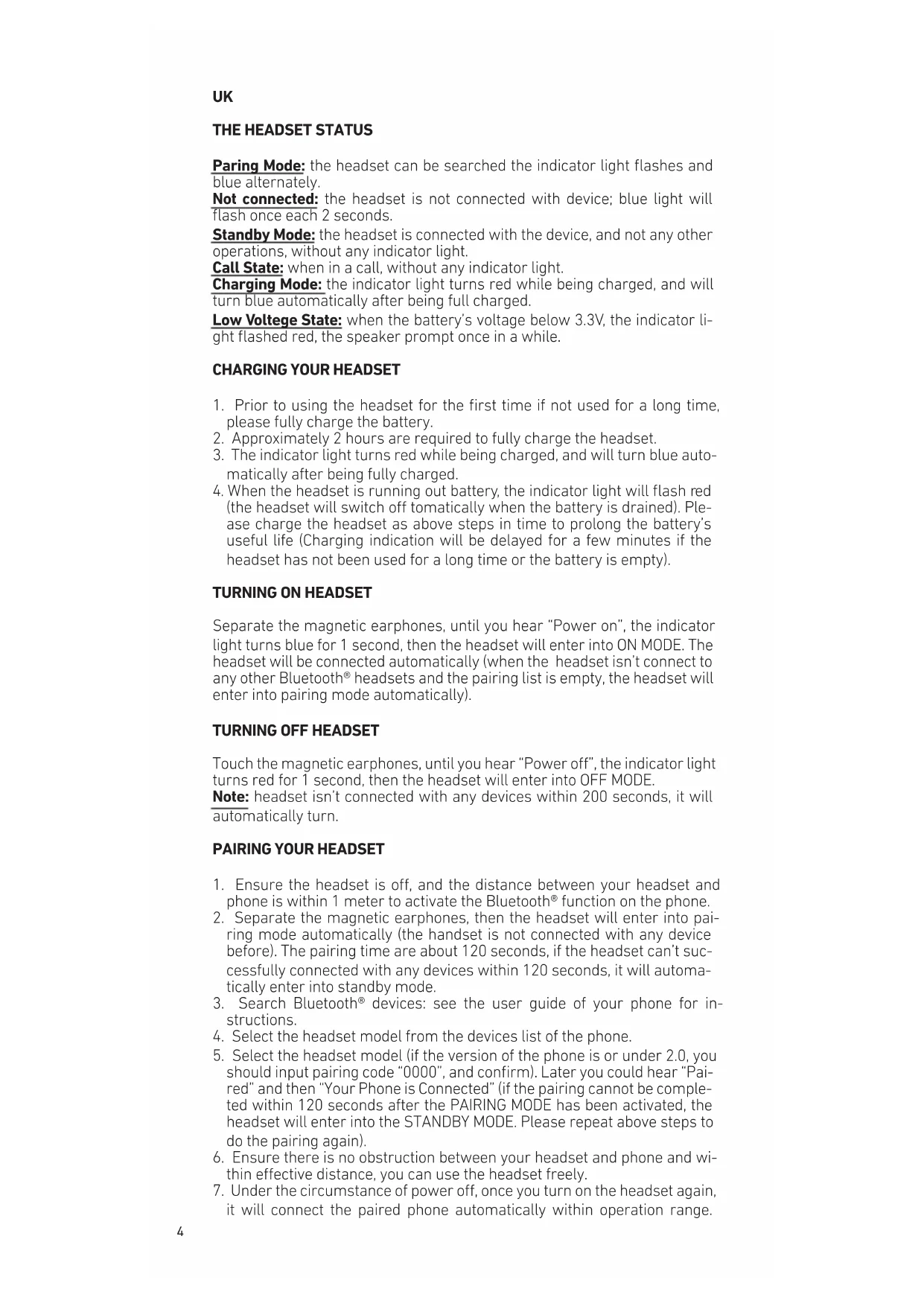
Paring Mode: the headset can be searched the indicator light flashes and blue alternately.
Not connected: the headset is not connected with device; blue light will flash once each 2 seconds.
Standby Mode: the headset is connected with the device, and not any other operations, without any indicator light.
Call State: when in a call, without any indicator light.
Charging Mode: the indicator light turns red while being charged, and will turn blue automatically after being full charged.
Low Voltage State: when the battery's voltage below 3.3V, the indicator light flashed red, the speaker prompt once in a while.
CHARGING YOUR HEADSET
- Prior to using the headset for the first time if not used for a long time, please fully charge the battery.
- Approximately 2 hours are required to fully charge the headset.
- The indicator light turns red while being charged, and will turn blue automatically after being fully charged.
- When the headset is running out battery, the indicator light will flash red (the headset will switch off tomatically when the battery is drained). Please charge the headset as above steps in time to prolong the battery's useful life (Charging indication will be delayed for a few minutes if the headset has not been used for a long time or the battery is empty).
TURNING ON HEADSET
Separate the magnetic earphones, until you hear "Power on", the indicator light turns blue for 1 second, then the headset will enter into ON MODE. The headset will be connected automatically (when the headset isn't connect to any other Bluetooth® headsets and the pairing list is empty, the headset will enter into pairing mode automatically).
TURNING OFF HEADSET
Touch the magnetic earphones, until you hear "Power off", the indicator light turns red for 1 second, then the headset will enter into OFF MODE.
Note: headset isn't connected with any devices within 200 seconds, it will automatically turn.
PAIRING YOUR HEADSET
- Ensure the headset is off, and the distance between your headset and phone is within 1 meter to activate the Bluetooth® function on the phone.
- Separate the magnetic earphones, then the headset will enter into pairing mode automatically (the handset is not connected with any device before). The pairing time are about 120 seconds, if the headset can't successfully connected with any devices within 120 seconds, it will automatically enter into standby mode.
- Search Bluetooth® devices: see the user guide of your phone for instructions.
- Select the headset model from the devices list of the phone.
- Select the headset model (if the version of the phone is or under 2.0, you should input pairing code "0000", and confirm). Later you could hear "Paired" and then "Your Phone is Connected" (if the pairing cannot be completed within 120 seconds after the PAIRING MODE has been activated, the headset will enter into the STANDBY MODE. Please repeat above steps to do the pairing again).
- Ensure there is no obstruction between your headset and phone and within effective distance, you can use the headset freely.
- Under the circumstance of power off, once you turn on the headset again, it will connect the paired phone automatically within operation range.
(See the user guide of your phone for instructions.)
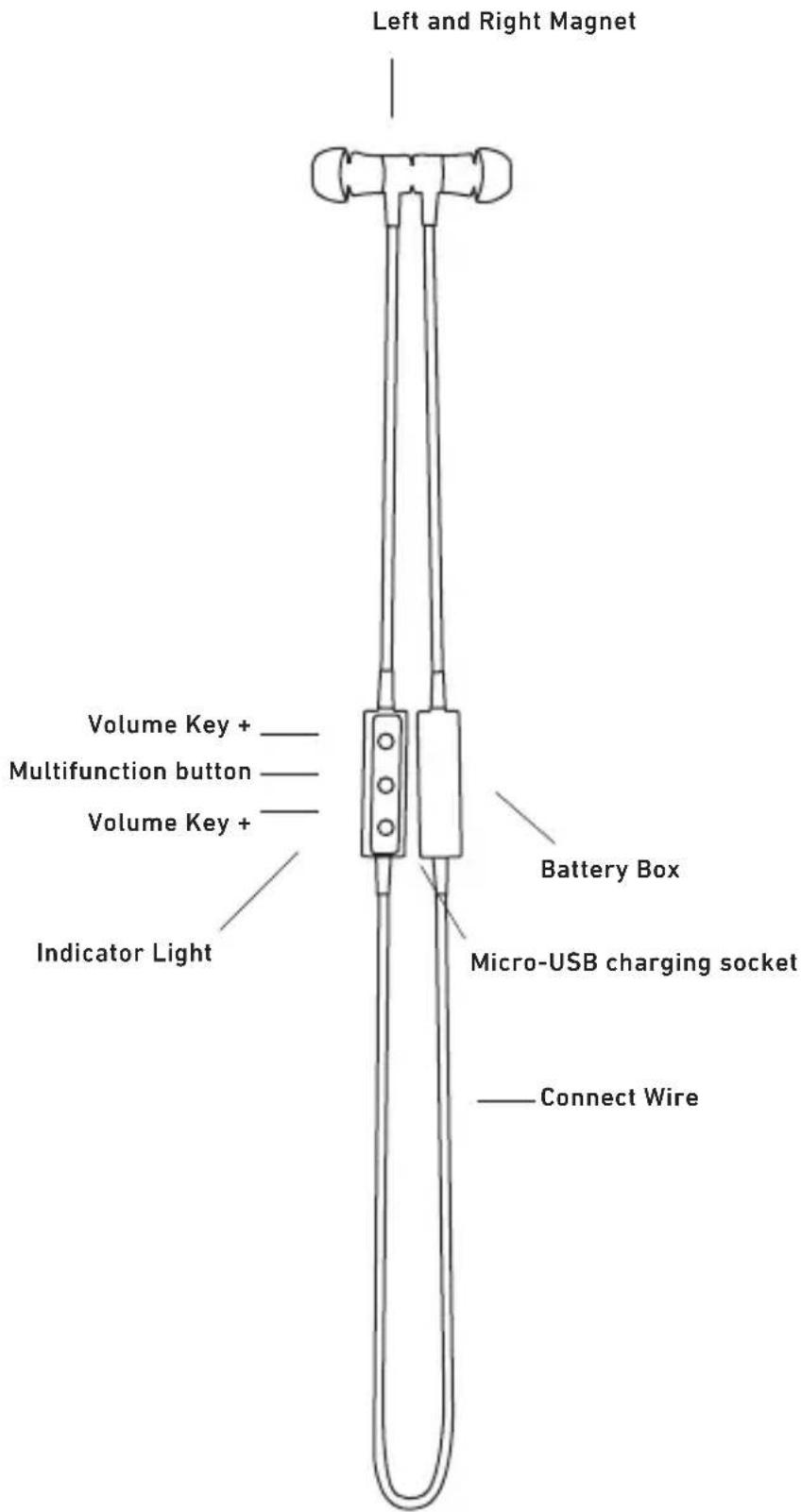
ANSWERING A CALL: when a call is coming, you can answer it with the ways as follows.
Method 1: in ON MODE, press Multi function Button once (please noted it can't answer the call by separate the magnetic earphones).
Method 2: in OFF MODE, pull apart the magnetic earphones, then the headset will connect with mobile phone automatically (make sure your phone once paired with the headset), then can answer the call.
Method 3: answer the call with your phone.
ENDING A CALL: you can end the call you are answering with the ways as follows:
Method 1: press Multi function Button once.
Method 2: click the magnetic earphone together (when magnetic earbud separate).
Method 3: end the call with your phone.
REJECTING A CALL: press and hold Multi function Button for 2 seconds to reject the call.
VOICE DIALING: in PAIRED MODE, press and hold volume V- button for 2 seconds, and say the voice tag as soon as you hear the twice short beep. Ensure your phone supports voice dialing function, and you have recorded the voice tag into your phone. See the user guide of your phone for instructions.
TWO-CALL HANDLING: when you are answering a call, there is another call coming:
- Press and hold Multi function Button for 2 seconds to end the current call and answer another one.
- Shortly press Multi function Button once to answer another call and hold on the current one.
- After the above operation 2 settled, shortly press Multifunction button Twice to transfer one call to another.
- After the above operation 2 settled, press and hold Multifunction button for 2 seconds to end the current call and shortly press Multifunction button once to end another call.
Note: All the above operations have to respect the precondition that Phone supports Bluetooth® hands free profile V1.5 and Phones are running under call holding function (Network service) from telecom.
THE LAST NUMBER REDIALING
- Press Multifunction button Twince to redial the last phone number when connect one phone.
- Press Multifunction button Twice to radial the last phone number of the first phone. Press and hold V + button for 2 seconds, then you can radial the last phone number of the second phone based on the connection precedence order of the 2 cellphone.
MUTE: during a call, press and hold V+ for 3 seconds, the headset will enter into MUTE MODE. In MUTE MODE, the speaker will sound "Beep" twice every 10 seconds, you could cancel the MUTE MODE if press and hold V+ for 3 seconds again.
ADJUSTING THE VOLUME: in call or music playing state, shortly press V + or V- once to adjust the volume. When the volume up to maximum or minimum, you could hear "Beep" voice prompt.
FORWARD/BACKWARD: press and hold V+ or V- for 2 seconds to forward the next song or backward the previous song.
Note: Due to technology of difference phones, it's not sure for all phones can go back to the previous song, it may be back to the beginning.
MUSIC PAUSE/PLAYING
Method 1: Shortly press Multifunction button to PLAY music paired and standby condition, press Multifunction button again to PAUSE music.
Method 2: Pull apart the magnetic earphones, then the microphone will connect with mobile phone automatically (make sure your phone once paired with the earphones), then it will play music automatically within 5 seconds after successfully connected, while touch the magnetic earphones, music will pause and headset will turn off immediately.
DELETE PAIRING RECORD ON THE HEADSET: in ON and not connected mode, press and hold "V+ and "V- until the red and blue light flashes twice at the same time, you will hear "Beep" prompt voice, then press and hold Multifunction button for 3 seconds, the pairing record on the headset will be deleted. When all the pairing record is deleted, after turning on the headset again, it couldn't connected automatically and enter into pairing mode directly.
HEADSET RESETTING: in any state, as long as the headset is charging, it will be reset.
TWO-LINK FUNCTION: this function means that Bluetooth® headset is connected with 2 phones of Bluetooth® function at the same time. When the phone A and phone B are neither paired, the two link operation is as below:
1) Pairing Phone A: in OFF Mode, pull apart the magnetic earphones until indicator light flashes red and blue alternately use phone A search to the Bluetooth® Headset, enter pairing code "0000" and confirm, pair the headset with phone A, and the headset will enter into standby mode.
2) Touch the magnetic earphones to turn off the headset, then turn off the Bluetooth® function or switch off power in Phone A, the headset will go back to no connected status.
3) Pairing phone B: in OFF Mode, pull apart the magnetic earphones until indicator light flashes red and blue alternately, use phone B to search the Bluetooth device, enter pairing code "0000" and confirm, pair the headset with phone B, and the headset will enter into standby mode.
4) Connecting the phone A&B at the same time:
Method 1: Activate the Bluetooth® function or switch on the power of phone A, search the Bluetooth® headset with phone A, and connect it with this phone, here 2 phones are connected with the headset.
Method 2: Activate the Bluetooth® function of phone A/B and re-turn on the on mode headset. The headset will automatically connect with (A/B) phone. If need to connect the 2nd phone, you should use manual operation on phone.
SHIFT BETWEEN TWO CALLS: when the headset is connected with two phones, during answer calling A, there is a calling from phone B, you could shortly press the Multifunction button once to answer phone B, the call from phone A is under the status of waiting. You can shortly press Multifunction button to shift one call to another. When connected with two phones, if answer phone A and there is phone B calling, you can press and hold Multifunction button for 2 seconds to end the current calling and answer another one.
DISCONNECTING: to disconnect the paired headset from your phone, please turn off the headset or disconnect the headset from the Bluetooth menu of your phone. When disconnecting, you could hear "Your phone is disconnected".
AUTOMATIC RE-CONNECTING: this function is once paired the headset will connect with phone automatically and no need connect any more make sure your phone Bluetooth® fuction is activated and in the operation range with phone.
In OFF Mode, after pull apart the magnetic earphones, it will connect the phones according to the pairing list in 120 seconds. If beyond 120 seconds and not connected, the headset will go into standby mode. If beyond 200 seconds (including pairing time 120 seconds) and not connected, the headset will turn off automatically.
1
INDICATORE LED
ACCENSIONE AURICOLARI
Paring Mode: the headset can be searched the indicator light flashes and blue alternately.
DAS HEADSET-STATUS
He cBbp3aH: CnyuAikKaTa He e CBbp3aH C yCTPOIcTBO; CnHa CBETInHa Ie MIRa BeHHbX Ha BCEKn 2 CekyHn.
BpekmHa roTOBHOCT: CnyuAnkatae cCBbp3aHa CyCTPOINCTBOTo, a He HraKaBnDpyTN ORepaM, 0e3 KaKBATO n CBETJIHHeH INDNKATOP.
06aTe YleHka:KOraTO B eINH pa3roBOp,6e3 KaKBaTO INCBetJIiHEn HINIKaTOp.
3apekdaheTo Mode:CBETINHHNHT INHINKATOp CBTeN B cepBeHO,DOKaTO ce 3apekda, nIe CE OUBETN B CINHbO ABTOMaTHUHO, CNeI KaTO e TbJIHO 3apeDeHa.
Low-NeHka Voltege: KOraTo HnPexeHneTo Ha 6aTepyTa nOJ 3.3V, INNkAToBpT CBeTHa cepBeHO, ROBOpHTeJIr T NOKaHN OT BpeMe Ha BpeMe.
3APEXDAHE HA CNYJIAJKI
1.Ппдддддддддддддддддддддддддддддддддддддддддддддддддддддддддддддддддддддддддддддддддддддддддддддддддддд徳нгпьлнгпьлнгпьлнгпьлнгпьлнгпьлнгпьлнгпьлнгпьлнгпьлнгпьлнгпьлнгпьлнгпьлнгпьлнгпьлнгпьлнгпьлнгпьлнгпьлнгпьlngnrgnngnngnngnngnngnngnngnngnngnngnngnngnngnngnngnngnngnngnngnngnngnngnngnngnngnngnngnngnngnngnngnngnngnngnngnngnngnngnngnngnngnngnngnngnngnngnngnngnngnngn
2.Пиблnteнho 2 уа ca Heo6xoДИМ 3a nbIHO 3apexKaHе HcnyaJIKNTe.
3. CBeTINHHNRT INHnKATOp CBETBa B UepBeHo, DOKaTO ce 3apeKda, n ue Ce OUBETN B CINHbO ABOTAMUHO, CNeI KATO e HAnbHIO 3apeHeHa.
4. Korato cnlywankata e Ha n3yepnBaHe Ha 6atepyra, nHndkatopbT ue CBeTN B cepBeno (Cnywankite ige Ce n3KIOUOn OMATNUHO KOrato 6atepyra ce n3TOuBA).MOna 3apeINTE cnlywankite, KaKTo NO-rope CTbKn BBB BpeMeTO, 3a Da CE yDnKn Cpoka Ha eKcNlOaTaun Ha 6atepyra (NnNkA TO 3a 3apeXdaHe ige 6bJe OTLOKeHO 3a HAKONKO MInHyTu, aKO cnYwankata He e 6nla N3NON3BaHa B npOdbKeHne Ha Dblr nepNOd OT BpeMe INN 6atepyra e npa3Ha).
BKIOUOBAHETO HA CNYUJAJKN
Pa3dJIaT Ce MaHHTn CnyuJAKITE, OOKATO yyeTe "BKJIOUbaHe", CBeTINHHNRT INHNIKAtOp CTaba CnH 3a 1 cekyHda, CneI TOBa HA CNYuJALKITE ue BJe3e B ON MODE. CnyuJALKITE ue 6bDat CBbp3aHn ABTOMaTHNo (KORAto CnyuJALKaTa He ce CbPKe C dpyr n CnyuJAKn Bluteoth" n CnncbKa 3a CDBOBAHe e npa3eH, CnyuJALKITE ue BJe3e B pexIM Ha CdbOBAHe ABOTOMTuHO).
N3KJIIOUYBAHETO HEADSET
ДOKОСHTe MaHnTHNTE ClyuAJIKNTe,doKaTO yyeTe "I3KJIIOUbaHe",CBETINHHNRT INHnKATOP CBETBA B cepBeHO 3a 1 CeKyHda,CleT TOBa Ha ClyuAJIKNTe ige Bne3e B pEXJM N3KIIOueH.
3a6enexka: Cnyuankn He e Cbbp3aH CnKKaBn DpyrN yCTpoiCTBa B paMKNTe Ha 200cekyhni, Toa ABTomTuHNo ue Ce BKJIOUH.
CABBOBAHE HEADSET
- YBepete ce, ye cnlywaankata e n3KlHoueH, a pa3CTOaHHeTo MekNy cnlywaanKeTne TenefoHa e B paMKnTe Ha 1 MeTbp, 3a da akTNBpuPe fYHKuJaTa Bluetooth® no TenefoHa.
- Pa3dienr Ce MaTHnTHn CnywaJKNTE, a CneT ToBa Ha CnywaJKNTE ue Bne3e BpeKIM HA CDBOBAHe (ClywaJKAta He e Cbbp3aH CBCAko yCTPOIcTBO, Ipei). BpeMeTo 3a CDBOBAHe ca OKoN 120 cekyHn, aKO CnywaJKAta He MOKe ycNeuHO CBbp3aH C BCaKaBn yCTPOIcTBa B paMKTe Ha 120 cekyHn, ToI abTOMATNUHO ue BNE3e B peKIM HA rOTOBHOCT.
- Tbpcene Bluetooth yctpOCTBa: BxKTe pBKOBOCTBOTO 3a NOTpe6nteHa BaIINr TeNEoH 3a INHCTpykUIN.
4.ИЗберете модана Ha слушалкп Te Oсиьka Cустpo�Тва Нтелфона.
5.ИЗберете модана на сишankte (ак Версьгая на телфога влллллллллллллллллллллллллллллллллллллллллллллллллллллллллллллллллллллллллллллллллллллллллллллллллллл.
ТрбБа де Сьвьждаме На КОДа 3a сdВоганe "0000",и notвьрждав).ПОКьсно можete Дуerte "сdBoEн"и сдд Това "Baшпгт телфог e cьрзан"(akocсdВоганeto He moxe da 6bde 3aBpшeHa B pamKNTe Ha 120 cekyндсд MODEсdВоганeto eakTINBupan,сушankte ue Bne3e B pexim Ha rotOBHOCr.MOnЯ, noBTopeTe NO-rope CTbKN,3a DA nPpaBrtсdВоганeto OTHOBO).
- YBepete ce, Ye Hma npenTCTBm Mekdy Cnywankata N TelefoHa B pAMKNTe Ha ekeTNBHOTO pa3cTOnHHe, MoKeTe Da n3nO13BaTe Cnywankite CBO6oJHO.
- NODOBCTOReTBO Ha BbHsHo eIeKtpo3axpaHbaHe, CNeI KaTO BKnIOHTe CNywaIKnTe OTHOBO, Tg Iue CBbp3Ba B DBOkA TeIefoHa ABtOMaTnHO B pAMKIne Ha pa6OTnHa dnaana3OH. (BxKte PkoBOCTBOTO 3a NOTpe6nteHa
BaWnRA TeNefoH 3a HNCTpyKlunn.)
OTTOBOP HA NOBUKBAHE: KOraTo Ha NoBUKBaHe NdBa, MoKTe Da My OTTOBOPu CHaUNHtE, KaKTo CNeDbA.
Metog 1: B ON MODE, HATNCHeTe MHOrofoyHKUHOHaJIeH 6yToH BeHNbX (MOJr OTBeJIeXn, Ye He MoKe Da OTROBOpn Ha IOBNKBAHETO OTDeJIHN MaHHTHNTe CnyuAnKn).
Metog 2:B pexm n3KIOueH,dpbHHeTE OCEBmArHHTNTE CnywaJIKeT, a CneTOBa Ha CNywaJIKeTe ue Ce CBpXe C MObIeH TepeOH ABTomaTHUHO (yBepTeCe, ye TElefoHbT Bn BeHNbX B DBOIka C CNYwaIKAtA), TOrBa MoXe Da OTROBOpHa NOBUKBAHeTO.
Meto3:OTROBOpHa NIOBnKBaHETC TenefoHa Cn.
IPEKPATBAHE HA IOBUKBAHE:MOXeTe da npeKpaTnPe pa3roBopa, KOITO da OTROBOPN CHaunHnTE, KaKTo CneDba:
MeToD 1:HaTNCHETe MHOrOΦyHKUHOHaJIeH 6yTOH BEdHBzK.
Meto2:KNIKHeMaHTHaTa CnyuJaKa 3aeH0 (KORATo MaHTHmMkPOKaCynaTa pa3dEyT).
Meto3: npnKIOHHTe pa3roBOpa C Baunr TeJefoH.
OTKA3BAHE HA NOBUKBAHE: HATNCHeTe 3aApbXTe Multi bTbH yHKun 3a2 cKeHyn, 3a da OTKaKeTe NOBUKBaHETo.
TJACOBO HABIPAHE: B CBOEHN MODE, HaTNCHeTe 3aApbXte 6yToHa 3a cnata Ha 3Byka V-3a 2 cekyHn, n 13roBapTe rIacOBn MapKepe, BeHara Cnei KaTO UyeTe DBA PtBn KpaTBK CmHn. YBepeTe yHKuIg rIacOBo HabipaHe Baunr TeneOH NODbpxKa, n CTe 3aNNCaII rIacOBn MapKepe B TelefoHa CN. BuXTe PbkOBODBOTO 3a NOTpe6nteHa Baunr TeneoH 3a INCTpyKuIN.
IIBE IOBNUBAHE HANDLING: KOraTO CTe Da OTROBOpHTe Ha NOBUKBaHe, TaMe npuy pa3roBOp nDbA:
-
Hatnche n 3aPbXte MHorOfoyHKUHOHaHnna 6yToH 3a 2 cekyn, 3a da cnoKn Kpa H a Tekyu np a3roBOp n da OTROBapr Ha Oue eHN.
-
MaIko HATINCHETe MHOROfoyHKUHOHaEN 6yTOH BeHNbX, 3a da OTROBOp Ha npyr pa3roBOp n 3aJpbXkTe Ha HAcTOnuata.
-
CnE no-rope onepaun 2 ypeH, ckopo HATNCHe MyTnOyHKUHOHaEN 6byToH Twince 3a npexBpnaHe Ha eINH pa3roBOp KbM dpyr.
-
CnEi no-rope onepaun 2ypeen, HATNCHTe n 3aDpBkTe 6yTOH MHorOfoHKUHOHaHN 3a 2 cekyn, 3a da ce cnoKn KpaH a Tekyu npa3roBOp nCKopo HATNCHe 6yToH MHorOfoHKUHOHaHN BeHbX, 3a da cnoKn Kpa Ha dpyr pa3ROBOp.
3a6eIekKa: Bcun Te3n onepaun Tp6Ba da cna3BaT npedBapuTeH0 yCIOBne, ye TelefohBT nOdbpka Bluetooth® xenDCphi npoofn V1.5 n TelefoHN pa6oteu nn oN npOBexdaHe nobIKBaHe fynKU (ycnyra Ha MPexkata) OT TELEKOMa.
TIOCLIEDHNT HOMEP HABIPAHE
- Hatnchete MyntyHkUHOHaen 6yToH Twince 3a da NOBtOpTe nocJeHHr TenefoHEN HOMep, KORAto Ce Cbbp3BaT c eINH TenefoH.
- HatncheTe MHorOfoHyKUHOHaJIHH6yToH 1Ba NbTn, 3a Da NOBTOpuTe NocJeHN Hn TenefoHeH Omepe Ha IpbBnra TelefoH. HataChteu 3aApbXkTe V + 6yToH 3a 2 Cekyni, Cne TOBa MoKeTe Ja NOBTOpuTe NocJeHN TeteoHn Homep Ha BTOPNr TetefoH, 6a3npaH Ha peDa Bpb3ka npedmCTBO Ha 2 MObUnen TetefoH.
6E3 3BYK: no BpeMe Ha pa3roBOp, HATncHe Tn 3aIpbXkTe V + 3a 3cekyHn, cnyuankata ue Bne3e B MUTE MODE. B MUTE MODE, BnCOKOrOBOpntJrTtue 3Byu "Beep" Dba nTn Ha BCEKn 10 cekyHn, MoKeTe da OTMeHnTe peKIM 3arNywaBaHa eKO HAncHe Tn 3aIpbXkTe V + 3a 3cekyHn OTHOBO.
PERyIINPAHE HA CNJATA HA 3BYKA: B pa3ROBOp uIN 3a Bb3nPOn3BeKJaHe Ha My3Nka CbCTOAHne, MaIKo HATNCHete V + INN V- BeHbXk, 3a da peryIINpate cnJATA Ha 3Byka. Korato o6embT do MaKcImaJIHa INN MHNImaJIHa, MOKeTe da uyete "Beep" rnaCObO cb06UeHne.
HAIPED/HA3A:HaTNCHTe 3aIpbXTe V+nnV-3a2cekyHn,3a da npedaT Ha CNEBbAsata neCEH nn HaaD npEINHATA neCEH.
3a6eIekKa: Iopadu TexHONrna Ta Ha pa3nKata TeneoHn, ye He e cnpyeh 3a BCNU TeneoHn MORaT da Ce BbPHaT KbM npednHaTa neceH, TMOKe da Ce BbpHE KbMaHaJATO.
MY3NKA PAUSE /CBNPEUIN
Meto1: MaJIko HATNCHETe 6yToH MHOroOfoHKUHOHaHN da Cnywate My3Nka B DBOIKA n rTOBHOCT CbCTOAHHe, HATNCHETe 6yToHa MHOroOfoHKUHOHaHN OTHOBO da HApapBnTE NaY3a My3Nka.
Meto2: IV3BaIeTe OCBEN MaHHTNITe CNYaIKNte, a CnED TOBHa CNYaIKKaTa Ⅲe Ce CBpKHe C MObUIne H TeneOHO ABOTMaTHUHO (YBepTe Ce, YCe CN TeneOHO, CnEi KaTO Ce CBpKHe C NUYaIKNTE), a CnED TOBua Ie NRpae My3Nka ABOTMaTHUHO BpaMKITE Ha 5 CekyHnCneI yCneUHO CBbp3aHO, DOKaTO DOKOCBaHe MaHHTNITe CNYaIKN, My3Nka Ie HApBaN nay3a n CNYaIKN Ie Ce n3KnIOH He3a6aBHO.
N3TPN CDBOBAHE 3ANC HA CNYUANKITE: B ON I He e Cbbp3aH peKIM, HATNCHE Tn 3aPbXTe "V" n V-, DOkATO Ha UepBeHN u CINH MIRa DBa NtBn B CbIOTo Bpeme, ue yyeTe Beep" Ipomnt rIac, cIeT OBa HATNCHTe n 3aPbXTe 6yTOH MHorOfoHKUHOJHn 3a 3 CekyHn, peKOp3 a CDBOBAHe Ha CUYwaIKAta ige 6bJe n3TpNTa. Korato BCNUKO peKOp3 a CDBOBAHe e n3TpNTa, cIeK KATO BKIOUHTe CNYUANKTE OTHOBO, Ta MOKe Ja He e Cbbp3AH ABTomTuHNO IN BnI3a B peKIM HA Cbbp3BaHe dIpeKTHO.
HEADSET HUINPAHE: BbB BcKa DbPkaBa, TOnKOBa Dbliro, KOJIKOTo Ha cnyuwaankata ce 3apejka, Ta ue bde CmeHeHa c HOBa.
DBE BPb3KA ΦYHKLJRA: Ta3n ΦyHKLJRA O3Haayaba, ye Bluetooth® Cnywajkn, ca Cbbp3aHn c 2 TelefoHa Ha ΦyHKLJRA Bluetooth® B CbIoTO Bpeme. Korato TelefoHbT A n TelefoH B HHTO ca CdBoeHn, onepaunra T no DBe Bpb3ka e noDony:
1) Pairing TeneoA: B OFF pexHM, DpbHHeTe OCBeH MaHHTNHe CnyuAKn, IOKaTO CBETINHHNt INHnKaTOp MiraB UepeBHeO N CInHbO C peDyBaHe N3NOJ3BaTe TeneoHa 3a TbpCHe Ha Bluetooth° CnyuAkn, BBBeTe KOJa 3a CDBoBAHe "0000" nOTBbPdN, CbPxKeTe CnyuAknTe C TeJefoHa A, n CnyuAknTe ue BnE3e B pexHM HrOTOBHOCT.
2)ДOKOCHEte MaHHTHTE CnyuAnK, 3a ДИЗКЛIOUHTe CNYuAnKaTa, CLETOBa N3KJIIOUHTeФункиЯТa BluTeothNIM INI N3KIIIOUHTe 3axpaHbAHeTo B TeNeΦOHa, CnyuAnKInTe Ie Ce BbpHa, 3a ДИЕ N CBbp3AH CTaTyc.
3) cDBoABe Ha TeneoHa B: B OFF peXIM, DpbHHeTe OCBeH MaTHHTHe TcLywaIKN, DOKaTO CBETTINHHNIT INHnKATOp Mmra B UepBeHO n CnHbO Ha POtaUHOEN IpnHcUN, IN3NOJ3BaHETo HA KJIeTBuHN TeEfoHN B 3a Da TBpcNTe B Bluetooth® yCTpoiCTBO, BBBeDEte KOda 3a cDBoABe "0000" u NOTBbPdN, CbPjKeTe CnywAknTe C TeneoHa B, IN CnywAknKaTa ige Bne3e B peXIM Ha rTOBHOCT.
4) Cbvp3BaHe Ha TetefoHa n B vcbtio To BpeMe:
Meto1:AKTNBupanTeyHKunraeBluToothWnBKNIOBaHeHaYCTpOINCTBOTo HaTeneoHaA,TbpcHeHaBluetoothCnywankteC TeteoHaNroCBbpKeTe CTO3N Teleoh, TYK 2 TeleooH Ca Cbpb3aHn Cbc Cnywankte.
Meto2: AKNBpuHa He yHKunra BluethoH Ha TeneoH A/B N NOBTOPOB BKNIOUBAHe Ha pexkma 3a cnlywauKn. CnywauKnTE ue Ce CBpb3Ba aBTOMaTHUHO c (A/B) Ha TenefoHa. Ako ce HANOJ da CbbpKeTe 2-pn TelefoHa, Tp6Ba da n3noJI3BaTe pbueh pexim Ha pa60Ta Ha TenefoHa.
MEXKYDBETE NOBUKBAHNA: KORATO Cnyuankata e Cbbp3aHa C Dba TeJefoHa, no Bpeme Ha OTROBOP Hapnua, Ima NOBUKBaHe OT TeJefoHa B, Bne CKopo MoKe Da HATNCHE6yToHa MHorOfoYHKUHOHaHN BeNbX, 3a Da OTROBOpHa TetefoHa B, NOBUKBaHeTO OT TeJefoH A e NOD CTAtyHa OauKBAHe. CKopo MoKeTe Da HATNCHE6yToHa MHorOfoYHKUHOHaHN Da CMeHN EIN Pa3ROBOP KbM npyr. Korato e Cbbp3aH C Dba TeJefoHa, AKO OTROBOpBT TeJefoH A n IMA TeJefoH B Pnp3BaHne, MoKeTe Da HATNCHEe N 3aNbPknTe 6yToHa MHorOfoYHKUHOHaHN 3a 2 ckyHn, 3a da ce cNoKn KpaH Na TEkyuata TPNU3BAHNE IN DA OTROBAPRT HA OUIE EDNH.
IPEKbCBAHE HA BPb3KATA: da n3KJIIOHcTE CDBOe HcYwaIKaT O TeneoHa cn, MOJIA, n3KJIIOUeTe Clywajknte INN n3KJIIOUte CnywaJIkata O MeHOTo Bluetooth Ha TeJefoHa cn. Pn n3KJIIOUbaHe, MoKeTe da yyeTe "Baunr TeJeoH e N3KJIIOUeH".
ABTOMATNUHO NOBTOPOH CBBP3BAHE: Ta3n 0yHKUaCe BeDhBX CBp3aNN Cnyuankite ue Ce CBpKcE TeneoHa ABTOMAUHO N HMa HyXda Cbbpxte noBuee ce yBepete, ue Baunr TeneoH Bluetooth 0yHKUra Ce aKtUBupa n B o6xBata Ha pa6ota c TeneoHa.
B OFF pexnM, cneI KATO npbHHeTc ocBeH MaHHTnTE CnywAaIKN, Tg Ie Ce CbPke TelefoHNTE CbrnaCHO cnncbKa Ha CdbOraBaHe B 120 cekyHn. Ako cnei 120 cekynn He e CbP3AH, CnywaKInTE Ie npemHne B peXIM Ha rOTOBHOCT. Ako cnei 200 cekyn (BkIOuHTeJIHO Bpemeto 3a CdboRaHe 120 cekyn) n He e CbP3AH, CnywaKInTE Ie Ce N3KIIOU n ABTomTuHO.
TESPORTINEARBTPROK