Avanto 5.0 HTS - Speaker AUDIO PRO - Free user manual and instructions
Find the device manual for free Avanto 5.0 HTS AUDIO PRO in PDF.



User questions about Avanto 5.0 HTS AUDIO PRO
0 question about this device. Answer the ones you know or ask your own.
Ask a new question about this device
Download the instructions for your Speaker in PDF format for free! Find your manual Avanto 5.0 HTS - AUDIO PRO and take your electronic device back in hand. On this page are published all the documents necessary for the use of your device. Avanto 5.0 HTS by AUDIO PRO.
USER MANUAL Avanto 5.0 HTS AUDIO PRO
natural_image
Two identical diagrams showing a sofa under two spotlights, each with a smartphone icon above (no text or symbols)Subwoofer
natural_image
Simple circular diagram with radiating lines and a dot, no text or symbols presentHemmabio
natural_image
Illustration of a TV setup with two tall speakers and a central screen (no text or symbols)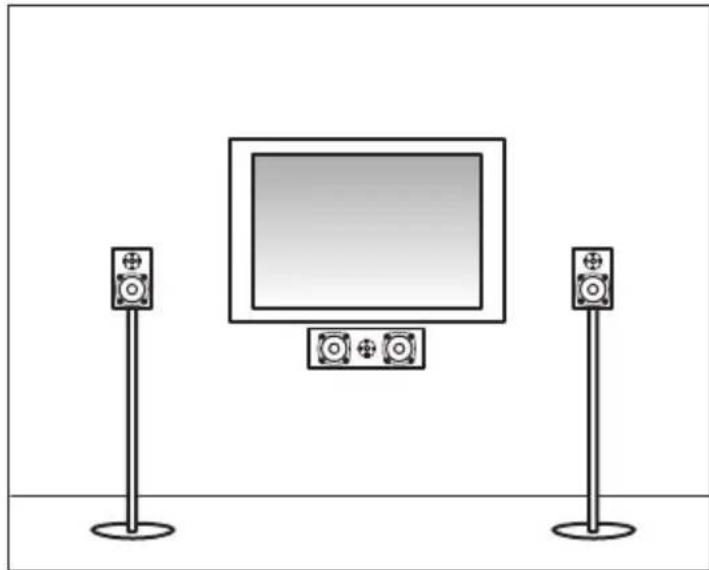
natural_image
Illustration of a TV setup with two speakers standing on each other, one displaying a blank screen (no text or symbols)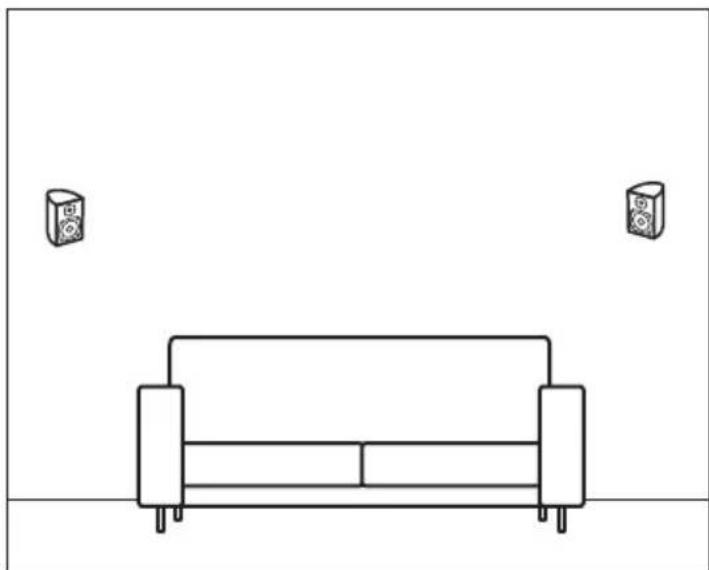
natural_image
Simple line drawing of a sofa with two speakers on top, no text or symbols present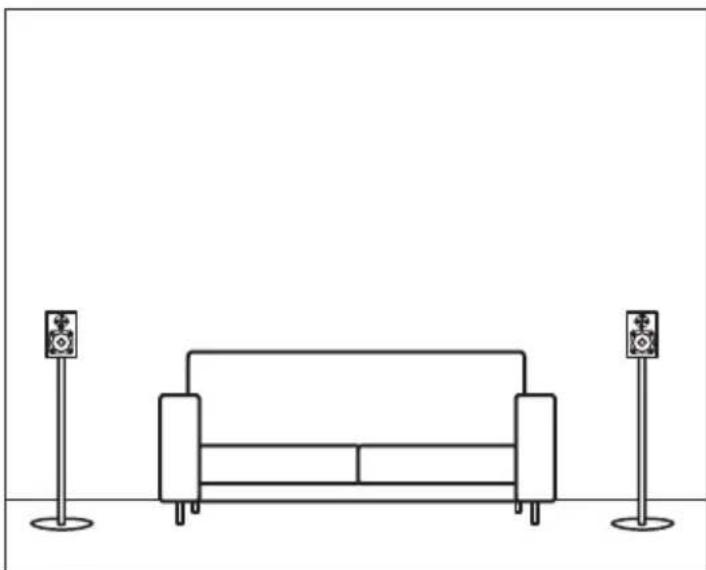
natural_image
Line drawing of a sofa with two speakers on stands (no text or symbols)Hemmabio format
DOLBY PRO LOGIC
Welcome to the wonderful world of Audio Pro loudspeakers. Since we began manufacturing speakers in 1978, our goal has been to provide the best possible sound at the best possible price. Why? Simply because we want as many people as possible to experience incredible sound in their homes. Today, Audio Pro loudspeakers are available in over thirty countries all over the world. To get the utmost enjoyment out of your speakers, we recommend that you read the following pages, which provide helpful tips and information on installation and placement.
HANDBOOK AN INTRODUCTION TO YOUR NEW AUDIO PRO SPEAKERS
TABLE OF CONTENTS
- Installation
- Placement
- Subwoofer
- Amplifier
- Home Theater
- Troubleshooting
Prior to installation
Carefully unpack your new speakers and be sure that your sound system is turned off. Follow the detailed instructions for installing the speakers to insure that nothing is damaged during the process.
We recommend that cables up to 10 meters [32 feet] in length have a thickness of at least 1.00 mm ^2 in cross-sectional area. If you require longer cables, then we recommend that you switch to thicker ones. Always try to use the shortest possible cables to keep electricity loss to a minimum. The result will be better sound reproduction. The table below will guide you regarding cable thickness in proportion to length.
Speaker cables' cross-sectional area (in mm2) Maximum length (in meters)
| Cross sectional area (mm2) | Max length (in meters ) |
| 2,50 | 25 |
| 1,50 | 15 |
| 1,00 | 10 |
text_image
10 mmConnecting your speakers
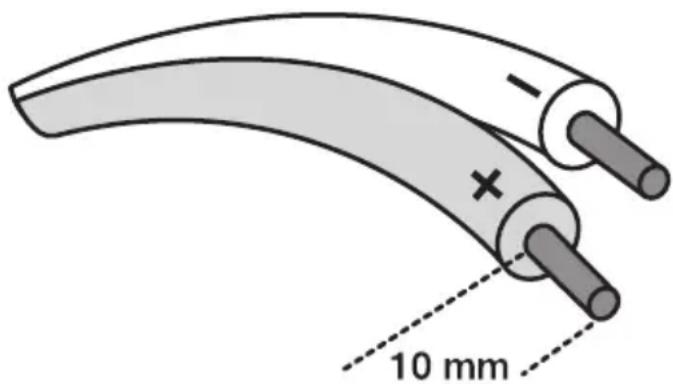
Begin by removing about 10 mm (.39 inches) of the cables' insulation if it has not already been done. Connect the cable's positive (+) to the amplifier's positive (+), which is usually marked in red. Then connect the cable's negative (-) to the amplifier's negative (-), which is usually marked in black. Connect the other + and - to the speakers' red and black terminals, respectively.
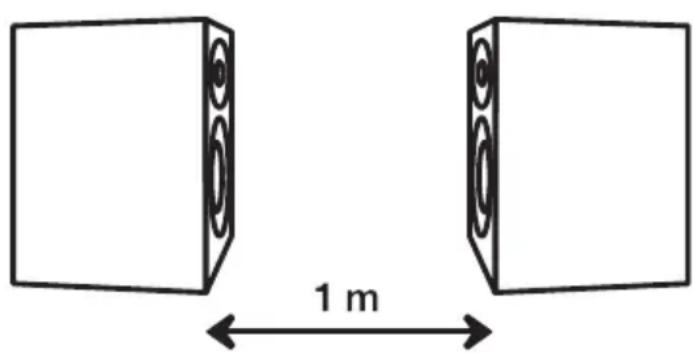
If, for some reason, you are not sure you have connected the loudspeaker cables correctly, you can run a phase test. This test enables you to determine if your left and right speakers are working in phase with one another. Here's how it works: face the speakers toward each other, about three feet apart. Begin playing a CD with a very pronounced bass, turn up the volume halfway, and listen carefully to the bass frequency. Then, switch the + and - leads on of the speaker's amplifier connections. Play the same track again and recheck the bass sound. The connection that gives you the best bass frequencies is the correct one; this means that the speakers are working in phase with one other.
text_image
1 mPlacement
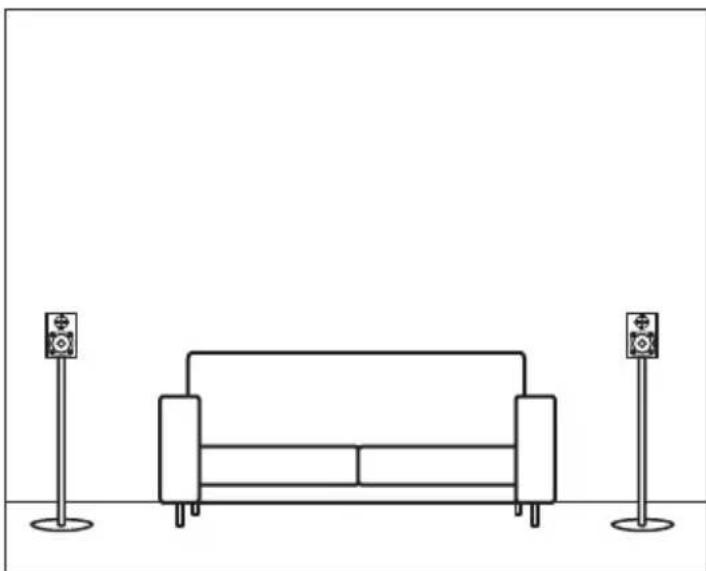
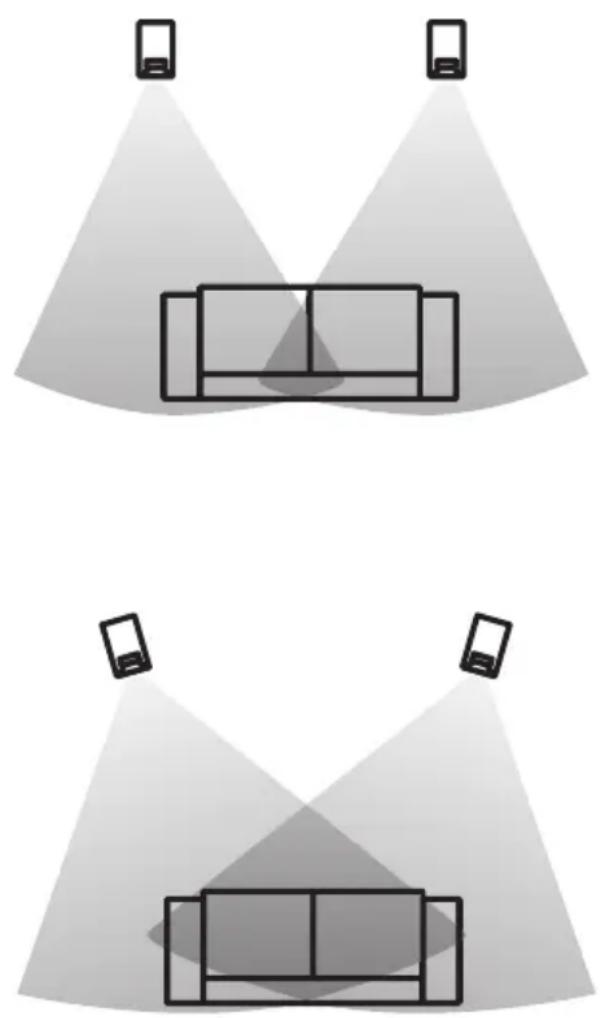
Speaker placement usually follows this fundamental rule: The speakers and the listener form an isosceles triangle, where the point of the triangle is the listener and one speaker is in each corner of the triangle. (See the diagrams). Always make sure that no large pieces of furniture are interfering with the path of the sound waves to the listener. If you want to increase the bass sound, place the speakers close to the corners of the room. However, it is not a good idea to place the speakers all the way in the corners because the bass amplification may be overwhelming. Remember that your speakers must all be at the same height for the right acoustic image. Experiment with a variety of placements – after all, the goal is to achieve the best possible sound quality!
natural_image
Two identical diagrams showing a sofa under two spotlights, each with a smartphone icon above (no text or symbols)Subwoofer
Subwoofers reproduce only the deep bass frequencies, allowing the speakers to do what they do best, which is to reproduce the midrange and treble frequencies. This configuration greatly improves the sound production throughout the system.
Audio Pro subwoofers can be used in any of our speaker series. So it is really up to you to choose the one that best suits your system. And since our sub-woofers are small and versatile, thanks to our patented ace-bass® technology, they are easy to position and take up very little room.
Subwoofer placement
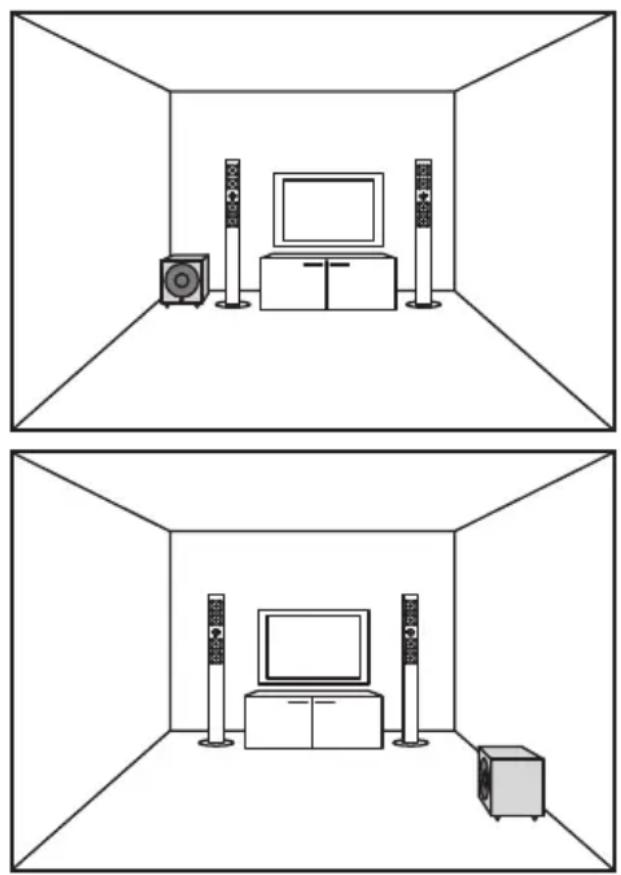
Always place your subwoofer near a wall. The closer it is to a corner, the deeper and more even the bass reproduction will be. Try out different arrangements until you find the optimal location. Do not place the subwoofer near openings, such as doors and windows. This will negatively affect its sound reproduction.
Amplifier
An amplifier that is too powerful can destroy speakers and one that is too weak can also have the same effect. The amplifier is the motor in your sound system; it drives your speakers. Here are some helpful hints on how to get the most out of your amp – for your speakers and for your listening pleasure.
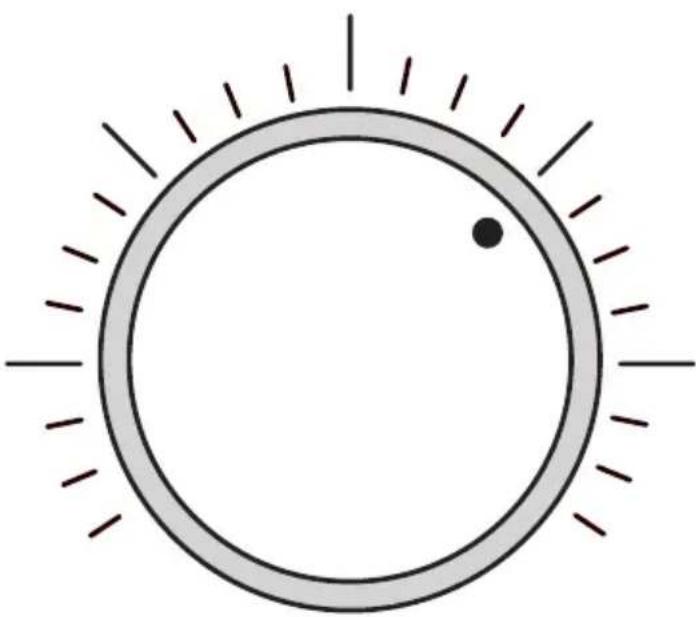
Every time you turn up the volume, even slightly, the output from your amplifier doubles. For most amplifiers, a volume setting at 2 o'clock produces the optimal output. If you increase the volume further, the distortion, not the output, will increase and your sound quality will deteriorate. When an amplifier has to work too hard, the output to the speakers may be substantially affected. Unfortunately, you can't always tell something is wrong until it is too late and your speakers have blown
Keep in mind that when the volume is set at around 2 o'clock, you must be very careful. If the amplifier's bass or treble control is also turned up to its highest level, the amplifier will reach its maximum capacity sooner, perhaps at the 12 o'clock position.
Consider this: an increase in the bass by 6 dB, for example, means that the amplifier delivers an output that is four times greater than the normal level.
natural_image
Simple circular diagram with radiating lines and a dot, no text or symbols presentHome Theater
Sound is a big part of the movie-watching experience, which explains why a good deal of time and money goes into the sound during movie production. When you watch a movie in a movie theater, this is very noticeable. The sound fills the entire room and surrounds the viewing public in a way that an ordinary TV cannot begin to match. You can feel the helicopter flying overhead or the bullets whizzing by. A home theater system gives you the acoustic image that moviemakers had in mind when they made the movie. Your own little home theater will let your recreate the magic you would otherwise only be able to experience in a very large venue. Audio Pro speakers are perfectly suited to a home theater system because all of our speakers are voice-matched within a series, making a great many different combinations possible.
Where to place your home theater
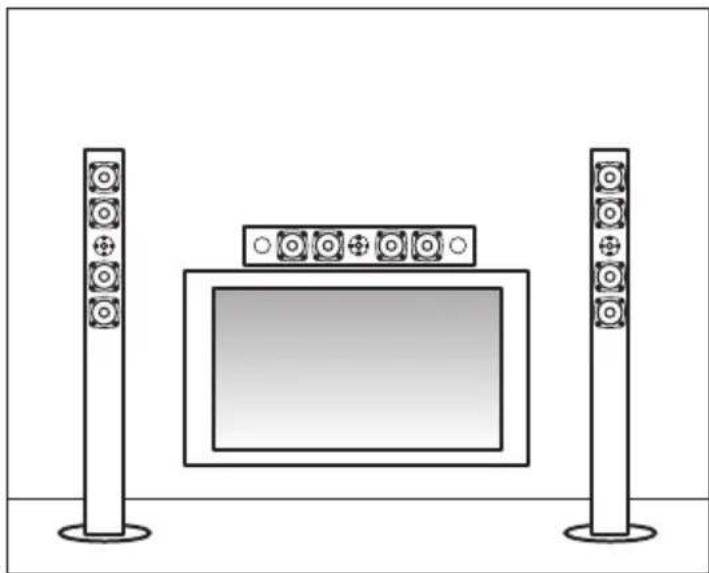
Center loudspeaker: The most important speaker in a home theater system. This speaker reproduces all the voices and special effects on the screen. It is vital that the center speaker be voice-matched with the other front speakers so that all the sound that travels between the different speakers is in harmony. Place the center speaker as close to the picture as possible, preferably in the center, over or under it.
Front speakers: It is important that the front speakers be matched with the center speaker and, obviously, with each other, so that the sound is balanced and natural. In order to get the most out of your movie-viewing experience, place the three front speakers parallel to each other and at the same height.
Surround speakers: The rear speakers in a home movie system are known as surround sound speakers. This is where the difference between an analog and digital system becomes apparent. With an analog system, the rear speakers do not need to be voice-matched with the front speakers because the sound is limited in its frequency range and reproduced in mono. In a digital system, however, all the speakers, except for the subwoofer must be voice-matched because the sound is reproduced in five separate channels and with a full frequency range.
Subwoofer: The subwoofer only reproduces deep bass, meaning frequencies under 100 Hz. As humans cannot determine the direction of these low frequencies, this speaker does not contribute to the localization of sound and therefore does not need to be visible to the listener. On the other hand, its placement in the room is very important. To find the best location for your subwoofer, we suggest that you try out different placements; the sound should be pure and deep, not loud or muffled. We recommend that you place the subwoofer against a wall, where the bass will be amplified by 3dB, or in a corner, where it will be amplified by 6dB.
natural_image
Illustration of a TV setup with two tall speakers and a central screen (no text or symbols)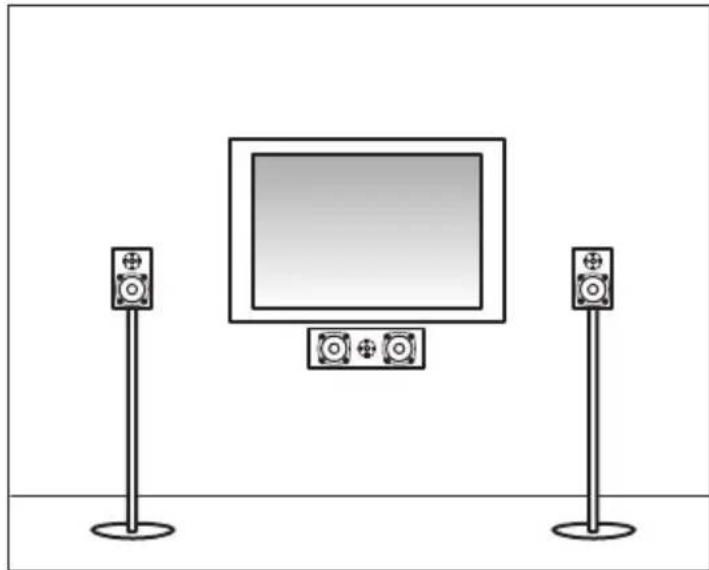
natural_image
Illustration of a TV setup with two speakers standing on each other, one displaying a blank screen (no text or symbols)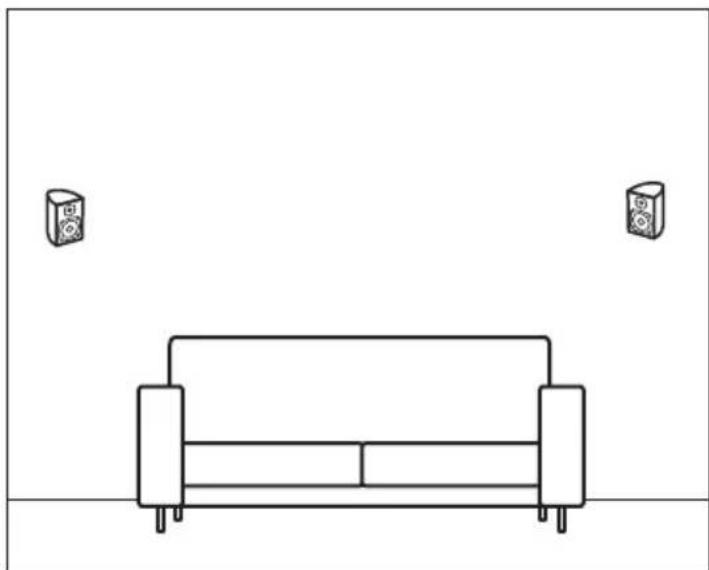
natural_image
Simple line drawing of a sofa with two speakers on top, no text or symbols present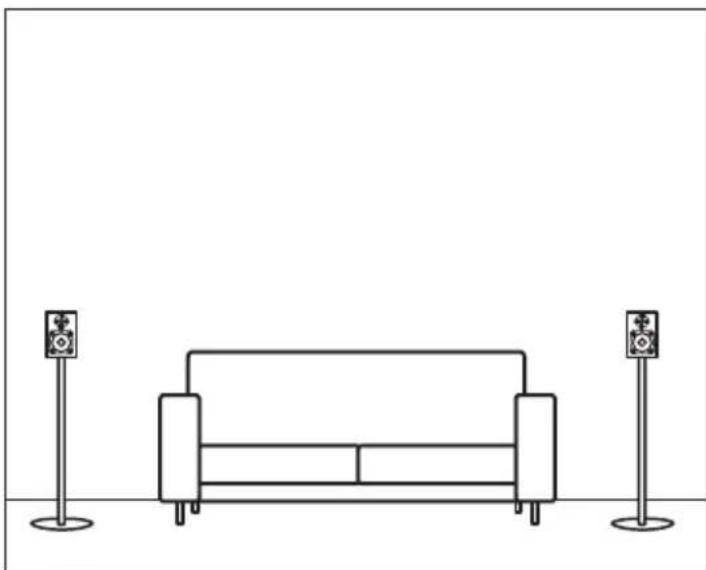
natural_image
Line drawing of a sofa with two speakers on stands (no text or symbols)Home theater formats
DOLBY PRO LOGIC
Dolby Pro Logic is used primarily for TV broadcasts and VHS, since it is analog. The system builds on four channels that are recoded to a two-channel stereo signal during production. During playbacks, the process is repeated in reverse, so that the two channels become four.
DOLBY DIGITAL 5.1
A digital sound system. The sound track can only be stored on digital media, such as DVDs. The most common is the 5.1 format, which consists of six separate channels. Channel “1” is for a very deep bass.
DTS
One of Dolby's competitors. On the home theater market, the DTS format does not have as broad a market share in DVDs as does Dolby Digital, in spite of the fact that many people believe that DTS provides a much better acoustic image.
DOLBY 6.1 AND 7.1
Both Dolby and DTS have developed sound sys -tems that can support several speakers in a home theater setting. The 6.1 format encompasses 7 separate channels, which means that the back speakers share space with a third channel. In the 7.1 format, the entire configuration shifts, creating a different acoustic image, with seven speakers: three in front, one each to your right and your left, and two behind you.
THX
THX is one standard for how a movie's sounds and images can be presented at their best. Therefore, products that wish to use the THX logo on their products or movie theaters must be certified by Lucasfilm. THX is not a sound system, but rather a quality guarantee.
Troubleshooting
Audio Pros speakers are constructed to be reliable and rarely cause problems. Please note: problems that arise in another part of your stereo system can produce symptoms in your speakers. In other words, even though your speakers may sound odd, the problem may be originating elsewhere. Therefore, we suggest that you troubleshoot thoroughly. A problem with the speakers will be heard no matter which program source you are using.
| Symptom | Possible cause | Solution |
| No sound is coming from the speakers. | The headphones are connected.The wrong program source is selectedThe stereo system has no power. | Disconnect the headphones.Select the correct program source and speaker pair.Check that all of the stereo components are turned on. |
| Sound is coming from only one speaker. | The balance knob may be turned all the way to the right or to the left.Inferior speaker cables. | Center the balance knob.Check the cable connections as well as the program source connection. Switch the cables between the left and right speakers. If the same speaker is still silent, there is some - thing wrong with it. If not, then the problem is not with the speaker. |
| Poor bass sound and/or diffuse stereo image. | The speakers are out of phase. | Check that the + and - cables are correctly connected to both the speakers and the amplifier. |
| The amplifier switches off. | The overload circuits have been activated, possibly as a result of low impedance or damaged cables (short circuit). | Check the amplifier's impedance requirements. Make sure the cables are intact and have not shorted out. . |
natural_image
Simple circular diagram with radiating lines and a dot, no text or symbols presentHome Cinéma
natural_image
Illustration of a TV setup with two tall speakers and a central screen (no text or symbols)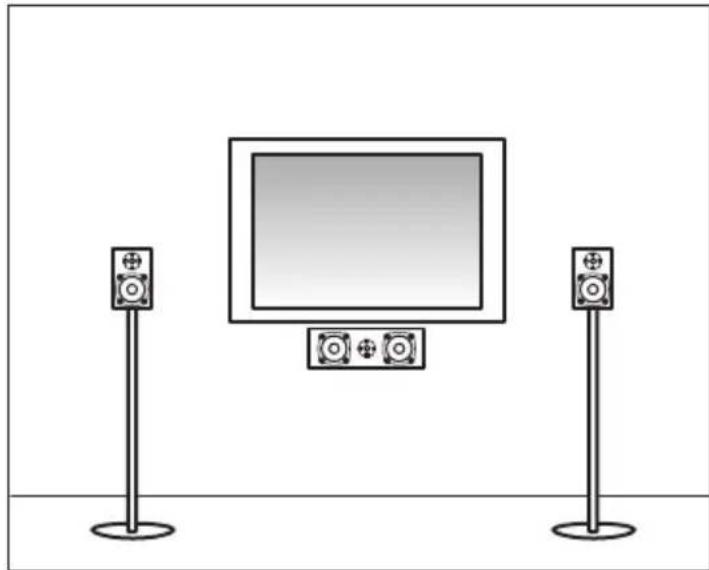
natural_image
Illustration of a TV setup with two speakers standing on each other, one displaying a blank screen (no text or symbols)
natural_image
Simple line drawing of a sofa with two speakers on top, no text or symbols present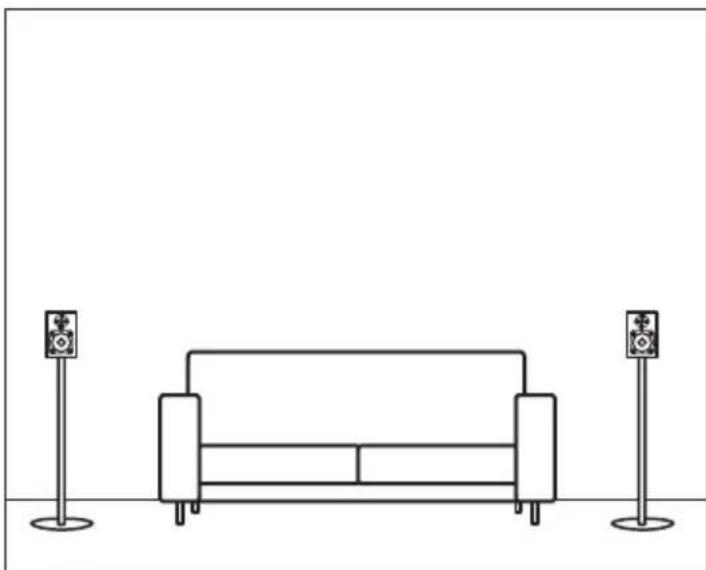
natural_image
Line drawing of a sofa with two speakers on stands (no text or symbols)natural_image
Two identical diagrams showing a sofa under two smartphone screens, each with a spotlight and no text or symbols.Subwoofer
natural_image
Interior layout diagram showing two room layouts with speakers, TV, and audio equipment (no text or symbols)Verstärker
natural_image
Simple circular diagram with radiating lines and a dot, no text or symbols presentHeimkino
natural_image
Illustration of a TV setup with two tall speakers and a central screen (no text or symbols)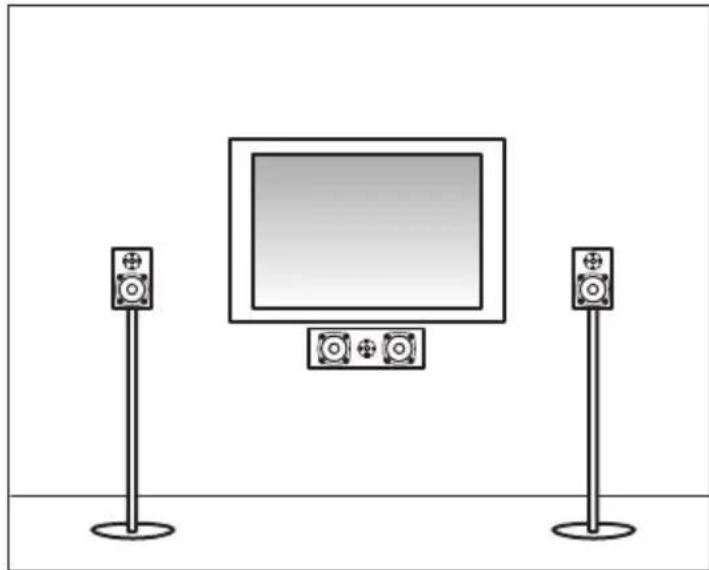
natural_image
Illustration of a TV setup with two speakers standing on each other, one displaying a blank screen (no text or symbols)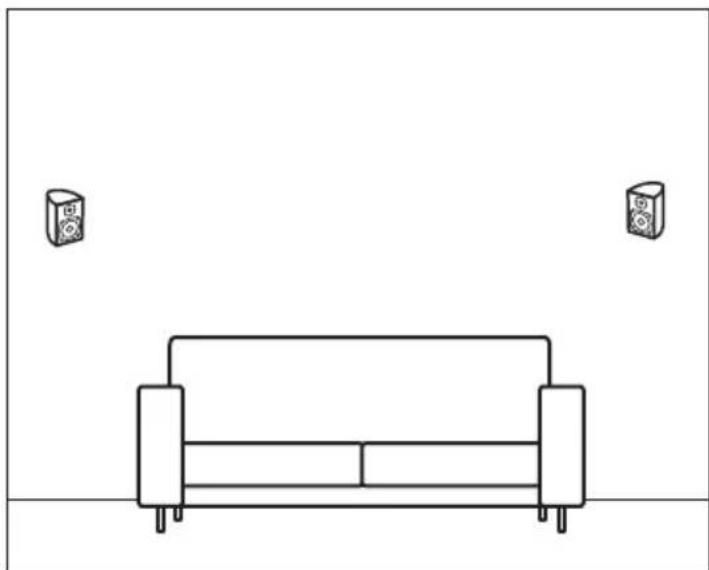
natural_image
Simple line drawing of a sofa with two speakers on top, no text or symbols present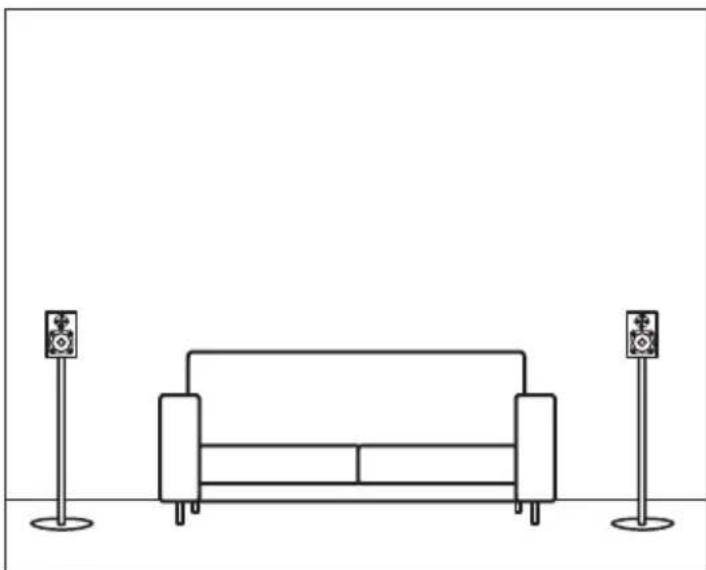
natural_image
Line drawing of a sofa with two speakers on stands (no text or symbols)Heimkino Formate
DOLBY PRO LOGIC
natural_image
Two identical diagrams showing a sofa under two spotlights, each with a smartphone icon above (no text or symbols)Subwoofer
natural_image
Interior layout diagram showing two room layouts with TV, speakers, and equipment (no text or symbols)Vahvistin
natural_image
Simple circular diagram with radiating lines and a dot, no text or symbols presentKotiteatteri
natural_image
Illustration of a TV setup with two tall speakers and a central screen (no text or symbols)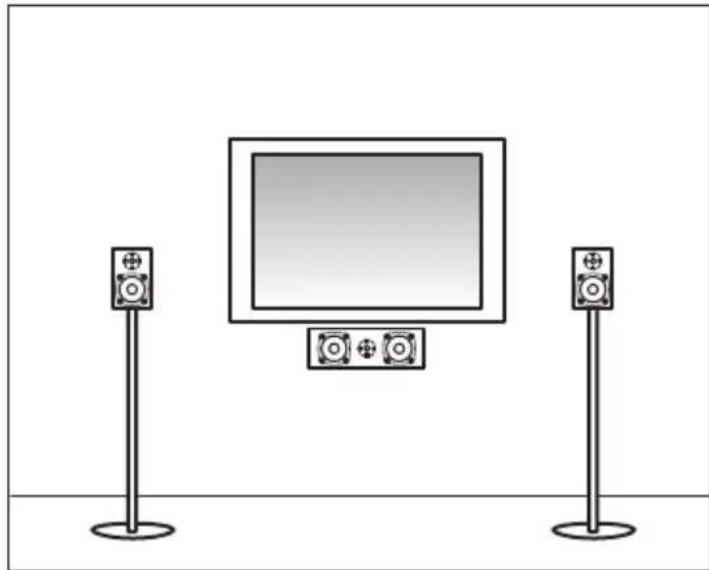
natural_image
Illustration of a TV setup with two speakers standing on each other, one displaying a blank screen (no text or symbols)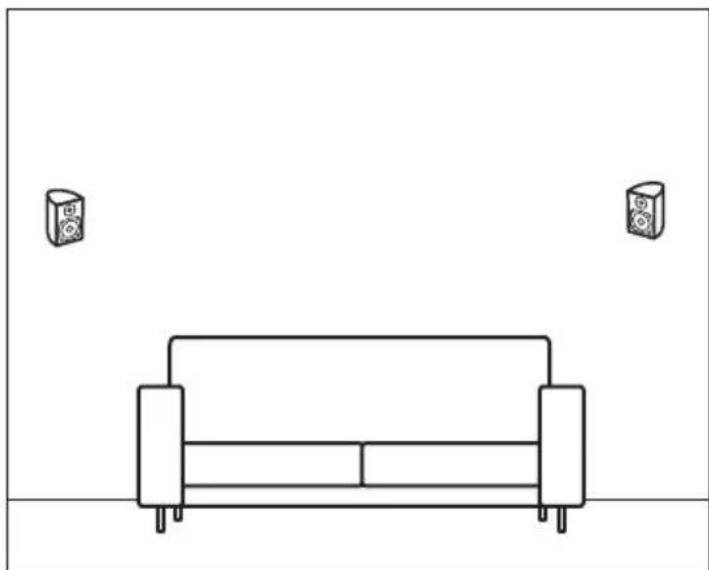
natural_image
Simple line drawing of a sofa with two speakers on top, no text or symbols present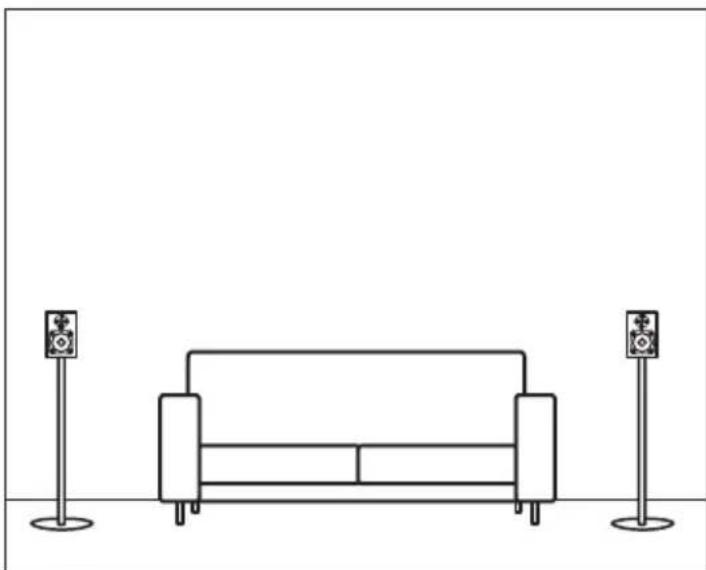
natural_image
Line drawing of a sofa with two speakers on stands (no text or symbols)natural_image
Two identical diagrams showing a sofa under two spotlights, each with a smartphone icon above (no text or symbols)Subwoofer
natural_image
Simple circular diagram with radiating lines and a dot, no text or symbols presentHome Cinema
natural_image
Illustration of a TV setup with two tall speakers and a central screen (no text or symbols)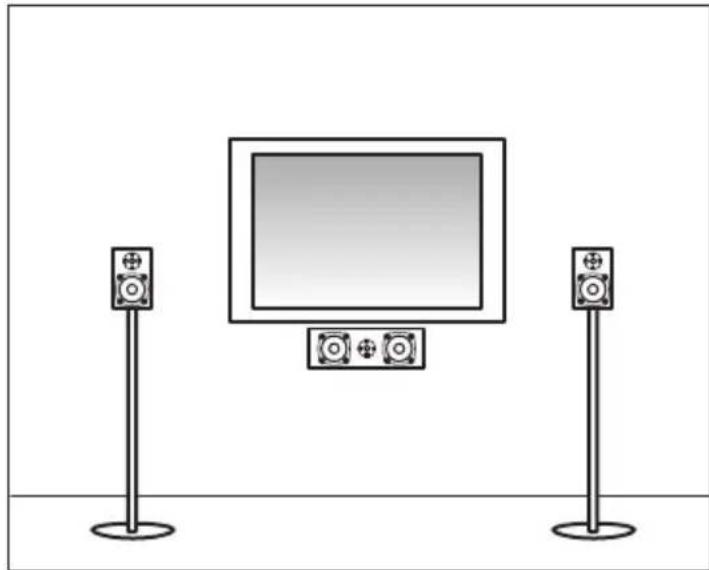
natural_image
Illustration of a TV setup with two speakers standing on each other, one displaying a blank screen (no text or symbols)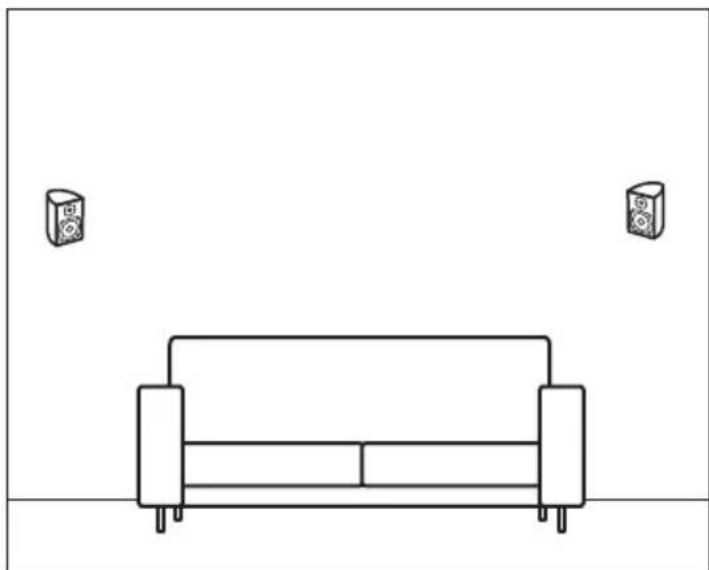
natural_image
Simple line drawing of a sofa with two speakers on top, no text or symbols present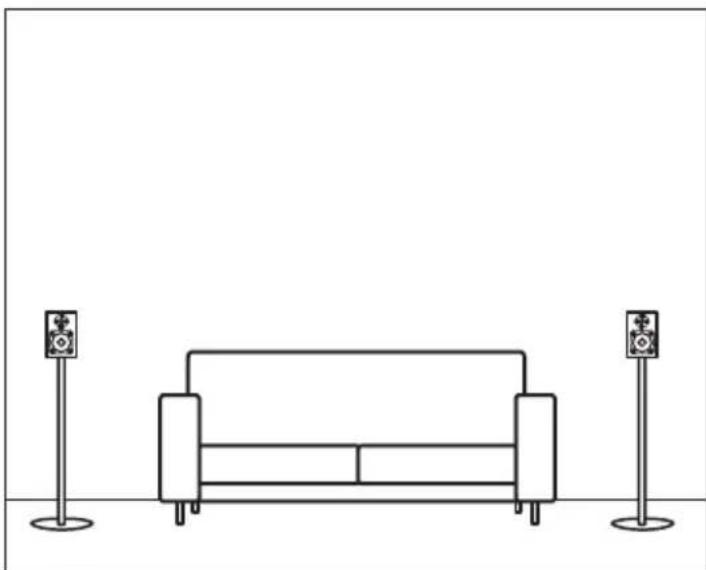
natural_image
Line drawing of a sofa with two speakers on stands (no text or symbols)Standard per l'Home Cinema
DOLBY PRO LOGIC
natural_image
Two identical diagrams showing a sofa under two smartphone screens, each with a spotlight and no text or symbols.Subwoofer
natural_image
Interior view of a room with two empty views showing a TV setup, speakers, and a computer (no text or symbols)Versterker
natural_image
Simple circular diagram with radiating lines and a dot, no text or symbols presentHome Cinema
natural_image
Illustration of a TV setup with two tall speakers and a central screen (no text or symbols)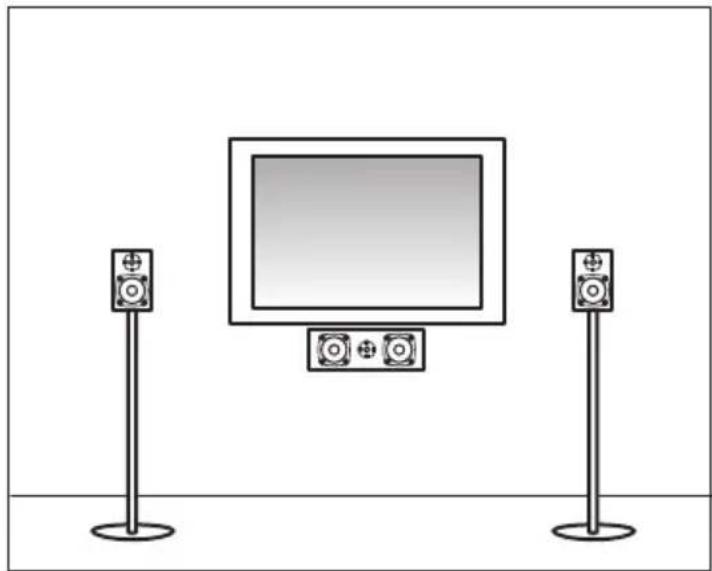
natural_image
Illustration of a TV setup with two speakers standing on stands, one displaying a blank screen (no text or symbols)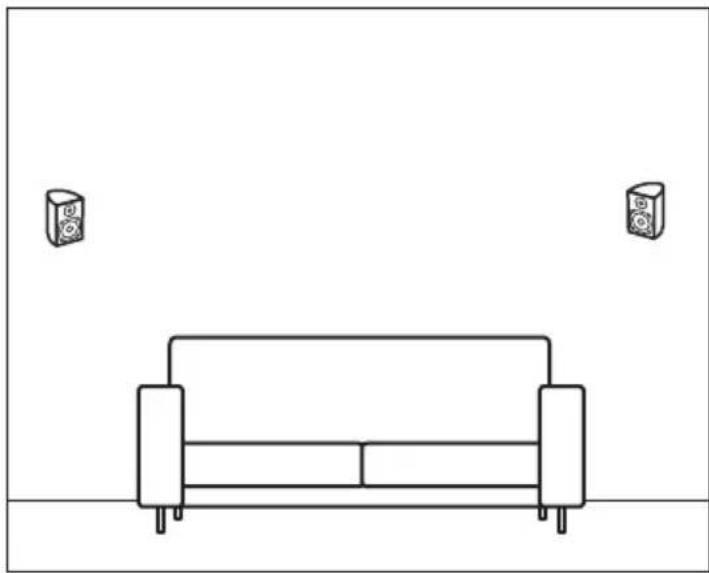
natural_image
Simple line drawing of a sofa with two speakers on top, no text or symbols present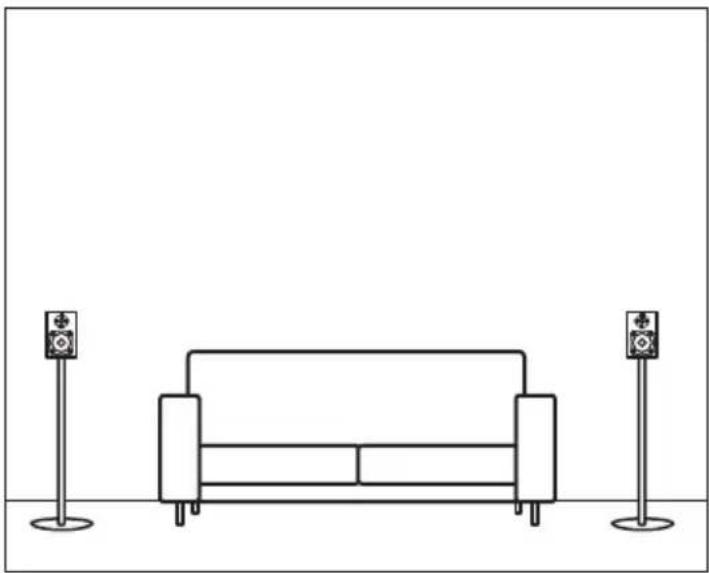
natural_image
Line drawing of a sofa with two speakers on stands (no text or symbols)Home cinema-formaat
DOLBY PRO LOGIC
natural_image
Diagram of two speakers with sound waves, each connected to a 1-meter distance (no text or symbols)Colocación
natural_image
Two identical diagrams showing a sofa under two smartphone screens, each with a spotlight and no text or symbols.Subwoofer
natural_image
Simple circular diagram with radiating lines and a dot, no text or symbols presentCine en Casa
natural_image
Illustration of a TV setup with two tall speakers and a central screen, no text or symbols present.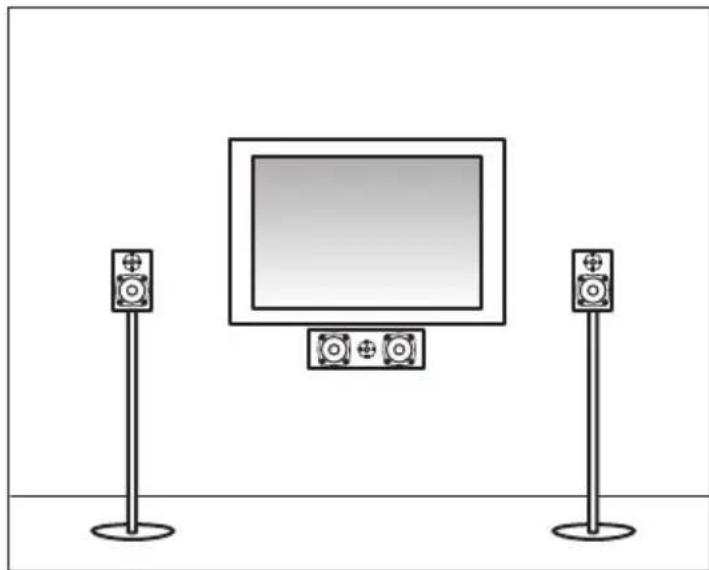
natural_image
Illustration of a TV setup with two speakers and a screen, no text or symbols present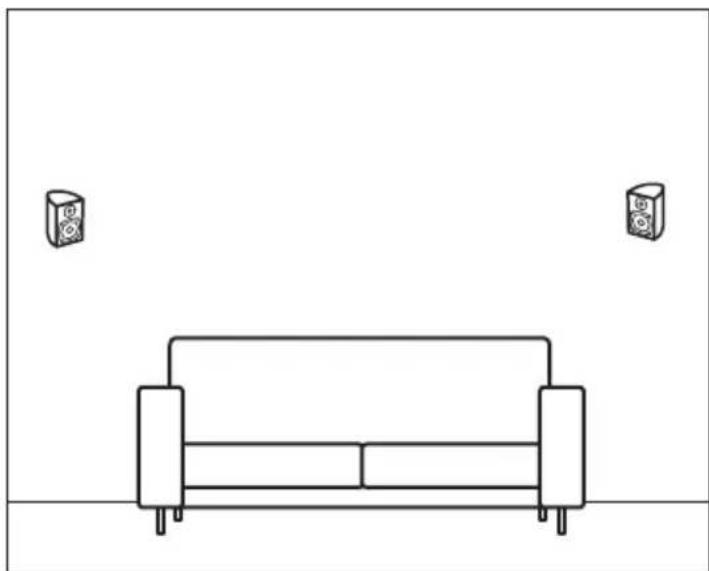
natural_image
Simple line drawing of a sofa with two speakers on top, no text or symbols present