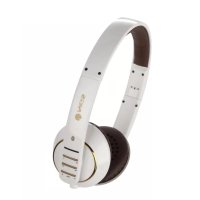
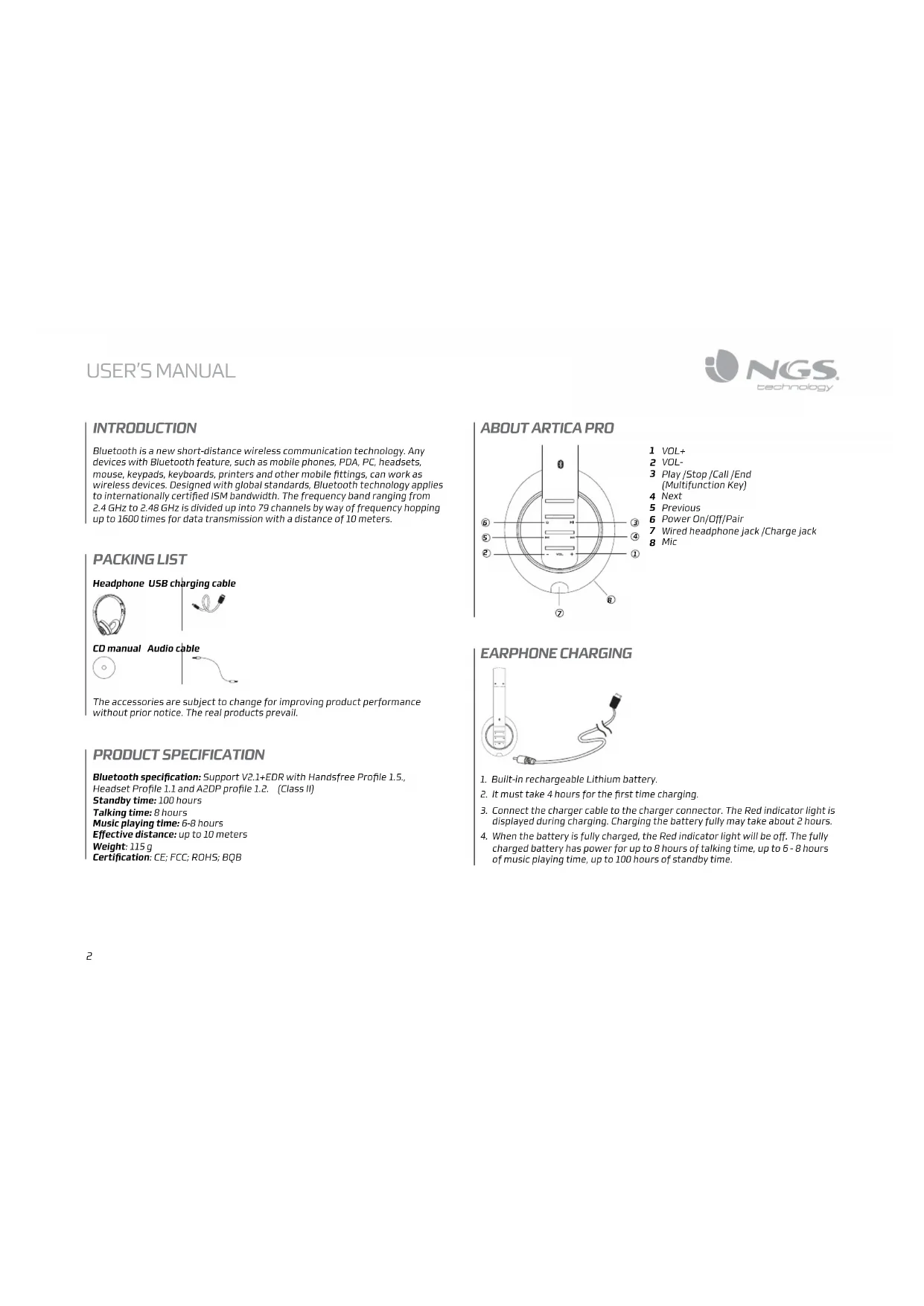
White Artica Pro bluetooth - Earphones NGS - Free user manual and instructions
Find the device manual for free White Artica Pro bluetooth NGS in PDF.



| Product Type | Bluetooth Headset (Earpiece) |
| Brand | NGS |
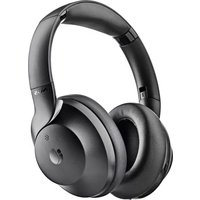
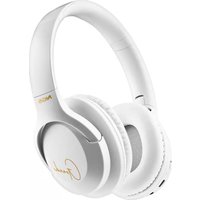
| Model | White Artica Pro bluetooth |
| Bluetooth Version | 2.1+EDR (Class 2) |
| Supported Bluetooth Profiles | Hands-Free 1.5, Headset 1.1, A2DP 1.2 |
| Standby Time | 100 hours |
| Talk Time | 8 hours |
| Music Playback Time | 6 to 8 hours |
| Effective Range | More than 10 meters |
| Weight | 115 g |
| Battery Type | Built-in Rechargeable Lithium |
| Charging Time | 2 hours (first charge: 4 hours) |
| Charging Indicator | Red light: charging; off: charged |
| Controls | Volume +/-, Power/On-Off/Call (multifunction), Next, Previous |
| Built-in Microphone | Yes |
| Jack for Wired Headset | Yes |
| Warranty | Limited, duration according to product (2 to 5 years) |
| Hearing Protection | Warning: risk of hearing damage at high volume |
| Safety Instructions | Do not use while driving; keep out of reach of children; do not disassemble |
| Package Contents | Headset, charging cable, audio cable (depending on version) |
Frequently Asked Questions - White Artica Pro bluetooth NGS
User questions about White Artica Pro bluetooth NGS
0 question about this device. Answer the ones you know or ask your own.
Ask a new question about this device
Download the instructions for your Earphones in PDF format for free! Find your manual White Artica Pro bluetooth - NGS and take your electronic device back in hand. On this page are published all the documents necessary for the use of your device. White Artica Pro bluetooth by NGS.
USER MANUAL White Artica Pro bluetooth NGS
for Tablets & Phones

NGS®
technology
natural_image
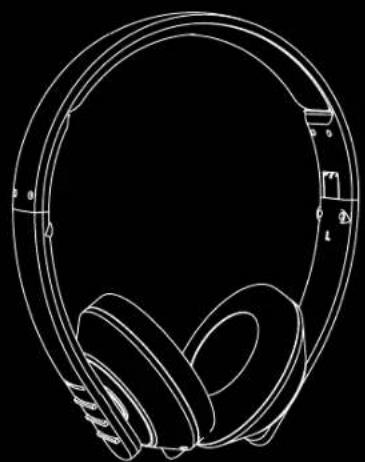
Line drawing of a pair of headphones on a black background (no text or symbols)ARTICA PRO
USER'S MANUAL
ENGLISH | FRANÇAIS | ESPAÑOL | DEUTSCH | ITALIANO | PORTUGUÊS | POLSKI
WWW.NGS.EU


USER'S MANUAL

NGS
technology
INTRODUCTION
Bluetooth is a new short-distance wireless communication technology. Any devices with Bluetooth feature, such as mobile phones, PDA, PC, headsets, mouse, keypads, keyboards, printers and other mobile fittings, can work as wireless devices. Designed with global standards, Bluetooth technology applies to internationally certified ISM bandwidth. The frequency band ranging from 2.4 GHz to 2.48 GHz is divided up into 79 channels by way of frequency hopping up to 1600 times for data transmission with a distance of 10 meters.
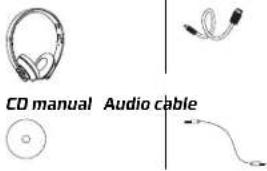
PACKING LIST
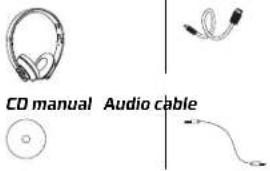
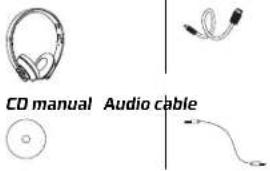
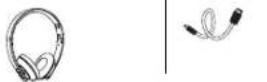
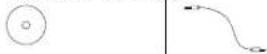
Headphone USB charging cable


CD manual Audio cable


The accessories are subject to change for improving product performance without prior notice. The real products prevail.
PRODUCT SPECIFICATION
Bluetooth specification: Support V2.1+EDR with Handsfree Profile 1.5, Headset Profile 1.1 and A2DP profile 1.2. (Class II)
Standby time: 100 hours
Talking time: 8 hours
Music playing time: 6-8 hours
Effective distance: up to 10 meters
Weight: 115 g
Certification: CE; FCC; ROHS; BQB
ABOUT ARTICA PRO
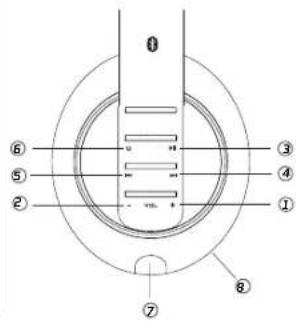
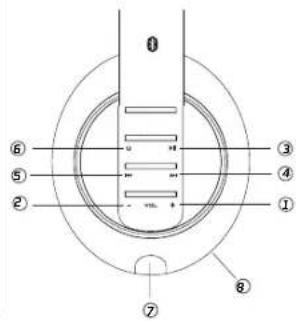
1 VOL+
2 VOL-
3 Play/Stop/Call/End (Multifunction Key)
4 Next
5 Previous
6 Power On/Off/Pair
7 Wired headphone jack /Charge jack
8 Mic
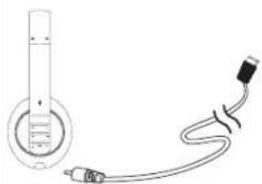
EARPHONE CHARGING
natural_image
Simple line drawing of a medical or laboratory device with a cylindrical tube and connected tubing (no text or symbols)- Built-in rechargeable Lithium battery.
- It must take 4 hours for the first time charging.
- Connect the charger cable to the charger connector. The Red indicator light is displayed during charging. Charging the battery fully may take about 2 hours.
- When the battery is fully charged, the Red indicator light will be off. The fully charged battery has power for up to 8 hours of talking time, up to 6 - 8 hours of music playing time, up to 100 hours of standby time.
WEARING
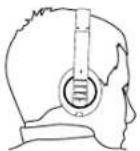
- Press and hold the multifunction key for about 3 seconds, the Blue indicator light is displayed. This shows the earphone is power on.
- Press and hold the multifunction key until the Red indicator light is displayed. This shows the earphone is power off.
PAIR THE HEADSET
If your phone supports the A2DP Bluetooth profile and has a music player feature, you can use the phone to make and receive calls, and to play music with the headset.
- Ensure that your phone or music device is on and the headset is off.
- Press and hold the multifunction key for about 5 seconds until the Red indicator light and the Blue indicator light starts to flash quickly.
- Activate the Bluetooth feature on your phone or music player, and set it to search for Bluetooth devices.
- Select the headset Artica Pro from the list of founded devices on your phone or music player.
- Enter the passcode 0000 to pair and connect the headset to your device. If your device does not have a keypad, it may use this passcode by default.
- When the headset is connected to your device and is ready for use, the Blue indicator light will flash every 2 seconds.
Short press the Multifunction key to receive an incoming call.
Ending a call
Short press the Multifunction key to end a call
Making a call
When you make a call via the mobile phone, the call will be transferred to your headset automatically, depending on the phone setup. If your phone does not support this function, short press the Multifunction key to receive an incoming call.
Voice call activation \*
If your phone supports this feature with the headset, when no call is in progress, press and hold the multifunction key for about 2 seconds. Proceed as described in the phone user guide..
Redialing the last number \*
To redial the number you last called(if your phone supports this feature with the headset), when no call is in progress, press the multifunction key twice.
Rejecting a call\*
Press the multifunction key twice to reject a call.
Volume control
Press eithervolumn key during a call or when you listen to music to adjust the volumn.
Note:
The functions with * mark must be supported by your mobile phone. For more information, referto the User Manual of your mobile phone.
LISTEN TO MUSIC
To listen to music, pair and connect the headset to a device that supports the A2DP Bluetooth profile. (See "Pair the headset"). To play music, use the playback controls on the connected device. If you answer or make a call while listening to the music, the music will pause until you end the call.
Function
Description
Play or Pause Press The Multifunction Key
Music volume Press The "+" key volume increase
Press The "-" key volume decrease
Previous Press The "

Next Press The "

WIRED HEADPHONE
When connecting with audio cable, Artica Pro can be used as a normal headphone, it can be connected with earphone audio output facilities such as MP3, MP4.
The built-in microphone doesn't work at this time.
TROUBLESHOOTING
Continuous cracking noise
- To obtain perfect sound quality, please don't take earphone away too much from mobilephone.
Unable to hear any sound
- Press the Volume+button on the headset to increase the volume.
- Ensure your headset is properly paired with the mobile phone.
- Ensure the headset is connected to the mobile phone. If the headset is not connected to the phone via the Bluetooth option, please follow the pairing process to connect them. For details, refer to the part "Pairing the Headset" in this manual.
Unable to connect
- The pairing settings between your headset and mobile phone may be deleted. Follow the part "Pairing the Headset" in this manual to pair them again.
Can this device apply to other Bluetooth devices?
- Artica Pro Bluetooth headset is designed to pair Bluetooth mobile phones. In addition, it is compatible with Bluetooth Version 1.1, Version 1.2 or 2.0 and supports operations upon other Bluetooth devices.
- Some functions, such as "Rejecting a call", "Redialing", or "Voice dialing", are only available while supported by your mobile phone. Please check the phone manual for further information.
MAINTAIN YOUR EARPHONE
- Store the device after it is power off. Keep it away from extreme temperature (45°C/113°F above, including direct sunlight or -10°C/ 14°F below) for storage. Otherwise it may shorten the service life of the battery and harm the operation.
- High temperature may also damage the product performance. If the device contacts water or other liquids, wipe away the water stains on the device.
PROTECT YOUR HEARING
The headset is able to provide extreme high volume and sharp tone. Exposure to such a sound may cause permanent hearing impairment. The volume level may differ due to your phone settings, the answering and volume settings, and the environmental factors. Before using this device, please read the safety guide below.
Safety guide
Perform the following steps before use:
- Minimize the volume before wearing the headset. Then, adjust the volume to a proper level slowly aftary you wear it.
- During operation, keep the volume as low as possible. Avoid using the device in noisy surroundings, as you may have to increase the volume. If you have to increase the volume, control the speed for volume adjusting.
Others
- If you feel uncomfortable or a drumming in your ears, stop using the headset and seek medical assistance immediately.
- Continuous exposure to high volume may have you adapted to the volume level. This may result in permanent hearing loss without causing discomfort
Note:
- It is dangerous and illegal (in some jurisdictions) to use the headset when you are driving a car, a motorcycle, ship, or a bike. Acquaint yourself with the local laws and regulations. If you have to use the headset while working on activities that require attention to be focused on, be careful. In this case, take off the headset ortum it off to avoid distraction, and thus the occurrence of accidents or hurts.
- Keeping the device out of the reach of small children:
The packing products and the plastic bags for the accessories are not toys. The bag itself and those small fittings inside may cause suffocation. Do not attempt to disassemble the device. No parts embedded can be replaced or repaired by users.
Only authorized dealers or maintenance centers can disassemble this product. For changes of any parts due to any reasons, including normal wear, break, or damages, contact your dealer.
- Keep the product away from raindrops or other liquids.
• Do not use your headset at areas with flammable gases. This may cause a fire.
WARRANTY
Limited warranty. NGS warrants that any hardware products accompanying this documentation shall be free from significant defects in material and workmanship for a period of two (2) years, three (3) years or five (5) years from the date of purchase. NGS's limited warranty is non-transferable and is limited to the original purchaser. This warranty gives you specific legal rights, and you may also have other rights, which vary under local laws.
Remedies. NGS's entire liability and the user's exclusive remedy for any breach of warranty shall be, at NGS's option, to: (a) repair or replace the hardware, or (b) refund the price paid, provided that the hardware is returned to the point of purchase or such other place as NGS may direct, with a copy of the sales receipt. Any replacement hardware will be warranted for the remainder of the original warranty period. These remedies are void if failure of the hardware has resulted from accident, abuse, misapplication, or any unauthorized repair, modification or disassembly. Besides, as it regards wireless devices, such remedies are void if the batteries used are different from those recommended by NGS. On request of NGS, the user shall provide a dated proof of original purchase or a dated summary invoice.
Disclaimer of warranty. The warranties expressly set forth in this agreement replace all other warranties. NGS and its suppliers expressly disclaim all other warranties, including, but not limited to, the implied warranties of merchantability and fitness for a particular purpose and noninfringement of third-party rights with respect to the hardware, software, documentation and any other materials provided by NGS or its suppliers, and any warranties of non-interference or accuracy of informational content. No NGS dealer, agent, or employee is authorized to make any modification, extension, or addition to this warranty. Some jurisdictions do not allow limitations on how long an implied warranty lasts, so the above limitation may not apply to you.
Limitation of liability. In no event will NGS or its suppliers be liable for any costs of procurement of substitute products or services, lost profits, loss of information or data, or any other special, indirect, consequential, or incidental damages arising in any way out of the sale of, use of, or inability to use any NGS product or service, even if NGS has been advised of the possibility of such damages. In no case shall NGS and its suppliers' total liability exceed the actual money paid for the NGS producer or service giving rise to the liability Some jurisdictions do not allow the exclusion or limitation of incidental or consequential damages, so the above limitation or exclusion may not apply to you. The above limitations will not apply in case of personal injury where and to the extent that applicable law requires such liability.
Returns Procedure. Any item to be returned or exchanged, other than those that are processed through the seller or dealer for services, please directly contact NGS. You will find NGS disclaimer's address and phone numbers on the provided documentation, and on NGS website www.ngs.eu.
If at any time in the future you should need to dispose of this product please note that:
Waste electrical products should not be disposed of with household waste. Please recycle where facilities exist.
Check with your Local Authority or retailer for recycling advice.
(Waste Electrical and Electronic Equipment Directive)
INTRODUCTION
Headphone USB charging cable
CARACTÉRISTIQUES DU PRODUIT
Certificates: CE, FCC, ROHS, BQB
LES FONCTIONS DE ARTICA PRO
natural_image
Simple line drawing of a medical or laboratory device with a cylindrical tube and connected tubing (no text or symbols)natural_image
Simple line drawing of a medical or laboratory device with a circular component and connected tubing (no text or symbols)Headphone USB charging cable


CD manual Audio cable


natural_image
Simple line drawing of a medical or laboratory device with a cylindrical tube and connected tubing (no text or symbols)Headphone USB charging cable
natural_image
Simple line drawing of a medical or laboratory device with a cylindrical tube and connected tubing (no text or symbols)Headphone USB charging cable
natural_image
Simple line drawing of a medical or laboratory device with a cylindrical tube and connected tubing (no text or symbols)Headphone USB charging cable
CD manual Audio cable
natural_image
Simple line drawing of a medical or laboratory device with a bulb and tubing (no text or symbols)

- ARTICA PRO
- USER'S MANUAL
- INTRODUCTION
- PACKING LIST
- PRODUCT SPECIFICATION
- WEARING
- PAIR THE HEADSET
- Ending a call
- Making a call
- Voice call activation \*
- Redialing the last number \*
- Rejecting a call\*
- Volume control
- Note:
- LISTEN TO MUSIC
- Function
- Description
- WIRED HEADPHONE
- TROUBLESHOOTING
- Continuous cracking noise
- Unable to hear any sound
- Unable to connect
- Can this device apply to other Bluetooth devices?
- MAINTAIN YOUR EARPHONE
- PROTECT YOUR HEARING
- Safety guide
- Others
- WARRANTY
- CARACTÉRISTIQUES DU PRODUIT
- LES FONCTIONS DE ARTICA PRO
Brand : NGS
Model : White Artica Pro bluetooth
Category : Earphones