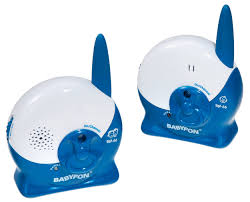
BM 880 ECO - Baby monitor BABYFON - Free user manual and instructions
Find the device manual for free BM 880 ECO BABYFON in PDF.



User questions about BM 880 ECO BABYFON
0 question about this device. Answer the ones you know or ask your own.
Ask a new question about this device
Download the instructions for your Baby monitor in PDF format for free! Find your manual BM 880 ECO - BABYFON and take your electronic device back in hand. On this page are published all the documents necessary for the use of your device. BM 880 ECO by BABYFON.
USER MANUAL BM 880 ECO BABYFON
D-22926 Ahrensburg/Germany
Babyfon® is one of the leading brands for wireless baby monitors in Europe. We have devoted ourselves for many years to the development and production of reliable, high-quality products. The Babyfon BM 880 ECO continues in this long-standing tradition.
A Baby device
1 On/Off/Channel selector switch
2 Power-on lamp
3 Microphone
4 Sensitivity setting
5 AC adapter connector
6 AC adapter
7 Battery compartment lid
8 Screw for battery compartment lid
9 Battery compartment
10 Charging contact for battery pack
11 Belt clip
B Parent device
12 On/Off/Channel selector switch
13 Power-on lamp
14 Speaker
15 Reception control indicator
16 Volume control
17 Battery compartment lid
18 Screw for battery compartment lid
19 Battery compartment
20 Charge contacts for battery pack
21 Battery pack
22 Neck strap
23 Charge contacts for charger
C Charger for parent device
24 Power-on indicator
25 AC adapter connector
26 AC adapter
27 Charge contacts for parent device
Important information
Please read these instructions carefully. This Babyfon is only intended as an aid. It is not a substitute for responsible, correct parental supervision and should therefore not be used as such.
- Never place the Babyfon and the connecting cable within the baby's reach; please observe a minimum distance of 1 metre.
- Never place the baby device in the baby's cot or playpen.
- Never use the Babyfon near water or in damp places.
- Avoid exposure to extreme heat or strong light.
- Never open the housings or AC adapters (danger of electric shock!)
- Make sure that the local mains voltage corresponds to the voltage specified on the AC adapter.
- Avoid touching the battery and charging contacts. Do not touch the contacts with metal objects.
Practical tips
Conventional wireless baby monitors create electrical, magnetic and electromagnetic fields. Due to the special shielding of the BM 880 ECO, electrical and magnetic fields are no longer detectable at a distance of 30~cm . Electromagnetic fields are produced by wireless transmission and are not entirely avoidable. Therefore place the baby device at least 1 metre away from the baby.
- Never cover the baby device (e.g. with a towel, sheet, etc.)
Use a damp cloth to clean the Babyfom
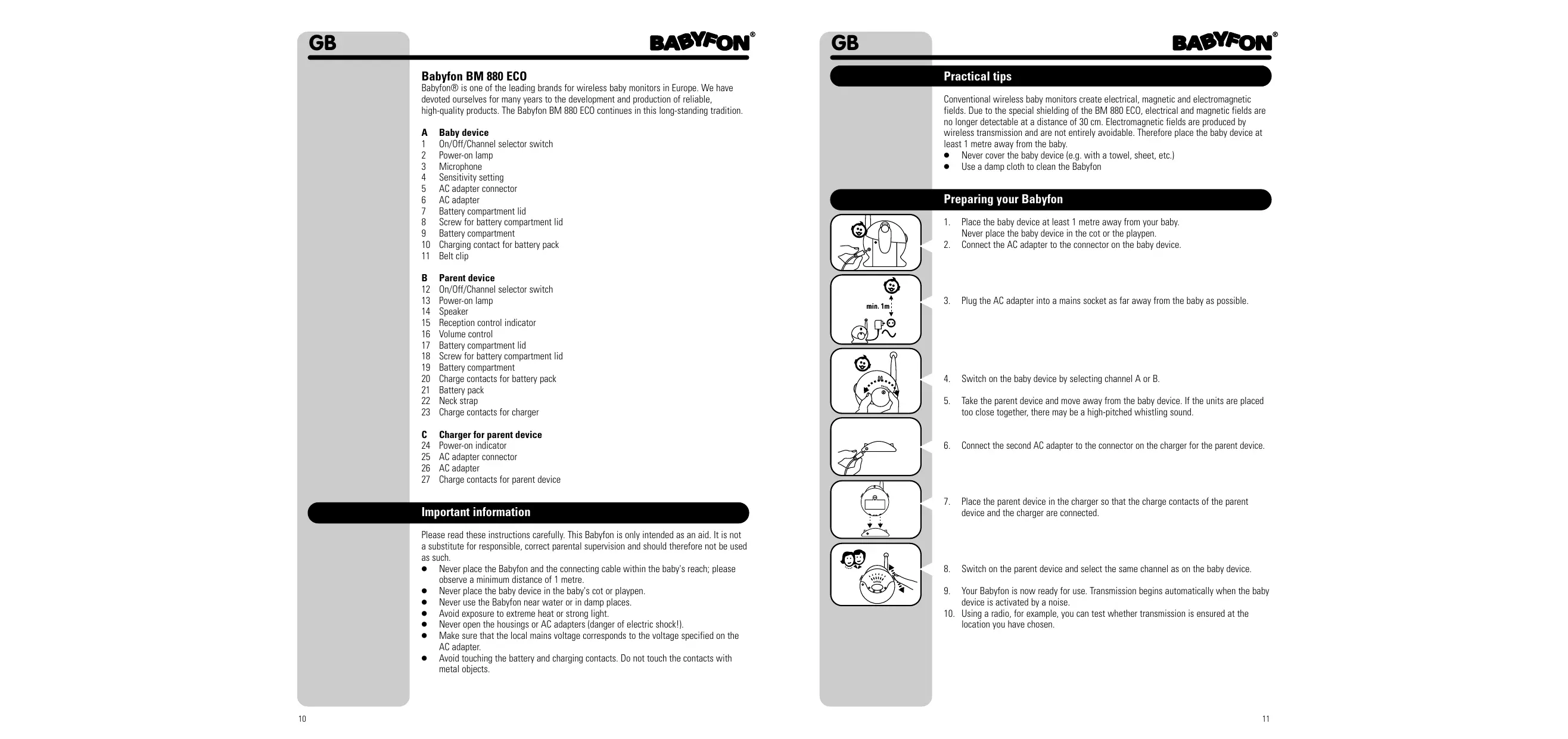
Preparing your Babyfon
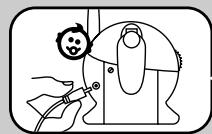
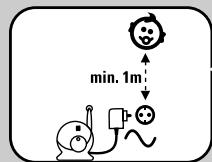
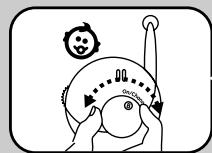
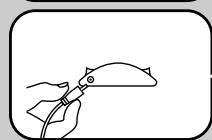
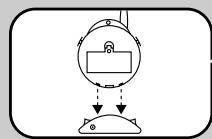
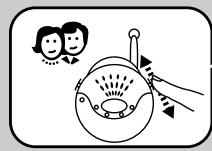
- Place the baby device at least 1 metre away from your baby. Never place the baby device in the cot or the playpen.
-
Connect the AC adapter to the connector on the baby device
-
Plug the AC adapter into a mains socket as far away from the baby as possible.
- Switch on the baby device by selecting channel A or B
- Take the parent device and move away from the baby device. If the units are placed too close together, there may be a high-pitched whistling sound.
- Connect the second AC adapter to the connector on the charger for the parent device.
- Place the parent device in the charger so that the charge contacts of the parent device and the charger are connected.
- Switch on the parent device and select the same channel as on the baby device.
- Your Babyfon is now ready for use. Transmission begins automatically when the baby device is activated by a noise.
- Using a radio, for example, you can test whether transmission is ensured at the location you have chosen.
Using your Babyfon
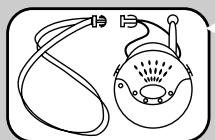
- Attach the neck strap to the parent device.
- Make sure that both devices are switched on and that the same channel is selected.
- Set the response sensitivity of the microphone on the baby device to the level you require. To begin with, we recommend a middle position that can later be adjusted as required.
- Set the volume on the parent device to the level required (high / medium / low). If the baby device is activated by a noise in the baby's bedroom, transmission starts automatically and the power-on lamp of the parent device changes from green to red for the duration of the transmission.
Explanation of functions
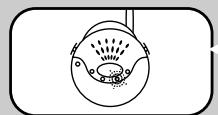
Reception control indicator / reception monitoring
There is regular radio contact between the baby device and the parent device. The reception control indicator on the parent unit indicates whether there is still sufficient contact to the baby device. All 4 lamps glow during full reception; only one lamp glows when reception is weak. If radio contact breaks down completely, for example because the baby device is outside the range, or because the batteries in the baby device are empty, the parent device emits an alarm tone after a short time. In addition, the power-on lamp flashes. The alarm tone and flashing stop automatically as soon as radio contact is resumed.
Digital pilot tone / preventing interference
Besides the sounds made by the baby, the baby device also transmits an inaudible signal tone. The parent device only begins reception when this signal tone is received. This practically rules out the reception of external wireless baby monitors. In rare cases, however, interference from other wireless devices in the vicinity may occur. In the event of such interference or poor reception, switch both devices to the other channel.
250 m range
In ideal conditions, the range of your Babyfon outdoors is approx. 250 metres. Obstacles such as walls, ceilings or large objects affect the range. The more obstacles there are between the baby and parent devices, the smaller the range becomes.
Using the battery pack supplied
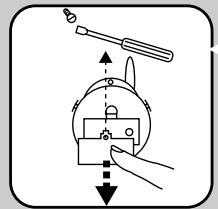
Parent device
- Open the battery compartment by loosening the screw on the battery compartment lid
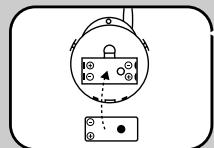
- Insert the battery pack supplied in the battery compartment, observing the correct polarity. Make sure that the charging contact has been made in the battery compartment (see B20 on parent device).
- Slide the battery compartment lid back on to the battery compartment and tighten the screw again.
- Connect the AC adapter to the connector on the charger for the parent device. Place the parent device in the charger so that the charge contacts of the parent device and the charger are connected.
- The battery pack is now charged automatically. Charging is complete after approx. 15 hours.
Baby device (battery pack not included)
The battery pack supplied can only be used for the parent device. You can order a battery pack for the baby device (Babyfon® model number EAB 4) from a specialist dealer. This can then also be charged using the charge function integrated in the baby device.
Using other battery packs or batteries
The parent and baby devices can also be powered with standard AAA battery packs or non-rechargeable 1.5V AAA batteries. However, standard AAA battery packs cannot be charged using the devices.
Battery alarm
A signal tone and the flashing power-on lamp warn you as soon as the battery pack or batteries in the parent device are empty. You should then insert new batteries or recharge the battery pack.
Disposal of batteries
Consider the environment when disposing of the batteries or battery packs, which must not be thrown away with domestic rubbish. Do not use old and new batteries or different battery types simultaneously. Remove batteries from the device if it is not to be used for a long time.
Specifications
No. of channels
Frequency
els: 2
864.8-865.0MHz
Power supply: T
AC adapter plug 9 Volt/200mA
or 4 AAA batteries or
EAB 4 battery pack (available
from specialist dealers
AC adapter plug 9 Volt/ 200mA
or battery pack EAB 2 (included
Transmitting power:
max. 10mW
Operating temperature: 10 to 40^
Subject to alteration.
Babyfon® is a registered trademark of Vivanco AG, Ahrensburg
Trouble-shooting
If your Babyfon BM 880 ECO should not function properly, please proceed as follows:
- Using the following table of malfunctions, try to find and correct the fault.
- Read the corresponding section in these instructions carefully.
- Look on the Internet at www.vivanco.com to see whether the fault and its correction are described.
- Ask your dealer
- Call the telephone hotline 01805 / 40 49 10 (€0.12/min.) for Germany. You will find contacts for Europe at www.vivanco.com.
Problem
No transmission / no sound
Possible cause
| Different channels set on both devices | Set both devices to same channel (A1/B12) |
| Transmitter does not switch automatically to transmit | Increase response sensitivity (A4) |
| Devices are outside range | Reduce distance between devices |
| Transmitter is not by baby or too far away | Reduce distance of transmitter from baby, observing minimum distance of 1 metre |
| Batteries are empty | If batteries are used, replace them |
| Unfavourable choice of channel | Change to another channel (A1/B12) |
| Feedback due to insufficient distance between devices | Increase distance between devices or reduce volume on receiver (B16) |
| AC adapter plug is not connected to power supply | Check connection |
| Plug of AC adapter not connected properly to device | Insert plug properly into connector socket (A5/C25) |
| Parent device not positioned correctly on charge cradle | Position parent device correctly until power-on indicator glows |
| Battery packs have come to the end of their service life | Replace battery packs |
| Response sensitivity set too high | Reduce response sensitivity (A4) |
Licence
CC0700
This Vivanco FM product conforms with the European R&TTE directive for FM systems in harmonised frequency ranges. These systems can be sold and operated in the EU, as well as in CH and N.
Operation is not permitted in all countries not named
The declaration of conformity is included at the end of this manual.
Warranty
The warranty period is 12 months from the date of purchase. Please contact your specialist dealer or
Vivanco Service
Ewige Weide 17
D-22926 Ahrensburg/Germany
A copy of the purchase receipt must be included.
Babyfon BM 880 ECO
D-22926 Ahrensburg/Germany
o 4 micro-pilas (AAA) o
acumulador EAB 4 (accessorio
adicondional adquirible en el commercio especializzato)
Bloque de alimentacion 9 voltios/200mA
o accumulator tipo EAB 2 (incluido
Frequenza: 864,8-865,0 MHz
Alimentazione: Tr
5.0 MHz
re:
D-22926 Ahrensburg/Germany
of 4 mini-penlights (AAA) of
accupack EAB 4(als special)
Netadapter 9 volt/200mA
of accumpack EAB 2 (bigeleverd)
Zendvermogen
max. 10 mW
Bedrijfstemperatuur
10 tot 40
D-22926 Ahrensburg/Germany
Frekvens 864,8-865,0 MHz
D-22926 Ahrensburg/Germany