
CR 465 - CD Player CLATRONIC - Free user manual and instructions
Find the device manual for free CR 465 CLATRONIC in PDF.



| Product type | Cassette player/recorder for children with karaoke function |
| Brand | CLATRONIC |
| Model | CR 465 |
| Power supply | 4 x 1.5V UM2/R14 batteries or mains adapter (not included) |
| Playback functions | Play, stop, eject, fast forward, rewind |
| Recording functions | Recording via built-in microphone(s) |
| Microphones | 2 built-in microphones with on/off switch |
| Audio output | Built-in speaker and headphone jack |
| Volume control | Volume dial |
| Indicators | Power indicator (POWER) and recording indicator (RECORD) |
| Battery compartment | At the back, screw-secured, requires Phillips screwdriver |
| Maintenance and cleaning | Wipe with a damp cloth; do not use abrasive cleaning products |
| Safety | Do not expose to moisture, do not open the housing, disconnect if not used for extended periods |
| Warranty | 24 months from date of purchase (subject to conditions) |
| Spare parts and repairability | Repairs by a professional after warranty; wear parts not covered |
| Dimensions | Approximately 20 x 15 x 8 cm (estimate) |
| Weight | Approximately 500 g with batteries (estimate) |
| Compliance | CE |
| Manual languages | German, English, Polish, Spanish, Danish, Italian |
Frequently Asked Questions - CR 465 CLATRONIC
User questions about CR 465 CLATRONIC
0 question about this device. Answer the ones you know or ask your own.
Ask a new question about this device
Download the instructions for your CD Player in PDF format for free! Find your manual CR 465 - CLATRONIC and take your electronic device back in hand. On this page are published all the documents necessary for the use of your device. CR 465 by CLATRONIC.
USER MANUAL CR 465 CLATRONIC
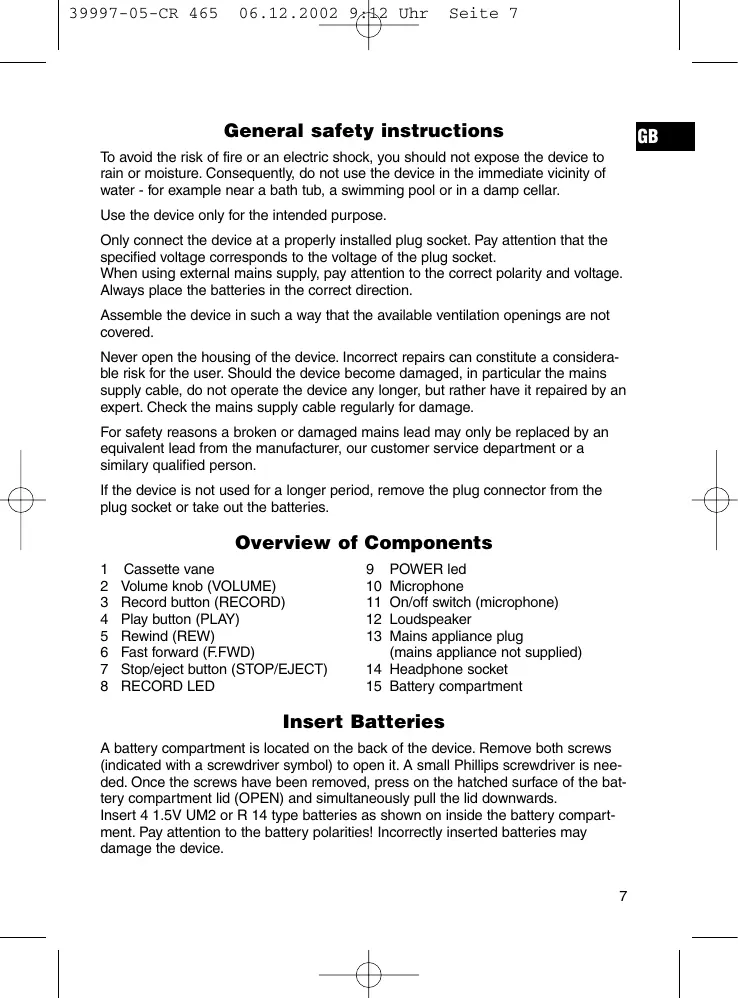
General safety instructions
GB
To avoid the risk of fire or an electric shock, you should not expose the device to rain or moisture. Consequently, do not use the device in the immediate vicinity of water - for example near a bath tub, a swimming pool or in a damp cellar.
Use the device only for the intended purpose.
Only connect the device at a properly installed plug socket. Pay attention that the specified voltage corresponds to the voltage of the plug socket.
When using external mains supply, pay attention to the correct polarity and voltage.
Always place the batteries in the correct direction.
Assemble the device in such a way that the available ventilation openings are not covered.
Never open the housing of the device. Incorrect repairs can constitute a considerable risk for the user. Should the device become damaged, in particular the mains supply cable, do not operate the device any longer, but rather have it repaired by an expert. Check the mains supply cable regularly for damage.
For safety reasons a broken or damaged mains lead may only be replaced by an equivalent lead from the manufacturer, our customer service department or a similar qualified person.
If the device is not used for a longer period, remove the plug connector from the plug socket or take out the batteries.
Overview of Components
1 Cassette vane
2 Volume knob (VOLUME)
3 Record button (RECORD)
4 Play button (PLAY)
5 Rewind (REW)
6 Fast forward (F.FWD)
7 Stop/eject button (STOP/EJECT)
8 RECORD LED
9 POWER led
10 Microphone
11 On/off switch (microphone)
12 Loudspeaker
13 Mains appliance plug (mains appliance not supplied)
14 Headphone socket
15 Battery compartment
Insert Batteries
A battery compartment is located on the back of the device. Remove both screws (indicated with a screwdriver symbol) to open it. A small Phillips screwdriver is needed. Once the screws have been removed, press on the hatched surface of the battery compartment lid (OPEN) and simultaneously pull the lid downwards.
Insert 4 1.5V UM2 or R 14 type batteries as shown on inside the battery compartment. Pay attention to the battery polarities! Incorrectly inserted batteries may damage the device.
GB
Using the device
Playing
- Open the cassette deck with the red button (STOP/EJECT).
- Insert a cassette with the side to be played facing outwards and the cassette opening facing upwards.
- Close the cassette vane.
- The following functions can be activated:
Red button (STOP/EJECT) = stop and eject cassette
Yellow button (REW.) = rewind the cassette
Yellow button (F.FWD) = send the cassette forward
Blue button (PLAY) = play the cassette
Green button (record) = start to record
- Set the desired volume with the red knob (to the right of the green record button).
- While playing a cassette shift the switch of one of the microphones to ON. Now you can sing in the microphone as the music plays. Your voice and the music are heard simultaneously through the loudspeakers.
- Once the cassette finishes, press the red button. The playing stops and the device is switched off.
Recording
- Use the green button (REC) to record your voice or song through one or both of the microphones. Make sure that the erase protection flaps of the cassette are not broken. If this is not the case, the green button cannot be pressed!
- The recording is stopped with the red button (STOP/EJECT).
Cleaning and storage
- Clean the device only with a moist cloth.
- Do not use abrasive detergents.
- If the device is not for long periods of time (a few months), remove the batteries from the battery compartment to avoid leakage of acid from the batteries.
This appliance conforms with the CE directives for radio interference suppression and low-voltage safety and has been built to meet current safety requirements.
Subject to technical changes without prior notice!
Warranty
We undertake to guarantee the appliance sold by our company for 24 months as of the date of purchase (cash receipt).
During the life of the warranty we shall provide for the repair or replacement of the appliance owing to material or manufacturing defects absolutely free of charge.
Proof for the warranty is provided by the purchase document. The replacement and repair will not be performed free of charge without this proof of purchase.
GB
Should the warranty be valid, please consign the complete appliance in its original packing together with the cash receipt to your local dealer.
You are not entitled to the replacement of the appliance owing to broken glass parts and faulty accessories. However, said parts will be replaced free of charge. In this case only the faulty accessory needs to be ordered without sending back the whole appliance!
The cleaning, servicing and replacement of wear parts are not covered by this warranty and hence are to be paid for.
The warranty is terminated in case of handling on the part of Third parties.
After the warranty
Once the warranty has expired, repairs can be carried out by specialized technicians or repair services against the payment of the service.
PL
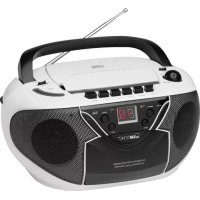
Brand : CLATRONIC
Model : CR 465
Category : CD Player