
LM3800A - Garage door opener CHAMBERLAIN - Free user manual and instructions
Find the device manual for free LM3800A CHAMBERLAIN in PDF.



User questions about LM3800A CHAMBERLAIN
0 question about this device. Answer the ones you know or ask your own.
Ask a new question about this device
Download the instructions for your Garage door opener in PDF format for free! Find your manual LM3800A - CHAMBERLAIN and take your electronic device back in hand. On this page are published all the documents necessary for the use of your device. LM3800A by CHAMBERLAIN.
USER MANUAL LM3800A CHAMBERLAIN
EINBAUSCHRITT 6 (OPTIONAL) [20]
Installieren des Funkwandtasters (128LM)
POSE, SEQUENCE 7 [22]
ELIMINATION DES DÉFAITS
Start by Reading These Important Safety Instructions


Failure to comply with the following instructions may result in serious personal injury or property damage.
- Read these instructions carefully
- The garage door opener is designed and tested to offer reasonable safe service provided it is installed and operated in strict accordance with the instructions in this manual.
These safety alert symbols mean Warning - a personal safety or property damage instruction. Read these instructions carefully.

Keep garage door balanced. Do not let the garage door opener compensate for a binding or sticking garage door. Sticking or binding doors must be repaired. Garage doors, door springs, cables, pulleys, brackets and their hardware are under extreme tension and can cause serious personal injury. Do not attempt to loose, move or adjust them. Call for garage door service.

Do not wear rings, watches or loose clothing while installing or servicing a garage door opener.
To avoid serious personal injury from entanglement, remove all ropes connected to the garage door before installing the door opener.
Installation and wiring must be in compliance with your local building and electrical codes.
Lightweight doors of fiberglass, aluminum or steel must be substantially reinforced to avoid door damage. (See page 3.) The best solution is to check with your garage door manufacturer for an opener installation reinforcement kit.
The safety reverse system test is very important. Your garage door MUST reverse on contact with a 40mm obstacle placed on the floor. Failure to properly adjust the opener may result in serious personal injury from a closing garage door. Repeat the test once a month and make any needed adjustments.
This unit should not be installed in a damp or wet space.
Door must not extend over public byway during operation.
Drive can NOT be used with a driven part incorporating a wicket door (unless the drive cannot be operated with the wicket door opened)

The Protector System must be installed when the force at the edge of the closing door force exceeds 400N (40kg). Excessive force will interfere with the proper operation of the Safety Reverse System or damage the garage door.

Permanently fasten the caution label adjacent to the wall-mounted door control control button as a reminder of safe operating procedures.

Disengage all existing garage door locks to avoid damage to garage door.

Install the lighted door control button (or any additional push buttons) in a location where the garage door is visible, at a height of at least 1.5m and out of the reach of children. Do not allow children to operate push button(s) or remote control(s). Serious personal injury from a closing garage door may result from misuse of the opener.

Activate opener only when the door is in full view, free of obstructions and opener is properly adjusted. No one should enter or leave the garage while the door is in motion. Do not allow children to play near the door.

Use manual release only to disengage the trolley and, if possible, only when the door is closed. Do not use the red handle to pull the door open or closed.

Disconnect electric power to the garage door opener before making repairs or removing covers.
This product is provided with a power supply cord of special design which, if damaged, must be replaced by a power supply cord of the same type; such a power supply cord may be obtained and fitted by a specialist.
INTRODUCTION
Safety Symbol Review and Signal Word Review
This door operator has been designed and tested to offer safe service provided it is installed, operated, maintained and tested in strict accordance with the instructions and warnings contained in this manual.

WARNING
Mechanical

WARNING
Electrical
CAUTION
When you see these Safety Symbols and Signal Words on the following pages, they will alert you to the possibility of serious injury or death if you do not comply with the warnings that accompany them. The hazard may come from something mechanical or from electric shock. Read the warnings carefully.
When you see this Signal Word on the following pages, it will alert you to the possibility of damage to your door and/or the door operator if you do not comply with the cautionary statements that accompany it. Read them carefully.
TABLE OF CONTENTS
INTRODUCTION
Safety symbol review and signal word review
Planning
Preparing your door
Tools
Specifications
Carton inventory
Hardware inventory
ASSEMBLY
Attach the collar to the motor unit
Attach mounting bracket to the motor unit
INSTALLATION
Installation safety instructions
Position the operator
Attach the emergency release rope and handle
Install the power door lock
Attach the cable tension monitor (Required)
Electrical requirements
Install the wireless wall control
Auxiliary inputs
Mount the EverCharge unit (SPU) (not provided)
Install The Protector System
ADJUSTMENT
Program the travel limits
Setting the force
Test cable tension monitor
Test power door lock
Test the safety reversal system
Test The Protector System
To open door manually
OPERATION
Operation safety instructions
Using your door operator
Care of your operator
Using the remote control
Diagnostics chart
Replacing the battery
PROGRAMMING
To add or reprogram a hand-held remote control
To erase all codes from motor unit memory
To program wireless keypads
TROUBLESHOOTING
REPAIR PARTS
Installation parts
Motor unit assembly parts
TECHNICAL DATA
WARRANTY
Planning 1 2
Survey the area to see if any of the conditions below apply to your installation. Additional materials may be required. You may find it helpful to refer back to this page as you proceed with the installation of your operator.
Depending on your requirements, there are several installation steps which may call for materials or hardware not included in the carton.
This operator is compatible with:
- Doors that use a torsion bar, springs and a door no more than 4,2m high.
- 80mm - 138mm drums, NOT TO BE USED on tapered drums over 138mm.
- High lift and standard lift sectional doors up to 4,2m high.
- Doors up to 5.5m wide.
- Doors up to 16m^2
- 25mm torsion bar only.
- Review or inspect proposed installation area. Opener can be installed on left or right side of door. Select the side that meets the requirements listed below.
- Must have minimum of 64mm between the wall and the center of the torsion bar.
- Must have minimum of 76mm between the ceiling and the center of torsion bar.
- Must have minimum of 205mm between the side wall (or obstruction) and the end of torsion bar.
- The torsion bar must extend at least 25mm to 100mm past the bearing plate.
- An electric outlet is required within 1m of the installation area. If outlet does not exist, contact a qualified electrician.
- Depending upon building's construction, extension brackets or wood blocks may be needed to install safety reversing sensors.
- A model CM475 EverCharge™ Standby Power Unit (SPU) is strongly recommended if there is no access door to the building, as this operator cannot be used in conjunction with an external emergency release mechanism.
- Any gap between the floor and the bottom of the door must not exceed 5mm. Otherwise the safety reversal system may not work properly.
- Cannot be used with reversed drums (see picture 2).
NOTE: Inspect the torsion bar while the door is raised and lowered. It is important that there is no noticeable movement up and down or left and right. If this type of movement is not corrected, life of this operator will be greatly reduced.
Specifications
Volts: 230-240 ~ V 50 Hz
Current: 145 Watts
Rated Load: 10Nm
Fmax: 40Nm
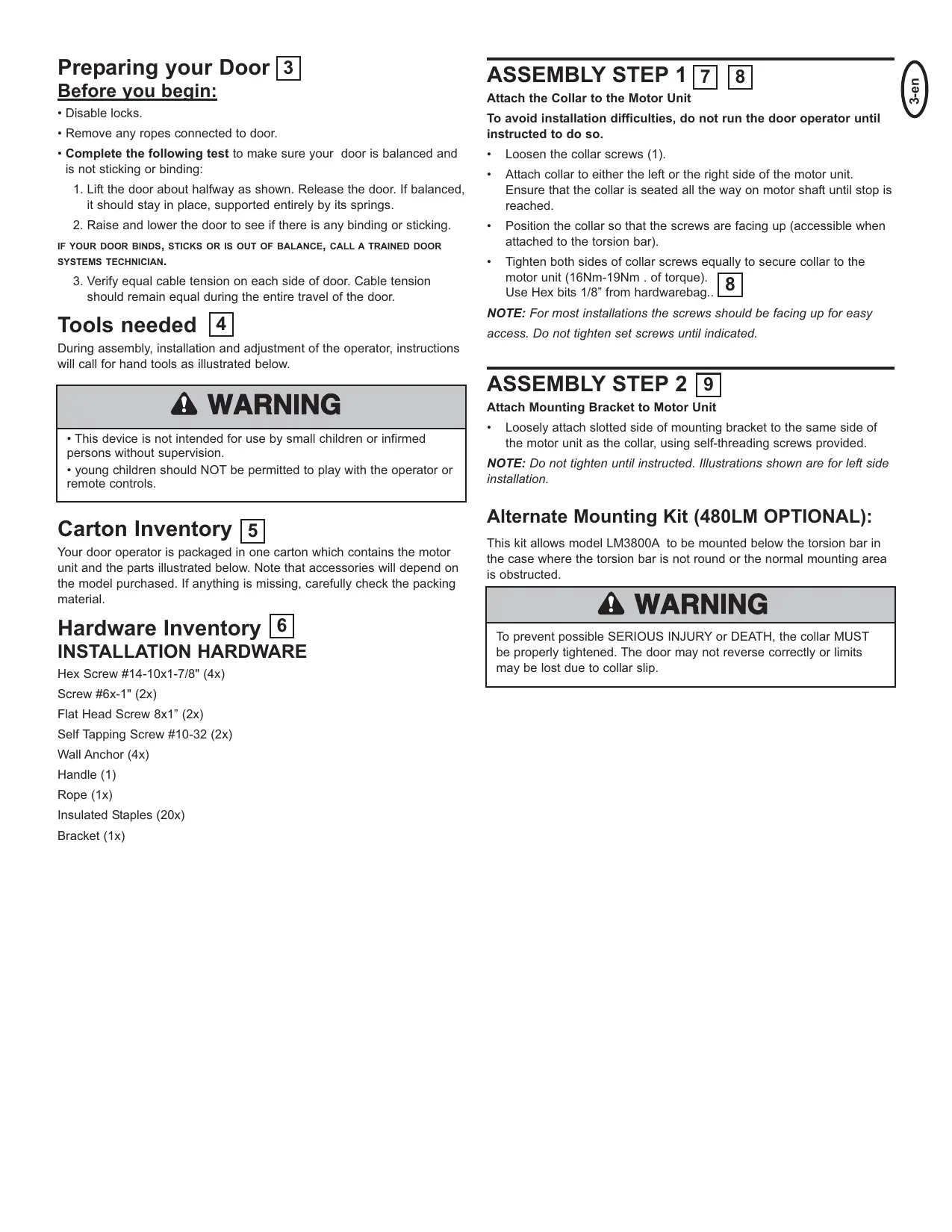
Preparing your Door 3 Before you begin:
- Disable locks.
- Remove any ropes connected to door.
-
Complete the following test to make sure your door is balanced and is not sticking or binding:
-
Lift the door about halfway as shown. Release the door. If balanced, it should stay in place, supported entirely by its springs.
- Raise and lower the door to see if there is any binding or sticking.
IF YOUR DOOR BINDS, STICKS OR IS OUT OF BALANCE, CALL A TRAINED DOOR SYSTEMS TECHNICIAN.
3. Verify equal cable tension on each side of door. Cable tension should remain equal during the entire travel of the door.
Tools needed 4
During assembly, installation and adjustment of the operator, instructions will call for hand tools as illustrated below.

WARNING
- This device is not intended for use by small children or infirmed persons without supervision.
- young children should NOT be permitted to play with the operator or remote controls.
Carton Inventory 5
Your door operator is packaged in one carton which contains the motor unit and the parts illustrated below. Note that accessories will depend on the model purchased. If anything is missing, carefully check the packing material.
Hardware Inventory 6 INSTALLATION HARDWARE
Hex Screw #14-10x1-7/8" (4x)
Screw #6x-1" (2x)
Flat Head Screw 8 × 1 " (2x)
Self Tapping Screw #10-32 (2x)
Wall Anchor (4x)
Handle (1)
Rope (1x)
Insulated Staples (20x)
Bracket (1x)
ASSEMBLY STEP 178
Attach the Collar to the Motor Unit
To avoid installation difficulties, do not run the door operator until instructed to do so.
- Loosen the collar screws (1).
- Attach collar to either the left or the right side of the motor unit. Ensure that the collar is seated all the way on motor shaft until stop is reached.
- Position the collar so that the screws are facing up (accessible when attached to the torsion bar).
- Tighten both sides of collar screws equally to secure collar to the motor unit (16Nm-19Nm . of torque). Use Hex bits 1/8" from hardwarebag..
NOTE: For most installations the screws should be facing up for easy access. Do not tighten set screws until indicated.
ASSEMBLY STEP 2 9
Attach Mounting Bracket to Motor Unit
- Loosely attach slotted side of mounting bracket to the same side of the motor unit as the collar, using self-threading screws provided.
NOTE: Do not tighten until instructed. Illustrations shown are for left side installation.
Alternate Mounting Kit (480LM OPTIONAL):
This kit allows model LM3800A to be mounted below the torsion bar in the case where the torsion bar is not round or the normal mounting area is obstructed.

WARNING
To prevent possible SERIOUS INJURY or DEATH, the collar MUST be properly tightened. The door may not reverse correctly or limits may be lost due to collar slip.
IMPORTANT INSTALLATION INSTRUCTIONS


WARNING
To reduce the risk of SEVERE INJURY or DEATH:
- READ AND FOLLOW ALL INSTALLATION WARNINGS AND INSTRUCTIONS.
- Install door operator ONLY on properly balanced and lubricated the door. An improperly balanced door may not reverse when required and could result in SEVERE INJURY or DEATH.
- ALL repairs to cables, spring assemblies and other hardware MUST be made by a trained door systems technician BEFORE installing operator.
- Disable ALL locks and remove ALL ropes connected to the door BEFORE installing operator to avoid entanglement.
5 Mount emergency release handle no higher than 1.8m above floor. -
NEVER connect the door operator to power source until instructed to do so.
-
NEVER wear watches, rings or loose clothing while installing or servicing operator. They could be caught in the door or operator mechanisms.
-
Install wall-mounted door control:
-
within sight of the door.
- out of reach of children at minimum operator of 1.5m
-
away from ALL moving parts of the door.
-
Place entrapment warning label on wall next to door control.
- Place manual release/safety reverse test label in plain view on inside of the door.
- Upon completion of installation, test safety reversal system. Door MUST reverse on contact with a 40mm high object on the floor.
INSTALLATION STEP 1
10
11
Position the Opener
NOTE: For additional mounting options see accessories page.
- Close the door completely.
- Slide the operator with collar over the end of the torsion bar. Ensure that the collar does not touch the bearing plate. Check to make sure the mounting bracket is located on a solid surface such as wood, concrete or door/flag bracket. Snug collar screws to help assure proper alignment of operator. Mark the bracket holes. It may be necessary to cut the torsion bar if it is too long or damaged.
- Loosen collar screws from torsion bar and remove the operator. For steel plate mounting use screws (1) provided. Drill 5mm pilot holes at the marked locations. For concrete mounting use screw (2) and plugs.
- Reinstall the operator by sliding the collar over the torsion bar until pilot holes align with bracket. Securely tighten collar screws that attach to the torsion bar to 16Nm-19Nm of torque. Securely tighten both set screws firmly, without damaging the motor unit.
- Fasten bracket securely with screws. Tighten all mounting bracket hardware.
NOTE: The motor unit does not have to be flush to wall.

WARNING
To prevent possible SERIOUS INJURY or DEATH:
Concrete anchors MUST be used if mounting bracket into masonry.
- NEVER try to loosen, move or adjust the door, springs, cables, pulleys, brackets or their hardware, ALL of which are under EXTREME tension.
- ALWAYS call a trained door systems technician if the door binds, sticks or is out of balance. An unbalanced door might not reverse when required.
- Operator MUST be mounted at a right angle to the torsion bar to avoid premature wear on the collar.
INSTALLATION STEP 2 12
Attach the Emergency Release Rope and Handle
- Thread one end of the rope (1) through the hole in the top of the red handle (2) so "NOTICE" (3) reads right side up as shown. Secure with an overhand knot (4) at least 25mm from the end of the rope to prevent slipping.
- Thread the other end of the rope through the loop in the emergency release cable.
- Adjust rope length so the handle is no higher than 1.8m above the floor. Secure with an overhand knot.
NOTE: If it is necessary to cut the rope, heat seal the cut end with a match or lighter to prevent unraveling.
INSTALLATION STEP 3
13
14
15
Install Power Door Lock
The lock is used to prevent the door from being manually opened once the door is fully closed.
- Select a door roller to mount the lock above. Check for clearance. If possible select a roller on the same side of the door as the motor unit. The second roller up from the bottom is ideal in most installations.
- Ensure the door track surface is clean and adhere lock template with bottom edge just above the highest point on the roller. 13
- Drill holes as marked on the template (8mm). 13
- Fasten power door lock to the outside of the door track with hardware provided. 14
- Run bell wire up wall to motor unit. Use insulated staples to secure wire in several places.
- Plug connector into the motor unit. 15
NOTE: Lock must be mounted within 3m of the power head.
WARNING
To prevent possible SERIOUS INJURY or DEATH from a falling door:
- If possible, use emergency release handle to disengage door ONLY when door is CLOSED. Weak or broken springs or unbalanced door could result in an open door falling rapidly and/or unexpectedly.
- NEVER use emergency release handle unless the doorway is clear of persons and obstructions.
INSTALLATION STEP 4 16 17 18 19
Attach the Cable Tension Monitor (Required)
This operator comes standard with the cable tension monitor. It is supplied as a device to monitor the cables for ANY slack that may occur and will reverse the door when excessive slack is detected, eliminating service calls.
The cable tension monitor MUST be connected and properly installed before the door operator will move in the down direction.
NOTE: The cable tension monitor is shipped for left side installation. It is preferred that the cable tension monitor be installed on the same side of the door as the operator.
If required, it can be mounted on the opposite side of door. Remove the snap-ring holding the roller in place and reassemble it on the opposite side of the cable tension monitor.
- Position the cable tension monitor as shown 16 17
The cable tension monitor should be located as close to the drum as possible.
NOTE: There must be no obstructions in the installation area that prevent the cable tension monitor or the cable itself from closing completely when slack is detected. - Make sure cable tension monitor is located over a wood support member.
NOTE: If the cable tension monitor can not be mounted into wood with the lag screws provided, it can be mounted into 25mm (1") or greater plasterboard using the wall anchors (2) and the #8 hex head screws (2)
provided in the hardware bag. 18
- Mark and drill 5mm (3/16") pilot holes for screws (pilot holes are not required for anchors).
- Attach the cable tension monitor to the wall using the hardware provided. Make sure that the roller is on top of the cable. 16
- Run bell wire to motor unit. Use insulated staples to secure wire in several places.
- Connect bell wire to the green quick-connect terminals (polarity is not important). 19
NOTE: Cable must have tension through entire travel. Make sure there is no slack in cable on opposite side of the door during normal operation. If this condition exists, adjust cables as required.
INSTALLATION STEP 5
Electrical Requirements
To avoid installation difficulties, do not run the opener at this time.
To reduce the risk of electric shock, your garage door opener has a grounding type plug with a third grounding pin. This plug will only fit into a grounding type outlet. If the plug doesn't fit into the outlet you have, contact a qualified electrician to install the proper outlet.
If permanent wiring is required by your local code, refer to the following procedure.
To make a permanent connection through the 22mm hole in the back of the motor unit (according to local code):
- Remove the opener from the torsion bar, remove cover screws and set the cover aside.
- Remove the attached green ground terminal.
- Cut black and white wires and strip away 1.3cm of insulation, 7.6cm before spade terminals.
- Remove the power cord from unit.
- Install a 90^ conduit or flex cable adapter to the 22mm hole. Reinstall opener to torsion bar.
- Run wires through conduit, cut to proper length and strip insulation.
- Attach with wire nuts (not provided).
- Properly secure wire under plastic ties so that wire does not come in contact with moving parts.
- Reinstall the cover.
To avoid installation difficulties, do not run the opener at this time.
INSTALLATION STEP 6 (Optional) 20 Installing the Wireless Wall control (128LM)
Control must be mounted out of the reach of children at a height of 1.5m with an unobstructed view of the door.
- Ensure your 3800 operator is switched off whilst installing your wireless door control to prevent accidental activation
- Remove the cover from the 128LM.
- Mount 128LM as shown using the screws provided if mounting into a wall box (not provided).
- If mounting directly on the wall use wall anchors (provided) to fix unit to the plasterboard wall.
- Replace the cover plate and affix the warning label adjacent to the wall controller.
Installing Door Control (OPTIONAL) 21
Locate door control where the garage door is visible, away from door and door hardware and out of the reach of children. Mount at least 1,5 m (5 feet) above the floor
Serious personal injury from a moving garage door may result from misuse of opener. Do not allow children to operate the door control or remote control transmitter.
Permanently fasten the caution label permanently to the wall near the door control as a reminder of safe operating procedures.
There are 2 terminals (1) on the back of the door control (2). Strip about 6mm (1/4^ ) of insulation from bell wire (4). Separate wires enough to connect the white/red wire to RED terminal screw 1 and the white wire to WHT terminal screw 2.
Fasten the door control to an inside garage wall with sheet metal screws (3) provided. Drill 4mm (5/32") holes and use anchors (6) if installing into drywall. A convenient place is beside the service door and out of reach of children.
Run the bell wire up the wall and across the ceiling to the garage door opener. Use insulated staples (5) to secure wire. The receiver quick connect terminals are located behind the light lens of the opener.
Connect the bell wire to the terminals as follows: white/red to red (1) and white to white (2).
Operation of the Door Control
Press to open or close the door. Press again to stop the door while moving.
Installing the Multi-function Door Control (78LM Optional Accessory):
Press the white square to open or close the door. Press again to stop the door while it is moving.
Light Feature: Press the Light button to turn the opener light on or off. If you turn it on and then activate the opener, the light will remain on for 2-1/2 minutes. Press again to turn it off sooner. The Light button will not control the opener lights when the door is in motion.
Lock Feature: Prevents operation of the door from portable remote controls. However, the door will open and close from the Door Control push button, the Outside Keylock and the Keyless Entry Accessories.
- To activate: Press and hold the Lock button for 2 seconds. The push button light will flash as long as the Lock feature is on.
- To turn off: Press and hold the Lock button again for 2 seconds. The push button light will stop flashing. The Lock feature will also turn off whenever the "LEARN" button on the control panel is activated.
INSTALLATION STEP 7 22
Mounting the Evercharge Standby Power Unit (SPU) (OPTIONAL)
If the optional CM475 Standby power supply unit is part of this installation, it should be installed at this time (1).
- The SPU can be mounted to either the ceiling or a wall within 80cm of the motor unit (2).
- Position the SPU as desired to a structural support (ceiling joist or wall stud).
- Attach the SPU to the support using the mounting holes on either side of the SPU.
- Secure the SPU using the lag screws (2) provided with the SPU unit.
- Connect the SPU cord into the connector on the bottom of the motor unit (3).
- Follow all instructions included with the CM475 unit to test for proper operation and testing of the SPU.
INSTALLATION STEP 8 23
Install the Protector System™ (optional)
The force, as measured on the closing edge of the door, should not exceed 400 N (40kg). If the closing force is more than 400 N, the Protector System must be installed.
After opener has been installed and adjusted, The Protector System™ accessory can be installed. Instructions are included with this accessory.
The Protector System™ provides an additional measure of safety against a small child being caught under a garage door.
It uses an invisible beam which, when broken by an obstruction, causes a closing door to open and prevents an open door from closing and is strongly RECOMMENDED for homeowners with young children.
ADJUSTMENT STEP 1 24 25 26 27 28
Program the Travel Limits
Travel limits regulate the points at which the door will stop when moving up or down. Follow the steps below to set the limits.
NOTE: Cable Tension Monitor must be installed
To program the travel limits:
Adjust the position of the door by using the black and orange buttons. Black moves the door UP (open) and orange moves the door DOWN (close).
- Setting the UP position: Press and hold the black button until the yellow indicator light starts flashing slowly then release.
- Push and hold the black button until the door reaches the desired UP (open) position.
NOTE: Check to be sure the door opens high enough for your vehicle.
3. Push the remote control or door control. This sets the UP (open) limit and begins closing the door.
NOTE: Excessive movement of the motor unit will cause premature wear. See Troubleshooting section.
- Immediately when the door begins to move down, press and release either the black or orange button. This will stop the door.
- Setting the DOWN position: Push and hold the orange button until the door reaches the desired DOWN (closed) position.
- Once the door is closed, check for proper pressure on the door (you should be able to manually push the door down a 1/16 of an inch). If there appears to be too much pressure on the door, you may toggle the door back and forth using the black and orange buttons to reach the desired position.
- Push the remote control or the door control. This sets the DOWN (close) limit and should bring the door to the open position.
- If the operator is not stopping exactly where you would like it, repeat steps 1 through 7 and program the limits again.
- When the unit stops in both the desired up (open) and down (close) positions, proceed to Adjustment Step 2, Setting the Force.
WARNING
- NEVER learn forces or limits when door is binding or sticking. Repair door first.
- Incorrect adjustment of the door travel limits will interfere with proper operation of safety reversal system.
- After ANY adjustments are made, the safety reversal system MUST be tested. Door MUST reverse on contact with 40mm high object on floor.
CAUTION
To prevent damage to vehicles, be sure fully open door provides adequate clearance.
ADJUSTMENT STEP 2 29
Setting the Force
The force setting button is located on the front panel. The force setting measures the amount of force required to open and close the door.
- Locate the orange button on the unit.
- Push the orange button twice to enter unit into Force Adjustment Mode. The LED (Indicator Light) will flash quickly.
- Push the remote control or door control. The door will travel to the DOWN (close) position. Push the remote control or door control again, the door will travel to the UP (open) position. Push the remote control or door control a third time to send the door to the DOWN (close) position.
The LED (Indicator Light) will stop flashing when the force has been learned.
The unit has learned the forces required to open and close your door.
The door must travel through a complete cycle, UP and DOWN, in order for the force to be set properly. If the unit cannot open and close your door fully, inspect your door to insure that it is balanced properly and is not sticking or binding. See page 3, "Preparing your door."
ADJUSTMENT STEP 3 Test Cable Tension Monitor
If your cable tension monitor has been activated the unit will click 9 times. See page 19.
ADJUSTMENT STEP 4 Test Power Door Lock
TEST
- With the door fully closed, the power door lock bolt should be protruding through the track.
- Operate the door in the open direction. The power door lock should retract before the door begins to move.
- Operate the door in the down direction. When the door reaches the fully closed position, the power door lock should automatically activate to secure the door.
NOTE: If the power door lock does not function, the lock can be manually released by sliding the manual release handle to the open position.
ADJUSTMENT STEP 5 31 Test the Safety Reversal System
TEST
- With the door fully open, place a 40mm (1 1/2") board (or a 4x2 laid flat) on the floor, centered under the the door.
- Operate the door in the down direction. The door must reverse on striking the obstruction. Upon successful safety reversal test proceed to Adjustment Step 4.
ADJUST
- If the door stops on the obstruction, it is not traveling far enough in the down direction. Complete Adjustment Steps 1 and 2 Programming the Limits and Forces.
- Repeat the test.
- When the door reverses on the 40mm (1 1/2") board (or 4x2 laid flat), remove the obstruction and run the operator through 3 or 4 complete travel cycles to test adjustment.
- If the unit continues to fail the Safety Reverse Test, call for a trained door systems technician.
IMPORTANT SAFETY CHECK:
Test the Safety Reverse System after:
Each adjustment of limits, or force controls.
- Any repair to or adjustment of the door (including springs and hardware).
- Any repair to or buckling of the floor.
- Any repair to or adjustment of the operator.
OPERATION
IMPORTANT SAFETY INSTRUCTIONS
WARNING
To reduce the risk of SEVERE INJURY or DEATH:
- READ AND FOLLOW ALL WARNING AND INSTRUCTIONS.
- ALWAYS keep remote controls out of reach of children. NEVER permit children to operate or play with the wireless door control or remote controls.
- ONLY activate the door when it can be seen clearly, it is properly adjusted and there are no obstructions to door travel.
- ALWAYS keep the door in sight until completely closed. NO ONE SHOULD CROSS THE PATH OF THE MOVING DOOR.
- NO ONE SHOULD GO UNDER A STOPPED, PARTIALLY OPENED DOOR.
- If possible, use emergency release handle to disengage door ONLY when the door is CLOSED. Weak or broken springs or unbalanced door could result in an open door falling rapidly and/or unexpectedly.
-
NEVER use emergency release handle unless the doorway is clear of persons and obstructions.
-
After ANY adjustments are made, the safety reversal system MUST be tested.
- Safety reversal system MUST be tested every month. the door MUST reverse on contact with 40mm high object on the floor.
- ALWAYS KEEP THE DOOR PROPERLY BALANCED (see page 3). An improperly balanced door may not reverse when required and could result in SEVERE INJURY or DEATH.
- ALL repairs to cables, spring assemblies and other hardware, ALL of which are under EXTREME tension, MUST be made by a trained door systems technician.
- ALWAYS disconnect electric power to the door operator BEFORE making ANY repairs or removing covers.
- Permanently fix the Emergency release instruction Label adjacent to the release handle.
14. SAVE THESE INSTRUCTIONS.
EMERGENCY DOOR RELEASE

WARNING

WARNING
To prevent possible SERIOUS INJURY or DEATH from a falling door:
- If possible, use emergency release handle to disengage door ONLY when door is CLOSED. Weak or broken springs or unbalanced door could result in an open door falling rapidly and/or unexpectedly.
- NEVER use emergency release handle unless the doorway is clear of persons and obstructions.
ADJUSTMENT STEP 6 32 To Open the Door Manually
Disengage door lock before proceeding. The door should be fully closed if possible. Pull down on the emergency release handle until a click noise is heard from the unit and lift the door manually. To reconnect the door to the operator, pull down the emergency release handle straight down a second time until a click noise is heard from the unit. The door will reconnect on the next UP or DOWN operation.
Test the emergency release:
Make sure the door is closed.
- Pull the emergency release handle. The door should then be able to be opened manually.
- Return the door to the closed position.
Pull the emergency handle a second time.
- Reconnect the door to the operator.
Using Your Door Opener 33 34
Your operator and hand-held remote control have been factory-set to a matching code which changes with each use, randomly accessing over 100 billion new codes. Your operator will operate with up to eight remote controls and one Keyless Entry System. If you purchase a new remote, or if you wish to deactivate any remote, follow the instructions in the Programming section.
Activate your operator with any of the following:
- The hand-held Remote Control: Hold top middle button down until the door starts to move.
- The wireless wall control 128LM press and hold the large round button down until the door starts to move.
- The Keyless Entry (See Accessories): If provided with your door operator, it must be programmed before use. See Programming.
When the operator is activated (with the safety reversing sensor correctly installed and aligned)
- If open, the door will close. If closed, it will open.
- If closing, the door will reverse.
- If opening, the door will stop.
- If the door has been stopped in a partially open position, it will close.
- If obstructed while closing, the door will reverse. If the obstruction interrupts the sensor beam, the operator wil click for five seconds.
- If obstructed while opening, the door will stop.
- If fully open, the door will not close when the beam is broken. The sensor has no effect in the opening cycle.
If the sensor is not installed, or is misaligned, the door won't close from a hand-held remote. However, you can close the door with the Door Control, the Outside Keylock, or Keyless Entry, if you activate them until down travel is complete. If you release them too soon, the door will reverse.
Automatic Close Timer Function
Note: Requires the Chamberlain Protector System (IR-sensors) to be installed. If Protector System (IR-sensors) is installed only to enable the timer to close function (first time), install Sensors close to garage door and wait for 5 minutes.
A Multi-function Door Control (78LM) is required to enable and disable the auto-close function.
Enable: Push and hold lock button on the Multi-function Door Control until the electric lock toggled twice. At the same time watch the LED light in the center of the actuator button from the Multi-function Door Control.
1x blink 10 seconds Auto-Close
2x blink 45 seconds Auto-Close
3x blink 2 minutes Auto-Close
4x blink 3 minutes Auto-Close
5x blink OFF Auto-Close
Factory setting is OFF. Repeat the procedure until the Multi-function Door Control shows the required number of blinks.
CARE OF YOUR OPENER
MAINTENANCE SCHEDULE
Once a Month
- Manually operate door. If it is unbalanced or binding, call a trained door systems technician.
- Check to be sure door opens & closes fully. Adjust limits and/or force if necessary (see Adjustment Steps 1 and 2).
- Repeat the safety reverse test. Make any necessary adjustments (see Adjustment Step 5).
Once a Year
- Oil door rollers, bearings and hinges. The operator does not require additional lubrication. Do not grease the door tracks.
Your door operator is programmed with self-diagnostic capabilities. The "Learn" button/diagnostic LED will flash a number of times then pause signifying it has found a potential issue. Consult Diagnostic Chart below.
1 FLASH
Safety reversing sensors wire open (broken or disconnected).
OR
2 FLASHES
Safety reversing sensors wire shorted or black/white wire reversed.
3 FLASHES
Door control or wire shorted.
4 FLASHES
Safety reversing sensors slightly misaligned (dim or flashing LED).
5 FLASHES
Possible RPM sensor failure. Unplug to reset.
9 FLASHES
Cable tension monitor reversal.
Symptom: One or both of the Indicator lights on the safety reversing sensors do not glow steady.
- Inspect sensor wires for a short (staple in wire), correct wiring polarity (black/white wires reversed), broken or disconnected wires, replace/attach as needed.
- Disconnect all wires from back of motor unit.
- Remove sensors from brackets and shorten sensor wires to 30-60mm from back each of sensor.
- Reattach sending eye to motor unit using shortened wires. If sending eye indicator light glows steadily, attach the receiving eye.
- Align sensors, if the indicator lights glow replace the wires for the sensors. If the sensor indicator lights do not light, replace the safety reversing sensors.
Symptom: LED is not lit on door control.
- Inspect door Control/wires for a short (staple in wire), replace as needed.
- Disconnect wires at door control, touch wires together. If motor unit activates, replace door control.
- If motor unit does not activate, disconnect door control wires from motor unit. Momentarily short across red and white terminals with jumper wire. If motor unit activates, replace door control wires.
Symptom: Sending indicator light glows steadily, receiving indicator light is dim or flashing.
- Realign receiving eye sensor, clean lens and secure brackets.
- Verify door track is firmly secured to wall and does not move.
Symptom: The RPM Sensor = Short travel 150-200mm.
- Unplug unit to reset. Try to operate motor unit, check diagnostic code.
- If it is still flashing 5 times and motor unit moves 150 - 200mm (6-8), The unit's APE (Absolute Positioning Encoder) may need to be replaced, for details contact your Chamberlain reseller.
Symptom: Door reverses while closing.
- Check for possible door obstructions and remove.
- Check that the cable tension monitor is properly connected to the operator.
- Replace the cable tension monitor.
PROGRAMMING
36
37
Your door operator has already been programmed at the factory to operate with your hand-held remote control. The door will open and close when you press the large push button.
Below are instructions for programming your operator to operate with additional remote controls.
To Add or Reprogram a Hand-held Remote Control
USING THE "LEARN" BUTTON
- Press and release the orange "learn" button on the motor unit. The learn indicator LED will glow steadily for 30 seconds.
- Within 30 seconds, press and hold the button on the hand-held remote that you wish to operate your door.
- Release the button when the motor unit LED two clicks.
To Erase All Codes From Motor Unit Memory
To deactivate any unwanted remote, first erase all codes:
Press and hold the "learn" button on motor unit until the learn indicator LED goes out (approximately 6-9 seconds). All previous codes are now erased. Reprogram each remote or keyless entry you wish to use.
The Remote Control Battery

WARNING
To prevent possible SERIOUS INJURY or DEATH:
- NEVER allow small children near batteries.
- If battery is swallowed, immediately notify doctor.
TROUBLESHOOTING
-
The operator doesn't operate from either the Door Control or the remote control:
-
Does the operator have electric power? Plug a lamp into the outlet. If it doesn't light, check the fuse box or the circuit breaker. (Some outlets are controlled by a wall switch.)
- Have you disabled all door locks? Review installation instruction warnings.
- Is there a build-up of ice or snow under the door? The door may be frozen to the ground. Remove any restriction.
-
The door spring may be broken. Have it replaced.
-
Opener operates from the remote, but not from the Wireless Wall Control:
-
Check the LED on the Wall Control to ensure the LED turns on when button is pushed. If the LED is weak or not on Change the batteries. (Remove cover and replace with correct batteries)
-
If the LED turns on and is strong check to ensure the unit is programmed into the unit.
-
The door operates from the Door Control, but not from the remote control:
-
Is the door push bar flashing? If so, Lock mode is engaged. Make sure it is off by pressing the Lock button for two seconds.
-
Program the operator to match the remote control code. (Refer to instructions on the motor unit panel.) Repeat with all Remote.
-
The remote control has short range:
-
Change the location of the remote control in your car.
- Check to be sure the antenna on the side or back panel of motor unit extends fully downward.
-
Some installations may have shorter range due to a metal door, foil backed insulation, or metal siding.
-
The door opens and closes by itself:
-
Be sure that all remote control push buttons are off.
- Remove the bell wire from the door control terminals and operate from the remote only. If this solves the problem, the door control is faulty (replace), or there is an intermittent short on the wire between the control console and the motor unit.
-
Clear memory and re-program all remote controls.
-
The door doesn't open completely:
-
Check power door lock.
Is something obstructing the door? Is it out of balance, or are the springs broken? Remove the obstruction or repair the door. -
The door opens but won't close:
-
Check cable tension monitor (see installation step 4).
- If the operator clicks, check the safety reversing sensor. See Installation Step 9.
If the operator does not click and it is a new installation. See Adjustment Step 2. For an existing installation, see below.
Repeat the safety reverse test after the adjustment is complete.
-
The door reverses for no apparent reason and operator LED doesn't blink:
-
Check cable tension monitor (see installation step 4).
- Is something obstructing the door? Pull the emergency release handle. Operate the door manually. If it is unbalanced or binding, call a trained door systems technician.
Clear any ice or snow from the floor area where the door closes.
Review Adjustment Step 2.
Repeat safety reverse test after adjustments.
- The door reverses for no apparent reason and operator LED blinks for 5 seconds after reversing:
- Check the safety reversing sensor. Remove any obstruction or align the receiving eye.
- The operator strains to operate door:
-
The door may be out of balance or the springs may be broken. Close the door and use the emergency release handle to disconnect the door. Open and close the door manually. A properly balanced door will stay in any point of travel while being supported entirely by its springs. If it does not, disconnect the operator and call a trained door systems technician.
-
The operator motor hums briefly, then won't work:
The door springs may be broken. See above.
- If the problem occurs on the first operation of the operator, door may be locked. Disable the power door lock.
-
The operator won't operate due to power failure:
-
Manually open the power door lock.
-
Use the emergency release handle to disconnect the door. The door can be opened and closed manually. When power is restored, pull manual release a second time.
If an EverCharge Unit is connected, the operator should be able to operate up to 20 times without power. -
Door loses limits.
-
Collar not tightened securely. Tighten collar (see Assembly Steps 1 and 2) and reprogram limits (see Adjustment Step 1).
-
The operator moves when the door is in operation:
-
Some minor movement is normal for this product. If it is excessive the collar will wear prematurely.
- Check to make sure the torsion bar is not moving left/right excessively.
- Check to make sure the torsion bar is not visibly moving up and down as it rotates.
-
Check that the operator is mounted at a right angle to the jackshaft. If not, move the position of the mounting bracket.
-
Power lock makes noise when operating.
Call Chamberlain-Liftmaster dealer for replacement power lock.
REPAIR PARTS 38
Installation Parts
| KEY NO. | PART NO. | DESCRIPTION |
| 1 | 41A6102-1 | Electric lock |
| 2 | 94335E | 3-channel mini transmitter |
| 3 | 41A6388 | Collar with set screws |
| 4 | 41A2828 | Emergency release rope & handle assembly |
| 5 | 41A6104-1 | Cable tension monitor |
| 6 | 41C0902 | Mounting bracket |
| 7 | 041A6298-3 | Hardware bag |
ACCESSIONS
39
(1) Model 94330E
(2) Model 94333E
(3) Model 94335E
(4) Model 94334E
(5) Model 975EML
(6) Model 128LM
(7) Model 9747E
(8) Model 78LM
(9) Model 760E
10) Model 770E
11) Model MDL100LM
Model 100041
Single-Function Remote Control
3-Function Remote Control
3-Function Mini Remote Control
4-Function Mini Remote Control
Laser Garage Parking Assist
2-Function Wireless Wall Control
Keyless Entry System
Multi-Function Door Control Panel
Outside Keylock
The Protector System™
Mechanical Door Latch Kit
2-Position Key Switch (Flush Mount -
100034)
PARTS
40
GARAGE DOOR OPENER WARRANTY
Chamberlain GmbH warrants to the first retail purchaser of this product (LM3800A) that the product shall be free from any defect in materials and/or workmanship for a period of 24 full months (2 years) from the date of purchase. Upon receipt of the product, the first retail purchaser is under obligation to check the product for any visible defects.
Conditions: The warranty is strictly limited to the reparation or replacement of the parts of this product which are found to be defective and does not cover the costs or risks of transportation of the defective parts or product.
This warranty does not cover non-defect damage caused by unreasonable use (including use not in complete accordance with Chamberlain's instructions for installation, operation and care; failure to provide necessary maintenance and adjustment; or any adaptations of or alterations to the products), labor charges for dismantling or reinstalling of a repaired or replaced unit or replacement batteries.
A product under warranty which is determined to be defective in materials and/or workmanship will be repaired or replaced (at Chamberlain's option) at no cost to the owner for the repair and/or replacement parts and/or product. Defective parts will be repaired or replaced with new or factory rebuilt parts at Chamberlain's option.
If, during the warranty period, the product appears as though it may be defective, contact your original place of purchase.
This warranty does not affect the purchaser's statutory rights under applicable national legislation in force nor the purchaser's rights against the retailer arising from their sales/purchase contract. In the absence of applicable national or EU legislation, this warranty will be the purchaser's sole and exclusive remedy, and neither Chamberlain nor its affiliates or distributors shall be liable for any incidental or consequential damages for any express or implied warranty relating to this product.
No representative or person is authorized to assume for Chamberlain any other liability in connection with the sale of this product.
BEGYND MED AT LAESE FOLGENDE SIKKERHEDSANVISNINGER!


Blinker 3 gange = after 2 minute ...
Blinker 4 gange = after 3 minute
Smädeler for installationsj
Sekskantskrue 14-10x1-7/8" (4x)
Skrue 6x1" (2x)
Flathodeskrue 8x1" (2x)
Sekskantskrue 10-32 (2x)
Plugg (4x)
Nødapningshandtak (1x)
Apningssnor (1x)
Nagleklemmer (20x)
Monteringslageret (1x)
MONTERINGSTRINN 178
INNEHÄLLSFÖRTECKNING
Inledning
www.infmaster.de+49(0)6838.907.172