
IAN 101036 - Switch SILVERCREST - Free user manual and instructions
Find the device manual for free IAN 101036 SILVERCREST in PDF.


| Product type | Digital timer for electrical socket |
| Model | IAN 101036 |
| Brand | SilverCrest |
| Operating voltage | 230-240 V ~ 50 Hz |
| Switching voltage | 230-240 V ~ 10(2) A |
| Maximum switching power | 2300 W |
| Permissible ambient temperature | -10 °C to 40 °C |
| Clock accuracy | ± 1 minute per month |
| Minimum switching time | 1 minute |
| Number of programs | 10 ON/OFF pairs |
| Backup battery | NiMH 1.2 V, autonomy > 100 h |
| Functions | Clock, weekly programming, random, AUTO/ON/OFF mode |
| Display | LCD screen with day, hour, minutes, seconds and indicators |
| Plug type | Integrated female socket with male plug |
| Use | Indoor, closed and dry rooms |
| Standards | CE compliance |
| Warranty | 3 years |
| Maintenance | Clean with a soft damp cloth, without harsh products |
| Safety | Do not open, do not touch with wet hands, do not cover |
Frequently Asked Questions - IAN 101036 SILVERCREST
User questions about IAN 101036 SILVERCREST
0 question about this device. Answer the ones you know or ask your own.
Ask a new question about this device
Download the instructions for your Switch in PDF format for free! Find your manual IAN 101036 - SILVERCREST and take your electronic device back in hand. On this page are published all the documents necessary for the use of your device. IAN 101036 by SILVERCREST.
USER MANUAL IAN 101036 SILVERCREST
ZEITSCHALTUHR
DE AT CH
ZEITSCHALTUHR
Operation and Safety Notes
IAN101036
CH
DE AT CH
Before reading, unfold the page containing the illustrations and familiarise yourself with all functions of the device.
GB Operation and Safety Notes Page 93
Einleitung
MO, TU, WE, TH, FR, SA
MO, WE, FR
TU, TH, SA
MO, TU, WE
TH, FR, SA
MO, WE, FR, SU
natural_image
Symbol of a trash bin with two crossed lines and a solid black rectangle below (no text or numbers)natural_image
Symbol of a trash bin with crossed lines indicating no waste or discharge (no text or numbers present)Intended use ......Page 95
Control elements......Page 96
Technical Data......Page 97
Safety notices ......Page 98
Control- and display elements
Control elements......Page 100
Displays......Page 100
Random function......Page 102
Operating mode function......Page 103
Program function......Page 103
Clock function ......Page 103
Preparation
Charging the device......Page 104
Reset all settings......Page 104
Setting the current time......Page 105
Setting standard and summer time.....Page 106
Setting the hour mode......Page 107
Operation
Switching to the clock function ......Page 108
(De)activating continuous operation...Page 109
Configuring programs......Page 110
(De)Activating the random function ...Page 114
Cleaning......Page 115
Warranty and Service......Page 117
Service address ......Page 118
Manufacturer......Page 118
Timer Switch Digital – for indoors
- Introduction
Intendeduse
The device is intended as a digital weekly timer switch for use in enclosed, dry rooms and designed for private use. It is not suitable for commercial use. Only operate the device individually. Do not connect several timer switches in series. Any other use is considered improper. The manufacturer is not liable for damages due to improper use. Read the entire instructions for use before using the device. Keep these instructions for use. Include the instructions for use when passing the device on.
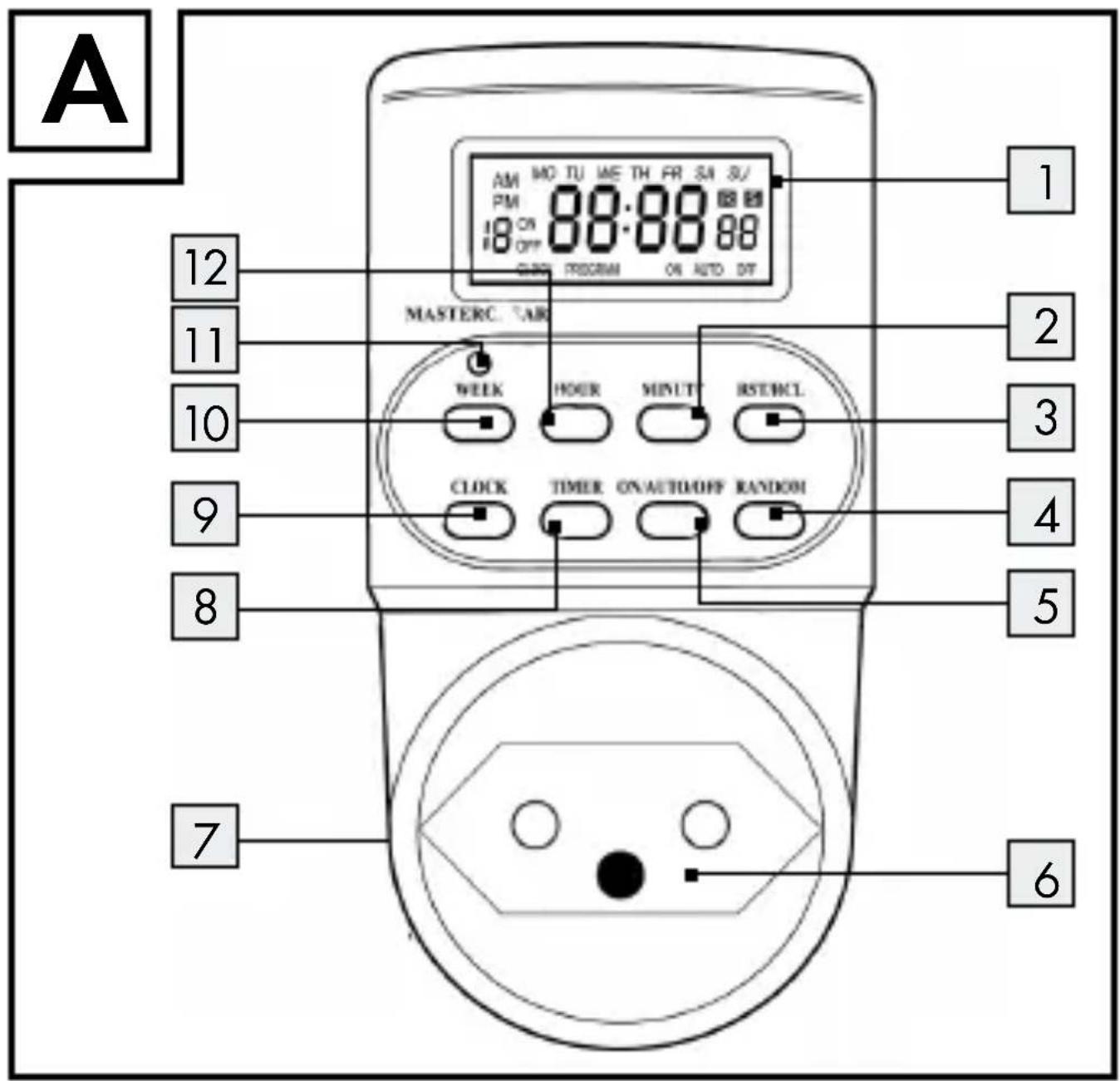
• Control elements (Fig. A)
1 LCD display
2 MINUTE button
3 RST/RCL button
4 RANDOM button
5 ON/AUTO/OFF button
6 Socket
7 Plug (reverse)
8 Timer button
9 CLOCK button
10 WEEK button
11 MASTERCLEAR button
12 HOUR button
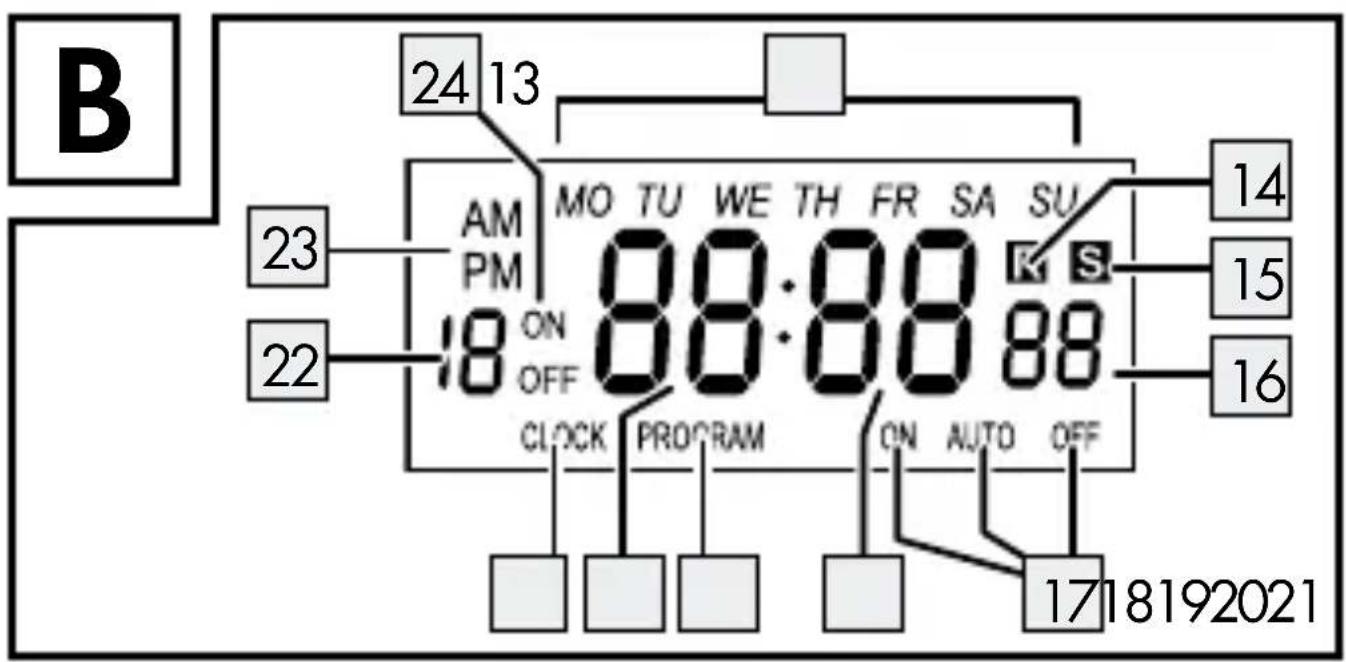
LCD display (Fig. B)
13 Weekday display
14 R symbol
15 S symbol
16 Seconds display
17 ON - AUTO - OFF
18 Minutes display
19 PROGRAM
20 Hours display
21 CLOCK
22 Program number
23 AM - PM
24 ON - OFF
- Technical Data
Model designation: DZ 20 CH
Operating voltage:230-240V \~ 50 Hz
Switchedvoltage:230-240V \~ 10(2)A
Switching capacity: 2300 W
Ambient temperature: -10 to 40 °C
Time error: ± 1 minute/month
Shorting switching time: 1 minute
Programs: 10ON/OFF
program sets
Battery:NiMH1.2V
100 h
Use
indoors:

CE compliant:
CE

Safety notices
Children are not able to understand the dangers arising from improper use of electric devices. Never leave children unsupervised when using electric devices.
■ Only plug the device into safely installed sockets.
■ Only connect loads within the specified capacities of the device.
- Do not cover the device. Heat accumulates when covered, creating a fire hazard.
- Regularly check the device for damage. Do not replace damaged parts but contact the manufacturer or dispose of the device in an environmentally responsible way.
- Do not open the device. Opening the device will void the warranty.
The device contains a rechargeable battery. A defective rechargeable battery must be replaced by the manufacturer. - Do not touch the device with wet hands or bring into contact with water.
■ Disconnect the device from the power mains to de-energise. - Do not connect heaters or similar loads to the device, as these must never be operated unattended.
●Control-and display elements
Control elements
MASTERCLEAR button 11
This button will delete all time and program settings.
Displays
Weekdays 13
The abbreviations on the LCD display 1 mean:
MO Monday
TU Tuesday
WE Wednesday
TH Thursday
FR Friday
SA Saturday
SU Sunday
R Symbol 14
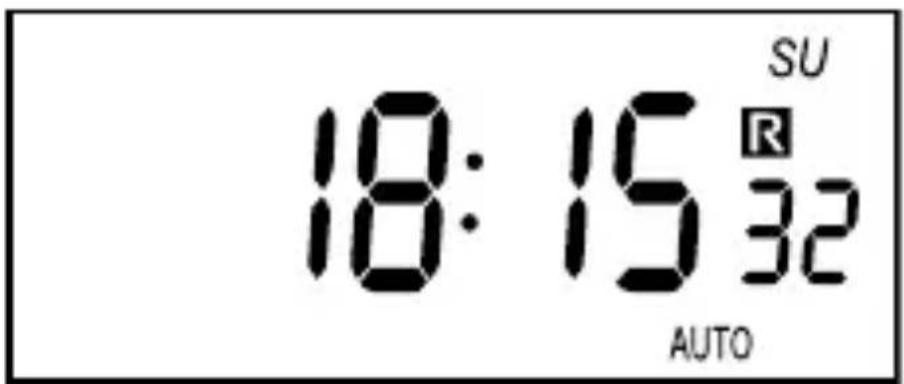
The R symbol indicates random switching is activated.
S symbol 15
Indicates the clock has been set to summer time.
ON - AUTO - OFF 17
Indicates the operating mode of the device.
PROGRAM 19
Indicates the program function has been activated.
CLOCK 21
Indicates the clock function has been activated.
Program number 22
Indicates the program number in PROGRAM function.
AM - PM 23
Indicates the hour mode.
ON - OFF 24
Indicates the switching state:
ON = turn-on time, OFF = turn-off time.
The switching state is only visible under program function.
Random function
The R symbol means random. In this mode the device will switch the connected loads on and off at different intervals.
Operating mode function
The different operating modes are:
AUTO = automatic program operation,
ON = continuous operation ON,
OFF = continuous operation OFF.
Program function
This function allows the on- and off times to be programmed for the connected load.
Clock function
This function shows the current time in the LCD.
- Preparation
To start up the device you must:
- Charge the device.
- Reset all settings.
- Set the current time.
- Charging the device
☐ Insert the plug 7 into a mains socket.
☐ Charge the rechargeable battery for 14 hours.
Reset all settings
Reset all settings
☐ Press the MASTERCLEAR 11 button with a pen or other pointy object. The LCD display 1 will read:
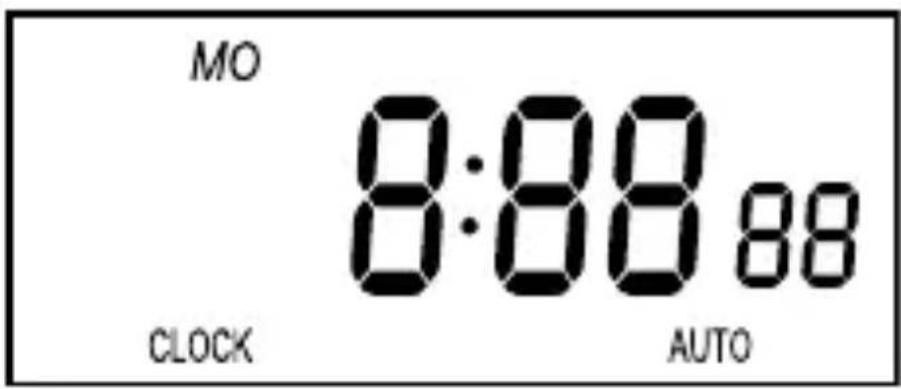
All settings cleared.
Setting the current time
Note: Hold the HOUR, MINUTE button for faster programming.
☐ Press and hold the CLOCK 21 button.
☐ Set the current day of the week with the WEEK 10 button.
Set the hour with the HOUR 12 button.
Set the minute with the MINUTE 2 button.
Settingstandard and summer time
Setting summer time
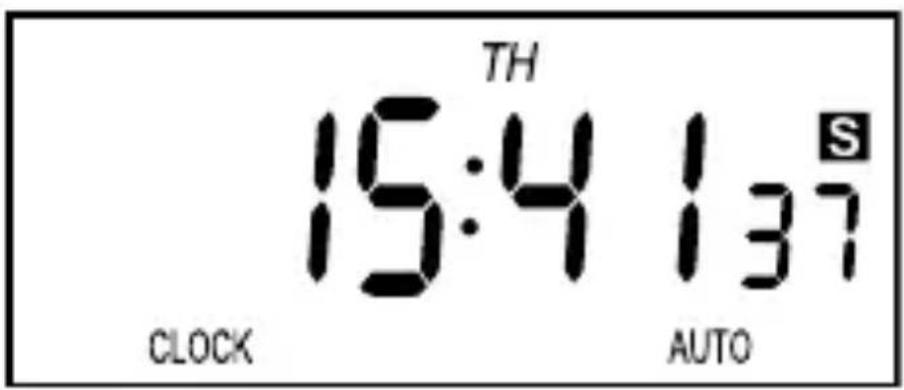
□ Simultaneously press the CLOCK 9 and ON/AUTO/OFF 5 buttons. The LCD 1 will advance the hour display 20 by one hour and the S symbol 15 disappears.
Setting standard time
□ Simultaneously press the CLOCK 9 and ON/AUTO/OFF 5 buttons. The S symbol 15 disappears from the LCD 1 and the hour 20 decreases by one.
- Setting the hour mode
The LCD 1 can display the current time in 12- or 24-hour mode. In 12-hour mode AM means before 12 noon, PM after 12 noon. The default is 24 hour mode.
Setting to 12 hour mode
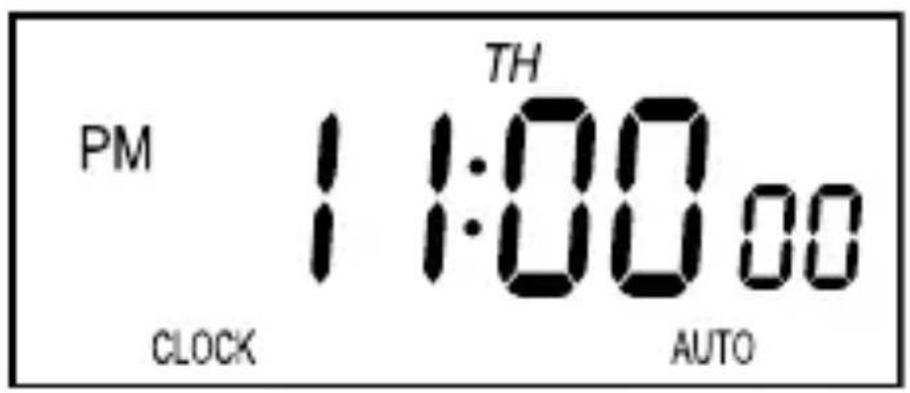
□ Simultaneously press the TIMER 8 and CLOCK 9 buttons. The LCD will show AM or PM 23.
The following illustration shows 23:00 hours in 12-hour mode.
Setting to 24-hour mode
□ Simultaneously press the TIMER 8 and CLOCK 9 buttons. The LCD will stop showing AM or PM 23.
Operation
- Switching to the clock function
The LCD 1 automatically switches back to clock function if a function is not used for more than 30 seconds.
☐ Press the CLOCK 9 button to manually go to the clock function.
(De)activating continuous operation
This device has the following operating modes:
- Continuous operation,
- Automatic program operation
The default is automatic program operation. You can switch the device to continuous operation separate from the programs.
Activating continuous operation
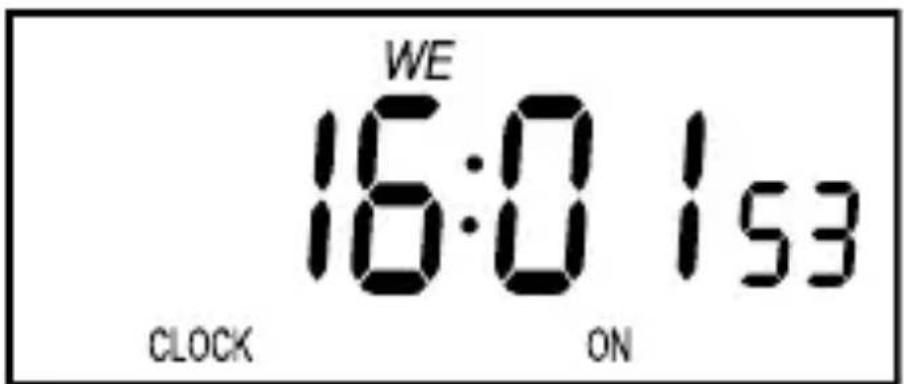
Repeatedly press the ON/AUTO/OFF 5 button until the LCD 1 reads ON 17.
Deactivating continuous operation
☐ Repeatedly press the ON/AUTO/ OFF 5 button until the LCD 1 reads OFF 17.
Activating automatic program operation
☐ Repeatedly press the ON/AUTO/OFF 5 button until the LCD 1 reads AUTO 17.
Configuringprograms
You can set up to 10 ON/OFF programs. The shorted time between switching on and off is one minute.
A program consists of the switch-on and switch-off time. Both times must be programmed to be able to use a program.
Be sure the time settings of the various programs do not overlap. If the times overlap, the switch-on time takes priority.
-
Check if the device is in AUTO ^17 mode. If not, set to AUTO ^17 (see „Setting the operating mode“).
-
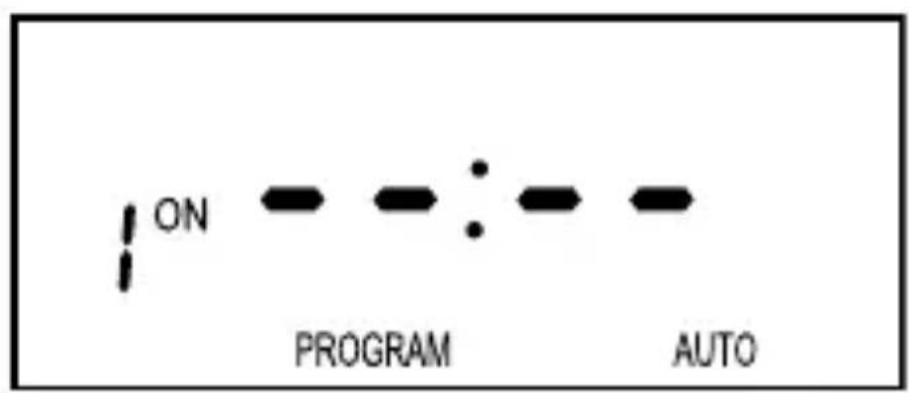
Select the program function with the TIMER 8 button. The LCD 1 reads:
-
Press the WEEK 10 button and press repeatedly to select one of the following options:
-
An individual weekday,
- One of the following combinations:
MO, TU, WE, TH, FR, SA, SU MO, TU, WE, TH, FR SA, SU MO, TU, WE, TH, FR, SA MO, WE, FR TU, TH, SA MO, TU, WE TH, FR, SA MO, WE, FR, SU
- Set the respective time using the HOUR 12 and MINUTE 2 buttons.
- Press the TIMER 8 button to confirm the selection. The switch-on time has been programmed. The LCD 1 will switch to switch-off time.
- Set the switch-off time as described in steps 3. to 5.
Deactivatingprograms
You can deactivate individual programs or all. To completely deactivate a program, you must deactivate the on and off time.
□ Press the TIMER 8 button.
☐ Repeatedly press the TIMER 8 button to select the respective switch-on time.
□ Press the RST/RCL 3 button.
☐ Press the TIMER 8 button to select the switch-off time.
□ Press the RST/RCL 3 button.
☐ Press the CLOCK 9 button to confirm the entry and exit.
Restoring programs
Programs can only be restored whilst deactivated.
Follow the instructions in chapter "Deactivating programs" to restore a deactivated program.
(De) Activating the random function
The random function will only work at night, from 6:00 pm until 6:00 am.
This requires programs to be set for this timeframe.
With random mode activated, the device will switch the configured programs with a random delay of 10 to 31 minutes.
Activating the random function
☐ Check if the device is in AUTO 17 mode. If not, set to AUTO 17 (see „Setting the operating mode“).
□PresstheRANDOM 4 button. The R symbol 14 will appear in the LCD 1.
Deactivating the random function
☐ Press the RANDOM 4 button. The R symbol 14 will disappear from the LCD 1.
- Cleaning
ATTENTION! RISK OF ELECTRIC SHOCK! Disconnect the device from the mains before cleaning.
ATTENTION! RISK OF ELECTRIC SHOCK! Do not allow liquids to enter the device. Liquids entering can result in a short circuit.
⚠️ATTENTION! Danger due to harsh cleaners.
□ Never use harsh or scouring cleaners.
□ Clean the device with a soft, slightly damped cloth and mild detergent.
☐ Ensure the device is completely dry before using it again.
- Disposal
natural_image
Simple black-and-white diagram of a trash bin with crossed lines indicating no waste or discharge (no text or symbols)Do not dispose of electric equipment in the house- hold waste!
In accordance with European Directive 2012 / 19 / EC relating to old electrical and electronic appliances, used electrical equipment must be collected separately and recycled in an ecologically compatible way.
Contact your local authorities for information on how to dispose of the appliance at the end of product life.

Warranty and Service
This device is covered by a 3 year warranty from the date of purchase. Please keep your receipt as proof of purchase. The product has been produced to the highest standards and thoroughly checked before dispatch.
The guarantee only applies to faults in material or manufacture when used properly. Any modifications will void the guarantee. This warranty does not limit your legal rights.
Please phone the service centre for guarantee claims. This is the only way to return your product free of charge.
Serviceaddress
BAT
Lindenstraße 35
72074 Tübingen
Germany
E-Mail: exp@bat-tuebingen.com
Service phone: 00800 48720741
If you need further information, we recommend that you consult Service/FAQ's on our homepage www.dvw-service.com.
IAN 101036
Manufacturer
BAT
Lindenstraße 35
72074 Tübingen
Germany
BAT
Lindenstraße 35
72074 Tübingen
Germany