
IAN 285220 - Switch SILVERCREST - Free user manual and instructions
Find the device manual for free IAN 285220 SILVERCREST in PDF.


| Type | Timer Switch |
| Brand | SilverCrest |
| Model | IAN 285220 / MZK 20-A DE 3655 |
| Operating Voltage | 220-240 V ~ 50 Hz |
| Switched Voltage | 220-240 V ~ 50 Hz |
| Switching Capacity | 3500 W (max 16 A, resistive load 2 A) |
| Shortest Switching Time | Approx. 15 minutes |
| Power Reserve | None |
| Operating Modes | Timer (switching) / Continuous |
| Indoor Use | Yes, dry rooms only |
| Child Protection | Yes (isolated ground receptacle with shutter) |
| Protection Class | Class II (double insulated) |
| Dimensions (approx.) | 8 x 8 x 8 cm |
| Weight (approx.) | 100 g |
| Warranty | 3 years |
| Cleaning | Disconnect from mains, wipe with damp cloth, mild detergent |
| Disposal | Separate collection, WEEE Directive |
Frequently Asked Questions - IAN 285220 SILVERCREST
User questions about IAN 285220 SILVERCREST
0 question about this device. Answer the ones you know or ask your own.
Ask a new question about this device
Download the instructions for your Switch in PDF format for free! Find your manual IAN 285220 - SILVERCREST and take your electronic device back in hand. On this page are published all the documents necessary for the use of your device. IAN 285220 by SILVERCREST.
USER MANUAL IAN 285220 SILVERCREST
TIMER SWITCHES
GB
TIMER SWITCHES
Operation and Safety Notes
HR
UTIČNICE S TIMEROM
GB
Before reading, unfold the page containing the illustrations and familiarise yourself with all functions of the device.
HR
Prije nego što pročitate tekst, otvorite stranicu sa slikama i upoznajte se na osnovu toga sa svim funkcijama uređaja.
RO
GB Operation and Safety Notes Page 5
HR Upute za posluživanje i za Vašu sigurnost Stranica 19
Intended use ......Page 7
Control elements ......Page 8
Technical Data ......Page 8
Safety notices ......Page 9
Start-up Page 10
Setting switching times ......Page 10
Selecting the operating mode ......Page 12
Adjusting the time ......Page 13
Cleaning......Page 13
Warranty and Service......Page 15
Service address ......Page 16
Manufacturer......Page 17
| List of pictograms used: | |
 | Observe the warning and safety instructions! |
 | Attention! Risk of electric shock! |
 | Do not dispose of electric equipment in the household waste! |
 | Use indoors |
 | AC motor |
 | Micro-switch with a contact opening width of < 3 mm |
Timer Switches
Mechanical – for indoors
- Introduction
Intended use
This device is intended as a daily timer switch for enclosed, dry rooms only and designed for private use. It is not suitable for commercial use. Only operate the device individually. Do not connect several timer switches in series. Any other use is considered improper. The manufacturer is not liable for damages due to improper use.
Read the entire instructions for use before using the device. Keep these instructions for use. Include the instructions for use when passing the device on.
Control elements (Fig. A)
1 Clock ring
2 Direction of rotation
3 Mark
4 Switching pins
5 Toggle timer/continuous mode
6 Safety plug (back)
7 Status light
8 Isolated ground receptacle with child protection
• Technical Data
Model designation: MZK 20-A DE 3655
Operating voltage: 220-240V \~ 50 Hz
Switched voltage: 220-240 V \~ 16(2)A
Switching capacity: max. 3500 W
Shortest switching time: approx. 15 minutes
Power reserve: none
Use
indoors:
EU compliant:


Safety notices
Children are not able to understand the dangers arising from improper use of electric devices. Never leave children unsupervised when using electronic devices.
Only plug the device into conventional isolated ground receptacles with an alternating current of 220-240 V and 50 Hz.
■ Only connect loads within the specified capacities of the device.
Do not cover the device. Heat accumulates when covered. There is a fire hazard.
- Regularly check the device for damage. Do not replace damaged parts. Contact the manufacturer or dispose of the device in an environmentally responsible way.
- Do not touch the device with wet hands.
■ Disconnect the device from the power mains to de-energise. - Do not connect devices from which hazards could arise during unsupervised operation (i.e. heaters).
This device is child-proofed. Both pins of the plug must be inserted into the socket at the same time.
- Start-up
- Setting switching times (Fig. B)
Use the switching pins 4 to set the times when you wish the timer to switch the
connected device on or off. Using a pointy object, e.g. pen, push one or several pins down to lock into place to set the desired switching time. Every switching pin corresponds to a switching time of approx. 15 minutes.
Device for private use, set times may be off-set. Not suitable for applications requiring precise and accurate switching.
In figure B the grey pins mark a switching time of 8:30 pm to 10:30 pm. A load is switched on during the time from 8:30 pm to 10:30 pm.
Setting the switching time
☐ Push down the respective number of switching pins 4.
Disabling switching time
☐ Push the switching pins 4 up again.

Selecting the operating mode
The device will work in switching mode or in continuous mode.
Activating switching mode
☐ Plug the device into a socket.
☐ Connect and switch on the load.
☐ Slide the toggle 5 all the way into the
position until it locks in. The status light 7 will light up when the switching time is activated.
Activating continuous operation
☐ Plug the device into a socket.
□ Connect and switch on the load.
☐ Slide the toggle 5 all the way into the
① position until it locks in.
The status light 7 will light up.
• Adjusting the time
Set the current time with the clock ring 1. You will see the time by the marking 3.
□ Turn the clock ring 1 in the direction of rotation 2.
☐ Set the marking 3 to the current time.
☐ Plug the device into a socket to switch it on.
□ Connect and switch on the load.
- Cleaning


ATTENTION! RISK OF
ELECTRIC SHOCK! Discon-
nect the device from the
mains before cleaning.


ATTENTION! RISK OF
ELECTRIC SHOCK! Do not
allow liquids to enter the
device. Liquids entering can result in a short circuit.

ATTENTION! Danger due to harsh cleaners.
□ Never use harsh or scouring cleaners.
□ Clean the device with a soft, slightly damped cloth and mild detergent.
☐ Ensure the device is completely dry before using it again.

Disposal
natural_image
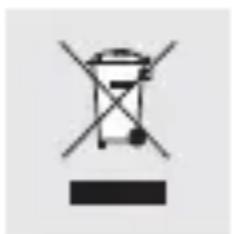
Symbol of a trash bin with crossed and unshaded sections, no text or numbers present.Do not dispose of electric equipment in the house- hold waste!
In accordance with European Directive 2012 / 19 / EC relating to old electrical and electronic appliances, used electrical equipment must be collected separately and
recycled in an ecologically compatible way. Contact your local authorities for information on how to dispose of the appliance at the end of product life.
The product packaging is made from recyclable materials. Please dispose of these in an environmentally friendly way and ensure that they are sorted into the appropriate collection bins.
Warranty and Service
This device is covered by a 3 year warranty from the date of purchase. Please keep your receipt as proof of purchase. The product has been produced to the highest standards and thoroughly checked before dispatch.
The guarantee only applies to faults in material or manufacture when used properly. Any modifications will void the guarantee. This warranty does not limit your legal rights.
Please phone the service centre for guarantee claims. This is the only way to return your product free of charge.
Service address
BAT
Lindenstraße 35
DE-72074 Tübingen
GERMANY
E-Mail: exp@bat-tuebingen.com
Service phone: 00800 48720741
If you need further information, we recommend that you consult Service/FAQ's on our homepage www.dvw-service.com.
There, you will also find these operating instructions as a PDF document.
IAN 285220

Manufacturer
BAT
Lindenstraße 35
DE-72074 Tübingen
GERMANY