
50E HELIUM - Smartphone ARCHOS - Free user manual and instructions
Find the device manual for free 50E HELIUM ARCHOS in PDF.



| Product type | Smartphone |
| Brand | ARCHOS |
| Model | 50E HELIUM |
| Operating system | Android |
| Network | 4G/3G/2G, Dual SIM (1 slot 4G/3G/2G, 1 slot 2G) |
| Connectivity | WiFi, Micro-USB, 3.5mm headphone jack |
| Rear camera | Present, with flash |
| Front camera | Present |
| Power supply | Removable battery, charging via Micro-USB, charger included |
| Expandable storage | Micro-SD card slot (slot 3) |
| Buttons | Volume, ON/OFF |
| Sensors | Brightness sensor |
| Box contents | Smartphone, battery, headset, USB cable, charger, quick start guide, warranty guide |
| Repairability | Removable battery, removable back cover, easy access to SIM and micro-SD cards |
| Security | PIN code, PUK code, screen lock |
| Manual | Online manual of 197 pages, available in multiple languages |
Frequently Asked Questions - 50E HELIUM ARCHOS
User questions about 50E HELIUM ARCHOS
0 question about this device. Answer the ones you know or ask your own.
Ask a new question about this device
Download the instructions for your Smartphone in PDF format for free! Find your manual 50E HELIUM - ARCHOS and take your electronic device back in hand. On this page are published all the documents necessary for the use of your device. 50E HELIUM by ARCHOS.
USER MANUAL 50E HELIUM ARCHOS
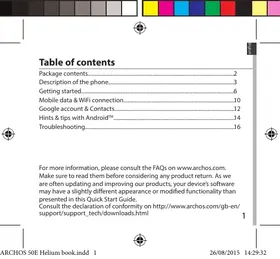
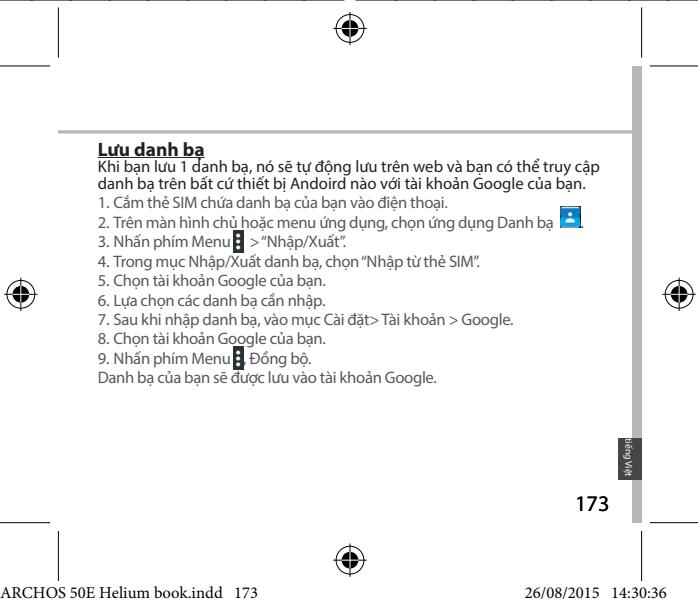
Description of the phone. 3
Getting started. 6
Mobile data & WiFi connection. 10
Google account & Contacts. 12
Hints & tips with AndroidTM 14
Troubleshooting. 16
For more information, please consult the FAQs on www.archos.com.
Make sure to read them before considering any product return. As we are often updating and improving our products, your device's software may have a slightly different appearance or modified functionality than presented in this Quick Start Guide.
Consult the declaration of conformity on http://www.archos.com/gb-en/support/support-and-technical/downloads.html
Package Contents
Check your product box for the following items:
- ARCHOS 50E Helium
- Battery
- Headset
- USB cable
- Charger
- Quick start guide Warranty Legal & Safety notices
The items supplied with your device and available accessories may vary depending on your region or service provider.
The supplied items are designed only for your device and may not be compatible with other devices.
Unapproved accessories may cause your device to malfunction.
2

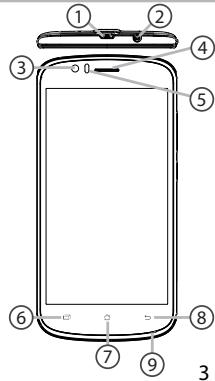
Description of the phone
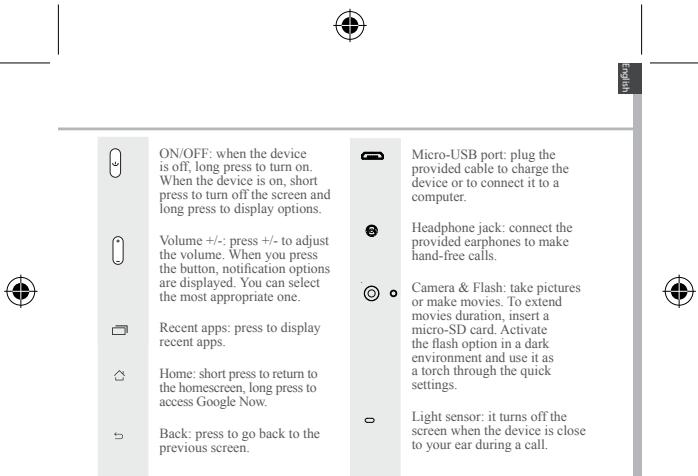
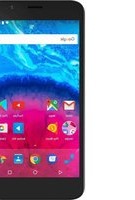
① Micro-USB port ② Headset jack ③ Front camera ④ Phone speaker ⑤ Light sensor ⑥ Recent apps ⑦ Home/Google NOW ⑧ Back ⑨ Microphone
English
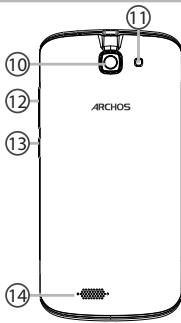
Description of the phone
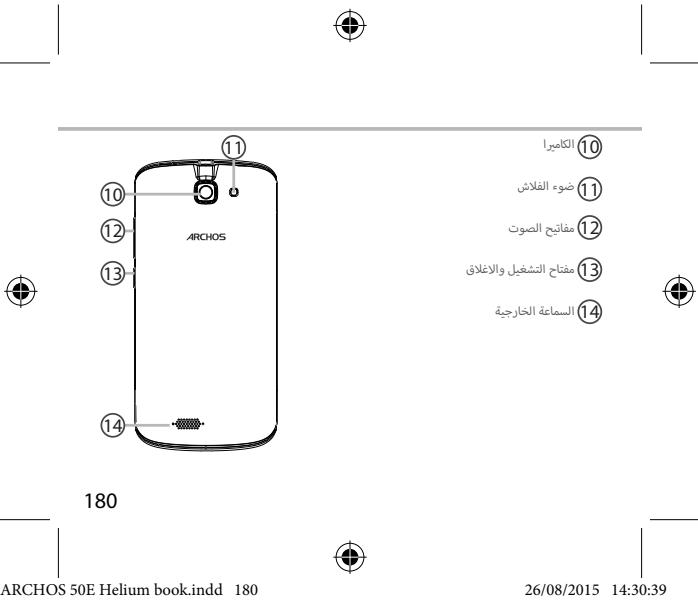
⑩ Camera ⑪ Flash light ⑫ Volume buttons ⑬ ON/OFF button ⑭ Loudspeaker
4


Getting started
Assembling
After you have unpacked your mobile phone box:
- Remove the device's back cover using the notch.
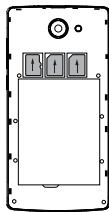
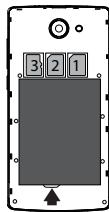
- Insert your SIM card or Memory card in the corresponding slot.
- Insert the device's battery.
- Replace the back cover.
| 4G/3G/2G | slot 1 | When inserting your SIM card or micro-SD card, make sure to follow the illustration, otherwise you may damage the slot or the card. |
| 2G | slot 2 | |
| Micro-SD card | slot 3 |

Lift the back cover using the notch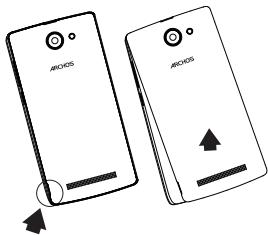
Getting started
Turning on
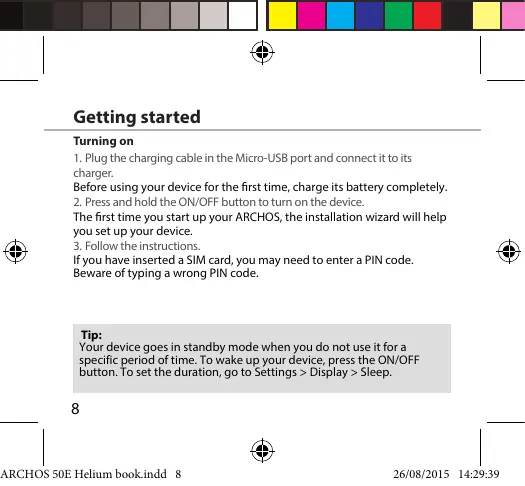
- Plug the charging cable in the Micro-USB port and connect it to its charger. Before using your device for the first time, charge its battery completely.
- Press and hold the ON/OFF button to turn on the device.
The first time you start up your ARCHOS, the installation wizard will help you set up your device. 3. Follow the instructions.
If you have inserted a SIM card, you may need to enter a PIN code. Beware of typing a wrong PIN code.
Tip:
Your device goes in standby mode when you do not use it for a specific period of time. To wake up your device, press the ON/OFF button. To set the duration, go to Settings > Display > Sleep.
8


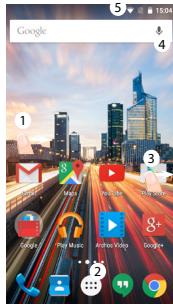
On your homescreen
- Swipe right
- Press
- Hold your finger on an app
- Say "Ok Google"
to access Google Now to access all your apps to move it right and create a new homescreen. to launch the search page.
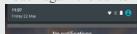
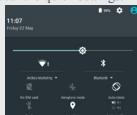
- Touch and pull down the status bar to display it. Touch again the bar to reveal the quick settings.
Mobile Data & WiFi connection
Mobile data connection
If your mobile phone subscription includes a mobile data option, you should be connected to the Internet without any further setup. The ARCHOS will only have signal if you are in an area covered by your provider's 4G or 3G network.
Activating/Deactivating the mobile data
- Touch and pull down the status bar to display it.
- Touch again the bar to reveal the quick settings.
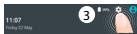
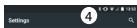
- Select the Settings icon.
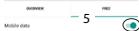
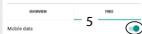
- In Wireless & networks, select Data usage, then the SIM card tab.
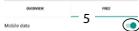
- Slide the Mobile data switch to turn it on or off.
Wireless networks
Data usage
WiFi connection
WARNING: Make sure that you are in a WiFi zone. You can access the WiFi settings quickly from the status bar.
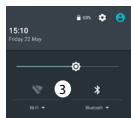
- Touch and pull down the status bar to display it.
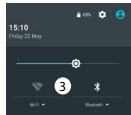
- Touch the bar again to reveal the quick settings.
- Select the WiFi icon to activate the WiFi connection.
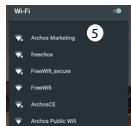
- Select "WiFi" below the WiFi icon.
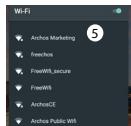
- Touch the name of the network you want to connect to. Private networks are shown with a lock icon and will require you to enter your password.


Google & Contacts
Adding a Google account
A Google account lets you take full advantage of any Google apps and services that you may want to use.
- Go to "Settings" > "Accounts" > "Add account".
- Select the account type "Google" to add.
- Follow the onscreen instructions to enter information about the account. Once the account is created, you can access Play Store, Gmail, Hangouts, Maps and many other apps.
Synchronizing info
Information must be synced to be saved. Your data is backed up on Google servers.
- Go to "Settings" > "Accounts" > "Google".
- Select your account.
The list of information that can be synced is displayed.
Automatic sync should be activated. To launch the sync, press the Menu button then Sync now. You can get them back in case of loss of your device or SIM card. When your Google account is added to a new device, all your saved information is transferred.
12


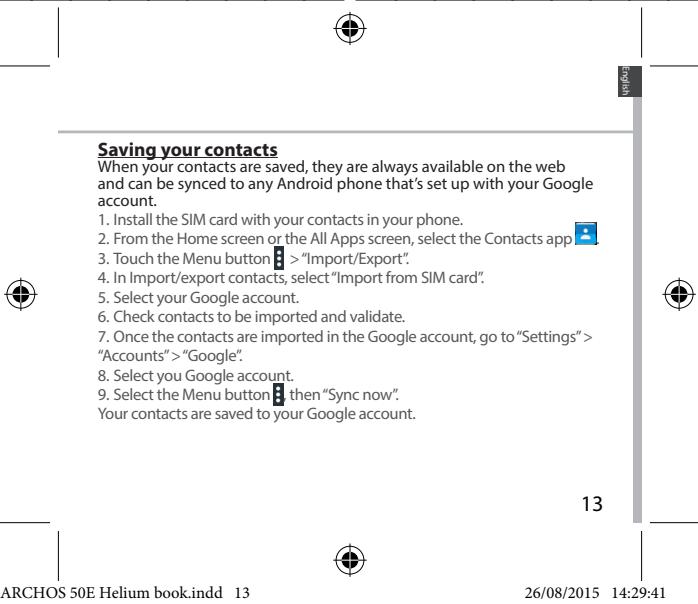




Troubleshooting
My phone is frozen or cannot switch on
- Remove and replace the battery.
- Charge your device.
My phone cannot connect to a network or "No service" is displayed
Try connecting in another location. Verify the network coverage with your operator.
Unable to make outgoing calls
Make sure your phone is connected to a network, and the network is not overloaded or unavailable.
Unable to receive incoming calls
Make sure your phone is switched on and connected to a network (check for overloaded or unavailable network).
SIM card PIN locked
Contact your network operator to obtain the PUK code (Personal Unblocking Key).
To configure a new 4G network:
On your device, tap Settings.
- Select Wireless & networks > More... > Mobile networks.
- In Mobile network settings, select your operator in Network operators.
- In Mobile network settings, select Access point names, then select
to add new parameters and enter the exact connection parameters provided by your 4G provider.

Wireless networks Data usage
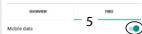


WLAN connection
Wireless networks Data usage
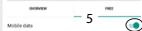


WiFi connection
Wireless networks Data usage


Connect to WiFi
WARNING! Make sure you are in an area with coverage. Use the status bar for quick access to WiFi settings.
- Touch the status bar and drag it down to open it.
- The icon will appear in the status bar. Tap it to open the quick settings.
- Touch and hold the WiFi icon to activate or deactivate WiFi.
- Select the WiFi network under the WiFi icon.
- Touch the name of the network you want to connect to.
If the network is secured with a lock icon, you will need to enter the password.


Google account and contacts
Adding a Google account
- Go to Settings > Accounts > Add account (Settings > Accounts > Add account).
- Select the type of account to add: Google.
- Follow the instructions on the screen to add your account. Once your account is created, you will have access to Play Store, Hangouts, Maps, and many other applications.
Data synchronization
Data synchronization is performed automatically. Regular backup of your data is also performed by Google.
- Go to Settings > Accounts > Google (Settings > Accounts > Google).
- Select the account. A list of data that can be synchronized will be displayed. It is recommended to enable automatic synchronization. To synchronize manually, press the Menu button and then select Sync now. Using the synchronization function, you can restore data in case of device loss or SIM card change. When you add your Google account to a new device, the data saved on it will be restored.




Getting to know Android™
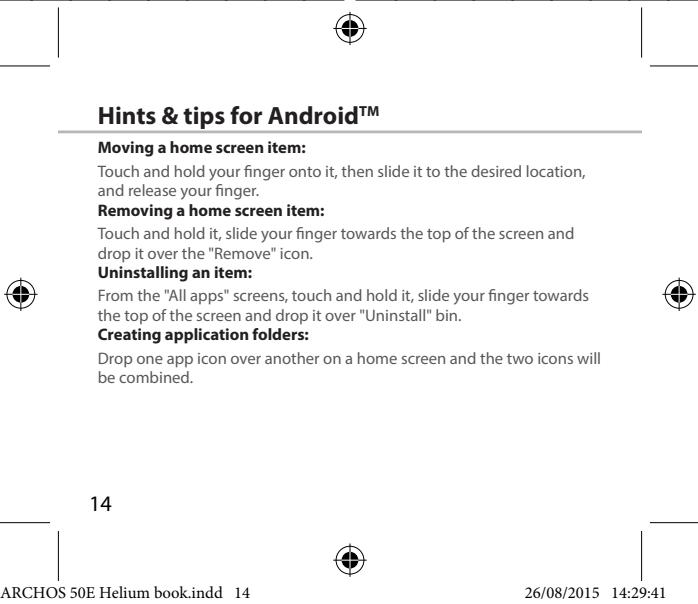
Moving elements on the home screen:
Cannot make outgoing calls
Make sure the phone is connected to the network, that the network is available and not overloaded.
Cannot receive incoming calls
Make sure the phone is turned on and connected to the network (check that the network is available and not overloaded).
Enter the PIN code of the SIM card.
Unlock the phone using the PUK code (Personal Unblocking Key) provided by your operator.
Setting up 4G news:
On the device screen, tap Settings.
- Select Wireless & networks > More... > Mobile networks.
- In the mobile network settings, select the operator from the Network operators list.
- In the mobile network settings, select the preferred network type. Select the parameters recommended by your 4G service provider.


Table of contents
Wireless networks Data usage


Wi-Fi connections
SET UP GOOGLE ACCOUNT AND CONTACTS
Add Google account
A Google account allows you to use all Google applications and services.
- Go to Settings > Accounts > Add account.
- Choose your Google account.
- Follow the instructions to complete the account creation.
After creating it, you can use Play Store, Gmail, Hangouts, Maps, and other apps.
Data synchronization
Data needs to be synchronized for storage. Data will be safely stored on Google's servers.
- Go to Settings > Accounts > Google. 2. Select your account
The list of items that can be synchronized is shown here. Automatic sync mode is enabled.
To perform a sync, press the Menu key, then select Sync. Sync allows you to restore data when you replace your phone or SIM card.
172




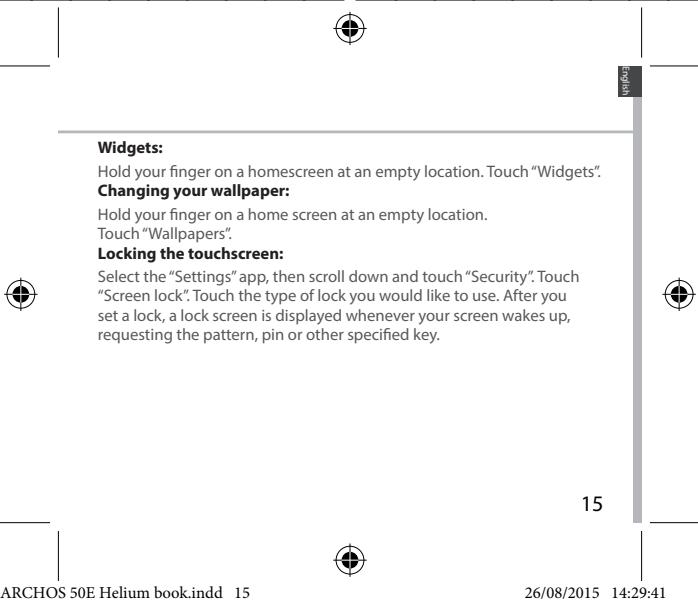
ANDROID TIPS AND TRICKS
Moving an object on the screen:
.
178







4G/3G/2G
2G U
Micro-SD card 3





USB port
Class 3







Entertainment your way
…

Uni-Group

19043
www.uni-grp.com

/ArchosEgypt

/ArchosEgypt





__SUPPIMER__
Open Source Software Offer
The software bundled with this product includes software files subject to certain open source license requirements. Such open source software files are subject solely to the terms of the relevant open source software license. Such open source software is provided on an "AS IS" basis to the maximum extent permitted by applicable law.
For the open source files contained herein, please access "Open source license" section located at: Settings\About phone\Legal information on the device for the relevant copyright and licensing terms. You may obtain a copy of Apache License, Version 2.0 at http://www.apache.org/licenses/License-2.0. You may also obtain a copy of GNU General Public License, Version 2 at the Free Software Foundation, INC, 51 Franklin Street, Fifth Floor, Boston, MA 02110-1301, USA.
Until the date that is three years after our last shipment of this product, you may obtain a copy of the source code corresponding to the binaries for any GPL-Licensed file by contacting ARCHOS customer service at http://www.archos.com and ARCHOS will send you a link to such source code or will provide instructions to get the source on a physical medium.
This offer is valid to anyone in receipt of this information.
National restrictions
This device is intended for home and office use in all EU countries (and other countries following the EU directive 1999/5/EC) without any limitation except for the countries mentioned below:
Country: Bulgaria, France
Restriction: None; Outdoor use limited to 10 mW e.i.r.p. within the band 2454-2483.5 MHz
Reason/Remark: General authorization required for outdoor use and public service; Military Radiolocation use. Reforming of the 2.4 GHz band has been ongoing in recent years to allow current relaxed regulation. Full implementation planned 2012
Italy, Luxembourg
None, None
If used outside of own premises, general authorization is required. General authorization required for network and service supply (not for spectrum)
Norway: Implemented. This subsection does not apply for the geographical area within a radius of 20 km from the centre of Ny-Alesund
Russian Federation: None. Only for indoor applications
Note: Frequency 2454-2483.5 MHz is restricted to indoor use in France.
Consult the declaration of conformity on http://www.archos.com/products/declaration_conformity.html
SAR: After the laboratory measurement, this mobile phone SAR value is: Body 1.003 W/kg; Head: 0.325 W/kg. Archos company declares that this device is in compliance with the essential requirements and other relevant provisions of Directive 1999/5/EC


- PACKAGE CONTENTS
- DESCRIPTION OF THE PHONE
- GETTING STARTED
- ASSEMBLING
- TURNING ON
- TIP
- ON YOUR HOMESCREEN
- MOBILE DATA & WIFI CONNECTION
- MOBILE DATA CONNECTION
- ACTIVATING/DEACTIVATING THE MOBILE DATA
- WIFI CONNECTION
- GOOGLE & CONTACTS
- ADDING A GOOGLE ACCOUNT
- SYNCHRONIZING INFO
- TROUBLESHOOTING
- WLAN CONNECTION
- CONNECT TO WIFI
- GOOGLE ACCOUNT AND CONTACTS
- DATA SYNCHRONIZATION
- GETTING TO KNOW ANDROID™
- TABLE OF CONTENTS
- WI-FI CONNECTIONS
- SET UP GOOGLE ACCOUNT AND CONTACTS
- ADD GOOGLE ACCOUNT
- ANDROID TIPS AND TRICKS
- OPEN SOURCE SOFTWARE OFFER
- NATIONAL RESTRICTIONS
Brand : ARCHOS
Model : 50E HELIUM
Category : Smartphone