
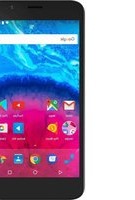
Access 45 4G - Smartphone ARCHOS - Free user manual and instructions
Find the device manual for free Access 45 4G ARCHOS in PDF.


Pick your language and provide your email: we'll send you a specifically translated version.
| Product Type | Smartphone |
| Brand | ARCHOS |
| Model | Access 45 4G |
| Display Size | 4.5 inches |
| Display Resolution | 480 x 854 pixels (FWVGA) |
| Operating System | Android 8.1 Oreo (Go edition) |
| Processor | Quad-core 1.3 GHz Spreadtrum SC9832E |
| RAM | 1 GB |
| Internal Storage | 8 GB eMMC |
| Expandable Storage | MicroSD up to 64 GB |
| Rear Camera | 5 MP |
| Front Camera | 2 MP |
| Battery Capacity | 2000 mAh removable |
| Dimensions | 134 x 67.4 x 10.3 mm |
| Weight | 130 g |
| SIM Type | Dual Micro-SIM |
| Connectivity | Wi-Fi, Bluetooth 4.0, GPS, Micro-USB 2.0 |
| Audio Jack | 3.5 mm stereo headset |
| Sensors | Proximity, Accelerometer |
| Maintenance | Clean with a soft dry cloth; avoid water and extreme heat. |
| Safety | Use only approved chargers; avoid covering the phone while charging. |
| Spare Parts & Repairability | Removable battery and accessible SIM/SD slots for easy servicing. |
Frequently Asked Questions - Access 45 4G ARCHOS
How do I insert the SIM and microSD cards?
Power off the phone, open the back cover, and remove the battery. Slide the Micro-SIM cards into the SIM slots and the microSD card into its slot. Replace the battery and back cover.
How can I extend battery life?
To optimize battery life, enable Battery Saver in Settings, lower screen brightness, close unused apps, and disable background data. The 2000 mAh battery lasts up to a day with moderate use.
Does the ARCHOS Access 45 4G support 4G LTE?
Yes, it supports 4G LTE on both SIM cards with dual-SIM standby. Make sure your operator offers 4G coverage and that you enable data on the desired SIM.
How do I take a screenshot?
Press and hold the Power and Volume Down buttons simultaneously for about 2 seconds. The screenshot is saved in the Photos app.
Can I move apps to the SD card?
Yes, with Android Go you can use the microSD card as portable storage. Go to Settings > Storage, select the app and tap Change to move it to the SD card if supported.
How do I perform a factory reset?
Back up your data first. Go to Settings > System > Reset options and select Erase all data (factory reset), or use Recovery mode by holding Power and Volume Up during boot.
What should I do if the phone freezes or runs slowly?
Restart the device by holding the Power button. Clear cache for heavy apps or uninstall unused ones. For persistent issues, perform a factory reset after backing up your data.
Is the battery removable?
Yes, the 2000 mAh battery is user-replaceable. Turn off the phone, remove the back cover, and lift the battery out.
How many apps can I install with 8 GB of storage?
Android Go is optimized for low-memory devices. You can install around 20–30 light apps. Use a microSD card to store photos, videos, and other media.
What is the ARCHOS Access 45 4G's SAR value or radiation level?
The specific SAR values are stated in the user manual. For Europe, the typical SAR limit is 2.0 W/kg over 10 g of tissue. Ensure you keep the device away from the body during calls by using a handsfree kit.
User questions about Access 45 4G ARCHOS
0 question about this device. Answer the ones you know or ask your own.
Ask a new question about this device
No questions yet. Be the first to ask one.
Download the instructions for your Smartphone in PDF format for free! Find your manual Access 45 4G - ARCHOS and take your electronic device back in hand. On this page are published all the documents necessary for the use of your device. Access 45 4G by ARCHOS.
USER MANUAL Access 45 4G ARCHOS


Manual assistant
Powered by Anthropic
Waiting for your message
Product information
Brand : ARCHOS
Model : Access 45 4G
Category : Smartphone