
Tania - Mobile Phone ZTE - Free user manual and instructions
Find the device manual for free Tania ZTE in PDF.


| Product Type | Windows Phone Smartphone |
| Brand | ZTE |
| Model | Tania |
| Operating System | Windows Phone 7 (est.) |
| GPS | Not specified |
| Power Key | Press and hold to power on/off; press to sleep/wake |
| Camera Key | Press fully to start camera; half-press to focus |
| Start Key | Tap to return to Start Screen; tap and hold for voice recognition |
| Back Key | Tap to go back; tap and hold to switch apps |
| Search Key | Tap to use Bing search |
| Volume Keys | Press or hold to adjust volume |
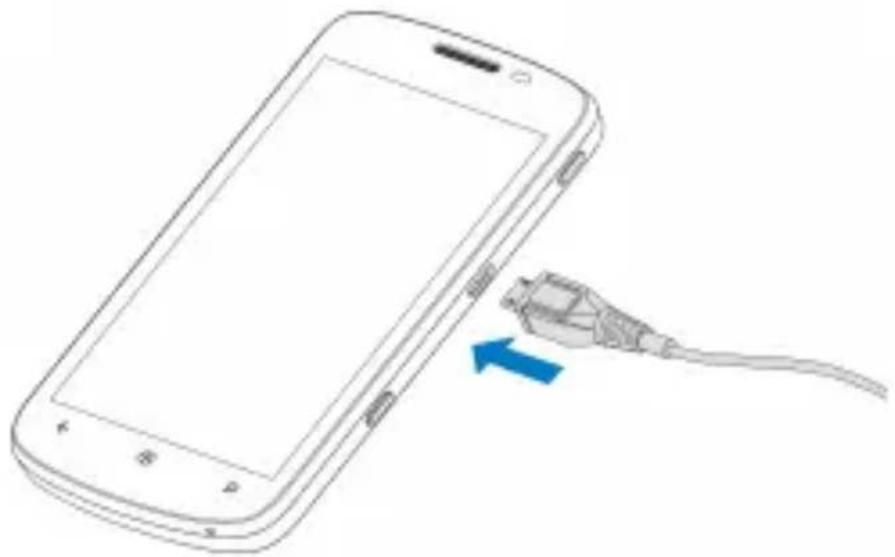
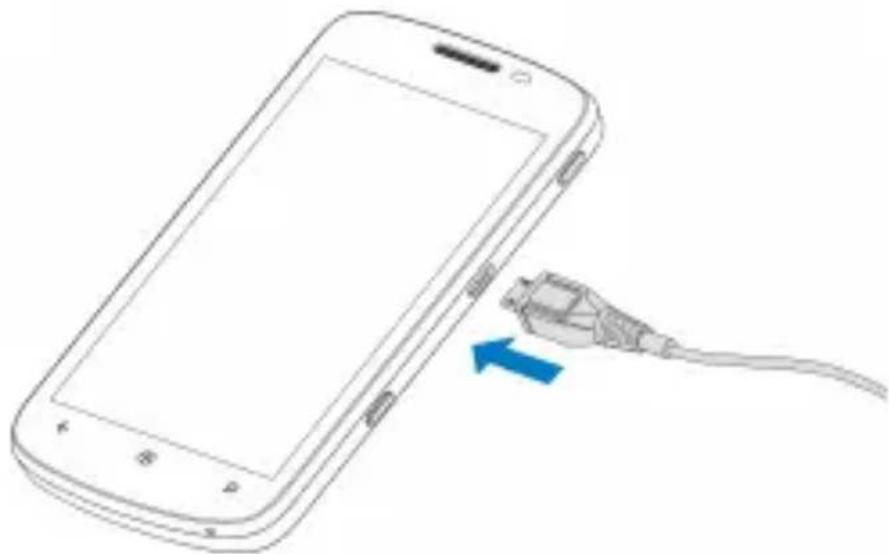
| Battery Charging | Connect charger to AC outlet and device |
| Sleep Mode | Press Power Key or idle timeout; settings in Settings > system > lock+wallpaper > Screen times out after |
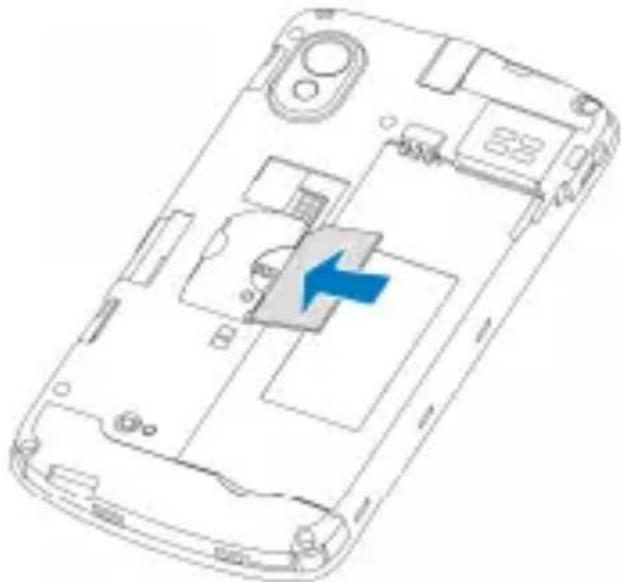
| SIM Card | Standard SIM; insert with cut corner oriented correctly |
| Safety | Do not use while refueling; avoid liquids; keep 15 mm from body; switch off in hospitals/aircraft |
| Wi-Fi Compliance | 2400-2483.5 MHz; restrictions in some EU countries |
| EC Declaration | Complies with R&TTE Directive 1999/5/EC and EMC 2004/108/EC |
| Spare Parts | Not specified; use only approved accessories |
| Repairability | Do not attempt to disassemble; contact ZTE support |
Frequently Asked Questions - Tania ZTE
User questions about Tania ZTE
0 question about this device. Answer the ones you know or ask your own.
Ask a new question about this device
Download the instructions for your Mobile Phone in PDF format for free! Find your manual Tania - ZTE and take your electronic device back in hand. On this page are published all the documents necessary for the use of your device. Tania by ZTE.
USER MANUAL Tania ZTE
NO. 55, Hi-tech Road South, ShenZhen, P.R.China
Postcode: 518057
http://www.zte.com.cn mobile@zte.com.cn
ZTE Customer Services: +44(0)2034508722 08007830094
The information on the package is only for your reference, Imagee are for your reference only. Please check the product model before purchasing.
ZTE reserves the rights to charge specifications and parameters of the products without further notice.
Quick Start Guide
ZTE Tania Quick Start Guide......2
For more information, please
download the user manual:
http://wwwen.zte.com.cn/endata/mobile
/UK/UK_Instruction/201111/P020111123
393512694595.pdf
Product Safety Information
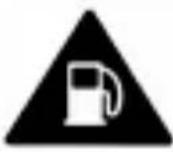 | Do not use while re-fuelling |
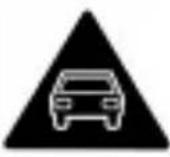 | Do not use hand-held while driving |
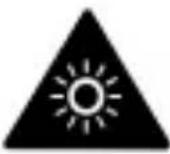 | This device may produce a bright or flashing light |
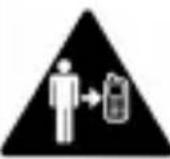 | For body-worn operation maintain a separation of 15 mm |
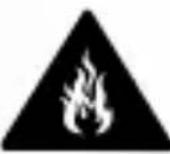 | Do not dispose of it in a fire |
 | Small parts may cause a choking hazard |
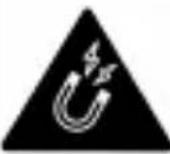 | Avoid contact with magnetic media |
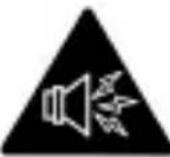 | This device may produce a loud sound |
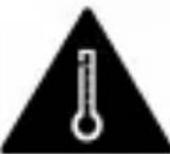 | Avoid Extreme Temperatures |
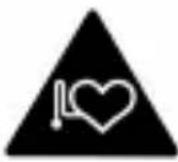 | Keep away from pacemakers and other personal medical devices |
 | Avoid any contact with liquid, keep it dry |
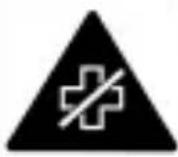 | Switch off when instructed in hospitals and medical facilities |
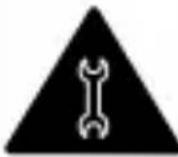 | Do not attempt to disassemble |
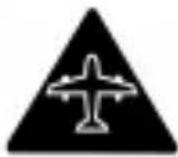 | Switch off when instructed in aircrafts and airports |
 | Do not rely on this device for emergency communications |
 | Switch off in explosive environments |
 | Only use approved accessories |
Getting to Know Your Phone
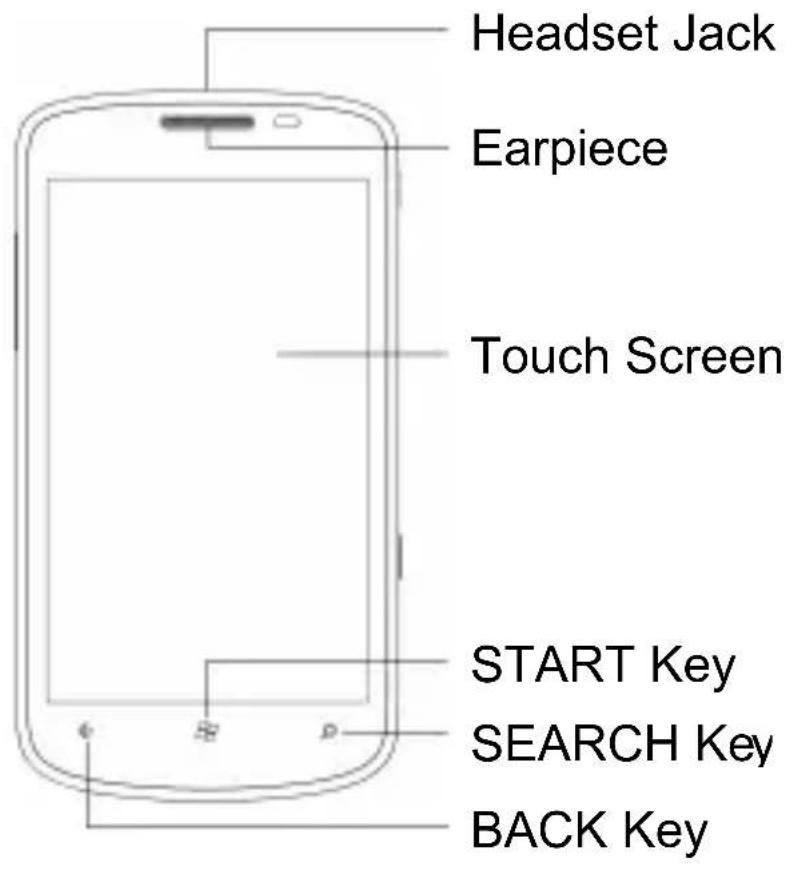
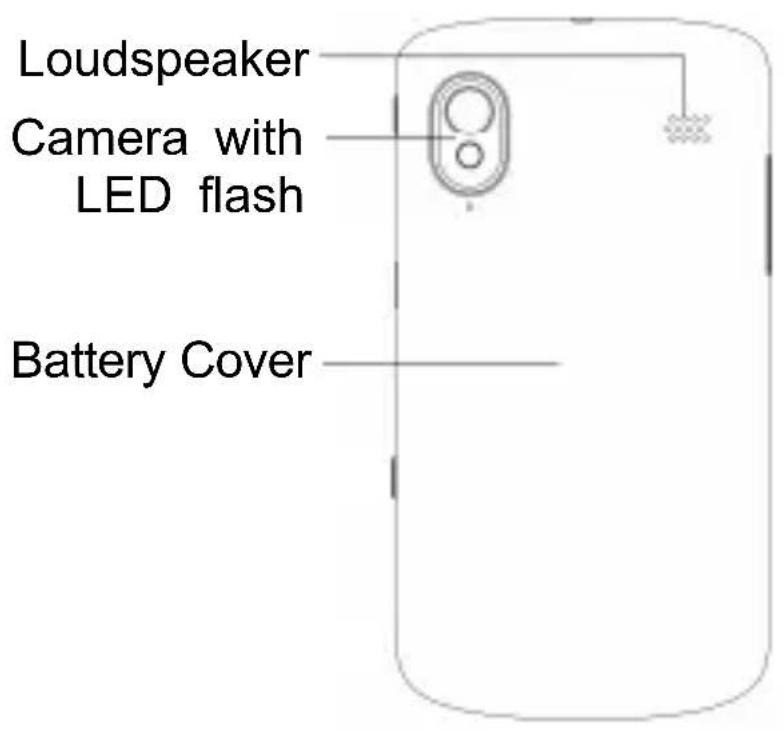
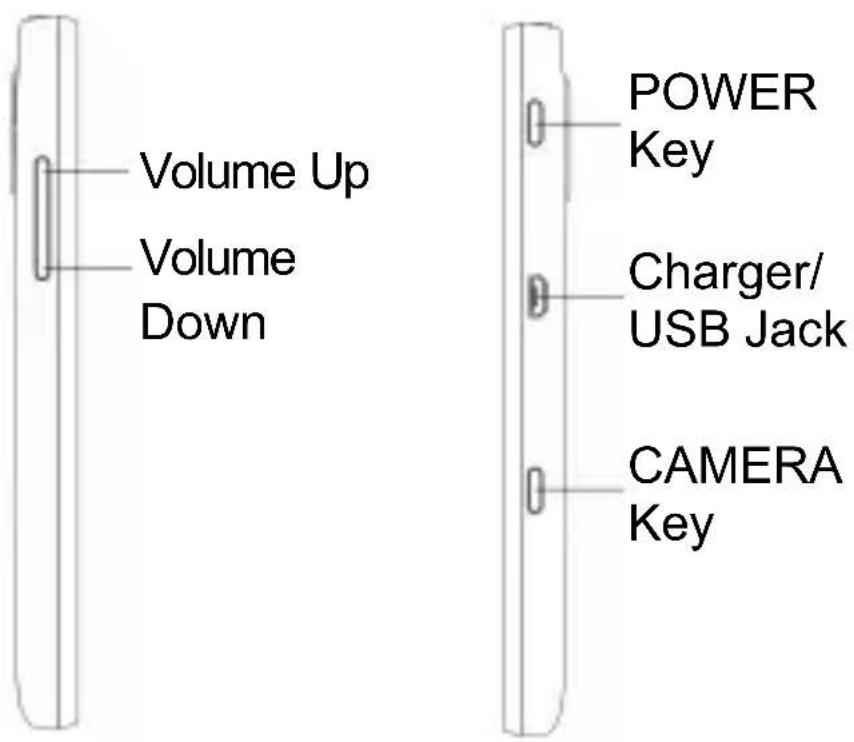
POWER Key
- Press and hold to turn on or off the phone.
- Press to switch your phone to Sleep mode.
- Press to wake up your phone.
CAMERA Key
- Press fully to start the camera.
- When the camera is started, press halfway to adjust the focus; press fully to take a photo.
START Key
- Tap to go back to the Start Screen.
- Tap and hold to use voice recognition.
BACK Key
- Tap to go one screen back.
- Tap and hold to see and switch running apps.
SEARCH Key
Tap to use Bing search.
Volume Keys
Press or hold to turn the volume up or down.
Before Getting Started
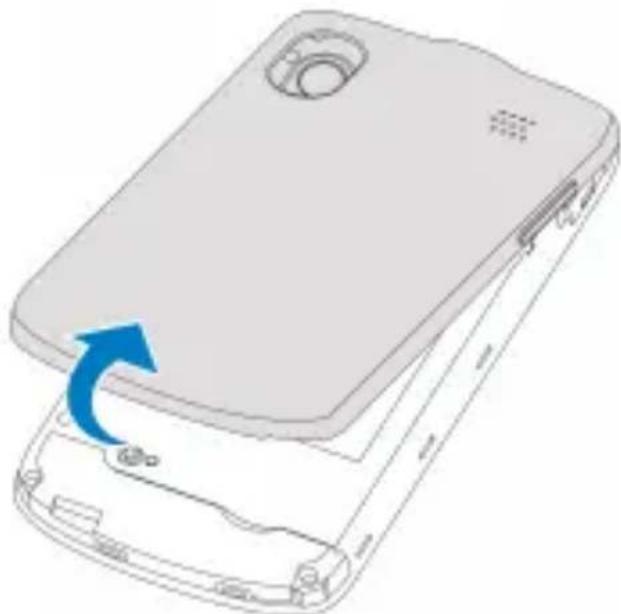
Removing the back cover
natural_image
3D diagram of a mobile phone casing with an arrow indicating the fold change in the front panel (no text or symbols present)Installing the SIM card
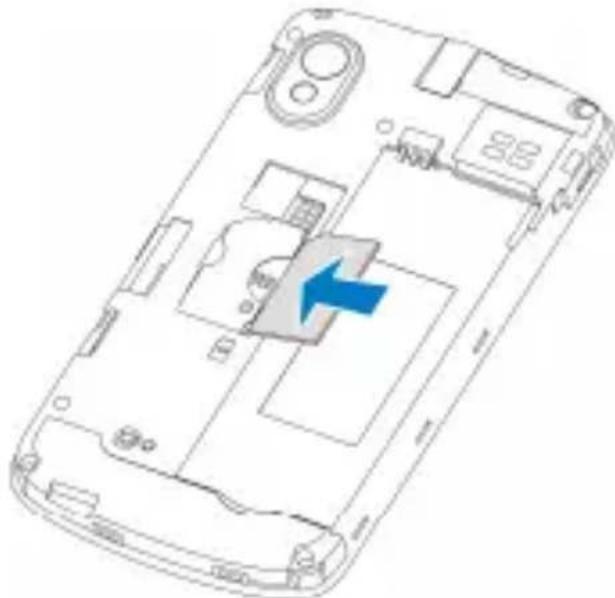
Hold the SIM with the cut corner oriented as shown and slip it into the card holder.
natural_image
Line drawing of a smartphone interior showing internal compartments and a blue arrow indicating a specific area (no text or symbols present)Installing the battery
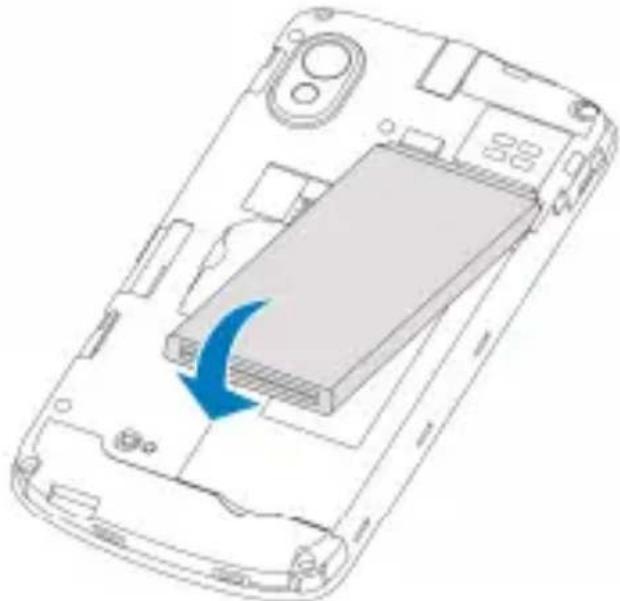
Insert the battery by aligning the gold contacts on the battery with the gold contacts in the battery compartment. Gently push down on the battery until it clicks into place.
natural_image
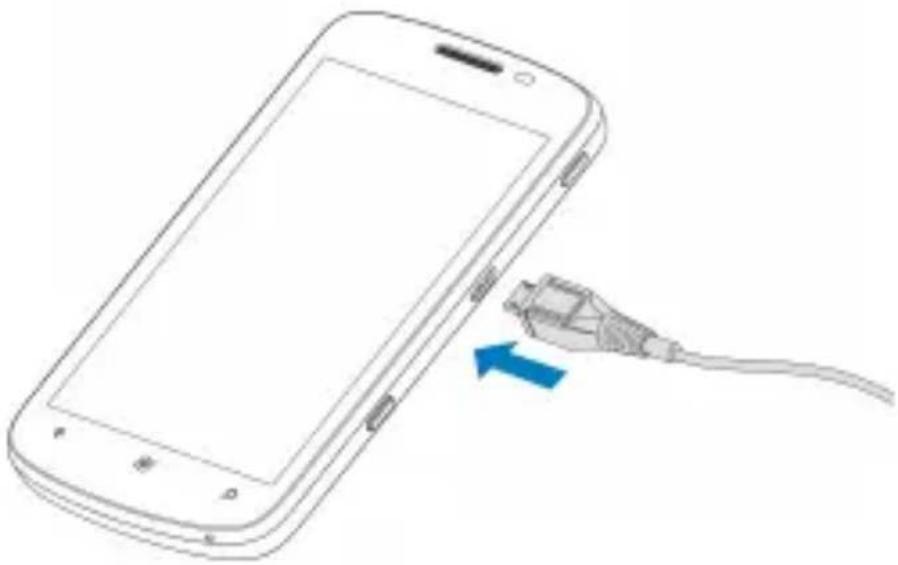
Diagram of a smartphone showing internal components and a blue arrow indicating a loading or movement (no text or symbols present)Charging the battery
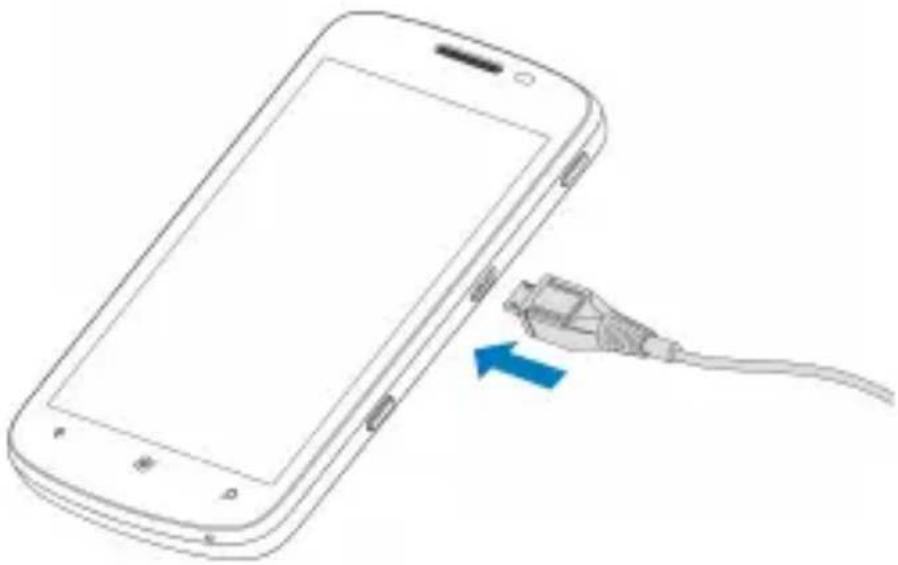
natural_image
Line drawing of a smartphone with an attached cable showing a blue arrow (no text or symbols)When you first get your new phone you'll need to charge the battery like this...
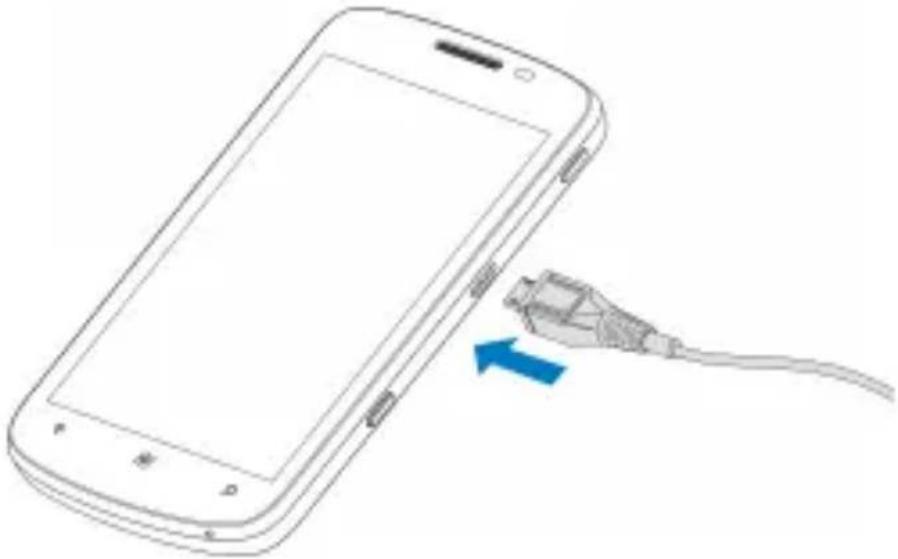
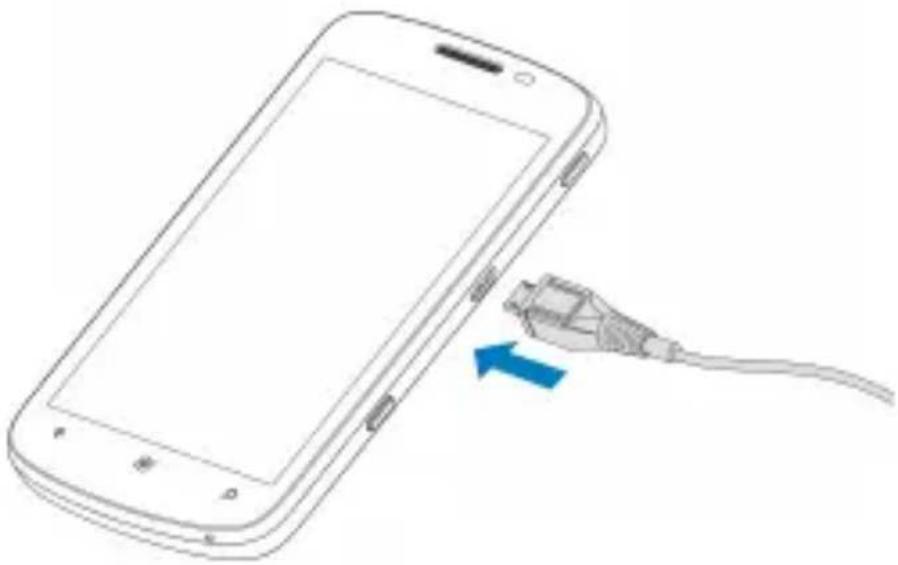
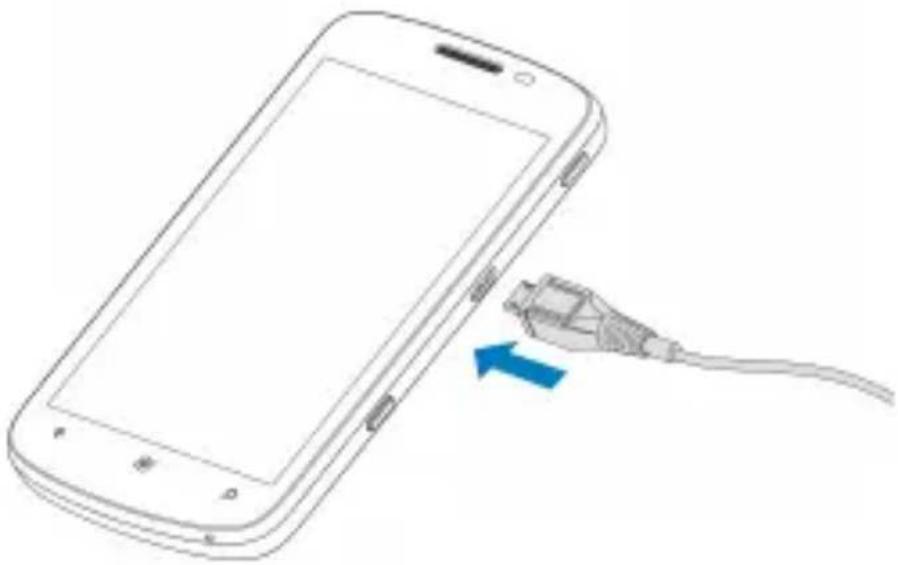
- Connect the adapter to the charger jack.
- Connect the charger to a standard AC wall outlet.
- Disconnect the charger when the battery is fully charged.
Powering On/Off Your Phone
- Make sure the SIM is in your device and the battery is charged.
- Hold POWER Key to switch on your phone.
- To switch it off, hold POWER Key. Then slide down the picture on the screen.
Switching to Sleep Mode
To save battery power, Sleep Mode suspends your device to a power-saving state while the display is off. Your device also goes into Sleep Mode automatically when it's idle for a certain period of time. You can set how long the time should be in Settings > system > lock+wallpaper > Screen times out after.
Press POWER Key to switch to Sleep Mode.
Waking Up Your Phone
If your phone is in Sleep Mode, you can wake it up by...
- Pressing POWER Key. The phone displays the lock screen.
- Press the bottom of the screen and slide your finger up.
Note:
If you have set a phone password, you may need to enter the password to unlock the screen.
EC DECLARATION OF CONFORMITY
C € 1588 Ⓖ
It is hereby declared that following designated product:
Product Type: Windows Phone (SmartPhone)
Model No: ZTE Tania
Complies with the essential protection requirements of the Radio and Telecommunication Terminal Equipment Directive (EC Directive 1999/5/EC) and the Electromagnetic Compatibility Directive (2004/108/EC).
This declaration applies to all specimens manufactured identical to the samples submitted for testing/evaluation.
Assessment of compliance of the product with the requirements relating to the Radio and Telecommunication Terminal Equipment Directive (EC Directive 1999/5/EC) was performed by American TCB (Notified Body No.1588), based on the following standards:
| Safety | EN 60950-1:2006/A11:2009 |
| EMC | EN 301 489-1 V1.8.1;EN 301 489-3 V1.4.1;EN 301 489-7 V1.3.1;EN 301 489-17 V2.1.1;EN 301 489-24 V1.4.1;EN 55013:2001+A2:2006;EN 55020:2007; |
| Radio | EN 301 511 V9.0.2;EN 301 908-1 V4.2.1;EN 301 908-2 V4.2.1;EN 300 440-1 V1.6.1;EN 300 440-2 V1.4.1;EN 300 328 V1.7.1; |
| Health | EN 50360:2001;EN 62209-1:2006;EN 62209-2:2010;EN 50332-1:2000;EN 50332-2:2003 |
This declaration is the responsibility of the manufacturer:
ZTE Corporation
ZTE Plaza, Keji Road South, Hi-Tech, Industrial Park, Nanshan District, Shenzhen, Guangdong, 518057, P.R.China
Authorised person signing for the company:
Xu feng Quality Director Of ZTE Corporation
Name in block letters & position in the company
Legally valid signature
| This equipment may be operated in: | AT | BE | |||
| CY | CZ | DK | EE | FI | FR |
| DE | GR | HU | IE | IT | LV |
| LT | LU | MT | NL | PL | PT |
| SK | SI | ES | SE | GB | IS |
| LI | NO | CH | BG | RO | TR |
National Restrictions on Wi-Fi Usage
2400.0-2483.5 MHz
Bulgaria
Reason/remark: General authorization required for outdoor use and public service.
France
Restriction: Please don't use WIFI function outdoors.
Reason/remark: Military Radiolocation use. Refarming of the 2.4 GHz band has been ongoing in recent years to allow current relaxed regulation. Full implementation planned 2012.
Italy
Reason/remark: If used outside of own premises, general authorization is required.
Luxembourg
Restriction: None
Reason/remark: General authorization required for network and service supply (not for spectrum).
Norway
Restriction: Implemented
Reason/remark: This subsection does not apply for the geographical area within a radius of 20 km from the centre of Ny-Ålesund.
Russian Federation
Reason/remark: Only for indoor applications.
ZTE Tania
Skrócona
instrukcja obsługi
/Poland/Poland_Instruction/201111/P02
0111125399470432406.pdf
natural_image
3D diagram of a smartphone showing the front panel and internal casing with a blue arrow indicating the fold change (no text or symbols present)Wkładanie karty SIM
natural_image
Line drawing of a smartphone casing with internal compartments and a blue arrow indicating a specific component (no text or symbols present)Instalacja baterii
natural_image
Diagram of a smartphone showing internal components and a blue arrow indicating a specific area (no text or symbols present)Ładowanie baterii
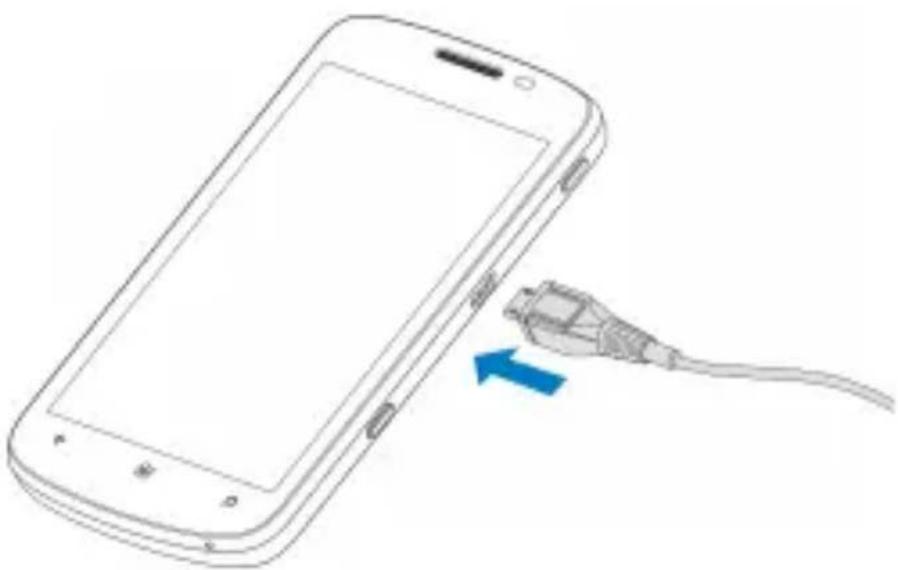
natural_image
Line drawing of a smartphone with an attached cable showing a blue arrow (no text or symbols)ZTE Plaza, Keji Road South, Hi-Tech, Industrial Park, Nanshan District, Shenzhen, Guangdong, 518057, P.R.China
Xu feng Quality Director Of ZTE Corporation
/Greece/Greece_Instruction/201111/P0
20111123392421477560.pdf
natural_image
Diagram of a smartphone showing the internal structure and an arrow indicating a change or rotation (no text or symbols present)natural_image
Line drawing of a smartphone casing with internal components and a blue arrow indicating a location (no text or symbols present)natural_image
Diagram of a smartphone showing internal components and a blue arrow indicating a process or operation (no text or symbols present)natural_image
Line drawing of a smartphone with an attached cable showing a blue arrow pointing to the cable (no text or symbols present)ZTE Plaza, Keji Road South, Hi-Tech, Industrial Park, Nanshan District, Shenzhen, Guangdong, 518057, P.R.China
Xu feng Quality Director Of ZTE Corporation
natural_image
3D diagram of a smartphone showing the front panel and internal components with a blue arrow indicating the fold change (no text or symbols present)SIM-kortin asentaminen
natural_image
Line drawing of a smartphone casing with internal compartments and a blue arrow indicating a specific component (no text or symbols present)Akun asentaminen
natural_image
Diagram of a smartphone interior showing the internal structure and a blue arrow indicating rotation (no text or symbols present)Akun lataaminen
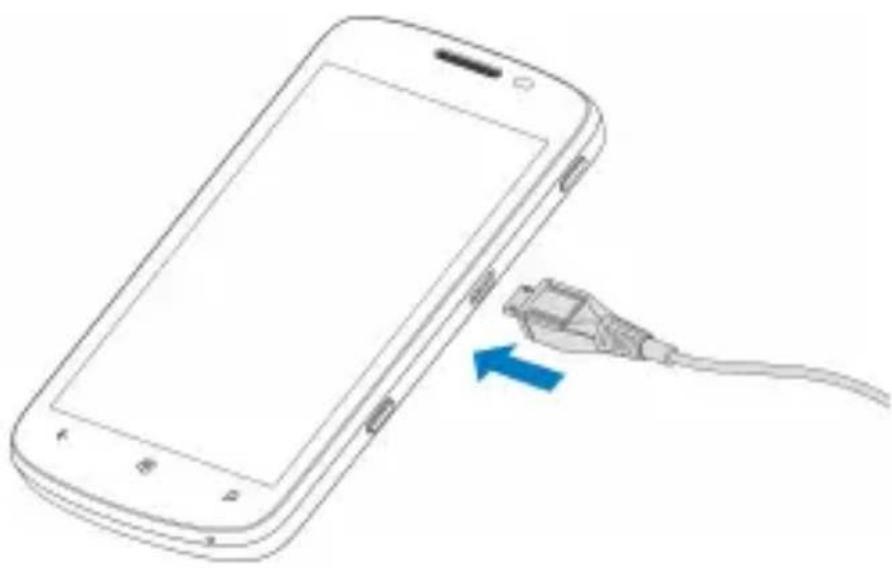
natural_image
Line drawing of a smartphone with an attached cable showing a blue arrow (no text or symbols)ZTE Plaza, Keji Road South, Hi-Tech, Industrial Park, Nanshan District, Shenzhen, Guangdong, 518057, P.R.China
natural_image
3D diagram of a smartphone showing the internal structure and an arrow indicating the fold change (no text or symbols present)Installera SIM-kortet
natural_image
Line drawing of a smartphone casing with internal compartments and a blue arrow indicating a specific component (no text or symbols present)Installera batteriet
natural_image
Diagram of a smartphone showing internal components and a blue arrow indicating a specific area (no text or symbols present)Ladda batteriet
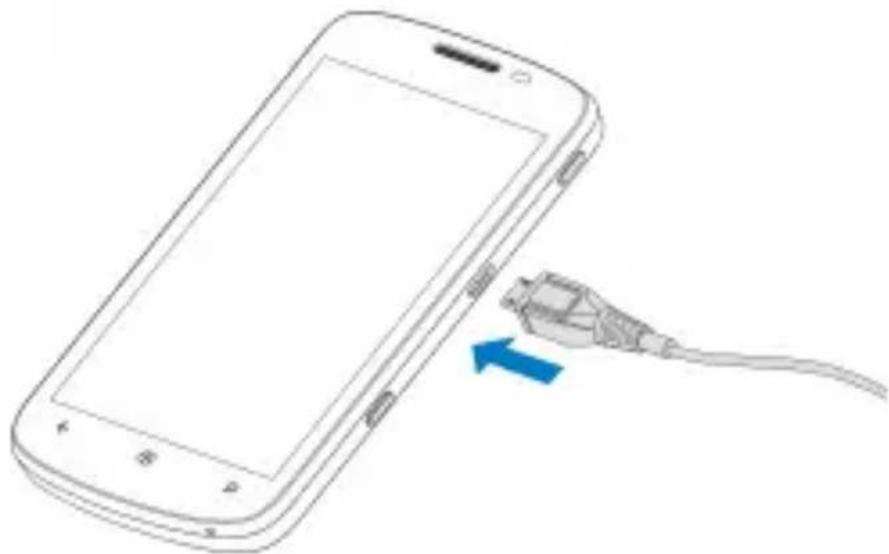
natural_image
Line drawing of a smartphone with an attached cable showing a blue arrow pointing to its cable (no text or symbols present)ZTE Plaza, Keji Road South, Hi-Tech, Industrial Park, Nanshan District, Shenzhen, Guangdong, 518057, Folkrepubliken Kina
natural_image
3D illustration of a smartphone showing the front panel and internal casing with a blue arrow indicating the fold change (no text or symbols present)Installere SIM-kortet
natural_image
Line drawing of a smartphone casing with internal compartments and a blue arrow indicating a specific component (no text or symbols present)Installere batteriet
natural_image
Diagram of a smartphone showing internal components and a blue arrow indicating a specific area (no text or symbols present)Lade batteriet
natural_image
Line drawing of a smartphone with an attached cable showing a blue arrow (no text or symbols)ZTE Plaza, Keji Road South, Hi-Tech, Industrial Park, Nanshan District, Shenzhen, Guangdong, 518057, Folkerepublikken Kina
natural_image
3D diagram of a smartphone showing the front panel and internal casing with a blue arrow indicating the fold change (no text or symbols present)Installere SIM-kortet
Hold SIM-kortet med det afskårne hjørne i samme retning som vist, og skub det ind i kortholderen.
natural_image
Line drawing of a smartphone casing with internal compartments and a blue arrow indicating a specific component (no text or symbols present)Isætte batteriet
natural_image
Diagram of a smartphone showing internal components and a blue arrow indicating a specific area (no text or symbols present)Oplade batteriet
natural_image
Line drawing of a smartphone with an attached cable showing a blue arrow pointing to its cable (no text or symbols present)ZTE Plaza, Keji Road South, Hi-Tech, Industrial Park, Nanshan District, Shenzhen, Guangdong, 518057, Folkerepublikken Kina
natural_image
Pure technical line drawing of a smartphone body without any text, numbers, or symbols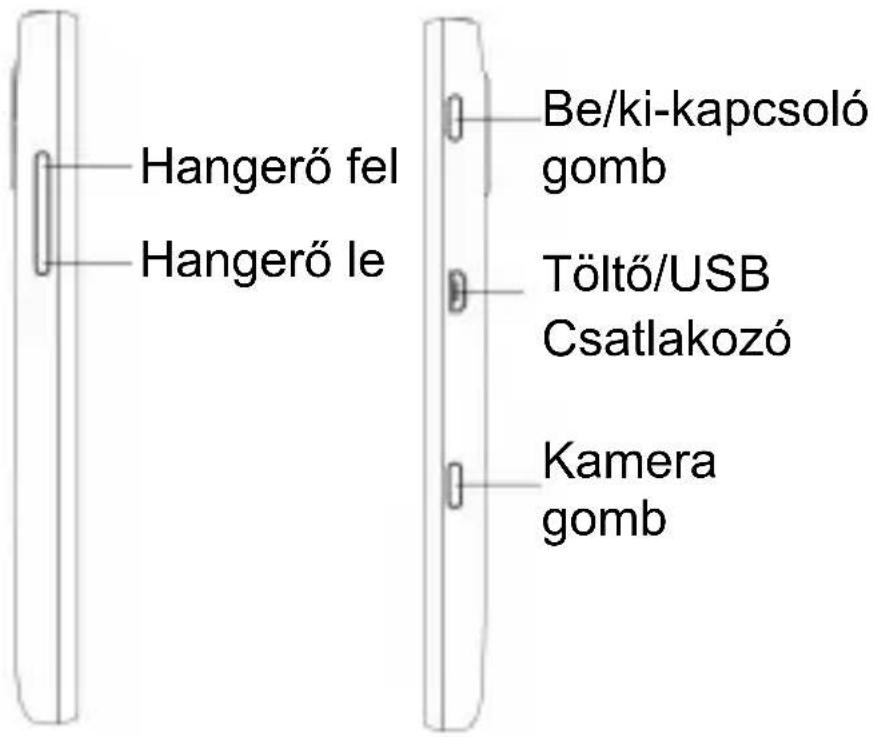
natural_image
Diagram of a smartphone showing the internal structure and an arrow indicating the fold change (no text or symbols present)natural_image
Line drawing of a smartphone casing with internal components and a blue arrow indicating a specific area (no text or symbols present)ZTE Plaza, Keji Road South, Hi-Tech, Industrial Park, Nanshan District, Shenzhen, Guangdong, 518057, P.R.China
Xu feng Quality Director Of ZTE Corporation
natural_image
3D diagram of a mobile phone casing with an arrow indicating the portion of its lid (no text or symbols present)Ubacivanje SIM kartice
natural_image
Line drawing of a smartphone casing with internal components and a blue arrow indicating a specific area (no text or symbols present)Ubacivanje baterije
natural_image
Diagram of a smartphone showing internal components and a blue arrow indicating a loading or movement (no text or symbols present)Punjenje baterije
natural_image
Line drawing of a smartphone with an attached cable showing a blue arrow (no text or symbols)Kada prvi put dobijete novi telefon, bateriju ćete napuniti na sledeći način...
Settings > system > lock+wallpaper > Screen times out after.
Da biste prebacili telefon u neaktivan režim, pritisnite Taster za uključivanje.
Aktiviranje telefona
ZTE Plaza, Keji Road South, Hi-Tech, Industrial Park, Nanshan District, Shenzhen, Guangdong, 518057, P.R.China
natural_image
3D diagram of a smartphone showing the front panel and internal casing with a blue arrow indicating the fold change (no text or symbols present)Instalarea cartelei SIM
natural_image
Line drawing of a smartphone interior showing internal compartments and a blue arrow indicating a location (no text or symbols present)Instalarea bateriei
natural_image
Diagram of a smartphone showing internal components and a blue arrow indicating a specific area (no text or symbols present)Încărcarea bateriei
natural_image
Line drawing of a smartphone with an attached cable showing a blue arrow (no text or symbols)ZTE Plaza, Keji Road South, Hi-Tech, Industrial Park, Nanshan District, Shenzhen, Guangdong, 518057, P.R.China
Xu feng Quality Director Of ZTE Corporation
natural_image
Diagram of a smartphone showing the internal structure and an arrow indicating the change from top to bottom (no text or symbols present)natural_image
Line drawing of a smartphone interior showing internal compartments and a blue arrow indicating a specific area (no text or symbols present)natural_image
Diagram of a smartphone showing internal components and a blue arrow indicating a specific area (no text or symbols present)Rafhlaðan hlaðin

natural_image
Line drawing of a smartphone with an attached cable showing a blue arrow (no text or symbols)lock+wallpaper > Screen times out after.
EC DECLARATION OF CONFORMITY
C € 1588 Ⓖ
It is hereby declared that following designated product:
Product Type: Windows Phone (SmartPhone)
Model No: ZTE Tania
Complies with the essential protection requirements of the Radio and Telecommunication Terminal Equipment Directive (EC Directive 1999/5/EC) and the Electromagnetic Compatibility Directive (2004/108/EC).
This declaration applies to all specimens manufactured identical to the samples submitted for testing/evaluation.
Assessment of compliance of the product with the requirements relating to the Radio and Telecommunication Terminal Equipment Directive (EC Directive 1999/5/EC) was performed by American TCB (Notified Body No.1588), based on the following standards:
| Safety | EN 60950-1:2006/A11:2009 |
| EMC | EN 301 489-1 V1.8.1;EN 301 489-3 V1.4.1;EN 301 489-7 V1.3.1;EN 301 489-17 V2.1.1;EN 301 489-24 V1.4.1;EN 55013:2001+A2:2006;EN 55020:2007; |
| Radio | EN 301 511 V9.0.2;EN 301 908-1 V4.2.1;EN 301 908-2 V4.2.1;EN 300 440-1 V1.6.1;EN 300 440-2 V1.4.1;EN 300 328 V1.7.1; |
| Health | EN 50360:2001;EN 62209-1:2006;EN 62209-2:2010;EN 50332-1:2000;EN 50332-2:2003 |
This declaration is the responsibility of the manufacturer:
ZTE Corporation
ZTE Plaza, Keji Road South, Hi-Tech, Industrial Park, Nanshan District, Shenzhen, Guangdong, 518057, P.R.China
Authorised person signing for the company:
Xu feng Quality Director Of ZTE Corporation
Name in block letters & position in the company
Legally valid signature
natural_image
3D diagram of a mobile phone casing with an arrow indicating the fold change in the front panel (no text or symbols present)natural_image
Line drawing of a smartphone interior showing internal components and a blue arrow indicating a specific area (no text or symbols present)natural_image
Diagram of a smartphone casing showing internal components and a blue arrow indicating a loading or movement (no text or symbols present)Carga de la batería
natural_image
Line drawing of a smartphone with an attached cable showing a blue arrow (no text or symbols)ZTE Plaza, Keji Road South, Hi-Tech, Industrial Park, Nanshan District, Shenzhen, Guangdong, 518057, R.P.China
natural_image
Pure technical line drawing of a smartphone panel with no text, numbers, or symbols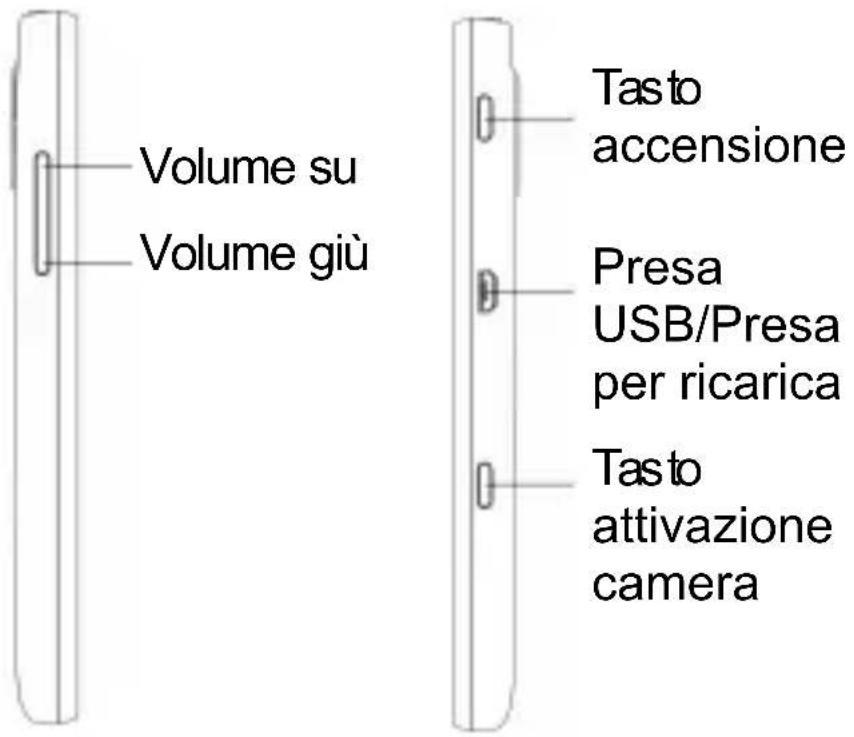
natural_image
3D diagram of a mobile phone casing with an arrow indicating the fold change in the front panel (no text or symbols present)natural_image
Line drawing of a smartphone interior showing internal components and a blue arrow indicating a location or feature (no text or symbols present)natural_image
Diagram of a smartphone showing internal components and a blue arrow indicating a loading or movement (no text or symbols present)natural_image
Line drawing of a smartphone with an attached cable showing a blue arrow (no text or symbols)It is hereby declared that following designated product:
Product Type: Windows Phone (SmartPhone)
Model No: ZTE Tania
Complies with the essential protection requirements of the Radio and Telecommunication Terminal Equipment Directive (EC Directive 1999/5/EC) and the Electromagnetic Compatibility Directive (2004/108/EC).
This declaration applies to all specimens manufactured identical to the samples submitted for testing/evaluation.
Assessment of compliance of the product with the requirements relating to the Radio and Telecommunication Terminal Equipment Directive (EC Directive 1999/5/EC) was performed by American TCB (Notified Body No.1588), based on the following standards:
| Safety | EN 60950-1:2006/A11:2009 |
| EMC | EN 301 489-1 V1.8.1;EN 301 489-3 V1.4.1;EN 301 489-7 V1.3.1;EN 301 489-17 V2.1.1;EN 301 489-24 V1.4.1;EN 55013:2001+A2:2006;EN 55020:2007; |
| Radio | EN 301 511 V9.0.2;EN 301 908-1 V4.2.1;EN 301 908-2 V4.2.1;EN 300 440-1 V1.6.1;EN 300 440-2 V1.4.1;EN 300 328 V1.7.1; |
| Health | EN 50360:2001;EN 62209-1:2006;EN 62209-2:2010;EN 50332-1:2000;EN 50332-2:2003 |
This declaration is the responsibility of the manufacturer:
ZTE Corporation
ZTE Plaza, Keji Road South, Hi-Tech, Industrial Park, Nanshan District, Shenzhen, Guangdong, 518057, P.R.China
Authorised person signing for the company:
Xu feng Quality Director Of ZTE Corporation
Name in block letters & position in the company
Legally valid signature
ZTE Tania
natural_image
3D diagram of a mobile phone casing with an arrow indicating the fold change (no text or symbols present)natural_image
Line drawing of a smartphone casing with internal compartments and a blue arrow indicating a specific component (no text or symbols present)natural_image
Diagram of a smartphone showing internal components and a blue arrow indicating a loading or movement (no text or symbols present)natural_image
Line drawing of a smartphone with an attached cable showing a blue arrow (no text or symbols)ZTE Plaza, Keji Road South, Hi-Tech, Industrial Park, Nanshan District, Shenzhen, Guangdong, 518057, P.R.China
Xu Feng Quality Director der ZTE Corporation
Shenzhen, 23 November 2011
徐锋
Ort und Datum
/Chile_1/Chile_Instruction/201202/P020
120210561253290843.pdf
natural_image
3D diagram of a mobile phone casing with an arrow indicating the fold change in the internal portion (no text or symbols present)Vložení SIM karty
natural_image
Line drawing of a smartphone interior showing internal compartments and a blue arrow indicating a specific area (no text or symbols present)Vložení baterie
natural_image
Diagram of a smartphone showing internal components and a blue arrow indicating a process or operation (no text or symbols present)Nabíjení baterie
natural_image
Line drawing of a smartphone with an attached cable showing a blue arrow (no text or symbols)ZTE Plaza, Keji Road South, Hi-Tech, Industrial Park, Nanshan District, Shenzhen, Guangdong, 518057, P.R.China
Xu feng Quality Director Of ZTE Corporation
natural_image
3D diagram of a mobile phone casing with an arrow indicating the fold change in the front panel (no text or symbols present)natural_image
Line drawing of a smartphone interior showing internal compartments and a blue arrow indicating a specific area (no text or symbols present)natural_image
Diagram of a smartphone showing the internal structure and a blue arrow indicating a loading or movement (no text or symbols present)natural_image
Line drawing of a smartphone with an attached cable showing a blue arrow (no text or symbols)ZTE Plaza, Keji Road South, Hi-Tech, Industrial Park, Nanshan District, Shenzhen, Guangdong, 518057, P.R.China
natural_image
Diagram of a smartphone showing the open rear panel and internal casing with a blue arrow indicating the fold change (no text or symbols present)natural_image
Line drawing of a smartphone interior showing internal compartments and a blue arrow indicating a location (no text or symbols present)natural_image
Diagram of a smartphone showing internal components and a blue arrow indicating a specific area (no text or symbols present)natural_image
Line drawing of a smartphone with an attached cable showing a blue arrow (no text or symbols)ZTE Plaza, Keji Road South, Hi-Tech, Industrial Park, Nanshan District, Shenzhen, Guangdong, 518057, P.R.China
Xu feng Quality Director Of ZTE Corporation
Name in block letters & position in the company
natural_image
3D diagram of a mobile phone casing with an arrow indicating the portion of its lid (no text or symbols present)Установите SIM-карту
natural_image
Line drawing of a smartphone rear panel with internal compartments and a blue arrow indicating a location (no text or symbols present)natural_image
Diagram of a smartphone showing internal components and a blue arrow indicating a specific area (no text or symbols present)natural_image
Line drawing of a smartphone with an attached cable showing a blue arrow (no text or symbols)- POWER Key
- CAMERA Key
- START Key
- BACK Key
- SEARCH Key
- Volume Keys
- Before Getting Started
- Installing the SIM card
- Installing the battery
- Charging the battery
- Powering On/Off Your Phone
- Switching to Sleep Mode
- Waking Up Your Phone
- Note:
- EC DECLARATION OF CONFORMITY
- C € 1588 Ⓖ
- National Restrictions on Wi-Fi Usage
- Bulgaria
- France
- Italy
- Luxembourg
- Norway
- Russian Federation
- ZTE Tania
- Skrócona
- instrukcja obsługi
- Wkładanie karty SIM
- Instalacja baterii
- SIM-kortin asentaminen
- Akun asentaminen
- Installera SIM-kortet
- Installera batteriet
- Ladda batteriet
- Installere SIM-kortet
- Installere batteriet
- Lade batteriet
- Isætte batteriet
- Oplade batteriet
- Ubacivanje SIM kartice
- Ubacivanje baterije
- Aktiviranje telefona
- Instalarea cartelei SIM
- Instalarea bateriei
- Încărcarea bateriei
- Rafhlaðan hlaðin
- Carga de la batería
- Vložení SIM karty
- Vložení baterie
- Nabíjení baterie
- Установите SIM-карту
Brand : ZTE
Model : Tania
Category : Mobile Phone