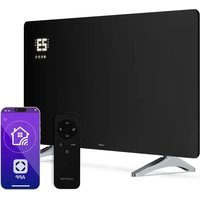
Wonderglass Smart - Heating Klarstein - Free user manual and instructions
Find the device manual for free Wonderglass Smart Klarstein in PDF.


| Product type | Infrared heating |
| Brand | Klarstein |
| Model | Wonderglass Smart |
| References | 10047632, 10047633, 10047634, 10047635 |
| Power supply | 220-240 V ~ 50 Hz |
| Power | 480 W or 720 W depending on model |
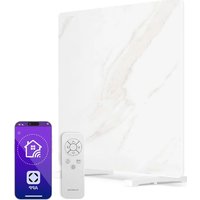
| Control type | Touch panel + remote control + smartphone app |
| Connectivity | WiFi 2.4 GHz (802.11 b/g/n) |
| Timer | 24 hours and weekly programming |
| Operating modes | Simple heating, ECO mode, weekly programming |
| Special functions | Child lock, open window detection, remote control |
| Adjustable temperature | Range not specified, adjustment in 1 °C steps |
| Display | LED with temperature and timer |
| Installation | Wall mounting or free-standing (feet included) |
| Dimensions (approx.) | 480 W models: 56 x 35 cm; 720 W models: 80 x 42 cm (width x height) |
| Safety distance | 0.9 m in front, clear on sides and rear |
| Maintenance and cleaning | Wipe with a soft, damp cloth, do not use abrasive products |
| Safety | Automatic shutdown in case of sudden temperature drop, overheating protection |
| Package contents | Heater, feet, wall mounting accessories, remote control (batteries not included) |
| Mobile app | Klarstein (iOS and Android) |
| Warranty | Refer to the manufacturer (Chal-Tec GmbH) |
Frequently Asked Questions - Wonderglass Smart Klarstein
User questions about Wonderglass Smart Klarstein
0 question about this device. Answer the ones you know or ask your own.
Ask a new question about this device
Download the instructions for your Heating in PDF format for free! Find your manual Wonderglass Smart - Klarstein and take your electronic device back in hand. On this page are published all the documents necessary for the use of your device. Wonderglass Smart by Klarstein.
USER MANUAL Wonderglass Smart Klarstein
Note: This product is only suitable for well insulated spaces or occasional use.
INHALT
Technische Daten 3
natural_image
Technical line drawing of a mechanical bracket with mounting holes and a circular inset detail (no text or symbols)natural_image
Sketch of a hand holding a drill bit with a pointed tip (no text or symbols)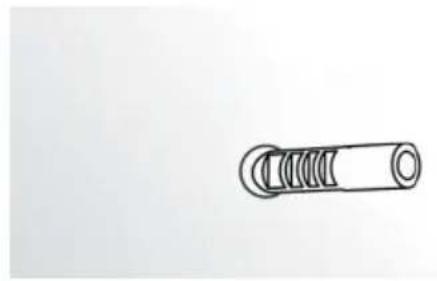
natural_image
Simple line drawing of a cylindrical mechanical component with threaded ends (no text or symbols)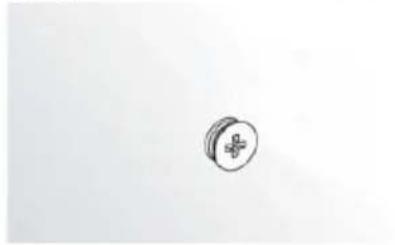
natural_image
Simple line drawing of a medical cross symbol on a circular object (no text or labels)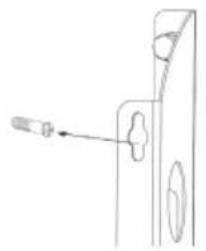
natural_image
Technical line drawing of a door handle with a screwdriver inserted (no text or symbols)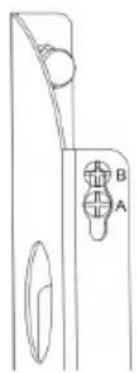
natural_image
Pure technical line drawing of a door handle and keyway (no text or symbols)natural_image
Technical line drawing of two vertical metal frame structures mounted on support legs (no text or symbols)
WARNUNG
natural_image
Symbol of a trash bin crossed with a diagonal line, no text or numbers presentCongratulations on purchasing this equipment. Please read this manual carefully and take care of the following hints on installation and use to avoid technical damages. Any failure caused by ignoring the items and cautions mentioned in the operation and installation instructions are not covered by our warranty and any liability. Scan the QR code to get access to the latest user manual and more product information.
CONTENTS
Technical Data 19
Safety Instructions 20
Installation 22
Control Panel 24
Operating INstructions 26
Device Control by Smartphone 27
Cleaning and Storage 29
Troubleshooting 29
Disposal Considerations 32
Declaration of Conformity 32
TECHNICAL DATA
| Item number 10 | 047632, 10047633 10047634, 10047635 | |
| Power supply 220 | -240 V~ 50 Hz | |
| Power 480 W 720 | W | |
| WiFi standard 80 | 2.11 b/g/n 802.11 b/g/n | |
| WiFi frequency 2 | 4 GHz 2,4 GHz | |
| WiFi radio-frequency power (max.) | 20 dBm 20 dBm | |
SAFETY INSTRUCTIONS
PLEASE READ AND SAVE THESE IMPORTANT SAFETY INSTRUCTIONS
When using electrical appliances, basic precautions should always be followed to reduce the risk of fire, electric shock, and injury to persons, including the following:
- Read all instructions before using this heater.
- Extreme caution: This appliance is not intended for use by persons (including children) with reduced physical, sensory or mental capabilities, or lack of experience and knowledge, unless they have been given supervision or instruction concerning use of the appliance by a person responsible for their safety. Children should be supervised to ensure that they do not play with the appliance.
- This heater is hot when in use. To avoid burns, do not let bare skin touch hot surfaces. Keep combustible materials, such as furniture, pillows, bedding, papers, clothes, and curtains at least 3 feet (0.9m) from the front of the heater and keep them away from the sides and rear.
• Always unplug heater when not in use.
- Do not operate the heater with a damaged cord or plug or after the heater malfunctions, has been dropped or damaged in any manner. Return it to authorized service facility for examination, electrical or mechanical adjustment, or repair.
- Indoor use, wall mounted and free standing;
- This heater is not intended for use in bathrooms, laundry areas and similar indoor locations. Never locate heater where it may fall into bathtub or other water container.
- Do not cover cord with throw rugs, runners, or similar coverings.
- To prevent a possible fire, do not block the space between the heater and the wall.
- A heater has hot and arcing or sparking parts inside. Do not use it in the areas where gasoline, paint, or flammable liquids are used or stored.
- Use this heater only as described in this manual. Any other use not recommended by the manufacturer may cause fire, electric shock, or injury to persons.
- Avoid the use of an extension cord because the extension cord may overheat and cause a risk of fire. However, if you have to use an extension cord, the cord shall be rated not less than 800 watts(under 220-240V).
- To prevent overloading a circuit, do not plug the heater into a circuit that already has other appliances working. Do not install the heater under the wall socket.
- It is normal for the plug to feel warm to the touch; however, a loose fit between the AC outlet (receptacle) and plug may cause overheating and distortion of the plug. Contact a qualified electrician to replace loose or worn outlet.
WARNING: DANGER OF BURNS
The output of this heater may vary and its temperature may become intense enough to burn exposed skin. Use of this heater is not recommended for persons with reduced sensitivity to heat or an inability to react to avoid burns. Do not cover the heater.
WARNING: In order to avoid overheating, do not cover the heater.
INSTALLATION
Unpack your package and find the heater together with the wall mounting accessories pack.
Wall-mounting instructions
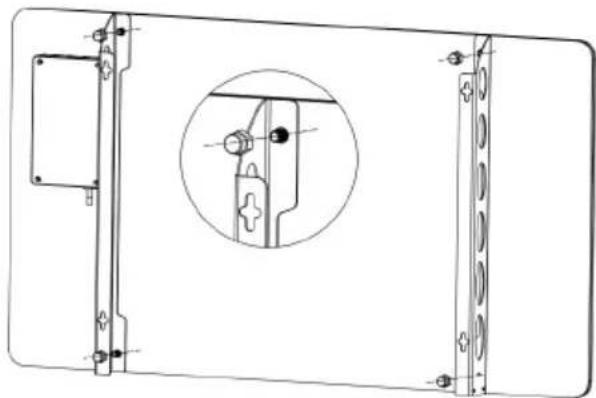
- Take the two wall mounted brackets from the box, and place them into the position according to following drawing. Then cover the 4 caps onto the 4 screws on the brackets.
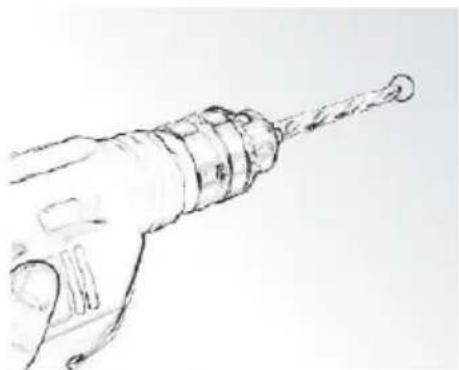
- Mark the positions of the four holes to be drilled on the wall, and drill the holes with the drill bit. Make sure the distance between each holes is same as the holes on the brackets at back of the heater. Please refer to following drawings for holes.
- Insert the plastic rails fitting into the holes.
- Insert the metal screws into the plastic rails.
- Lift the heater and aim the four holes on the brackets at back of the heater to the 4 screws on the wall, and slide the screw from Position A to Position B by moving the heater slightly.
- Make sure the distance between the bottom of the heater and the floor is no less than 20cm when the heater is installed.
natural_image
Technical line drawing of a mechanical bracket with mounting holes and a circular inset detail (no text or symbols)10047632, 10047633
Distance of drilling holes for items:
10047632, 10047633 10047634, 10047635
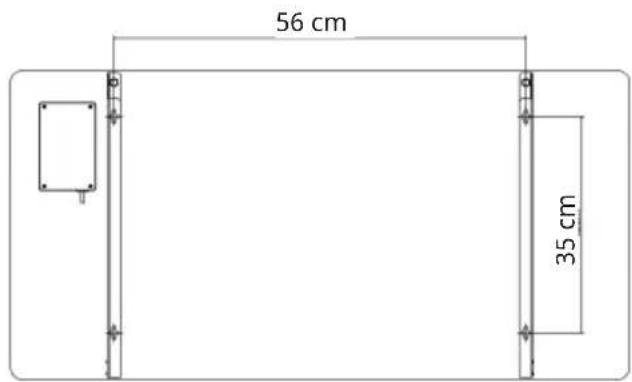
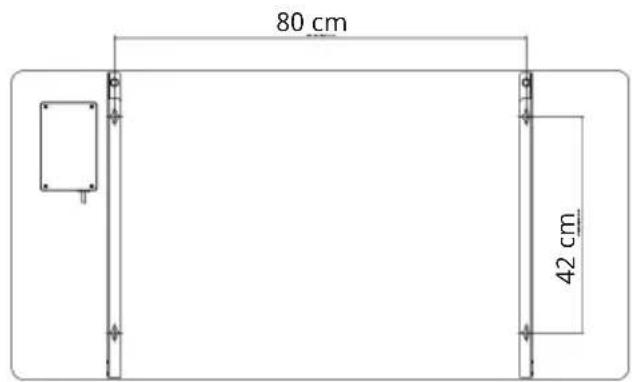
natural_image
Sketch of a hand holding a cylindrical tool, no text or symbols present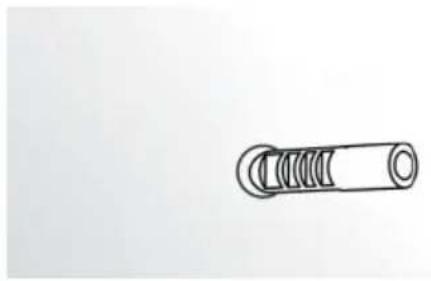
natural_image
Simple line drawing of a cylindrical mechanical component with threaded ends (no text or symbols)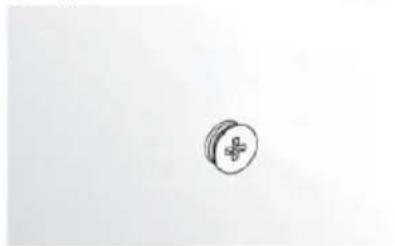
natural_image
Simple line drawing of a medical cross symbol inside a circle (no text or labels)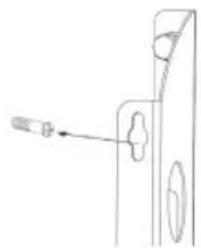
natural_image
Technical line drawing of a mechanical component with a screw and pin (no text or symbols)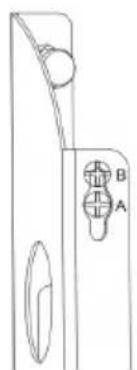
natural_image
Pure technical line drawing of a door handle and keyway (no text or symbols)Free-standing instructions
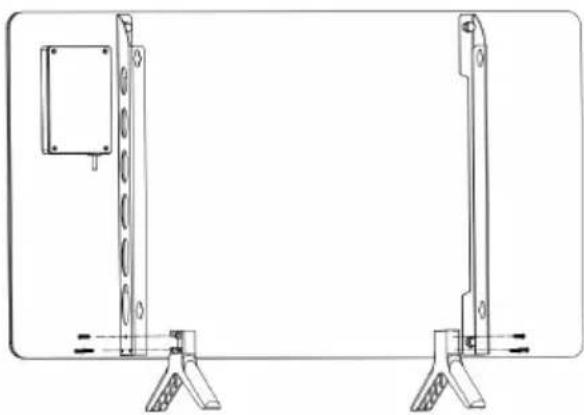
- Place the free standing feet on the ground
- Snap the stander into the groove of the bracket on the bottom, then screw 6 screws into the holes on the brackets.
natural_image
Technical line drawing of two vertical metal frame components mounted on support legs (no text or symbols)
WARNING
The heater must not be used if the glass panels are damaged.
CONTROL PANEL
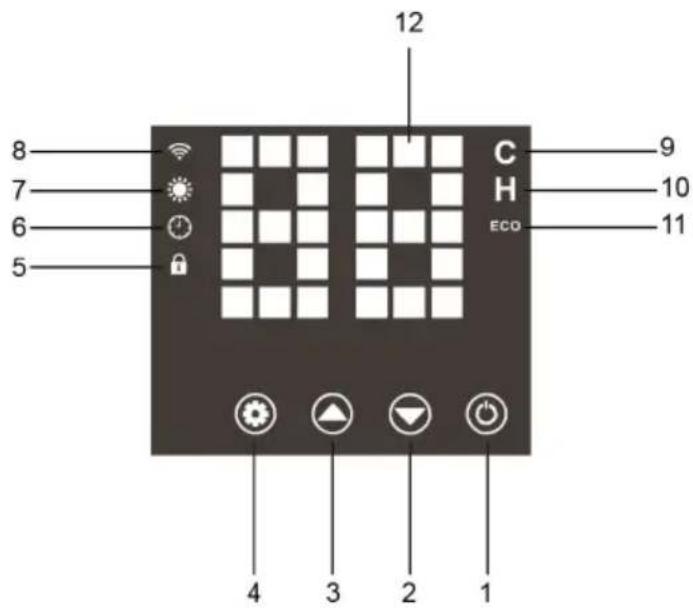
Controls
- ON/OFF
- Temp./Timer DOWN key, Long press (2s) to turn off the "Child LOCK"
- Temp./Timer UP key, Long press (2s) to turn on the "Child LOCK"
- Setting Key
Display
- Child Lock key
- Timer
- Heating indicator light
- WiFi indicator light
- Degree Celsius indicator light
- H - Timer indicator light
- ECO- ECO indicator light
- Display of temperature/timer
Button funtions
 | ON/OFF Press to turn on /turn off the heater. | |
 | Setting Key Press | Setting key to change to timer mode, when the Hon is lit on, the timer can be set.Long press to reset WIFI connection. |
 | WIFI indicator light | There are 2 modes for this light:A. Blink : you can connect the heater to WIFI by smartphone, most of the device will connect to the WIFI on this mode.B. Solid light on: means WIFI is connected ,you can operate the heater by APP with your smartphone. |
 | Heating indicator light | When it is light on, means the unit is in heating. |
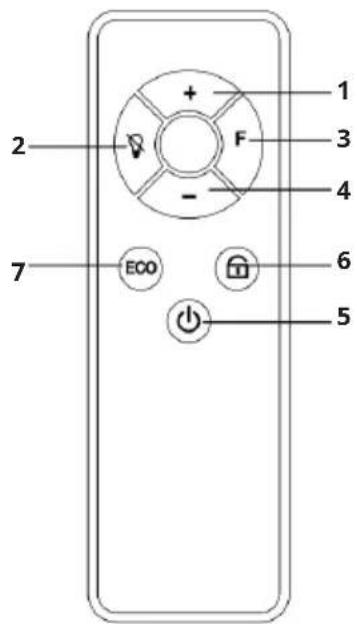
Remote Control
- Increase temperature/timer
- Screen Off
(Press to screen off, press again to screen on.)
- Timer
- Decrease temperature/timer
- ON/OFF
- Child Lock
(Press to lock, the icon will be light on, then all the keys on the control panel or on the remote control will be unavailable. Press again to unlock.)
- ECO mode
(Press to turn on the ECO mode, the icon will be lit on. When the room temperature drops more than 5 degrees in 10 minutes, the heater will automatically stops heating to save energy. Then you need to restart the heater to turn on the unit.)
NOTE: Before using the remote control, make sure that 2 pieces of AAA battery are installed correctly.
OPERATING INSTRUCTIONS
There are 2 modes to use this heater:
(1) a simple 24-hour-timer and (2) a weekly program mode.
I. Simply Heating mode within 24 hours timer
- Check the heater to be sure it is not damaged before use.
- Insert the plug in the socket.
- The big display screen will be lit on, then the display shows "--" and the heater is in standby mode.
- Press the "ON/OFF" key, the display screen will show the room temperature. The default setting temperature is 25 °C, the unit will start heating when the room temperature is lower than 25 °C, the heating icon will be light on; the unit will only show room temperature without heating when the room temperature is higher than 25°C.
- Press the "up" or "down" key to adjust the temperature setting, it will flash 5 seconds on the display to confirm the setting temperature, then back to room temperature display. With each key press, the temperature will be increased (+) or decreased (-) by one degree.
-
Heater will start working when the setting temperature is 1 degree higher than room temperature, or stop working when the setting temperature is 1 degree lower than room temperature.
-
Press until the is light on to set the 0-24 hours timer, with each press of to increase one hour and with each press of to decrease one hour, it will be cycle as

flowchart
graph LR
    A["1h"] --> B["2h"]
    B --> C["3h"]
    C --> D["..."]
    D --> E["23h"]
    E --> F["24h"]
    F --> G["0h"]
The countdown timer is set after 5 seconds unchanged blinking, then display room temperature.
II. Weekly program mode
( Connect WIFI and APP to operate with smartphone)
WiFi Setting
When power on the machine, the WiFi symbol light will not flash automatically. Please press and hold the Setting Key for around 3 seconds until you hear the beep. The blue light of wifi symbol will flash rapidly (twice per second), the machine is in pairing mode. In this mode, you could connect to WiFi with your smart phone. If need to reset the WiFi, press and hold the Setting Key for around 3 seconds again. The maximum time for network configuration is 180 seconds. During this time, if not pairing successfully, the pairing mode will need to be reactivated.
DEVICE CONTROL BY SMARTPHONE
If you integrate the device into your home WiFi, you can conveniently operate it via the associated Klarstein app. The app not only allows you to remotely control the device via your smartphone, but also gives you access to recipes and additional information.
Follow these steps to connect your smartphone to your Klarstein device:
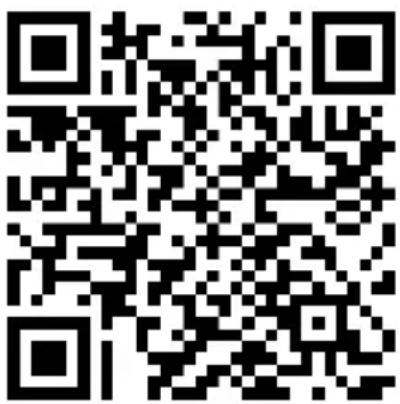
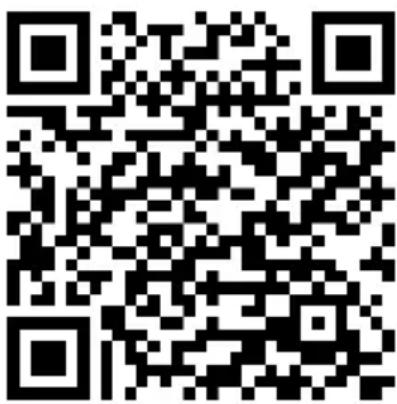
1 Download the Klarstein app first by scanning the QR code with your smartphone (see below), or download it directly from App Store or Google Play.
2 Make sure your smartphone is connected to the same WiFi network that your Klarstein device is to be connected to.
3 Open the Klarstein app.
4 Sign in to your account. If you do not have an account, sign up in the Klarstein app.
5 Follow the instructions from the app.
App Download
Use the scan function of your smartphone to scan the QR code and save the app on your smartphone.
Note: The app provides further information on how to use the app and help on how to connect to your device as soon as you open it for the first time.
| iOS Android | |
 |  |
Troubleshooting connection problems
If your Klarstein device cannot be found in the WLAN, check the following:
1 The device is not plugged in. Make sure that your device is plugged into an electric socket.
2 The device is not in pairing mode. Make sure that the WiFi indicator (LED) on the smart device control panel is blinking as described in the 'Reset WiFi settings' instruction of your smart device (instructions are usually available on device connection process).
3 The WiFi access point does not operate on 2.4 GHz. Make sure that your access point operates on 2.4 GHz band and you have a separate SSID on 2.4 GHz band. If you are not sure about the operating band of your access point, please contact your internet provider company.
Important: please note that if your WiFi router is dual band - operating on both 2.4 GHz and 5 GHz band - you need to separate the SSIDs for each band and use the 2.4 GHz SSID for connection.
4 Firewall settings of your WiFi network; the firewall setting of your WiFi network may not allow the Klarstein app to configure the WiFi settings on your smart device. Please make sure that you are not using a public WiFi network, e.g. airports, dormitories, companies, etc.
5 Different credentials used in smartphone and the app. Make sure that the WiFi credentials entered in the Klarstein app are the same as the ones that your smartphone is connected to.
Following the above mentioned points, if your smart device still fails to connect to the app, please contact us via email for support: appsupport@go-bbg.com
CLEANING AND STORAGE
WARNING: Danger of electric shock
Do not immerse the product in water. Do not open the housing. Do not try to repair the appliance yourself.
Before cleaning your heater, switch off the heater and allow it to cool. Disconnect the electricity supply to the appliance. The outside can be cleaned by wiping it over with a soft damp cloth and then dried. Do not use abrasive cleaning powders or furniture polish, as this can damage the surface finish. To release the heater from the wall, for cleaning or redecoration, just open the screw bolt cap and unscrew the bolts to take off from the wall.
For short term storage, just plug off the heater and leave it away; for long term storage, you can dismantle from the wall or cover it with some material.
TROUBLESHOOTING
If your heater fails to operate, please follow these instructions:
- Ensure that your circuit breaker or fuse is working properly.
- Be sure the heater is plugged in and that the electrical outlet is working properly.
- If the ON/OFF switch is not illuminated at ON position, send it to service center for reparation directly.
| Model identifier(s): 10047632, 10047633 | |||||
| Item Symbol Value Unit Item | |||||
| Heat output Type of heat output/room temperature control(select one) | |||||
| Nominal heat output Pnom 0.48 kW Single stage heat | output and no room temperature control | No | |||
| Minimum heat output (indicative) | Pmin N/A kW Two or more manual | stages, no room temperature control | No | ||
| Maximum continuous heat output | Pmax,c 0.48 kW With mechanic | thermostat room temperature control | No | ||
| Power consumption | Electronic room temperature control plus day timer. | No | |||
| In off mode Po N/A kW Electronic room tem- | perature control plus week timer | Yes | |||
| In standby mode Psm | 0.36 kW Other control | options (multiple selections possible) | |||
| In idle mode | Pidle | 0.37 kW Room temperature | control, with presence detection | No | |
| In network standby | Pnsm | 0.86 | W | Room temperature control, with open window detection | Yes |
| Standby mode with display of information or status | Yes | Distance control option | Yes | ||
| Seasonal space heating energy. | _s,on | 94.0 % | Adaptive start control | No | |
| Efficiency in active mode. | Working time limitation | Yes | |||
| Black bulb sensor | No | ||||
| Self-learning functionality | No | ||||
| Control accuracy | No | ||||
| Contact details | Chal-Tec GmbH,Mühlenstraße 25, 10243 Berlin, Germany | ||||
| Nominal heat output Pnom 0.72 kW Single stage heat | output and no room temperature control | No | |||
| Minimum heat output (indicative) | Pmin N/A kW Two or more manual | stages, no room temperature control | No | ||
| Maximum continuous heat output | Pmax,c 0.72 kW With mechanic | thermostat room temperature control | No | ||
| Power consumption | Electronic room temperature control plus day timer. | No | |||
| In off mode Po N/A kW Electronic room tem- | perature control plus week timer | Yes | |||
| In standby mode Psm 0.36 kW Other control options (multiple selections possible) | |||||
| In idle mode | Pidle | 0.37 kW Room temperature | control, with presence detection | No | |
| In network standby | Pnsm | 0.86 | W | Room temperature control, with open window detection | Yes |
| Standby mode with display of information or status | Yes | Distance control option | Yes | ||
| Seasonal space heating energy. | n_5,on | 94.0 % | Adaptive start control | No | |
| Efficiency in active mode. | Working time limitation | Yes | |||
| Black bulb sensor | No | ||||
| Self-learning functionality | No | ||||
| Control accuracy | No | ||||
| Contact details | Chal-Tec GmbH, Mühlenstraße 25, 10243 Berlin, Germany | ||||
DISPOSAL CONSIDERATIONS
natural_image
Symbol of a trash bin crossed with a diagonal line, no text or numbers presentIf there is a legal regulation for the disposal of electrical and electronic devices in your country, this symbol on the product or on the packaging indicates that this product must not be disposed of with household waste. Instead, it must be taken to a collection point for the recycling of electrical and electronic equipment. By disposing of it in accordance with the rules, you are protecting the environment and the health of your fellow human beings from negative consequences. For information about the recycling and disposal of this product, please contact your local authority or your household waste disposal service.
DECLARATION OF CONFORMITY
CE
Manufacturer & Importer for Great Britain:
Chal-Tec GmbH, Mühlenstrasse 25, 10243 Berlin, Germany.
Contact: info@electronic-star.de
Hereby, Chal-Tec GmbH declares that the radio equipment type Wonderglass is in compliance with Directive 2014/53/EU. The full text of the EU declaration of conformity is available at the following internet address: use.berlin/10047632
For Great Britain: Hereby, Chal-Tec GmbH declares that the radio equipment type Wonderglass is in compliance with the relevant statutory requirements. The full text of the declaration of conformity is available at the following internet address: use.berlin/10047632
Chère cliente, cher client,
SOMMAIRE
Fiche technique 33
natural_image
Technical line drawing of a mechanical bracket with mounting holes and a circular inset detail (no text or symbols)natural_image
Sketch of a hand holding a drill bit with a pointed tip (no text or symbols)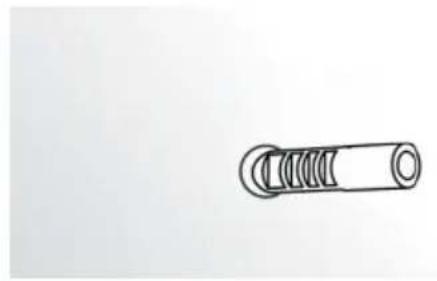
natural_image
Simple line drawing of a cylindrical mechanical component with threaded ends (no text or symbols)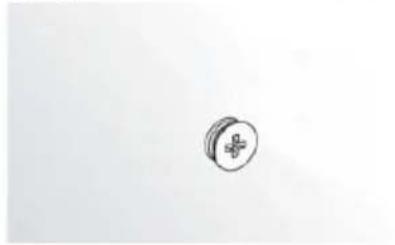
natural_image
Simple line drawing of a medical cross symbol on a circular object (no text or labels)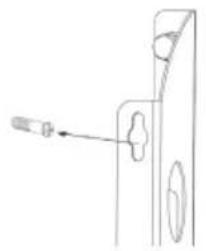
natural_image
Technical line drawing of a door handle with a screwdriver inserted (no text or symbols)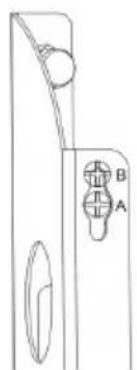
natural_image
Technical line drawing of a door handle with labeled points A and B (no text or symbols beyond labels)natural_image
Technical line drawing of two vertical metal frame components mounted on support legs (no text or symbols)
MISE EN GARDE
natural_image
Symbol of a trash bin crossed with a diagonal line, no text or numbers presentDÉCLARATION DE CONFORMITÉ

Fabricant :
Chal-Tec GmbH, Mühlenstraße 25, 10243 Berlin, Allemagne. info@electronic-star.de
INDICE
Dati tecnici 47
natural_image
Technical line drawing of a mechanical component with mounting holes and a circular inset detail (no text or symbols)natural_image
Sketch of a hand holding a cylindrical tool, no text or symbols present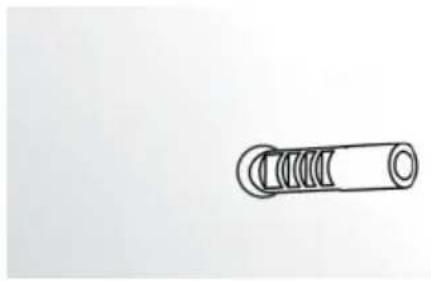
natural_image
Simple line drawing of a cylindrical mechanical component with threaded ends (no text or symbols)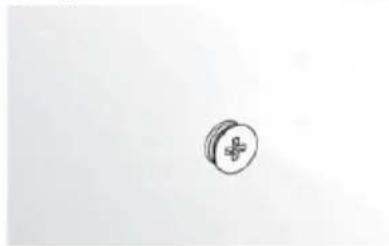
natural_image
Simple line drawing of a pill with a cross symbol on its surface (no text or labels)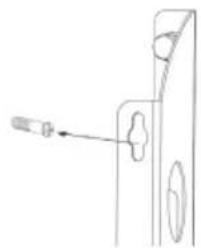
natural_image
Technical line drawing of a mechanical component with a screw and pin (no text or symbols)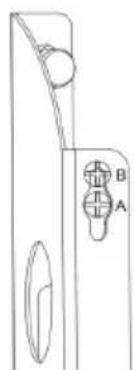
natural_image
Pure technical line drawing of a door handle and keyway (no text or symbols)natural_image
Technical line drawing of two vertical metal frame components mounted on support legs (no text or symbols)
AVVERTENZA
natural_image
Symbol of a trash bin crossed with a diagonal line, no text or numbers presentÍNDICE
Datos técnicos 61
natural_image
Technical line drawing of a mechanical component with mounting holes and a circular inset detail (no text or symbols)natural_image
Sketch of a hand holding a cylindrical tool, no text or symbols present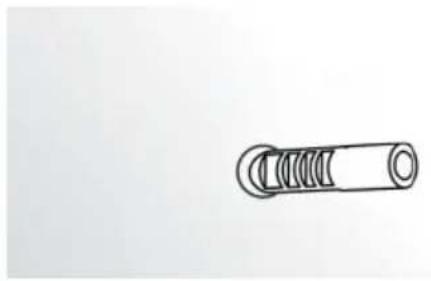
natural_image
Simple line drawing of a cylindrical mechanical component with threaded ends (no text or symbols)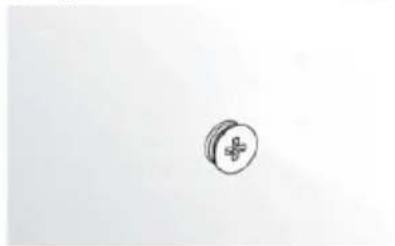
natural_image
Simple line drawing of a medical cross symbol inside a circle (no text or labels)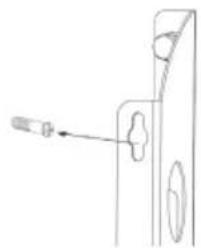
natural_image
Technical line drawing of a mechanical component with a screw and pin (no text or symbols)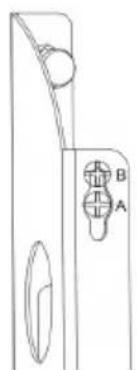
natural_image
Pure technical line drawing of a door handle and keyway (no text or symbols)natural_image
Technical line drawing of two vertical metal frame components mounted on support legs (no text or symbols)
ADVERTENCIA
natural_image
Symbol of a trash bin crossed with a diagonal line, no text or numbers present
- INHALT
- WARNUNG
- CONTENTS
- TECHNICAL DATA
- SAFETY INSTRUCTIONS
- PLEASE READ AND SAVE THESE IMPORTANT SAFETY INSTRUCTIONS
- WARNING: DANGER OF BURNS
- INSTALLATION
- Wall-mounting instructions
- Free-standing instructions
- WARNING
- CONTROL PANEL
- Controls
- Display
- Button funtions
- Remote Control
- OPERATING INSTRUCTIONS
- Simply Heating mode within 24 hours timer
- Weekly program mode
- WiFi Setting
- DEVICE CONTROL BY SMARTPHONE
- Follow these steps to connect your smartphone to your Klarstein device:
- App Download
- Troubleshooting connection problems
- CLEANING AND STORAGE
- WARNING: Danger of electric shock
- TROUBLESHOOTING
- DISPOSAL CONSIDERATIONS
- DECLARATION OF CONFORMITY
- CE
- Manufacturer & Importer for Great Britain:
- Chère cliente, cher client,
- SOMMAIRE
- MISE EN GARDE
- DÉCLARATION DE CONFORMITÉ
- Fabricant :
- INDICE
- AVVERTENZA
- ÍNDICE
- ADVERTENCIA
Brand : Klarstein
Model : Wonderglass Smart
Category : Heating