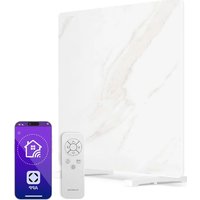
MarmoHeat Smart - Heating Klarstein - Free user manual and instructions
Find the device manual for free MarmoHeat Smart Klarstein in PDF.


| Product Type | Infrared Heating |
| Brand | Klarstein |
| Model | MarmoHeat Smart |
| Power | 420 W (models 10047628/10047629) or 600 W (models 10047630/10047631) |
| Power Supply | 220-240 V ~ 50 Hz |
| WiFi | 802.11 b/g/n, 2.4 GHz |
| Timer | 24 hours |
| Mounting | Floor or wall |
| Standby Consumption | 0.47 W |
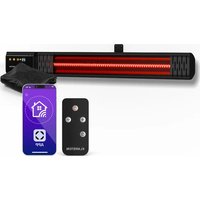
| Remote Control | Via smartphone (Klarstein app) |
| Display | Digital |
| ECO Mode | Yes |
| Child Lock | Yes |
| Open Window Detection | Yes |
| Temperature Control with Weekly Timer | Yes |
| Maintenance | Clean with a soft damp cloth |
| Safety | Do not cover, keep 1 m distance from flammable materials, mount 1.8 m above floor |
| Warranty | Manufacturer's warranty (contact customer service) |
| Compliance | Directive 2014/53/EU |
Frequently Asked Questions - MarmoHeat Smart Klarstein
User questions about MarmoHeat Smart Klarstein
0 question about this device. Answer the ones you know or ask your own.
Ask a new question about this device
Download the instructions for your Heating in PDF format for free! Find your manual MarmoHeat Smart - Klarstein and take your electronic device back in hand. On this page are published all the documents necessary for the use of your device. MarmoHeat Smart by Klarstein.
USER MANUAL MarmoHeat Smart Klarstein
INHALT
Technische Daten 3
natural_image
Technical line drawing of a mechanical assembly with two vertical supports and a rectangular base (no text or symbols)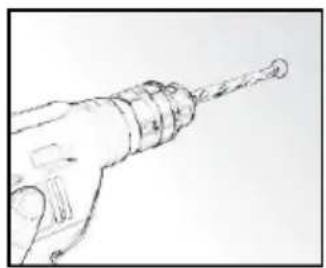
natural_image
Line drawing of a hand holding a drill bit with a pointed tip (no text or symbols)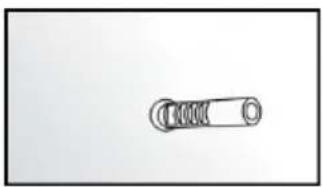
natural_image
Simple line drawing of a mechanical spring or switch (no text or symbols)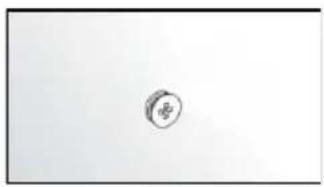
natural_image
Simple sketch of a circular object with a small symbol inside, no text or labels present.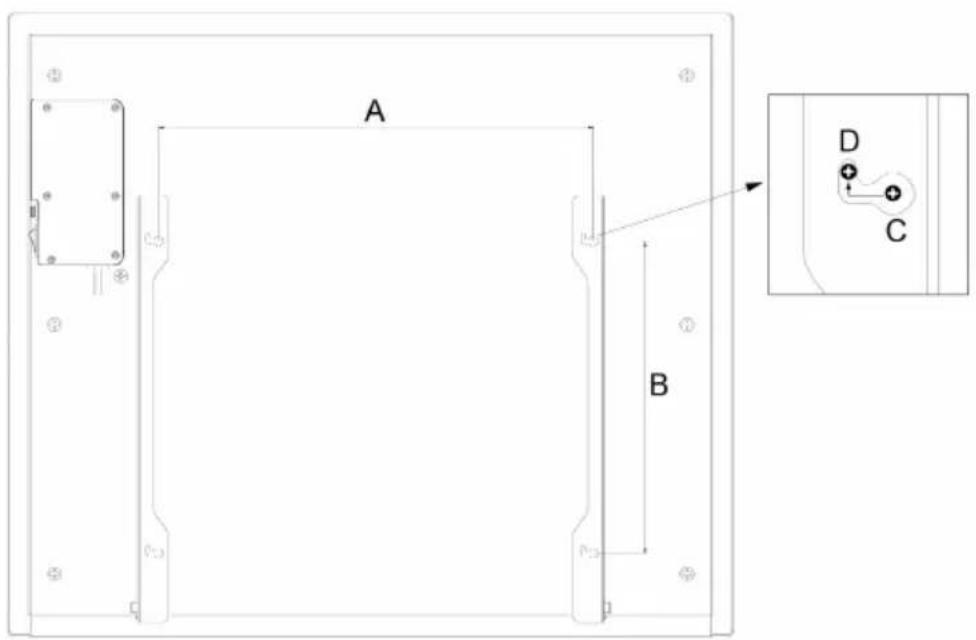
| Artikelnummer E F | ||
| 10047628, 10047629 42,00 cm 30,00 cm | ||
| 10047630, 10047631 66,00 cm 30,00 cm |
natural_image
Technical line drawing of a mechanical assembly with no visible text or symbolsPRODUKTÜBERSICHT
natural_image
Symbol of a trash bin crossed with a diagonal line, no text or numbers presentCongratulations on purchasing this equipment. Please read this manual carefully and take care of the following hints to avoid damages. Any failure caused by ignoring the items and cautions mentioned in the instruction manual are not covered by our warranty and any liability. Scan the QR code to get access to the latest user manual and other information about the product.
CONTENTS
Technical Specifications 19
Safety Instructions 20
Installation 22
Product Overview 24
Operation 25
Device Control by Smartphone 27
Cleaning and Care 29
Troubleshooting 29
Disposal Considerations 30
Declaration of Conformity 30
Product Data Sheet 31
TECHNICAL SPECIFICATIONS
| Article number 10047628, 10047629 10047630, 10047631 | ||
| Power supply 220-240 V~ / 50 Hz | ||
| Power 420 W 600 W | ||
| Standby powerSwitch-to-standby time | 0.47 W3 minutes | |
| Timer 24 hours | ||
| Mounting freestanding or wall-mounted | ||
| WLAN standardWLAN frequencyMax. Radio-frequency power | 802.11 b/g/n2.4 GHz<20 dBm | |
SAFETY INSTRUCTIONS
Please read all instructions before trying to operate this device. Keep the assembly instructions for future reference. Keep the assembly instructions for future reference. When storing the heater during a long period of non-use, please keep the original packaging for use.
- Do not leave this device unattended when using it.
- This heater will get hot when in use. Do not touch hot surfaces.
- Do not move the device when using it. Before moving, please wait for the heater to cool completely, and check whether the heater has been unplugged from the power supply.
- Place the device at least 1m away from highly flammable materials such as furniture, trees, leaves, hay and bushes.
- The heater must be at least 1.8m (6ft) above the ground and at least 0.7m (2.5ft) above the building ceiling or hanging objects.
- The heater must not face up, towards the ceiling. The heater element must face the area to be heated.
- Keep children and pets at a safe distance away from equipment.
- Children aged 8 and above, as well as people with reduced physical, sensory or mental abilities or lack of experience and knowledge, can use this equipment, provided that they have received supervision or guidance on safe use of this equipment and know the dangers involved.
• Children are not allowed to play with the equipment. Without supervision, children are not allowed to carry out cleaning and user maintenance. - If there are any signs of damage or malfunction, do not operate the heater.
- Do not try to repair or adjust any electrical or mechanical functions on this device. The device does not contain any user-serviceable parts. Only qualified electricians can carry out maintenance or repair. Trying to repair the equipment yourself will void your warranty.
- If the power cable is damaged, it must be replaced by the manufacturer, its service agent or similar qualified personnel to avoid danger.
- Do not operate components with bare hands. If accidentally touched, use a soft cloth and methylated alcohol or alcohol to remove finger marks, otherwise these marks will burn into the components, resulting in premature failure of the heater.
- Do not replace or attempt to replace the components in this product.
- This product is suitable for indoor and outdoor use. Do not use this heater near the bathroom, shower or swimming pool.
- This product must not be exposed outdoors for a long time.
- Do not touch the plug with wet hands or wet hands.
- Do not run the power cord under the carpet. Do not cover the power cord with carpet, slide or similar covering. Place the power cord away from pedestrians and where you won't trip.
- Do not wrap the power cord around the equipment.
- Do not insert or allow foreign objects into any ventilation or opening of the heater, as this may cause electric shock, fire or damage to the heater.
• To prevent possible fire, do not block the vent.
- There are heating and arc or spark parts inside the heater. Do not use it in areas where gasoline, paint, explosives and/or flammable liquids are used or stored. Keep the equipment away from heated surfaces and open flames.
- Avoid using extension cords as much as possible, as this may overheat and cause a fire. However, if you have to use the extension cable, please make sure that it is suitable for the purpose, has been tested for outdoor use, and it is best to have RCD equipment installed or connected.
- Always make sure that the heater is plugged into a suitable socket, which has been tested for outdoor use.
- To disconnect the heater, turn off the controller and unplug it from the socket. Do not unplug the plug by pulling the power cord.
- Before moving, cleaning or storing, always unplug the equipment to ensure that it is completely cooled.
- This heater is for domestic use only and should not be used for commercial contract purposes. Any alternative use not recommended by the manufacturer may cause fire, electric shock or personal injury.
- It is not recommended to use accessories on the heater.
- Before installing the heater, check the outer wall for damaged areas.
• Always use on dry, properly firm, stable, flat and horizontal surfaces.
- Check the communication, cable and pipeline of the external wall. If there are any service lines nearby, please don't install the heater and find another place to install this product.
- Do not put it directly above or below the power outlet.
- Do not remove any warning labels or signs from the product.
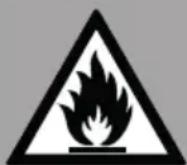
CAUTION
Fire hazard
Never cover the heater. If you cover the device, there is a risk of overheating and fire. The heater must not be placed directly under a power socket.
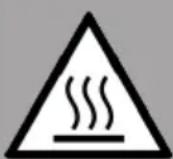
CAUTION
Risk of burns
Some parts of this appliance can become very hot and cause burns. Special care should be taken when children and infirm persons are present.
CAUTION
Risk of personal injury
his heater is not equipped with a device to control the room temperature. Unless there is continuous supervision, don't use this heater in a small room occupied by people who can't leave the room by themselves..
INSTALLATION
Wall-mounting instructions
Unpack your package and find the heater together with the wall mounting accessories pack. You will find accessories for wall mounting as below.
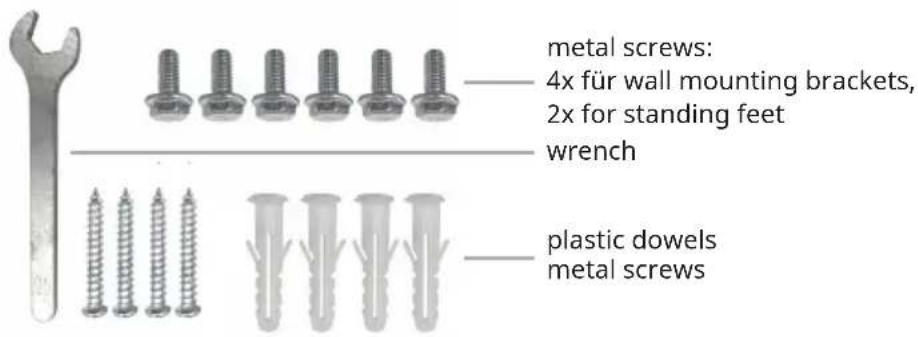
-
Mark the positions of the four holes to be drilled on the wall, and drill the holes with the drill bit. Make sure the distance between each holes is same as the holes on the brackets at back of the heater. Please refer to following distance details.
-
Insert the plastic dowels into the holes.
-
Insert the metal screws into the plastic dowels.
-
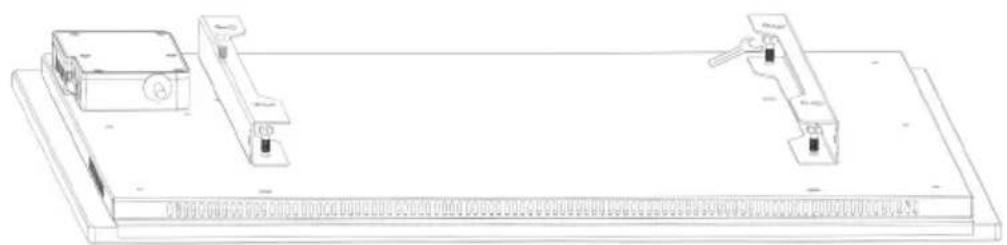
Use the wrench and four screws to fix the two wall mounting brackets, like below photo.
-
Lift the heater and aim the four holes on the brackets at the back of the heater to the 4 screws on the wall, and slide the screw from Position C to Position D by moving the heater slightly.
natural_image
Technical line drawing of a mechanical assembly with two components mounted on a base plate (no text or symbols)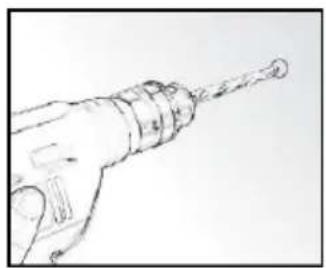
natural_image
Line drawing of a hand holding a drill bit with a pointed tip (no text or symbols)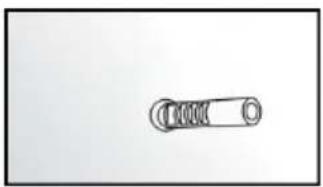
natural_image
Simple line drawing of a mechanical spring or clamping device (no text or symbols)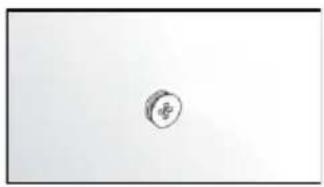
natural_image
Simple sketch of a circular object with a small symbol inside, no text or labels present.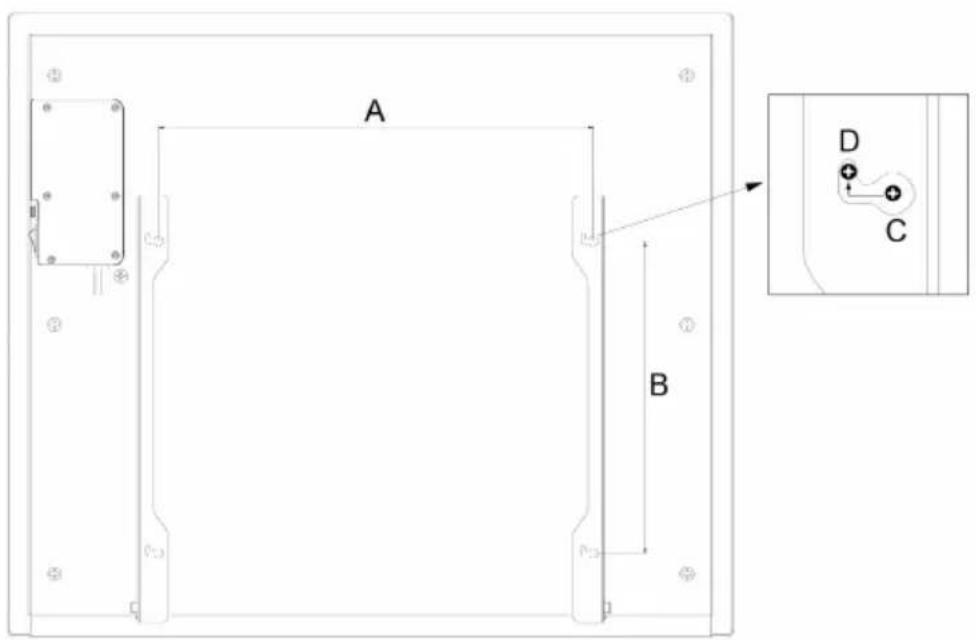
| Item number E F | ||
| 10047628, 10047629 42.00 cm 30.00 cm | ||
| 10047630, 10047631 66.00 cm 30.00 cm |
Free-standing mounting instructions
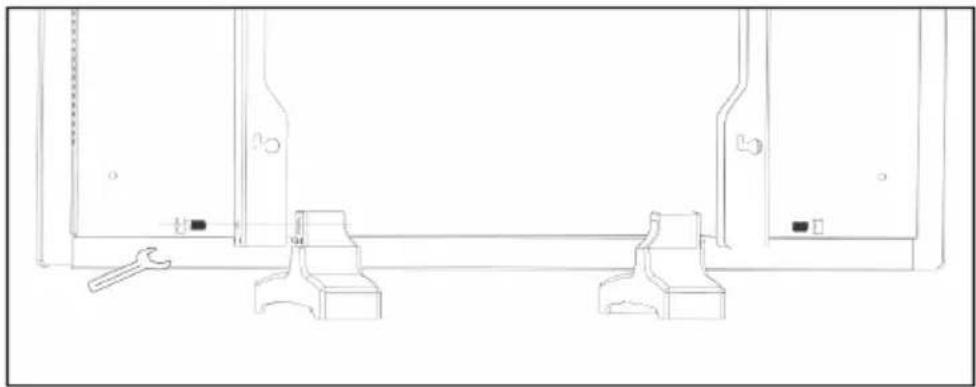
Take out the two standing feet, and position them into the bottom of the two wall mounting brackets, and then use the wrench and two metal screws to fix them. Please refer to following picture.
natural_image
Technical line drawing of a mechanical assembly with no visible text or symbolsPRODUCT OVERVIEW
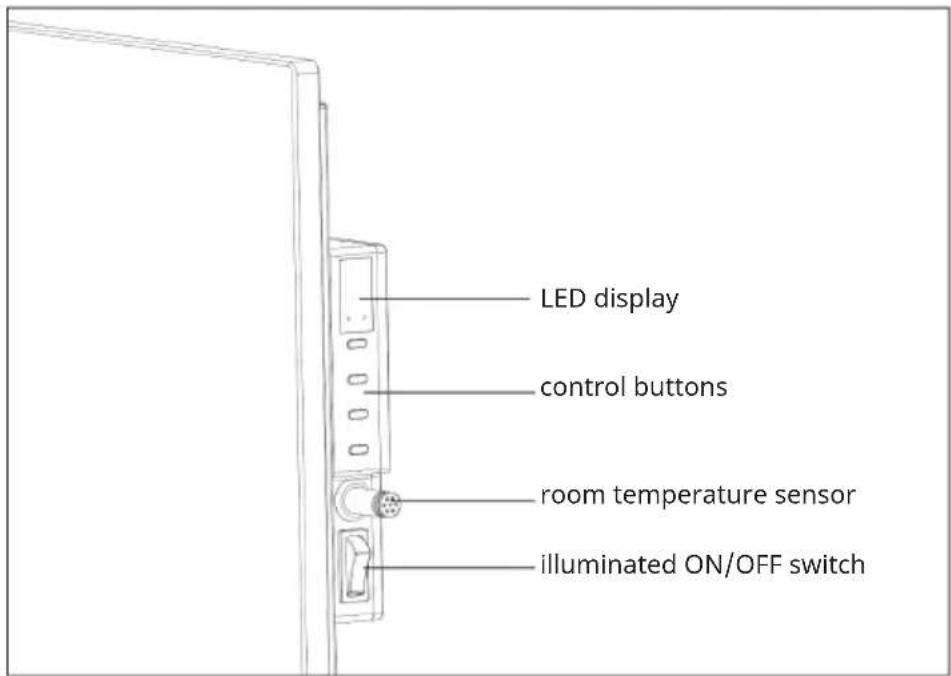
OPERATION
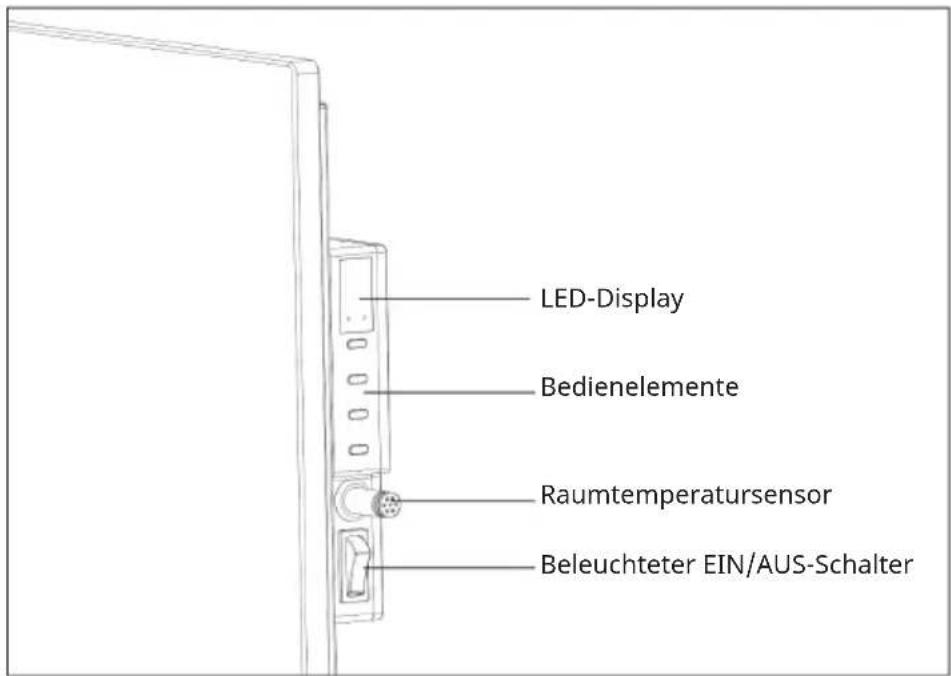
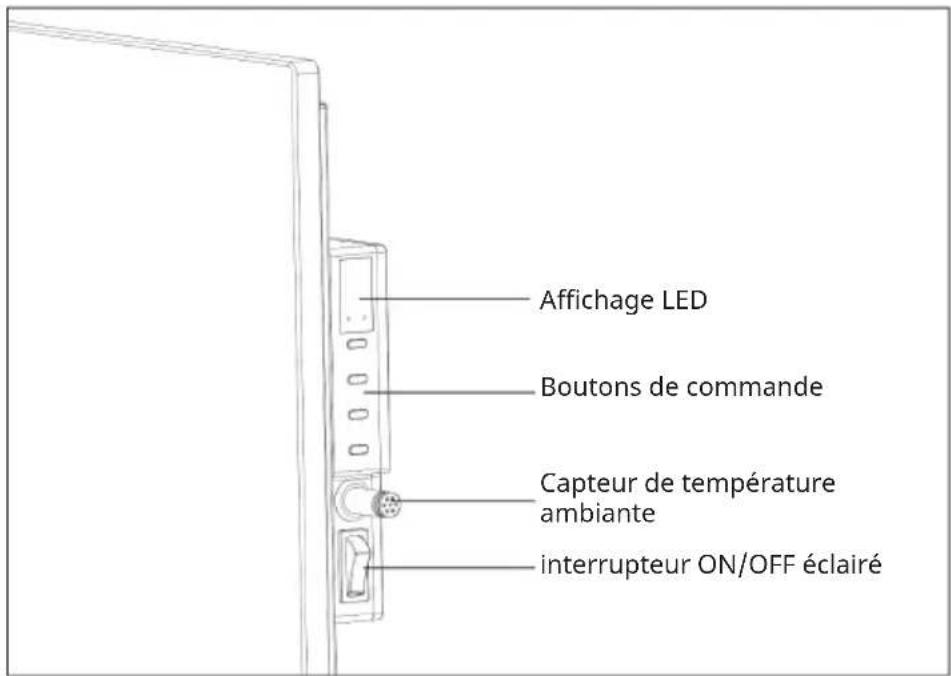
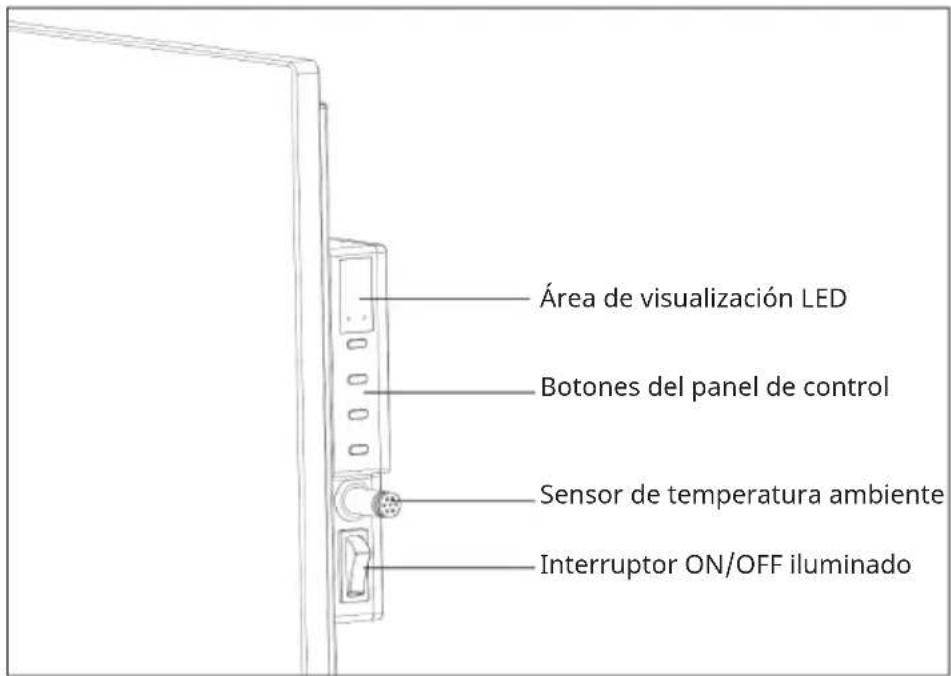
Control panel
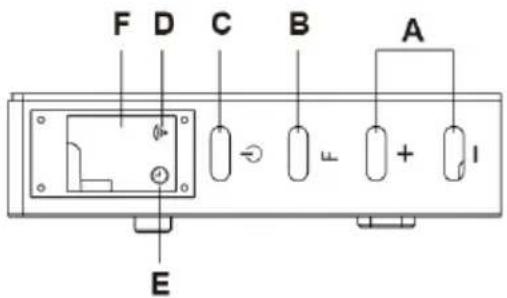
A Up/down key
B Timer and Wifi button
C ON/OFF switch
D WiFi light
E Timer light
F Display
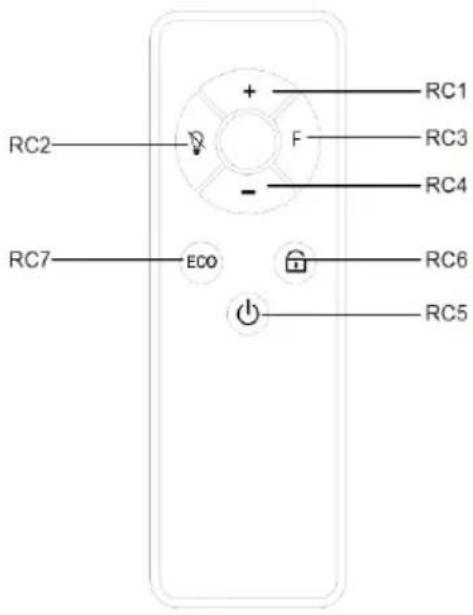
RC1 "+" increase temperature
RC2 Screen Off
RC3 "F" Timer
RC4 "-" decrease temperature
RC5 ON/OFF
RC6 Child Lock
RC7 ECO mode
Getting Started
- Check the heater to be sure it is not damaged.
- Insert the plug in the socket.
- Turn the main switch on: the light will turn on and the heater is in standby mode.
- Now press the ON/OFF switch: the heater will start working. The display will show the set temperature.
- Press the ON/OFF button first in order to switch the device off. The heater is now in standby mode. Now switch the main switch off (O); the lamp will go out. Finally remove the plug from the socket.
Temperature setting
- If you press the + or - key, the temperature setting will flash 5x on the display.
- You can adjust the temperature by pressing the + or - key while it is flashing.
- With each key press, the temperature will be increased (+) or decreased (-) by one degree.
- The device will retain the temperature setting by switching itself on and off automatically.
Timer
- Briefy pressing once on the F button will sitch the timer on. The timer lamp will burn and the display will blink.
- You can set the time when the heater is to switch itself off by pressing the [+] or [-] buttons: with each press it will go an hour forwards or backwards. The timer time is set after 5x unchanged blinking.
- The display will now alternately show the set temperature and the set number of hours. The display will then go off.
- The heater will switch itself off after the set number of hours.
WiFi Setting
- When power on the machine, the WiFi symbol light will not flash automatically. Please press and hold the F button for around 3 seconds until you hear the beep.
- The blue light of WiFi symbol will flash rapidly (twice per second), the machine is in pairing mode. In this mode, you could connect to WiFi with your smart phone.
- If need to reset the WiFi, press and hold the F button for around 3 seconds again.
- The maximum time for network configuration is 180 seconds. During this time, if not pairing successfully, the pairing mode will need to be reactivated.
Note: The display will switch off if you change nothing in the settings for around 1 minute. You can reactivate it by pressing once on any button at random.
DEVICE CONTROL BY SMARTPHONE
If you integrate the device into your home WiFi, you can conveniently operate it via the associated Klarstein app. The app not only allows you to remotely control the device via your smartphone, but also gives you access to recipes and additional information.
Follow these steps to connect your smartphone to your Klarstein device:
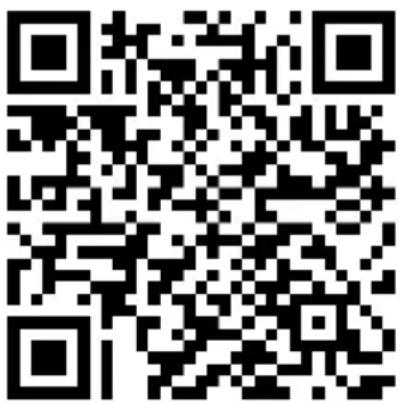
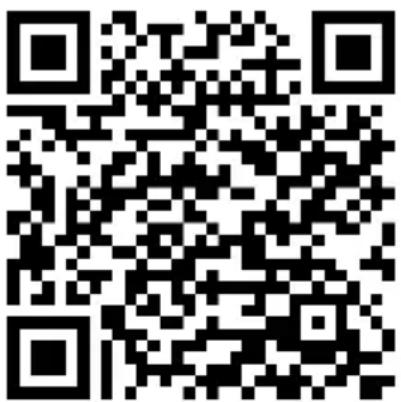
- Download the Klarstein app first by scanning the QR code with your smartphone (see below), or download it directly from App Store or Google Play.
- Make sure your smartphone is connected to the same WiFi network that your Klarstein device is to be connected to.
- Open the Klarstein app.
- Sign in to your account. If you do not have an account, sign up in the Klarstein app.
- Follow the instructions from the app.
App Download
Use the scan function of your smartphone to scan the QR code and save the app on your smartphone.
Note: The app provides further information on how to use the app and help on how to connect to your device as soon as you open it for the first time.
| iOS Android | |
 |  |
Troubleshooting connection problems
If your Klarstein device cannot be found in the WLAN, check the following:
- The device is not plugged in. Make sure that your device is plugged into an electric socket.
- The device is not in pairing mode. Make sure that the WiFi indicator (LED) on the smart device control panel is blinking as described in the 'Reset WiFi settings' instruction of your smart device (instructions are usually available on device connection process).
- The WiFi access point does not operate on 2.4 GHz. Make sure that your access point operates on 2.4 GHz band and you have a separate SSID on 2.4 GHz band. If you are not sure about the operating band of your access point, please contact your internet provider company.
Important: please note that if your WiFi router is dual band - operating on both 2.4 GHz and 5 GHz band - you need to separate the SSIDs for each band and use the 2.4 GHz SSID for connection.
-
Firewall settings of your WiFi network; the firewall setting of your WiFi network may not allow the Klarstein app to configure the WiFi settings on your smart device. Please make sure that you are not using a public WiFi network, e.g. airports, dormitories, companies, etc.
-
Different credentials used in smartphone and the app. Make sure that the WiFi credentials entered in the Klarstein app are the same as the ones that your smartphone is connected to.
Following the above mentioned points, if your smart device still fails to connect to the app, please contact us via email for support: appsupport@go-bbg.com
CLEANING AND CARE
Cleaning
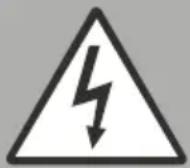
WARNING: Risk of electric shock
Remove the power cord from the wall outlet before cleaning. After cooling products. Don't immerse the appliance in water or other fluids when cleaning.
Attention! Regular and careful cleaning will help your heater to work efficiently for many years.
The outside can be cleaned by wiping it over with a soft damp cloth and then dried. Do not use abrasive cleaning powders or furniture polish, as this can damage the surface finish. To release the heater from the wall for cleaning and redecoration, just open the screw bolt cap and unscrew the bolts to take it off from the wall.
For short term storage, just plug off the heater leave it away. For long term storage, you can dismantle it from the wall or cover it with some material.
TROUBLESHOOTING
If your heater fails to operate, please follow these instructions
- Ensure that your circuit breaker or fuse is working properly.
- Be sure the heater is plugged in and that the electrical outlet is working properly.
- If the ON/OFF switch is not illuminated at ON position, contact the Klarstein Customer Service.
Note: If you experience a problem with your heater, pleo,e see the warranty information for instructions, Please do not attempt to open or repair the heater yourself. Doing so may void the warranty and could cause damage or personal injury. If the problem still penim, please canlad the distributor.
DISPOSAL CONSIDERATIONS
natural_image
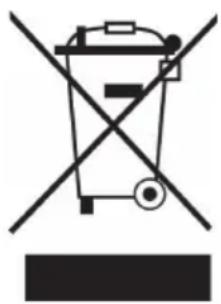
Symbol of a trash bin crossed with a diagonal line, no text or numbers presentIf there is a legal regulation for the disposal of electrical and electronic devices in your country, this symbol on the product or on the packaging indicates that this product must not be disposed of with household waste. Instead, it must be taken to a collection point for the recycling of electrical and electronic equipment. By disposing of it in accordance with the rules, you are protecting the environment and the health of your fellow human beings from negative consequences. For information about the recycling and disposal of this product, please contact your local authority or your household waste disposal service.
DECLARATION OF CONFORMITY
CE
Manufacturer & Importer for Great Britain:
Chal-Tec GmbH, Mühlenstrasse 25, 10243 Berlin, Germany.
Contact: info@electronic-star.de
Hereby, Chal-Tec GmbH declares that the radio equipment type MarmoHeat is in compliance with Directive 2014/53/EU. The full text of the EU declaration of conformity is available at the following internet address: use.berlin/10047628
For Great Britain: Hereby, Chal-Tec GmbH declares that the radio equipment type MarmoHeat is in compliance with the relevant statutory requirements. The full text of the declaration of conformity is available at the following internet address: use.berlin/10047628
PRODUCT DATA SHEET
| Model identifier(s): 10047628,10047629 | |||||
| Item Symbol Value Unit Item | |||||
| Heat output Type of heat output/room temperature | control(select one) | ||||
| Nominal heat output Pnom 0.42 kW Single stage heat output and no room temperature control | No | ||||
| Minimum heat output (indicative) | Pmin 0.42 kW Two or more manual stages, no room temperature control | No | |||
| Maximum continuous heat output | Pmax,c 0.42 kW With mechanic thermostat room temperature control | No | |||
| Power consumption Electronic room temperature | control plus day timer. | No | |||
| In off mode Po 0.00 kW Electronic room temperature | control plus week timer | Yes | |||
| In standby mode Psm 0.47 kW Other control options (multiple selections possible) | |||||
| In idle mode | Pidle 0.58 kW Room temperature control, with presence detection | No | |||
| In network standby | Pnsm | 0.96 | W | Room temperature control, with open window detection | Yes |
| Standby mode with display of information or status | Yes Distance control option Yes | ||||
| Seasonal space heating energy. | _s,on | 94 | % | Adaptive start control No | |
| Efficiency in active mode. | Working time limitation | No | |||
| Black bulb sensor | No | ||||
| Self-learning functionality | No | ||||
| Control accuracy | No | ||||
| Contact details | Chal-Tec GmbH,Mühlenstrasse 25, 10243 Berlin, Germany | ||||
| Model identifier(s): 10047630,10047631 | |||||
| Item Symbol Value Unit | Item | ||||
| Heat output Type of heat output/room temperature | control(select one) | ||||
| Nominal heat output | Pnom 0.60 kW | Single stage heat | output and no room temperature control | No | |
| Minimum heat output (indicative) | Pmin 0.60 kW | Two or more manual | stages, no room temperature control | No | |
| Maximum continuous heat output | Pmax,c 0.60 kW | With mechanic | thermostat room temperature control | No | |
| Power consumption Electronic room tem- | perature control plus day timer. | No | |||
| In off mode Po 0.00 kW | Electronic room tem- | perature control plus week timer | Yes | ||
| In standby mode Psm | 0.47 kW | Other control | options (multiple selections possible) | ||
| In idle mode | Pidle | 0.58 kW Room temperature | control, with presence detection | No | |
| In network standby | Pnsm | 0.96 | W | Room temperature control, with open window detection | Yes |
| Standby mode with display of information or status | Yes | Distance control option | Yes | ||
| Seasonal space heating energy. | _s,on | 94 | % | Adaptive start control | No |
| Efficiency in active mode. | Working time limitation | No | |||
| Black bulb sensor | No | ||||
| Self-learning functionality | No | ||||
| Control accuracy | No | ||||
| Contact details | Chal-Tec GmbH,Mühlenstrasse 25, 10243 Berlin, Germany | ||||
Chère cliente, cher client,
SOMMAIRE
Fiche technique 33
natural_image
Technical line drawing of a mechanical assembly with two vertical supports and a rectangular base (no text or symbols)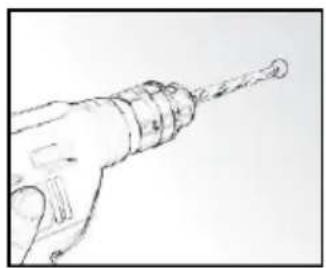
natural_image
Line drawing of a hand holding a drill bit with a pointed tip (no text or symbols)
natural_image
Simple line drawing of a mechanical spring or cable with no text or symbols
natural_image
Simple sketch of a circular object with a small symbol inside, no text or labels present.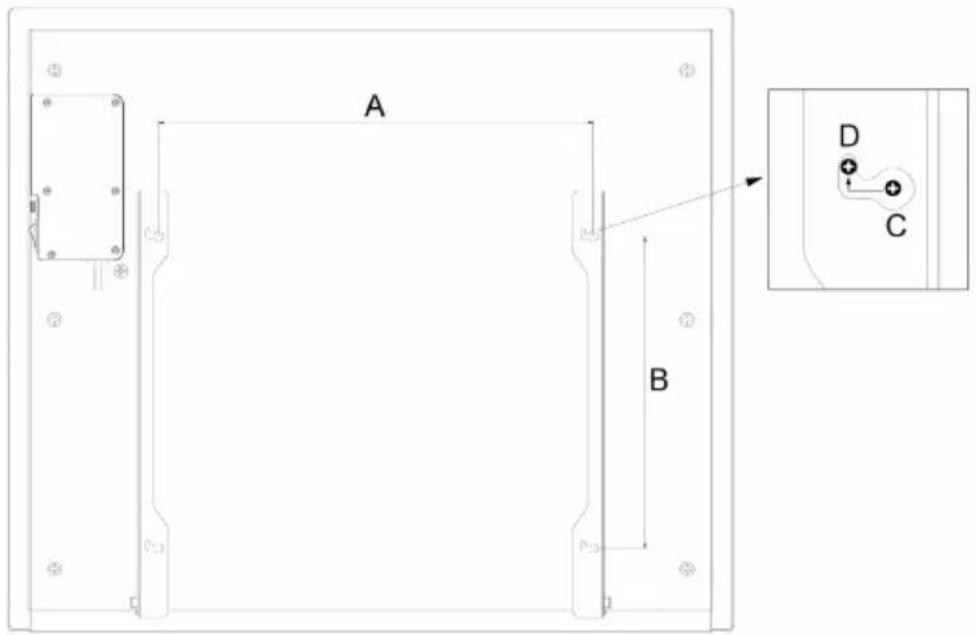
| Numéro d'article E F | ||
| 10047628, 10047629 42,00 cm 30,00 cm | ||
| 10047630, 10047631 66,00 cm 30,00 cm |
natural_image
Technical line drawing of a mechanical assembly with no visible text or symbolsAPERÇU DU PRODUIT
natural_image
Symbol of a trash bin crossed with a diagonal line, no text or numbers presentDÉCLARATION DE CONFORMITÉ

Fabricant :
INDICE
natural_image
Technical line drawing of a mechanical assembly with two vertical supports and a rectangular base (no text or symbols)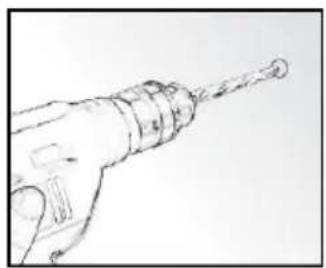
natural_image
Line drawing of a drill bit with a pointed tip (no text or symbols)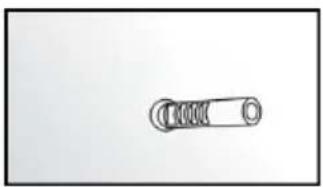
natural_image
Simple line drawing of a mechanical spring or cable with no text or symbols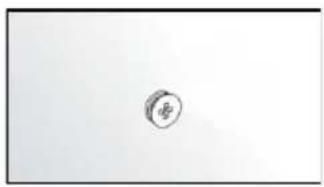
natural_image
Simple sketch of a circular object with a label 'B' at its center, no text or symbols present.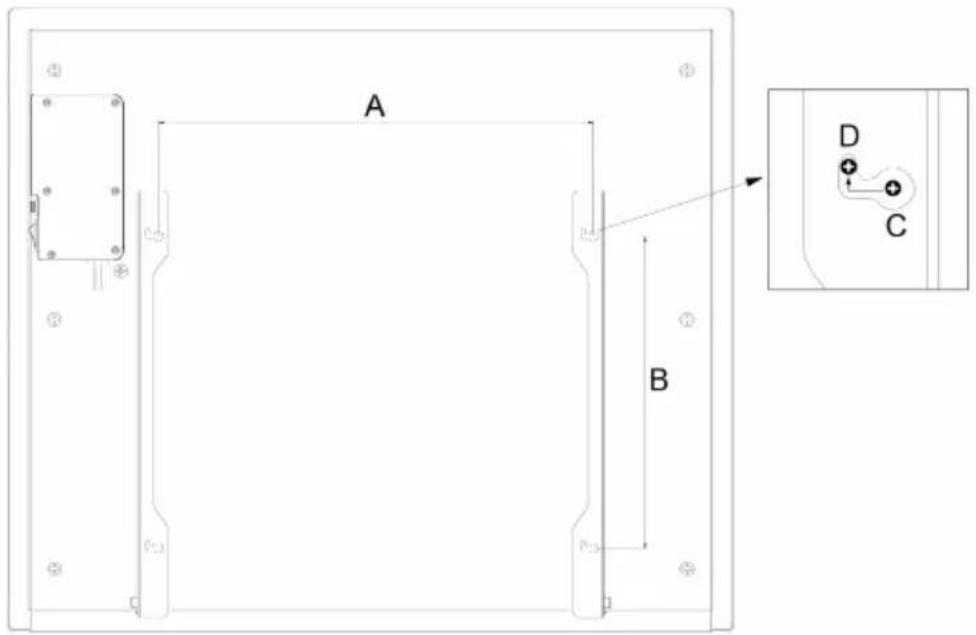
| Numero dell'articolo E F | |
| 10047628, 10047629 42,00 cm 30,00 cm | |
| 10047630, 10047631 66,00 cm 30,00 cm |
natural_image
Technical line drawing of a mechanical assembly with no visible text or symbolsnatural_image
Symbol of a trash bin crossed with a diagonal line, no text or numbers presentÍNDICE
Datos técnicos 61
natural_image
Technical line drawing of a mechanical assembly with two vertical supports and a rectangular base (no text or symbols)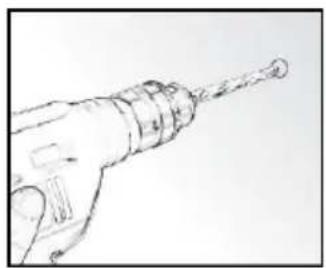
natural_image
Line drawing of a hand holding a drill bit with a pointed tip (no text or symbols)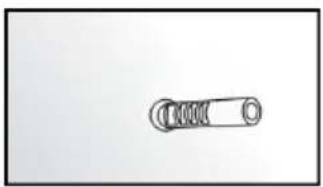
natural_image
Simple line drawing of a mechanical spring or cable with no text or symbols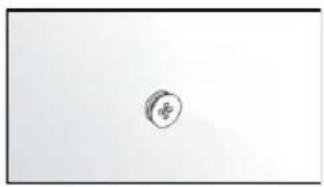
natural_image
Simple sketch of a circular object with a small symbol inside, no text or labels present.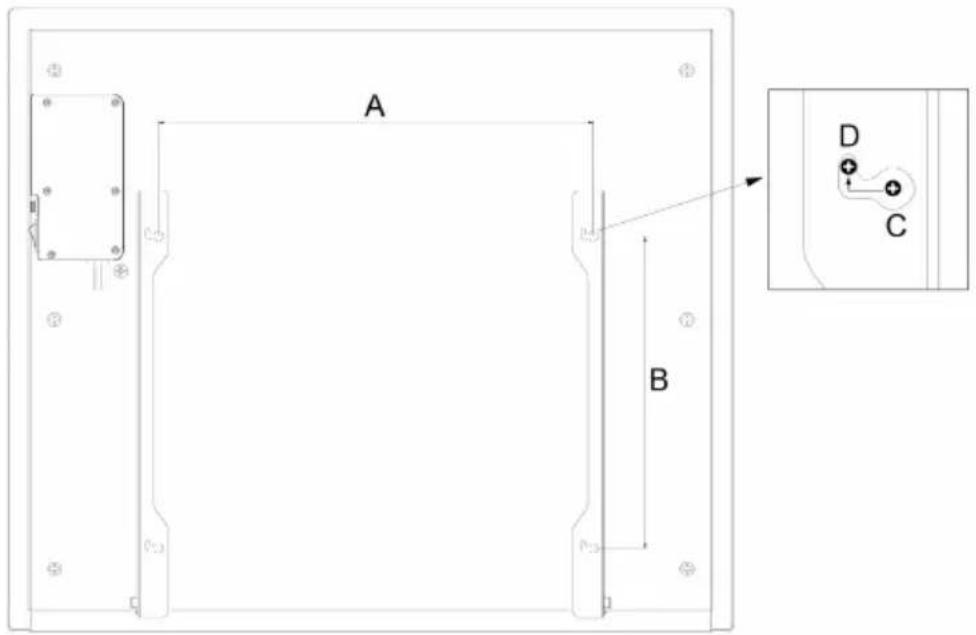
natural_image
Technical line drawing of a mechanical assembly with no visible text or symbolsVISTA GENERAL DEL PRODUCTO
natural_image
Symbol of a trash bin crossed with a diagonal line, no text or numbers present
- INHALT
- PRODUKTÜBERSICHT
- CONTENTS
- TECHNICAL SPECIFICATIONS
- SAFETY INSTRUCTIONS
- CAUTION
- Fire hazard
- Risk of burns
- Risk of personal injury
- INSTALLATION
- Wall-mounting instructions
- Free-standing mounting instructions
- PRODUCT OVERVIEW
- OPERATION
- Control panel
- Getting Started
- Temperature setting
- Timer
- WiFi Setting
- DEVICE CONTROL BY SMARTPHONE
- Follow these steps to connect your smartphone to your Klarstein device:
- App Download
- Troubleshooting connection problems
- CLEANING AND CARE
- Cleaning
- WARNING: Risk of electric shock
- TROUBLESHOOTING
- DISPOSAL CONSIDERATIONS
- DECLARATION OF CONFORMITY
- CE
- Manufacturer & Importer for Great Britain:
- PRODUCT DATA SHEET
- Chère cliente, cher client,
- SOMMAIRE
- APERÇU DU PRODUIT
- DÉCLARATION DE CONFORMITÉ
- Fabricant :
- INDICE
- ÍNDICE
- VISTA GENERAL DEL PRODUCTO
Brand : Klarstein
Model : MarmoHeat Smart
Category : Heating