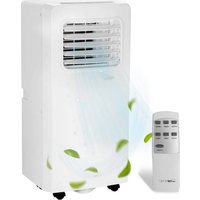
CL 3844 - Air Conditioning CLATRONIC - Free user manual and instructions
Find the device manual for free CL 3844 CLATRONIC in PDF.


| Product Type | Monoblock mobile air conditioner |
| Brand | Clatronic |
| Model | CL 3844 |
| Cooling Capacity | 7000 BTU (2.0 kW) |
| Power Consumption | 785 W |
| Power Supply | 220-240 V~, 50 Hz |
| Standby Consumption | ≤ 0.5 W |
| Energy Efficiency Class | A |
| Refrigerant | R290 (propane) |
| Net Weight | Approx. 18 kg |
| Recommended Max. Area | 70 m³ |
| Operating Modes | Cooling, Dehumidification, Ventilation |
| Fan Speed | 2 levels (LOW / HIGH) |
| Temperature Range | 16 °C to 31 °C |
| Programmable Timer | 1 to 24 hours |
| Remote Control | Yes (AAA batteries not included) |
| Exhaust Hose | Max. length 150 cm, adjustable |
| Window Exhaust Kit | Included (2 parts + adapter) |
| Condensate Water Tank | Capacity approx. 1.5 L |
| Air Filter | Washable, clean every 2 weeks |
| Compressor Protection | 3-minute restart delay |
Frequently Asked Questions - CL 3844 CLATRONIC
User questions about CL 3844 CLATRONIC
0 question about this device. Answer the ones you know or ask your own.
Ask a new question about this device
Download the instructions for your Air Conditioning in PDF format for free! Find your manual CL 3844 - CLATRONIC and take your electronic device back in hand. On this page are published all the documents necessary for the use of your device. CL 3844 by CLATRONIC.
USER MANUAL CL 3844 CLATRONIC
natural_image
White industrial air conditioner unit with ventilation grille and control panel (no visible text or symbols)| ENGLISH | ||
| Content | ||
| Overview of the Components | Page | 3 |
| Instruction Manual | Page | 9 |
| Technical Data | Page | 12 |
| Disposal | Page | 12 |
Be sure to read the separately enclosed safety instructions first.
Instruction Manual
Thank you for choosing our product. We hope you will enjoy using the appliance.
Read the instruction manual and the separately enclosed safety instructions very carefully before using this appliance. Keep these documents, including the warranty certificate, receipt and, if possible, the box with the inner packaging in a safe place. If you pass the appliance on to a third party, always include all the relevant documents.
Symbols in this Instruction Manual
Important information for your safety is specially marked. It is essential to comply with these instructions in order to avoid accidents and prevent damage to the appliance:
WARNING:
This warns you of dangers to your health and indicates possible injury risks.
CAUTION:
This refers to possible hazards to the appliance or other objects.
Unpacking the Appliance
- Remove the appliance from its packaging.
- Remove all packaging material, such as foils, filling material, cable ties and cardboard packaging.
- Check the scope of delivery for completeness.
Scope of Delivery
1×AirConditioner
1× Remote Control
2 × Batteries
1 × Flexible Exhaust Air Hose
1 × Adapter for the Exhaust Air Hose (Connection on the Device)
1 × Window Exhaust Air Kit, 2-piece
1 × Adapter for the window exhaust air kit
1 × Water hose ∅ 16 mm
2 × Rubber Caps (Replacement)
2 × Plugs (Replacement)
Overview of the Components
1 Air inlet on the side of the appliance (filter)
2 Control Panel
3 Air outlet (Louvres)
4 Mains connection cable
5 Connection for the exhaust air hose
6 Adapter for the exhaust air hose
7 Flexible exhaust air hose
8 Water drain
9 W.F Indicator light
10 HIGH Indicator light
11 LOW Indicator light
12 TIMER Indicator light
13 Display
14 COOL Indicator light
15 DEHUM Indicator light
16 FAN Indicator light
17 Button ⏻ TIMER (timer)
18 Button SPEED (set speed)
19 Button MODE (select operating mode)
20 IR receiver for remote control
21 Button ▼EMP - (reduce temperature)
22 Button ▲EMP+ (increase temperature)
23 Button POWER (on / off)
Warnings for the Use of the Appliance
WARNING:
- Do not use or store the appliance in the following locations:
Near a source of fire. - An area where water or oil may splash.
- An area exposed to direct sunlight.
- In the bathroom, in the laundry room or by a swimming pool.
CAUTION: Risk of overheating!
- Keep the ventilation slots clear!
- Do not cover the appliance!
- Observe the national connection regulations.
- Pull the mains plug out of the socket if there are strange noises, odours and / or smoke.
- Only use or move the appliance in an upright position.
- During operation, the appliance must be positioned so that it is at least 30 cm away from walls or other objects to ensure sufficient air circulation.
- Never use the appliance without the filter.
- Do not leave the appliance unattended for hours. Do not leave the house during operation.
- This appliance has been designed to air-condition living spaces. It must not be used for any other purpose.
- Do not insert any objects into openings in the appliance.
- Do not expose the appliance to dripping or splashing water and do not place any containers filled with liquids, such as flower vases, on the appliance.
- Do not move the appliance when the mains cable is connected to the socket.
• Information on the type and technical data of the fuse:
T, 250 V AC, 2 A
Handling Batteries

Do not disassemble batteries!

Do not short-circuit batteries!

Non-rechargeable batteries are not to be recharged!

Observe polarity (+ / -)!

Danger of explosion! Do not expose batteries to intense heat, such as sunshine, fire or similar.

Keep away from children!
- Batteries can leak battery acid. If the remote control will not be used for a longer period of time, remove the batteries.
- If a battery leaks, do not rub the liquid into the eyes or mucous membranes. In case of contact, wash hands, rinse eyes with clean water. Seek medical attention if any discomfort persists.
-
Different battery types and new and used batteries must not be used together.
-
Exhausted batteries are to be removed from the appliance and safely disposed of. Batteries are not to be disposed of together with domestic wastes. Return used batteries to the responsible collection points or to the dealer.
- Rechargeable batteries are to be removed from the appliance before being charged.
Notes for Use
△ CAUTION: Important for initial commissioning or after transport!
Before the appliance is put into operation, it must be left in an upright position for at least 3 hours to allow the refrigerant to settle. Otherwise, the compressor will be damaged.
CAUTION:
- If you interrupt operation with the ⏻ button, wait at least 3 minutes before switching the appliance on again.
-
If you want to transport the appliance to another location, empty the water tank first!
-
The appliance works most effectively in rooms up to 70m^3 in size.
- The flexible exhaust air hose and the adapter (6) are specially made for this appliance. To avoid faults, do not replace the hose with another one.
- The exhaust air hose can be extended up to 150 cm. Do not use an extension.
- The air must be able to flow freely. Make sure that the exhaust air hose is not kinked or bent. Any blockage can cause the appliance to overheat.
- The appliance will work more effectively if you keep windows and doors closed during operation.
Compressor Protection Device
If operation is interrupted, the protection device for the compressor is activated. This prevents the compressor from operating for approx.
3 minutes so that the pressure in the refrigeration circuit can relax.
This is not a defect in the appliance. Therefore, wait at least 3 minutes before switching the appliance on again.
Location
- A non-slip, level surface is suitable as a location.
- Keep a distance of at least 30 cm from walls or other objects
Electrical connection
- Before inserting the plug into the socket, check that the mains voltage is correct. You will find the details of the appliance on the rating label.
- Insert the mains plug into a properly installed safety socket. A signal will sound.
Commissioning the device
Inserting the battery
(Battery not included in the scope of delivery)
- Open the battery compartment cover on the back of the remote control.
- Insert 2 batteries of type R03 "AAA" 1.5 V. Make sure the polarity is correct (see battery compartment base)!
-
Do not use rechargeable batteries / accumulators.
-
Close the battery compartment again.
Fitting the Exhaust Air Hose
- Screw the adapter (6) onto one end of the exhaust air hose.
- Connect the exhaust air hose to the hose connection on the appliance. To do this, push the adapter into the guides from above.
- Pull the hose out to the required length.
- Clamp the free end of the hose into a window.
- For sliding windows, you can use the window exhaust air kit supplied vertically or horizontally. The length of the sealing plate can be individually adjusted.
- Close the window as far as possible. If available, also close an external roller blind up to the end of the tube.
Operation
- Operation is explained using the buttons on the remote control.
- The buttons can be found both on the appliance and on the remote control. Buttons with the same labelling have the same function. The corresponding indicator light also lights up.
- The buttons on the appliance are sensor touch buttons. Touch the buttons lightly to execute the function.
- If you press and hold the ▲/▼ buttons, a fast run starts.
- The and buttons on the appliance are also multifunction buttons. To use the different functions, the corresponding button must be pressed several times.
Switching the appliance on / off
- Press the ⏻ button to switch the appliance on. The appliance is preset to the "Cooling" operating mode and a temperature of 25°C.
- Always switch off the appliance by pressing the ⏻ button before disconnecting the mains plug.
Interrupting operation
- If operation is interrupted, the previously set temperature and operating mode are saved.
• This is indicated by the indicator lights.
Operating Modes
Use the button ⚙ to select between the following operating modes:
COOL Cooling
DEHUM Dehumidifying
FAN Fan
The indicator light shows the selected operating mode.
"Cooling" operating mode
In this operating mode, you can set the speed and temperature as required. For operation with a compressor, however, the set temperature must be lower than the current room temperature.
"Dehumidify" operating mode
This function cools and removes moisture from the air at the same time. No settings can be made.
• The fan speed is preset to the lowest level
- The appliance automatically changes the set temperature to the room temperature minus 2 °C.
Operating mode "Fan"
In this operating mode, you can only set the speed of the fan.
Set speed
In the "Cooling" and "Fan" operating modes, you have the option of setting the fan speed in 2 stages. To do this, press the button ✦
LOW low speed
HIGH high speed
Setting the temperature
Use the ▲/▼ buttons to set the temperature of the "Cooling" operating mode. You can set the temperature between 16 °C and 31 °C.
Setting the Air Outlet
You can set the direction of the air blown out by turning the louvres
Time switch (timer)
The timer function allows you to set the switch-on or switch-off time of the appliance. You can choose between 1 and 24 hours.
- If you want to deactivate the set TIMER function, press the ⏻ button once.
- You can also cancel the TIMER function at any time by switching the appliance on or off with the Button.
Switching on automatically with the timer function
- Switch the appliance on with the button.
- Set the operating mode and, if possible, the temperature and fan speed at which the appliance should operate at switch-on time.
- Switch the appliance off using the button.
- Press the ⏻ button. The TIMER indicator light illuminates. The number of hours flashes.
- Use the ▲/▼ buttons to set the desired number of hours.
- Confirm your setting with the ⏻ button while the display is flashing. Otherwise, you will exit the setting mode. The setting will not be saved.
- The set number of hours is shown on the display.
Switching off automatically with the timer function
- Switch the appliance on with the button.
- Press the ⏻ button during operation. The TIMER indicator light illuminates. The number of hours flashes.
- Set the TIMER as described above under "Point 5".
Emptying the water tank
△ CAUTION:
Do not transport the appliance when the water tank is full. Water could get inside the appliance.
There is a water tank inside the appliance to collect the condensate. If the water tank is full, the "W.F" indicator light illuminates. The compressor switches off in any operating mode. The fan continues to run regardless of this.
To continue operation with the compressor, you must empty the water tank. You will need a floor cloth, a shallow tray that can hold approx.
1.5 litres of water and the water hose included in the scope of delivery
- Switch off the appliance and disconnect the mains plug from the socket.
- Place a floor cloth and a shallow tray under the water drain. If possible, place the tray at a lower level than the appliance.
- Remove the rubber cap and the plug. Keep the parts for later use.
- Attach the water hose to the water outlet of the appliance. Place the end of the water hose in the tray.
- Remove the water hose once the water has run out. Close the water outlet on the appliance again with the plug and the rubber cap to ensure the condensation water cooling circuit.
End operation
- Switch off the appliance.
- Pull the plug out of the socket.
- Empty the appliance completely if you do not intend to use it for a longer period of time.
Cleaning
WARNING:
• Always disconnect the mains plug from the socket before cleaning.
- Ensure that no water enters the openings of the appliance during cleaning. This could lead to an electric shock or fire.
CAUTION:
- Do not spray the appliance with detergent.
- Do not use a wire brush or other abrasive objects.
- Do not use any harsh or abrasive cleaning agents.
Filters
CAUTION:
Do not operate the appliance without a filter!
Clean the filter every 2 weeks if the appliance is used daily. If dust in the filter blocks the air circulation, the efficiency of the appliance is no longer guaranteed.
- Remove the exhaust air hose with adapter.
- Pull out the filter on the side of the appliance.
- Vacuum the filter with a hoover.
- Clean the filter under running water. If necessary, you can use a mild detergent.
- Allow the filter to air dry in a shady place.
- Only put the filter back into the appliance when it is completely dry.
Housing
• Vacuum the louvres and ventilation slots with a hoover.
- The housing can be wiped with a slightly damp cloth.
Seasonal cleaning
If you do not intend to use the appliance for a longer period of time, please proceed as follows:
- Empty the water tank as previously described.
- Operate the appliance for 2 hours in "Fan" mode to dry the inside of the appliance.
- Switch the appliance off using the button. Disconnect the mains plug from the socket.
- Remove the flexible exhaust air hose from the appliance.
- Clean the filter and the appliance as described above.
- Cover the appliance with a film.
Storage
- Clean the appliance as described. Allow the accessories to dry completely.
- We recommend storing the appliance in its original packaging if you do not intend to use it for a longer period of time.
• Always store the appliance out of the reach of children in a well-ventilated and dry place.
- The appliance must be stored in such a way that it cannot be damaged.
Troubleshooting
| Problem Possible Cause Remedy | ||
| The appliance has no function. | The appliance has no power supply. | Check the power socket with another appliance. |
| The timer function is activated. | Switch the appliance on with the Button. | |
| The appliance is defective. Contact our service or a specialist. Follow the enclosed service instructions. | ||
| The appliance is not cooling sufficiently. | The appliance is in direct sunlight. Choose a different location or darken the windows. | |
| Windows or doors are open. Close the windows and doors. | ||
| There are a lot of people or other heat sources in the room. | Remove mobile heat sources or switch them off. | |
| The filter is dirty. Clean the filter. | ||
| The air inlet or outlet is blocked. Remove the blockage. Keep the ventilation slots clear. | ||
| The appliance is abnormally loud. | The appliance is badly positioned. | Check the base. |
| The display shows E2 and the indicator light W.F lights up. | The water tank is full. | Switch off the appliance. Pull out the mains plug. Empty the water tank. You can then switch the appliance on again. |
| The display shows E0. | The temperature sensor is defective. | Contact our service or a specialist. |
Technical Data
Model: CL 3844
Power supply: 220–240 V\~, 50 Hz
Power consumption: 785 W
Power consumption in standby mode: ....≤0.5W
Protection class:....I
Energy efficiency class: A
Cooling capacity: 7000 BTU (2.0 kW)
Refrigerant: R290
Net weight: approx. 18 kg
Maximum permissible pressure:
Pressure side: 2.6 MPa
Suction side: 1.0 MPa
Maximum permitted pressure:
Pressure side: 3.2 MPa
Suction side: 1.2 MPa
The right to make technical and design modifications in the course of continuous product development remains reserved.
This appliance has been tested according to all applicable, current CE directives and built according to the latest safety regulations.
Disposal
Battery Disposal

As a consumer you are obliged by law to return old batteries/accumulators.
Your appliance contains batteries. If these batteries are spent, follow the instructions below:

CAUTION:
Batteries/rechargeable batteries must not be disposed of with household waste!
- Remove the battery (batteries) from the remote control before disposing of the appliance.
• Take spent batteries to the appropriate collection point or to a dealer. - Your town or local authority can provide information about public collection points.
Meaning of the "Dustbin" Symbol

Protect our environment: do not dispose of electrical equipment in the domestic waste.
Please return any electrical equipment that you will no longer use to the collection points provided for their disposal.
This helps avoid the potential effects of incorrect disposal on the environment and human health.
This will contribute to the recycling and other forms of re-utilisation of electrical and electronic equipment.
Information concerning where the equipment can be disposed of can be obtained from your local authority. Your dealer and contractual partner is also obliged to take back the old appliance free of charge.
BELANGRIJK:
CTC Clatronic Sp. z o.o
Ul. Brzeska 1
45-960 Opole
Usuwanie
Usuwanie baterii

