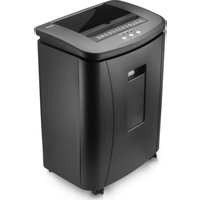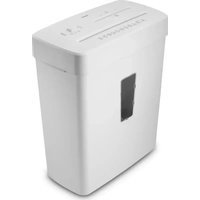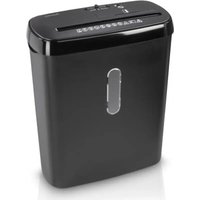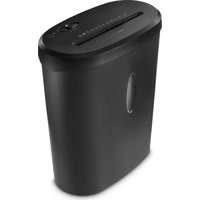
Safe X120 - Shredder HAMA - Free user manual and instructions
Find the device manual for free Safe X120 HAMA in PDF.


| Product type | Document shredder |
| Brand | Hama |
| Model | Safe X120 |
| Dimensions (L x H x D) | 36.0 x 19.5 x 43.0 cm |
| Net weight | 4.6 kg |
| Power supply | 220-240 V~, 50 Hz, 529 W |
| Cutting capacity (70 g/m² paper) | 13 A4 sheets |
| Cutting capacity (80 g/m² paper) | 12 A4 sheets |
| Cutting capacity (plastic cards) | 1 card |
| Max feed width | 220 mm |
| Cut size (paper/cards) | 4 x 40 mm |
| Cutting speed | 2.0 m/min |
| Bin volume | 21 liters |
| Noise level | 68 dB |
| Max operating time | 2 minutes |
| Nominal rest time | 30 minutes |
| Protection class (DIN 66399) | 2 |
| Security level (DIN 66399) | P-4 / T-4 / E-3 |
| Additional functions | Reverse function, auto stop, LED indicator |
| Accepted materials | Paper, staples, paper clips, magnetic cards, chip cards |
| Prohibited materials | CD/DVD/Blu-ray, labels, plastic (except cards) |
| Safety | Head presence detection, safety stop |
| Maintenance | Clean with dry cloth, oiling rollers, specific cleaner |
| Repairability | Original parts, customer service |
Frequently Asked Questions - Safe X120 HAMA
User questions about Safe X120 HAMA
0 question about this device. Answer the ones you know or ask your own.
Ask a new question about this device
Download the instructions for your Shredder in PDF format for free! Find your manual Safe X120 - HAMA and take your electronic device back in hand. On this page are published all the documents necessary for the use of your device. Safe X120 by HAMA.
USER MANUAL Safe X120 HAMA
natural_image
Line drawing of a simple kitchen or washing machine with no text or symbols on the bodyOperatingInstructions
Bedienungsanleitung
Moded'emploi
Instruccionesdeuso
Gebruiksaanwijzing
Istruzioniperl'uso
Instrukcja o bsługi
Használatiútmutató
Manualdeutilizare
Návodk p oužití
Návodnapoužitie
Manualdeinstruções
Bruksanvisning
10." " position (automatic start / stop function for the paper and plastic cards intake shaft)
- ReadystatusLED
1. Introduction
1.1 Foreword
Thankyouforchoosinga H amaproduct.
Take your time and read the following instructions and information completely. Please keep these instructions in a safe place for future reference. If you sell the device, please pass these operating instructions onto the new owner.
Note— Importance of the operating instructions

Failure to observe the operating instructions when using the product constitutes incorrectuseorwilfulmisuseandisnotpermitted.
Note

This device is a new, unused product.
Anycuttingresiduepresentmayhavebeenleftoverfromqualityassurancetestsduring production.
1.2 Explanationofwarningsymbolsandnotes
Riskofelectricshock

This symbol indicates a risk of electric shock from touching uninsulated product parts that may carry hazardous voltage.
Warning

This symbol is used to indicate safety instructions to draw your attention to specific hazards and risks.
Note

This symbol is used to indicate additional information or important notes.
1.3 Packagecontents
• " SAFEX120" shredder
• Theseoperatinginstructions
2.Safety
2.1 Correctuse
- This product is intended for the destruction of documents both in the home and in the commercial sector, provided the applications are comparable with typical household use (e.g. in offices, workshops and hotels, etc.).
- Usetheproductforitsintendedpurposeonly.
• The product is intended only for use inside buildings. - Protect the product from dirt, moisture and overheating and use it in dry rooms only.
- Do not use the product in the immediate vicinity of heaters, other heat sources or in direct sunlight.
- Do not use the product in a damp environment and avoid splashing water.
- Do not operate the product outside the power limits given in the specifications.
- Do not operate the product continuously, as it is not designed for this.
- Do not use the product in areas in which electronic products are not permitted.
-
Do not drop the product and do not expose it to any major shocks.
-
This product is not intended for use by persons, including children, with limited physical, sensory or mental abilities or lacking in experience or knowledge, unless they are supervised by a person responsible for their safety or have been instructed on how to use the product.
- As with all electrical products, this device should be kept out of the reach of children.
- Keep the packaging material out of the reach of children due to the risk of suffocation.
- Disposeofpackagingmaterialimmediately inaccordancewiththelocallyapplicable regulations.
- Do not modify the product in any way. Doing so voids the warranty.
- Onlyusethearticleundermoderateclimaticconditions.
- Pull directly on the plug when disconnecting the cable, never on the cable itself.
Note

Theproductisonlyintendedforvolumesgeneratedbyhouseholds.
Warning

Any use is permitted only with the paper container provided.
Note— Commercial use

• If the device is used commercially, increased duty of care requirements apply.
- Therefore, please observe the accident prevention regulations of the German employer's liability insurance association for electrical systems and equipment. Please also observe all accident prevention regulations from other applicable employer's liability insurance associations and accident insurance companies, as well as any legal regulations applicable to the particular industry and/or location.
The following materials may and may NOT be shredded:
| Paper | √ |
| Paperwithstaples/ p aperclips | √ |
| Magneticstripand I D c hipcards | √ |
| CDs,DVDs,Blu-Rays | × |
| Continuous paper, sticky labels, slides, newspaper, cardboard, laminate, plastic(withtheexceptionoftheobjectsstatedearlier) | × |
2.2 Basicsafetyinstructions
Pleasenotethefollowingsafetyinstructionsinordertousethedevicesafely:
- Check the device before use for any visible external damage. Do not put a damaged device into operation.
- People who, as a result of their physical, mental or motor capacities, are unable to operate the device safely must only use the device under supervision or after instruction by a responsible person.
- Faulty components must only be replaced with original spare parts. Only these parts are guaranteed to meet the required safety standards.
- Protect the device against moisture and the penetration of liquids or objects. In the eventofcontactwithliquid, disconnectthedevicefromthepowersupplyimmediately.
Warning - risk of cutting on the cutting rollers

Donottouchthecuttingrollers.
Riskofelectricshock

- Donotopenthedeviceorcontinuetooperateitifitbecomesdamaged.
- Do not use the product if the AC adapter, adapter cable or power cable is damaged.
- Do not attempt to service or repair the product yourself. Leave any and all service worktoqualifiedexperts.
2.3 Explanation of symbols used on the product label
Warning- r iskofinjury
Note the warning symbols in order to avoid injuries or damage to the device.

| Generalwarningsymbol | |
| Before c ommissioning,readtheenclosedoperating instructions.You must comply with the safety instructions at all times. | |
| Thisdeviceisnotintendedforusebychildren.Avoid touching the intake opening with hands, clothing orhair.Unplugthedeviceifitisnotgoingtobeusedfora prolongedperiod. | |
| Childrenmustbesupervisedwhenusingthedevice. | |
| Donotreachintotheintakeshaft. | |
| Keepclothingawayfromtheintakeshaft. | |
| Keep jewellery, e.g. necklaces, away from the intake shaft. | |
| Keephairawayfromtheintakeshaft. | |
| Donotuseanyaerosolproductsonornearthedevice. | |
| Insert max. 12 sheets of paper into the intake shaft at the same time (see7.Technical Data). | |
| Intakeshaftforcreditcards.Onlyinsertonecreditcardata timeintotheintakeshaftforcreditcards. | |
| Sharpedge!Donottouch! |
2.4 Safetydevice
The device is equipped with a safety switch and can only be operated if the device head (1) is correctly placed on the waste container(6).
Warning
Any tampering with or modification of the safety features can result in serious injury and is not permitted.

3. Installation/ Setup
Warning

- Only operate the product from a socket that has been approved for the device. The socketmustbeinstalledclosetotheproductandmustbeeasilyaccessible.
- Disconnect the product from the power supply using the On/Off switch – if this is not available, unplugthepowercordfromthesocket.
- If using a multi-socket power strip, make sure that the total power consumption of all connected devices does not exceed the socket strip's maximum throughput rating.
- If you will not be using the product for a prolonged period, disconnect it from mainspower.
Note

- Set the product up on a level, horizontal and sufficiently stable surface.
• Route all cables so there is no risk of tripping. - Donotbendorcrushthecable.
- Protect the connecting cable from hot surfaces and sharp edges.
- Connect the mains cable to a properly installed and easily accessible mains socket.
4.Operation
Note

- Be aware that the thickness of paper increases when it is folded, leading to the device's maximum page capacity being exceeded.
• Always wait until one cutting operation is finished before starting the next one. - Do not use the device continuously for more than 2 minutes at a time.
- Emptythecontainerregularlyinorderavoiddamagingthedevice.
4.1 Switchingthedeviceon
- Movethesliderswitch(7)tothe" " position(10).
•TheReadystatusLED(11)lightsupsolidgreen.
• The device is now ready for use.
4.2 Switching the device off
- Movethesliderswitch(7)tothe" O" p position(9).
4.3 Shreddingpaper
- Insert the paper into the centre of the intake shaft (2). The cutting rollers switch on automatically.
- Let go of the paper. Once the cutting process is complete, the device switches itself offagain.
4.4Shreddingplasticcards
- Insert the plastic card into the centre of the intake shaft (2). The cutting rollers switch onautomatically.
- Let go of the plastic card. Once the cutting process is complete, the device switches itself off again.
4.5 Forwards/ b ackwardsmodes
Note

These modes are designed to release any blockages of the cutting mechanism.
- Movethesliderswitch(7)tothe" ◀◀" position (8). The rollers on the cutting mechanismnowrotateinthereversedirection.
- Movethesliderswitch(7)alternatelytothe" " position(10)andthe
- "◀◀" position(8).Repeatthisprocessaroundthreetimes.
- Then switch the device off - as described in 4.2 Switching the device off - and disconnectthemainsplug.
- Removetheblockedcutmaterialcarefullyfromtheintakeshaft(2).
- Reconnect the device - as described in 3. Installation/Setup - to the power supply.
5. Care and maintenance
Danger- riskofdeathfromelectricshock
Disconnect the mains plug from the socket before starting any cleaning work.

Warning - risk of cutting on the cutting rollers
Donottouchthecuttingrollers.

Warning- d amagetothedevicefrommoisture
Ensure, when cleaning, that no moisture penetrates the device in order to avoid irreparable damagetoit.

5.1 Emptyingthecontainer
- Switch the device off - as described in 4.2 Switching the device off - and disconnect themainsplug.
• Liftthedevicehead(1)offthewastecontainer(6). - Emptythecontainer(6).
- Placethedevicehead(1)backonthewastecontainer(6).
- Reconnect the device - as described in 3. Installation/Setup - to the power supply.
5.2Cleaningthedevice
- Switch the device off - as described in 4.2 Switching the device off - and disconnect themainsplug.
- Clean the device with a dry cloth. In cases of heavy soiling, the cloth can be dampened a little.
- Allow the device to dry completely afterwards.
- Reconnect the device - as described in 3. Installation/Setup - to the power supply.
5.3 Cleaning/ o ilingthecuttingrollers
Note
- Oil the cutting rollers after each emptying of the waste paper basket in order to prolongtheshredder'sservicelife.
• You can find an appropriate selection of cleaning products at https://hama.com. - Switch the device on - as described in 4.1 Switching the device on.

5.3.1 CleaningwithHamacleanersforshredders(itemnumber:113820)
- ApplytheHamacleanerforshredders(itemnumber: 113820)inseveralstripsontoa pieceofDINA4-sizepaper.
- Insert the paper into the centre of the intake shaft (2). The cutting rollers switch on automatically.
- Once the cutting process is complete, the device is ready for operation again.
5.3.2 Cleaningwithcleaningpaper
- Insert the cleaning paper into the centre of the intake shaft (2). The cutting rollers switch onautomatically.
- Once the cutting process is complete, the device is ready for operation again.
6.Troubleshooting
| ErrorPossiblecauseRemedy | ||
| Thecuttingrollersdonot switchonautmatically whenmaterialtobe shreddedisinserted. | Thesliderswitch(7)isin the"○" p osition(9). | Movethesliderswitch(7) tothe""○" osition(10). |
| Theconnectingcable (3)isnotconnected correctly. | Ensure t hatthemains plugisinthemains socket. | |
| Thesocketisnotlive.Checkthedomesticfuses. | ||
| Thedeviceisfaulty. | N otifyCustomerServices. | |
| TheOverheatingstatus LED(11)islitupred. | Thedevicehasbecome toohot. | Switchthedeviceoffand allowittocool d ownfor atleast30minutes. |
7.Technical data
| Inputvoltage220-240V-- | |
| MainsFrequency50Hz | |
| Max.powerconsumption529W | |
| Dimensions (W x H x D) | 36.0 x 19.5 x 43.0 cm |
| Weight(net) | 4600g |
| Weight(gross) | 5570g |
| Basketcapacityforpaperandplasticcards | 21litres |
| Noiselevelwhenidling | 68dB |
| Max. cutting performance - paper (70 gsm) | 13 sheets (DIN A4 paper)* |
| Max. cutting performance - paper (80 gsm) | 12 sheets (DIN A4 paper)* |
| Max.cuttingperformance- p lasticcards | 1 |
| Max.cuttingspeed | 2.0m/minute |
| Max. feed width for paper / plastic cards | 220 mm |
| Cutting size for paper / plastic cards | 4 mm x 40 mm |
| Max. constant operation time | 2 minutes |
| Nominalrestperiod | Min.30minutes |
| Protectionclass(asperDIN66399) | 2 |
| Safety levels (as per DIN 66399) | P-4 / T-4 / E-3 |
* Thicker paper, moisture or any voltage other than that permitted may reduce the performance.
8.Warrantydisclaimer
All of the technical information, data and instructions regarding operation contained in these operating instructions wasuptodateatthe timeofprintingandisprovidedbased on previous experience and to the best of our knowledge.
Hama GmbH & Co KG assumes no liability and provides no warranty for damage resulting from improper installation/mounting, improper use of the product or from failure to observe the operating instructions and/or safety notes.
Maschinenaufbau
6.Conteneurdedéchets
7.Sélecteur
6.Recipientecolector
7.Interruptorcorredizo
Cd's, dvd's, Blu-rays

86652Monheim/Germany
Service& Support

support.hama.com/00050586
+499091502-0
D GB
CE


PAP RaccoltaCarta
EAC