
SJY-H15151P - Heat press Vevor - Free user manual and instructions
Find the device manual for free SJY-H15151P Vevor in PDF.
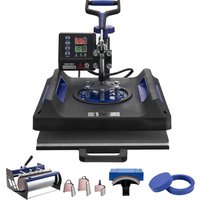


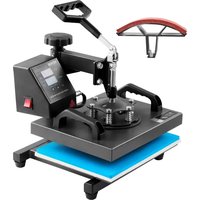
| Product Type | Heat Press |
| Model | SJY-H15151P |
| Heating Plate Size | 15 x 15 inches (38 x 38 cm) |
| Temperature Range | 0-250 °C (32-480 °F) |
| Time Range | 0-999 seconds |
| Voltage | 120 V ~ 60 Hz |
| Power | 1400 W |
| Included Accessories | 8 and 10 inch plate presses, arched press, curved base, mug frame, 6, 12, 17, 30 oz cup presses |
| Digital Display | Yes, with temperature and time adjustment |
| Adjustable Pressure | Yes, via rotary knob |
| Main Functions | Heat transfer on t-shirts, mugs, plates, and other media |
| Safety | Grounding, thermal cut-off, overload protection |
| Maintenance and Cleaning | Clean with a damp cloth, avoid penetrating liquids |
| Spare Parts and Repairability | Temperature sensor, digital controller, heating elements available |
| Compliance | European Directive 2012/19/EC, FCC Part 15 |
Frequently Asked Questions - SJY-H15151P Vevor
User questions about SJY-H15151P Vevor
0 question about this device. Answer the ones you know or ask your own.
Ask a new question about this device
Download the instructions for your Heat press in PDF format for free! Find your manual SJY-H15151P - Vevor and take your electronic device back in hand. On this page are published all the documents necessary for the use of your device. SJY-H15151P by Vevor.
USER MANUAL SJY-H15151P Vevor
Technical Support and E-Warranty Certificate www.vevor.com/support
HEAT PRESS MACHINE
We continue to be committed to providing you with tools at competitive prices. "Save Half", "Half Price", or any other similar expressions used by us only represent savings you might benefit from buying certain tools with us compared to top brands, and do not necessarily mean to cover all categories of tools offered. We kindly remind you to verify carefully when placing an order with us that you are actually saving half in comparison with the top major brands.
VEVOR®
TOUGH TOOLS, HALF PRICE
HEAT PRESS MACHINE
MODEL: SJY-H15151P/JY-H12151P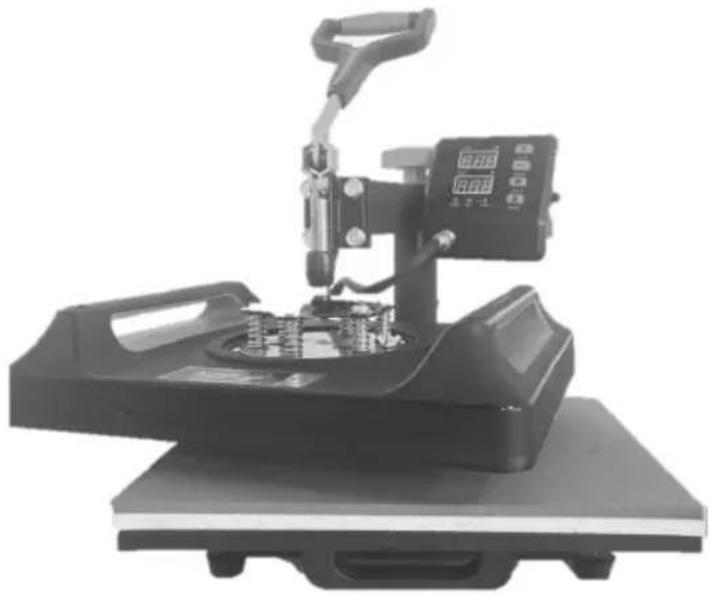
NEED HELP? CONTACT US!
Have product questions? Need technical support? Please feel free to contact us:
Technical Support and E-Warranty Certificate www.vevor.com/support
This is the original instruction. Please read all manual instructions carefully before operating. VEVOR reserves a clear interpretation of the user manual. The appearance of the product shall be subject to the product you received. Please forgive us that we won't inform you of any technology or software updates on our product.
| Symbol | Symbol Description |
 | Warning: To reduce the risk of injury, the user must read instructions manual carefully. |
 | This symbol, placed before a safety comment, indicates a kir precaution, warning, or danger. Ignoring this warning may lea an accident. To reduce the risk of injury, fire, or electrocutio please always follow the recommendations shown below. |
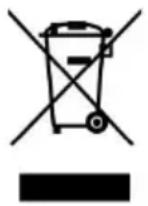 | CORRECT DISPOSAL: This product is subject to the provision of European Dire 2012/ 19/EC. The symbol showing a wheelie bin crossed through indicates that the product requires separate refuse collection in the European Union. This applies to the pro all accessories marked with this symbol. Products marked such may not be discarded with normal domestic waste, must be taken to a collection point for recycling electrica electronic devices. |
WARNING
- Warnings must be followed carefully to avoid body injury. Improper use may result in electric shock, fire, personal injury, and other damage.
1) Keep unplugged when moving the machine.
2) Keep unplugged when installing accessories.
3) Place on a flat and stable platform and operate under ventilated conditions.
4) Wear special protective equipment when operating the machine.
5) Do not use this machine in a hazardous location.
6) Do not use when the machine is not working properly.
7) Do not disassemble or repair this machine.
8) Do not use an unsuitable AC outlet.
9) Do not touch the heating plate when the machine is heating.
10) Do not use in a humid environment or contact with water. Do not allow liquid to infiltrate the machine to prevent fire or electric shock caused by short circuit.
11) Do not use a power supply that does not meet the rated voltage. The
power supply that does not meet the specified voltage may cause fire or electric shock.
12) Ensure that the machine is grounded so as not to cause harm to the body.
13) Do not touch the rotating rod or bearing part with your fingers during use to avoid injury.
14) If the machine is not in use for a long time, please unplug the power cord from the socket.
15) Do not use the machine during thunderstorms or lightning to avoid damage to the machine.
16) Place the machine smoothly on a flame-retardant table and keep away from flammable and explosive items.
17) Please stop using it if the machine smokes, emits a peculiar smell, or becomes noisy and in other abnormal conditions.
18) This appliance can be used by children aged from 8 years and above and persons with reduced physical, sensory or mental capabilities or lack of experience and knowledge
If they have been given supervision or instruction concerning use of the appliance in a safe way and understand the hazards involved. Children shall not play with the appliance. Cleaning and user maintenance shall not be made by children without supervision
19) Type X attachment: If the supply cord is damaged, it must be replaced by a special cord or assembly available from the manufacturer or its service agent.
20) In order to avoid a hazard due to inadvertent resetting of the thermal cutout, this appliance must not be supplied through an external switching device, such as a timer, or connected to a circuit that is regularly switched on and off by the utility.

Please turn off the power when plug or unplug the connector
FCC INFORMATION
CAUTION: Changes or modifications not expressly approved by the party responsible for compliance could void the user's authority to operate the equipment!
This device complies with Part 15 of the FCC Rules. Operation is subject to following two conditions:
1) This product may cause harmful interference. 2) This product must accept any interference received, including interference that may cause undesired operation.
WARNING: Changes or modifications to this product not expressly approved by the party responsible for compliance could void the user's authority to operate product.
Note: This product has been tested and found to comply with the limits for B digital device pursuant to Part 15 of the FCC Rules. These limits are des provide reasonable protection against harmful interference in a residential installation.
This product generates, uses and can radiate radio frequency energy, and if installed and used in accordance with the instructions, may cause harmful interference to radio communications. However, there is no guarantee that interference will not occur in a particular installation. If this product does cause harmful interference to radio or television reception, which can be determined by turning the product off and on, the user is encouraged to try to correct the interference by one or more of the following measures.
- Reorient or relocate the receiving antenna.
- Increase the distance between the product and receiver.
- Connect the product to an outlet on a circuit different from that to which the receiver is connected.
- Consult the dealer or an experienced radio/TV technician for assistance.
Contents
- SPECIFICATION....6
- MACHINE STRUCTURE PRESENTATION....7
- PART LIST....8
- CUP BAKING MACHINE PACKING LIST....9
- INSTALLATION STEPS FOR CUP BAKING MACHINE....10
- OPERATION....12
- CONTROL PANEL....13
- PARAMETER SETTING....14
- REPLACE BAKING TRAY MAT....16
- REPLACE BAKING CAP MAT....17
- REPLACE BAKING COASTER....19
- RECOMMENDED PARAMETER....21
- TROUBLESHOOTING....22
- SPECIFICATION
| Model | SJY-H15151P | SJY-H12151P | ||
| Heat Size | 15x15inch | 12x15inch | ||
| Temperature Range | 32-480°F(0-250°C) | 32-480°F(0-250°C) | ||
| Product | 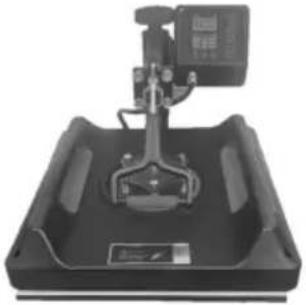 | 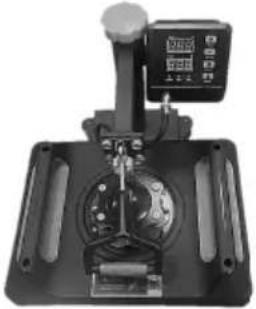 | ||
| Time Range | 0-999 Seconds | 0-999 Seconds | ||
| Voltage | 120V~ 60Hz | 220-240V~ 50Hz | 120V~ 60Hz | 220-240V~ 50Hz |
| Power | 1400W | 1350W | 950W | 900W |
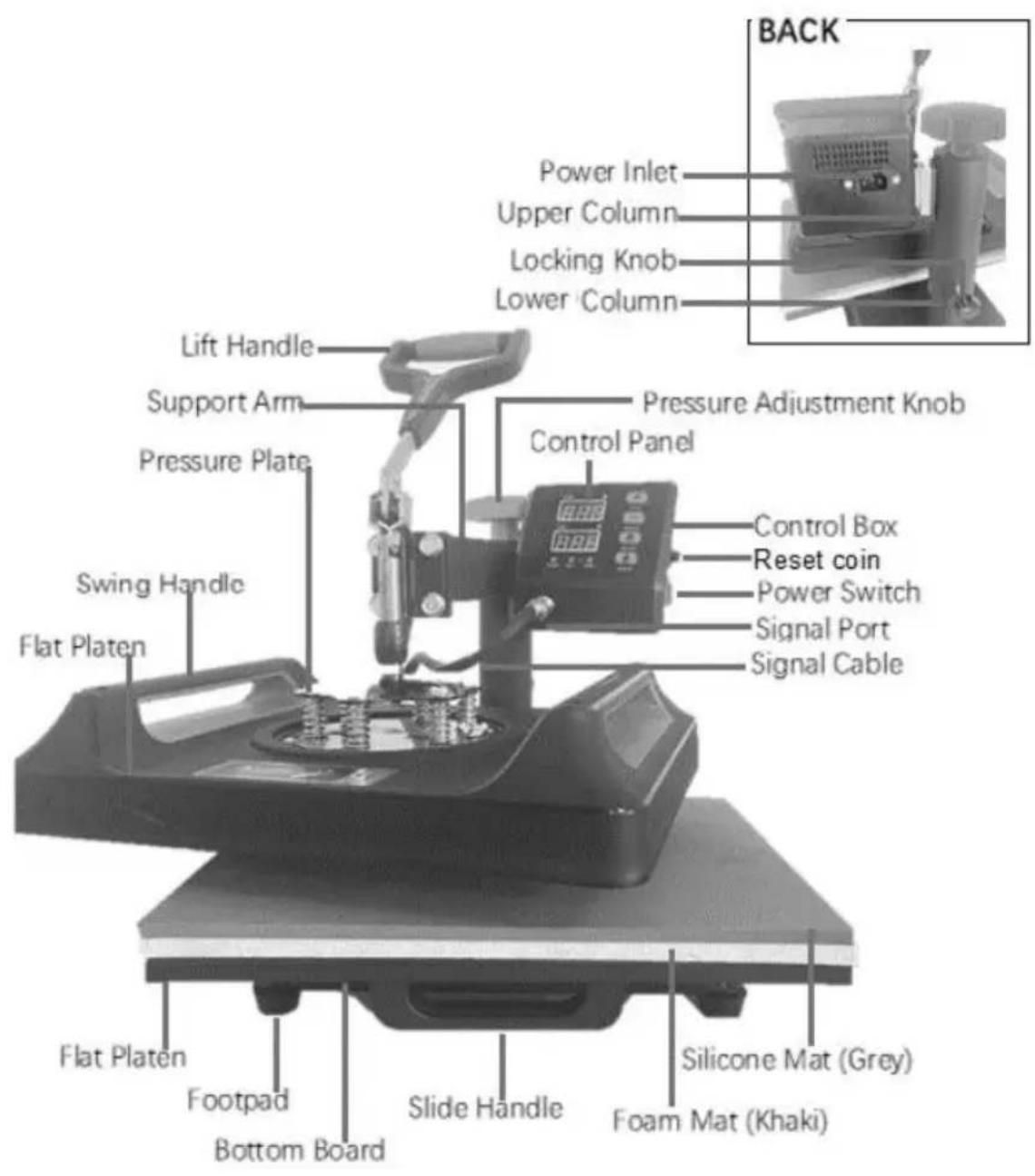
2. MACHINE STRUCTURE PRESENTATION
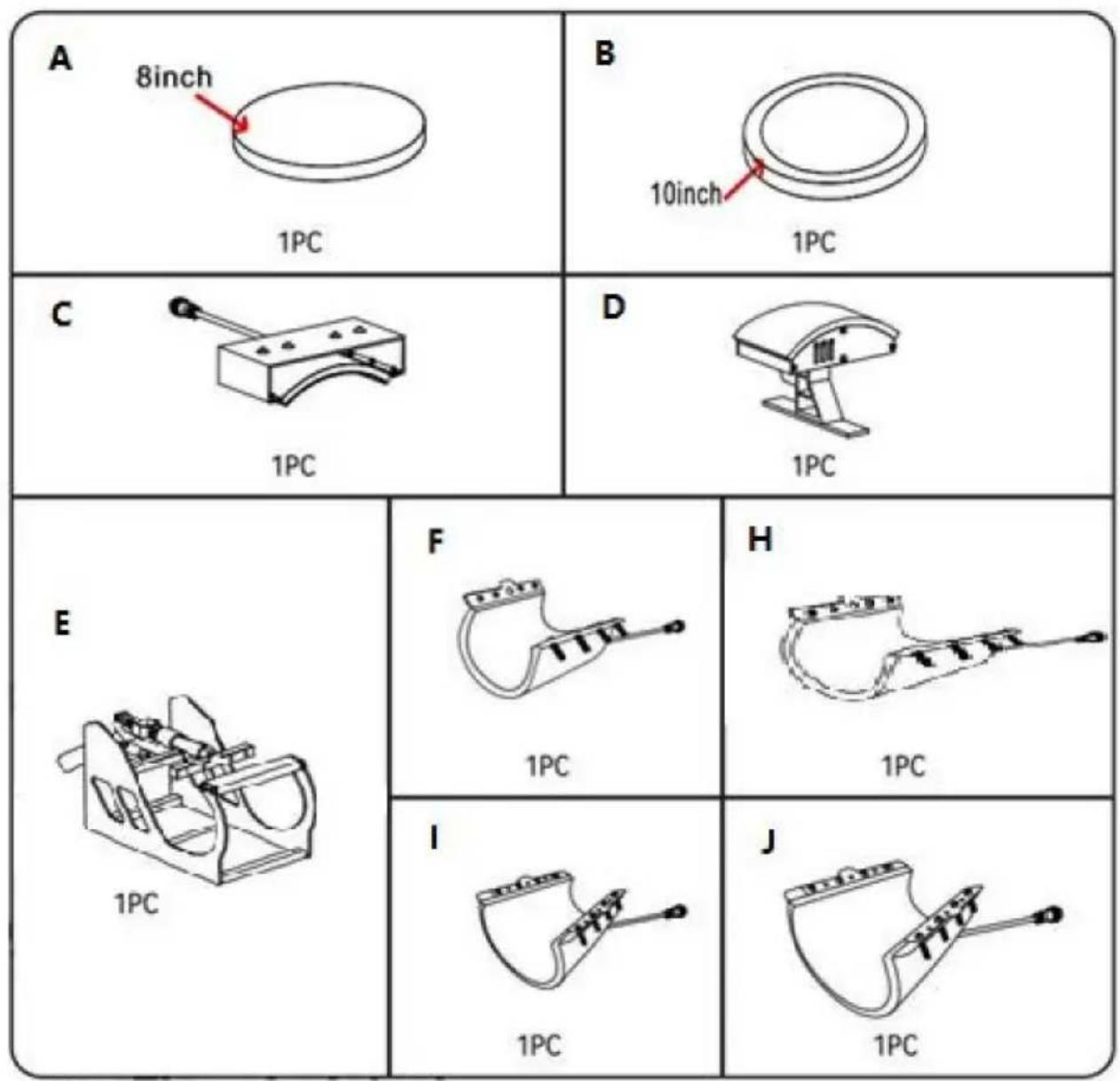
3. PARTS LIST
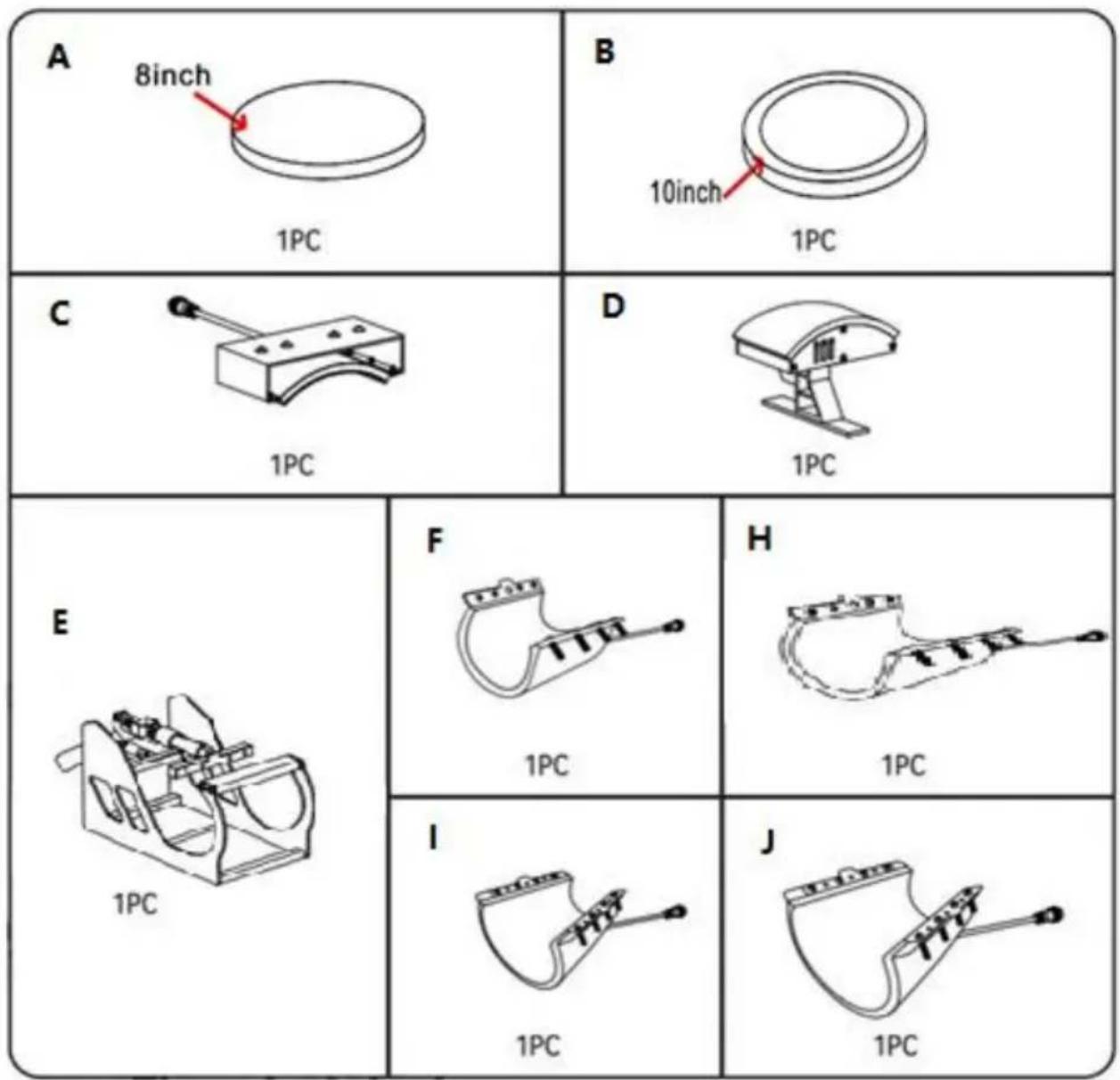
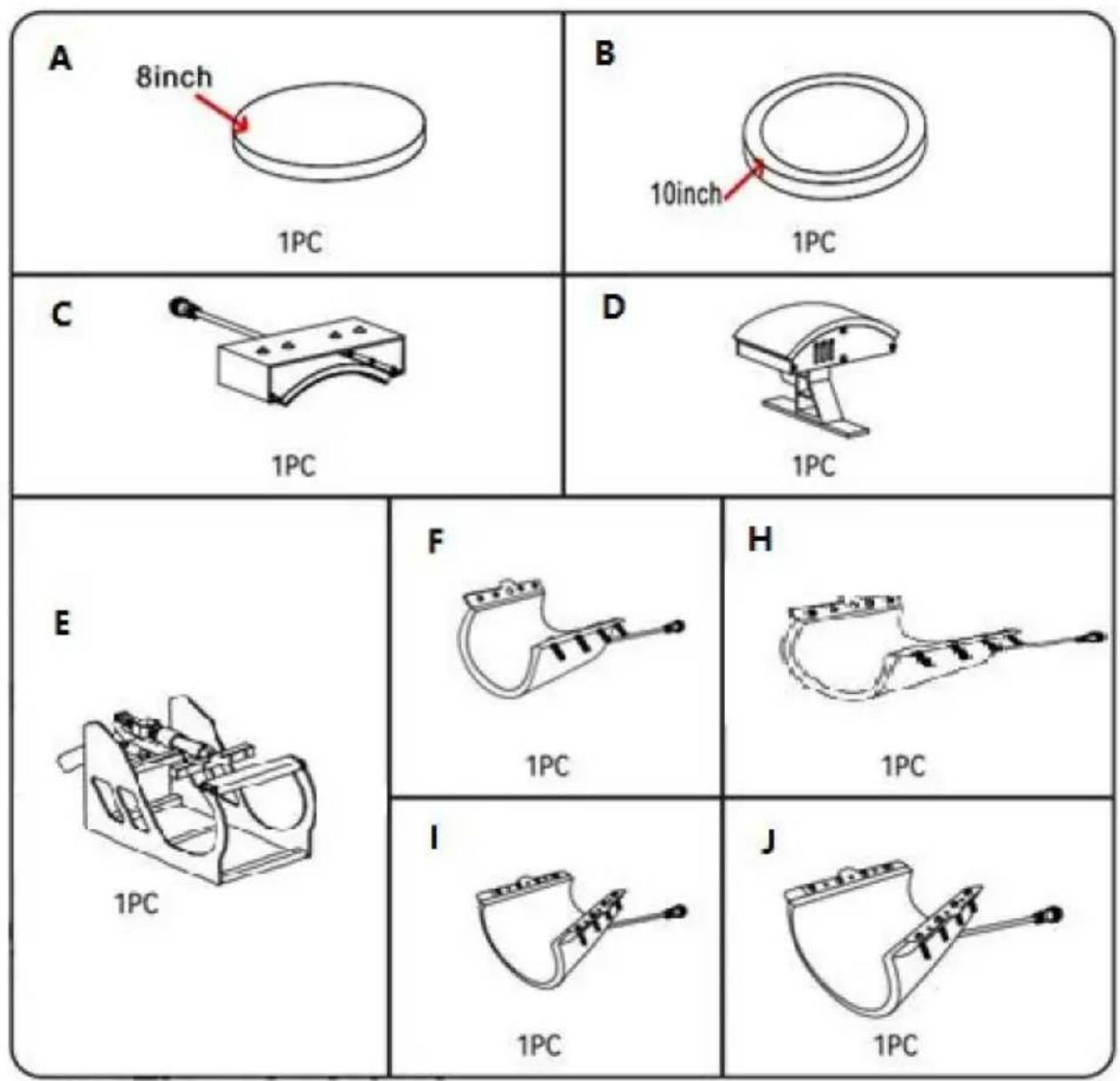
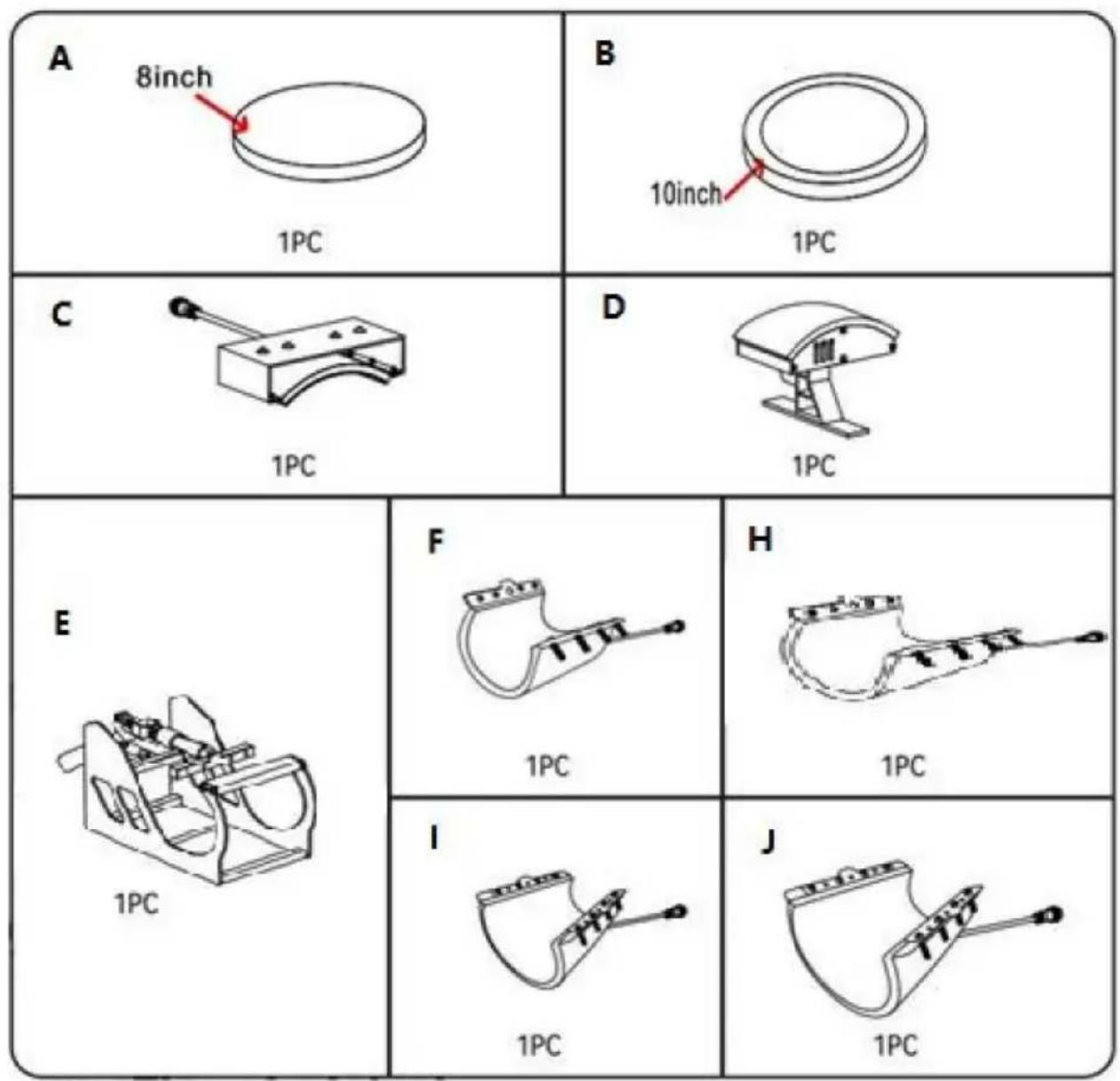
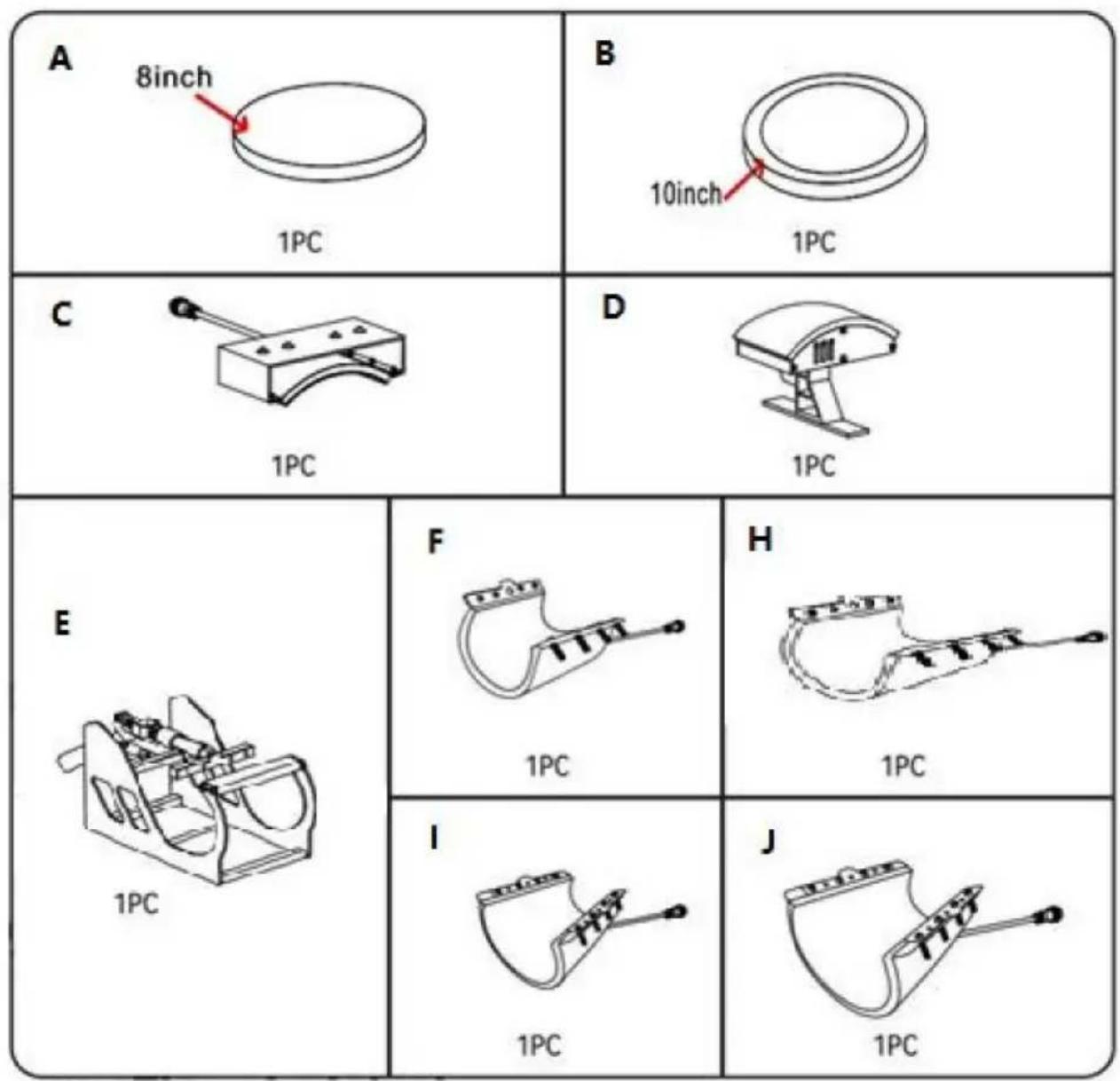
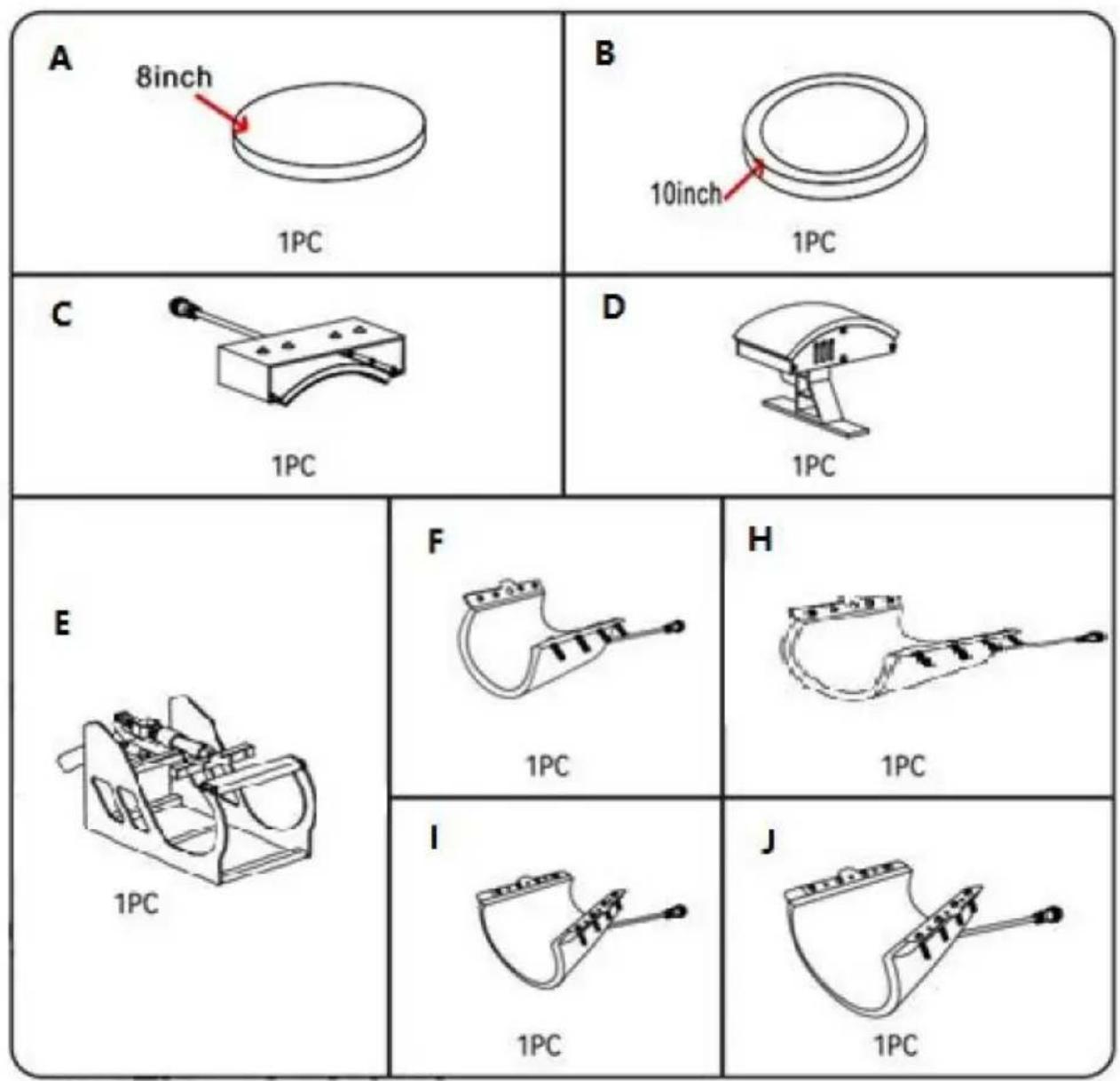
| Part A | Part B | Part C | Part D | Part E | Part F | Part H | Part I | Part J | |
| 5in1 | √ | √ | √ | √ | √ | √ | |||
| 8in1 | √ | √ | √ | √ | √ | √ | √ | √ | √ |
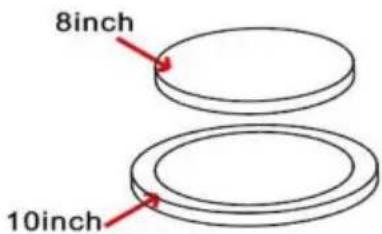
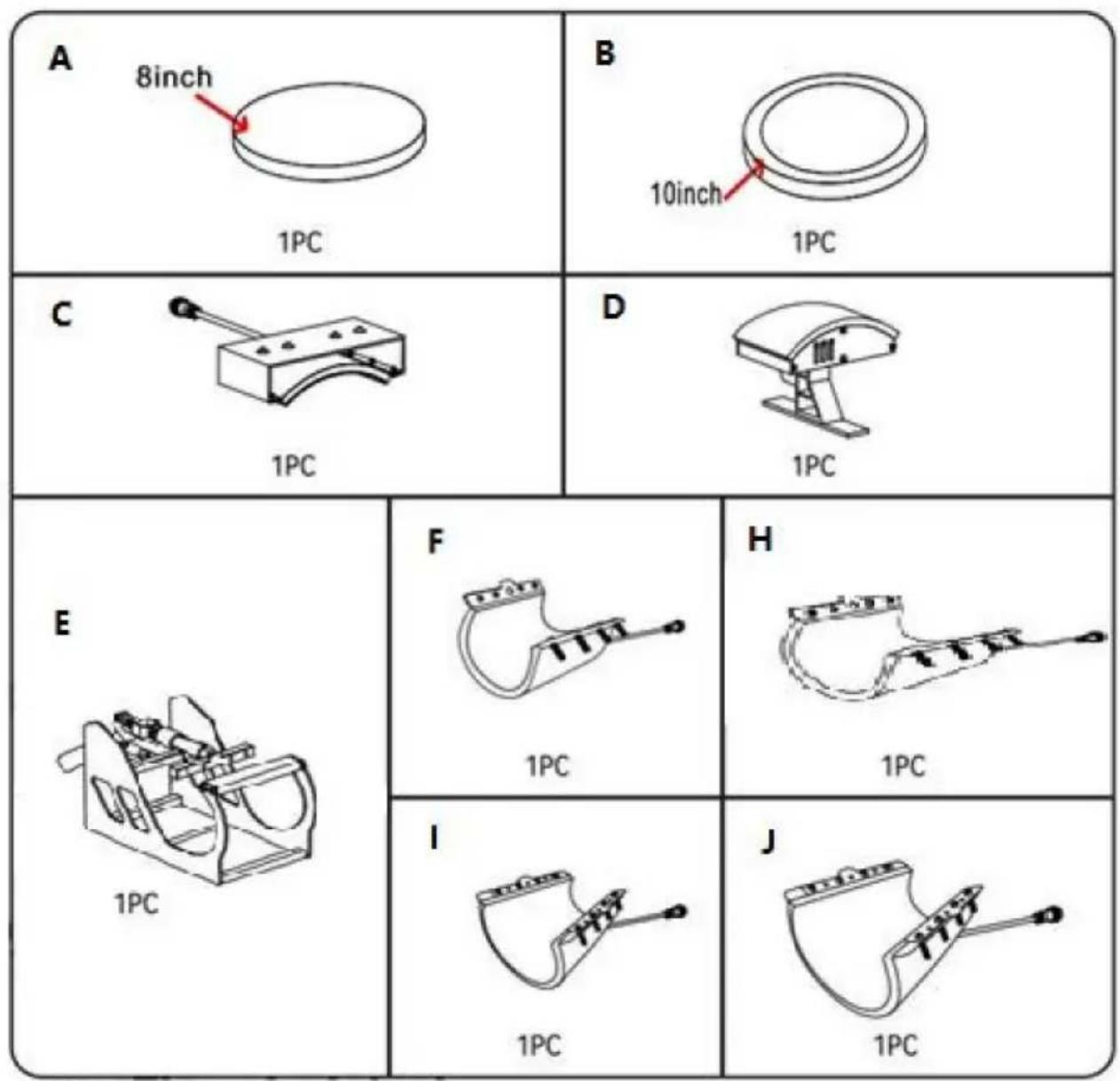
| A: 8inch Plate Press Attachment | B: 10in Plate Press Attachment | C: Arched Press Plate |
| D: Curved Base | E: Mug Press Frame | F: 6oz Mug Press Attachment |
| H: 30oz Mug Press Attachment | I: 12oz Mug Press Attachment | J: 17oz Mug Press Attachment |
- CUP BAKING MACHINE PACKING LIST
| No. | Picture | Component | Quantity |
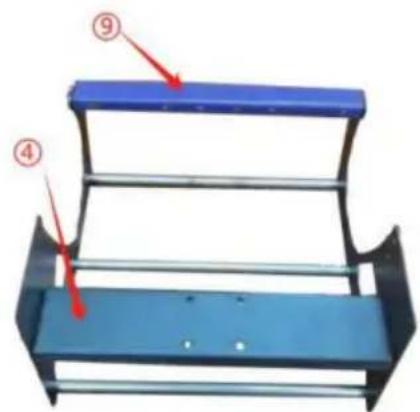
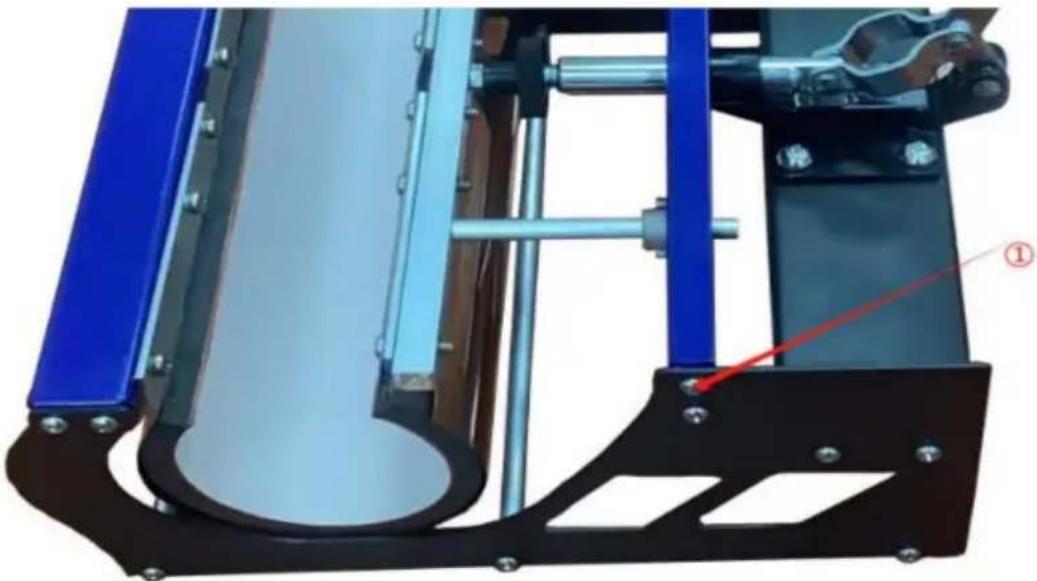
| 1 | 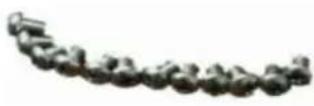 | 5*6mm round head screws | 18 |
| 2 |  | Round tube | 3 |
| 3 | 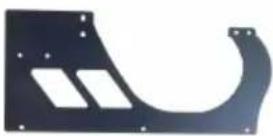 | side panel | 2 |
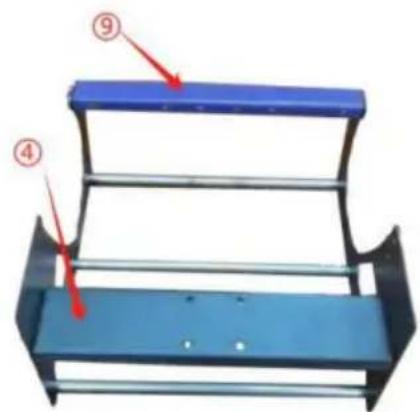
| 4 | 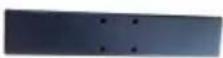 | four-hole billiards | 1 |
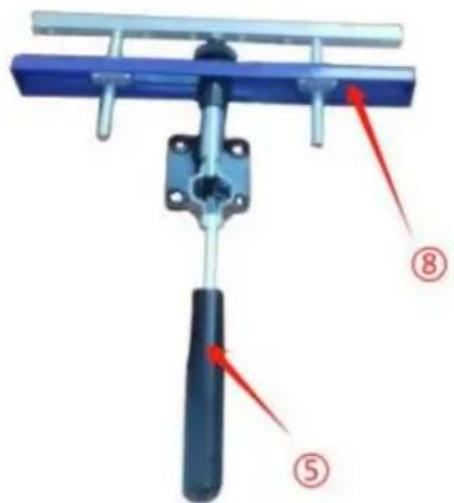
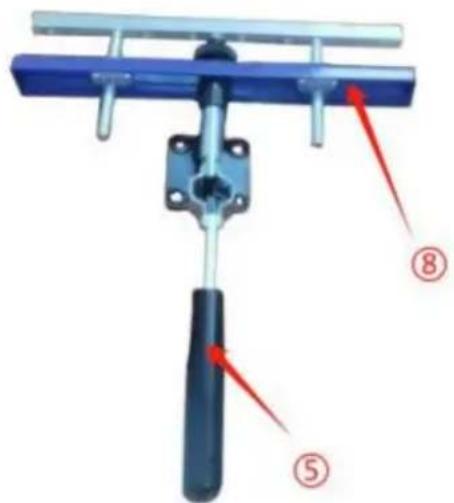
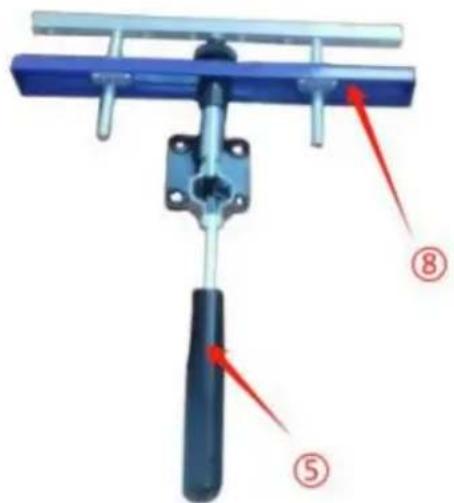
| 5 |  | straight handle | 1 |
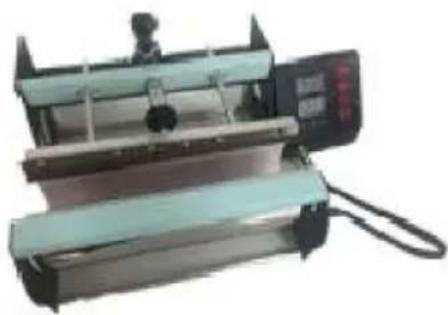
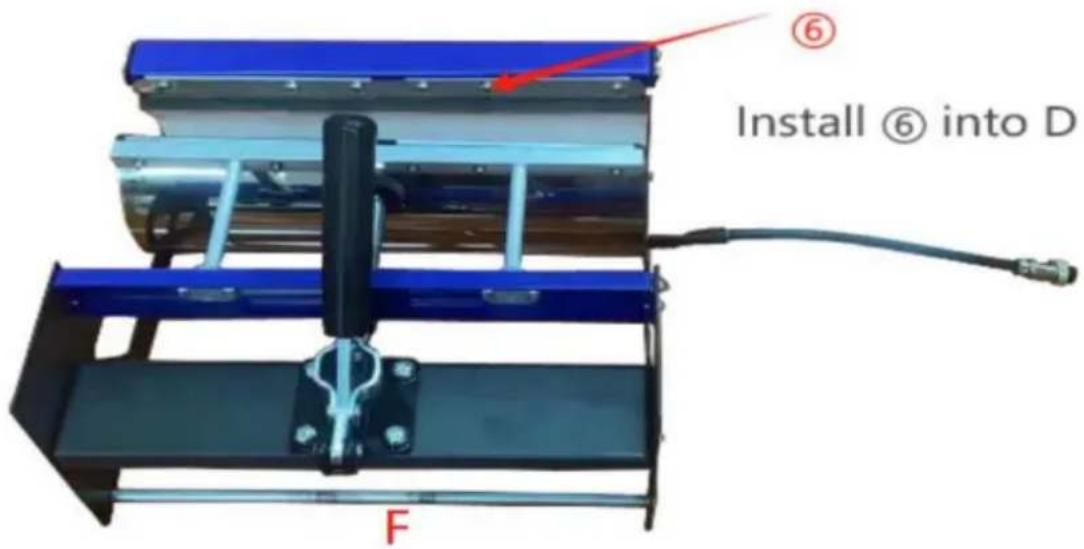
| 6 | 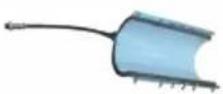 | Heating elements for cups | 1 |
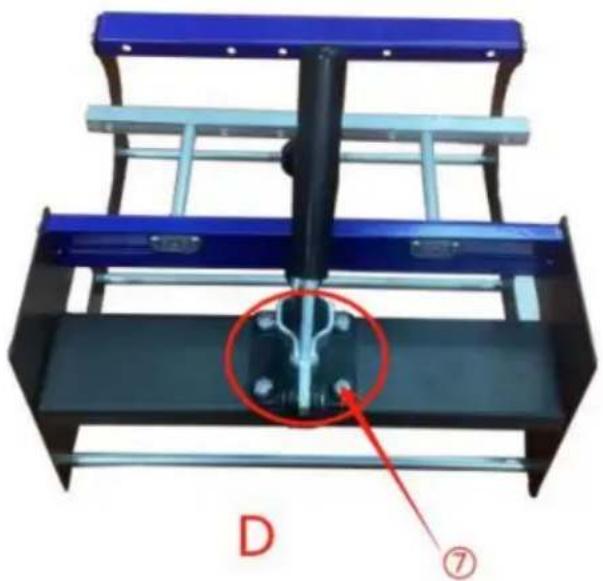
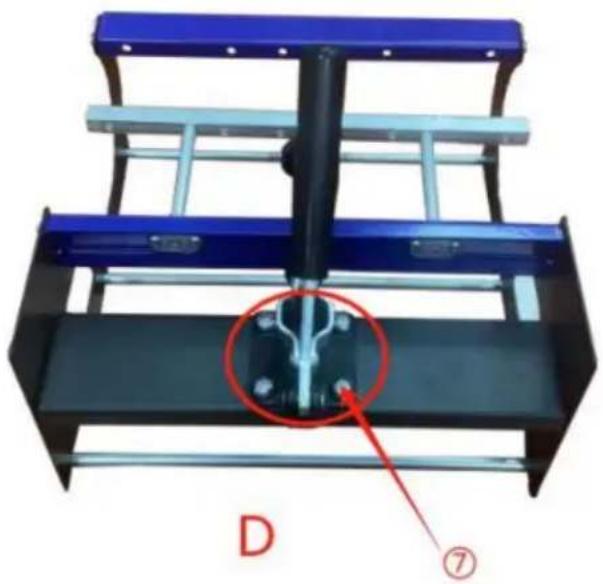
| 7 | 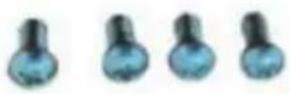 | 8*12mm Yuan machine screws | 4 |
| 8 | 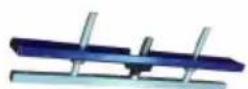 | Adjustment knob | 1 |
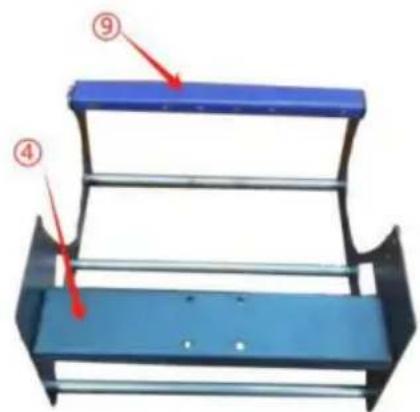
| 9 |  | plane strip | 1 |
- INSTALLATION STEPS FOR THE MUG HEAT PRESS
- Installation steps
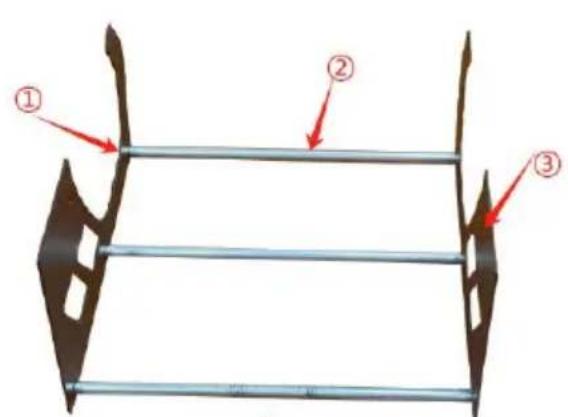
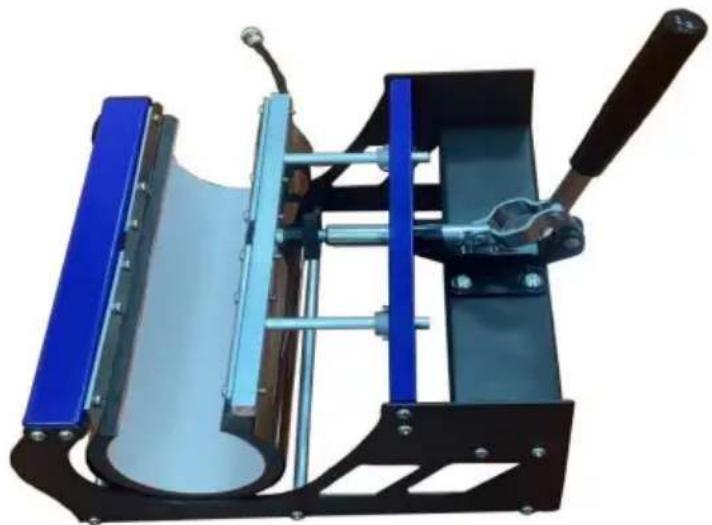
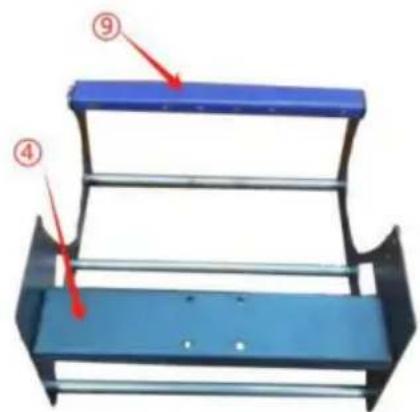
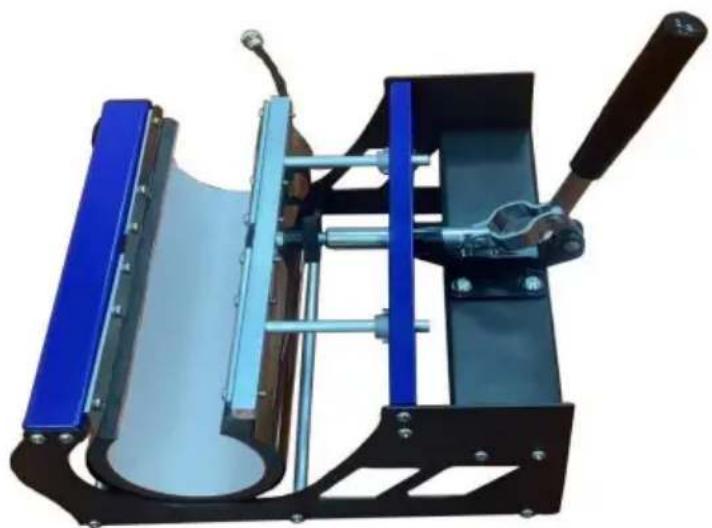
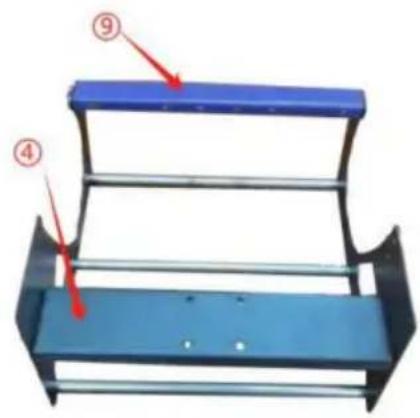
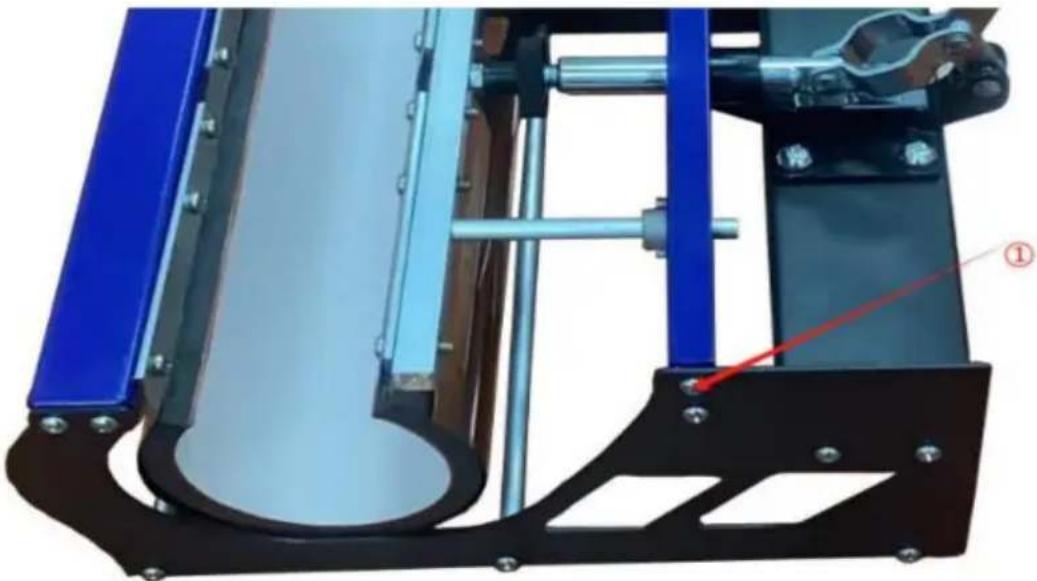
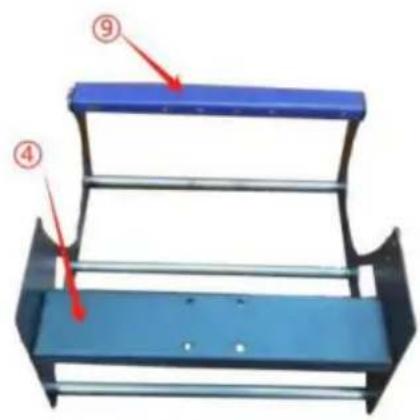
A Combine ①②③
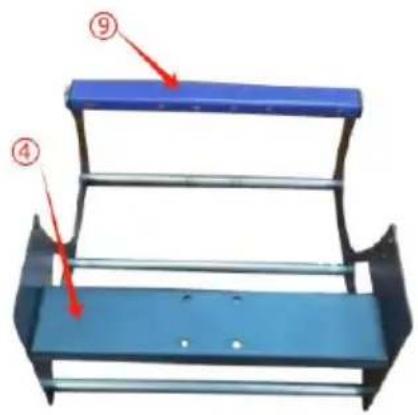
B Combine A④⑨
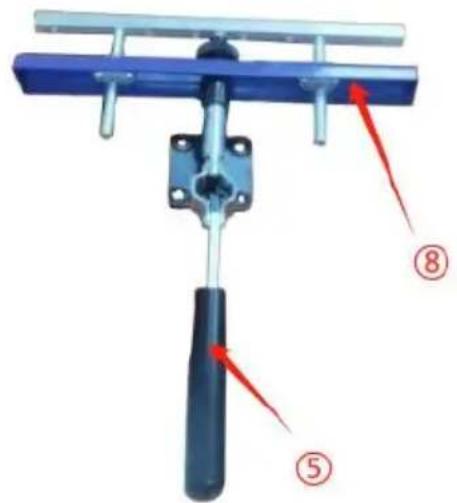
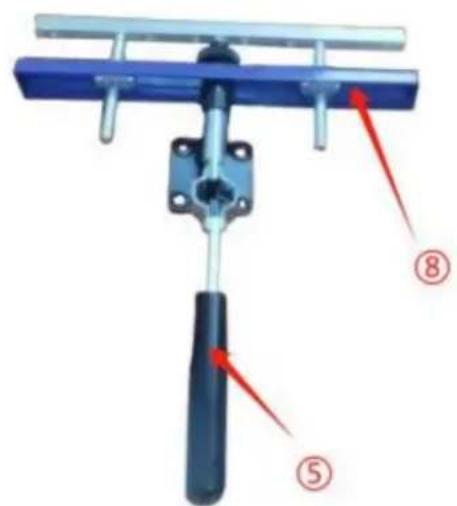
C Combine ⑤⑧
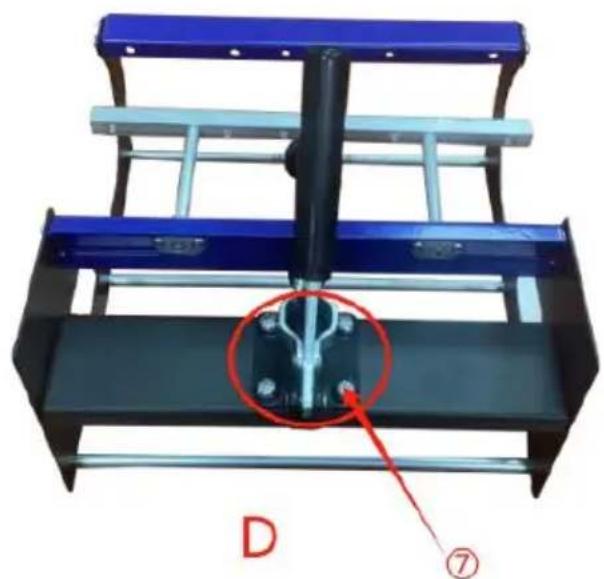
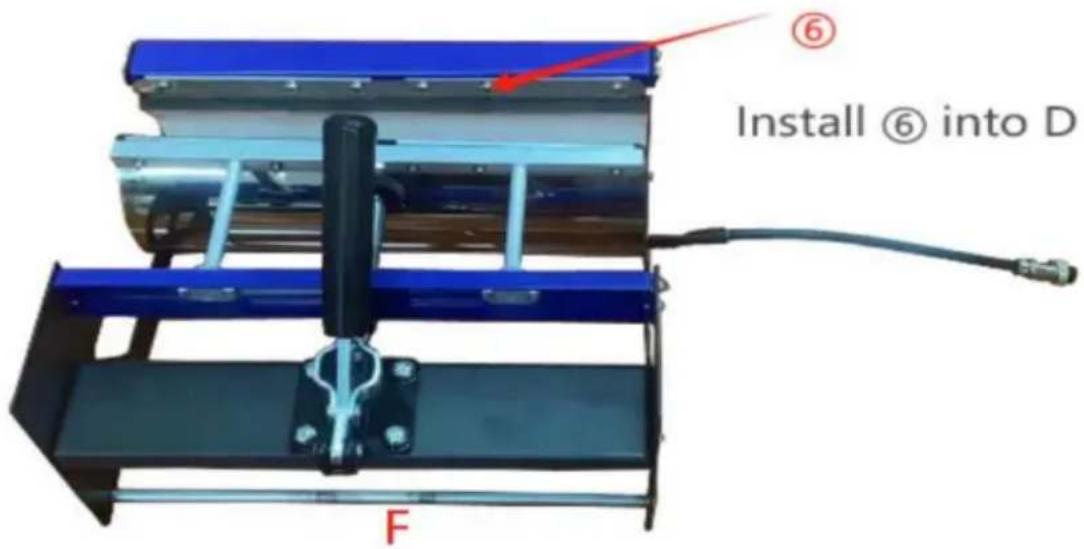
Secure B and C with ⑦
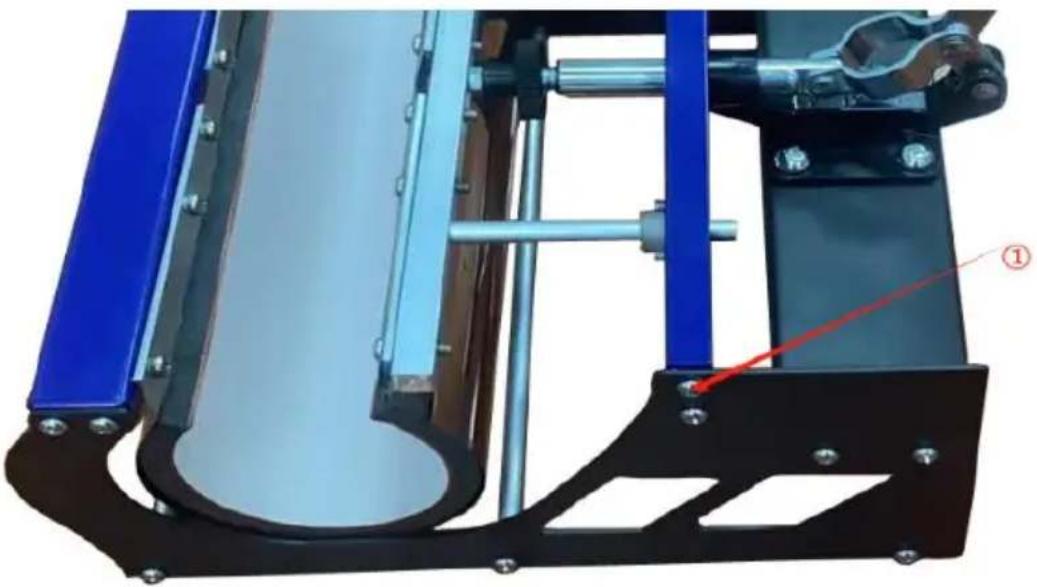
E Fix the left and right sides with ①
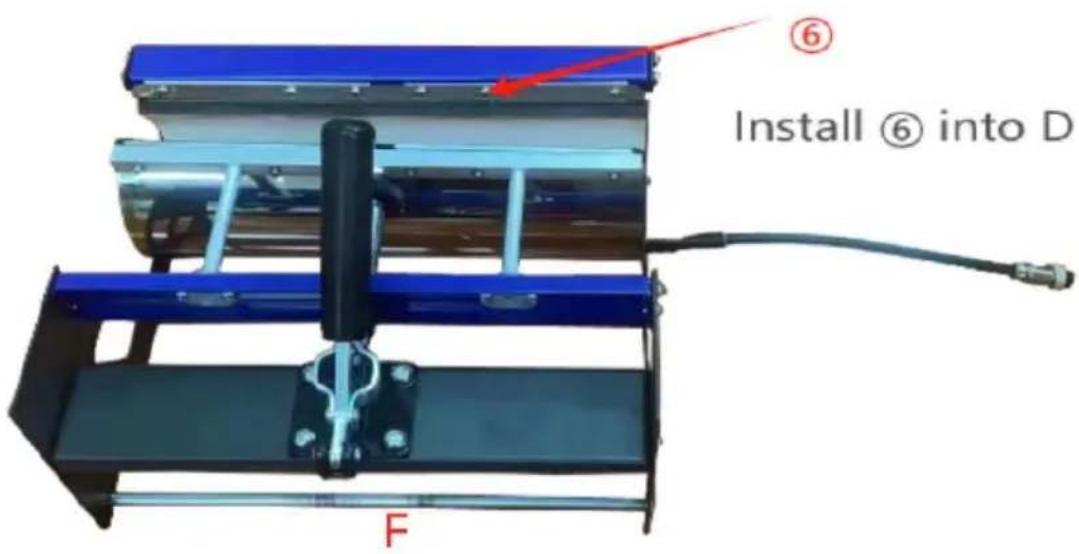
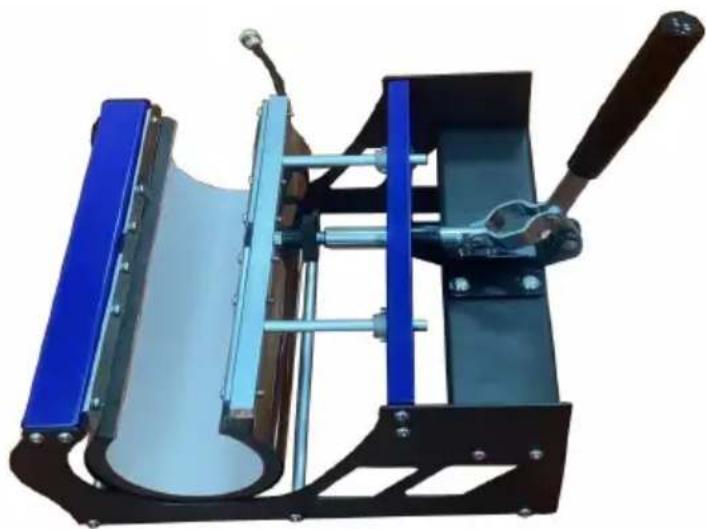
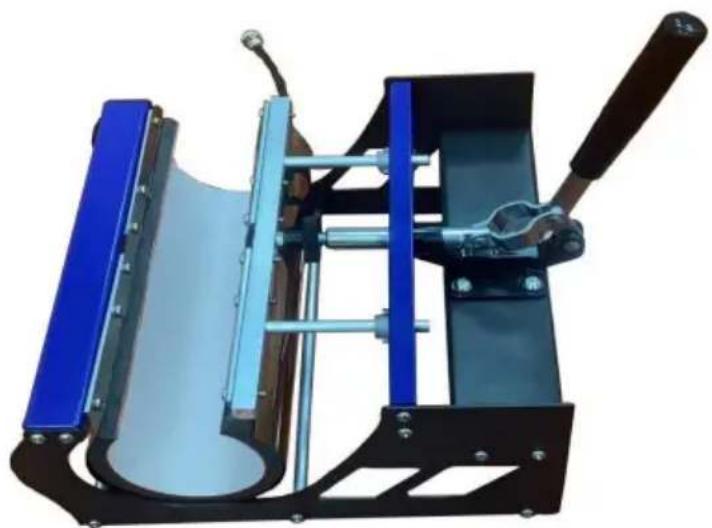
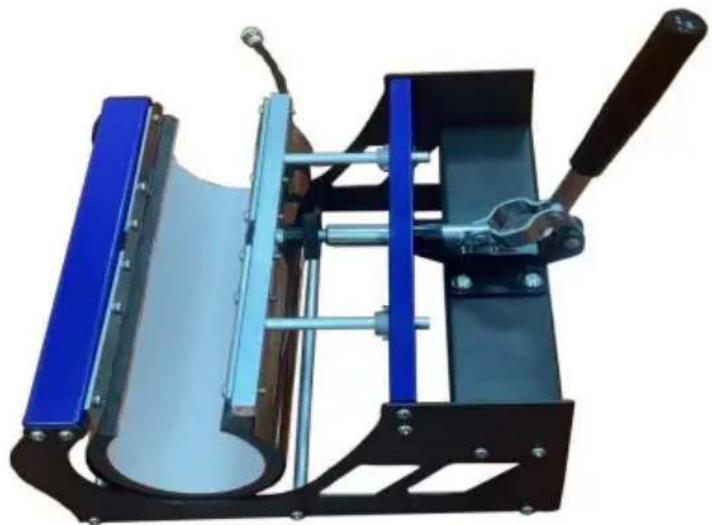
Installation complete
6. OPERATION
1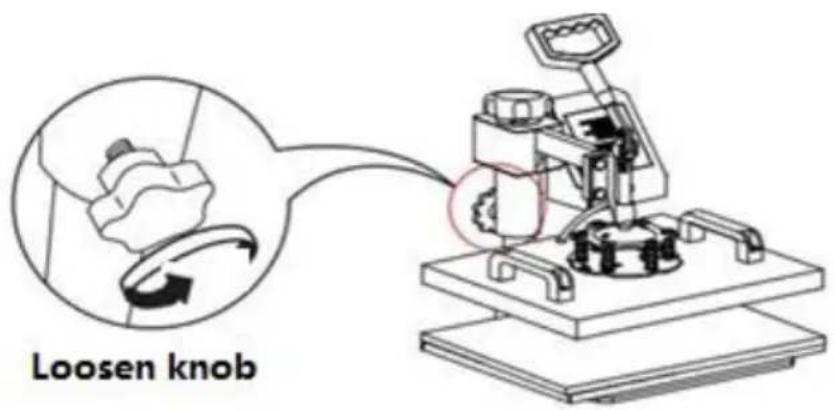
2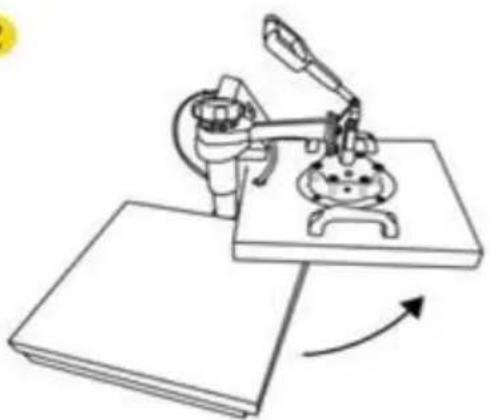
Rotate the heat transfer board to the side
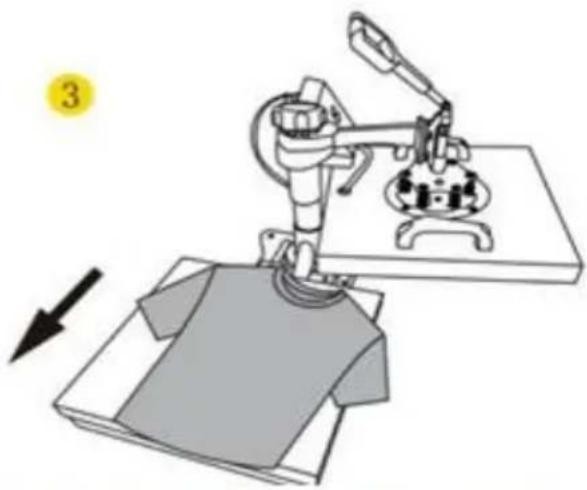
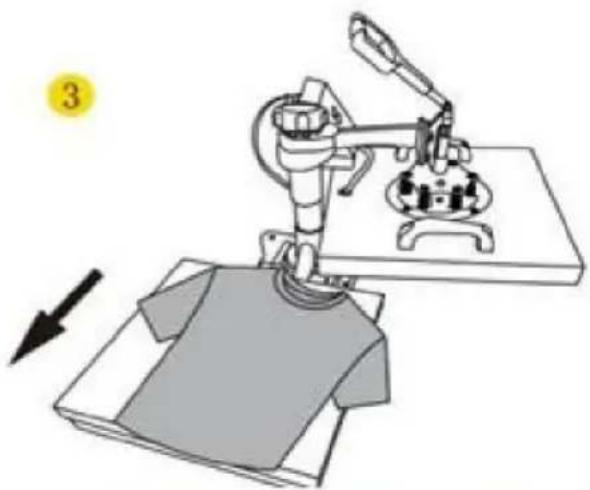
Pull out the mat below, place the clothes flat on the mat and place the pattern on the clothes
4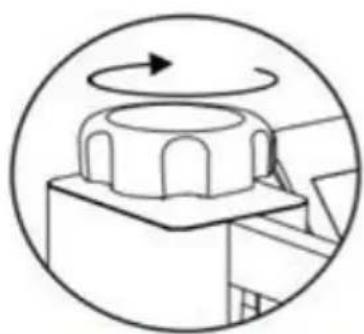
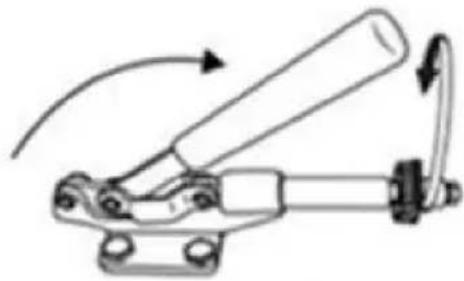
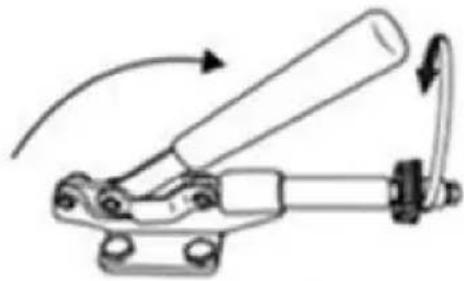
Turn this knob to adjust the pressure Clockwise to add pressure Anticlockwise to reduce pressure
Tighten knob
5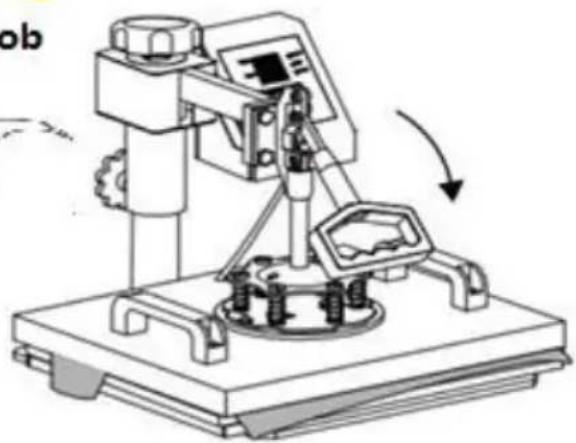
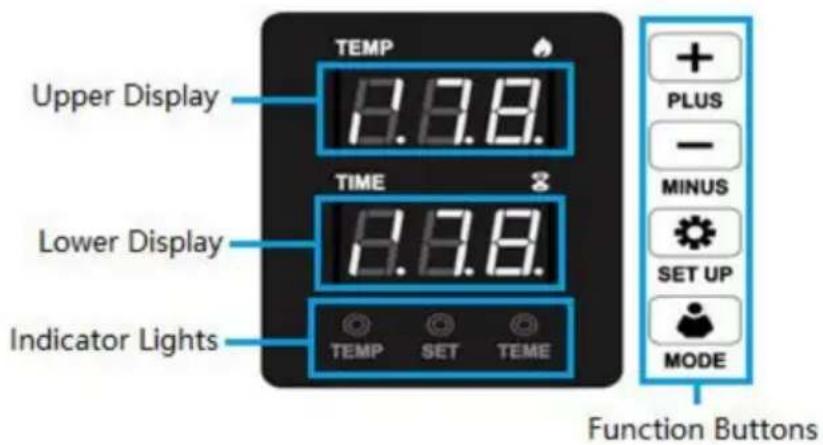
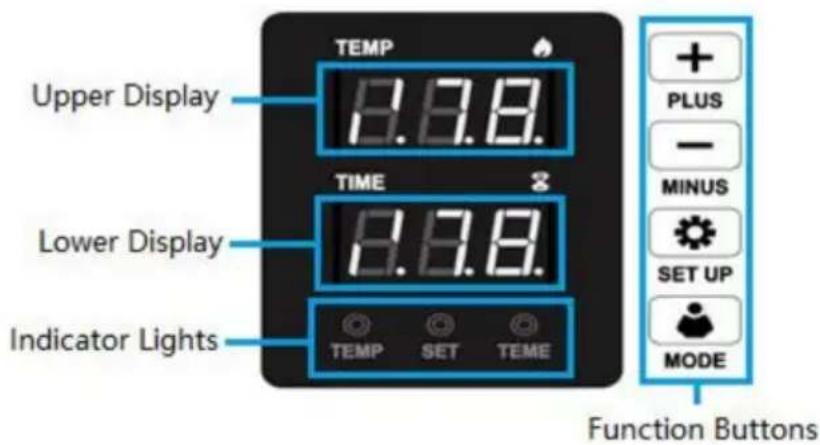
7. CONTROL PANEL
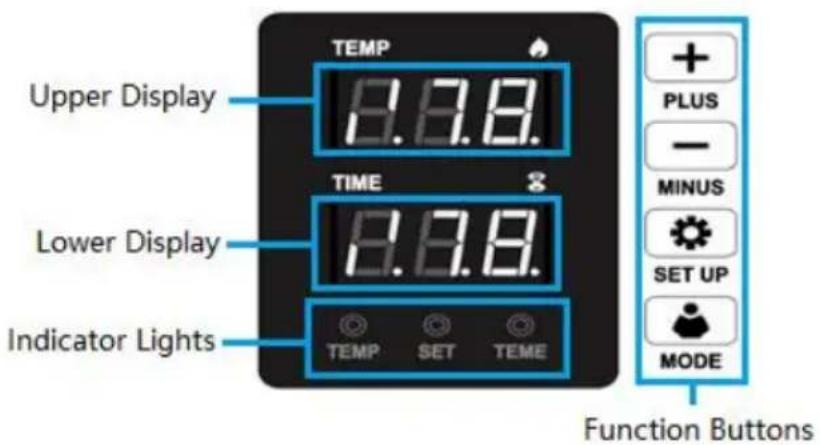
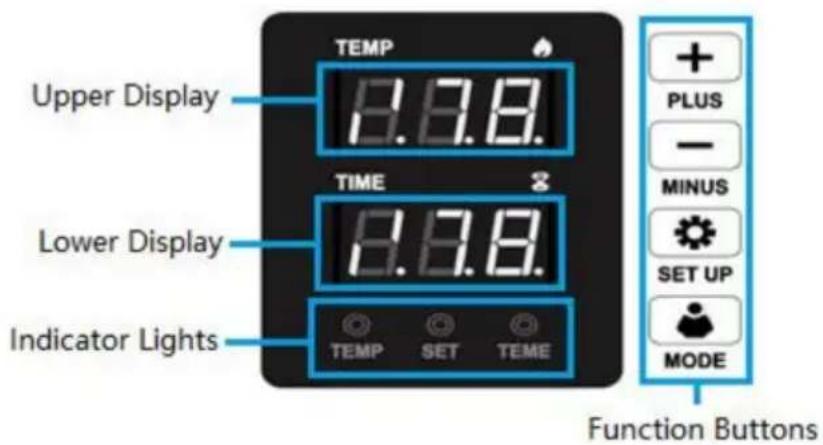
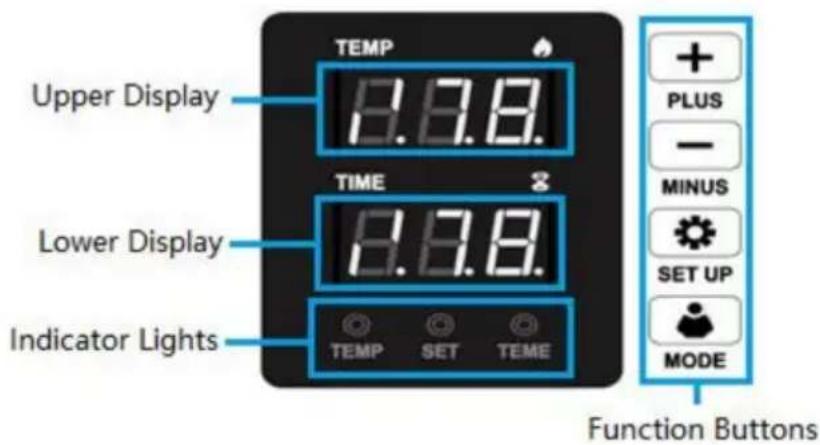
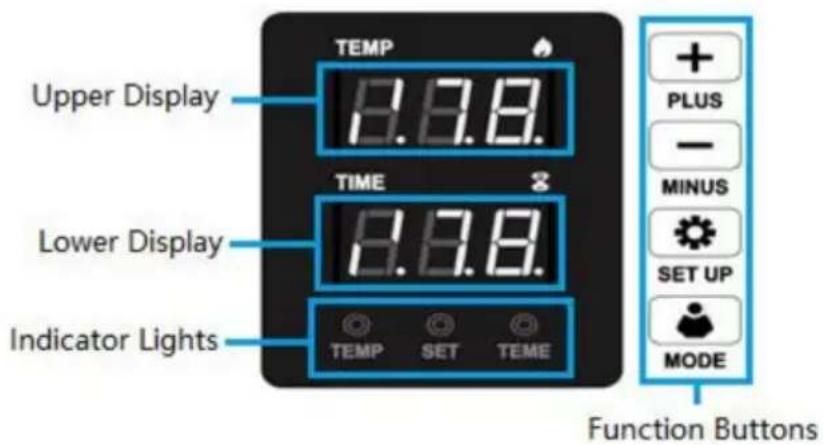
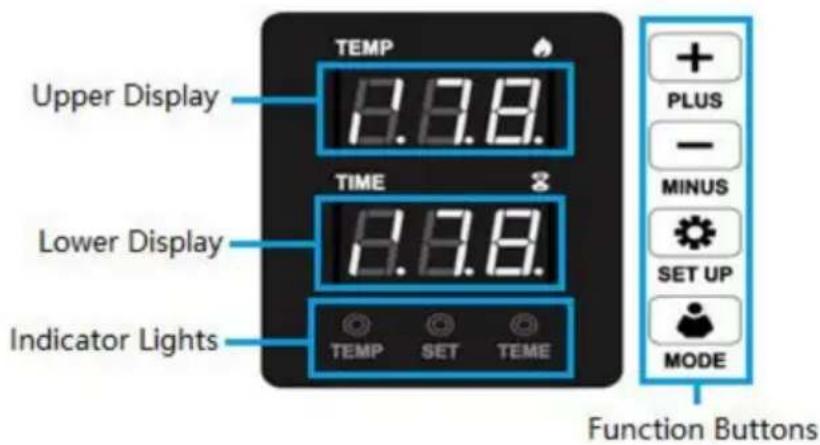
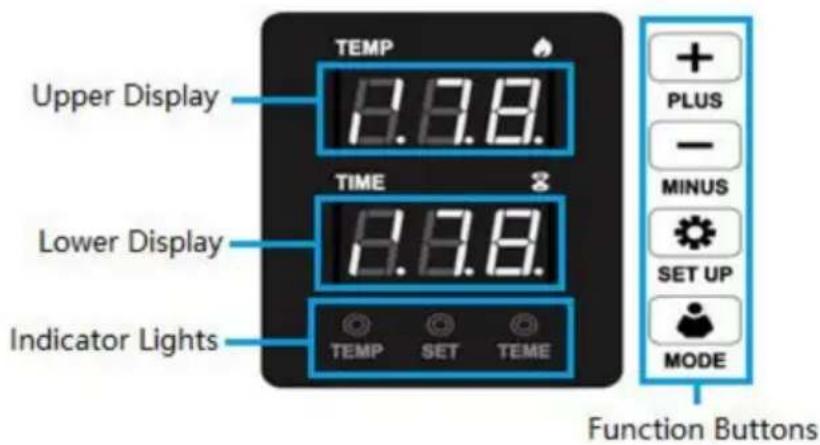
| Display Areas | Upper | Displays temperature values or parameter names. |
| Lower | Displays timer values or parameter settings. | |
| Indicator Lights | Temp | Indicates heating is operating. |
| Set | Indicates setting is operating. | |
| Time | Indicates countdown time is operating. | |
| Function Buttons | + PLUS | Increases values or converts settings in paramete menus. |
| —MINUS | Decreases values or converts settings in paramete menus | |
 SET UP SET UP | Enters/Exits primary parameter menus or confirms settings when pressed. | |
| Change temperature unitC (or °F) | ||
| MODE | Starts/Stops/Resets countdown |
8. PARAMETER SETTING
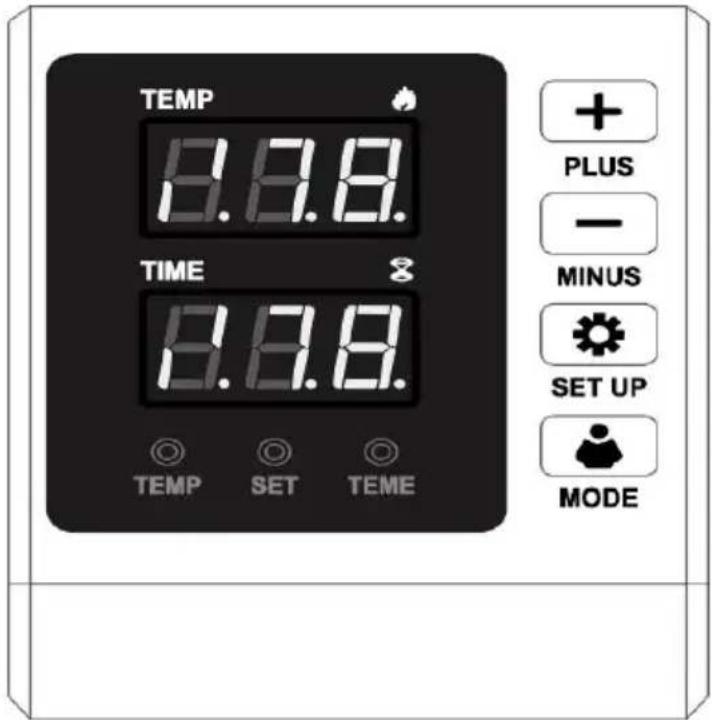
1. HOW TO TURN ON/OFF AND HOW TO START?

Press the switch button on the side of the digital box to start the machine.
After setting temperature, press "MODE" button once to count down, and press again to reset.
2. HOW TO SET THE TEMPERATURE/TIME?

Press once to set the temperature, press twice to set the time, press
times to change temperature unit and press again to exit.
3. HOW TO SET THE TEMPERATURE/TIME TO INCREASE OR DECREASE?
+ Set the time/temperature increase
— Set the time/temperature decrease
4. HOW TO CHANGE THE TEMPERATURE UNIT FROM F AND
Press "SET UP" button 3 times, the display will show C-F, please press
"-" to adjust C (Celsius) or F (Fahrenheit) according to your demands.
5. HOW TO DO TEMPERATURE CORRECTION?
Press and hold for 5 seconds to enter the temperature correction setting.
(Range +30°C or -30°C, initial value is 0)
HOW TO HEAT PRESSING? (FOR EXAMPLE, T-SHIRT PRINTING)
- Make sure the wire is well connected, and the power plug is well connected to the wall socket, then press the power switch to turn on.
- Rotate the pressure knob to get the right pressure required.
- Set the temperature and the time you want.
- The buzzer will sound when the temperature reaches the set temperature. Then place the object (e.g., a T-shirt) on the press bed, and let the transfer paper images face down on the object (e.g., a T-shirt). (Note: It is suggested to put a cloth upon the transfer paper to avoid unnecessary marks when the temperature is too high.)
- Press down the handle (the sound will stop), then press the "MC" button to count down and the machine will start to transfer.
- The buzzer will sound again when the scheduled time is up, then lift up the handle (the sound will stop), and the transfer work is finished.
HOW TO CALIBRATE YOUR HEAT PRESS MACHINE
- Turn the pressure knob counterclockwise a few times to lower pressure or platens.
- Place a piece of paper onto the bottom of the platen.
- Close the revolve press using the handle.
- Pull on the paper.
- If the paper moves at all, turn the knob clockwise and try again.
- Try again and repeat until the paper doesn't move at all. This is your "Medium" pressure. From the "Medium" setting, high pressure will be clockwise one to two turns. Low pressure will be counterclockwise one to two turns. (The number of turns will depend on the thickness of the garment.)
SLIDE HANDLE ASSEMBLY METHOD
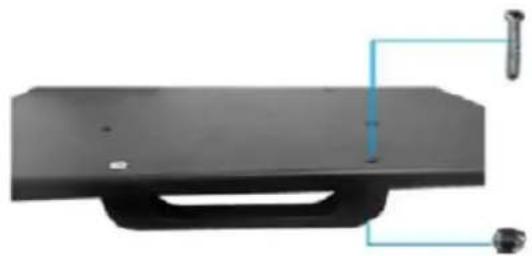
Use a Phillips screwdriver to assemble the slide handle (M5*20 screw and nuts).
9. REPLACE BAKING TRAY MAT
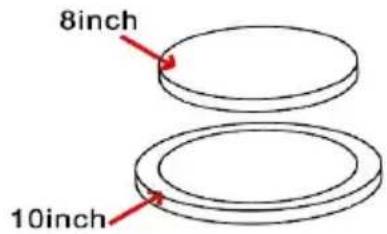
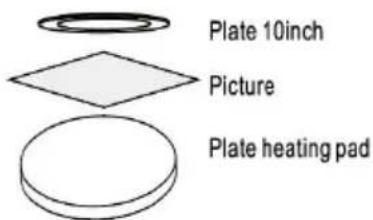
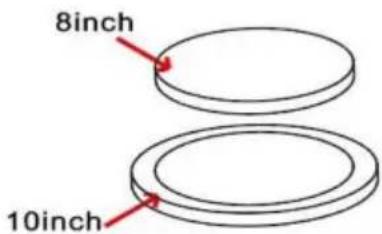
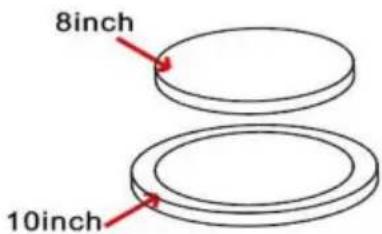
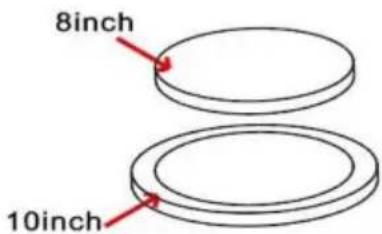
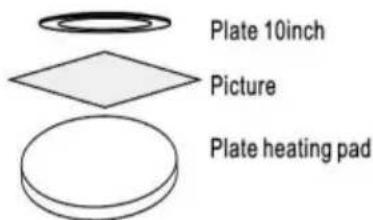
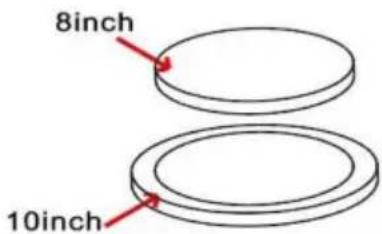
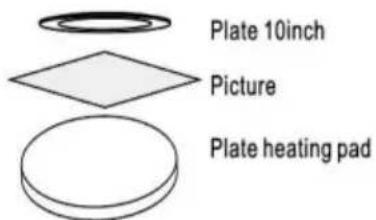
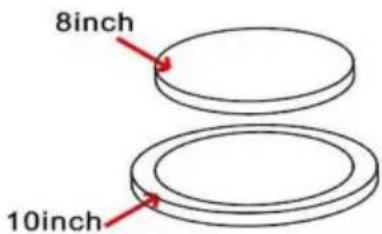
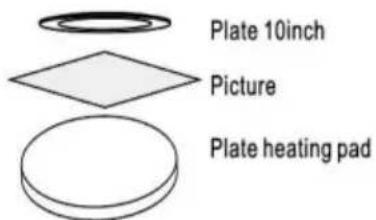
- Use high-temperature tape to fix the pattern on the tray, and then cover it with a silicone mat of suitable size (8in or 10in).
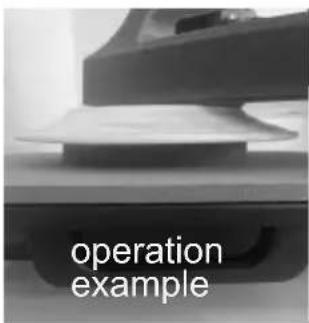
- When reaching the set temperature, put the tray on the press bed. (Silicone mat opposite to bottom, tray bottom opposite to heating plate). It is suggested to set the countdown time around 15 minutes (900 seconds).
Ps. Refer to 'operation example'
- Remove the heating plate and place it on the plate, keeping the side without silicone gel pad facing upward.
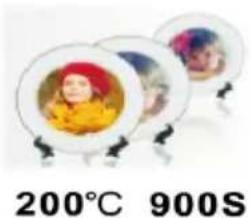
Recommended parameter Set Temp: 200°C
Count time: 900S
10. REPLACE BAKING CAP MAT
1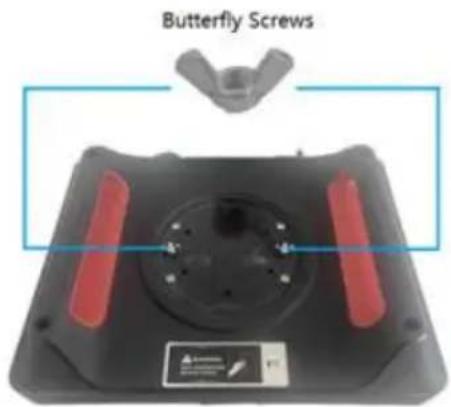
Screw the ball-head Phillips bolts back to the flat platen.
Note: Partially tighten them.
2
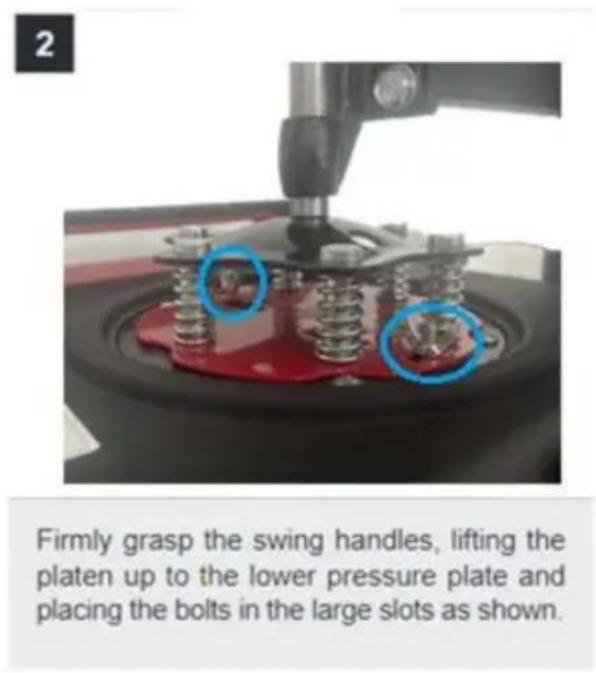
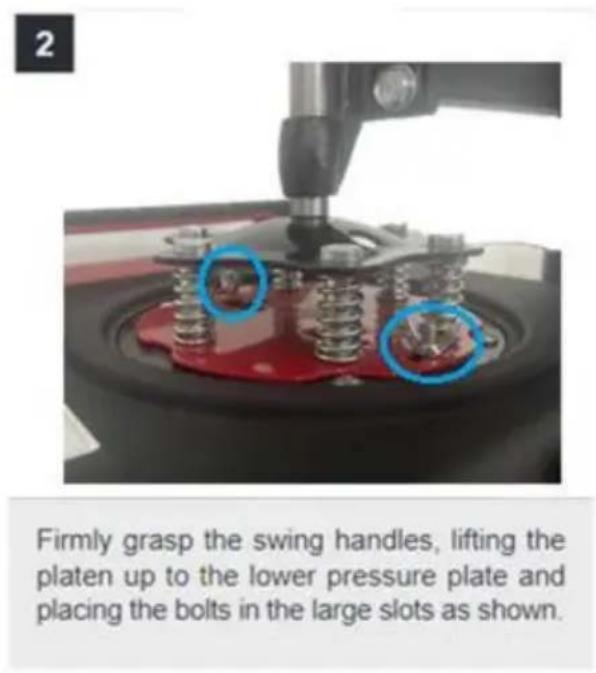
Firmly grasp the swing handles, lifting the platen up to the lower pressure plate and placing the bolts in the large slots as shown.
3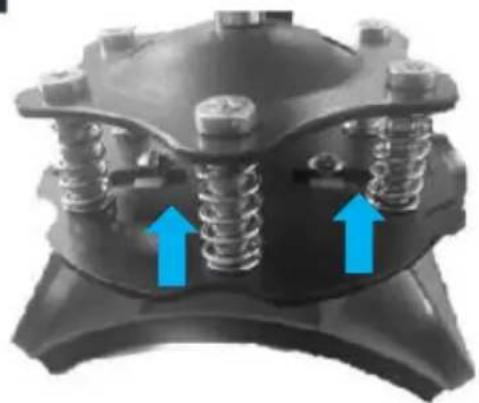
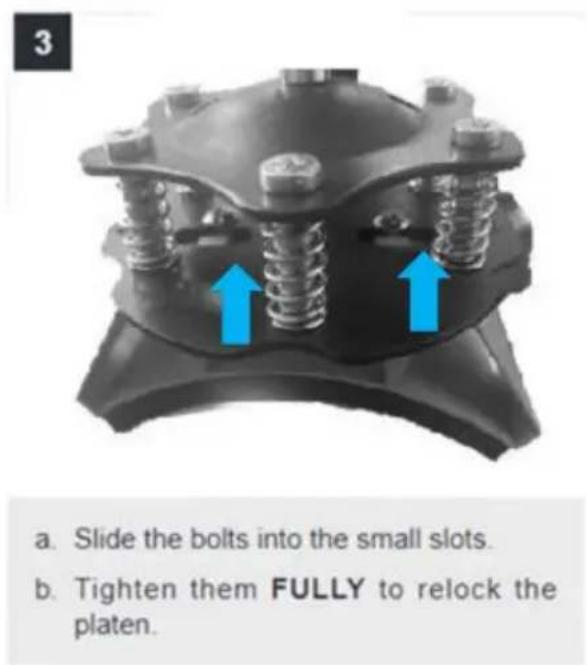
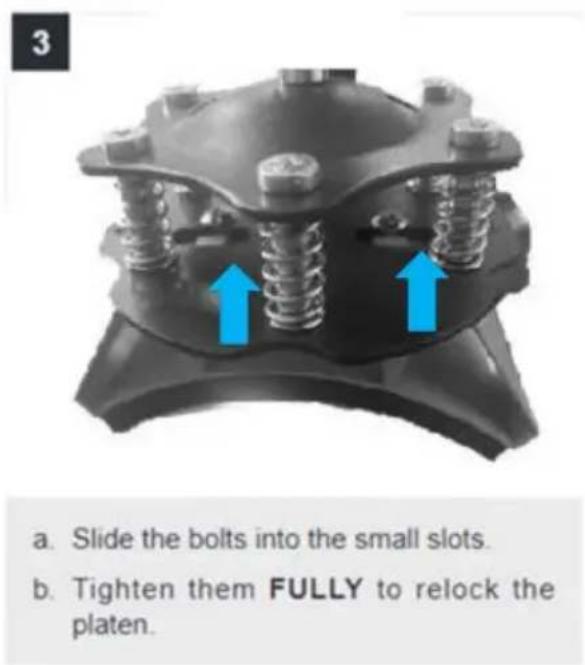
a. Slide the bolts into the small slots. b. Tighten them FULLY to relock the platen.
4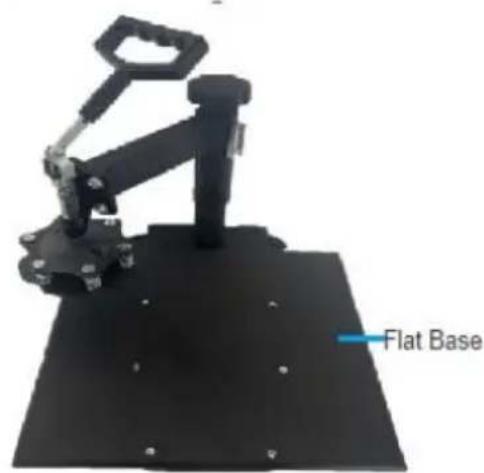
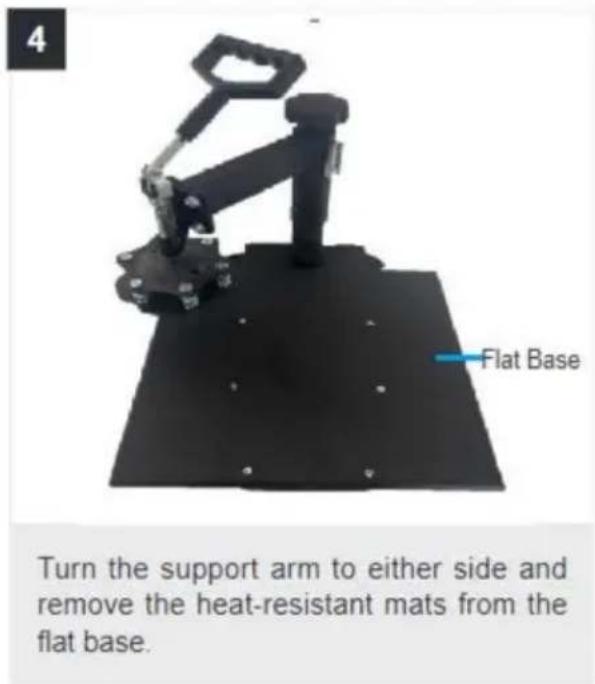
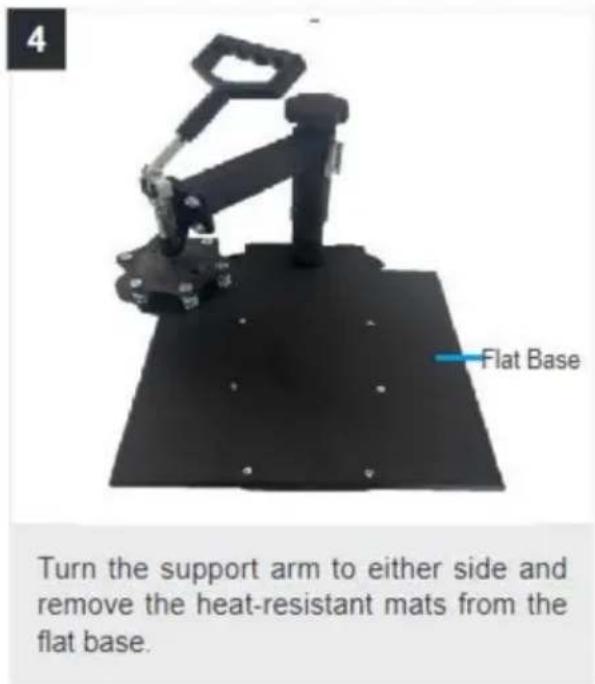
Turn the support arm to either side and remove the heat-resistant mats from the flat base.
5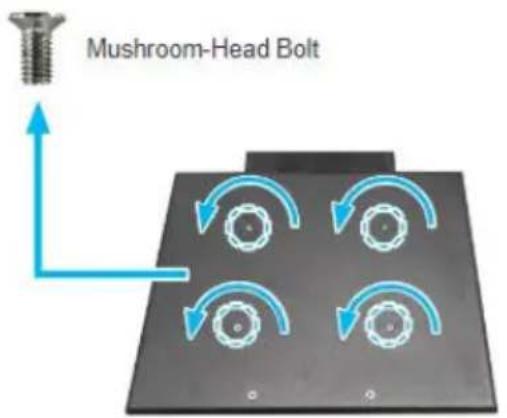
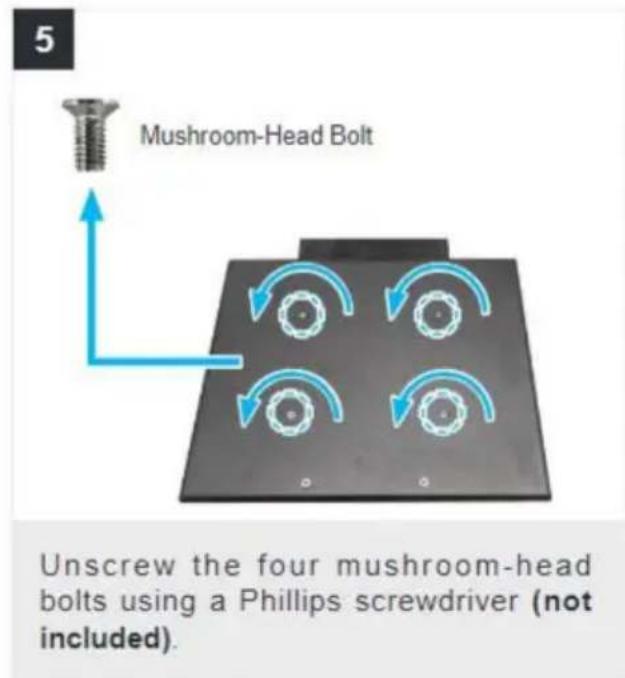
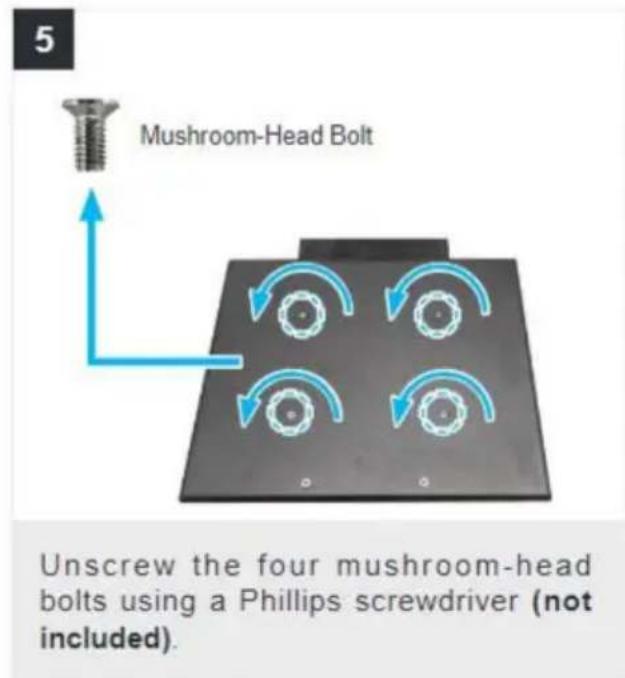
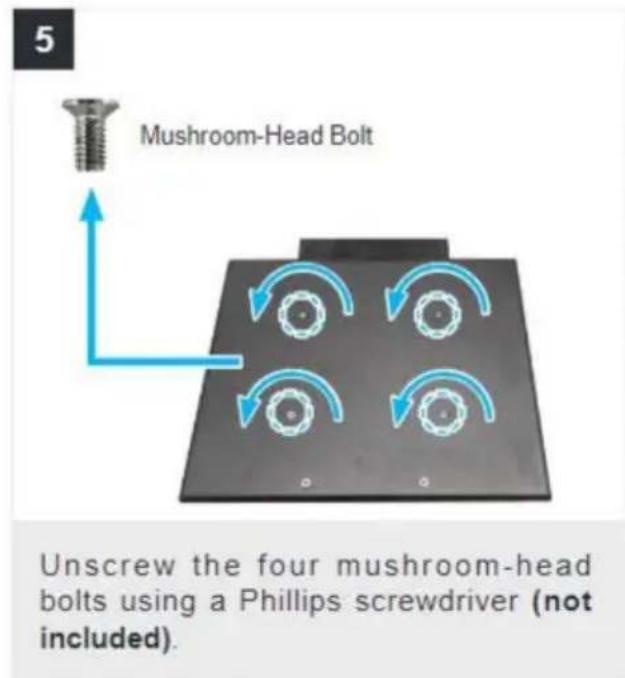
Unscrew the four mushroom-head bolts using a Phillips screwdriver (not included).
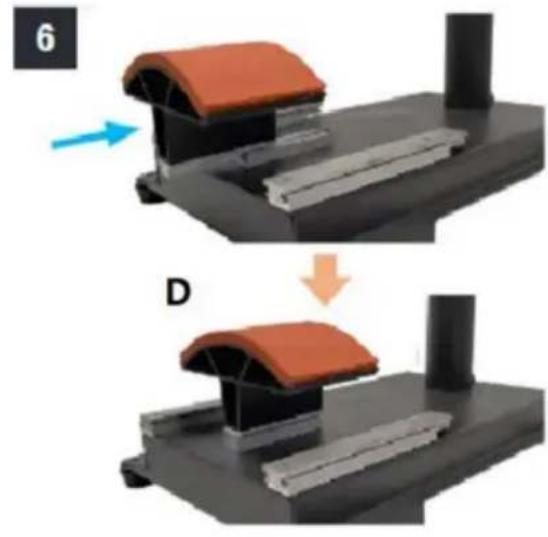
6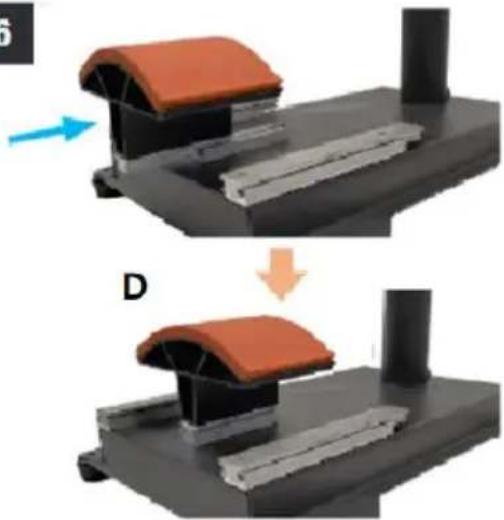
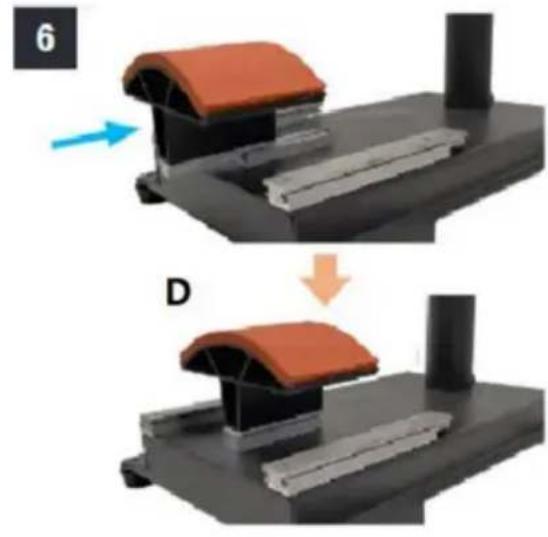
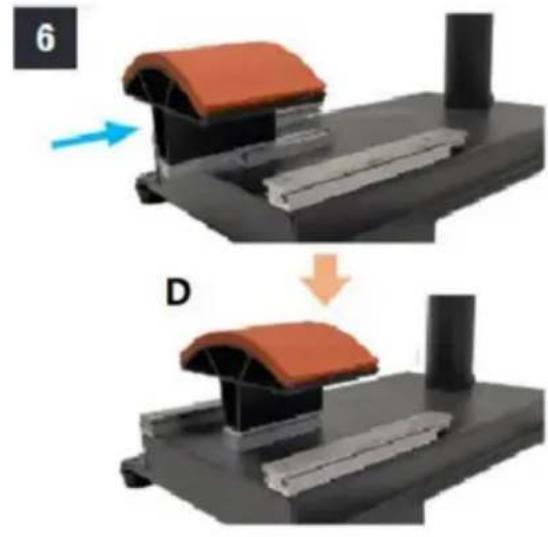
Slide the curved base (D) onto the rail as shown.
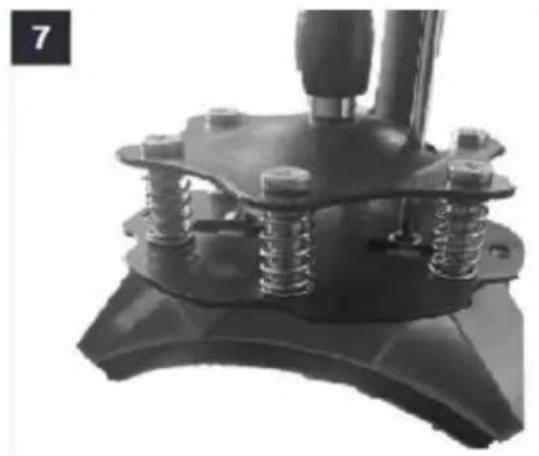
7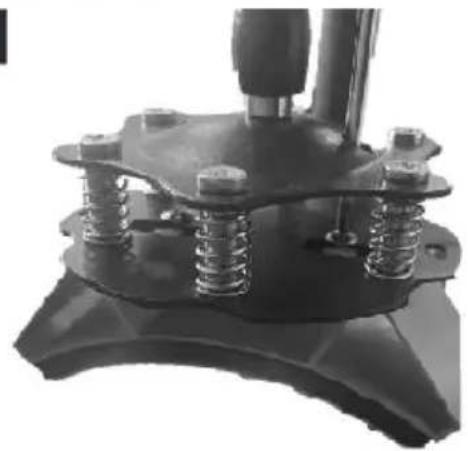
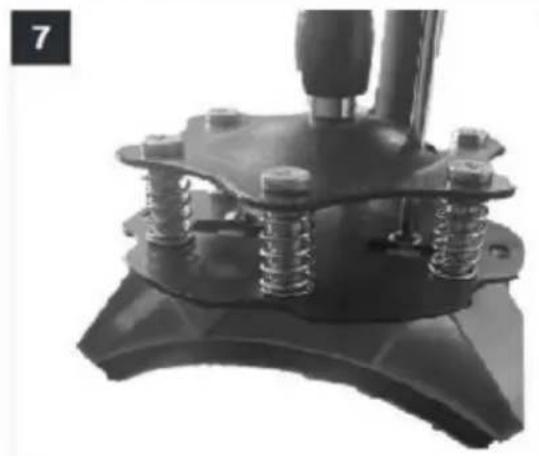
Push the press plate up to the lower pressure plate, placing the bolts in the large slots as shown.
a. Slide the bolts into the small slots. b. Tighten them FULLY using a Phillips screwdriver (not included).
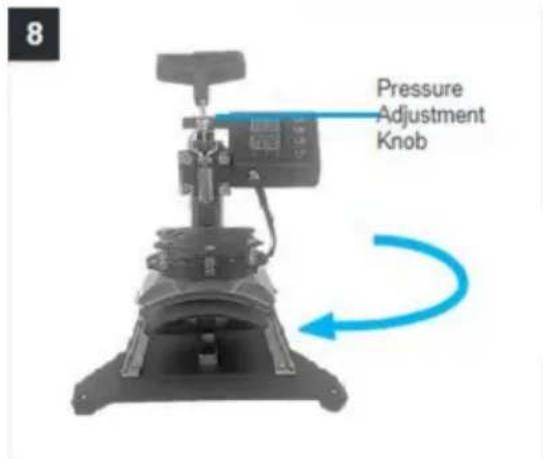
8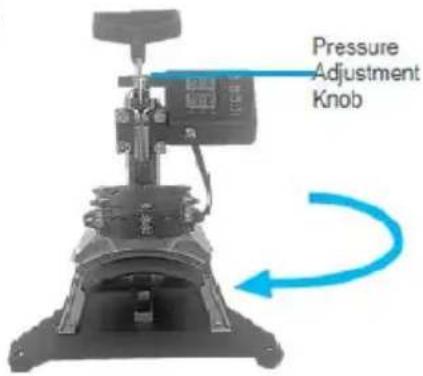
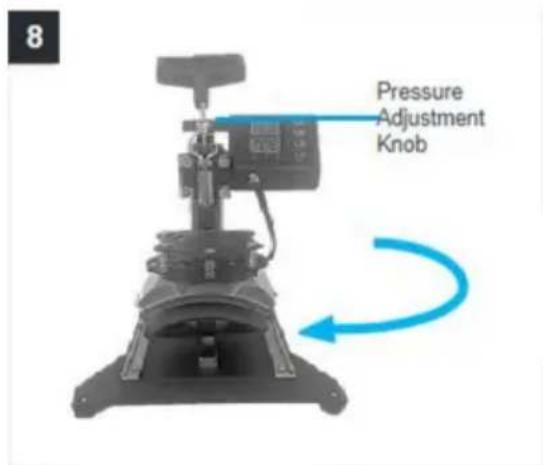
Turn back the support arm, placing the press plate above the curved base (L).
Note: If the press plate is not high enough to be positioned above the base, turn the pressure adjustment knob counterclockwise to raise the support arm and the plate.
11. REPLACE BAKING COASTER
1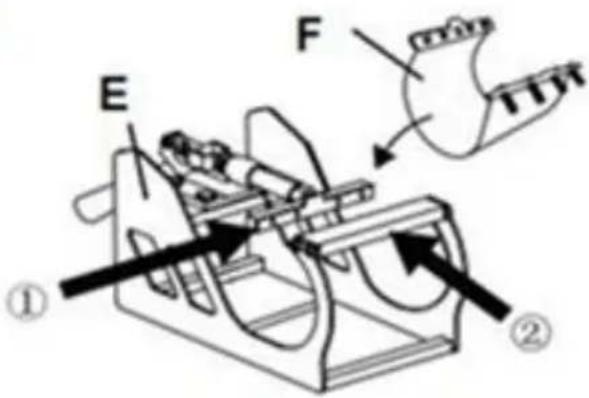

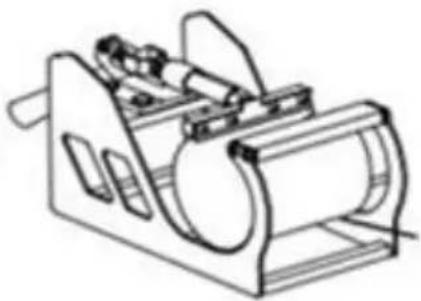
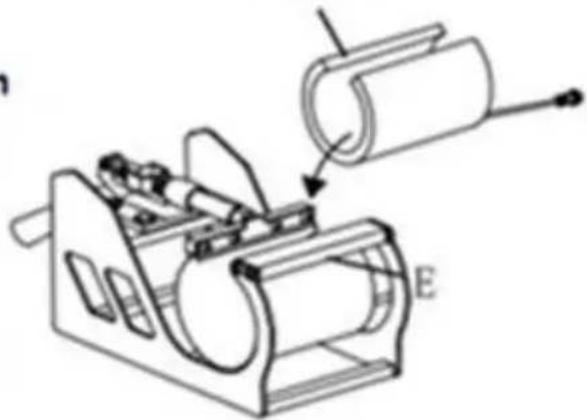
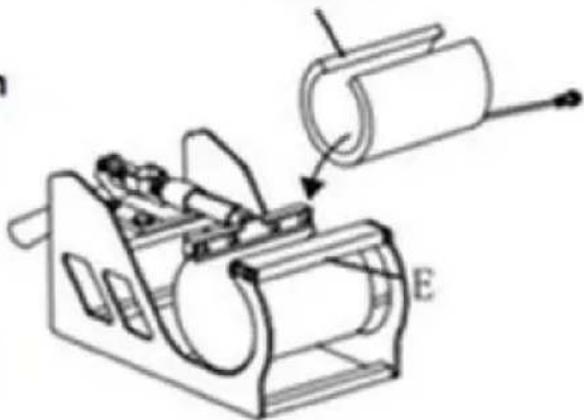
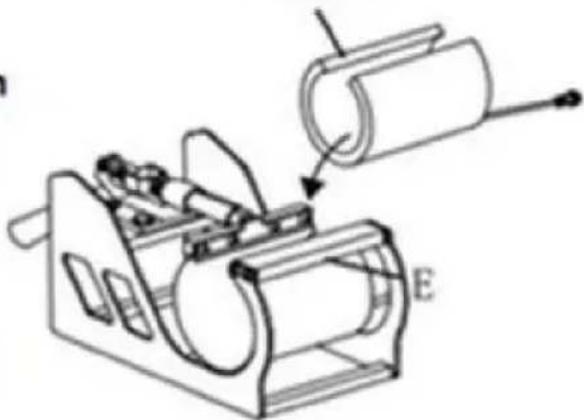
F or H
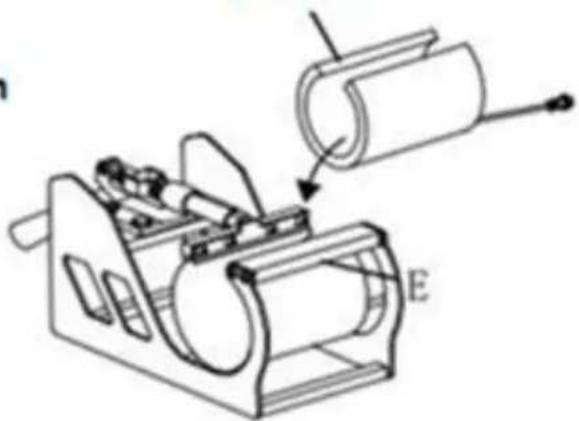
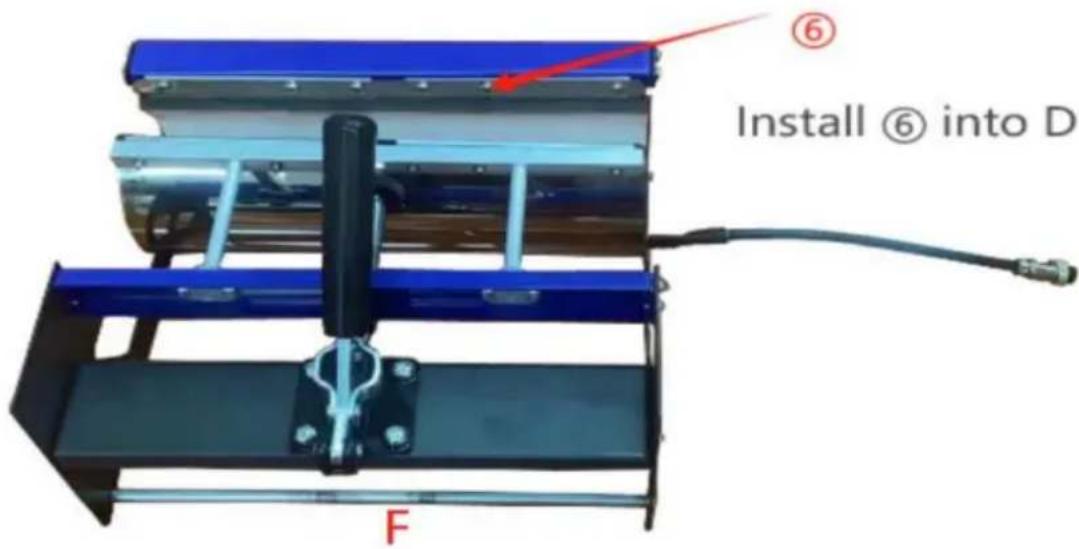
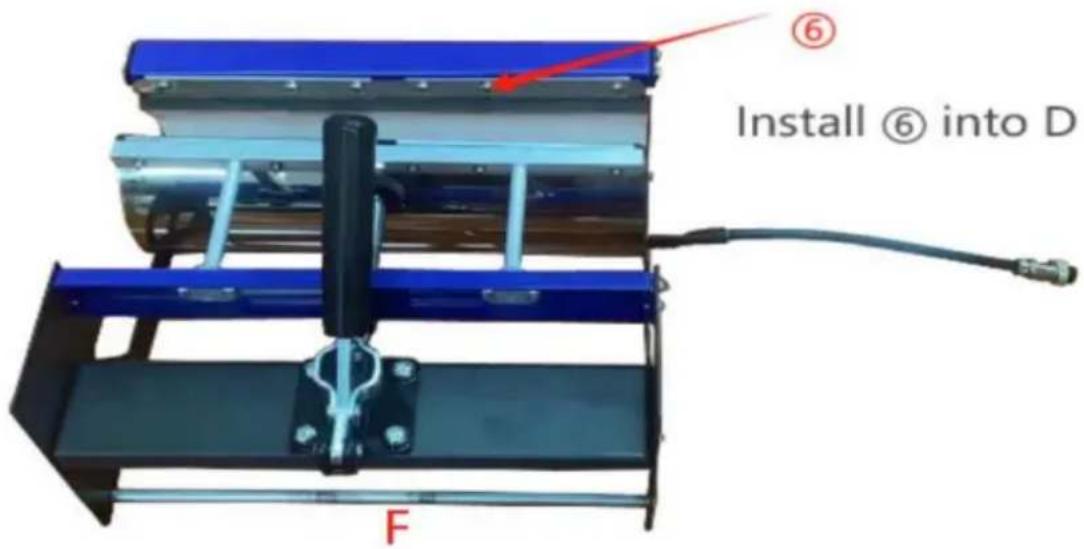
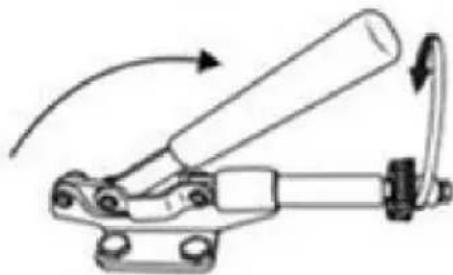
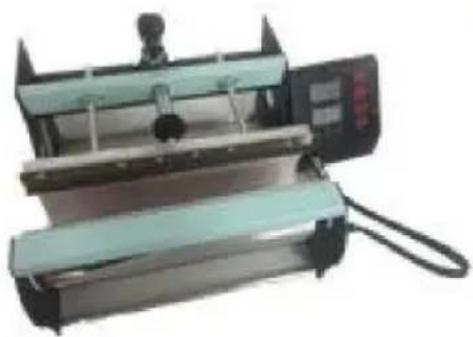
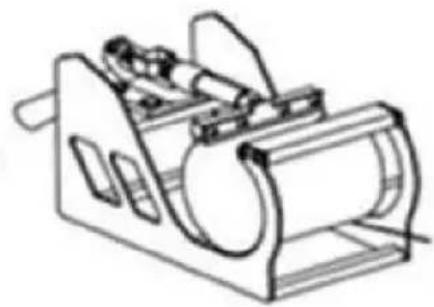
Install F to Part E Directly put Part F in Part E, ensure the screw tube through in correct holes on both sides.
Select the appropriate size baking coaster (Part F or H). Put the Cup in Part E
2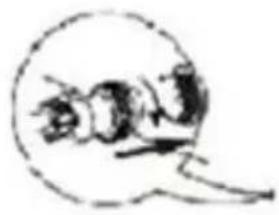
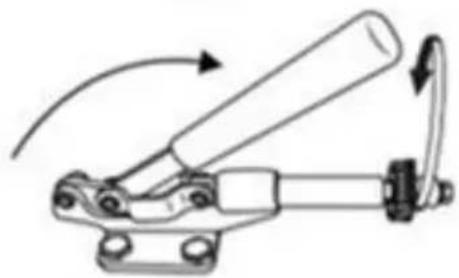
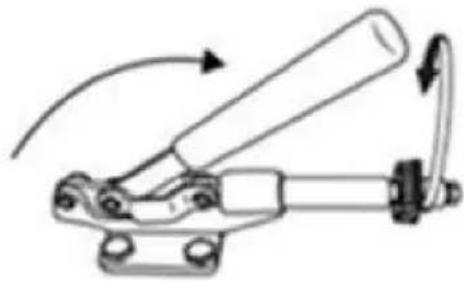
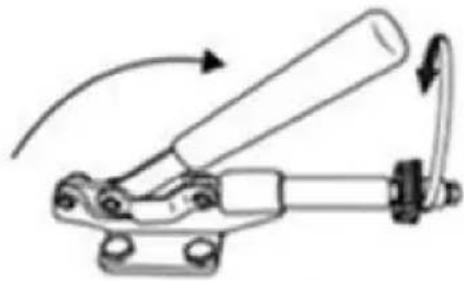
Adjust the tightness

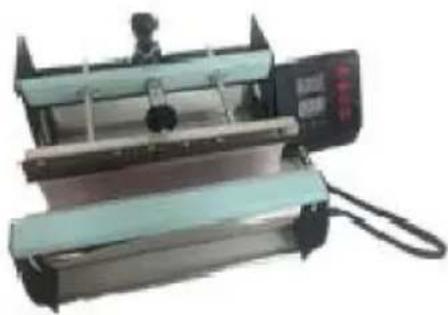
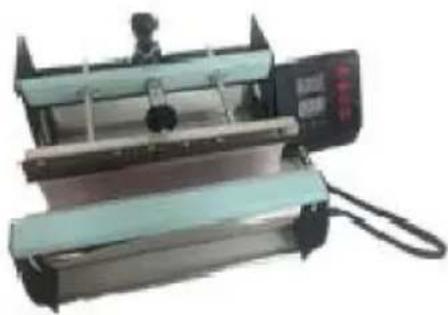
Shaped Cup
1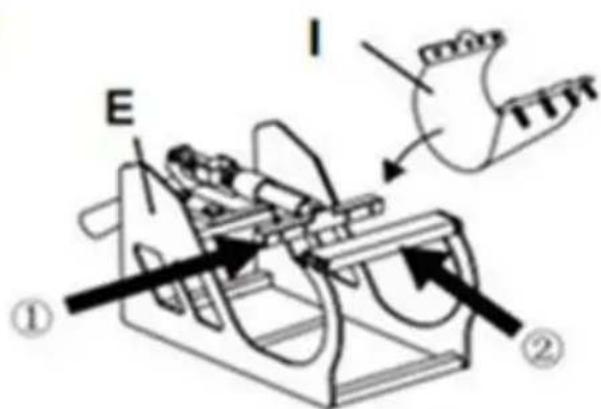

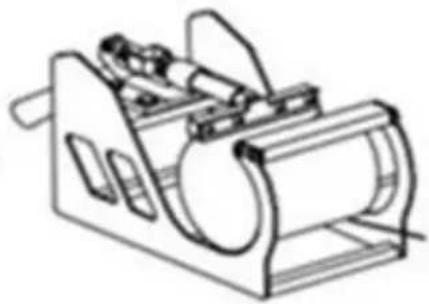
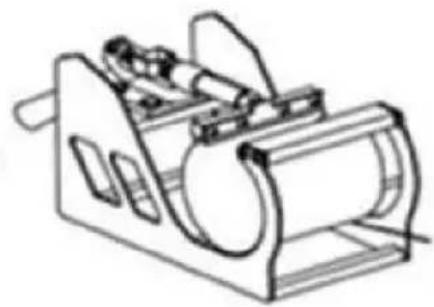
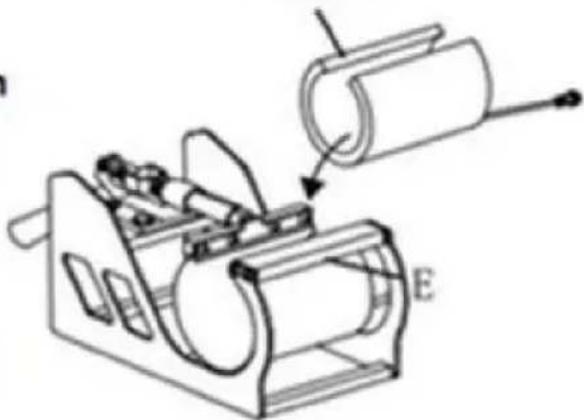
I or J
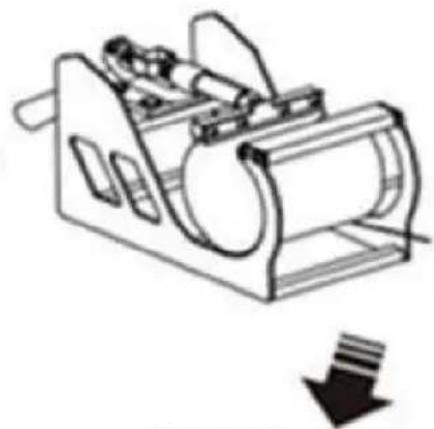
Install I to Part E Directly put Part I to Part E ensure the screw tube through in correct holes on both sides.
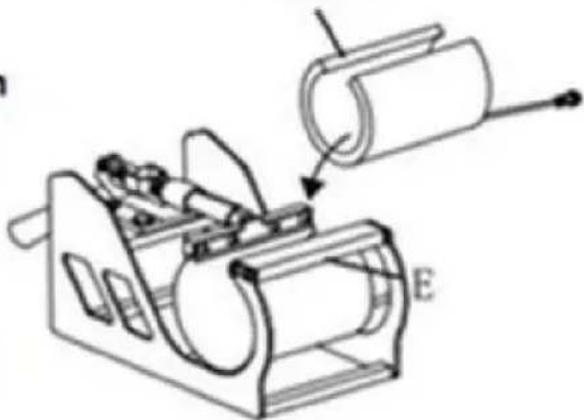
Select the appropriate size baking coaster (Part I or J) Put the Cup in Part E
2
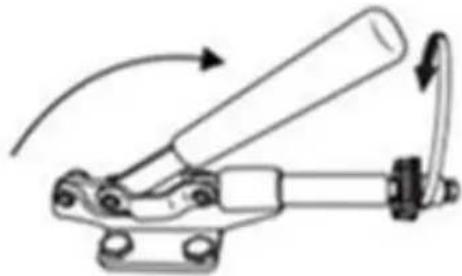
Adjust the tightness
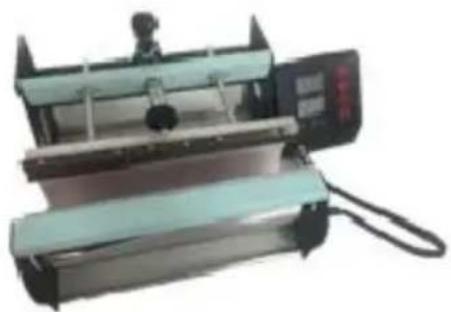

Shaped Cup
12. RECOMMENDED PARAMETER
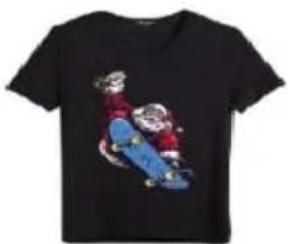 |  |  |
| T-shirt (Non-cotton) | T-shirt (PU flex film) | Aluminum plate |
| 392°F (200°C) 60s | 338°F (170°C) 25s | 338°F (170°C) 100s |
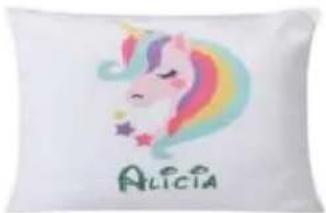 |  |  |
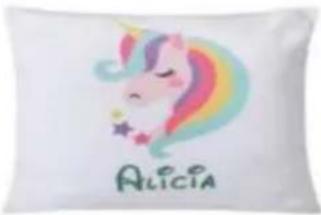
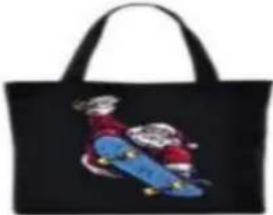
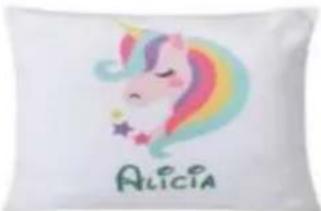
| Pillow | Mouse pad | Cloth bag |
| 392°F (200°C) 60s | 365°F (185°C) 50s | 356°F (180°C) 60s |
| Material | Temperature | Time | Pressure | ||
| Aluminum Sheet | 340–355°F | 170–180°C | 80–90 sec. | M | |
| Aluminum Alloy Coating | 355–390°F | 180–200°C | 45–60 sec. | M | |
| Ceramics | Porcelain Cups | 340–355°F | 170–180°C | 60–90 sec. | XL |
| Color-Changing Cups | 320–340°F | 160–170°C | 60–90 sec. | XL | |
| Plates or Dishes | 320–355°F | 160–180°C | 60–90 sec. | XL | |
| Tiles | 355°F | 180°C | 80–90 sec. | XL | |
| Chemical Fibers or Fibres | 320°F | 160°C | 20 sec. | M | |
| Cotton (T-Shirts &c.) | PU Flex Film | 340°F | 170°C | 25 sec. | H |
| Sublimation | 390°F | 200°C | 60 sec. | H | |
| Vinyl | 320°F | 160°C | 15 sec. | M | |
| Cotton Poly Blends | 350°F | 175°C | 10 sec. | H | |
| Crystal Photo Block | 375°F | 190°C | 180 sec. | M | |
| Glass Frames | 320–340°F | 160–170°C | 60–90 sec. | XXL | |
| Mousepads | 355°F | 180°C | 60 sec. | M | |
| Pillowcases & Linens | 355°F | 180°C | 60 sec. | H | |
| Polyester | 270°F | 130°C | 10 sec. | H | |
| Rhinestone Transfers | 320°F | 160°C | 15 sec. | M | |
| Slate Rock Photo | 355°F | 180°C | 420 sec. | M | |
| Wood | 375°F | 190°C | 50 sec. | M | |
| Stainless Steel Sports Bottle | 320–340°F | 160–170°C | 60–90 sec. | M | |
| Paperboard Pieces | 355°F | 180°C | 60 sec. | M | |
Pressure Levels: XXL<XL<M<H
13. TROUBLE SHOOTING
- The temperature is out of control: set temperature 180°C(356°F) , but the actual temperature is above 200°C (392°F) .
Wait for a while and check. If the temperature keeps an error beyond 20° F, contact us and we will change a new digital controller for you.
- Temperature drops when the machine starts transferring.
It's normal if the machine drops within 10°C, as the printed item is considered cold. Part of the heat is transferred from the machine to the printed item, especially when transferring patterns on mugs and plates.
3. Printed effect: print color is a pale or faded image.
The pressure is not high enough, the temperature is too low, or the pressing time is too short. Please adjust the pressure/temperature or increase the heating time.
- Printed effect: print color is too darkened, deep, or blurred.
Reason 1: The temperature is too high or the pressing time is too long. Please adjust the temperature or reduce the heating time.
Reason 2: Pressing time is too short or using poor quality transfer paper. Please increase the heating time or use high quality transfer paper.
- Display screen does not turn on, or display screen is working but temperature is not heating up.
Please kindly send us your problems. Our staff will give instructions according to specific problems with patience. We will resend you the related spare parts to solve the problems as soon as possible.
Ps. Pattern material always uses heat transfer paper and DTF film.
Please check the DTF film suggested removing time to avoid that the removal is incorrect causing failure.
Tutorial Video

Temperature controller operation method

Temperature sensor replace tutorial
Manufacturer: Shanghaimuxinmuyeyouxiangongsi
Address: Shuangchenglu 803nong11hao1602A-1609shi, baoshanqu, shanghai 200000 CN.
Imported to AUS: SIHAO PTY LTD. 1 ROKEVA STREET EASTWOOD NSW 2122 Australia
Imported to USA: Sanven Technology Ltd. Suite 250, 9166 Anaheim Place, Rancho Cucamonga, CA 91730
| EC | REP |
E-CrossStu GmbH
Mainzer Landstr.69, 60329 Frankfurt am Main.
| UK | REP |
YH CONSULTING LIMITED.
C/O YH Consulting Limited Office 147, Centurion House,
London Road, Staines-upon-Thames, Surrey, TW18 4AX
VEVOR®
TOUGH TOOLS, HALF PRICE
Technical Support and E-Warranty Certificate www.vevor.com/support
VEVOR®
TOUGH TOOLS, HALF PRICE
NEED HELP? CONTACT US!
FCC INFORMATION
3. PARTS LIST
A Combine ①②③

B Combine A④⑨
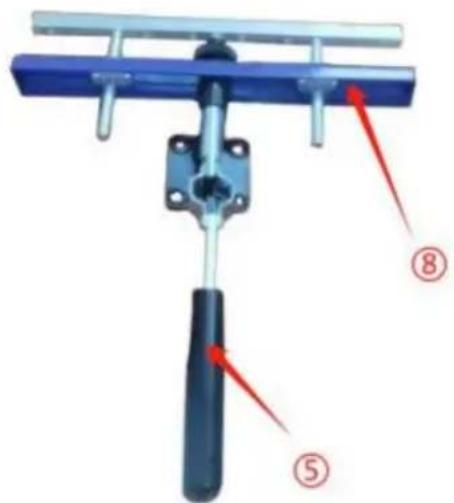
C Combine ⑤⑧
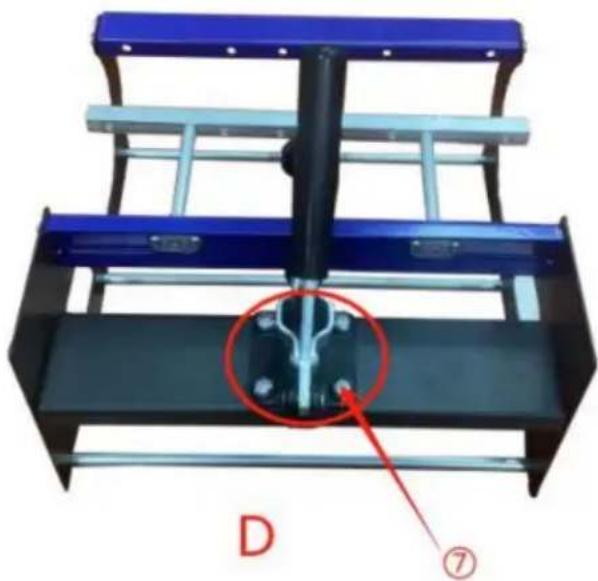
Secure B and C with ⑦
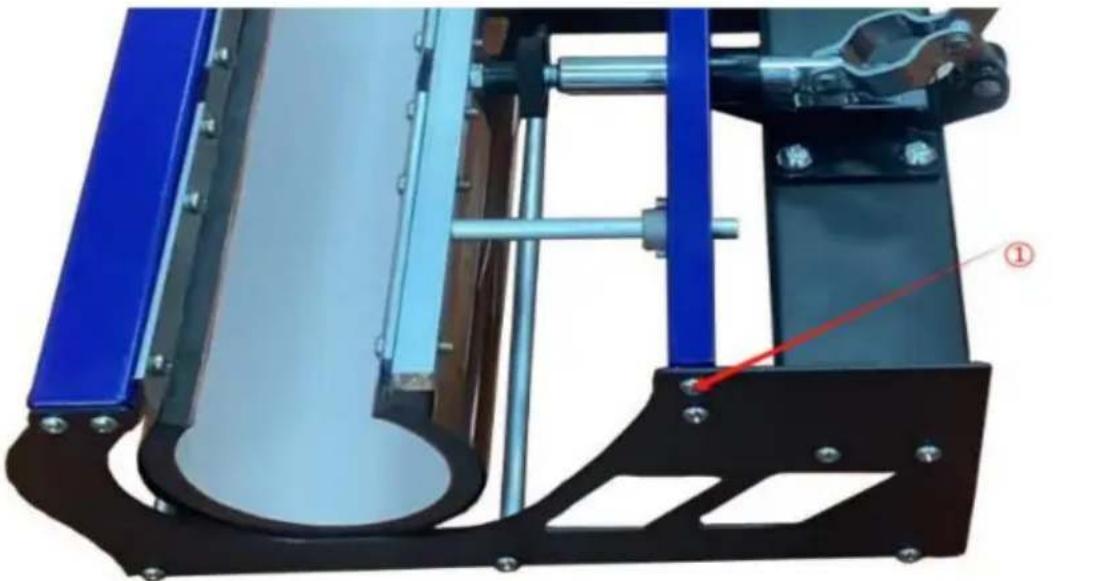
E Fix the left and right sides with ①
Rotate the heat transfer board to the side
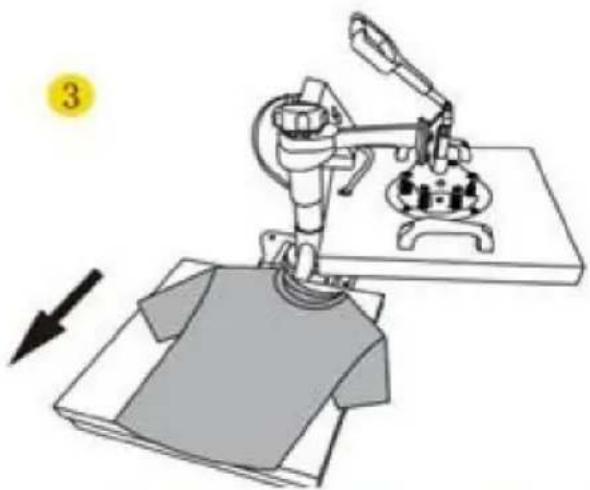
Pull out the mat below, place the clothes flat on the mat and place the pattern on the clothes
4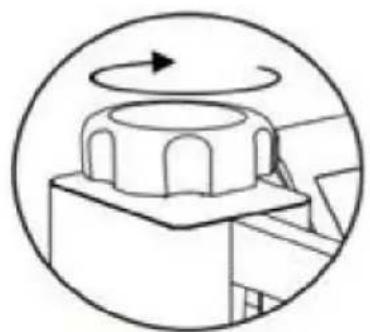
Turn this knob to adjust the pressure
Clockwise to add pressure
Anticlockwise to reduce pressure 5
7. CONTROL PANEL
Use Phillips screwdriver assembly the slide handle (M5*20 screw and nuts)
9. REPLACING THE BAKING PAD
Screw the ball-head Phillips bolts back to the flat platen.
Note: Partially tighten them.
2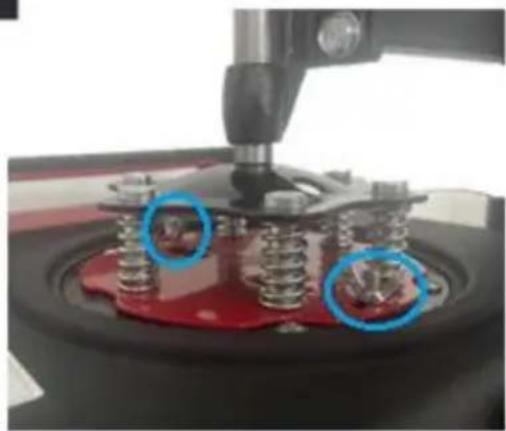
Firmly grasp the swing handles, lifting the platen up to the lower pressure plate and placing the bolts in the large slots as shown.
3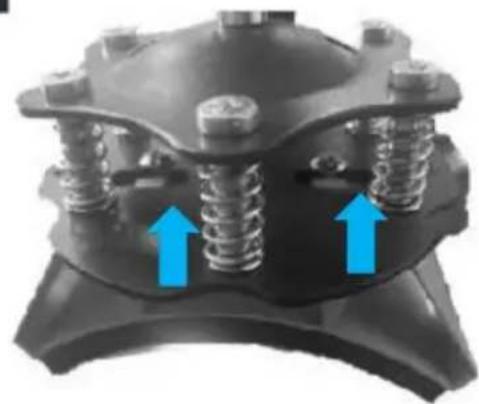
a. Slide the bolts into the small slots. b. Tighten them FULLY to relock the platen.
4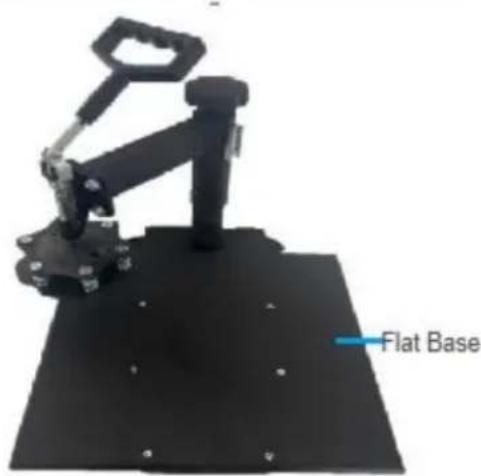
Turn the support arm to either side and remove the heat-resistant mats from the flat base.
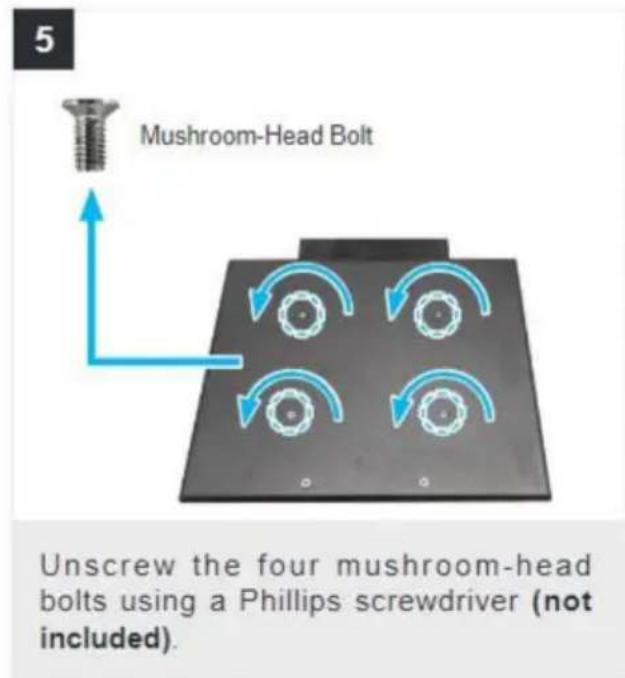

Slide the curved base (D) onto the rail as shown.
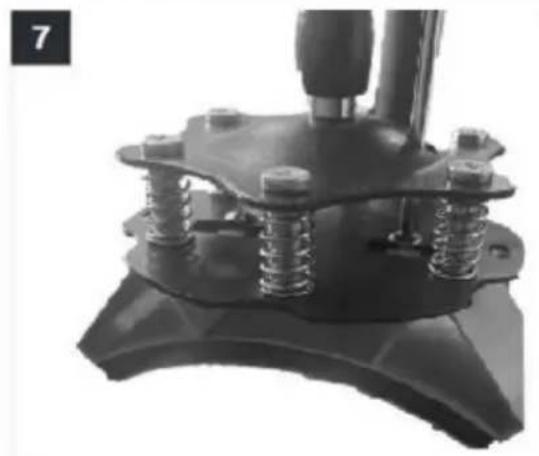
Push the press plate up to the lower pressure plate, placing the bolts in the large slots as shown.
a. Slide the bolts into the small slots. b. Tighten them FULLY using a Phillips screwdriver (not included).
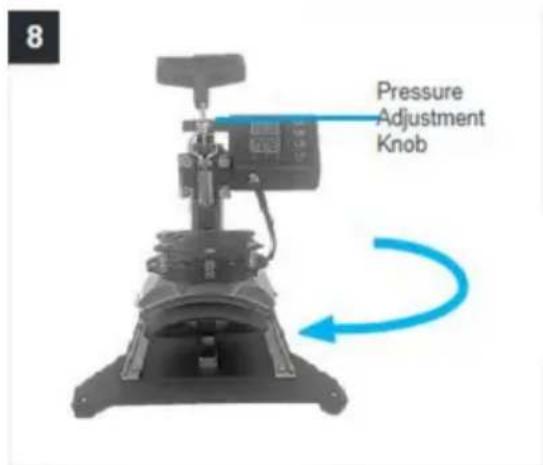
Turn back the support arm, placing the press plate above the curved base (L).
Note: If the press plate is not high enough to be positioned above the base, turn the pressure adjustment knob counterclockwise to raise the support arm and the plate.
11. REPLACING THE BAKING BASE
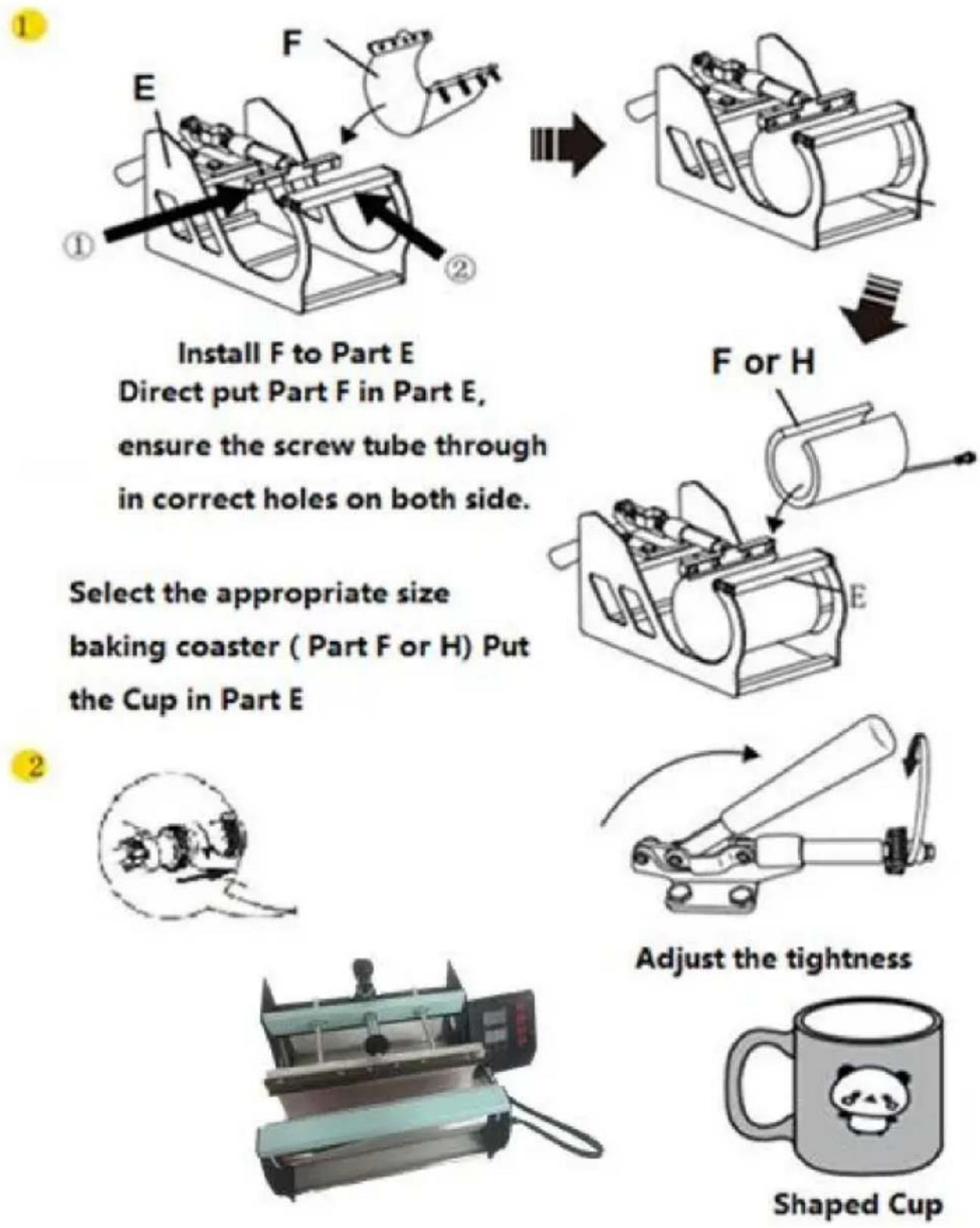
Install F to Part E Direct put Part F in Part E, ensure the screw tube through in correct holes on both side.
Select the appropriate size baking coaster ( Part F or H) Put the Cup in Part E
1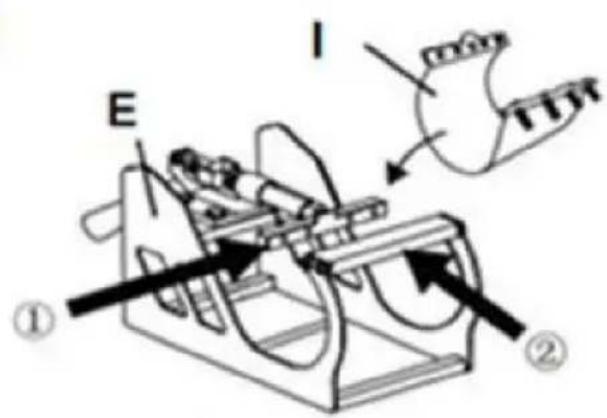

I or J
Install Part E. Direct put Part I to Part E. Ensure the screw tube through in correct holes on both side.
Select the appropriate size baking coaster (Part I or J). Put the Cup in Part E.
2
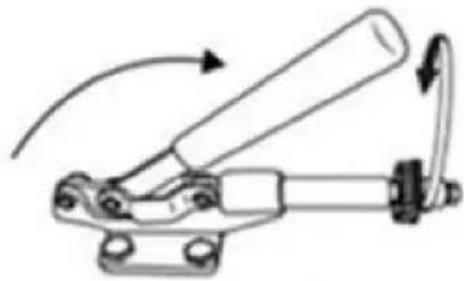
Adjust the tightness.

Shaped Cup
12. RECOMMENDED PARAMETER
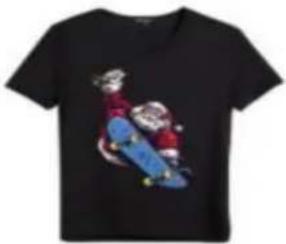 |  |  |
| T-shirt (Non-cotton) | T-shirt (PU flex film) | Aluminum plate |
| 392°F (200°C) 60s | 338°F (170°C) 25s | 338°F (170°C) 100s |
 |  |  |
| Pillow | Mouse pad | Cloth bag |
| 392°F (200°C) 60s | 365°F (185°C) 50s | 356°F (180°C) 60s |
| Material | Temperature | Time | Pressure | ||
| Aluminum Sheet | 340–355°F | 170–180°C | 80–90 sec. | M | |
| Aluminum Alloy Coating | 355–390°F | 180–200°C | 45–60 sec. | M | |
| Ceramics | Porcelain Cups | 340–355°F | 170–180°C | 60–90 sec. | XL |
| Color-Changing Cups | 320–340°F | 160–170°C | 60–90 sec. | XL | |
| Plates or Dishes | 320–355°F | 160–180°C | 60–90 sec. | XL | |
| Tiles | 355°F | 180°C | 80–90 sec. | XL | |
| Chemical Fibers or Fibres | 320°F | 160°C | 20 sec. | M | |
| Cotton (T-Shirts &c.) | PU Flex Film | 340°F | 170°C | 25 sec. | H |
| Sublimation | 390°F | 200°C | 60 sec. | H | |
| Vinyl | 320°F | 160°C | 15 sec. | M | |
| Cotton Poly Blends | 350°F | 175°C | 10 sec. | H | |
| Crystal Photo Block | 375°F | 190°C | 180 sec. | M | |
| Glass Frames | 320–340°F | 160–170°C | 60–90 sec. | XXL | |
| Mousepads | 355°F | 180°C | 60 sec. | M | |
| Pillowcases & Linens | 355°F | 180°C | 60 sec. | H | |
| Polyester | 270°F | 130°C | 10 sec. | H | |
| Rhinestone Transfers | 320°F | 160°C | 15 sec. | M | |
| Slate Rock Photo | 355°F | 180°C | 420 sec. | M | |
| Wood | 375°F | 190°C | 50 sec. | M | |
| Stainless Steel Sports Bottle | 320–340°F | 160–170°C | 60–90 sec. | M | |
| Paperboard Pieces | 355°F | 180°C | 60 sec. | M | |
Pressure Levels: XXL<XL<M<H
13. TROUBLESHOOTING
C/O YH Consulting Limited Office 147, Centurion House, London Road, Staines-upon-Thames, Surrey, TW18 4AX
VEVOR®
TOUGH TOOLS, HALF PRICE

FCC INFORMATION
A Combine ①②③
B Combine A④⑨
C Combine ⑤⑧
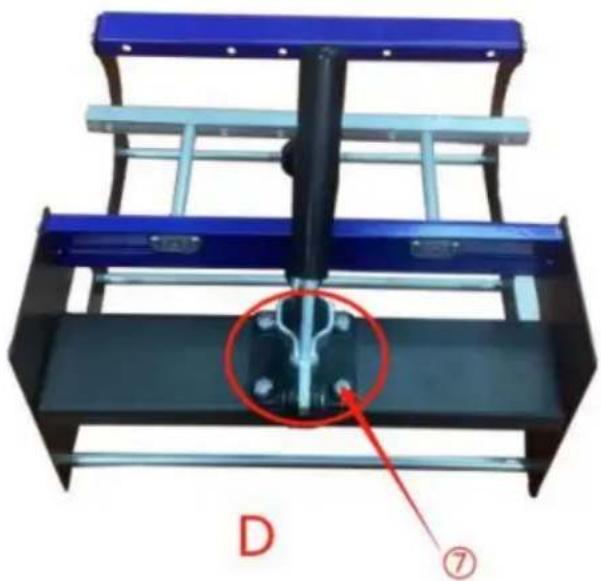
Secure B and C with ⑦
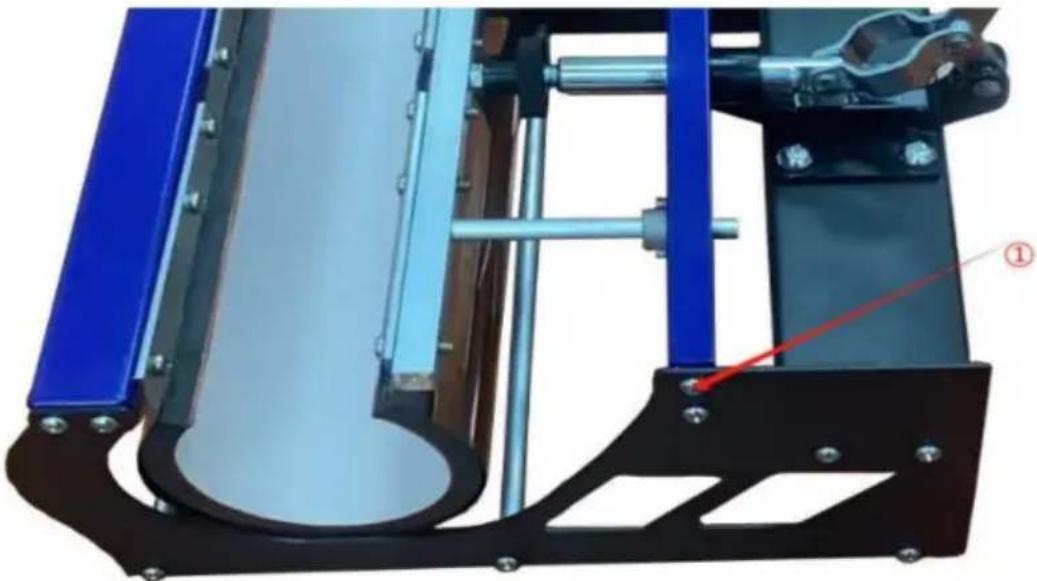
E Fix the left and right sides with ①
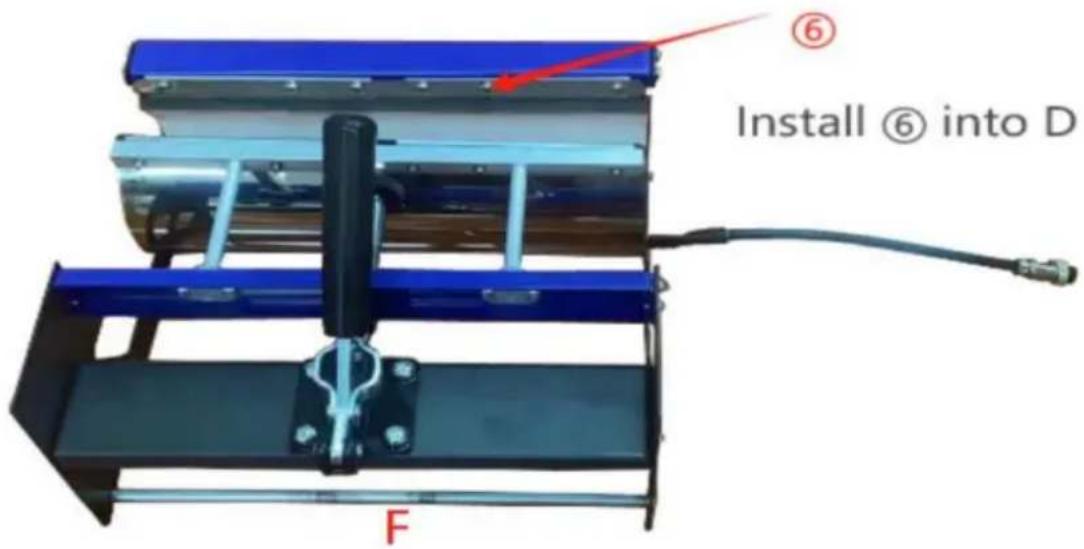
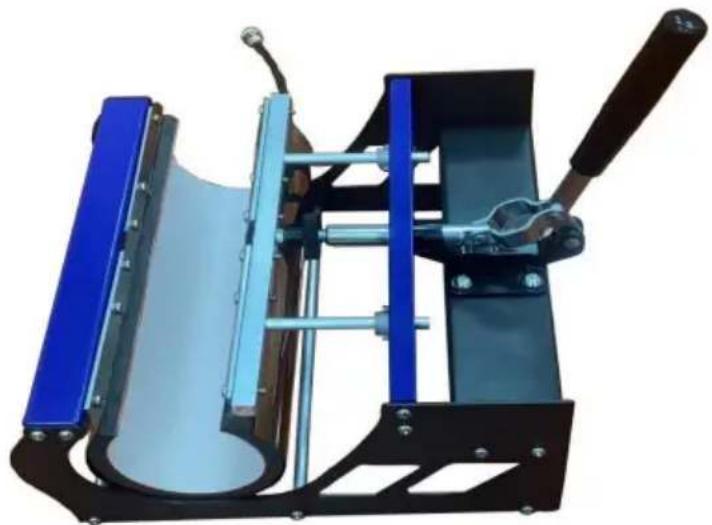
Rotate the heat transfer board to the side
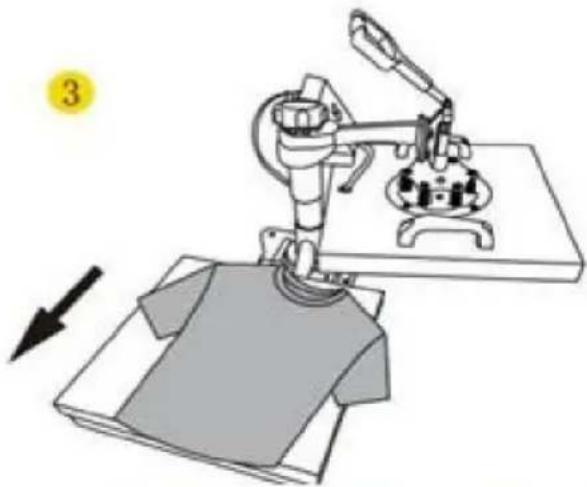
Pull out the mat below, place the clothes flat on the mat and place the pattern on the clothes
4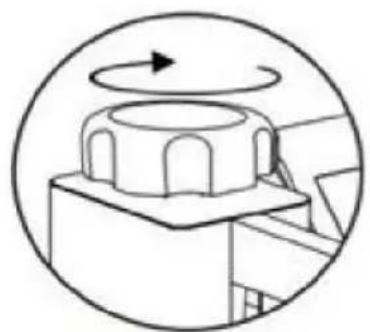
Turn this knob to adjust the pressure Clockwise to add pressure Anticlockwise to reduce pressure
Tighten knob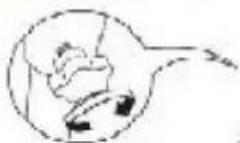
5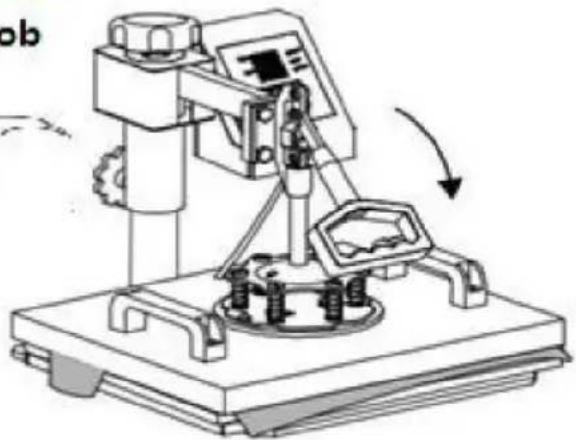
7. CONTROL PANEL
Use Phillips screwdriver assembly the slide handle (M5*20 screw and nuts)
9. REPLACING THE BAKING TRAY MAT
Slide the curved base (D) onto the rail as shown.
Push the press plate up to the lower pressure plate, placing the bolts in the large slots as shown.
a. Slide the bolts into the small slots. b. Tighten them FULLY using a Phillips screwdriver (not included).
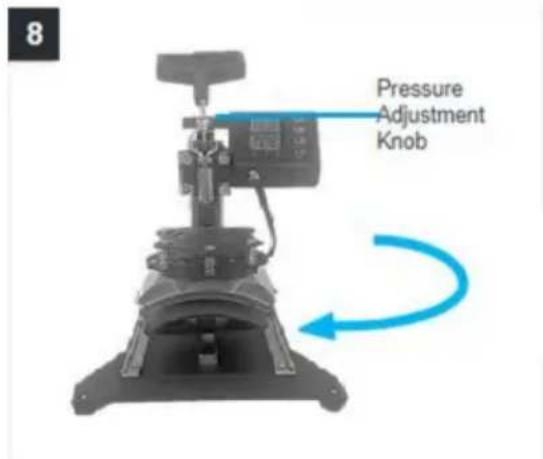
Turn back the support arm, placing the press plate above the curved base (L).
Note: If the press plate is not high enough to be positioned above the base, turn the pressure adjustment knob counterclockwise to raise the support arm and the plate.
11. REPLACE THE OVEN COASTER
1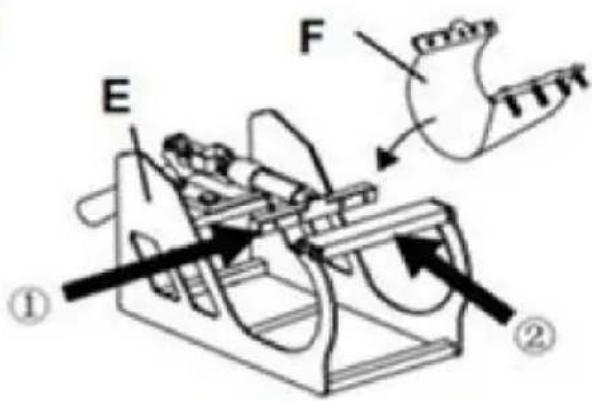

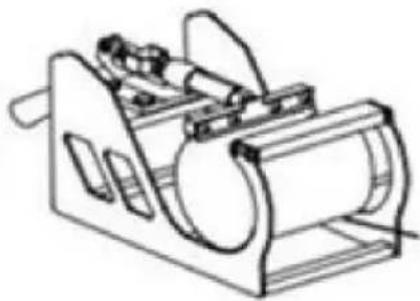

Install F to Part E Directly put Part F into Part E, ensure the screw tube goes through the correct holes on both sides.
Select the appropriate size baking coaster (Part F or H). Put the cup in Part E.
F or H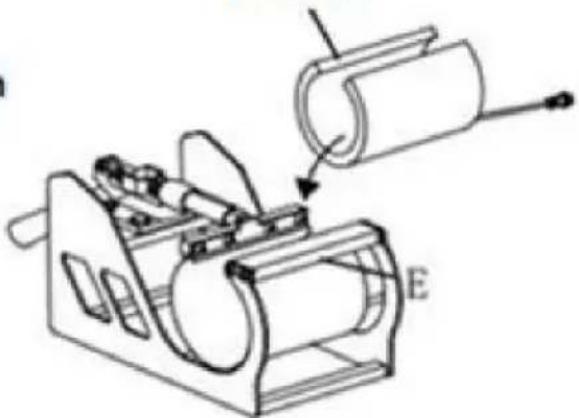
2

Adjust the tightness

Shaped Cup
1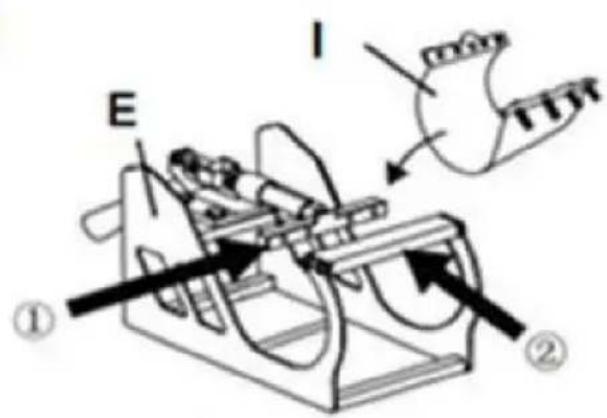

I or J
Install I to Part E Directly put Part I into Part E, ensure the screw tube goes through the correct holes on both sides.
Select the appropriate size baking coaster (Part I or J). Put the cup in Part E.
2
Adjust the tightness

Shaped Cup
12. RECOMMENDED PARAMETERS
| |  |
| T-shirt (Non-cotton) | T-shirt (PU flex film) | Aluminum plate |
| 392°F (200°C) 60s | 338°F (170°C) 25s | 338°F (170°C) 100s |
 |  |  |
| Pillow | Mouse pad | Cloth bag |
| 392°F (200°C) 60s | 365°F (185°C) 50s | 356°F (180°C) 60s |
| Material | Temperature | Time | Pressure | ||
| Aluminum Sheet | 340–355°F | 170–180°C | 80–90 sec. | M | |
| Aluminum Alloy Coating | 355–390°F | 180–200°C | 45–60 sec. | M | |
| Ceramics | Porcelain Cups | 340–355°F | 170–180°C | 60–90 sec. | XL |
| Color-Changing Cups | 320–340°F | 160–170°C | 60–90 sec. | XL | |
| Plates or Dishes | 320–355°F | 160–180°C | 60–90 sec. | XL | |
| Tiles | 355°F | 180°C | 80–90 sec. | XL | |
| Chemical Fibers or Fibres | 320°F | 160°C | 20 sec. | M | |
| Cotton (T-Shirts &c.) | PU Flex Film | 340°F | 170°C | 25 sec. | H |
| Sublimation | 390°F | 200°C | 60 sec. | H | |
| Vinyl | 320°F | 160°C | 15 sec. | M | |
| Cotton Poly Blends | 350°F | 175°C | 10 sec. | H | |
| Crystal Photo Block | 375°F | 190°C | 180 sec. | M | |
| Glass Frames | 320–340°F | 160–170°C | 60–90 sec. | XXL | |
| Mousepads | 355°F | 180°C | 60 sec. | M | |
| Pillowcases & Linens | 355°F | 180°C | 60 sec. | H | |
| Polyester | 270°F | 130°C | 10 sec. | H | |
| Rhinestone Transfers | 320°F | 160°C | 15 sec. | M | |
| Slate Rock Photo | 355°F | 180°C | 420 sec. | M | |
| Wood | 375°F | 190°C | 50 sec. | M | |
| Stainless Steel Sports Bottle | 320–340°F | 160–170°C | 60–90 sec. | M | |
| Paperboard Pieces | 355°F | 180°C | 60 sec. | M | |
Pressure Levels: XXL<XL<M<H
13. TROUBLESHOOTING
Imported in AUS: SIHAO PTY LTD. 1 ROKEVA STREET EASTWOOD
New South Wales 2122 Australia
C/O YH Consulting Limited Office 147, Centurion House,
Via Roma, 101, 00186 Rome, Italy
VEVOR®
TOUGH TOOLS, HALF PRICE
3. PARTS LIST
| Parte A | Parte B | Parte C | Parte D | Parte E | Parte F | Parte H | Parte I | Parte J | |||
| 5 en 1 | √ | √ | √ | √ | √ | √ | √ | √ | |||
| 8 en 1 | √ | √ | √ | √ | √ | √ | √ | √ | √ | √ | √ |
A Combine ①②③
B Combine A④⑨
C Combine ⑤⑧
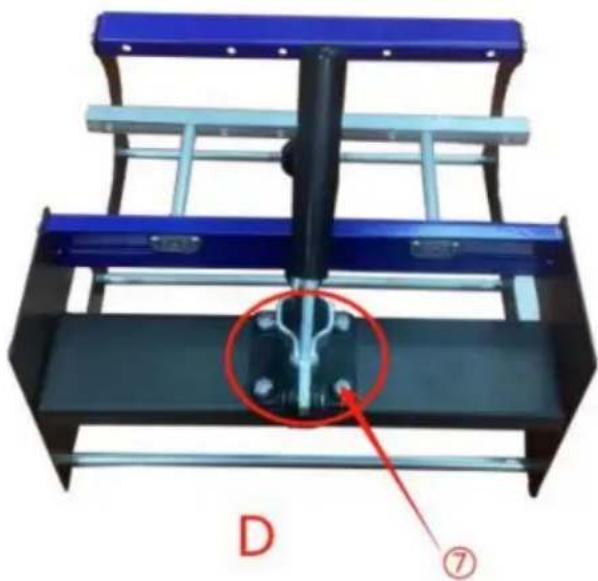
Secure B and C with ⑦
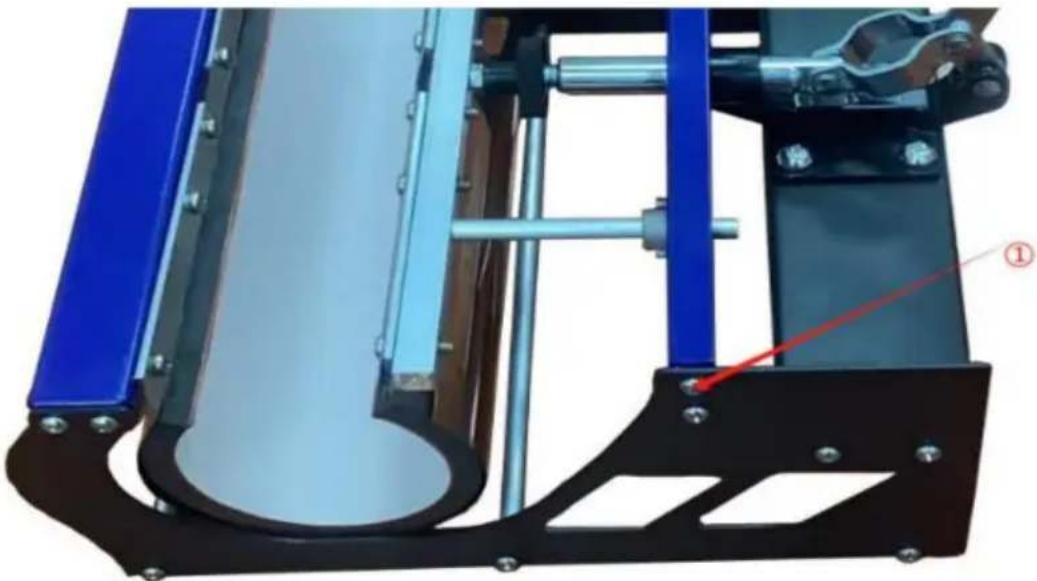
Fix the left and right sides with ①

Rotate the heat transfer board to the side
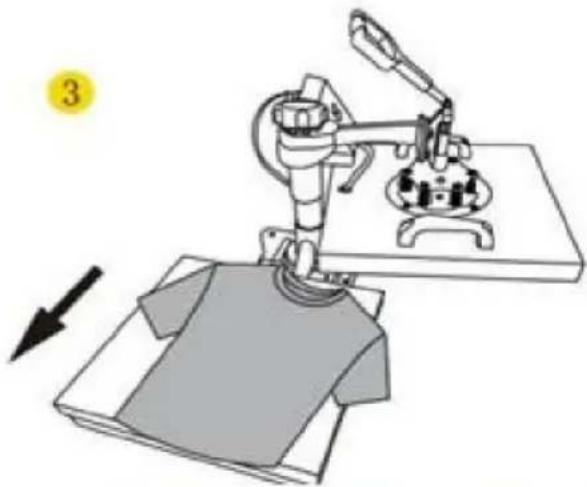
Pull out the mat below, place the clothes flat on the mat and place the pattern on the clothes
4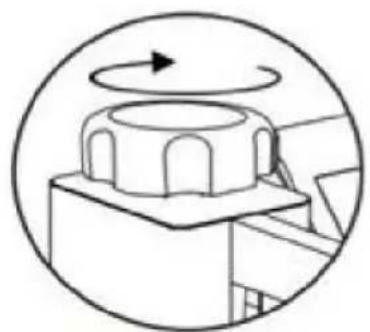
Turn this knob to adjust the pressure
Clockwise to add pressure
Anticlockwise to reduce pressure Tighten knob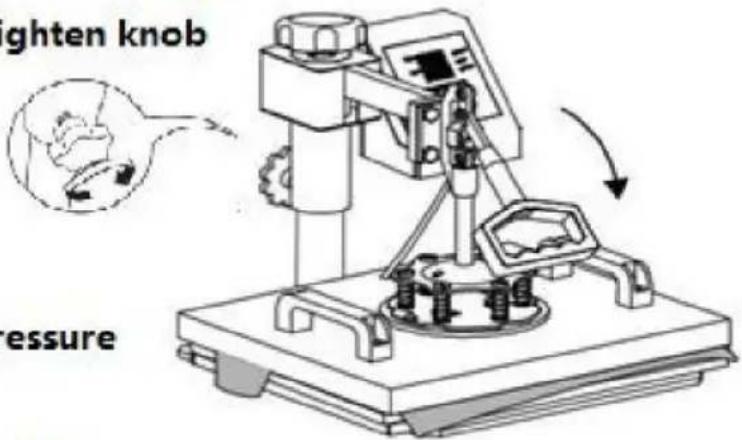
5
7. CONTROL PANEL
Use Phillips screwdriver assembly the slide handle (M5*20 screw and nuts)
9. REPLACE THE BAKING TRAY
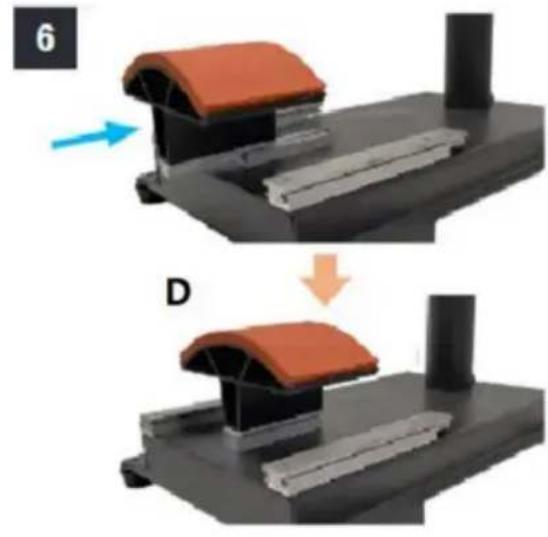
Slide the curved base (D) onto the rail as shown.
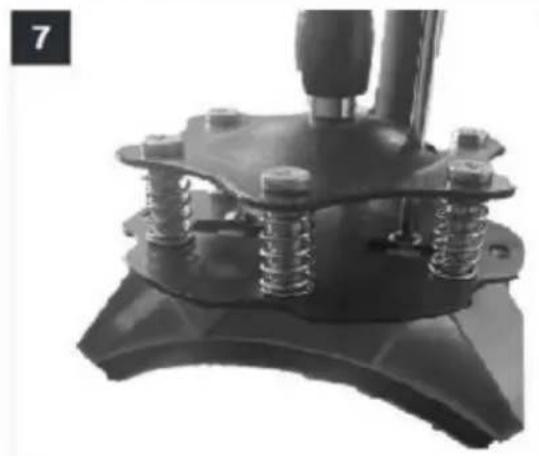
Push the press plate up to the lower pressure plate, placing the bolts in the large slots as shown.
a. Slide the bolts into the small slots. b. Tighten them FULLY using a Phillips screwdriver (not included).
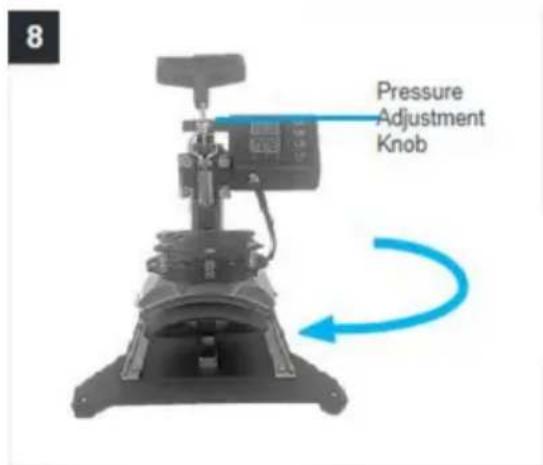
Turn back the support arm, placing the press plate above the curved base (L).
Note: If the press plate is not high enough to be positioned above the base, turn the pressure adjustment knob counterclockwise to raise the support arm and the plate.
11. REPLACE THE BAKING MAT
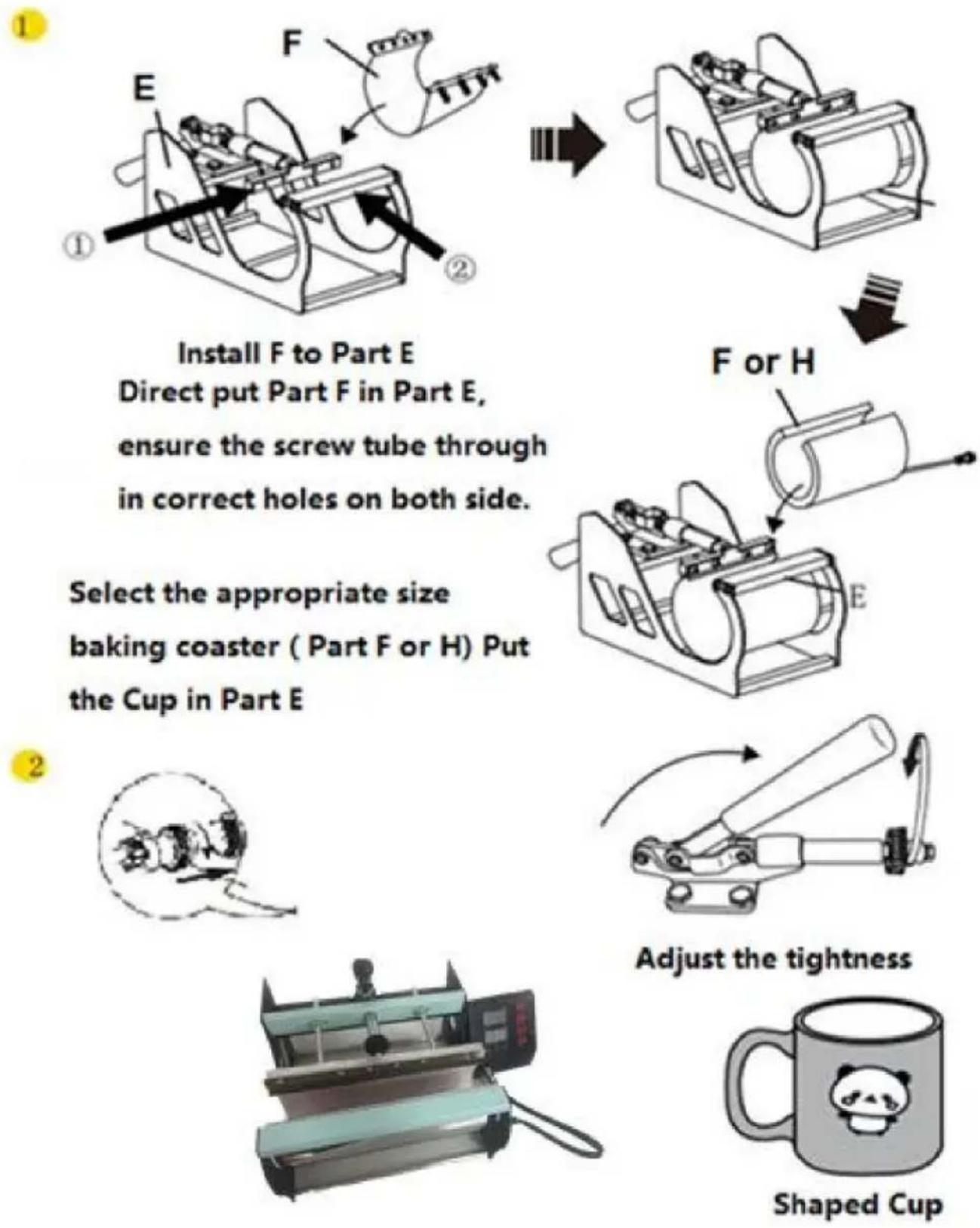
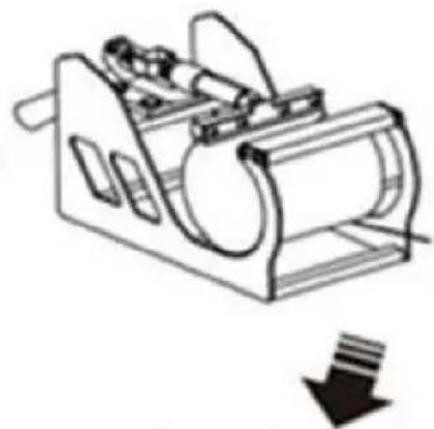
Install F to Part E. Directly put Part F into Part E, ensuring the screw tube passes through the correct holes on both sides.
Select the appropriate size baking coaster (Part F or H). Put the Cup in Part E.
1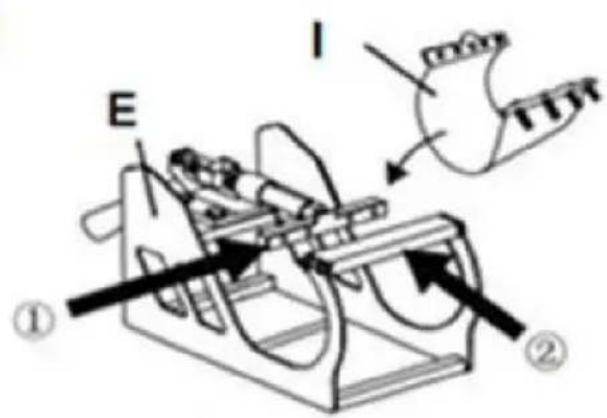

I or J
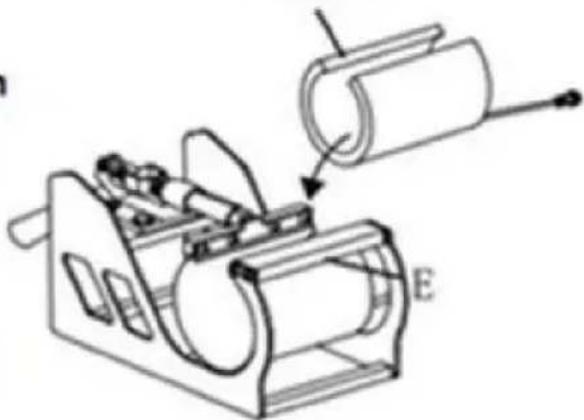
Install I to Part E. Directly put Part I into Part E, ensuring the screw tube passes through the correct holes on both sides.
Select the appropriate size baking coaster (Part I or J). Put the Cup in Part E.
2
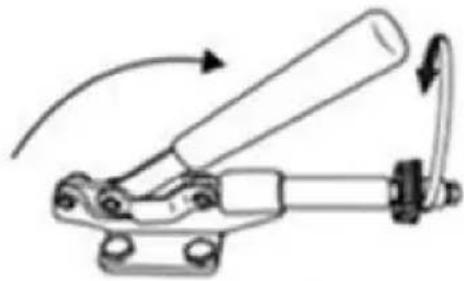
Adjust the tightness.
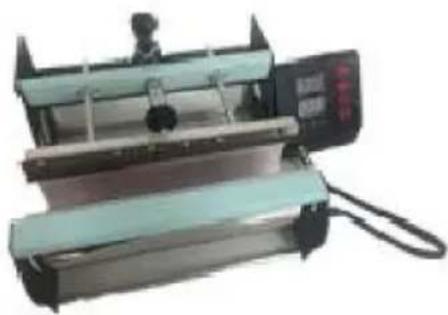

Shaped Cup
12. RECOMMENDED PARAMETER
| | |
| T-shirt (Non-cotton) | T-shirt (PU flex film) | Aluminum plate |
| 392°F (200°C) 60s | 338°F (170°C) 25s | 338°F (170°C) 100s |
| | |
| Pillow | Mouse pad | Cloth bag |
| 392°F (200°C) 60s | 365°F (185°C) 50s | 356°F (180°C) 60s |
| Material | Temperature | Time | Pressure | ||
| Aluminum Sheet | 340–355°F | 170–180°C | 80–90 sec. | M | |
| Aluminum Alloy Coating | 355–390°F | 180–200°C | 45–60 sec. | M | |
| Ceramics | Porcelain Cups | 340–355°F | 170–180°C | 60–90 sec. | XL |
| Color-Changing Cups | 320–340°F | 160–170°C | 60–90 sec. | XL | |
| Plates or Dishes | 320–355°F | 160–180°C | 60–90 sec. | XL | |
| Tiles | 355°F | 180°C | 80–90 sec. | XL | |
| Chemical Fibers or Fibres | 320°F | 160°C | 20 sec. | M | |
| Cotton (T-Shirts &c.) | PU Flex Film | 340°F | 170°C | 25 sec. | H |
| Sublimation | 390°F | 200°C | 60 sec. | H | |
| Vinyl | 320°F | 160°C | 15 sec. | M | |
| Cotton Poly Blends | 350°F | 175°C | 10 sec. | H | |
| Crystal Photo Block | 375°F | 190°C | 180 sec. | M | |
| Glass Frames | 320–340°F | 160–170°C | 60–90 sec. | XXL | |
| Mousepads | 355°F | 180°C | 60 sec. | M | |
| Pillowcases & Linens | 355°F | 180°C | 60 sec. | H | |
| Polyester | 270°F | 130°C | 10 sec. | H | |
| Rhinestone Transfers | 320°F | 160°C | 15 sec. | M | |
| Slate Rock Photo | 355°F | 180°C | 420 sec. | M | |
| Wood | 375°F | 190°C | 50 sec. | M | |
| Stainless Steel Sports Bottle | 320–340°F | 160–170°C | 60–90 sec. | M | |
| Paperboard Pieces | 355°F | 180°C | 60 sec. | M | |
Pressure Levels: XXL < XL < M < H
C/O YH Consulting Limited, Office 147, Centurion House,
London Road, Staines-upon-Thames, Surrey, TW18 4AX
VEVOR®
TOUGH TOOLS, HALF PRICE
NEED HELP? CONTACT US!
FCC INFORMATION
3. PARTS LIST
| Del A | Del B | Del | C Del D | Del E | Del F | Del | H Del I | Del J | |||
| 5 i 1 | y | y | y | y | y | y | |||||
| 8 i 1 | y | y | y | y | y | y | y | y | y |
A Combine ①②③
B Combine A④⑨
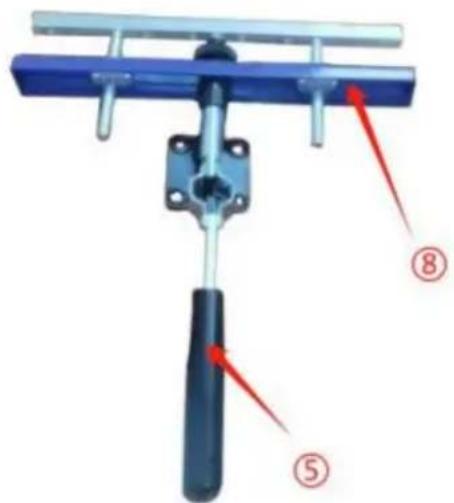
C Combine ⑤⑧
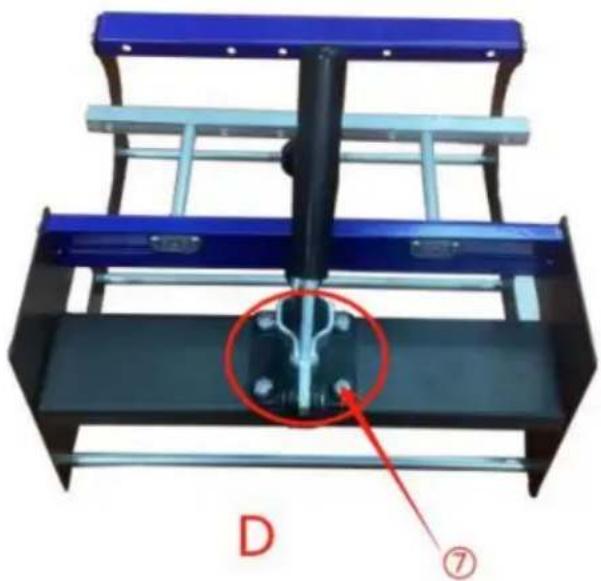
Secure B and C with ⑦
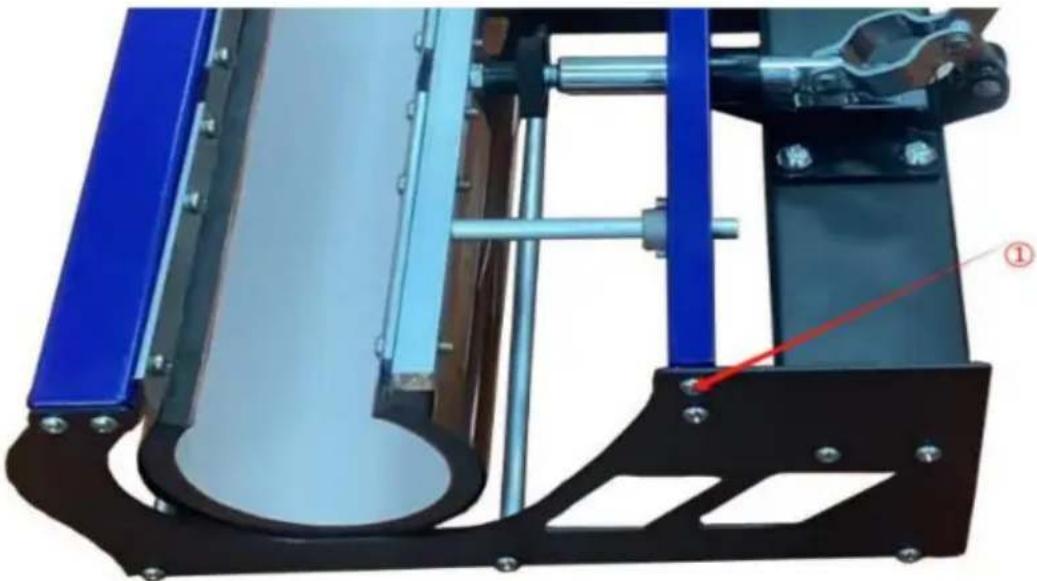
E Fix the left and right sides with ①
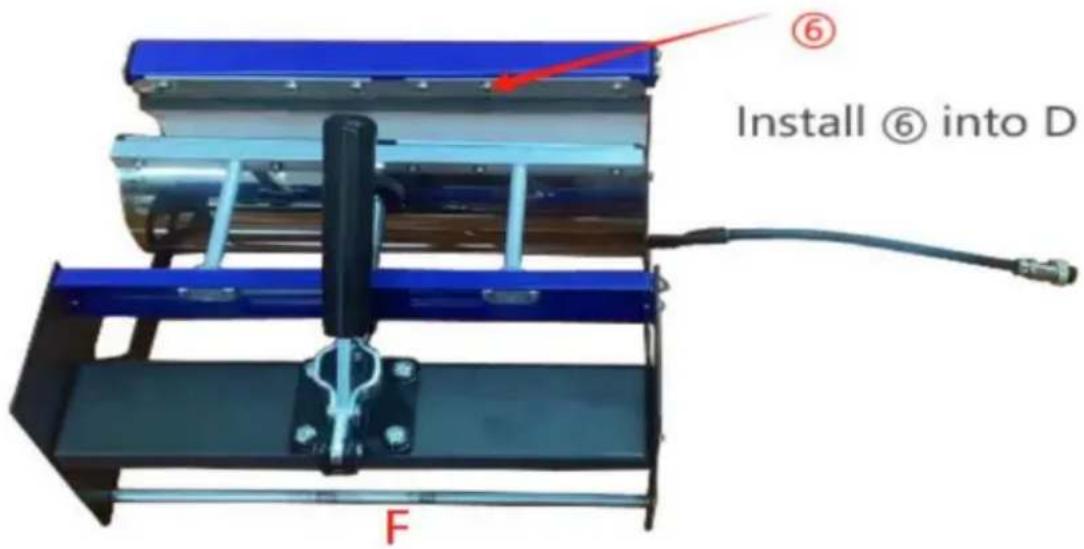
Installation complete
6. OPERATION
1
2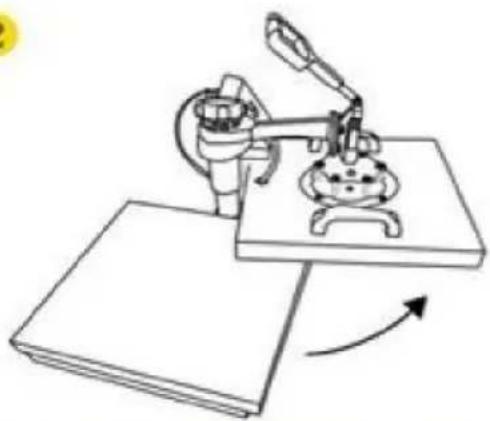
Rotate the heat transfer board to the side
Pull out the mat below, place the clothes flat on the mat and place the pattern on the clothes
4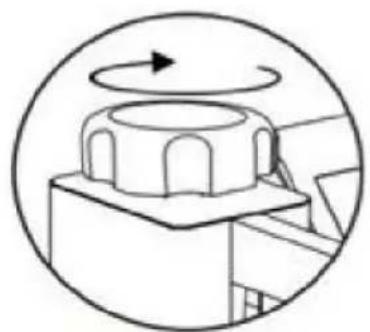
Turn this knob to adjust the pressure
Clockwise to add pressure
Anticlockwise to reduce pressure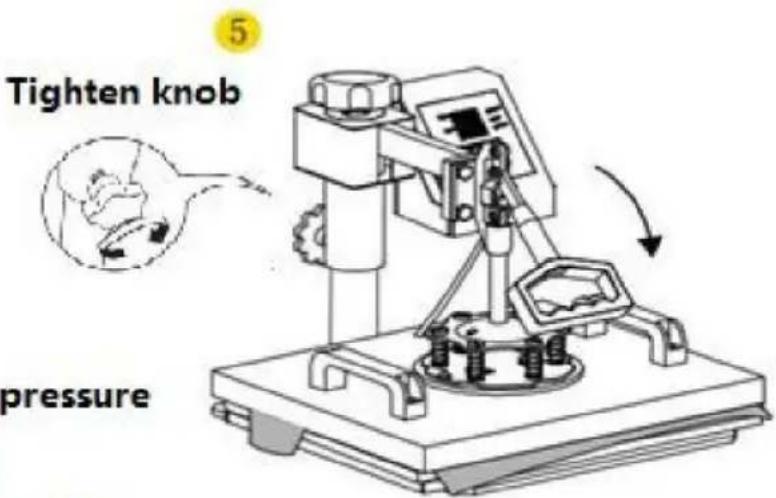
7. CONTROL PANEL
Use a Phillips screwdriver to assemble the slide handle (M5*20 screw and nuts)
9. REPLACE THE BACK MAT
Screw the ball-head Phillips bolts back to the flat platen.
Note: Partially tighten them.
2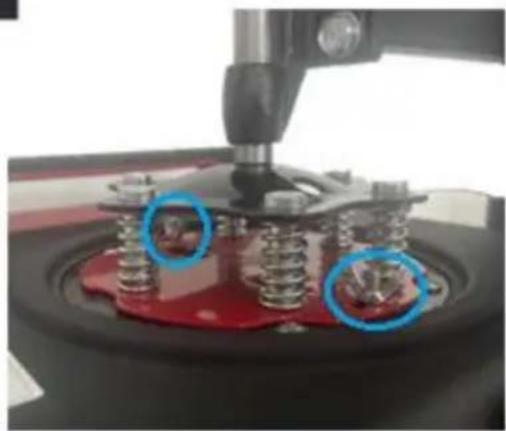
Firmly grasp the swing handles, lifting the platen up to the lower pressure plate and placing the bolts in the large slots as shown.
3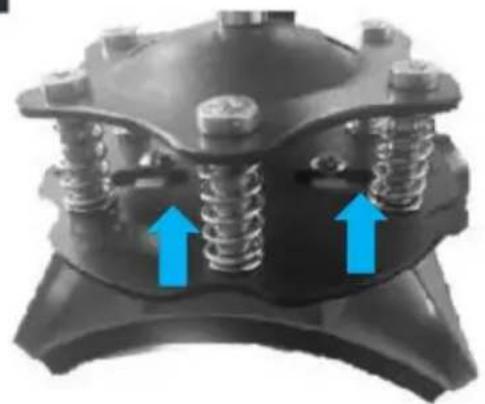
a. Slide the bolts into the small slots. b. Tighten them FULLY to relock the platen.
4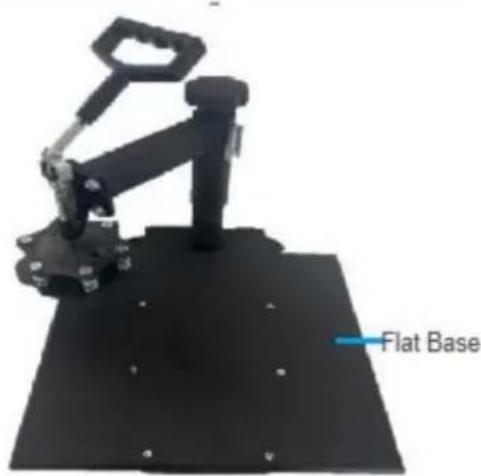
Turn the support arm to either side and remove the heat-resistant mats from the flat base.
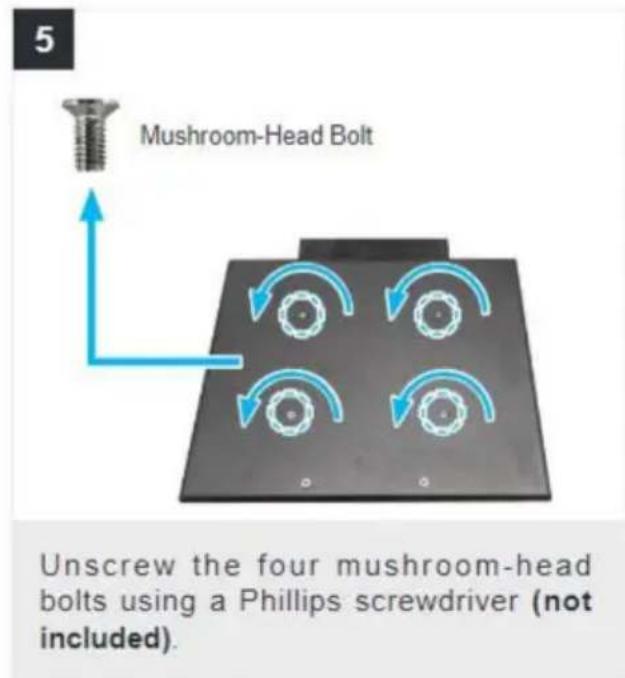
Slide the curved base (D) onto the rail as shown.
Push the press plate up to the lower pressure plate, placing the bolts in the large slots as shown.
a. Slide the bolts into the small slots. b. Tighten them FULLY using a Phillips screwdriver (not included).
Turn back the support arm, placing the press plate above the curved base (L).
Note: If the press plate is not high enough to be positioned above the base, turn the pressure adjustment knob counterclockwise to raise the support arm and the plate.
1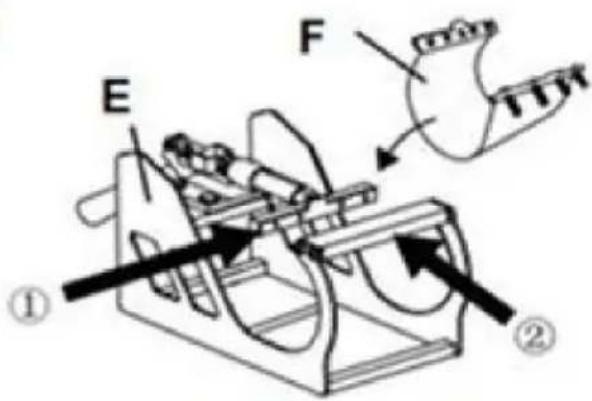

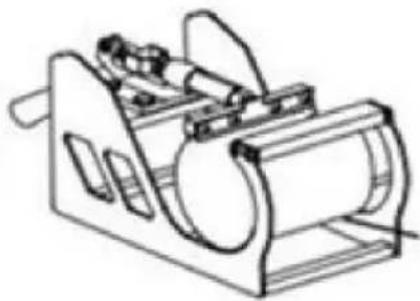

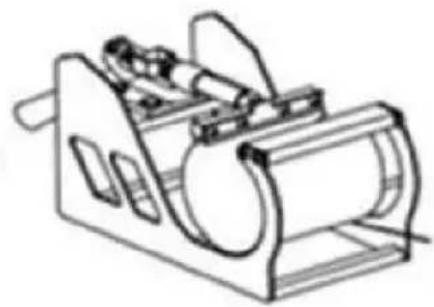
Install F to Part E Direct put Part F in Part E, ensure the screw tube through in correct holes on both side.
Select the appropriate size baking coaster ( Part F or H) Put the Cup in Part E
F or H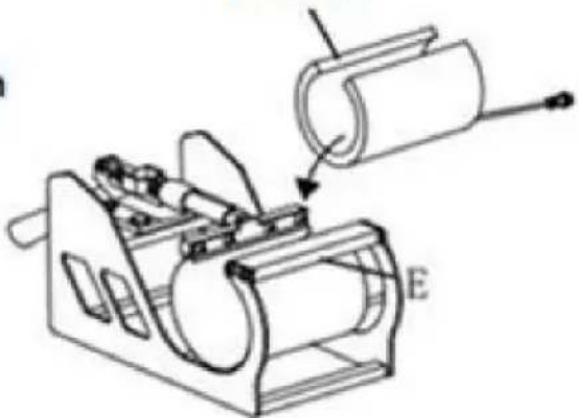
2
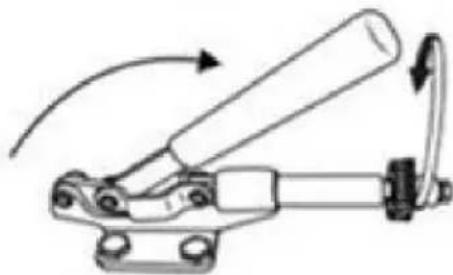
Adjust the tightness
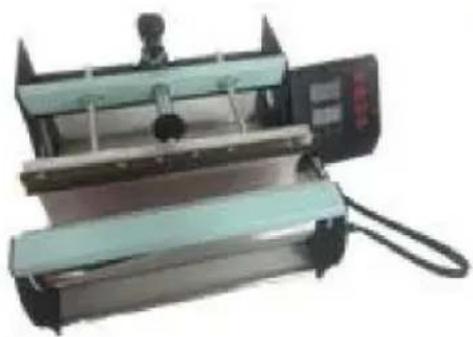

Shaped Cup
1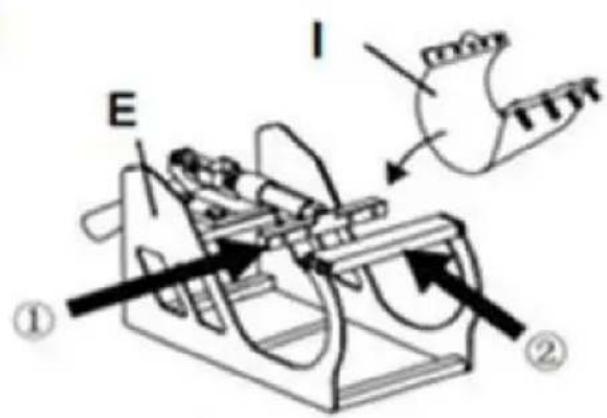

I or J
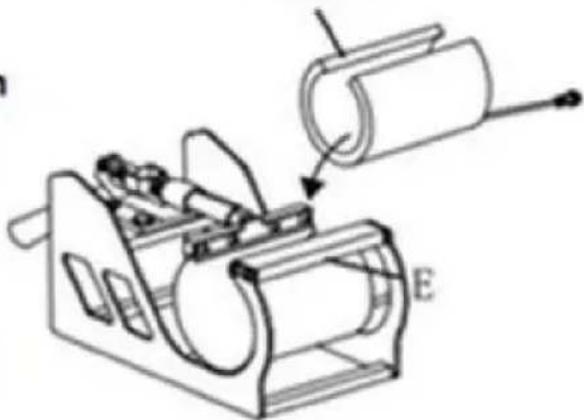
Instal I to Part E Direct put Part I to Part E ensure the screw tube through in correct holes on both side.
Select the appropriate size baking coaster (Part I or J) Put the Cup in Part E
2
Adjust the tightness

Shaped Cup
12. RECOMMENDED PARAMETER
| | |
| T-shirt (Non-cotton) | T-shirt (PU flex film) | Aluminum plate |
| 392°F (200°C) 60s | 338°F (170°C) 25s | 338°F (170°C) 100s |
| | |
| Pillow | Mouse pad | Cloth bag |
| 392°F (200°C) 60s | 365°F (185°C) 50s | 356°F (180°C) 60s |
| Material | Temperature | Time | Pressure | ||
| Aluminum Sheet | 340–355°F | 170–180°C | 80–90 sec. | M | |
| Aluminum Alloy Coating | 355–390°F | 180–200°C | 45–60 sec. | M | |
| Ceramics | Porcelain Cups | 340–355°F | 170–180°C | 60–90 sec. | XL |
| Color-Changing Cups | 320–340°F | 160–170°C | 60–90 sec. | XL | |
| Plates or Dishes | 320–355°F | 160–180°C | 60–90 sec. | XL | |
| Tiles | 355°F | 180°C | 80–90 sec. | XL | |
| Chemical Fibers or Fibres | 320°F | 160°C | 20 sec. | M | |
| Cotton (T-Shirts &c.) | PU Flex Film | 340°F | 170°C | 25 sec. | H |
| Sublimation | 390°F | 200°C | 60 sec. | H | |
| Vinyl | 320°F | 160°C | 15 sec. | M | |
| Cotton Poly Blends | 350°F | 175°C | 10 sec. | H | |
| Crystal Photo Block | 375°F | 190°C | 180 sec. | M | |
| Glass Frames | 320–340°F | 160–170°C | 60–90 sec. | XXL | |
| Mousepads | 355°F | 180°C | 60 sec. | M | |
| Pillowcases & Linens | 355°F | 180°C | 60 sec. | H | |
| Polyester | 270°F | 130°C | 10 sec. | H | |
| Rhinestone Transfers | 320°F | 160°C | 15 sec. | M | |
| Slate Rock Photo | 355°F | 180°C | 420 sec. | M | |
| Wood | 375°F | 190°C | 50 sec. | M | |
| Stainless Steel Sports Bottle | 320–340°F | 160–170°C | 60–90 sec. | M | |
| Paperboard Pieces | 355°F | 180°C | 60 sec. | M | |
Pressure Levels: XXL<XL<M<H
13. TROUBLESHOOTING
Temperature controller operating method
C/O YH Consulting Limited Office 147, Centurion House, London Road, Staines-upon-Thames, Surrey, TW18 4AX
VEVOR®
TOUGH TOOLS, HALF PRICE
www.vevor.com/support
VEVOR®
TOUGH TOOLS, HALF PRICE
Technical support and e-warranty certificate www.vevor.com/support
HEAT PRESS MACHINE
NEED HELP? CONTACT US!
FCC INFORMATION
3. PARTS LIST
| Deel A | Deel B | Deel C | Deel D | Deel E | Deel F | Deel H | Deel I | Deel J | ||
| 5in1 | y | y | y | y | y | |||||
| 8in1 | y | y | y | y | y | y | y | y |
A Combine ①②③
B Combine A④⑨
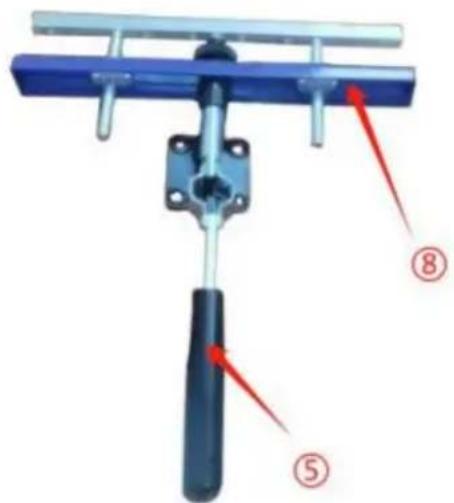
C Combine ⑤⑧
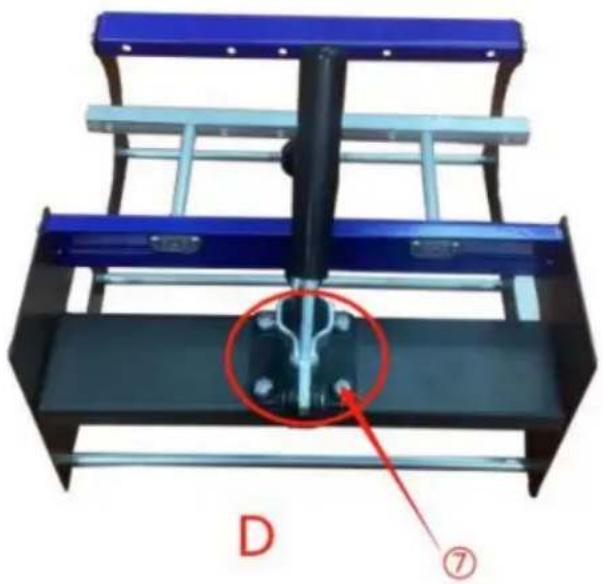
Secure B and C with ⑦
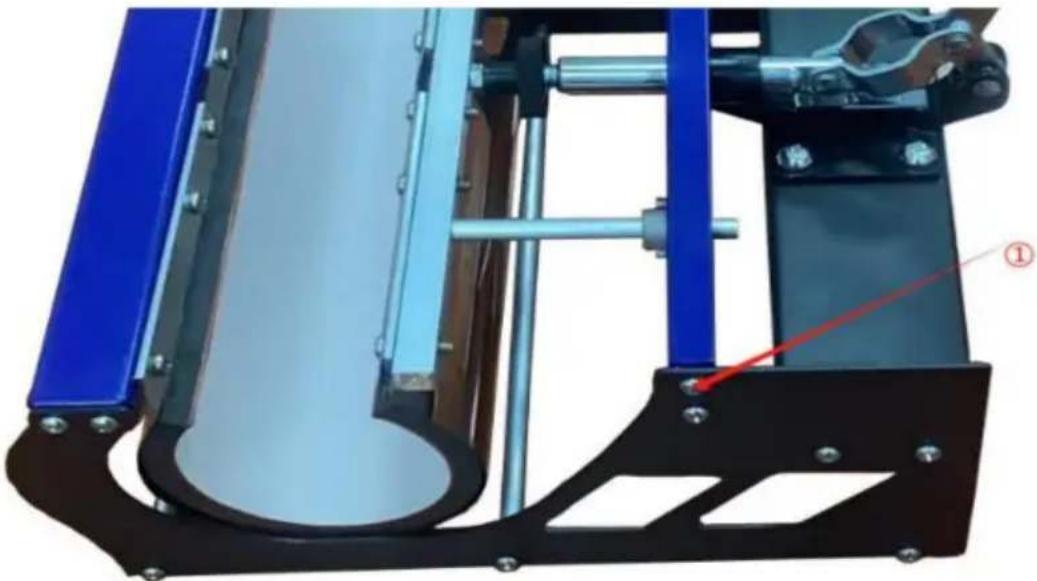
E Fix the left and right sides with ①
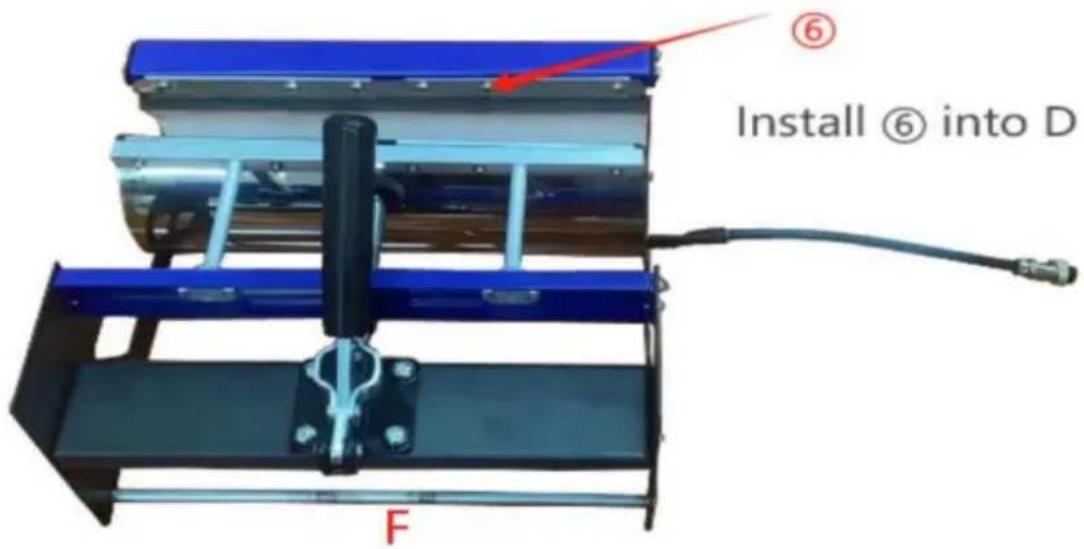
Rotate the heat transfer board to the side
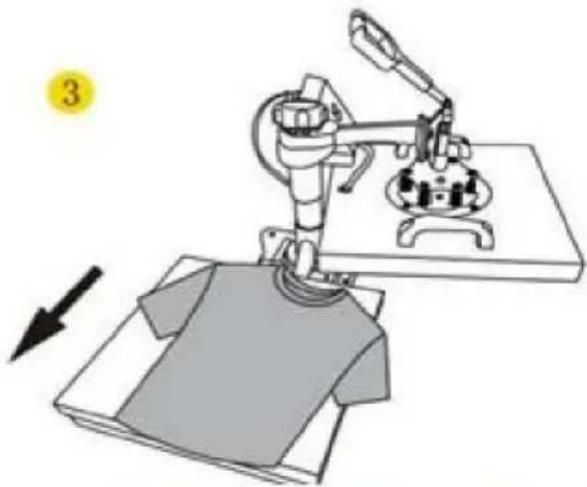
Pull out the mat below, place the clothes flat on the mat and place the pattern on the clothes
4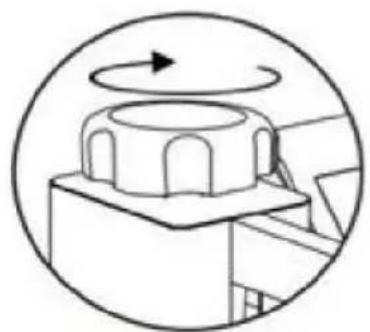
Turn this knob to adjust the pressure
Clockwise to add pressure
Anticlockwise to reduce pressure Tighten knob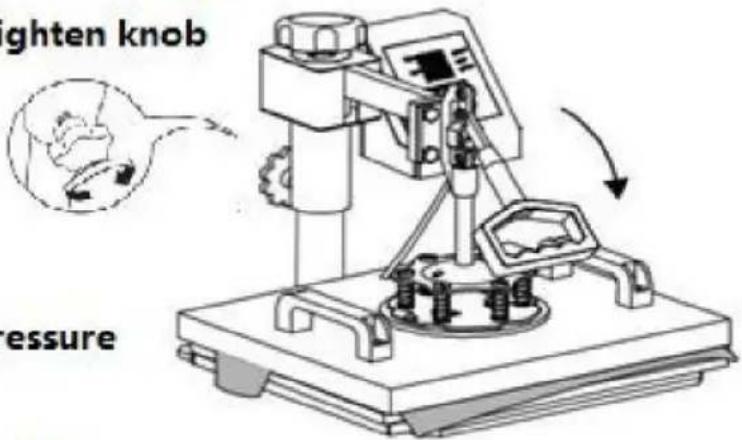
5
7. CONTROL PANEL
Use Phillips screwdriver assembly the slide handle (M5*20 screw and nuts)
9. REPLACE THE BAKING MAT
Recommended
parameter
Screw the ball-head Phillips bolts back to the flat platen.
Note: Partially tighten them.
2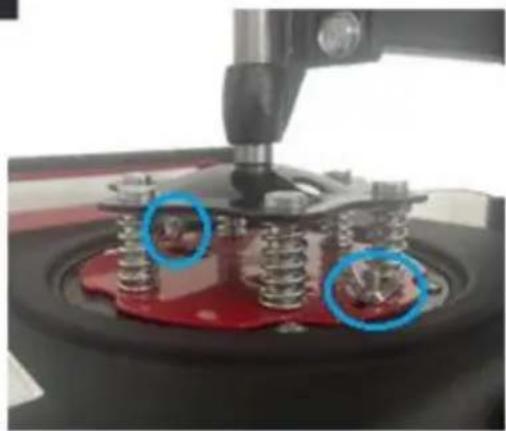
Firmly grasp the swing handles, lifting the platen up to the lower pressure plate and placing the bolts in the large slots as shown.
3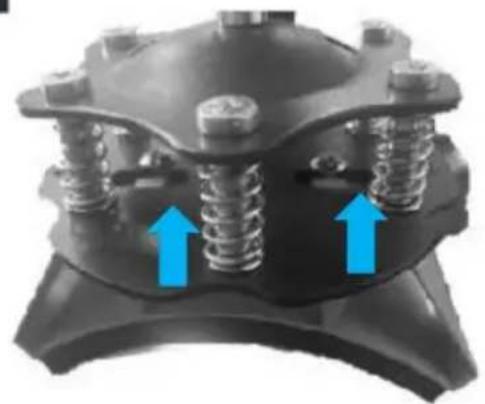
a. Slide the bolts into the small slots. b. Tighten them FULLY to relock the platen.
4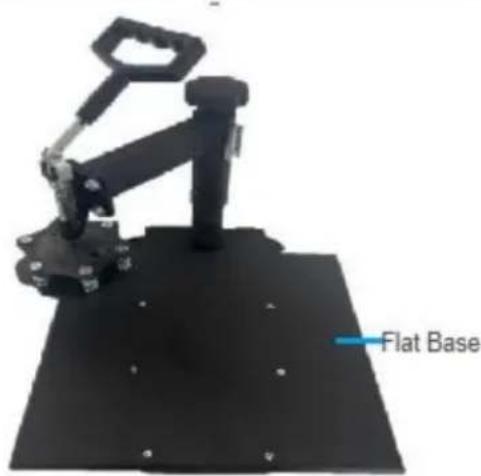
Turn the support arm to either side and remove the heat-resistant mats from the flat base.
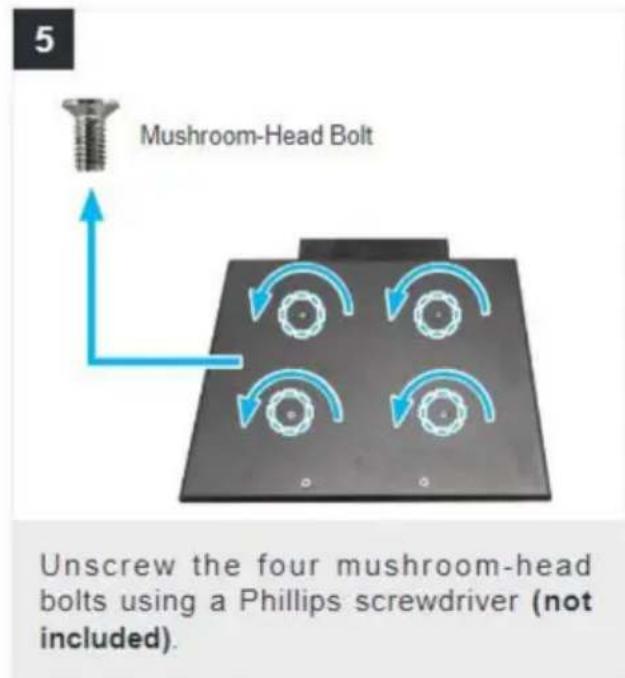
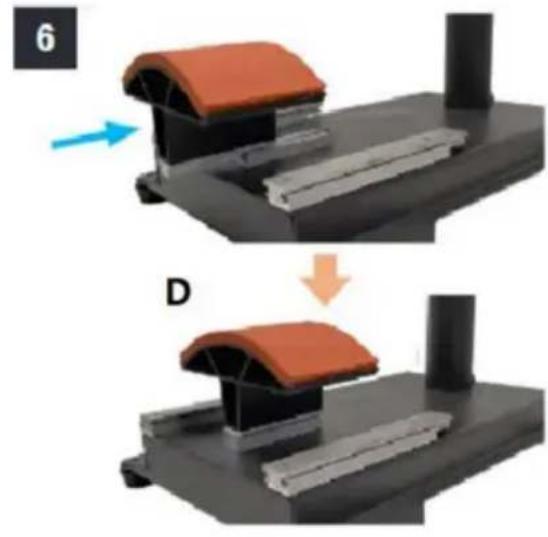
Slide the curved base (D) onto the rail as shown.
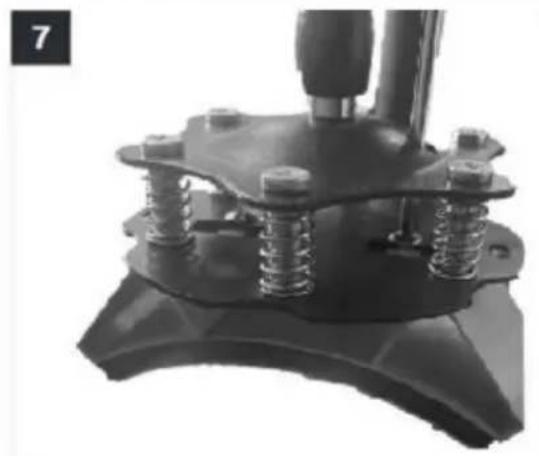
Push the press plate up to the lower pressure plate, placing the bolts in the large slots as shown.
a. Slide the bolts into the small slots. b. Tighten them FULLY using a Phillips screwdriver (not included).

Turn back the support arm, placing the press plate above the curved base (L).
Note: If the press plate is not high enough to be positioned above the base, turn the pressure adjustment knob counterclockwise to raise the support arm and the plate.
11. REPLACING THE BAKING COASTER
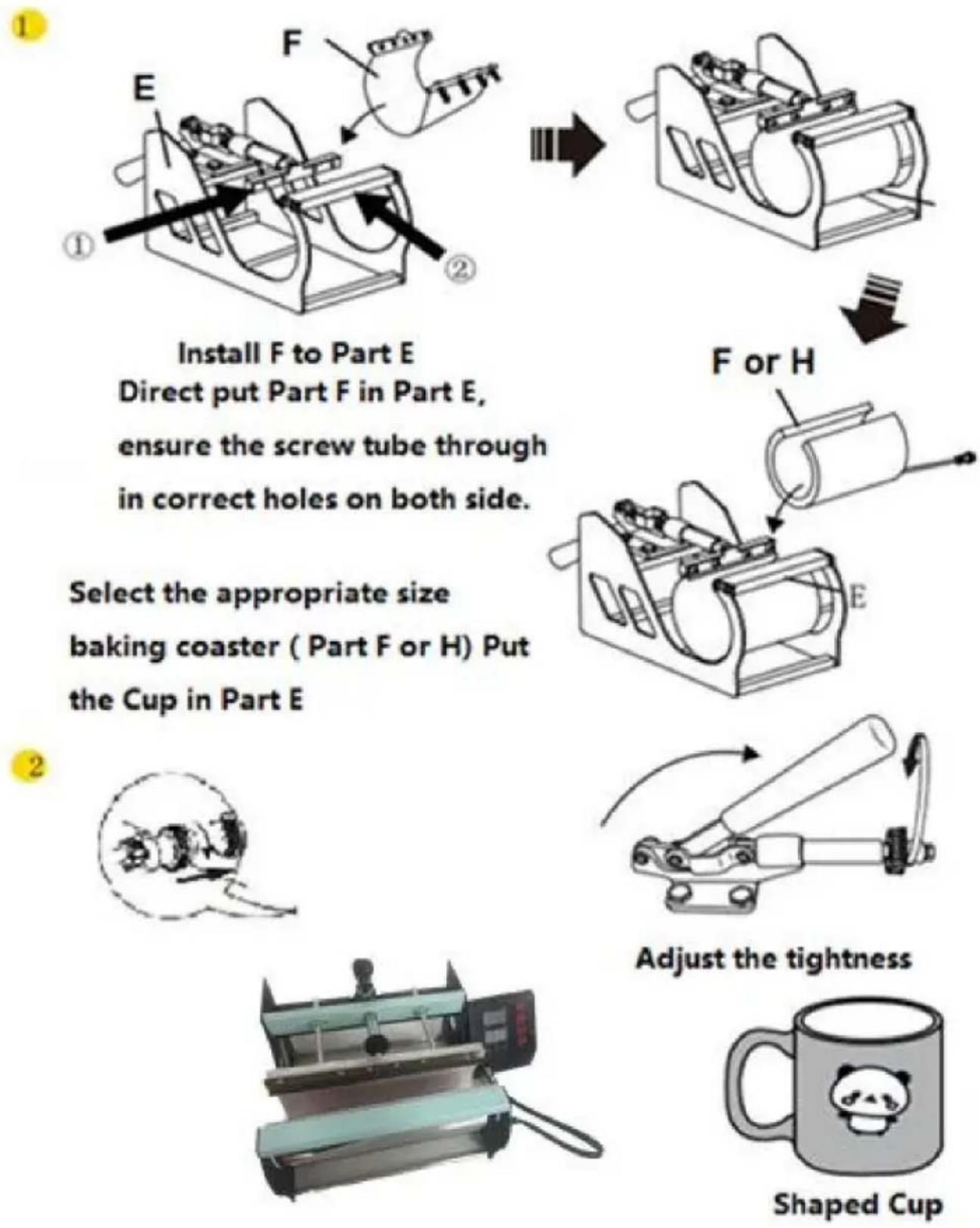
Install F to Part E Directly put Part F into Part E, ensure the screw tube goes through the correct holes on both sides.
Select the appropriate size baking coaster (Part F or H). Put the Cup in Part E.
1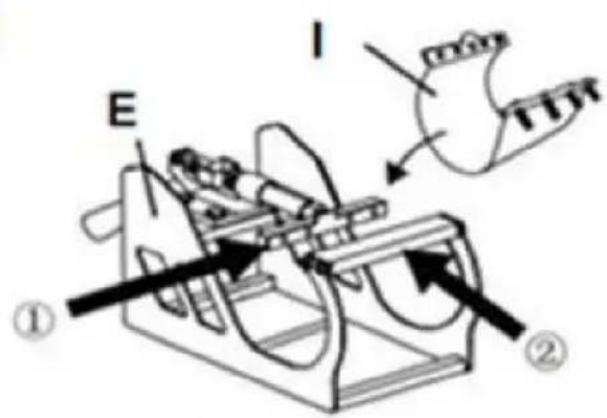

I or J
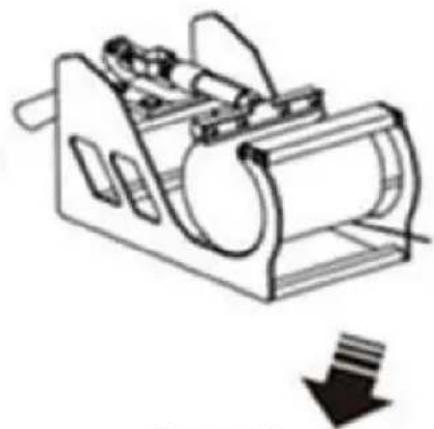
Install I to Part E Directly put Part I into Part E, ensure the screw tube goes through the correct holes on both sides.
Select the appropriate size baking coaster (Part I or J). Put the Cup in Part E.
2
Adjust the tightness

Shaped Cup
12. RECOMMENDED PARAMETERS
| | |
| T-shirt (Non-cotton) | T-shirt (PU flex film) | Aluminum plate |
| 392°F (200°C) 60s | 338°F (170°C) 25s | 338°F (170°C) 100s |
| | |
| Pillow | Mouse pad | Cloth bag |
| 392°F (200°C) 60s | 365°F (185°C) 50s | 356°F (180°C) 60s |
| Material | Temperature | Time | Pressure | ||
| Aluminum Sheet | 340–355°F | 170–180°C | 80–90 sec. | M | |
| Aluminum Alloy Coating | 355–390°F | 180–200°C | 45–60 sec. | M | |
| Ceramics | Porcelain Cups | 340–355°F | 170–180°C | 60–90 sec. | XL |
| Color-Changing Cups | 320–340°F | 160–170°C | 60–90 sec. | XL | |
| Plates or Dishes | 320–355°F | 160–180°C | 60–90 sec. | XL | |
| Tiles | 355°F | 180°C | 80–90 sec. | XL | |
| Chemical Fibers or Fibres | 320°F | 160°C | 20 sec. | M | |
| Cotton (T-Shirts &c.) | PU Flex Film | 340°F | 170°C | 25 sec. | H |
| Sublimation | 390°F | 200°C | 60 sec. | H | |
| Vinyl | 320°F | 160°C | 15 sec. | M | |
| Cotton Poly Blends | 350°F | 175°C | 10 sec. | H | |
| Crystal Photo Block | 375°F | 190°C | 180 sec. | M | |
| Glass Frames | 320–340°F | 160–170°C | 60–90 sec. | XXL | |
| Mousepads | 355°F | 180°C | 60 sec. | M | |
| Pillowcases & Linens | 355°F | 180°C | 60 sec. | H | |
| Polyester | 270°F | 130°C | 10 sec. | H | |
| Rhinestone Transfers | 320°F | 160°C | 15 sec. | M | |
| Slate Rock Photo | 355°F | 180°C | 420 sec. | M | |
| Wood | 375°F | 190°C | 50 sec. | M | |
| Stainless Steel Sports Bottle | 320–340°F | 160–170°C | 60–90 sec. | M | |
| Paperboard Pieces | 355°F | 180°C | 60 sec. | M | |
Pressure Levels: XXL<XL<M<H
13. TROUBLESHOOTING
C/O YH Consulting Limited Office 147, Centurion House, London Road, Staines-upon-Thames, Surrey, TW18 4AX
VEVOR®
TOUGH TOOLS, HALF PRICE
Technical support and e-warranty certificate www.vevor.com/support
VEVOR®
TOUGH TOOLS, HALF PRICE
NEED HELP? CONTACT US!
FCC INFORMATION
3. PARTS LIST
| Partie A Partie B Partie C Partie D Partie E Partie F | Partie H Partie I Partie J | |||||||
| 5 en 1 | ||||||||
| 8 en 1 | ||||||||
A Combine ①②③
B Combine A④⑨
C Combine ⑤⑧
Secure B and C with ⑦
E Fix the left and right sides with ①
Installation complete
6. OPERATION
1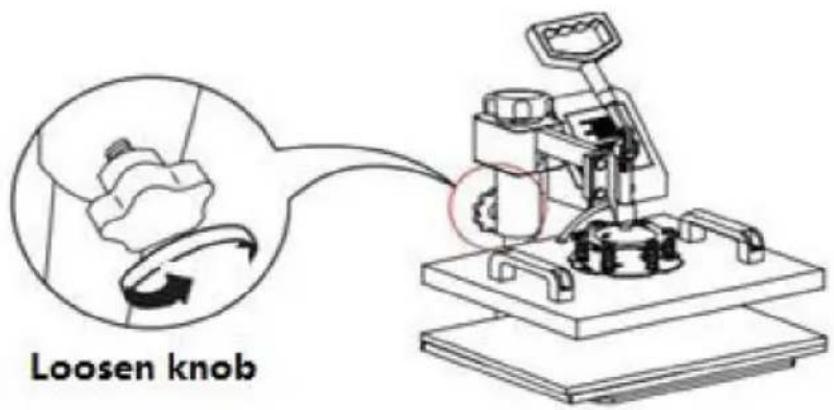
2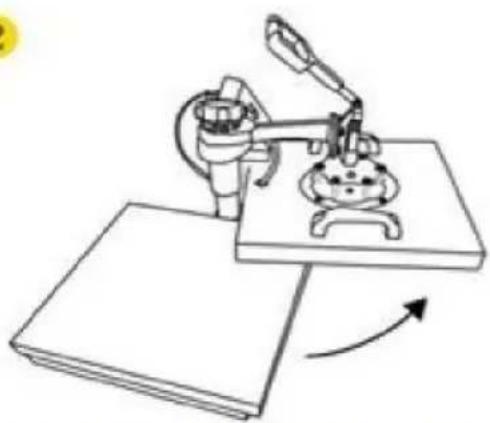
Rotate the heat transfer board to the side
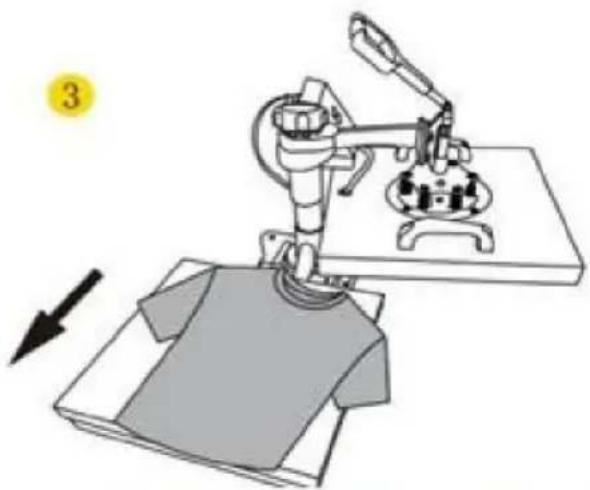
Pull out the mat below, place the clothes flat on the mat and place the pattern on the clothes
4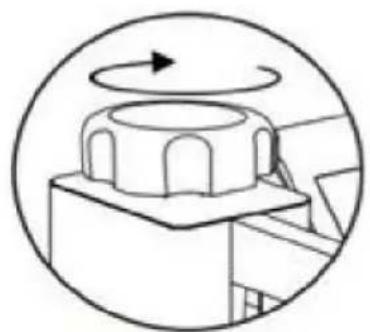
Turn this knob to adjust the pressure
Clockwise to add pressure
Anticlockwise to reduce pressure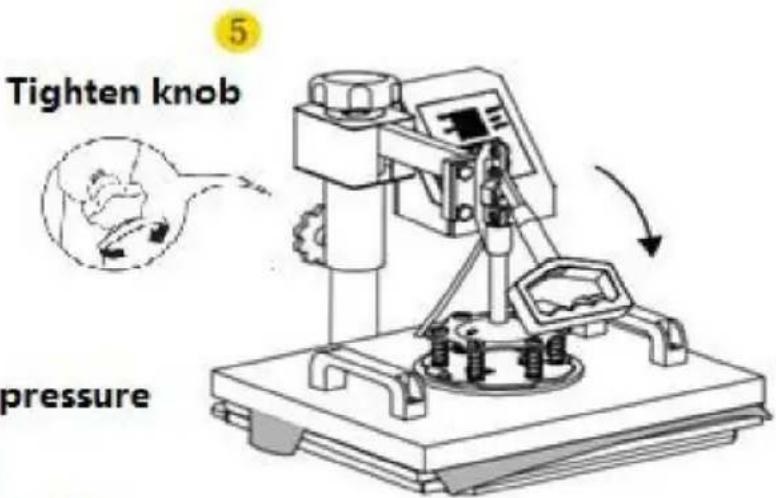
7. CONTROL PANEL
Use Phillips screwdriver assembly the slide handle (M5*20 screw and nuts)
9. REPLACING THE COOKING PLATE MAT
Recommended
parameter
Screw the ball-head Phillips bolts back to the flat platen.
Note: Partially tighten them.
2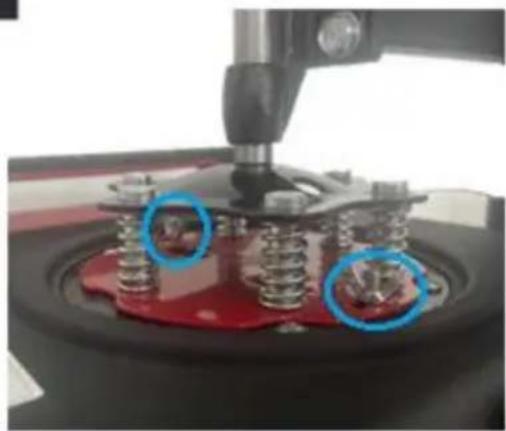
Firmly grasp the swing handles, lifting the platen up to the lower pressure plate and placing the bolts in the large slots as shown.
3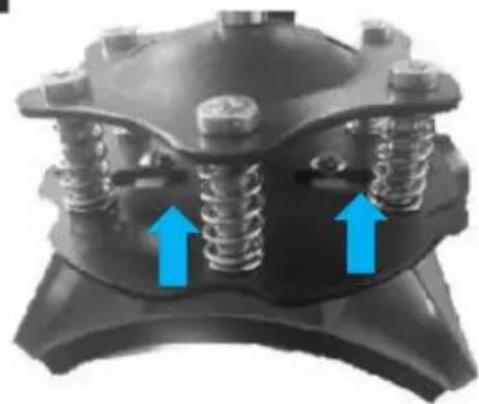
a. Slide the bolts into the small slots. b. Tighten them FULLY to relock the platen.
4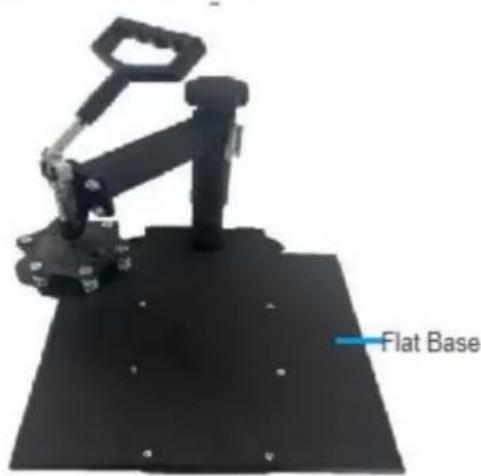
Turn the support arm to either side and remove the heat-resistant mats from the flat base.
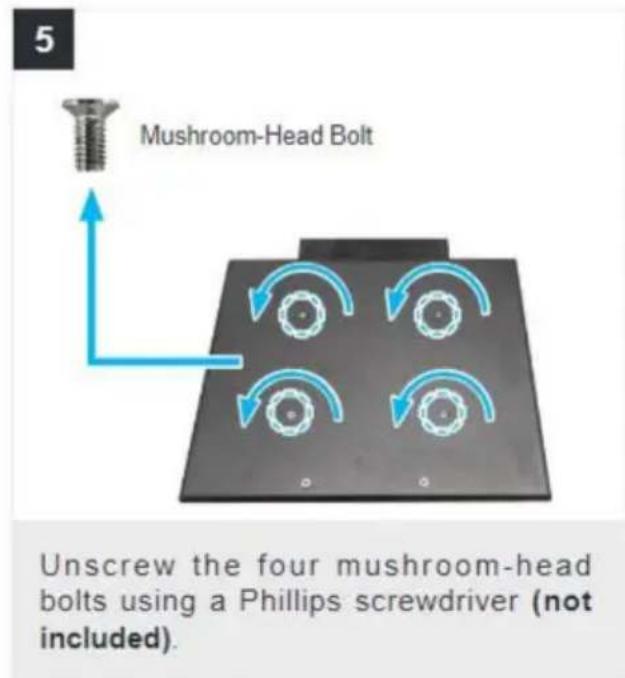
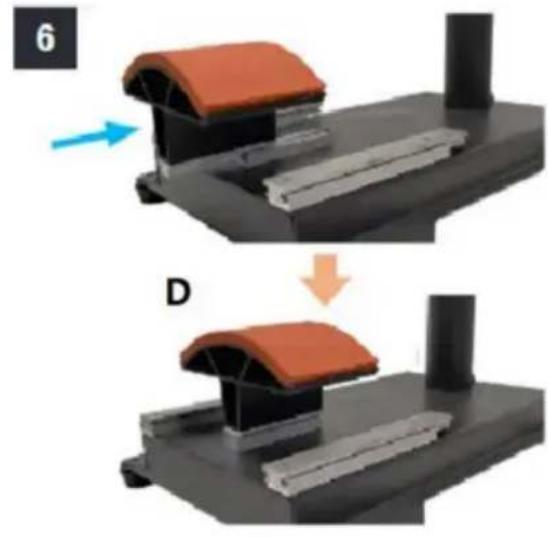
Slide the curved base (D) onto the rail as shown.
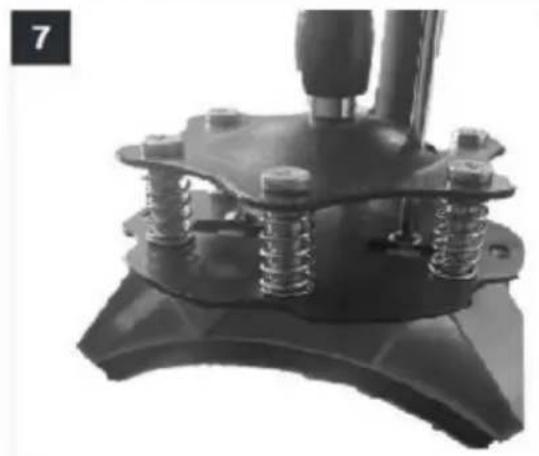
Push the press plate up to the lower pressure plate, placing the bolts in the large slots as shown.
a. Slide the bolts into the small slots. b. Tighten them FULLY using a Phillips screwdriver (not included).
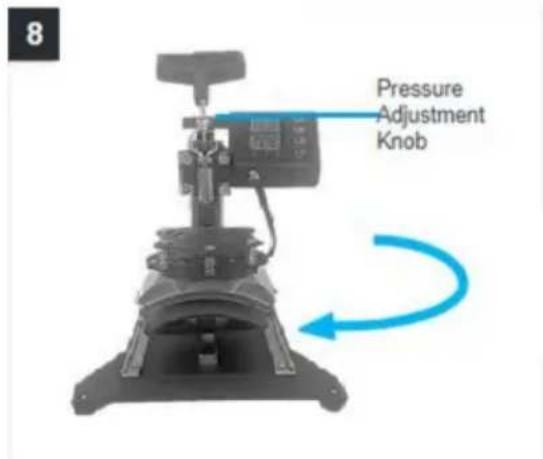
Turn back the support arm, placing the press plate above the curved base (L).
Note: If the press plate is not high enough to be positioned above the base, turn the pressure adjustment knob counterclockwise to raise the support arm and the plate.
11. REPLACE THE BAKING COASTER
1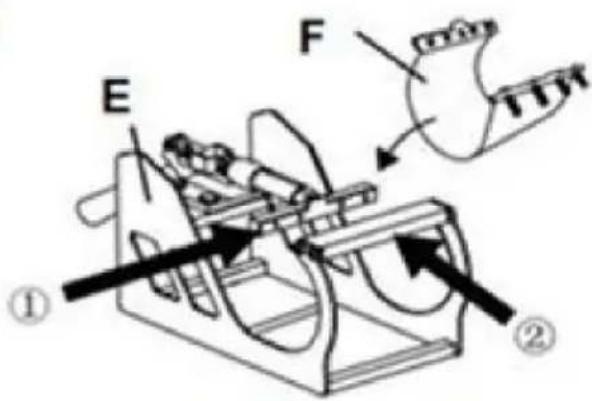

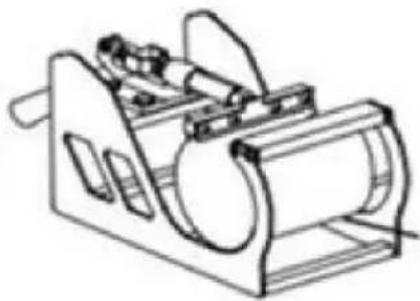

Install F to Part E. Directly put Part F in Part E, ensure the screw tube through in correct holes on both sides.
Select the appropriate size baking coaster (Part F or H). Put the Cup in Part E.
F or H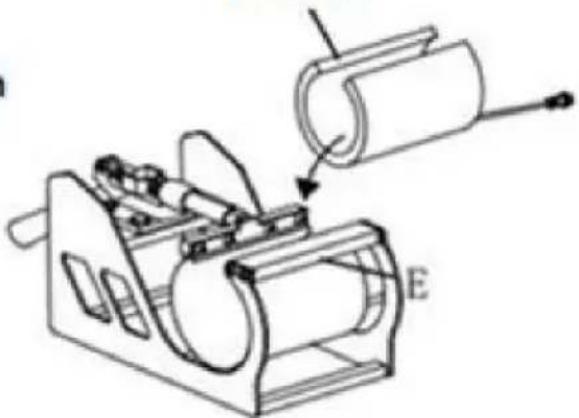
2
Adjust the tightness

Shaped Cup
1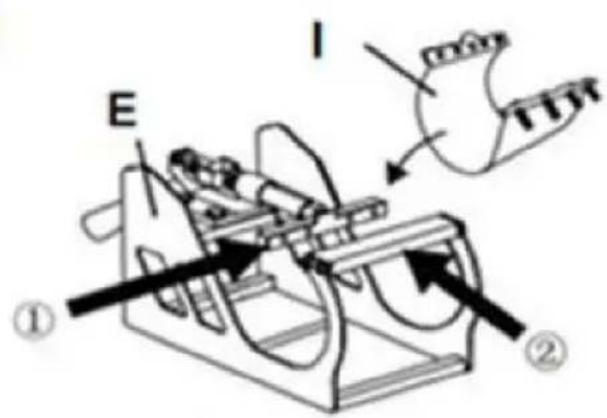

I or J
Install I to Part E Directly put Part I to Part E ensure the screw tube through in correct holes on both side.
Select the appropriate size baking coaster (Part I or J) Put the Cup in Part E
2
Adjust the tightness

Shaped Cup
12. RECOMMENDED PARAMETER
| | |
| T-shirt (Non-cotton) | T-shirt (PU flex film) | Aluminum plate |
| 392°F (200°C) 60s | 338°F (170°C) 25s | 338°F (170°C) 100s |
| | |
| Pillow | Mouse pad | Cloth bag |
| 392°F (200°C) 60s | 365°F (185°C) 50s | 356°F (180°C) 60s |
| Material | Temperature | Time | Pressure | ||
| Aluminum Sheet | 340–355°F | 170–180°C | 80–90 sec. | M | |
| Aluminum Alloy Coating | 355–390°F | 180–200°C | 45–60 sec. | M | |
| Ceramics | Porcelain Cups | 340–355°F | 170–180°C | 60–90 sec. | XL |
| Color-Changing Cups | 320–340°F | 160–170°C | 60–90 sec. | XL | |
| Plates or Dishes | 320–355°F | 160–180°C | 60–90 sec. | XL | |
| Tiles | 355°F | 180°C | 80–90 sec. | XL | |
| Chemical Fibers or Fibres | 320°F | 160°C | 20 sec. | M | |
| Cotton (T-Shirts &c.) | PU Flex Film | 340°F | 170°C | 25 sec. | H |
| Sublimation | 390°F | 200°C | 60 sec. | H | |
| Vinyl | 320°F | 160°C | 15 sec. | M | |
| Cotton Poly Blends | 350°F | 175°C | 10 sec. | H | |
| Crystal Photo Block | 375°F | 190°C | 180 sec. | M | |
| Glass Frames | 320–340°F | 160–170°C | 60–90 sec. | XXL | |
| Mousepads | 355°F | 180°C | 60 sec. | M | |
| Pillowcases & Linens | 355°F | 180°C | 60 sec. | H | |
| Polyester | 270°F | 130°C | 10 sec. | H | |
| Rhinestone Transfers | 320°F | 160°C | 15 sec. | M | |
| Slate Rock Photo | 355°F | 180°C | 420 sec. | M | |
| Wood | 375°F | 190°C | 50 sec. | M | |
| Stainless Steel Sports Bottle | 320–340°F | 160–170°C | 60–90 sec. | M | |
| Paperboard Pieces | 355°F | 180°C | 60 sec. | M | |
Pressure Levels: XXL<XL<M<H
13. TROUBLESHOOTING
C/O YH Consulting Limited Bureau 147, Centurion House,
Route de Londres, Staines-upon-Thames, Surrey, TW18 4AX
VEVOR®
TOUGH TOOLS, HALF PRICE
FCC INFORMATION
3. PARTS LIST
A Combine ①②③
B Combine A④⑨
C Combine ⑤⑧
Secure B and C with ⑦
E Fix the left and right sides with ①
Rotate the heat transfer board to the side
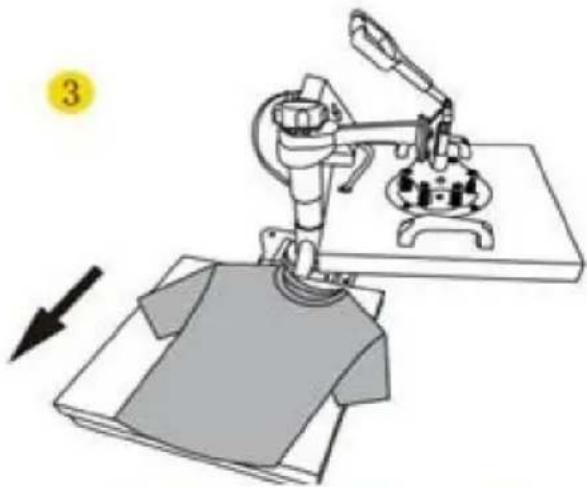
Pull out the mat below, place the clothes flat on the mat and place the pattern on the clothes
4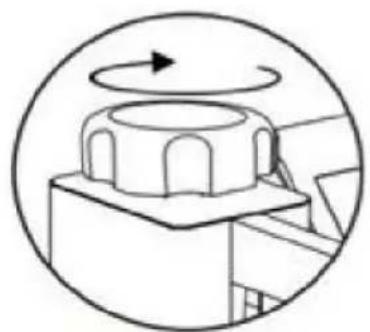
Turn this knob to adjust the pressure Clockwise to add pressure Anticlockwise to reduce pressure
Tighten knob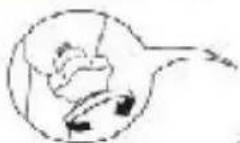
5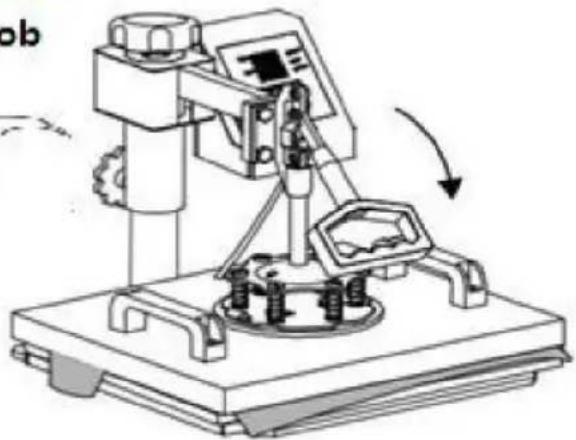
7. CONTROL PANEL
Use Phillips screwdriver to assemble the slide handle (M5*20 screw and nuts)
Recommended
Parameter
Screw the ball-head Phillips bolts back to the flat platen.
Note: Partially tighten them.
2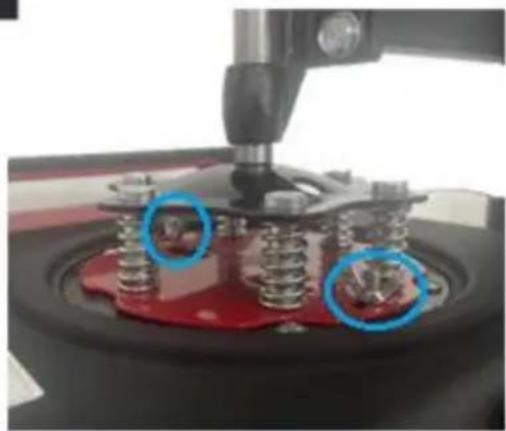
Firmly grasp the swing handles, lifting the platen up to the lower pressure plate and placing the bolts in the large slots as shown.
3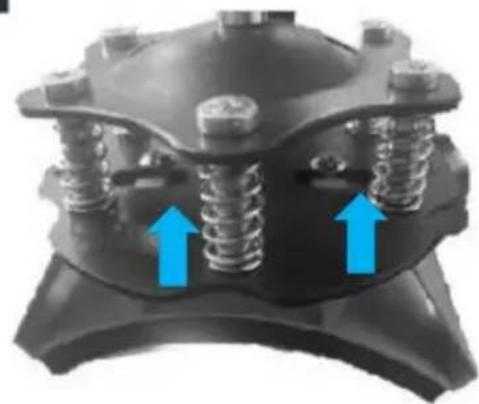
a. Slide the bolts into the small slots. b. Tighten them FULLY to relock the platen.
4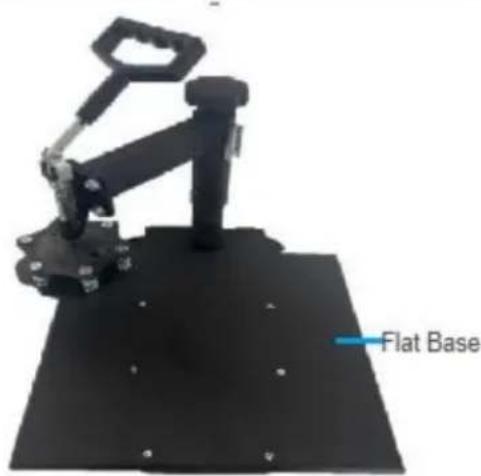
Turn the support arm to either side and remove the heat-resistant mats from the flat base.
Slide the curved base (D) onto the rail as shown.

Push the press plate up to the lower pressure plate, placing the bolts in the large slots as shown.
a. Slide the bolts into the small slots. b. Tighten them FULLY using a Phillips screwdriver (not included).
Turn back the support arm, placing the press plate above the curved base (L).
Note: If the press plate is not high enough to be positioned above the base, turn the pressure adjustment knob counterclockwise to raise the support arm and the plate.

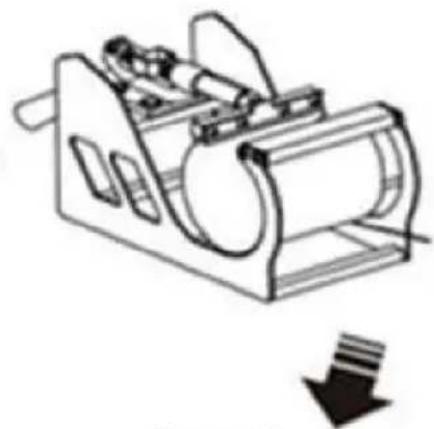
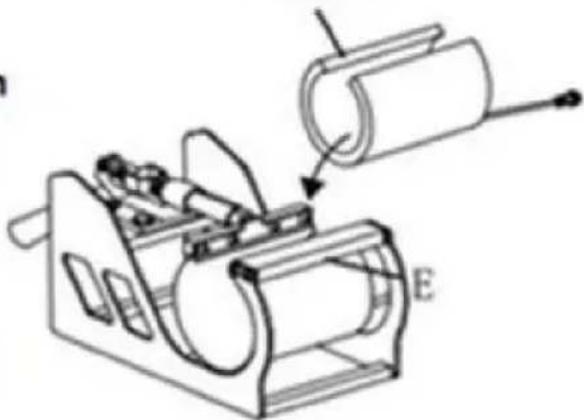
Install F to Part E Directly put Part F into Part E, ensuring the screw tube goes through the correct holes on both sides.
Select the appropriate size baking coaster (Part F or H). Put the cup in Part E.
F or H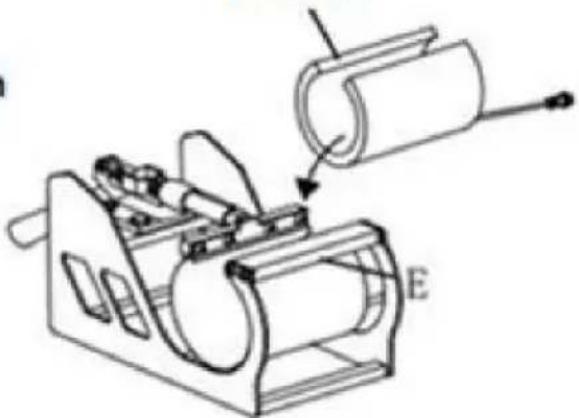
2
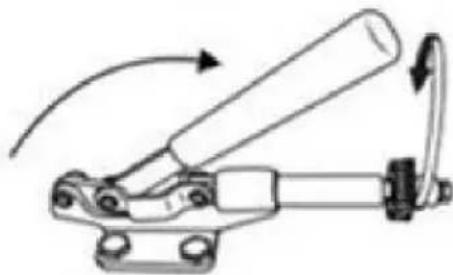
Adjust the tightness

Shaped Cup
1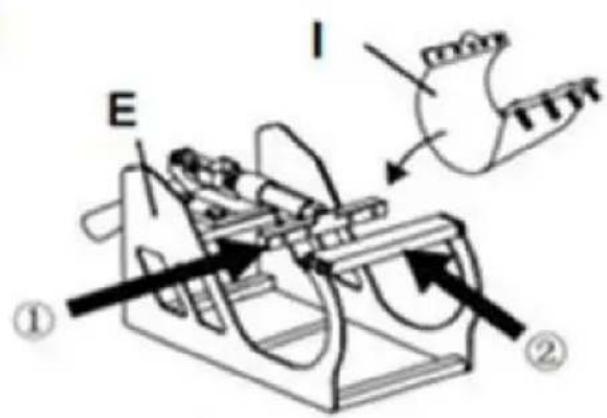

I or J
Install I to Part E Directly put Part I into Part E, ensuring the screw tube goes through the correct holes on both sides.
Select the appropriate size baking coaster (Part I or J). Put the cup in Part E.
2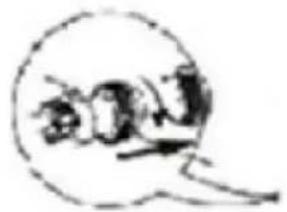
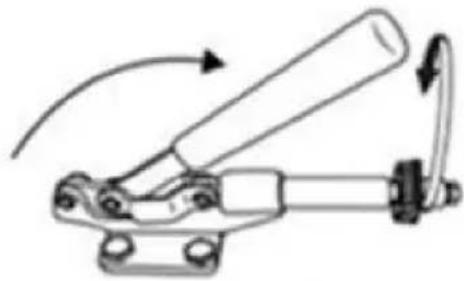
Adjust the tightness

Shaped Cup
12. RECOMMENDED PARAMETERS
| | |
| T-shirt (Non-cotton) | T-shirt (PU flex film) | Aluminum plate |
| 392°F (200°C) 60s | 338°F (170°C) 25s | 338°F (170°C) 100s |
| | |
| Pillow | Mouse pad | Cloth bag |
| 392°F (200°C) 60s | 365°F (185°C) 50s | 356°F (180°C) 60s |
| Material | Temperature | Time | Pressure | ||
| Aluminum Sheet | 340–355°F | 170–180°C | 80–90 sec. | M | |
| Aluminum Alloy Coating | 355–390°F | 180–200°C | 45–60 sec. | M | |
| Ceramics | Porcelain Cups | 340–355°F | 170–180°C | 60–90 sec. | XL |
| Color-Changing Cups | 320–340°F | 160–170°C | 60–90 sec. | XL | |
| Plates or Dishes | 320–355°F | 160–180°C | 60–90 sec. | XL | |
| Tiles | 355°F | 180°C | 80–90 sec. | XL | |
| Chemical Fibers or Fibres | 320°F | 160°C | 20 sec. | M | |
| Cotton (T-Shirts &c.) | PU Flex Film | 340°F | 170°C | 25 sec. | H |
| Sublimation | 390°F | 200°C | 60 sec. | H | |
| Vinyl | 320°F | 160°C | 15 sec. | M | |
| Cotton Poly Blends | 350°F | 175°C | 10 sec. | H | |
| Crystal Photo Block | 375°F | 190°C | 180 sec. | M | |
| Glass Frames | 320–340°F | 160–170°C | 60–90 sec. | XXL | |
| Mousepads | 355°F | 180°C | 60 sec. | M | |
| Pillowcases & Linens | 355°F | 180°C | 60 sec. | H | |
| Polyester | 270°F | 130°C | 10 sec. | H | |
| Rhinestone Transfers | 320°F | 160°C | 15 sec. | M | |
| Slate Rock Photo | 355°F | 180°C | 420 sec. | M | |
| Wood | 375°F | 190°C | 50 sec. | M | |
| Stainless Steel Sports Bottle | 320–340°F | 160–170°C | 60–90 sec. | M | |
| Paperboard Pieces | 355°F | 180°C | 60 sec. | M | |
Pressure Levels: XXL<XL<M<H
13. TROUBLESHOOTING

- HEAT PRESS MACHINE
- VEVOR®
- NEED HELP? CONTACT US
- WARNING
- FCC INFORMATION
- CONTENTS
- MACHINE STRUCTURE PRESENTATION
- PARTS LIST
- OPERATION
- CONTROL PANEL
- PARAMETER SETTING
- HOW TO TURN ON/OFF AND HOW TO START
- HOW TO SET THE TEMPERATURE/TIME
- HOW TO SET THE TEMPERATURE/TIME TO INCREASE OR DECREASE
- HOW TO CHANGE THE TEMPERATURE UNIT FROM F AND
- HOW TO DO TEMPERATURE CORRECTION
- HOW TO HEAT PRESSING? (FOR EXAMPLE, T-SHIRT PRINTING)
- HOW TO CALIBRATE YOUR HEAT PRESS MACHINE
- SLIDE HANDLE ASSEMBLY METHOD
- REPLACE BAKING TRAY MAT
- REPLACE BAKING CAP MAT
- REPLACE BAKING COASTER
- RECOMMENDED PARAMETER
- TROUBLE SHOOTING
- TOUGH TOOLS, HALF PRICE
- REPLACING THE BAKING PAD
- REPLACING THE BAKING BASE
- TROUBLESHOOTING
- REPLACING THE BAKING TRAY MAT
- REPLACE THE OVEN COASTER
- RECOMMENDED PARAMETERS
- REPLACE THE BAKING TRAY
- REPLACE THE BAKING MAT
- REPLACE THE BACK MAT
- REPLACING THE BAKING COASTER
- REPLACING THE COOKING PLATE MAT
- REPLACE THE BAKING COASTER
Brand : Vevor
Model : SJY-H15151P
Category : Heat press