SAPM 1 A1 - Lamp SILVERCREST - Free user manual and instructions
Find the device manual for free SAPM 1 A1 SILVERCREST in PDF.


User questions about SAPM 1 A1 SILVERCREST
0 question about this device. Answer the ones you know or ask your own.
Ask a new question about this device
Download the instructions for your Lamp in PDF format for free! Find your manual SAPM 1 A1 - SILVERCREST and take your electronic device back in hand. On this page are published all the documents necessary for the use of your device. SAPM 1 A1 by SILVERCREST.
USER MANUAL SAPM 1 A1 SILVERCREST
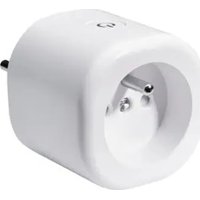
ZWISCHENSTECKER/SMART PLUG/ PRISE CONNECTÉE SAPM 1 A1
DE AT CH
ZWISCHENSTECKER
Kurzanleitung
GB IE
SMART PLUG
Short manual
FR BE
PRISE CONNECTÉE
GB/IE Short manual Page 37
text_image
QR code image containing encoded data, no visible human-readable text
text_image
Download on the App Store
text_image
QR code image containing encoded data, no visible human-readable text
text_image
GETTON Google Play- Sie benötigen
Router:
2,4 GHz, IEEE 802.11b/g/n
Mobilgerät:
iOS 11.0 oder höher
text_image
Works with Apple HomeOptional: Apple Home-Hub
text_image
works with Google HomeOptional: Google Home-Hub
Sicherheitshinweise
Alternative Countdown antippen.
antippen.
24 DE/AT/CH
Warnings and symbols used .... Page 40
Short manual.... Page 42
Intended use Page 42
Scope of delivery ...... Page 43
Scan to get the Lidl Home
App Page 43
You will need.... Page 44
Safety notices ...... Page 44
Description of parts.... Page 49
Technical data Page 49
Trademark notices .... Page 50
Before first use Page 51
Setting up the product with
Matter Page 51
Works with Lidl Home app.... Page 51
Works with Apple Home .... Page 51
Works with Google Home...... Page 52
Pairing Matter-certified product with mobile device and Lidl Home App ...... Page 52
Creating a product group ..... Page 54
Removing a product group..... Page 54
Unpairing product from mobile device ...... Page 55
Switching on/off Page 55
Schedule settings ...... Page 56
Countdown Page 57
Electricity meter.... Page 58
Settings Page 58
Privacy policy ...... Page 60
Tap-to-Run/Automation...... Page 61
Disconnecting product manually from network ...... Page 62
LED signals.... Page 63
Cleaning and care ...... Page 64
Cleaning.... Page 64
Storage Page 64
Troubleshooting...... Page 64
Disposal Page 65
Warranty Page 66
Warranty claim procedure.... Page 67
Service Page 67
Simplified EU declaration of conformity.... Page 68
| Warnings and symbols usedThe following warnings are used in the user manual, short manual, quick start guide and on the packaging: | |
 | DANGER! This symbol in combination with the signal word “Danger” marks a high-risk hazard that if not prevented could result in death or serious injury. |
 | WARNING! This symbol in combination with the signal word “Warning” marks a medium-risk hazard that if not prevented could result in death or serious injury. |
 | CAUTION! This symbol in combination with the signal word “Caution” marks a low-risk hazard that if not prevented could result in minor or moderate injury. |
 | ATTENTION! This symbol with the signal word “Attention” indicates a possible property damage. |
 | NOTE: This symbol in combination with “Note” provides additional useful information. |
 | Supported in Matter |
 | CE mark indicates conformity with relevant EU directives applicable for this product. |
 | This symbol means that the operating instructions must be observed before using the product. |
 | Use the product in dry indoor spaces only. |
 | Protective earth |
 | Alternating current/voltage |
 | Micro-disconnection |
 | Safety informationInstructions for use |
SMART PLUG
● Short manual
This document is a shorter printed version of the complete instruction manual. Scanning the QR code takes you straight to the Lidl service website (www.lidl-service.com) where you can view and download the complete instruction manual by entering the article number (IAN) 425602_2301.
The short guide forms an integral part of this product. Prior to using the product, familiarize yourself with all operation and safety notes. Store the short guide in a safe place, and if you give the product to third parties, all documentation should be passed on to them as well.
- Intended use
This smart plug (hereinafter referred to as "product") is an Information Technology device.
This product is used for radio-controlled switching on/off of a connected electrical appliance.
| Suitable Not suitable | |
| Private use Industrial | /commercial purposesUse in tropical climates |
Any other use is considered improper. Any claims resulting from improper use or due to unauthorised modification of the product will be considered unwarranted. Any such use is at your own risk.
text_image
Lid HomeThe Lidl Home app provides the best way to manage and control your smart devices.
- Scope of delivery
1 Smart plug
1 Short manual
1 Quick start guide
1 Matter setup code
- Scan to get the Lidl Home App
text_image
QR code image containing encoded data, no visible human-readable text
text_image
Download on the App Store
text_image
QR code image containing encoded data, no visible human-readable text
text_image
GETTON Google Play- You will need
Router:
2.4 GHz, IEEE 802.11b/g/n
Mobile device:
iOS 11.0 or higher
Android 6.0 or higher
text_image
Works with Apple HomeOptional: Apple Home hub
text_image
works with Google HomeOptional: Google Home hub
Safety notices
BEFORE USING THE PRODUCT, FAMILIARISE YOURSELF WITH ALL OF THE SAFETY INSTRUCTIONS AND INSTRUCTIONS FOR USE! WHEN PASSING THIS PRODUCT ON TO OTHERS, ALSO INCLUDE ALL THE DOCUMENTS!
WARNING! DANGER TO LIFE AND RISK OF ACCIDENT FOR INFANTS AND CHILDREN!
⚠️ DANGER! Risk of suffocation!
- Never leave children unsupervised with the packaging material. The packaging material poses a suffocation hazard.
Children frequently underestimate the dangers. The packaging material is not a toy.
This product can be used by children aged from 8 years and above and persons with reduced physical, sensory or mental capabilities or lack of experience and knowledge if they have been given supervision or instruction concerning use of the product in a safe way and understand the hazards involved.
Children shall not play with the product.
Cleaning and user maintenance shall not be made by children without supervision.
⚠ WARNING! Risk of electric shock!
- Do not attempt to repair the product yourself. In case of malfunction, repairs are to be conducted by qualified personnel only.
During cleaning or operation, do not immerse the electrical parts of the product in water or other liquids. Never hold the product under running water.
- Never use a damaged product. Disconnect the product from the power supply and contact your retailer if it is damaged.
Before connecting the product to the power supply, check that the voltage and current rating corresponds with the power supply details shown on the product's rating label.
■ Disconnect the product from the power supply when not in use and before cleaning. - Do not use any solvents or cleaning solutions on the product. Clean only with a soft, dry cloth.
■ The product shall not be covered.
The product shall not be exposed to dripping or splashing water.
The product's maximum total output power/current (see following table) must never be exceeded. Take special care when connecting devices consuming larger amounts of power (such as power tools, fan heaters, computers, etc.).
| Model number Max. total output | |
| HG10491 16 A (3680 W max.) | |
| HG10491-FR 16 A (3680 W max.) |
- Do not connect any devices that exceed the power rating of this product. Doing so may overheat or cause possible damage to the product or other equipment.
The mains plug of the product must fit into the mains socket. The mains plug must not be modified in any way. Using unmodified mains plugs and proper outlets reduces the risk of an electric shock. - Do not use the product where wireless devices are not allowed.
The product shall be easily accessible. Always ensure that the product can be easily and quickly pulled out of the mains socket.
■ Devices building up heat must be separated from the product to avoid accidental activation. - Disconnect the product from the mains voltage before undertaking any maintenance works.
- Do not use the product together with medical devices.
- Do not connect the product in series.
- Avoid switching maximum loads frequently on or off in order to sustain a long life for the product.

Use the product in dry indoor spaces only.
⚠️ ATTENTION! Radio interference
Do not use the product on aeroplanes, in hospitals, service rooms, or near medical electronic systems.
The wireless signals transmitted could impact the functionality of sensitive electronics.
- Keep the product at least 20 cm from pacemakers or implantable cardioverter defibrillators, as the electromagnetic radiation may impair the functionality of pacemakers. The radio waves transmitted could cause interference in hearing aids.
■ Never use the product near flammable gases or potentially explosives areas (e.g. paint shops), as the radio waves emitted can cause explosions and fire.
The OWIM GmbH & Co. KG is not responsible for interference with radios or televisions due to unauthorised modification of the product. The OWIM GmbH & Co. KG further assumes no liability for using or replacing cables and products not distributed by OWIM.
The user of the product is solely responsible for rectifying malfunctions caused by unauthorized changes to the product and the replacement of such modified products.
● Description of parts
HG10491
text_image
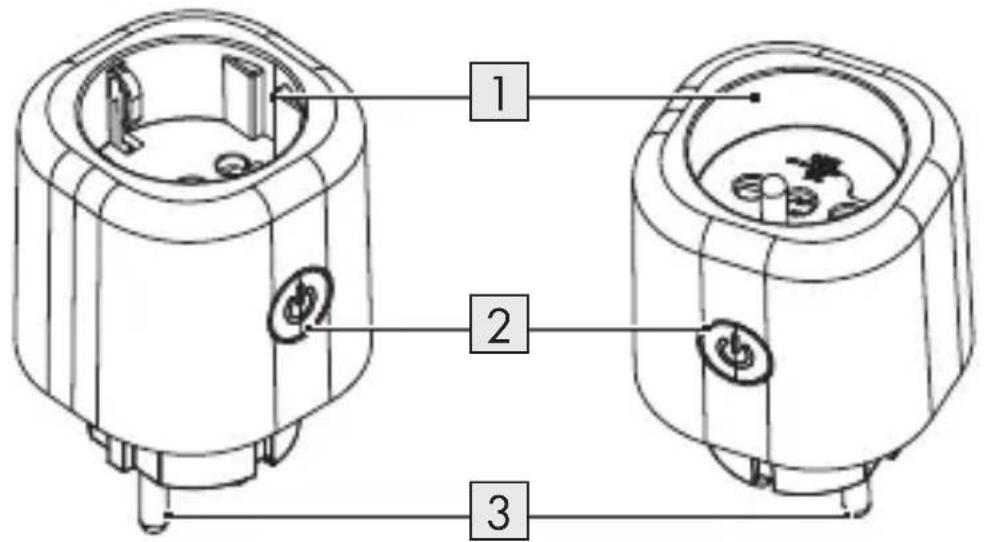
Technical diagram of two cylindrical electronic components with labeled parts 1, 2, and 3HG10491-FR
1 Mains socket
2 On/off button with LED
3 Mains plug
● Technical data
| Operating voltage 220-240 V~, 50 Hz | |
| Frequency range (Wi-Fi) 2,400-2,483.5 MHz | |
| Max. transmitted power (Wi-Fi) 15.6 dBm (EIRP) | |
| Frequency range (BLE) 2,400-2,483.5 MHz | |
| Max. transmitted power (BLE) 5 dBm | |
| Communication protocol Matter 1.0 | |
| Reception range approx. 20 m (free area) | |
| Operating temperature | +5 to +35 °C |
| Operating humidity | 10 to 80 % |
| Storage temperature | 0 to +45 °C |
| Storage humidity | 10 to 80 % |
| Dimensions/Weight (approx.) | HG10491: 5.8 × 5.8 × 8.8 cm(125 g) |
| HG10491-FR: 5.8 × 5.8 × 8.9 cm(118 g) | |
| Protection class | I/⊥ |
| Degree of protection IP20 | |
| Model number Max. total output | |
| HG10491 16 A (3680 W max.) | |
| HG10491-FR 16 A (3680 W max.) | |
Trademark notices
- iOS, Apple, Apple Home, HomePod and Apple TV are trademarks of Apple Inc., registered in the U.S. and other countries and regions. Apple Store is a service mark of Apple Inc., registered in the U.S. and other countries.
- Google, Android, Google Play and Google Home are trademarks of Google LLC.
■ Matter is developed by the Connectivity Standards Alliance™. This brand, related logos, and marks are trademarks of the Alliance, all rights reserved.
The SilverCrest trademark and trade name is the property of their respective owners.
■ Any other names and products may be trademarks or registered trademarks of their respective owners.
Before first use
□ Remove the packaging material.
- Setting up the product with Matter
i NOTES:
☐ This is a Matter-certified product. You can integrate it into any Matter ecosystem you prefer for easy control.
☐ A Matter-supported hub and smart home app of the same ecosystem are required.
☐ The setup process may vary between different ecosystems.
- Open the desired smart home app on your mobile device.
- Scan the Matter QR code that is printed on the product.
- Follow the instructions in the smart home app to complete the setup.
- Works with Lidl Home app
☐ Refer to "Pairing Matter-certified product with mobile device and Lidl Home App".
Works with Apple Home
☐ The product requires an Apple Home hub such as HomePod or Apple TV running the latest software.
☐ For details, visit the Apple website.
□ Use of the Works with Apple badge means that an accessory has been designed to work specifically with the technology identified in the badge and has been certified by the developer to meet Apple's performance standards.
□ Apple is not responsible for the operation of this device or its compliance with safety and regulatory standards.
Works with Google Home
☐ To control the product with the Google Home app or Google Assistant, you need a Google device that acts as a hub for Matter, e.g. Google Home Mini (speakers), Nest Hub (2. generation, display).
☐ For details, visit the Google website.
● Pairing Matter-certified product with mobile device and Lidl Home App
i NOTES:
■ Screenshots are from the iOS 17.1 app version (if not otherwise marked). Older iOS versions may have functional limitations.
The Android version of the app follows the same principles as the iOS version; you might encounter discrepancies between the two platforms, such as slightly different on-screen commands or icons.
- Updating the firmware might result in changes to the app's functionality.
- You can find a detailed description of the process in the full instruction manual.
☐ An updated instruction manual can be found here:
text_image
My Area tab: Tap User Manual.Preparation
☐ Install Lidl Home app and login. Follow the instructions in the Lidl Home app.
- Connect product to mains socket.
LED 🔒 2 lights up.
If not, press ⏻ 2 for approx. 5 s until LED 🔒 2 flashes.
-
Ready for pairing.
-
Open Lidl Home app.
-
Home tab:
Tap +.
- Select Scan.
The Lidl Home app opens the camera on your mobile device. The access right of the camera has to be authorised.
-
Scan the Matter QR code with the camera.
-
Follow the instructions in the Lidl Home app.
-
Establishing connection.
-
Naming the product:
Tap √ and enter a name.
-
Tap one of the rooms to set location of product (selected room is grayed out).
-
Tap Done.
-
Pairing completed.
- Return to home screen:
Tap <.
- Creating a product group
- Open Lidl Home app.
- Home tab:
Tap on one of the connected smart plugs.
- Tap (top right).
- Tap Create Group.
- Select devices.
- Tap Confirm.
- Enter a group name.
- Tap Save.
● Removing a product group
- Open Lidl Home app.
- Home tab:
Tap on the group you want to remove.
- Tap (top right).
- Tap Dismiss Group .
- Tap Confirm.
54 GB/IE
● Unpairing product from mobile device
-
Open Lidl Home app.
-
Home tab:
Tap Socket.
-
Tap (top right).
-
Tap Remove Device
Select:
- Disconnect
or
- Disconnect and wipe data
(*Additional functions" in the full instruction manual)
- Tap Confirm.
- Switching on/off
NOTE: You can find a detailed description of the process in the full instruction manual.
Home tab:
-
Tap Smart Plug .
-
Power tab:
Tap ⏻ at the bottom left or in the middle of the screen.
The current power (W) and the monthly energy consumption (KWh) of the appliance connected to the product are displayed on this screen.
Tap Electric to display detailed information about the electricity consumption (see "Electricity meter").
Schedule settings

Switches the product automatically on/off following a user-defined time plan.
2 different ways for setting a schedule are available:
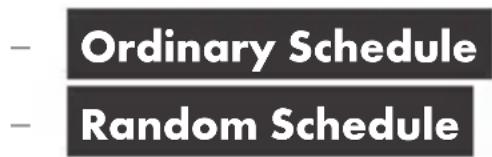
text_image
- Ordinary Schedule - Random ScheduleOrdinary Schedule
- Tap
Schedule. - Tap
Ordinary Schedule - Tap
Add Schedule.

-
Set the time, days, and status.
-
Tap
Save to confirm the setting.
- Deleting a schedule: Tap the schedule, slide it to the left and tap Delete.
Random Schedule

NOTES:
☐ The time span must be >30 minutes.
☐ The app executes 1 on/off cycle per each selected day. If you want to add another on/off cycle to a previously selected day, you need to set a new schedule.
☐ If you change the device status manually, the random schedule will not be executed.
☐ You can find a detailed description of the process in the full instruction manual.
- Tap Schedule.
- Tap Random Schedule
-
Tap Add Random
-
Set the time span and the days.
-
Tap Save to confirm the setting.
-
Deleting a schedule: Tap the schedule, slide it to the left and tap Delete
Countdown
Switches the product automatically on/off after a countdown.
-
Tap ⏻ Countdown .
-
Set Hour (00 to 11) and Minute (00 to 59).
-
Tap Confirm.
-
Remaining time is displayed in the middle of the screen.
-
Cancelling countdown prematurely:
Switch product on or off.
Alternatively, tap Countdown.
Tap
Countdown deactivated.
Tap Confirm.
Electricity meter
NOTE: You can find a detailed description of the process in the full instruction manual.
Settings
- Tap

Setting
- Tap
Relay Status
Set whether product should be switched on or off (e.g. after a power outage).
- Select:
Remember Last Status
- Tap Cancel to cancel the current setting.
- Tap Confirm to keep the current setting.
-
Tap Indicate light.
-
Select:
- Always OFF :
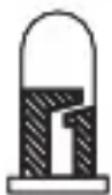
(Indicator is always off, regardless if product is switched on or off)
Follow plug status
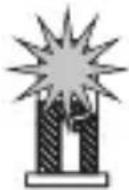
(Indicator is on when the product is switched on)
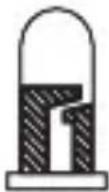
(Indicator is off when the product is switched off)
Opposite to plug status
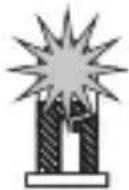
(Indicator is on when the product is switched off)
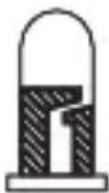
(Indicator is off when the product is switched on)
Always ON
(Indicator is always on, regardless if the product is switched on or off)
- Tap Cancel to cancel the current setting.
- Tap Confirm to keep the current setting.
- Return to home screen:
Tap <.
- Privacy policy


My Area tab:
text_image
Privacy Policy Home Smart My AreaPrivacy Policy
Our complete privacy policy is available here.
Tap-to-Run/Automation
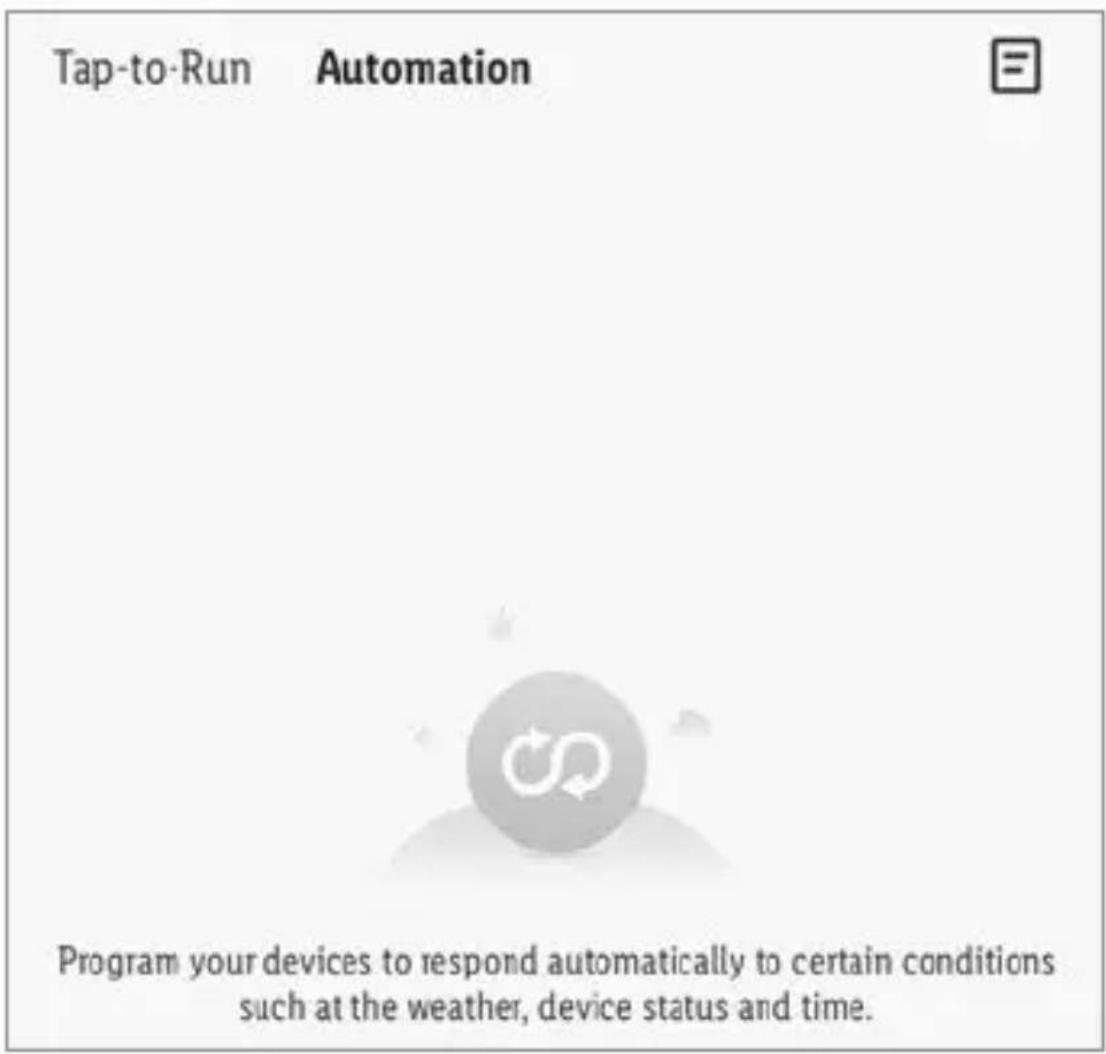
The app offers the possibility to integrate the product together with other smart Home devices in user-defined scenarios and automatic actions.
Smart tab:
text_image
Tap-to-Run Automation Program your devices to respond automatically to certain conditions such at the weather, device status and time.Select:
text_image
- Tap-to-Run or -AutomationTap to create new scenarios and automatic actions.

NOTE: Detailed description of these functions can be found in the Gateway manual.
text_image
My Area tab: Tap User Manual.● Disconnecting product manually from network
Press ⏻2 for approx. 5 s until LED ⓝ2 flashes.
This function only resets the product to offline mode and starts the pairing mode. If you want to remove all data from the product and the cloud, refer to the chapter "Additional functions", Disconnect and wipe data in the full instruction manual.
LED signals
| LED Meaning | |
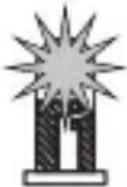 | Product switched on |
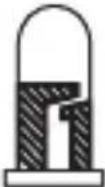 | Product switched off |
 | Pairing mode |
Explanation of symbols
| Symbol Meaning | |
 | LED off |
 | LED flashing |
 | LED on |
● Cleaning and care
Cleaning

WARNING! During cleaning or operation, do not immerse the product in water or other liquids. Never hold the product under running water.
☐ Before cleaning, unplug the product from the power supply. Unplug any connected device from the product.
☐ Clean the product with a slightly moistened cloth.
Do not allow any water or other liquids to enter the product's interior.
☐ Do not use abrasives, harsh cleaning solutions or hard brushes for cleaning.
☐ Let the product dry afterwards.
Storage
☐ When not in use, store the product in its original packaging.
☐ Store the product in a dry, secure location away from children.
Troubleshooting
| Problem Cause Solution | ||
| Product cannot be controlled. | Distance between product and Wi-Fi router too large. | Re-position product or Wi-Fi router. |
| Walls or obstacles between product and Wi-Fi router. | ||

Disposal

Before passing on, disposing of or returning the product to the manufacturer, make sure that all data has been deleted from the product and the cloud.
To do this, refer to the chapter:
"Additional functions" in the full instruction manual, menu point:
Disconnect and wipe data
The packaging is made entirely of recyclable materials, which you may dispose of at local recycling facilities.
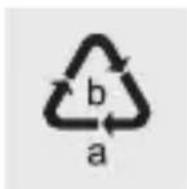
Observe the marking of the packaging materials for waste separation, which are marked with abbreviations (a) and numbers (b) with following meaning: 1–7: plastics/20–22: paper and fibreboard/80–98: composite materials.
Product:
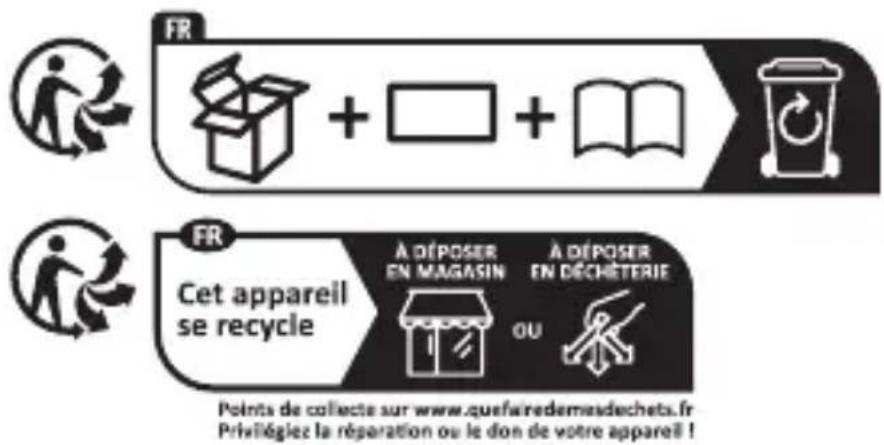
The product and packaging materials are recyclable and are subject to extended producer responsibility.
Dispose them separately, following the illustrated Info-tri (sorting information), for better waste treatment.
The Triman logo is valid in France only.
Contact your local refuse disposal authority for more details of how to dispose of your worn-out product.
To help protect the environment, please dispose of the product properly when it has reached the end of its useful life and not in the household waste. Information on collection points and their opening hours can be obtained from your local authority.
Warranty
The product has been manufactured to strict quality guidelines and meticulously examined before delivery. In the event of material or manufacturing defects you have legal rights against the retailer of this product. Your legal rights are not limited in any way by our warranty detailed below.
The warranty for this product is 3 years from the date of purchase. The warranty period begins on the date of purchase. Keep the original sales receipt in a safe location as this document is required as proof of purchase.
Any damage or defects already present at the time of purchase must be reported without delay after unpacking the product.
Should the product show any fault in materials or manufacture within 3 years from the date of purchase, we will repair or replace it – at our choice – free of charge to you. The warranty period is not extended as a result of a claim being granted. This also applies to replaced and repaired parts.
This warranty becomes void if the product has been damaged, or used or maintained improperly.
The warranty covers material or manufacturing defects. This warranty does not cover product parts subject to normal wear and tear, thus considered consumables (e.g. batteries, rechargeable batteries, tubes, cartridges), nor damage to fragile parts, e.g. switches or glass parts.
● Warranty claim procedure
To ensure quick processing of your claim, observe the following instructions:
Make sure to have the original sales receipt and the item number (IAN 425602_2301) available as proof of purchase.
You can find the item number on the rating plate, an engraving on the product, on the front page of the instruction manual (bottom left), or as a sticker on the rear or bottom of the product.
If functional or other defects occur, contact the service department listed below either by telephone or by e-mail.
Once the product has been recorded as defective you can return it free of charge to the service address that will be provided to you. Ensure to enclose the proof of purchase (sales receipt) and a short, written description outlining the details of the defect and when it occurred.
Service
GB
Service Great Britain
Tel.: 0800 0569216
E-Mail: owim@lidl.co.uk
IE
Service Ireland
Tel.: 1800 200736
E-Mail: owim@lidl.ie
● Simplified EU declaration of conformity
Hereby, OWIM GmbH & Co. KG, Stiftsbergstraße 1, 74167 Neckarsulm, GERMANY declares that the product SMART PLUG HG10491-FR is in compliance with Directive 2014/53/EU and 2011/65/EU.
The full text of the EU declaration of conformity is available at the following internet address: www.owim.com
CE
text_image
QR code image containing encoded data, no visible human-readable text
text_image
Download on the App Store
text_image
QR code image containing encoded data, no visible human-readable text
text_image
GETTON Google Play- Il vous faut
Routeur :
2,4 GHz, IEEE 802.11b/g/n
Appareil portable :
text_image
Works with Apple Hometext_image
works with Google Hometext_image
Technical diagram of a dual-chamber electrical connector with labeled componentsHG10491-FR
text_image
L·DL Hometext_image
QR code image containing encoded data, no visible human-readable text
text_image
Download on the App Store
text_image
QR code image containing encoded data, no visible human-readable text
text_image
GETTON Google PlayU hebt nodig
Router:
2,4 GHz, IEEE 802.11b/g/n
Mobiel apparaat:
iOS 11.0 of hoger
Android 6.0 of hoger

Works with
Apple Home
Optioneel: Apple Home-Hub

works with
Google Home
Optioneel: Google Home-Hub
natural_image
Abstract circular icon with two curved arrows, no text or symbols presenttext_image
LIDL Hometext_image
QR code image containing encoded data, no visible human-readable text
text_image
Download on the App Store
text_image
QR code image containing encoded data, no visible human-readable text
text_image
GETTON Google PlayPotřebujete
Router:
2,4 GHz, IEEE 802.11b/g/n
Mobilní zařízení:
iOS 11.0 nebo vyšší
text_image
Works with Apple Hometext_image
works with Google Hometext_image
Technical diagram of two cylindrical electronic components with labeled parts 1, 2, and 3HG10491-FR
text_image
LIDL Hometext_image
QR code image containing encoded data, no visible human-readable text
text_image
Download on the App Store
text_image
QR code image containing encoded data, no visible human-readable text
text_image
GETTON Google PlayBudete potrebovat'
Smerovač:
2,4 GHz, IEEE 802.11b/g/n
Mobilný prístroj:
text_image
Works with Apple HomeVolitel'né: Riadiaca jednotka Apple Home Hub
text_image
works with Google HomeVolitel'né: Riadiaca jednotka Google Home Hub
text_image
Technical diagram of two cylindrical electronic devices with labeled components and connection pointsHG10491-FR