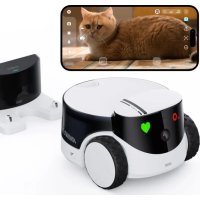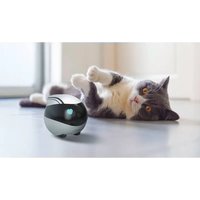
EBO X - Surveillance Camera enabot - Free user manual and instructions
Find the device manual for free EBO X enabot in PDF.


| Product type | Family companion robot with surveillance camera |
| Brand | enabot |
| Model | EBO X (EBOX) |
| Dimensions | 168 mm × 168 mm × 218 mm |
| Weight | 1700 g (±20 g) |
| Material | PC+ABS |
| Camera resolution | UHD, FHD, HD and SD |
| Field of view | 106° |
| Climbing angle | ≤15° |
| Aperture (F/N) | 1.8 |
| Maximum speed | 1.5 m/s |
| Battery capacity | 2500 mAh |
| Battery life | 2 to 3 hours |
| Charging time | 2 hours |
| Power supply | Adapter 19 V == 1.8 A |
| Wireless connectivity | Wi-Fi 2.4/5 GHz, Bluetooth, 2.4 GHz radio |
| Voice assistant | Compatible with Amazon Alexa |
| Internal storage | 8 GB ROM + 2 GB RAM |
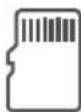
| Expandable storage | SD card from 16 GB to 256 GB |
| Recorded video format | MP4 (H265 codec) |
| Speaker | 8 W power |
| Microphone | 4-microphone array |
| Operating noise | ≤28 dB |
| Operating temperature | -10 °C to 35 °C |
| Main functions | Surveillance, interactive companion, voice commands, recognition, automatic return to base |
| Maintenance and cleaning | Clean the robot with a soft dry cloth. Avoid abrasive products. |
| Security | Privacy modes (physical button, camera locking, via app) |
| Spare parts and repairability | Only authorized technicians can disassemble the robot. Spare parts are not listed in the manual. |
| Warranty | Refer to Enabot warranty policy (not modified by the manual) |
Frequently Asked Questions - EBO X enabot
User questions about EBO X enabot
0 question about this device. Answer the ones you know or ask your own.
Ask a new question about this device
Download the instructions for your Surveillance Camera in PDF format for free! Find your manual EBO X - enabot and take your electronic device back in hand. On this page are published all the documents necessary for the use of your device. EBO X by enabot.
USER MANUAL EBO X enabot
Family Companion Robot


EBOX
MULTIMODIAL APLATFORM PREDICT ON MO. ON CONTROL ENHANCE EMOTIONAL BONDING
HARMAN
AudioEFX
Contents
Safety Information 01
Packaging List 01
Product Introduction 02
How to Use the Charging Dock 03
How to Use the Robot 05
How to Connect the Robot to the Network … 08
Robot Specifications 09
Robot Voice Control Instructions....10
Legal Notices 11
User Manual
(Electronic Version)
Safety Information
Before using the robot, please read the following safety instructions and take general preventative measures.
- Only authorized technicians are allowed to disassemble the robot. Users are not recommended to do so.
- Remove the exterior protective covering before use to ensure the device can work properly.
- Do not place the robot on a desk, table, TV bench, or other places where dropping may occur easily to avoid any damage.
- No operation is allowed in an environment with an open fire or fragile object. No operation is allowed in an area where flammable materials are stored.
- Do not throw or kick the robot.
- Do not operate the device in a bathroom, washroom, or other wet areas.
- Only use the robot in an environment where the temperature range from -10^ to 35^ .
- Ensure Wi-Fi signals are available in the area where the robot works.
- Do not over-bend the cable or place any heavy or sharp objects on the robot.
- Any operations not complying with the user manual may cause damage to the robot.
Packaging List
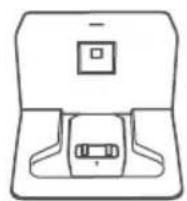
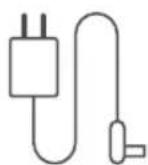
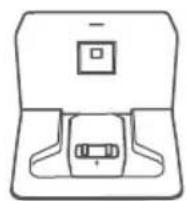
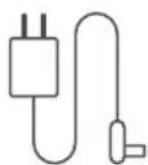
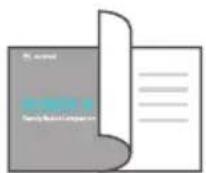
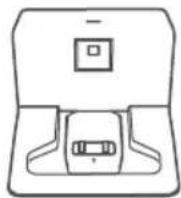
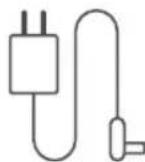
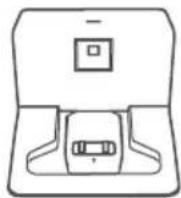
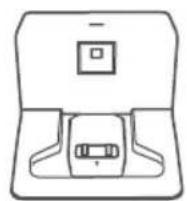
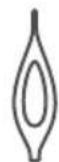
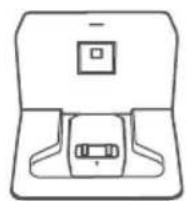
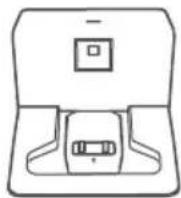
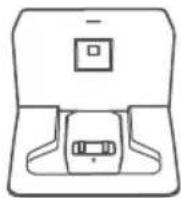
- EBOX Robot 02. Charging Dock
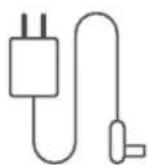
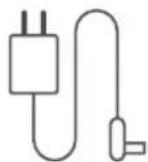
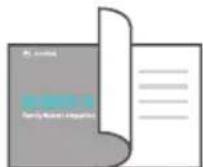
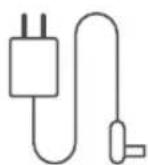
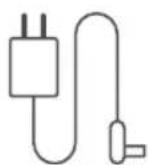
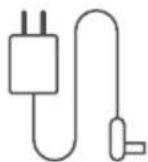
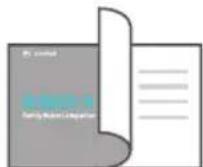
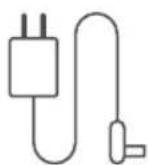
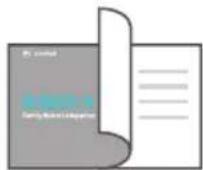
- Adapter for Charging Dock 04. User Manual
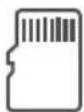
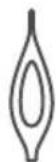
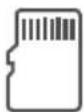
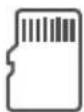
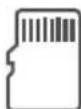
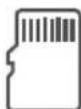
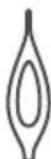
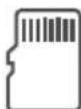
- SD Card 06. Pin
natural_image
Line drawing of a robot head with large blue eyes and a camera, enclosed in a circular frame (no text or symbols)01 02 03

060504
Product Introduction
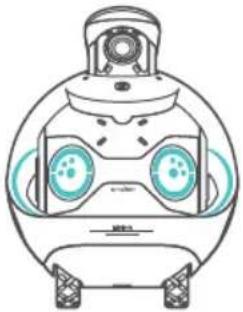
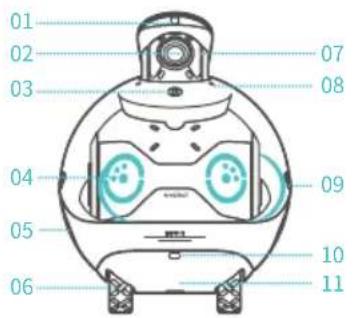
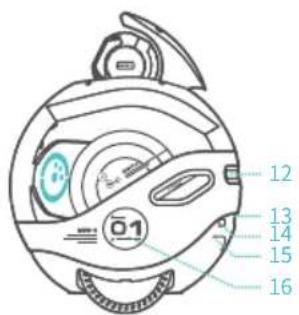
- ToF Module 02. Camera 03. Privacy Button 04. Eye Expression Lights 05. Touch Area 06. Hub Motor 07. Infrared Fill Light 08. MIC 09. Waist Atmosphere Lights 10. ToF Module 11. Acoustic Unit 12. Air Outlet 13. SD Card Slot 14. Infrared Receiver Module 15. ToF Module 16. Touch Area
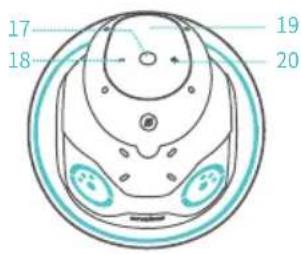
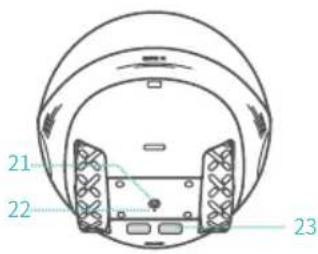
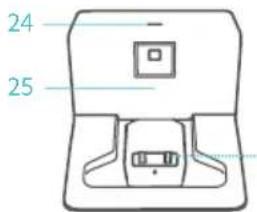
- Pause/Play 18. Volume Down 19. Action Button 20. Volume Up 21. Power Button 22. Reset Button 23. Charging Contact
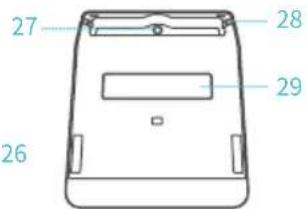
- Power Indicator Light 25. Infrared Transmitter Module 26. Charging Contact 27. DC Interface
- Charging Cable Limit Slot 29. Non-slip Glue
How to Use the Charging Dock
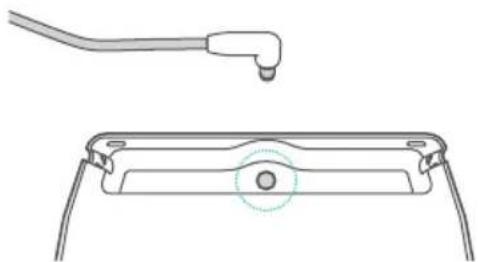
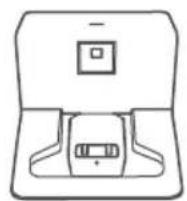
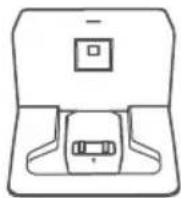
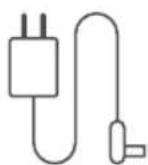
- Insert the DC plug of the adapter into the DC hole at the bottom of the charging dock.
natural_image
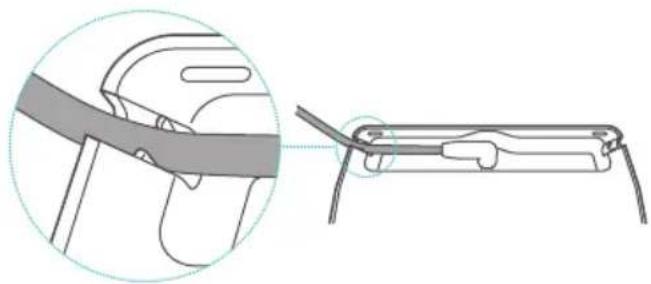
Technical line drawing of a mechanical component with a tool and a circular detail (no text or symbols)- Push the adapter cable into the slot of the charging base to ensure the former will not jack the latter.
natural_image
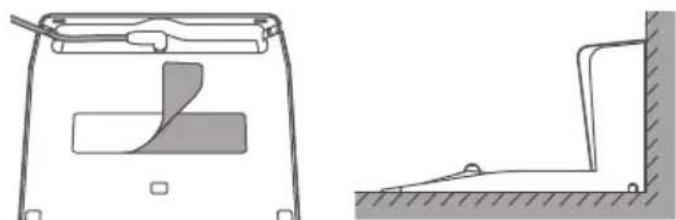
Diagram showing a cable being inserted into a car seat, with no text or symbols present.- Remove the covering on the non-slip glue of the charging base and place the charging dock with its back tightly against a wall and its bottom firmly on the floor.
natural_image
Technical line drawing of a mechanical component with two views: top shows a handle and internal structure, bottom shows a lever mechanism (no text or symbols)Note: To prevent the charging dock from moving, please ensure it tightly leans against the bottom of the wall and is firmly attached to the floor.
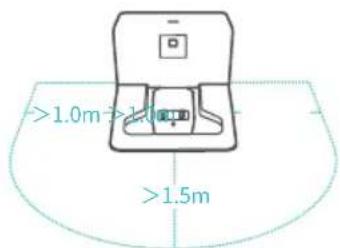
- Keep 1.5 meter areas in front and 1 meter on the left and right of the charging dock clear of obstacles, so that the robot can smoothly return for charging.
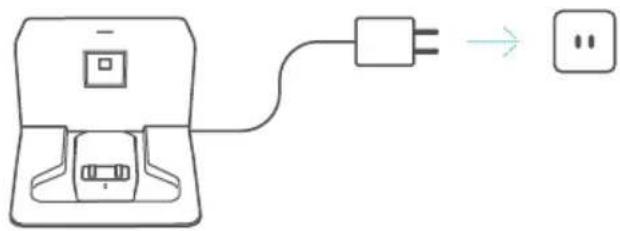
- Plug the adapter into the power supply. The indicator light on the top of the charging dock will turn on once the connection is successful.
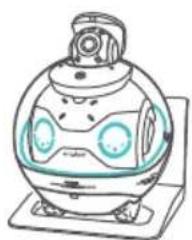
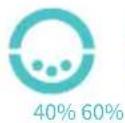
- When placed on the charging dock, the robot will turn on and start charging automatically, and it will display the current battery level.
natural_image
Illustration of a cartoon-style robot with large eyes and a camera, mounted on a base (no text or symbols)




- When the battery is too low, the robot will start the auto charging program. Please use the EBO HOME App if you need to stop the program.
How to Use the Robot
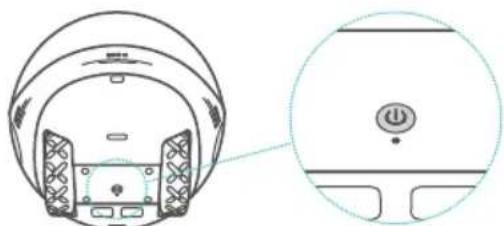
- Power on/Power off: Press the power button to turn on the robot. Press and hold the power button for 3 seconds to turn off the robot.
natural_image
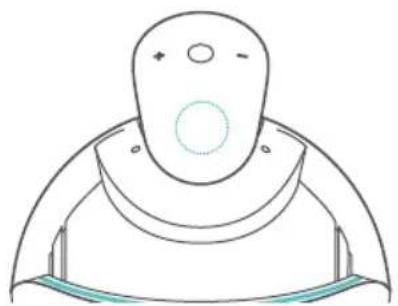
Technical line drawing of a helmet component with a circular inset showing a button (no text or symbols)- Tap the Action button to use the voice assistant without saying any wakeup words.
natural_image
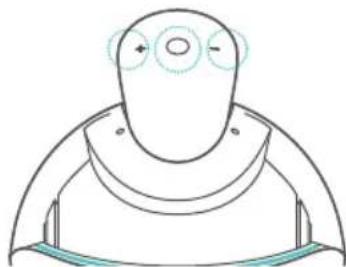
Simple line drawing of a stylized helmet or device with no text or symbols- Play control functions: Volume + / Volume - and Pause/Play.
natural_image
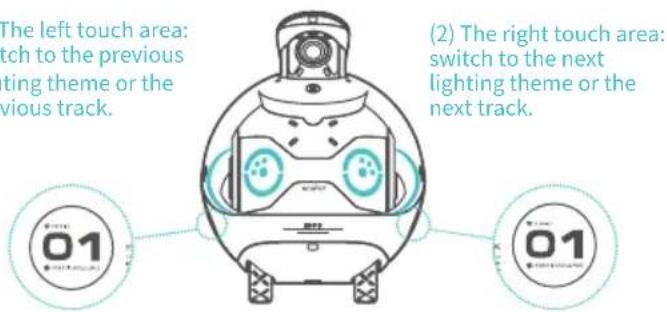
Simple line drawing of a human head with circular eyes and a curved torso, no text or symbols present- Touch areas (left and right):
(1) The left touch area: switch to the previous lighting theme or the previous track.
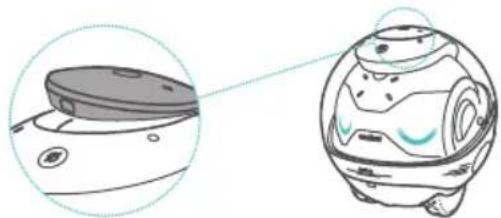
5. Three Methods for Changing Privacy Settings:
(1) Press and lock the gimbal camera. It will be turned off, and manual turning on is required. In this case, you cannot activate the gimbal camera via the App.
natural_image
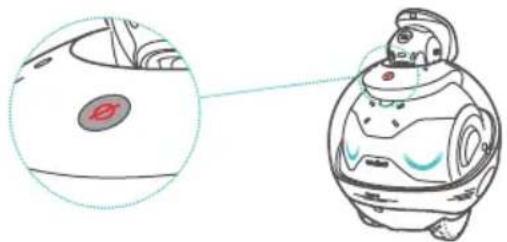
Illustration of a robotic device with a close-up view of its lid and body (no text or symbols)(2) Press the Privacy button. When the indicator light is on, the robot's recording microphone and camera will be disconnected from the power supply. In this case, activation via the App is not available.
natural_image
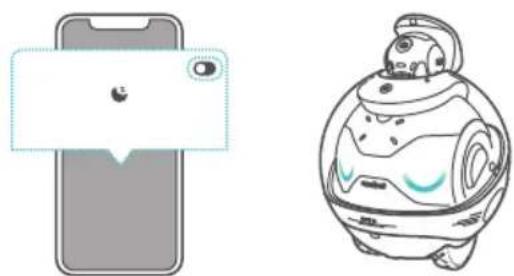
Illustration of a robot with a circular inset showing a small circular feature (no text or symbols)(3) You can quickly activate and deactivate the gimbal camera via the EBO HOME App's shortcut button.
natural_image
Illustration of a smartphone and a robot, both without any text or symbols6. Connect the Bluetooth of the robot:
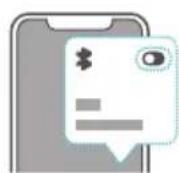
(1) Search "EBOX ROBOT" on your smart device.
(2) Choose to connect the Bluetooth of the robot.
(3) In the EBO HOME App, choose the Bluetooth device you are connecting to disconnect.
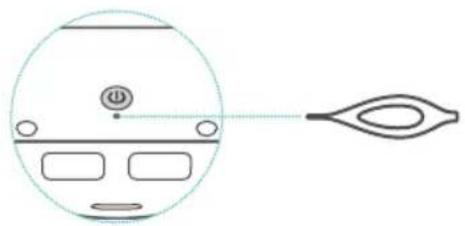
- Reset the robot: Press and hold the reset button at the bottom for over 5 seconds. Please do not shut down during the reset process.
natural_image
Simple line drawing of a circular object with internal components and an eye-like shape connected by a dashed line (no text or symbols)Please note: Restoring factory settings or unbinding the robot will not delete the contents of the SD card. It is recommended that you back up the contents of the SD card and empty the SD card.
How to Connect the Robot to the Network
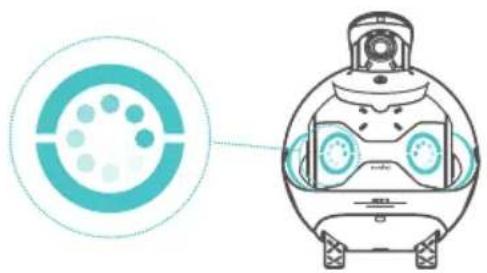
- It takes about 1 minute for the robot to start up, and then enter the scanning mode.
natural_image
Illustration of a robot head with a circular diagram showing a particle or particle inside, connected to a camera (no text or symbols present)- When downloading the App and signing up for an account, please select the correct country or region information.

EBO HOME App (iOS) EBO HOME App (Android)

- Log in to the homepage on EBO App and follow the steps below to bind the robot and match the network with the correct Wi-Fi name and passwords:
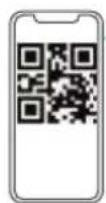
(1) Scan the QR code and wait for a moment until you hear the robot prompt that the network connection is successful.
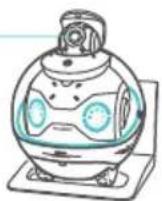
(2) Stay on the QR code page until the prompt of successful binding appears.
10\~15cm
- Change the network for the robot:
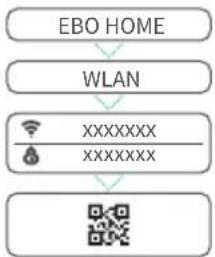
flowchart
graph TD
    A["EBO HOME"] --> B["WLAN"]
    B --> C["XXXXXXX"]
    C --> D["XXXXXXX"]
    D --> E["QR CODE"]
Go to the robot settings page on EBO HOME App
Go to the WLAN option
Enter your new Wi-Fi account and password
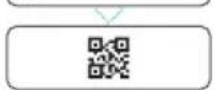
Generate a QR code, and the robot scans the code
Robot Specifications
| Product Name | EBOX Family Companion Robot | ||
| Product Model | EBOX | Types of Wireless Connection | 2.4G/5G Wi-Fi, BT, 2.4G Self-defined Radio |
| Product Dimensions | L168mm×W168mm×H218mm | Material | PC+ABS |
| Product Weight | 1700g (±20g) | Gimbal Description | Single Axis Gimbal |
| Resolution | UHD, FHD, HD, and SD | Top Speed | 1.5m/s |
| Camera FOV | 106° | Climb Angle | <=15° |
| Camera F/N | 1.8 | Obstacle Clearance | <=10mm |
| Microphone Type | 4 Microphones array | Operating Noise | <=28dB |
| Speaker Power | 8W | Audio Coding Format | AAC\PCM |
| BPU/NPU | 5 TOPS BPU | Video Coding Format | H265 |
| Motor Type | Brushless Direct Drive Hub Motor | RAM | 2GB |
| Battery Capacity | 2500mAh | ROM | 8GB |
| Adapter Rated Power | 19V---1.8A | Auto Charging Technology | Vision and Infrared |
| Robot Rated Power | 9W | LED Specifications | RGB |
| Charging Time | 2 Hour | Extended Memory Support | 16G - 256G |
| Battery Life | 2-3 Hour | File Format for Memory Card | MP4 |
Robot Voice Control Instructions
- To log in to the Alexa account on EBO HOME App, follow the instructions to create and log in to an Amazon account.
(1) Go to the Alexa login page on EBO HOME App and click "Log In".
(2) Follow the instructions to enter the account authorization page and enter your Amazon account password to complete the authorization.
(3) Select your country or region and confirm which language you will use to interact with Alexa.
(4) Set the Device Name. The default option is "Robot," and the Device Name will affect the command words used to control the robot. For example, if the Device Name is set to "Robot", the command phrase to control the robot through Alexa should be "Alexa, Robot sit down".
- Using Alexa on the Robot
By using Alexa's universal functions on a robot, you can control the robot by giving voice commands such as "Alexa, speak slower", "Alexa, read me a story" or "Alexa, tell me a software joke".
- Enable EBO X Robot Skill
(1) Open the Amazon Alexa App.
(2) Search for "EBO X Robot Skill".
(3) Click "Enable".
(4) Use Alexa to control the robot by saying: "Alexa, 'Robot' stand up", "Alexa, 'Robot' sit down", "Alexa, 'Robot' follow me", "Alexa, 'Robot' go back to charge".

Caution:
Disposal of a battery into fire or a hot oven, or mechanically crushing or cutting of a battery, that can result in an explosion. Leaving a battery in an extremely high temperature surrounding environment that can result in an explosion or the leakage of flammable liquid or gas.
Legal Notices
- Before using the product, please carefully read this document and keep it for future reference.
- The illustrations and descriptions in this document are for reference only, and the actual product shall prevail. For specific specifications and configurations, please refer to the relevant specification documents or consult the seller.
- The nominal storage capacity and technical performance indicators are only specifications, and the actual data may vary due to factors such as environments and settings.
- If you use the robot with other products or software, Enabot do not guarantee its compatibility and legality.
- Nothing in this document constitutes a modification of Enabot's product warranty policy.
- This product is not intended for use in organ transplantation or other life support system applications where any product failure could result in death or personal injury.
- Without the authorization of Enabot, no one may copy, transcribe, delete, compile, store, transmit or translate this document.
FCC Regulatory Compliance
This device complies with Part 15 of the FCC Rules. Operation is subject to the following two conditions: (1) This device may not cause harmful interference, and (2) this device must accept any interference received, including interference that may cause undesired operation.
changes or modifications not expressly approved by the party responsible for compliance could void the user's authority to operate the equipment. This equipment has been tested and found to comply with the limits for a Class B digital device, pursuant to Part 15 of the FCC Rules. These limits are designed to provide reasonable protection against harmful interference in a residential installation. This equipment generates, uses and can radiate radio frequency energy and, if not installed and used in accordance with the instructions, may cause harmful interference to radio communications. However, there is no guarantee that interference will not occur in a particular installation. If this equipment does cause harmful interference to radio or television reception, which can be determined by turning the equipment off and on, the user is encouraged to try to correct the interference by one or more of the following measures:
-- Reorient or relocate the receiving antenna.
-- Increase the separation between the equipment and receiver.
-- Connect the equipment into an outlet on a circuit different from that to which the receiver is connected.
-- Consult the dealer or an experienced radio/TV technician for help. IC Regulatory Compliance
This device contains licence-exempt transmitter(s)/receiver(s) that comply with Innovation, Science and Economic Development Canada’s licence-exempt RSS(s). Operation is subject to the following two conditions:
(1) This device may not cause interference.
(2) This device must accept any interference, including interference that may cause undesired operation of the device.
(2) L' appareil doit accepter tout brouillage radioélectrique subi, même si le brouillage est susceptible d' en compromettre le fonctionnement. This equipment complies with FCC/IC RSS-102 radiation exposure limits set forth for an uncontrolled environment. This equipment should be installed and operated with minimum distance 20 cm between the radiator and your body. This transmitter must not be co-located or operating in conjunction with any other antenna or transmitter.
The device for operation in the band 5150–5250 MHz is only for indoor use to reduce the potential for harmful interference to co-channel mobile satellite systems:
5150-5350 MHz are restricted to indoor use only.
or
The functions of Wireless Access Systems including Radio Local Area Networks(WAS/RLANs) within the band 5150-5350 MHz for this device are restricted to indoor use only within all European Union countries (BE/BG/CZ/DK/DE/EE/IE/EL/ES/FR/HR/IT/CY/LV/LT/LU/HU/MT/NL/AT/PL/PT/RO/SI/SK/FI/SE/TRNO/OCH/IS/LI/UK(NI)
| Wireless protocol | frequency bands | maximum output power |
| 802.11 b,g,n | 2.4GHz | 16dBm |
| 802.11.a,ac | 5.2GHz | 17dBm |
| BT | 2.4GHz | 0dBm |
| 2.4G self-defined radio | 2.4GHz | 2dBm |
natural_image
Line drawing of a robot head with large eyes and a helmet (no text or symbols)01 02 03

060504
natural_image
Technical line drawing of a mechanical component with a tool and a cross-sectional view (no text or symbols)natural_image
Diagram showing a cable being inserted into a chair, with an inset close-up of the cable (no text or symbols present)natural_image
Technical line drawing of a mechanical component with two views: top shows a curved section, bottom shows a stepped platform (no text or symbols)natural_image
Illustration of a cartoon-style robot with large eyes and a camera, mounted on a base (no text or symbols)




natural_image
Technical diagram of a helmet with a circular inset showing a power button (no text or symbols)natural_image
Simple line drawing of a stylized human head with circular features and a small mouth (no text or symbols)natural_image
Simple line drawing of a human head with circular eyes and curved shoulders (no text or symbols)natural_image
Illustration of a robotic device with a close-up view of its lid and body (no text or symbols)natural_image
Illustration of a robot with a red circular button and a magnified inset showing its head (no text or symbols present)natural_image
Illustration of a smartphone with a speech bubble and lock icon (no text or symbols)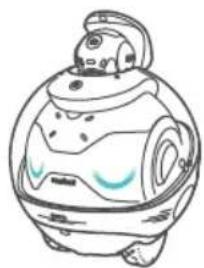
natural_image
Simple line drawing of a cartoon-style robot with a helmet and blue accents (no text or symbols)natural_image
Simple line drawing of a device with a circular head and a stylized eye-like shape (no text or symbols)Veuillez noter:
natural_image
Illustration of a robot head with a circular target and a stylized face, no text or symbols present.EBO HOME App (iOS) EBO HOME App (Android)

natural_image
Line drawing of a robot head with large eyes and a camera (no text or symbols)01 02 03
060504
Produktvorstellung
natural_image
Technical line drawing of a mechanical component with a tool and a cross-sectional view (no text or symbols)natural_image
Diagram showing a cable being inserted into a chair, with an inset close-up of the cable (no text or symbols present)natural_image
Technical line drawing of a door frame and adjacent wall corner (no text or symbols)natural_image
Illustration of a cartoon-style spherical object with glowing blue eyes and a camera lens (no text or symbols)
20%

40% 60%


80% 100%

natural_image
Technical line drawing of a helmet component with an inset close-up showing a button (no text or symbols)natural_image
Simple line drawing of a stylized human head with circular features and a curved base (no text or symbols)natural_image
Simple line drawing of a human head with circular elements and curved shoulders (no text or symbols)natural_image
Line drawing of a robot-like device with blue eyes and control panel (no text or symbols)natural_image
Illustration of a robotic device with a close-up view of its lid and body (no text or symbols)natural_image
Illustration of a robotic device with a magnified circular view showing a small red circular feature (no text or symbols present)natural_image
Illustration of a smartphone with a speech bubble and lock icon (no text or symbols)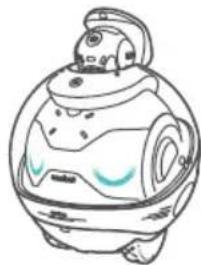
natural_image
Line drawing of a cartoon-style robot with a helmet and blue visor (no text or symbols)natural_image
Simple line drawing of a human head with a circular outline and a separate eye-like shape (no text or symbols)Bitte beachten Sie:
natural_image
Illustration of a robot with a circular target and head-mounted sensors (no text or symbols)EBO HOME App (iOS) EBO HOME App (Android)

flowchart
graph TD
    A["EBO HOME"] --> B["WLAN"]
    B --> C["XXXXXXX\nXXXXXXX"]
    C --> D["QR CODE"]
natural_image
Line drawing of a robot head with large eyes and antennae (no text or symbols)01 02 03
060504
natural_image
Technical line drawing of a mechanical component with a tool and a circular feature, no text or symbols present.natural_image
Diagram showing a cable being inserted into a chair, with an inset close-up of the cable (no text or symbols present)natural_image
Technical line drawing of a door mechanism and floor structure (no text or symbols)natural_image
Illustration of a cartoon-style robot with large eyes and a camera, mounted on a base (no text or symbols)




natural_image
Technical diagram of a helmet component with an inset close-up showing a power button (no text or symbols)natural_image
Simple line drawing of a stylized human head with circular features and a curved base (no text or symbols)natural_image
Simple line drawing of a human head with circular eyes and curved shoulders (no text or symbols)- Áreas de toque (esquerda e direita):
natural_image
Line drawing of a robot-like device with blue eyes and control panel (no text or symbols)natural_image
Illustration of a robotic device with a close-up view of its lid and body (no text or symbols)natural_image
Illustration of a robot with a red circular button and a magnified inset showing its head (no text or symbols)natural_image
Illustration of a smartphone with a speech bubble and lock icon (no text or symbols)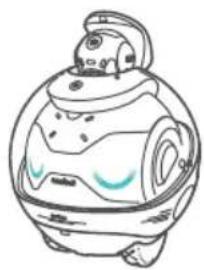
natural_image
Line drawing of a cartoon-style robot with a helmet and blue visor (no text or symbols)6. Ligar o Bluetooth do robô:
natural_image
Simple line drawing of a device with a circular head and a stylized eye-like shape (no text or symbols)natural_image
Illustration of a robot with a circular target and a transparent visor, no text or symbols present.
EBO HOME App (iOS) EBO HOME App (Android)
flowchart
graph TD
    A["EBO HOME"] --> B["WLAN"]
    B --> C["XXXXXXX\nXXXXXXX"]
    C --> D["QR"]
natural_image
Line drawing of a robot with large blue eyes and a head-mounted sensor, enclosed in a circular frame (no text or symbols)01 02 03
060504
natural_image
Technical line drawing of a mechanical component with a tool and a base plate (no text or symbols)natural_image
Diagram showing a cable being inserted into a car seat, with no text or symbols present.natural_image
Technical line drawing of a mechanical component with two views: top shows a curved component, bottom shows a stepped mechanism (no text or symbols)natural_image
Illustration of a cartoon-style robot with large eyes and a camera, mounted on a base (no text or symbols)




natural_image
Technical diagram of a device rear panel with a close-up view showing a button and indicator (no text or symbols present)natural_image
Simple line drawing of a stylized human head with circular features and a curved base (no text or symbols)natural_image
Simple line drawing of a human head with circular elements and curved shoulders (no text or symbols)natural_image
Line drawing of a robot head with large eyes and a camera (no text or symbols)natural_image
Illustration of a robotic device with a close-up view of its lid and body (no text or symbols)natural_image
Illustration of a robot with a circular inset showing a small red button labeled 'θ' (no text or symbols present)natural_image
Illustration of a smartphone and a robot, both without any text or symbolsnatural_image
Simple line drawing of a human head with a magnified inset showing the eye (no text or symbols)natural_image
Illustration of a robot with a circular target and a transparent helmet, no text or symbols present
EBO HOME App (iOS) EBO HOME App (Android)
natural_image
Line drawing of a robot head with large eyes and a helmet (no text or symbols)01 02 03
060504
natural_image
Technical line drawing of a mechanical component with a tool and a circular feature, no text or symbols present.natural_image
Technical line drawing of a door mechanism and floor structure (no text or symbols)natural_image
Diagram showing a cable being inserted into a chair, with an inset close-up of the cable (no text or symbols present)natural_image
Illustration of a cartoon-style robot with large eyes and a camera, mounted on a platform (no text or symbols)




natural_image
Technical diagram of a device rear view with a close-up circular detail showing a button and indicator (no text or symbols)natural_image
Simple line drawing of a stylized human head with circular features and a ring, no text or symbols present.natural_image
Simple line drawing of a human head with circular features and a curved body (no text or symbols)natural_image
Line drawing of a robot head with large eyes and a camera, no text or symbols presentnatural_image
Illustration of a robotic device with a close-up view of its lid and body (no text or symbols)natural_image
Illustration of a robot with a circular head and a small red button, alongside a magnified view of its body (no text or symbols)natural_image
Illustration of a smartphone with a speech bubble and lock icon (no text or symbols)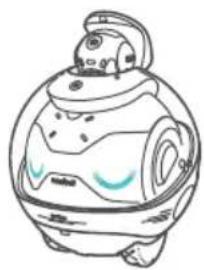
natural_image
Line drawing of a futuristic robot with a transparent body and glowing blue highlights (no text or symbols)6. Connettere il Bluetooth del robot:
natural_image
Simple line drawing of a car head and side panel with a magnified inset showing the front view (no text or symbols)Notare che:
natural_image
Illustration of a robot with a circular target and a transparent helmet, connected to a circular diagram (no text or symbols)EBO HOME App (iOS) EBO HOME App (Android)

natural_image
Line drawing of a robot head with large eyes and a helmet (no text or symbols)01 02 03
060504
Wprowadzenie
natural_image
Technical line drawing showing a cable inserted into a component with a circular hole, alongside a separate view of a rectangular base (no text or symbols)natural_image
Diagram showing a cable being inserted into a chair, with no text or symbols present.natural_image
Technical line drawing of a mechanical component with two views: top shows a curved section, bottom shows a stepped profile (no text or symbols)natural_image
Illustration of a cartoon-style robot with large eyes and a camera, mounted on a base (no text or symbols)




natural_image
Technical line drawing of a helmet component with a circular inset showing a button symbol (no text or labels)natural_image
Simple line drawing of a stylized helmet or device with no text or symbolsnatural_image
Simple line drawing of a human head with circular eyes and a curved body, no text or symbols presentnatural_image
Line drawing of a robot head with large eyes and wheels (no text or symbols)natural_image
Illustration of a robotic device with a close-up view of its lid and body (no text or symbols)natural_image
Illustration of a robot with a red circular head and a magnified inset showing its interior (no text or symbols)natural_image
Illustration of a smartphone and a robot, both without any text or symbolsnatural_image
Simple line drawing of a human head with a circular outline and an eye-shaped object connected by a dotted line (no text or symbols)Proszę zanotować:
natural_image
Illustration of a robot with a circular target and a transparent visor, no text or symbols present.
EBO HOME App (iOS) EBO HOME App (Android)
natural_image
Line drawing of a robot head with large eyes and antennae (no text or symbols)01 02 03
060504
제품 소개
natural_image
Technical line drawing of a mechanical component with a tool and a circular feature, no text or symbols present.natural_image
Technical illustration showing a mechanical component being inserted into a bracket (no text or symbols present)natural_image
Technical line drawing of a mechanical component with two views: top shows a curved section, bottom shows a stepped platform (no text or symbols)natural_image
Illustration of a futuristic robot with large blue eyes and a camera (no text or symbols)




natural_image
Technical diagram of a helmet component with an inset close-up showing a power button (no text or symbols)natural_image
Simple line drawing of a stylized human head with circular features and a ring, no text or symbols present.natural_image
Simple line drawing of a human head with circular eyes and curved shoulders, no text or symbols present- 터치 버튼 (왼쪽 및 오른쪽):
natural_image
Illustration of a robotic device with a close-up view of its lid and body (no text or symbols)natural_image
Illustration of a robot with a red circular mark and a magnified inset showing its interior (no text or symbols)natural_image
Illustration of a smartphone and a robot, both without any text or symbols6.로봇의 블루투스 연결 관련:
natural_image
Diagram of a human head with a circular head and eye-shaped lens, no text or symbols presentnatural_image
Illustration of a robot with a circular target and a transparent helmet, connected to a circular diagram (no text or symbols)
EBO HOME App (iOS) EBO HOME App (Android)
natural_image
Line drawing of a robot head with large blue eyes and a camera, no text or symbols present01 02 03
060504
製品の紹介
natural_image
Technical line drawing of a mechanical component with a tool and a separate view showing a circular feature (no text or symbols)natural_image
Diagram showing a cable being inserted into a component, with an inset close-up of the cable being inserted (no text or symbols present)natural_image
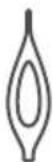
Technical line drawing of a mechanical component with two views: top shows a handle and internal structure, bottom shows a bracket and ground connection (no text or symbols)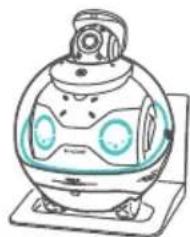
natural_image
Illustration of a cartoon-style robot with large eyes and a camera, mounted on a platform (no text or symbols)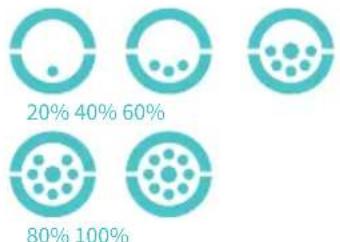
pie
| Category | Percentage (%) | |---|---| | Top Circle | 20 | | Middle Circle | 40 | | Bottom Circle | 60 | | Top Circular | 80 | | Bottom Circular | 100 |ロボットの使用方法
natural_image
Technical line drawing of a helmet component with a circular inset showing a button (no text or symbols)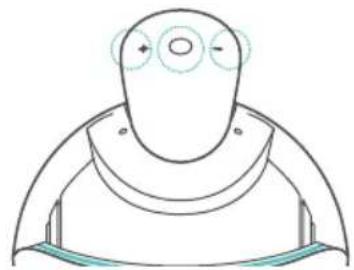
natural_image
Simple line drawing of a human head with circular eyes and curved shoulders, no text or symbols presentnatural_image
Simple line drawing of a stylized human head with circular features and a curved base (no text or symbols)natural_image
Illustration of a robotic device with a close-up view of its lid and body (no text or symbols)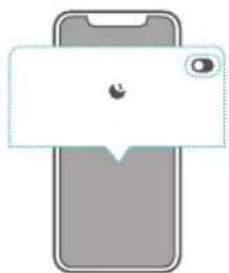
natural_image
Illustration of a smartphone with a speech bubble and lock icon (no text or symbols)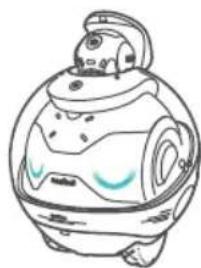
natural_image
Simple line drawing of a cartoon-style robot with a helmet and blue accents (no text or symbols)natural_image
Illustration of a robot with a red circular mark and a magnified inset showing its interior (no text or symbols)natural_image
Simple line drawing of a device with a circular head and a stylized eye symbol (no text or labels)ご注意ください:
natural_image
Illustration of a robot head with a circular target and a magnified view of its head (no text or symbols)EBO HOME App (iOS) EBO HOME App (Android)

flowchart
graph TD
    A["EBO HOME"] --> B["WLAN"]
    B --> C["XXXXXXX\nXXXXXXX"]
    C --> D["QR code"]
natural_image
Line drawing of a robot head with large eyes and a helmet (no text or symbols)01 02 03
060504
產品介紹
natural_image
Technical line drawing showing a cable and a component with a circular feature (no text or symbols)natural_image
Technical line drawing of a mechanical component with two views: top shows a handle and internal structure, bottom shows a bracket with mounting base (no text or symbols)natural_image
Technical illustration showing a cable being inserted into a component, with no visible text or symbols.natural_image
Illustration of a cartoon-style robot with large eyes and a camera, mounted on a platform (no text or symbols)



natural_image
Technical diagram of a device rear view with a close-up circular detail showing a button and power symbol (no text or labels)natural_image
Simple line drawing of a stylized helmet or device with no text or symbolsnatural_image
Simple line drawing of a human head with circular eyes and a curved body, no text or symbols present- 機器人兩觸控區:
natural_image
Illustration of a robotic device with a close-up view of its lid and body (no text or symbols)natural_image
Illustration of a robot with a red circular button and a magnified inset showing its head (no text or symbols)natural_image
Illustration of a smartphone and a robot, both without any text or symbols6. 連接機器人藍牙:
natural_image
Simple line drawing of a car dashboard with a circular head and a stylized eye symbol (no text or labels)请注意:
natural_image
Illustration of a robot head with a circular target and a magnified view of its head (no text or symbols)
EBO HOME App (iOS) EBO HOME App (Android)
@enabot_official @Enabot

@enabot_ebo_ @Enabot


For General Questions: ebo@enabot.com
For Technical Support: support@enabot.com
For Business:sales@enabot.com
For Marketing: marketing@enabot.com

RoHS


enabot
www.enabot.com