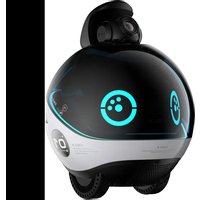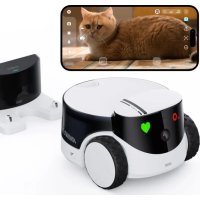
ROLA PetPAl - Surveillance Camera enabot - Free user manual and instructions
Find the device manual for free ROLA PetPAl enabot in PDF.


User questions about ROLA PetPAl enabot
0 question about this device. Answer the ones you know or ask your own.
Ask a new question about this device
Download the instructions for your Surveillance Camera in PDF format for free! Find your manual ROLA PetPAl - enabot and take your electronic device back in hand. On this page are published all the documents necessary for the use of your device. ROLA PetPAl by enabot.
USER MANUAL ROLA PetPAl enabot
Scan the QR code above
Download the ROLA App
Table of Contents
Safety Information 01
Packaging 01
Product Introduction 02
Robot Usage Instructions 03
Charging Station Instructions 05
Robot Networking Instructions 06
Robot Specifications and Parameters 07
Legal Statement 08
Safety Information 57
Packaging 57
Product Introduction 58
Robot Usage Instructions 59
Charging Station Instructions 61
Robot Networking Instructions 62
Robot Specifications and Parameters 63
Legal Statement 64
65
65
66
67
69
70
71
72
Check the electronic manual
Safety Information Packaging
Please read the following safety instructions carefully and take normal safety precautions before using this product.
- Only authorized technicians can disassemble the product. Users should not try this themselves.
- Remove the protective film from the product before use to ensure normal operation of the robot.
- To avoid damage from falling, do not place the robot in places where it may fall, such as tables, coffee tables, TV cabinets, etc.
- Do not use the robot in an environment with open flames, fragile items, or flammable items.
- Do not drop or kick the product.
- Avoid using the product on wet floors, such as bathrooms or near kitchen sinks.
- Only use the product in an environment with the temperature between -10^ and 45^ .
- Ensure that the Wi-Fi signal covers the product's range of activity.
- Avoid excessively bending wires and placing heavy or sharp objects on the product.
- Do not let pets bite the product's wires, as it may cause pet safety hazards.
- Any operation inconsistent with the instructions may cause damage to the product.
- The main unit of this product cannot be immersed or soaked in water.
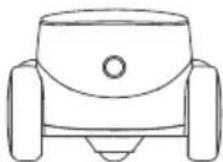
ROLA PetPal
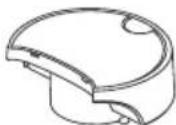
Storage Module

Adaptor
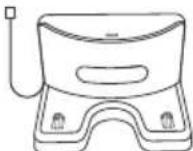
Charging Station
Instruction Manual
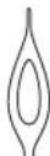
Pin
Product Introduction
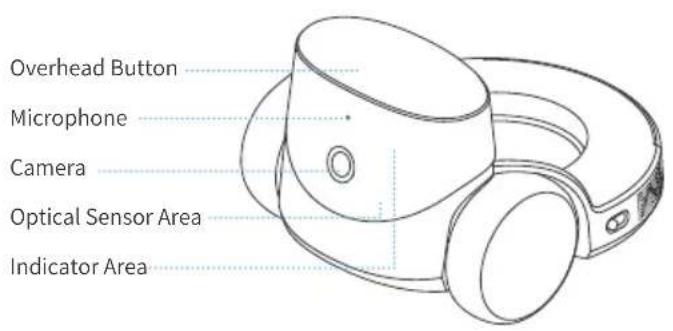
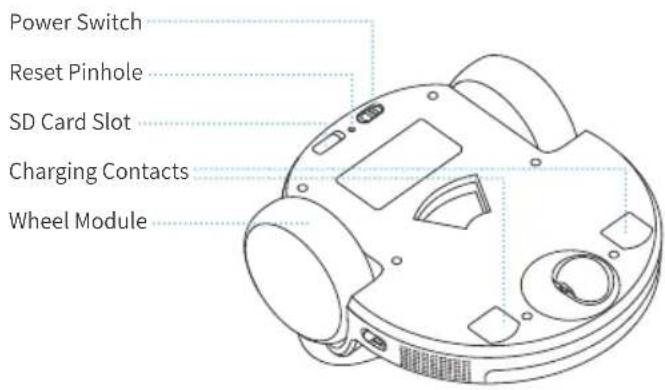
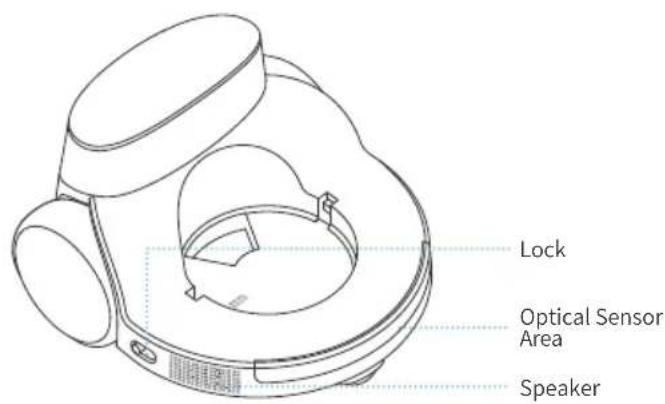
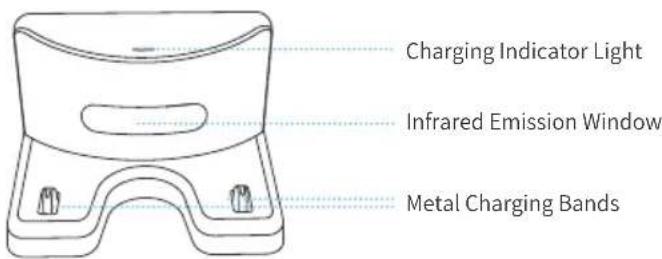
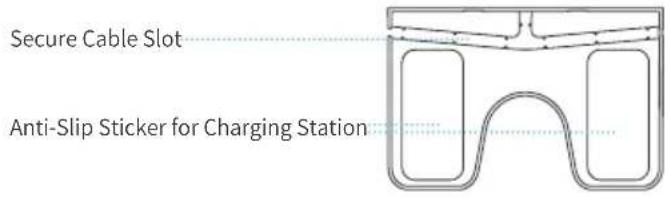
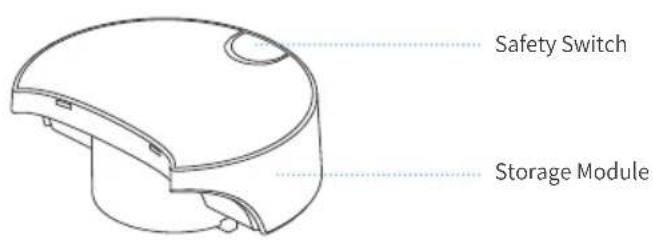
Robot Usage Instructions
1. To turn the robot ON and OFF:
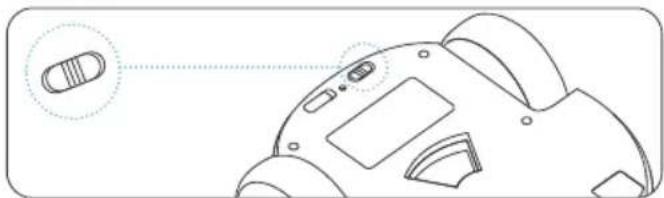
Toggle switch ON to turn on the robot.
Toggle switch OFF to turn off the robot.
- To RESET the robot: using the tip of the pin, press and hold the button inside the reset pinhole for more than 5 seconds, until the robot emits a reset success sound. Then the rest is successful.
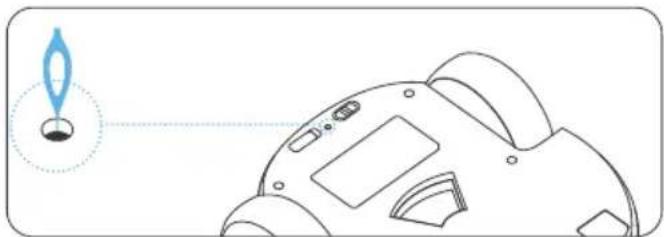
Note: The reset operation will not clear the memory card. Please format the SD card in the App.
- By pressing the mechanical button on the robot's head: you can call the owner in the App.
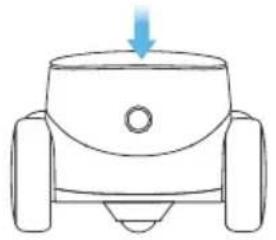
4. Robot Accessories Replacement :
(1) Before replacing accessories, you need to open the locks on both sides of the robot.
Note: means closed, means open.
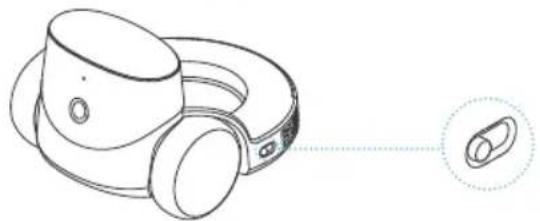
(2) Align the accessory with the limit slot and attach. Please ensure that there are no obstacles blocking the contact point between the accessory and the host.
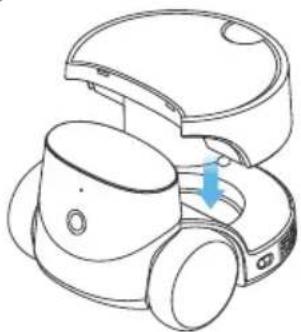
(3) After placing, press the accessory downwards and lock it in.
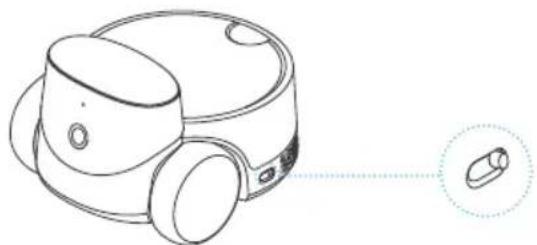
Charging Station Instructions
- Insert the USB cable into the base slot to ensure that there is no gap between the charging station and the ground.
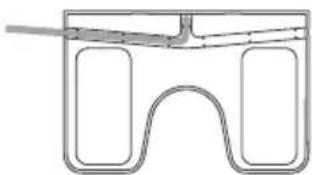
- Tear off the transparent anti-slip film on the bottom of the charging station; choose a position against the wall to place the charging station; place the back of the charging station flat against the wall, and place the bottom flat against the ground.
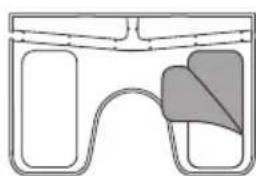
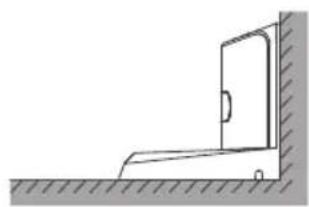
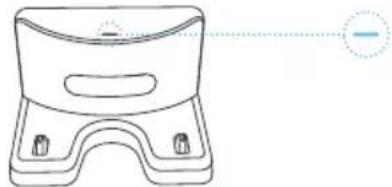
- Once the charging station is powered on, the cyan indicator will start blinking if there is a device charging. If there is no device charging or the device is fully charged, the indicator will remain on without blinking.
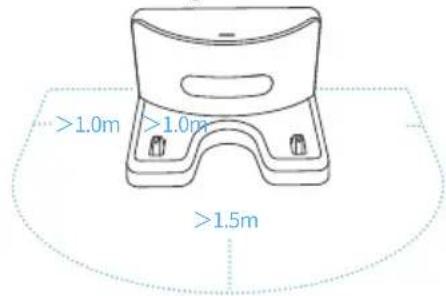
- Make sure the area 1.5 meters in front of the charging station and 1.0 meter to the left and right of the charging station are kept clear, so the robot can return to charge.
- When the robot is charging normally at the charging station, its battery status will be indicated by the color of the robot's facial light.
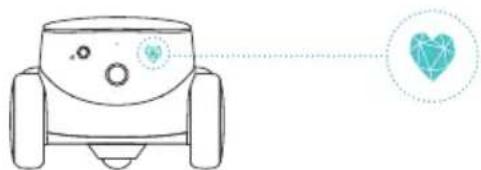

RED: battery is under 20%

ORANGE: battery is between 20% - 50%

GREEN: battery is over 50%
Robot Networking Instructions
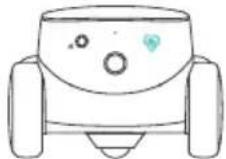
- After the robot is turned on, the indicator lights start blinking. The robot has now entered the QR-code binding state.
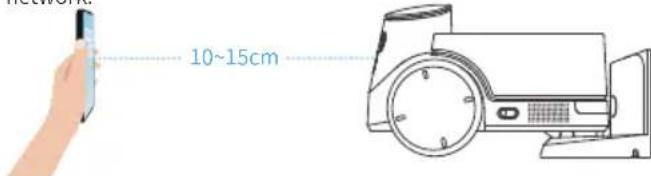
- Download the ROLA APP, click "+ " in the upper left corner to add a device, and follow the steps to prepare your robot for network access. Please pay careful attention and fill in the correct WI-FI name and password. After generating the QR code, scan the code about 15cm away from the robot to connect it with the network.
- When the robot has successfully connected to the network, it will emit a successful binding sound and the App will alert you that the binding is successful.
Note: Putting the robot on the charging station will guarantee sufficient battery during the networking process.
Robot Specifications and Parameters
| Product Name | ROLA Pet Companion Robot | Operating Noise | In an environment of 44.7 decibels, the machine speed is modulated by 70 and the decibel meter is placed within 30cm of the robot. The operating noise fluctuates between 56.4 db and 63.7 db |
| Product Model | ROLA PetPal | ||
| Product Size | 192×171.3×120mm | ||
| Product Weight | Weight of ROLA Petpal Pro: 525g Weight of Storage Module: 180g Weight of Charging Station: 141g Weight of Pet Teasing Module: 254g Weight of Feeding Module: 360g | Recharge Method | Infrared |
| Battery Capacity | 3500mAh | ||
| Charging Time | 2.5h | ||
| Material | ABS+PC | Battery Life | 2h - 8h |
| Resolution | 2.5K | Adapter Power Rating | 10W |
| Camera Angle | 135° | Robot Power Rating | 1.2W (the device is successfully connected to the Internet and the camera is not turned on) |
| Night Vision | Supported | ||
| Function | 2W | ||
| Speaker | 1.5m/s | Extended Memory Support | 16G - 256G |
| Roaming Speed | Brushed gear motor | File Format | MP4 |
| Motor Type | 15° | Does the robot support replacement modules? | Yes |
| Obstacle Clearance Height | 15mm |
Legal Statement
- Before using the product, please read this document and keep it for reference.
- The illustrations and descriptions in this document are for reference only, and the actual product should take precedence. For certain specifications and configurations, please check the relevant specification documents or consult the seller.
- The nominal storage capacity and technical performance indicators are only specifications. Actual data may vary depending on the environment and settings, etc. Factors vary.
- If you use other products or software, you are solely responsible for compatibility and legality.
- No content in this document shall constitute a modification of Enabot's product warranty policy.
- This product is not designed for organ transplantation or other life support system applications. In such applications, product failure may result in personal injury or death.
- No one may copy, delete, compile, store, transmit or translate this document without Enabot's authorization.
- Only authorized technicians can disassemble the product. Users should not try this themselves.
- Remove the protective film from the product before use to ensure normal operation of the robot.
- To avoid damage from falling, do not place the robot in places where it may fall, such as tables, coffee tables, TV cabinets, etc.
- Do not use the robot in an environment with open flames, fragile items, or flammable items.
- Do not drop or kick the product.
- Avoid using the product on wet floors, such as bathrooms or near kitchen sinks.
- Only use the product in an environment with the temperature between -10^ and 45^ .
- Ensure that the Wi-Fi signal covers the product's range of activity.
- Avoid excessively bending wires and placing heavy or sharp objects on the product.
- Do not let pets bite the product's wires, as it may cause pet safety hazards.
- Any operation inconsistent with the instructions may cause damage to the product.
- The main unit of this product cannot be immersed or soaked in water.
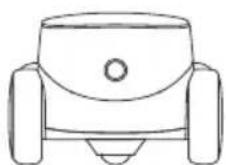
ROLA PetPal
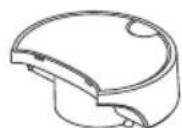
Module de stockage

Adaptateur
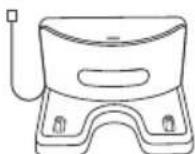
Station de charge
充值补给 100% 98% 96% 95% 94% 93% 92% 91% 90% 89% 88% 87% 86% 85% 84% 83% 82% 81% 80% 79% 78% 77% 76% 75% 74% 73% 72% 71% 70%
This device complies with Industry Canada's licence-exempt RSS standard(s). Operation is subject to the following two conditions:
(1) this device may not cause interference, and
(2) this device must accept any interference, including interference that may cause undesired operation of the device.
This Class B digital apparatus complies with Canadian ICES-003.
When using the product, maintain a distance of 20cm from the body to ensure compliance with RF exposure requirements.
Déclaration IC RF:
This device complies with part 15 of the FCC Rules. Operation is subject to the following two conditions:
(1) This device may not cause harmful interference, and
(2) this device must accept any interferencereceived, including interference that may cause undesired operation.
Any Changes or modifications not expressly approved by the party responsible for compliance could void the user's authority to operate the equipment.
Note: This equipment has been tested and found to comply with the limits for a Class B digital device, pursuant to part 15 of the FCC Rules. These limits are designed to provide reasonable protection against harmful interference in a residential installation. This equipment generates uses and can radiate radio frequency energy and, if not installed and used in accordance with the instructions, may cause harmful interference to radio communications. However, there is no guarantee that interference will not occur in a particular installation. If this equipment does cause harmful interference to radio or television reception, which can be determined by turning the equipment off and on, the user is encouraged to try to correct the interference by one or more of the following measures:
-Reorient or relocate the receiving antenna.
-Increase the separation between the equipment and receiver.
-Connect the equipment into an outlet on a circuit different from that to which the receiver is connected.
-Consult the dealer or an experienced radio/TV technician for help.
This equipment complies with FCC radiation exposure limits set forth for an uncontrolled environment. This equipment should be installed and operated with minimum distance 20cm between the radiator & your body.
NB Warning
This product complies with the radio interference requirements of the European Community.
Product name: ROLA Pet Companion Robot Product model: ROLA PetPal
Manufacturer: Fuzhi Technology (Shenzhen) Co., Ltd
Address: Room 302, Building 10, Qianhai E-Hub, Shenzhen, Guangdong, China
Frequency Range: 2412MHz to 2472MHz;5180MHz to 5240MHz;5260MHz to 5320MHz Max. output Power: 2412MHz to 2472MHz;19.74 dBm;5180MHz to 5240MHz;17.82 dBm;5260MHz to 5320MHz;18.24 dBm.
SIMPLIFIED EU DECLARATION OF CONFORMITY
The simplified EU declaration of conformity referred to in Article 10(9) shall be provided as follows:
Hereby, WeHome Technology Company Limited declares that radio equipment type ROLA PetPal is in compliance with Directive 2014/53/EU, and this product is allowed to be used in all EU member states.
The full text of the EU declaration of conformity is available at following This product can be used across EU member states.
This equipment should be installed and operated with minimum distance 20cm between the radiator & your body.
BATTERY Warning: CAUTION:RISK OF EXPLOSION IF BATTERY IS REPLACED BY AN INCORRECT TYPE DISPOSE OF USED BATTERIES ACCORDING TO THE INSTRUCTIONS
Social Media

@enabot_official @enabot

@enabot_official

@enabot
For General Questions: ebo@enabot.com
For Technical Support: support@enabot.com
For Business : sales@enabot.com
For Marketing: marketing@enabot.com


enabot
www.enabot.com