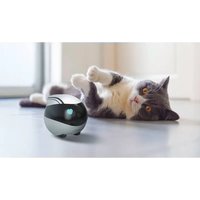
EBO Luft - Pool Robot enabot - Free user manual and instructions
Find the device manual for free EBO Luft enabot in PDF.


| Product Type | Pool robot (intelligent home robot) |
| Brand | Enabot |
| Model | EBO Luft |
| Dimensions (L x W x H) | 95 x 95 x 89.2 mm |
| Weight | 352 g ± 20 g |
| Power supply | Rechargeable battery 2500 mAh, charging via USB-C (DC 5V/2A) |
| Charging time | 2 to 3 hours |
| Battery life | 2 to 6 hours depending on usage |
| Camera resolution | 1080p |
| Camera angle | 118° (diagonal), 98.5° (horizontal), 62.5° (vertical) |
| Connectivity | Wi-Fi 2.4 GHz and 5 GHz |
| Movement speed | 7.5 cm/s to 75 cm/s |
| Storage | microSD card up to 256 GB (not included) |
| File formats | AVI (video), JPG (photo) |
| Main functions | Remote control, voice intercom, photo/video capture, laser, home guard mode, electronic pet mode, video editor |
| Charging | Infrared charging station (automatic return) |
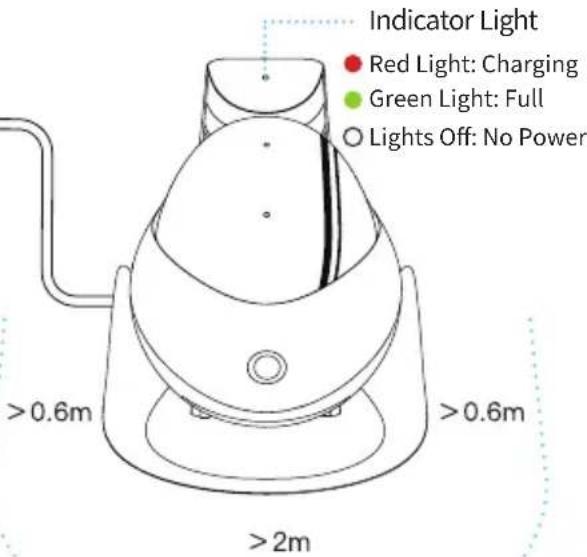
| LED indicators | Red (charging), Green (fully charged) |
| Maintenance and cleaning | Clean with a dry cloth; do not immerse in water (not waterproof) |
| Safety | Restart via RESET button; fall detection function; camera and microphone can be disabled in standby mode |
| Spare parts and repairability | Contact customer service at ebo@enabot.com; firmware update possible; no spare parts indicated |
| General information | Indoor use recommended; not suitable for children under 3 years without supervision; charger is not a toy |
Frequently Asked Questions - EBO Luft enabot
User questions about EBO Luft enabot
0 question about this device. Answer the ones you know or ask your own.
Ask a new question about this device
Download the instructions for your Pool Robot in PDF format for free! Find your manual EBO Luft - enabot and take your electronic device back in hand. On this page are published all the documents necessary for the use of your device. EBO Luft by enabot.
USER MANUAL EBO Luft enabot
natural_image
Abstract logo design featuring a stylized white infinity symbol on a light blue background (no text or symbols)Air
YOUR SMART HOME COMPANION ROBOT
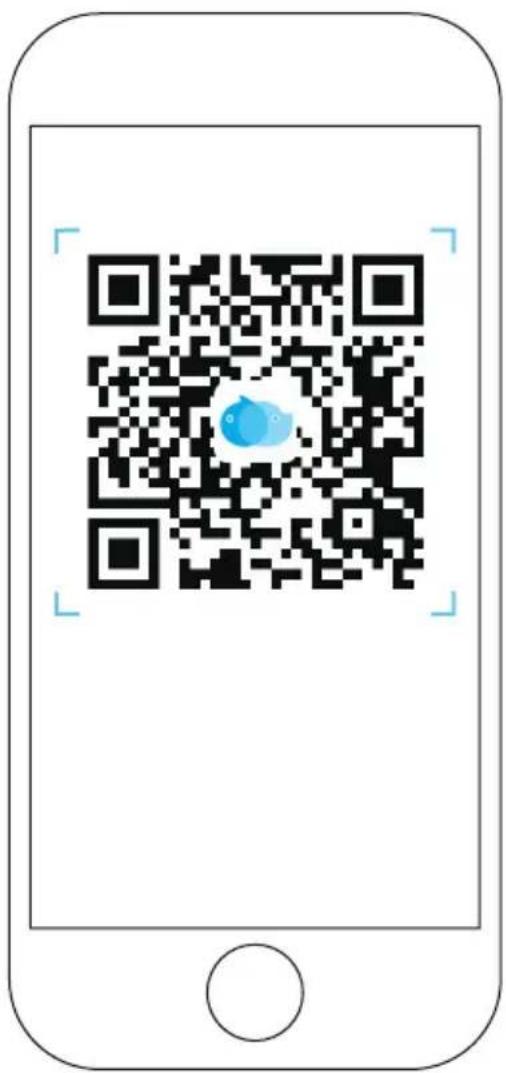
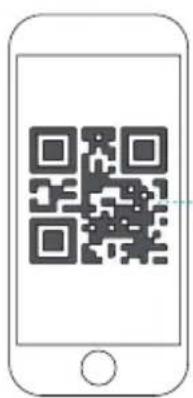
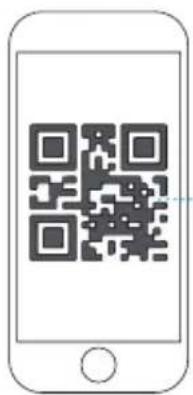
Download the EBO APP by scanning the QR code
Contents
English
- Device Connection ....01
- Interface Instructions 03
- Function Description 04
- General Instructions 05
- EBO HOME 07
Français
- Connexion De L'Appareil 08
- Description De L'interface ....10
- Description De La Fonction De La Page Du Dispositif ....11
- Instructions D' utilisation Quotidienne ....12
- EBO HOME ....14
Deutsch
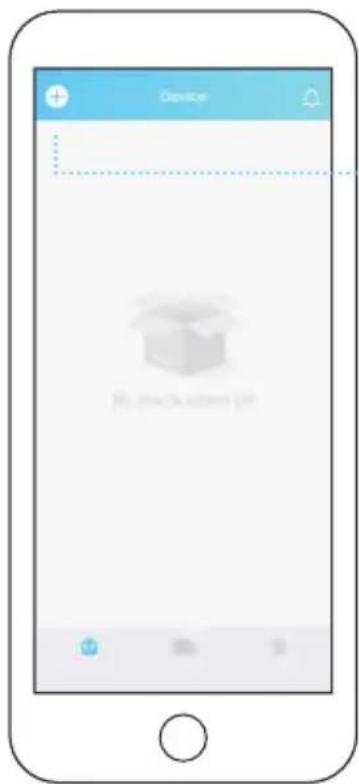
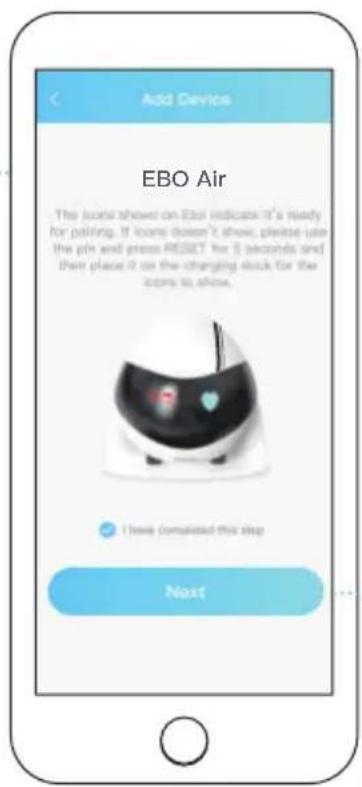
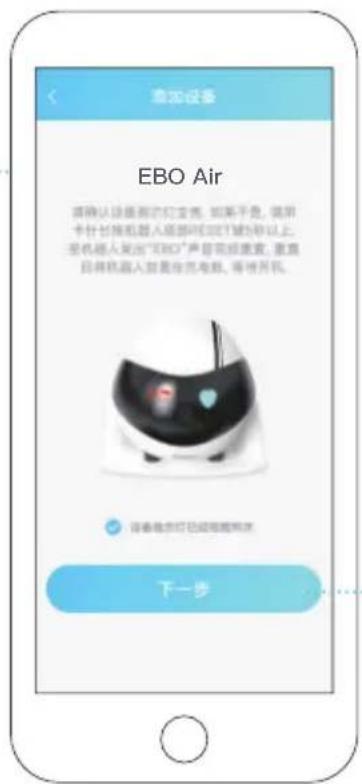
Register on EBO APP and click “+” to connect
2
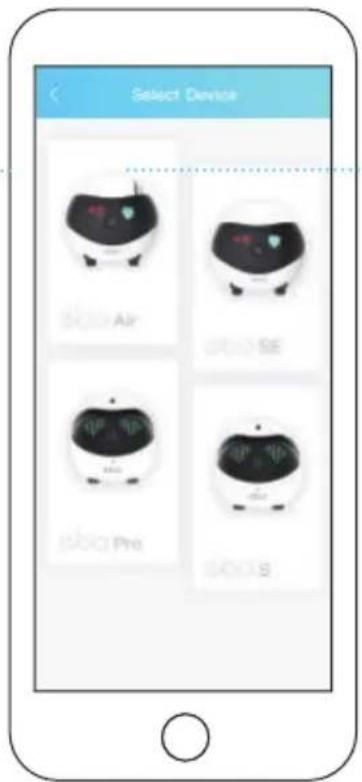
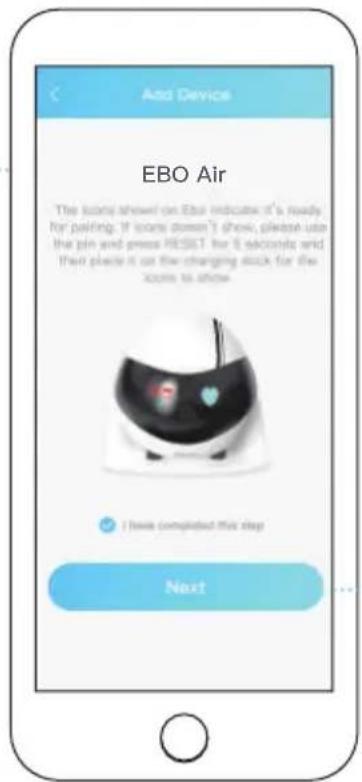
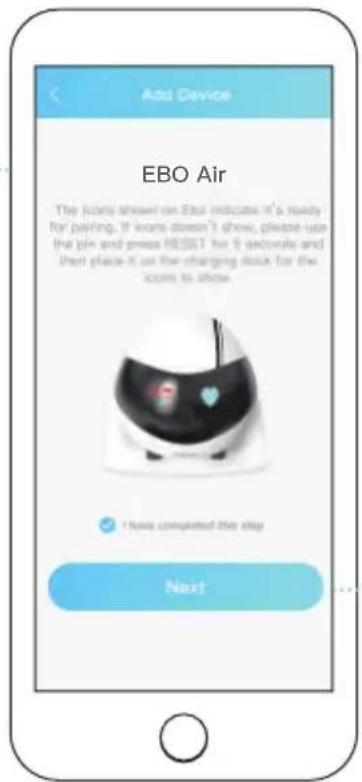
Select your device (EBO Air)
3
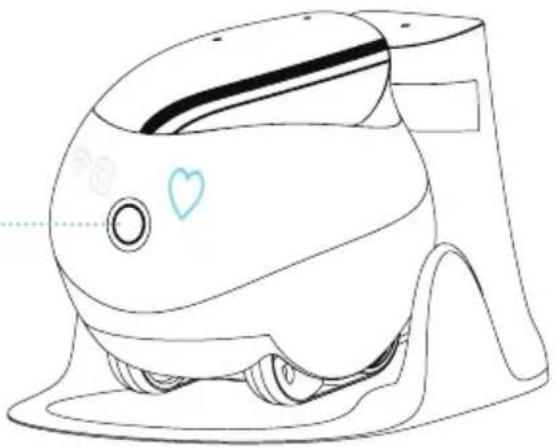
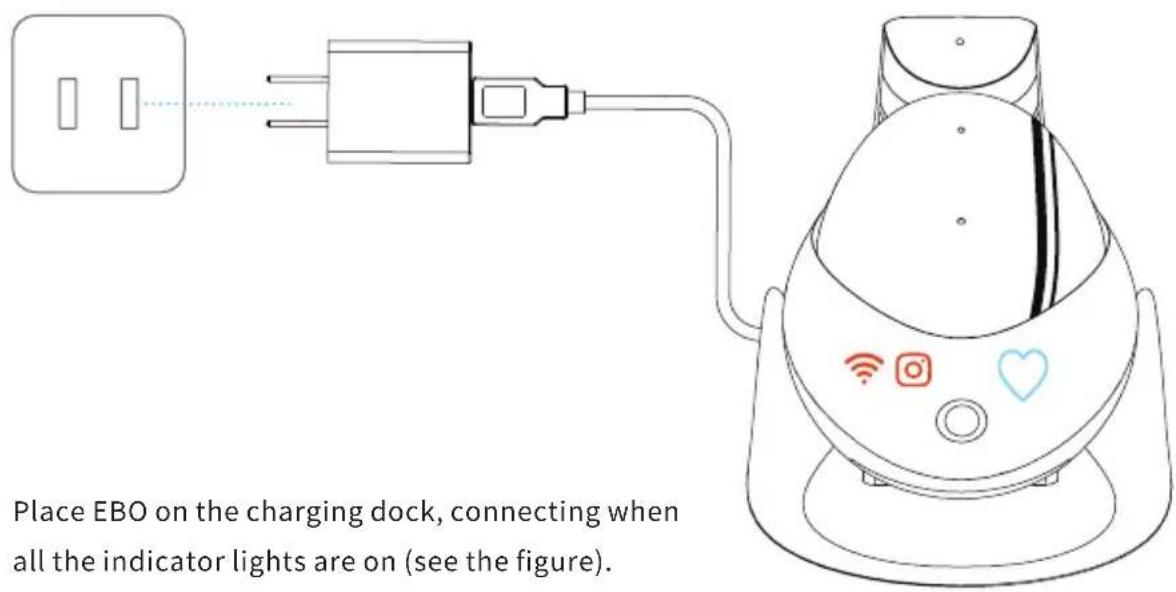
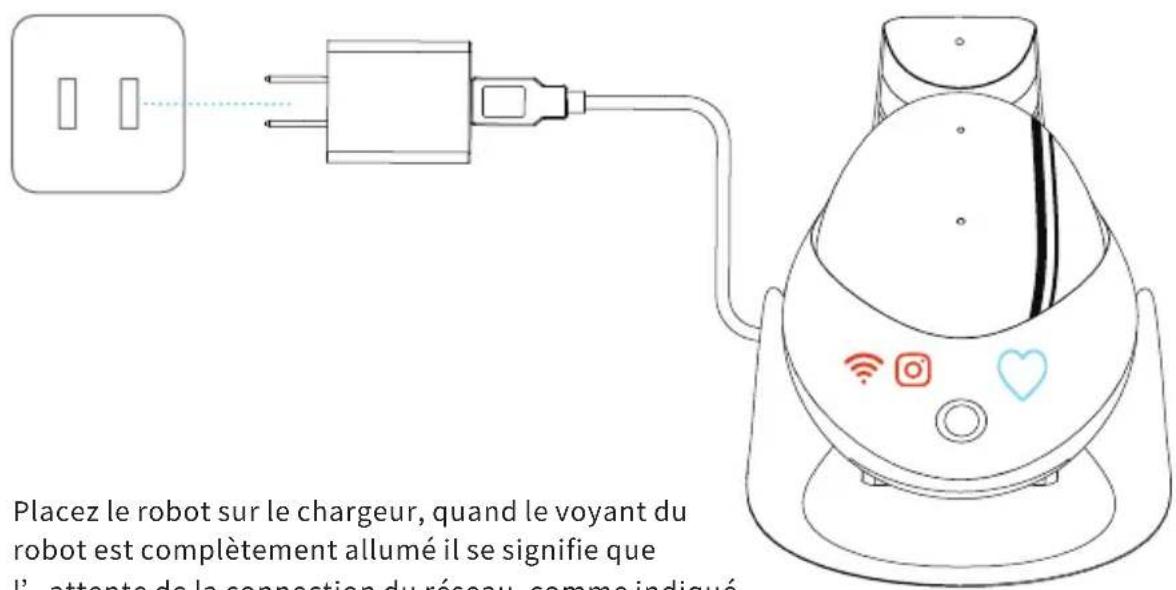
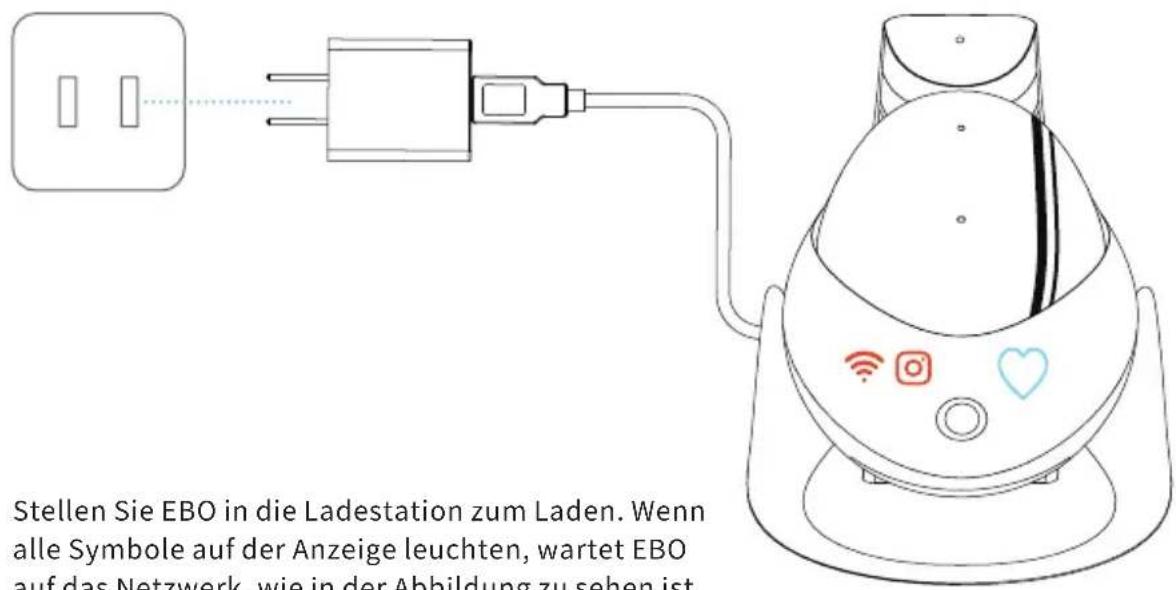
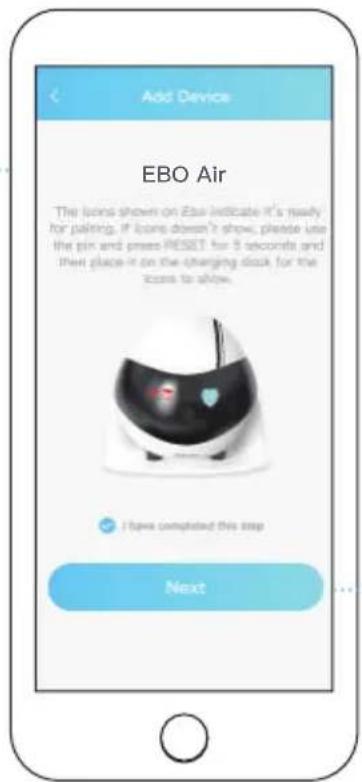
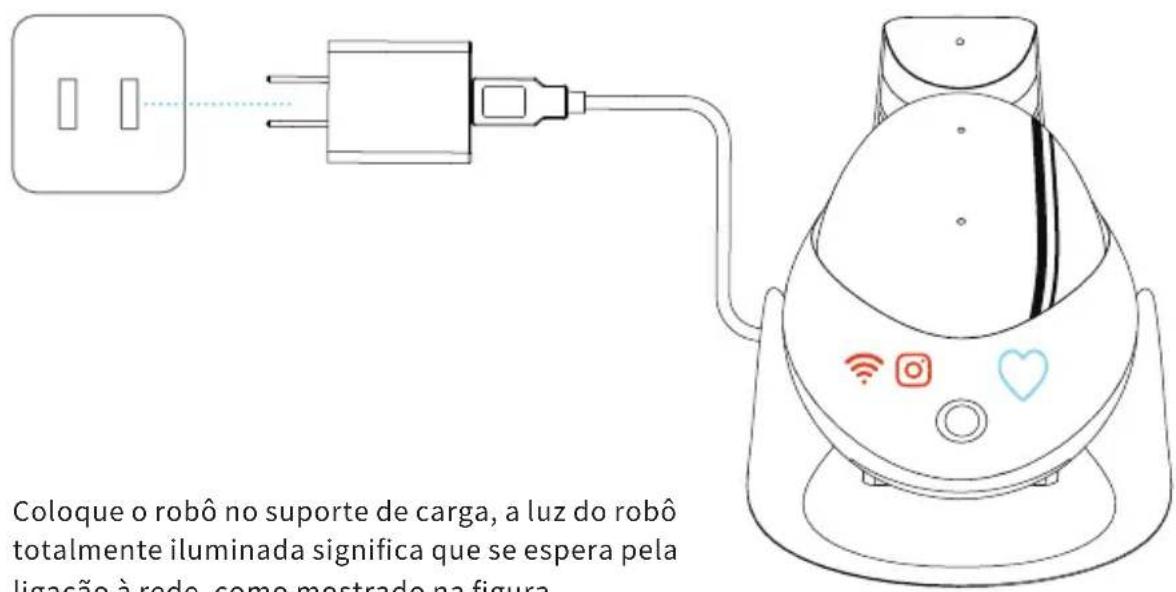
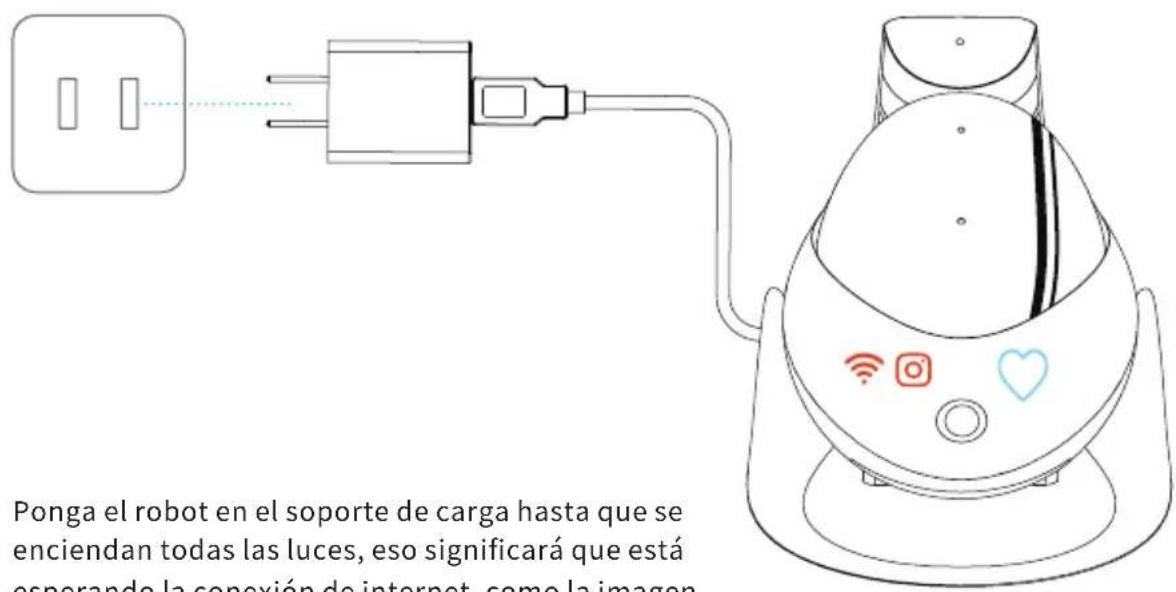
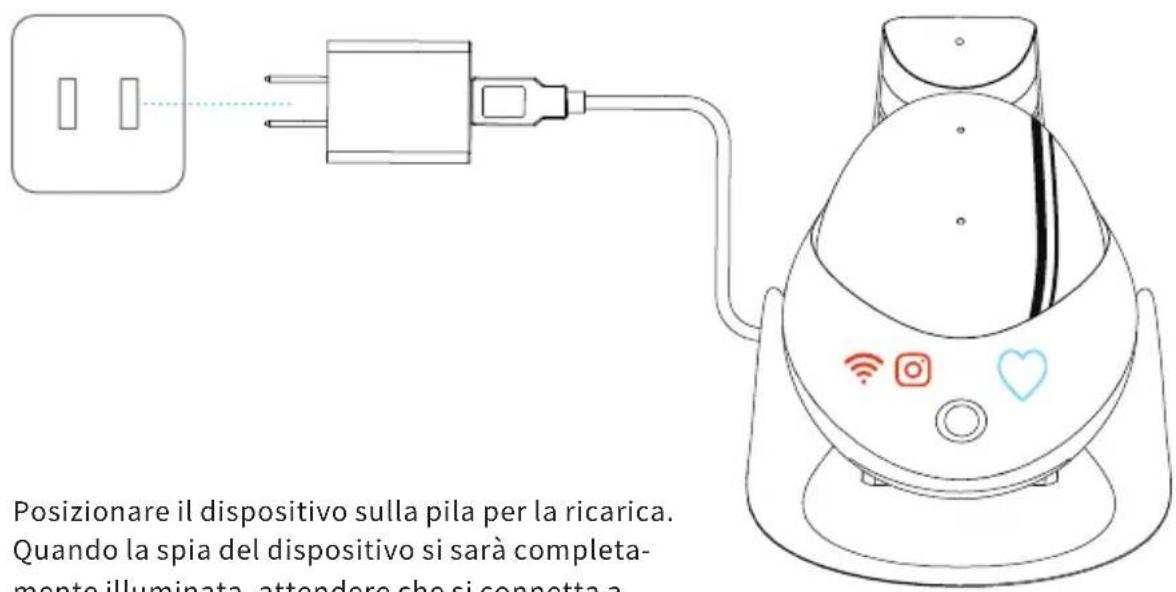
Place EBO on the charging dock
4
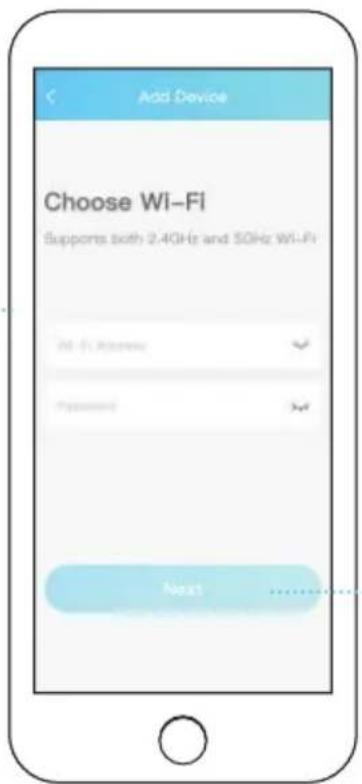
Connect to your Wi-Fi network
5
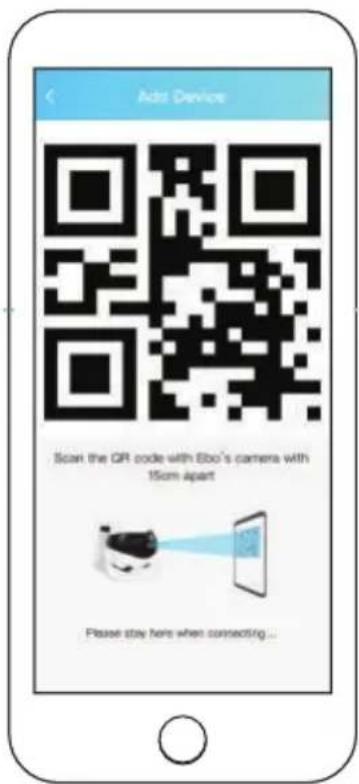
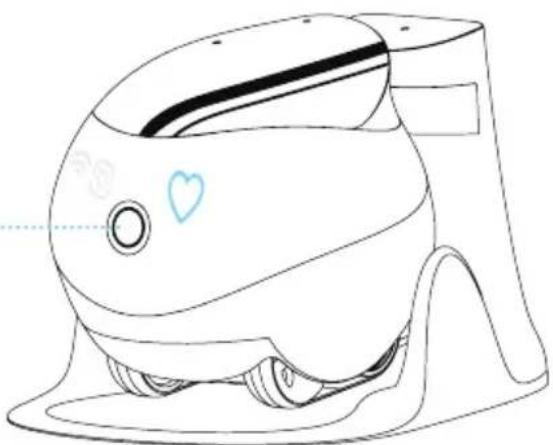
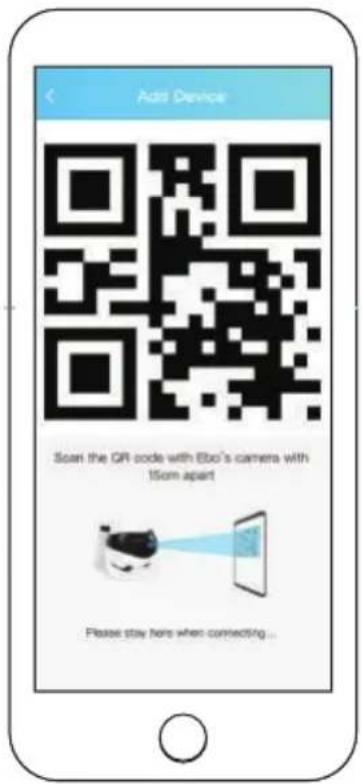
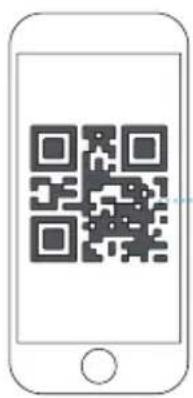
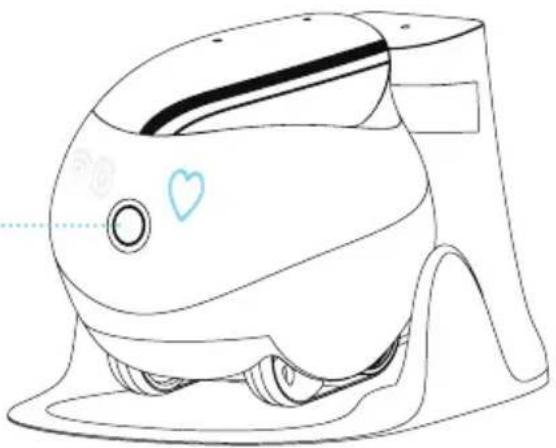
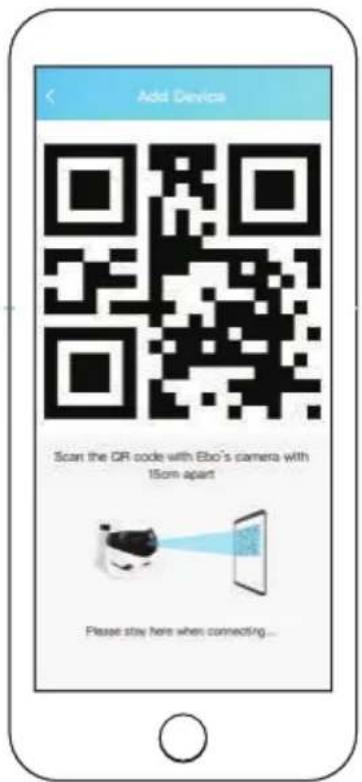
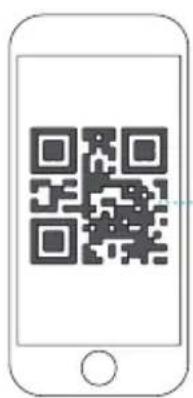
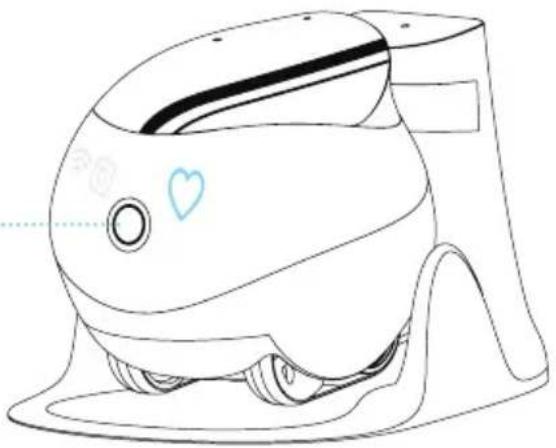
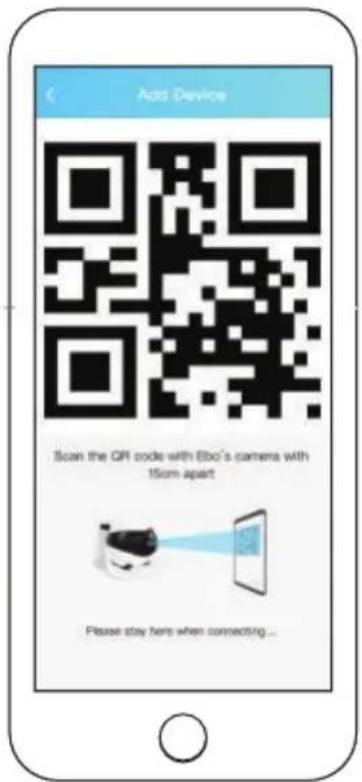
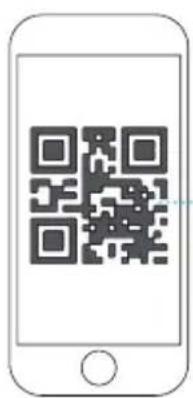
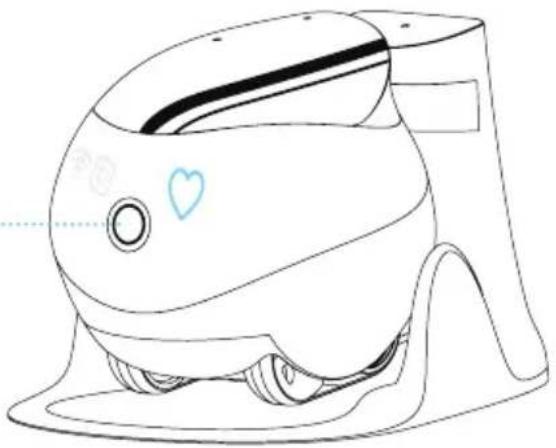
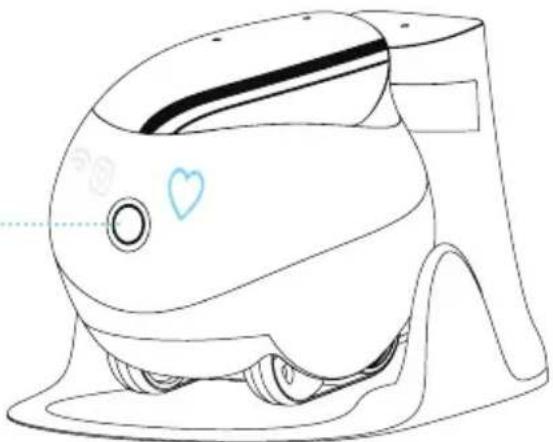
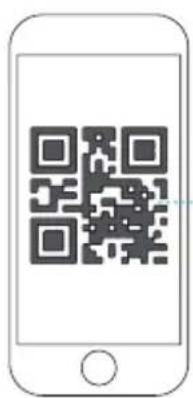
Scan the QR code using EBO's camera
6
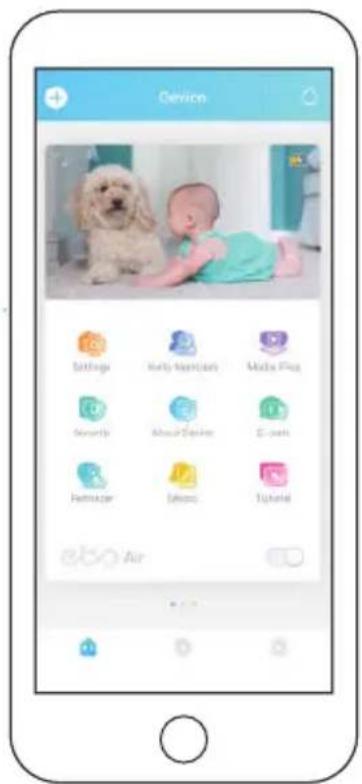
Pairing successful!
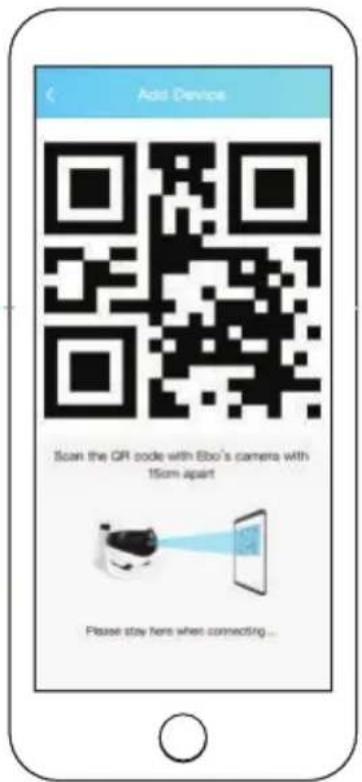


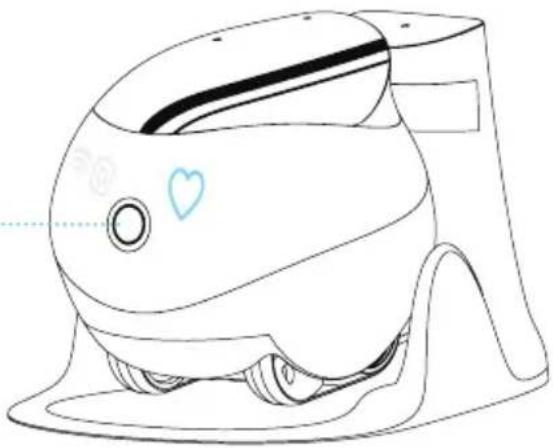
About 15cm Apart
natural_image
Line drawing of a baby shower device with a heart symbol on the button (no text or labels)Scan the QR code using EBO's camera
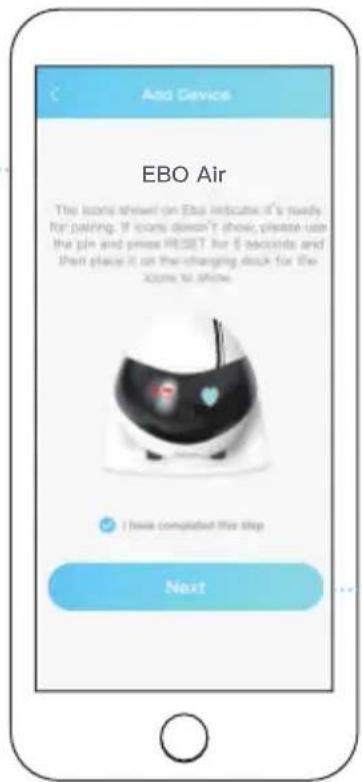
When " 🔺" and " 🔒" are both off, the pairing is successful.
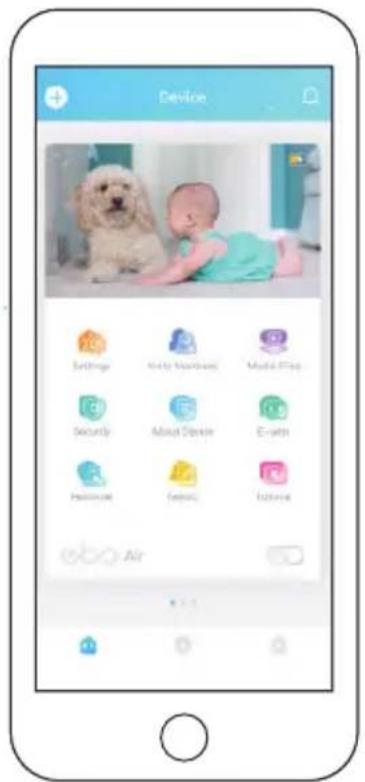
Interface Instructions
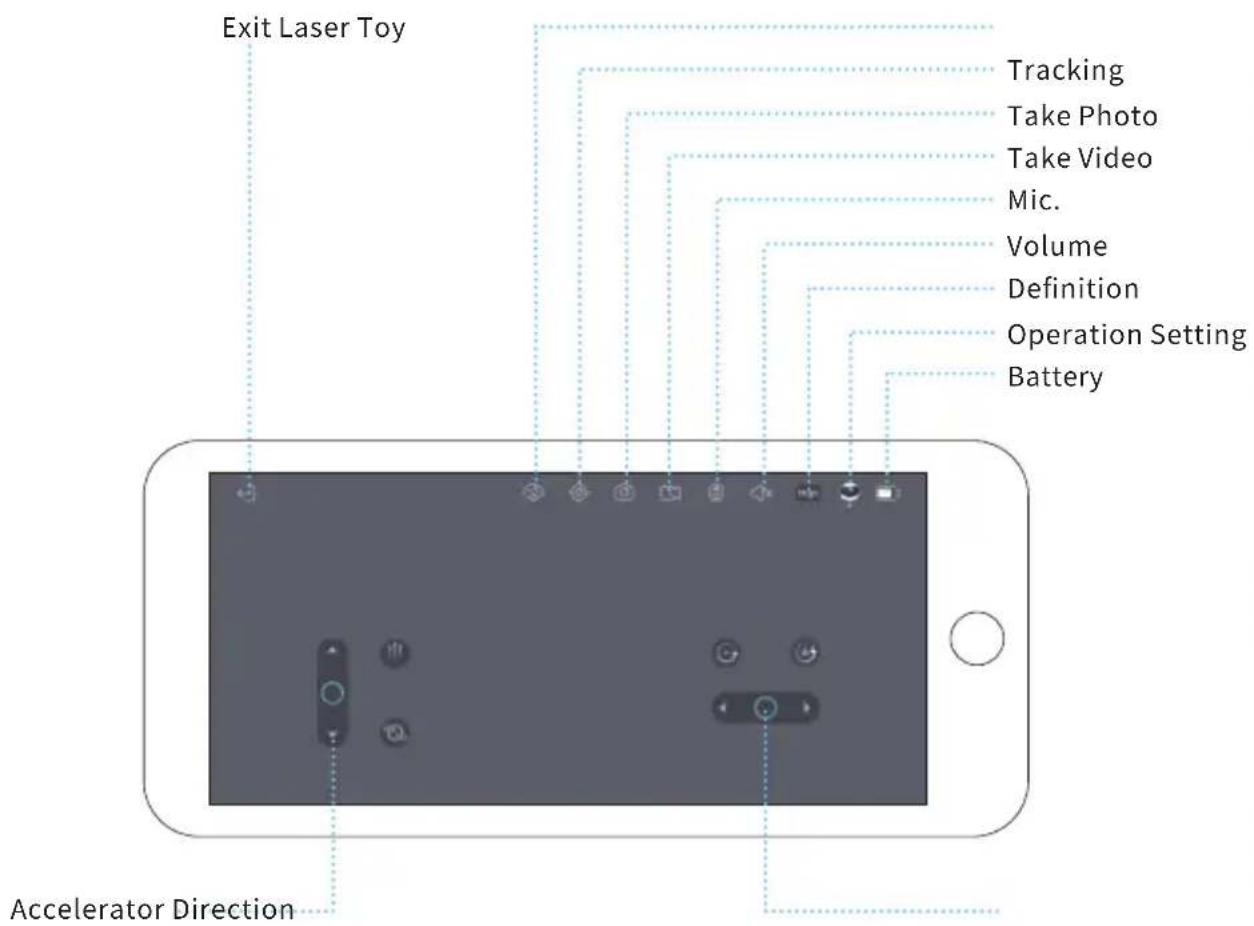
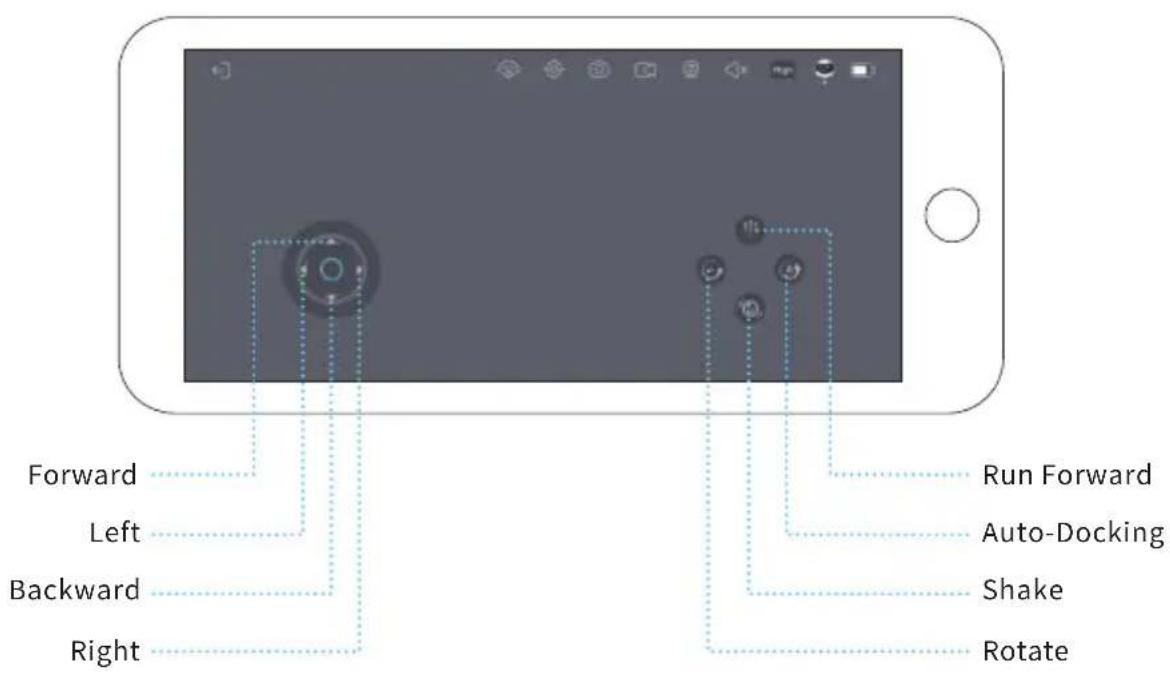
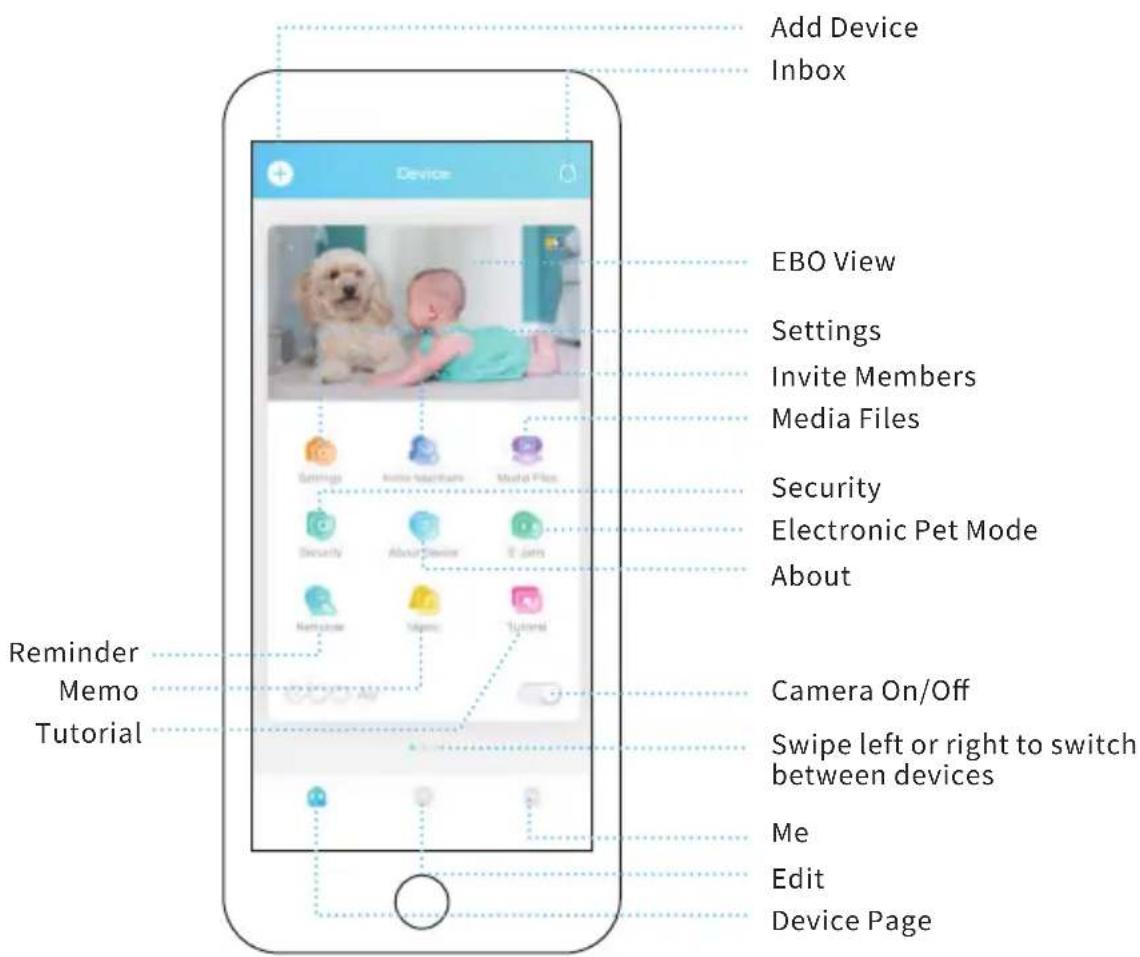
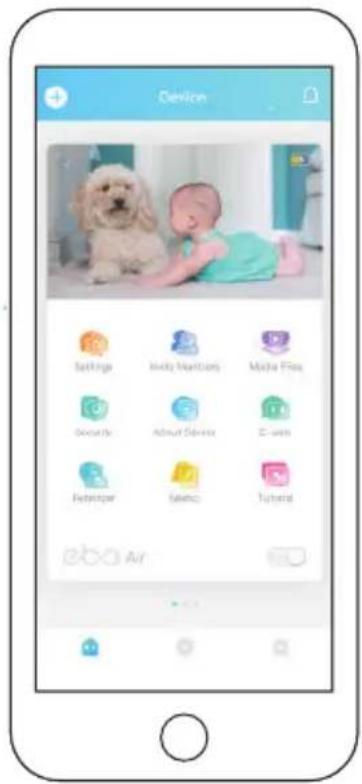
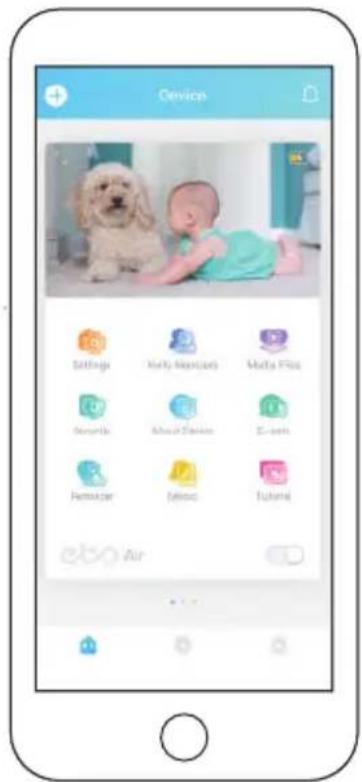
- Add Device: Click the + sign in the upper left corner of the page to quickly pair a device;
- Message: About Device, Detection Warning, Friends Share;
- EBO View: Remote Control, Talk to your Family, Take Photos/Videos, Play with your Pets;
- Settings: Wi-Fi, Device Volume, Device Light, Do-Not-Disturb Mode;
- Invite Members: EBO supports one admin user and multiple guest users;
- Media Files: Local files (stored in the local SD card), Downloaded files (files downloaded from the local SD card to the phone), Like (Archived files);
- Security: EBO will protect your home as scheduled;
- Electronic EBO will become your pet as scheduled;
Pet Mode: - About: About (Device Model, Parameters), Device Report (Robot Status-Check), Log Upload (Click And Upload Log files);
- Tutorial: How to use EBO;
- Sleep On Sleep Mode, both the camera and the speaker are automatically disabled; (CameraOn/Off):
- Edit: Can help you make video files quickly.
General Instructions
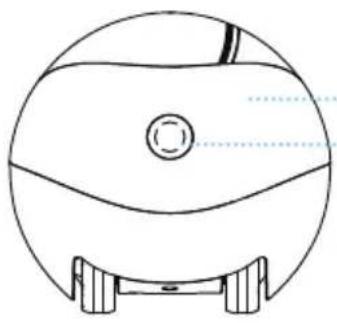
natural_image
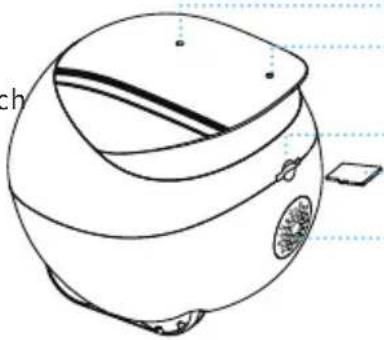
Line drawing of a spherical object with a central circular feature and two side supports (no text or symbols)Camera
Indicator Light
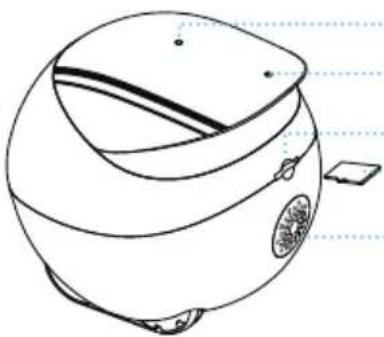
natural_image
Line drawing of a spherical device with internal components and a small rectangular object on the side (no text or symbols)Mic.
DIY Accessory
Socket
Card Slot
SD Card
Speaker
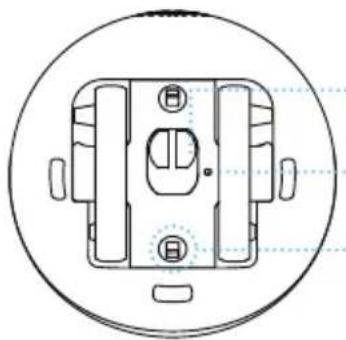
natural_image
Technical line drawing of a mechanical component with mounting holes and internal features, enclosed in a circular frame (no text or symbols)Charging
Connector
Reset Button
Wheel Module
Lock
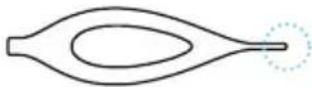
*Smaller End
Of the Pin
Need to power on/off or reset EBO?
Use the smaller end of the pin to press RESET
- POWER ON: Press RESET for 2 seconds (or place EBO on the charging dock)
- POWER OFF: Click RESET twice
- REBOOT: Click RESET 1 time when EBO is on
- RESET: Press RESET for 5 seconds unit you hear "ebo"
How to clean the wheels
Open the two black buckles at the bottom at the same time to disassemble the wheel module for cleaning.
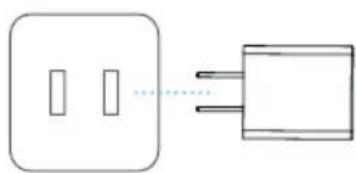
natural_image
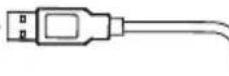
Simple line drawing of a two-pin socket connected to a three-pin plug (no text or symbols)Power Socket Adapter USB Connector
Empty Space
Note For Charging EBO:
Place the back side of the charging dock along the wall and away from any obstruction as indicated in the image.
Equipment And Parameters
| Function | Remote Control, Talk To Your Family, Take Photos, Videos, Play With Your Pets, Security, Electronic Pet Mode, Edit |
| Definition | 1080P |
| Angle | D: 118° H: 98.5° V: 62.5° |
| Auto Charging | Infrared |
| Wi-Fi | 2.4G、5G |
| Moving Speed | 7.5cm/s-75cm/s |
| Product Size | W95mm*H89.2mm*L95mm |
| Product Weight | 352g±20g |
| Battery Capacity | 2500mAh |
| Charging Voltage | DC-5V/2A |
| Charging Time | 2~3H |
| Battery Endurance | 2~6H |
| File Format | AVI、JPG |
| SD Card | Expandable To 256G Maximum |
| Executive Standard | GB8898-2011 |
COMPLIES WITH 21 CFR CHAPTER I, SUBCHAPTER J, or Complies with FDA performance standards for laser products except for deviations pursuant to Laser Notice No. 50, June 24, 2007
Precautions:
- For daily use, it is recommended to place EBO on the charging dock to ensure that EBO is always on-line;
- EBO is not waterproof. Please keep EBO away from water;
- Do not apply the "forward" function when EBO is near the stairs;
- The charger is not a toy. Children must have adult supervision;
- Children under 3 must have adult supervision;
- If you have any issues while using EBO, please contact our Customer Service at support@enabot.com.
Official Website
www.enabot.com
Social Media

@enabot_official @Enabot @enabot_ebo_


@Enabot
Contact Us
General Enquiries: ebo@enabot.com
Technical Support: support@enabot.com
Business Enquiries: sales@enabot.com
Marketing Enquiries: marketing@enabot.com
enabot
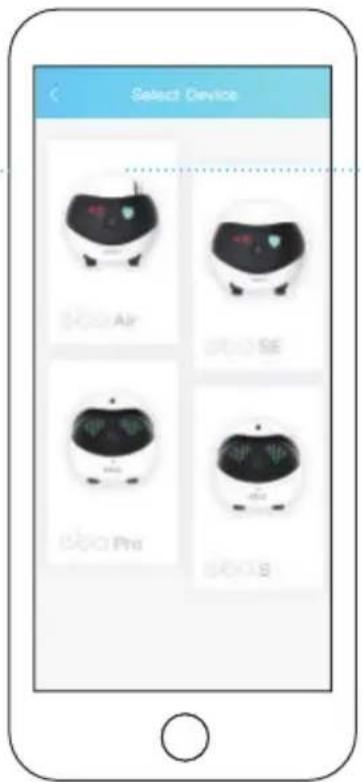
Environ 15cm
natural_image
Line drawing of a baby washing machine with a heart symbol on the side (no text or labels)natural_image
Line drawing of a spherical object with a central circular feature and two side supports (no text or symbols)Caméra
natural_image
Line drawing of a stylized helmet or device with no visible text, numbers, or symbolsnatural_image
Technical line drawing of a mechanical component with circular base and internal features (no text or symbols)Support Technique: support@enabot.com
Questions Relatives Aux Entreprises: sales@enabot.com
Questions Relatives Au Marketing: marketing@enabot.com
enabot
Geräteverbindung


Ca. 15 cm
natural_image
Line drawing of a baby washing machine with a heart symbol on the side (no text or labels)natural_image
Line drawing of a spherical object with internal components and mounting feet (no text or symbols)Kamera
Anzeigebereich
natural_image
Line drawing of a stylized helmet or device with no visible text, numbers, or symbolsnatural_image
Technical line drawing of a mechanical component with mounting holes and a central housing (no text or symbols)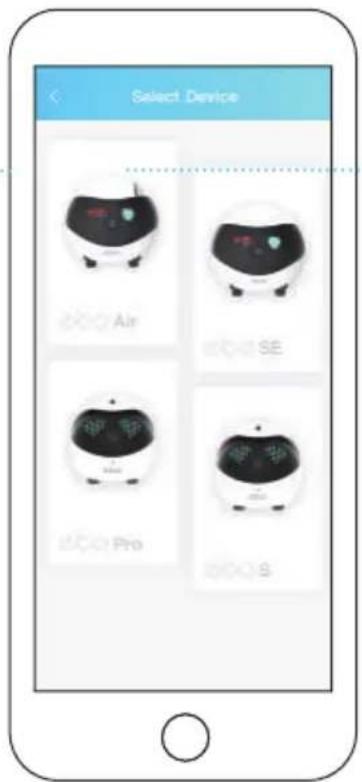
Cerca De 15cm
natural_image
Line drawing of a baby washing machine with a heart symbol on the side (no text or labels)natural_image
Line drawing of a spherical object with a central circular feature and two side supports (no text or symbols)natural_image
Line drawing of a spherical device with internal components and a small rectangular object on the side (no text or symbols)natural_image
Technical line drawing of a mechanical component with circular base and internal slots (no text or symbols)natural_image
Simple line drawing of a two-pin socket connected to a plug (no text or symbols)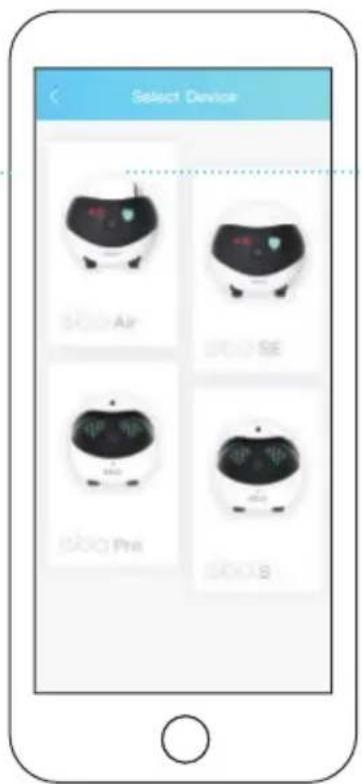
Más O Menos 15 cm
natural_image
Line drawing of a baby shower device with a heart symbol on the nose (no text or labels)natural_image
Top-down line drawing of a spherical object with internal components and mounting feet (no text or symbols)Cámara
natural_image
Line drawing of a spherical device with internal components and a small rectangular object on the side (no text or symbols)natural_image
Technical line drawing of a mechanical component with circular outline and centerlines (no text or symbols)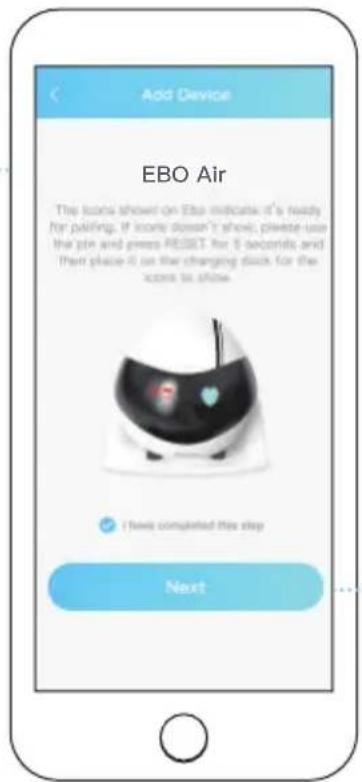
5
6
15 cm Circa
natural_image
Line drawing of a baby shower device with a heart symbol on the nose (no text or labels)natural_image
Technical line drawing of a mechanical component with circular base and internal features (no text or symbols)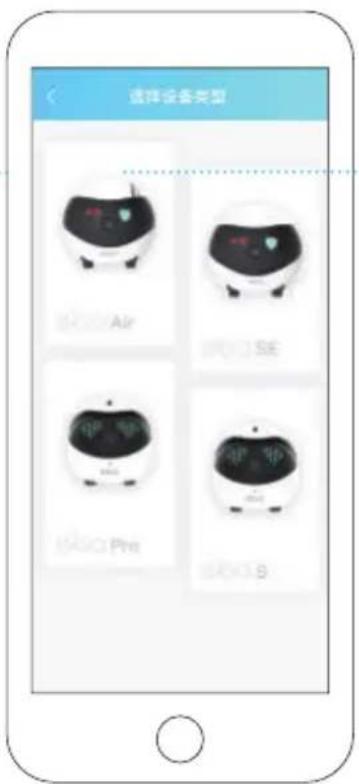
15cm左右