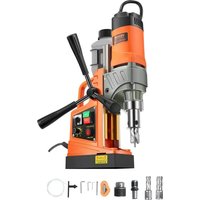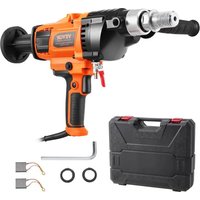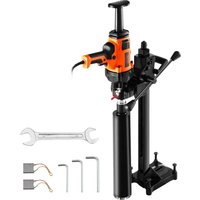
Z1Z-CF-9135 - Drill Vevor - Free user manual and instructions
Find the device manual for free Z1Z-CF-9135 Vevor in PDF.


User questions about Z1Z-CF-9135 Vevor
0 question about this device. Answer the ones you know or ask your own.
Ask a new question about this device
Download the instructions for your Drill in PDF format for free! Find your manual Z1Z-CF-9135 - Vevor and take your electronic device back in hand. On this page are published all the documents necessary for the use of your device. Z1Z-CF-9135 by Vevor.
USER MANUAL Z1Z-CF-9135 Vevor
Technical Support and E-Warranty Certificate www.vevor.com/support
CORE DRILL
Model: Z1Z-CF-9135
We continue to be committed to provide you tools with competitive price. "Save Half", "Half Price" or any other similar expressions used by us only represent estimate of savings you might benefit from buying certain tools with us compared top brands and does not necessarily mean to cover all categories of tools offered are kindly reminded to verify carefully when you are placing an order with us actually saving half in comparison with the top major brands.
VEVOR®
TOUGH TOOLS, HALF PRICE
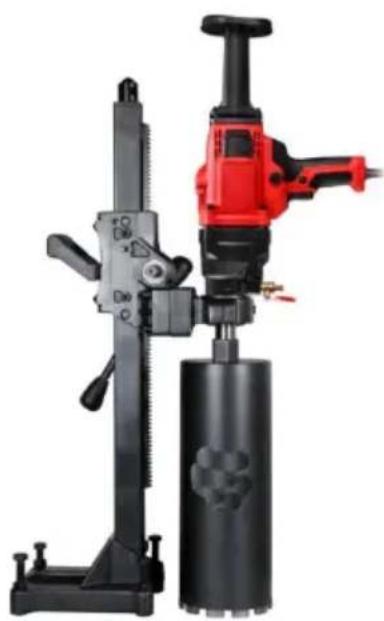
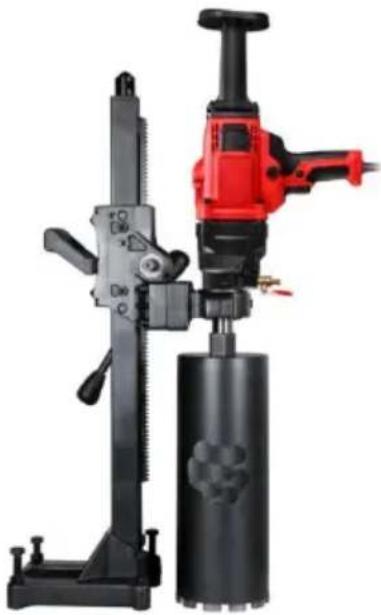
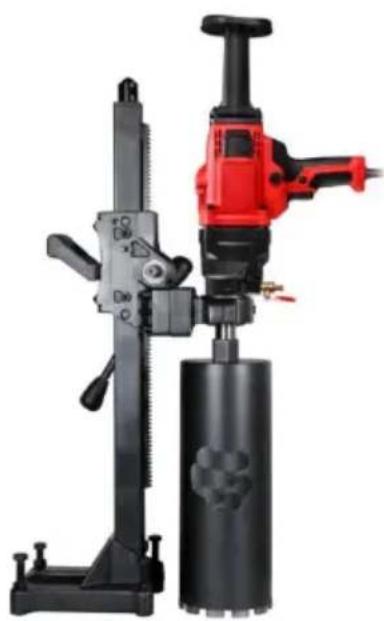
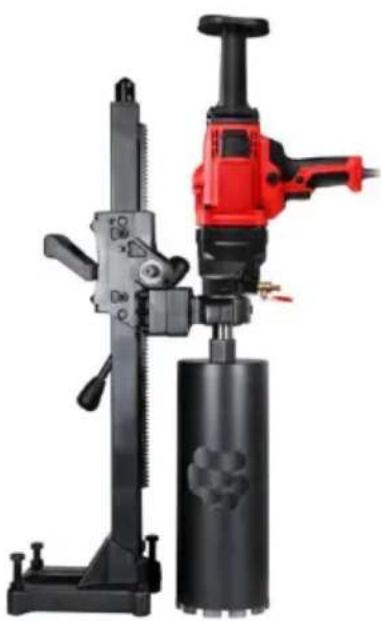
CORE DRILL
MODEL:Z1Z-CF-9135
natural_image
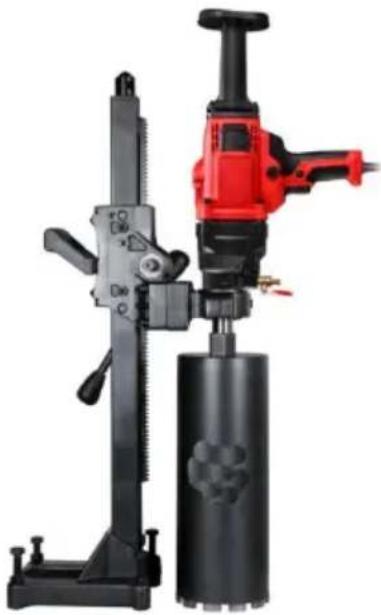
Two types of industrial drilling or drill press devices: a black tool and a red drill press, both mounted on a stand (no visible text or symbols)CE FC
NOTE: The appearance color is subject to your purchase.
NEED HELP? CONTACT US!
Have product questions? Need technical support? Please feel fr contact us:
Technical Support and E-Warranty Certificate www.vevor.com/support
This is the original instruction, please read all manual instruction carefully before operating. VEVOR reserves a clear interpretation user manual. The appearance of the product shall be subject to product you received. Please forgive us that we won't inform you there are any technology or software updates on our product.






DESCRIPTION OF THE SYMBOLS
The symbols used in this manual are intended to alert you of the possible I. Please fully read the safety signs and instructions below. The warnings themselves do not prevent the risks and can not be a substitute for proper methods of avoiding accidents.

This symbol, placed before a safety comment, indicates a kind of precaution, warning, or danger. Ignoring this warning may lead to an accident. To reduce risk of injury, fire, or electrocution, please always follow the recommendations shown below.

WARNING - To reduce the risk of injury, users must read the instruction manual carefully.
Please refer to the appropriate section in this user manual before any operat



WARNING: Be sure to wear eye protectors, dust masks, and gloves when use this product.
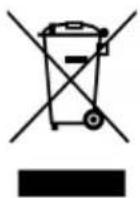
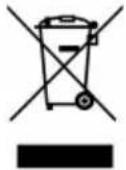
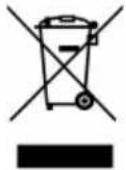
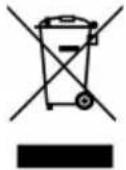
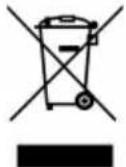
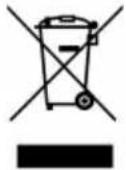
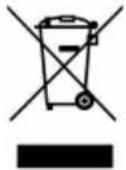
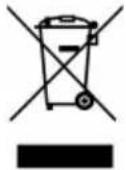
This product is subject to the provision of European Directive 2012/19/EC. The symbol showing a crossed-out wheeled bin indicates that the product requires separate refuse collection in the European Union. This symbol applies to the
product and all accessories marked with this symbol. Products marked as such may not be discarded with normal domestic waste but must be taken to a collection point for recycling electrical and electronic devices.

FCC Information
CAUTION: Changes or modifications not expressly approved by the party responsible for compliance could void the user's authority to operate the equipment!
This device complies with Part 15 of the FCC Rules. Operation is subject to following two conditions:
1) This product may cause harmful interference.
2) This product must accept any interference received, including interference that may cause undesired operation.
WARNING: Changes or modifications to this product not expressly approved by the party responsible for compliance could void the user's authority to operate product.
Note: This product has been tested and found to comply with the limits for B digital device pursuant to Part 15 of the FCC Rules. These limits are desired to provide reasonable protection against harmful interference in a residential installation.
This product generates, uses and can radiate radio frequency energy, and if installed and used in accordance with the instructions, may cause harmful interference to radio communications. However, there is no guarantee that interference will not occur in a particular installation. If this product does cause harmful interference to radio or television reception, which can be determined by turning the product off and on, the user is encouraged to try to correct the interference by one or more of the following measures.
- Reorient or relocate the receiving antenna.
- Increase the distance between the product and receiver.
- Connect the product to an outlet on a circuit different from that to which receiver is connected.
- Consult the dealer or an experienced radio/TV technician for assistance.
SAFETY INSTRUCTIONS

WARNING: Read all safety warnings, instructions, illustrations and
specifications provided with this power tool. Failure to follow all instructions lis below may result in electric shock, fire and/or serious injury.
Save all warnings and instructions for future reference.

General Power Tool Safety Warnings - Work area safety
a) Keep work area clean and well lit. Cluttered or dark areas invite accidents. b) Do not operate power tools in explosive atmospheres, such as in the presence of flammable liquids, gases or dust. Power tools create sparks which may ignite the dust or fumes.
c) Keep children and bystanders away while operating a power tool. Distractic can cause you to lose control.
d) Before work to tie the cuffs, women need to wear a good woman hat, I have hidden in the hat, is strictly prohibited to wear gloves. When the construction completed, the switch must be turned off before leaving.

General Power Tool Safety Warnings - Electrical safety
a) Power tool plugs must match the outlet. Never modify the plug in any way, not use any adapter plugs with earthed (grounded) power tools. Unmodified p and matching outlets will reduce risk of electric shock.
b) Avoid body contact with earthed or grounded surfaces, such as pipes, rad ranges and refrigerators. There is an increased risk of electric shock if your is earthed or grounded.
c) Do not expose power tools to rain or wet conditions. Water entering a pot tool will increase the risk of electric shock.
d) Do not abuse the cord. Never use the cord for carrying, pulling or unplug the power tool. Keep cord away from heat, oil, sharp edges or moving parts. Damaged or entangled cords increase the risk of electric shock.
e) When operating a power tool outdoors, use an extension cord suitable for outdoor use. Use of a cord suitable for outdoor use reduces the risk of electric shock.
f) If operating a power tool in a damp location is unavoidable, use a ground circuit interrupter (GFCI) protected supply. Use of an GFCI reduces the risk of electric shock.

General Power Tool Safety Warnings - Personal safety
a) Stay alert, watch what you are doing and use common sense when operate power tool. Do not use a power tool while you are tired or under the influence of drugs, alcohol or medication. A moment of inattention while operating power to may result in serious personal injury.
b) Use personal protective equipment. Always wear eye protection. Protective equipment such as a dust mask, non-skid safety shoes, hard hat or hearing protection used for appropriate conditions will reduce personal injuries.
c) Prevent unintentional starting. Ensure the switch is in the off-position before connecting to power source and/or battery pack, picking up or carrying the tool. Carrying power tools with your finger on the switch or energising power tools have the switch on invites accidents.
d) Remove any adjusting key or wrench before turning the power tool on. A wrench or a key left attached to a rotating part of the power tool may resu personal injury.
e) Do not overreach. Keep proper footing and balance at all times. This enables better control of the power tool in unexpected situations.
f) Dress properly. Do not wear loose clothing or jewellery. Keep your hair and clothing away from moving parts. Loose clothes, jewellery or long hair can be caught in moving parts.
g) If devices are provided for the connection of dust extraction and collection facilities, ensure these are connected and properly used. Use of dust collection can reduce dust-related hazards.
h) Do not let familiarity gained from frequent use of tools allow you to become complacent and ignore tool safety principles. A careless action can cause severe injury within a fraction of a second.
I) This product is not a toy. Keep it out of reach of children.
J) Only use safety equipment that has been approved by an appropriate standards agency. Unapproved safety equipment may not provide adequate
protection. Eye protection must be ANSI-approved and breathing protection must be NIOSH-approved for the specific hazards in the work area.
K) Do not lay the tool down until it has come to a complete stop. Moving grab the surface and pull the tool out of your control.
L) When using a handheld power tool, maintain a firm grip on the tool with hands to resist starting torque.
M) Do not leave the tool unattended when the Battery Pack is connected. T the tool, and remove the Battery Pack before leaving.
N) People with pacemakers should consult their physician(s) before use.
Electromagnetic fields in close proximity to heart pacemaker could cause pacemaker interference or pacemaker failure.
O) The warnings, precautions, and instructions discussed in this instruction manual cannot cover all possible conditions and situations that may occur. It be understood by the operator that common sense and caution are factors w cannot be built into this product, but must be supplied by the operator
Power tool use and care
a) Do not force the power tool. Use the correct power tool for your application to correct power tool will do the job better and safer at the rate for which it is designed.
b) Do not use the power tool if the switch does not turn it on and off. An tool that cannot be controlled with the switch is dangerous and must be repa
c) Disconnect the plug from the power source and/or remove the battery pac detachable, from the power tool before making any adjustments, changing accessories, or storing power tools. Such preventive safety measures reduce t risk of starting the power tool accidentally.
d) Store idle power tools out of the reach of children and do not allow persons unfamiliar with the power tool or these instructions to operate the power tool. Power tools are dangerous in the hands of untrained users.
e) Maintain power tools and accessories. Check for misalignment or binding c moving parts, breakage of parts and any other condition that may affect the tools operation. If damaged, have the power tool repaired before use. Many accidents are caused by poorly maintained power tools.
f) Keep cutting tools sharp and clean. Properly maintained cutting tools with: cutting edges are less likely to bind and are easier to control.
g) Use the power tool, accessories and tool bits etc. in accordance with these instructions, taking into account the working conditions and the work to be performed. Use of the power tool for operations different from those intended could result in a hazardous situation.
h) Keep handles and grasping surfaces dry, clean and free from oil and great Slippery handles and grasping surfaces do not allow for safe handling and co of the tool in unexpected situations.
i) Please confirm the number of voltage volts before use. The working voltage not more than ±5% . If it is more than that, it will cause motor burning and accidents.
j) During construction, please pay attention to avoid water entering the motor blocking the ventilation hole, so as not to reduce the heat dissipation perform of the motor and cause the motor to burn down.
k) In the steel plate construction, please pay attention to the safety of the I layer of personnel and goods, iron beam and column drilling, pay attention to safety of the structure of the building.
L) In suspension operation, the safety belt must be tightly tied and the magr drill fixed to prevent sudden power failure or power failure caused by accider M) Do not cut the power cord or change the plug yourself. This will cause machine to burn out.
Service
a) Have your power tool serviced by a qualified repair person using only ideal replacement parts. This will ensure that the safety of the power tool is maintained. b) In any case, it should be started in no-load state. It is forbidden to start load, so as to avoid damage to the machine. Please pay attention to the state of the magnetic drill when working at high altitude, so as to prevent the main from falling down.
c) Ensure that the ground cable is grounded reliably.
d) When moving, the magnetic drill should be lifted to prevent damage to the magnetic base.
e) In the maintenance must use the original parts, in order to make the ma to achieve the best use state.
f) Maintain labels and nameplates on the tool. These carry important safety information. If unreadable or missing, contact VEVOR for a replacement.

Vibration Safety
This tool vibrates during use. Repeated or long-term exposure to vibration may cause temporary or permanent physical injury, particularly to the hands, arms shoulders. To reduce the risk of vibration-related injury:
a. Anyone using vibrating tools regularly or for an extended period should first examined by a doctor and then have regular medical check-ups to ensure problems are not being caused or worsened from use. Pregnant women or people who have impaired blood circulation to the hand, past hand injuries, nervous system disorders, diabetes, or Raynaud's Disease should not use this tool. If feel any symptoms related to vibration (such as tingling, numbness, and white blue fingers), seek medical advice as soon as possible.
b. Do not smoke during use. Nicotine reduces the blood supply to the hands: fingers, increasing the risk of vibration-related injury.
c. Wear suitable gloves to reduce the vibration effects on the use
d. Use tools with the lowest vibration when there is a choice.
e. Include vibration-free periods each day of work.
f. Grip tool as lightly as possible (while still keeping safe control of it). Let do the work.
g. To reduce vibration, maintain the tool as explained in this manual. If any abnormal vibration occurs, stop use immediately.

Grounding Safety
TO PREVENT ELECTRIC SHOCK AND DEATH FROM INCORRECT
GROUNDING: check with a qualified electrician if you are in doubt as to wh the outlet is properly grounded. Do not modify the power cord plug provided the charger. Do not use the charger if the power cord or plug is damaged. damaged, have it repaired by a service facility before use. if the plug will no outlet, have a proper outlet installed by a qualified electrician.
DIAMOND CORE DRILL SAFETY WARNINGS
- Use auxiliary handles supplied with the tool. Loss of control can cause personal injury.
- Consider work area environment: Don't use diamond core drill in damp or locations. Don't expose diamond core drill to rain. Keep work area well-lit. In particular no inflammable liquids or gases must be present. The series motor produce sparks during normal rotating, the sparks may cause the risk of fire.
- Grounding of class I tools is necessary while in use to protect you from shock, class I tools is equipped with an approved three-conductor cord and three-prong grounding-type plug, the green/yellow conductor in the cord is the grounding wire, one end of wire is in the grounding sign of tool outer shell, other end of wire is connected with the ground wire of plug. Never connect green/yellow wire to a live terminal.
- The socket must fitted with grounding. Do not insert class I tools into the without grounding.
- Use extension cords when tool is used outdoors or indoors, use special extension wire board. Use only three-conductor cord and with reliable groundir
- Take care of downward direction in the high position, safety belt and safe etc are recommended.
- In order to avoid unintentional electric shock, please check the grounding condition of electrified body in working area before operating, it is not allowed to operate the tool under the uncertain condition, once the drill bit touched the electrified body in the wall, floorboard or baseboard, the electrified outer shell drill may cause personal injuries.
- The safety equipment is recommended when drilling on high the ceiling to avoid the drill core injuring the persons downstairs or damaging the property downstairs.
- Connecting the soft pipe with the inner 9mm to the adaptor of the valve
- Please make sure that there is no leak of water in order that it will not the motor when you use the liquid and the attachments.
-
Usually inspect the hoses and other critical parts of the tool which could deteriorate; When appear of leak of water from the testing hole of the gear must turn off the tool immediately then replacing the rubber seal.
-
The maximum permitted pressure of the liquid supply is 0.12MPa.
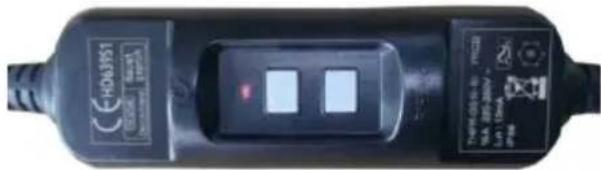
- Never to use the tool without the RCD provided.
- You have to test the correct operation of the RCD before starting work: red light will be on after pressing the button "RESET"; and the light will be pressing the button "TEST"; You can only to operate the tool when the RCD work correctly.
- Replacement of the plug or the supply cord shall always be carried out manufacturer of the tool or his service organization.
- Keep liquid clear off the parts of the tool and away from persons in the working area in order that the water can not enter into the electronic equipment the tool and keep your safety. It must be use catchment set when the machine working with elevation.
SAVE THESE INSTRUCTIONS
MODEL AND PARAMETERS
| Model | Z1Z-CF-9135 |
| Style | Portable / Rack |
| Input | US(AC120V 60Hz) / EUR(AC230V 50Hz) |
| Power | 1600W (Note: Max. 2000W) |
| No - load speed | 0-1800r/min |
| Max. Hollow Drilling | Φ20-Φ160mm(Brick wall) |
| Travel | 400mm |
| Output shaft | Male thread: UNC1 1/4-7 |
| Water inlet connection | Outside diameter: Φ9.2mm |
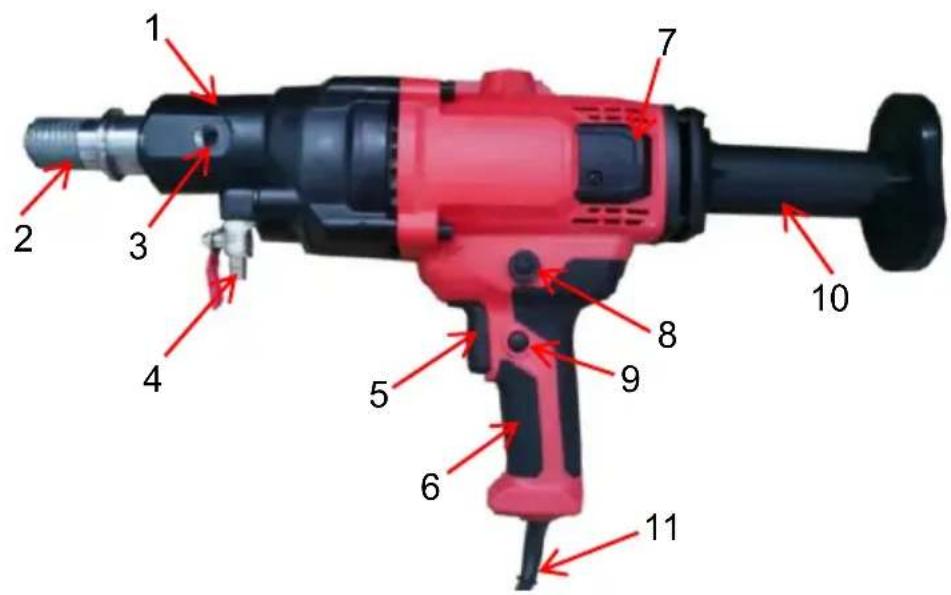
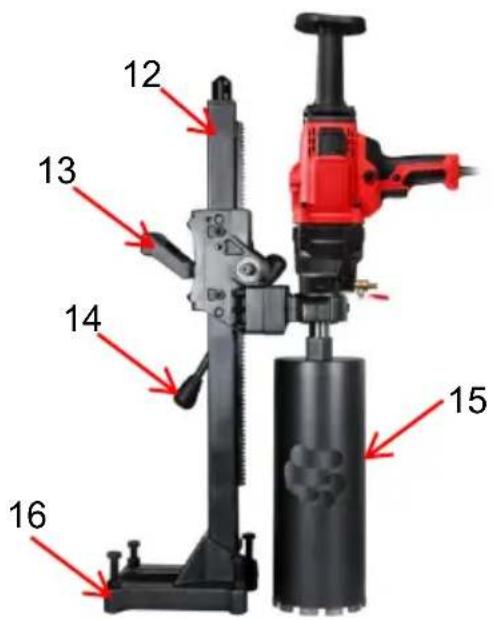
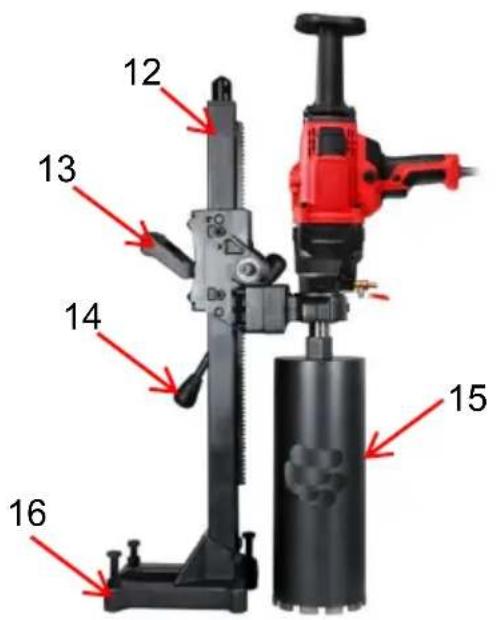
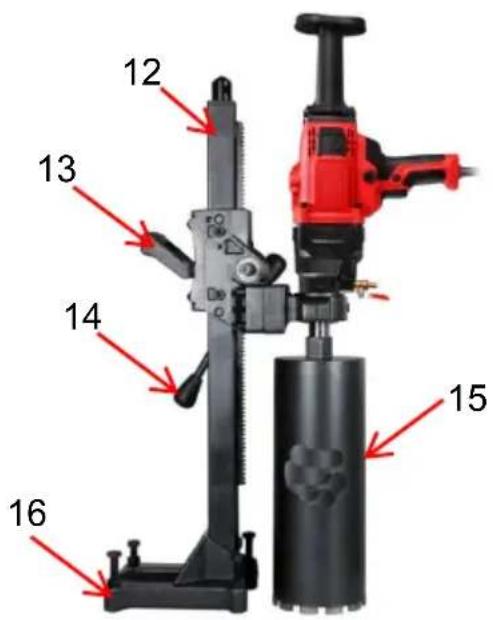
- Handpiece 2. Output shaft
- Auxiliary handle mounting position 4. Water inlet connection
- Switch 6. Handle
- Carbon brush position 8. Overload protection switch
- Constant speed lock button 10. Shoulder rest
- Power cord 12.Rack
- Handle 14. Handle Rocker
15.Drill bit 16.Base
PACKAGE CONTENTS
| Image | Item/Qty | Image | Item/Qty | |
 | Core drill x1 | 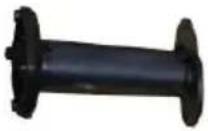 | Shoulder rest x1 | |
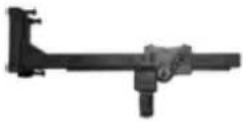 | Rack x1 | 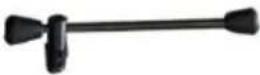 | Handle rocker x1 | |
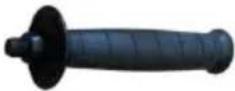 | Auxiliary handle x1 |  | Shock pad x1 | |
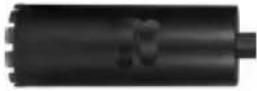 | Drill bit x1 (Φ83mm) |  | Handle x1 | |
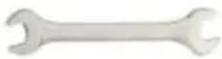 | Wrench(32-36) x1 | 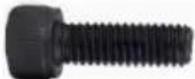 | Bolts x3 | |
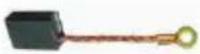 | Carbon brush x2 (7x13x19mm) |  | Plum bolt x1 | |
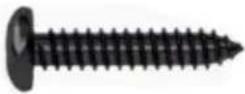 | Bolts x4 |  | Wrench x3 | |
 | User manual x1 |  | Bolt x1 |
NOTE: Some parts may be assembled together, please refer to the purchase.
ASSEMBLY GUIDE AND USE
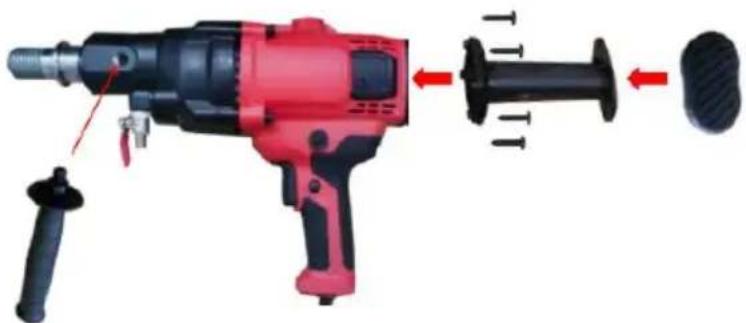
natural_image
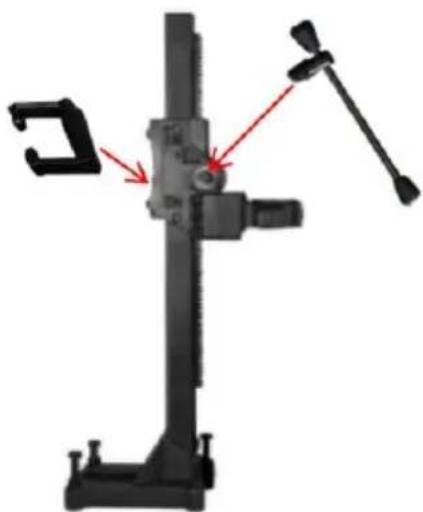
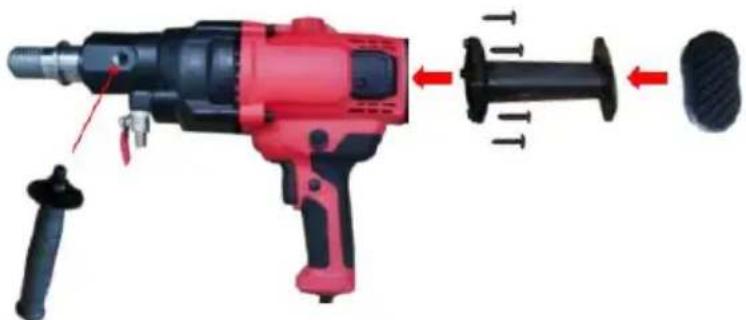
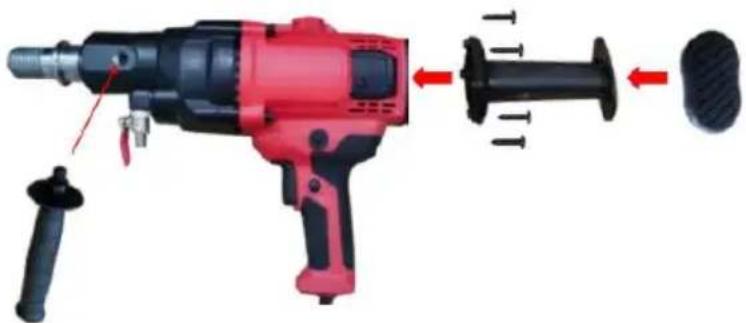
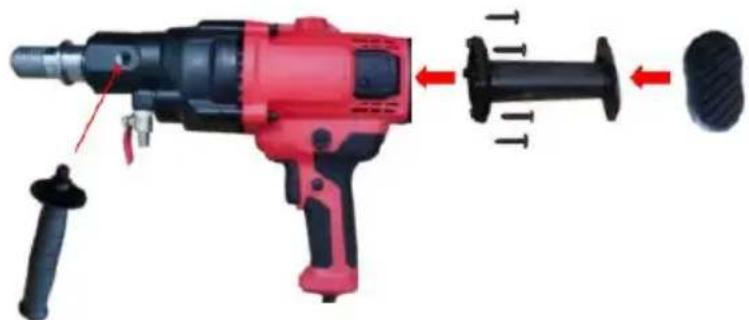
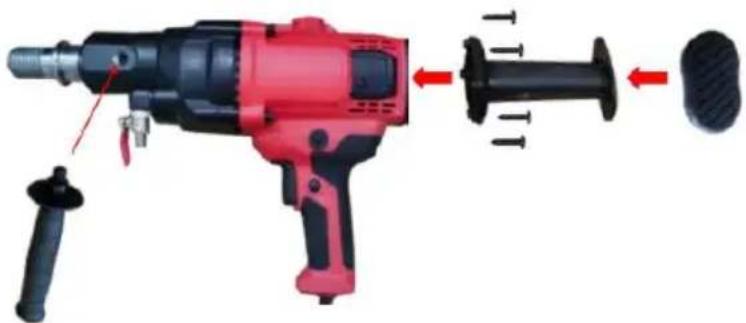
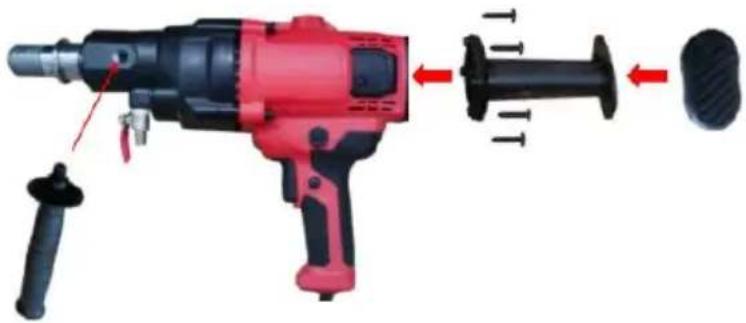
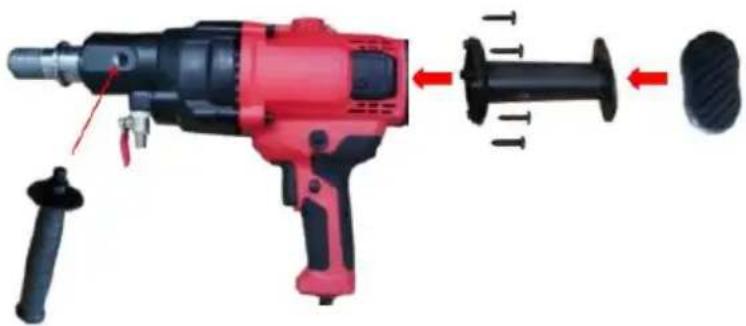
Red and black electric drill putter with attached screwdriver and head assembly (no text or symbols visible)- Take out the accessory bag and install the rear bracket and auxiliary handle.
natural_image
Mechanical clamp device with red arrows indicating assembly or motion direction (no text or symbols)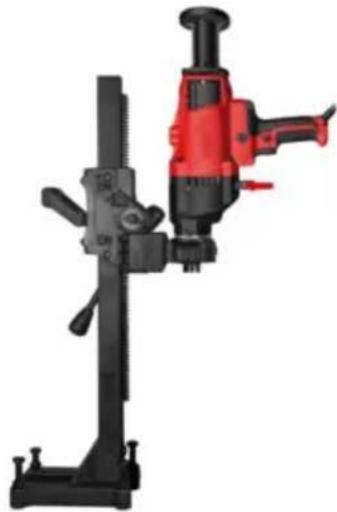
natural_image
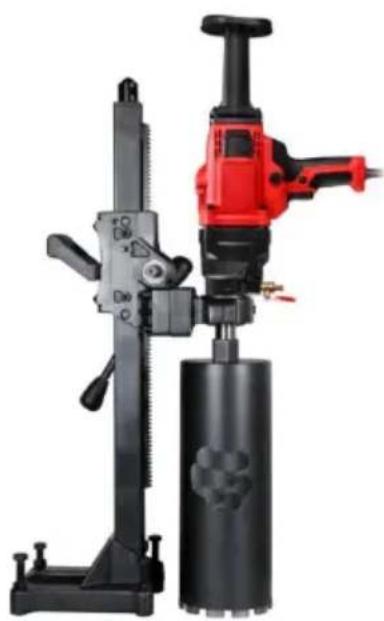
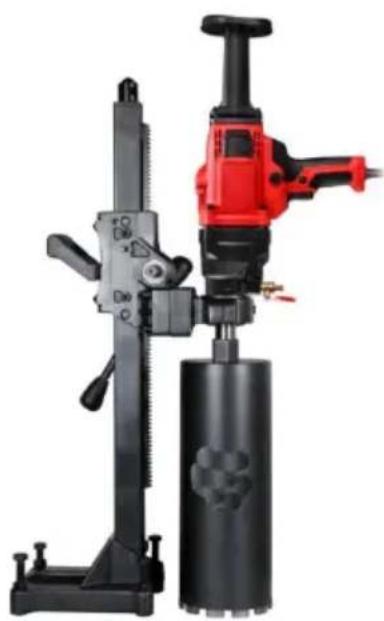
Red and black drill press tool with handle, isolated on white background (no text or symbols)- Install the rack as shown in the figure.
natural_image
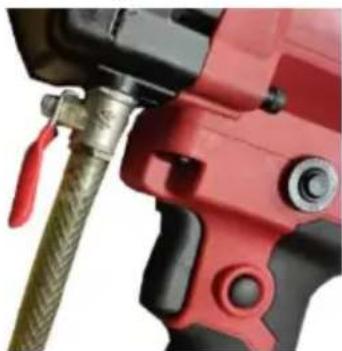
Close-up of a red and black electric drill press tool with a coiled handle (no visible text or symbols)- Connecting external water sources.
(NOTE: If there is water leakage, you can use the clamp firmly.)
natural_image
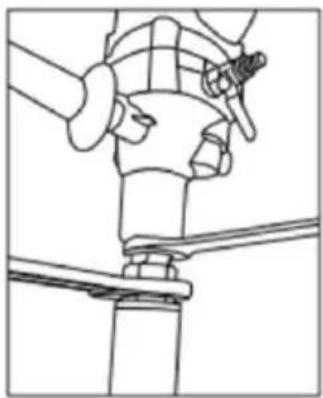
Technical line drawing of a mechanical assembly or valve mechanism (no text or symbols)- Tighten the drill bit with wrenches.
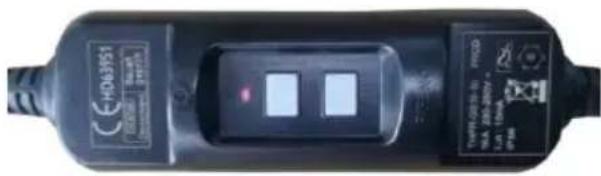
- The use of leakage protection switch:
A) Plug into receptacle.
B) Press"RESET"button:indicator should be "ON".
C) Press "TEST" button: indicator should be "off".
D) Press"RESET"button for use,do not use if "TEST" fails.
E) No overload protection.
DO NOT USE IF TEST FAILS!
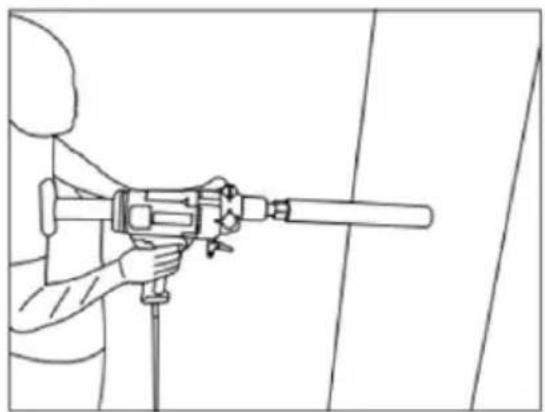
natural_image
Line drawing of a person using a handheld tool to measure a cylindrical object (no text or symbols)- Fixed workpiece: The workpiece being drilled should be firmly fixed to prevent it fi shaking or moving.
- Correct operating posture: Maintain body balance and firmly hold the drilling machir with both hands.
- Control drilling speed: Avoid pushing too fast to prevent machine overload or accic
- Follow the operating procedures: strictly follow the instructions and relevant safety regulations of the drilling machine for operation.
HANDLING INSTRUCTIONS
- How to install the drill
Before operating, fix the base on the work piece reliably and tightly, fasten it with e-bolts, then fastening 4 bolts on the base uniformly, in the end, tightening them with nuts.
2. Check the voltage:
Make sure the voltage is the same as that indicated on the board of the tools, the the circuits should be kept at +/-5%.
3. How to install bit:
Installing the diamond-thin bit carefully, the end thread shall match with the end output shaft. The end thread should be smeared with grease firstly, after tightening the drill it idly run, do make sure that its radial motion is corresponded with the general request then you can operate the drill.
4. There are should some water in the water switch of drill.
5. Material:
When drilling on the reinforced concrete, if the drill bit touched the reinforcing steel is current will be increased suddenly, the motor vibrated and the drill overloaded, at this the drill thrust should be reduced properly, the lower current can have a bad effect of drill speed and the drill bit. If the grit, gravel falls into the drill or the drill touches reinforcing steel bar, the drill will be caught, the higher excess current happened, and clutch skidded, here, please shut off the tool, remove the drill bit and clean the clips gap, please wait for about 3 minutes, let the drill cool down before restarting the swing continue drilling, when drilling the wood, thick blacktop and asphalt felt etc, its current be increased, so please drill slowly, uniformly and slightly. If the clutch skidded continues to stop the drill and retighten the clutch.
6. Remove drill core:
When the drill bit almost drills through the floorboard or wall etc materials, be careful reducing its drill speed to avoid drilling forcibly. When drilling again, please shut off to remove the drill bit and clean its wall with water, after cleaning the chip, beat the c with the wood stick, be careful in removing the drill core and damaging the drill bit, installing the drilling to continue operating.
7. Keep the motor ventilate and cool down:
During operating the ventilated notch of motor should not be clogged with dirt to avc higher temperature affecting the life of motor or burning down the winding.
8. Waterless operation forbidden:
When operation, there should be plenty of water flow onto the surface of the drill bit down, and the mud can be washed out to avoid damaging the drill bit and sealing
9. Avoid dampening the motor:
Do keep the enclosure of the motor away from the water to avoid reducing its insul
performance or leaking electricity. Only use the machine with the direction of vertical downward!
10. Drill vibrated
When drilling sometimes, the gap between the elevating body and square pipe and ra increased may cause the drill vibrated, at this time, please shut off the tool and adjust track lining or idle wheel on elevating body, through tightening some relative bolts to it to proper gap.
TROUBLE SHOOTING INSTRUCTION
| Problem | Reason | Solution |
| Motor doesn’t run When connecting Power supply. | 1.Power supply disconnected.2.Switch breaker positioned.3.Brush ill contacting or us up.4.The winding of stator & rotor circuit open. | 1.Check and connect power supply.2.Check and repair switch or replace improperly or ill contacting switch.3.Replace electric brush.4.Check or replace stator rotor open circuit. |
| Heavy sparks and ring Sparks occur on Commutator of motor. | 1.Rotor winding is on short circuit or open circuit.2.Brush spring positioned Improperly or ill contacting.3.Commutator worn seriously | 1.Repair or replace rotor.2.Adjust the spring pressure.3.Replace a new rotor. |
| Drill vibrated. | 1.The base fixed loosened.2.The gap between elevatin body and square rack largened.3.Elevating body and connecting bolts loosened. | 1.Reassemble and fix the frame.2.Adjust the gap.3.Check bolt. |
| Drill speed is slow. | 1.Drill bit worn.2.Ceiling pouring quality is bad, there are grits or chip gap.3.Drill vibrated.4.The nuts on the safety friction. | 1.Repair or replace drill bit2.Stop the drill, remove the foreign materials from gap.3.Adjust and tighten connecting bolt.4.Tightening nuts clutch loosened. |
MAINTENANCE AND STORAGE
NOTE: Please remove the plug before maintenance.
- If the drill had any troubles, please send it to an authorized service center not strictly allowed to dismantle or replace the parts optionally.
- Please check the electric brush and commutator periodically, when the brushes are worn by the length of about 7mm, they must be changed. Use original ones, otherwise, the commutator may be damaged, the both brushes must be changed at the same time. If you find heavy sparking in running o commutator are worn or burned seriously, please check and repair the commutator or replace a new rotor.
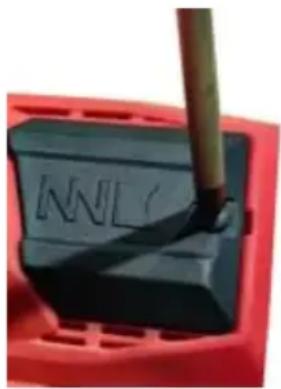
natural_image
Close-up of a red electrical switch with a wooden stick touching its side (no visible text or symbols)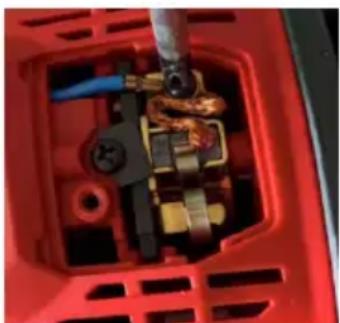
natural_image
Close-up of a red electronic device interior with visible wiring and components (no text or symbols)-
The drill should be checked and repaired periodically after used for a long time. Its main items are: whether the electrical wire is good or not, the grounding reliable or not, the inner wire, switch and plug works well or not, the insulating resistance of motor is safe or not, the stator and rotor are in short circuit cements. Bolts are loosened or not, please replace the lubricating oil and wearing parts
-
Replace the rubber sealing washer in time. After using for a long time, if find the water is coming in the top of the drill, please check and replace the sealing washer immediately. The gear in the gear case can use lubricating o you find some lubricating oil penetrate the mid-cover air port, please replace rubber sealing sealing oil ring on the rotor spindle. The brand of special lubr oil is 110# industrial gear oil. It is not allowed to use common engine oil.
- Keep the drill clean and dry If not in use, please clean the drill and it kept in dry, clean place, dismantle the drill bit, the main shaft of the drill and connecting parts of drill thread should be smeared some grease so as to prevent them.
- Adjust safety clutch when you find the friction of clutch become too small
VEVOR®
TOUGH TOOLS, HALF PRICE
Technical Support and E-Warranty Certificate
www.vevor.com/support
VEVOR®
TOUGH TOOLS, HALF PRICE
We continue to be committed to provide you tools with competitive price. "Save Half", "Half Price" or any other similar expressions used by us only represent of savings you might benefit from buying certain tools with us compared to top brands and does not necessarily mean to cover all categories of tools offered are kindly reminded to verify carefully when you are placing an order with us actually saving half in comparison with the top major brands.
VEVOR®
TOUGH TOOLS, HALF PRICE
CORE DRILL
MODELLO:Z1Z-CF-9135
natural_image
Industrial machine tool with black and red components, no visible text or symbolsCE FC
NEED HELP? CONTACT US!
Have product questions? Need technical support? Please feel fr contact us:
Technical Support and E-Warranty Certificate www.vevor.com/support
This is the original instruction, please read all manual instruction carefully before operating. VEVOR reserves a clear interpretation user manual. The appearance of the product shall be subject to product you received. Please forgive us that we won't inform you there are any technology or software updates on our product.






DESCRIPTION OF THE SYMBOLS
ASSEMBLY GUIDE AND USE
natural_image
Red and black electric drill putter with attached screwdriver and head (no text or symbols visible)natural_image
Mechanical clamp device with red arrows indicating assembly or force direction (no text or symbols)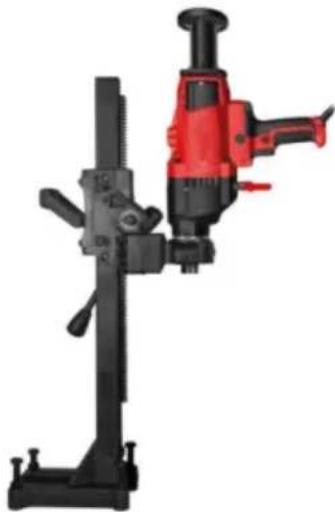
natural_image
Red and black drill press tool with handle, isolated on white background (no text or symbols)natural_image
Close-up of a red and black handheld tool with a coiled spring and handle (no visible text or symbols)natural_image
Technical line drawing of a mechanical assembly or valve mechanism (no text or symbols)- Stringere la punta del trapano con la chiave es .
natural_image
Line drawing of a person using a power tool (no text or symbols)HANDLING INSTRUCTIONS
natural_image
Close-up of a red electronic device interior with visible wiring and components (no text or symbols)www.vevor.com/support
VEVOR®
TOUGH TOOLS, HALF PRICE
We continue to be committed to provide you tools with competitive price. "Save Half", "Half Price" or any other similar expressions used by us only represent estimate of savings you might benefit from buying certain tools with us compared top brands and does not necessarily mean to cover all categories of tools offered are kindly reminded to verify carefully when you are placing an order with us actually saving half in comparison with the top major brands.
VEVOR®
TOUGH TOOLS, HALF PRICE
CORE DRILL
MODEL: Z1Z-CF-9135
natural_image
Two types of industrial drilling or drill press devices, one black and one red, with no visible text or symbols.CE FC
NEED HELP? CONTACT US!
Have product questions? Need technical support? Please feel fr contact us:
Technical Support and E-Warranty Certificate www.vevor.com/support
This is the original instruction, please read all manual instruction carefully before operating. VEVOR reserves a clear interpretation user manual. The appearance of the product shall be subject to product you received. Please forgive us that we won't inform you there are any technology or software updates on our product.






DESCRIPTION OF THE SYMBOLS
ASSEMBLY GUIDE AND USE
natural_image
Red and black electric drill putter with attached screwdriver and head assembly (no text or symbols visible)natural_image
Two mechanical clamping devices: a black tool holder and a red drill press, both with red arrows indicating force application (no text or symbols present)natural_image
Close-up of a red and black electric drill press tool with handle and screw (no visible text or symbols)natural_image
Line drawing of a mechanical assembly with no visible text or symbolsnatural_image
Line drawing of a person using a handheld tool to lift a cylindrical object (no text or symbols)HANDLING INSTRUCTIONS
natural_image
Close-up of a red electronic component with a black button and a wooden stick, no visible text or symbols.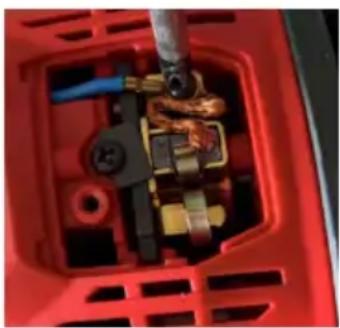
natural_image
Close-up of a red electronic device interior with visible wiring and components (no text or symbols)www.vevor.com/support
VEVOR®
TOUGH TOOLS, HALF PRICE
We continue to be committed to provide you tools with competitive price. "Save Half", "Half Price" or any other similar expressions used by us only represent estimate of savings you might benefit from buying certain tools with us compared top brands and does not necessarily mean to cover all categories of tools offered are kindly reminded to verify carefully when you are placing an order with us actually saving half in comparison with the top major brands.
VEVOR®
TOUGH TOOLS, HALF PRICE
CORE DRILL
MODELL:Z1Z-CF-9135
natural_image
Close-up of a red and black drill press tool with a cylindrical base (no visible text or symbols)CE FC
NEED HELP? CONTACT US!
Have product questions? Need technical support? Please feel fr contact us:
Technical Support and E-Warranty Certificate www.vevor.com/support
This is the original instruction, please read all manual instruction carefully before operating. VEVOR reserves a clear interpretation user manual. The appearance of the product shall be subject to product you received. Please forgive us that we won't inform you there are any technology or software updates on our product.






DESCRIPTION OF THE SYMBOLS
ASSEMBLY GUIDE AND USE
natural_image
Red and black electric drill putter with attached screwdriver and head assembly (no text or symbols visible)natural_image
Two mechanical clamps with red-handled tool tips, one black and one red, shown without any text or symbols.natural_image
Close-up of a red and black electric drill press tool with a coiled handle (no visible text or symbols)natural_image
Technical line drawing of a mechanical assembly or valve mechanism (no text or symbols)natural_image
Line drawing of a person using a power tool (no text or symbols)HANDLING INSTRUCTIONS
natural_image
Close-up of a red electronic device interior with visible wiring and components (no text or symbols)www.vevor.com/support
VEVOR®
TOUGH TOOLS, HALF PRICE
We continue to be committed to provide you tools with competitive price. "Save Half", "Half Price" or any other similar expressions used by us only represent of savings you might benefit from buying certain tools with us compared top brands and does not necessarily mean to cover all categories of tools offered are kindly reminded to verify carefully when you are placing an order with us actually saving half in comparison with the top major brands.
VEVOR®
TOUGH TOOLS, HALF PRICE
CORE DRILL
MODÈLE : Z1Z-CF-9135
natural_image
Close-up of a red and black drill press tool with a cylindrical base (no visible text or symbols)CE FC
NEED HELP? CONTACT US!
Have product questions? Need technical support? Please feel fr contact us:
Technical Support and E-Warranty Certificate www.vevor.com/support
This is the original instruction, please read all manual instruction carefully before operating. VEVOR reserves a clear interpretation user manual. The appearance of the product shall be subject to product you received. Please forgive us that we won't inform you there are any technology or software updates on our product.






DESCRIPTION OF THE SYMBOLS
ASSEMBLY GUIDE AND USE
natural_image
Red and black electric drill putter with attached screwdriver and head assembly (no text or symbols visible)natural_image
Two mechanical clamping devices: a black tool holder and a red drill press, both with red arrows indicating force application (no text or symbols present)natural_image
Close-up of a red and black electric drill press tool with handle and screw (no visible text or symbols)natural_image
Technical line drawing of a mechanical assembly or valve mechanism (no text or symbols)natural_image
Line drawing of a person using a power tool (no text or symbols)HANDLING INSTRUCTIONS
- Comment installer la perceuse
natural_image
Close-up of a red plastic tray with a black square and a wooden stick applying white paint (no visible text or symbols)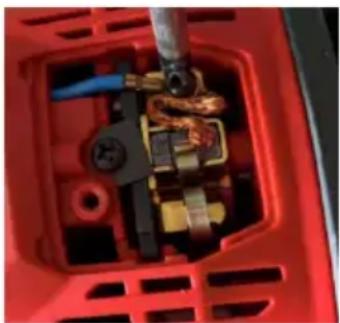
natural_image
Close-up of a red electronic device interior with visible wiring and components (no text or symbols)We continue to be committed to provide you tools with competitive price. "Save Half", "Half Price" or any other similar expressions used by us only represent estimate of savings you might benefit from buying certain tools with us compared top brands and does not necessarily mean to cover all categories of tools offered are kindly reminded to verify carefully when you are placing an order with us actually saving half in comparison with the top major brands.
VEVOR®
TOUGH TOOLS, HALF PRICE
CORE DRILL
MODEL:Z1Z-CF-9135
natural_image
Close-up of a red and black drill press tool with a cylindrical base (no visible text or symbols)CE FC
NEED HELP? CONTACT US!
Have product questions? Need technical support? Please feel fr contact us:
Technical Support and E-Warranty Certificate www.vevor.com/support
This is the original instruction, please read all manual instruction carefully before operating. VEVOR reserves a clear interpretation user manual. The appearance of the product shall be subject to product you received. Please forgive us that we won't inform you there are any technology or software updates on our product.






DESCRIPTION OF THE SYMBOLS
ASSEMBLY GUIDE AND USE
natural_image
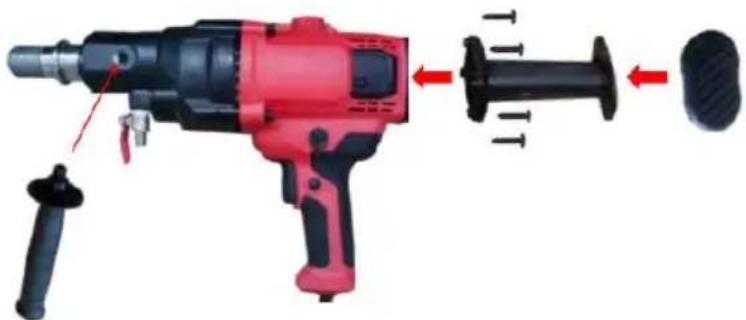
Red and black electric drill putter with attached screwdriver and head assembly (no text or symbols visible)- Haal de accessoiretas eruit en installeer de achterbeugel en de extra handgreep.
natural_image
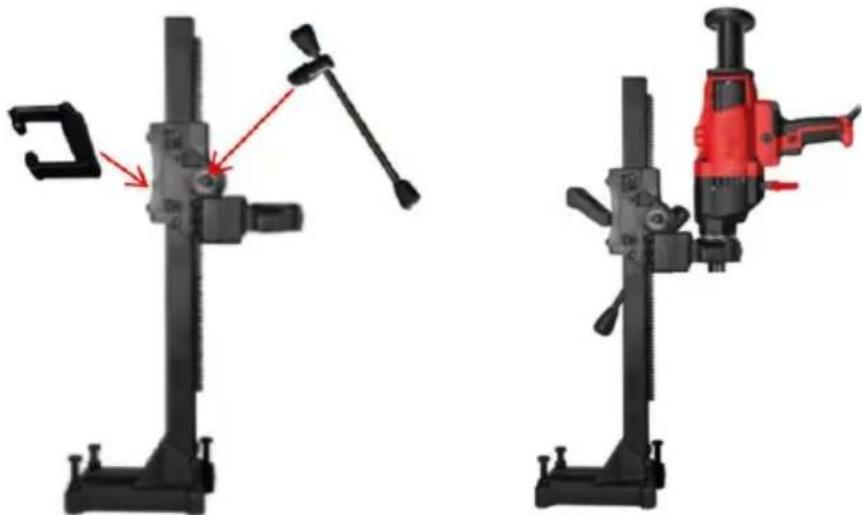
Two mechanical clamping devices: a black tool holder and a red drill press, both with red arrows indicating force application (no text or symbols present)natural_image
Close-up of a red and black electric drill press tool with handle and screw (no visible text or symbols)natural_image
Technical line drawing of a mechanical assembly or valve mechanism (no text or symbols)natural_image
Line drawing of a person using a power tool (no text or symbols)HANDLING INSTRUCTIONS
natural_image
Close-up of a red electronic device with a black button and a wooden stick, no visible text or symbols.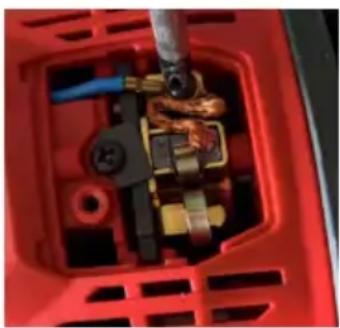
natural_image
Close-up of a red electronic device interior with visible wiring and components (no text or symbols)www.vevor.com/support
VEVOR®
TOUGH TOOLS, HALF PRICE
We continue to be committed to provide you tools with competitive price. "Save Half", "Half Price" or any other similar expressions used by us only represent estimate of savings you might benefit from buying certain tools with us compared top brands and does not necessarily mean to cover all categories of tools offered are kindly reminded to verify carefully when you are placing an order with us actually saving half in comparison with the top major brands.
VEVOR®
TOUGH TOOLS, HALF PRICE
CORE DRILL
MODELL: Z1Z-CF-9135
natural_image
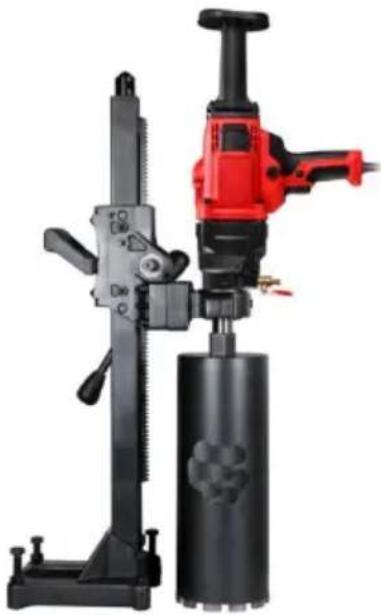
Industrial machine tool with black and red components, no visible text or symbolsCE FC
NEED HELP? CONTACT US!
Have product questions? Need technical support? Please feel fr contact us:
Technical Support and E-Warranty Certificate www.vevor.com/support
This is the original instruction, please read all manual instruction carefully before operating. VEVOR reserves a clear interpretation user manual. The appearance of the product shall be subject to product you received. Please forgive us that we won't inform you there are any technology or software updates on our product.






DESCRIPTION OF THE SYMBOLS
ASSEMBLY GUIDE AND USE
natural_image
Red and black electric drill putter with attached screwdriver and head assembly (no text or symbols visible)natural_image
Mechanical clamp device with red arrows indicating assembly or motion direction (no text or symbols)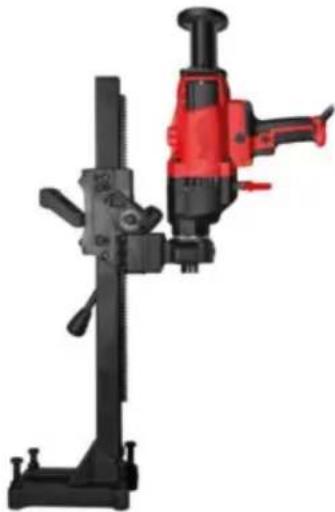
natural_image
Red and black drill press tool with handle, isolated on white background (no text or symbols)natural_image
Close-up of a red electric drill bit with metal handle and screw base (no visible text or symbols)natural_image
Technical line drawing of a mechanical assembly with no visible text or symbolsnatural_image
Line drawing of a person using a handheld tool to lift a cylindrical object (no text or symbols)HANDLING INSTRUCTIONS
natural_image
Close-up of a red electronic device with a black button labeled 'NWC' and a wooden stick inserted (no readable text beyond label)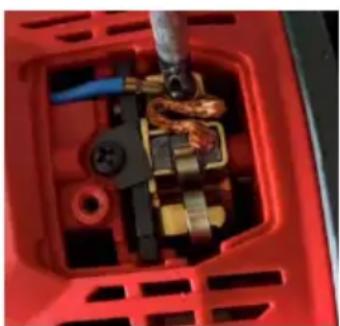
natural_image
Close-up of a red electronic device interior with visible wiring and components (no text or symbols)www.vevor.com/support
VEVOR®
TOUGH TOOLS, HALF PRICE
We continue to be committed to provide you tools with competitive price. "Save Half", "Half Price" or any other similar expressions used by us only represent estimate of savings you might benefit from buying certain tools with us compared top brands and does not necessarily mean to cover all categories of tools offered are kindly reminded to verify carefully when you are placing an order with us actually saving half in comparison with the top major brands.
VEVOR®
TOUGH TOOLS, HALF PRICE
CORE DRILL
MODELO:Z1Z-CF-9135
natural_image
Industrial machine tool with black and red components, no visible text or symbolsCE FC
NEED HELP? CONTACT US!
Have product questions? Need technical support? Please feel fr contact us:
Technical Support and E-Warranty Certificate www.vevor.com/support
This is the original instruction, please read all manual instruction carefully before operating. VEVOR reserves a clear interpretation user manual. The appearance of the product shall be subject to product you received. Please forgive us that we won't inform you there are any technology or software updates on our product.






DESCRIPTION OF THE SYMBOLS
ASSEMBLY GUIDE AND USE
natural_image
Red and black electric drill putter with attached screwdriver and head assembly (no text or symbols visible)natural_image
Two mechanical clamping devices: a black tool holder and a red drill press, both with red arrows indicating force application (no text or symbols present)natural_image
Close-up of a red and black electric drill press tool with handle and screw (no visible text or symbols)natural_image
Technical line drawing of a mechanical assembly or valve mechanism (no text or symbols)natural_image
Line drawing of a person using a handheld power tool (no text or symbols)HANDLING INSTRUCTIONS
- Cómo instalar el taladro
natural_image
Close-up of a red electronic device with a black button and a wooden stick, no visible text or symbols.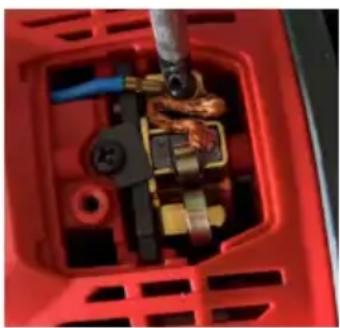
natural_image
Close-up of a red electronic device interior with visible wiring and components (no text or symbols)www.vevor.com/support