
JH-1B - Microscope Vevor - Free user manual and instructions
Find the device manual for free JH-1B Vevor in PDF.



| Product Type | Multidirectional Stereoscopic Microscope |
| Brand | Vevor |
| Model | JH-1B |
| Eyepiece Magnification | 10X |
| Objective Lens Magnification Range | 0.7X - 4.5X |
| Total Magnification | 7X - 45X |
| Interpupillary Range | 50 - 75 mm |
| Working Distance | 0 - 400 mm |
| Objective Mounting Diameter | Φ77 ± 0.5 mm |
| Lighting | LED Light Ring, DC 5V Input (USB) |
| Lighting Power Supply | USB 5V |
| Included Accessories | 3-inch Ball Vise, Vise Base, Set of Clamping Heads, 2 Eyepieces, 2 Objectives, Eyecups, Dust Cover, Wrenches, Bolts |
| Color | Black |
| Main Material | Metal and Plastic |
| Maintenance | Clean with a soft cloth; avoid moisture, dust, and shocks |
| Safety | Use protective equipment; keep out of reach of children |
| Available Spare Parts | Replacement kits for vise (DZQ-627, DZQ-628), locking pin (DZQ-046) |
| Compliance | FCC Part 15, European Directive 2012/19/EU (WEEE) |
Frequently Asked Questions - JH-1B Vevor
User questions about JH-1B Vevor
0 question about this device. Answer the ones you know or ask your own.
Ask a new question about this device
Download the instructions for your Microscope in PDF format for free! Find your manual JH-1B - Vevor and take your electronic device back in hand. On this page are published all the documents necessary for the use of your device. JH-1B by Vevor.
USER MANUAL JH-1B Vevor
Technical Support and E-Warranty Certificate www.vevor.com/support
MULTI-DIRECTIONAL MICROSCOPE MODEL:JH-1A/JH-1B
We continue to be committed to providing you with tools at competitive prices. "Save Half", "Half Price", or any other similar expressions used by us only represent the savings you might benefit from buying certain tools with us compared to top brands, and does not necessarily mean to cover all categories of tools offered. We kindly remind you to verify carefully when placing an order with us that you are actually saving half in comparison with the top major brands.
VEVOR®
TOUGH TOOLS, HALF PRICE
MULTI-DIRECTIONAL MICROSCOPE
MODEL:JH-1A/JH-1B
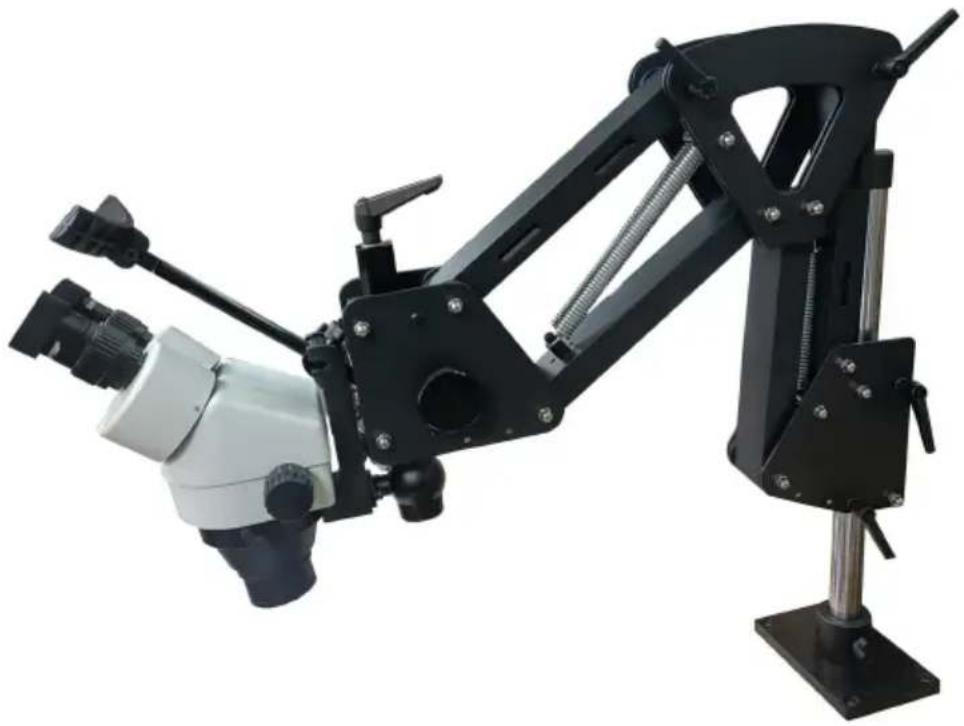
NOTE: The actual product you receive determines its look.
NEED HELP? CONTACT US!
Have product questions? Need technical support? Please feel free to contact us:
Technical Support and E-Warranty Certificate www.vevor.com/support
This is the original instruction. Please read all manual instructions carefully before operating. VEVOR reserves a clear interpretation of the user manual. The appearance of the product shall be subject to the product you received. Please forgive us that we won't inform you if there are any technology or software updates on our product.
 | Warning - To reduce the risk of injury, user must read instr manual carefully. |
 | CORRECT DISPOSALThis product is subject to the provision of european Directive 2012/19/EU. The symbol showing a wheelie bin crossed through indicates that the product requires separate refuse collection in European Union. This applies to the product and all accessor marked with this symbol. Products marked as such may not discarded with normal domestic waste, but must be taken to acollection point for recycling electrical and electronic devices. |

WARNING!
- Use the product only after receiving training.
- Wear necessary personal protective equipment such as protective gloves during use.
- Ensure that the workspace remains clean, dry, and well-ventilated during operation.
- Keep away from children and read this manual in detail before use.
FCC Information
CAUTION: Changes or modifications not expressly approved by the party responsible for compliance could void the user's authority to operate the equipment!
This device complies with Part 15 of the FCC Rules. Operation is subject to the following two conditions:
1) This product may cause harmful interference. 2) This product must accept any interference received, including interference that may cause undesired operation.
WARNING: Changes or modifications to this product not expressly approved by the party responsible for compliance could void the user's authority to operate the product.
Note: This product has been tested and found to comply with the limits for a Class B digital device, pursuant to Part 15 of the FCC Rules. These limits are designed to provide reasonable protection against harmful interference in a residential installation.
This product generates, uses, and can radiate radio frequency energy, and if installed and used in accordance with the instructions, may cause harmful interference to radio communications. However, there is no guarantee that interference will not occur in a particular installation. If this product does cause harmful interference to radio or television reception, which can be determined by turning the product off and on, the user is encouraged to try to correct the interference by one or more of the following measures.
- Reorient or relocate the receiving antenna.
- Increase the distance between the product and receiver.
- Connect the product to an outlet on a circuit different from that to which the receiver is connected.
- Consult the dealer or an experienced radio/TV technician for assistance.
SAVE THESE INSTRUCTIONS
MODEL AND PARAMETERS
| Model | JH-1A | JH-1B |
| Magnification of eyepiece | 10X | 10X |
| Magnification of objective | 0.7X-4.5X | 0.7X-4.5X |
| Total Magnification | 7X-45X | 7X-45X |
| Interpupillary range | 50-75mm | 50-75mm |
| Lens mount hole | Φ77±0.5mm | Φ77±0.5mm |
| Working distance | 0-400mm | 0-400mm |
| Led Ring Light | Input:DC5V(USB) | Input:DC5V(USB) |
| 3inch Ball Vise | x | √ |
| Ball vise base | x | √ (Plastic) |
| Clamp head set | x | √ |
| Color | Black | |
NOTE: Please refer to the model you purchased to determine the parameters
STRUCTURE DIAGRAM
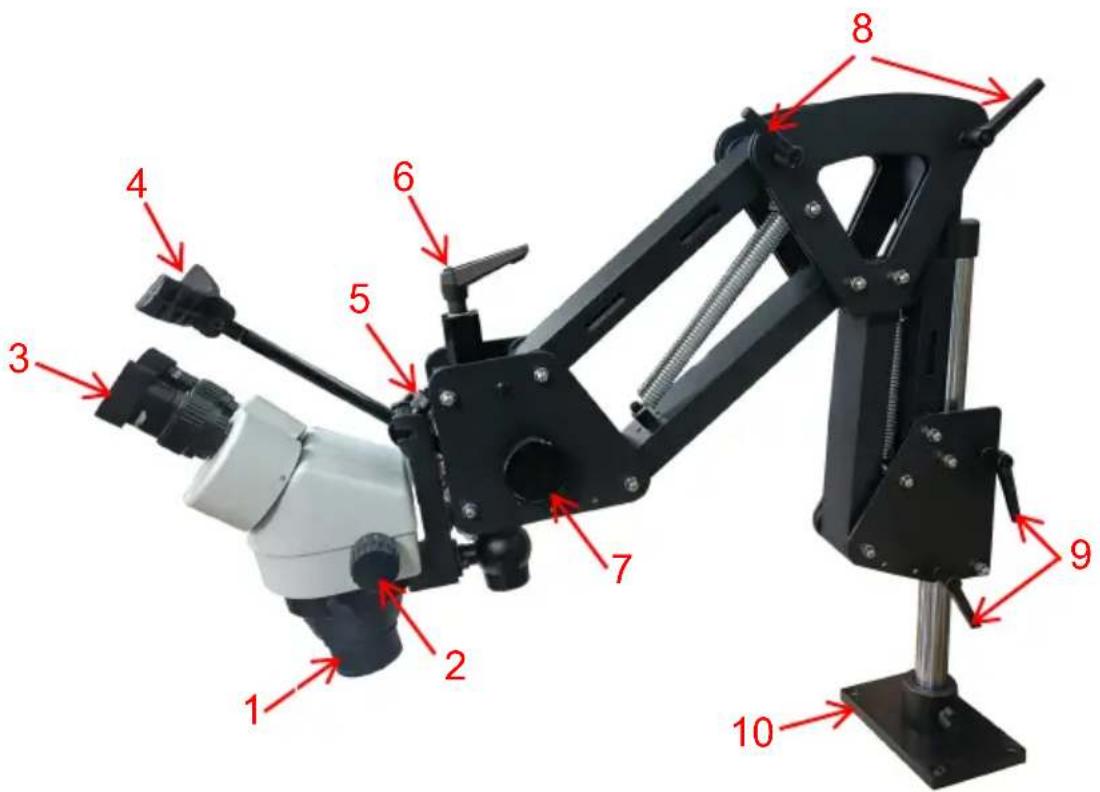
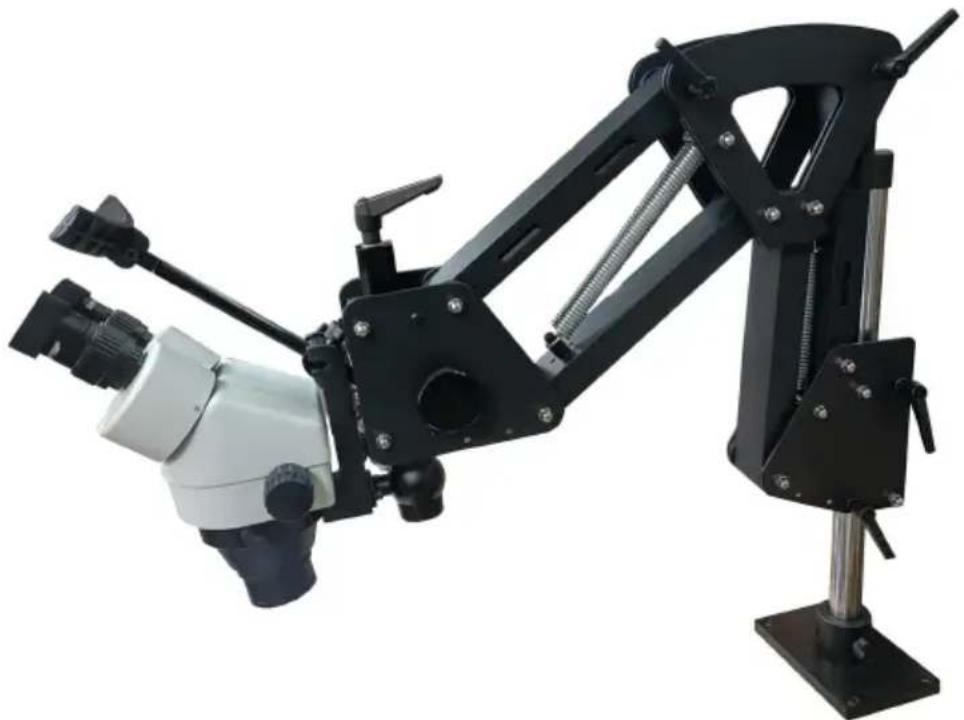
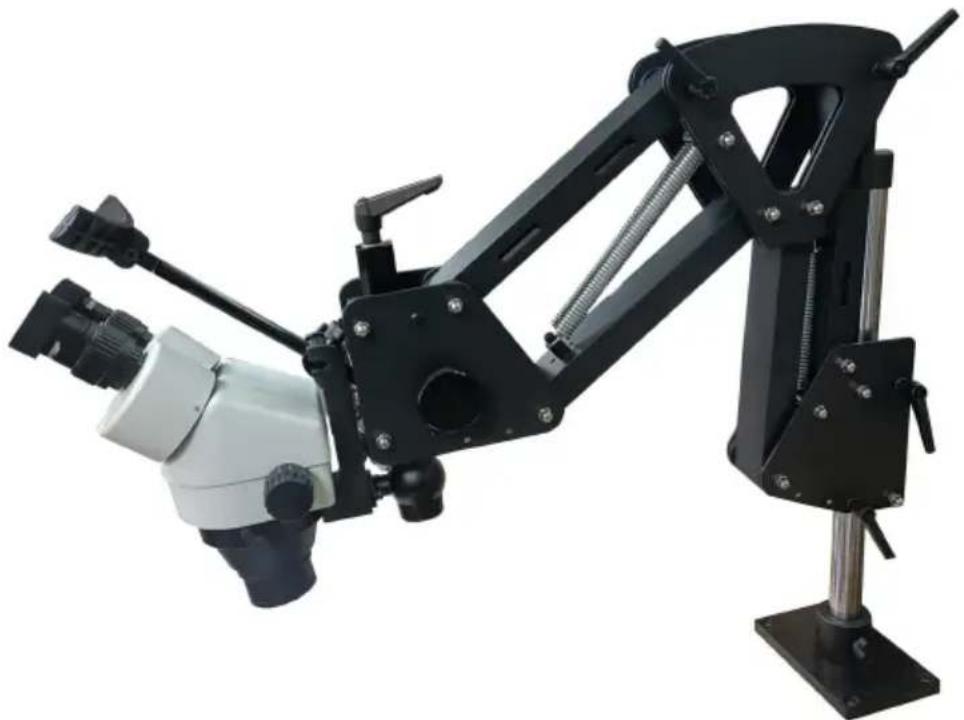
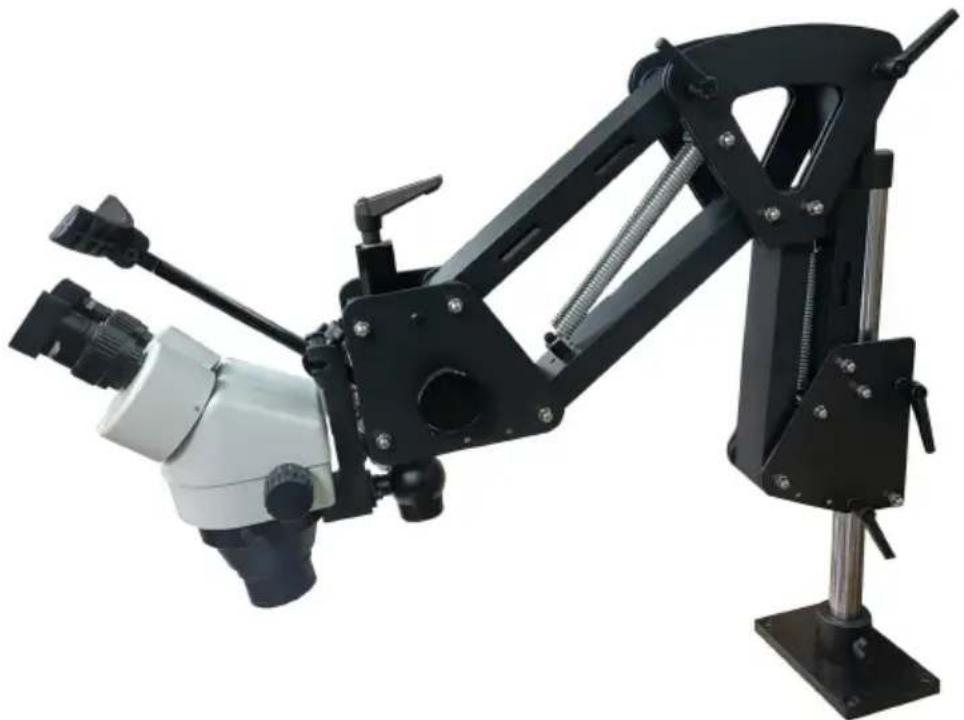
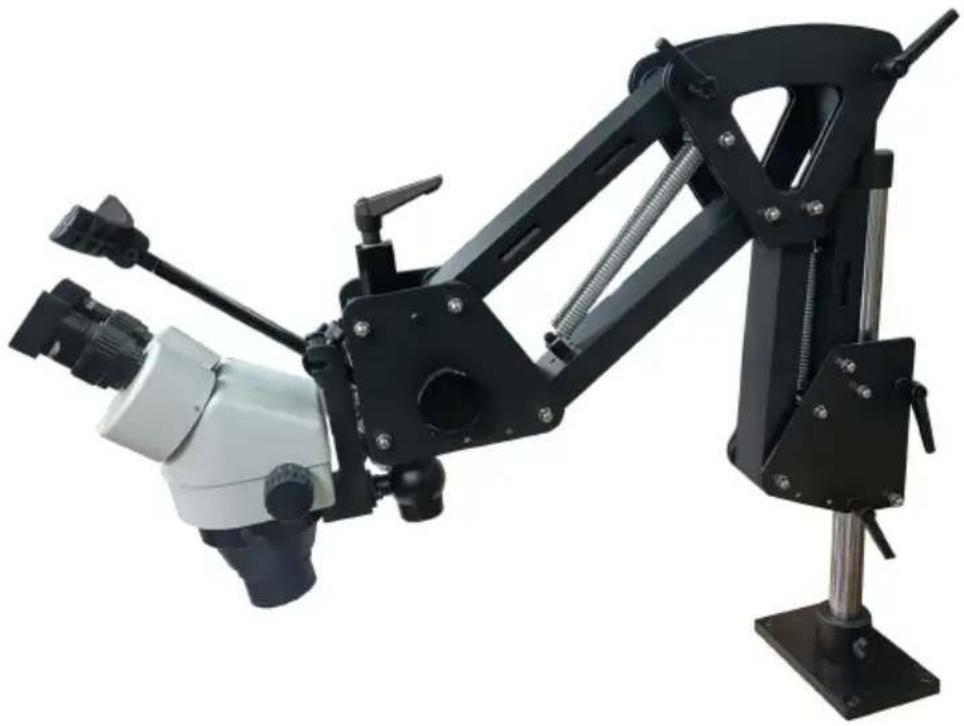
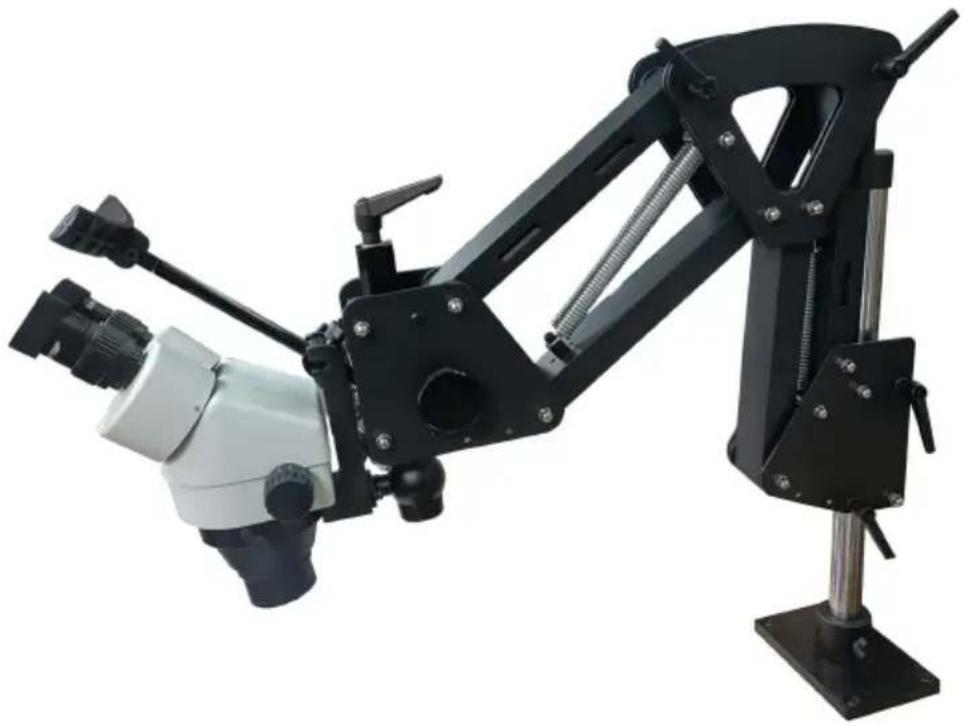
1. Objective lens 2. Objective magnification adjustment 3. Eyepiece 4. Headrest 5. Headrest adjustment 6. Objective lens angle adjustment 7. Focal length adjustment 8. Support extension adjustment 9. Height control 10. Base
PARTS LIST
| Image | Item/Qty | Image | Item/Qty | |
 | Microscope Head x |  | Spring Bracket x1 | |
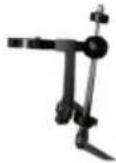 | MicroscopeHolderx 1 |  | Headrest x1 | |
 | Eyepiece x2 | 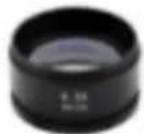 | Objective Lens x2 | |
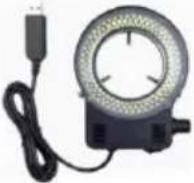 | LED Ring Light x1 | 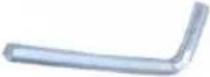 | Wrench x1(Only JH-1B has it.) | |
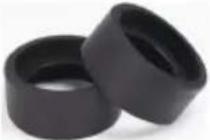 | Eye shield x2 |  | Dust cover x1 | |
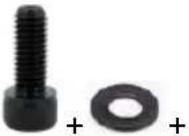 | Bolts x4(To fix the base plateon the desk) | 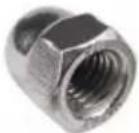 | Cap Nut x1(Multiple, used for replacement) | |
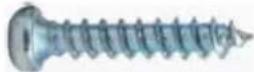 | Bolts x4 (To fix th base plateau the wood desk) | 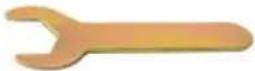 | 8mm Wrench x1 | |
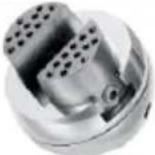 | 3inch Ball Vise x1(Only JH-1B has it.) |  | Ball vise base x1(Only JH-1B has it.) | |
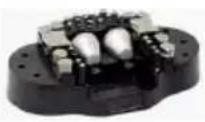 | Clamp head set x1(Only JH-1B has it.) |  | User manual x1 |
INSTALLATION
1. Install Ring / Bracket Assembly
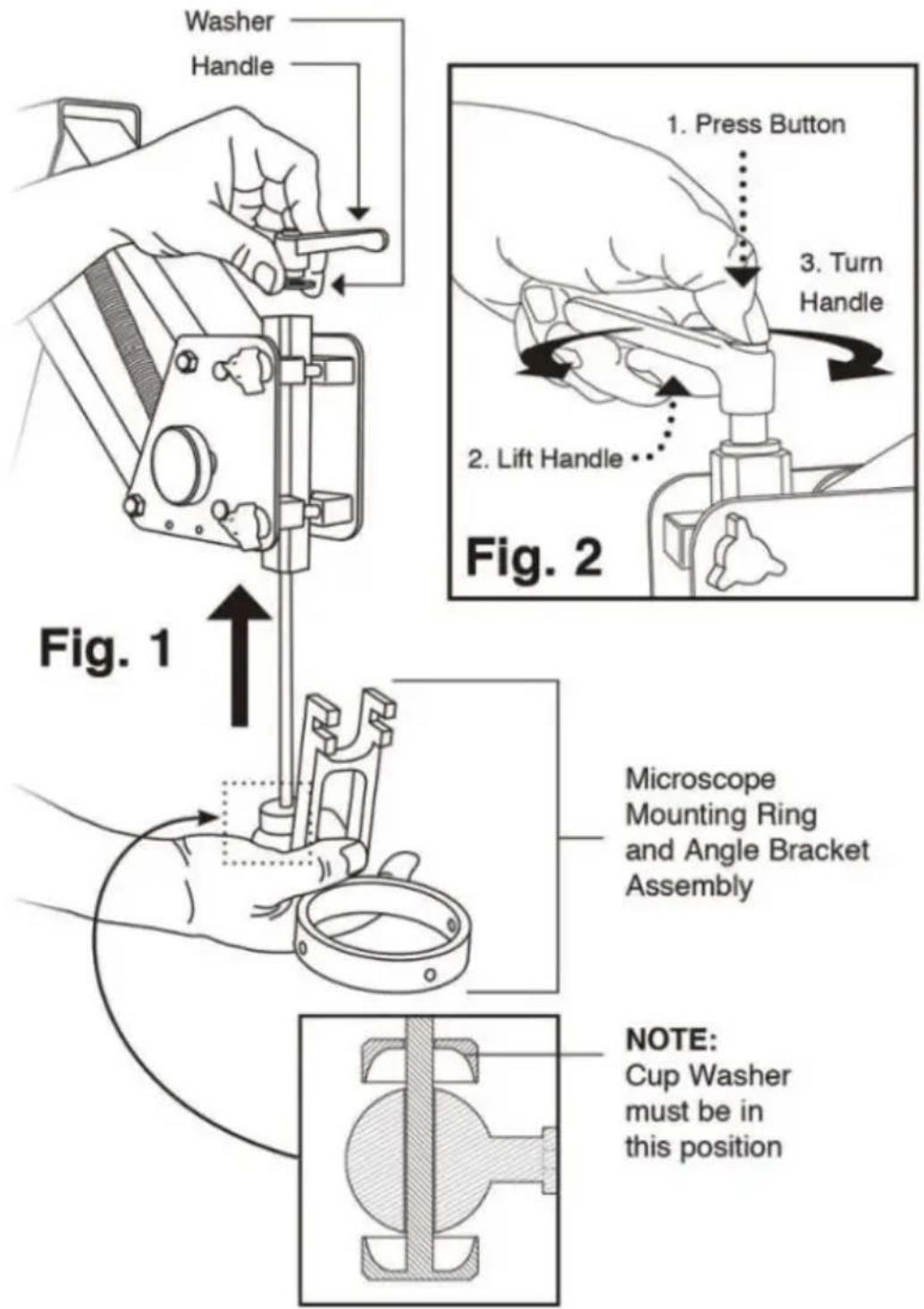
(Fig.1) Insert the rod into the bottom of the mounting post, then attach handle.
Make sure the washer is under the handle.
Position handle away from stand arm by lifting the handle while pressing the center button.
(Fig.2) This does not loosen the handle. To attach the stand to your work, see Microscope Stand Base Template (page 3). The microscope body sets in the ring and is secured by three thumb screws, included.
2. Install Headrest

After installing the microscope, attach the headrest.
(Fig.3) Make sure white nylon washer is between the T-Knob and the headrest mount. Adjust the angle using the side T-Knob; adjust depth using the top T-knob. The forehead end may also be adjusted.
3. Setup and Operation
After the stand is secured to the bench top, there are many choices for adjustments to fit your needs. Turn tension knobs clockwise to add friction, counter-clockwise to reduce friction.
A. Controls front arm. Tension knob. B. Controls friction during movement of back arm. Tension knob. C. Controls angle of microscope on pivot ball. Loosen to adjust. D. Adjusts focus. Tension knob. E. Locks arm height on the stand rod. F. Controls the drag of the arm swing. G. Tighten for additional arm rigidity.
4. For Wood Top Benches
Decide where to locate the microscope stand on your bench top. Make sure it is plenty of "reach" so the microscope is over your work. Using the template below, tape it exactly where the base will be located. With a center punch or mark the centers of the screw holes through the paper and into the bench top. Remove the template and drill a starter hole for the screws using a 1/8" bit. Drill all four holes a little more than 1" deep. Hold the drill as square to the surface as possible. Attach the stand to the bench with the 1-1/2" wood screws that are included in the package. Be sure to tighten the screws so that the heads are tight against the metal base. If you are having trouble setting the screws, you probably did not drill the holes deep enough.
5. For Metal Top Benches
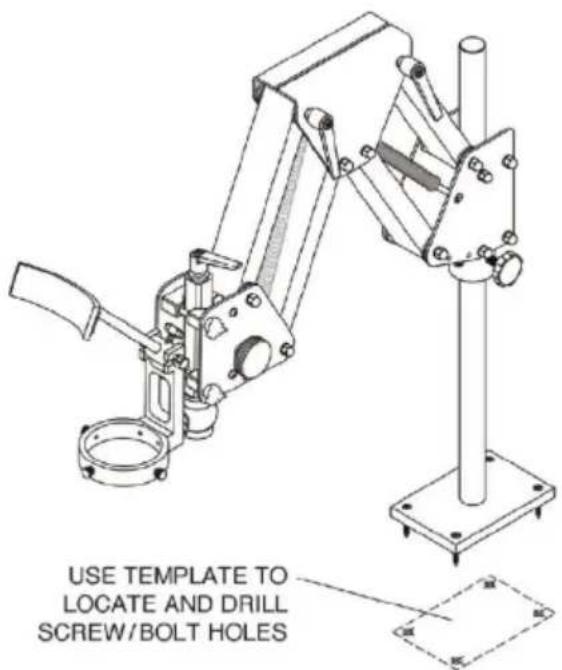
It is advisable to use 10-32 flat head bolts (not included) with a length of about 1/2" more than the thickness of your bench top. Use the template below as described above to locate the centers and drill 1/4" holes through the bench top. Bolt the stand down using washers and nuts on the underside. If the bench top is made of sheet metal with a lightweight substrate, we recommend adding a board or metal plate to the underside for extra strength.
6. Adjust the specimen slide
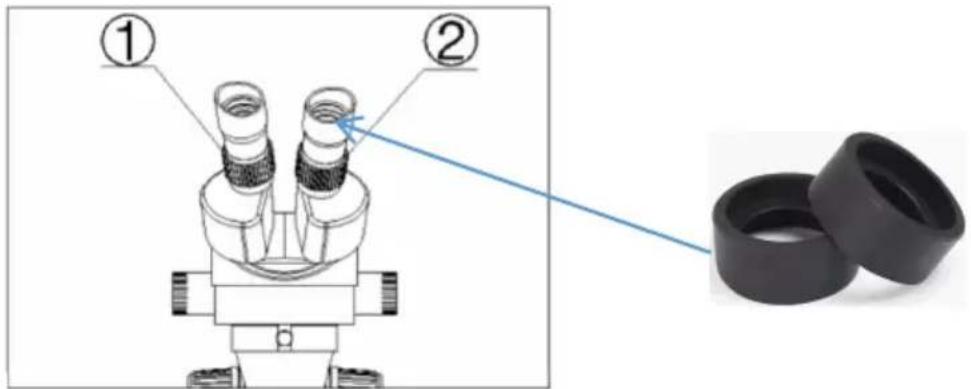
Fig. 4
1) Turn the zoom control knob to the maximum magnification. 2) Turn the diopter adjusting rings to zero. 3) Observe the specimen through the right eyepiece and make the image clear by turning the focusing knob. Fig. 4 5) Rotate the zoom control knob to the minimum magnification. 4) Observe the specimen through the right eyepiece and make the image clear
by turning the right diopter adjusting ring ②. (Fig. 3)
5) Redo steps (1), (3), (4), and (5) until the right adjusting ring is more precise. 6) Do step (4) and make the image clear which is observed through the eyepiece by turning the left diopter adjusting ring ①. (Fig. 4)
NOTE:
- User could adjust the height distance between the microscope and the work to about 165mm to get a better clear picture. (If it's not clear, adjust the height according to your magnification need.)
- Install the eye shields for eye comfort.
7. Adjust the interpupillary distance
Adjust the prism housing along the direction of the arrowhead of Fig. 5 until the observation is comfortable.
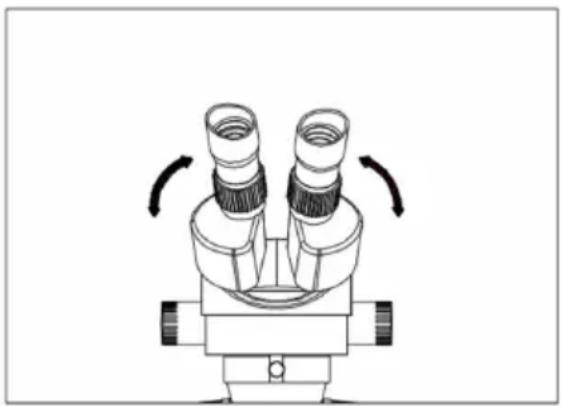
Fig.5
CLEAN AND CARE RULES
- After using the microscope, put on a dust cover.
- Check the setting screws regularly.
- Keep the environment around the microscope free from moisture, dust and ventilation.
STANDARD BLOCK BALL VISE USER MANUAL
Vise Jaw Thread Replacement · DZQ-627 & DZQ-628
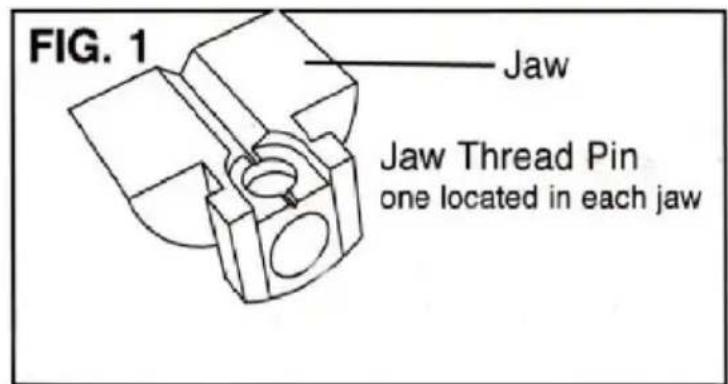
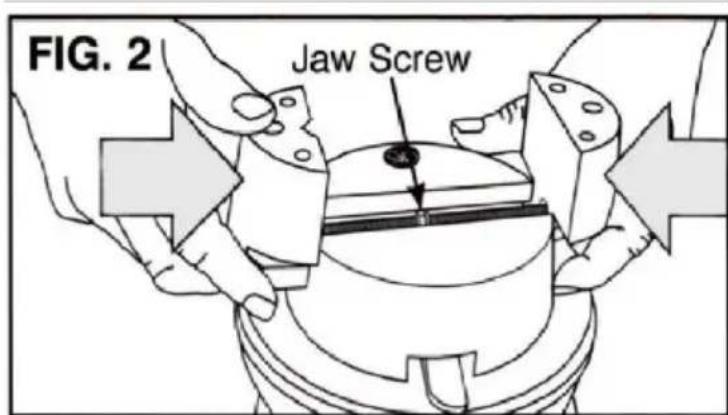
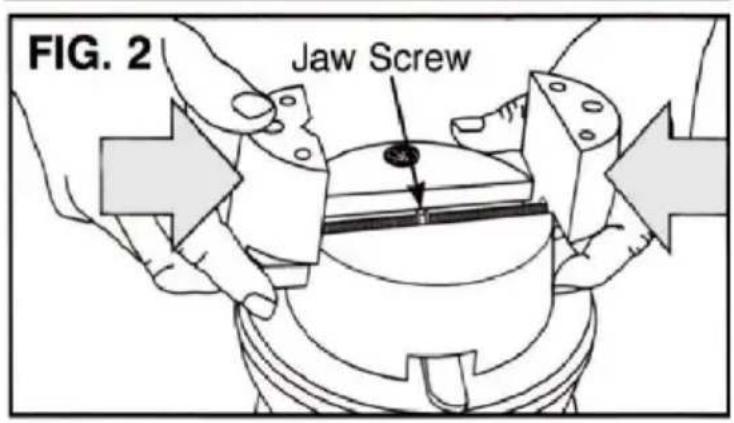
Over tightening the jaws will cause wear and damage to the threads. If jaws become loose, replace with kit DZQ-627. Remove the jaws by opening them wide as possible until they come off the end of the jaw screw (FIG.1) The thread pin is located on the under side of each jaw. NOTE: Before removing locate the one with the "L" This is the left hand thread pin and will need to be replaced with the same. Apply a small amount of grease (included in kit) to the O-rings screw before installing them. Lift the jaw screw out of the yoke that it rotates and replace it. Note which side the left hand thread is on. Grease the thread yoke well.
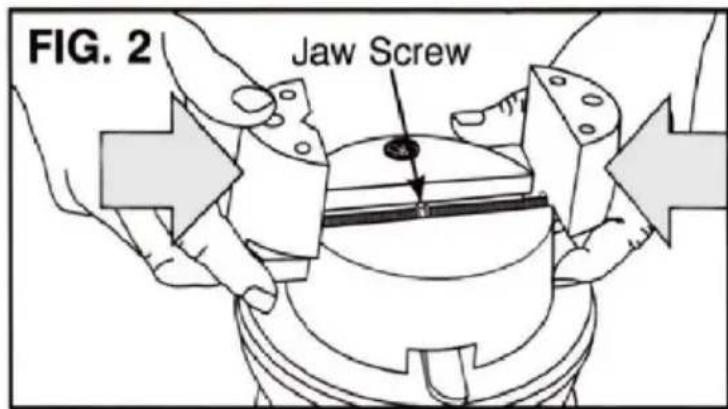
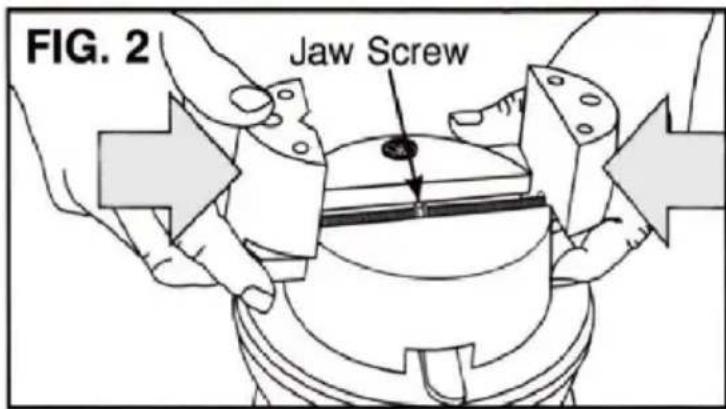
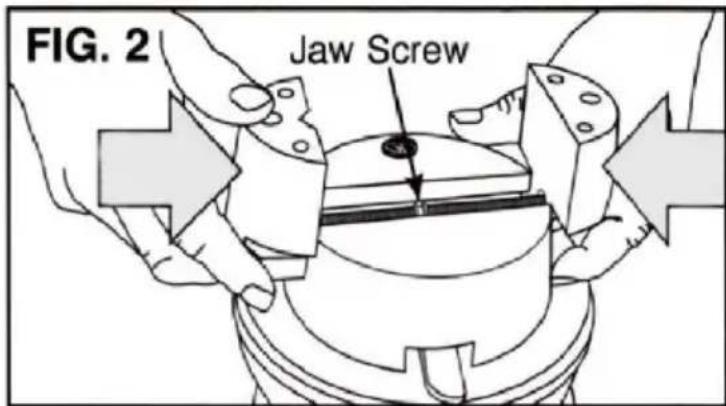
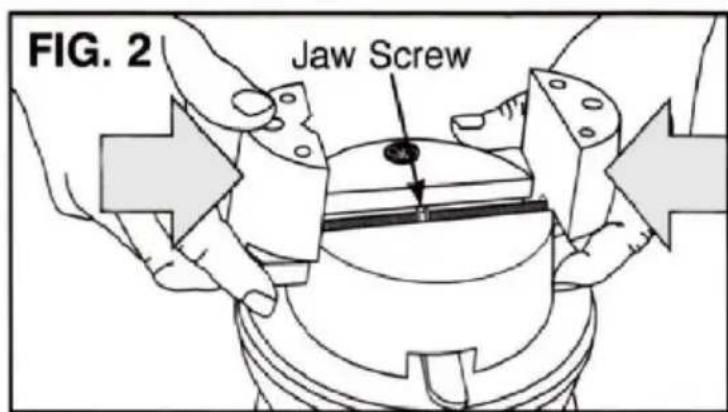
Now, the hard part: you must start the jaws threads at the same time when replacing them (FIG. 2). Hold each jaw in position and turn the jaw screw to close them. Either a large rubber band or a second person is useful to help the jaw screw while you hold the jaws against the thread. If the jaws don't meet at the same time in the center, remove them and try starting the threads at the same time again.
Rotational Lock Replacement
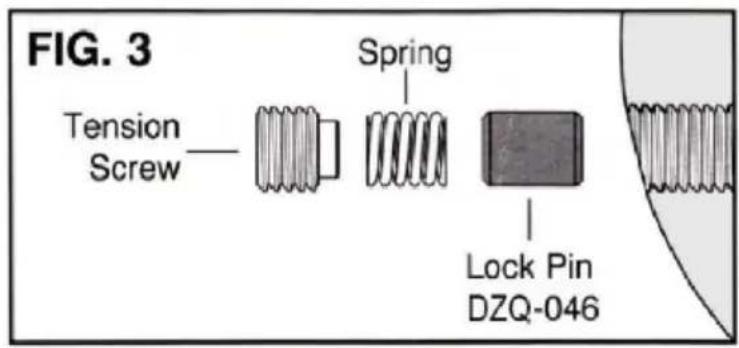
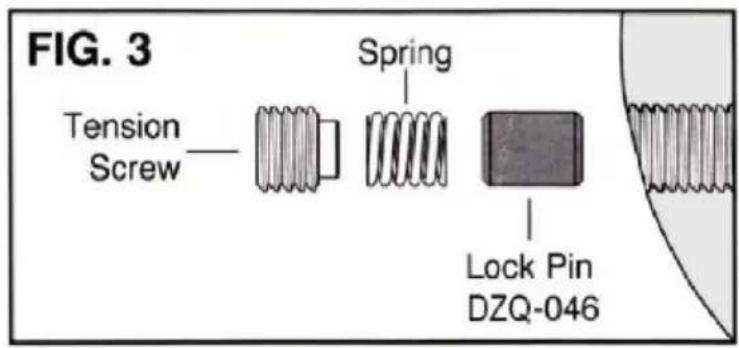
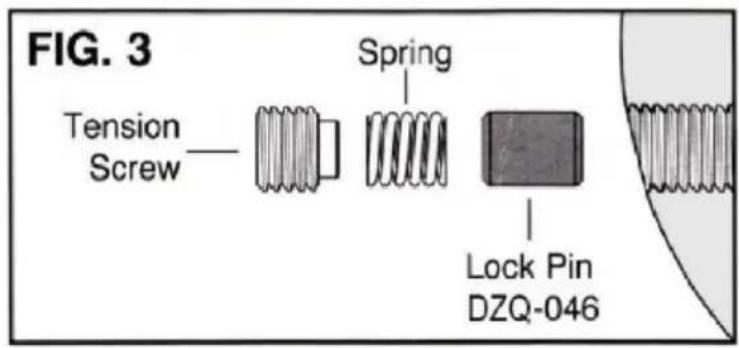
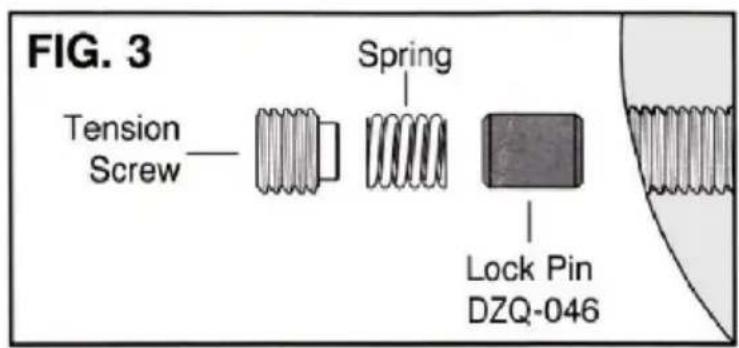
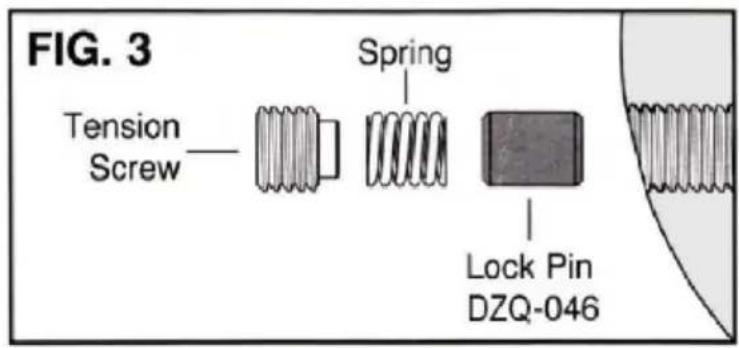
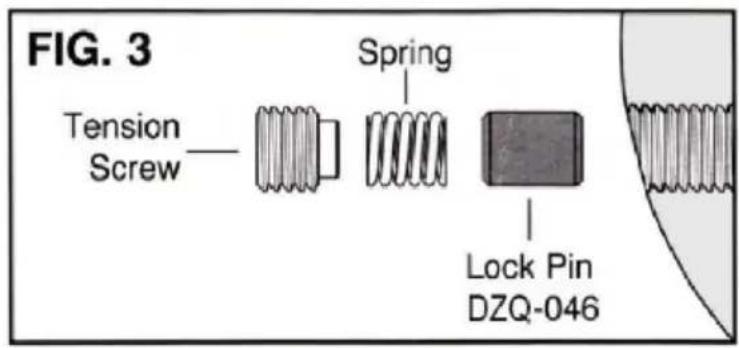
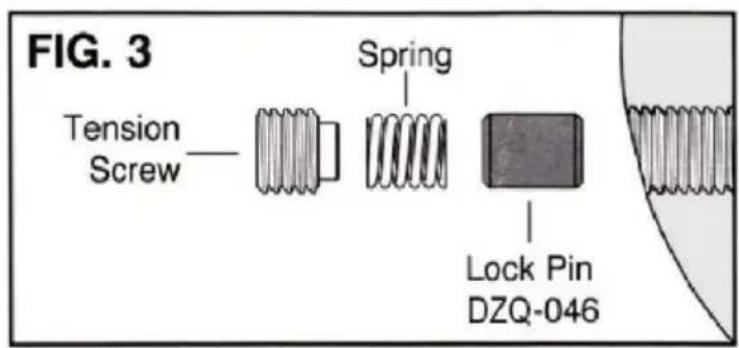
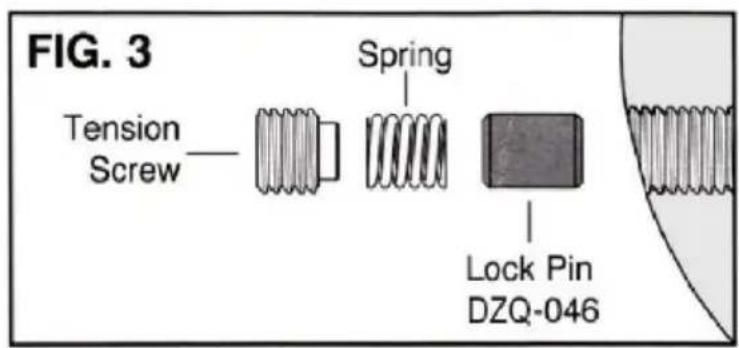
The LOCK or DRAG PIN is subject to much wear and may need to be replaced after extended use. Simply remove the ball swivel tension screw with the hex
wrench. The spring and Lock Pin should follow (FIG. 3) if not, turn the ball they fall out. Replace the Lock Pin (DZQ-046), Spring, and Tension Screw.
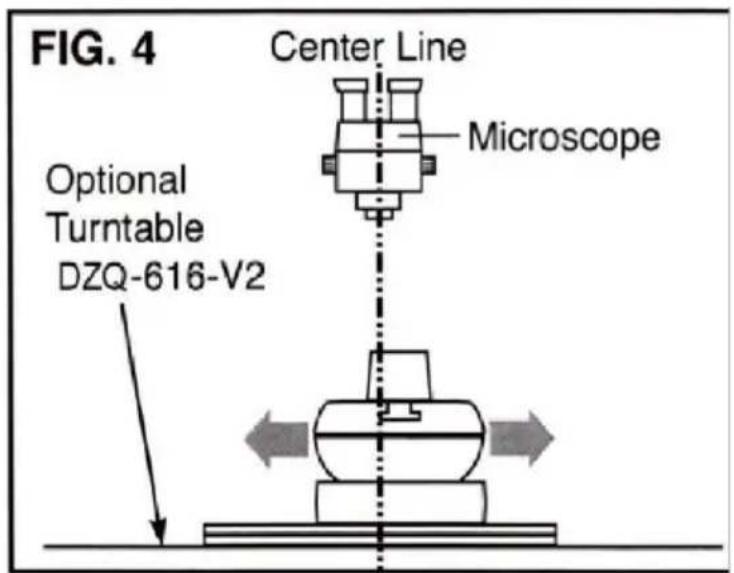
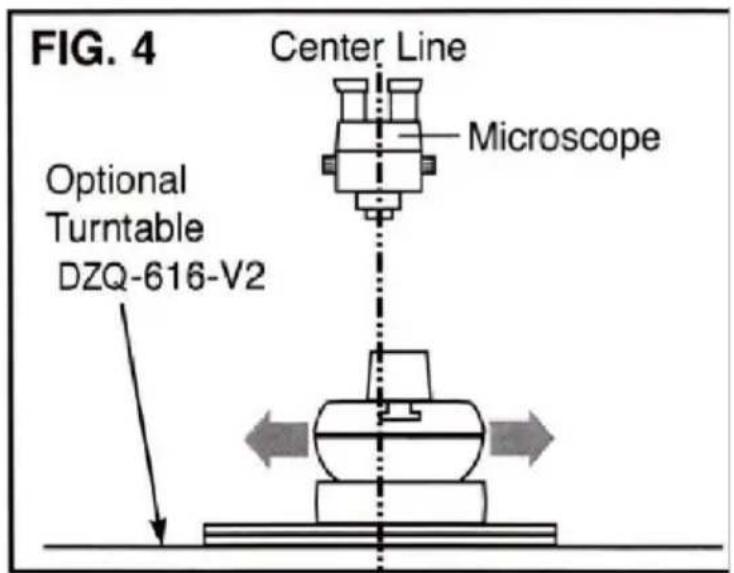
Turntable Base For Microscope Work · DZQ-616-V2
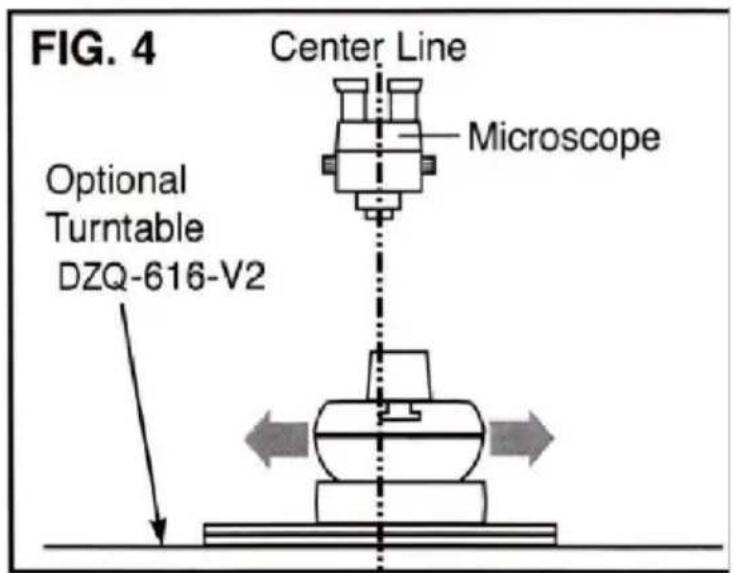
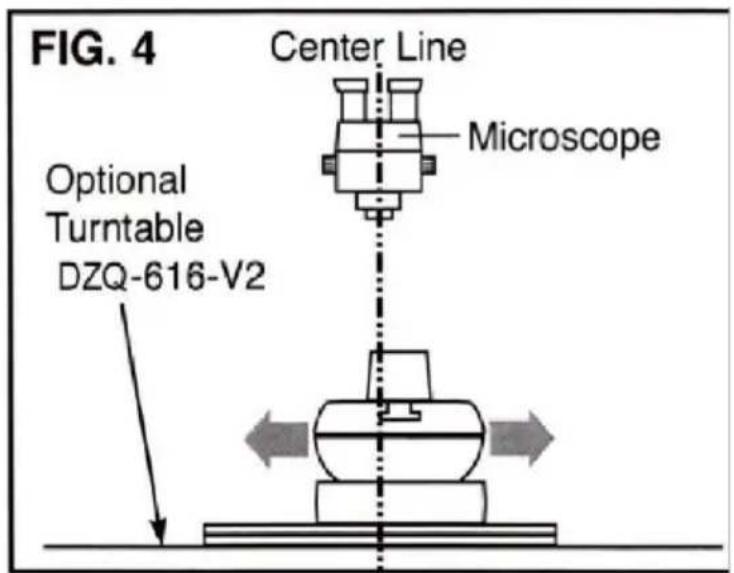
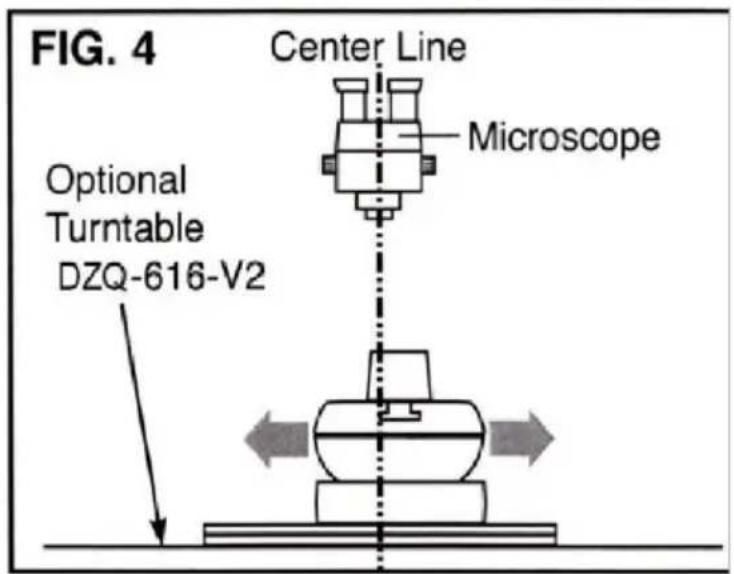
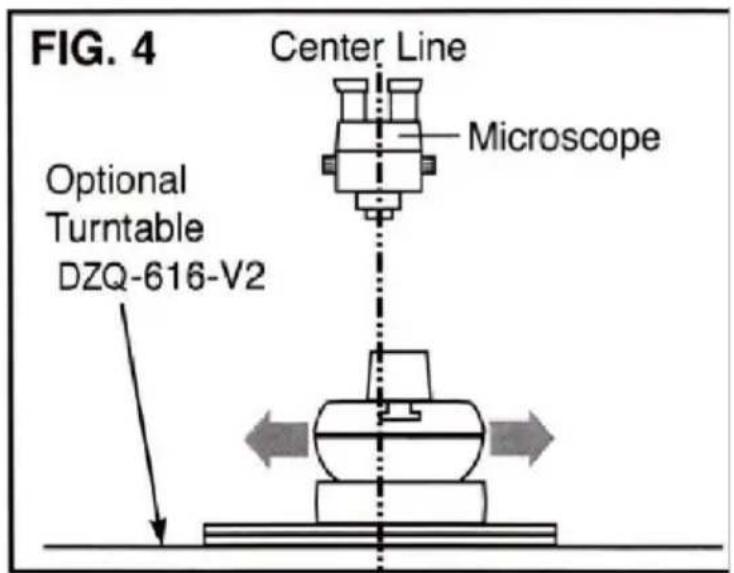
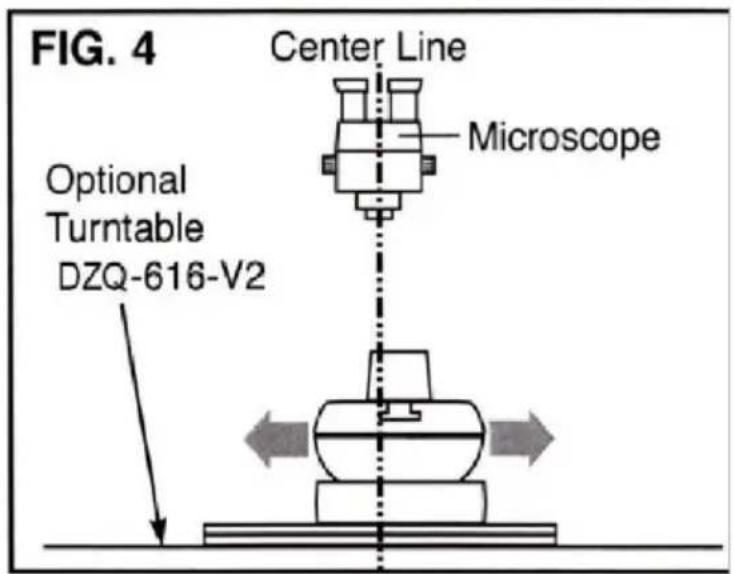
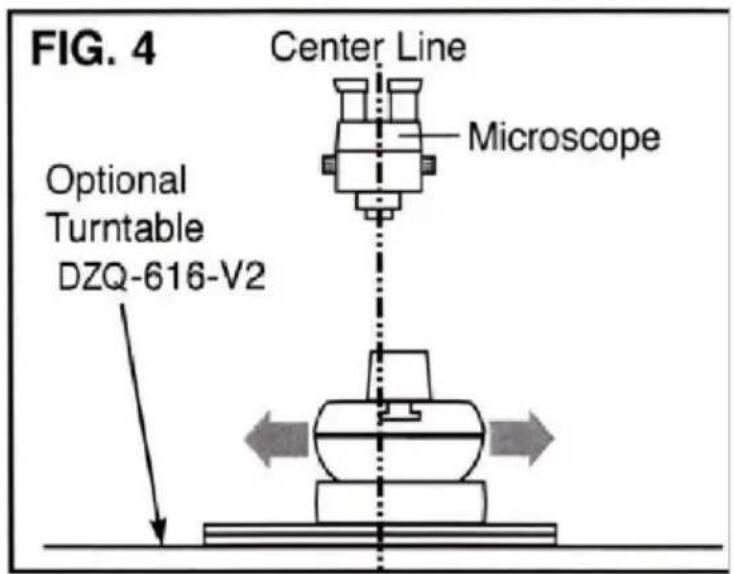
To use the Turntable Base, lock the vise by tightening the swivel tension screw until the ball will not turn. The turntable now becomes your rotation, allowing to adjust the work's center of rotation into the field of view of the microscope the center of the turntable with the center of the microscope view (FIG. 4). Change working views by repositioning the vise.
Thread Pin Replacement Kit · DZQ-627
(Not Shown). Includes Jaw Screw, Left and Right Thread Pins, O-Rings, and Grease.
INSTRUCTION
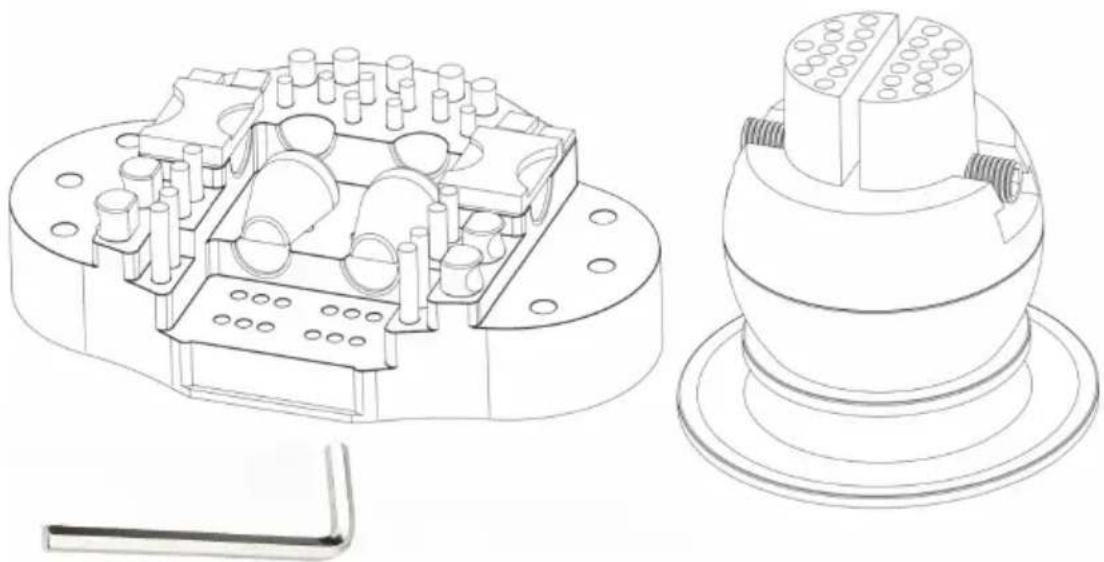
With a variety of pins that fit the upper jaw plates of every block, users can instantly solve work holding problems and start working sooner. Includes 8 snap pins, 4 flat square pins, 2 rectangular inset-curve pins, 4 thick round inset pins, rubber-coated pins, and 2 leather-faced ring clamp pins in a molded base.
| PART | DESCRIPTION | QTY |
| 1 | Ring clamp assembly | 2 |
| 2 | Attachment plate #2 assembly | 2 |
| 3 | Attachment plate #3 assembly | 4 |
| 4 | Attachment plate #4 assembly | 4 |
| 5 | Attachment pin #5 assembly (short) | 4 |
| 6 | Attachment pin #6 assembly (long) | 4 |
| 7 | Formed complete attachment pin #7 | 8 |
Ring clamp assembly
The leather helps to protect the items to keep them from getting damaged, such as gold, etc. (USE THESE PADS FOR WHATEVER YOU DON'T WANT TO SCRATCH OR DAMAGE)
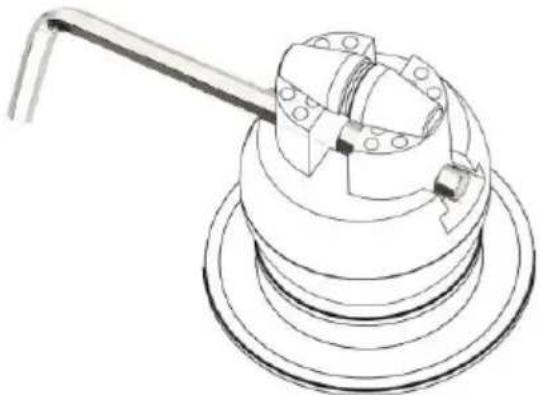
Long & Short Pins
These pins also have little rubber pieces on them which will also help protect the work. The long pins are to protect thicker pieces.
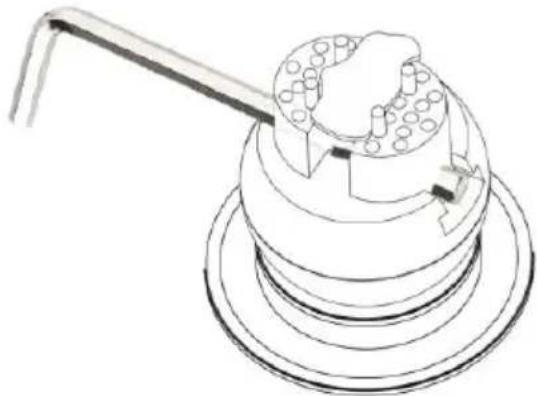
8 Little Pins
These pins help to hold something that is kind of a weird shape, or not a typical square or circle. Place them in multiple spots throughout these plates.
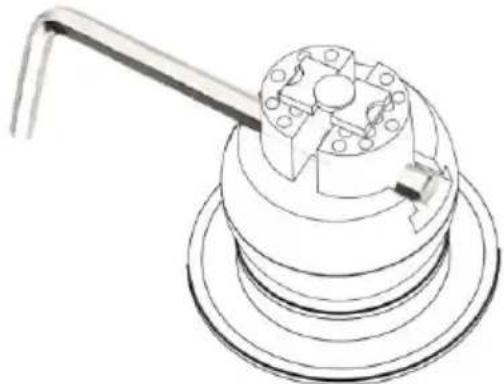
Pin Plates
These pin plates have little divots in them for circular and square pieces, making them perfect for coins or rings or any smaller circular items.
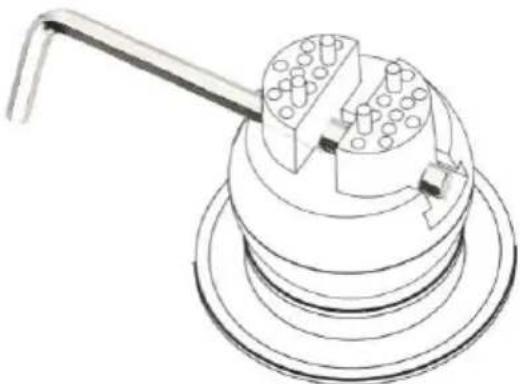
Small Plates
These plates have divots in them right along the edge and also have straight edges. Work on the straight side or use the side with the divots to kind of catch the piece.
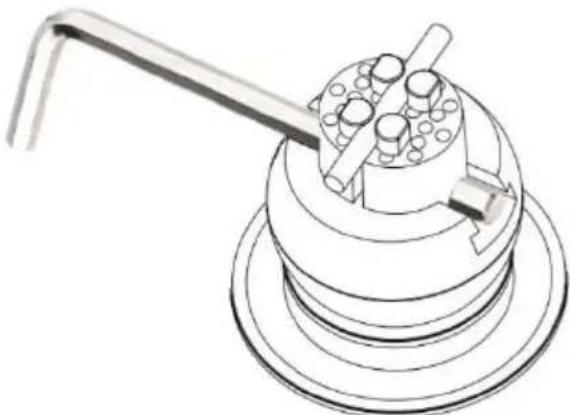
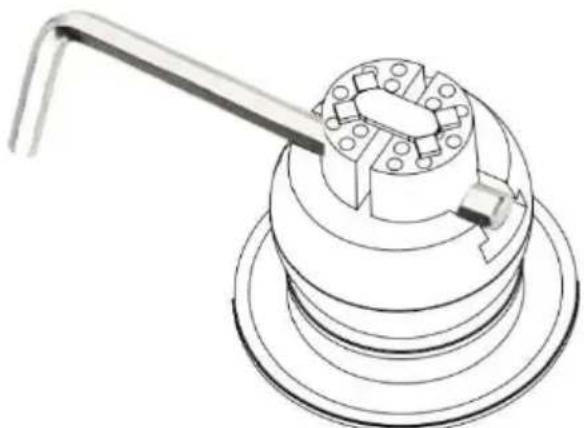
Round Radius Pins
This one is a good option for work on cylindrical things, like a pen or a scribe. If everything is small, round, and cylindrical, these are a good option.
VEVOR®
TOUGH TOOLS, HALF PRICE
Technical Support and E-Warranty Certificate
www.vevor.com/support
VEVOR®
TOUGH TOOLS, HALF PRICE
Technical Support and E-Warranty Certificate www.vevor.com/support
MULTIDIRECTIONAL MICROSCOPE
MODEL: JH-1A/JH-1B
We continue to be committed to provide you tools with competitive price. "Save Half", "Half Price" or any other similar expressions used by us only represent of savings you might benefit from buying certain tools with us compared to top brands and does not necessarily mean to cover all categories of tools offered are kindly reminded to verify carefully when you are placing an order with us actually saving half in comparison with the top major brands.
VEVOR®
TOUGH TOOLS, HALF PRICE
MULTI-DIRECTIONAL
MICROSCOPE
MODEL: JH-1A /JH-1B
NEED HELP? CONTACT US!
Have product questions? Need technical support? Please feel free to contact us:
Technical Support and E-Warranty Certificate www.vevor.com/support
This is the original instruction. Please read all manual instructions carefully before operating. VEVOR reserves a clear interpretation of the user manual. The appearance of the product shall be subject to the product you received. Please forgive us that we won't inform you if there are any technology or software updates on our product.
SAFETY INSTRUCTIONS
Fig. 4
Fig. 5
CLEAN AND CARE RULES
INSTRUCTION
| DEEL | BESCHRIJVING | AANTAL |
| 1 | Montage ringklem | 2 |
| 2 | Bevestigingsplaat # 2 montage | 2 |
| 3 | Bevestigingsplaat # 3 montage | 4 |
| 4 | Bevestigingsplaat # 4 montage | 4 |
| 5 | Bevestigingspin # 5 montage (kort) | 4 |
| 6 | Bevestigingspin # 6 montage (lang) | 4 |
| 7 | Gevormde complete bevestigingspin # 7 | 8 |
Mounting ring clamp
8 small pins
Pin plates
Small plates
Round spray pins
VEVOR®
TOUGH TOOLS, HALF PRICE
www.vevor.com/support
VEVOR®
TOUGH TOOLS, HALF PRICE
We continue to be committed to provide you tools with competitive price. "Save Half", "Half Price" or any other similar expressions used by us only represent estimate of savings you might benefit from buying certain tools with us compared to top brands and does not necessarily mean to cover all categories of tools offered. We kindly remind you to verify carefully when you are placing an order with us that you are actually saving half in comparison with the top major brands.
VEVOR®
TOUGH TOOLS, HALF PRICE
MULTI-DIRECTIONAL MICROSCOPE
MODEL: JH-1A /JH-1B
NEED HELP? CONTACT US!
Have product questions? Need technical support? Please feel free to contact us:
Technical Support and E-Warranty Certificate www.vevor.com/support
This is the original instruction. Please read all manual instructions carefully before operating. VEVOR reserves a clear interpretation of the user manual. The appearance of the product shall be subject to the product you received. Please forgive us that we won't inform you of any technology or software updates on our product.
Fig. 4
Fig.5
CLEAN AND CARE RULES
INSTRUCTION
8 small pins
Pin plates
Small plates
VEVOR®
TOUGH TOOLS, HALF PRICE
www.vevor.com/support
VEVOR®
TOUGH TOOLS, HALF PRICE
We continue to be committed to provide you tools with competitive price. "Save Half", "Half Price" or any other similar expressions used by us only represent of savings you might benefit from buying certain tools with us compared to top brands and does not necessarily mean to cover all categories of tools offered are kindly reminded to verify carefully when you are placing an order with us actually saving half in comparison with the top major brands.
VEVOR®
TOUGH TOOLS, HALF PRICE
MULTI-DIRECTIONAL MICROSCOPE
MODEL: JH-1A /JH-1B

NEED HELP? CONTACT US!
Have product questions? Need technical support? Please feel free to contact us:
Technical Support and E-Warranty Certificate www.vevor.com/support
This is the original instruction. Please read all manual instructions carefully before operating. VEVOR reserves a clear interpretation of the user manual. The appearance of the product shall be subject to the product you received. Please forgive us that we won't inform you if there are any technology or software updates on our product.
Fig. 4
Fig. 5
CLEAN AND CARE RULES
INSTRUCTION
Pin plates
Small plates
Round radius pins
VEVOR®
TOUGH TOOLS, HALF PRICE
www.vevor.com/support
VEVOR®
TOUGH TOOLS, HALF PRICE
We continue to be committed to providing you with tools at competitive prices. "Save Half", "Half Price", or any other similar expressions used by us only represent the savings you might benefit from buying certain tools with us compared to top brands, and do not necessarily mean to cover all categories of tools offered. We kindly remind you to verify carefully when placing an order with us to ensure you are actually saving half in comparison with the top major brands.
VEVOR®
TOUGH TOOLS, HALF PRICE
MULTI-DIRECTIONAL MICROSCOPE
MODEL: JH-1A /JH-1B
NEED HELP? CONTACT US!
Have product questions? Need technical support? Please feel free to contact us:
Technical Support and E-Warranty Certificate www.vevor.com/support
This is the original instruction. Please read all manual instructions carefully before operating. VEVOR reserves a clear interpretation of the user manual. The appearance of the product shall be subject to the product you received. Please forgive us that we won't inform you of data on your product.
Fig. 4
Fig.5
CLEAN AND CARE RULES
INSTRUCTION
8 small pins
Pin plates
Small plates
VEVOR®
TOUGH TOOLS, HALF PRICE
www.vevor.com/support
VEVOR®
TOUGH TOOLS, HALF PRICE
We continue to be committed to providing you with tools at competitive prices. "Save Half", "Half Price", or any other similar expressions used by us only represent the savings you might benefit from buying certain tools with us compared to top brands and do not necessarily mean that all categories of tools offered are covered. We kindly remind you to verify carefully when placing an order with us to ensure you are actually saving half in comparison with the top major brands.
VEVOR®
TOUGH TOOLS, HALF PRICE
MULTI-DIRECTIONAL MICROSCOPE
MODEL: JH-1A /JH-1B
NEED HELP? CONTACT US!
Have product questions? Need technical support? Please feel free to contact us:
Technical Support and E-Warranty Certificate www.vevor.com/support
This is the original instruction, please read all manual instructions carefully before operating. VEVOR reserves a clear interpretation of the user manual. The appearance of the product shall be subject to the product you received. Please forgive us that we won't inform you of any technology or software updates on our product.
Fig. 4
Fig. 5
CLEAN AND CARE RULES
INSTRUCTION
8 small pins
Pin plates
Small plates
VEVOR®
TOUGH TOOLS, HALF PRICE
www.vevor.com/support
VEVOR®
TOUGH TOOLS, HALF PRICE
We continue to be committed to provide you tools with competitive price. "Save Half", "Half Price" or any other similar expressions used by us only represent savings you might benefit from buying certain tools with us compared to top brands and does not necessarily mean to cover all categories of tools offered. You are kindly reminded to verify carefully when you are placing an order with us that you are actually saving half in comparison with the top major brands.
VEVOR®
TOUGH TOOLS, HALF PRICE
MULTI-DIRECTIONAL MICROSCOPE
MODEL: JH-1A /JH-1B
NEED HELP? CONTACT US!
Have product questions? Need technical support? Please feel free to contact us:
Technical Support and E-Warranty Certificate www.vevor.com/support
This is the original instruction. Please read all manual instructions carefully before operating. VEVOR reserves a clear interpretation of the user manual. The appearance of the product shall be subject to the product you received. Please forgive us that we won't inform you of any updates to your product.
Fig. 4
Fig. 5
CLEAN AND CARE RULES
INSTRUCTION
VEVOR®
TOUGH TOOLS, HALF PRICE
www.vevor.com/support
VEVOR®
TOUGH TOOLS, HALF PRICE
We continue to be committed to providing you with tools at competitive prices. "Save Half", "Half Price", or any other similar expressions used by us only represent the savings you might benefit from buying certain tools with us compared to top brands, and do not necessarily mean that all categories of tools offered are covered. We kindly remind you to verify carefully when placing an order with us to ensure that you are actually saving half in comparison with the top major brands.
VEVOR®
TOUGH TOOLS, HALF PRICE
MULTI-DIRECTIONAL MICROSCOPE
MODEL: JH-1A / JH-1B

NEED HELP? CONTACT US!
Have product questions? Need technical support? Please feel free to contact us:
Technical Support and E-Warranty Certificate www.vevor.com/support
This is the original instruction. Please read all manual instructions carefully before operating. VEVOR reserves the right to interpret the user manual. The appearance of the product shall be subject to the product you received. Please forgive us that we won't inform you of any technology or software updates on our product.
Fig. 4
Fig. 5
CLEAN AND CARE RULES

INSTRUCTION
8 small pins
Pin plates
Small plates
Round radius pins
VEVOR®
TOUGH TOOLS, HALF PRICE
www.vevor.com/support


- MULTI-DIRECTIONAL MICROSCOPE MODEL:JH-1A/JH-1B
- VEVOR®
- MULTI-DIRECTIONAL MICROSCOPE
- MODEL:JH-1A/JH-1B
- NEED HELP? CONTACT US
- WARNING
- FCC INFORMATION
- SAVE THESE INSTRUCTIONS
- STRUCTURE DIAGRAM
- PARTS LIST
- INSTALLATION
- INSTALL RING / BRACKET ASSEMBLY
- INSTALL HEADREST
- SETUP AND OPERATION
- FOR WOOD TOP BENCHES
- FOR METAL TOP BENCHES
- ADJUST THE SPECIMEN SLIDE
- NOTE
- ADJUST THE INTERPUPILLARY DISTANCE
- CLEAN AND CARE RULES
- ROTATIONAL LOCK REPLACEMENT
- TURNTABLE BASE FOR MICROSCOPE WORK · DZQ-616-V
- THREAD PIN REPLACEMENT KIT · DZQ
- INSTRUCTION
- RING CLAMP ASSEMBLY
- LONG & SHORT PINS
- LITTLE PINS
- PIN PLATES
- SMALL PLATES
- ROUND RADIUS PINS
- MULTIDIRECTIONAL MICROSCOPE
- MODEL: JH-1A/JH-1B
- MULTI-DIRECTIONAL
- MICROSCOPE
- SAFETY INSTRUCTIONS
- MOUNTING RING CLAMP
- SMALL PINS
- ROUND SPRAY PINS
- TOUGH TOOLS, HALF PRICE
Brand : Vevor
Model : JH-1B
Category : Microscope