
JCS-C - Measuring equipment Vevor - Free user manual and instructions
Find the device manual for free JCS-C Vevor in PDF.
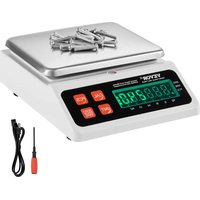


| Product Type | Precision Counting Scale |
| Brand | Vevor |
| Model | JCS-C |
| Maximum Capacity | 10 kg |
| Display Division Value | 0.1 g |
| Minimum Weighing | 2 g |
| Weighing Units | kg, g, lb, oz, ct |
| Power Supply | Power adapter: 110 V~60 Hz (North America) or 220-240 V~50 Hz (Europe/Australia) |
| Main Functions | Weighing, counting, unit conversion, tare, zero setting, user calibration, model adjustment |
| Zero Range | ±2% of maximum capacity |
| Tare Range | 2% to 100% of maximum capacity |
| Overload Protection | Displays "-DE-" beyond Max + 9 divisions |
| Operating Temperature | 0 °C to +40 °C |
| Operating Humidity | < 90% RH (non-condensing) |
| Storage Temperature | -10 °C to +50 °C |
| Storage Humidity | < 70% RH (no freezing) |
| Maintenance and Cleaning | Clean with a soft cloth and alcohol if necessary; dry completely; avoid moisture |
| Safety | Do not overload; use the supplied adapter; avoid water and shocks |
| Spare Parts and Repairability | Battery, load cell, PCB, keyboard, display replaceable |
| Technical Support | www.vevor.com/support |
| Manufacturer | Shanghaimuxinmuyeyouxiangongsi, Shuangchenglu 803nong11hao1602A-1609shi, baoshanqu, Shanghai 200000 CN |
Frequently Asked Questions - JCS-C Vevor
User questions about JCS-C Vevor
0 question about this device. Answer the ones you know or ask your own.
Ask a new question about this device
Download the instructions for your Measuring equipment in PDF format for free! Find your manual JCS-C - Vevor and take your electronic device back in hand. On this page are published all the documents necessary for the use of your device. JCS-C by Vevor.
USER MANUAL JCS-C Vevor
Counting Scale USER MANUAL
Model: JCS-C
We continue to be committed to providing you with tools at competitive prices. "Save Half", "Half Price", or any other similar expressions used by us only represent an estimate of savings you might benefit from buying certain tools with us compared to top brands, and do not necessarily mean to cover all categories of tools offered by us. We kindly remind you to verify carefully when placing an order with us if you are actually saving half in comparison with the top major brands.
Model: JCS-C
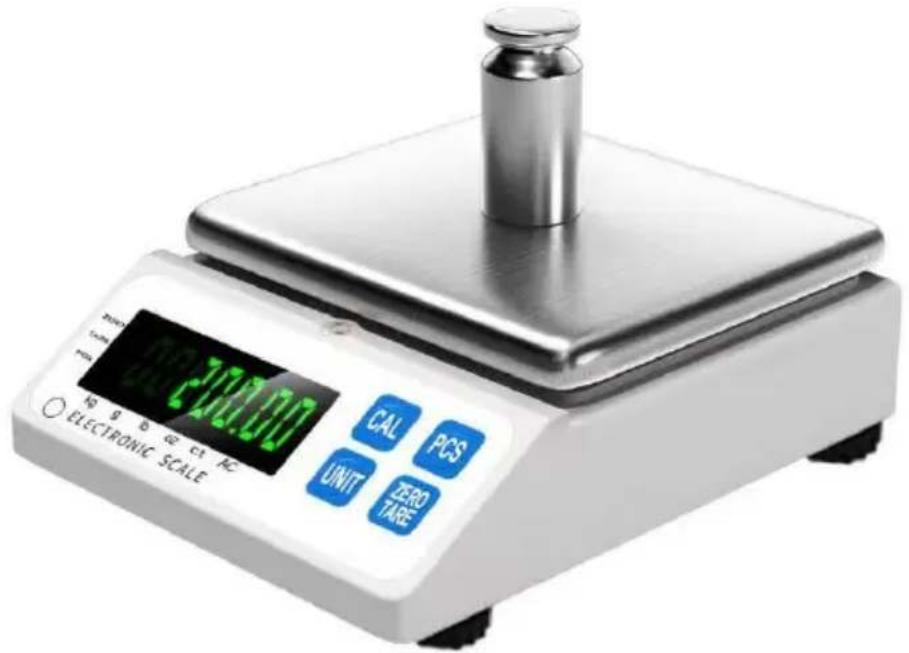
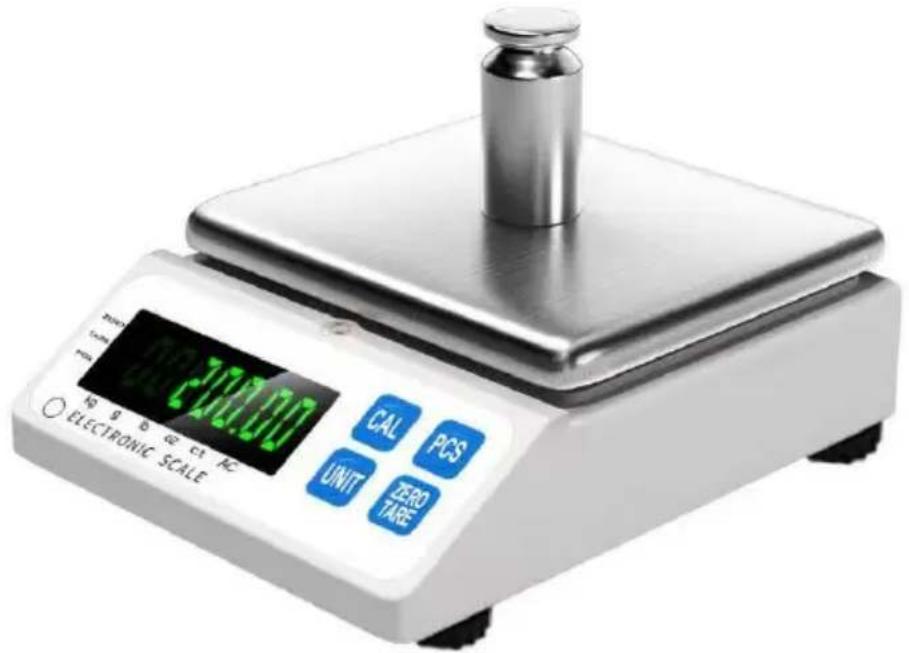
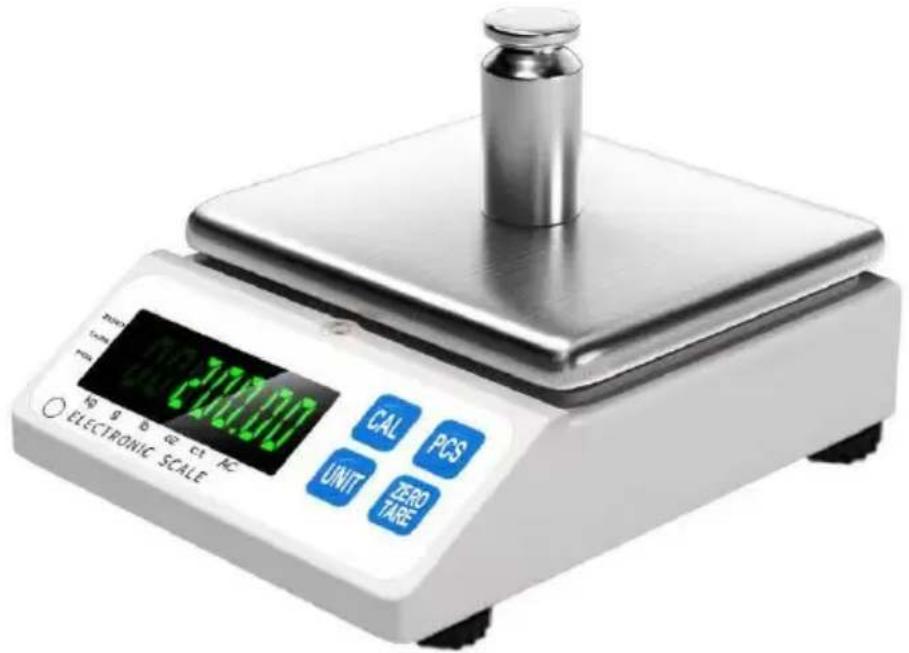
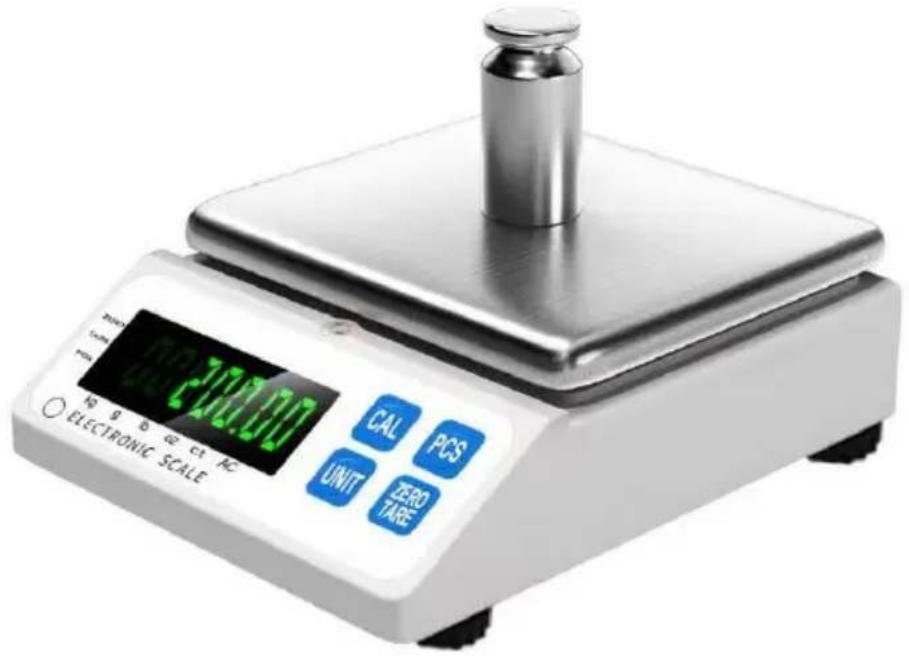
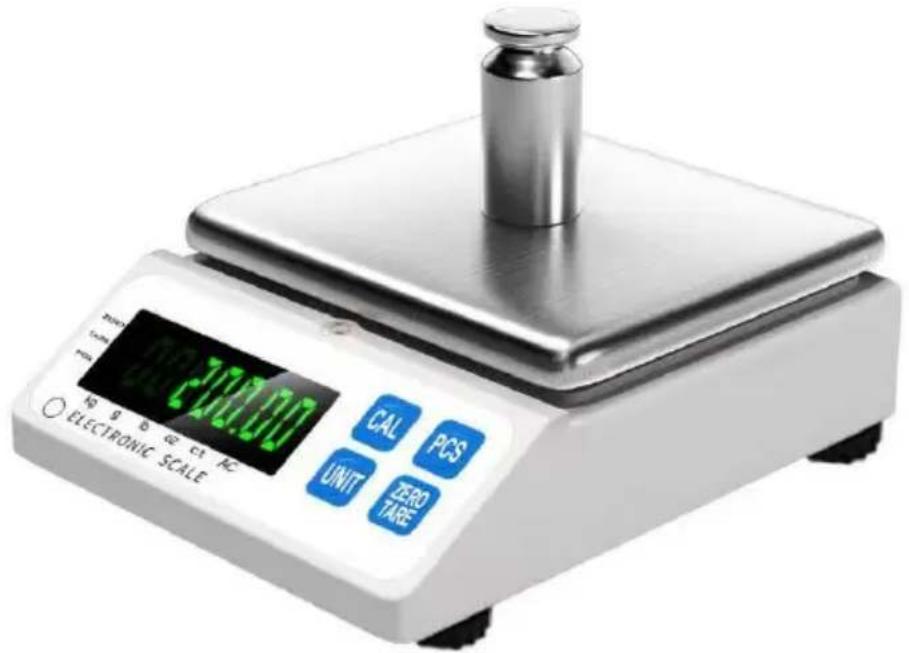
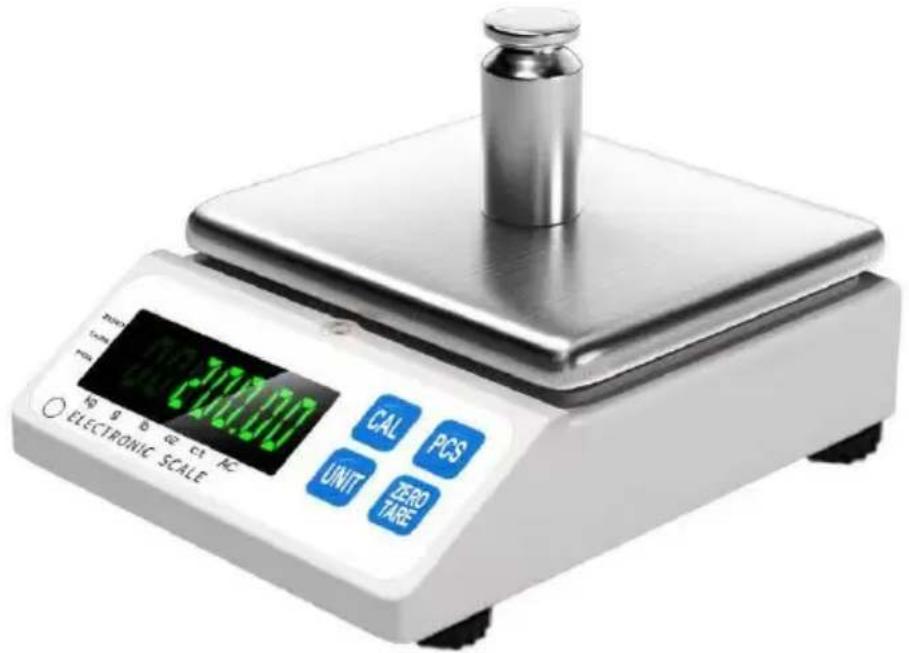
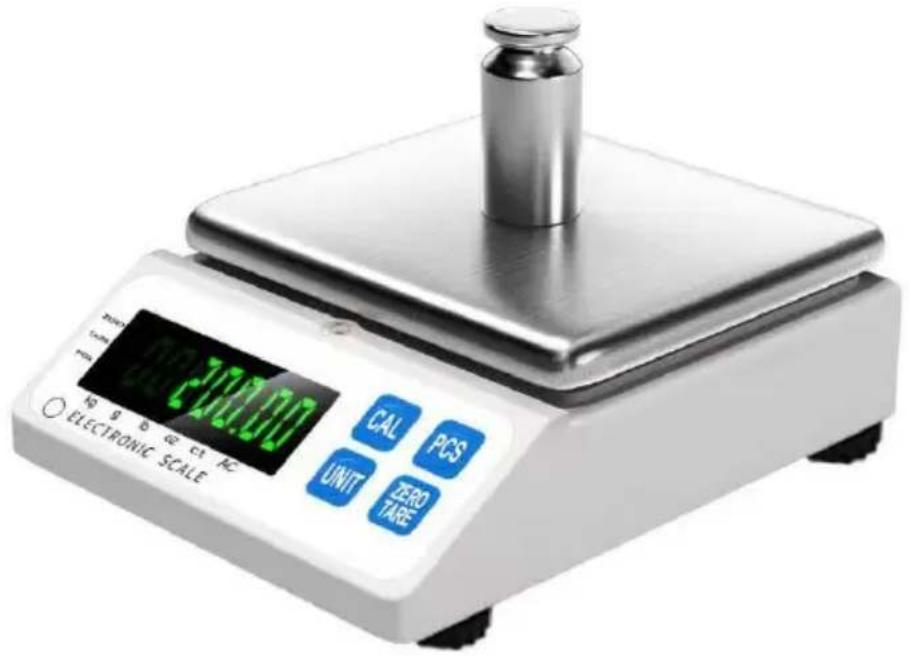
(The picture is for reference only, please refer to the actual object)
NEED HELP? CONTACT US!
Have product questions? Need technical support? Please feel free to contact us:
This is the original instruction. Please read all manual instructions carefully before operating. VEVOR reserves a clear interpretation of the user manual. The appearance of the product shall be subject to the product you received. Please forgive us that we won't inform you of any technology or software updates on our product.
A. Power On Display
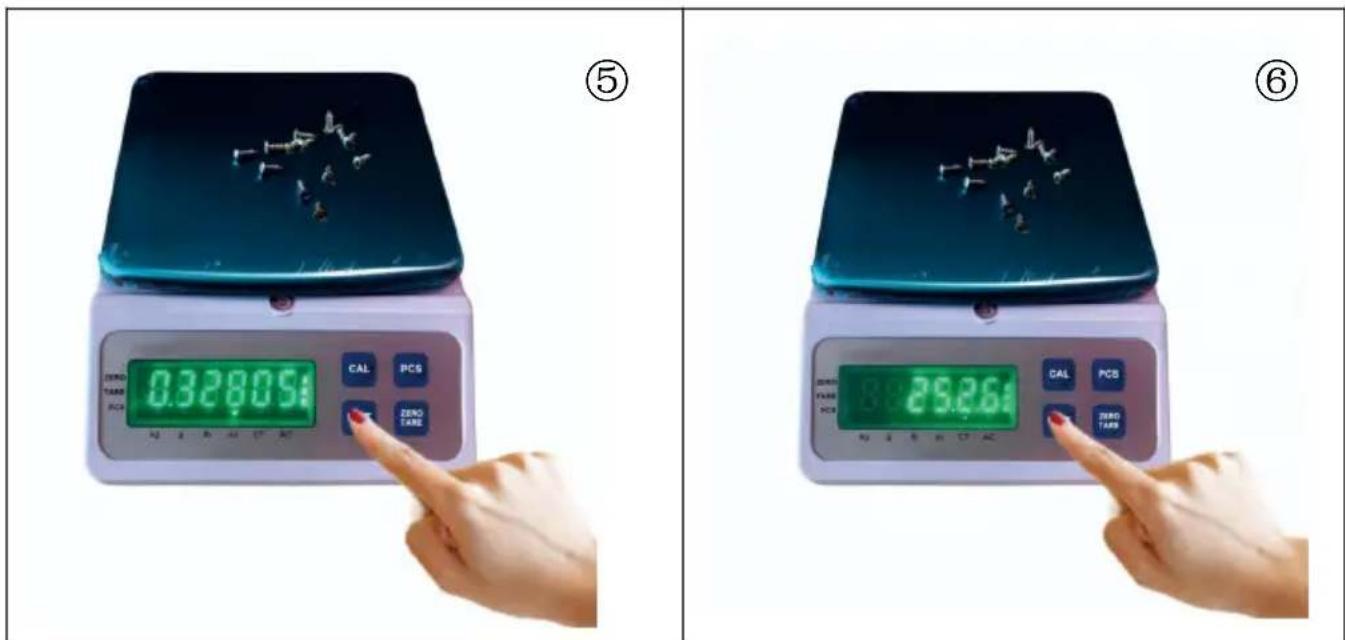
- The JCS-C precision scale boasts exceptional industrial quality and innovative design concepts for SMT production counting. It offers outstanding performance and can meet a variety of work requirements in different environments. This product serves as a weighing, counting, and formula scale for use in factories and laboratories. It is intended for non-trade use.
- Multiple weighing units: Kg, grams, lb, ounces, carat and other custom weighing units are available.
- Enhanced micro-weighing for precise sample additions: Utilizing the latest digital processing technology, it maintains stability in reading while significantly improving response speed for micro additions. This ensures consistency between the sample added and the scale's reading.
- Automatic zero stability setting: Environmental changes can cause zero drift in the display. The automatic zero stability setting ensures that the scale maintains weighing from the minimum weighing value even with minor environmental fluctuations.
B. Power On Display
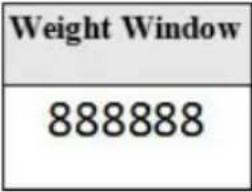
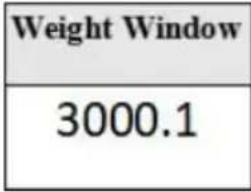
| 1. Display "888888" for 1 second. | 2. Display specifications as "3000.1" for 0.5 seconds. | |
 |  | |
| 3. Display voltage. | 4. Return to zero. | |
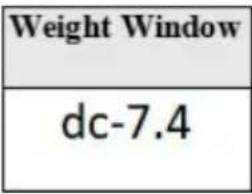 | 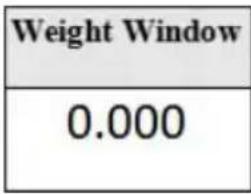 | |
C. Common Functions
1. Keypads (4 in total):
2. Simple functions:
(1) Zero-setting range: ±2%. (2) Tare range: 2%\~100%. When using【ZERO/TARE】, it functions as zero-setting within the zero-setting range, otherwise, it tares. (3) Default function: Simple weighing, but can also be switched to the desired function or setting as needed. (4) Overload: When exceeding 100 % FS + 9 d , it displays【-DE-】。 (5) Counting: When exceeding 999999, it displays【——】。 (6) Low voltage:
Below 3.55V, it continuously displays the voltage value.
Above 3.55V but below 3.65V, it intermittently indicates low voltage.
(7) When displaying internal codes after startup, it prompts for recalibration or servicing.
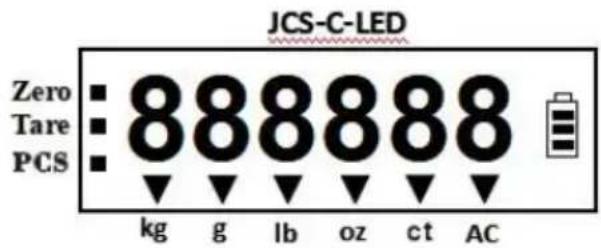
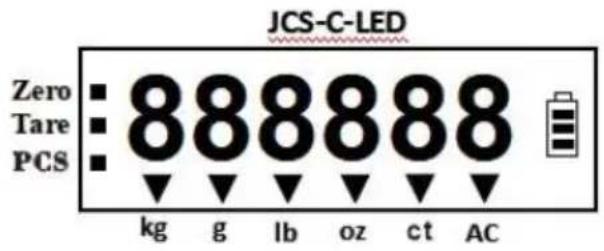
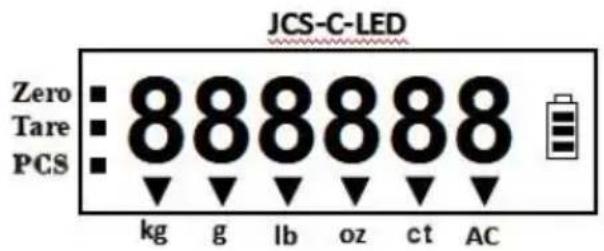
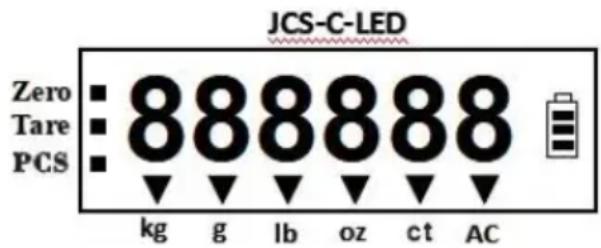
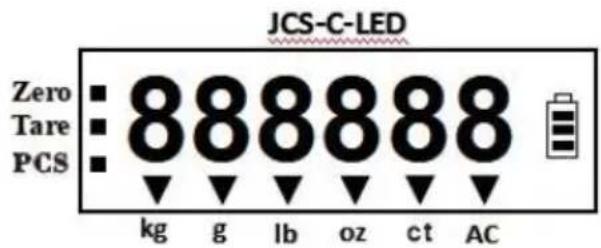
3. Indicator lights
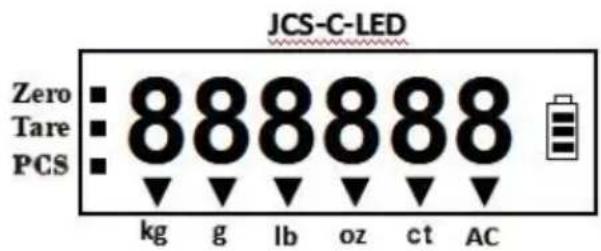
Zero, Tare, PCS, Kg, g, lb, oz, ct, AC.
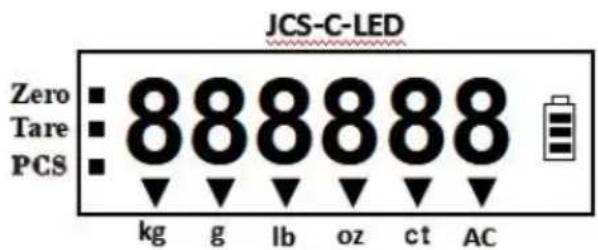
4. Unit conversion
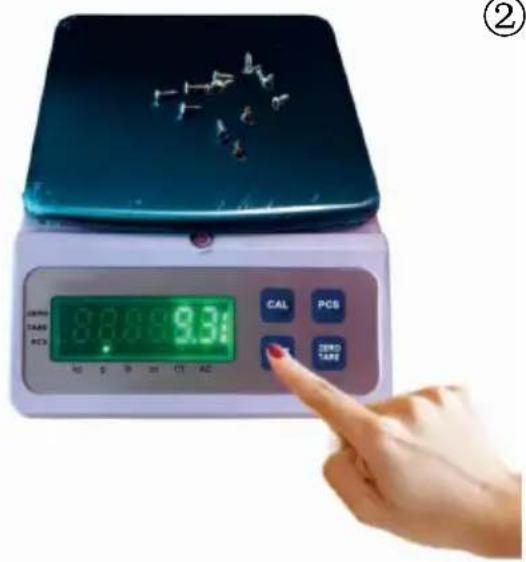
Press the【UNIT】key to switch between Kg/g/Lb/oz/ct units; the unit change is not saved.
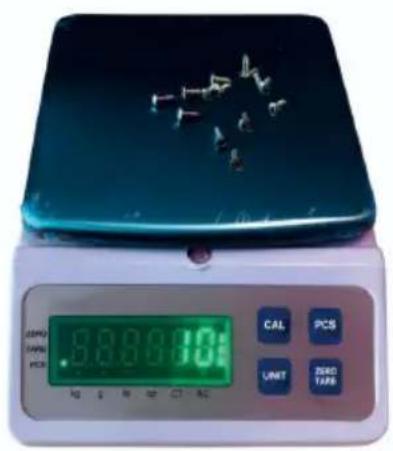
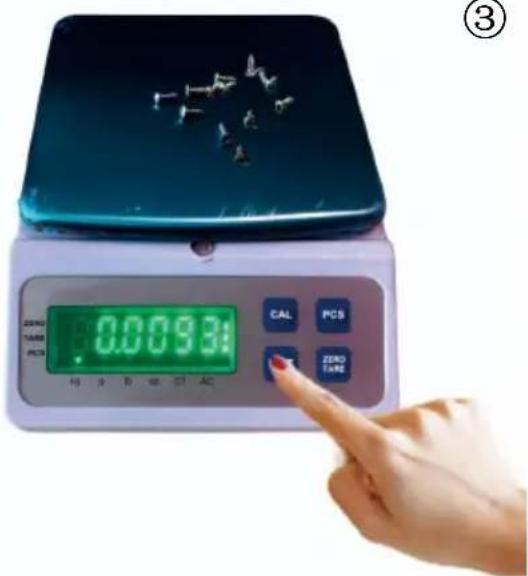
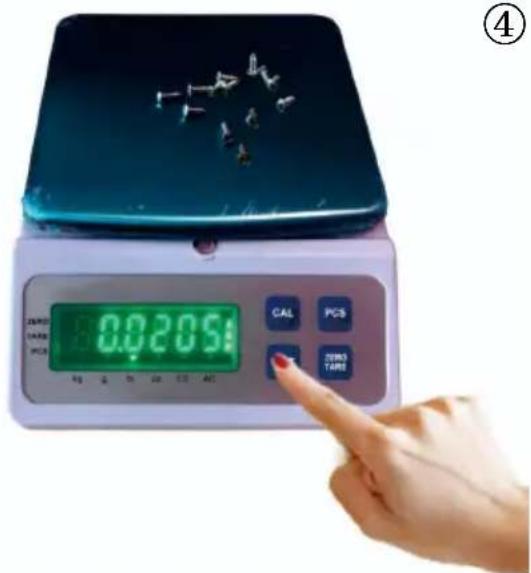
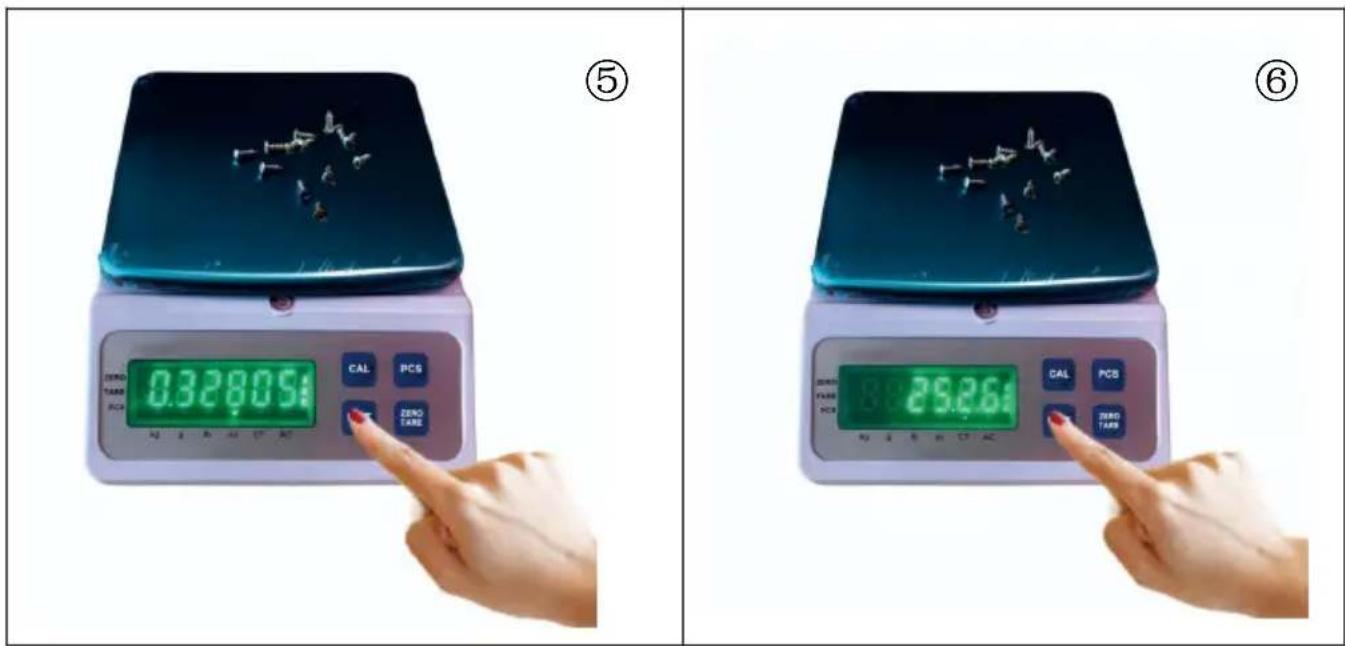
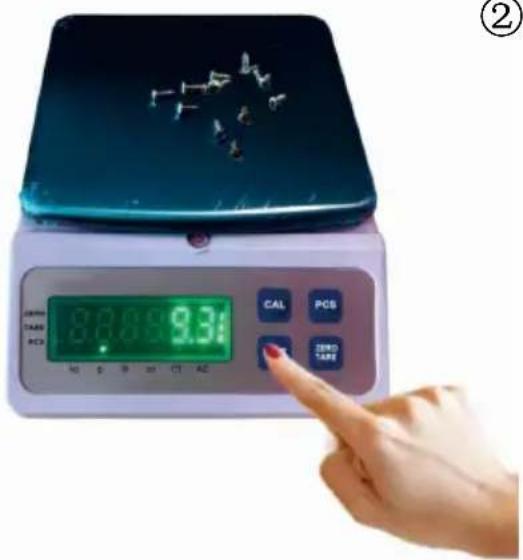
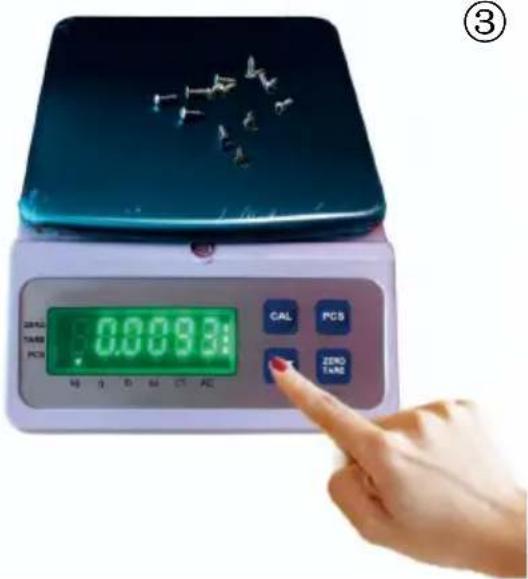
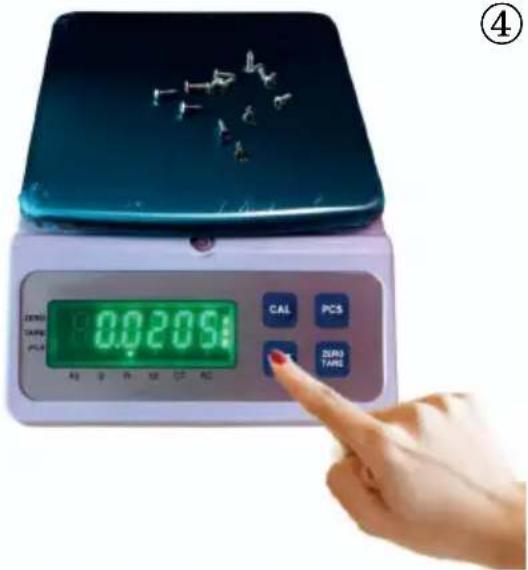
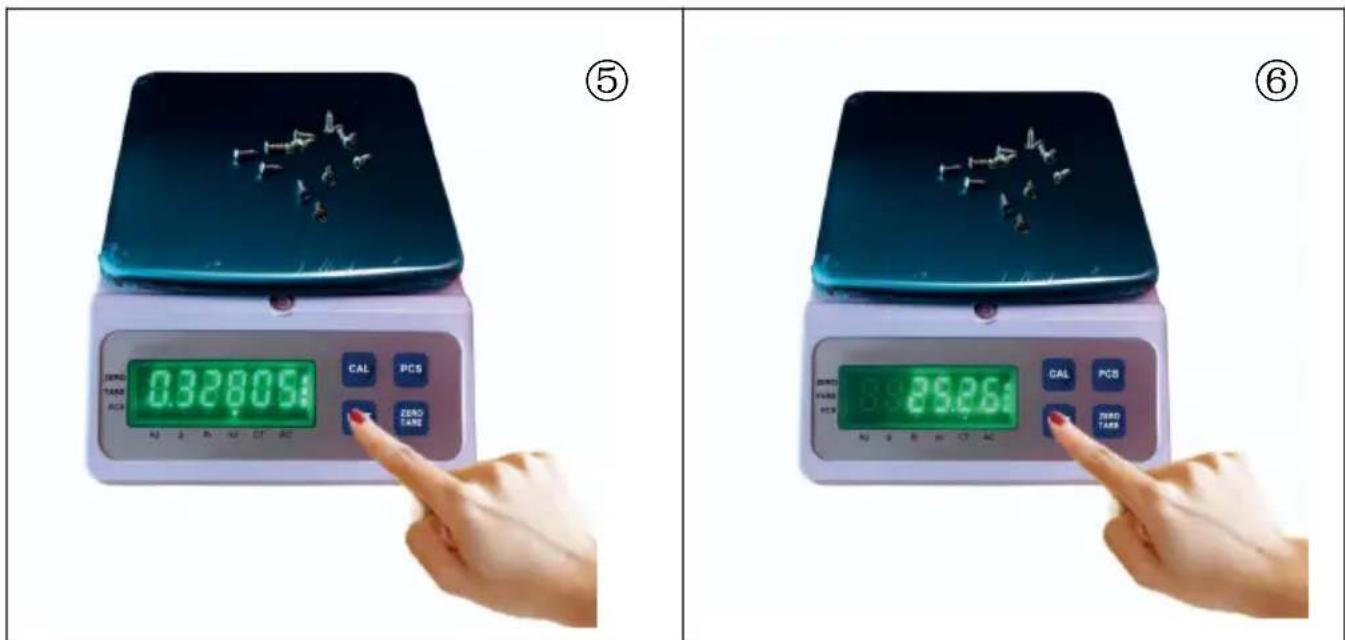
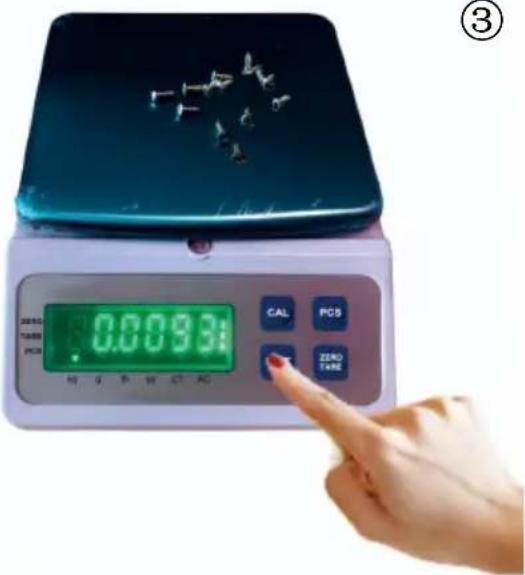
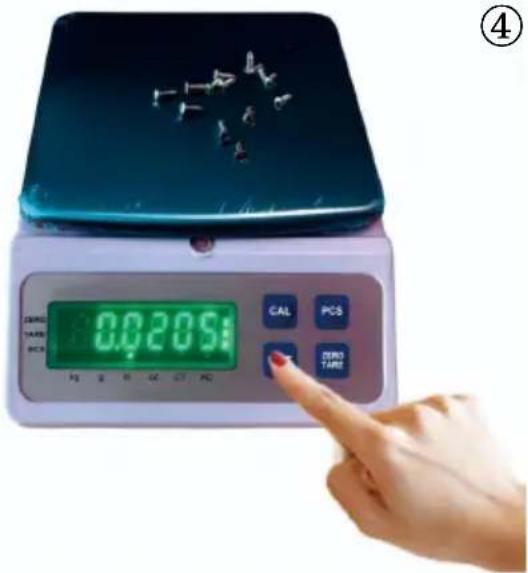
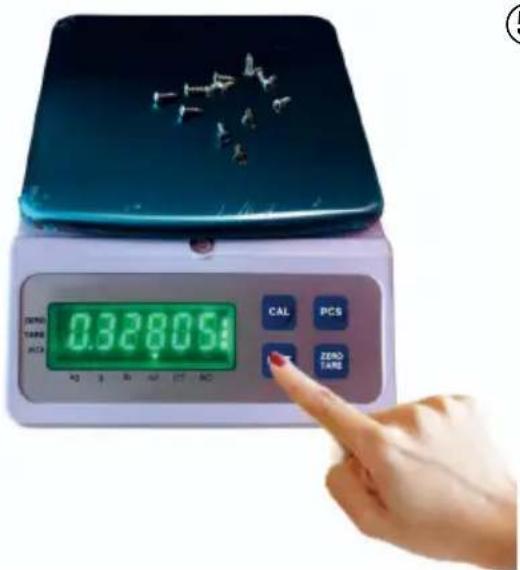
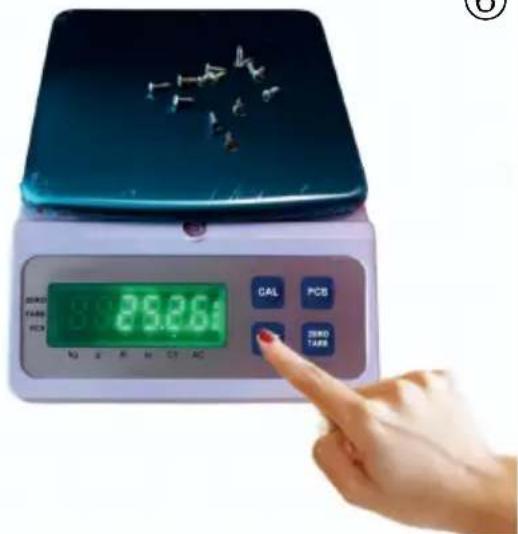
5. Counting Function
①
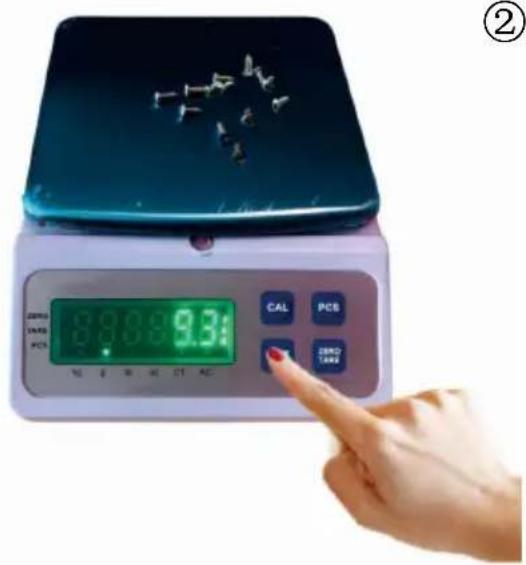
②
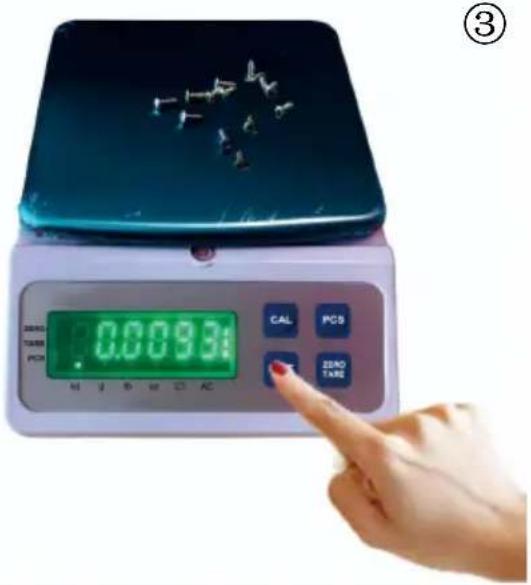
③
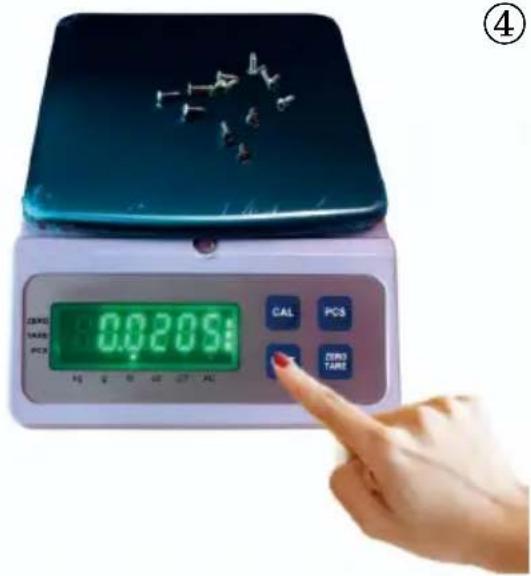
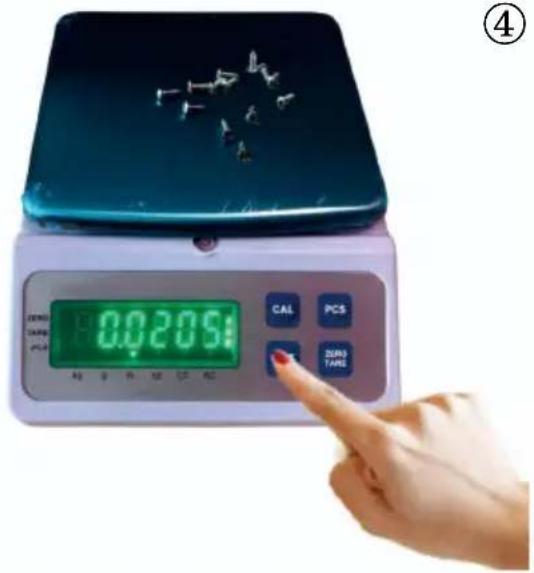
④
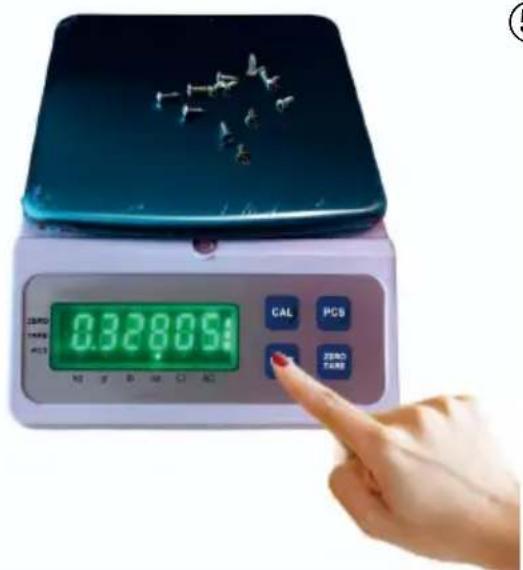
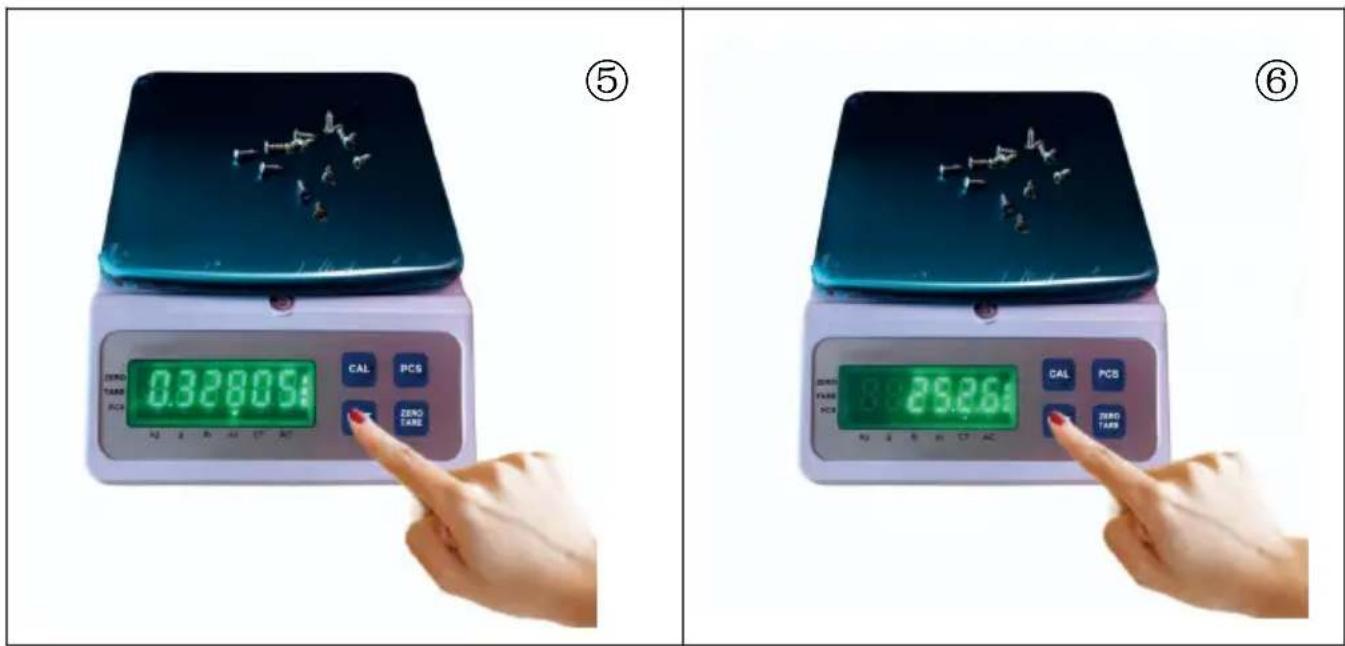
⑤
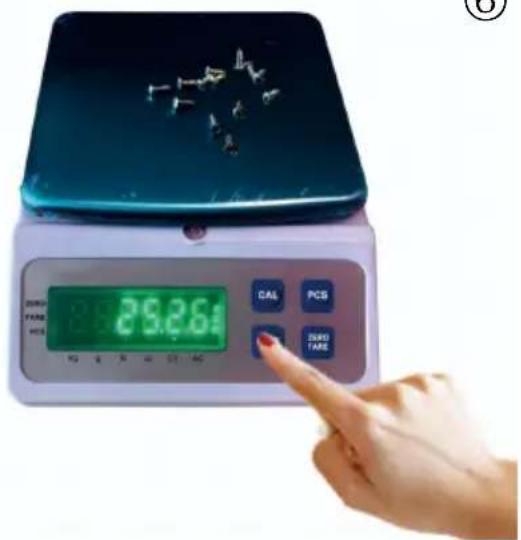
⑥
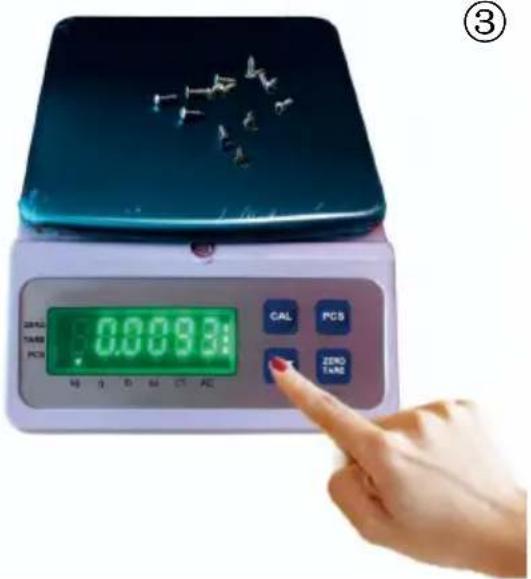
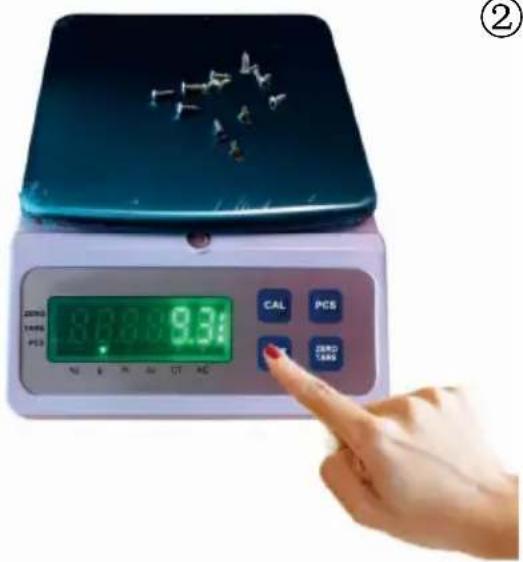
(1) If sampling has been done previously, pressing the【UNIT】key allows direct switching to counting mode.
A. To resample if necessary, long-press the【PCS】key to reselect the sampling quantity.
B. While counting, pressing the【UNIT】key allows exit.
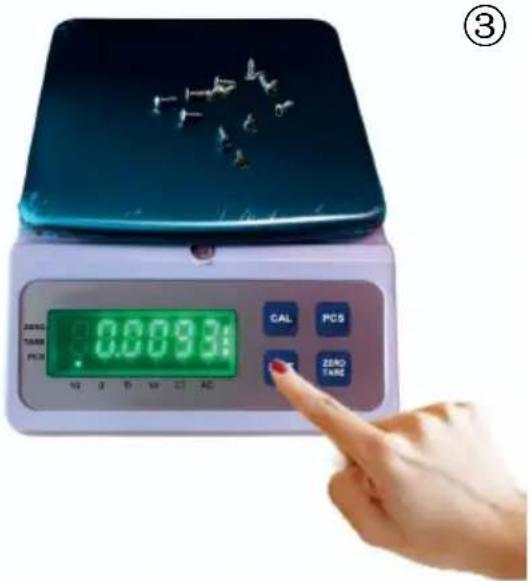
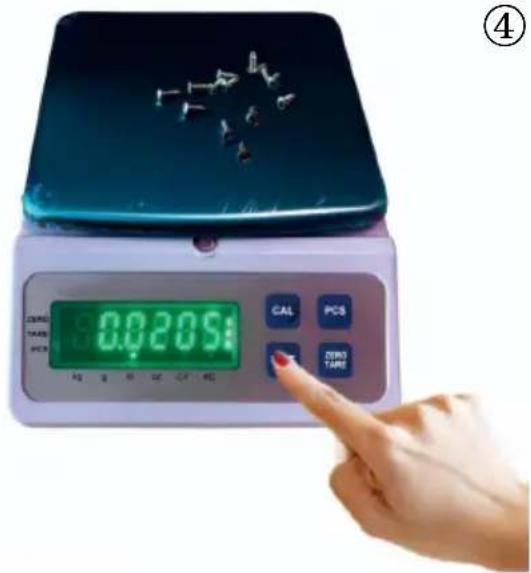
(2) If no previous sampling has been done, press the【UNIT】key until the PCS indicator light is on to enter the sampling quantity selection mode:
A. Press the【CAL】key to choose a quantity value of 10/20/50/100/200/500, place the object, press the【PCS】key to confirm, and proceed to the next step. B. During the selection of the sampling quantity, you can press the【UNIT】key to exit.
Note: If the weight is zero or negative, it will display【-Erro-】and return to the sampling quantity selection.
If the single weight is less than 50% of the scale division value, it will display 【-SLAC-】 before entering counting mode.
If the sampled weight is less than 40 scale division values, it will display 【-CSL-】 before entering counting mode.
D. User Calibration
- Access user calibration:
In weighing mode, long-press the【CAL】key for 2 seconds to access user calibration, displaying: Weight Window
| Weight Window |
| -CAL- |
- Obtain the calibration zero point:
displaying:
| Weight Window |
| 0.00 |
After obtaining the zero point, press any key to proceed to the next step.
3. Choose the calibration weight value, with a blinking display of the calibration weight.
| Weight Window |
| 1500.0 |
A. If no change in calibration weight value is needed, press any key once, displaying the weight of the weight, place the calibration weight, press the 【ZERO/TARE】key to complete the calibration.
B. If a change in calibration weight value is needed:
i. Press the【PCS】key to move the digits (starting from the highest digit), with the currently modified digit blinking. ii. Press the 【ZERO/TARE】key to change the current digit value (cycling from 0 to 9). iii. Press the【UNIT】key to confirm the calibration weight value and display the entire calibration weight value blinking.
iv. After confirming the calibration weight value, place the calibration weight and press the【ZERO/TARE】key to complete the calibration.
E. Settings Mode
Press the【ZERO/TARE】key when powering on to enter the settings mode displaying XXXXXX (default 102063).
- Use the【PCS】key to move the digits (starting from the highest digit), with the currently modified digit blinking.
- Use the【ZERO/TARE】key to change the current digit value (cycling from 0 to 9).
- Press the【UNIT】key to confirm and return to weighing.
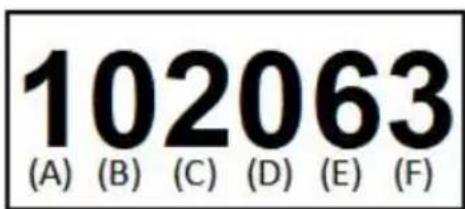
(1) Option C represents brightness settings (range: 1~3), default is 2: LED: 1 - Lowest, 2 - Medium, 3 - Highest.
(2) Option D represents zero tracking range (range: 0~9), default is 1:
a) Zero tracking range = (D value) × 0.5d.
b) For example, 0 represents auto, 1 represents 0.5d, 2 represents 1d, and on.
(3) Option E represents linear compensation range, default is 0:
a) 1~9 represents 1~9d.
(4) Option F represents the power-on default unit (range 1~3), default value is consistent with the model setting:
a) 1 represents default unit: kg. b) 2 represents default unit: Lb. c) 3 represents default unit: g. d) 4 represents default unit: oz. e) 5 represents default unit: ct.
Note:
- If the weight decimal point is >= 3 digits and the unit is set to g in the model setting, changing to kg/Lb is ineffective (default switches to more than 5 decimal places).
- After changing the model, the default unit becomes consistent with the model unit setting. For example, if the model was set to kg, and the power-on default unit was set to Lb, but the unit was changed to g during the model change, the power-on default unit becomes g.
F. Model Setting Mode
Press the 【CAL】+【UNIT】keys when powering on to enter the model setting mode, displaying (default 03000.1).
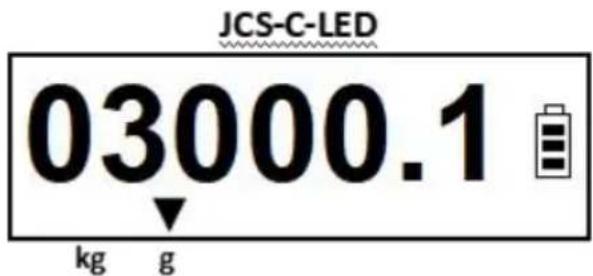
This represents the model as follows: Maximum weighing value of 3000.0, 1 decimal place, division value of 1, unit in g.
Use the【PCS】key to move digits (from the 6th digit to the 2nd digit), selecting the decimal point, division value (rightmost digit), and unit.
Use the【ZERO/TARE】key to change digits, decimal places, division value, and unit.
Use the【UNIT】key to confirm changes and return to weighing.
- Change the maximum weighing value:
Use the【PCS】key to move digits (from the 6th digit to the 2nd digit) and use the【ZERO/TARE】key to update digits.
- Change the division value:
Use the【PCS】key to move to the 1st digit (rightmost digit) and use the【ZERO/TARE】key to switch division values (1/2/5).
- Change the decimal places:
Use the【PCS】key to move to the blinking decimal point and use the【ZERO/TARE】key to switch between 0\~5 decimal places.
- Change the unit for the model:
Use the【PCS】key to move to the unit symbol blinking, and use the【ZERO/TARE】key to switch between Kg/g.
G. Metrological Performance:
| Specifications | Calibration Division Value (e) | Display Division Value (d=e) | Maximum Weighing (Max) | Minimum Weighing (Min 20e) | Zero-setting Range ( ± 2% Max) | Tare Range (+100% Max) | Display Limit (Max+9E) |
| 10kg | 0.1g | 0.1g | 10kg | 2g | ± 200g | +10kg | 10000.9 |
H. Choice of power source:
1、North America plug: AC110V 60Hz 2、European plug:AC220-240V 50Hz 3、Australian plug:AC220-240V 50Hz
I. Environmental Requirements:
Humidity: Relative humidity not exceeding 90%
Temperature: Storage temperature -10°C to +50°C
Operating temperature 0°C to +40°C
Humidity: Storage humidity <70%RH (no frost)
Operating humidity <90%RH (no condensation)
J. Common trouble shooting:
| No | TROUBLE | MEANS | REASON | ADVISE |
| 1 | Turn on ,show“LB”and alarm | LOW BATTERY(POWER) | Battery no power | RECHARGING |
| Battery broken | change the battery | |||
| 2 | Turn on ,show“ED” | WEIGHING ERROR | LOAD CELL LINE SEALING -OFF | RE-SEALING |
| LOAD CELL TOUCH WITH SOMETHING | CHECKING | |||
| LOAD CELL BROKEN | CHANGE THE LOAD CELL | |||
| PCB BROKEN | CHANGE THE PCB | |||
| 3 | Turn on ,hop counting | The weight window number on changing, cannot weighing | too WET | DRY the PCB and load cell |
| TOO DURTY | take down the PCB, using Alcohol cleaning first ,then dry it | |||
| LOAD CELL TOUCH WITH SOMETHING | CHECKING | |||
| LOAD CELL LINE SEALING -OFF | RE-SEALING | |||
| LOAD CELL BROKEN | CHANGE THE LOAD CELL | |||
| PCB BROKEN | CHANGE THE PCB | |||
| 4 | When charging ,counting | The weight window number on changing, cannot charging | Adaptor | change the adaptor |
| 5 | Digital 8 not full show | Digital 8 not full show ,or less | electronic circuit short | using rubber-insulated wire link together |
| LED Broken | change the LED | |||
| Drive broken | change the display board | |||
| 6 | key can not working | press the key can not working | the key be stucked | checking |
| the key can not spring back | changing the key | |||
| key electronic circuit short | using rubber-insulated wire link together | |||
| PCB BROKEN | CHANGE THE PCB | |||
| KEY BOARD CORRODE | CHANGE THE KEY BOARD | |||
| 7 | NO WEIGHT | no any weight | the load cell line and PCB link broken | checking |
| LOAD CELL LINE SEALING -OFF | RE-SEALING | |||
| LOAD CELL BROKEN | CHANGE THE LOAD CELL | |||
| PCB BROKEN | CHANGE THE PCB | |||
| 8 | can not turn on | press the on/off button ,can not turn on | the ON/OFF BUTTON BROKEN | CHANGE THE ON/OFF BUTTON |
| CHECK THE BATTERY POWER IS ENOUGH | LOW VOLT ,RECHARGE | |||
| BATTERY BROKEN CHANGE IT ,V<5.6V | ||||
| PCB BROKEN | CHANGE THE PCB | |||
| 9 | when turn on DI DI DI sound all th time | when turn on DI DI sound all the time | CHECK THE BATTERY POWER IS ENOUGH | LOW VOLT ,RECHARGE |
| BATTERY BROKEN CHANGE IT ,V<5.6V | ||||
| PCB BROKEN | CHANGE THE PCB | |||
| 10 | turn on the sound normal,but no words | turn on the sound normal,but no words | check the displaybord to PCB link is ok | turn off , relink the display board link |
| display board broken | change the display board | |||
| 11 | turn on show“8”all the time | when turn on the scale,all the window show 8,can not weighing,and the sound it is normal | check the displaybord to PCB link is ok | turn off , relink the display board link |
| display board broken | change the display board | |||
| 12 | can not recharge | When charging AC light is working,but can not charge | Adaptor | change the adaptor |
| Battery broken | change the battery | |||
| When charging AC light is not working | adaptor | change the adaptor | ||
| adaptor plug | take down recharging | |||
| charging connect broken | change the connect par | |||
| the charging connect to the PCB link off | re sealing | |||
| PCB BROKEN | CHANGE THE PCB | |||
| Battery broken | change the battery |
| Items | Description | |
| 1 | Sales territory | North America |
| 2 | Name | Counting Scale |
| 3 | Model | JCS-C |
| 4 | Parameter | Rating(s): AC110V/60Hz, Capacity: 10kg, Division: 0.1g |
| Items | Description | |
| 1 | Sales territory | Europe |
| 2 | Name | Counting Scale |
| 3 | Model | JCS-C |
| 4 | Parameter | Rating(s): AC220-240V/50Hz, Capacity: 10kg, Division: 0.1g |
| Items | Description | |
| 1 | Sales territory | Australia |
| 2 | Name | Counting Scale |
| 3 | Model | JCS-C |
| 4 | Parameter | Rating(s): AC220-240V/50Hz, Capacity: 10kg, Division: 0.1g |
Manufacturer: Shanghai Muxin Muye Youxiangongsi
Address: Shuangchenglu 803nong11hao1602A-1609shi, Baoshanqu, Shanghai 200000 CN.
Imported to AUS: SIHAO PTY LTD. 1 ROKEVA STREETEASTWOOD NSW 2122 Australia
Imported to USA: Sanven Technology Ltd. Suite 250, 9166 Anaheim Place, Rancho Cucamonga, CA 91730
| EC | REP |
E-CrossStu GmbH
Mainzer Landstr.69, 60329 Frankfurt am Main.
| UK | REP |
YH CONSULTING LIMITED.
C/O YH Consulting Limited Office 147, Centurion House, London Road, Staines-upon-Thames, Surrey TW18 4AX
VEVOR®
TOUGH TOOLS, HALF PRICE
Technical Support and E-Warranty Certificate
www.vevor.com/support
VEVOR®
TOUGH TOOLS, HALF PRICE
We continue to be committed to provide you tools with competitive price. "Save Half", "Half Price" or any other similar expressions used by us only represent estimate of savings you might benefit from buying certain tools with us compared to top brands and does not necessarily mean to cover all categories of tools offered by are kindly reminded to verify carefully when you are placing an order with us if you actually saving half in comparison with the top major brands.
Model: JCS-C
NEED HELP? CONTACT US!
Have product questions? Need technical support? Please feel free to contact us:
Technical Support and E-Warranty Certificate www.vevor.com/support
This is the original instruction, please read all manual instructions carefully before operating. VEVOR reserves a clear interpretation of user manual. The appearance of the product shall be subject to the product you received. Please forgive us that we won't inform you there are any technology or software updates on our product.
Zero, Tare, PCS, Kg, g, lb, oz, ct, AC.
| Weight Window |
| 1500.0 |
Anaheim Place, Rancho Cucamonga, CA 91730
| EC | REP |
E-CrossStu GmbH
Mainzer Landstr.69, 60329 Frankfurt am Main.
| UK | REP |
YH CONSULTING LIMITED.
C/O YH Consulting Limited Office 147, Centurion
House, London Road, Staines-upon-Thames, Surrey
TW18 4AX
VEVOR®
TOUGH TOOLS, HALF PRICE
www.vevor.com/support
VEVOR®
TOUGH TOOLS, HALF PRICE
We continue to be committed to provide you tools with competitive price. "Save Half", "Half Price" or any other similar expressions used by us only represent estimate of savings you might benefit from buying certain tools with us compared to top brands and does not necessarily mean to cover all categories of tools offered by are kindly reminded to verify carefully when you are placing an order with us if you actually saving half in comparison with the top major brands.
VEVOR®
TOUGH TOOLS, HALF PRICE
COUNTING SCALE
Modell: JCS-C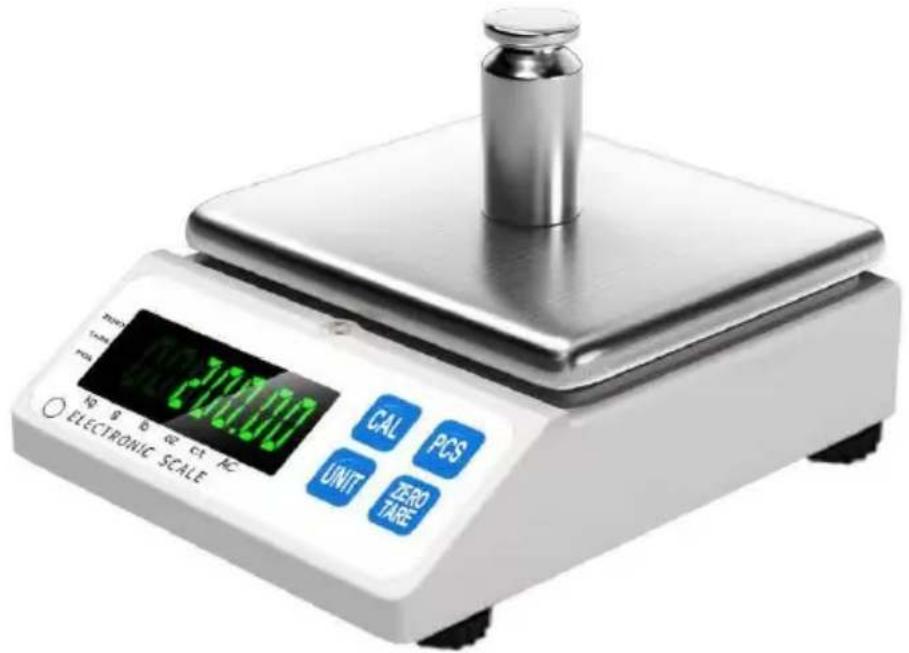
NEED HELP? CONTACT US!
Have product questions? Need technical support? Please feel free to contact us:
Technical Support and E-Warranty Certificate www.vevor.com/support
This is the original instruction. Please read all manual instructions carefully before operating. VEVOR reserves a clear interpretation of the user manual. The appearance of the product shall be subject to the product you received. Please forgive us that we won't inform you of any technology or software updates on our product.
A. Power indicator
Null, Tare, PCS, kg, g, lb, oz, ct, AC.
Weight Window 1500.0
Place, Rancho Cucamonga, CA 91730
| EC | REP |
E-CrossStu GmbH
Mainzer Landstr. 69, 60329 Frankfurt am Main.
| UK | REP |
YH CONSULTING LIMITED.
C/O YH Consulting Limited Office 147, Centurion
House, London Road, Staines-upon-Thames, Surrey
TW18 4AX
VEVOR®
TOUGH TOOLS, HALF PRICE
www.vevor.com/support
VEVOR®
TOUGH TOOLS, HALF PRICE
We continue to be committed to provide you tools with competitive price. "Save Half", "Half Price" or any other similar expressions used by us only represent estimate of savings you might benefit from buying certain tools with us compared to top brands and does not necessarily mean to cover all categories of tools offered by are kindly reminded to verify carefully when you are placing an order with us if you actually saving half in comparison with the top major brands.
Model: JCS-C
NEED HELP? CONTACT US!
Have product questions? Need technical support? Please feel free to contact us:
Technical Support and E-Warranty Certificate www.vevor.com/support
This is the original instruction, please read all manual instructions carefully before operating. VEVOR reserves a clear interpretation of user manual. The appearance of the product shall be subject to the product you received. Please forgive us that we won't inform you there are any technology or software updates on our product.
A. Display On
Zero, Tara, PCS, Kg, g, lb, oz, ct, AC.
①
②
③
④
| Weight Window |
| 1500.0 |
Imported in Australia: SIHAO PTY LTD. 1 ROKEVA STREET, EASTWOOD NSW 2122, Australia
Imported in the USA: Sanven Technology Ltd. Suite 250, 9166 Anaheim Place, Rancho Cucamonga, CA 91730
| EC | REP |
E-CrossStu GmbH
Mainzer Landstr. 69, 60329 Frankfurt am Main.
| UK | REP |
YH CONSULTING LIMITED.
C/O YH Consulting Limited, Office 147, Centurion
House, London Road, Staines-upon-Thames, Surrey
TW18 4AX
VEVOR®
TOUGH TOOLS, HALF PRICE
www.vevor.com/support
VEVOR®
TOUGH TOOLS, HALF PRICE
We continue to be committed to providing you with tools at competitive prices. "Save Half", "Half Price" or any other similar expressions used by us only represent an estimate of savings you might benefit from buying certain tools with us compared to top brands and does not necessarily mean to cover all categories of tools offered by us. We kindly remind you to verify carefully when placing an order with us if you are actually saving half in comparison with the top major brands.
Model: JCS-C
NEED HELP? CONTACT US!
Have product questions? Need technical support? Please feel free to contact us:
Technical Support and E-Warranty Certificate www.vevor.com/support
This is the original instruction. Please read all manual instructions carefully before operating. VEVOR reserves a clear interpretation of the user manual. The appearance of the product shall be subject to the product you received. Please forgive us that we won't inform you of any technology or software updates on our product.
Zero, Tare, PCS, Kg, g, lb, oz, ct, AC.
③
| Weight Window |
| 1500.0 |
C/O YH Consulting Limited Office 147, Centurion House, London Road, Staines-upon-Thames, Surrey TW18 4AX
VEVOR®
TOUGH TOOLS, HALF PRICE
www.vevor.com/support
VEVOR®
TOUGH TOOLS, HALF PRICE
We continue to be committed to providing you with tools at competitive prices. "Save Half", "Half Price" or any other similar expressions used by us only represent an estimate of savings you might benefit from buying certain tools with us compared to top brands and does not necessarily mean to cover all categories of tools offered. We kindly remind you to verify carefully when placing an order with us if you are actually saving half in comparison with the top major brands.
Model: JCS-C
NEED HELP? CONTACT US!
Have product questions? Need technical support? Please feel free to contact us:
Technical Support and E-Warranty Certificate www.vevor.com/support
This is the original instruction. Please read all manual instructions carefully before operating. VEVOR reserves a clear interpretation of the user manual. The appearance of the product shall be subject to the product you received. Please forgive us that we won't inform you of any technology or software updates on our product.
①
②
③
| Weight Window |
| 1500.0 |
STREET EASTWOOD NSW 2122 Australia
Imported to USA: Sanven Technology Ltd. Suite 250, 9166 Anaheim
Place, Rancho Cucamonga, CA 91730
| EC | REP |
E-CrossStu GmbH
Mainzer Landstr.69, 60329 Frankfurt am Main.
| UK | REP |
YH CONSULTING LIMITED.
C/O YH Consulting Limited Office 147, Centurion
House, London Road, Staines-upon-Thames, Surrey
TW18 4AX
VEVOR®
TOUGH TOOLS, HALF PRICE
www.vevor.com/support
VEVOR®
TOUGH TOOLS, HALF PRICE
Technical support and e-warranty certificate www.vevor.com/support
Scale User Manual
Model: JCS-C
We continue to be committed to providing you with tools at competitive prices. "Save Half", "Half Price", or any other similar expressions used by us only represent an estimate of savings you might benefit from buying certain tools with us compared to top brands, and does not necessarily mean to cover all categories of tools offered. We kindly remind you to verify carefully when placing an order with us if you are actually saving half in comparison with the top major brands.
Model: JCS-C
NEED HELP? CONTACT US!
Have product questions? Need technical support? Please feel free to contact us:
Technical Support and E-Warranty Certificate www.vevor.com/support
This is the original instruction. Please read all manual instructions carefully before operating. VEVOR reserves a clear interpretation of the user manual. The appearance of the product shall be subject to the product you received. Please forgive us that we won't inform you of any technology or software updates on our product.
A. On/off display
Zero, Tare, PCS, Kg, g, lb, oz, ct, AC.
②
| Weight Window |
| 1500.0 |
Anaheim Place, Rancho Cucamonga, CA 91730
| EC | REP |
E-CrossStu GmbH
Mainzer Landstr.69, 60329 Frankfurt am Main.
| UK | REP |
YH CONSULTING LIMITED.
C/O YH Consulting Limited Office 147, Centurion
House, London Road, Staines-upon-Thames, Surrey
TW18 4AX
VEVOR®
TOUGH TOOLS, HALF PRICE
www.vevor.com/support
VEVOR®
TOUGH TOOLS, HALF PRICE
We continue to be committed to providing you with tools at competitive prices. "Save Half", "Half Price" or any other similar expressions used by us only represent an estimate of savings you might benefit from buying certain tools with us compared to top brands and does not necessarily mean to cover all categories of tools offered. We kindly remind you to verify carefully when placing an order with us if you are actually saving half in comparison with the top major brands.
Model: JCS-C
NEED HELP? CONTACT US!
Have product questions? Need technical support? Please feel free to contact us:
Technical Support and E-Warranty Certificate www.vevor.com/support
This is the original instruction. Please read all manual instructions carefully before operating. VEVOR reserves a clear interpretation of the user manual. The appearance of the product shall be subject to the product you received. Please forgive us that we won't inform you of any technology or software updates on our product.
A. Power on the screen
Zero, Tare, PCS, Kg, g, lb, oz, ct, AC.
4. Unit conversion
①
②
③
⑤
⑥
C/O YH Consulting Limited Office 147, Centurion House, London Road, Staines-upon-Thames, Surrey TW18 4AX
VEVOR®
TOUGH TOOLS, HALF PRICE
www.vevor.com/support
- COUNTING SCALE USER MANUAL
- NEED HELP? CONTACT US
- POWER ON DISPLAY
- COMMON FUNCTIONS
- KEYPADS (4 IN TOTAL)
- SIMPLE FUNCTIONS
- INDICATOR LIGHTS
- UNIT CONVERSION
- COUNTING FUNCTION
- USER CALIBRATION
- SETTINGS MODE
- MODEL SETTING MODE
- METROLOGICAL PERFORMANCE
- CHOICE OF POWER SOURCE
- ENVIRONMENTAL REQUIREMENTS
- VEVOR®
- TOUGH TOOLS, HALF PRICE
- POWER INDICATOR
- WEIGHT WINDOW
- DISPLAY ON
- SCALE USER MANUAL
- ON/OFF DISPLAY
- POWER ON THE SCREEN
Brand : Vevor
Model : JCS-C
Category : Measuring equipment