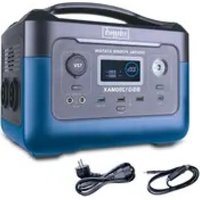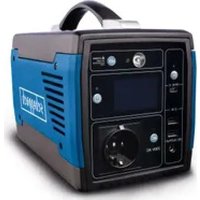
BSG300 - Power bank SCHEPPACH - Free user manual and instructions
Find the device manual for free BSG300 SCHEPPACH in PDF.


| Brand | Scheppach |
| Model | BSG300 |
| Product type | Portable battery (power station) |
| Dimensions (L x W x H) | 275 x 150.5 x 210 mm |
| Weight | 4.2 kg |
| Battery capacity | 307 Wh |
| Battery voltage | 14.8 V |
| Battery type | Lithium-ion (INR18650) |
| AC output power | 300 W nominal / 400 W peak |
| AC output voltage | 230 V ~ 50 Hz |
| DC output | 12 V, 10 A max |
| USB 2.0 output | 5 V, 2.4 A |
| USB-C output | 5/9/12/15/20 V, 3 A (PD 60 W) |
| Charge input | 17.5 V DC, 4.8 A |
| Charge time (mains) | Approximately 5 to 7 hours |
| Charge time (solar) | Approximately 5 hours (maximum sunlight) |
| Operating temperature | 0 °C to 40 °C |
| Protection rating | IP20 |
| Display | LCD with charge level and power |
| LED lighting | Yes (half, full, SOS) |
| Protection functions | Overheating, overvoltage, short circuit, undervoltage, overload |
| Maintenance | Clean with a dry cloth; no internal maintenance |
| Safety | Read the manual, do not expose to water, use only original accessories |
| Spare parts | Battery (wear part) |
| Compliance | CE |
Frequently Asked Questions - BSG300 SCHEPPACH
User questions about BSG300 SCHEPPACH
0 question about this device. Answer the ones you know or ask your own.
Ask a new question about this device
Download the instructions for your Power bank in PDF format for free! Find your manual BSG300 - SCHEPPACH and take your electronic device back in hand. On this page are published all the documents necessary for the use of your device. BSG300 by SCHEPPACH.
USER MANUAL BSG300 SCHEPPACH
natural_image
Line drawing of a standard electronic device with ports and control panel (no text or symbols)
BSG300
| DE | PowerstationOriginalbedienungsanleitung | 04 |
| GB | Portable power stationTranslation of original instruction manual | 21 |
| FR | Centrale électriqueTraduction des instructions d'origine | 35 |
| CZ | Nabíjecí stanicePrěklad z originálního návodu | 51 |
| EE | ToitejaamTõlge originaalkasutusjuhendist | 65 |
| HU | IndítóállomásAz eredeti használati útmutató fordítása | 79 |
natural_image
Line drawing of a solar power supply system with a battery, solar panel, and sun (no text or symbols)5
natural_image
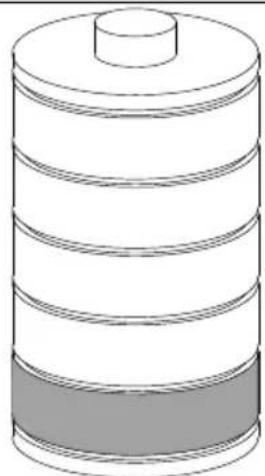
Illustration of a cylindrical battery with three horizontal bands and one top cap (no text or symbols)Günzburger Straße 69
D-89335 Ichenhausen
Verehrter Kunde,
LCD-Monitor (Abb. 3)
Homepage: https://www.scheppach.com/de/service
Explanation of the symbols on the device
Symbols are used in this manual to draw your attention to potential hazards. The safety symbols and the accompanying explanations must be fully understood. The warnings themselves will not rectify a hazard and cannot replace proper accident prevention measures.
 | Warning - read the instruction manual to reduce the risk of injury. |
 | Warning against UV radiation. |
 | Do not use the device in wet conditions! Protect from moisture! |
| ⚠ Attention! | We have marked points in these operating instructions that impact your safety with this symbol. |
Table of contents: Page:
- Introduction......23
- Device description....24
- Scope of delivery....24
- Proper use....25
- Safety instructions....25
- Technical data 28
- Unpacking 29
- Before commissioning....29
- Start up....30
- Charging....31
- Cleaning 32
- Transport 32
- Storage....32
- Maintenance....33
- Disposal and recycling 33
- Troubleshooting....34
1. Introduction
Manufacturer:
scheppach
Günzburger Straße 69
D-89335 Ichenhausen
Dear customer,
we hope your new tool brings you much enjoyment and success.
Note:
In accordance with the applicable product liability laws, the manufacturer of this device assumes no liability for damage to the device or caused by the device arising from:
- Improper handling
- Failure to comply with the operating instructions.
• Repairs carried out by third parties, unauthorised specialists
• Installing and replacing non-original spare parts, - Improper use
- Failures of the electrical system in the event of the electrical regulations and VDE provisions 0100, DIN 57113 / VDE 0113 not being observed
Note:
Read the whole text of the operating manual before assembly and commissioning.
This operating manual should help you to familiarise yourself with your device and to use it for its intended purpose.
The operating manual includes important instructions for safe, proper and economic operation of the device, for avoiding danger, for minimising repair costs and downtimes, and for increasing the reliability and extending the service life of the device.
In addition to the safety instructions in this operating manual, you must also observe the regulations applicable to the operation of the device in your country.
Keep the operating manual at the device, in a plastic sleeve, protected from dirt and moisture. They must be read and carefully observed by all operating personnel before starting the work.
The device may only be used by personnel who have been trained to use it and who have been instructed with respect to the associated hazards. The required minimum age must be observed.
In addition to the safety instructions in this operating manual and the separate regulations of your country, the generally recognised technical rules relating to the operation of such machines must also be observed.
We accept no liability for accidents or damage that occur due to a failure to observe this manual and the safety instructions.
2. Device description
- Transport handle
- LED on/off switch
- LED
- DC button
- On/off switch
- AC button
- USB - C Type
- USB 2.0
- 12V DC
- 230 V socket
- Charge connection
LCD monitor (fig. 3)
a. Battery level
b. Battery level in %
c. Error display
d. AC - on
e. DC-12V - on
f. Charging capacity
g. Cooling - on
h. USB - on
i. USB-C - on
j. AC - output power
3. Scope of delivery
A. Portable power station
B. Operating manual
C. Charging cable
4. Proper use
The machine may only be used in the intended manner. Any use beyond this is improper. The user/operator, not the manufacturer, is responsible for damages or injuries of any type resulting from this.
An element of the intended use is also the observance of the safety instructions, as well as the assembly instructions and operating information in the operating manual. Persons who operate and maintain the machine must be familiar with it and must be informed about potential dangers.
In addition, the applicable accident prevention regulations must be strictly observed.
Other general occupational health and safety-related rules and regulations must be observed.
The liability of the manufacturer and resulting damages are excluded in the event of modifications of the machine.
The device is intended for charging batteries or for operating electronic devices that do not exceed a maximum output of 300W.
The machine may only be operated with original parts and original accessories from the manufacturer. The safety, operating and maintenance specifications of the manufacturer, as well as the dimensions specified in the technical data, must be observed.
Please observe that our equipment was not designed with the intention of use for commercial or industrial purposes. We assume no guarantee if the equipment is used in commercial or industrial applications, or for equivalent work.
5. Safety instructions
DANGER
A failure to observe these instructions poses an extreme danger of death or the risk of life-threatening injuries.
⚠ WARNING
A failure to observe these instructions poses a danger of death or the risk of serious injuries.
NOTE
Personal injury or property damage can result from incorrect operation.
General safety instructions
⚠️ Danger
- Please do not disassemble, repair or transform, which may cause electric shock, heat, fire and other dangers.
- Do not place the product near the source of fire or expose it to fire or heat as this could result in fire, burns, and other hazards.
- This product cannot be charged and used in dew, bathhouse, rain and other places; do not use water to clean the product, it will cause electric shock, heat, fire and other dangers.
- Do not touch this product or connector plug when your hands are wet. It may cause electric shock hazard.
- Do not use metal to contact AC output interface. It may cause electric shock, fever, fire and other dangers.
- Please do not use it as general waste disposal. Electricity shock, heat and fire may occur in the garbage collection truck or in the garbage collection truck.
- Do not use AC connections other than those specified. It may cause electric shock, fever, fire and so on.
- Please confirm the rated specifications of the connection interface or the connecting machine, and do not exceed the specifications. It may cause electric shock, fever, fire and so on.
- Please do not have a strong impact on the product such as a drop or a hammer strike. It may cause electric shock, heat, fire or damage to the product.
- Do not place, store, and use in places that are prone to falling or dropping (such as high shelves). It may cause electric shock, heat, fire or damage to the product.
- Do not move the product, while it is charging or in use. The vibration and shock during movement can cause heat, fire, electric shock, or damage to the product.
⚠ Warning!
- Please keep the place clean for use and storage. Powder or small metal contact terminal may cause short circuit, accidents such as smoke or fire.
- Be sure to check before use. In case of peculiarities such as breakage, crack, leakage, fever and AC line breakage, please stop using the product immediately.
- Do not let children use this product or it may cause accidents or injuries.
- Do not use if the interface cannot be fully plugged in due to lose or deformed interface, otherwise which may cause electric shock, heat and fire.
- Please do not use it on the beach or in dusty places. Or it may cause smoke, fire.
- Please do not use and keep in the car, trunk, loading table or high temperature place under direct sunlight. Otherwise, it may cause product failure obstacles or deterioration or cause fever.
- When the liquid inside the product sticks to the skin or clothes, please wash it with water immediately. Otherwise may cause the skin injury and so on. Do not wipe the liquid inside the eye. After washing with clean water, please see a doctor immediately. It may cause the risk of blindness.
- In the event of a thunderstorm or lightning strike, pull the power cord out of the socket while charging. Overload can lead to overheating, fire, and other accidents.
- Please charge the device in the specified voltage range (100-240 V AC). Otherwise, heat, fire, and other accidents may result.
- Please do not place the product upside down or on its side when using and storing it, otherwise it may cause leakage, heat, fire and other hazards.
Note
- Stop using the product immediately if any abnormalities such as rust, unusual smell, heating, etc. appear.
- When transporting the product by a car, etc., please fix it so that it cannot be moved. Otherwise, the product may be damaged, resulting in electric shock, heat, fire, etc.
- Do not allow this product or the power cord to come into contact with water or other liquids. This may lead to short circuits, heat, fire, etc.
- Charge, use and store this product at temperatures between 0 and 40^ , otherwise it may deteriorate in performance or cause overheating.
- In the event of an accidental drop or impact, the housing could be damaged by electric shock, heat, fire, etc. Please stop using the product immediately. To avoid accidents, immediately contact the installation and maintenance personnel responsible on site.
- Read through the operating instructions completely before connecting the electrical products. Operating errors can lead to accidents or injuries.
- Make sure that the electrical devices are switched off before connecting them. Sudden start of electrical equipment can cause accident or injury.
- Make sure to turn off the main switch during storage to avoid unnecessarily discharging the battery and avoiding electric shock.
ATTENTION!
This power tool generates an electromagnetic field during operation. This field can impair active or passive medical implants under certain conditions. In order to prevent the risk of serious or deadly injuries, we recommend that persons with medical implants consult with their physician and the manufacturer of the medical implant prior to operating the machine.
Residual risks
The electric tool has been built according to state-of-the-art and the recognised technical safety rules. However, individual residual risks can arise during operation.
- Health hazard due to electrical power, with the use of improper electrical connection cables.
• Furthermore, despite all precautions having been met, some non-obvious residual risks may still remain.
- Residual risks can be minimised if the "Safety Instructions" and the "Intended Use" together with the operating manual as a whole are observed.
- Avoid accidental starting of the machine: the operating button may not be pressed when inserting the plug in an outlet. Use the tool that is recommended in this operating manual. This is how to ensure that your machine provides optimum performance.
6. Technical data
Power output
| AC output | Rated voltage 230V~ | |
| Nominal power 300W | ||
| Peak power 400W (3s) | ||
| Frequency 50 Hz | ||
| DC12V output | Rated voltage 12V (±1V) | |
| Rated current max. 10A | ||
| USB 2.0 output | QC Apple, Samsung | |
| Rated voltage 5V (±0,25V) | ||
| Rated current | 2.4A | |
| USB-C - output | QC | PD 3.0 (60W) |
| Rated voltage | 5V/3A; 9V/3A; 12V/3A; 15V/3A; 20V/3A | |
| Input power | ||
| Input AC adapter | 17,5 Vdc, 4,8A | |
| Battery | ||
| Nominal power | 307 Wh | |
| Rated voltage | 14.8 V | |
| Battery cell type | INR18650-3.7V / 2600mAh(5C) | |
| Voltage | 10.8 – 16.8V | |
| Loading time with solar panel | approx. 5h with max. lighting intensity | |
| Loading time with charging cable | approx. 5 - 7 h | |
Working conditions
| Air humidity 5% - 90% | |
| Operating temperature | 0°C - 40°C |
| General | |
| Protection class IP20 | |
| Dimensions 275 x 150,5 x 210 mm | |
| Weight 4,2 kg | |
Technical changes reserved!
7. Unpacking
- Open the packaging and carefully remove the device. Remove the packaging material, as well as the packaging and transport safety devices (if present).
- Check whether the scope of delivery is complete.
- Check the device and accessory parts for transport damage.
- In the event of complaints the carrier must be informed immediately. Later claims will not be recognised.
- If possible, keep the packaging until the expiry of the warranty period. Familiarise yourself with the product by means of the operating instructions before using for the first time.
- With accessories as well as wearing parts and replacement parts use only original parts. Replacement parts can be obtained from your dealer. When ordering please provide our article number as well as type and year of manufacture for your equipment.
ATTENTION!
The device and the packaging material are not children's toys! Do not let children play with plastic bags, films or small parts! There is a danger of choking or suffocating!
8. Before commissioning
On/off switch (5)
Switching on: Short press the on/off button, the power indicator lights and the LCD screen lights up.
Switching off: Press and hold the on/off button over 2 seconds. The indicator and the LCD screen will be off.
DC button (4)
Switch on DC output: Press and hold the DC button over 2 seconds, to switch on the DC output. The DC indicator will light, and the LCD will display "DC ON".
Switch off DC output: Press and hold the DC button for over 2 seconds, to switch off the DC output.
The DC indicator will be off, and the LCD will display "DC OFF".
AC button (6)
Switch on AC output: Press and hold the AC button over 2 seconds, to switch on the AC output. The AC indicator will light, and the LCD will display "AC ON".
Switch off AC output: Press and hold the AC button for over 2 seconds, to switch off the AC output. The AC indicator will be off, and the LCD will display "AC OFF".
LED (3): Press the on/off button of the LED in the device is switched on.
Short press the button: Half brightness - full brightness - off
Long press the button: LED flashes (SOS signal)
Connectable devices
USB output port (8): smartphone, MP3 player, digital camera, electronic reader, tablet, computer, etc.
Type-C USB output port (7): smart phones, tablets, etc.
DC 12V output port (9): mainly used for LED light bulb lighting.
AC output port (10): notebook computer, camera, display devices and other AC power supply working equipment.
⚠️ Note: DC output is suitable for most products in the market. Some products with instantaneous high current may trigger over-current protection.
⚠️ Note: Please make sure that the connected electrical products can work properly before using this product.
Note: Products such as saws, drills and air conditioning systems with a nominal power of 300W must not be operated with this device, as they have a starting current that is three times as high as the maximum discharge current of the portable power station.
9. Start up
-
Press and hold the on/off button (5) for 2 seconds, to switch on the power supply. Then the LCD display lights up.
-
DC: Press the DC button (4) for 2 seconds to supply devices with direct current. AC: Press the AC button (6) for 2 seconds to supply devices with alternating current.
30 | GB
⚠️ Note: If you are not using certain ports, switch them off to save power. Therefore, press the DC or AC button for 2 seconds.
- Connect the device to the portable power station.
- The LCD display indicates the power consumption. The numbers indicate how much electricity your devices take from the portable power station.
- Switch off the power supply by pressing the on/off button (5) for two seconds.
⚠️ Note: The LCD background light will automatically go off after no operation for a period of time, and will be switched on again when short pressing any button.
⚠️ Note: If the DC/AC button is turned off and there is no other operation, it will shut down automatically after 5 minutes to save power.
⚠️ Note: The portable power station will shut itself down when the battery capacity is lower than 10%.
⚠️ Note: Always remember to turn off the product if you don’t use it.
⚠️ Note: If possible, keep your portable power station fully charged before long-term non-use. Otherwise it can negatively affect the service life of the battery.
10. Charging
Attention! After using the high power discharge, please let the product rest for 1 hour before charging the product. Do not parallel the AC output of this product with the AC output of other devices.
Charging with solar panel (\* not included in the scope of delivery) (fig. 4)
- Switch on the power supply by pressing the on/off button (5) for two seconds.
- Place your solar panel where it can get as much direct sunlight as possible.
- Use the attached charging cable to connect the solar panel to the charging connection (11) located on the back of the power supply. The LCD display indicates the charging status.
- You can chain multiple solar panels together to reduce solar recharge times. It is capable of taking in 120W of solar charging power. The open-circuit voltage of the solar panel should be from 14V to 40V.
- When the product is fully charged by the solar panel, the charging process will stop automatically. Disconnect the charging cable from the portable power station and switch it off.
⚠️ Note: Please charge the product under 0 to 40 °C temperature environment.
⚠️ Note: The portable power station may get hot when charging.
⚠️ Note: The charging time is different when light intensity is different.
Charging with the battery charger (Fig. 4)
- Switch on the power supply by pressing the on/off button (5) for two seconds.
- Connect the plug of the charging cable to the charging connection socket (11) on the back of the portable power station and connect the charger. The LCD display indicates the charging status.
11. Cleaning
Attention!
Switch off the device prior to all cleaning work.
We recommend that you clean the device directly after every use.
Wipe dust off the machine from time to time with a cloth. Do not use any cleaning products or solvents; they could attack the plastic parts of the device. Make sure that no water can penetrate the device interior.
12. Transport
For short transport use the transport handle to carry the device.
When transporting the product in a car or similar, please secure the device against moving during transport. Otherwise, the product may be damaged, resulting in electric shock, heat, fire, etc.
13. Storage
Store the device and its accessories in a dark, dry and frost-free place that is inaccessible to children. The optimum storage temperature lies between 0 and 40^ .
Store the tool in its original packaging. Cover the tool to protect it from dust or moisture. Store the operating manual with the tool.
Do not store the product in the car, trunk, loading platform or other hot place under direct sunlight. It may cause the product failure, degradation or thermal problem.
Fully charge the product before storage and recharge it at least once every 3 months.
14. Maintenance
The device has no parts that require maintenance.
Connections and repairs
Connections and repair work on the electrical equipment may only be carried out by electricians.
Please provide the following information in the event of any enquiries:
• Machine data - type plate
Service information

With this product, it is necessary to note that the following parts are subject to natural or usage-related wear, or that the following parts are required as consumables. Wearing parts*:Battery
* may not be included in the scope of supply!
15. Disposal and recycling
The device is supplied in packaging to avoid transport damages. This packaging is raw material and can thus be used again or can be reintegrated into the raw material cycle. The device and its accessories are made of different materials, such as metals and plastics.
Take defective components to special waste disposal sites. Check with your specialist dealer or municipal administration!
Do not throw old equipment away with household waste!
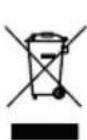
This symbol indicates that this product must not be disposed of in household waste as per Waste Electrical and Electronic Equipment directive (2012/19/EU) and national laws. This product must be handed over at the intended collection point. This can be done, for example, by returning it when purchasing a similar product or delivering it to an authorised collection point for the recycling of old electrical and electronic devices. Improper handling of old devices can have negative effects on the environment and on human health due to potential hazardous materials which are often contained in old electrical and electronic devices. By disposing of this product properly, you are also contributing to the effective use of natural resources. Information about collection points for old devices can be found at your municipal authority, the local disposal provider, an authorised location for the disposal of old electrical and electronic devices or your waste collection service.
Do not throw primary batteries or rechargeable batteries away with household waste!

As a consumer, you are legally obliged to hand in all batteries and rechargeable batteries, regardless of whether they contain harmful substances* or not, to a collection point in your municipality/district or to a retailer so that they can be disposed of
in an environmentally friendly manner.
*labelled with: Cd = cadmium, Hg = mercury, Pb = lead
Remove the batteries from the laser before disposing of the device and the batteries.
16. Troubleshooting
The following table shows fault symptoms and describes remedial measures in the event of your machine failing to work properly. If you cannot localise and rectify the problem with this, please contact your service workshop.
| Possible cause Remedy | |
| Over temperature protection | Check the ambient temperature, it must not be higher than 40 °C. Allow the product to cool. |
| Battery over-current protection | Disconnect the charger from the product and restart it. |
| Battery charging protection C | Contact the customer service department. |
| Protection at low discharge temperatures | Check the ambient temperature, whether it is lower than -20 °C. |
| Battery low voltage protection | Charge the device in time, restart it after it is fully charged. |
| Power inverter overcurrent protection | Check if the AC output is overloaded or short-circuited. |
| Power inverter overload protection | Check if the AC output is overloaded. |
| Power inverter short-circuit protection | Check if the AC output is overloaded or short-circuited. |
| Protection against overvoltage while charging | Check whether the input voltage exceeds the maximum input voltage. |
| Battery overheat protection | Check the ambient temperature, whether it is higher than 40 °C. Leave the device to cool down. |
Günzburger Straße 69
D-89335 Ichenhausen
Cher client,
Appareils raccordables
Günzburger Straße 69
D-89335 Ichenhausen
Vážený zákazníku,
LCD monitor (obr. 3)
Günzburger Straße 69
D-89335 Ichenhausen
Austatud klient!
LCD monitor (joon. 3)
Günzburger Straße 69
D-89335 Ichenhausen
Kedves Ügyfelünk!
Günzburger Straße 69
89335 Ichenhausen, Germania
Egregio cliente,
Monitor LCD (Fig. 3)
Günzburger Straße 69
D-89335 Ichenhausen
Gerbiamas kliente,
Günzburger Straße 69
Günzburger Straße 69
D-89335 Ichenhausen
Szanowny Kliencie,
Monitor LCD (rys. 3)
Günzburger Straße 69
D-89335 Ichenhausen
Vážený zákazník,
LCD monitor (obr. 3)
a. Stav nabitia batérie
b. Stav nabitia batérie v %
c. Zobrazenie chyby
d. AC-Zap
e. DC-12 V-Zap
f. Vstupný nabíjací výkon
g. Chladenie – Zap
h. USB-Zap
i. USB-C-Zap
j. AC – Výstupný výkon
3. Rozsah dodávky
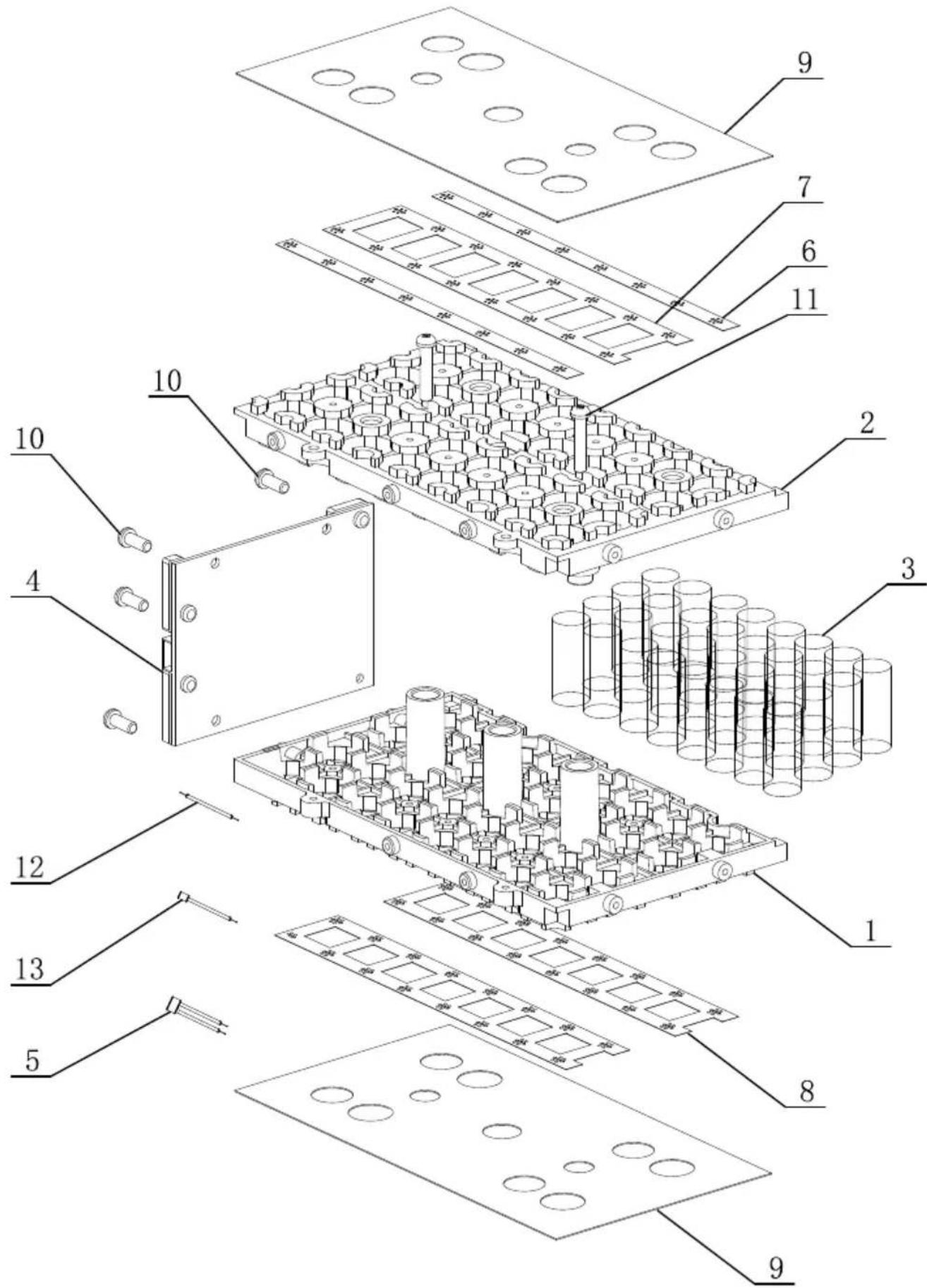
CE - Declaration of Conformity
Standard references:
BS EN IEC 62040-1-2019; IEC 62477-1-2012+AMD1-2016
This declaration of conformity is issued under the sole responsibility of the manufacturer.
The object of the declaration described above fulfils the regulations of the directive 2011/65/EU of the European Parliament and Council from 8th June 2011, on the restriction of the use of certain hazardous substances in electrical and electronic equipment.
Subject to change without notice
Apparent defects must be notified within 8 days from the receipt of the goods. Otherwise, the buyer's rights of claim due to such defects are invalidated. We guarantee for our machines in case of proper treatment for the time of the statutory warranty period from delivery in such a way that we replace any machine part free of charge which provably becomes unusable due to faulty material or defects of fabrication within such period of time. With respect to parts not manufactured by us we only warrant insofar as we are entitled to warranty claims against the upstream suppliers. The costs for the installation of the new parts shall be borne by the buyer. The cancellation of sale or the reduction of purchase price as well as any other claims for damages shall be excluded.